

PowerColor Radeon X700 256MB Bravo Edition
Introduction
Video card companies are always striving to provide the best for gamers and hardware enthusiasts. The companies try to catch your attention, but how do they do it? What makes one package different from the other? What’s different about the cards?
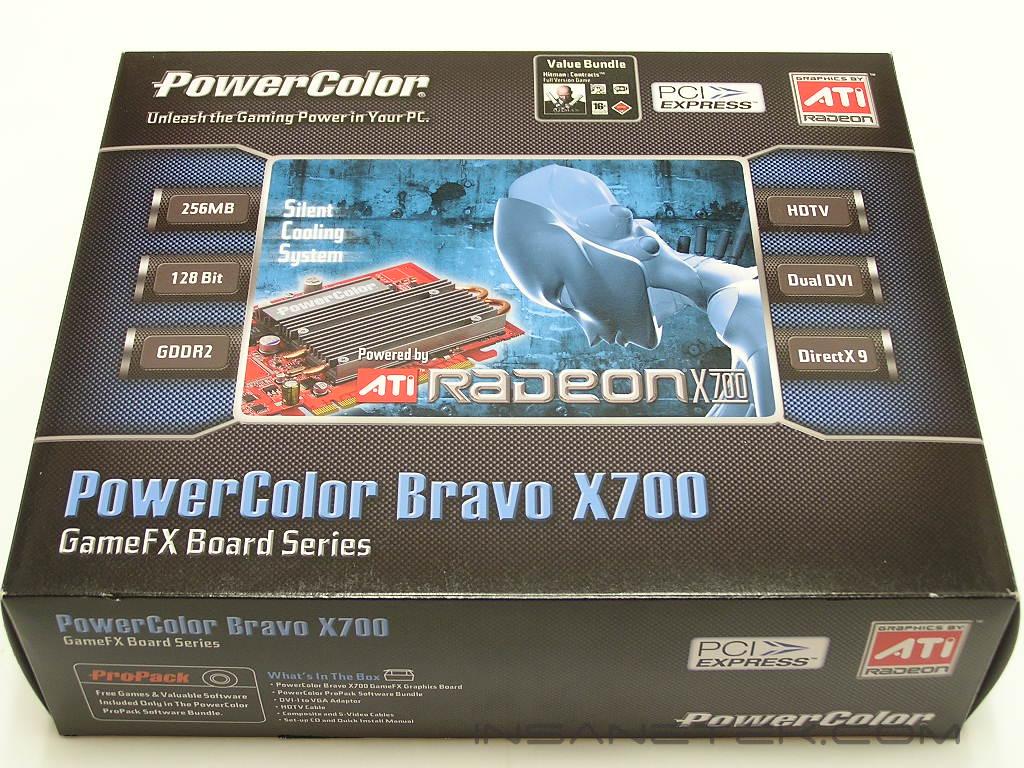
First off, almost all video cards under the same class are similar. There is not much difference between an ATI X800 and a PowerColor X800. The physical shape, design, and PCB are the same. The difference is usually the bundled package, PCB color, and the equipped cooling. With the X800 Pro VIVO (AGP and sometimes PCI-E), the card sometimes comes with better memory, an ATI Rage Theatre Chip, and a higher end GPU core to grab attention. PowerColor was one of the few who released an X800 Pro VIVO that allowed the flash to an X800XT PE. The card became amazingly popular. Where is this all leading to? Today, we’re taking a look at PowerColor’s latest mid-ranged video card for the casual gamers. The card features a Radeon X700 GPU and 256MB of onboard memory. The use of heatpipes for cooling make this card unique, allowing enthusiasts can run the card and operate in silence.
PowerColor Radeon X700 256MB Bravo Edition
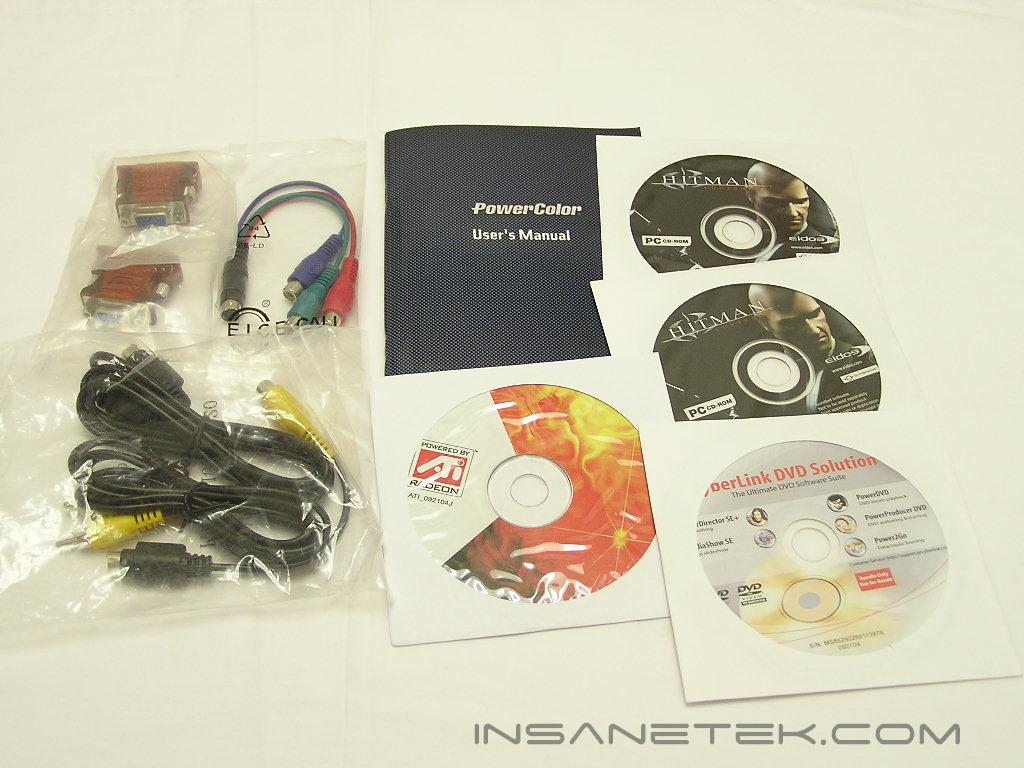
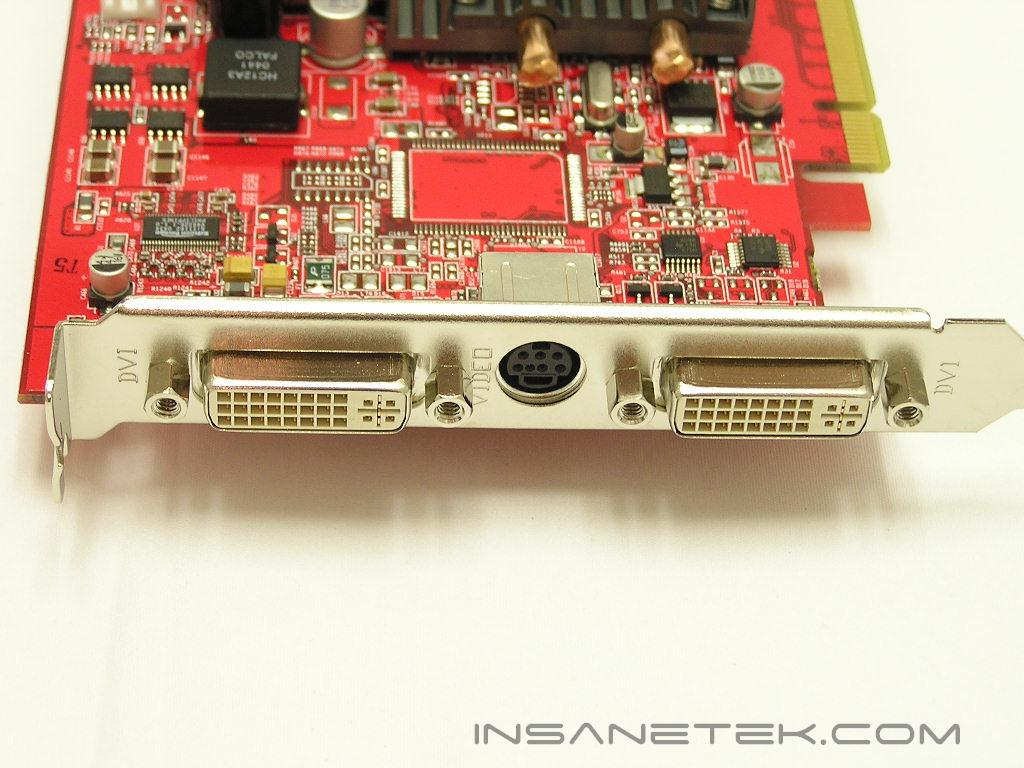
One important feature to keep in mind is the included bundle. Currently, the best bundle I’ve seen is from MSI. While the games included aren’t so fresh and new, they’re still games that are quite popular and very addicting. PowerColor’s bundle includes one game–Hitman: Contracts. The X800 Pro VIVO we had earlier included a copy of Counter-Strike: Condition Zero, but PowerColor left that game out of the Bravo X700 package. Millions of gamers still swear by the older version of Counter-Strike, so including it might have been better. PowerColor also provides the drivers CD and CyberLink DVD software. DVD software has become one of those features that when included, it’s no big deal. Yet if it’s not included, everyone will complain. The video card features S-Video out, so a S-Video cable is included. There is also a cable for HDTV connectivity. The Bravo X700 also supports dual DVI. To accommodate those who still use analog connections, two DVI-to-analog adapters are included.
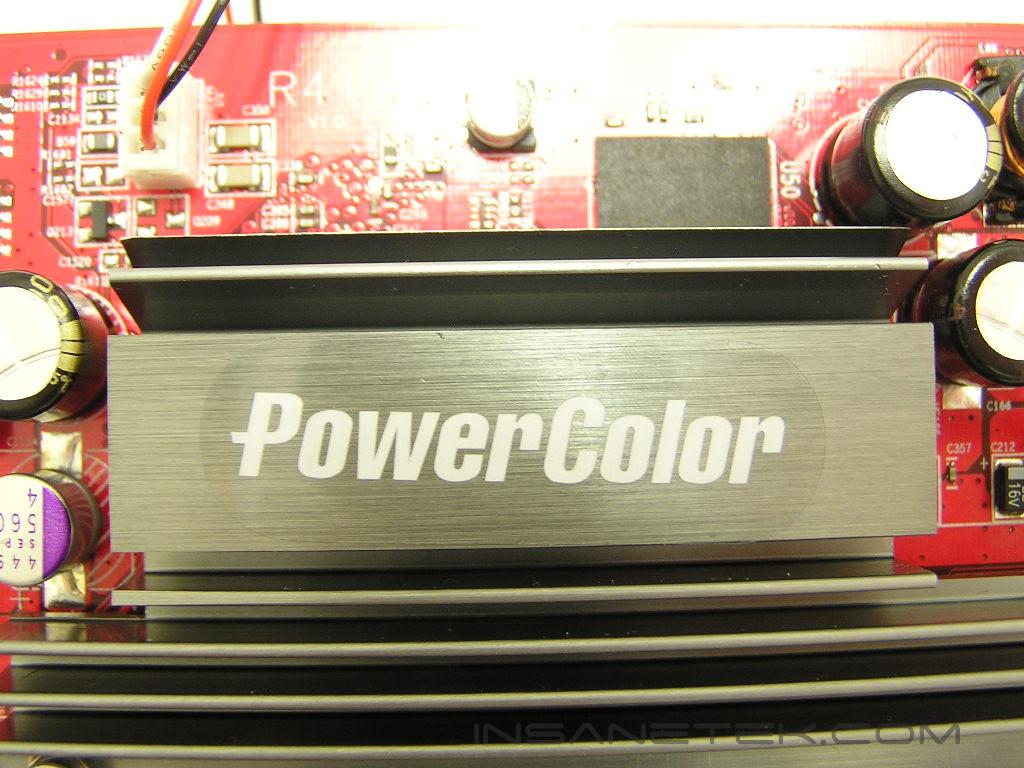
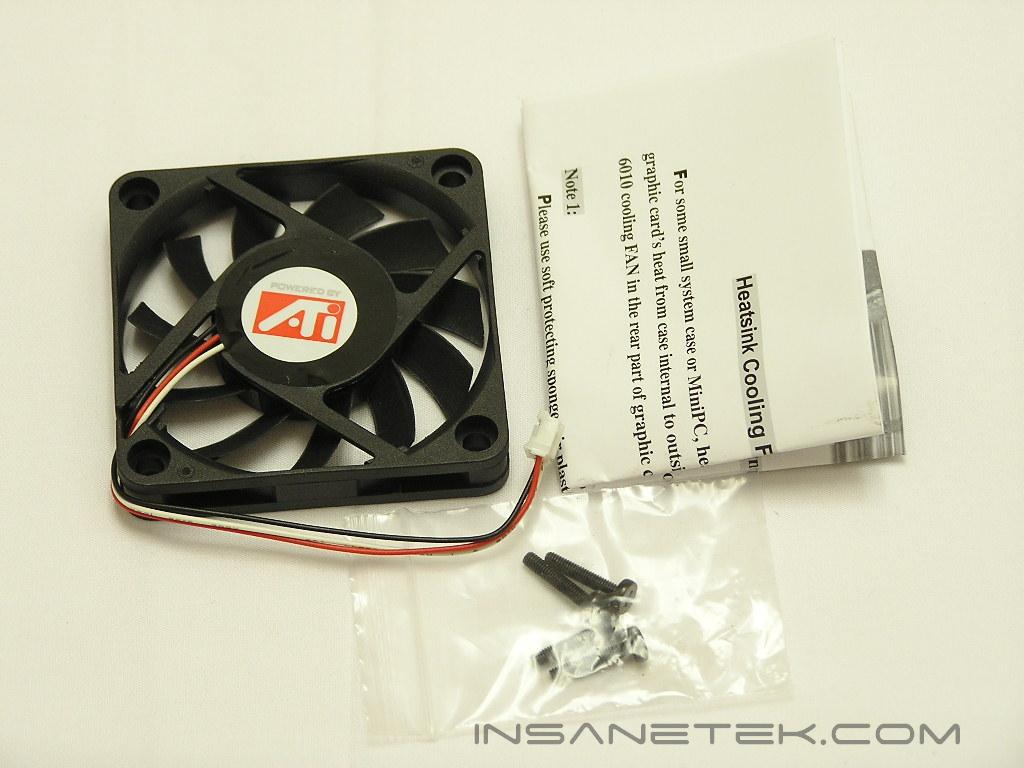
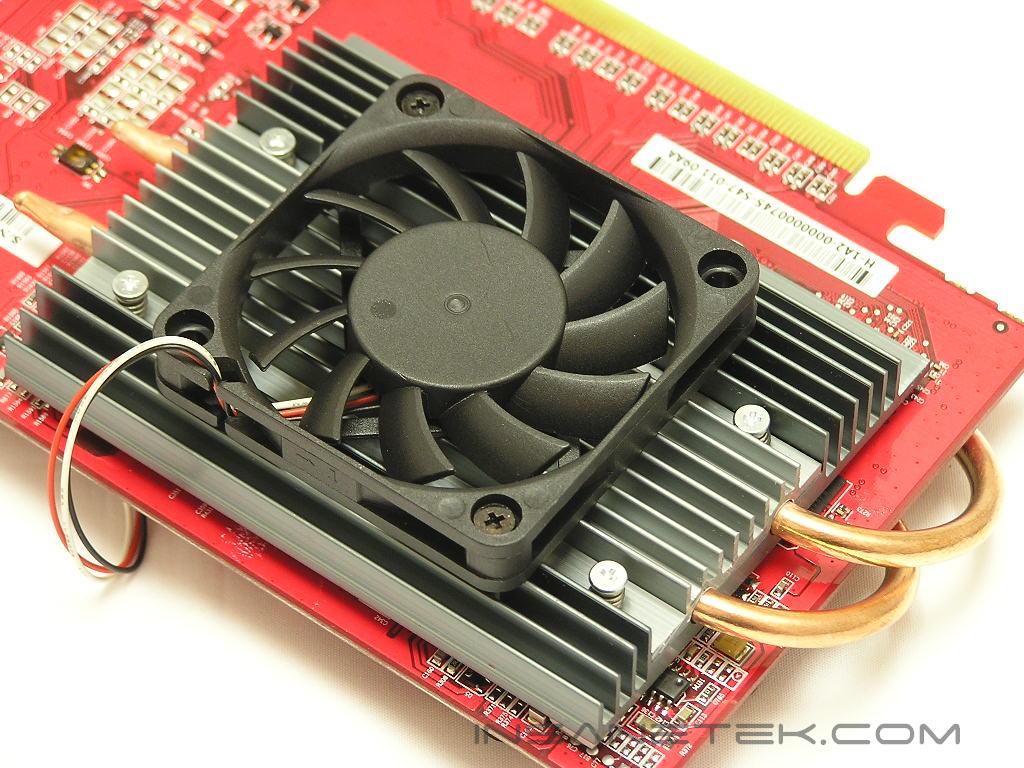
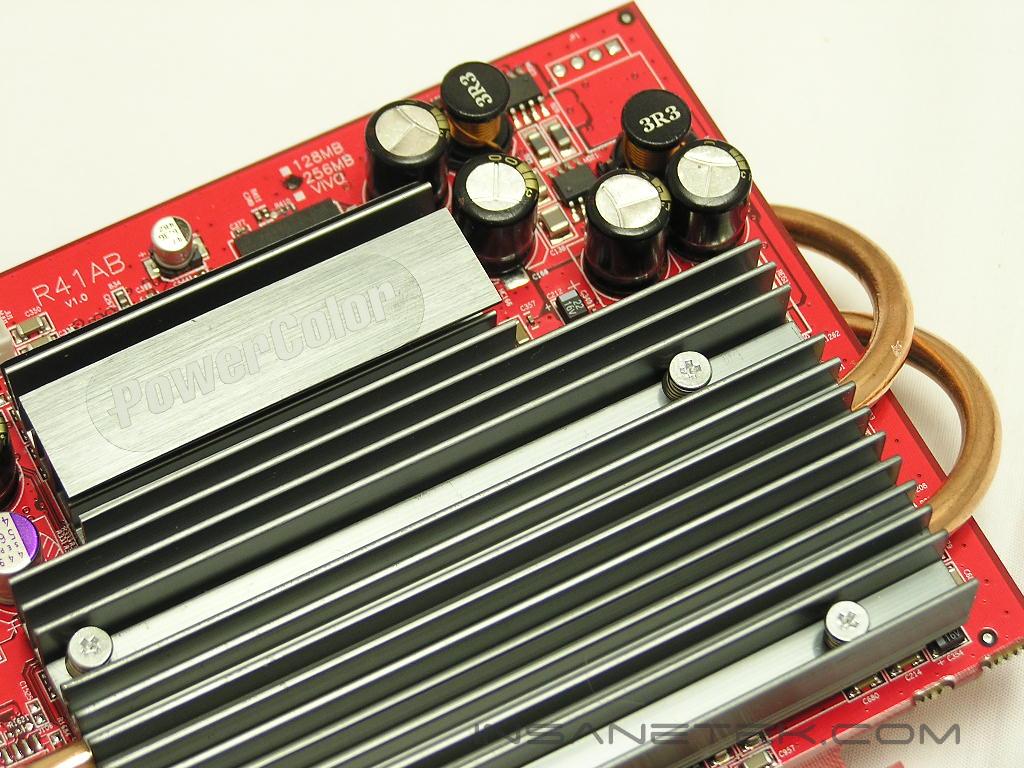
A heatpipe heatsink solution cools the Bravo X700. The heatsink and heatpipes closely resemble the Zalman ZM80 series, but in a smaller form. For overclocking enthusiasts who wish to push the card further, an optional 60mm fan is included. The fan comes with screws and attaches to the back side of the video card. The fan draws power from the onboard 3pin power header. Many people will wonder why the fan doesn’t install on the front side to allow faster cooling. PowerColor didn’t want the cooling to take up an additional slot. A fan installed on the front side would obstruct a PCI slot.
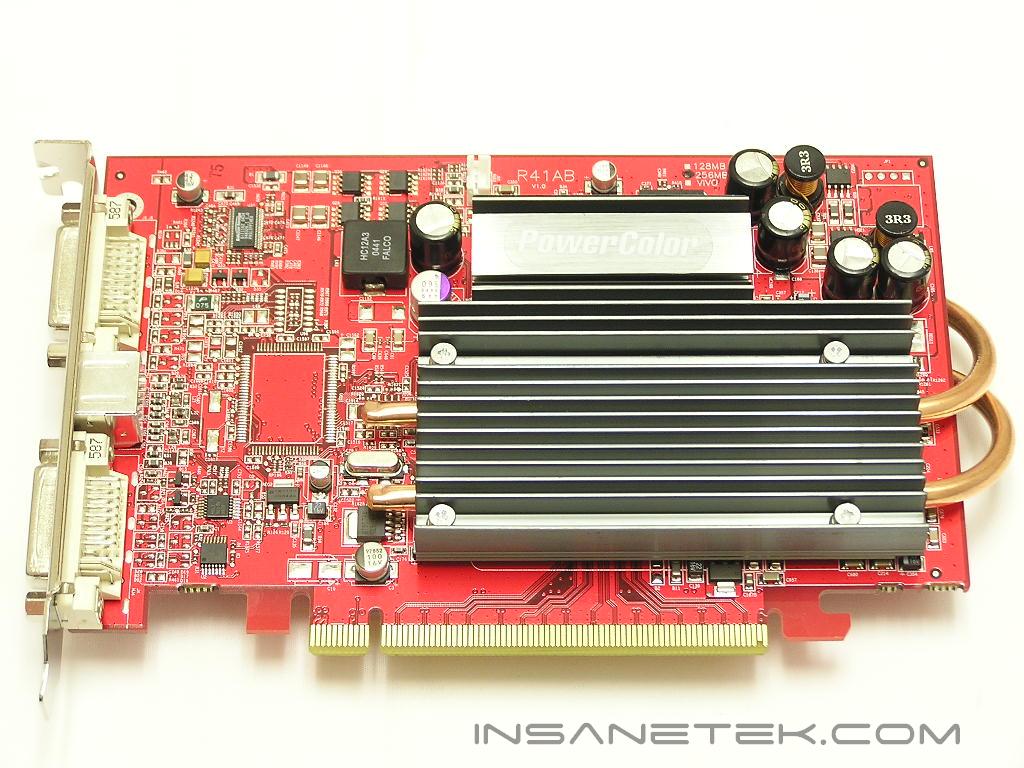
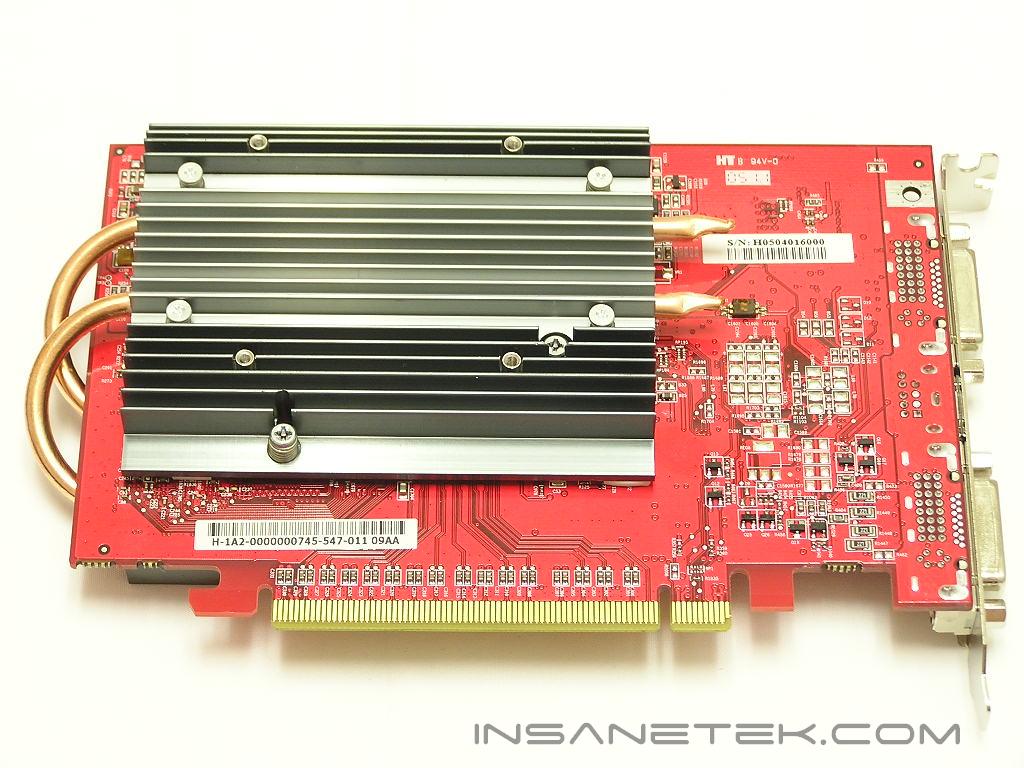
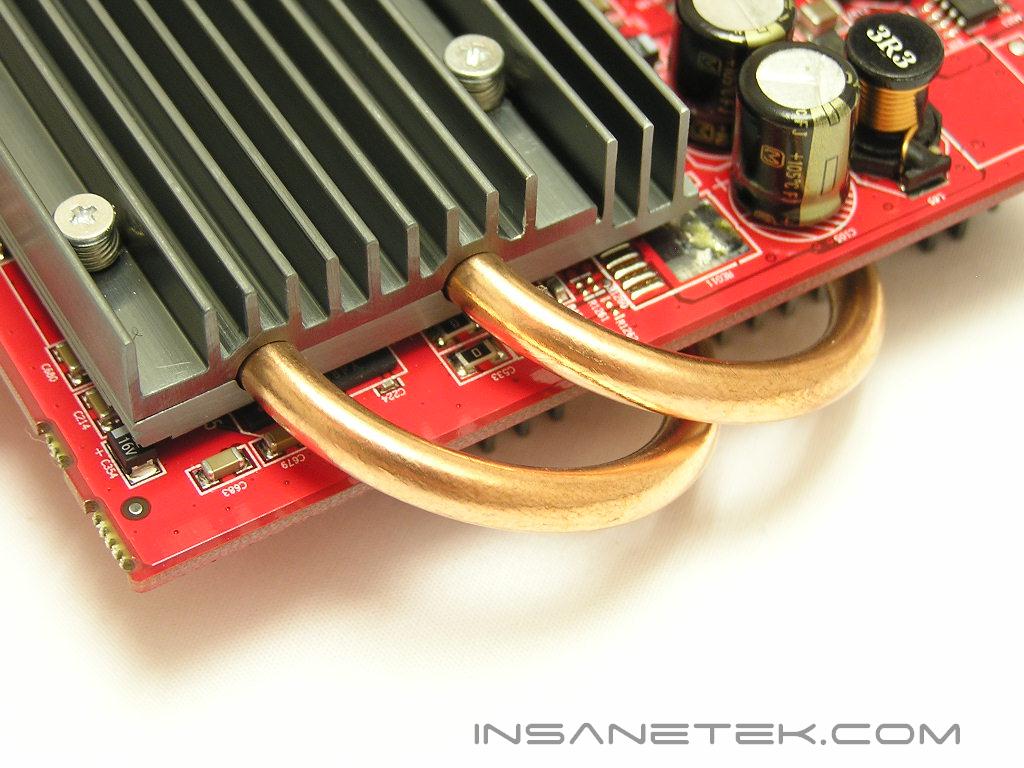
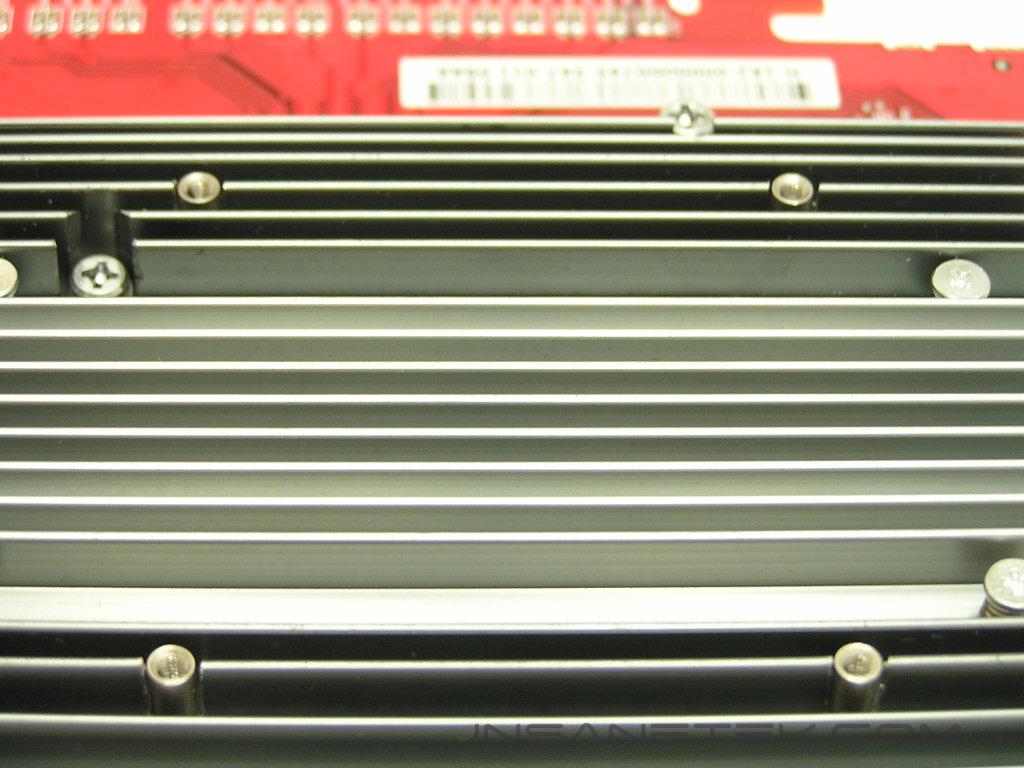
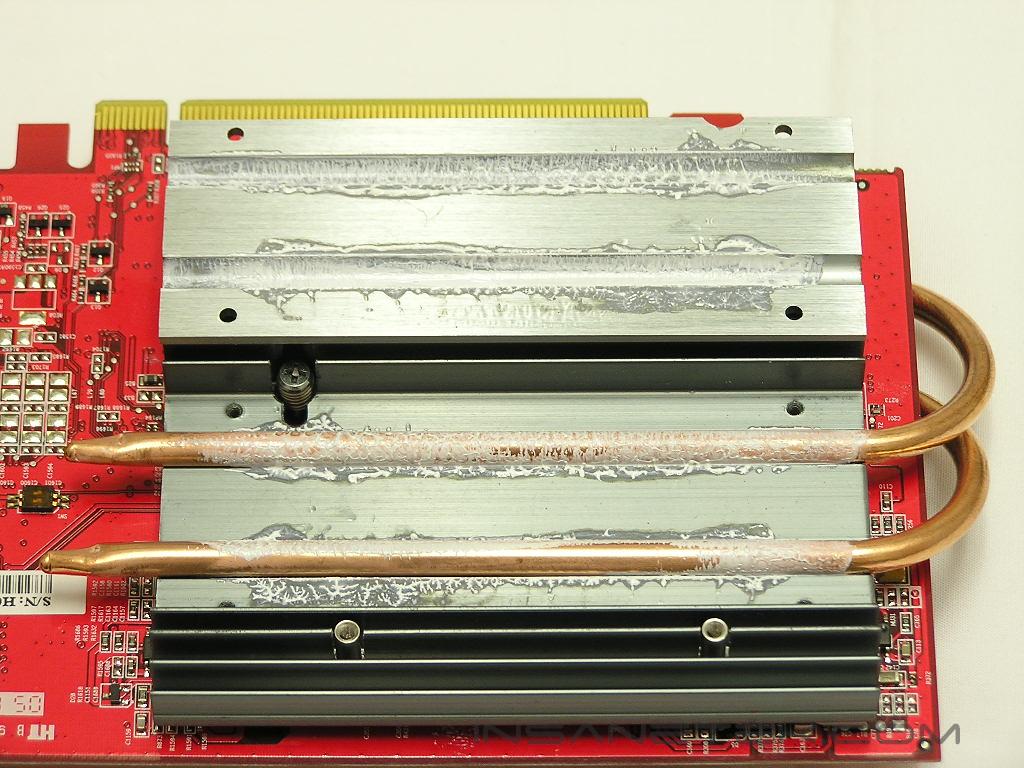
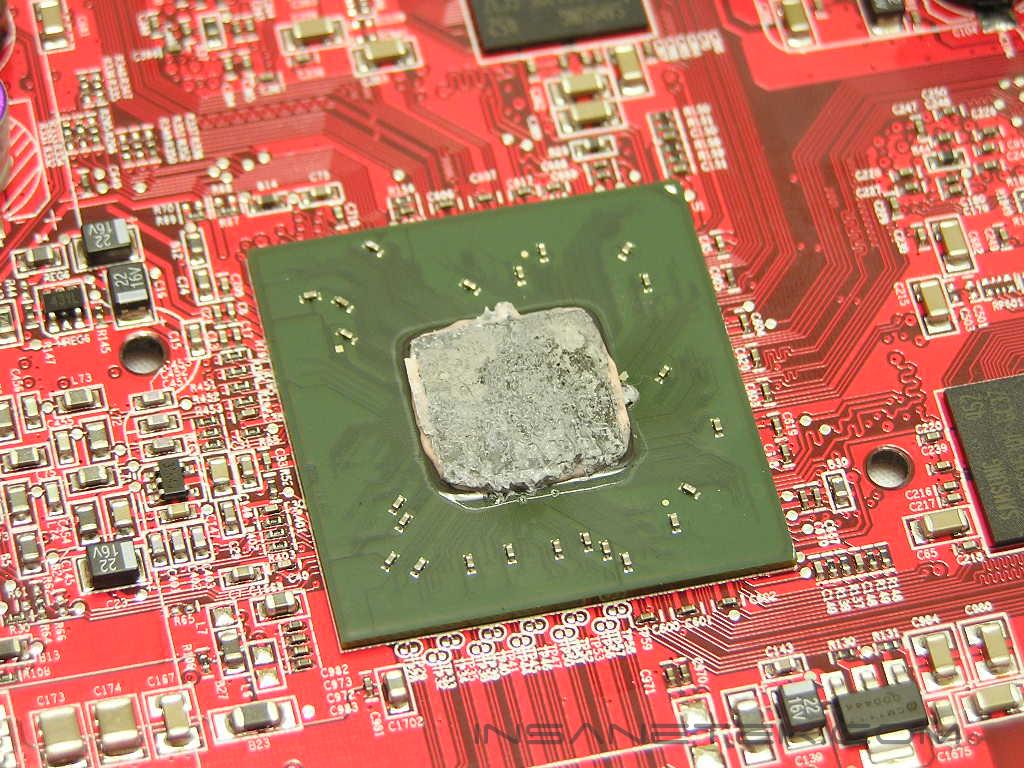
Removing the heatsink reveals an adequate amount of thermal paste. Both thermal tape and thermal grease were used, which was odd. It looks like the thermal tape was partially removed and replaced with thermal grease. PowerColor should’ve paid more attention in removing the thermal tape. This causes bad heat transfer in the long run. The 256MB of onboard memory is powered by Samsung GDDR2 3.7ns memory IC’s, providing a theoretical speed of 270MHZ. The video card comes rated at 400MHZ for the core and 266MHZ for the memory, which means there is headroom for overclocking in the memory department. Despite the entire heatsink hovering over the core and memory, the memory is left bare without special cooling.
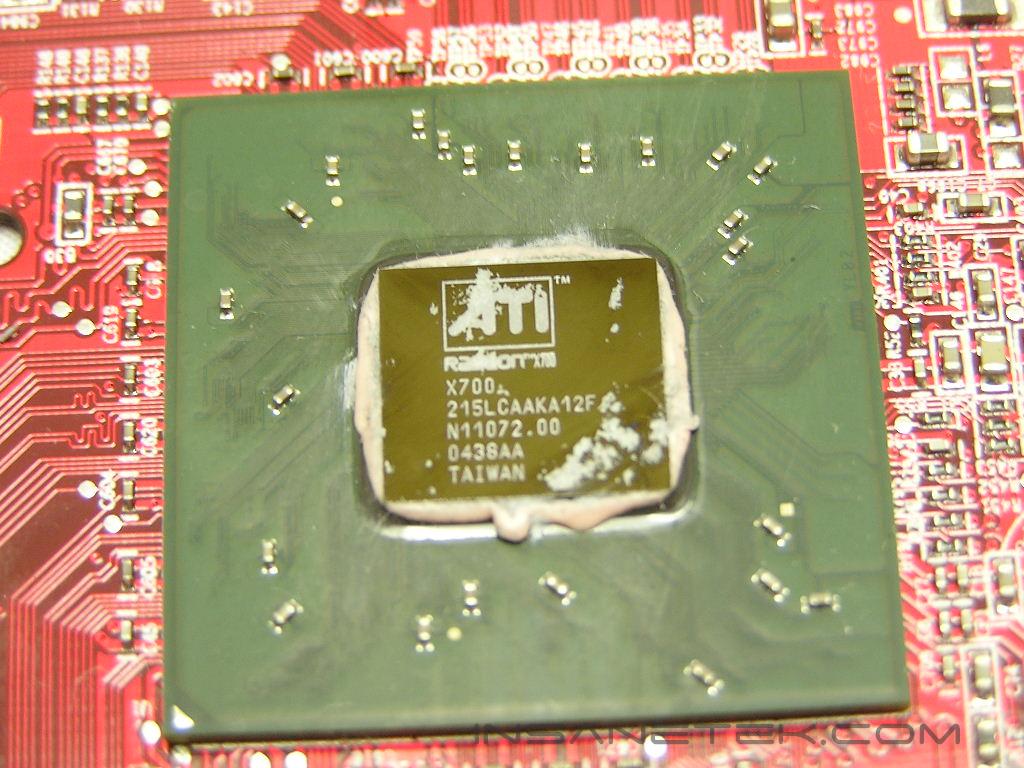
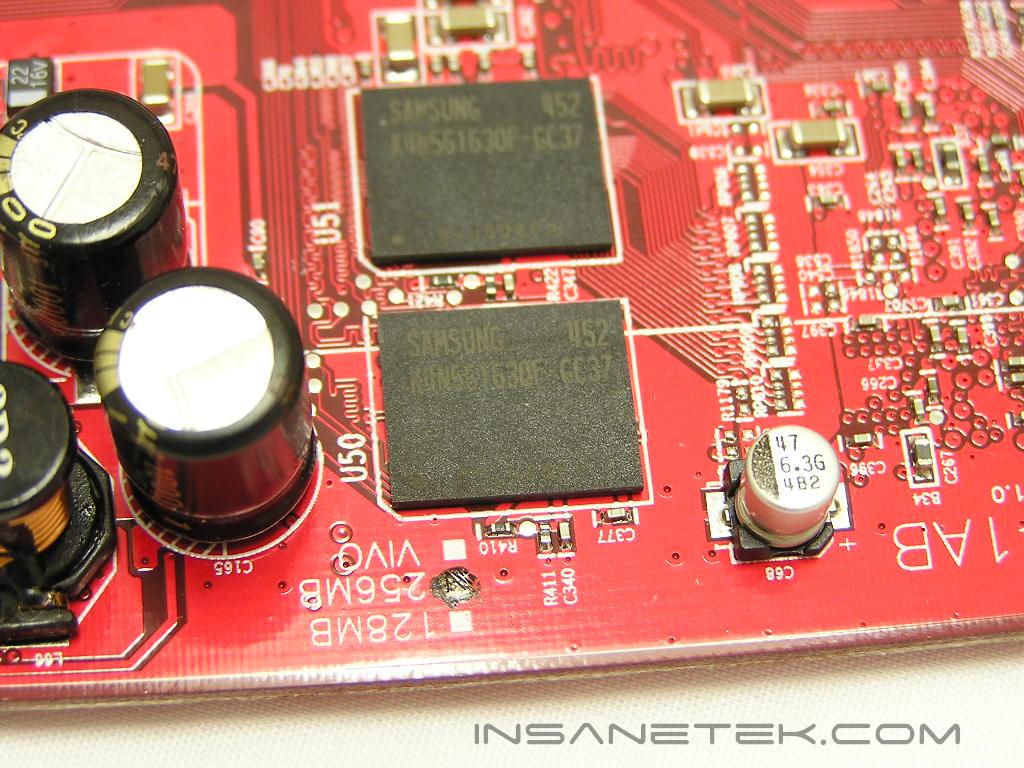
Radeon X700 GPU
After the X700 GPU was officially announced, many enthusiasts were quite disappointed with its performance. It performed similarly to a Radeon 9800 Pro/XT and didn’t offer anything new. Enthusiasts considered the X700 a flop. At that time, the X700 series was priced at around $199. With the performance that it provided, it was hard for anyone to go out and pick one up. Now that the price of the card has dropped below $149, it may just have a chance in becoming a great budget card for the price.
The X700 series mainly competes with the Nvidia 6600GT series. Both cards are aimed at budget enthusiasts who look for performance, but don’t have the cash to buy high end cards. Here’s a rundown of the specifications of both cards, and some higher end cards as well.
| Radeon X700 | Geforce 6600GT | Radeon X800 | Radeon X800 XL | Geforce 6800GT | Geforce 6800 Ultra | |
| Core Speed | 400 | 500 | 400 | 400 | 350 | 400 |
| Memory Speed (DDR x 2) | 266 | 500 | 350 | 490 | 500 | 550 |
| Pixel Pipelines | 8 | 8 | 12 | 16 | 16 | 16 |
| Shader Model 3.0 Support | No | Yes | No | No | Yes | Yes |
PowerColor Radeon X700 256MB Bravo Edition Features:
| Brand | PowerColor |
| Model | X700 256MB Bravo Edition |
| GPU | X700 (RV410) |
| Memory | 256MB GDDR2 |
| Memory Speed | 3.7ns = 266MHZ |
| RAMDAC Frequency | Dual 400MHZ |
I’m going to skip all the boring specifications that no one pays attention to. I will just post the specs that most enthusiasts and gamers look for.
- 8 pixel pipelines
- 6 vertex shader pipelines
- Built on 0.11 micron die
- 128-bit dual channel GDDR2 memory bus
Image Quality
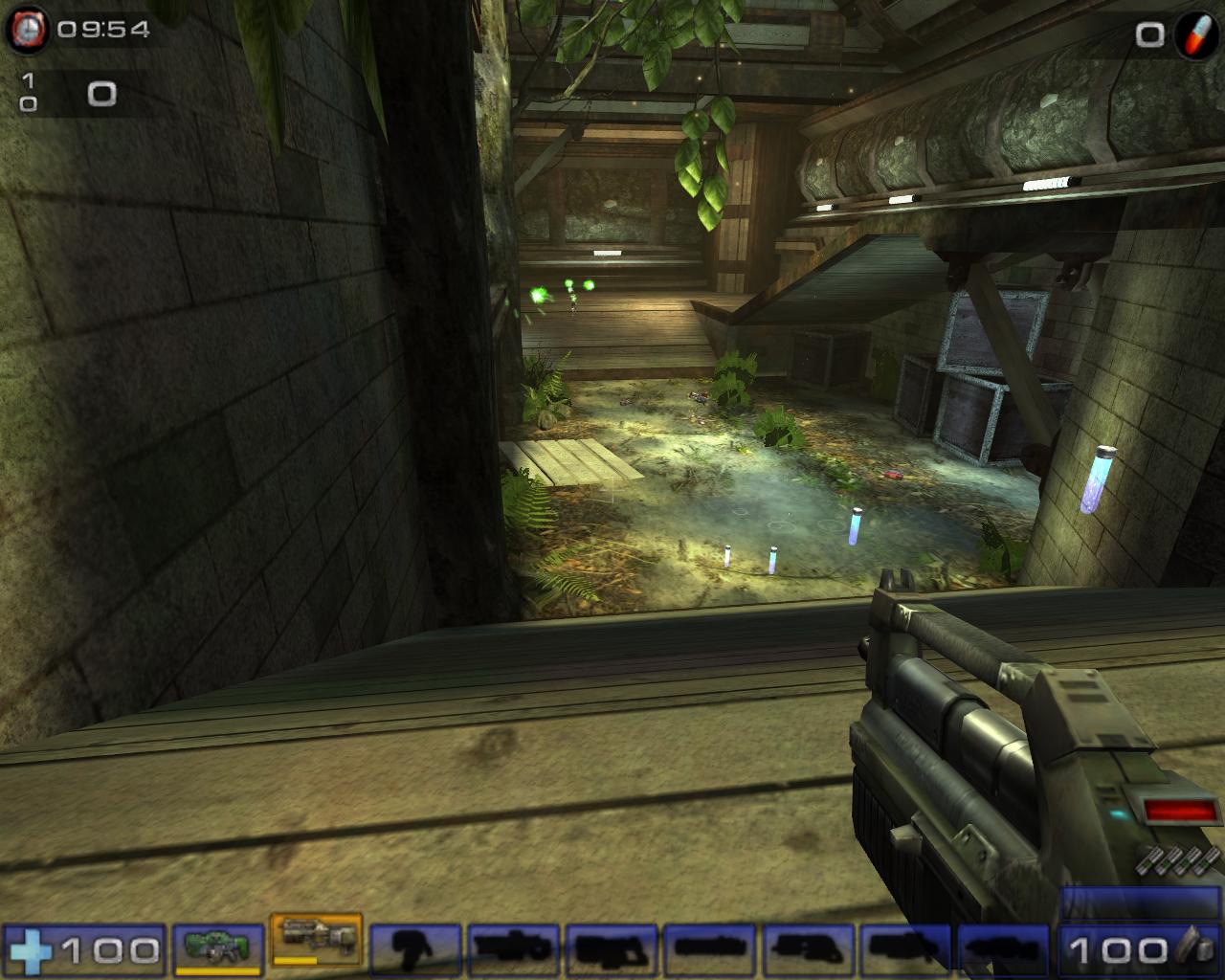
ATI has always been known for their great image quality. Although the X700 is a mid-ranged card, the 2D image is nice and crisp on my Samsung LCD. The 3D image was great as well. Below are a couple of shots during a game of UT2004.
No AA/AF
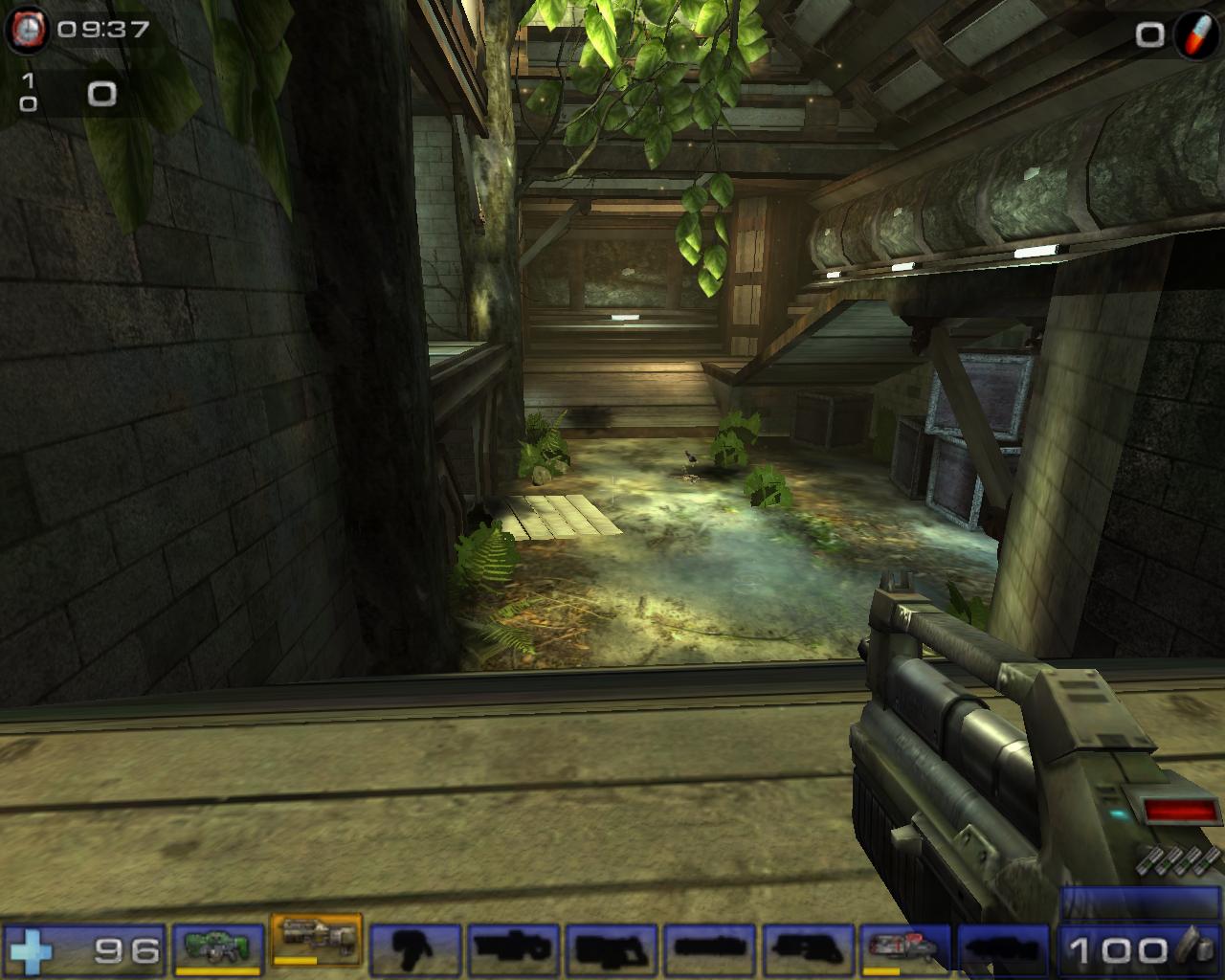
2xAA/4xAF
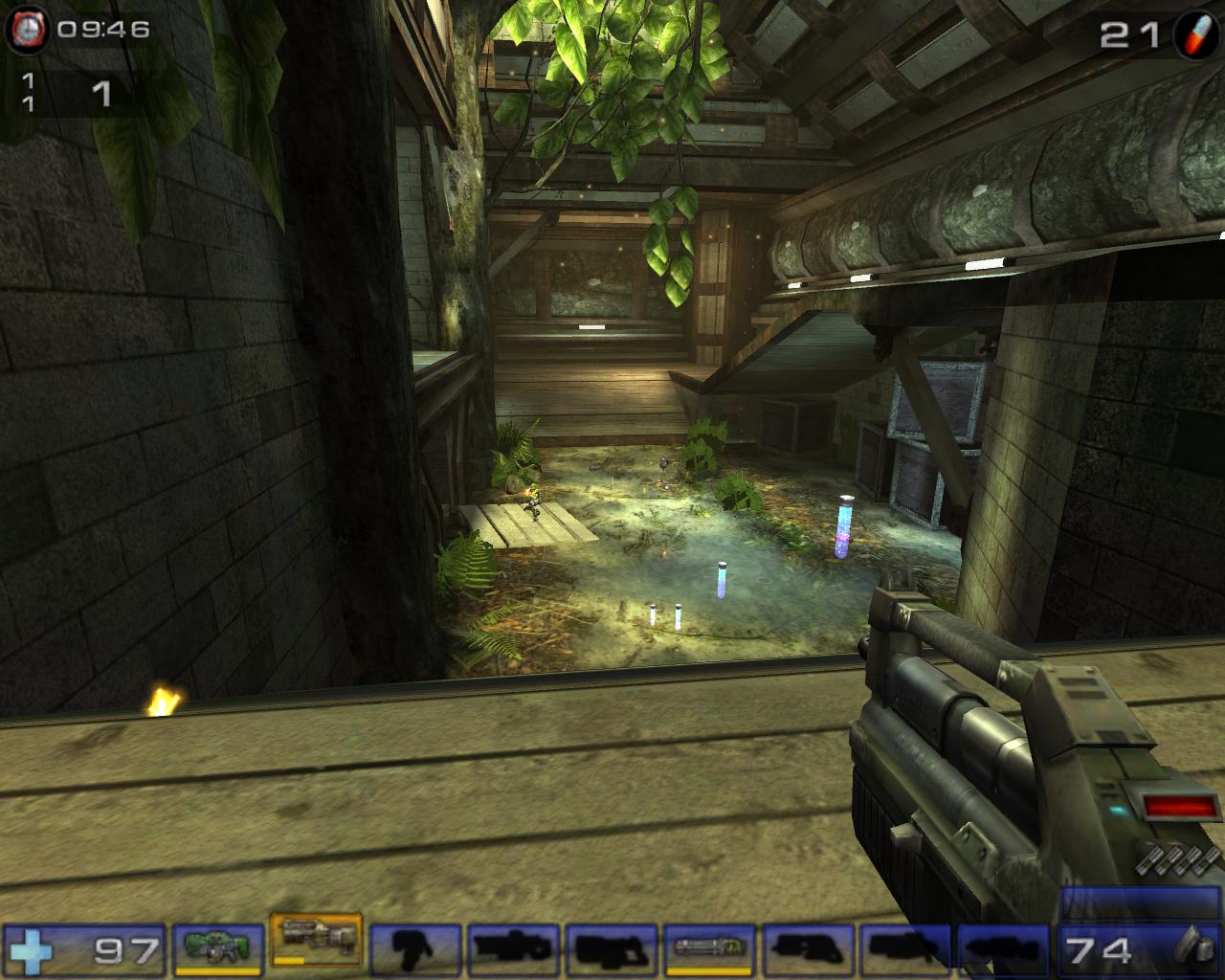
4xAA/8xAF
Test Setup and Overclocking
Overclocking:
Out of the box, the card would not overclock. I loaded the latest ATITool and proceeded to find the maximum core and maximum memory speeds. Unfortunately, any megahertz beyond the rated 400/566 would result in massive artifacts. I found this strange, considering other reviews have overclocked the card nicely. Perhaps I received a dud? I touched the heatpipe heatsink and it was getting very warm. It wasn’t burning hot to the touch, but it was hot. Even with a fan attached to the back of the card, the X700 Bravo didn’t allow any overclocking. I was a bit disappointed.
Test Setup and Methods:
- AMD Athlon 64 3000+ Venice (9 x 275HTT = 2.475GHZ)
- DFI LANParty UT nF4 Ultra-D
- 2 x 512MB Centon Advanced PC3200 Low Latency (275MHZ 2.5-3-3-7 1T)
- Cooler Master Real Power 550W
- Arctic Cooling Freezer64
- Windows XP Professional with SP2 and DirectX 9.0c
- Nvidia nForce4 Standalone Kit 6.53
- Nvidia ForceWare 71.84
- ATI Catalyst 5.5
Benchmarks:
- 3DMark2003
- 3DMark2005
- Aquamark3
- Code Creatures
- Painkiller
- Doom 3
- Far Cry
- Unreal Tournament 2004
Video Cards Tested:
- Nvidia Geforce 6800 Ultra: 400/1100
- Nvidia Geforce 6800GT: 350/1000
- MSI Geforce 6600GT: 500/1000
- PowerColor Radeon X700 Bravo Edition: 400/533
Results
3DMark03
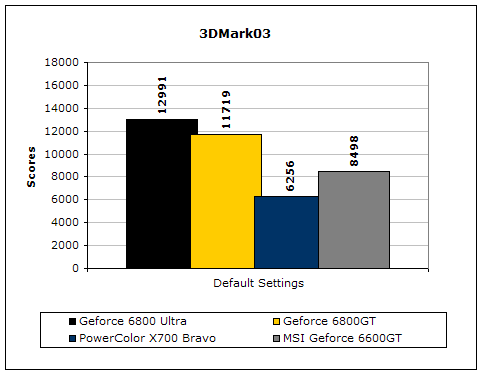
3DMark03 is a very popular benchmark used by enthusiasts. Although there are a bunch of cheating drivers going around, this is still a good benchmark to test the capabilities of the video card.
3DMark05
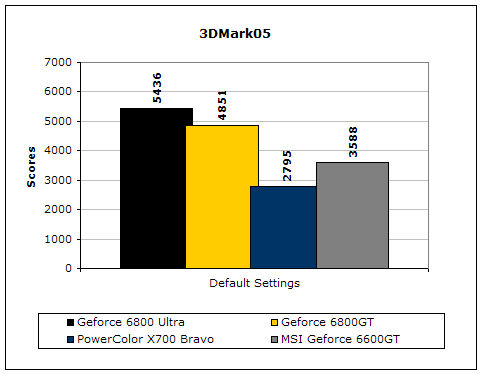
Much like 3DMark2003, 3DMark2005 is extremely taxing on the graphics card. It is a very popular benchmark that benefits when GPU power increases.
Code Creatures
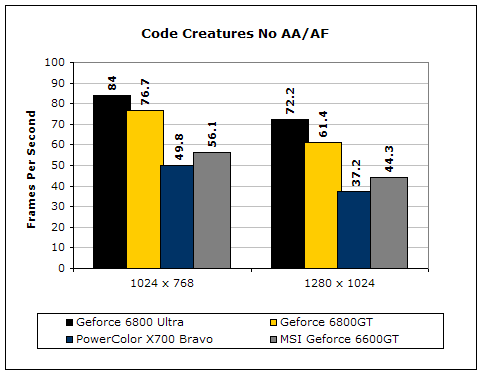
Although Code Creatures is an old benchmark, it is still capable of pushing the video card to its limits. The video test is very intensive and responds to any tiny increase in clocks.
Aquamark3
Aquamark3 is another synthetic benchmark that drives the video card to the max.
Doom 3
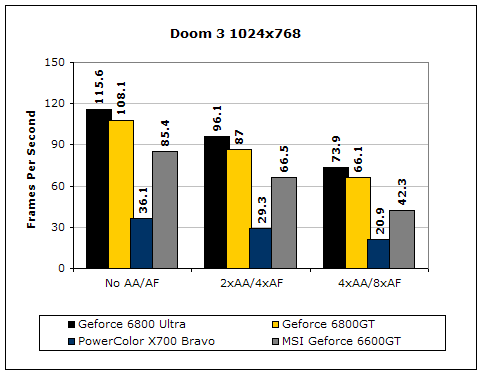
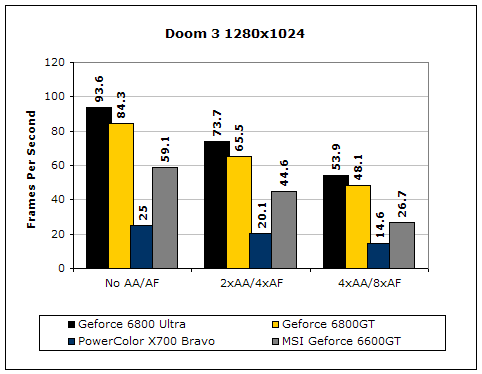
Doom 3 is a very GPU intensive game and is based on OpenGL. Since Nvidia is stronger in that department, it is clear that Nvidia easily takes the crown. The X700 doesn’t stand a chance in the game, even at a common resolution of 1024x768.
Results Continued
Far Cry
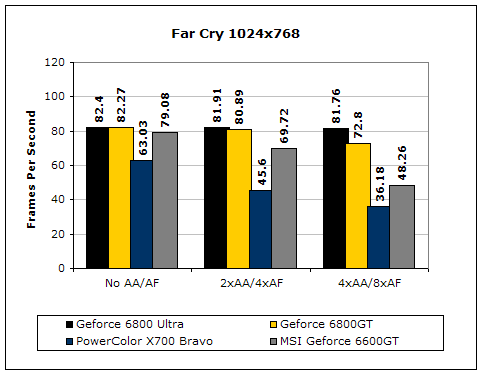
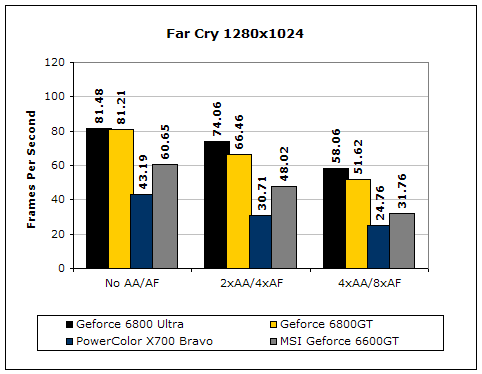
Far Cry has been out for quite a while now. Although the multiplayer aspect of the game isn’t very fun, the single player mode is quite addicting. The game is heavily based on Direct3D. ATI is stronger in the Direct3D department, so you’ll usually see better scores with an ATI card. Unfortunately, the X700 GPU is still too weak to keep up with the 6600GT.
Unreal Tournament 2004
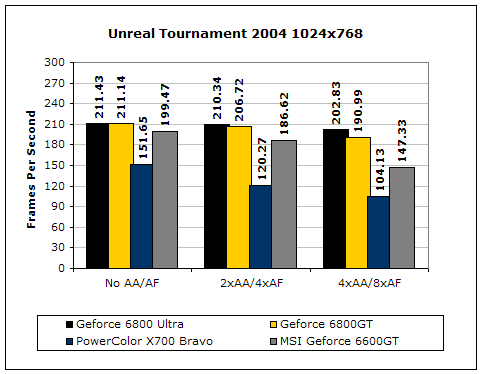
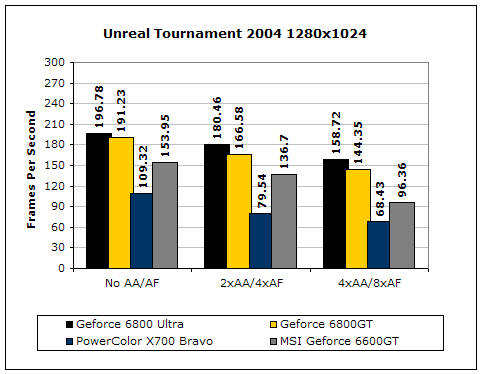
Unreal Tournament is very popular game, due to its online multiplayer capabilities. Here, the X700 manages to produce very good results under a resolution of 1024x768.
Painkiller
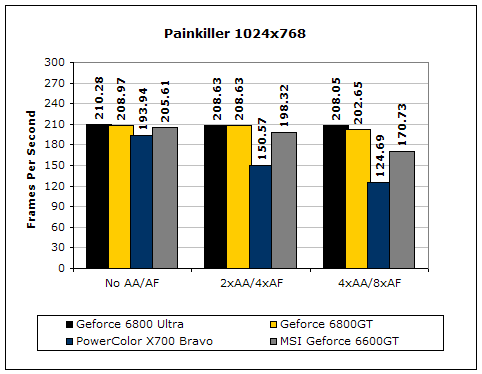
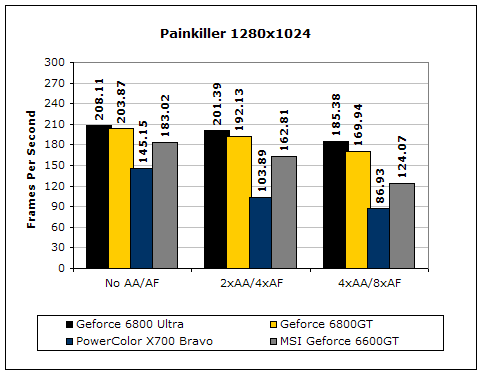
Painkiller is another popular first person shooter. The single player mode is fun and continues the tradition of just mindless shooting and explosions. Like UT2004, the X700 GPU allows good playable conditions with eye candy turned on.
Conclusion and Thoughts
Personally, I find it odd that PowerColor would spend time on trying to keep the X700 GPU alive in the competition. The specs of the X700 are similar to the 9800 Pro/XT, resulting in similar performance. It’s like an 9800 GPU with PCI-E. The X700 sports the same number of pixel pipelines with a lower memory bus, 128-bit instead of the 9800 series’ 256-bit. The performance of the ATI X700 GPU can’t hang when compared to the Nvidia 6600GT counterpart. Honestly, enthusiasts looking for performance should go with the 6600GT. It’s a better mid-ranged enthusiast card.
While the 6600GT steps all over the X700 chipset, what about PowerColor’s implementation of the GPU? If a review was based solely on the performance standpoint, the performance king will always win. In this case, the 6600GT is definitely the wiser choice. Yet, the package as a whole also counts. The price of the X700 has dropped to around $149. The Nvidia 6600GT is still hovering around the $199 mark, a $50 difference. Whether you want to sacrifice the performance for the $50 is up to you. I personally would spend the extra $50. PowerColor’s bundle also includes a decent, but outdated, game. Including a copy of Counter-Strike: Condition Zero would have sweetened the deal. The main focus of the X700 Bravo Edition is cooling. The silent heatpipe and heatsink design is great, much better than the reference fan and heatsink design. Those who have experienced ATI’s heatsink and fan on the X700 should know that it’s ridiculously loud and annoying. PowerColor also includes a quiet 60mm fan for those who wish to do a bit of overclocking. While overclocking the X700 won’t get you a huge performance increase, it’s still an increase. With a card in this mid-ranged class, every bit of performance increase will help. I honestly can’t say much about the performance of the ATI X700 GPU, but I can say that PowerColor’s special cooling design on the X700 Bravo Edition is a great one. Let’s just hope that PowerColor is wiser and spends more time on perfecting higher-end cards.
Pros:
- Noiseless
- Silent cooling with fan attached
- Budget priced
- Decent game included
- Dual DVI
- 256MB of onboard memory (doesn’t seem to really help)
Cons:
- Can’t overclock
- ATI X700 GPU performance…
- Should have spent the time implementing this on X800 and up series
- Nvidia 6600GT counterpart walks all over

We would like to thank PowerColor for providing us the sample. If you have any questions or comments, feel free to hit us up in the forums. You can also check out more of our latest reviews on the front page.