

Gigabyte Radeon X800 XL 256MB PCI-E GV-RX80L256V
Introduction
Wouldn’t life be great if we all had the funds to buy the latest hardware we want? Unfortunately, that kind of life is only a fantasy, at least for the majority of us. For those who pluck money from dangling branches, we envy you. This is the reason why the majority of us resort to overclocking, looking for hardware that provides performance without ripping our wallets. And this is the reason why I’m in love with the ATI X800 XL chipset.
Since the announcement of the Radeon X800 XL chipset, I was surprised that not too many gamers and enthusiasts were excited about the release. I guess when compared to the X850 series, the X800 XL was nothing to brag about. The reason why I was excited was because it came with an MSRP of $299, not to mention the 16 pixel pipelines. The only downside is that it came with lower clock speeds. That’s not something overclocking can’t fix. I knew right away that the Radeon X800 XL would be the best-bang-for-the-buck deal.
Gigabyte offers both ATI and Nvidia video solutions. While all cards are pretty much similar in design and performance, there are other factors that help one card stand out from another. Gigabyte’s implementation of a silent heatpipe already looks very promising.
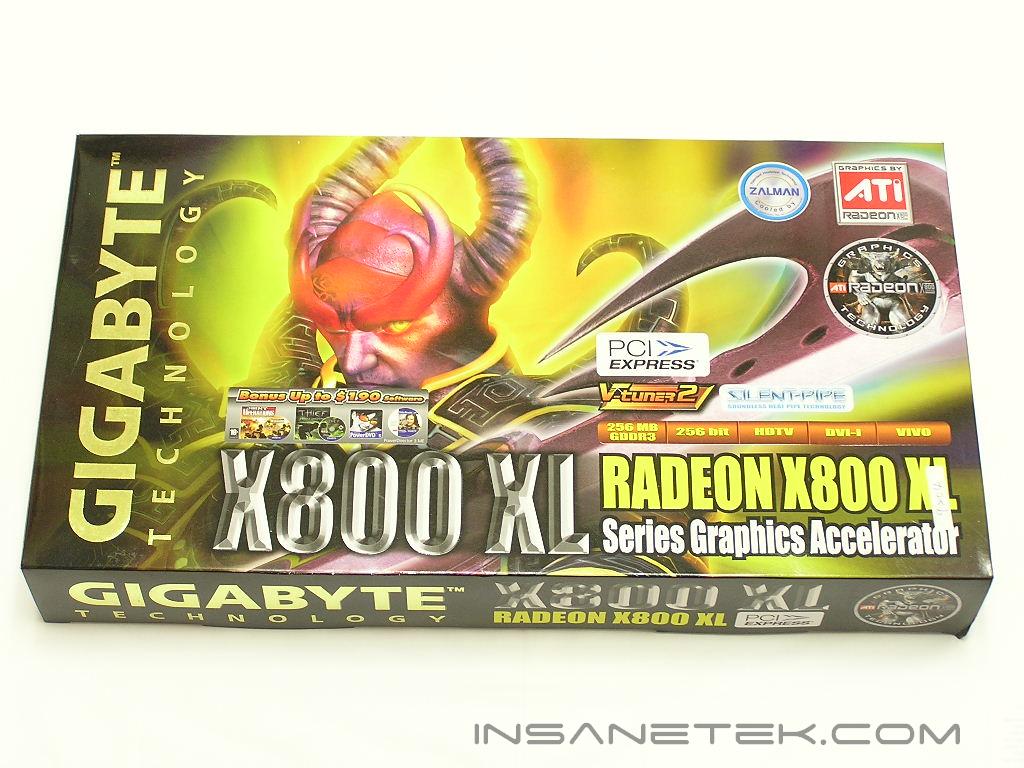
Gigabyte Radeon X800 XL 256MB
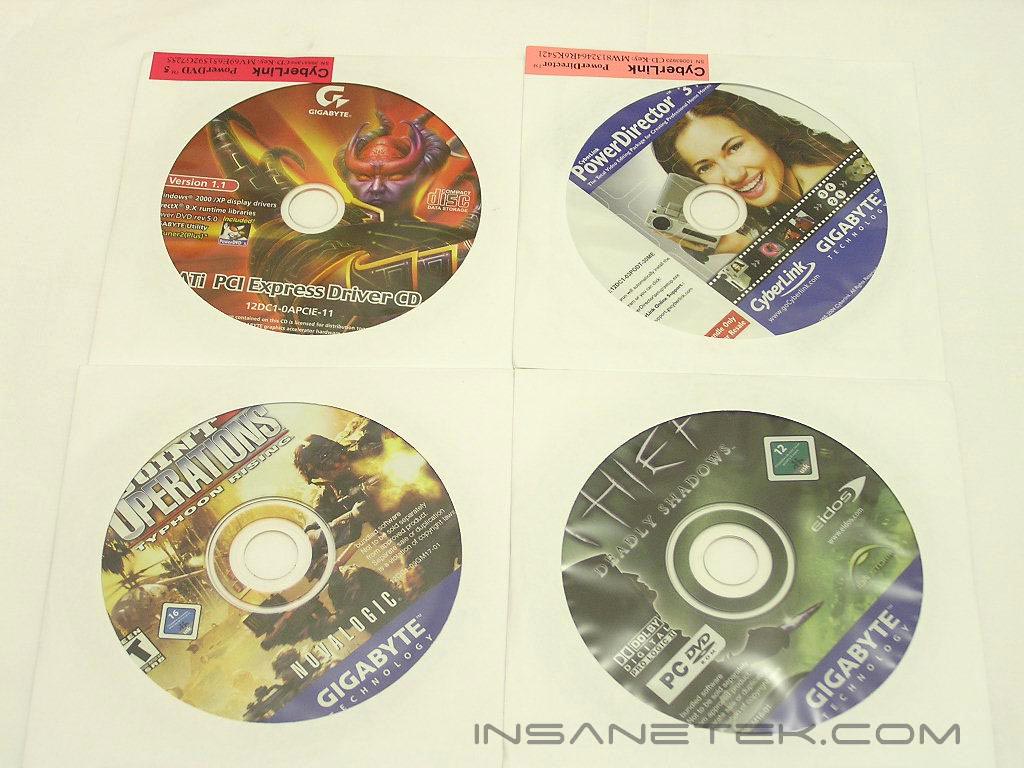
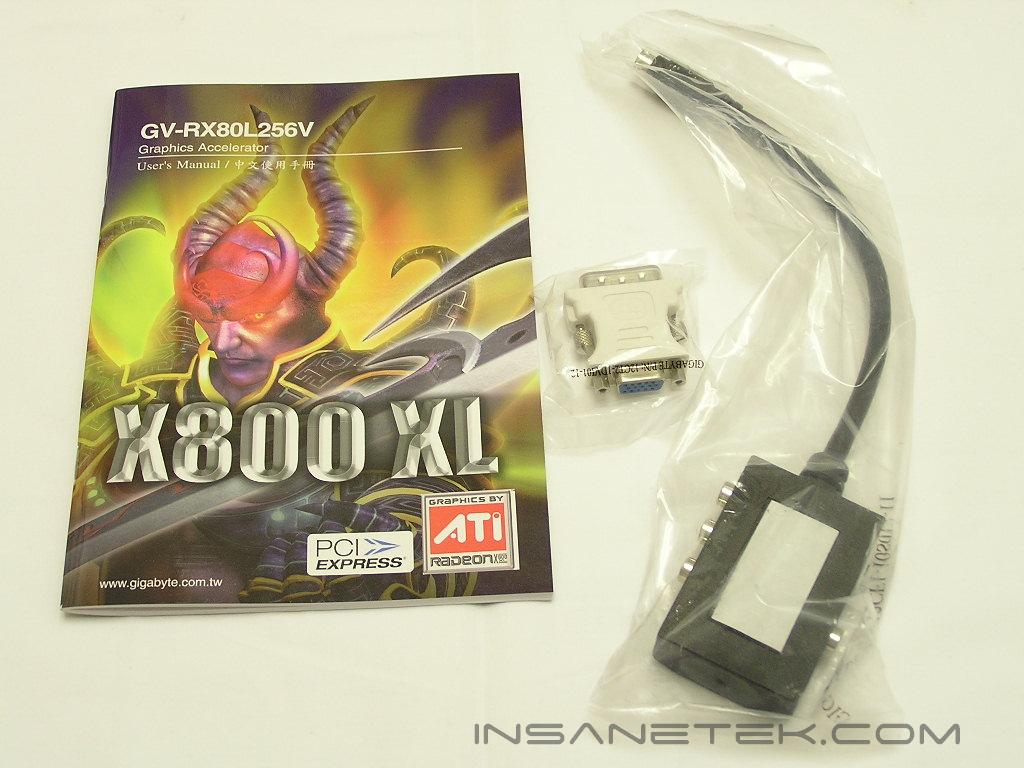
Like many video cards, the Gigabyte package came in an unnecessarily large box. The main thing is to attract your attention. It sure attracted mine. Included in the package are the bundled games–Thief and Joint Operations, the drivers CD, and a CyberLink PowerDirector 3. The accessories include an analog-to-DVI connector, a S-Video out converter box, and a simple instructions manual. The card comes with DVI, analog, and S-Video out support. Many gamers have been moving to LCD’s, so the use of a DVI output has increased. Yet, there are still many “old school” gamers who prefer CRT’s and use analog connections. The converter box connects to the S-Video out to expand the flexibility of your output connections.
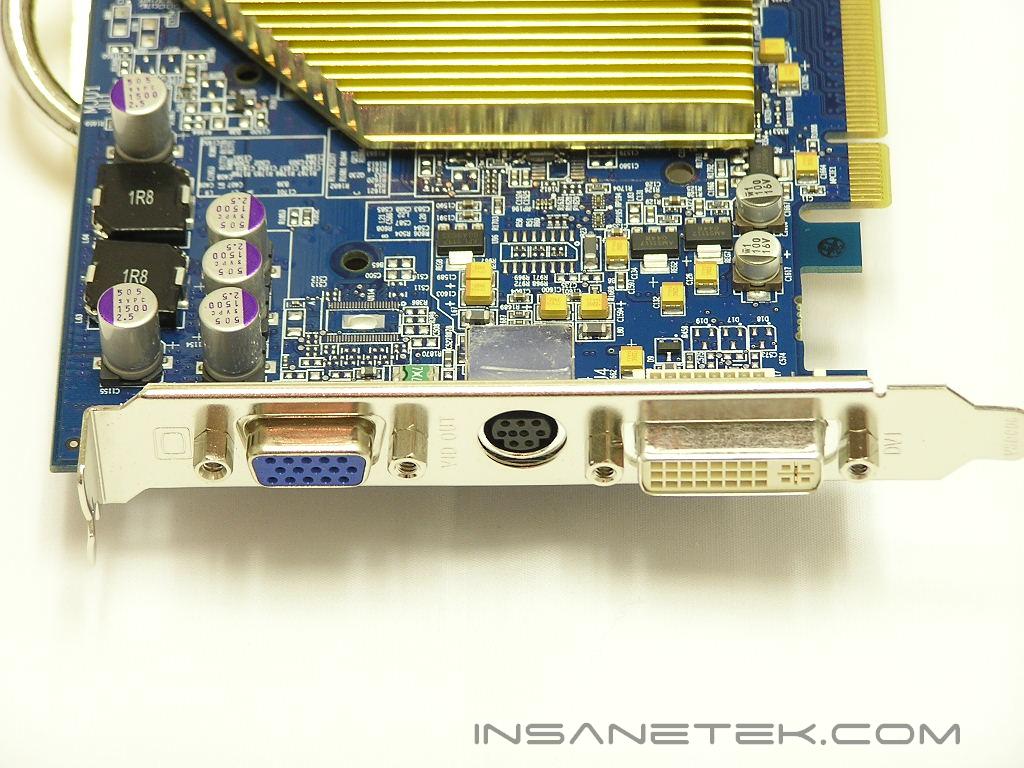
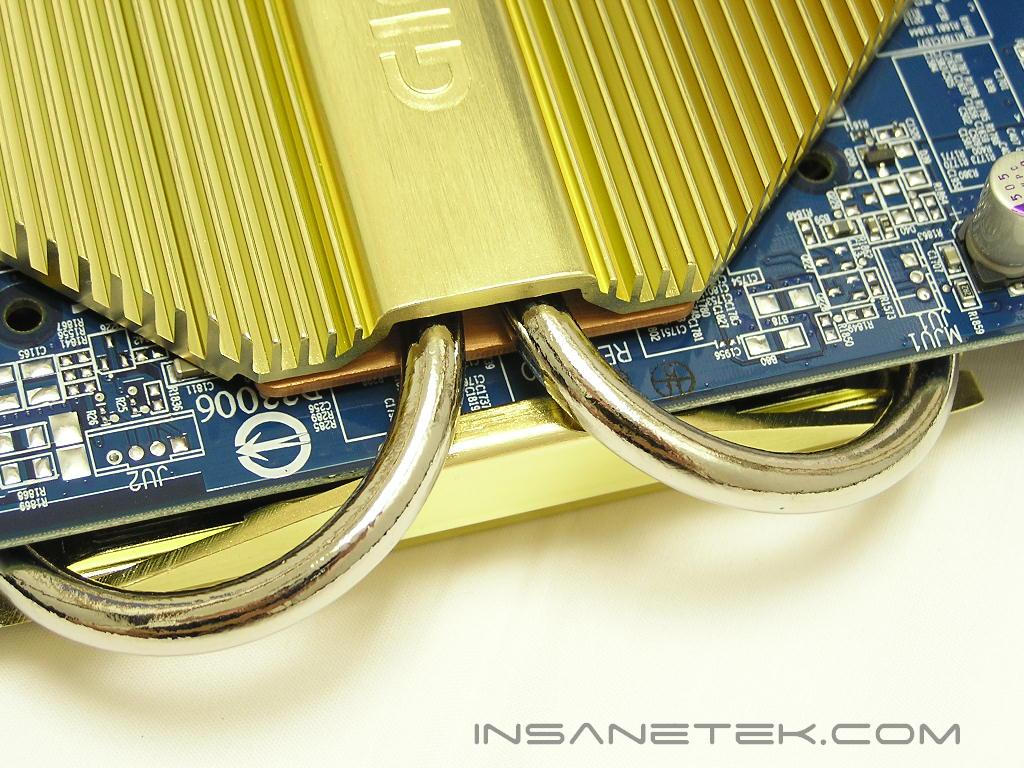
Gigabyte’s version of the X800 XL comes in a stylish blue PCB with a passive GPU cooler. The cooler is custom designed by Zalman, as indicated by a sticker on the box. The customized Zalman heatpipe does a great job at keeping the GPU temperature down during regular net surfing and even intense gaming action. It does get warm to the touch, but not enough to cause any serious concerns. The only time you would have to be cautious would be during your overclocking process. The heatsink is not actively cooled and the video card will heat up rather quickly, hindering the overclocking headroom. It would have been nice if the heatsink was designed to accommodate an optional fan for better cooling. If it can be done on the PowerColor X700 Bravo, it should be no problem here. Although the passive heatsink is quite large in size, it does not cover the memory chips. It would’ve been nice to cover the memory IC’s.
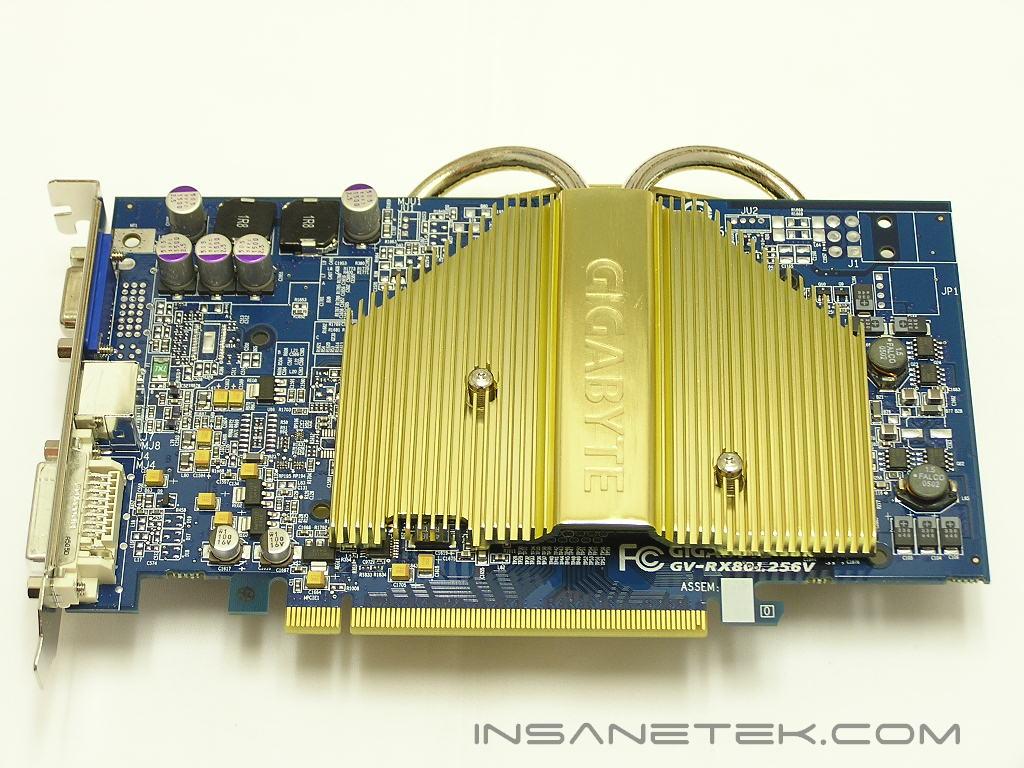
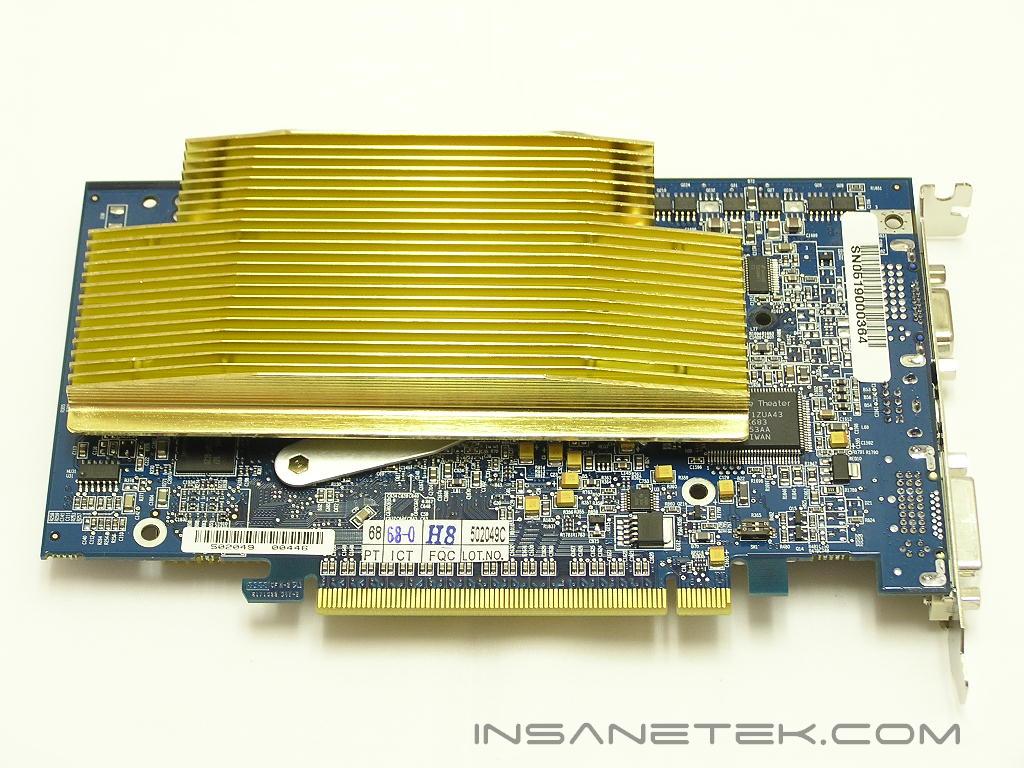
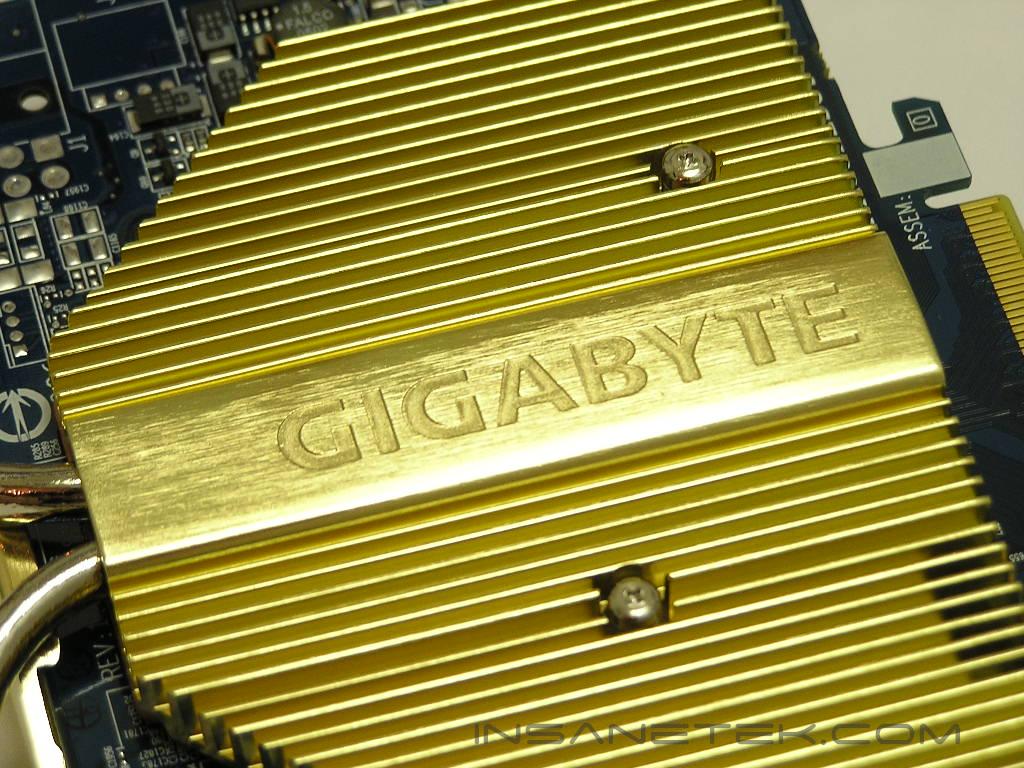
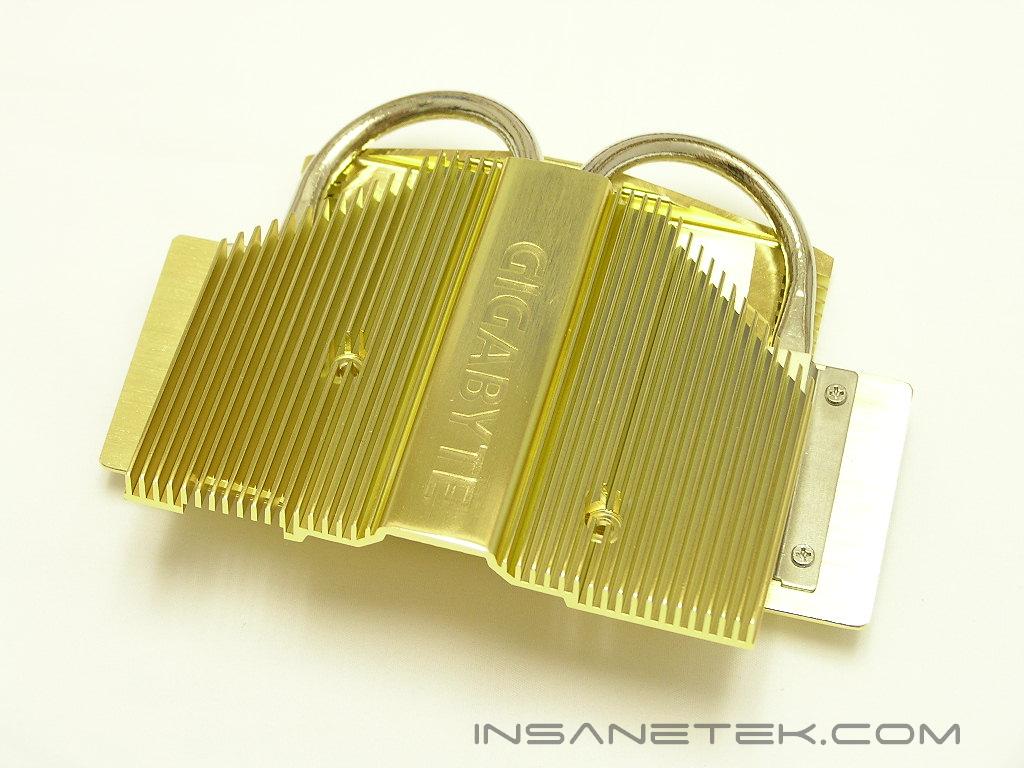
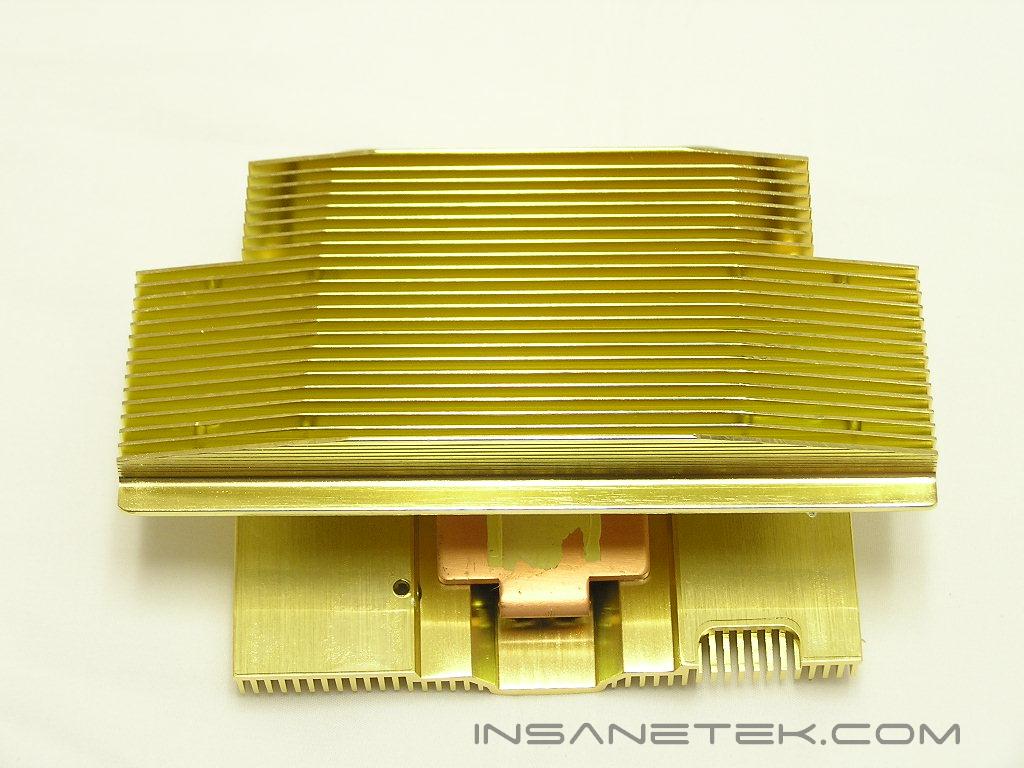
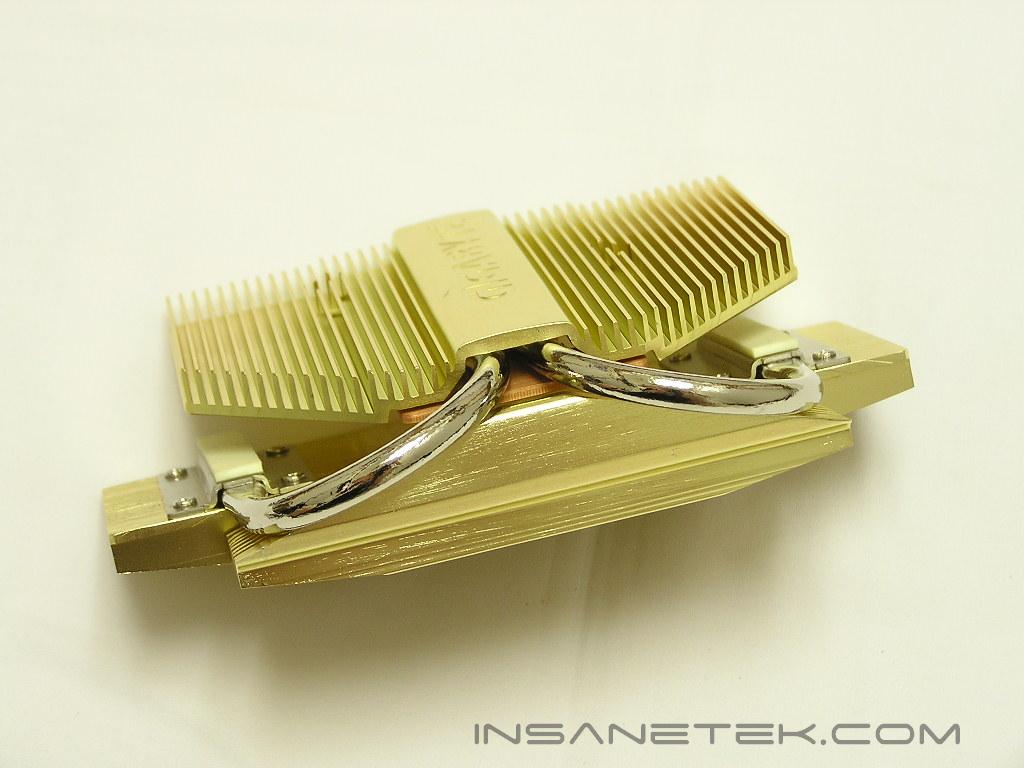
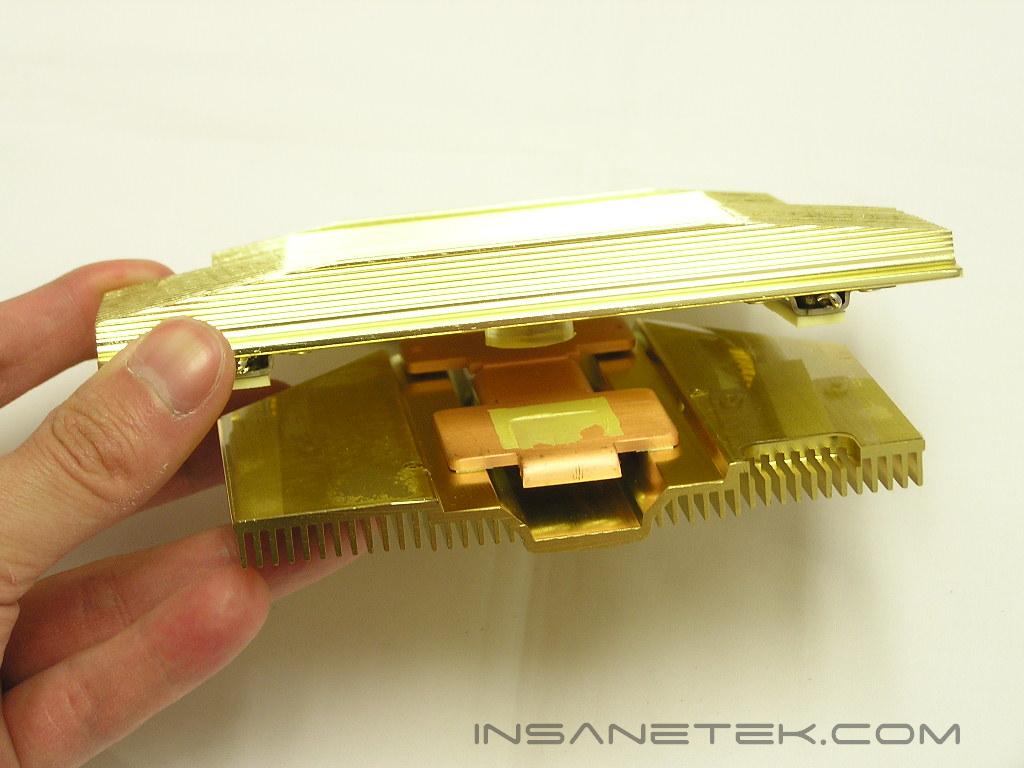
Removing the heatsink was rather difficult. It seems to be designed in a way so the heatsink can’t be disassembled into smaller parts. There are only two screws that I can remove. Once they’re out of the way, it’s just a matter of prying the heatsink apart and sliding the card out. The thermal interface material is a regular yellow thermal pad. I hate these things. It’s a bit hard to clean off and it doesn’t provide the best thermal conductivity. It’s just easy to apply. The core of the X800 XL is the R430 GPU. It features a 0.11 micron die that is designed to draw less power and release less heat, without losing the graphic power. The smaller die size is ideal for consumers, since it requires less power and releases less heat. However, overclockers have found that the smaller the die size, the less the overclocking headroom. This not only applies to GPU’s, but memory as well. For graphical memory, the Gigabyte X800 XL uses Samsung GDDR3 2ns memory IC’s, providing a theoretical speed of 500MHZ. The card comes rated at 400MHZ for the core and 490MHZ for the memory. Theoretically, there is 10MHZ of overclocking headroom for the memory.
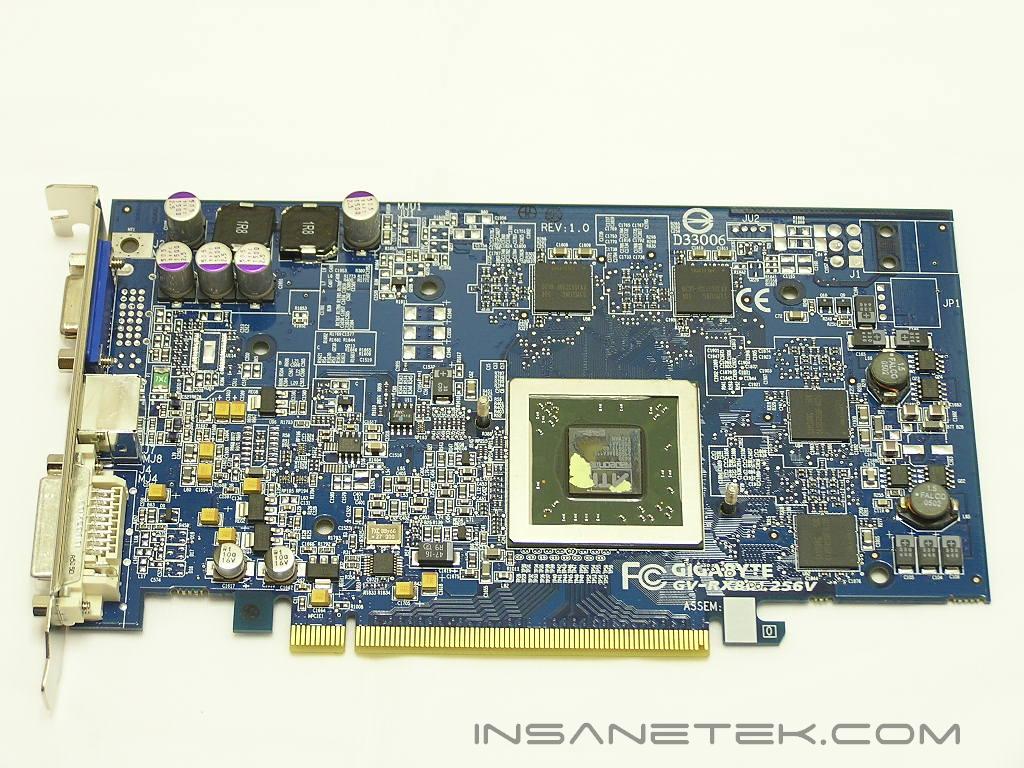
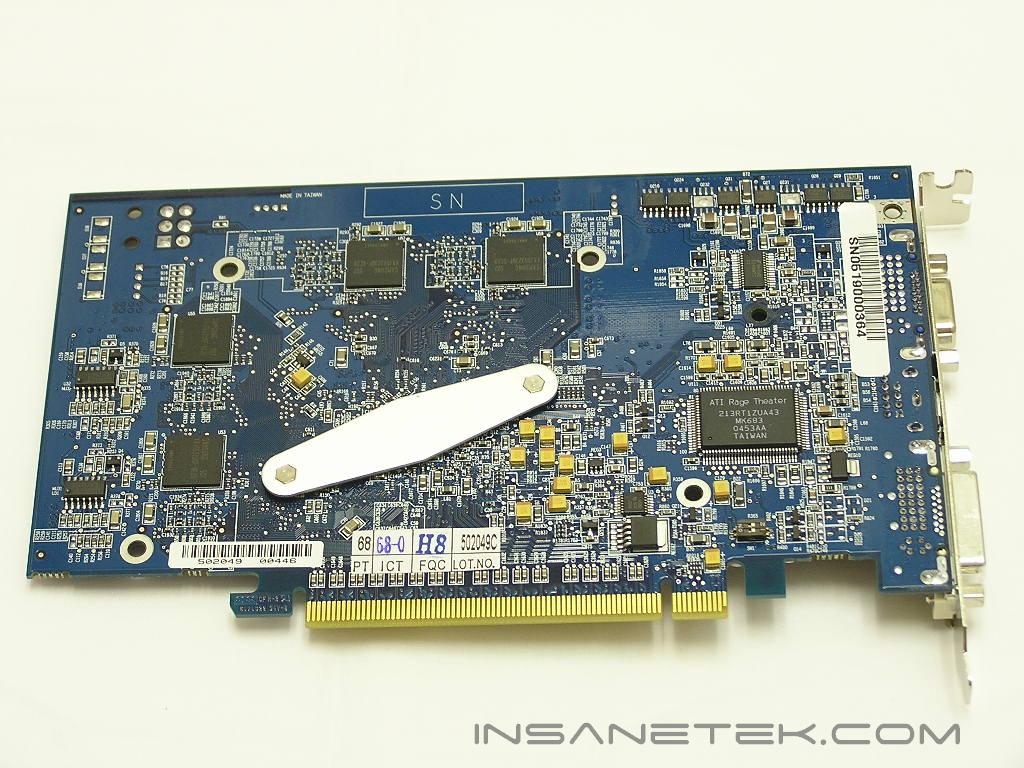
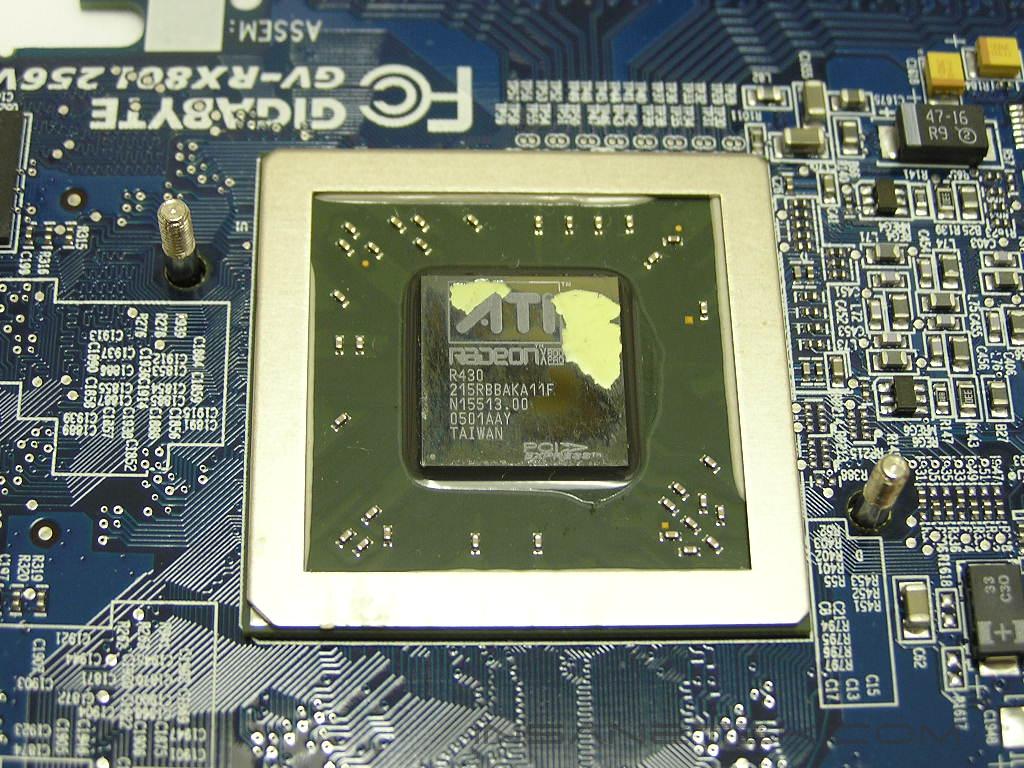
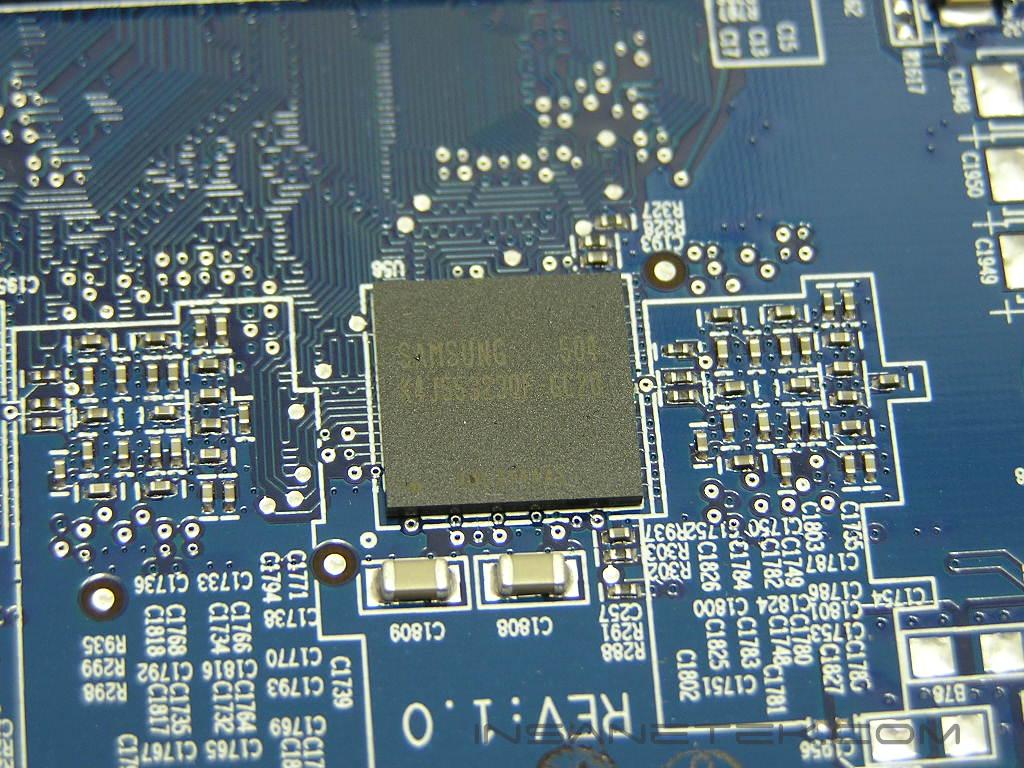
Radeon X800 XL GPU
The release of the X800 XL was an exciting time for many gamers and enthusiasts. It didn’t quite get all the attention, because the X850 XT PE was released around the same time. Yet, the X800 XL was easily recognized as a great card for the price. The best part about the chipset is having all 16 pixel pipelines enabled, whereas the slightly lower end X800 Pro and X850 Pro had 12 pipelines.
The X800 XL was made to directly compete with the Nvidia 6800GT counterpart. The X800 XL was designed to be equally powerful in performance but at a much lower price point.
| Radeon X700 | Geforce 6600GT | Radeon X800 | Radeon X800 XL | Geforce 6800GT | Geforce 6800 Ultra | |
| Core Speed | 400 | 500 | 400 | 400 | 350 | 400 |
| Memory Speed (DDR x 2) | 266 | 500 | 350 | 490 | 500 | 550 |
| Pixel Pipelines | 8 | 8 | 12 | 16 | 16 | 16 |
| Shader Model 3.0 Support | No | Yes | No | No | Yes | Yes |
Gigabyte Radeon X800 XL GV-RX80L256V Features:
| Brand | Gigabyte |
| Model | Radeon X800 XL GV-RX80L256V |
| GPU | X800 XL (R430) |
| Memory | 256MB GDDR3 |
| Memory Speed | 2ns memory at 490MHZ |
| RAMDAC Frequency | Dual 400MHZ |
I’m going to skip all the boring specifications that no one pays attention to. I will just post the specs that most enthusiasts and gamers look for.
- 16 pixel pipelines
- 6 vertex shader pipelines
- Built on 0.11 micron die
- 256-bit dual channel GDDR3 memory bus
Image Quality
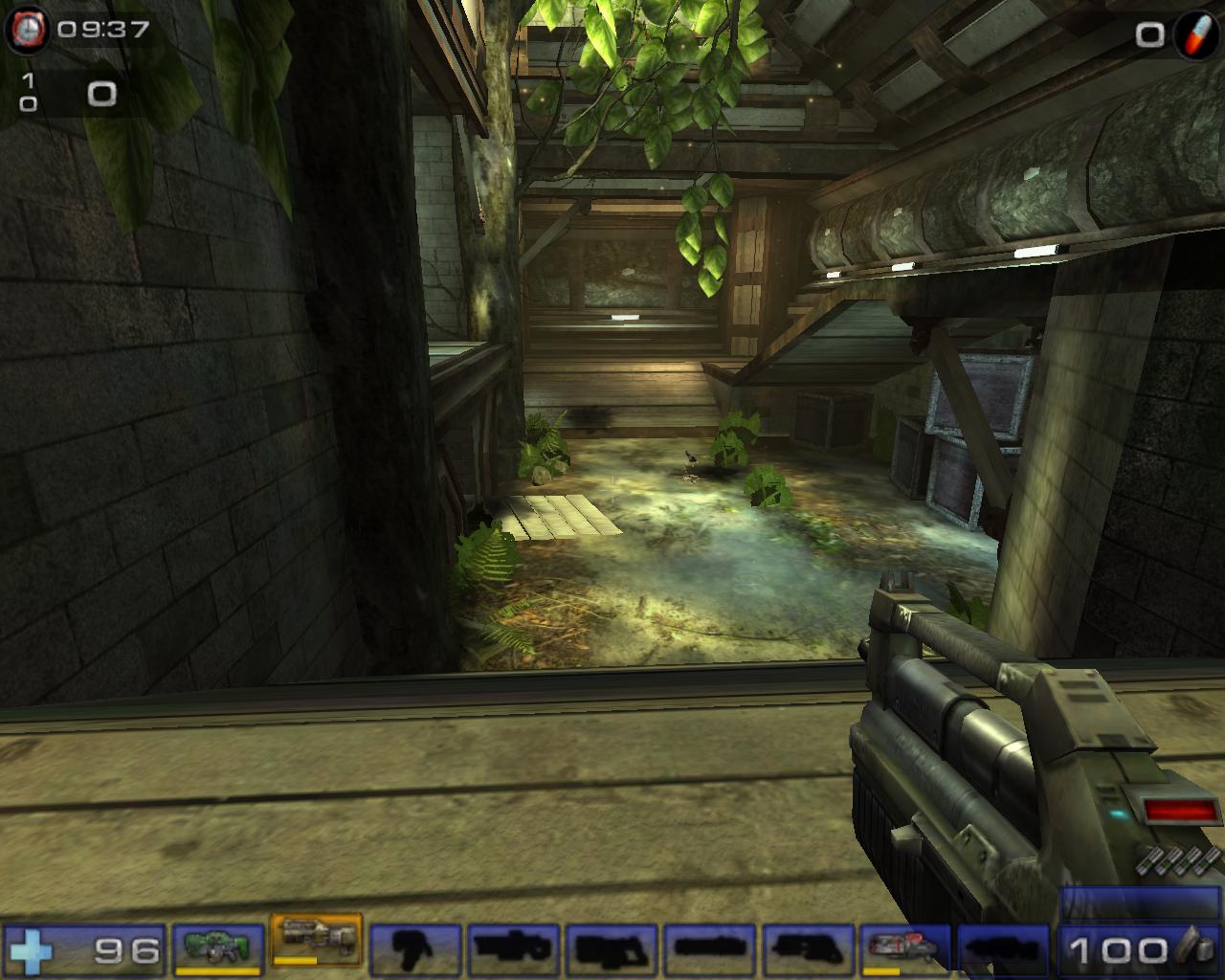
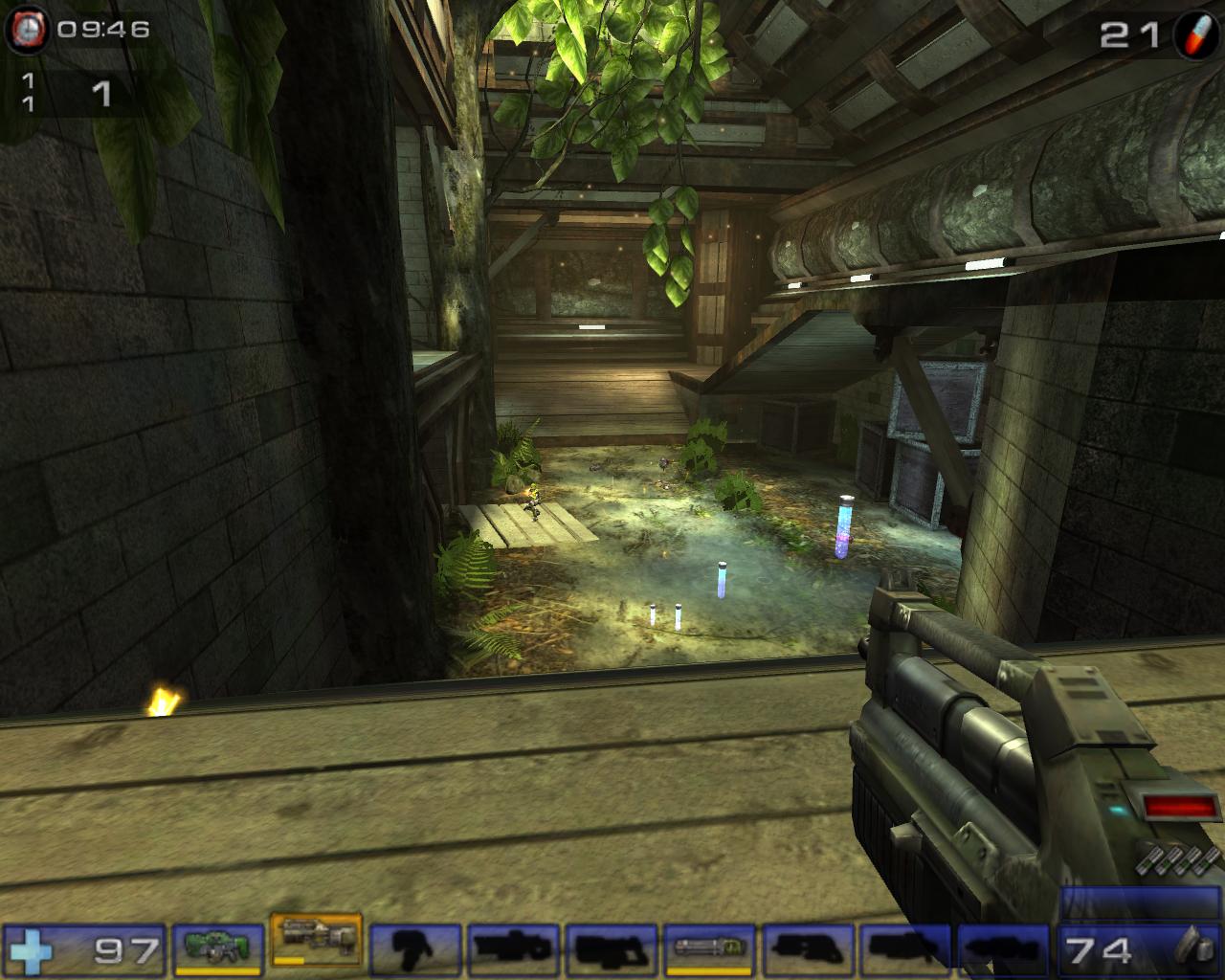
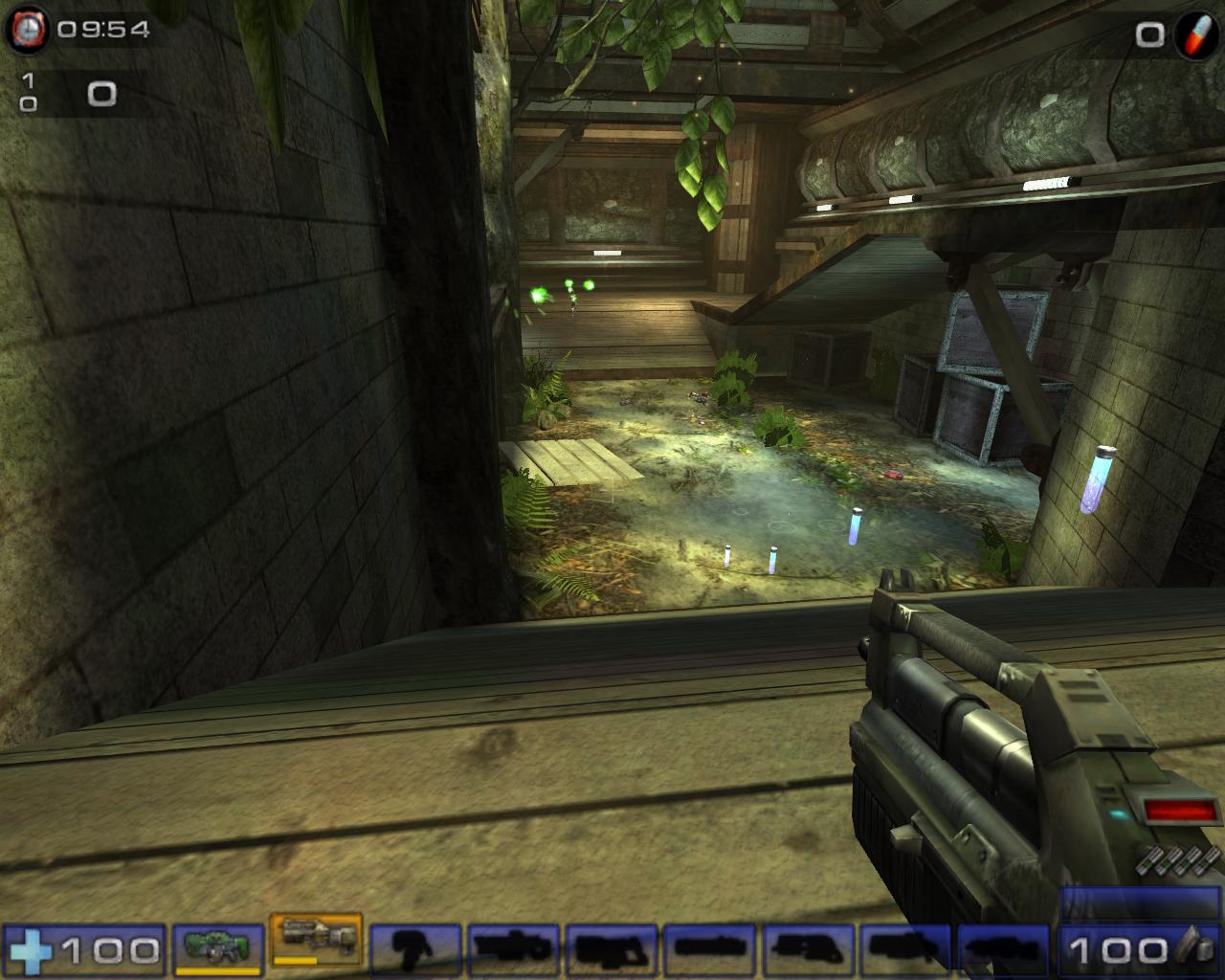
ATI has always been known for their great image quality. The 2D image of the X800 XL is nice and crisp on my Samsung LCD. The 3D image was great as well. Below are a couple of shots during a game of UT2004.
No AA/AF
2xAA/4xAF
4xAA/8xAF
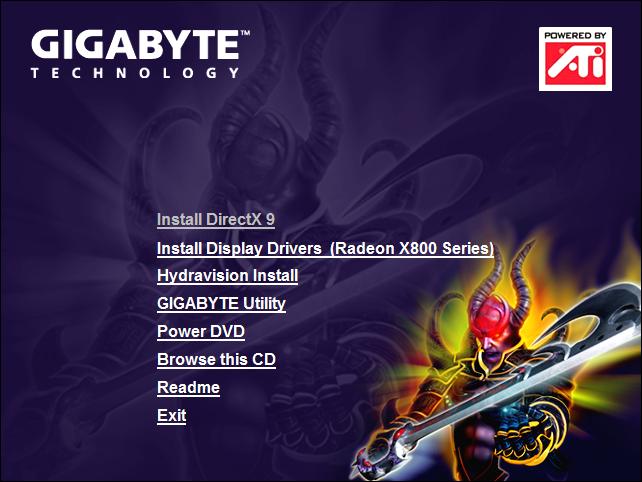
Gigabyte V-Tuner Utility:
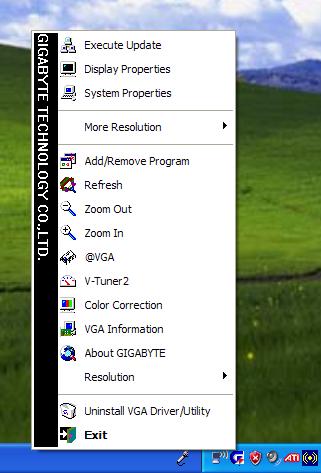
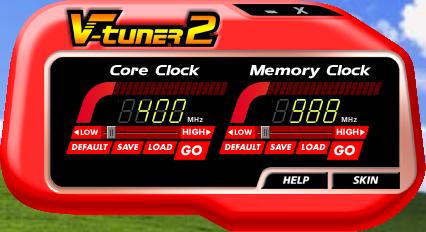
Gigabyte’s bundled drivers CD includes their own special Windows based overclocking utility. It’s quite easy to use after you install it. Simply slide the bars to make any adjustments.
Test Setup and Overclocking
Overclocking:
The use of a passive heatpipe heatsink is already an indication that the overclocking headroom won’t be enormous. Unless you have additional case fans that blow directly at the passive heatsink, heat will be the number one issue when overclocking this card. With the use of ATITool, I was able to push the core to 420MHZ before the card started to lock up. The memory went all the way to 525MHZ before showing any artifacts. The results aren’t too bad, but there is definitely more possible headroom. My regular ATI X800 XL can clock well over 450MHZ for the core, so this just means that the GPU on the Gigabyte X800 XL just needs more cooling.
Testing Setup and Methods:
- AMD Athlon 64 3000+ Venice (9 x 275HTT = 2.475GHZ)
- DFI LANParty UT nF4 Ultra-D
- 2 x 512MB Centon Advanced PC3200 (275MHZ 2.5-3-3-7 1T)
- Cooler Master Real Power 550W
- Arctic Cooling Freezer64
- Windows XP Professional with SP2 and DirectX 9.0c
- Nvidia nForce4 standalone kit 6.53
- Nvidia ForceWare 71.84
- ATI Catalyst 5.5
Benchmarks:
- 3DMark2003
- 3DMark2005
- Aquamark3
- Code Creatures
- Painkiller
- Doom 3
- Far Cry
- Unreal Tournament 2004
Video Cards Tested:
- Nvidia Geforce 6800 Ultra: 400/1100
- Nvidia Geforce 6800GT: 350/1000
- MSI Geforce 6600GT: 500/1000
- PowerColor Radeon X700 Bravo: 400/533
- Gigabyte Radeon X800 XL: 400/980
Results
3DMark03
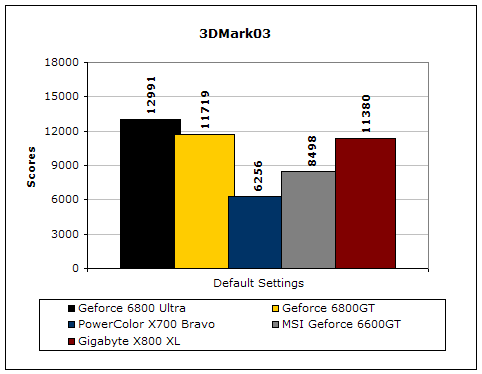
3DMark03 is a very popular benchmark used by enthusiasts. Although there are a bunch of cheating drivers going around, this is still a good benchmark to test the capabilities of the video card.
3DMark05
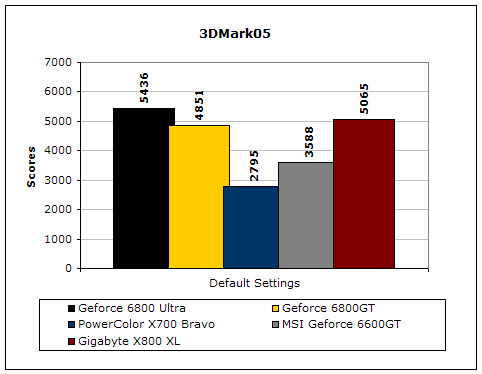
Much like 3DMark2003, 3DMark2005 is extremely taxing on the graphics card. It is a very popular benchmark that benefits when GPU power increases.
Code Creatures
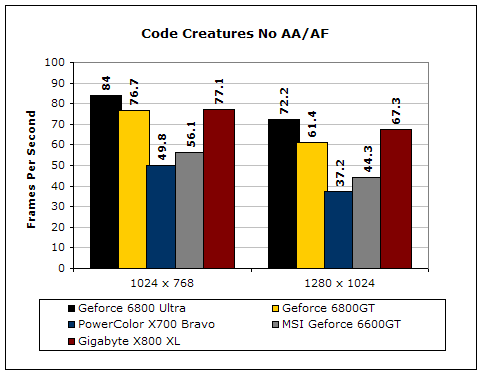
Although Code Creatures is an old benchmark, it is still capable of pushing the video card to its limits. The video test is very intensive and responds to any tiny increase in clocks.
Aquamark3
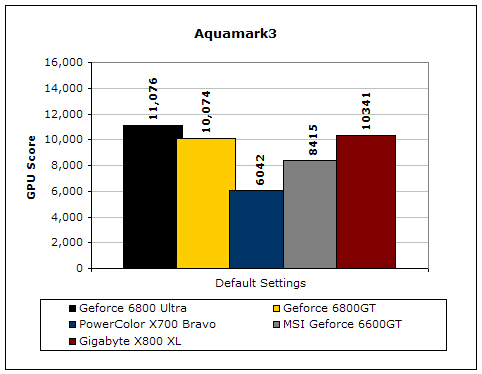
Aquamark3 is another synthetic benchmark that drives the video card to the max.
Doom 3
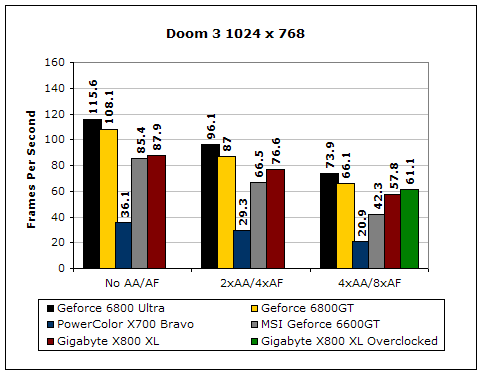
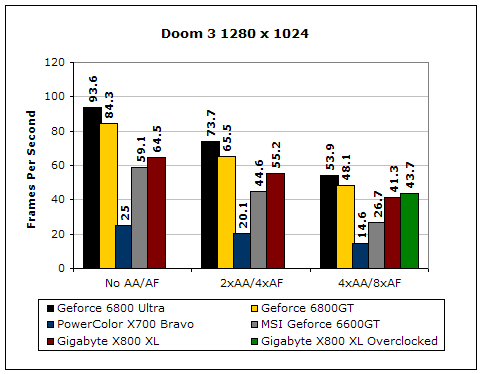
Doom 3 is a very GPU intensive game and is based on OpenGL. Since Nvidia is stronger in that department, it is clear that Nvidia easily takes the crown.
Results Continued
Far Cry
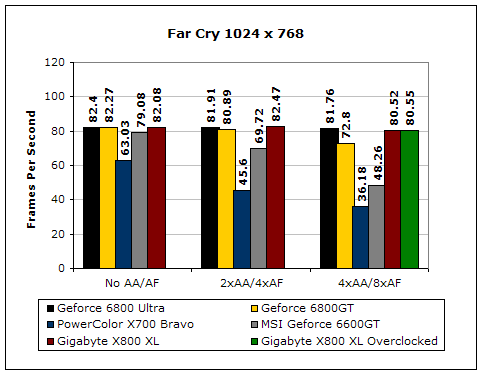
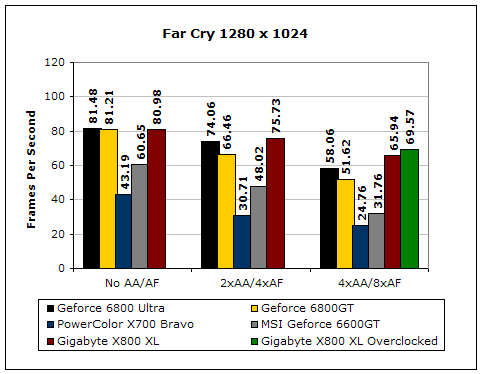
Far Cry has been out for quite a while now. Although the multiplayer aspect of the game isn’t very fun, the single player mode is quite addicting. The game is heavily based on Direct3D. ATI is stronger in the Direct3D department, so you’ll usually see better scores with an ATI card.
Unreal Tournament 2004
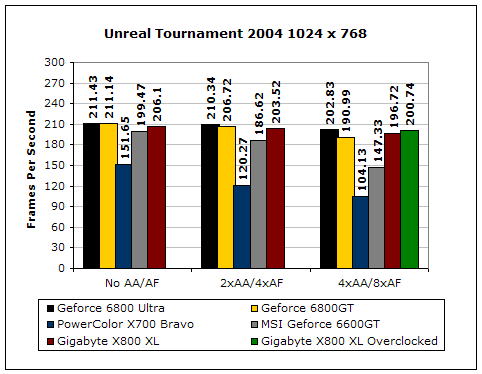
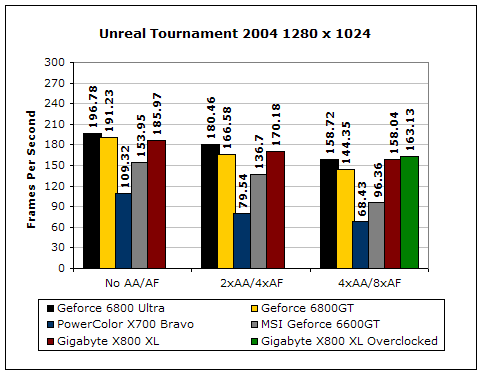
Unreal Tournament is very popular game, due to its online multiplayer capabilities.
Painkiller
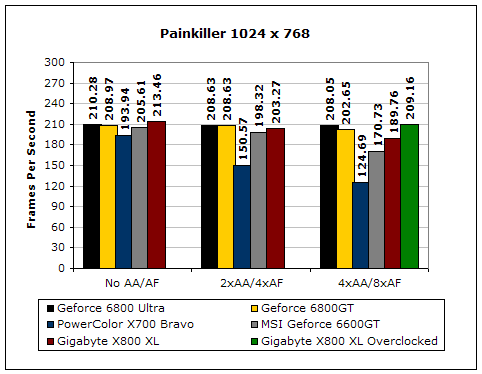
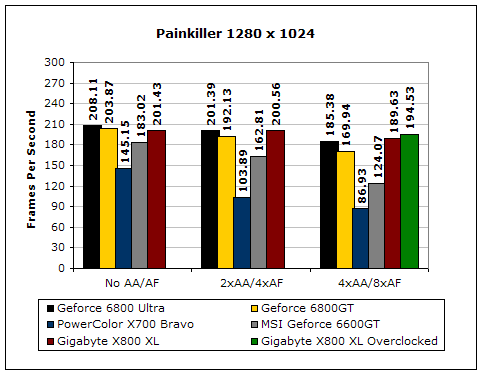
Painkiller is another popular first person shooter. The single player mode is fun and continues the tradition of mindless shooting and explosions.
Conclusion and Thoughts
The results of the power and performance behind the X800 XL are wonderful. The card comes in at a lower cost than the Nvidia counterpart and manages to perform competitively. There are certain instances where the 6800GT wins, like Doom 3 for example. The reason behind that is because ATI’s OpenGL support isn’t as strong as Nvidia’s. Perhaps the only reason why anyone should consider the 6800GT over the X800 XL would be for SLI capability. Enthusiasts who need additional power down the line can just drop in another 6800GT and increase the performance. The Radeon X800 XL can’t do that. I personally don’t find the power in SLI all too necessary or practical. The first is that there is a huge CPU bottleneck for current high end video cards. If you don’t overclock or spring for the top of the line processor, your performance will be limited. The other thing is that next generation video cards will bring increased performance anyway. One great example would be the 7800GTX. A single 7800GTX can outperform two 6800GT’s in SLI. Honestly, what was the point in having two 6800GT’s from the start? I’m sure there are plenty of you who disagree with me, but that’s just my opinion. Of course, it’s always nice to say you run SLI, for geek purposes.
Gigabyte’s package for the Radeon X800 XL is really good. It comes with a nice blue PCB with a large passive heatpipe heatsink. The cooling performance isn’t, bad but can be better. The card seems to target silent enthusiasts more than overclocking enthusiasts. A passive heatpipe is always a good thing when it comes to silence. You just can’t compete with 0 dBA. The games included could have been a bit better, but it’s good enough for casual gaming. Overall, Gigabyte’s offering of the X800 XL is a great one. It’s quite affordable for a performance card and will keep all current games running nice and smooth.
Pros:
- Blue PCB
- Large heatpipe heatsink
- Silent
- Great performance
- Very affordable for a performance card
Cons:
- Not very overclocking friendly due to no active cooling

We would like to thank Gigabyte for providing us the sample. If you have any questions or comments, feel free to hit us up in the forums. You can also check out more of our latest reviews on the front page.