

Enermax Noisetaker 470W
Introduction
When I first started getting into the computer overclocking, Enermax was the highest recommended power supply by overclockers. It provided stable power and kept the systems running nice and smooth under heavy operations. After they earned their well deserved recognition, Enermax quieted down somewhat, and remained that way for about two years until the launch of the Noisetaker series. It was one of the first designed to have an adjustable fan and kept systems running nice and quiet. Today, Enermax continues the Noisetaker series with a few adjustments to comply with Intel’s new 12v v2.0 requirement.
Enermax Noisetaker 470W
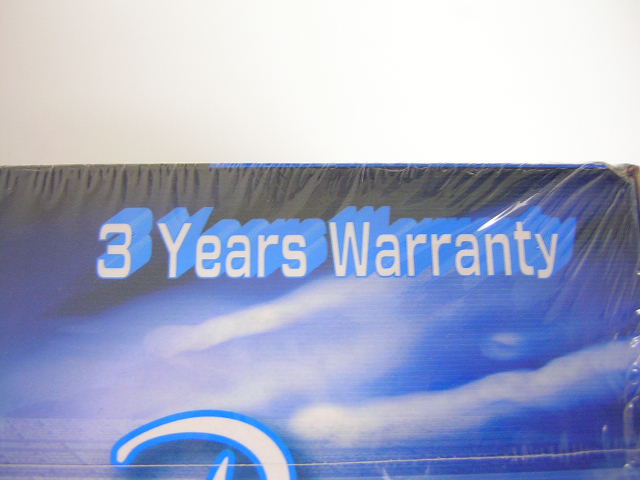
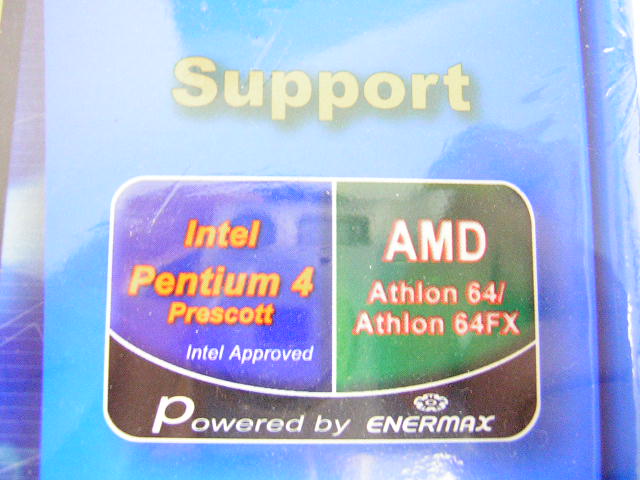
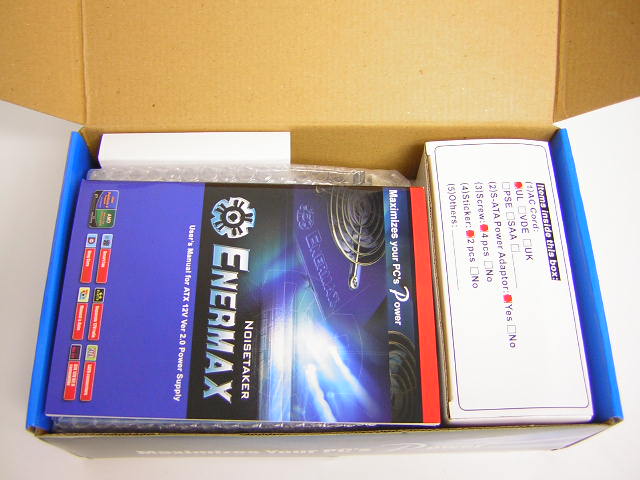
The Noisetaker came in a really large box and was extremely heavy. Like always, I love heavy power supplies. The heavier the better. It’s like having a big healthy heart; the bigger the better. The Noisetaker comes ready for power hungry systems, such as the new Intel LGA775 and the AMD Athlon64. To ensure that the enthusiast is happy with what he’s buying, Enermax provides a 3 year warranty on their power supplies. Although it’s not as long as the warranty provided with the OCZ PowerStream, 3 years is still a very long time.
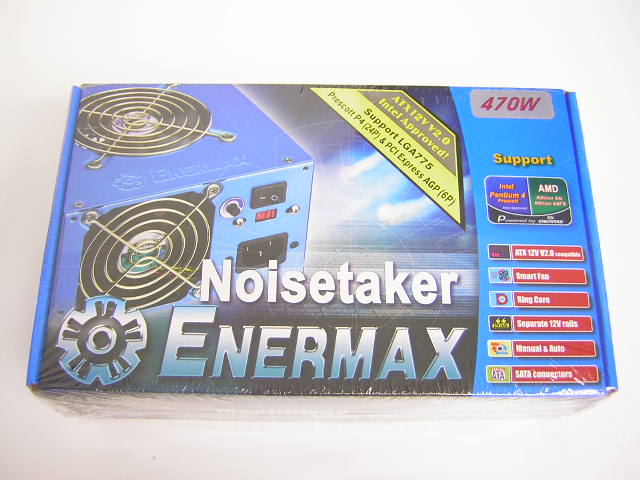
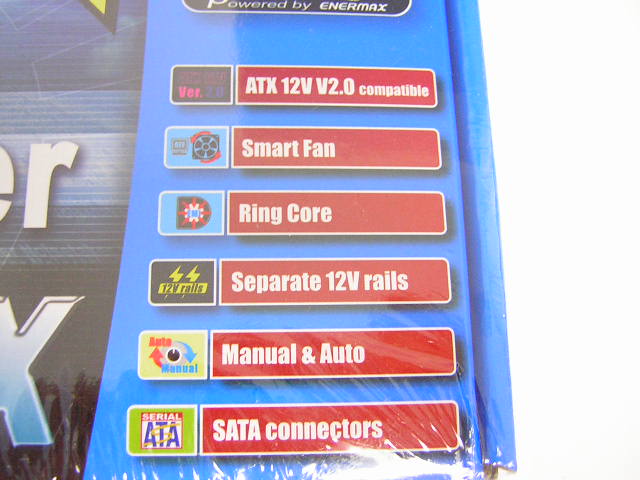
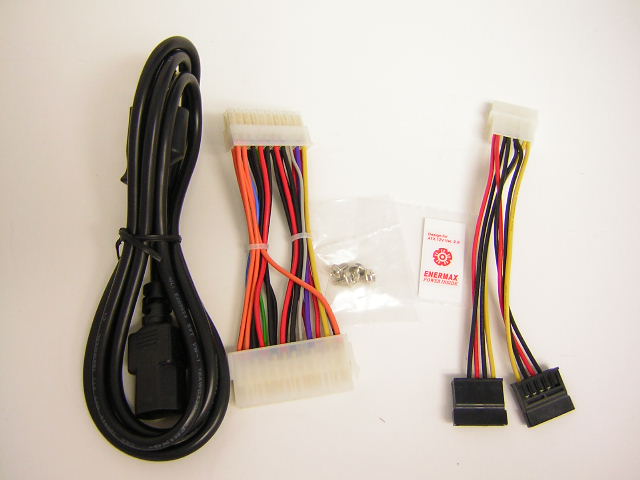
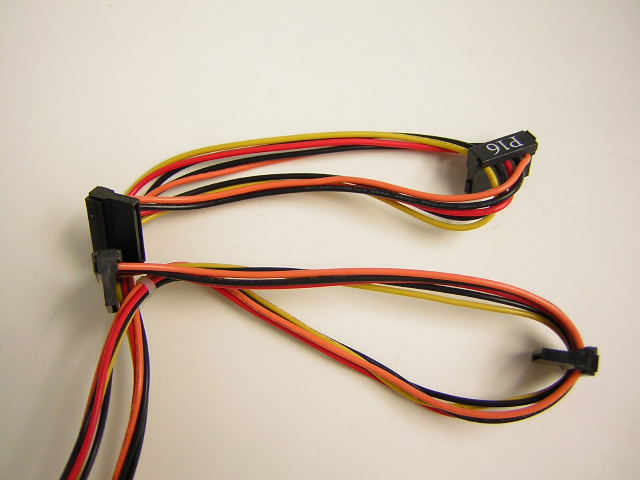
The Noisetaker comes bundled with a small box of accessories, including the AC adapter, 24pin-to-20pin ATX connector, four screws, SATA power connectors, and some Enermax stickers. The power supply comes with four SATA power cables on the power supply itself, and there are 2 extras provided via an adapter. This amounts to six total SATA power connectors. You can never have too many hard drives, and Enermax is ready to feed your needs.
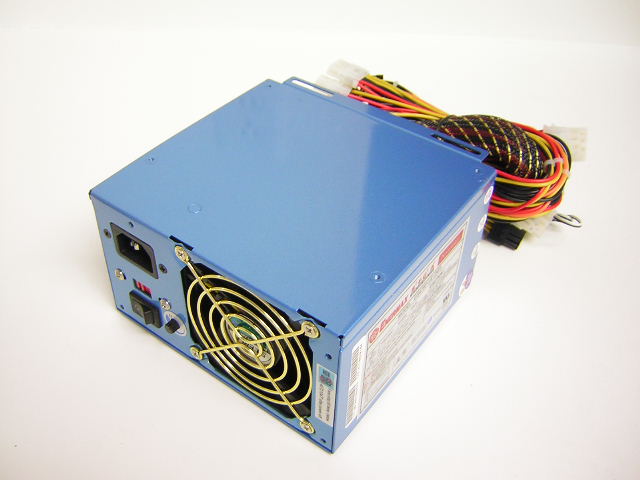
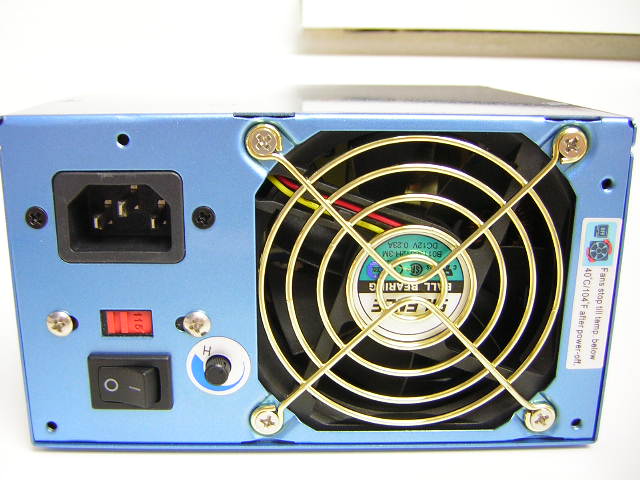
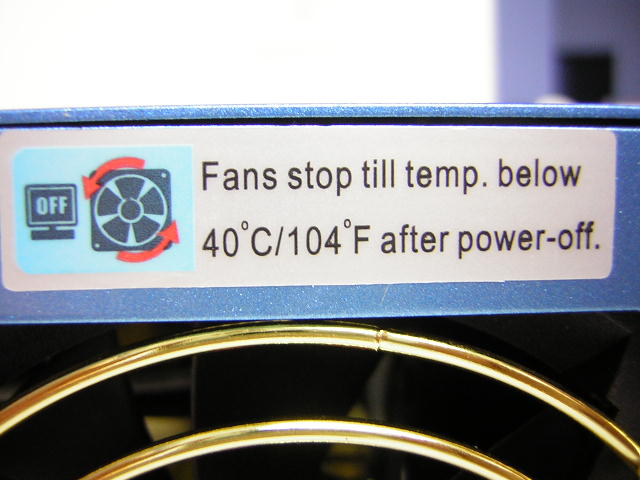
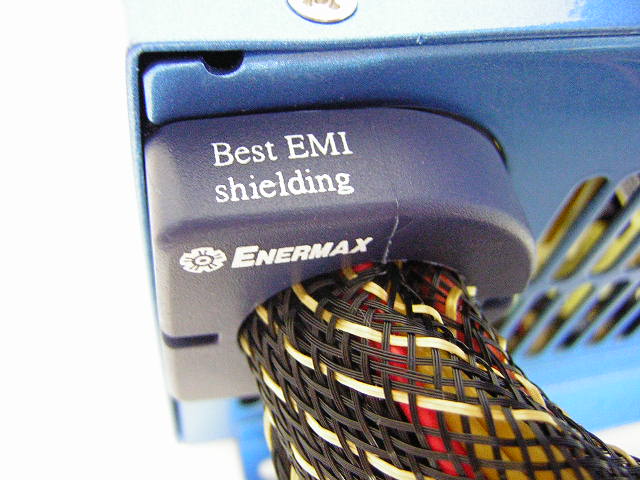
The power supply comes with a nice blue shroud. From what I can feel, the paint doesn’t seem to scratch easily. There are two fans to help exhaust heat from the power supply, including one at the bottom. There is a knob on the back to adjust the fan speeds. The Noisetaker features a new function that is similar to the ECASO on the Raidmax RX-520XP. Instead of only leaving the fan on for a couple of minutes after shutdown, the fans on the Noisetaker keep spinning until the internal case temp reaches below 40°C. One feature of a good power supply is the EMI shielding it provides. As you might know, EMI causes power fluctuation and unstable power feeds. Enermax has introduced a Ring Core technology that provides EMI shielding at the very start of power cables. Just how this Ring Core works, I have yet to find out.
Enermax Noisetaker 470W Continued
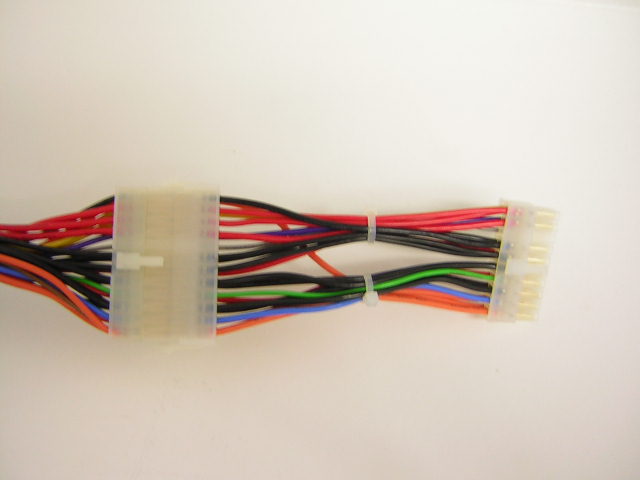
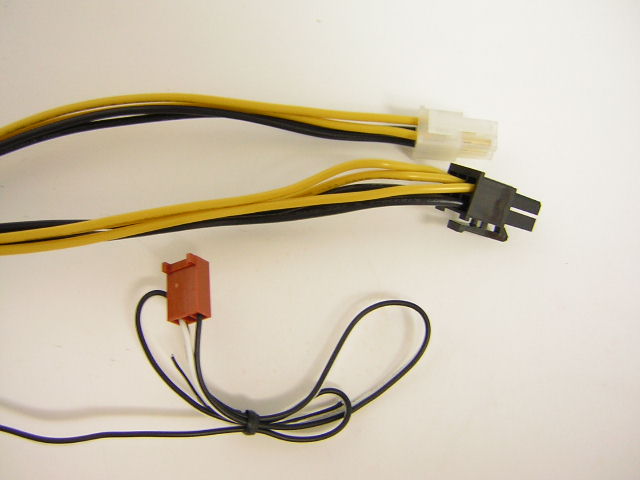
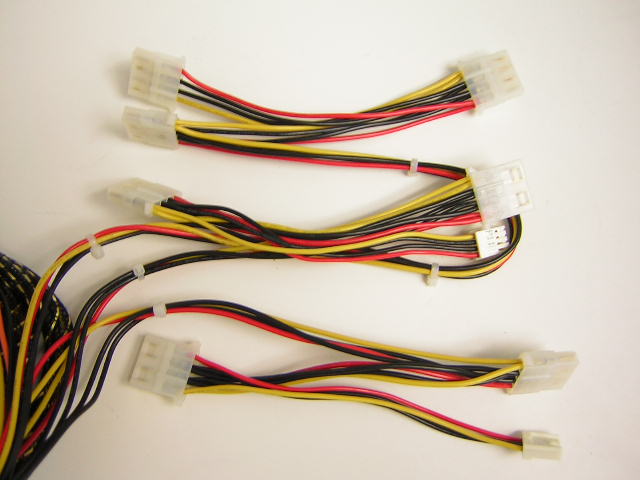
The Noisetaker comes with a good amount of power cables for multiple drives. The ATX connector comes as a 24pin for server motherboards and LGA775 motherboards. There is a 24pin-to-20pin connector for the majority of the enthusiasts who have yet to upgrade. There is a 4pin 12v connector for power hungry CPUs, as well as the 6pin 12v connector for power hungry PCI-E video cards. This is the first power supply that I’ve seen that includes the power cable. It’s nice to know the Noisetaker is ready to take on anything you throw at it. There are four whopping SATA power connectors. Most power supplies that include SATA power only come with two. The Noisetaker comes with four, AND two extra via the adapter. There are seven 4pin and two 3pin power connectors. Lastly there is a fan RPM to monitor the fan speeds. Although there are plenty of power connectors to suit your needs, the length of the cables can become a concern. The cable length is a problem for enthusiasts with full tower cases. I found the 4pin 12v cable extremely short. If this power supply was used on a full tower that had a reverted motherboard area, like the SilverStone TJ06 or the new Lian-Li cases, it would be a big problem. The Noisetaker is definitely suitable for average mid-towers, though.
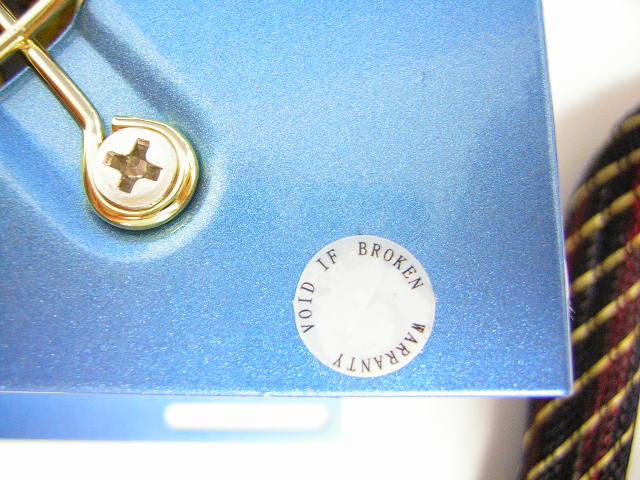
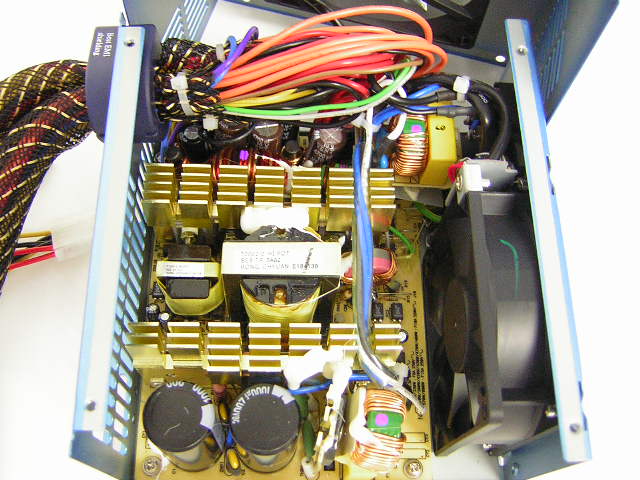
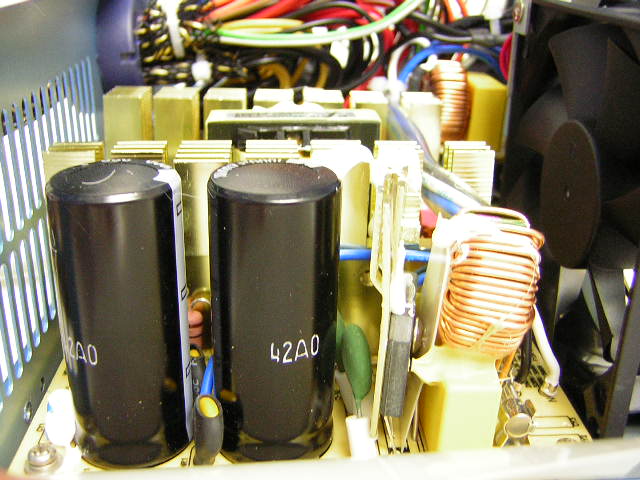
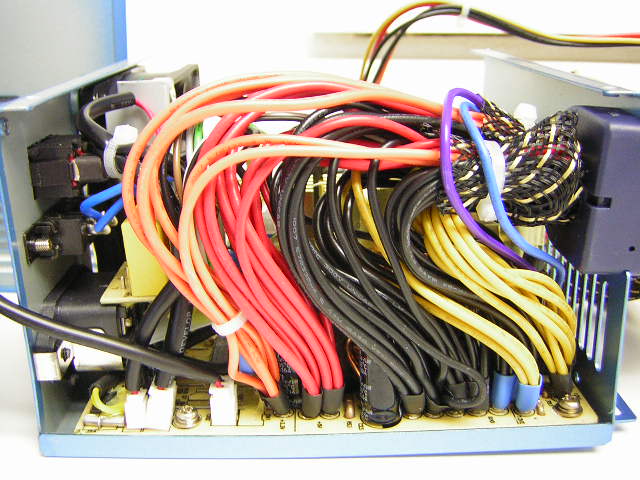
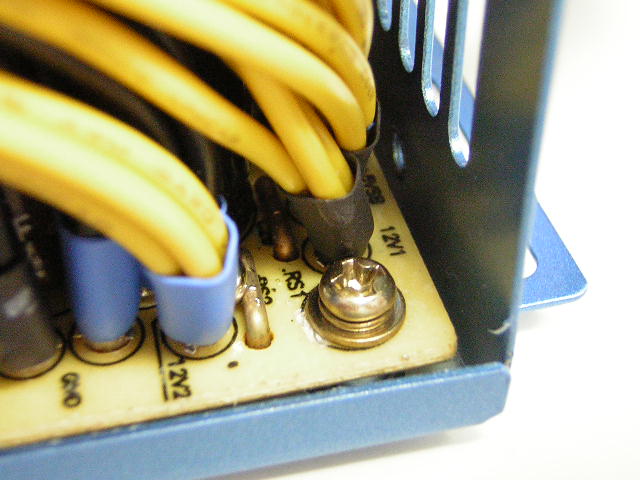
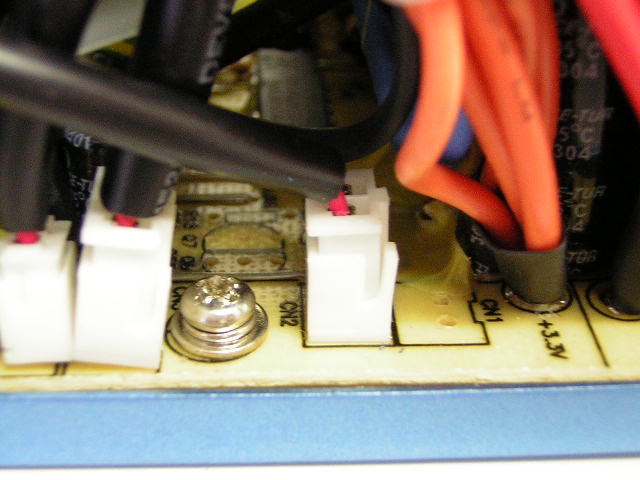
Here, we get into the internals of the power supply. Like all other companies, Enermax has a stick over one of the screws in the corner. Removing the sticker would result in a voided warranty. Enermax uses large capacitors and fill up the unit as much as possible. The only thing I didn’t like was the size of the heatsink. It was a bit too small for my liking. Checking up on the specifications of the Noisetaker, it is rated to have an efficiency of 80%. This means that 80% of the power coming in from the wall is used efficiently. The leftover 20% of the power is dissipated into the heatsinks and released off as heat. A power supply of 80% efficiency is awesome, considering that a typical good power supply is usually rated to be 70% efficient. Those generic 500W power supplies that pack up with fans and sell for $15 are probably only rated to be less than 50% efficient. Thus, the more efficient a power supply, the less heat generated. The less heat generated, the smaller the heatsink requirement. Although the heatsinks are probably enough for the capabilities of the power supply, it would have been better to see larger heatsinks used. Bigger is always better. In order to comply with the Intel 12v v2.0 requirement, dual 12v rails must be had for power hungry CPUs based on the Prescotts. The two independent 12v rails are separate right from the unit’s PCB. The fans used are connected via a 2pin plug, which means that enthusiasts looking for better appearances can easily switch out fans. After a bit of looking around, I was unable to find any adjustable potentiometers for overclocking enthusiasts.
Specifications
A good power supply can only be good if it has the amps to keep the voltages running nice and stable. Most of the time, a power supply becomes unstable when there is too much of a power draw from the 12v rail. With the two independent 12v rails, the CPU is separate from the video card and optical drives, and thus power fluctuation doesn’t occur as much. The first 12v, indicated as 12v1, is the dedicated 4pin power connector for the CPU. The other 12v rail, denoted as 12v2, is for the rest of the system, which includes video cards, hard drives, optical drives, and fans.
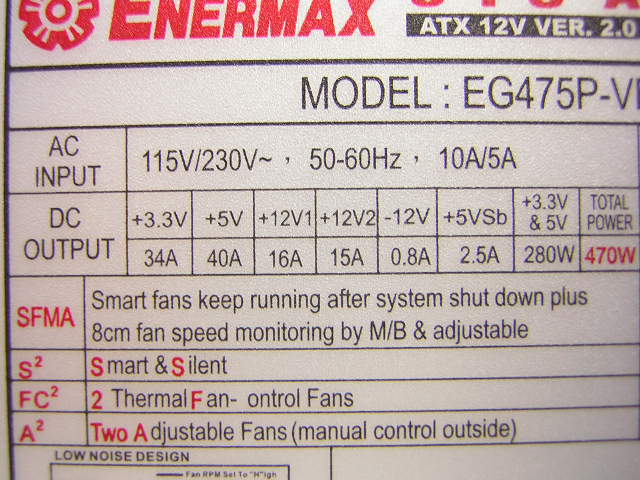
The 3.3v and 5v rails are supplied with ample amps to keep the lines running nice and stable. Although the 12v rails are given little amps, it is considered to be quite good since they are independent. If you recall the sample of the Raidmax RX-520XP, you will see that the power supply is only given 18A for the 12v. That 18A is used to power everything inside your system. The Noisetaker however, has separate rails to keep things running. This means that if the CPU is sucking too much power, it won’t affect the lines that feed the rest of your system. To get a general idea of the amps being fed off one line, just add the two together and you’ll see that it would have given off 31A.
One other feature that makes a power supply stand out from the rest is the voltage protections it provides. The Noisetaker has a number of protections offered:
- OCP (over current protection) - 3.3v: 55A max; 5v: 48A max; 12v1 and 12v2: 20A max
- UVP (under current protection)
- OVP (over voltage protection) - 3.3v: 3.76v
4.3v; 5v: 5.5v7.0v; 12v1 and 12v2: 13.4v~15.6v - OLP (over load protection) - 110-160% of max load
- OTP (over temperature protection) - operating ambient 10°C
40°C; storage ambient -40°C70°C - SCP (short circuits protection)
The Noisetaker is also rated to be able to run more than 100,000 hours at 70% of full rated load, but of course under an ambient temperature of 25°C. Unless you live in Antarctica or have the AC on 24/7, you won’t be seeing a consistent ambient temp of 25°C.
Test Setup
Test Setup and Methods:
- Intel P4 2.4C
- Asus P4C800-E (with droop mod)
- BFG 6800 OC
- 2 x 512MB Kingston HyperX PC3200UL
- Western Digital 30GB 7200RPM
- Pioneer 10x DVD Rom
- Sony Floppy
- 2 x 80mm Antec fans
- DLink 802.11b wireless NIC
Running Stock:
- Intel P4 2.4C – 2.4GHZ @ 1.525v
- Kingston HyperX PC3200UL – 200FSB 1:1 200MHZ @ 2.65v
- BFG 6800 OC – 350/700
- VAGP 1.5v
Running Overclocked:
- Intel P4 2.4C – 3.48GHZ @ 1.7v
- Kingston HyperX PC3200UL – 290FSB 5:4 232MHZ @ 2.85v
- BFG 6800 OC – 380/880
- VAGP 1.8v
Because the Noisetaker does not supply a -5v rail, there was no way to read the diagnostic LEDs on the OCZ DDR Voltage Booster. With the lack of the -5v rail, enthusiasts will not be able to use the diagnostic LED display on featured motherboards. This can be a bit disappointing.
Results
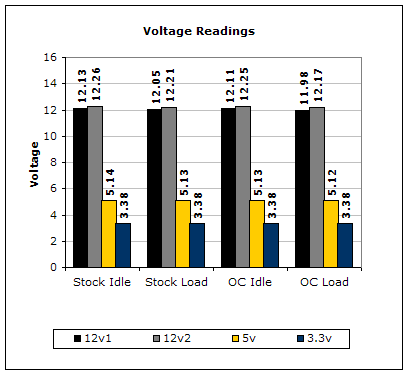
To test the power supply, a digital multimeter was used. For idle voltage readings, the system was left on desktop not running any programs. For full load, the system ran 2 instances of CPU Burn-in, Prime95 torture test for maximum power consumption, and the Nature test in 3DMark2001SE. CPU Burn-in is a good program to maximize the CPU load. The results were not the best, but still good nonetheless. Due to the lower amps for each independent 12v, a drop occurred under heavy overclocking. The most noticeable was the 12v1 rail. The CPU drew so much power that it dipped below 12v. Although 11.98v is still good and within the 5% safety range, more amps could have kept the rail at 12v.
Conclusion and Thoughts
Enermax continues their trend of producing quality power supplies and the new Noisetaker does not fail to please. The power supply kept the system running stable after many hours of testing, and at the same time, produced no noise whatsoever. I placed my ears next to the fans and could not hear a thing. The separate 12v rails are a good Intel requirement, because overclocking the CPU would not affect an overclock on the video card. The 3.3v rail remained extremely stable throughout the tests, although the maximum VDIMM was only running at 2.85v. There was no effect in stability whatsoever. Coming in at a decent $79.99 and supplying 470W of power, this power supply is a definite consideration. Overclockers can rest easy knowing that this Noisetaker will definitely do the job.
Pros:
- Blue finish
- Extremely quiet
- Ring Core EMI protection
- 6pin 12v cable for PCI-E video cards
- Plenty of power cables
- Excellent amps per rail
- Great performance
- Excellent price
- 470W of power
- 6 SATA power connectors
- 3 year warranty
- 80% efficiency
Cons:
- Power cables a bit short for full towers
- Small heatsinks
- No adjustable potentiometers
- No -5v rail for diagnostic LEDs

We would like to thank Enermax for providing us the sample. If you have any questions or comments, feel free to hit us up in the forums. You can also check out more of our latest reviews on the front page.