

DFI LANParty UT nF4 Ultra-D
Introduction
A little while back we reviewed DFI’s LANParty UT nF3 250Gb motherboard. While it proved to be the best overclocking motherboard available and provided great memory adjustments, the performance itself was lacking. The motherboard was only ideal for overclockers and those who know how to fully work with all the memory adjustments. If you were an average overclocker and left all the memory settings to AUTO, you were stuck with below average performance. The great potential is only unleashed by tinkering with the BIOS, something that not a lot of people do.
What we have here today is DFI’s lowest end nF4 solution, the LANParty UT Ultra-D. Many have been anxious for the release of the board because DFI’s reputation for overclocking is growing rapidly. The main attraction of the Ultra-D would be the great VDIMM access. Allowing as high as 4v to memory, the Ultra-D seems to be the best overclocking solution possible. Will it be true? We’ve reviewed Abit’s gaming board, the Fatal1ty AN8, and it was able to overclock extremely well. So now the rivaling companies go head to head here at InsaneTek, with performance, overclocking, and features all put to the test to see which board is better.
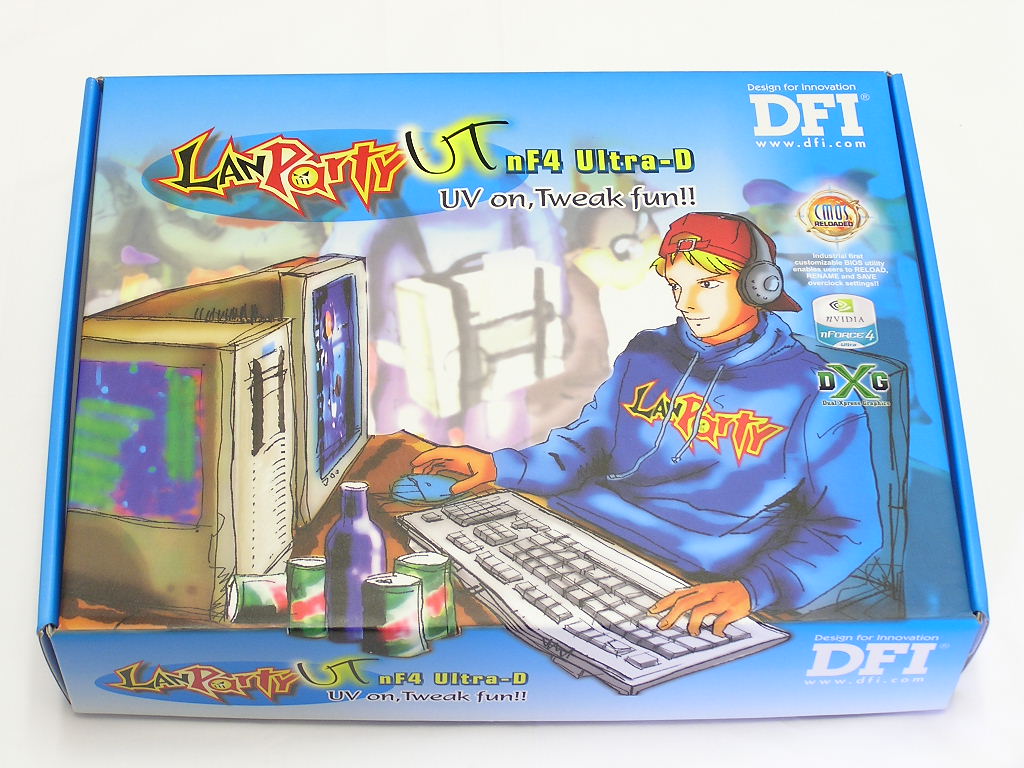
DFI LANParty UT nF4 Ultra-D Package
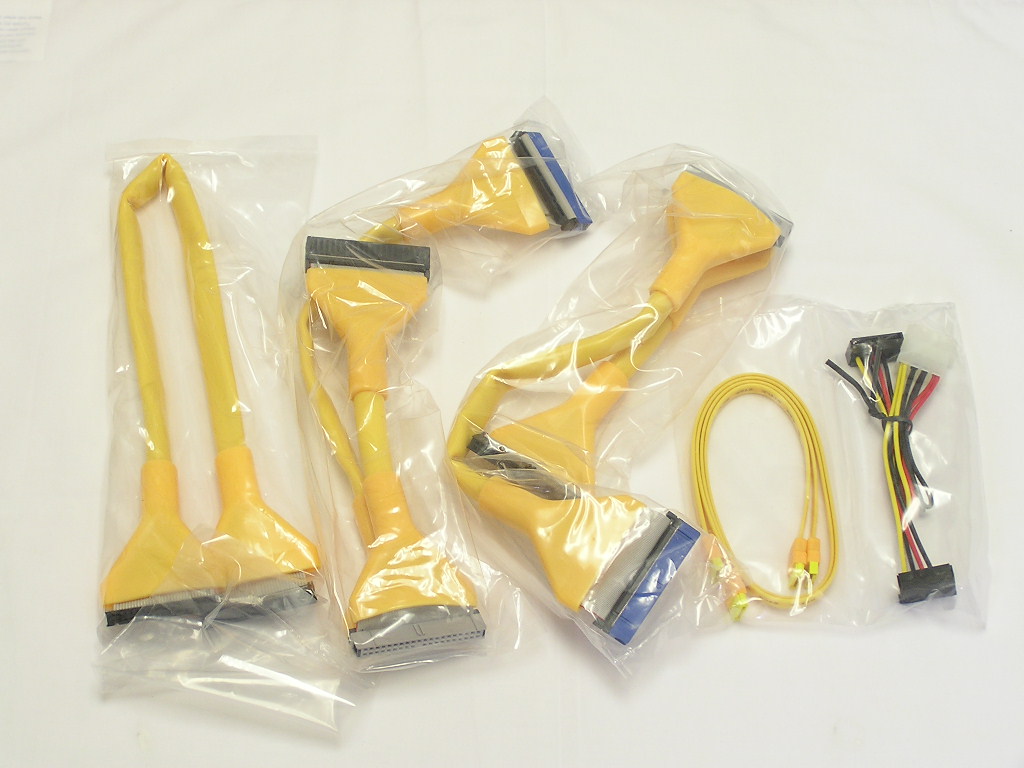
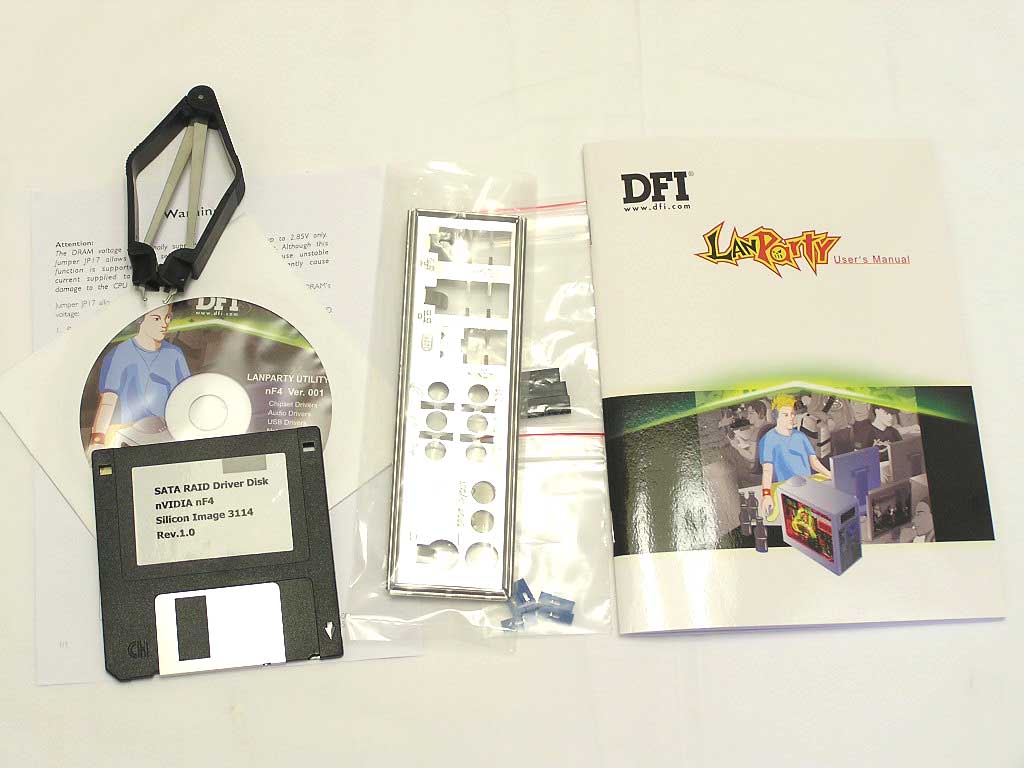
DFI continues their LANParty motherboards with attractive yellow, orange, and black colors. As usual from the DFI package, the software bundle is light. Like the LANParty nF3, yellow rounded and SATA cables are included. This provides a great look for LAN systems, which are one of the targets of the LANParty series. With the cables are the usual drivers CD, floppy disk with RAID drivers, user’s manual, I/O plate, jumper clamp, and bags of spare jumpers. The user’s manual is light as always and does not provide detailed descriptions. The included jumper clamp is for removing large jumpers found on DFI SLI motherboards. It is also used to switch the VDIMM access jumper.
Motherboard Layout
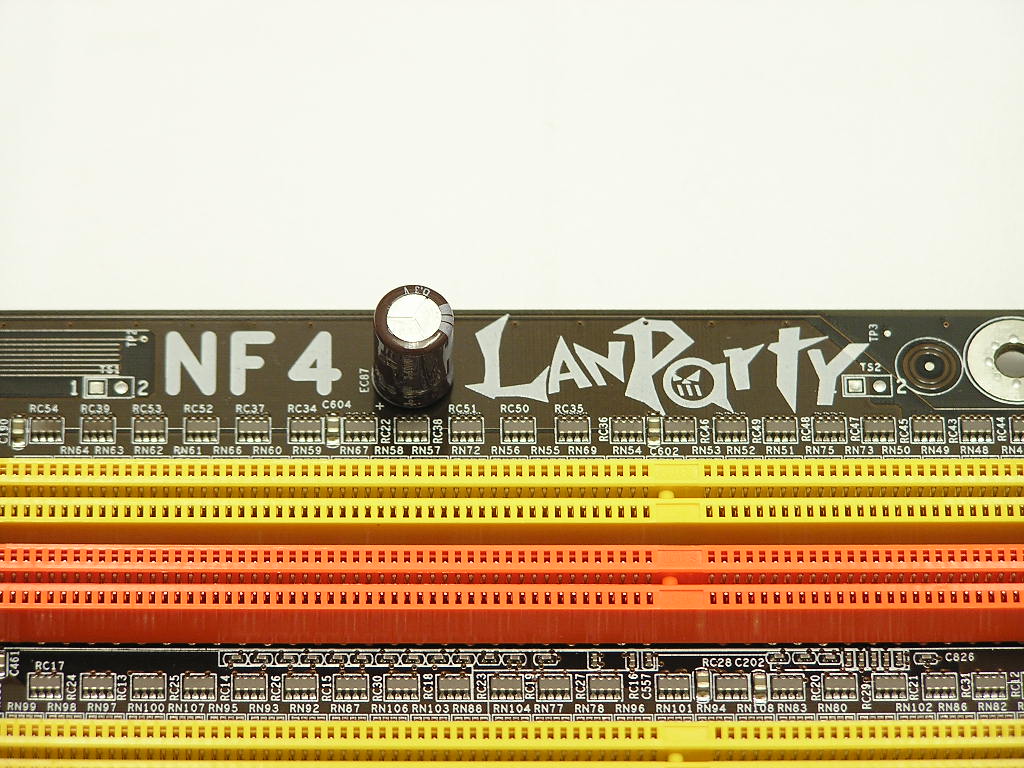
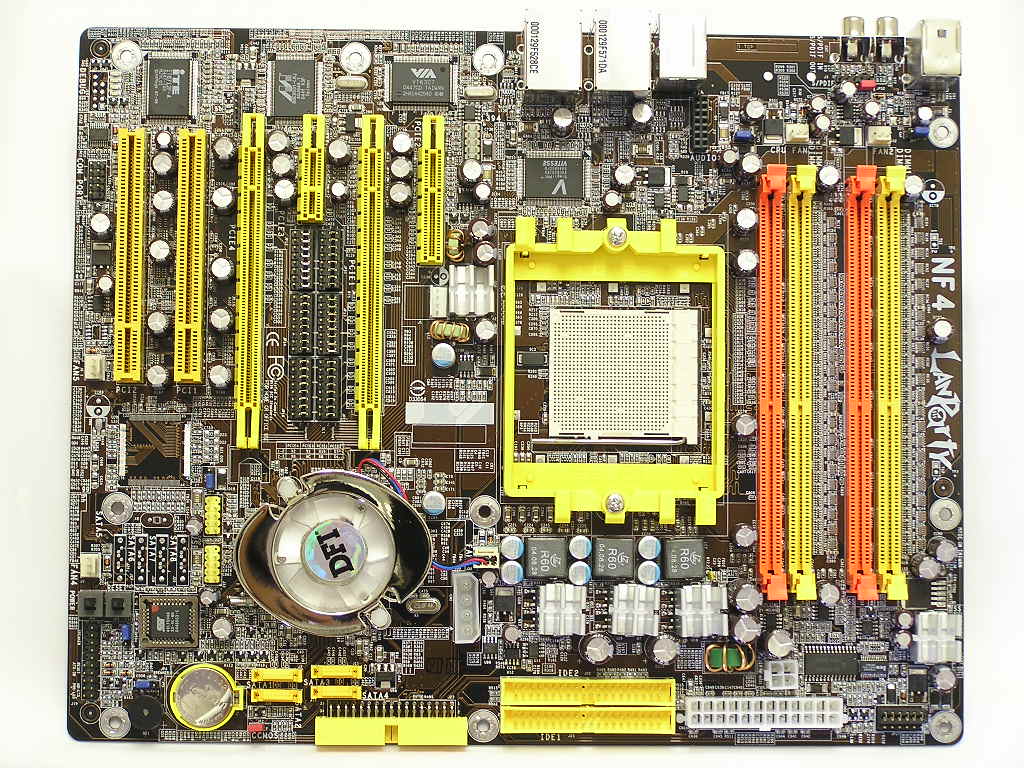
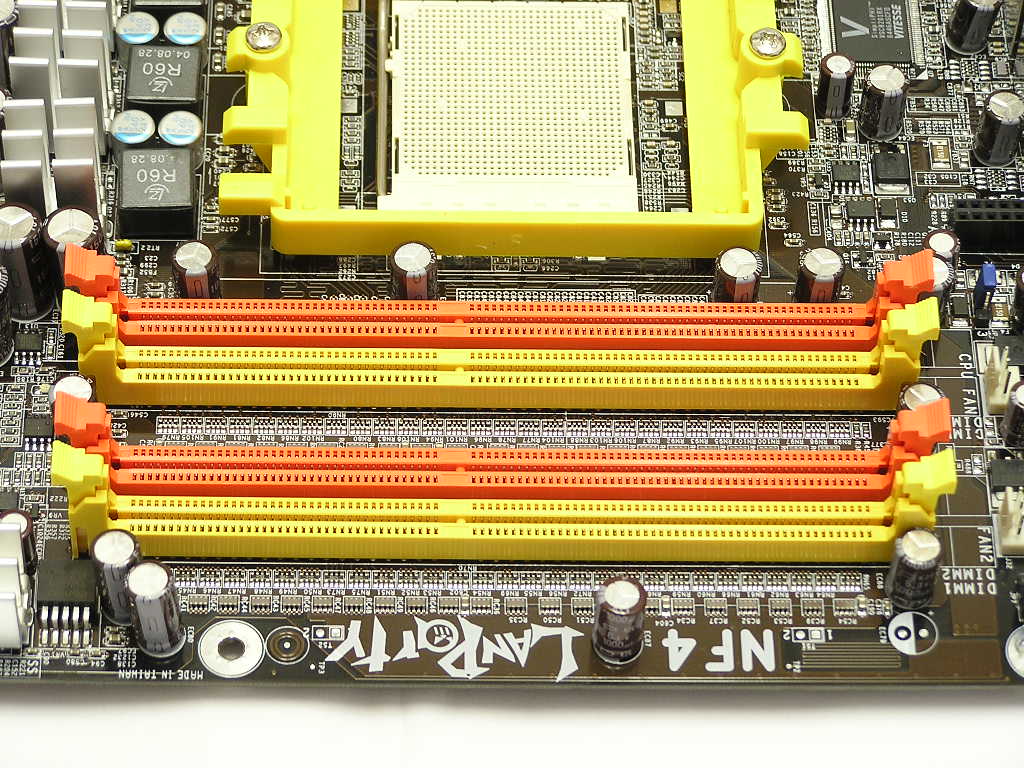
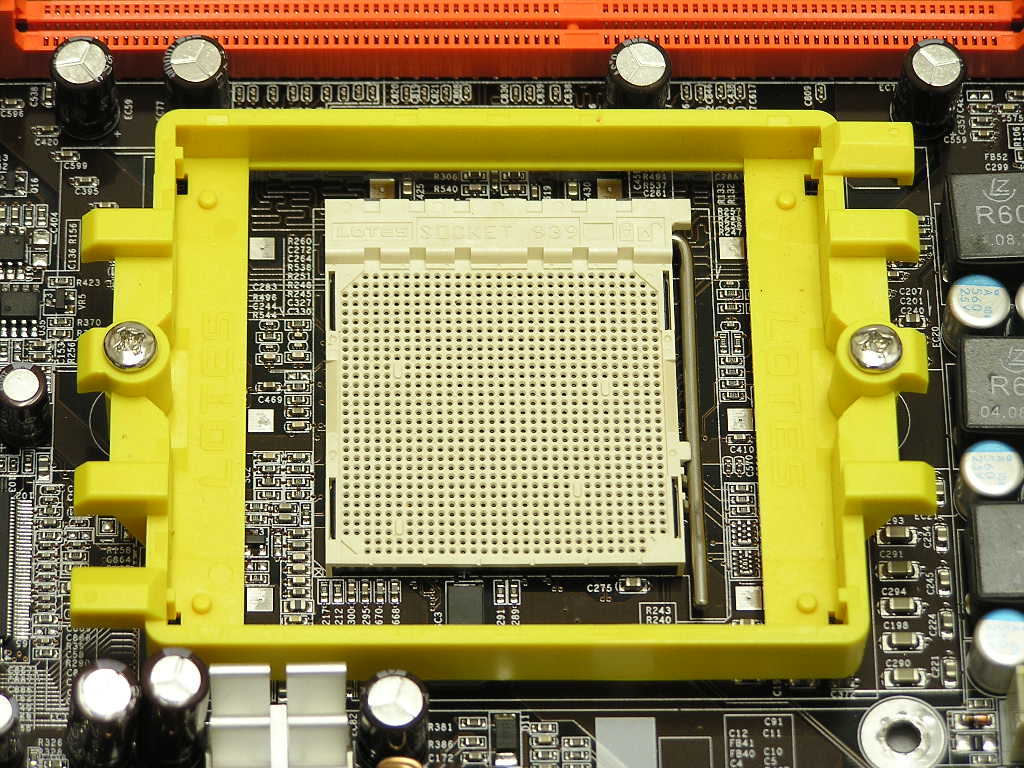
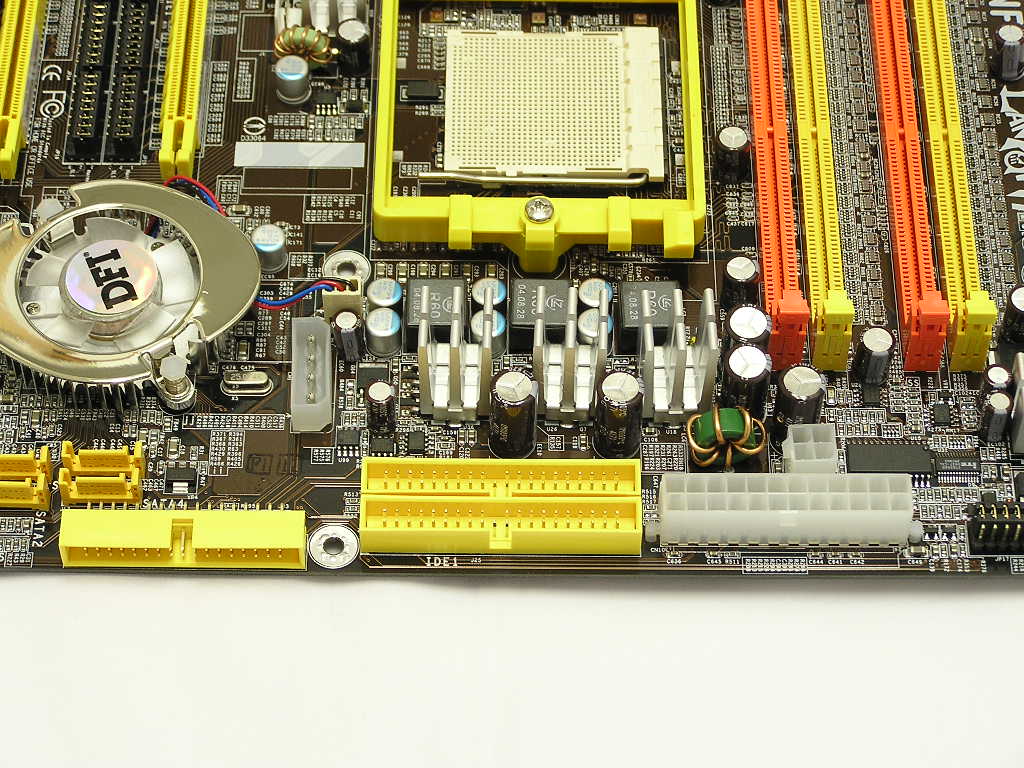
Perhaps the worst feature about all DFI nF4 motherboards would be the general motherboard layout. While it does have some highlights, the typical arrangement of CPU socket, DIMM slots, and motherboard chipset is poorly planned. To begin, the first thing you notice would be the horizontally placed DIMM slots. The DIMM slot placement isn’t all bad because it allows the power supply and rear exhaust fan to suck heat away from the memory modules. The downside of this arrangement is that it leaves little CPU socket area. With limited CPU room, compatibility of large CPU heatsinks can be a problem. Speaking of DIMM slots, the Ultra-D requires memory to be installed in slots 1 and 3, the orange ones, in order for the system to run. Installing memory in slots 2 and 4, the yellow ones, will results with a message during POST telling the user to install memory in slot 2 for single channel or slots 2 and 4 for dual channel. It’s weird because the memory is installed in slots 2 and 4. What gives? Another oddity is that with memory in slots 1 and 3, CPU-Z shows memory to be installed in DIMM’s 3 and 4. Whether that’s a software or hardware issue, I’m not sure.
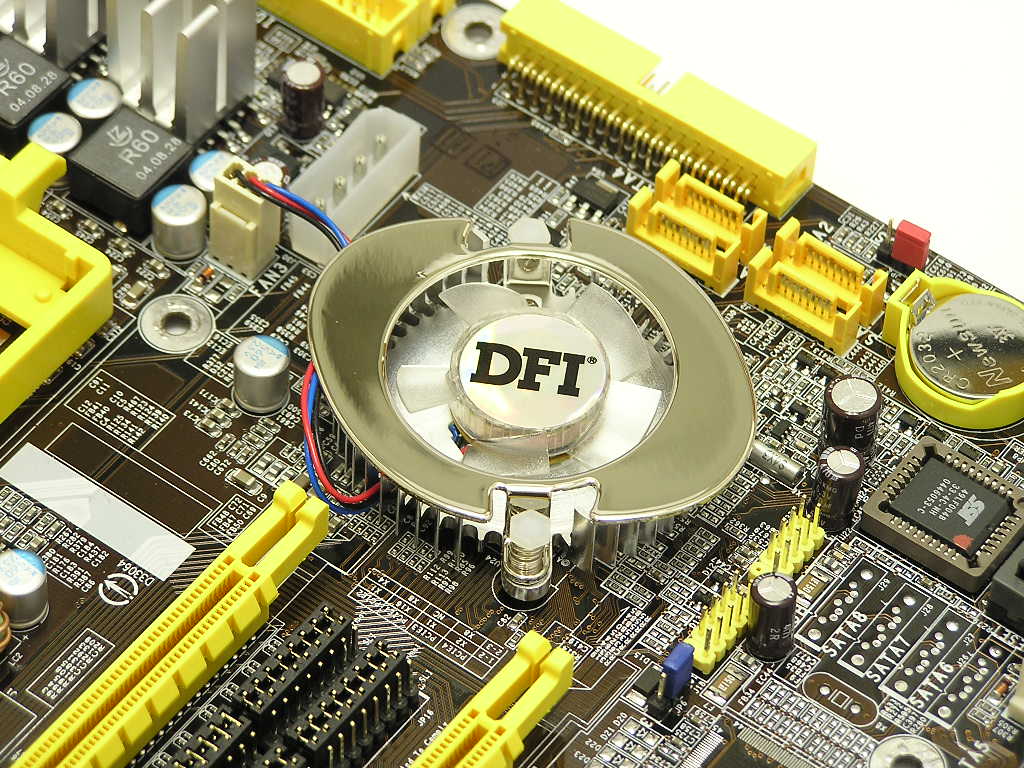
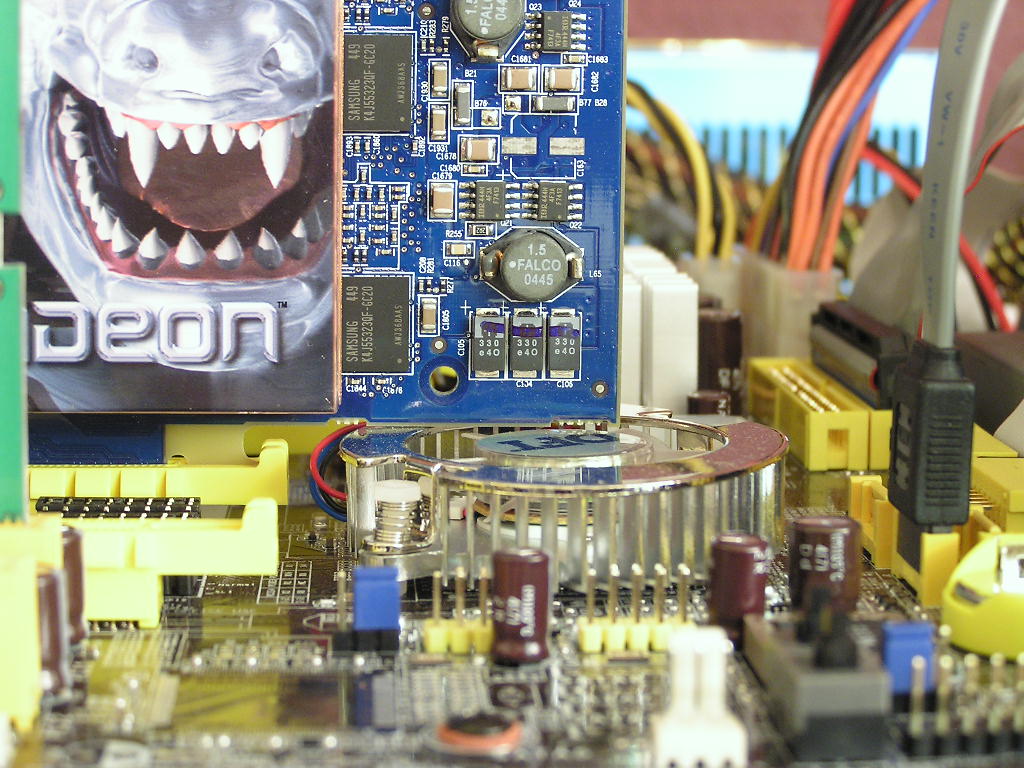
The next complaint I have with the motherboard layout would be the motherboard chipset. If you’ve kept up with our previous motherboard reviews, you’ll understand why such placement is poor. Being right next to the PCI-E slot basically allows no better cooling solution for the motherboard chipset. While Nvidia’s nForce chipset is powerful, it isn’t known to run very cool. The chipset fan does a good job at keeping the chipset cool. The fan runs silently even under intense overclocking stress testing. It’s a good chipset cooler and it doesn’t look too bad either. Although I had no problems with graphic cards installed, enthusiasts should be aware that the graphic card comes very close to the chipset fan. I’m talking millimeters here.
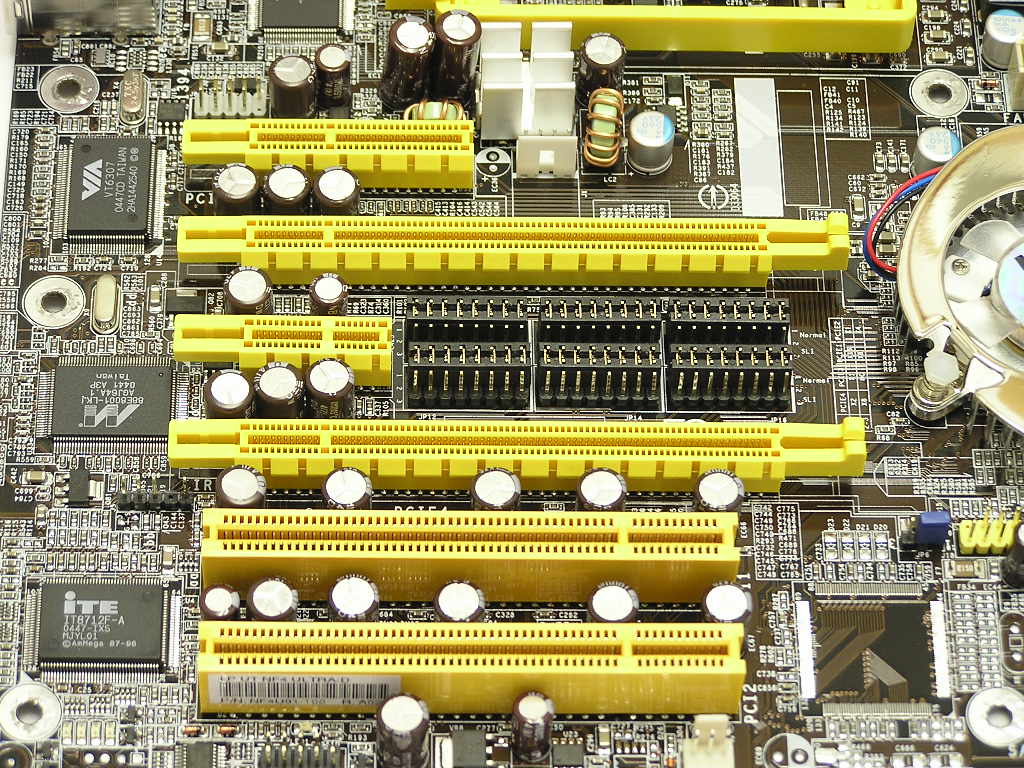
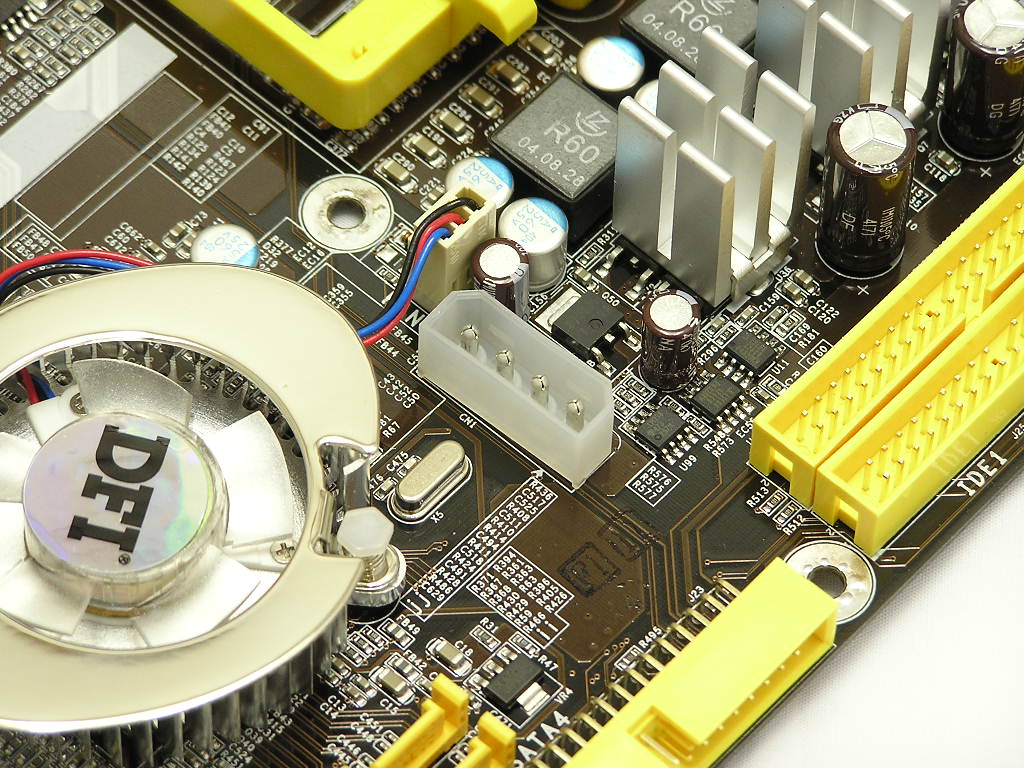
To the left of the chipset are the PCI slots. Because the Ultra-D uses the same board design as DFI’s SLI version, there are two PCI-E slots available. Older nForce4 Ultra chipsets can be modded into SLI chipsets so users benefit from this design. The only problem would be acquiring the SLI bridge. Because DFI and Nvidia have caught on with this mod, they’ve done things to prevent users from getting a “free” upgrade. I guess the second PCI-E can be used for a second graphic card, but do you really want to spend another $100 on a second PCI-E card? In between the PCI-E slots are the jumpers for switching between single and SLI configurations. Ultra-D users need not apply here. This is only for SLI users. There are two regular PCI slots for future add-on cards and is ideally placed at the bottom of the board. Above the chipset is a Molex connector. This is only required for when running SLI, because the motherboard requires extra power when running two graphic cards simultaneously. Again, Ultra-D users need not apply. It doesn’t hurt when you have a connector plugged in but it doesn’t help anything either. Above the Molex connector are the MOSFET’s. Because of the orientation of the motherboard, the MOSFET’s are placed at the right side, instead of the usual top left. All the MOSFET’s are heatsinked to help dissipate heat but because this portion of the motherboard gets the lowest amount of airflow, the placement is not ideal. The MOSFET’s do get hot, and very hot if you’re running high VDIMM of 3.3v-4v. The best part of the motherboard would be the ATX power connector, 12v 4pin connector, IDE and floppy connectors, and the SATA ports. All these are placed as close to the edge as possible, making wiring a simple breeze.
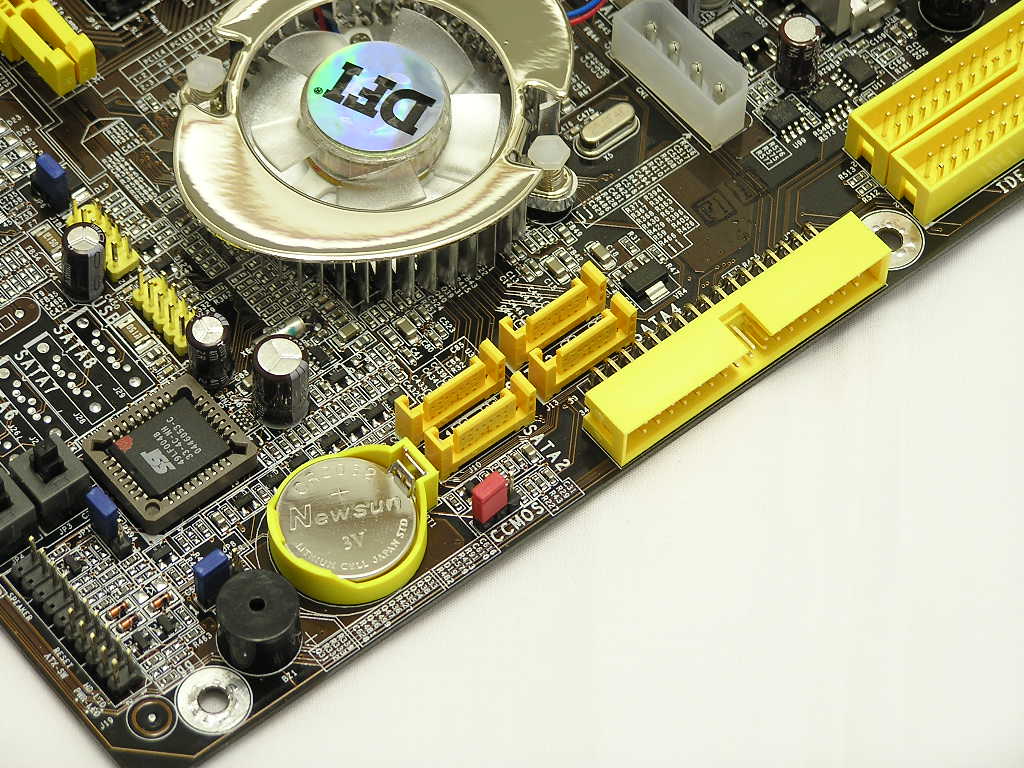
Motherboard Layout Continued
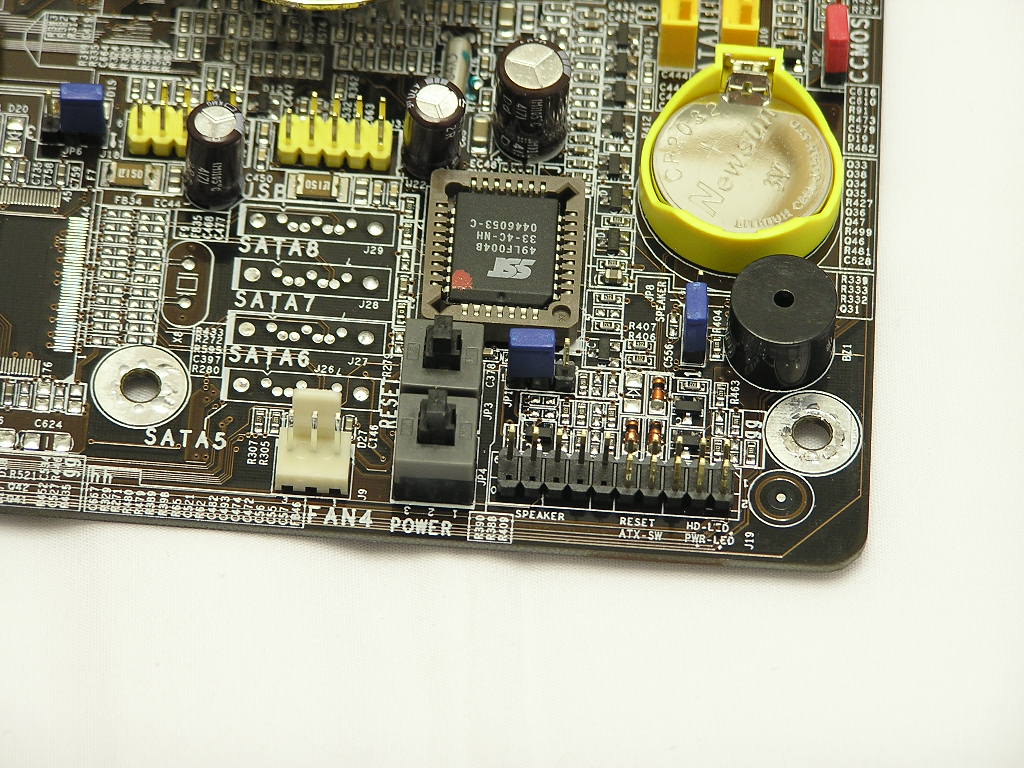
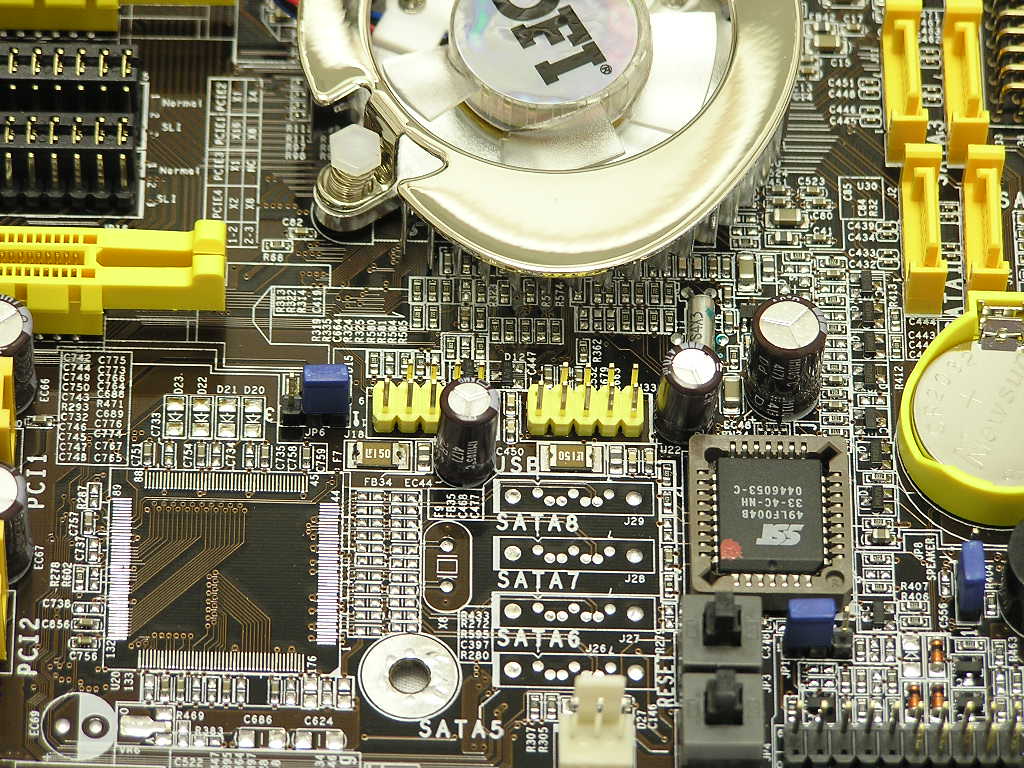
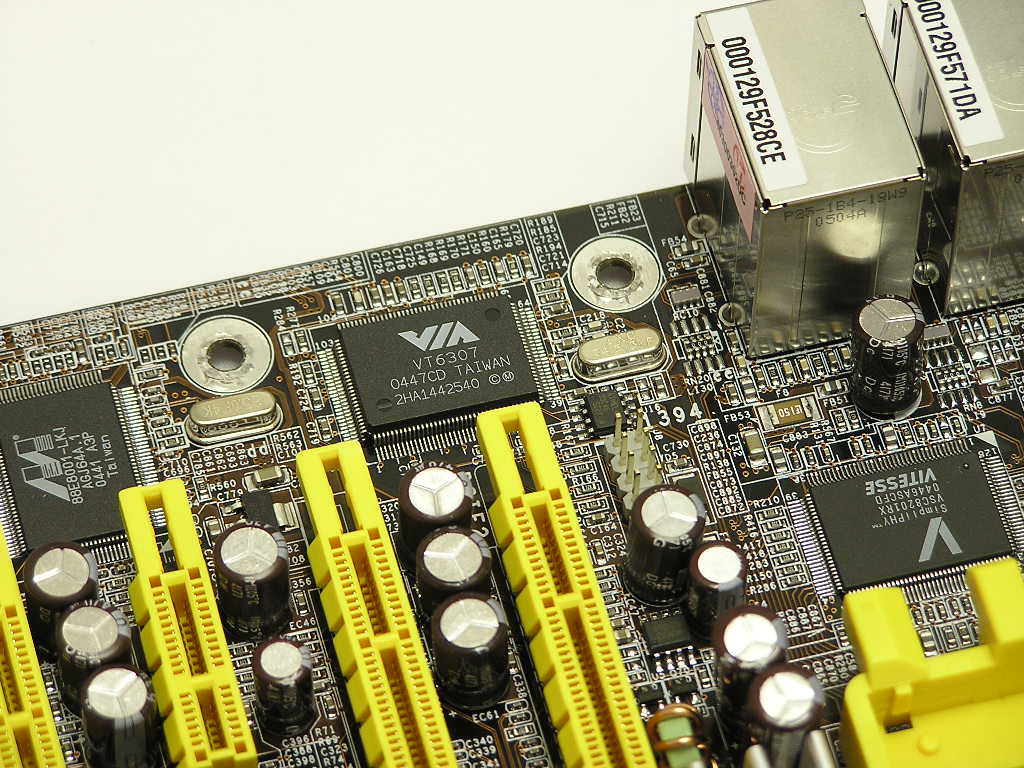
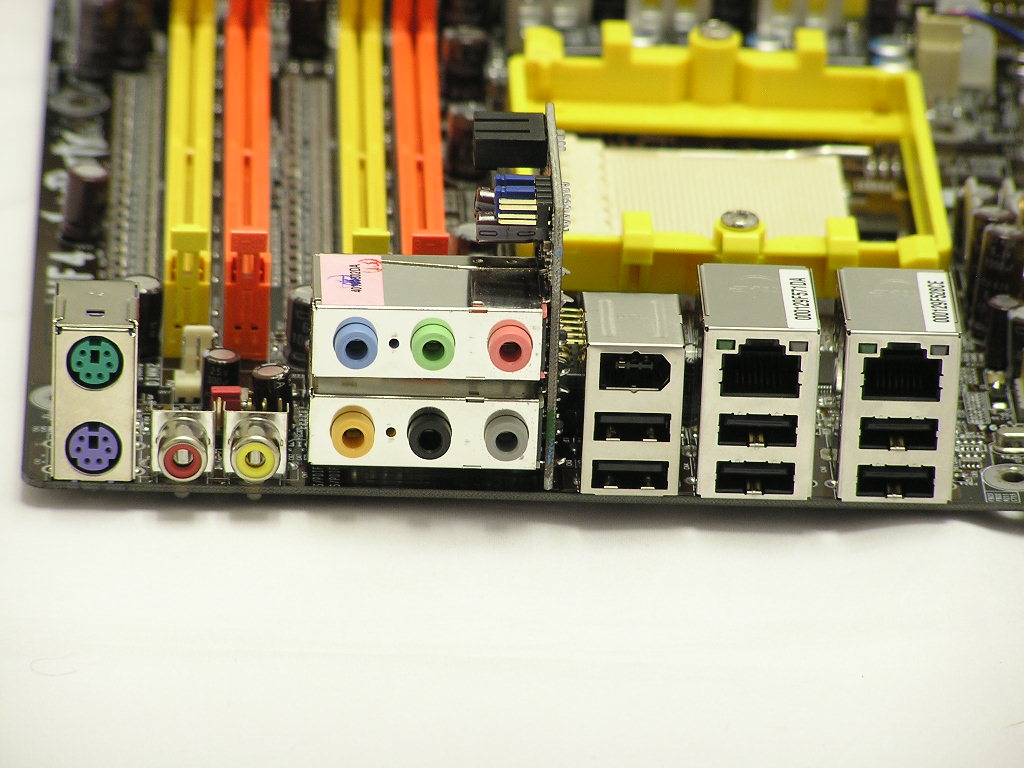
At the bottom right corner are the usual front I/O connections. Next to it are the reset and power buttons. These buttons are extremely handy when you’re doing some overclocking testing. It also makes my life as a reviewer easier. A little up top you’ll find two USB headers to provide 4 additional USB ports. The nForce4 Ultra chipset provides 10 USB connections, so where are the other 6? They’re all located at the back I/O. There you’ll find dual Gigabit RJ45 ports, a IEEE 1394, SPDIF in/out, and the usual PS2 keyboard and mouse. There is another IEEE 1394 header on the motherboard and is controlled by the VIA VT6307 chipset.
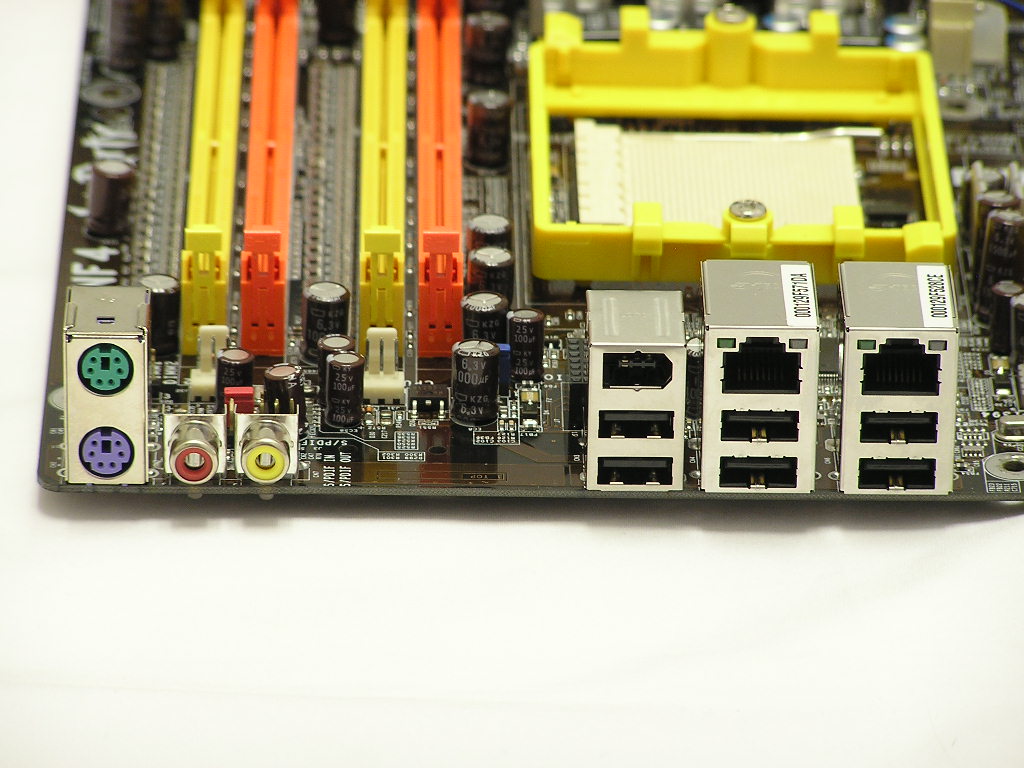
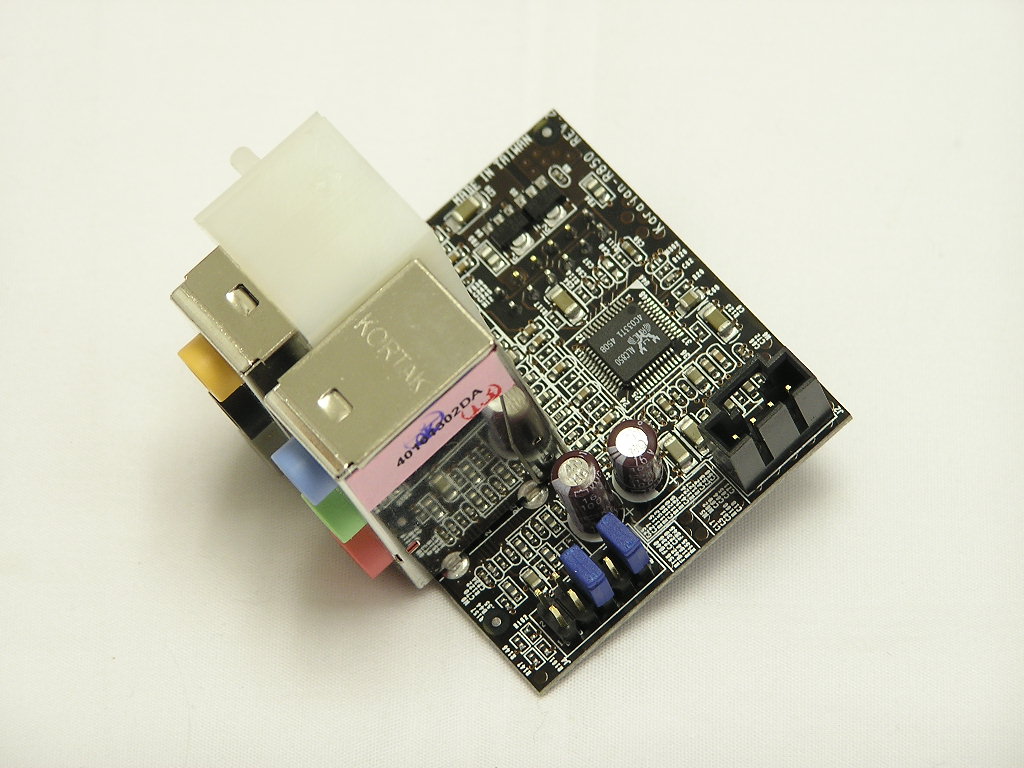
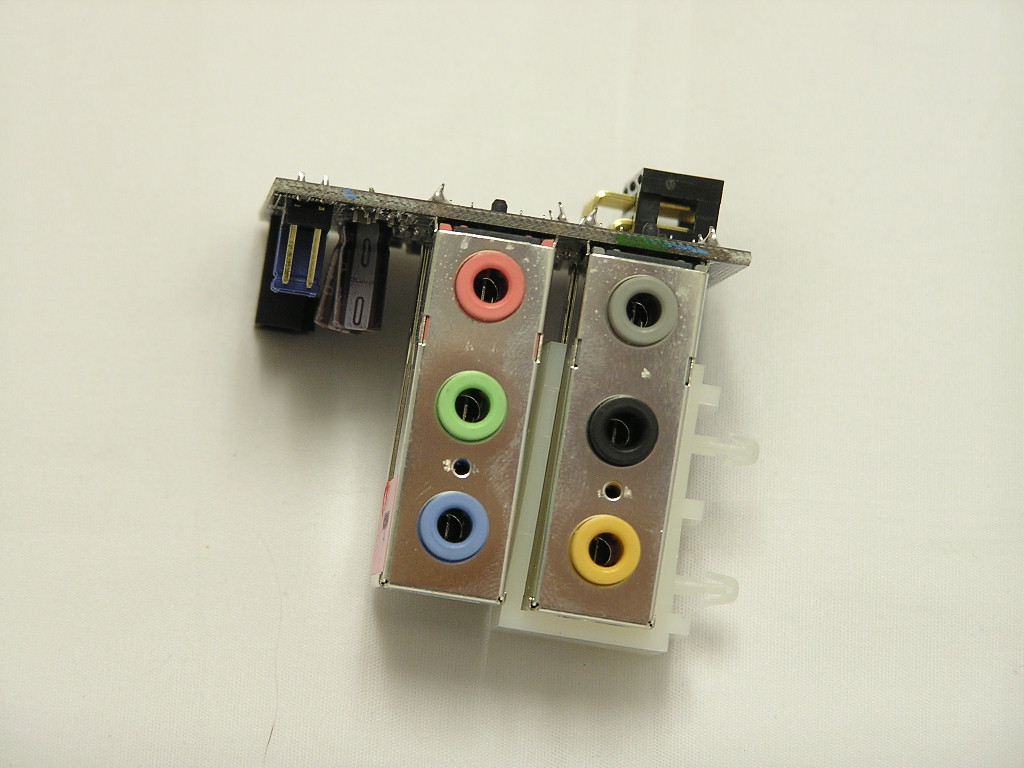
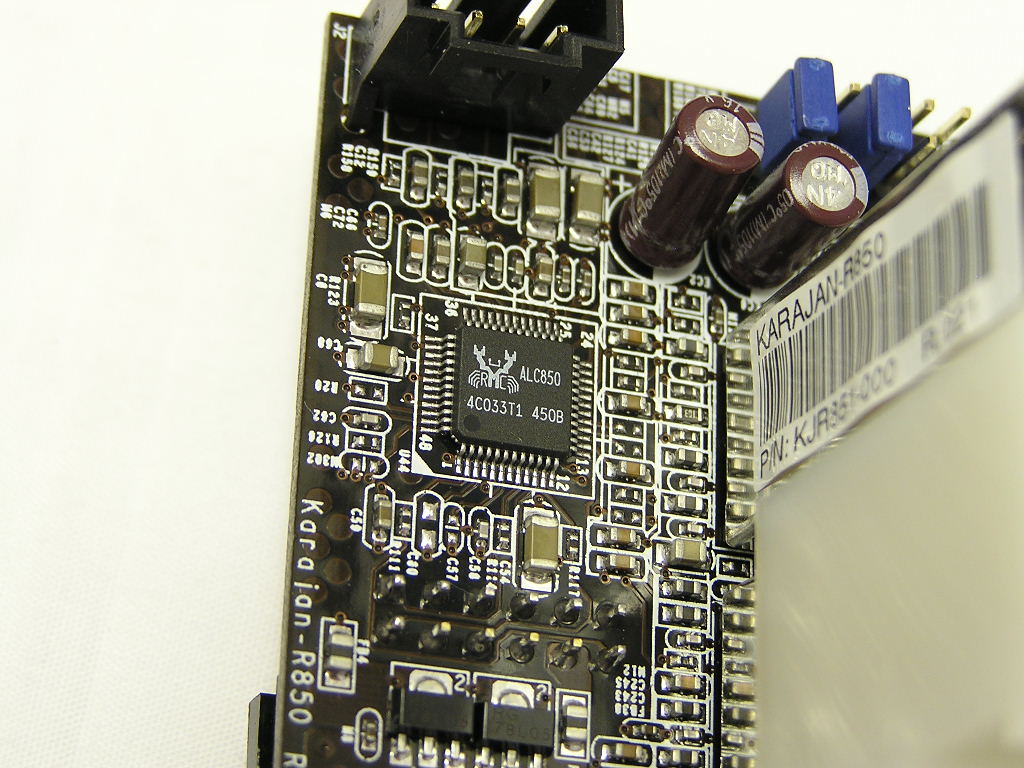
Like the Abit AN8 and Fatal1ty motherboards, the Ultra-D comes with a daughter sound card. The sound solution is Realtek’s ALC850 and provides enthusiasts 8-channel sound. The sound isn’t the best, but it does provide good sound quality for your typical uses. Just don’t pair it with $300+ speakers, as they’ll most likely blow out your speakers at high volume.
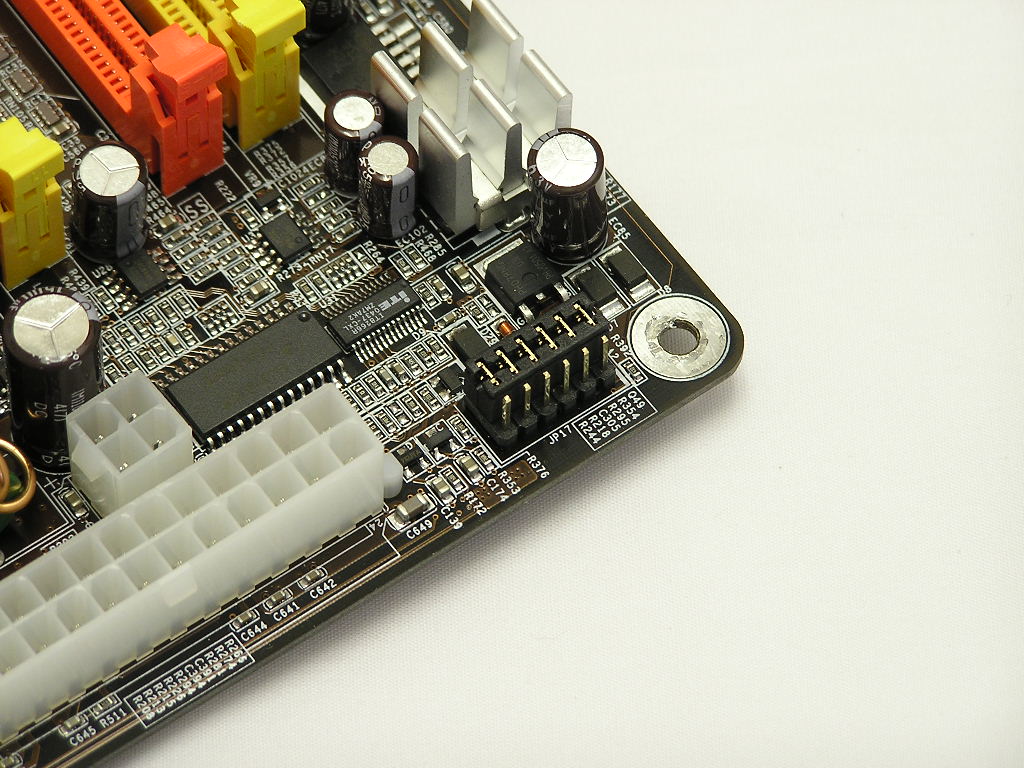
One of the reasons why DFI’s board is a great overclocking board is because it allows high memory voltages. Normally, the motherboard supplies 2.5v-3.2v and draws the voltage from the 3.3v rail. If enthusiasts with voltage hungry memory need more, they can switch the jumper of the VDIMM to access 3.3v-4v, which draws from the power supply’s 5v rail. This is a great option. With new Winbond UTT and BH5 memory, users are now capable of reaching high frequencies with low latencies. Just check out the OCZ Gold PC4000 VX results! Note that if you plan to use voltages past 3.2v, be sure to slap a fan to cool the MOSFET’s area. It gets really warm around there.
BIOS
The main reason why DFI motherboards are overclocking so well is because of the BIOS options. Like the nF3, the BIOS provides numerous adjustments to voltages, memory, and memory dividers to allow overclockers to overclock to the maximum.
- VCore startup: 0.825v-1.55v
- VCore: AUTO, 0.8v-1.55v
- VCore additional: AUTO, +104%, +110%, +113%, +123%, +126%, +133%, +136%
- VDIMM: 2.5v-3.2v (from 3.3v rail), switch jumper 3.3v-4v (from 5v rail)
- Chipset Voltage: 1.5v-1.8v
- LDT Voltage: 1.2v-1.5v
- LDT Multipliers: 1x, 1.5x, 2x, 2.5x, 3x, 4x, 5x, AUTO
- Memory Dividers: 100, 120, 133, 140, 150, 166, 180, 200, AUTO
- PCI-E Frequency: 100MHZ-145MHZ
- HTT Frequency: 200HTT-456HTT
- CPU Multiplier: AUTO, 4x-highest your CPU allows
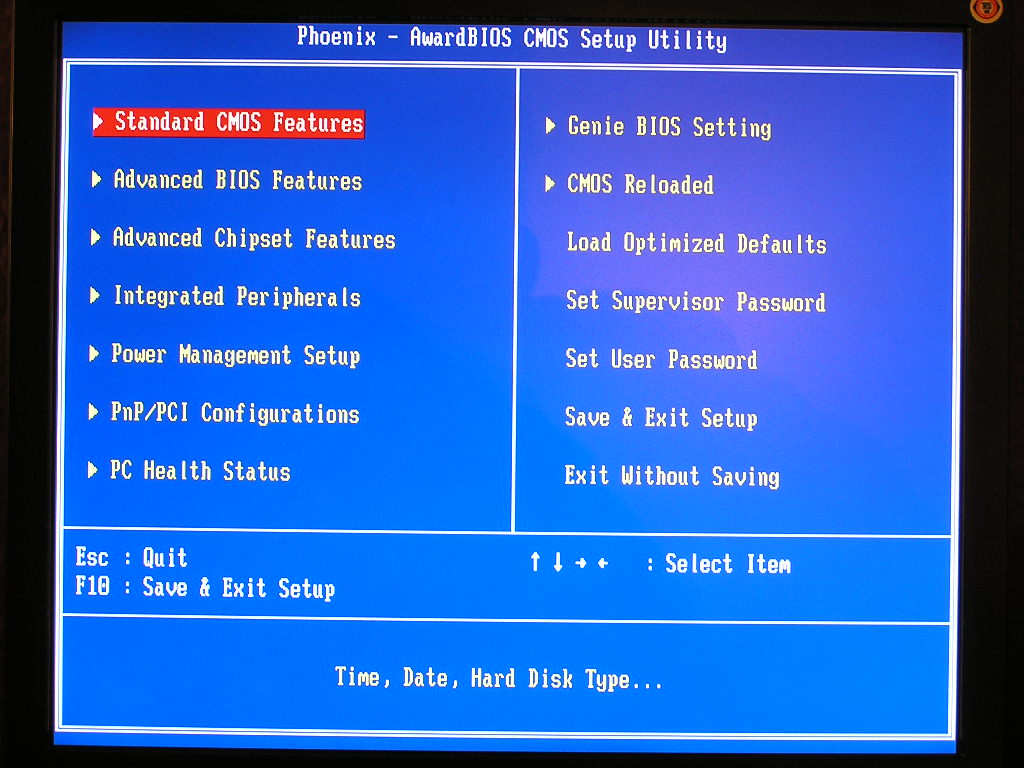
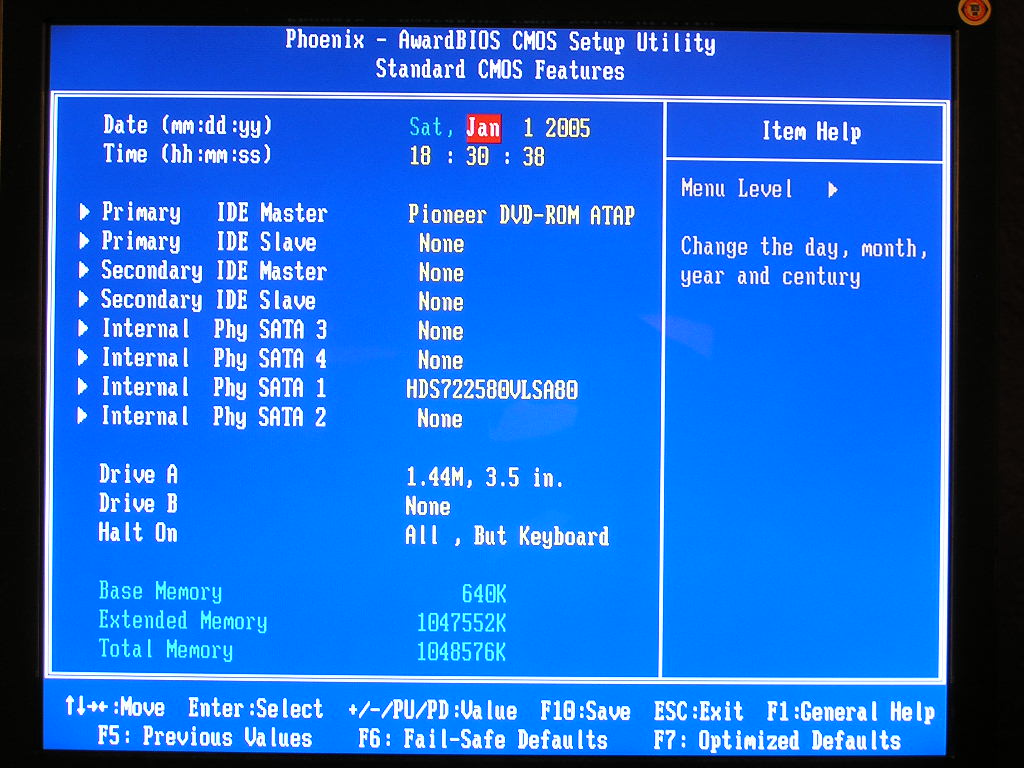
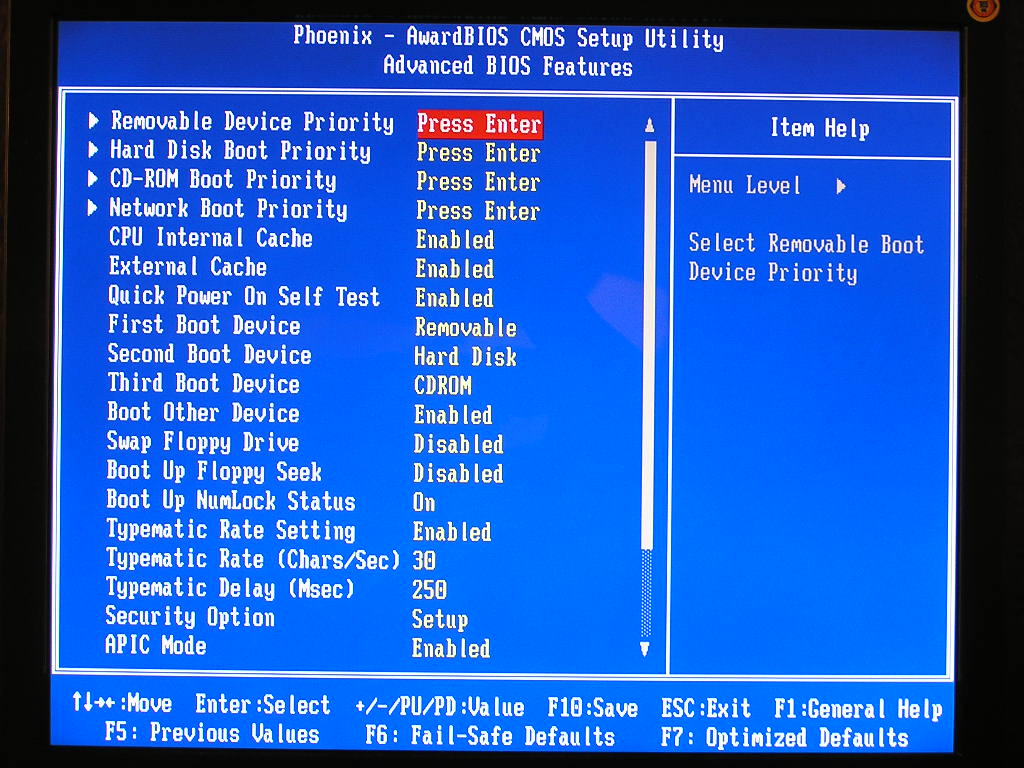
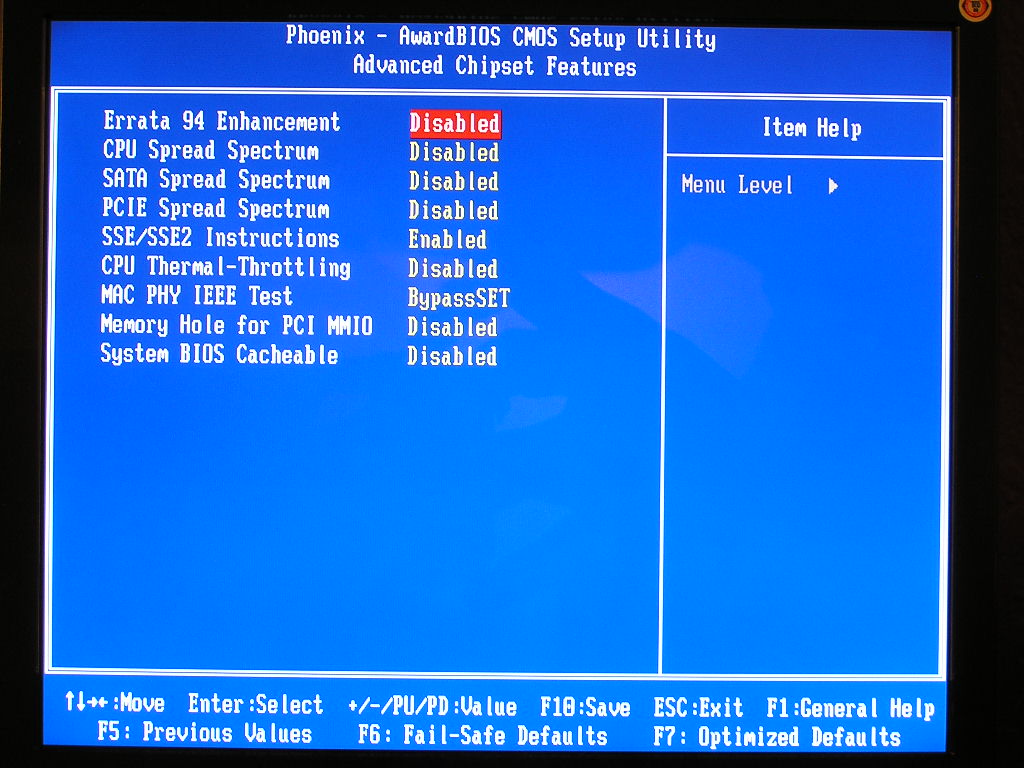
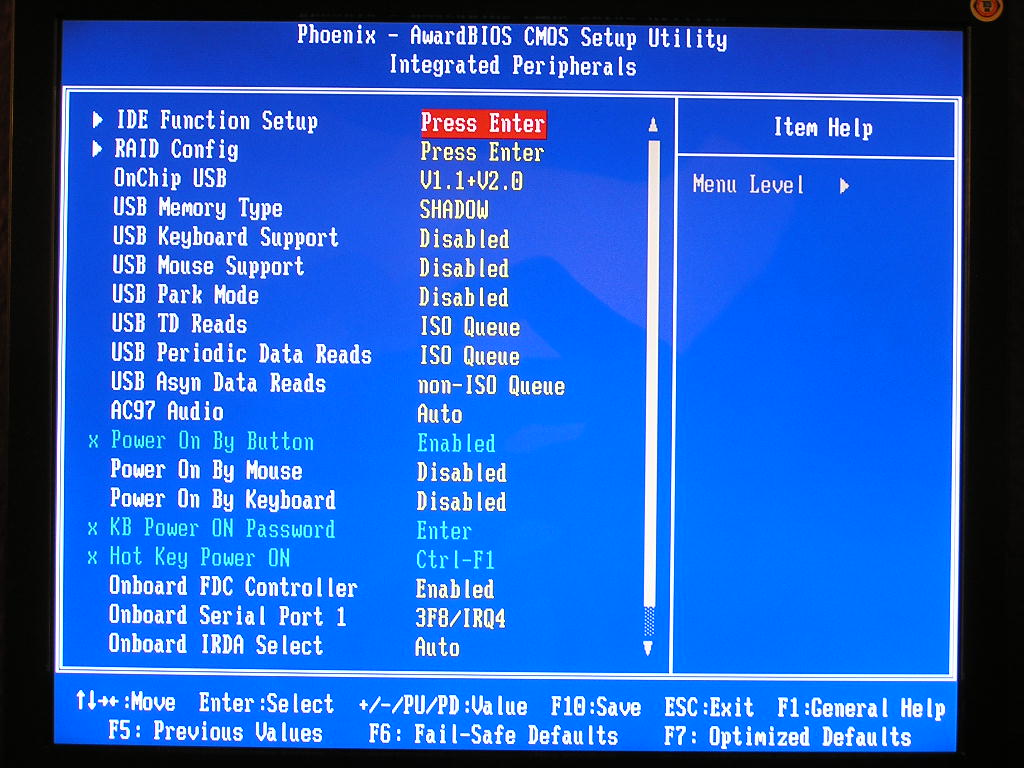
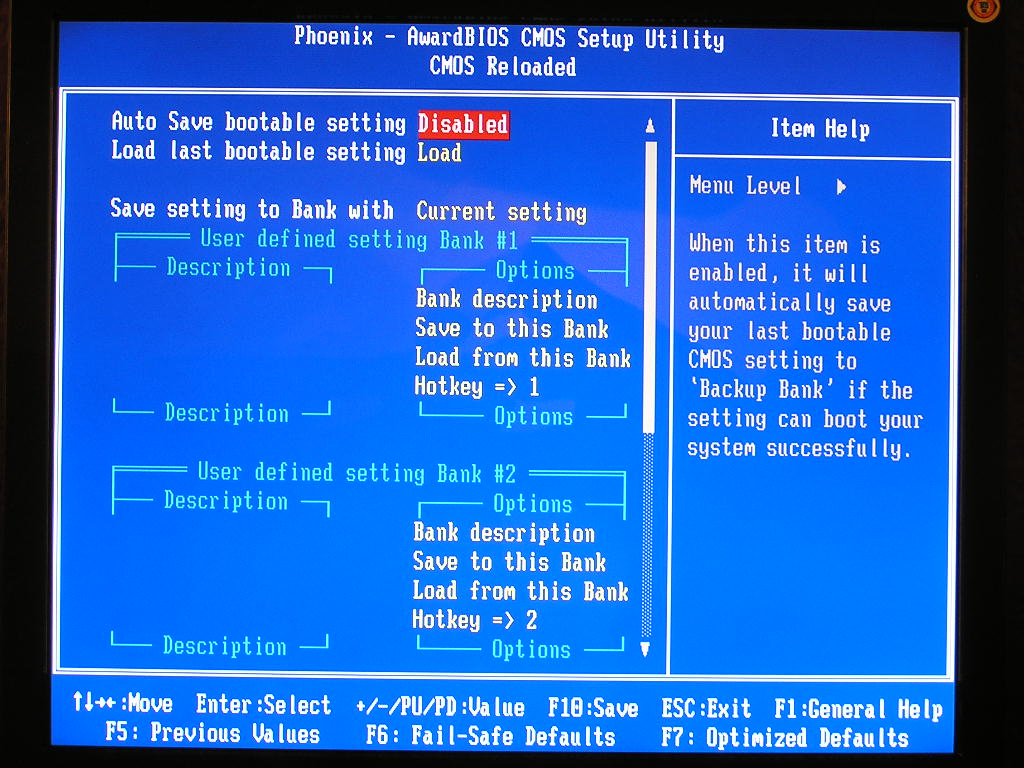
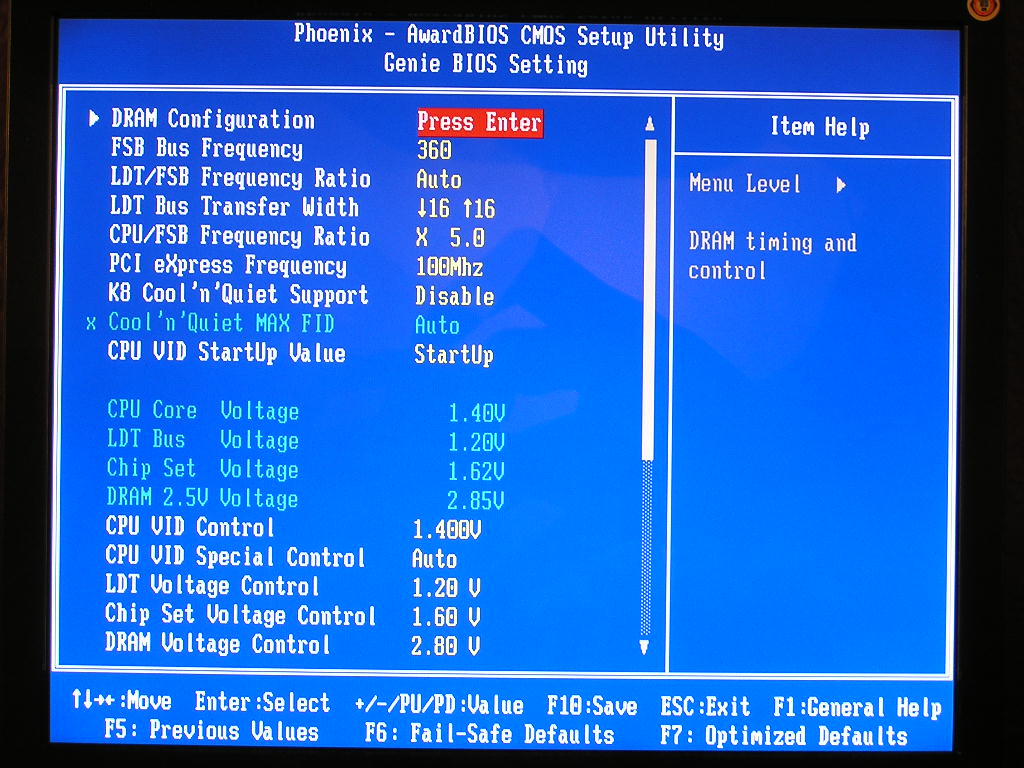
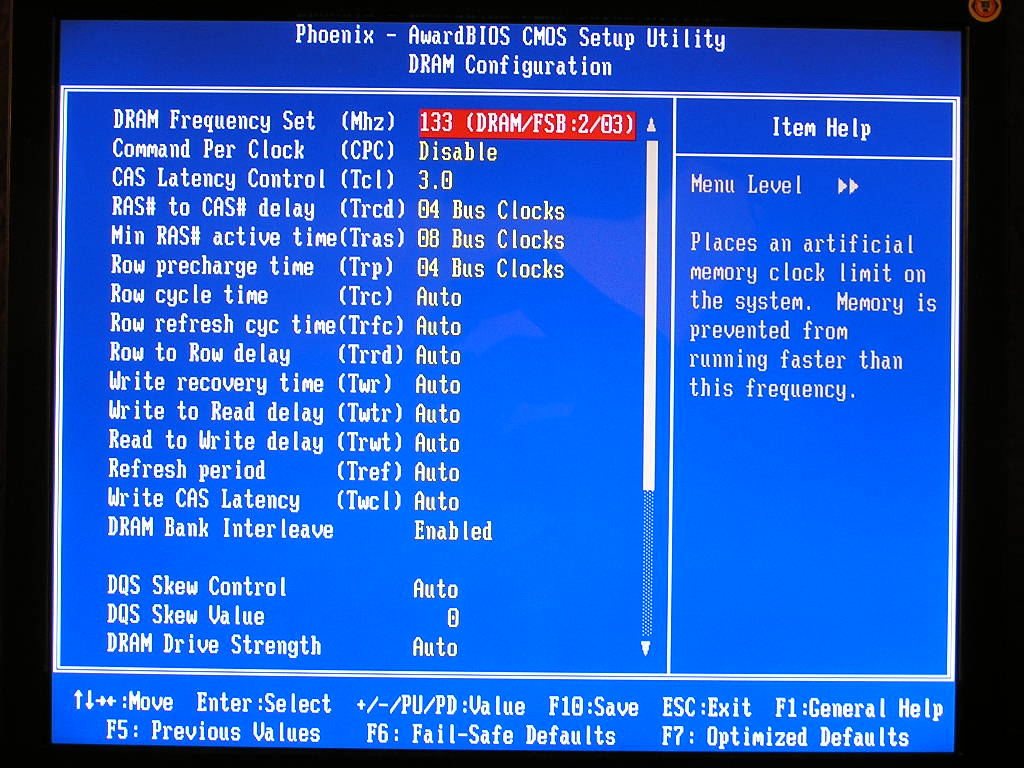
From the images above, you can see that the LANParty Ultra-D has a boatload of memory adjustments available. Overclockers and gamers can tweak as much as they want to get the most performance out of the motherboard and memory. One good thing about DFI is that they’re beginning to provide official support, something they lacked with their previous motherboards. The BIOS used for testing was pulled from their official website, not a BETA version. The new BIOS even allows an option for Memtest to be enabled. This is great for overclockers, as they can easily test memory overclock without the need to make a floppy or burn a CD.
Software
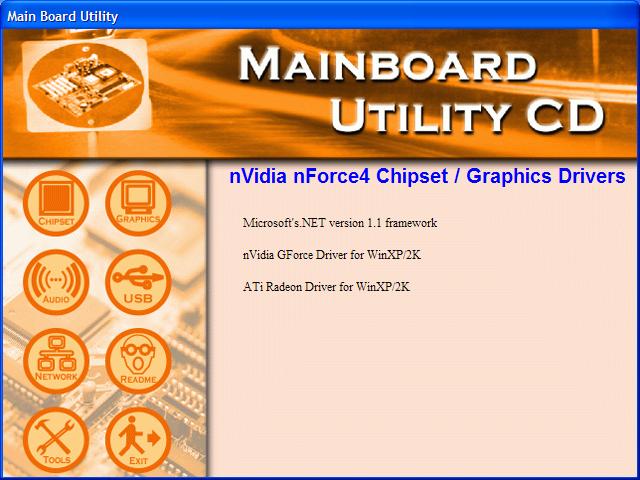
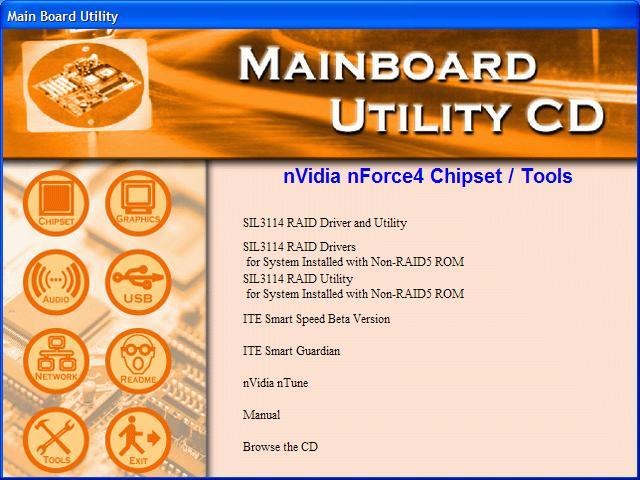
While DFI is now winning awards for having the best overclocking motherboards, they’re definitely not going to win any award in the software department. The drivers CD only includes what is necessary for the motherboard to function properly. There are no special utilities included. Unlike many other motherboard manufacturers that are now including in-Windows overclocking utilities, DFI seems to prefer the good old fashion BIOS method. If you do want to overclock while in Windows, you can always use Nvidia’s nTune program.
Test Setup and Overclocking
Test Setup:
- AMD Athlon64 3000+ Winchester
- Abit Fatal1ty AN8
- MSI K8N Neo4 Platinum
- DFI LANParty UT nF4 Ultra-D
- 2 x 512MB Centon Gemini Low Latency PC3200 2-2-2-5 1T
- ATI Radeon X800 (400/490)
- Nvidia unified platform drivers 6.39
- ATI Catalyst 5.3
- Hitachi 80GB SATA
Overclocking:
The Fatal1ty AN8’s overclocking potential really impressed me. I couldn’t believe the numbers I was getting. The Ultra-D topped that. The Ultra-D is designed to be an overclocking board, and sure enough, it’s the best overclocking motherboard available. With better VDIMM options, I reached a higher 1:1 overclock than I’ve ever achieved. The first test will be conducted with the memory divider at 1:1. The second test will be with a divider, so that the RAM wouldn’t pose as a bottleneck. All memory timings were left at 3-4-4-8 2T and the LDT multiplier at 1x and CPU multiplier at 6x. I made sure that nothing would bottleneck the chipset and motherboard potential.
- Highest overclock 1:1: 320HTT
- Highest overclock with divider: 360HTT
This motherboard is one insane overclocker. This is definitely the best overclocking motherboard out there right now. There were a few times when the motherboard would require CMOS to be cleared, but that was only when the memory gave out. The motherboard performed well without any problems.
Results
During testing, all HTT are manually set to 200MHZ. Command rate was set at 1T and only the normal CAS, TRCD, TRP, TRAS were adjusted to 2-2-2-5.
Sysmark 2004
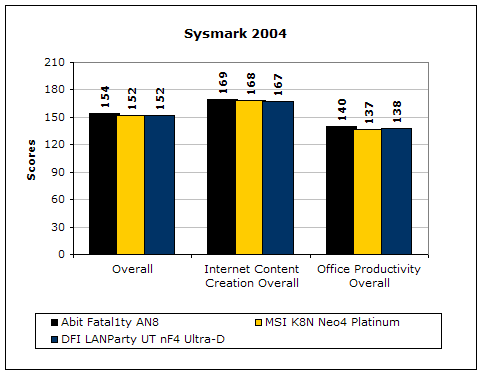
Sysmark2004 is a very common benchmark used to measure a system’s potential in performance. It goes through long and grueling tests that include compression and decompression and office intensive programs.
3DMark2001SE
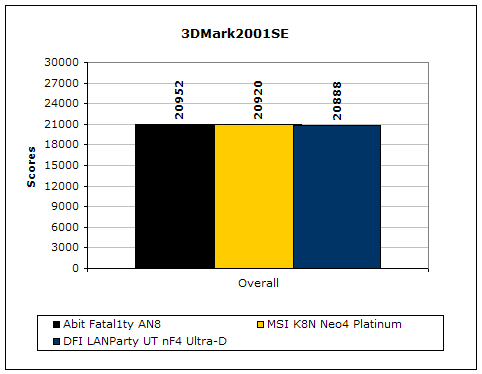
3DMark is probably the overclocker’s favorite benchmark. Unlike 3DMark2003, which stresses mainly the video card, 3DMark2001SE tests all of the system’s main components. Increasing the CPU speed, memory speed, and video card speeds will result in higher results in the final score. The difference is minute, but the Fatal1ty still takes the lead.
PCMark2004
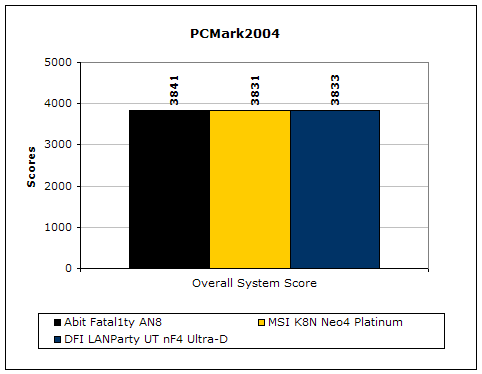
The PCMark2004 system benchmark puts the entire system to work. Again the difference is minimal but the Fatal1ty wins by a nose.
PCMark2002
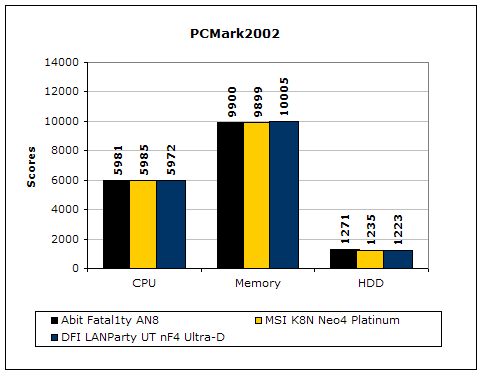
PCMark2002 is older than PCMark2004 but still very similar.
Results Continued
Everest Home Edition
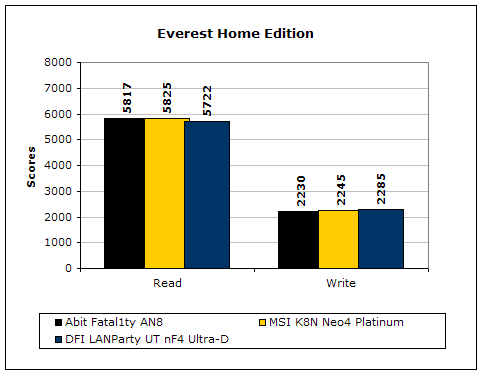
Everest Home Edition is a good benchmark for testing memory performance. Since the motherboard’s overclocking potential and memory bandwidth is closely related, I find this benchmark to be trustable.
SiSoft Sandra
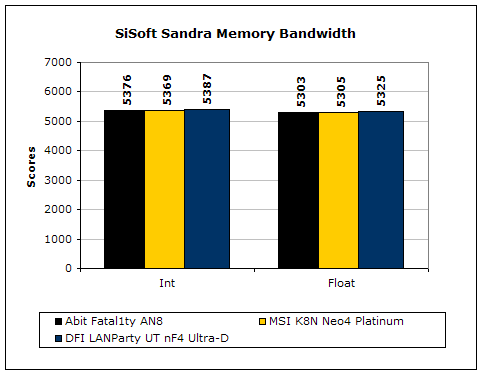
Like Everest Home Edition, SiSoft Sandra memory bandwidth tests the motherboard’s memory bandwidth performance.
Super PI
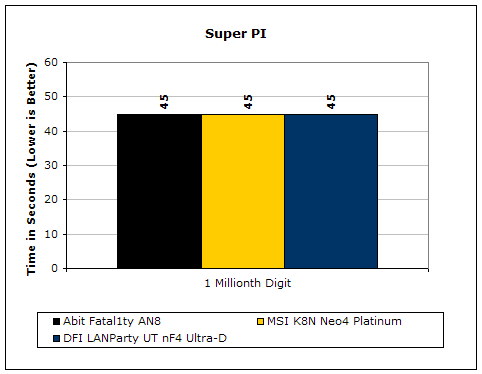
Since the value of PI is an infinite value, Super PI is a speed test to find the digit you’re looking for. In this case, we chose the millionth digit. Super PI benefits greatly from higher FSB as well as low latencies.
PiFast
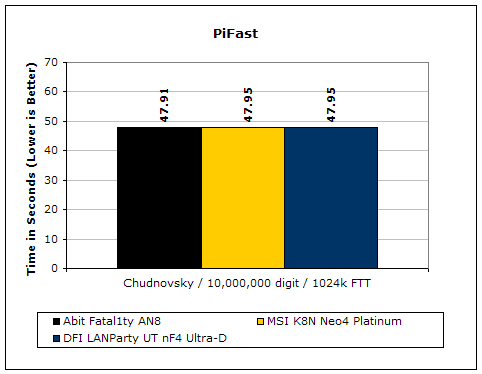
PiFast is similar to Super PI and the results can be greatly affected by a slight adjustment to the memory megahertz and latency.
Unreal Tournament 2004
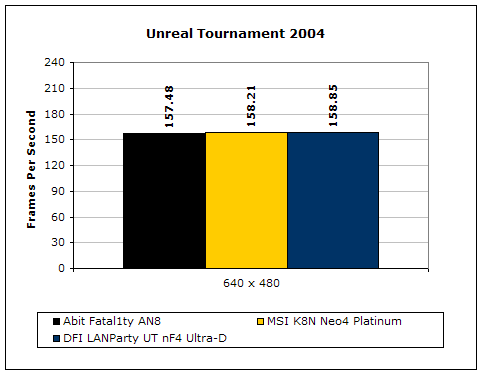
Unreal Tournament 2004 is a very popular game that is highly effected by the system’s performance. Testing was done under the resolution of 640x480 to minimize the dependency of GPU and CPU power.
Ultra-D vs. Fatal1ty AN8
Both motherboards are great overclockers and both are built with gaming in mind. So which is the better board? Straight from the facts, we can see that the Ultra-D is a better board. But if you put consider all aspects of a motherboard, it can be a tough choice. The DFI Ultra-D is honestly the best overclocking motherboard available. The voltage options are great and the frequency ceiling seems too high to reach. The bad part about the board is that the layout plainly sucks. It causes compatibility issues as well as cooling issues. The Abit Fatal1ty AN8 also provides great overclocking headroom, but not as great as the Ultra-D. The lack of VDIMM makes memory choice limited to using TCCD chips. Users looking to use the new BH5 for low latencies will be quite disappointed. You can go out and get the OCZ DDR Booster to increase your VDIMM options, but you’ll be drawing power from the 3.3v rail and probably be limited to 3.4v. In order to get some good voltages, you’ll need to do a power supply mod to stabilize that 3.3v rail. The Fatal1ty AN8 does provide better motherboard layout. While this in no way affects performance, it does allow better arrangement of cables and better cooling. Users can use waterblocks for their Northbridge or large heatsinks for both the graphic card and the CPU. As for cooling, while no tests are conducted, the Fatal1ty AN8 does run cooler. With the DFI Ultra-D under load, I can feel heat emanating from the motherboard. The Fatal1ty AN8 didn’t have this strange heat wave. In terms of looks, I personally like the Fatal1ty AN8. The fiery red PCB and red motherboard LED’s looks great in windowed cases.
I guess it really comes down to the user’s preference. If you want pure power, you can’t go wrong with the Ultra-D. It is a bottleneck-free motherboard aimed to get the most of all your components. If you want both performance AND looks, the Fatal1ty AN8 is the better route. I’m sure that the majority of enthusiasts will go for the Ultra-D because of the great overclocking potential. As a gamer who owns both boards, the Fatal1ty AN8 goes in my gaming rig while the Ultra-D goes in my test bench. I’m the type who likes to frag with style. Since I don’t have the fragging skills, I’ll have an pretty overclocked box to back me up.
Conclusion and Thoughts
The DFI Ultra-D is the best overclocking motherboard available, period. There is definitely no other motherboard that can beat it. While the major gripes lie within the motherboard layout, many can consider it nothing to worry about. The performance of the Ultra-D is superb and the overclocking potential is awesome. Unlike the LANParty UT nF3 250Gb, the motherboard’s performance isn’t slow because of the memory adjustments. The board packs power right out of the box at stock speeds, and with the tweaking available, it will provide even more power after some tinkering. The Ultra-D doesn’t come with any fancy accessories or software but the price justifies that. It would be great if DFI provided special cooling for memory, something like the Abit OTES RAMFlow. Coming in at roughly $133, you can’t go wrong with the board. It’s just awesome. This is actually the first DFI motherboard I’ve liked, and I’ve played with all their LANParty solutions.
Pros:
- Insane overclocking headroom
- Great voltage options
- Nice yellow/black color combination
- Great BIOS options
- Official DFI support (finally)
- Price
Cons:
- Poor motherboard layout
- A bit hotter than normal motherboards
- MOSFET’s need cooling when using 3.3v+ VDIMM

If you have any questions or comments, feel free to hit us up in the forums. You can also check out more of our latest reviews on the front page.