

Abit NI8 SLI
Introduction
Nvidia’s announcement of their C19 chipset for the Intel platform brought quite the buzz. For quite a period of time, Intel fans were stomped and had to sit in the corner while AMD fans were flying by with their nForce4 SLI motherboards. The C19 chipset changed all that. It allowed Intel enthusiasts the ability to finally combine two graphics cards into one to produce some awesome gaming performance. We had a look at Gigabyte’s GA-8N-SLI Royal solution a while back and was certainly impressed by the numbers. The overclock was a bit weak on that motherboard, although Gigabyte motherboards are not known to be major overclockers. Abit, however, is definitely well known for their motherboards’ overclocking capabilities.
Abit has been pretty inconsistent with their motherboard releases in the past couple of months, but their motherboards are still very solid performers. It certainly won’t win the overclocking crown since DFI has taken the lead, but it will win in other areas. Which path will Abit’s C19 solution take? Is it good or bad?
Abit NI8 SLI Package
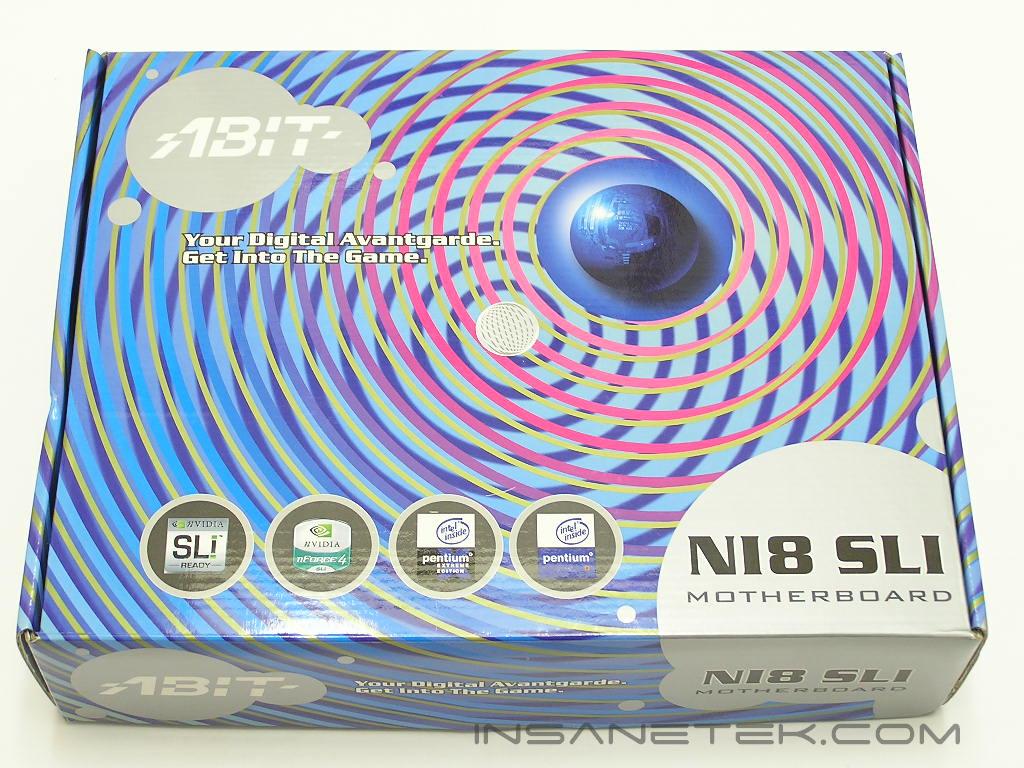
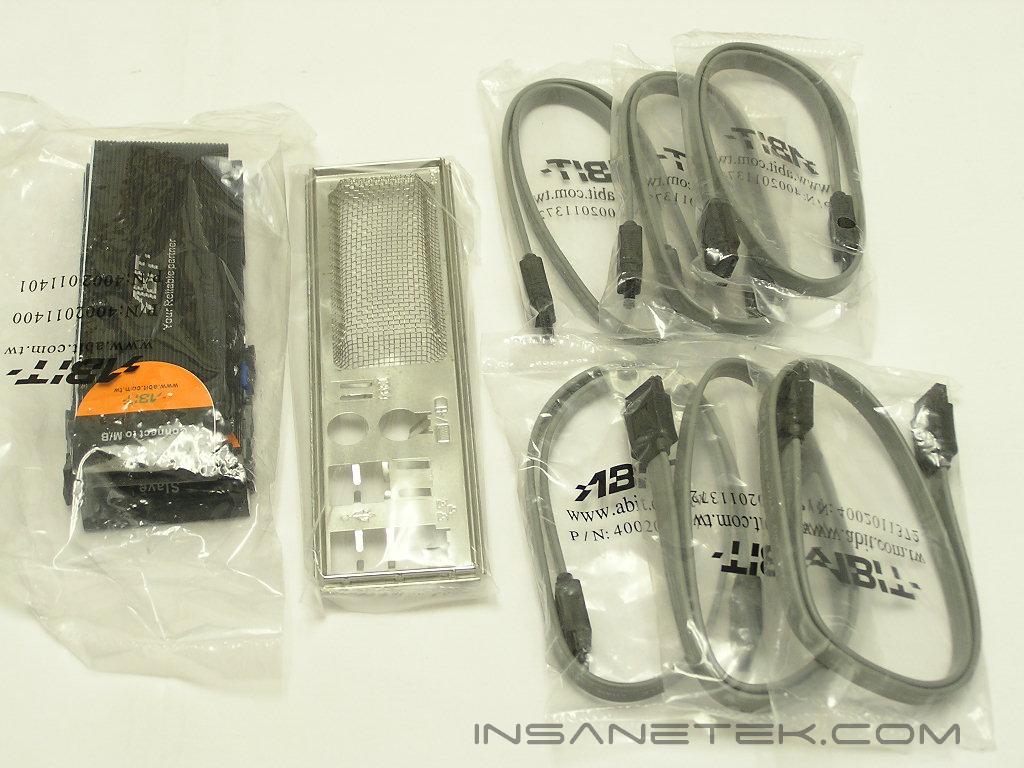
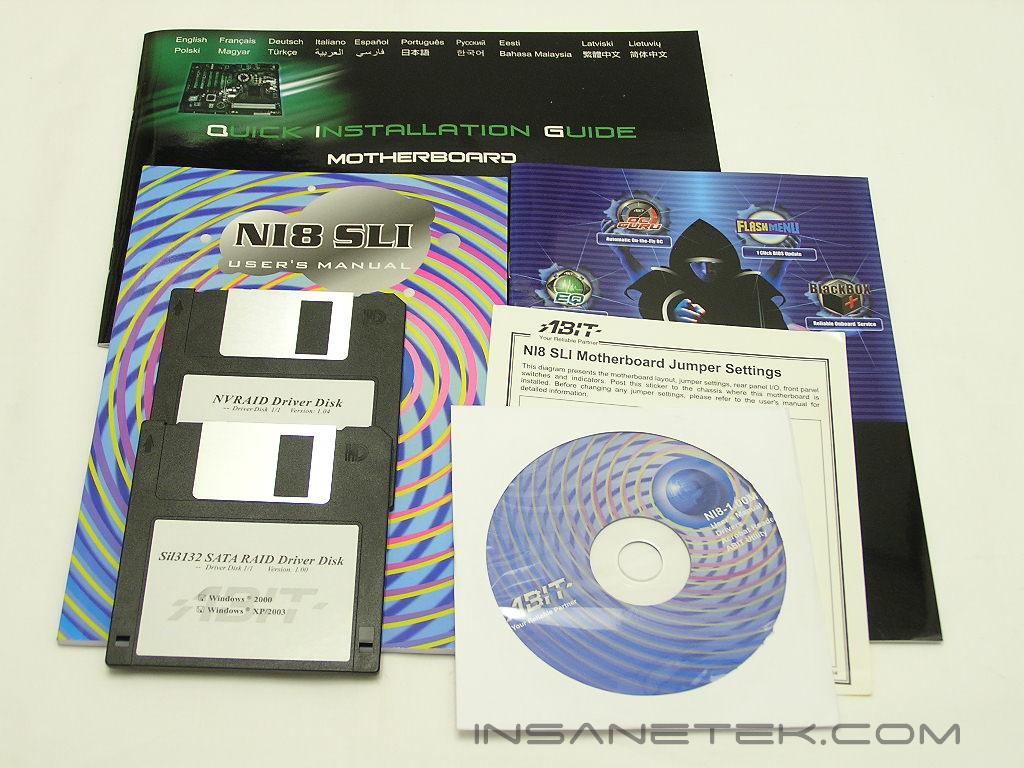
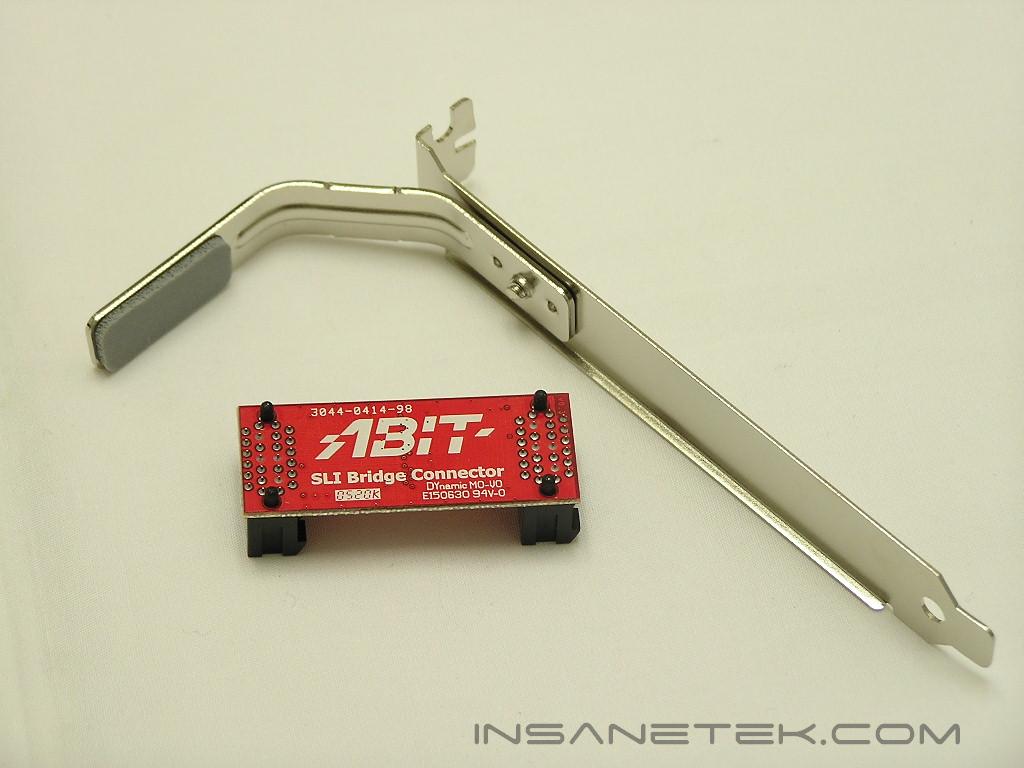
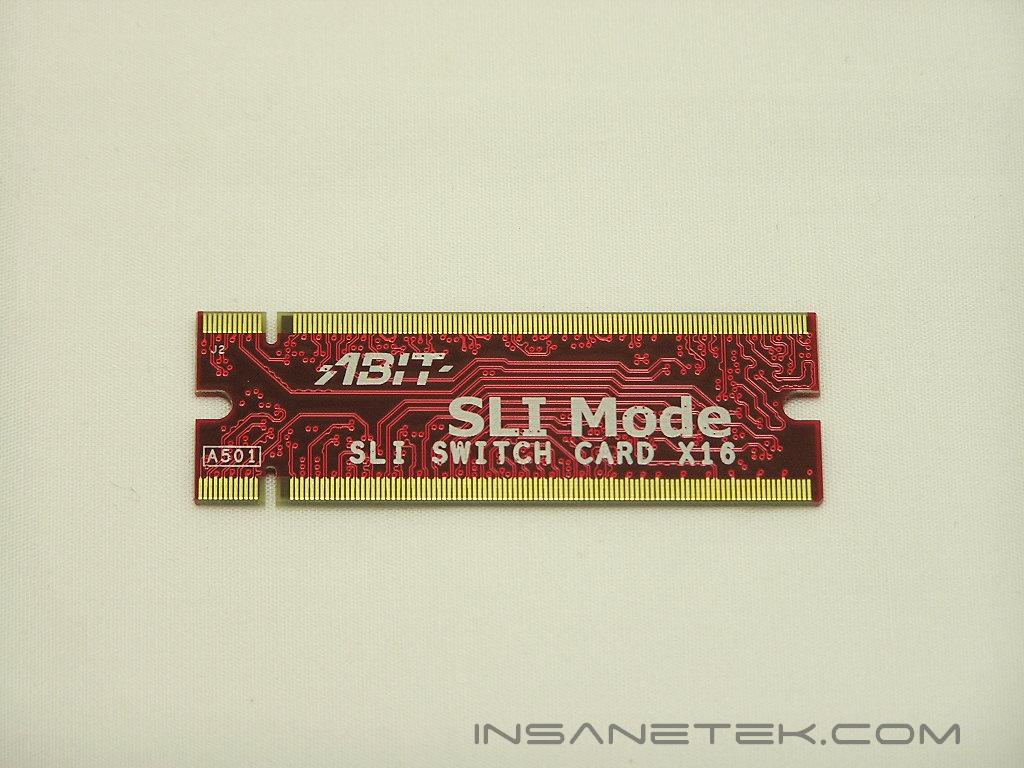
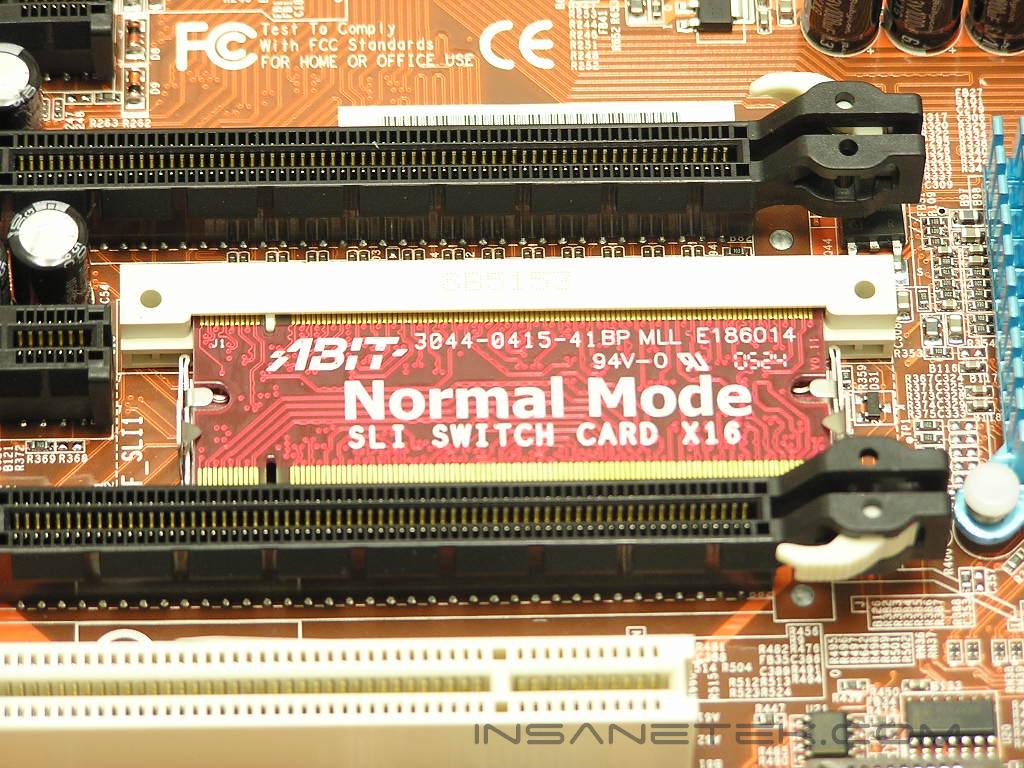
The very first thing that came to mind when I received the package was: “Who in the world designed this fugly box???” The look is just horrendous. It reminds me of the 70’s and I wasn’t even born yet! Let us just hope that the bundle inside can make up for the hypnotizing (in a bad way) box. There was nothing extraordinary in the package. All the necessities of SATA cables, I/O backplate, IDE cables, floppy cable, drivers, and manuals are included. Since the NI8 comes with SLI capabilities, a SLI switch card is included and must be used appropriately when running either a single or dual video card setup. There is also the SLI bridge for those who take advantage of running SLI. The PCI metal bracket pictured below is to provide support over the SLI bridge so the bridge does not crack.
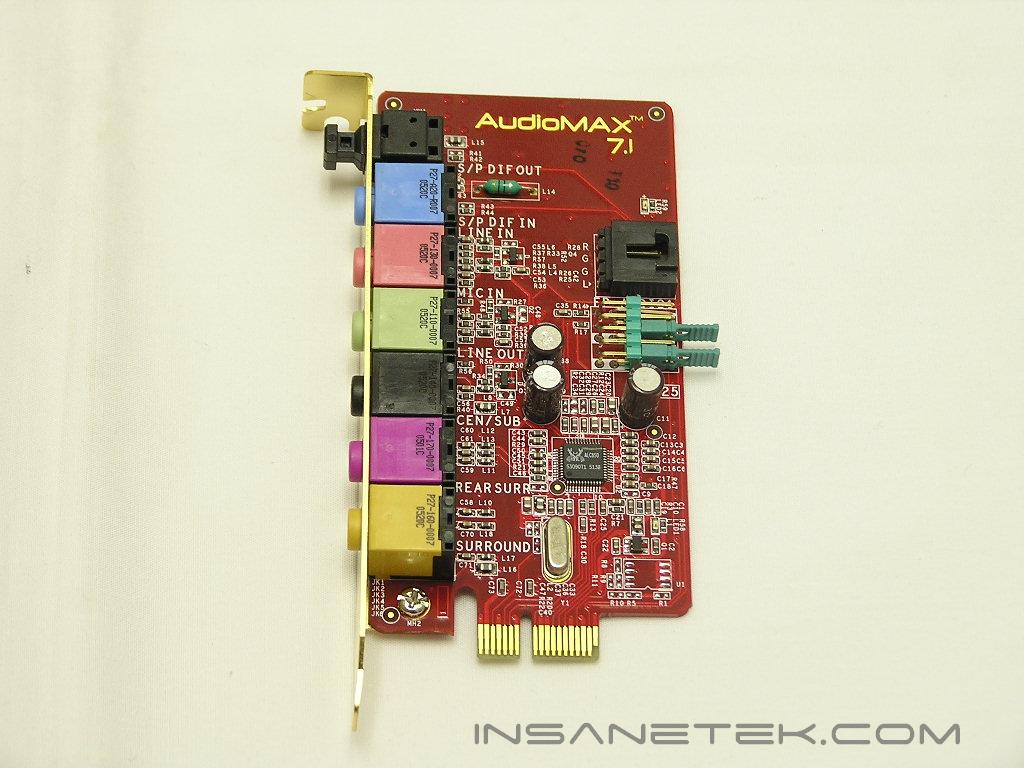
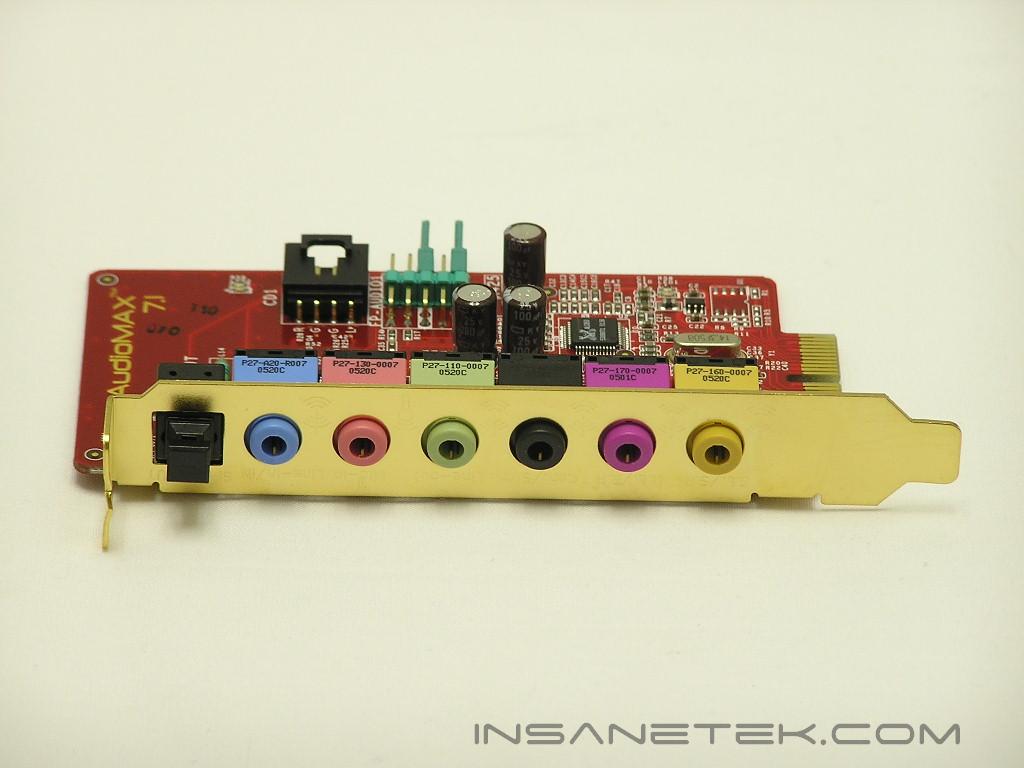
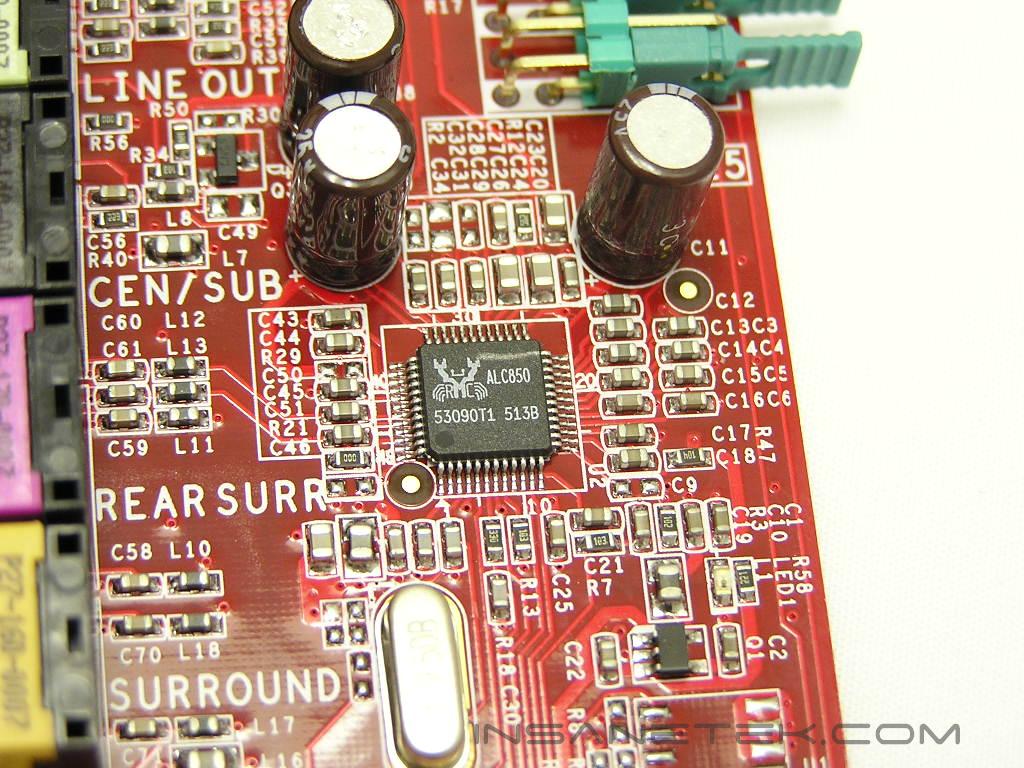
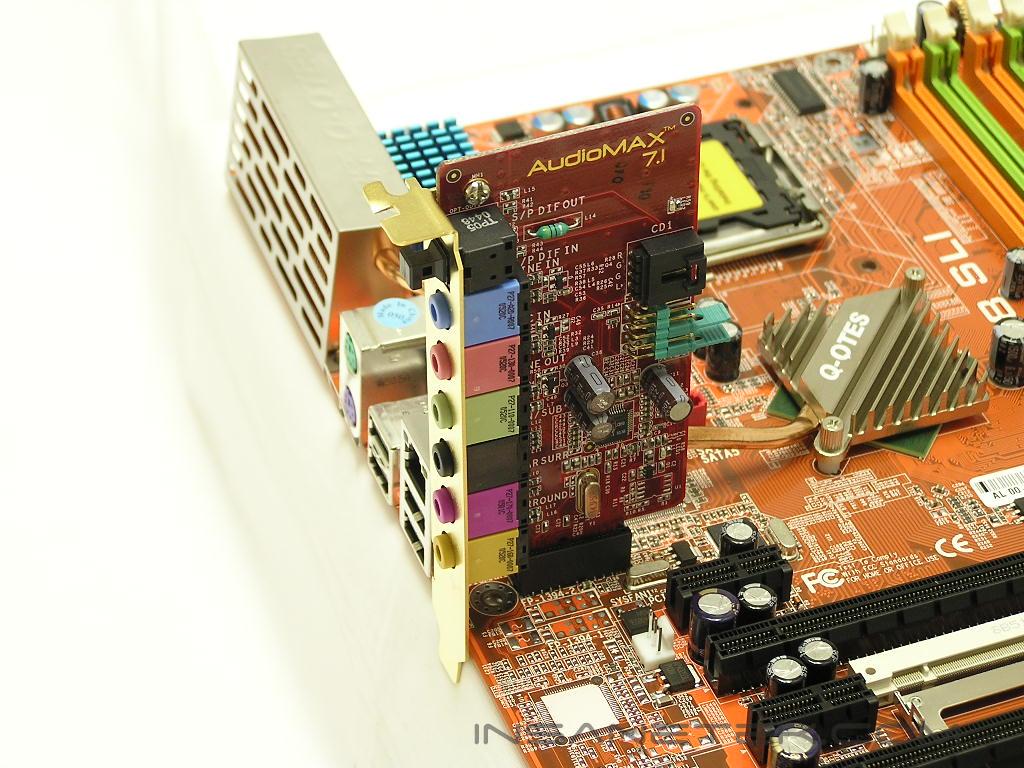
Abit started the trend with the inclusion of a separate daughter sound card called AudioMAX. There are a couple of motherboard manufacturers that are following suit, but Abit was the first to announce the innovation. This separation of the audio codec from the motherboard itself is to eliminate or at least reduce the noise interference, thus providing a better overall sound quality and better system performance. The audio codec used is none other than the popular Realtek ALC850. It provides 8-channel sound and comes with an SPDIF connection.
Motherboard Layout
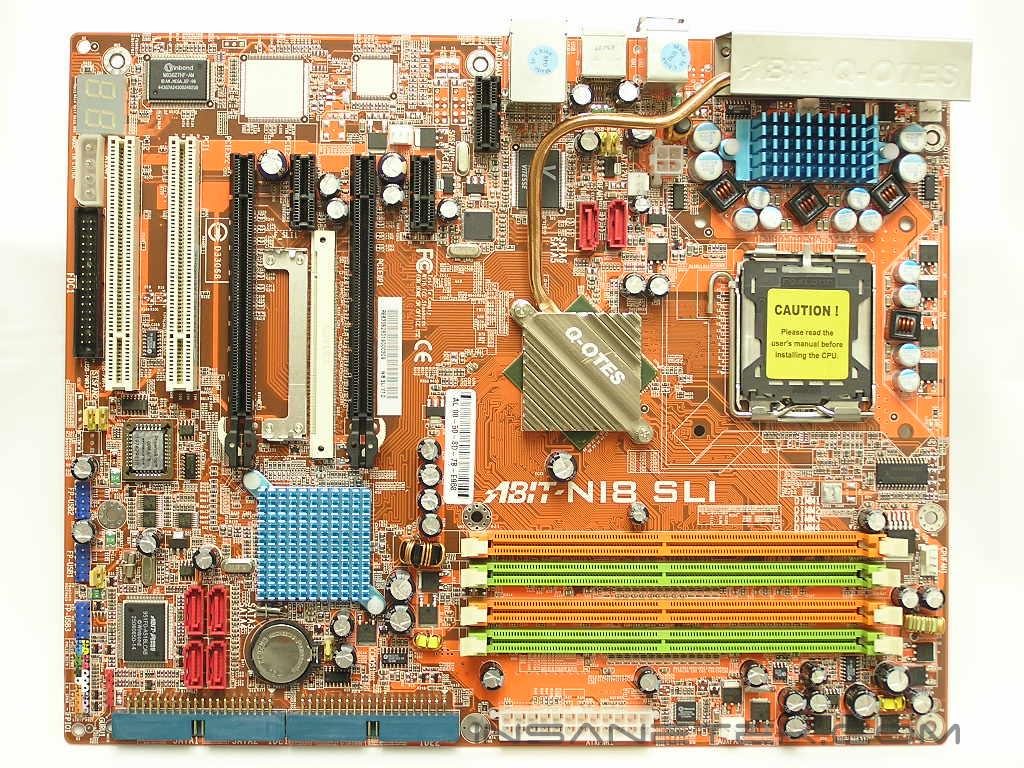
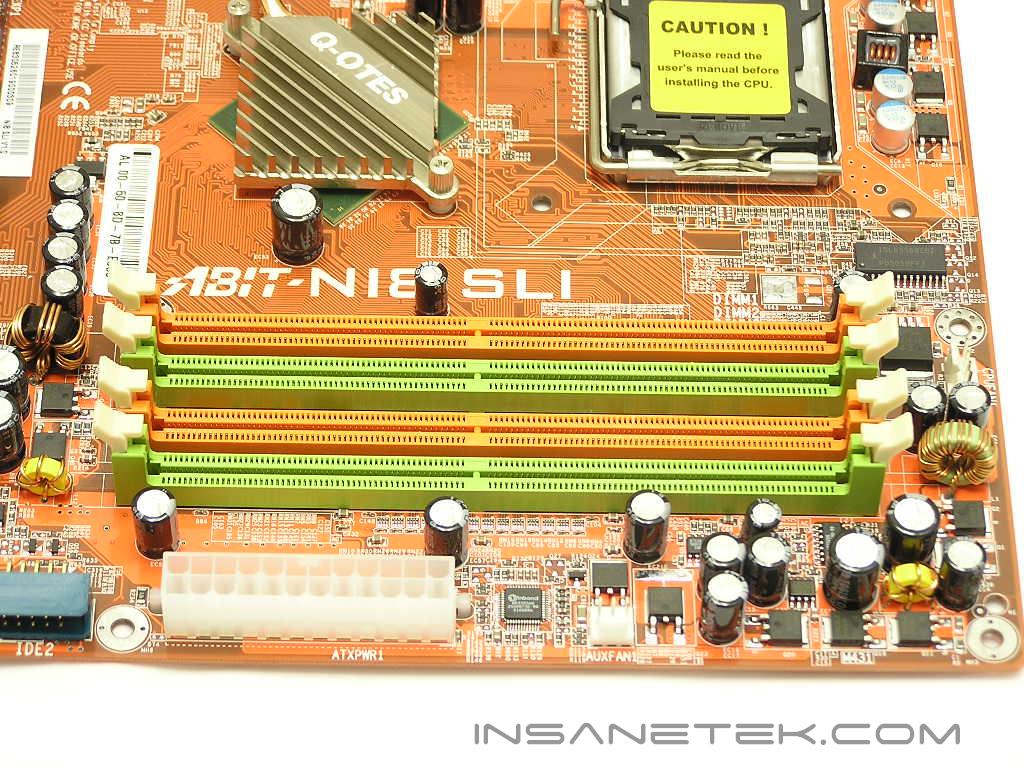
The NI8 comes in Abit’s signature orange PCB. It is not one of the enthusiast favorites, but it is still better than the traditional green or sand color. At least that’s what I think. The DIMM slots are located in the usual position at the right side of the motherboard. The slots are color coded lime green and orange to distinguish dual channel capability. The ATX power connector is also located very conveniently at the right edge of the motherboard, allowing the large cable to be easily tucked away for better cable management.
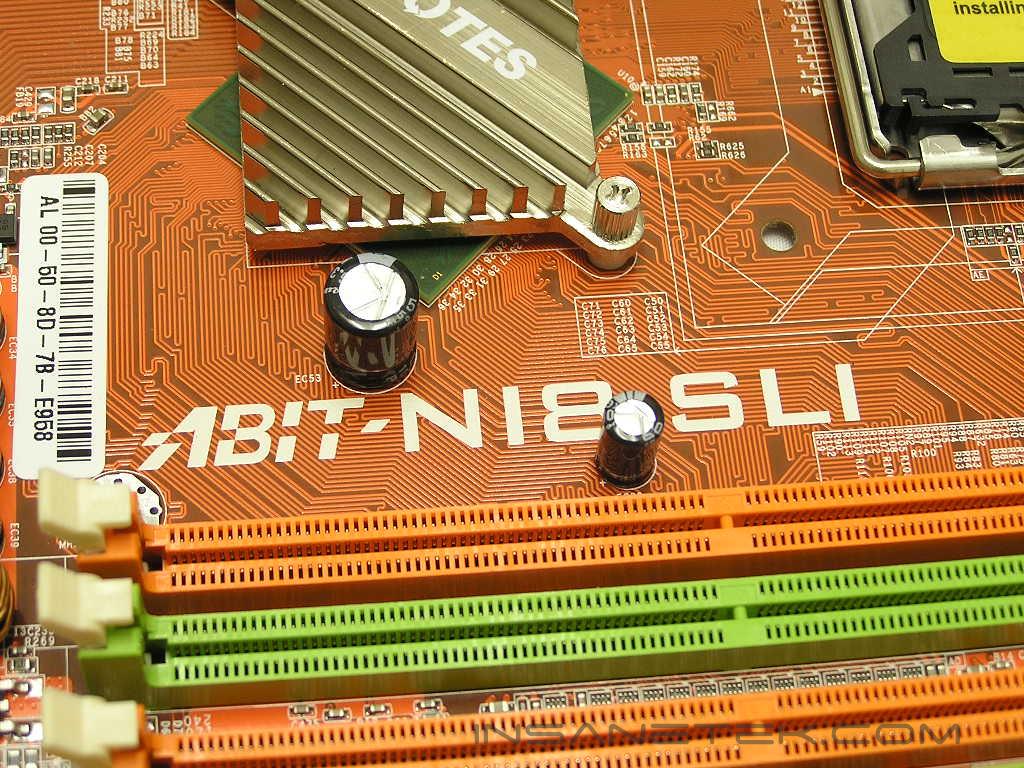
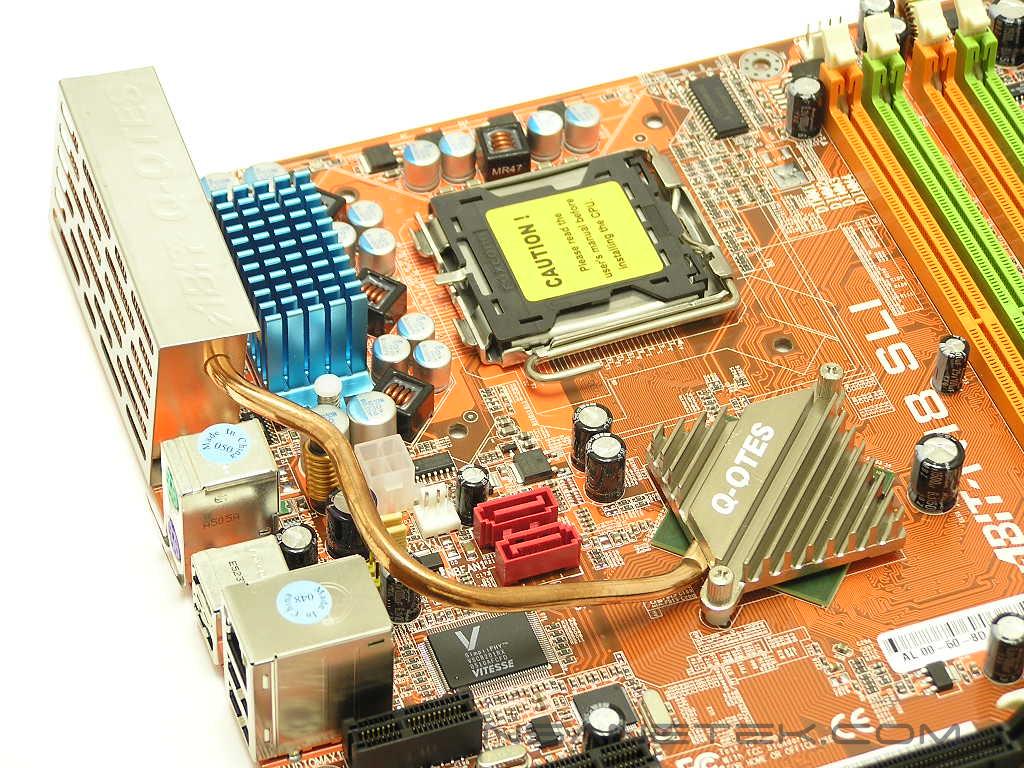
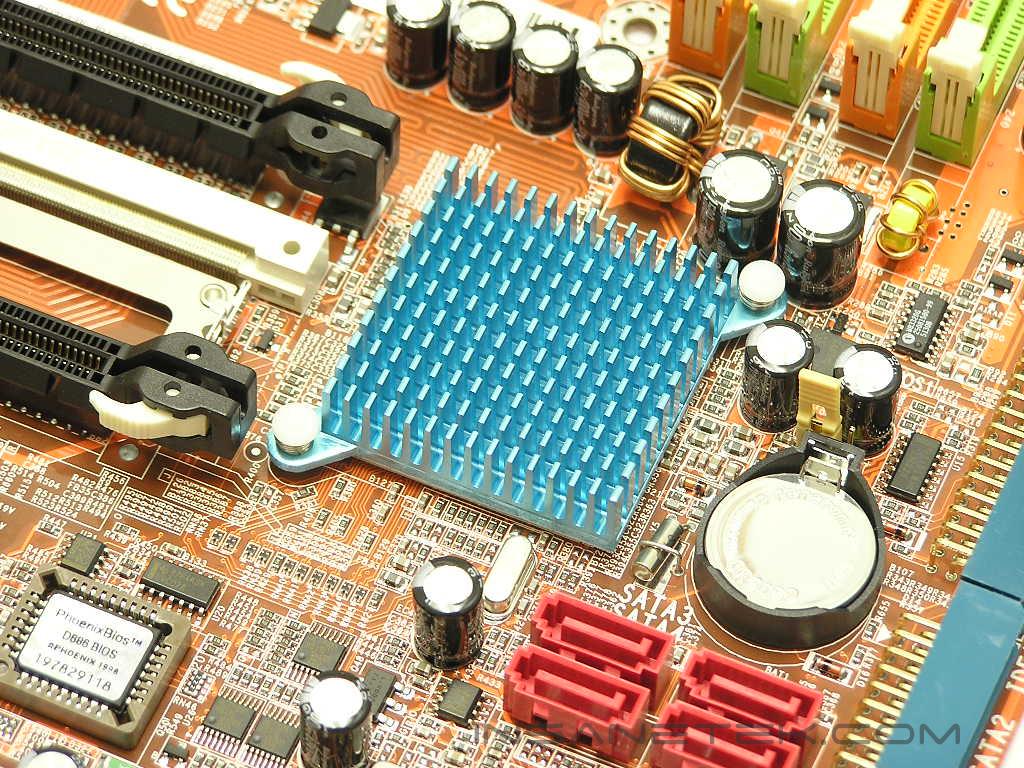
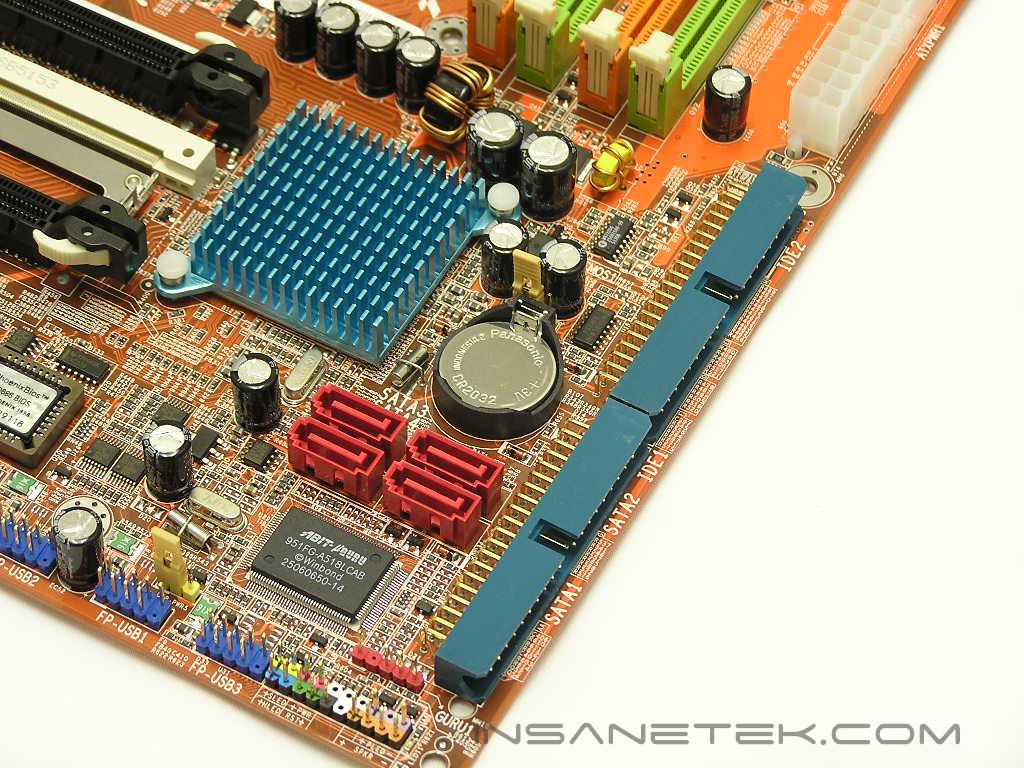
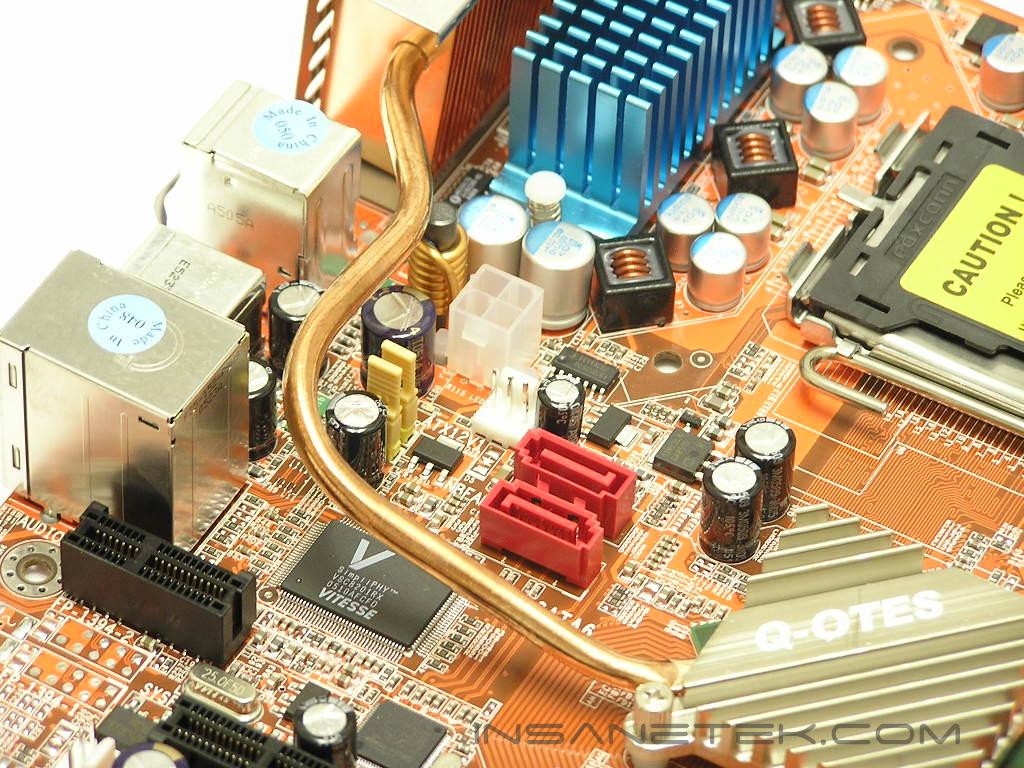
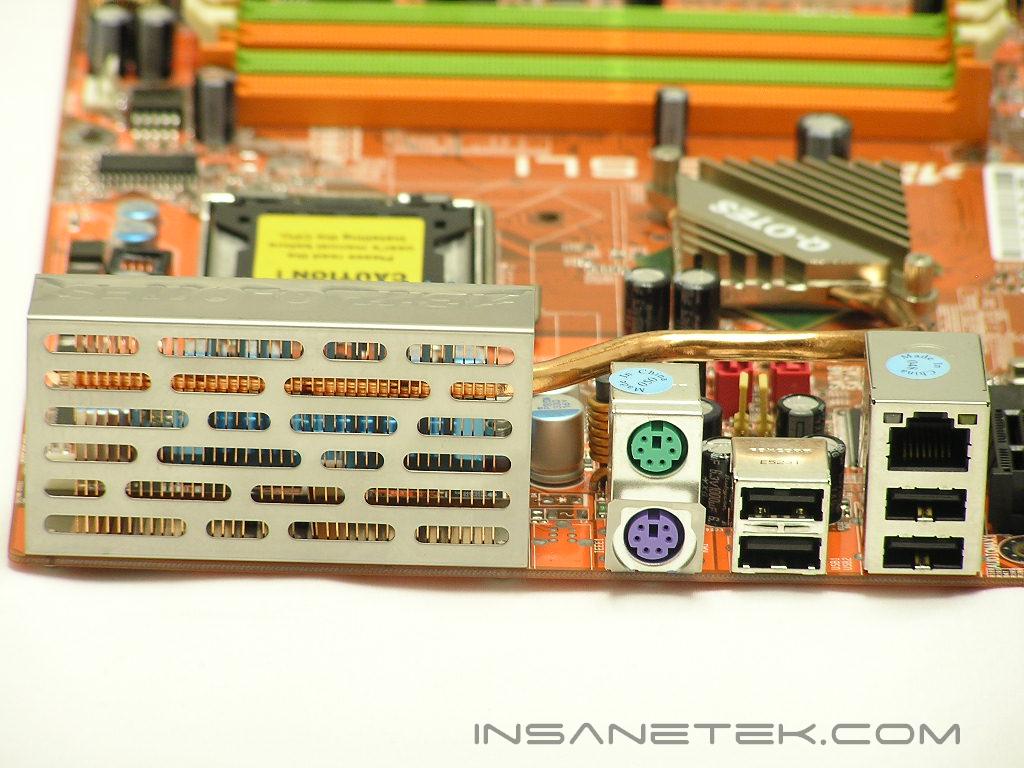
Because Intel CPUs are not designed with an integrated memory controller, the C19 chipset requires a two bridge design–Northbridge and Southbridge. The Northbridge is passively cooled by Abit’s SilentOTES heatpipe heatsink. The small Northbridge heatsink is connected to a copper heatpipe, which is stretched to the rear of the motherboard. At the end, there are multiple copper fins to help dissipate the heat. Although this design is certainly very welcome as it brings the noise level down to zero, the Nvidia C19 chipset emits quite an amount of heat that throughout the entire testing process, the SilentOTES heatpipe solution is hot to the touch. The Southbridge is also passively cooled and the heatsink does an adequate job at keeping the temperatures at a minimum. Next to the Southbridge are the SATA ports and the IDE connectors. Interestingly enough, there are two additional SATA ports located at the left side of the motherboard, right next to the Northbridge. This should be for future external SATA drives, but there are no openings for SATA cables. Quite odd.
Motherboard Layout Continued
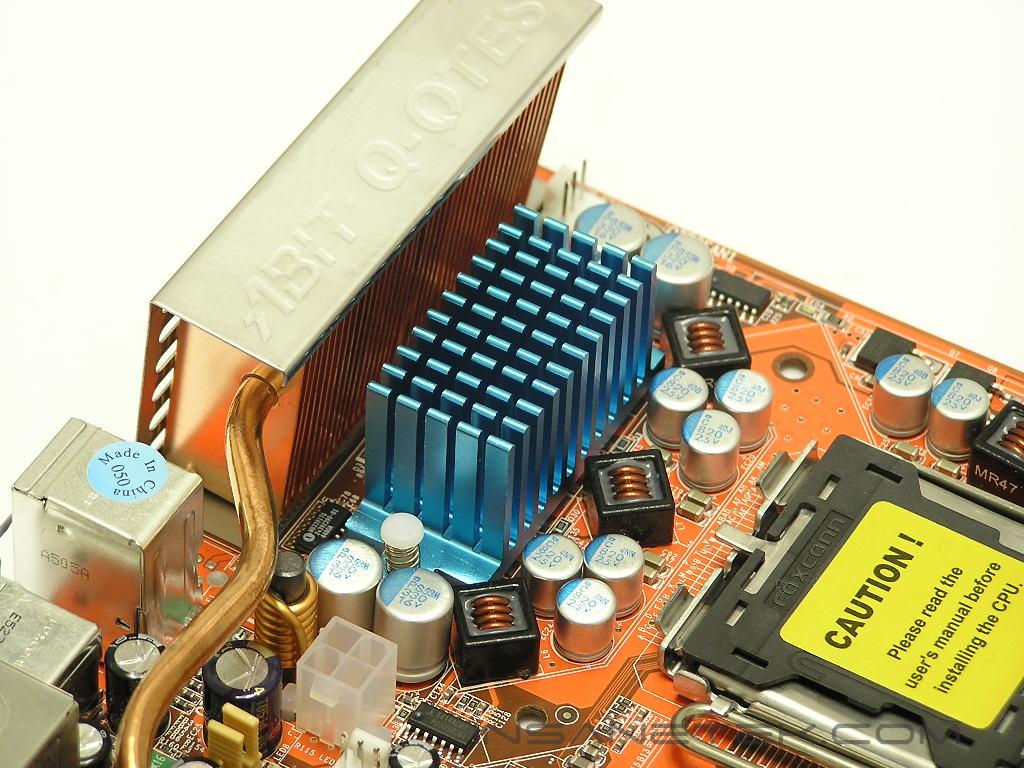
Speaking of passively cooled components, the CPU power phase MOSFETs are also passively cooled by an aluminum heatsink. The small heatsink also does a good job at keeping the MOSFETs cool while under full load. The CPU socket area has a lot of clearing for large aftermarket CPU coolers. With the help of a low profile Northbridge heatsink, enthusiasts who want to use large coolers for increased performance certainly will not be held back.
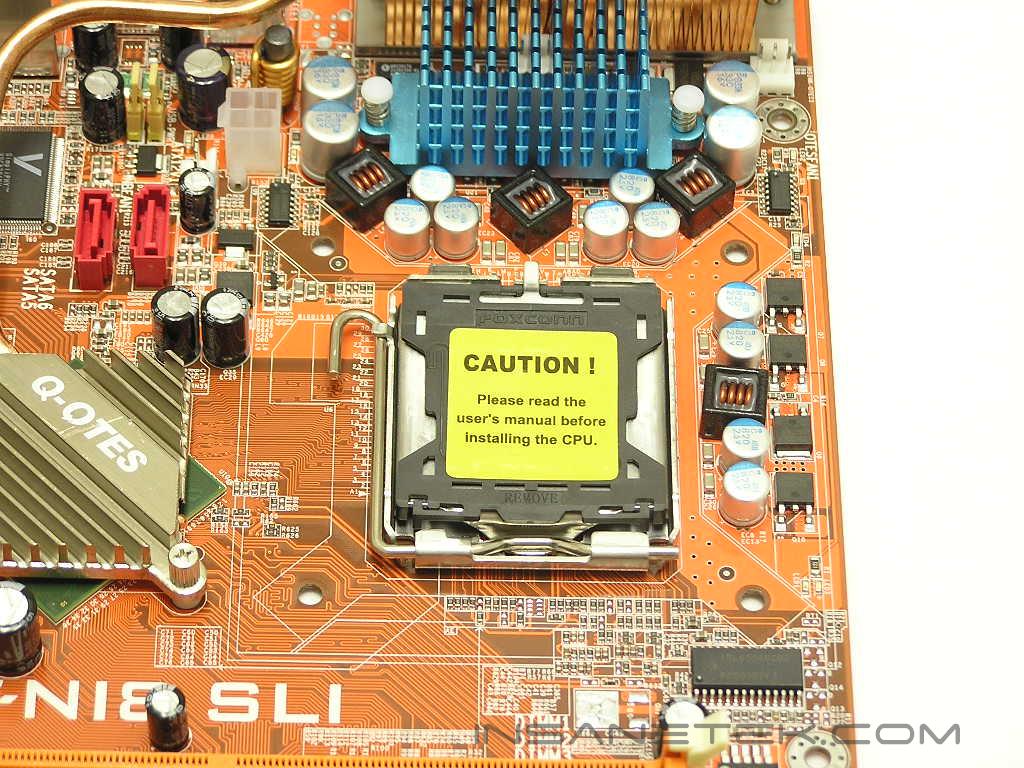
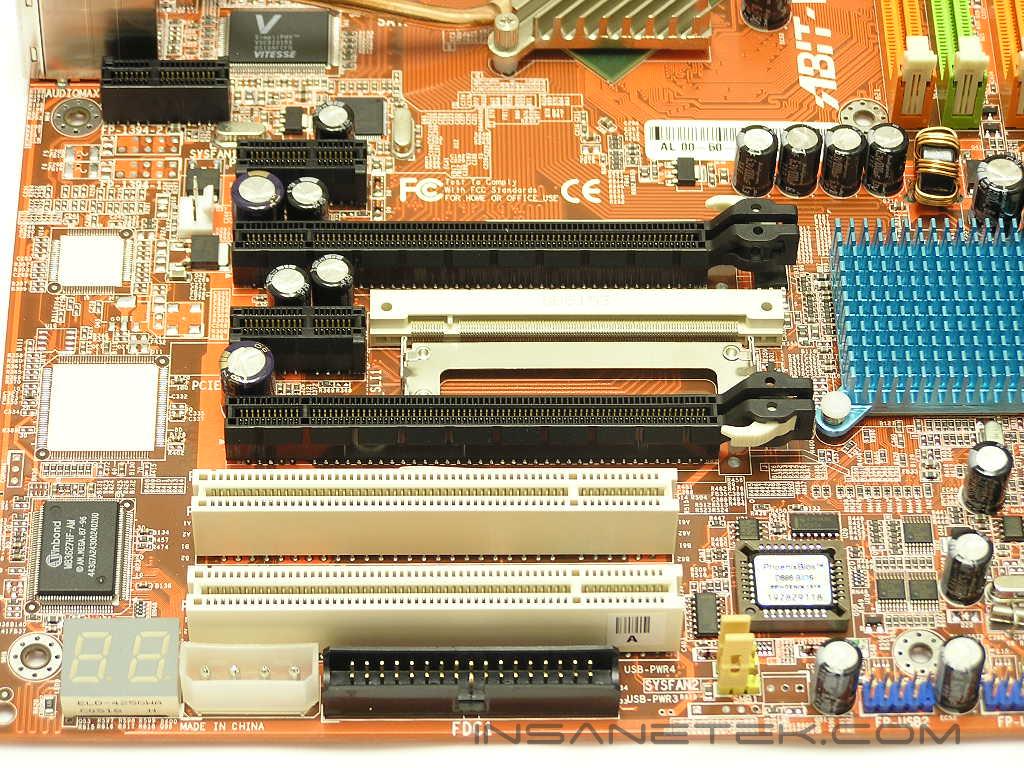
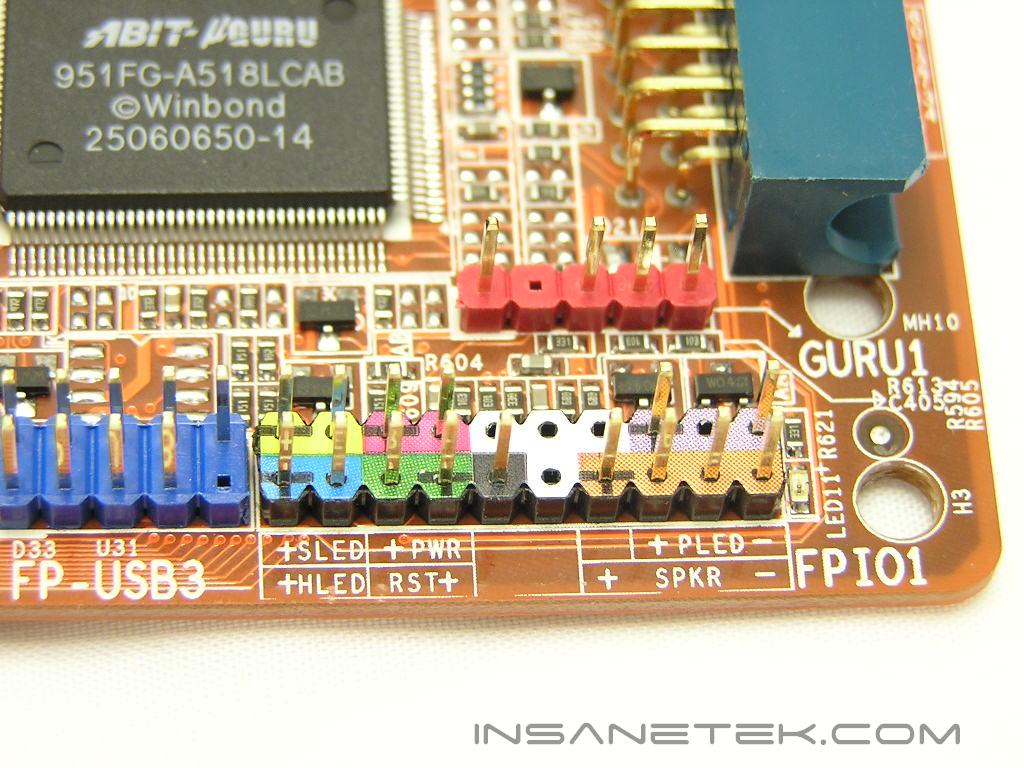
Since the NI8 is a SLI motherboard, two PCI-E x16 slots are provided. There are also two PCI-E x1 slots, one located above the first PCI-E x16 slot and one in between the two PCI-E x16 slots. With the space so limited, there are only two regular PCI slots provided. This can be a drawback since PCI-E x1 cards are far from becoming the norm. Below the last PCI slot is the floppy connector and the Molex power connector. The location of the floppy connector can either work to your advantage or against you, depending on your internal case design. The Molex power connector requires a free 4pin Molex connector when running in SLI mode. Next to that is the diagnostic LEDs. These come in very handy if you need to troubleshoot your booting problems. The front I/O connectors are color coded so that enthusiasts won’t have to refer to the users manual every single time they need to plug in the right connectors. The back I/O is very simple, with the SilentOTES copper fins taking up the majority of the space. There are the usual PS2 keyboard and mouse ports, 4 USB ports, and a RJ45 Ethernet connection. If you need more, there are three more USB headers to the left of the front I/O connectors that provide up to 6 more USB ports.
BIOS
Abit’s BIOS has always been consistent and very easy to navigate. Enthusiasts won’t have to search all over the place just to find an option.
- VCore: 1.3625v - 1.7625v
- VDIMM: 1.75v - 2.3v
- PCI-E Frequency: 100MHz - 148.4MHz
- FSB Frequency: 100MHz - 325MHz
- LDT Multiplier: 1x, 2x, 3x, 4x, 5x, 3.5x
- Memory Frequency: 400MHz - 1300MHz
- Command Rate: 1T or 2T
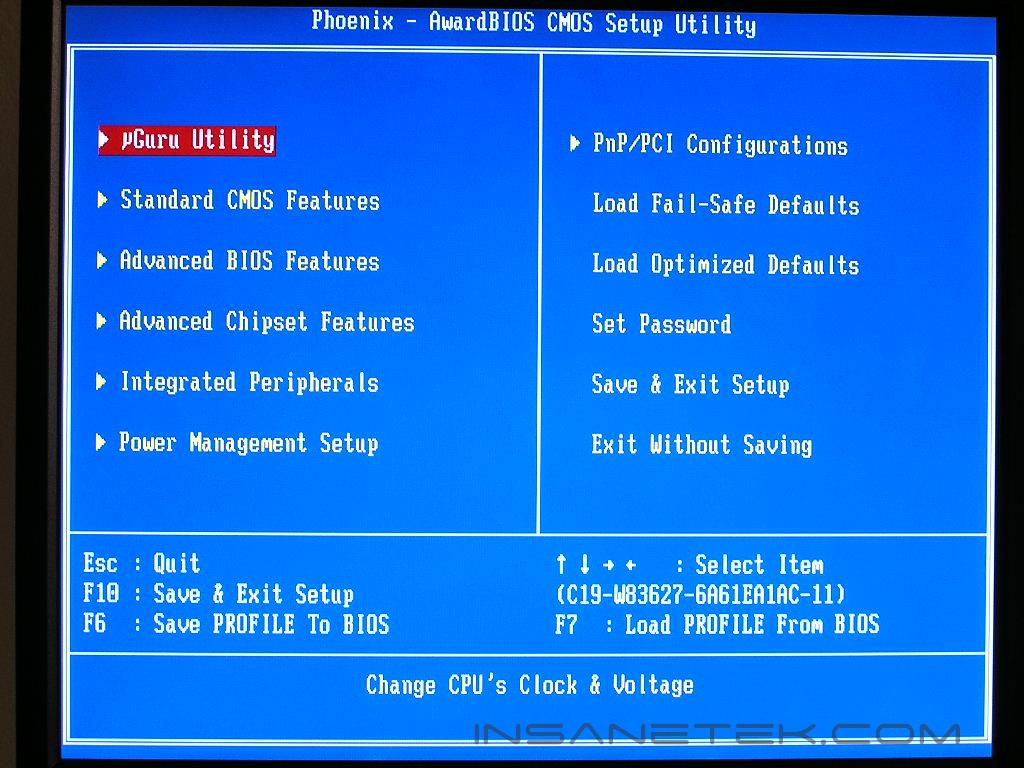
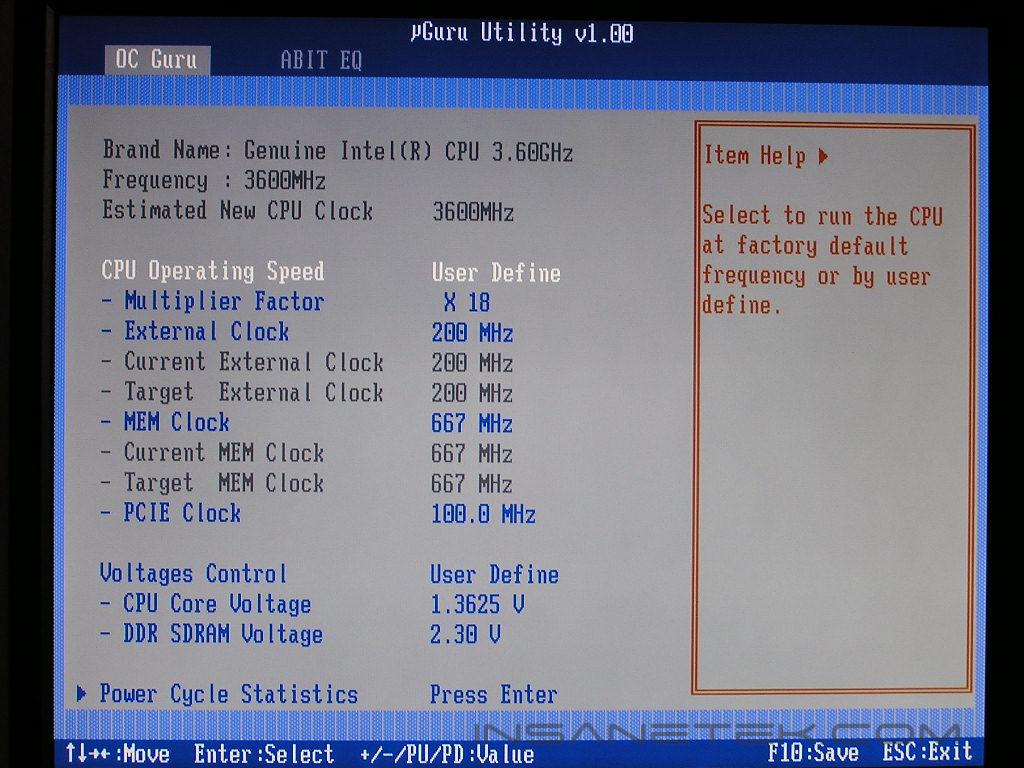
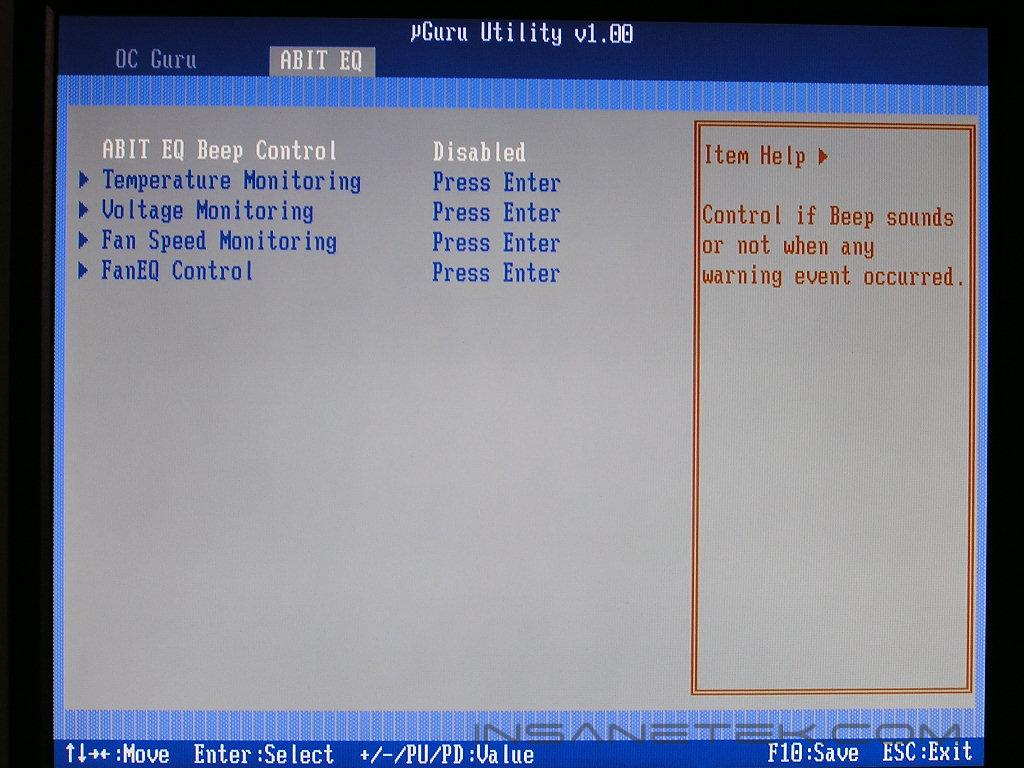
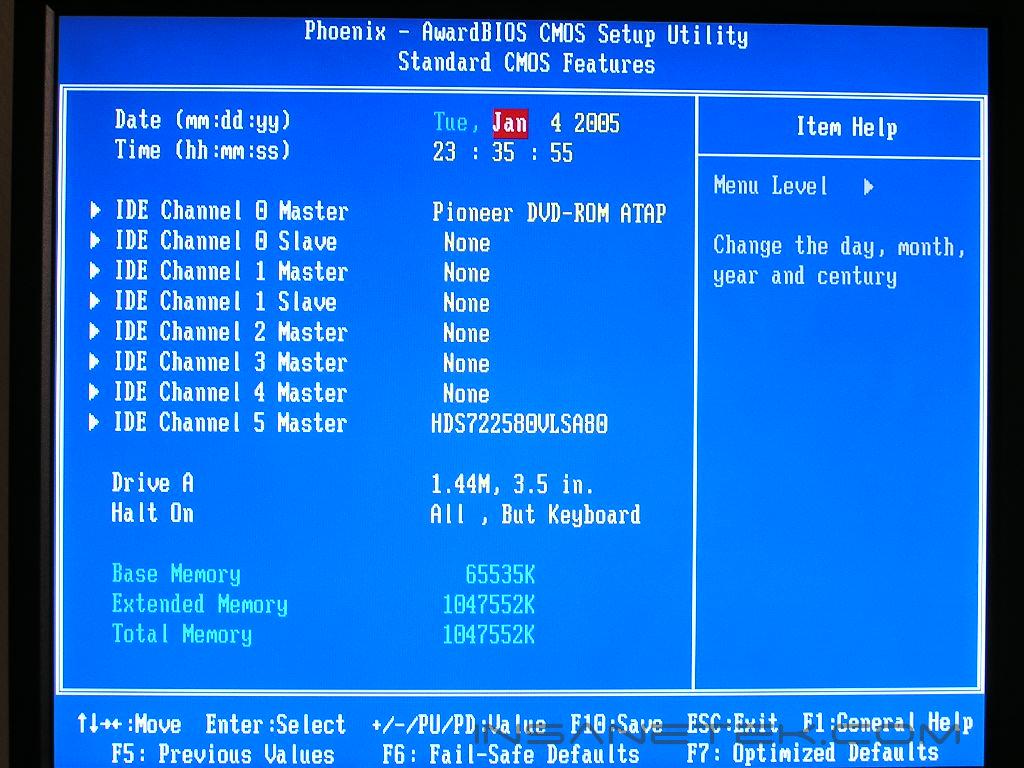
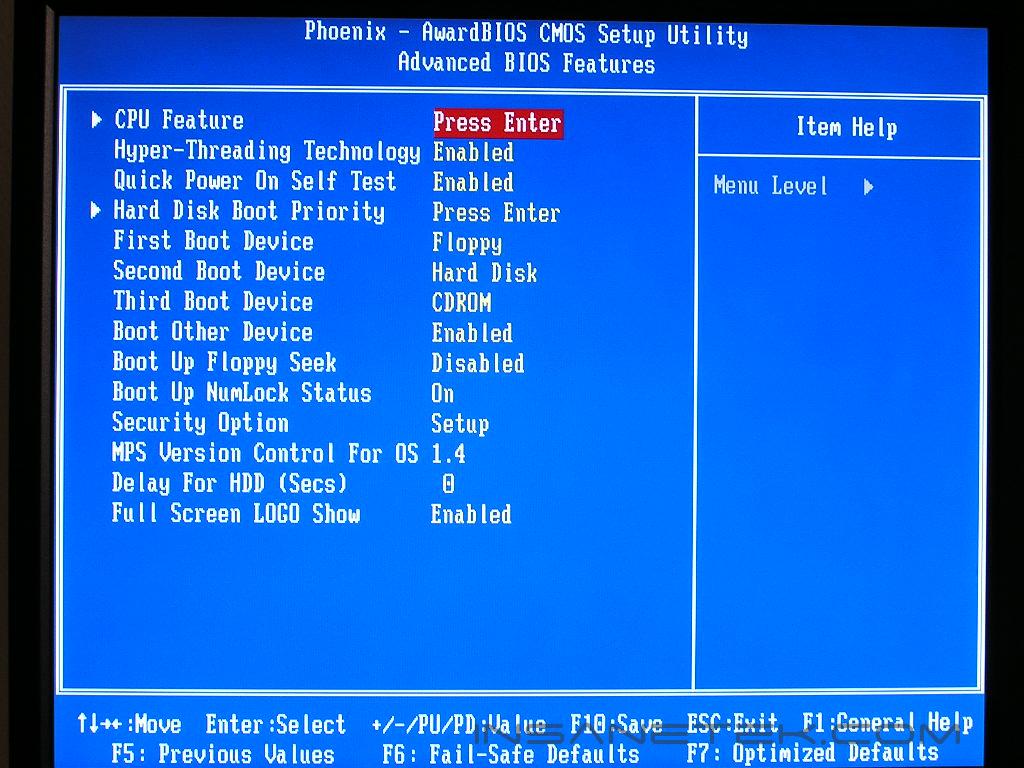
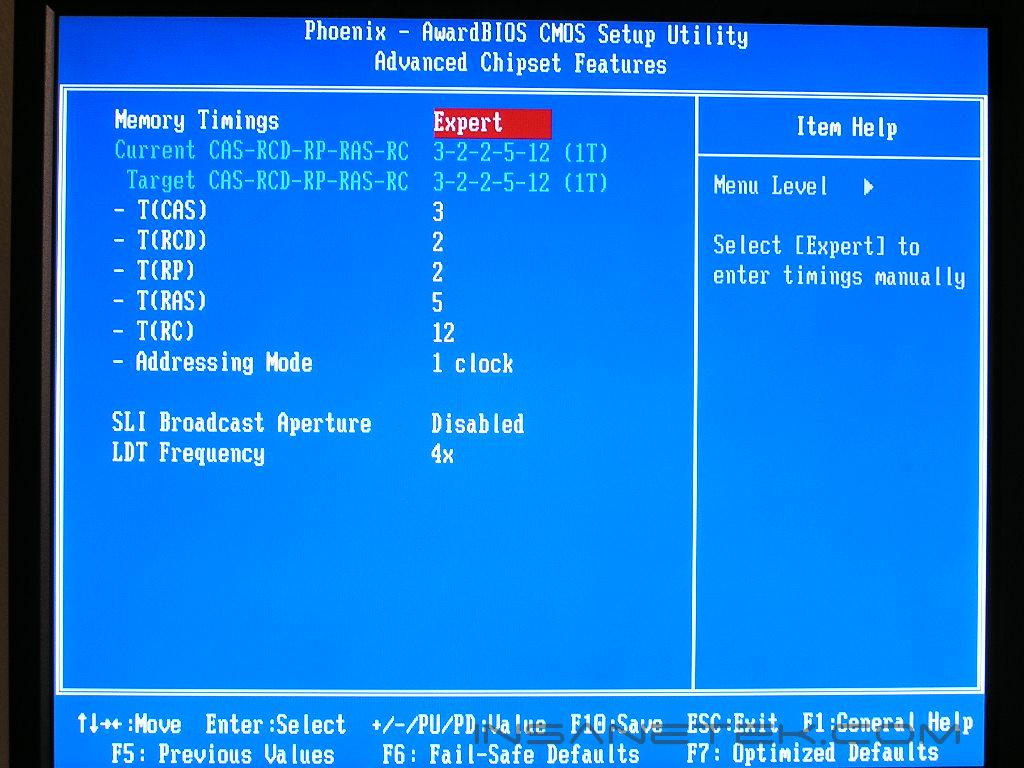
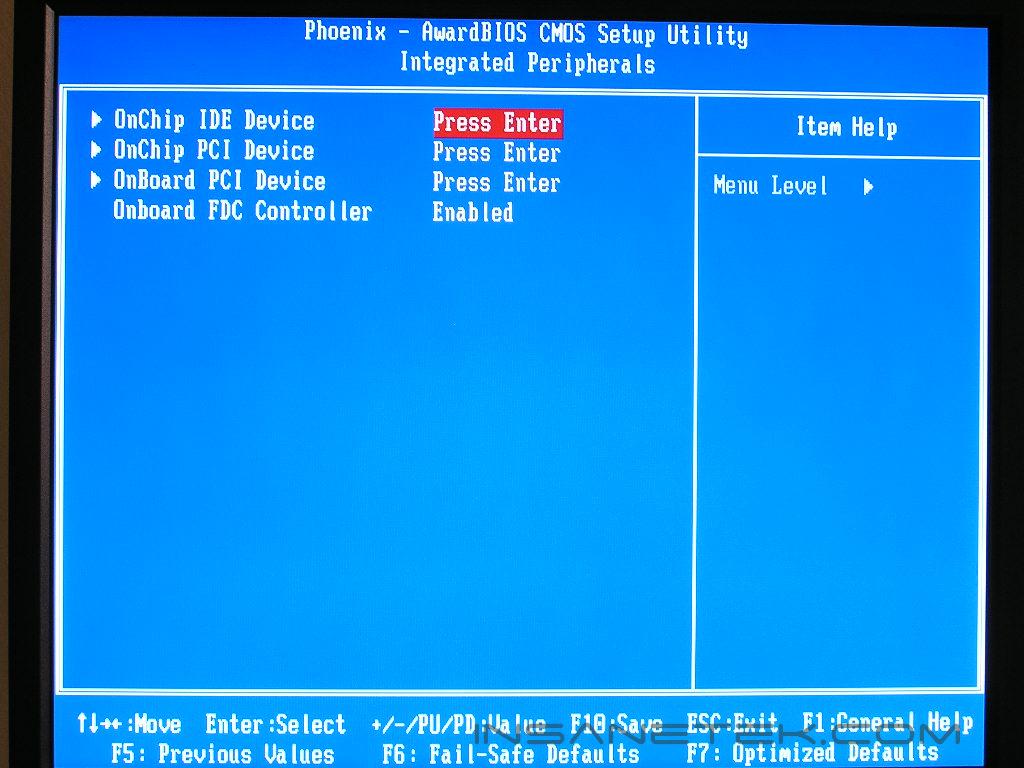
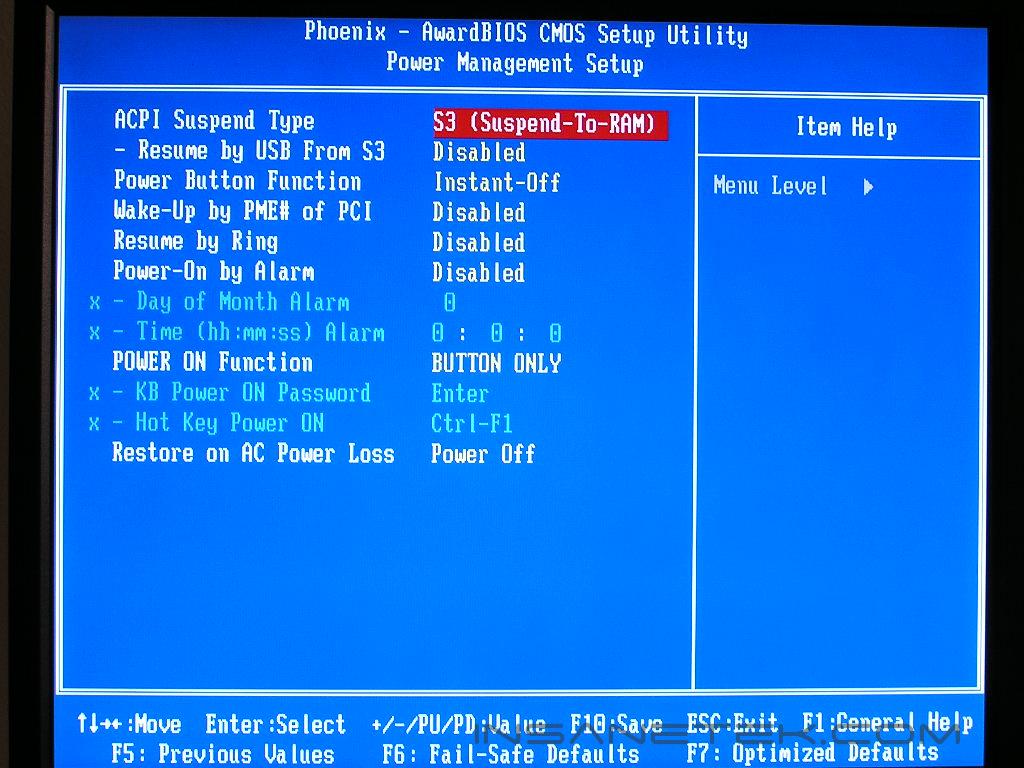
The great thing about the Nvidia C19 chipset is that it allows asynchronous operations of the FSB and memory speeds. This means that the FSB can be any speed (stable of course) you set and the memory can be any speed you set (stable of course). Overclocking used to be straightforward and easy with the typical 1:1 memory ratio. Intel then stirred things up with memory dividers. Now Nvidia is here to provide asynchronous speeds.
The voltage options for the NI8 seems pretty decent. There is plenty of voltage provided with the exception of a chipset voltage. From our experiences with the nForce4 chipset in the AMD side, the chipset does require a bit of voltage increase when it comes to overclocking to high FSB. Let’s just hope that it does not affect too much here on the Intel side.
Perhaps the biggest praise about the C19 chipset is the option to change the command rate. Intel chipsets never allowed such an option. With DDR2 running at such insanely high speeds, setting the command rate to 1T would yield much more improvement in system performance. Abit made it very easy to find and change.
Software
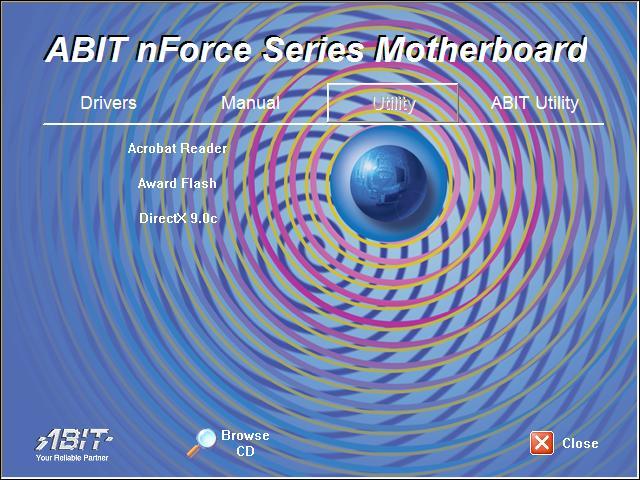
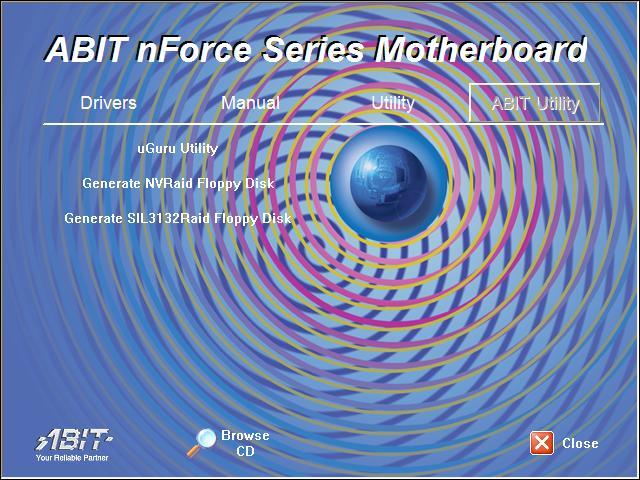
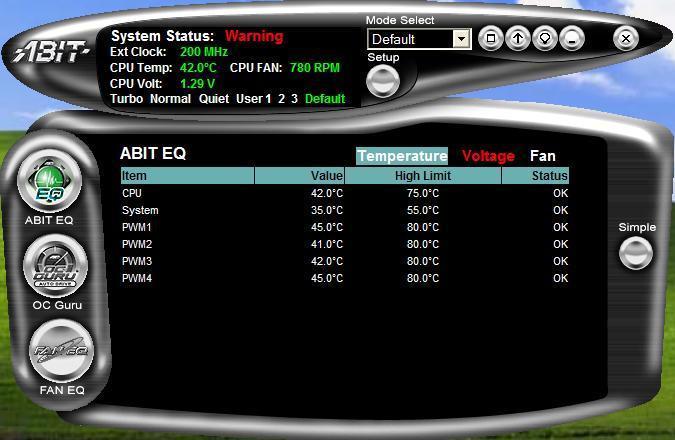
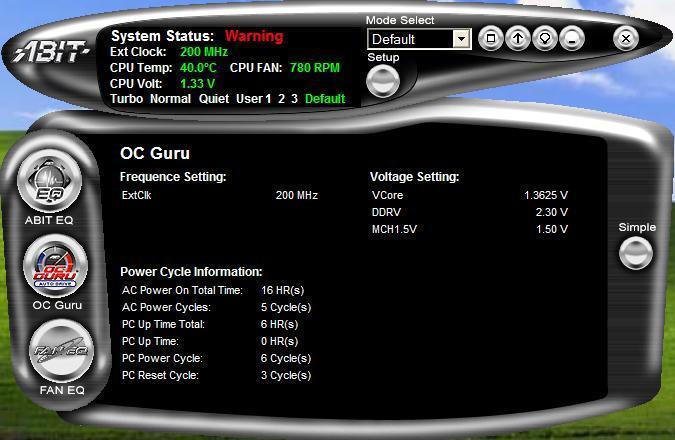
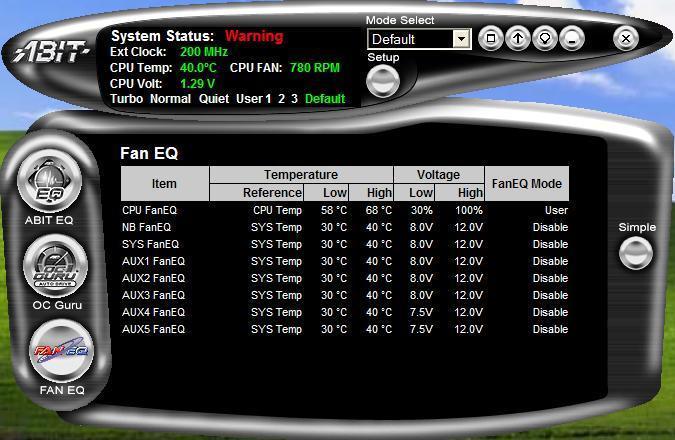
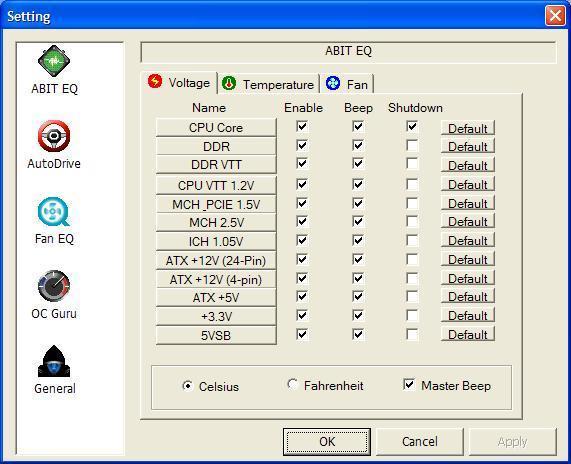
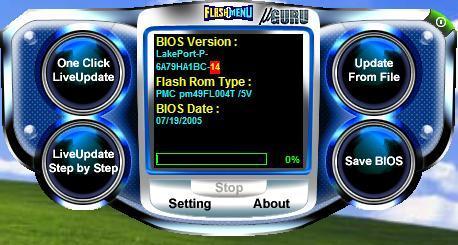
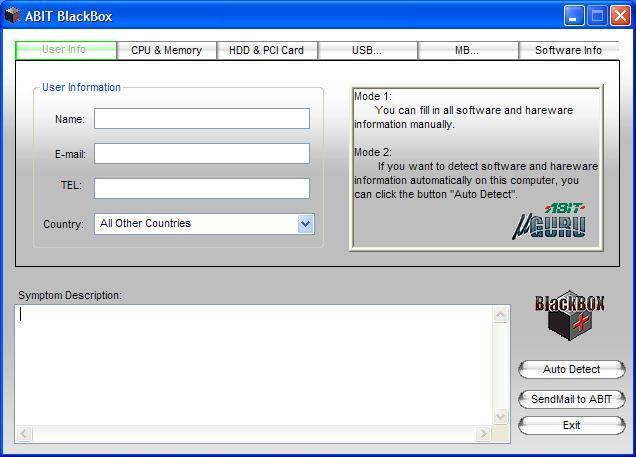
Abit’s strong point lies with their in-Windows software utilities. When installing the Abit exclusive uGuru utility, enthusiasts are open to a bevy of programs that keeps the motherboard updated and informed. The uGuru utility includes, Abit EQ, FlashMenu, BlackBox, and OC Guru. Abit EQ is Abit’s hardware monitoring utility. It provides temperature readouts, voltage lines, and fan RPM speeds. The BlackBox utility is Abit’s technical support feature. If you have something wrong with your system and can’t figure it out, let BlackBox detect your hardware and send it in to Abit for support. Within 24 hours, Abit will send you a response. The FlashMenu is an in-Windows BIOS flash utility. I generally don’t like to use Windows based flashing utilities. If the system becomes unstable under Windows, you’re screwed. DOS is still my preferred method. Finally, the OC Guru is Abit’s overclocking on the fly utility. You can overclock you’re system without the repeated restart of your system. One thing about the uGuru utility is that it has a new GUI from before. It looks more stylish and is easy to navigate. Enthusiasts should have no problems getting themselves familiarized with the utility.
Test Setup and Overclocking
Test Setup:
- Intel Pentium 4 560 3.6GHz
- Abit AL8
- Abit AW8
- Asus P5WD2 Premium
- Abit NI8 SLI
- 2 x 512MB Corsair XMS2 PC2-8000UL 3-2-2-5
- Sapphire Radeon X800
- Arctic Cooling Freezer 7
- Thermaltake PurePower 680W
- ATI Catalyst 5.7
- Hitachi 80GB SATA
Overclocking:
The Gigabyte GA-8N-SLI Royal overclocked pretty decently to 250FSB so I definitely had high hopes that the NI8 would overclock better. Equipped with an engineering sample of the Intel 560 3.6GHz processor, I dropped the multiplier to the lowest allowed, which was 14x, and kept memory at a fixed speed of DDR2-667 and pumped up the FSB. I made sure that the memory would not be a bottleneck and loosened the timings to 5-5-5-15 and gave it 2.3v.
- Highest overclock 235FSB
It was a bit disappointing that the motherboard only reached a mere 235FSB. I then pushed to see how high the motherboard would run the memory speeds, although this seems to be more of a memory test than motherboard test. With the initial latest BIOS, no matter what I did, I could not reach the 1GHz barrier. Abit supplied a beta BIOS (at the time of testing) and it easily allowed me to run my memory at 1GHz with a stock FSB of 200MHz. Not too shabby. If the FSB overclock does not bring your memory to its fullest potential, at least you know that the chipset can allow the memory to run faster.
Results
Sysmark 2004
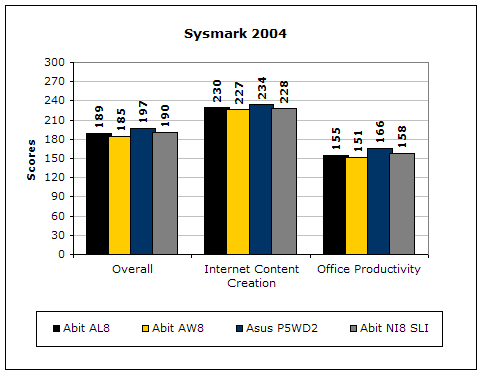
Sysmark2004 is a very common benchmark used to measure a system’s potential in performance. It goes through long and grueling tests, including compression, decompression, and office intensive programs.
3DMark2001SE
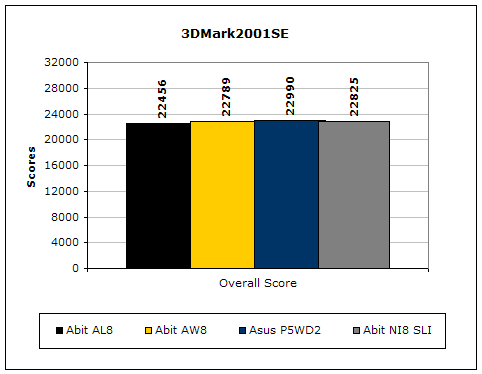
3DMark is probably the overclocker’s favorite benchmark. Unlike 3DMark2003, which stresses mainly the video card, 3DMark2001SE tests all of the system’s main components. Increasing the CPU speed, memory speed, and video card speeds will result in higher final scores.
PCMark2004
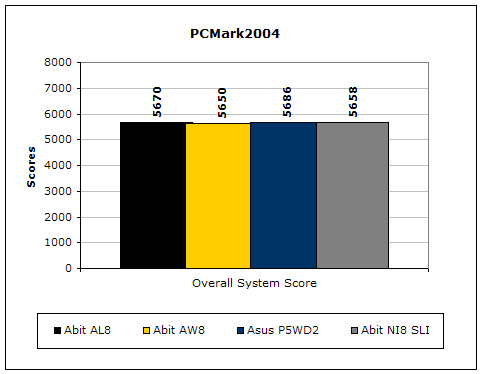
The PCMark2004 system benchmark puts the entire system to work.
PCMark2002
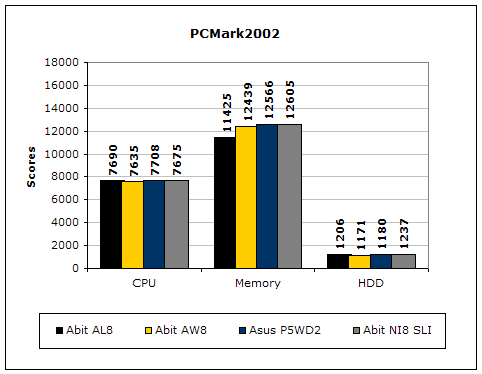
PCMark2002 is older than PCMark2004, but still very similar.
Results Continued
Everest Home Edition
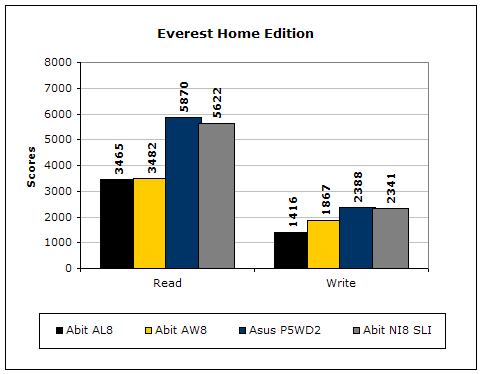
Everest Home Edition is a good benchmark for testing memory performance. Since the motherboard’s overclocking potential and memory bandwidth is closely related, I find this benchmark to be trustworthy.
SiSoft Sandra
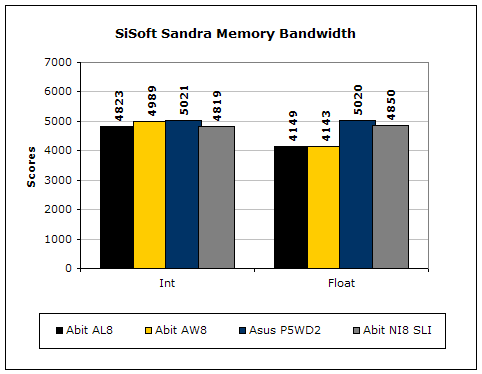
Like Everest Home Edition, SiSoft Sandra memory bandwidth tests the motherboard’s memory bandwidth performance.
Super PI
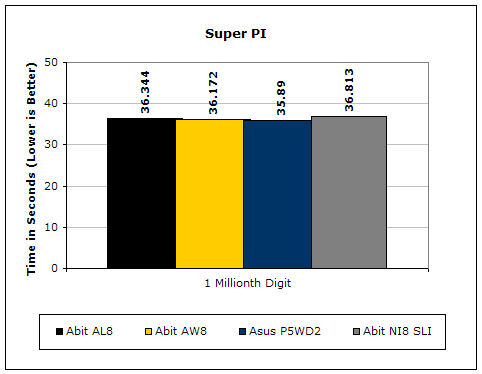
Since the value of PI is an infinite value, Super PI is a speed test to find a specified digit. In this case, we chose the millionth digit. Super PI benefits greatly from higher FSB, as well as low latencies.
PiFast
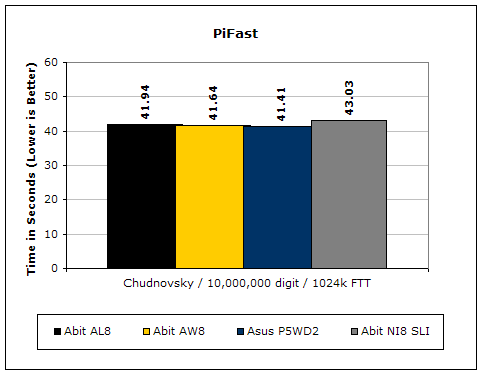
PiFast is similar to Super PI and the results can be greatly affected by a slight adjustment to the memory megahertz and latency.
Unreal Tournament 2004
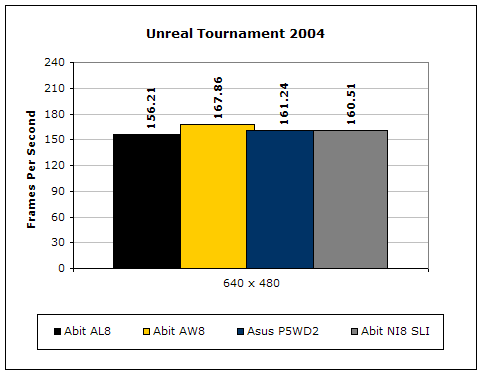
Unreal Tournament 2004 is a very popular game that is highly affected by the system’s performance. Testing was conducted with a resolution of 640x480 to minimize the dependency of GPU and CPU power.
Conclusion and Thoughts
Abit has done a pretty good job with their Nvidia Intel nForce4 SLI motherboard. I did not include any SLI results since we all know that there is a performance increase when running dual video cards. SLI results are also more video dependent than motherboard dependent. The main thing is that there were no compatibility issues. The price point of the NI8 puts the motherboard a tad less expensive than the Intel 955X chipset. For enthusiasts whose main focus is not overclocking but more gaming performance, the NI8 is a good bet. The board was stable throughout all tests and did not give me one trouble at all. With a newer BIOS, the board even allowed the memory bus speed to reach 1GHz, as long as your memory is capable.
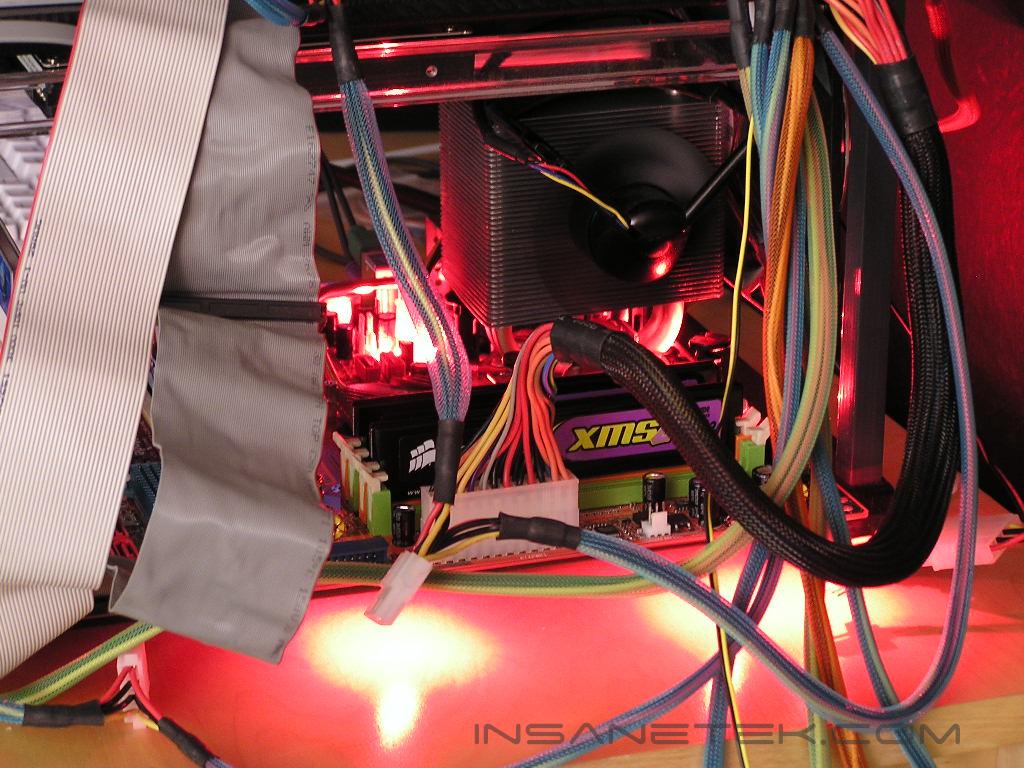
Intel fans who are extreme gamers, be happy. Abit did something right this time around. Although the FSB overclock was a bit weak, that is not the motherboard’s main selling point. But of course it could be better though. One extra cool physical appeal of the board is the onboard red LEDs. They light up just like a Fatal1ty motherboard!
Pros:
- A little less expensive than Intel 955X motherboards
- Allows SLI performance for extreme gaming
- Allows memory bus frequency to reach 1GHz without overclocking FSB
- Onboard red LEDs
- All passive cooling solution = silence
Cons:
- BIOS needs a little more overclocking options
- Overclocking is not superb
- Northbridge gets toasty under full load

We would like to thank Abit for providing us the sample. If you have any questions or comments, feel free to hit us up in the forums. You can also check out more of our latest reviews on the front page.