

Abit NF8
Introduction
Everyone’s been talking about Abit’s recent lack of effort in supplying good motherboards. At the beginning of the AMD Athlon64 launch, Abit only showed off a single motherboard solution from VIA, while leading competitors provided multiple solutions from both Nvidia and VIA. Everyone asked: Where’s Abit’s version based on the nForce3? It was nowhere to be seen. The rumors of the NF series died down fast. When the AV8 was announced for Socket 939, the same high demand for an Nvidia solution came back. Again, enthusiasts received no answers. We waited and waited and waited and finally gave up on the nForce3 chipset. Now with the introduction of nForce4, we had hopes that Abit would release something new. Afterall, they did promise that a Fatal1ty motherboard would be made. But wait. What’s this board that we see? NF8? By golly, Abit continued the NF series with the new NF8. The board is based on the nForce3 250Gb chipset. The promise has been fulfilled. The question now is: Is it too late?
With such a late release of the NF8 and the massive move to Socket 939, it’ll be tough to stay in the competition. Abit doesn’t worry though. Socket 754 is still a great and speedy platform and Abit promises that the NF8 will perform, and perform well. My question is, since their KV8 Pro became such a success, how is the NF8 going to compare to it’s cousin motherboard?
Abit NF8 Package
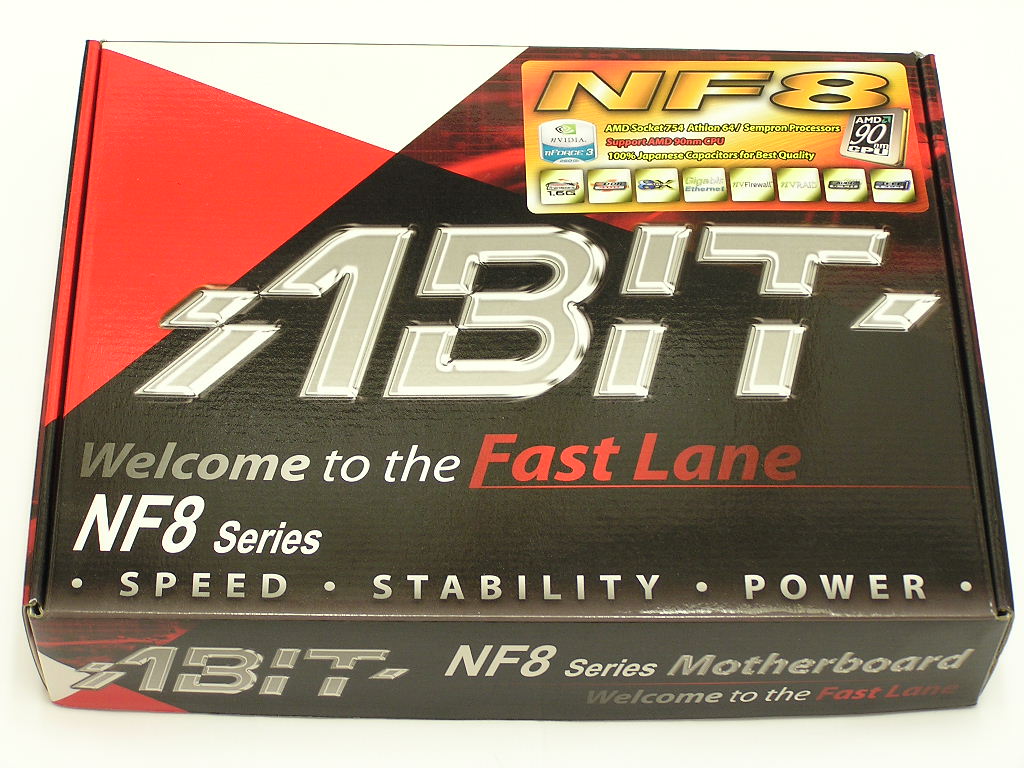
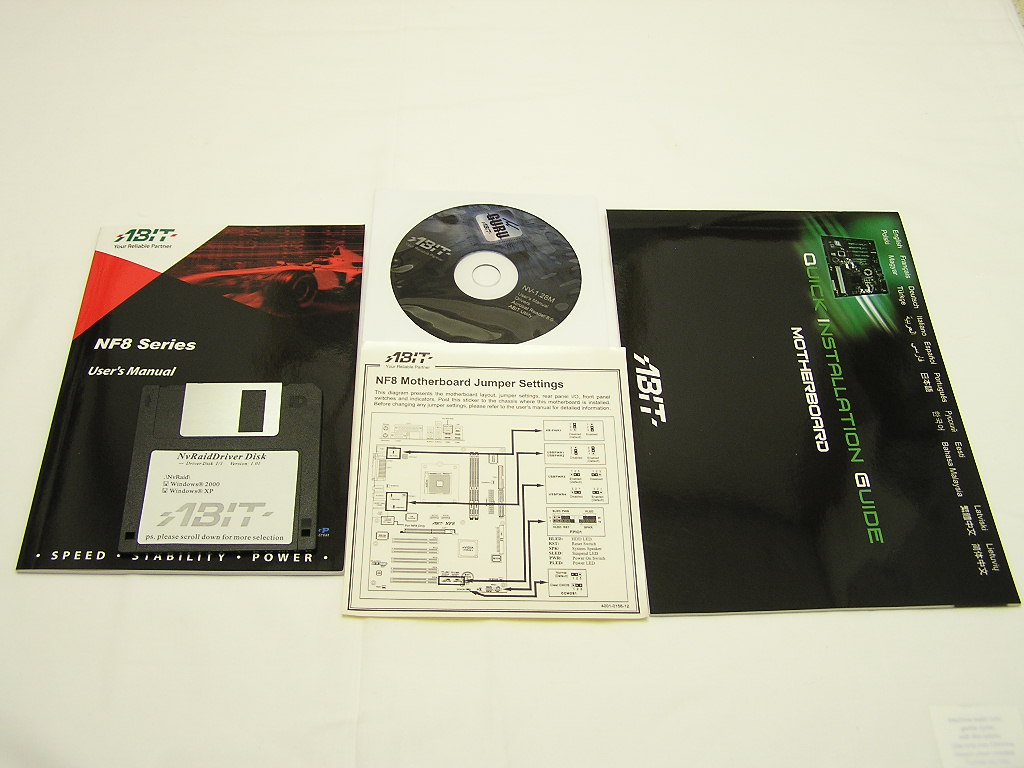
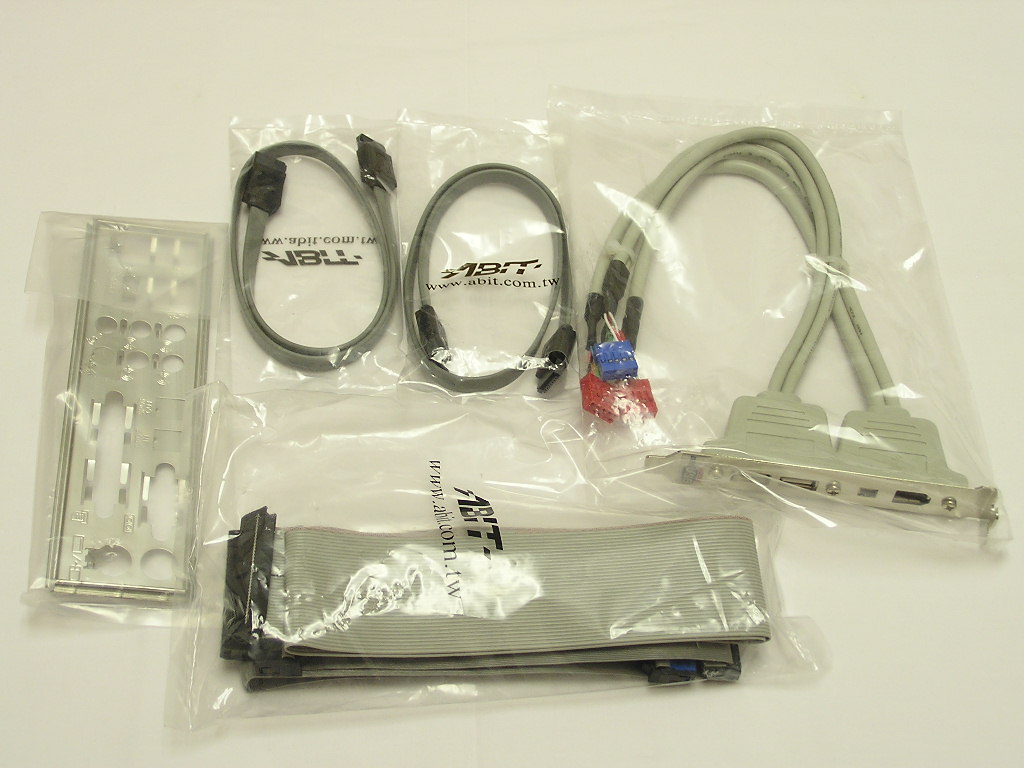
Much like the rest of Abit’s motherboards, the NF8 comes in a sexy orange/red PCB. Yet, there was one interesting note on the box that really caught my attention. It says that the NF8 supports 90nm CPU’s. If the 90nm Semprons are as good as the Winchesters, then overclocking will be fun. The contents included with the NF8 are very light, just like the previous NF7. There isn’t much included other than the standard IDE cables, SATA cables, USB and Firewire ports, I/O plate, user’s manual, and a drivers CD. There’s also a nice sticker that shows the locations of various jumpers that you can stick on to the side of the case panel or something. It can come in handy if you’re not familiar with the Abit’s front I/O connections.
Motherboard Layout
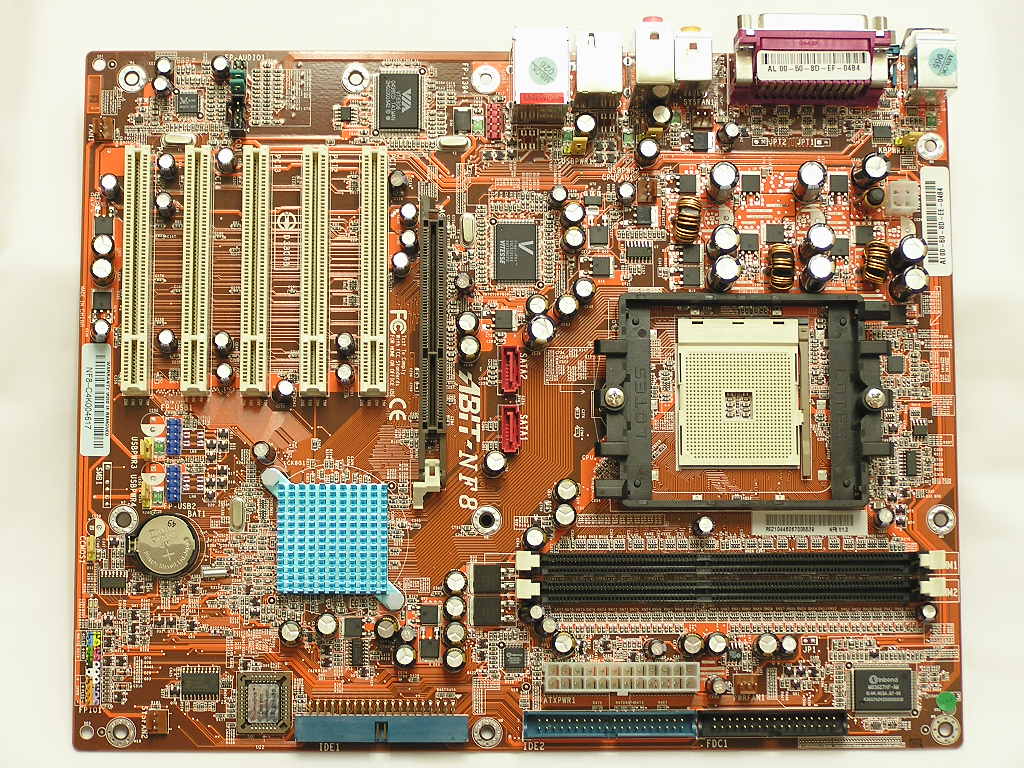
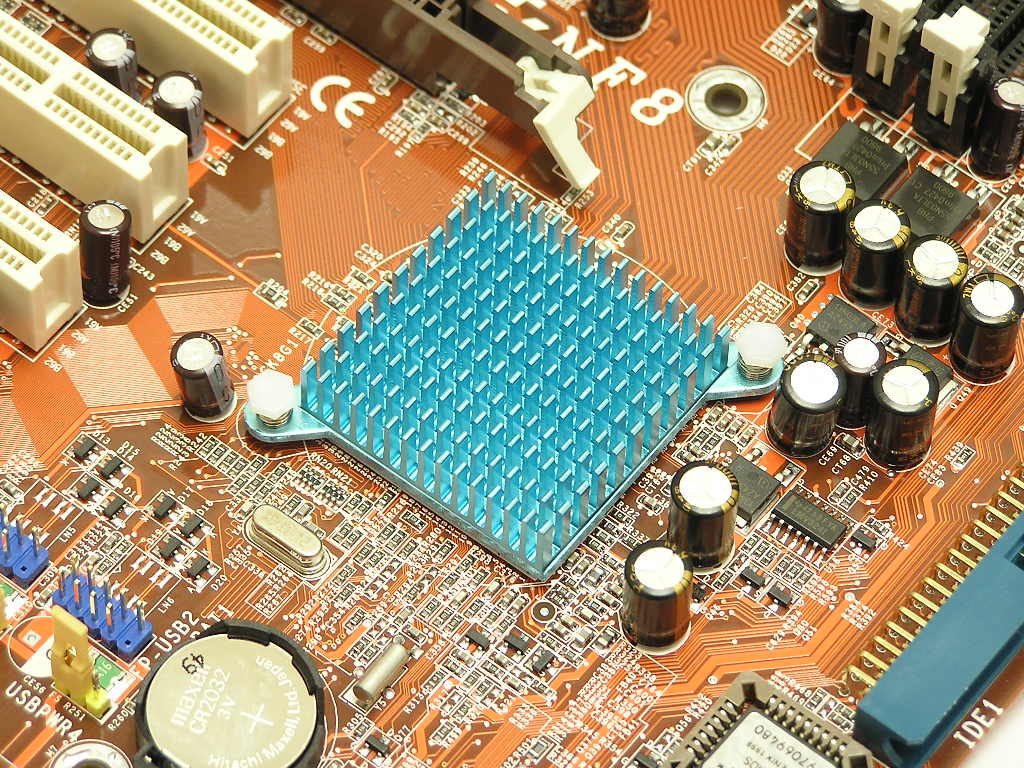
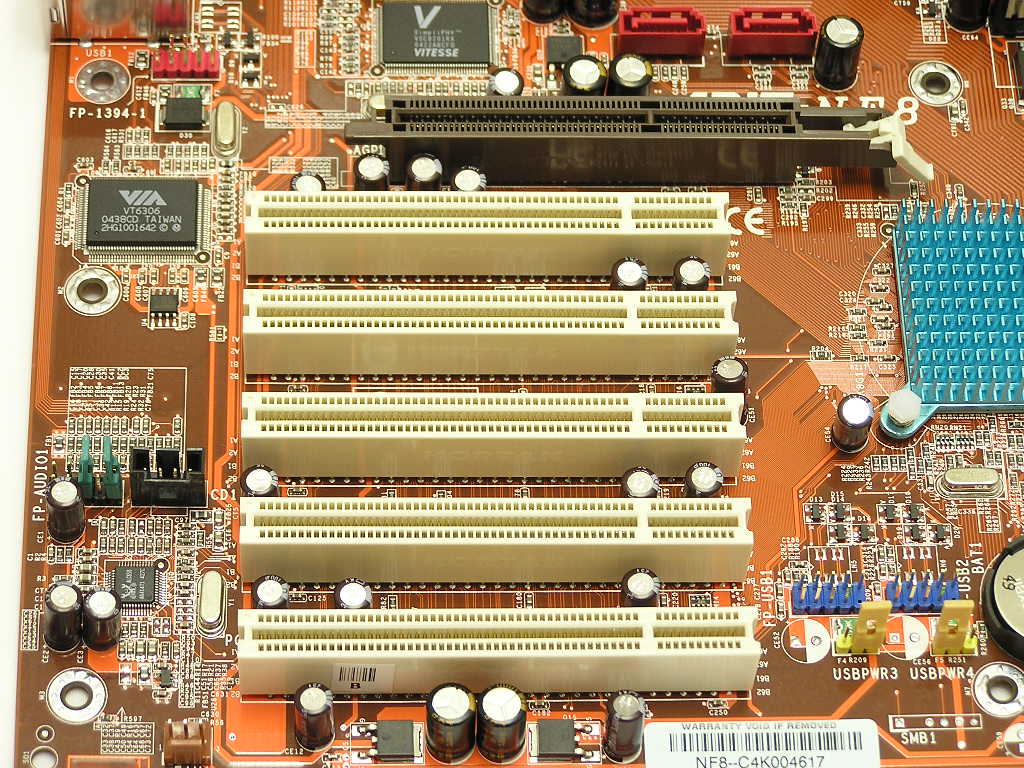
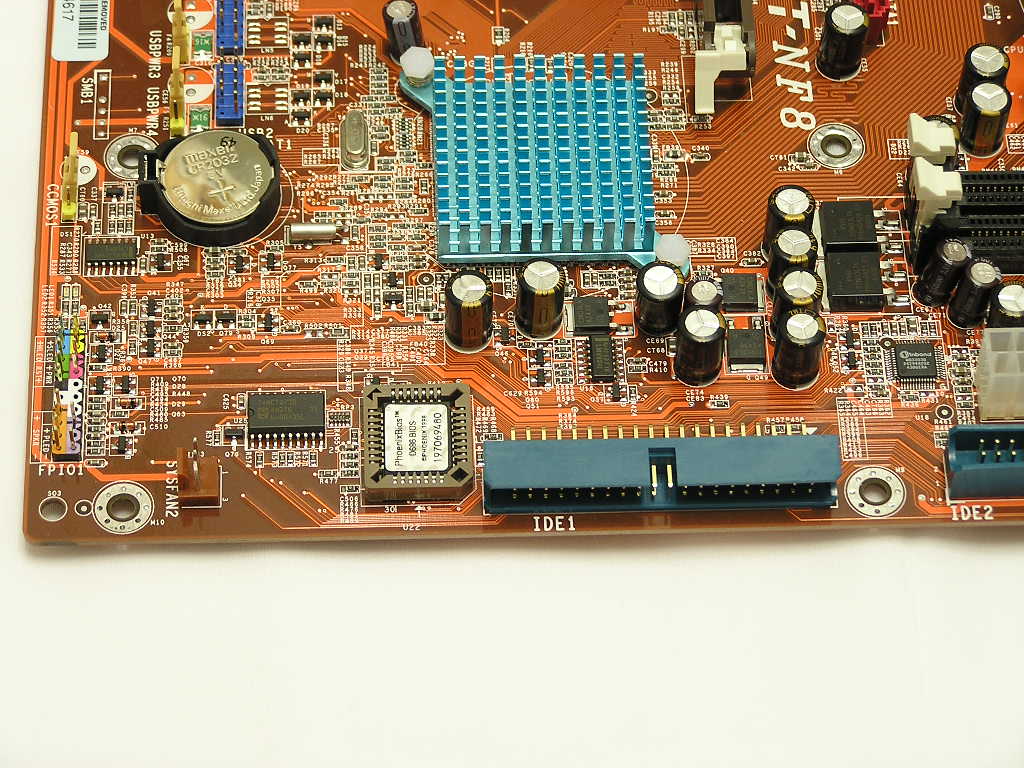
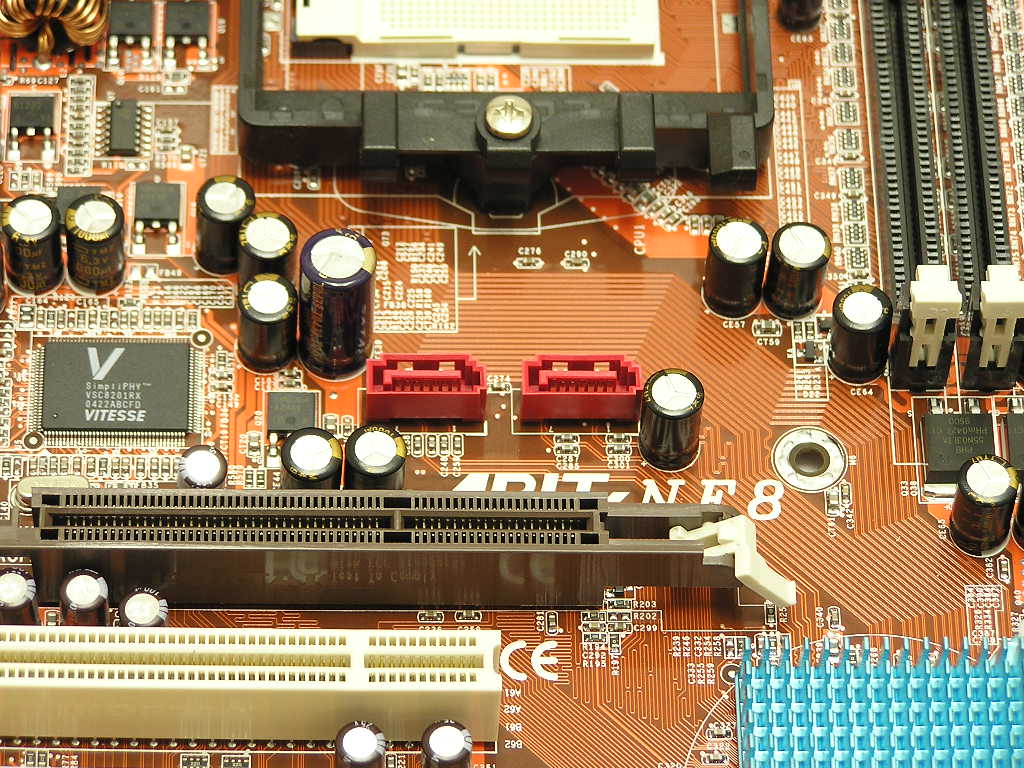
The NF8 uses Nvidia’s nForce3 250Gb chipset; and like the rest of the nForce3 based motherboards, it’s placed at the lower right corner of the motherboard. And like the rest of the nForce3 based motherboards, I hate the placement. It’s located at the edge of the AGP slot and makes aftermarket cooling solutions almost impossible, for the chipset that is. Any kind of cooler that’s taller than the original passive heatsink will get in the way for proper graphics card installation. Watercooling junkies will have a hard time routing the tubing with a graphics card in the way. As much as I prefer the performance and features of the Nvidia chipset, I tend to like the use of VIA’s Northbridge/Southbridge orientation. Abit provides a passive heatsink to cool the chipset. While the chipset does get rather hot during load, the passive heatsink does a good job at keeping the motherboard stable. Although the nForce3 250Gb chipset is feature rich, Abit still provides 5 PCI slots for future add-ons. Can anyone think of a way to fill up all PCI slots? I can’t.
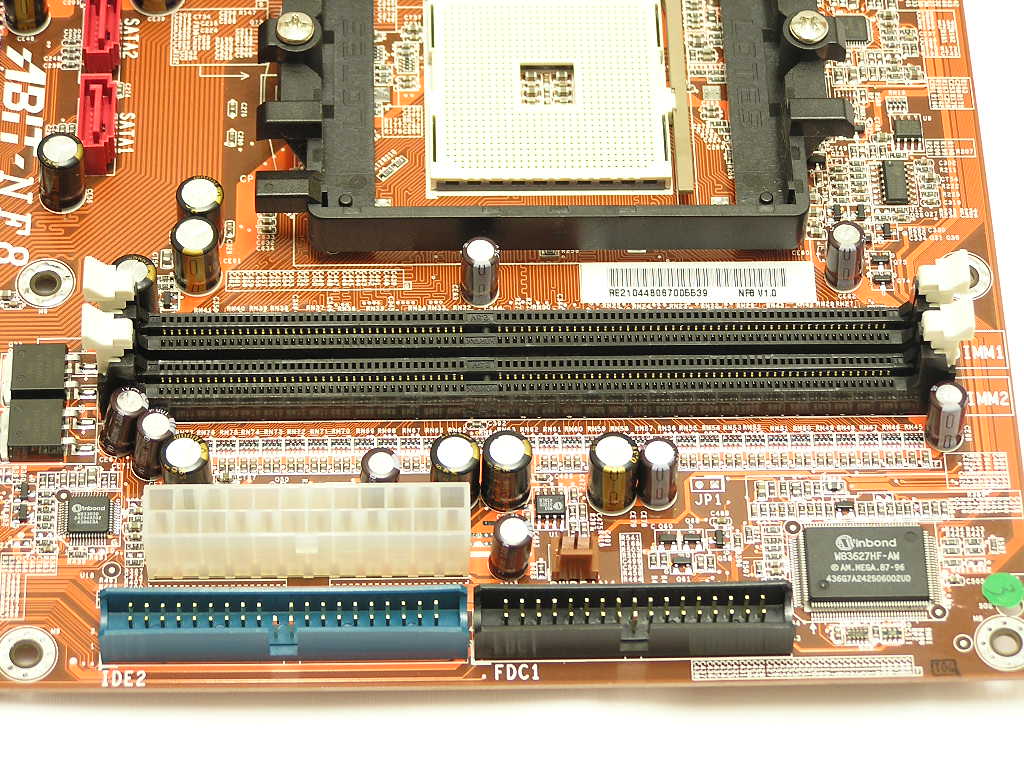
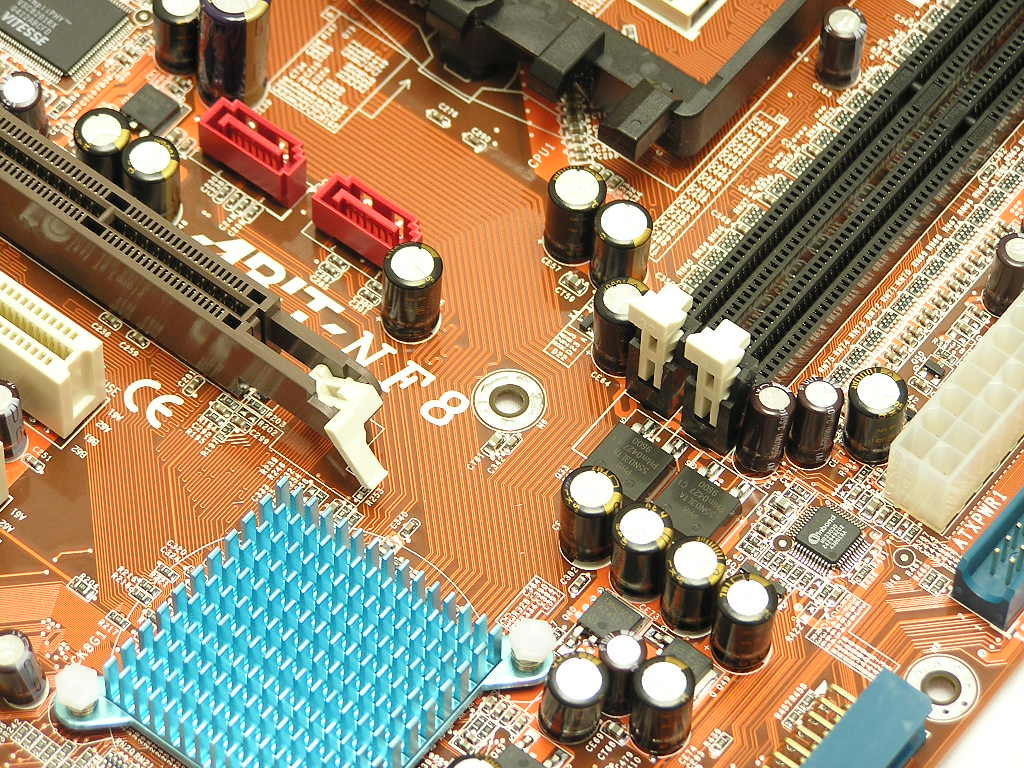
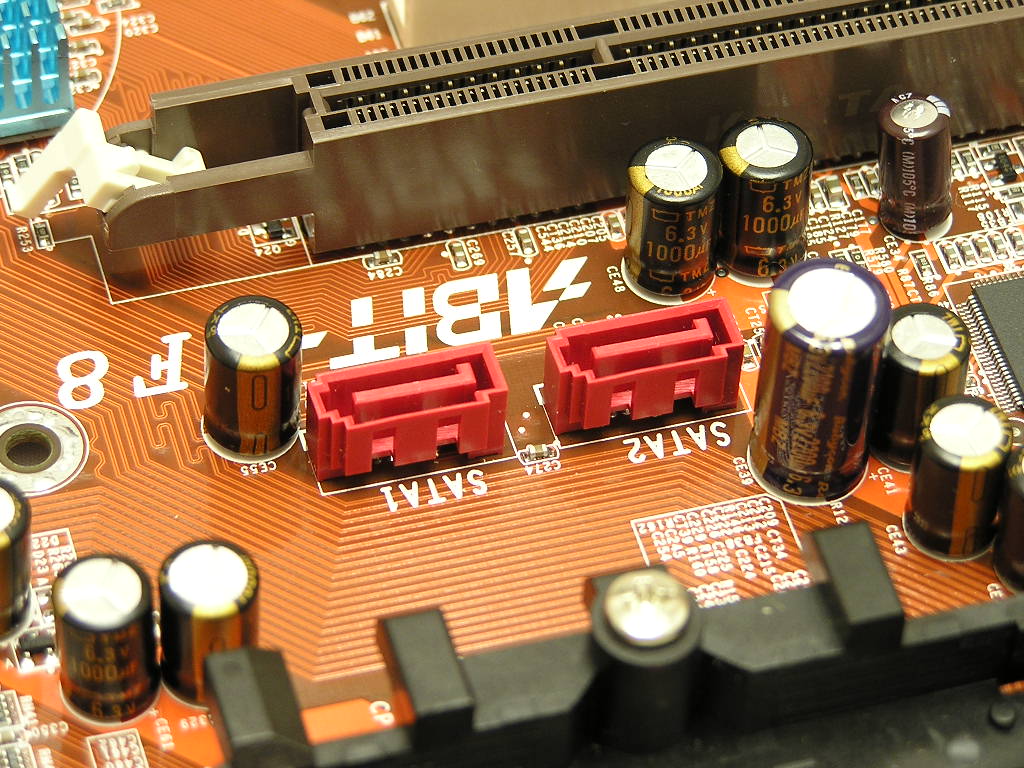
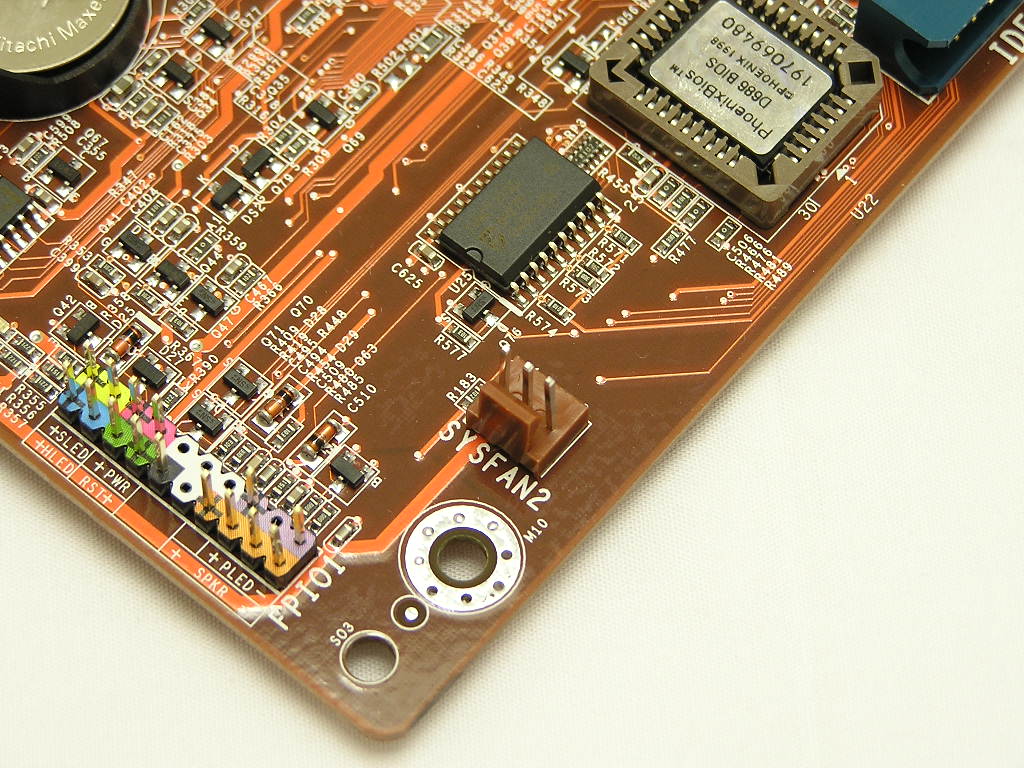
Like the KV8 Pro, there are only two DIMM slots provided. This might be a huge turnoff for most of you, but two DIMM slots is usually enough. Having 1GB of system memory is sufficient. The hardcore enthusiasts who want more memory space, or use a OCZ DDR Booster, will certainly be disappointed. Speaking of DIMM slots and the AGP slot, enthusiasts will be glad to know that there is plenty of space for RAM removal with a graphic card installed. There’s no need to remove the graphic card just to switch out a stick or two. The placements of the floppy and IDE2 ports are excellent. It’s all positioned nicely so that all attached cables can be tucked away into unused drive bays. Unlike the NF7, which had a poor ATX connector, the NF8’s ATX connector is located clear of the CPU socket. You won’t have to worry about having a large power cable stretch across the CPU area. The IDE1 port is located at the lower half of the motherboard and is located ideally, because that’s where hard drives are usually located at. It’s also nice to see that it’s turned at a 0° instead of the usual 90°. This allows easy tucking of cables behind hard drive cages or even to the back side of the motherboard tray. The SATA ports are not very well placed, but that’s due to the Nvidia nForce3 design. Still, I don’t understand why they place the SATA ports above the AGP slot. The nForce3 250Gb allows RAID 0 or RAID 1 for SATA drives. At the bottom right corner is the standard front I/O connectors. The connectors are nicely color coded and labeled so that there’s no need to reference the user’s manual.
Motherboard Layout Continued
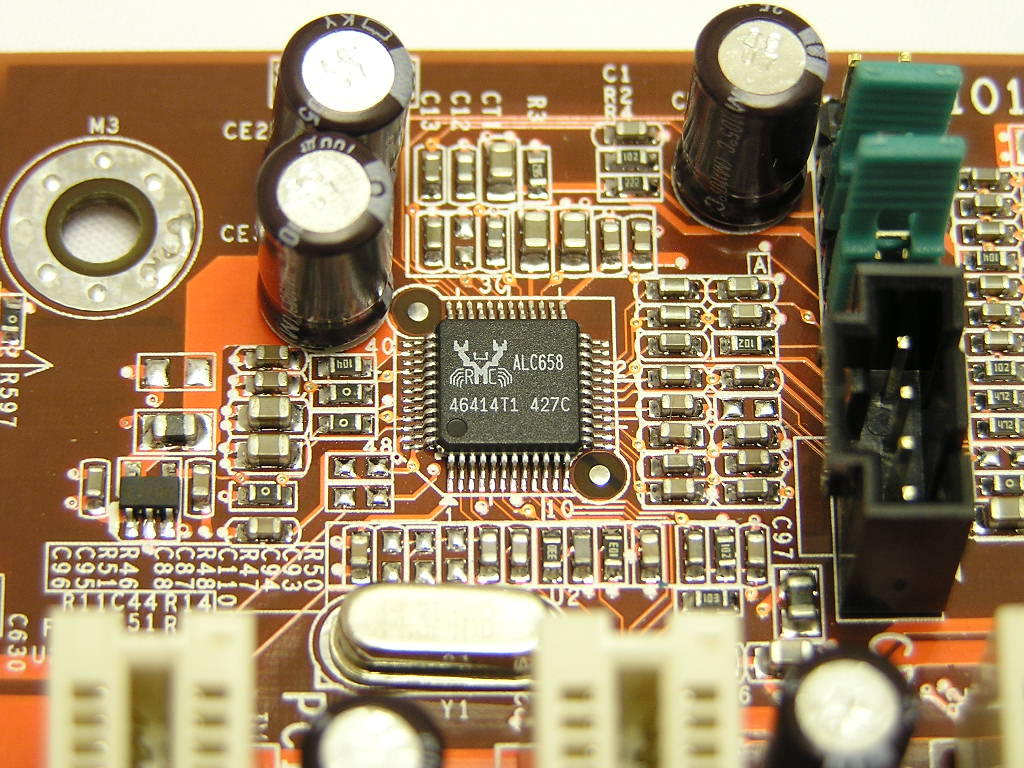
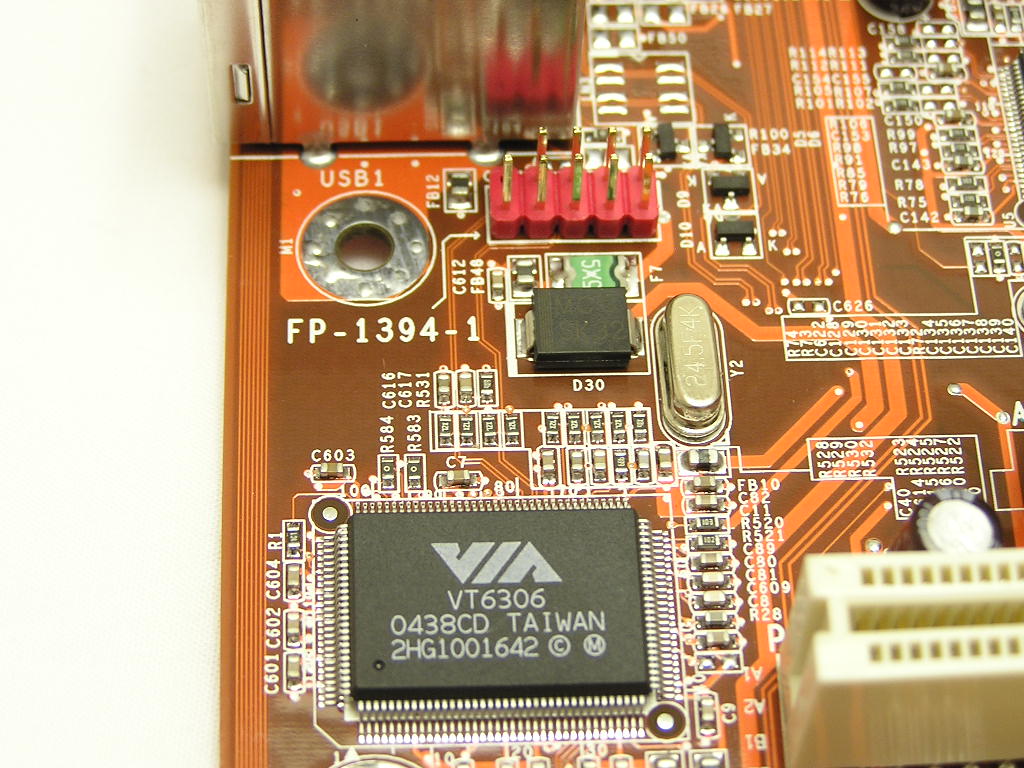
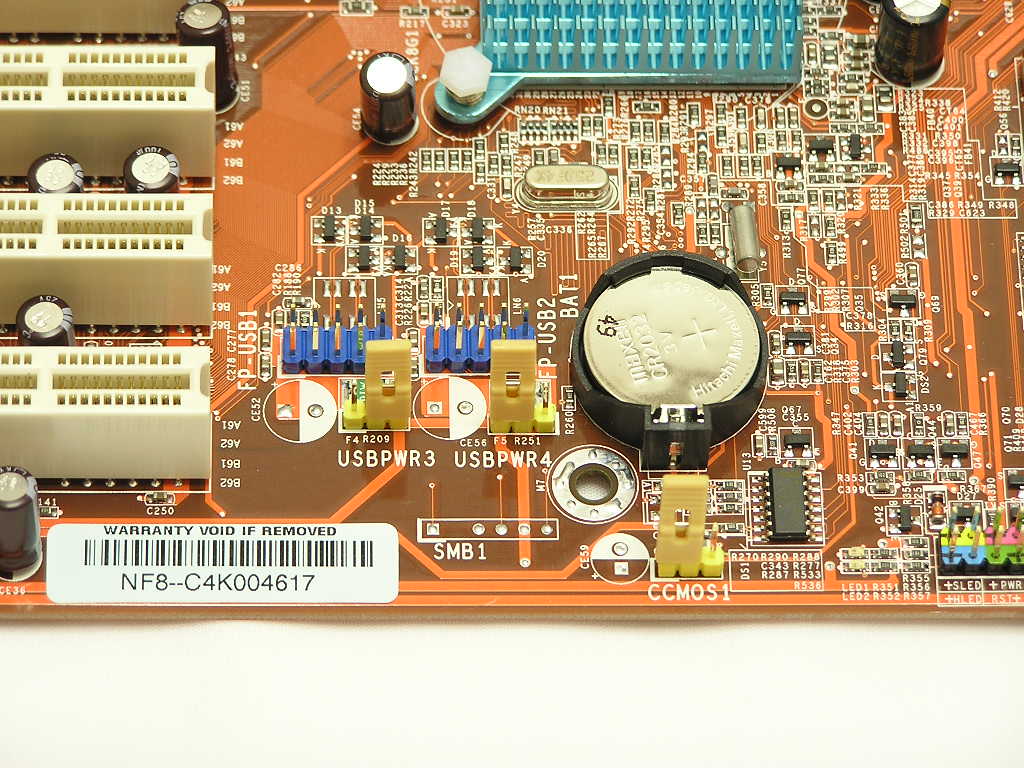
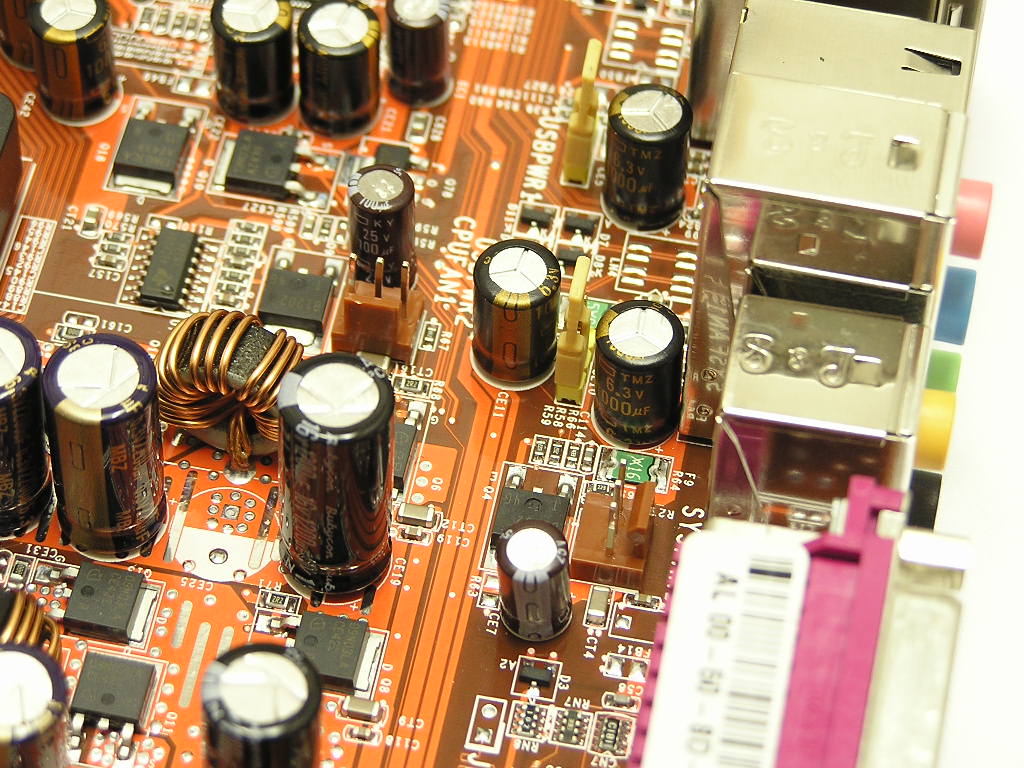
At the back I/O are your usual in and out ports for your typical peripherals. The back I/O includes the PS2 keyboard and mouse ports, 1 serial, 1 parallel, audio input and output jacks for 6-channel surround sound, 4 USB, 1 Firewire, and 1 RJ45 jack for Gigabit connection. Just like the KV8 Pro, the NF8 uses Realtek’s ALC658 audio controller. While not the top end sound solution from Realtek, the 6-channel surround sound solution is good enough for average music listening and gaming. The audio controller does support digital input and output, but the NF8 does not provide the connections. Abit’s website says that the NF8 comes with SPDIF in/out, but the board doesn’t physically support it. They should update their website before more people are misinformed. There is an additional Firewire header on the motherboard controlled by VIA’s VT6306, instead of the higher end VT6307. It’s no matter to me, though. I’ve never used a Firewire port anyway. On the board are two extra USB headers for an additional 4 USB ports. With the 4 at the back I/O, there is a total of 8 total USB ports. Remember the days when having 2 USB ports was considered high end? Right next to the USB headers is the CMOS jumper. Abit’s known for using jumpers with a handle extension, and this little extra effort makes clearing CMOS just so much easier. It’s also a good thing that the jumper is located towards the bottom of the motherboard.
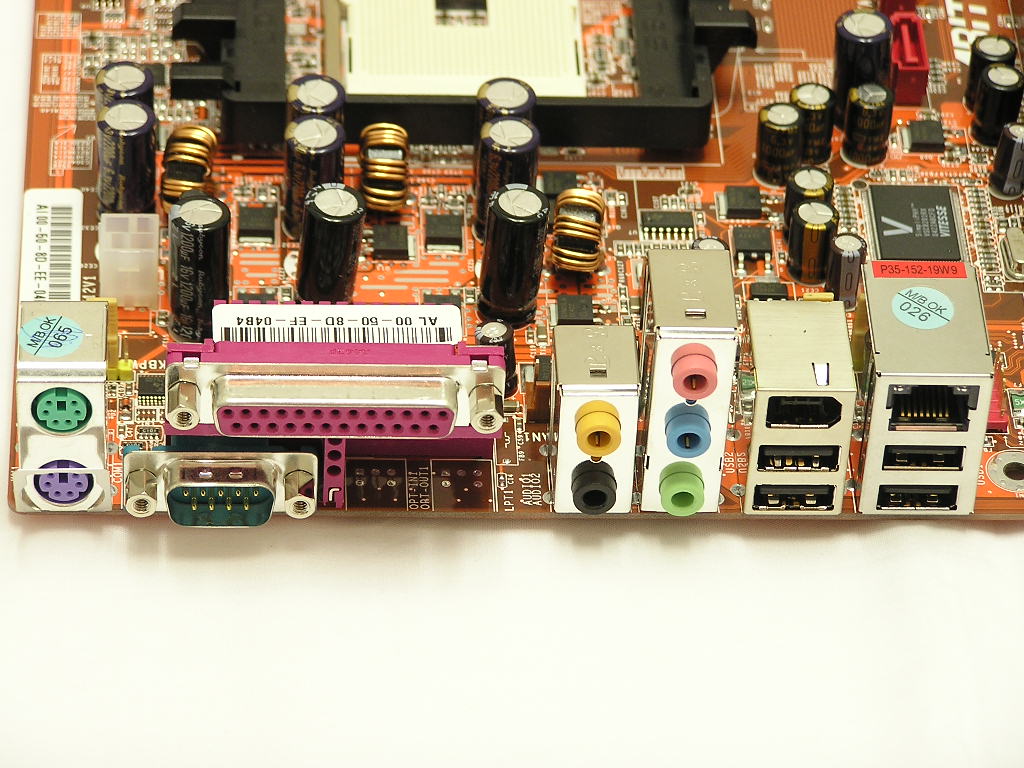
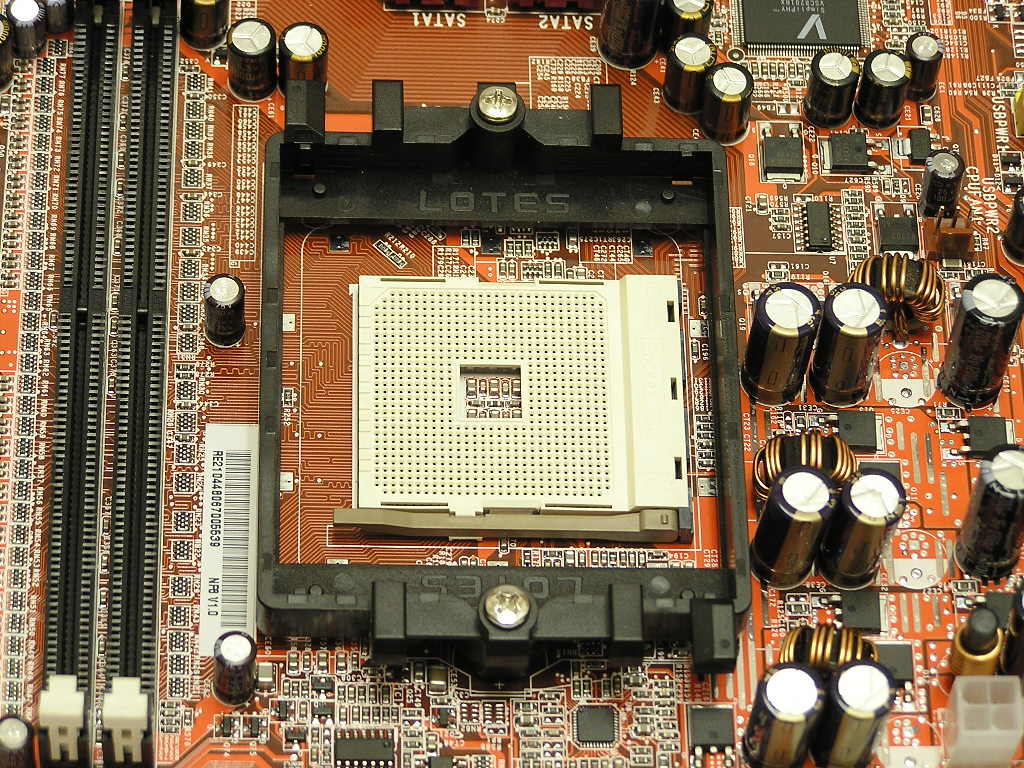
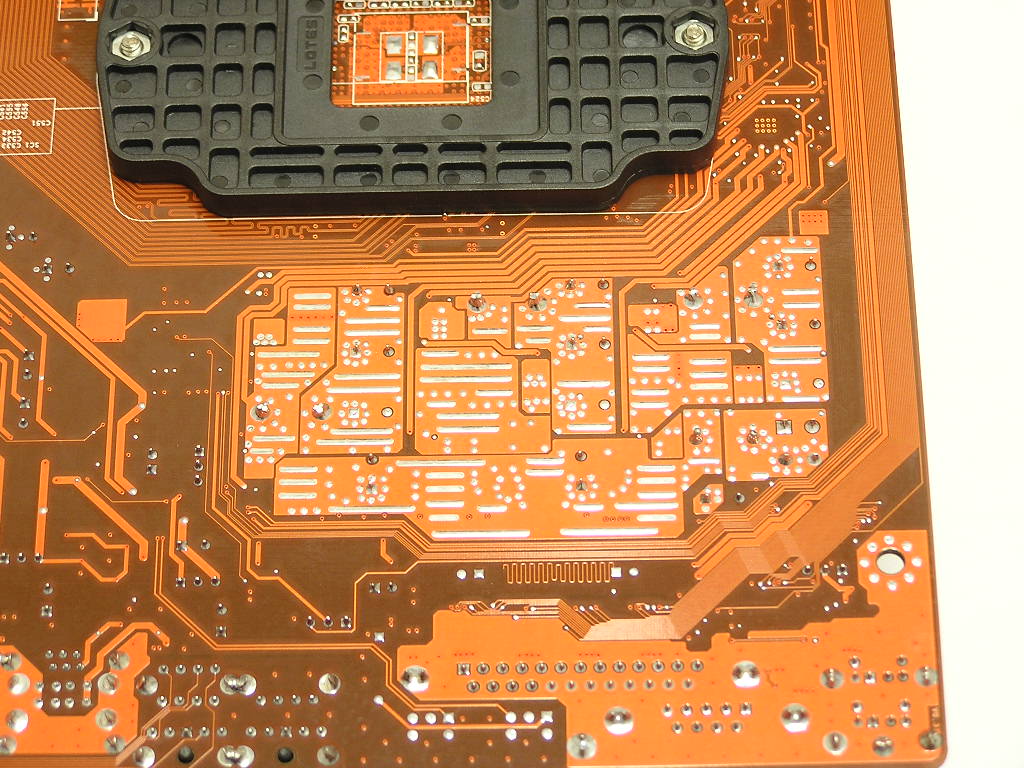
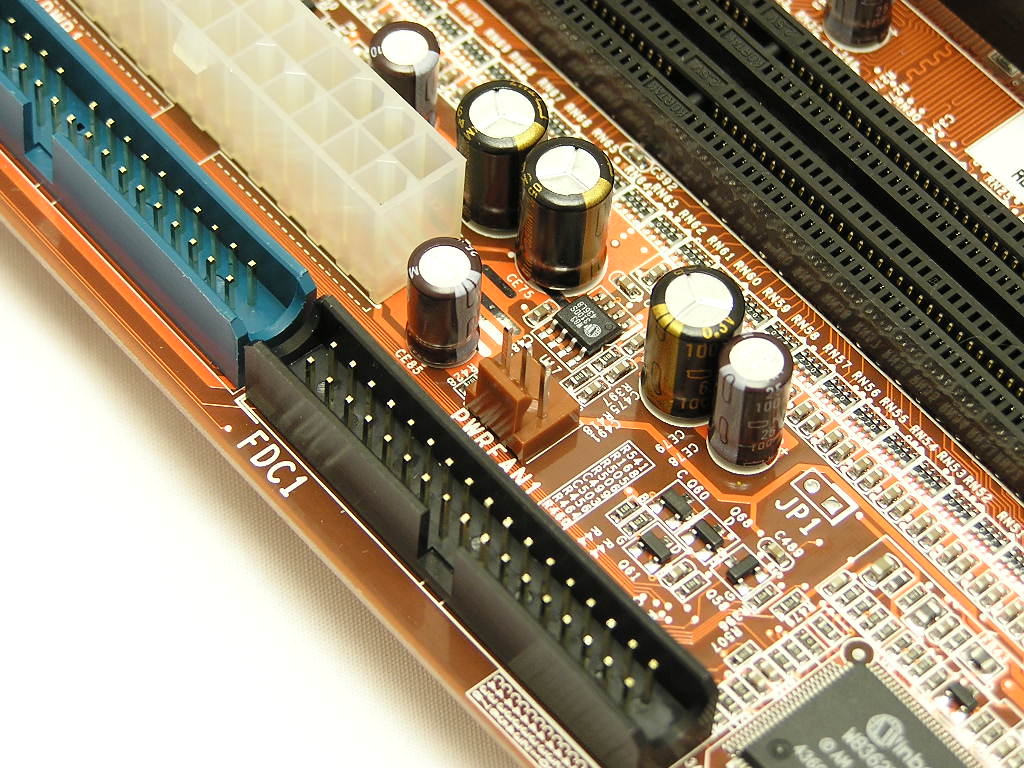
There seems to be ample space around the CPU socket on the NF8. The DIMMs are a little too close to the socket, but I didn’t have any troubles installing the Zalman CNPS7700-AlCu. As usual, next to the CPU socket are the MOSFET’s. A little while back, many complained that capacitors started blowing up on old Abit motherboards. Abit has fixed that problem by using 100% all Japanese capacitors. Around the MOSFET area are what Abit calls “overclocking strips”. These tracings are thicker and wider to allow better heat dissipation and maintain stability under stress. These strips can also be found on the back of the motherboard, near the CPU socket area. The 12v 4pin connector dedicated for the CPU is located towards the top left corner. This is a prime placement, because it doesn’t require the power cable to be stretched around the CPU area.
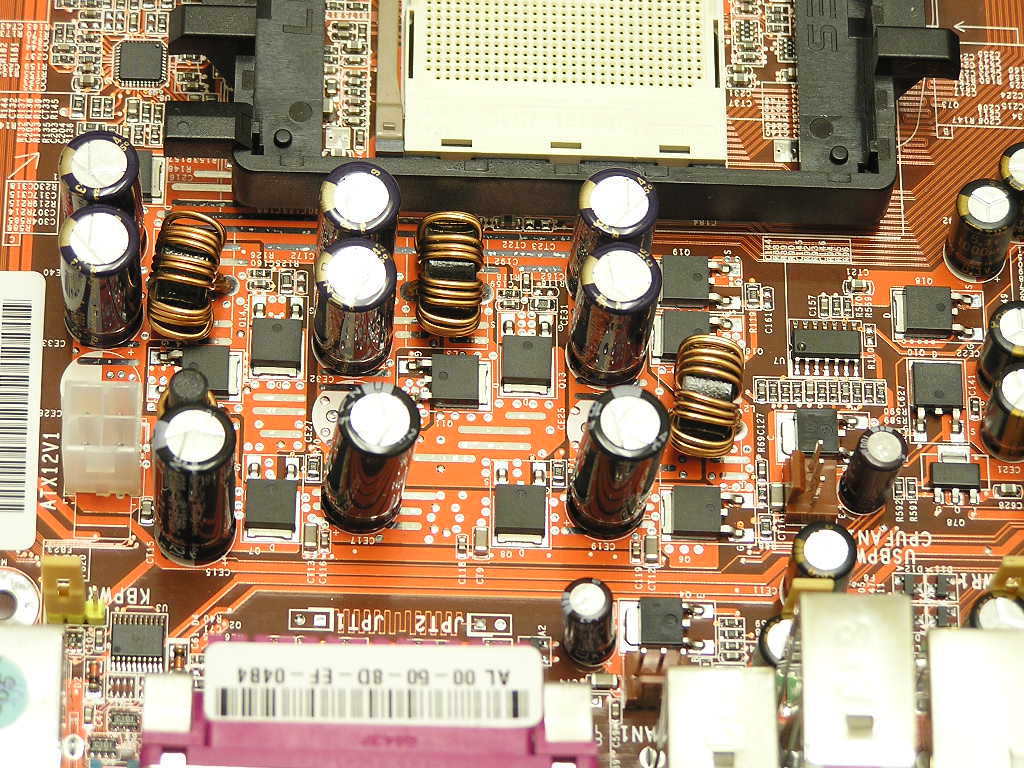
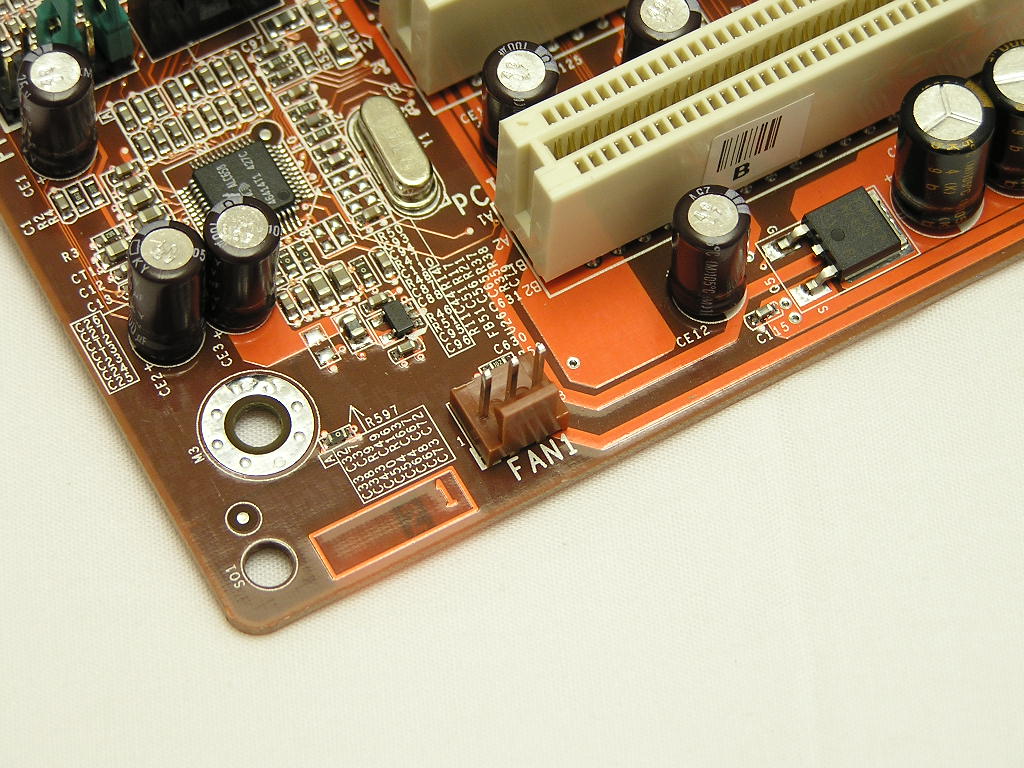
Like the KV8 Pro cousin, the NF8 comes supplied with a whopping 5 onboard fan headers. This is great, because now you can monitor the RPM’s of the two intake fans, two exhaust fans, and the CPU fan.
BIOS
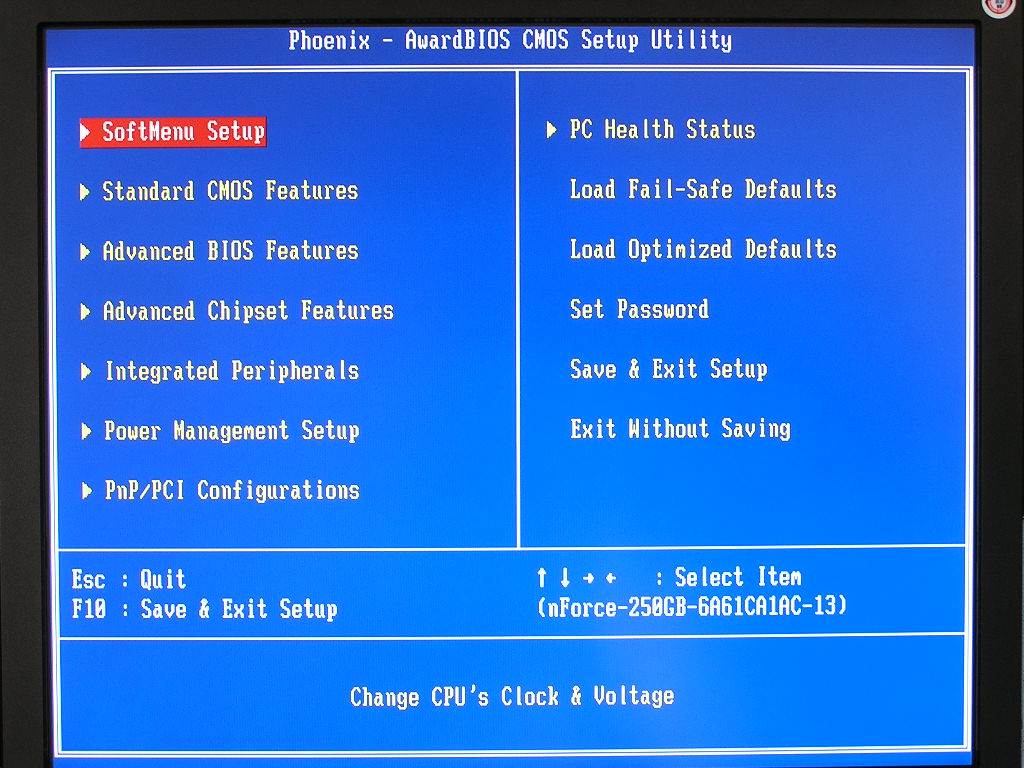
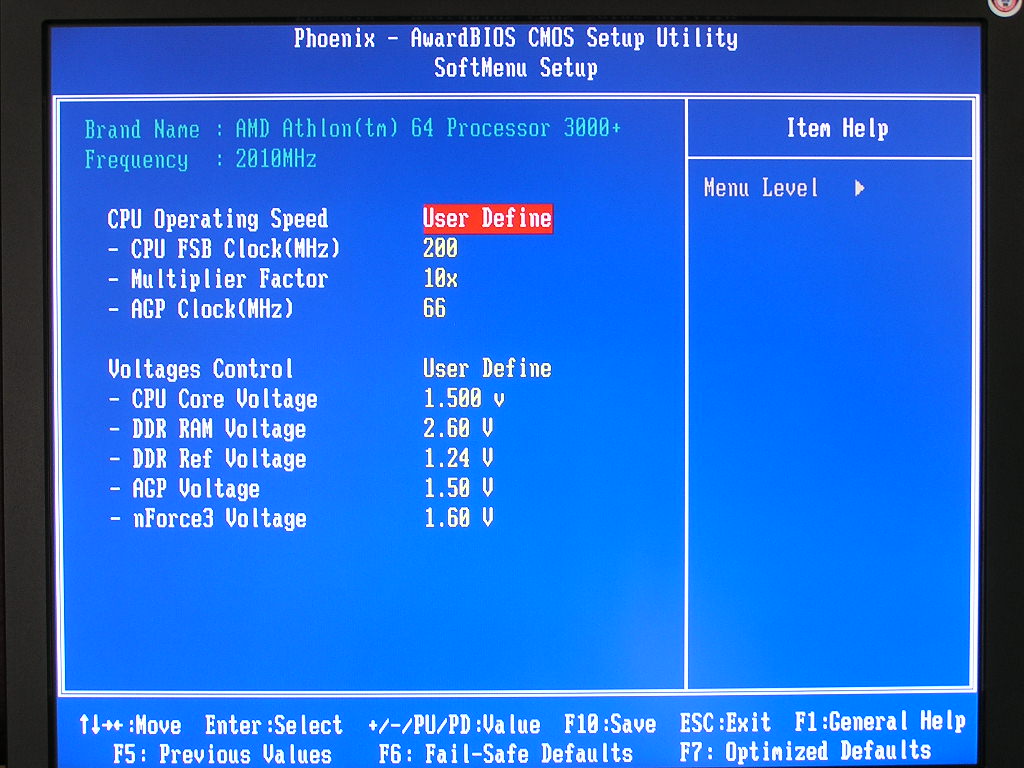
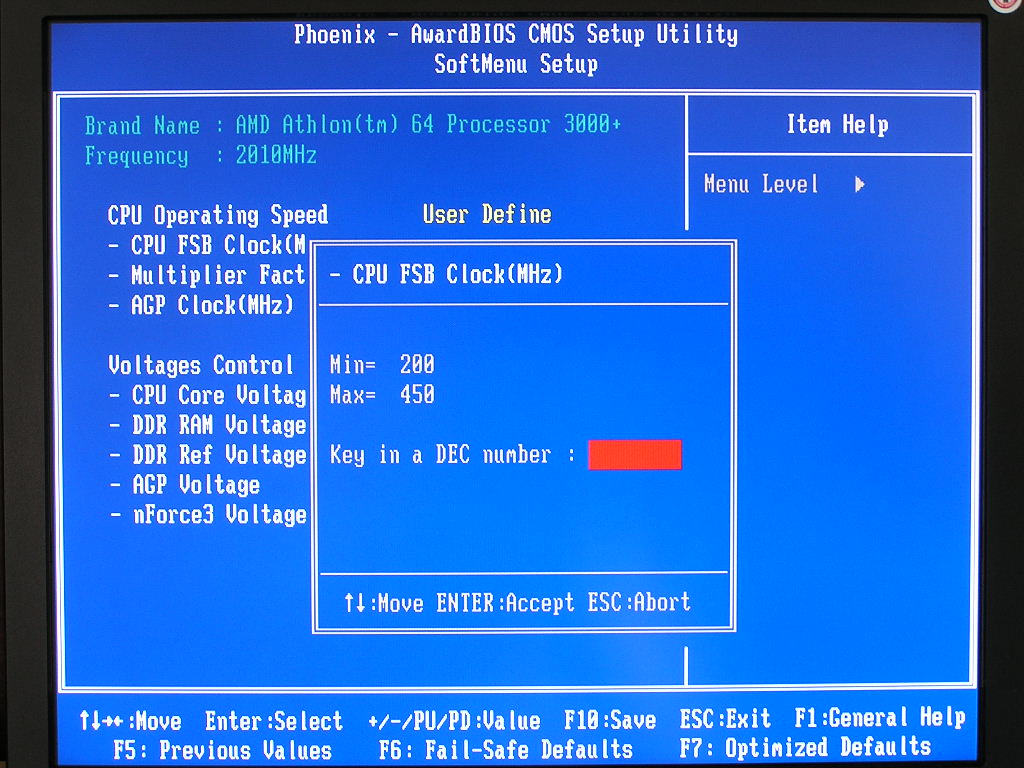
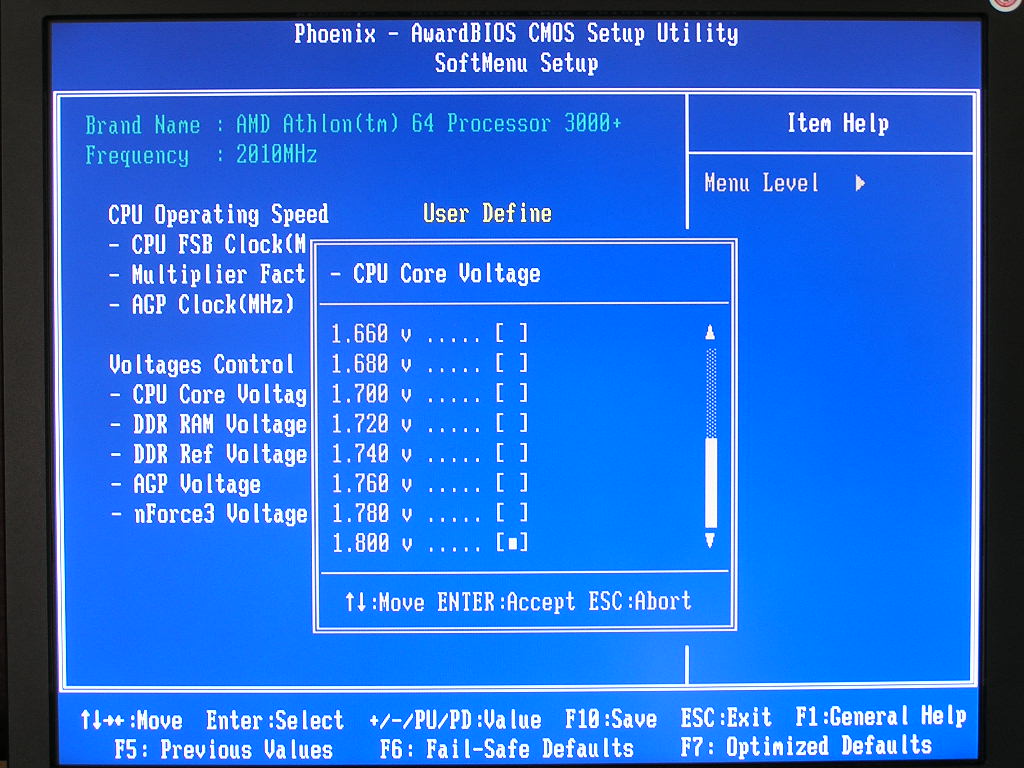
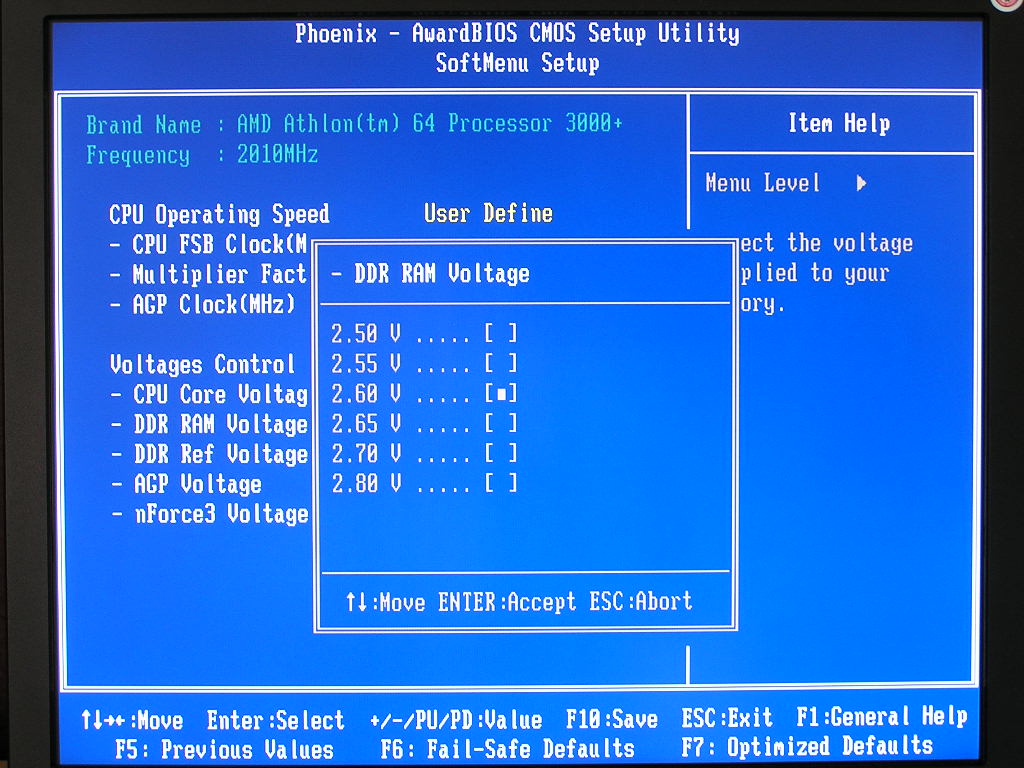
Abit continues the use of their nicely organized SoftMenu system for overclocking. The section includes all the necessities to achieve good overclocking results.
- VCore: 1.5v-1.8v
- VDIMM: 2.5v-2.8v
- DDR Ref Voltage: 1.24v-1.33v
- VAGP: 1.5v-1.65v
- Chipset Voltage: 1.6v-1.72v
- LDT Multipliers: 1x-5x, AUTO
- Memory Dividers: AUTO, 100, 133, 166, 200
- CPU Multipliers: 4x-highest your CPU allows
- AGP Ratio: 66MHZ-100MHZ
The BIOS seems well put but does lack a little in the VDIMM department. While the popular TCCD chips usually only need a maximum of 2.8v, users with old BH5, UTT, or even OCZ EB memory will want more than that. If Abit’s not going to supply another DIMM slot for use with the DDR Booster, they should definitely include up to at least 3.2v for VDIMM. All the other voltages seem to be pretty fair. The DDR reference voltage is not something I’m very familiar with. I’ve never seen that come up in a motherboard before, and I’ve played with plenty. If it’s the VTT tracking that I presume to be, then you’ll want to set it to approximately half of VDIMM. One thing though, I got better results with leaving DDR Ref Voltage to 1.24v. Upping it seemed to cause more instability for me.
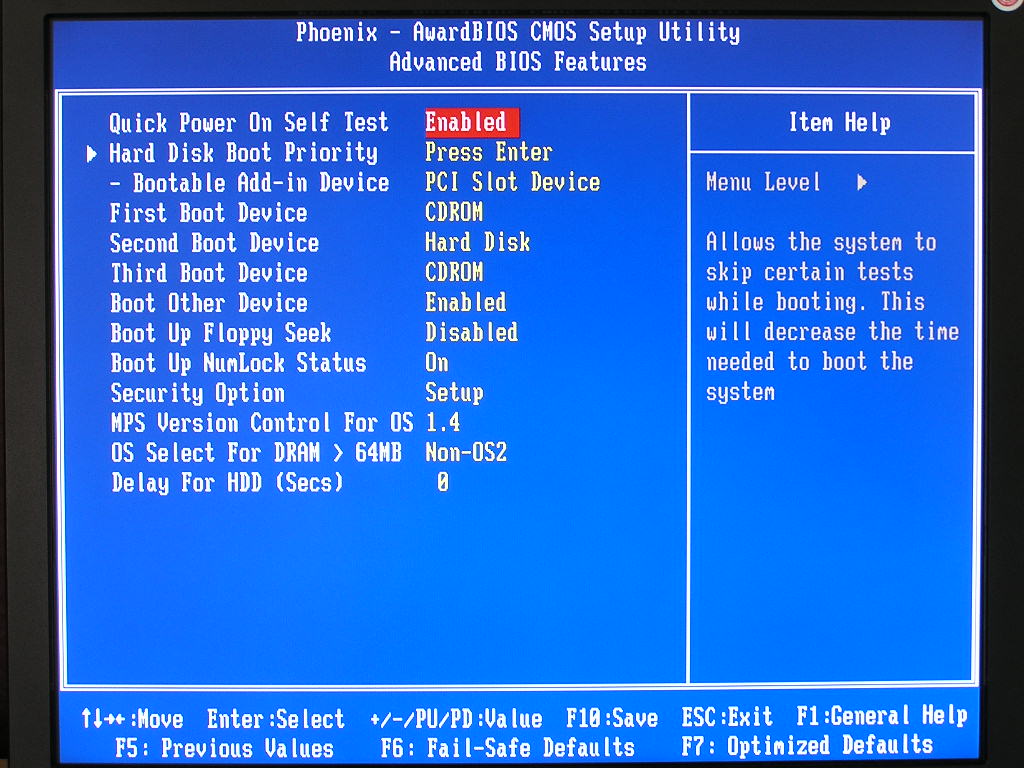
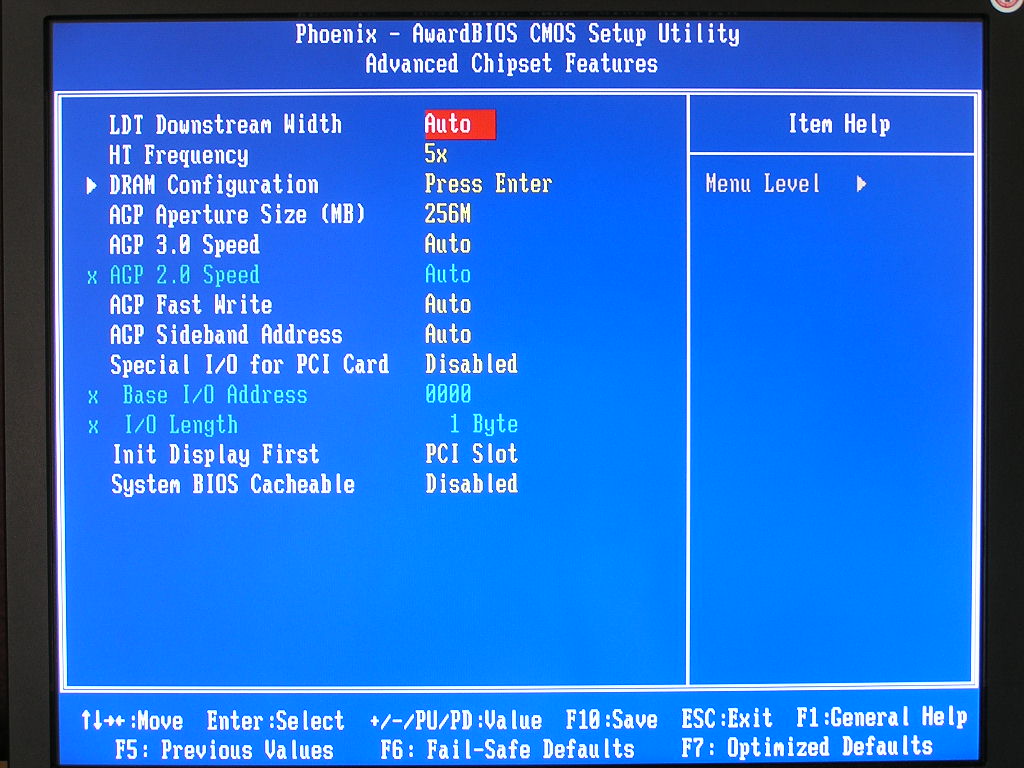
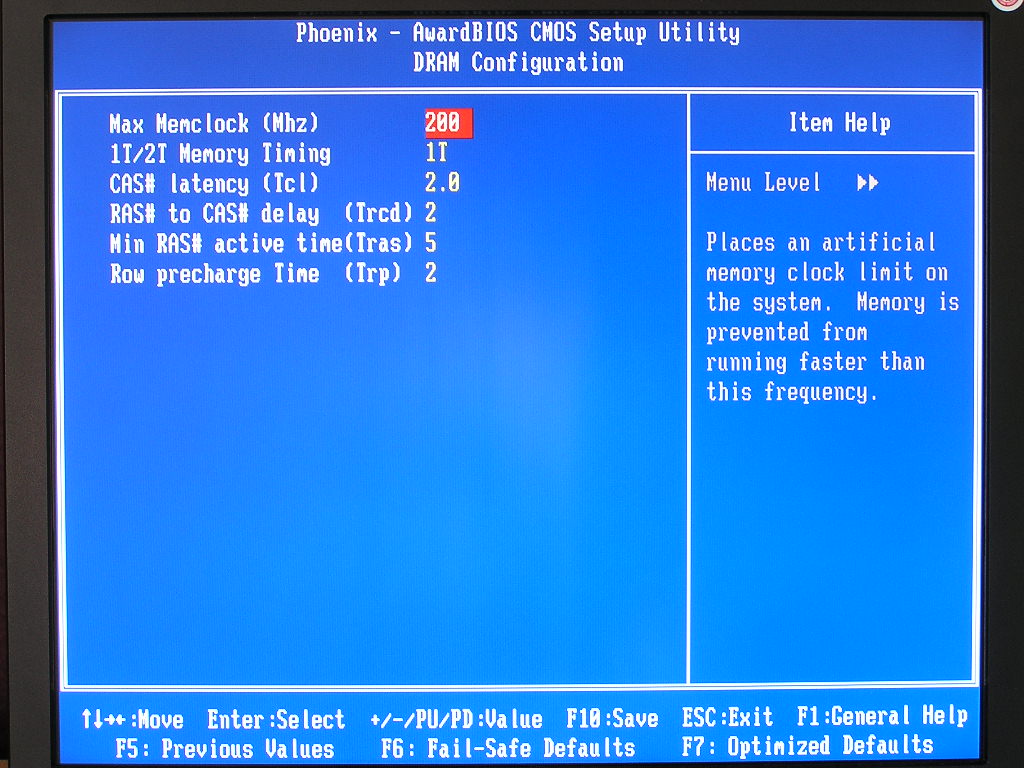
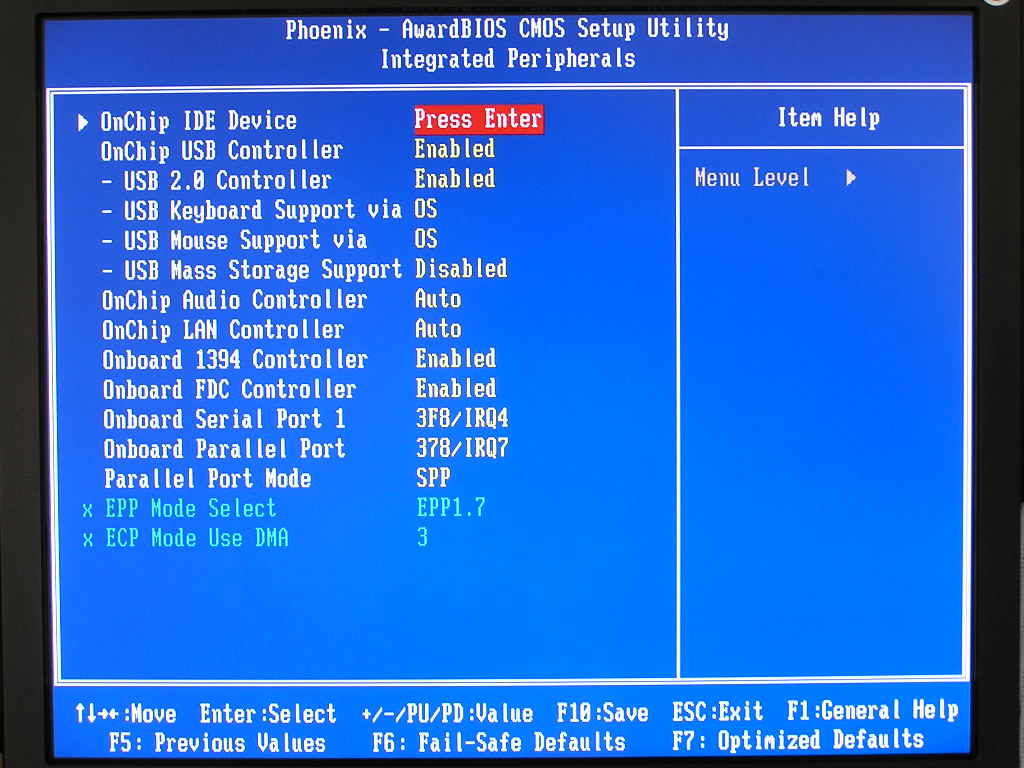
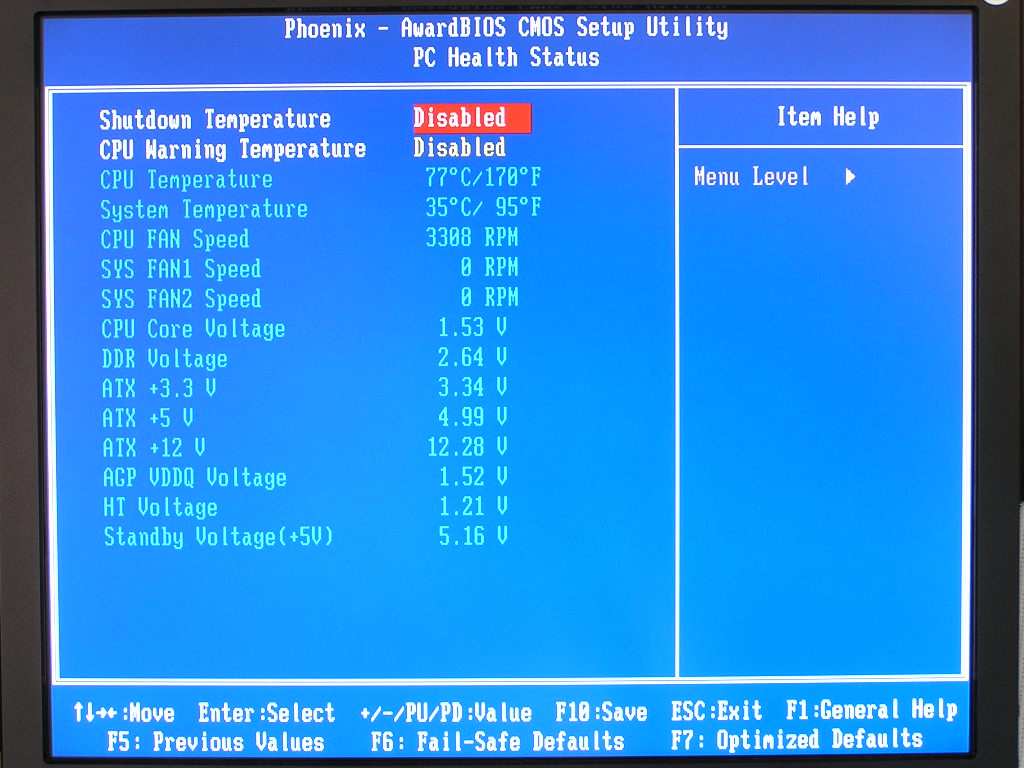
The Phoenix Award BIOS is very simple to navigate and understand. There were no special options for memory latency adjustments other than the usual CAS, TRCD, TRP, and TRAS. The NF8 does allow a mighty impressive 450HTT, but then again, no one is really going to hit that high. One strange thing I encountered was that if I installed my Clawhammer CPU, the Command Rate option disappears. It would only appear if I installed a Newcastle or Sempron processor. With the Clawhammer, command rate of 1T is automatically defaulted. Notice in the last BIOS shot that the CPU temperature reads 77°C. It just goes to show that you certainly can’t believe the temps you see in the BIOS.
Software
The software bundle on the NF8 is very light. In fact, it’s nonexistent. The “extras” that came in the drivers CD are Abit’s hardware monitoring utility, called Abit EQ, and their Windows BIOS update utility called FlashMenu. The drivers CD comes with all the necessary drivers for hardware to function properly.
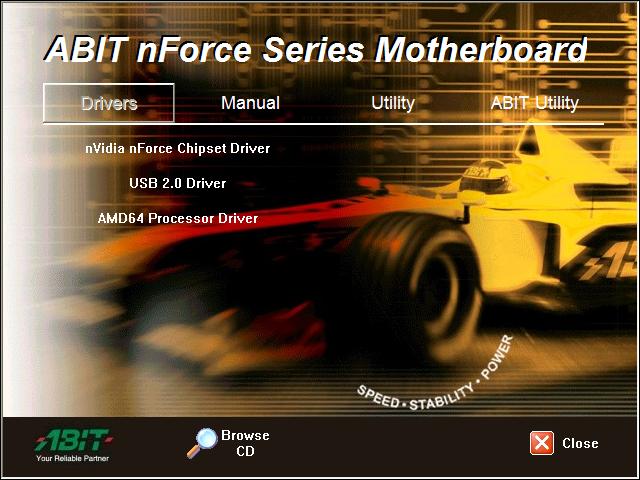
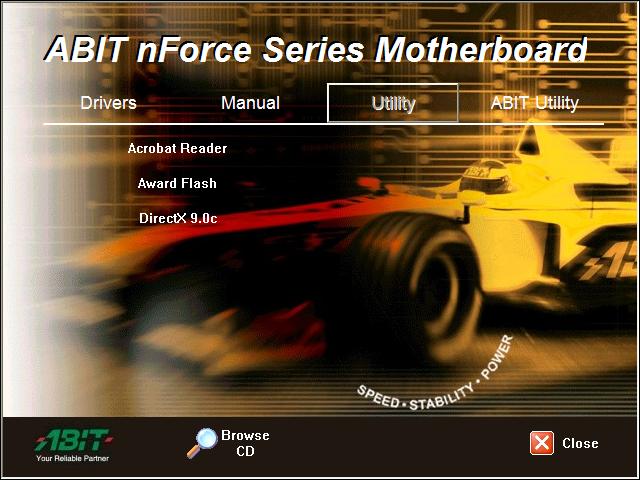
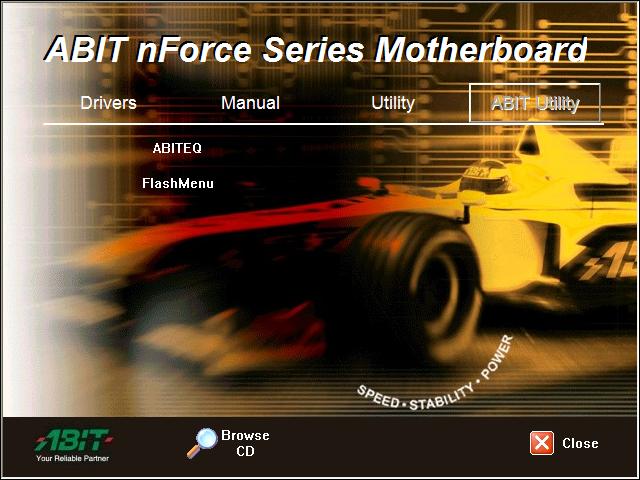
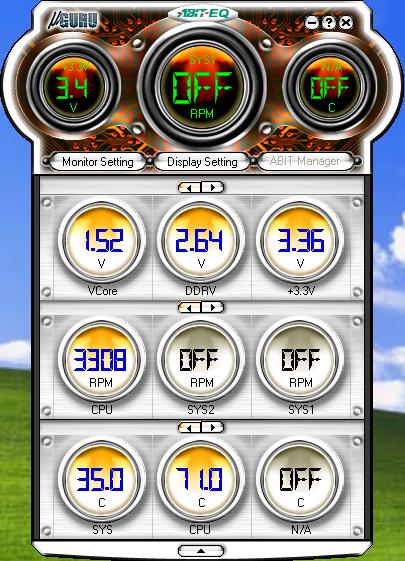
The Abit EQ hardware monitoring utility is good and easily manageable. You get to see your voltages, fan RPM’s, and temperatures. As mentioned earlier, the NF8 is definitely reading the temperature wrong. BIOS update please.
Test Setup and Overclocking
Test Setup:
- AMD Athlon64 3000+ Newcastle
- Abit NF8
- Abit KV8 Pro
- DFI LANParty UT nF3 250Gb
- Asus K8N-E
- 2 x 512MB Centon Low Latency PC3200 2-2-2-5
- ATI Radeon X800 Pro
- Nvidia unified platform drivers 5.10
- VIA Hyperion v455
- ATI Catalyst 5.1
- Hitachi 80GB SATA
Overclocking:
The NF8 provided not the best overclocking results, but good enough for 24/7 usage. I proceeded to find the highest HTT allowed with both single and dual sticks of memory installed. The first test will be conducted with the memory divider at 1:1. The second test will be with a divider, so that the RAM wouldn’t pose as a bottleneck. All memory timings were left at 3-4-4-8 2T and the LDT multiplier at 1x. I made sure that nothing would bottleneck the chipset potential. The reason why I tested with two sticks of memory is because most systems today makes good use of 1GB or more. Running 512MB can get a little slow at times, especially during game loads.
- Highest overclock 1:1 single stick: 270HTT
- Highest overclock 1:1 dual stick: 265HTT
- Highest overclock with divider single stick: 270HTT
- Highest overclock with divider dual stick: 270HTT
The results on the NF8 were very interesting. I seemed to hit a dead wall at 270HTT no matter what I did. Personally, I feel that the BIOS hasn’t released the board’s full potential. Unlike the usual instability of errors and random restarts, 270HTT was a dead ceiling. Going up slightly higher resulted in a no POST. This board is still new so Abit may release newer BIOS updates to fix this. Let’s just hope that they do.
Overclocking Update:
After spending some extra time with the motherboard with the newest BIOS 15, the board reached a new record in overclocking. With two sticks of memory installed and running a divider, the Abit NF8 reached a beautiful 320HTT. That’s certainly very impressive. For those who have yet to update to the new BIOS 15, please do so NOW. You’re missing out on some great overclocking headroom.
- New highest overclock with BIOS 15 with divider dual stick: 320HTT
The NF8 wasn’t a big challenge against the DFI LANParty UT nF3 250Gb in the overclocking department, but now with the new BIOS, it is.
Results
During testing, all HTT are manually set to 200MHZ. Command rate was set at 1T and only the normal CAS, TRCD, TRP, TRAS were adjusted to 2-2-2-5.
Sysmark 2004
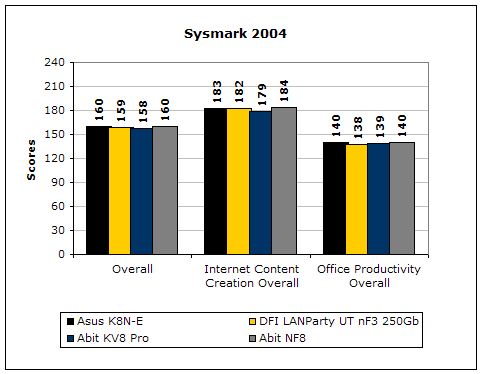
Sysmark2004 is a very common benchmark used to measure a system’s potential in performance. It goes through long and grueling tests that include compression and decompression and office intensive programs.
3DMark2001SE
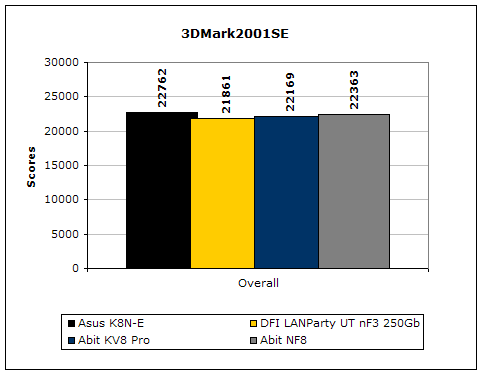
3DMark is probably the overclocker’s favorite benchmark. Unlike 3DMark2003, which stresses mainly the video card, 3DMark2001SE tests all of the system’s main components. Increasing the CPU speed, memory speed, and video card speeds will result in higher results in the final score. The NF8 hangs in there as the second fastest motherboard out of all tested.
PCMark2004
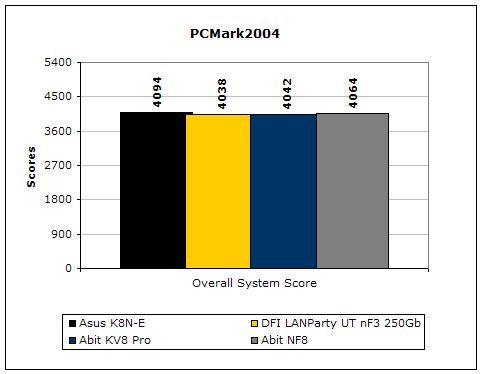
The PCMark2004 system benchmark puts the entire system to work. Again, the NF8 hangs in to be the second fastest board.
PCMark2002
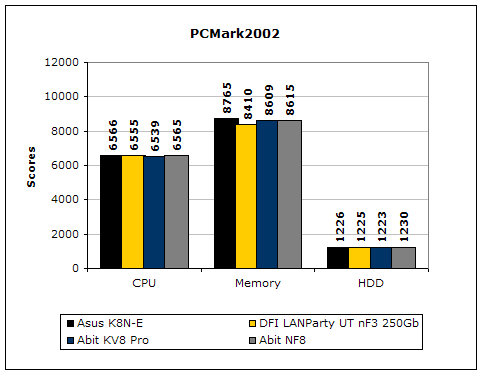
PCMark2002 is older than PCMark2004 but still very similar. The NF8 scored pretty well in this department. It’s just right behind the K8N-E.
Results Continued
Everest Home Edition
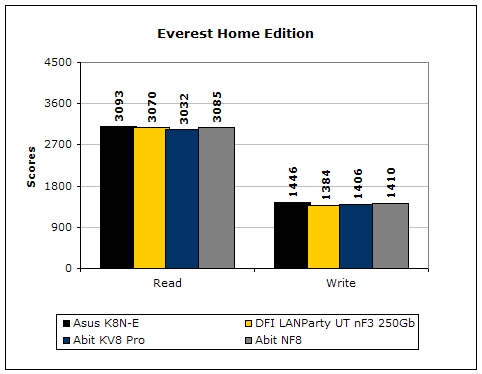
Everest Home Edition is a good benchmark for testing memory performance. Since the motherboard’s overclocking potential and memory bandwidth is closely related, I find this benchmark to be trustable.
SiSoft Sandra
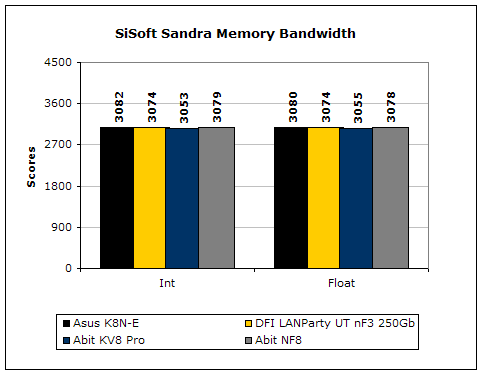
Like Everest Home Edition, SiSoft Sandra memory bandwidth tests the motherboard’s memory bandwidth performance.
Super PI
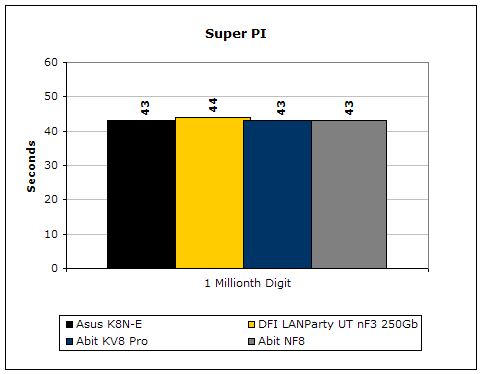
Since the value of PI is an infinite value, Super PI is a speed test to find the digit you’re looking for. In this case, we chose the millionth digit. Super PI benefits greatly from higher FSB as well as low latencies.
PiFast
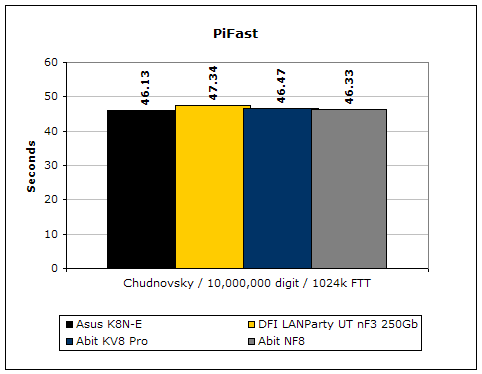
PiFast is similar to Super PI and the results can be greatly affected by a slight adjustment to the memory megahertz and latency.
Unreal Tournament 2004
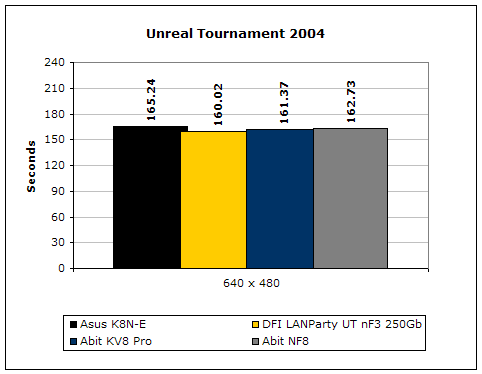
Unreal Tournament 2004 is a very popular game that is highly effected by the system’s performance. Testing was done under the resolution of 640x480 to minimize the dependency of GPU and CPU power.
Conclusion and Thoughts
In the end, does the Abit NF8 continue the legacy of the NF7? It sure seems to. The NF7 is considered to be one of the best nForce2 motherboards available. It is very stable, provides great performance, and overclocks very well. The NF8 follows the same characteristics. The board is very stable, other than the outrageous misleading detect on the CPU temperature, provides great performance, and overclocks pretty decently. It’s true that the highest overclock isn’t like the result on the DFI, but this is still a fairly new board. I’m sure that Abit can provide something better in the future; or we can just wait for beta BIOS’s from BIOS modders out there to help us crack that 270HTT ceiling. If those beta BIOS’s can help many hit 250FSB on the NF7, I’m sure something can be done to get the NF8 to hit 300HTT. Overall, I’m very pleased with the NF8. The package is light and doesn’t feature Abit’s uGuru, but the price makes up for the loss. Coming in at well below $100, the NF8 is a great board to own. The features of the nForce3 chipset along with Abit’s performance makes the NF8 a great recommendation. Sure Abit is a little late to the Socket 754 nForce3 game, but there’s nothing wrong with that. They did bring a good competitor to the field.
Pros:
- Attractive orange/red PCB
- Excellent price tag
- Abit’s excellent official support
- Great performance
- Decent overclocking potential
- Decent BIOS options
- Includes 5 fan headers
Cons:
- Lacking software bundle
- Only provides 2 DIMM slots
- CPU temperature readout is far out in the next town
- Current newest BIOS seems to limit maximum overclock potential

If you have any questions or comments, feel free to hit us up in the forums. You can also check out more of our latest reviews on the front page.