

Abit AL8
Introduction
We all know that Abit has been fairly quiet over the past couple of years. When they finally introduced some new toys, they walked in with plenty of ammo to challenge everyone in the motherboard field. The Intel side has not been extremely exciting for Abit other than the Fatal1ty AA8XE and the recently reviewed AW8. Abit fans who want to go the Intel route have been left with very limited options. That is certainly about to change.
When Intel introduced the 875P and the 865PE, many enthusiasts turned to the 865PE chipset because it was cheaper and provided performance that was on par with the bigger brother, with PAT enabled of course. What about now? Everyone has been talking about the 955X chipset, thereby making the release of the 945P seemed non-existent.
Some might think that the 955X chipset motherboards might be a little too expensive for their budget oriented system. They are right. 955X chipset based motherboards are expensive, but that’s because it comes with all the great features and great overclocking headroom. For those who still want all the great onboard features such as sound, multiple SATA ports, multiple USB ports, and IEEE 1394 ports, Intel has provided a “cheaper” chipset alternative. That chipset is the 945P.
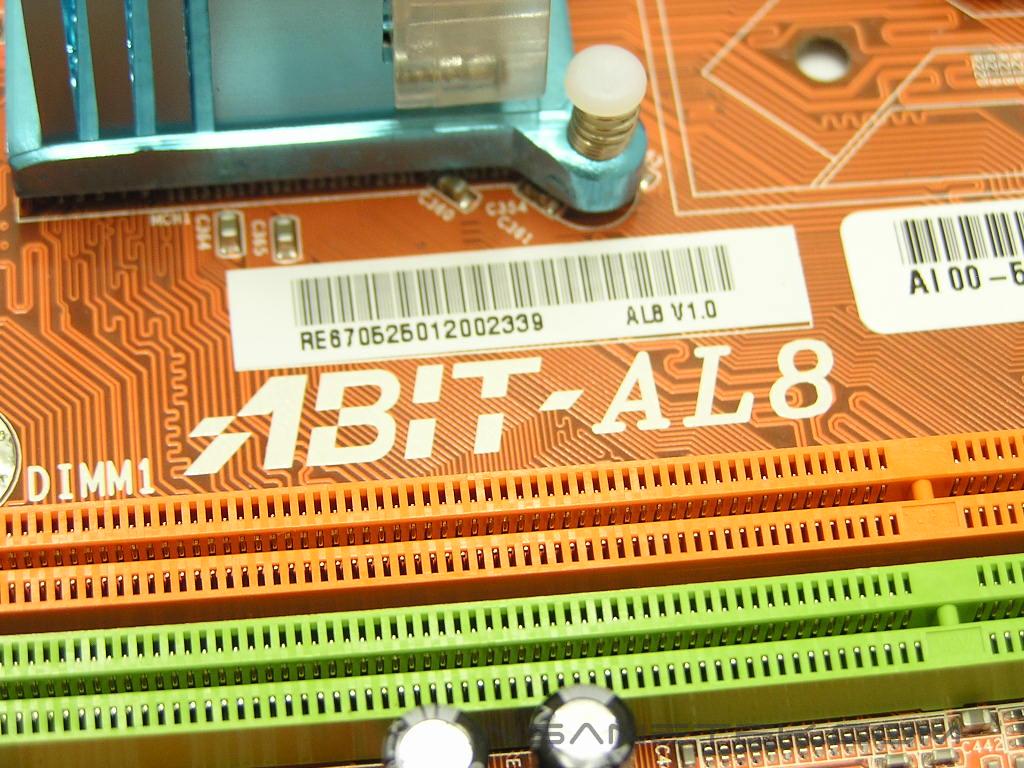
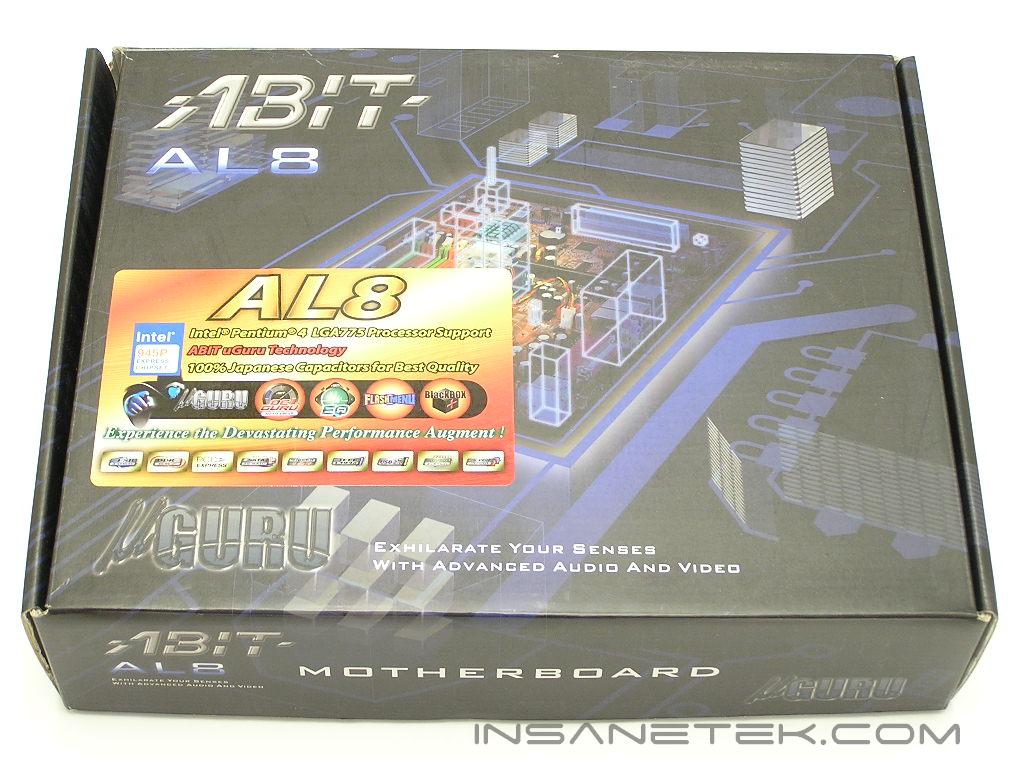
Abit AL8 Package
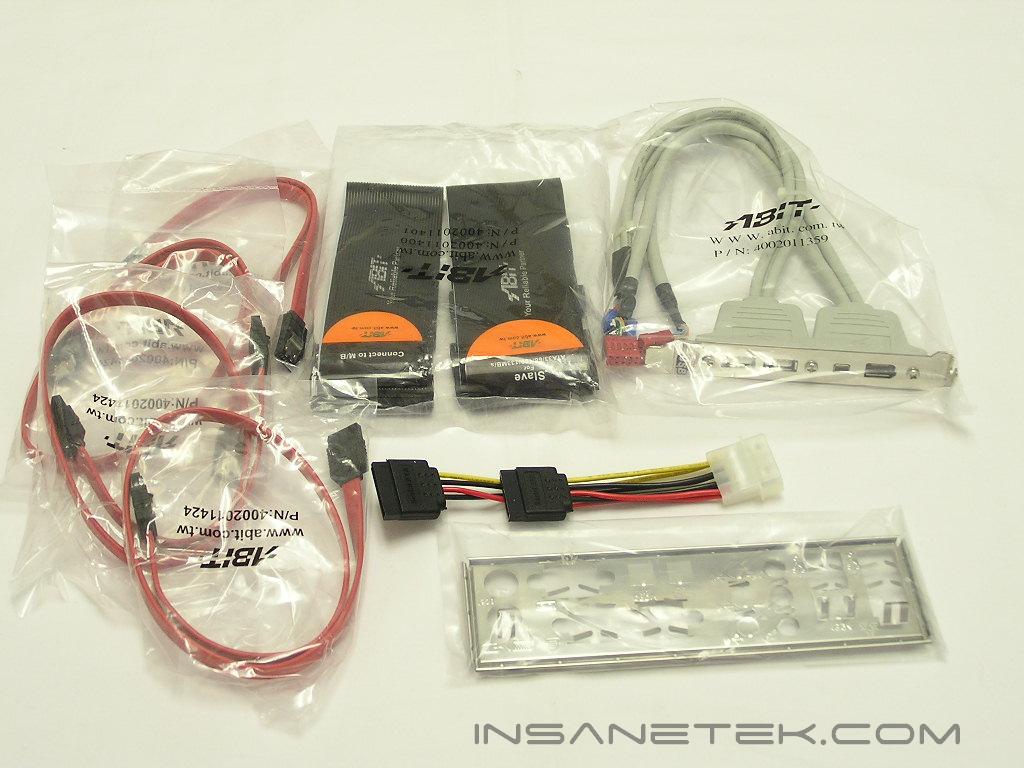
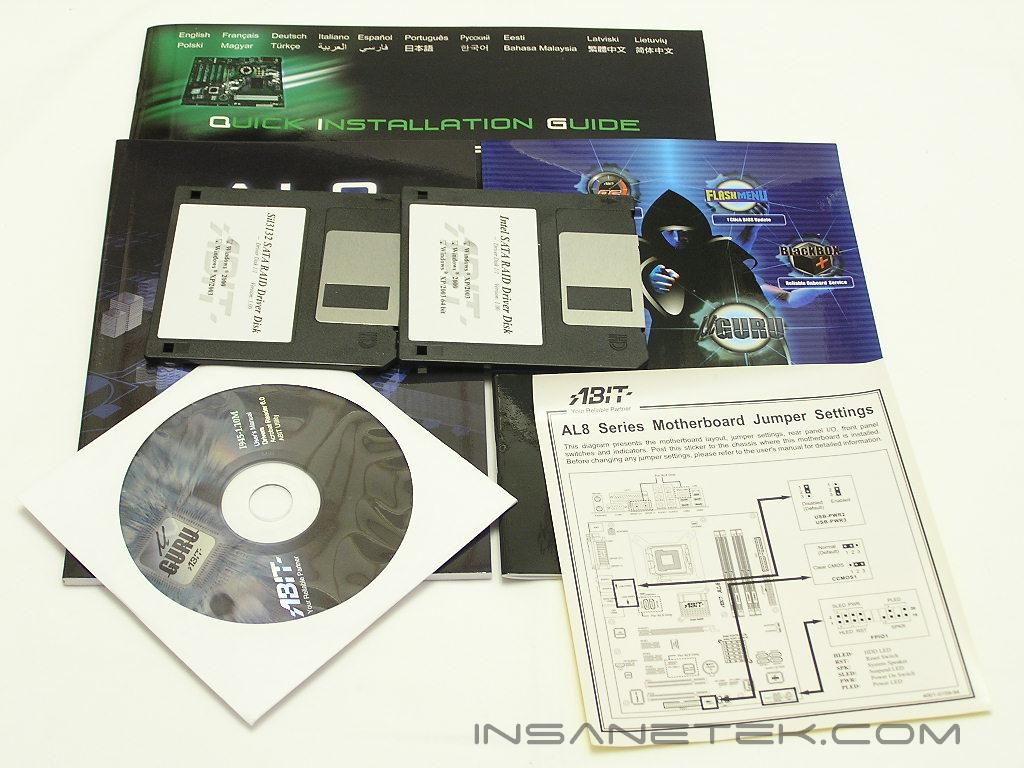
The AL8 arrived in a package that looks like any other Abit motherboard package. Since 945P based motherboards are aimed towards budget enthusiasts, you won’t be seeing a great bundle from these motherboards. Abit’s package is very straightforward and comes with all the necessities for a smooth ride. The IDE cables are black and not round. There are also the drivers CD, floppy with RAID drivers, user manuals, and a I/O backplate.
Motherboard Layout
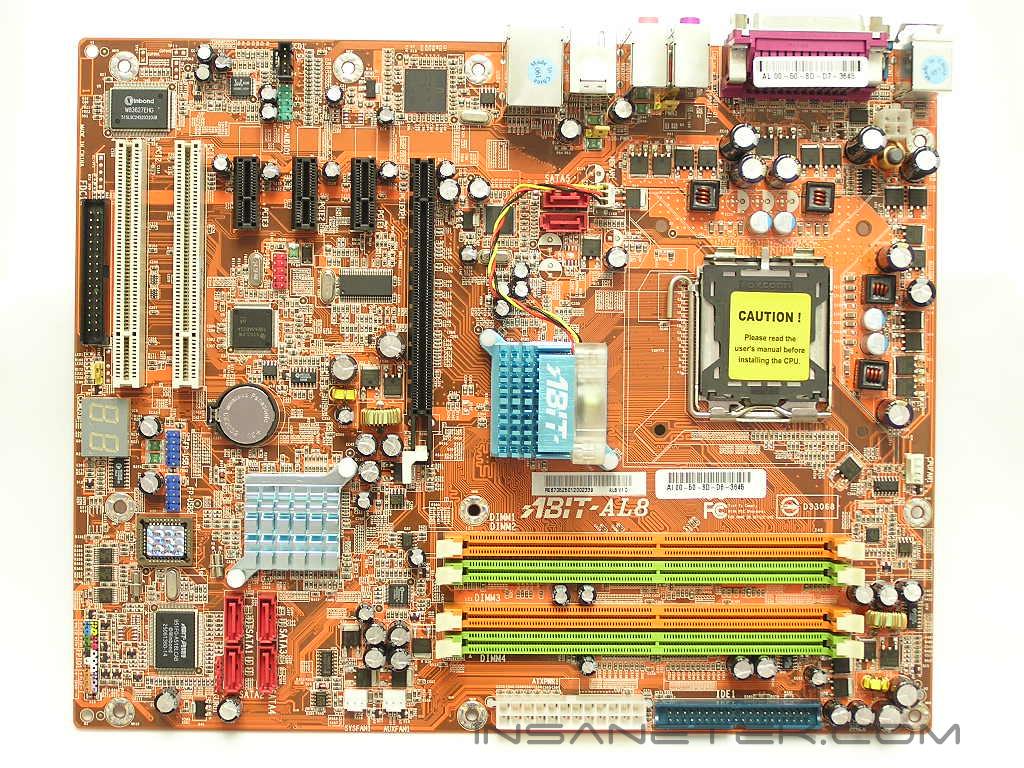
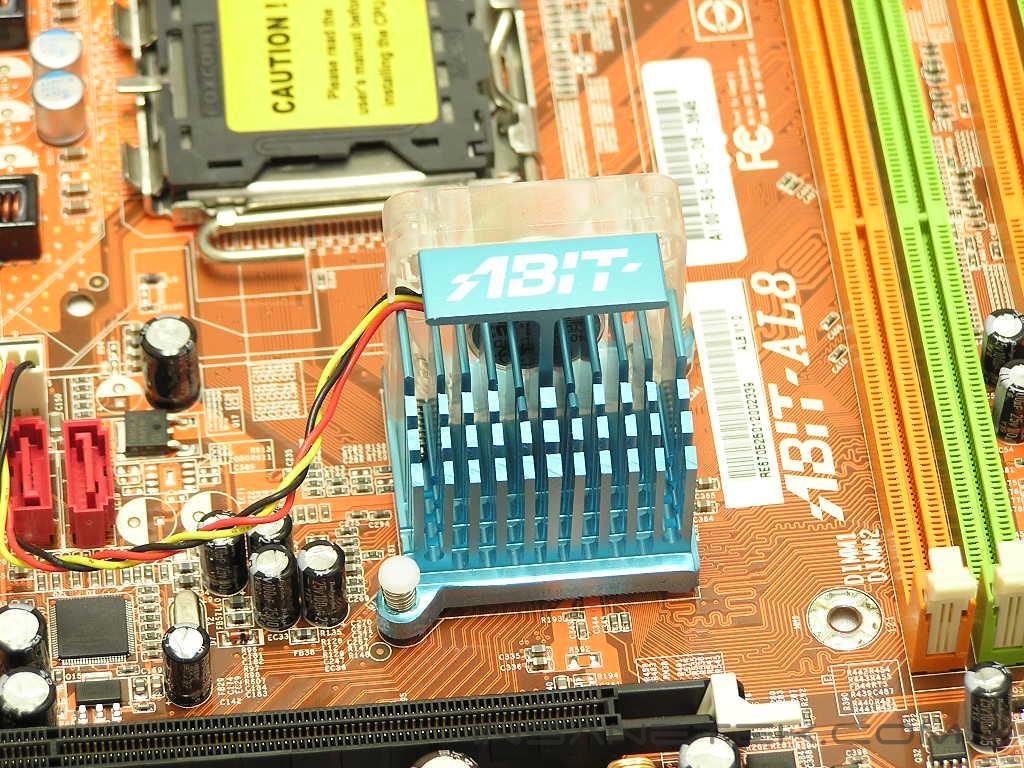
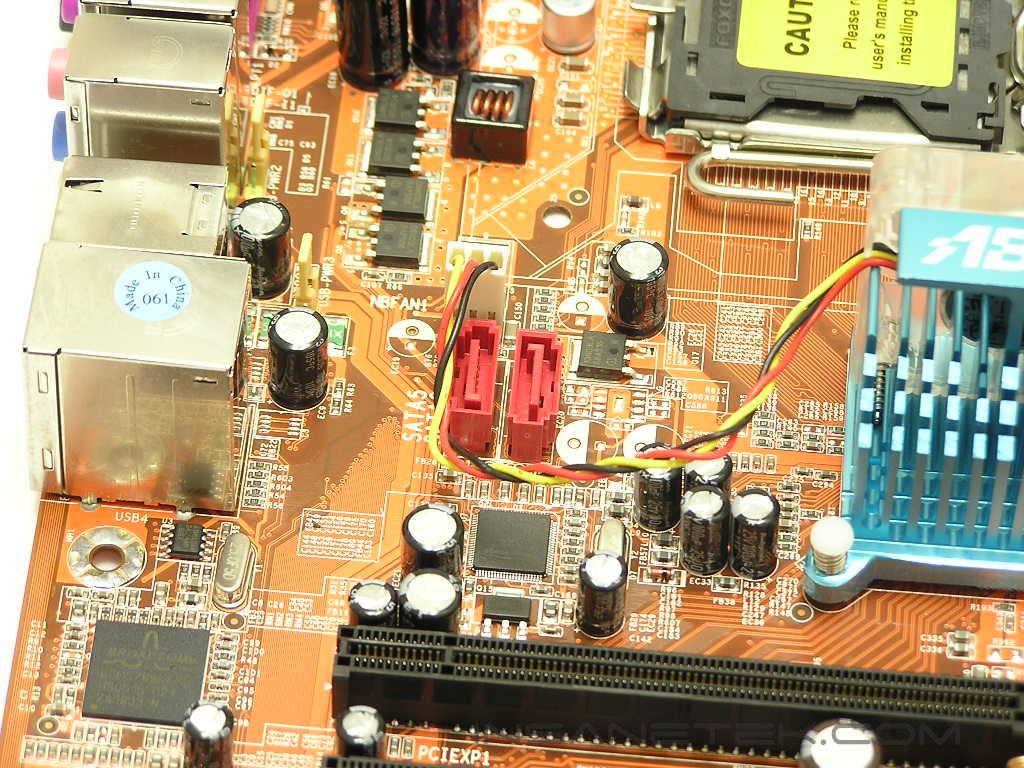
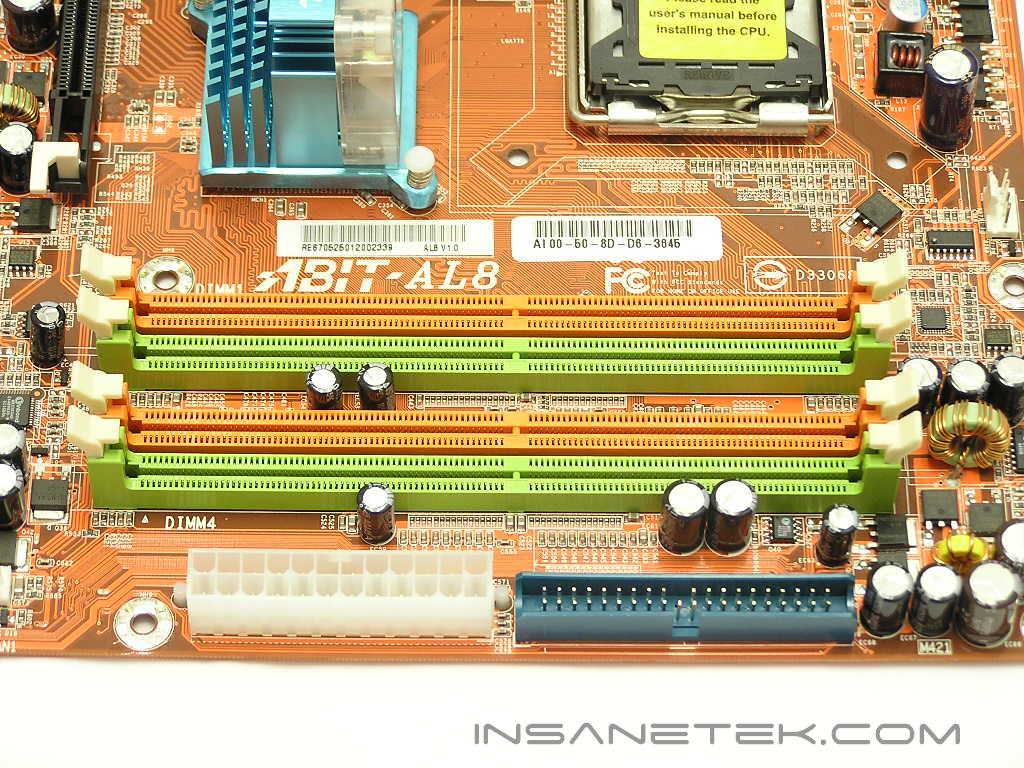
Unfortunately, the AL8 did not come with Abit’s new Silent OTES heatpipe for the Northbridge. Rather, the Northbridge is cooled by a small heatsink and fan The fan points downwards so that the passively cooled Southbridge will contribute to the airflow. I never really understood this orientation. When a motherboard stands vertically in a case, heat rises. The fan in this setup is trying to blow heat downwards towards the video card and Southbridge. Does this not mess up the natural airflow in a case? Next to the Southbridge are the SATA ports. There are two additional SATA ports next to the Northbridge that are supposed to be for future external drive use. I still cannot seem to find how the SATA cables can stretch out through the rear.
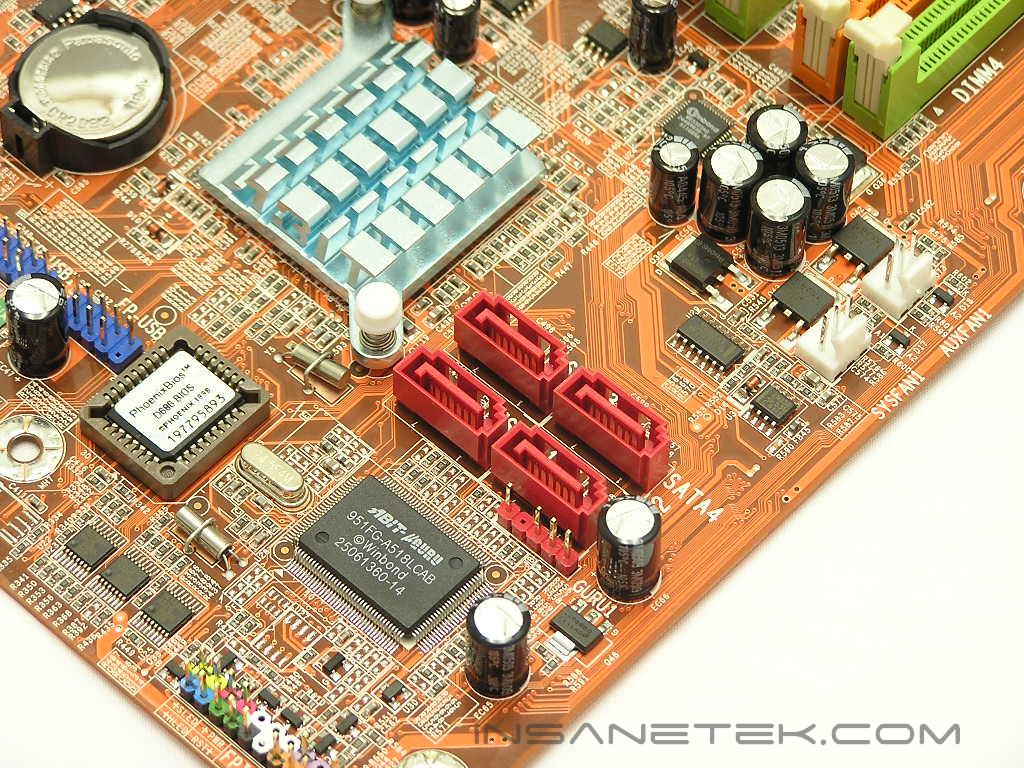
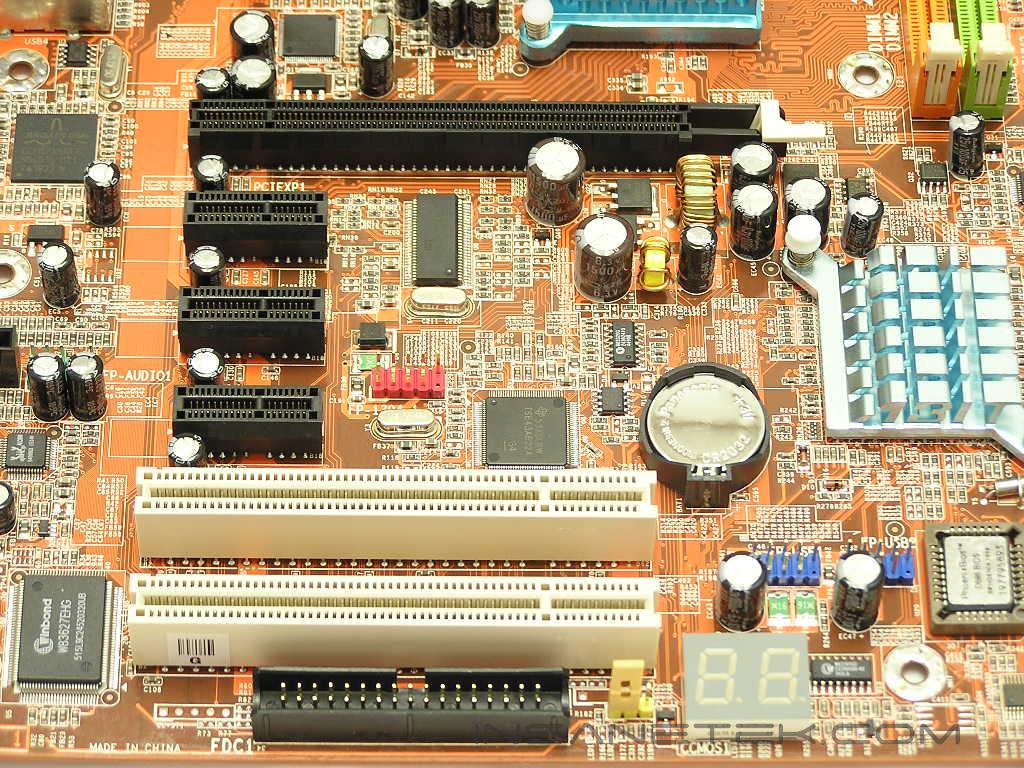
As with the AW8, the DIMM slots on the AL8 are color coded, orange and lime green, to denote dual channel capability. I personally find these colors to be hideous. The 24pin motherboard ATX power connector is located conveniently to the edge of the motherboard, allowing enthusiasts to easily tuck away the large power cable. Right above the ATX power connector is the single IDE connector. More and more motherboards are released with support for a single IDE connector, which means that the use of SATA for all drives in the future is pretty apparent. The floppy connector is located at the bottom edge of the motherboard. I hate this placement because it causes the floppy cable to stretch across the case just to reach the floppy drive. Right above the floppy connector are two regular PCI slots, three PCI-E x1 slots, and a single PCI-E x16 slot. There are numerous adapters and add-on cards that are going to take advantage of the PCI-E x1 slot, so having as many as possible is great.
Motherboard Layout Continued
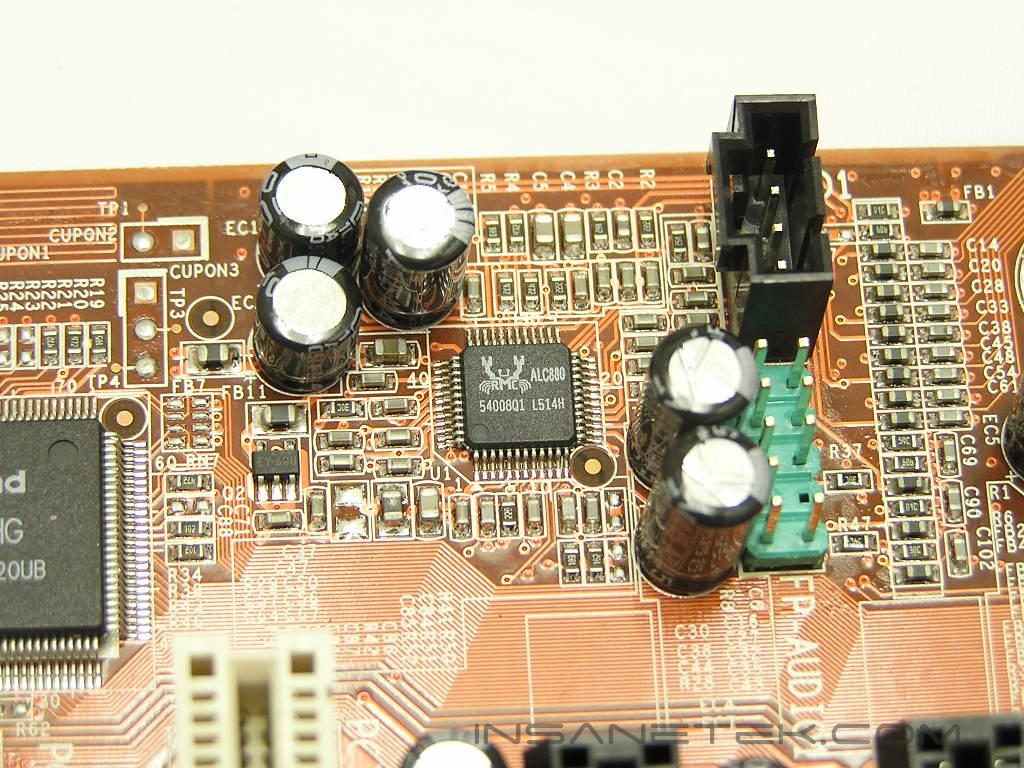
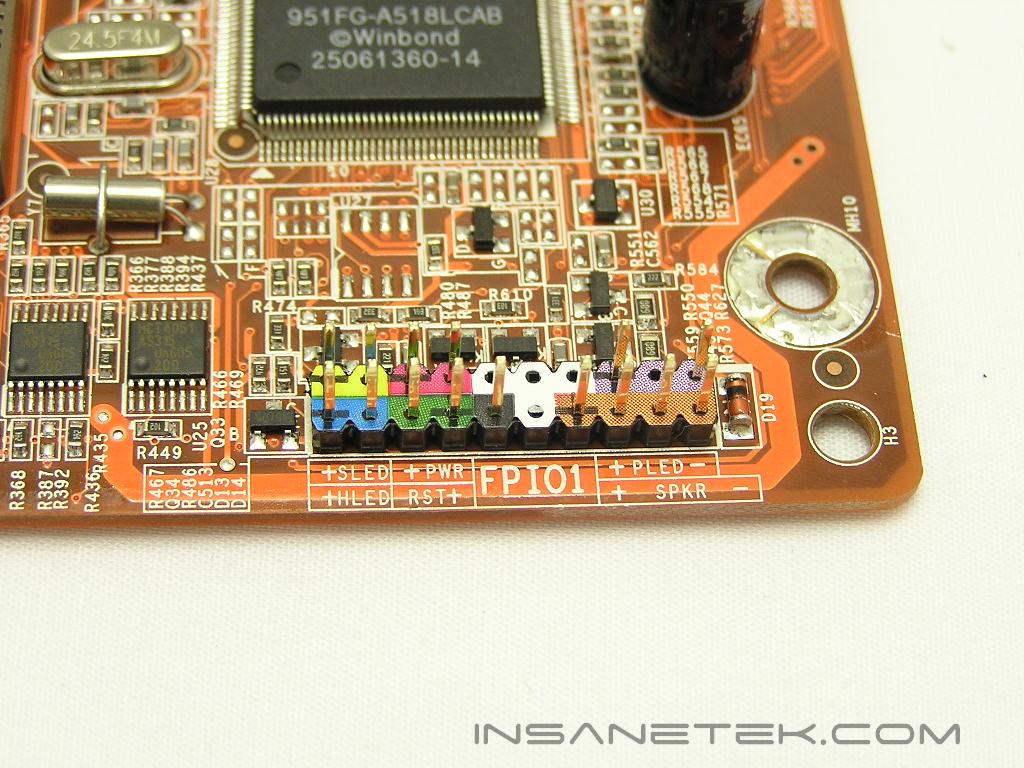
At the back I/O panel, there are the usual keyboard and mouse PS2 ports, a single serial port (who uses this???), a single parallel (this is still handy to me as I have an old laser printer), SPDIF In/Out, four USB ports, a single IEEE 1394, and a RJ45 Ethernet port. For those who want more IEEE 1394 ports, there is a header right next to the second PCI-E x1 slot. The included PCI bracket will provide additional ports. Next to the regular PCI slots are two additional USB headers for four more USB ports. The AL8 provides good audio through the Realtek ALC880 codec. The chipset allows enthusiasts to connect an 8 channel surround sound setup. Audiophiles may want to look elsewhere, but for the majority of users out there would be more than satisfied with the onboard sound solution. I use onboard sound all the time, even when I play games. The front I/O pins are nicely color coded and labeled so users won’t have to refer to their manuals when connecting the appropriate cables.
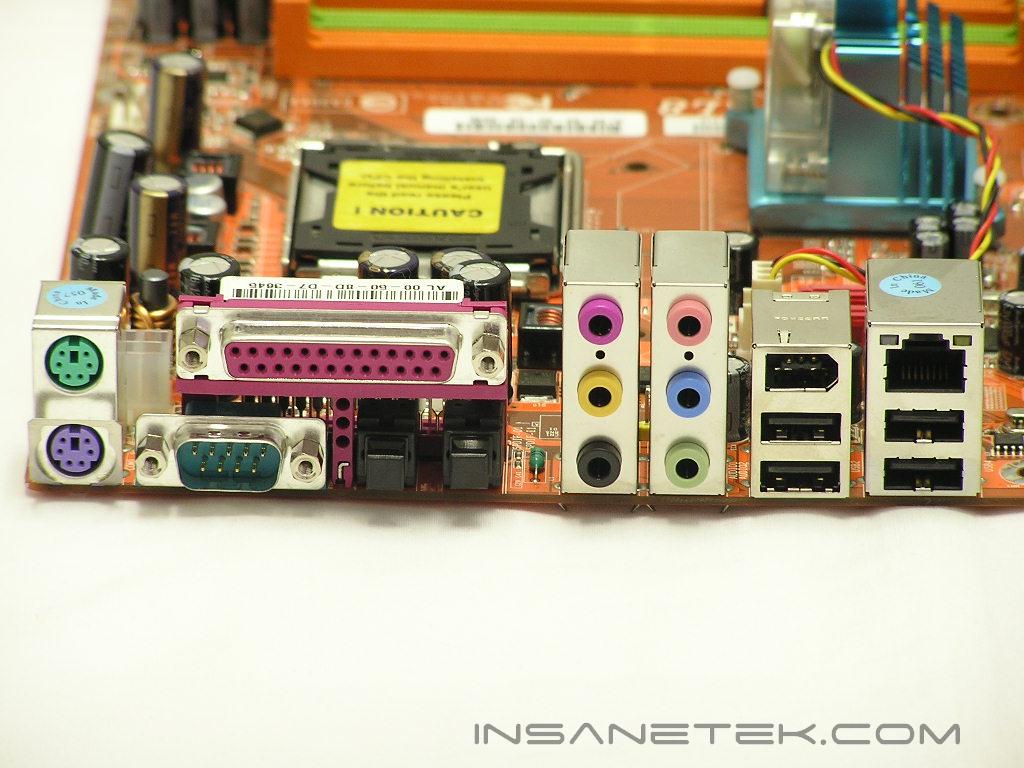
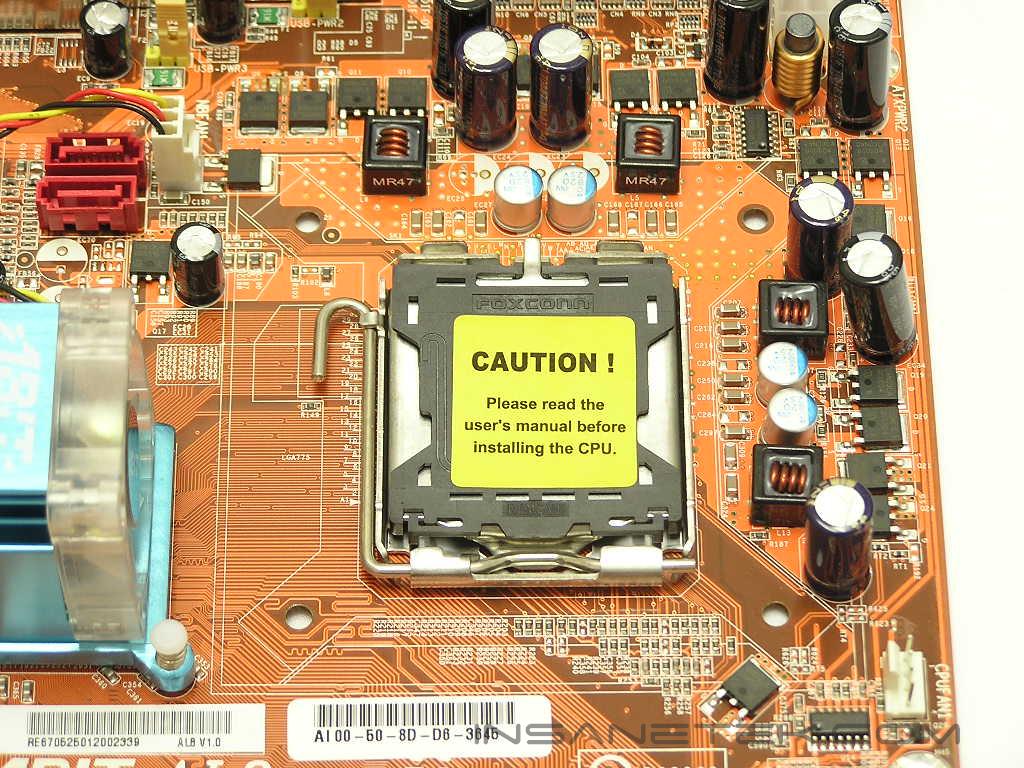
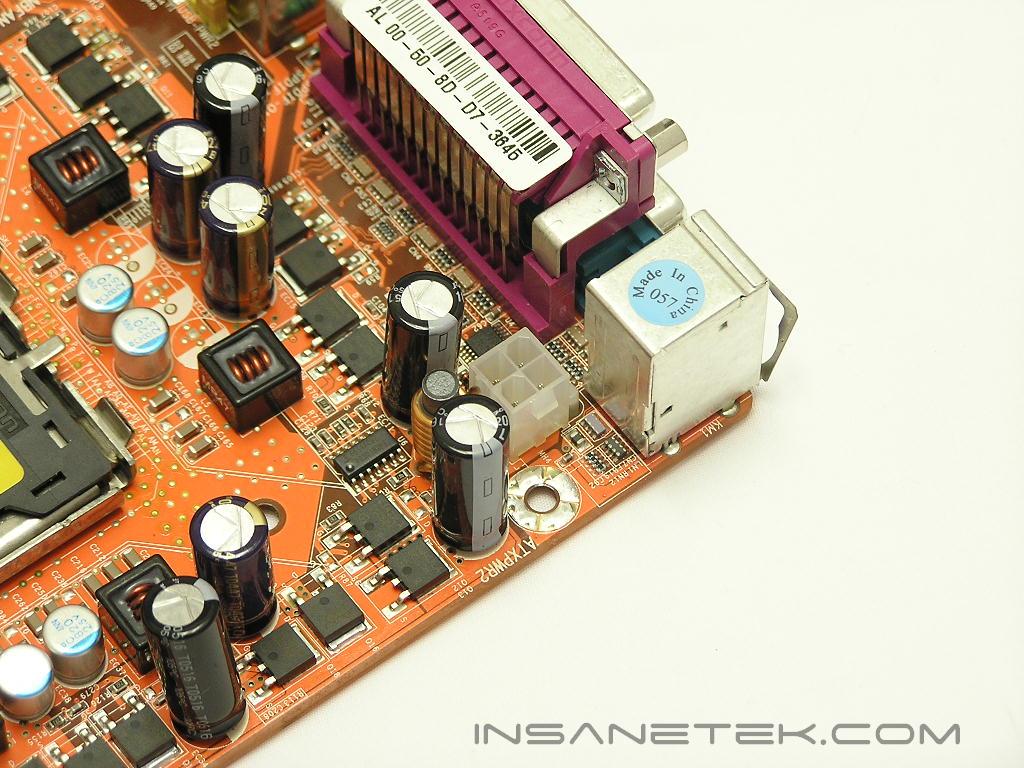
The CPU socket area provides enough clearance if enthusiasts wished to install large aftermarket CPU coolers. The only thing to worry about would be the Northbridge fan. Most of the time, you’ll have to remove the heatsink and turn it 180° to make room for protruding fins and heatpipes. One such example would be when using the Zalman CNPS7700 series. The 4pin 12v connector dedicated to bring power to the CPU is located right behind the PS2 ports. This placement is not that bad, but it can be better. The upper left corner of the motherboard will be a tight squeeze when you’re trying to install the power cable.
BIOS
Like with all other Abit motherboards, the AL8 provides a great, easy to navigate BIOS. All the overclocking options can be found under the uGuru utility. Under the uGuru utility, you will also see another section called Abit EQ. This is where you can monitor all the voltages, temperatures, and fan speeds. The memory timings are found under the Advanced Chipset area. It would have been extra nice to see these options placed in the uGuru utility, but it is not a big deal, more of a personal preference.
-
VCore: 1.3625v - 1.7125v
-
VDIMM: 1.75v - 2.3v
-
MCH & PCI-E 1.5v voltage: 1.5v - 2.0v
-
FSB Frequency: 133MHz - 400MHz
-
PCI-E Frequency: 100MHz - 150MHz
-
N/B Strap CPU as:
- PSB 533: DDR2 400 (2:3), DDR2 533 (1:2)
- PSB 800: DDR2 400 (1:1), DDR2 533 (3:4), DDR2 667 (3:5)
- PSB 1066: DDR2 533 (1:1), DDR2 667 (4:5)
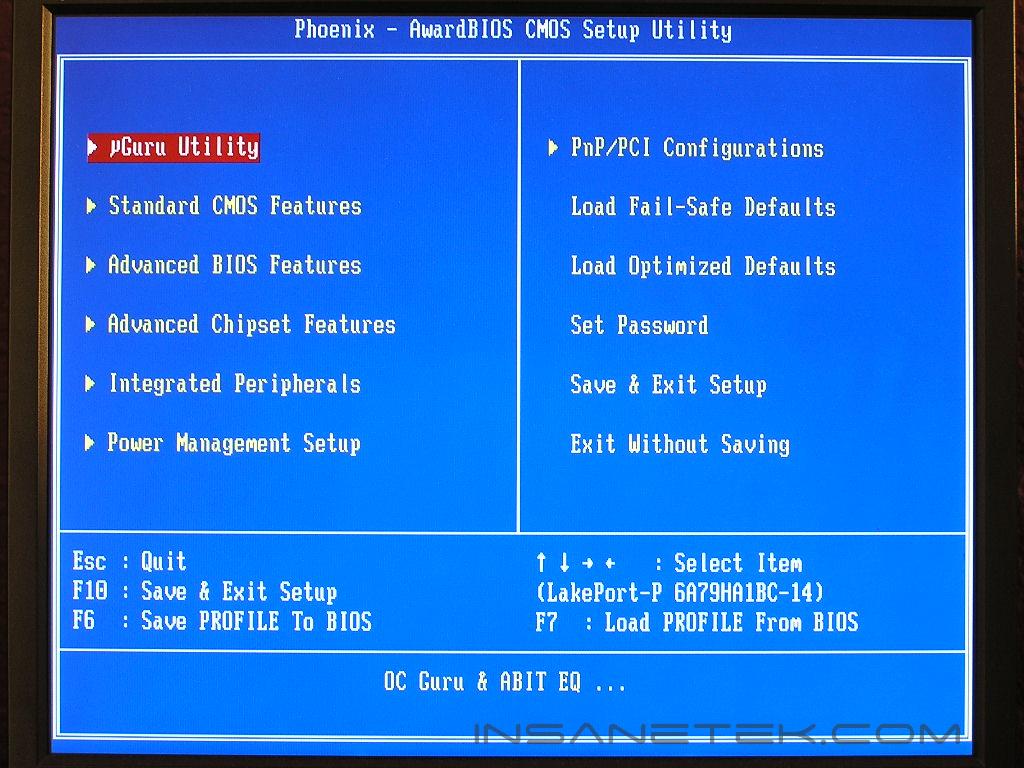
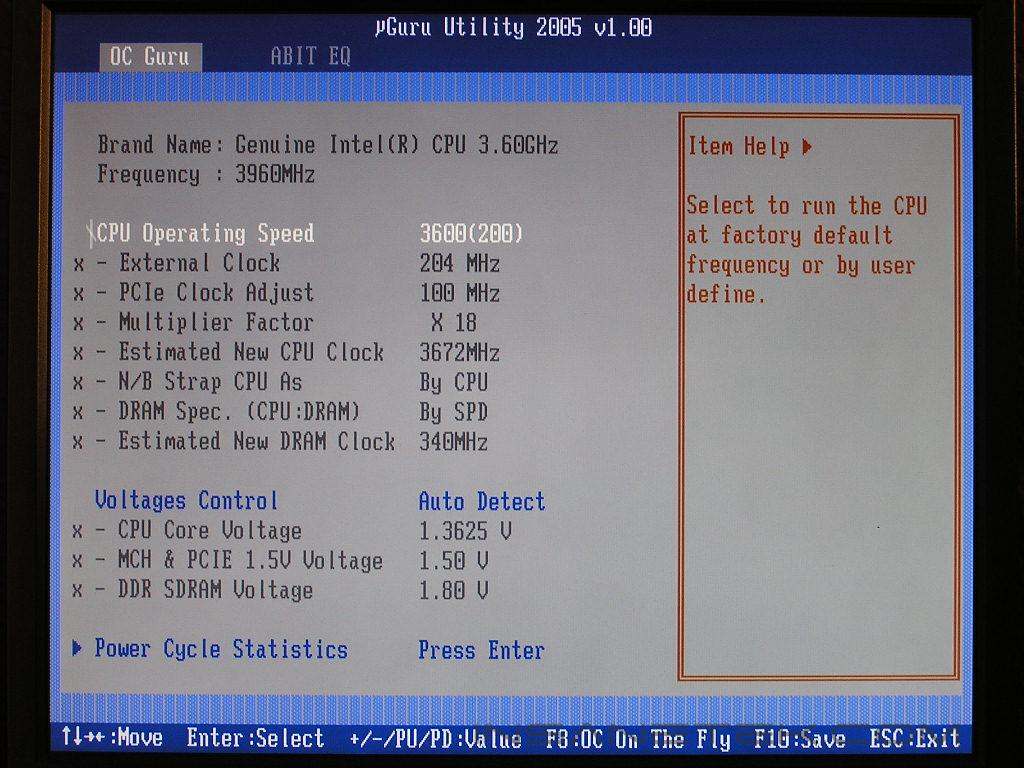
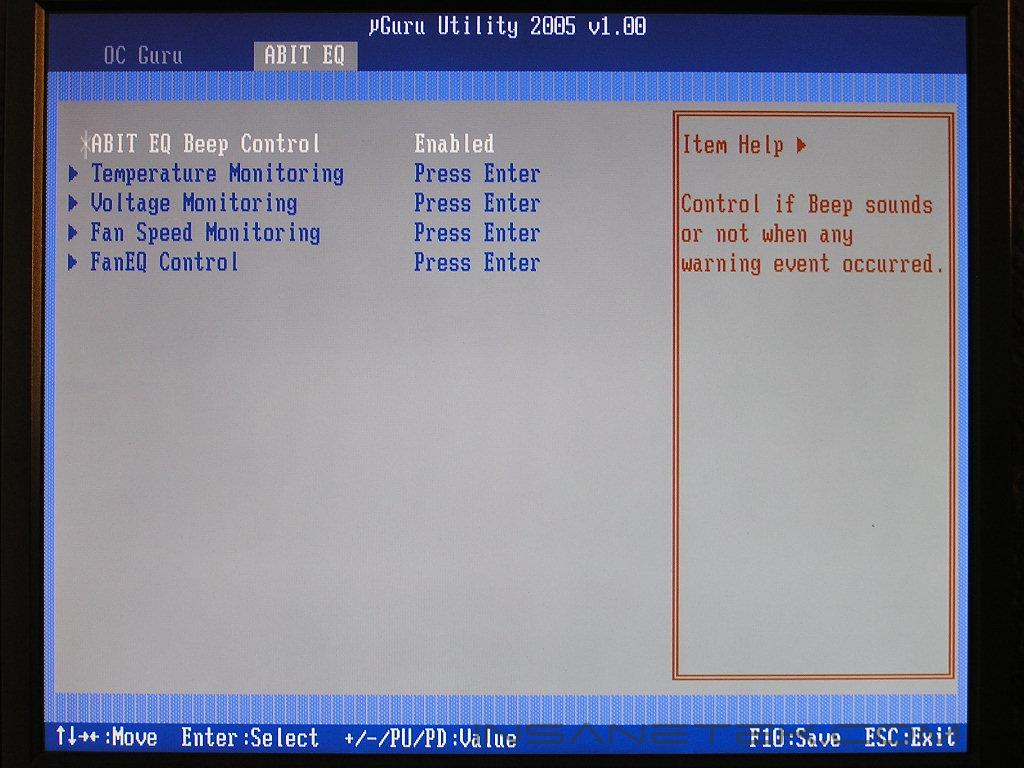
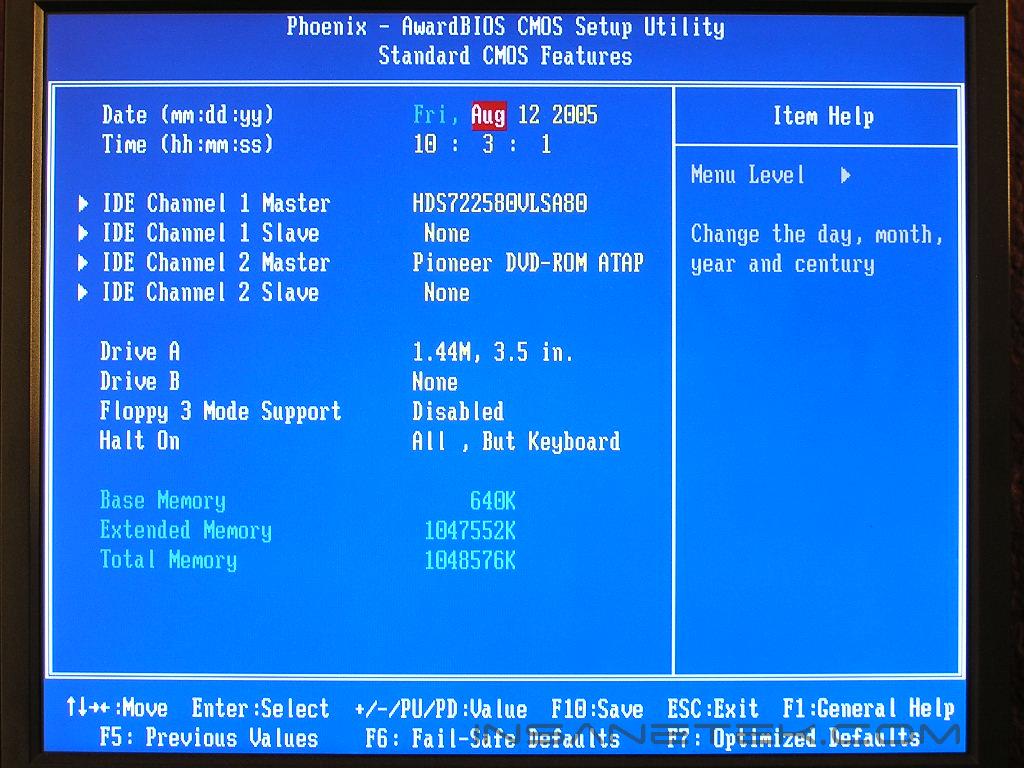
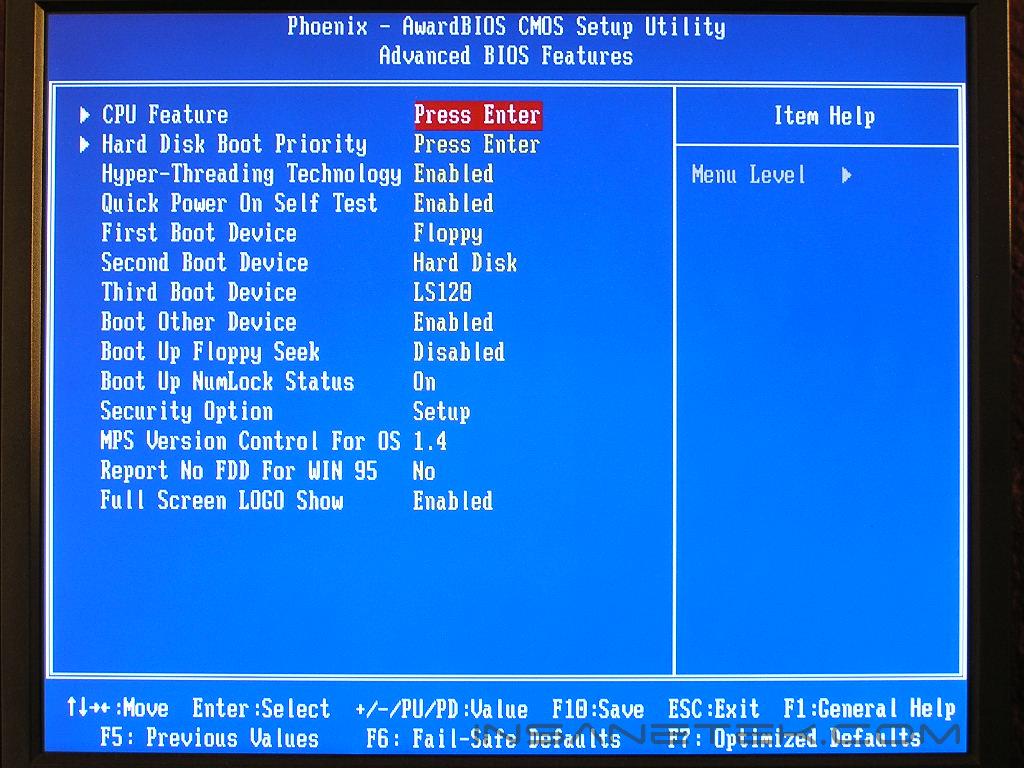
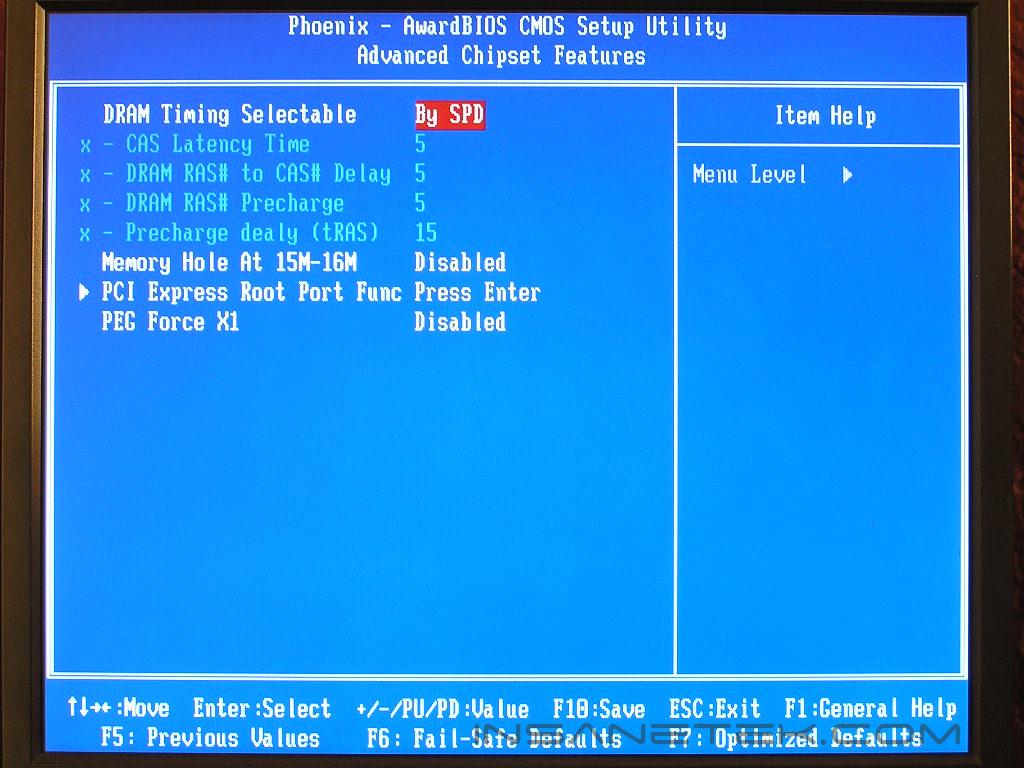
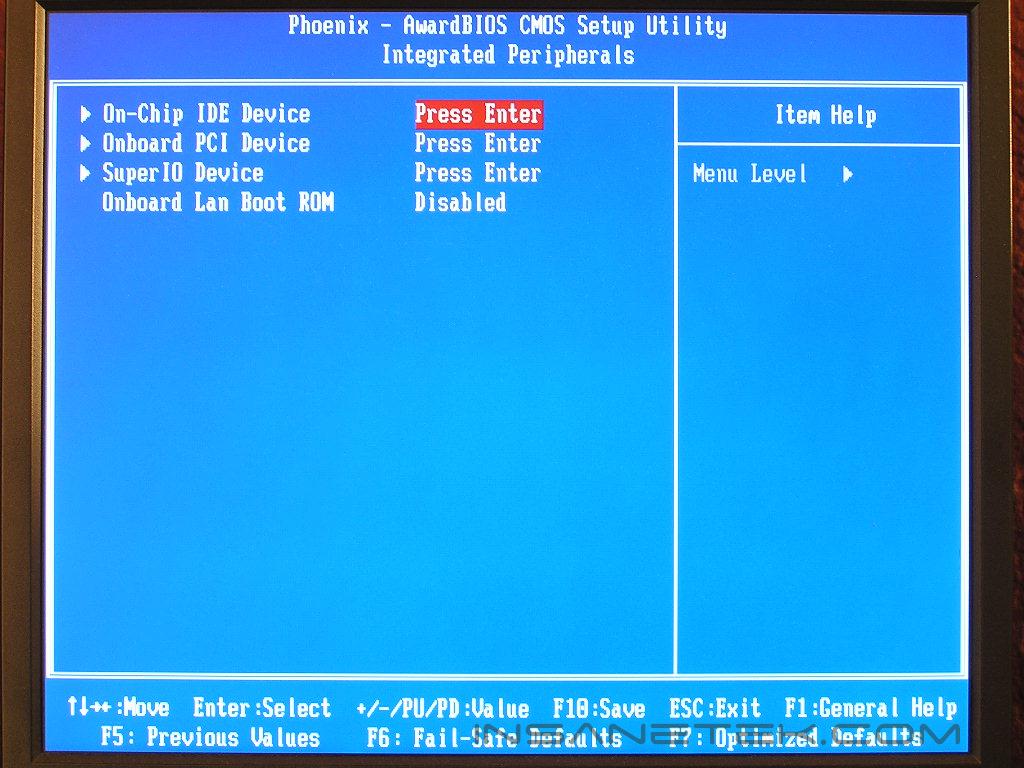
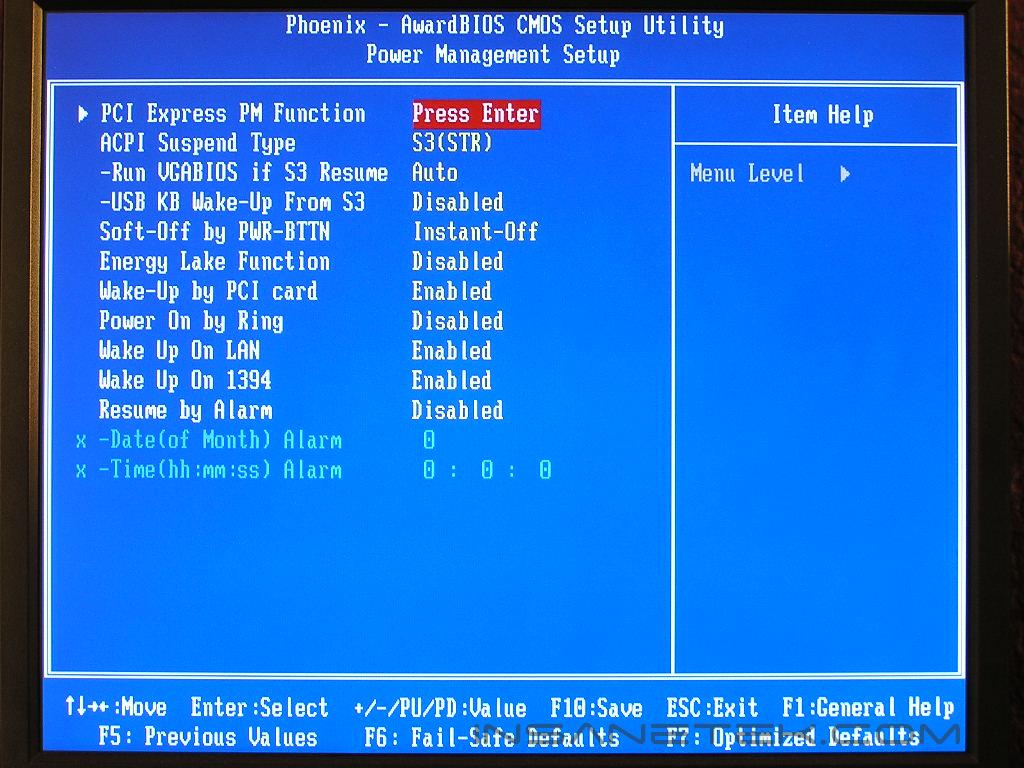
The BIOS is pretty much a mirror reflection of the AW8, with slightly more options. Wow, isn’t that weird? A lower end chipset based motherboard comes with more options than a flagship motherboard. What the AW8 did not have was the option to change the PCI-E frequency. Since there is not much of a need to change the PCI-E x16 bus speed, that inclusion of the option can be considered negligible.
Intel’s 945P chipset also comes with the support of a 1:2 memory divider. As with the AW8, the only time you can find that ratio would be when using a N/B strap of PSB 533 and choosing the DDR2 533 divider, resulting in a 1:2 memory divider. Unfortunately, the divider did not work and instantly caused a failed boot. This memory divider might not be a big issue when it comes to budget boards, but it is still something good to have for budget overclockers. Let’s get a good 1:2 memory divider working Abit!
Software
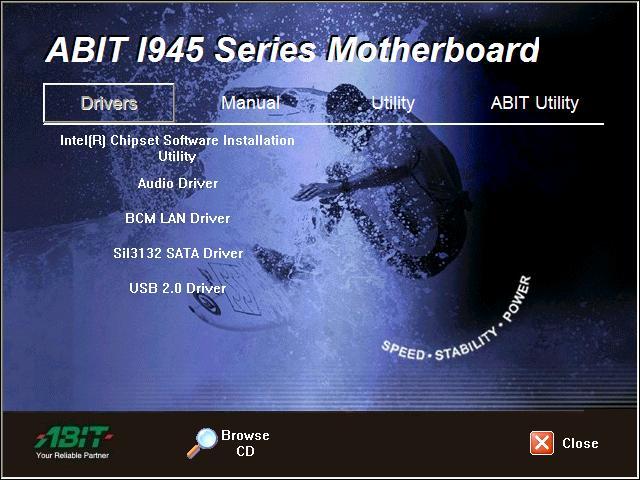
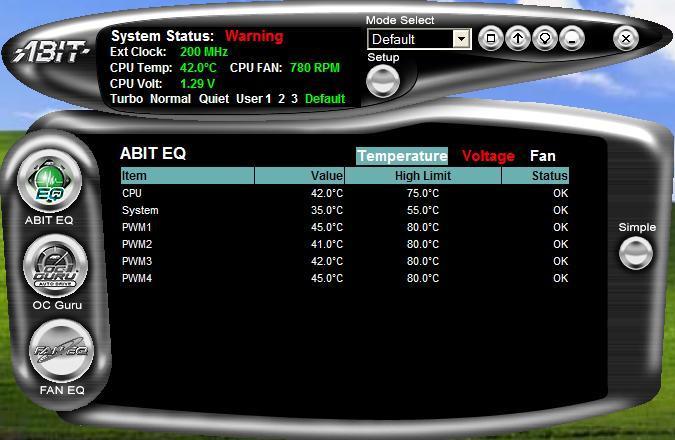
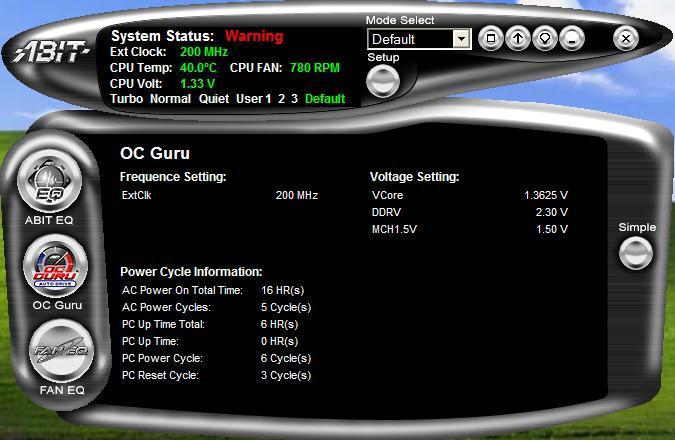
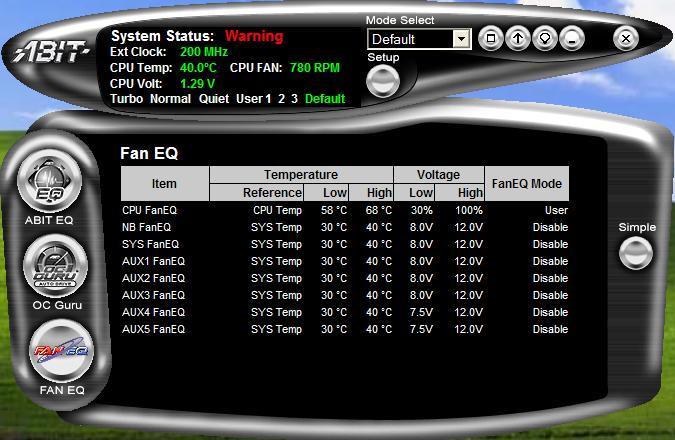
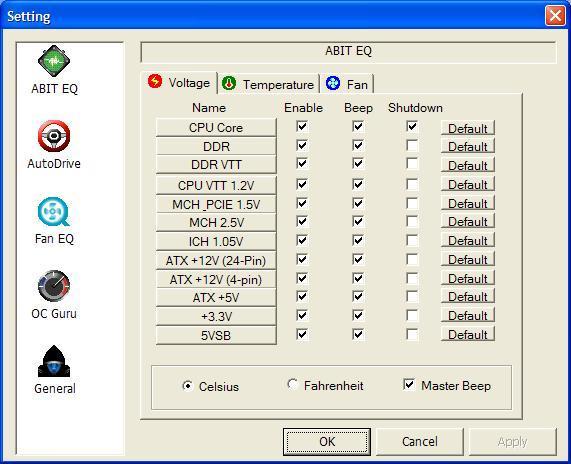
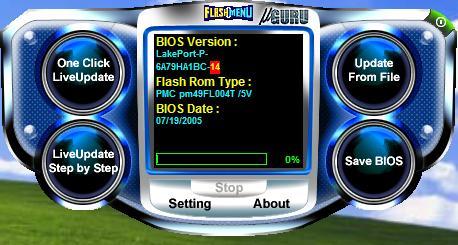
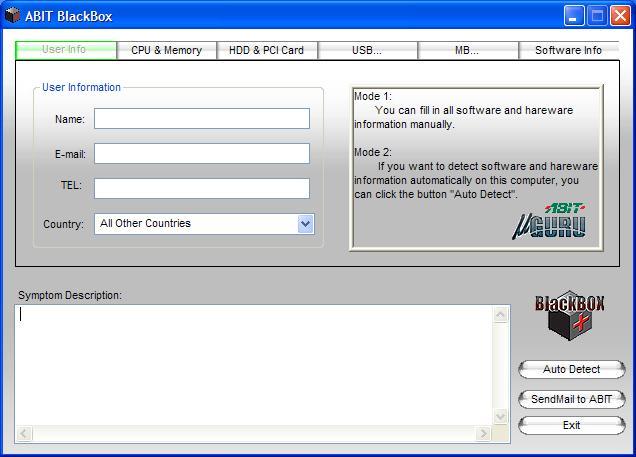
The only bundles software that came with the AL8 is Abit’s exclusive uGuru utility. The utility has a new user interface that looks great and is very easy to navigate. Abit utility comes with a whole bunch of other utilities to make an enthusiast’s life much easier to live. The uGuru utility includes, Abit EQ, FlashMenu, BlackBox, and OC Guru. Abit EQ is Abit’s hardware monitoring utility. It provides temperature readouts, voltage lines, and fan RPM speeds. The BlackBox utility is Abit’s technical support feature. If you have something wrong with your system and can’t figure it out, let BlackBox detect your hardware and send it in to Abit for support. Within 24 hours, Abit will send you a response. The FlashMenu is an in-Windows BIOS flash utility. I generally don’t like to use Windows based flashing utilities. because if the system becomes unstable under Windows, you’re screwed. DOS is still my preferred method. Finally, the OC Guru is Abit’s overclocking on the fly utility. You can overclock you’re system without the repeated restart of your system.
Test Setup and Overclocking
Test Setup:
- Intel Pentium 4 560 3.6GHz
- Abit AL8
- Abit AW8
- Asus P5WD2 Premium
- 2 x 512MB Corsair XMS2 PC2-8000UL 3-2-2-5
- Sapphire Radeon X800
- Arctic Cooling Freezer 7
- Thermaltake PurePower 680W
- ATI Catalyst 5.7
- Hitachi 80GB SATA
Overclocking:
During the reigning days of the 875P and 865PE chipsets, overclocking was extremely fun. Abit’s IC7 and IS7 were exceptional overclockers and still continue to be legendary. Many argue that the IC7 is the best Socket 478 motherboard around. I won’t get into that argument, but I can tell you that I have reached surprising overclocks with my IS7. It has served me well.
The Abit AW8 overclocked took me to amazing new heights. The unfortunate thing was that my CPU was not able to keep up. I certainly had high hopes with the AL8. With all the voltage settings at my fingertips, I was ready to rock the board. Equipped with an engineering sample of the Intel 560 3.6GHz processor, I dropped the multiplier to the lowest allowed, which was 14x, and kept memory at a 1:1 ratio and pumped up the FSB. I made sure that the memory would not be a bottleneck and loosened the timings to 5-5-5-15 and gave it 2.3v.
- Highest overclock: 220FSB
What in the heck? That’s right, the Abit AL8 overclocked very poorly. It was so disappointing that I wanted to cry.
Results
Sysmark 2004
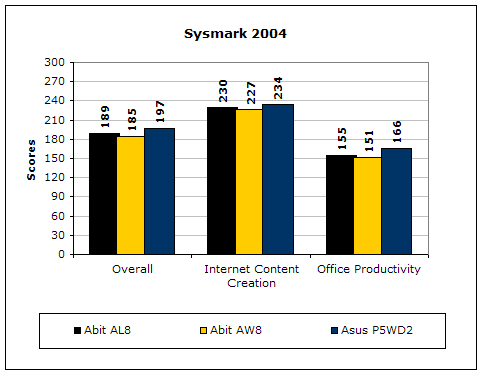
Sysmark2004 is a very common benchmark used to measure a system’s potential in performance. It goes through long and grueling tests, including compression, decompression, and office intensive programs. The results are quite interesting. The “budget” chipset outperformed the bigger brother by a good margin. Hmmm…
3DMark2001SE
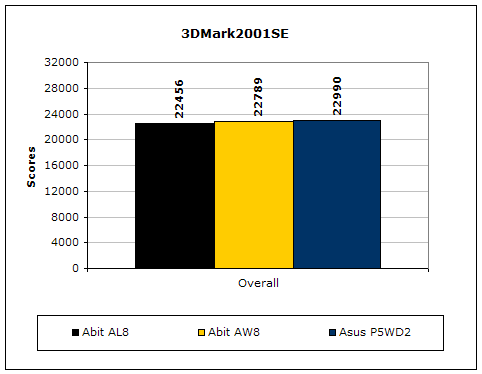
3DMark is probably the overclocker’s favorite benchmark. Unlike 3DMark2003, which stresses mainly the video card, 3DMark2001SE tests all of the system’s main components. Increasing the CPU speed, memory speed, and video card speeds will result in higher final scores.
PCMark2004
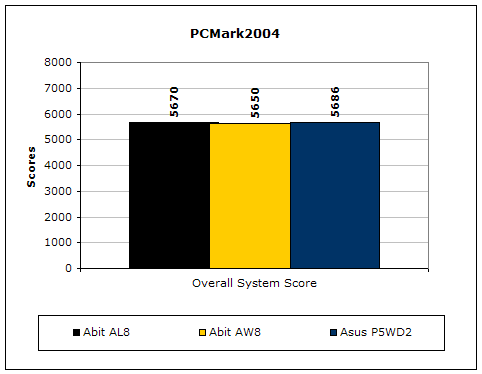
The PCMark2004 system benchmark puts the entire system to work.
PCMark2002
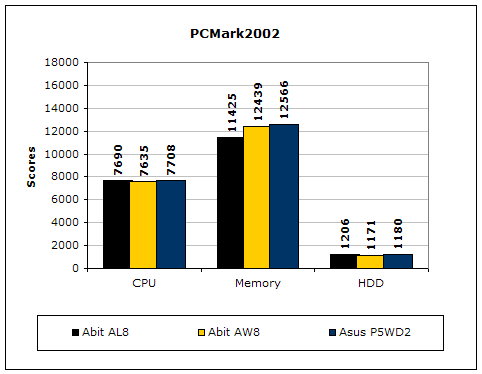
PCMark2002 is older than PCMark2004, but still very similar.
Results Continued
Everest Home Edition
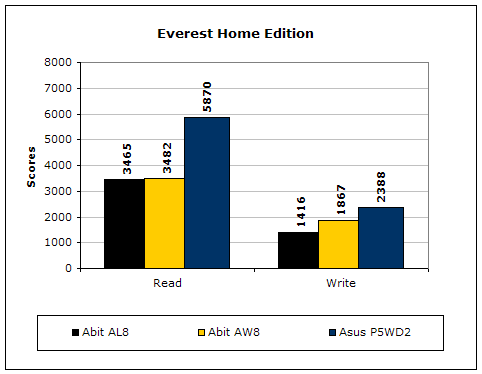
Everest Home Edition is a good benchmark for testing memory performance. Since the motherboard’s overclocking potential and memory bandwidth is closely related, I find this benchmark to be trustworthy. Much like the AW8, the AL8 scored significantly lower than the leading competitor. It scored even lower than the bigger brother. My best guess would be that the board needs a better BIOS to control the memory controller.
SiSoft Sandra
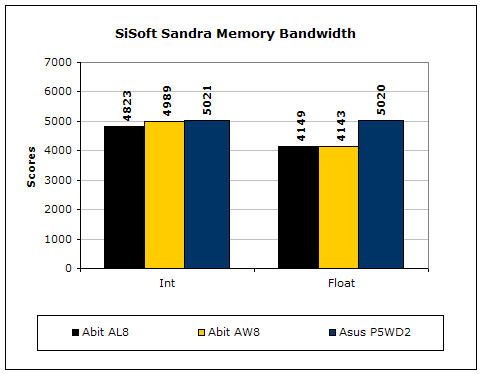
Like Everest Home Edition, SiSoft Sandra memory bandwidth tests the motherboard’s memory bandwidth performance. Again like Everest, the AL8 was behind in performance. The slower performance is understandable though. The chipset is supposed to perform slightly lower than the 955X chipset.
Super PI
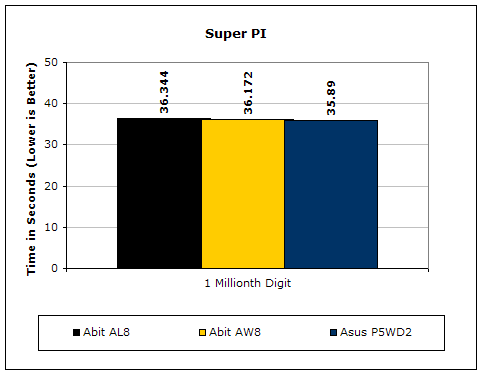
Since the value of PI is an infinite value, Super PI is a speed test to find a specified digit. In this case, we chose the millionth digit. Super PI benefits greatly from higher FSB, as well as low latencies.
PiFast
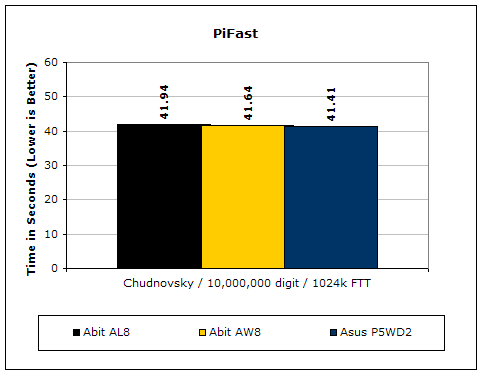
PiFast is similar to Super PI and the results can be greatly affected by a slight adjustment to the memory megahertz and latency.
Unreal Tournament 2004
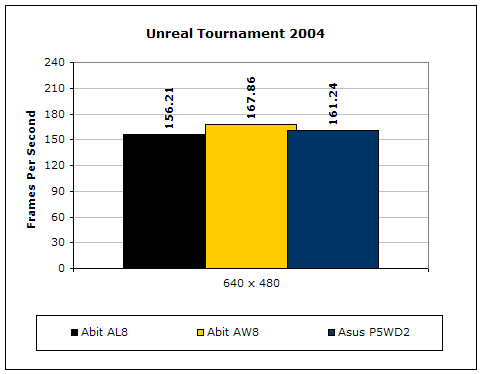
Unreal Tournament 2004 is a very popular game that is highly affected by the system’s performance. Testing was conducted with a resolution of 640x480 to minimize the dependency of GPU and CPU power.
Conclusion and Thoughts
The Abit AL8 does what it was made to do and not much more. Budget enthusiasts who wish to go the Intel route will be satisfied with the AL8, as long as no overclocking is involved. The performance of the AL8 is good and very comparable to the AW8 brethren. The board is feature rich and will make for one great multimedia box or workstation. The AL8 is not one of the Abit boards I have experience with. The board is not overclocking friendly and lacks a working 1:2 memory divider. The BIOS does provide a great array of overclocking options, but if the board cannot overclock well, what is the use of having it all? The AL8 might be a tad more appealing if it came with Abit’s Silent OTES heatpipe cooler for the Northbridge. It would have been ideal to have an all passively cooled motherboard so HTPC systems can run silently. The AL8 feels like a rushed product from Abit. PC savvy enthusiasts may want to look elsewhere when choosing a board for their systems. The AL8 does not stand out from the crowd. It does fulfill the job, and to the majority, it will be enough, just not to me. Budget users can give this a try and will leave happy, just make sure you do not expect anything more.
Pros:
- Performance on par with AW8
- Affordable
- Feature rich
- Great overclocking options
Cons:
- Poor overclocking
- No working 1:2 memory divider!
- Would have been more appealing with the Silent OTES installed
We would like to thank Abit for providing us the sample. If you have any questions or comments, feel free to hit us up in the forums. You can also check out more of our latest reviews on the front page.