

Corsair COOL Watercooling Kit
Introduction
Before the wide spread use of heatpipes in heatsinks this past year, it seemed as if watercooling was going to be the only alternative for keeping temperatures down. Yet, companies like Swiftech and Asetek produce kits that are uniform and easily assembled. Watercooling is no longer only for the overclocker. With the amount of heat new processors are emitting, many non-enthusiasts have chosen watercooling setups over air cooling.
Corsair is not new to the watercooling scene. Their first venture into watercooling was the Hydrocool, which was released in 2003. It was a huge hit. The Hydrocool was a self-contained all-in-one external unit. Only the water block was outside of its chassis. It won rave reviews in its day, but has since been phased out. Corsair is now back in the cooling scene with something new. Corsair has gone a different route with their newest watercooling setup. COOL will reside in your case, rather than an external box. It is comprised of several different components, each chosen by Corsair for their cooling abilities. In a race with companies like Swiftech, Koolance, and Asetek, a hard hitting kit with simple installation is necessary. Corsair has proven themselves in the ram world, but how will they do in cooling? Today, we test out Corsair’s COOL to see just how cool it can be.
Corsair COOL
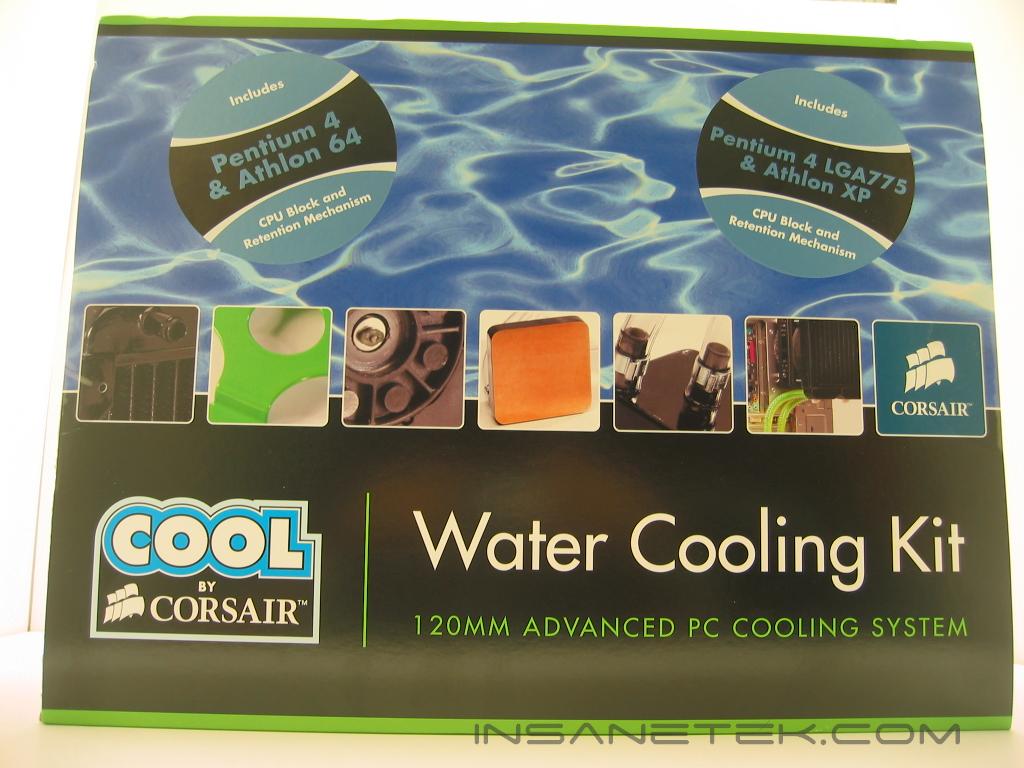
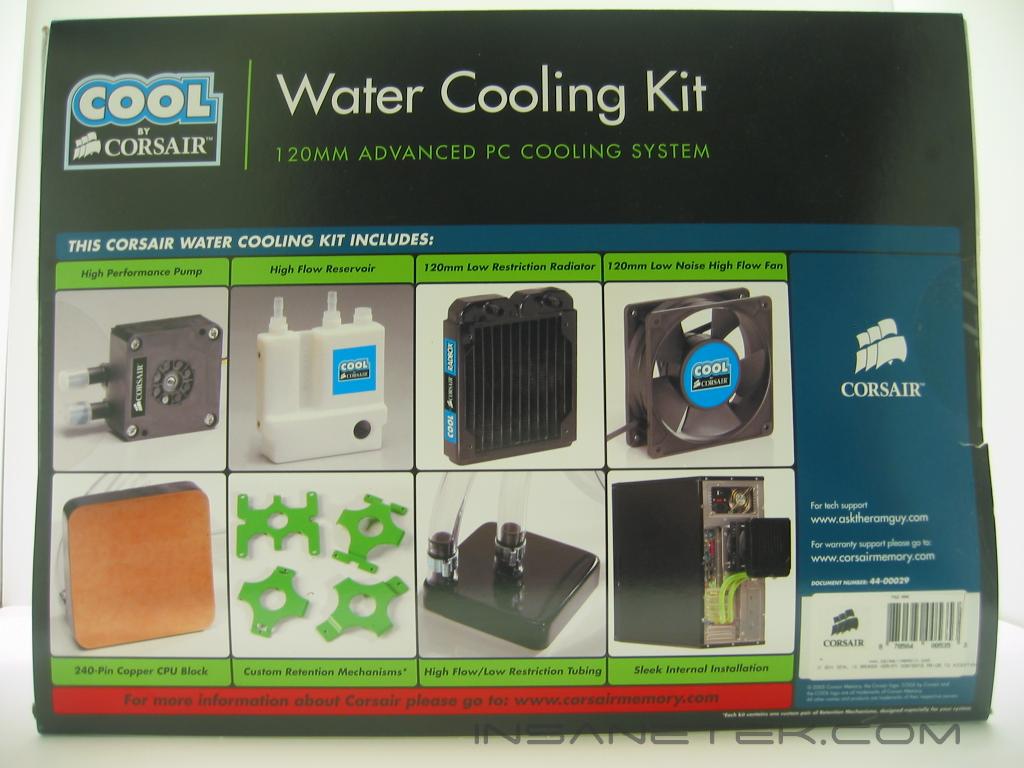
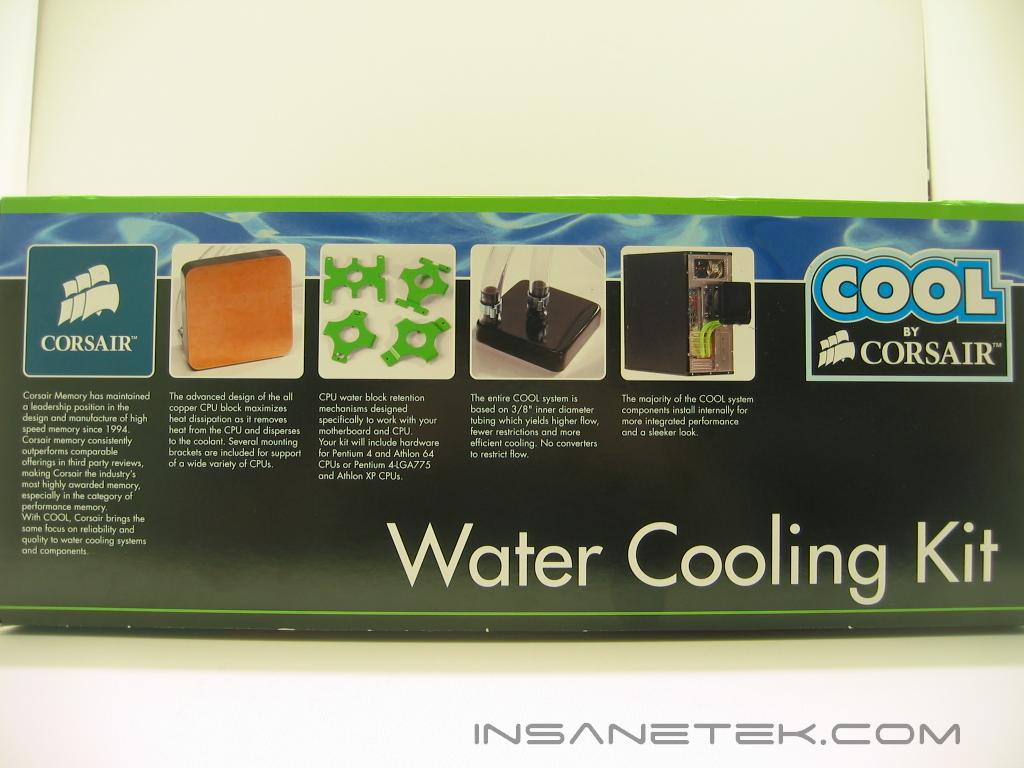
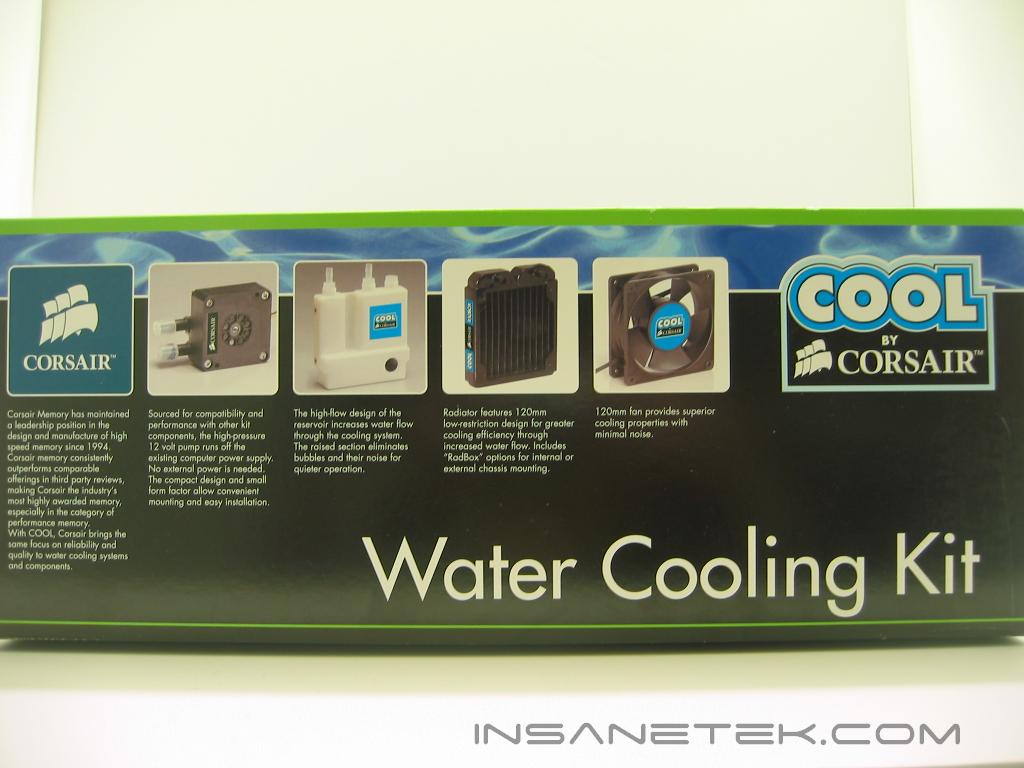
The COOL watercooling kit comes packed in a very nice box. The box features a picture of all of the parts inside with a description. If you look at the front of the box you will notice two stickers, one “Includes Pentium 4 & Athlon 64 CPU Block and Retention Mechanism” and the other says “Pentium 4 LGA and Athlon XP”. The retail kits only include one of these two styles of blocks, so be sure to get the right one for your system.
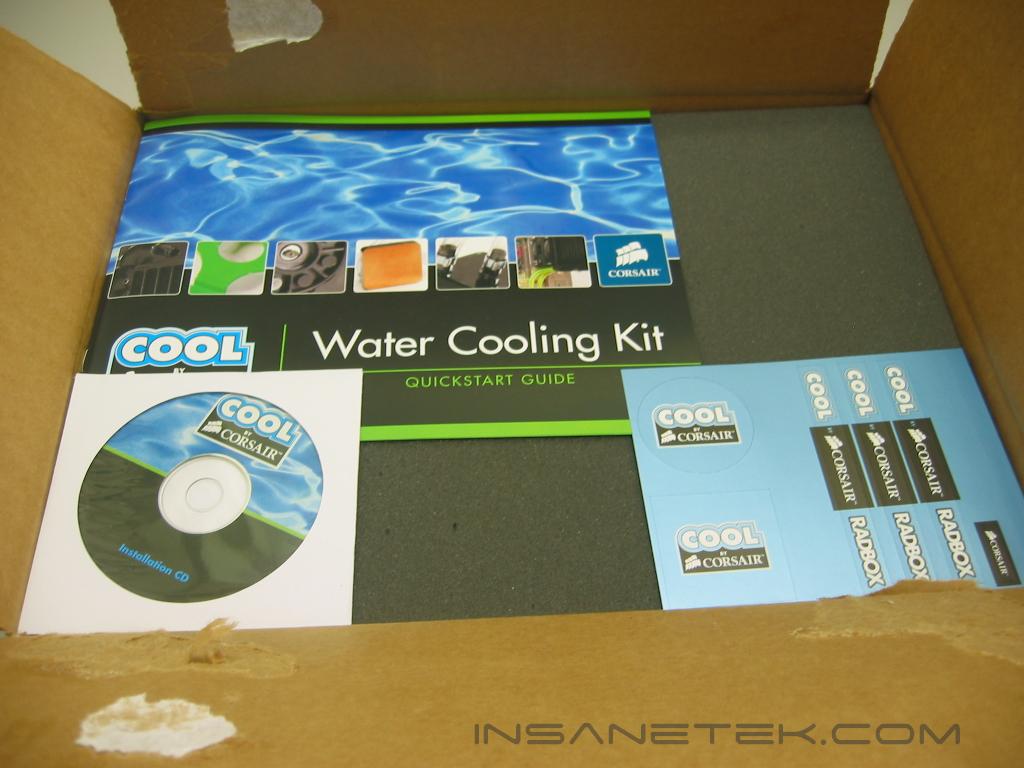
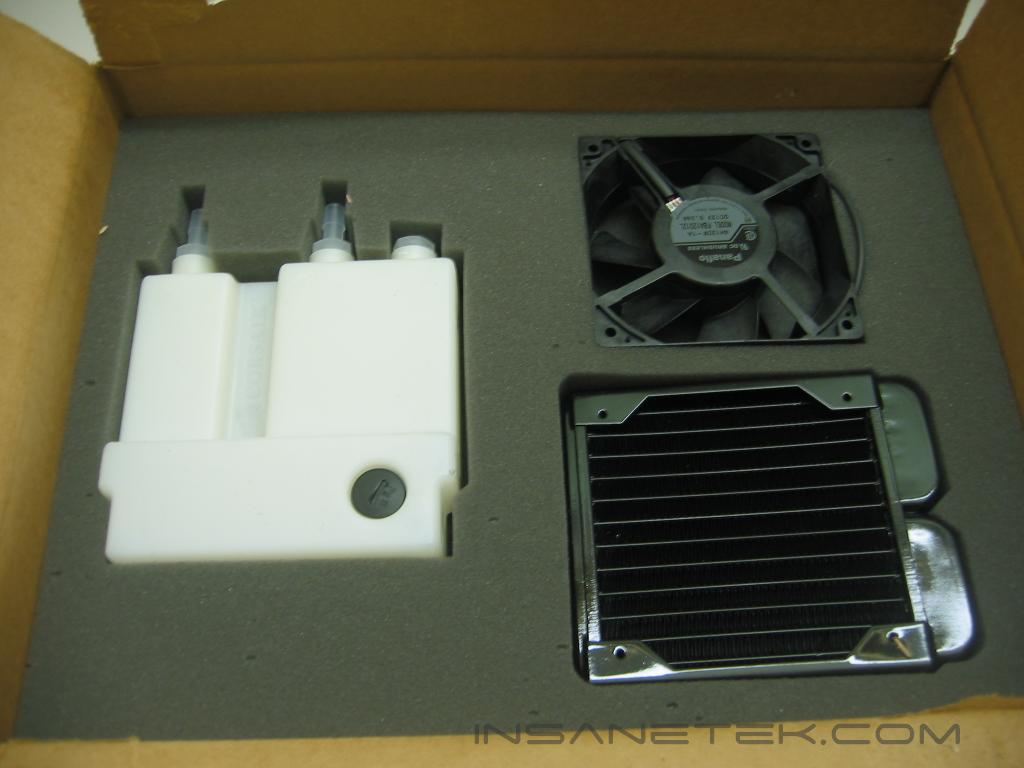
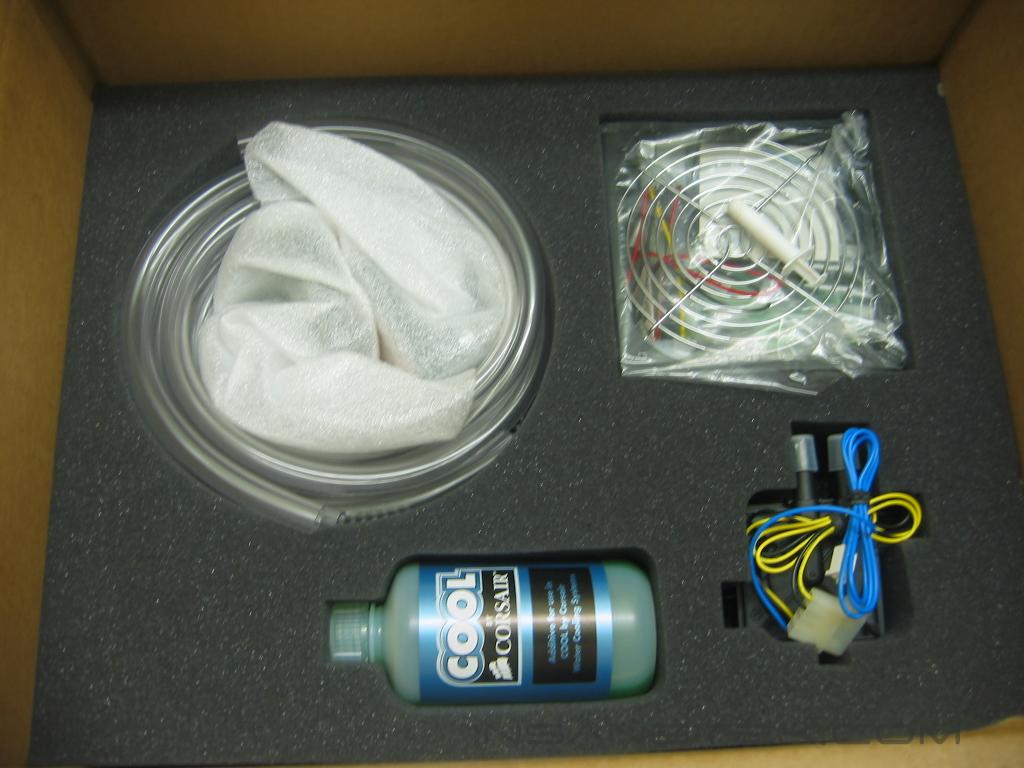
On the top layer of foam we see the instruction manual, CD, and a set of stickers. On the second layer is the radiator, fan, and reservoir. All of them are packed snugly in the foam, which is cut to their exact measurements. On the bottom layer are the waterblocks, tubing, pump, coolant, Radbox, and mounting hardware. Every piece in this set has 3/8” barbs. Although there is larger 1/2” tubing available, using 3/8” allows easier routing of the tubing. The packing job is very secure and will keep the kit in great condition through shipping.
Corsair COOL Continued
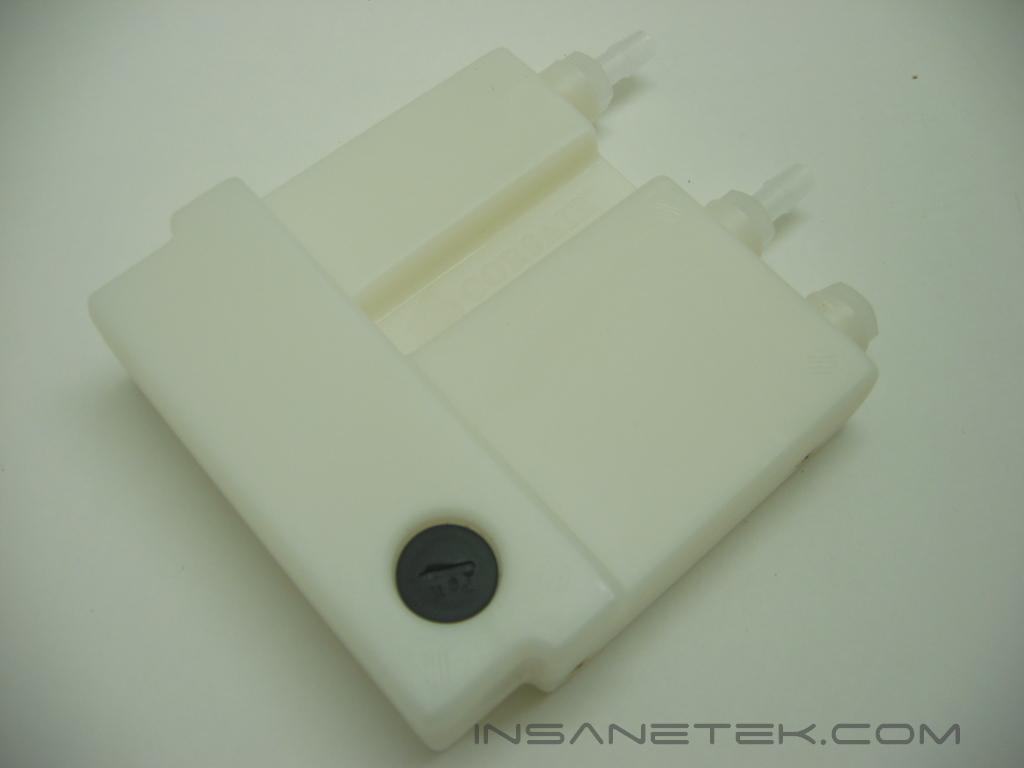
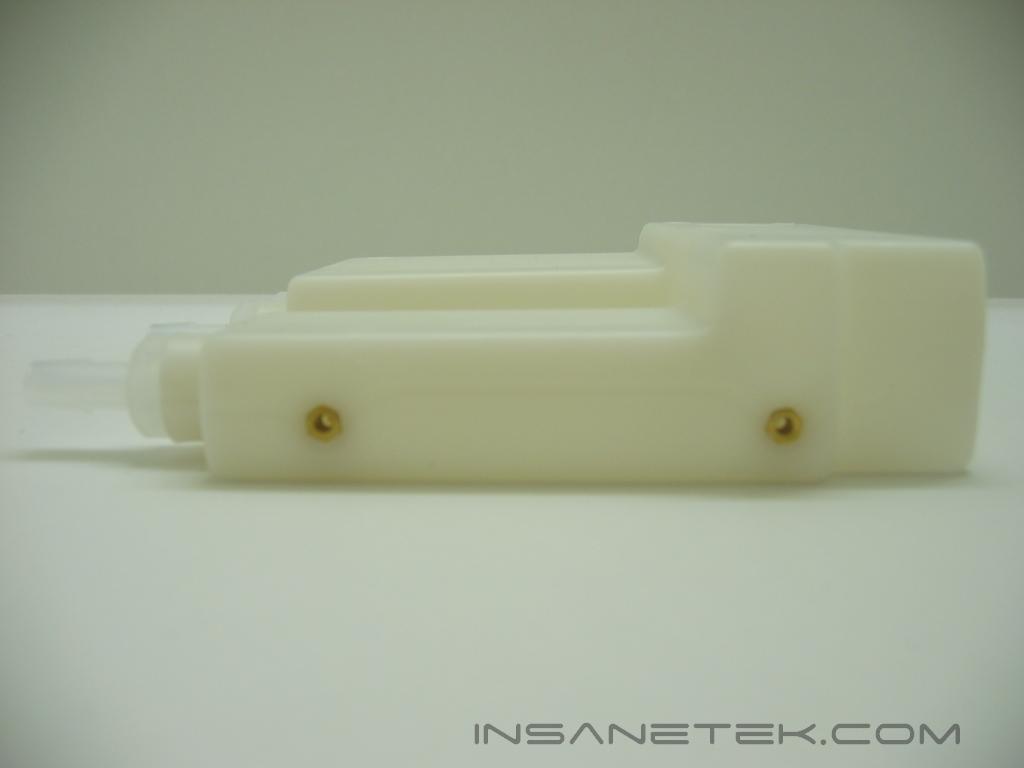
First up is the reservoir. It is made of plastic, fits within a 5.25” drive bay, and mounts by use of the brass inserts on its sides. An important thing to notice is the raised section of the reservoir. This makes releasing air from the loop much more simple.
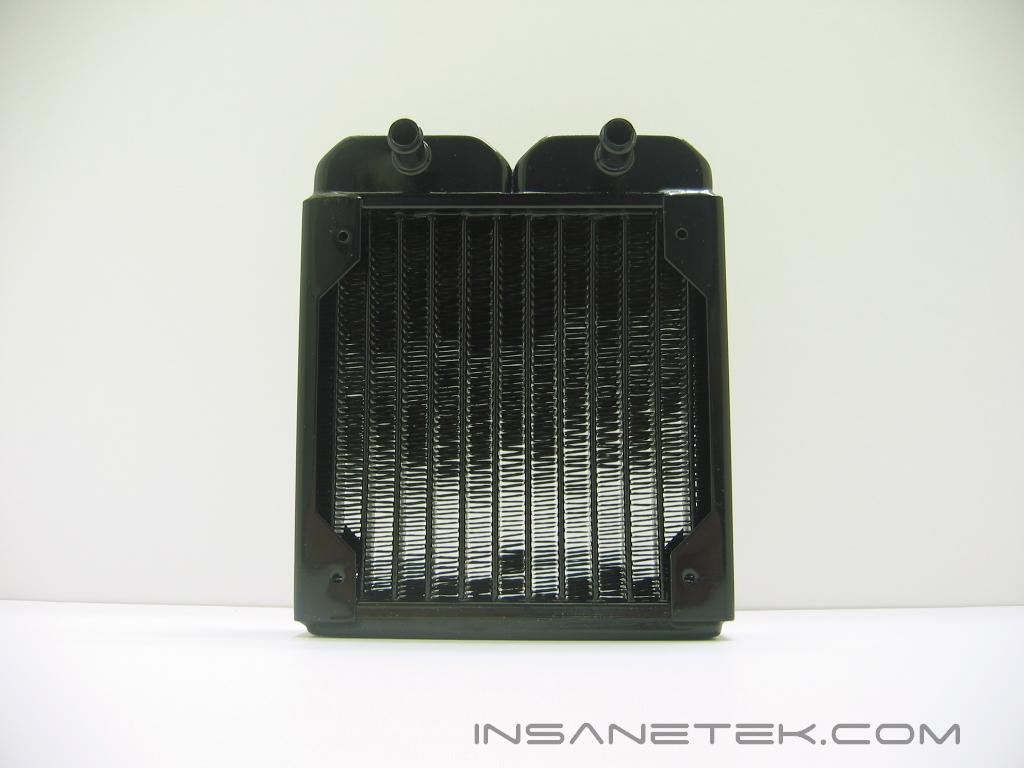
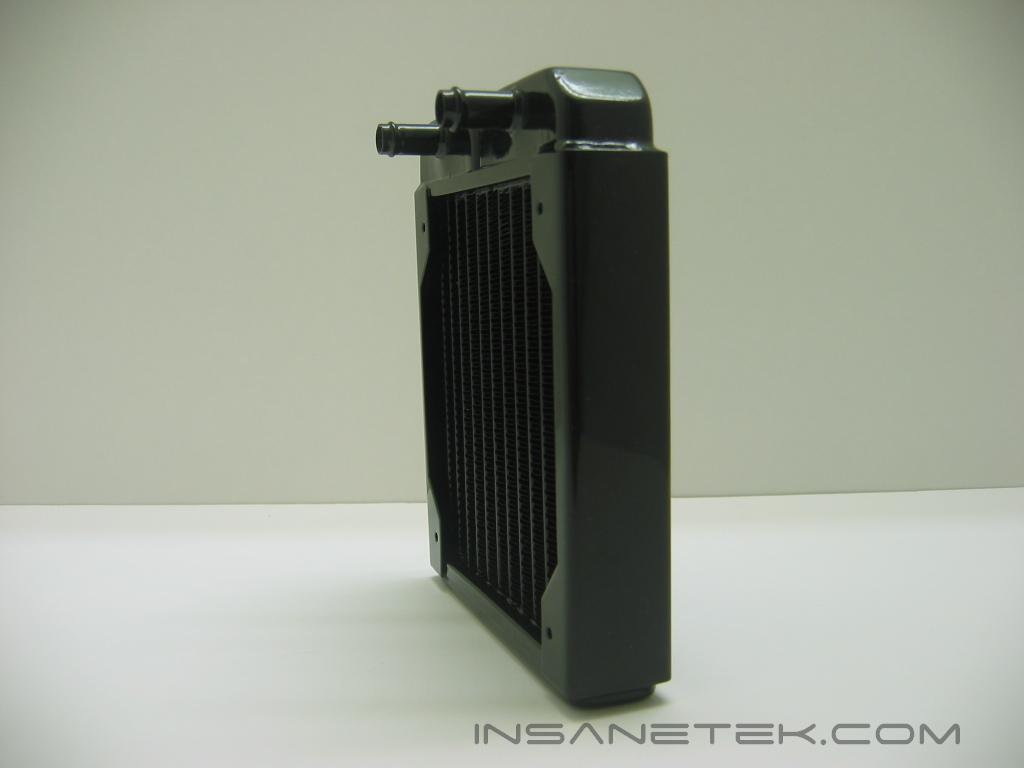
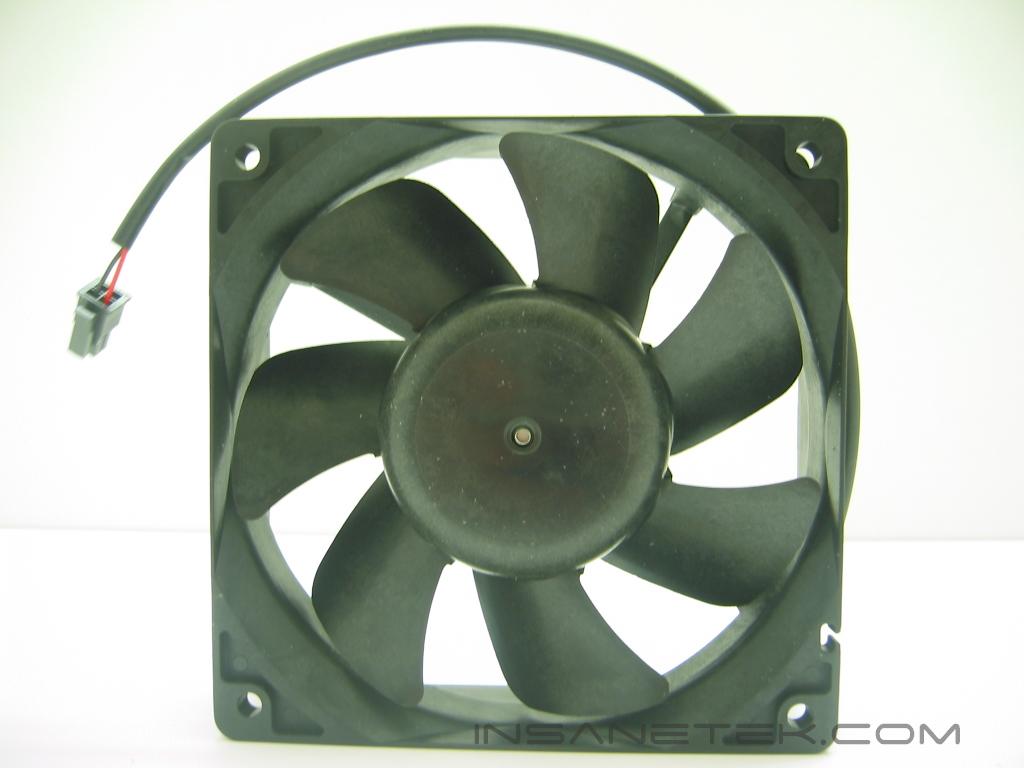
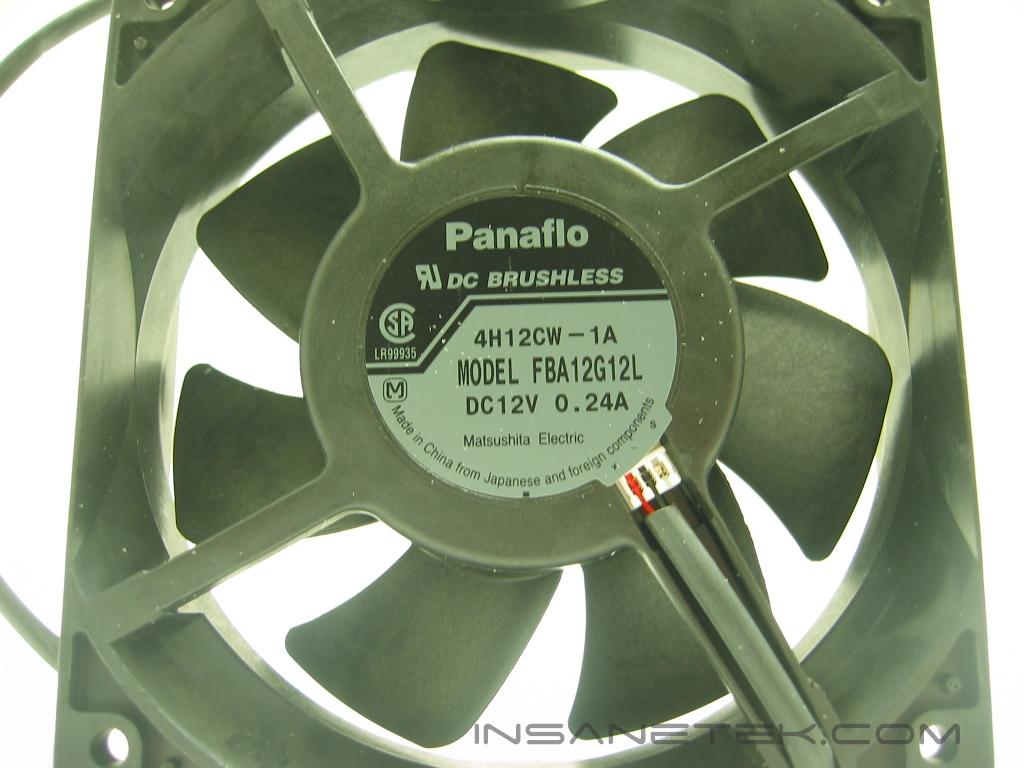
Here we have the radiator and fan. The radiator is what removes the heat from the watercooling loop. The radiator fits a 120mm fan, and looks to be a Black Ice Pro from Hardware Labs, a very popular line of radiators. It is very thin and it’s housing has pre-drilled fan mounts. The fan included with COOL is manufactured by Panaflo. Panaflos are often favored for water cooling setups, as they push a good amount of air with limited noise.
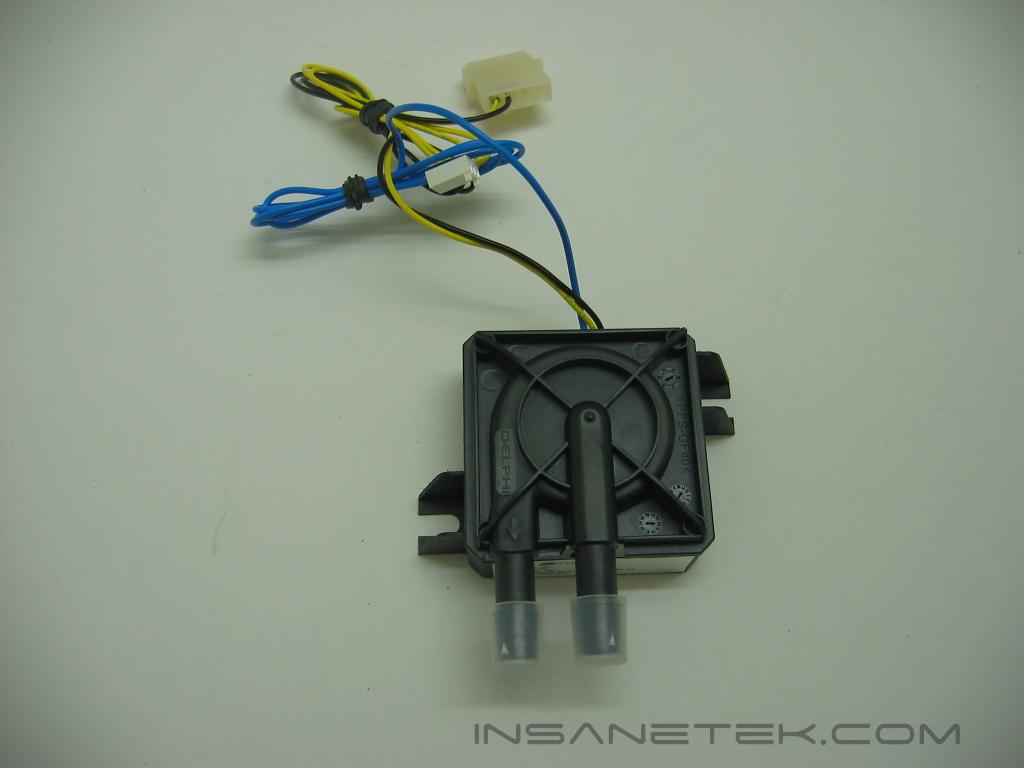
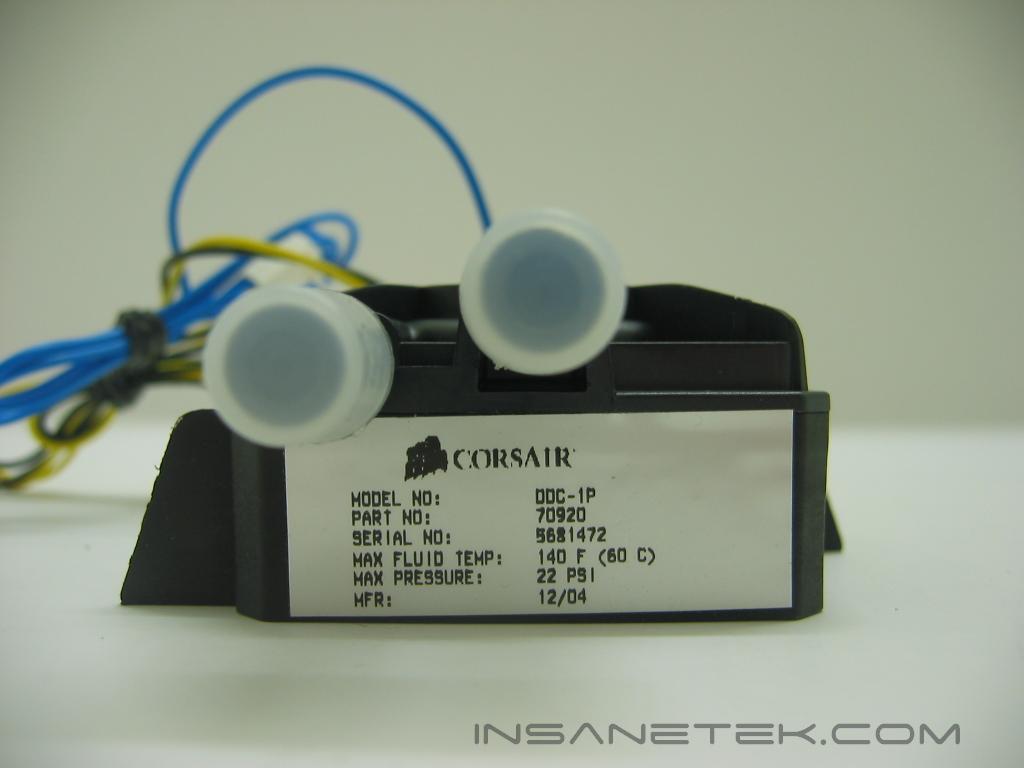
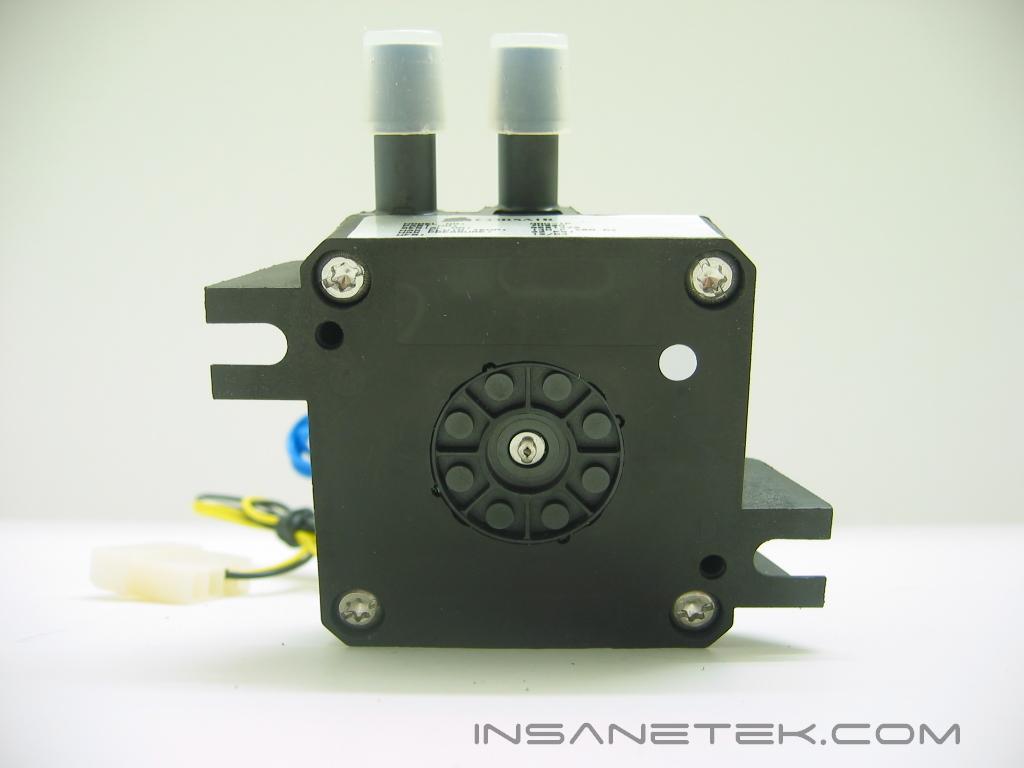
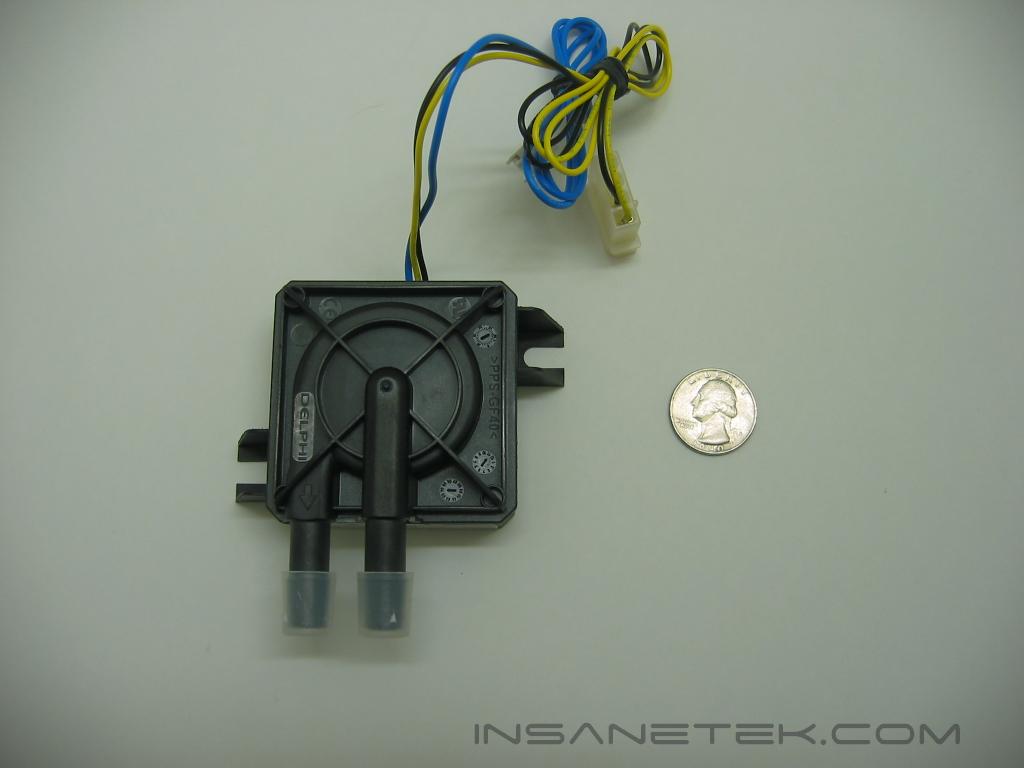
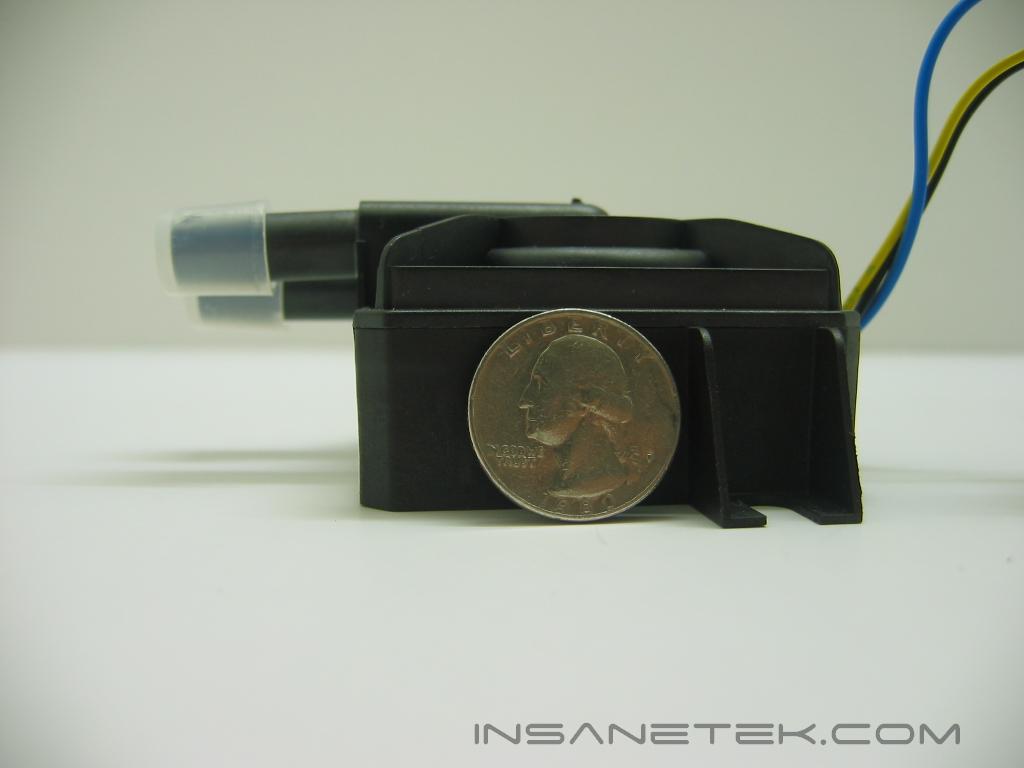
The pump is a Delphi manufactured by Laing. The Delphi has 3/8” barbs and is very, very small. You can take a look of its size next to the quarter to see just how small it is. Amazingly, it still pumps 400 liters per hour with 13 feet of head pressure. It is powered through your power supply and can be monitored through a 3 pin fan header on a motherboard.
Corsair COOL Continued
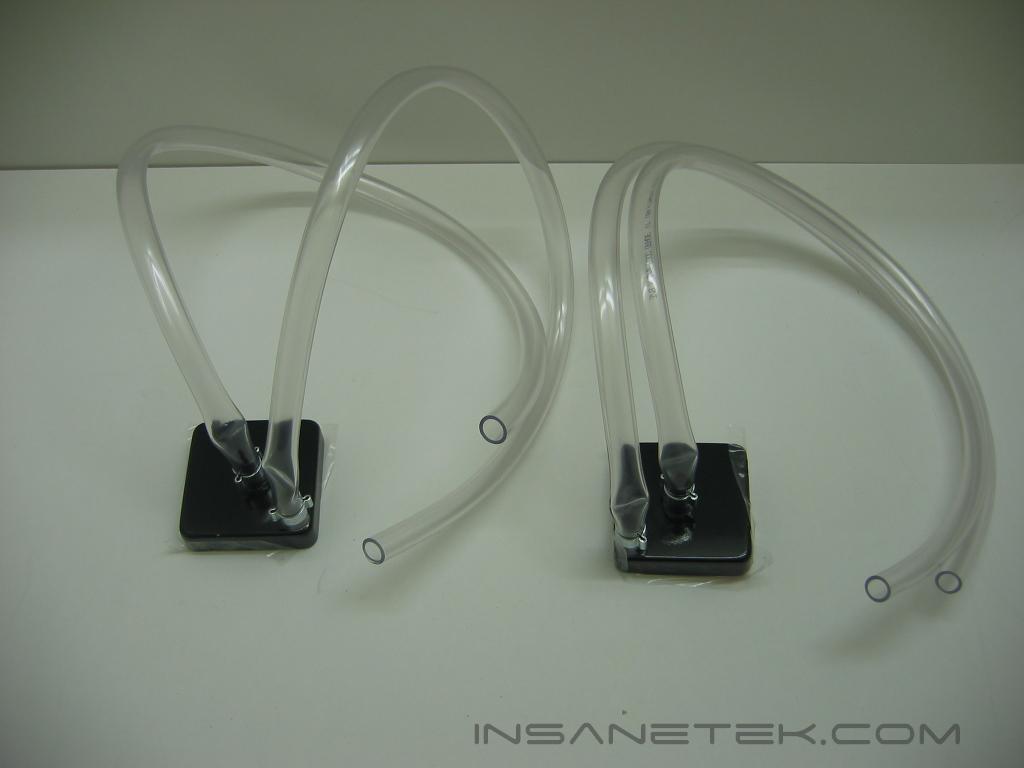
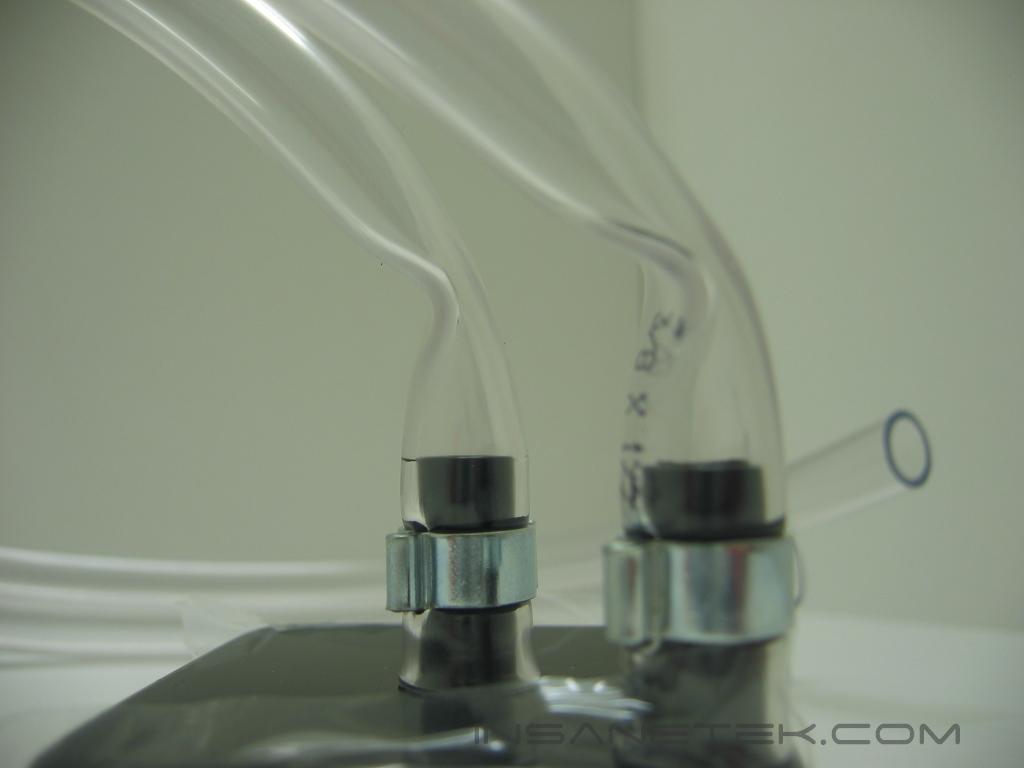
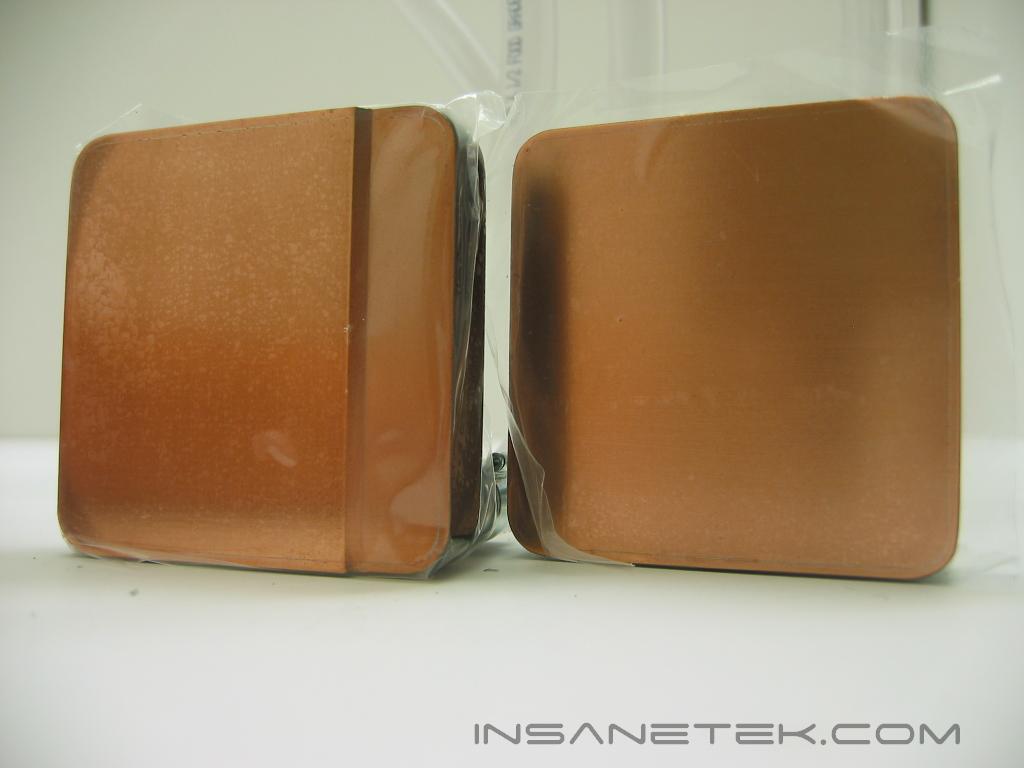
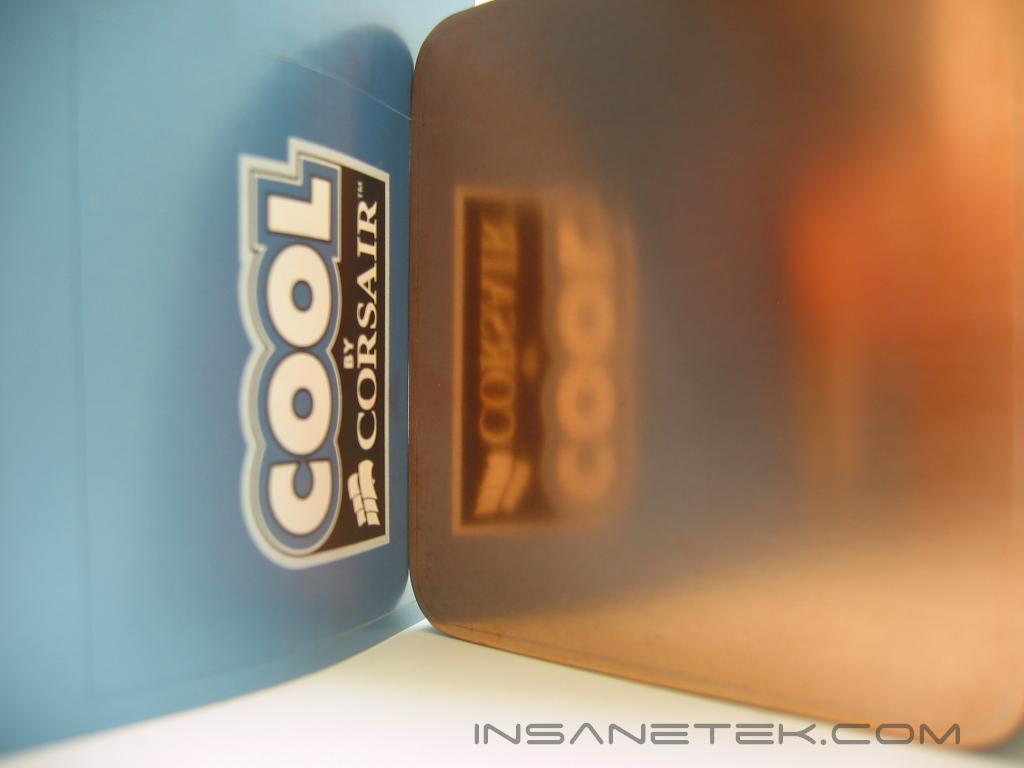
Here are the waterblocks. These blocks look exactly like Swiftech blocks! They are most likely produced by Swiftech for Corsair, as the only difference between these and Swiftech’s blocks are that these have 240 pins in their base, while the Swiftech branded blocks have 280 pins, and they are coated in a very attractive black vinyl gloss. Swiftech leaves their copper bare. The blocks have pre-attached tubing that is permanent. One thing you’ll easily notice is the bending of the tubing. This is not something you’ll want to leave alone. Make sure that when the system is put together these crimps are evened out. You’ll see we have two different blocks. The one on the left is for the P4 on LGA775 and Athlon XP processors. The block on the right is flat and for Athlon64 and P4 on socket 478. The blocks are lapped and polished very well, as you can see by the reflection of the COOL logo.
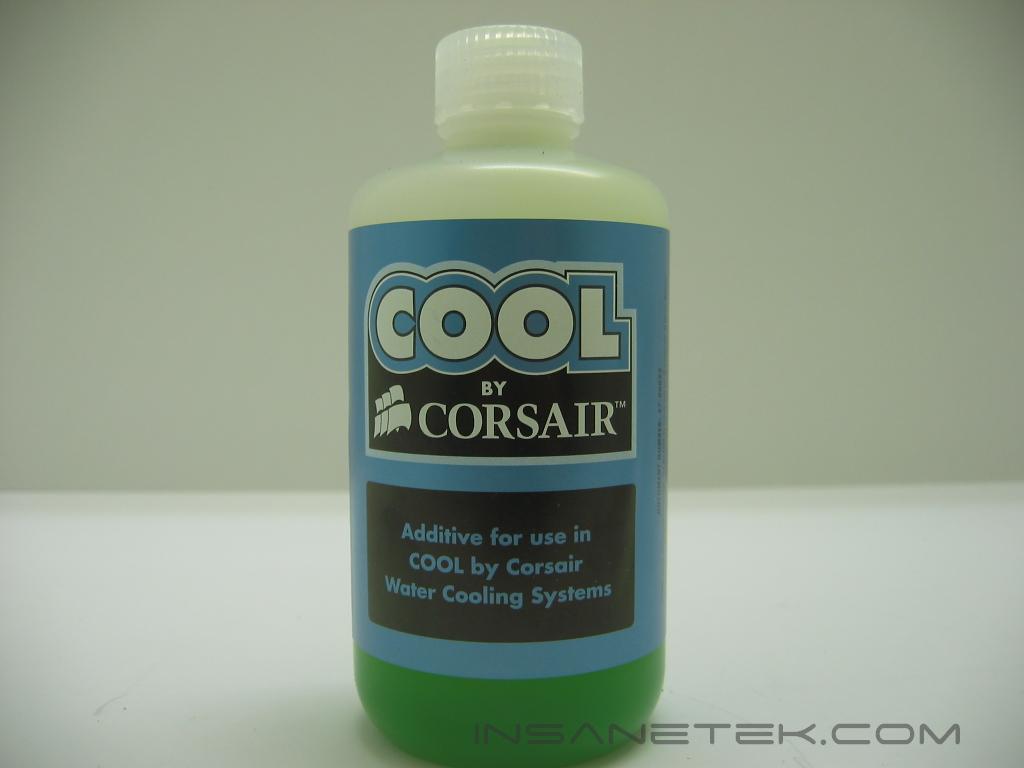

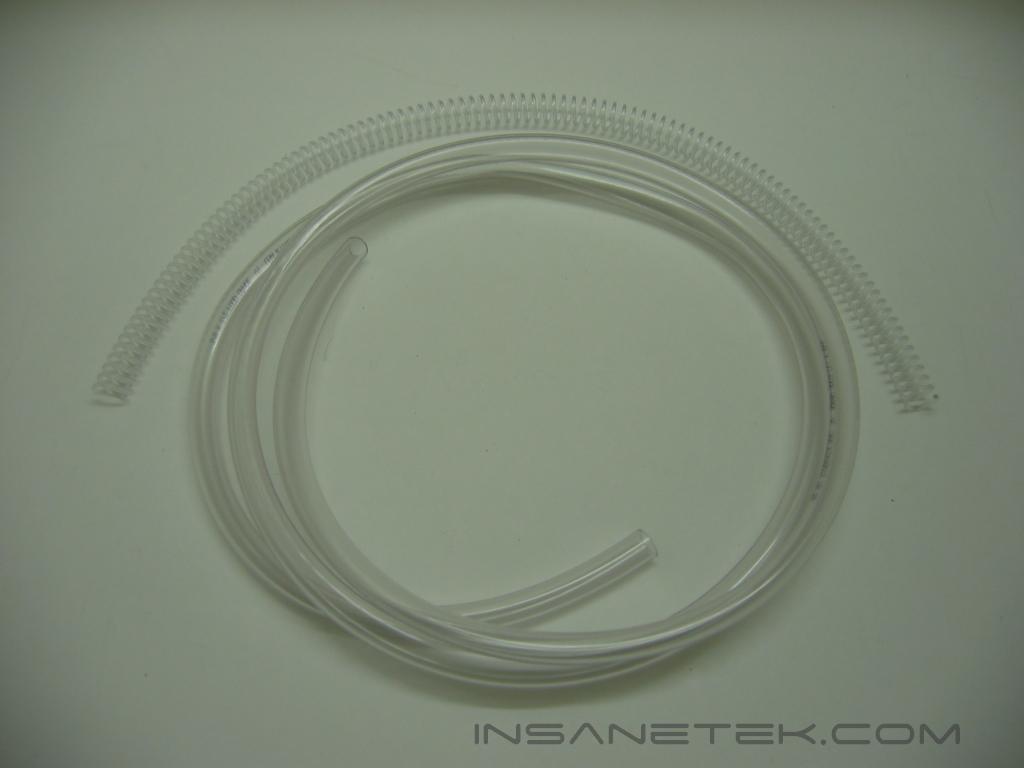
This is the coolant, an additive that will halt the growth of bacteria within the system. When using this in the system, you must empty the entire amount into the reservoir, and then fill the reservoir with distilled water. Then there is the tubing. Corsair includes six feet of 3/8” ID (inner diameter) tubing, enough to route around any case. Corsair also includes a curly piece of plastic that you place around any tight bend the tubing will make, the plastic curls will keep it from bending and crimping.
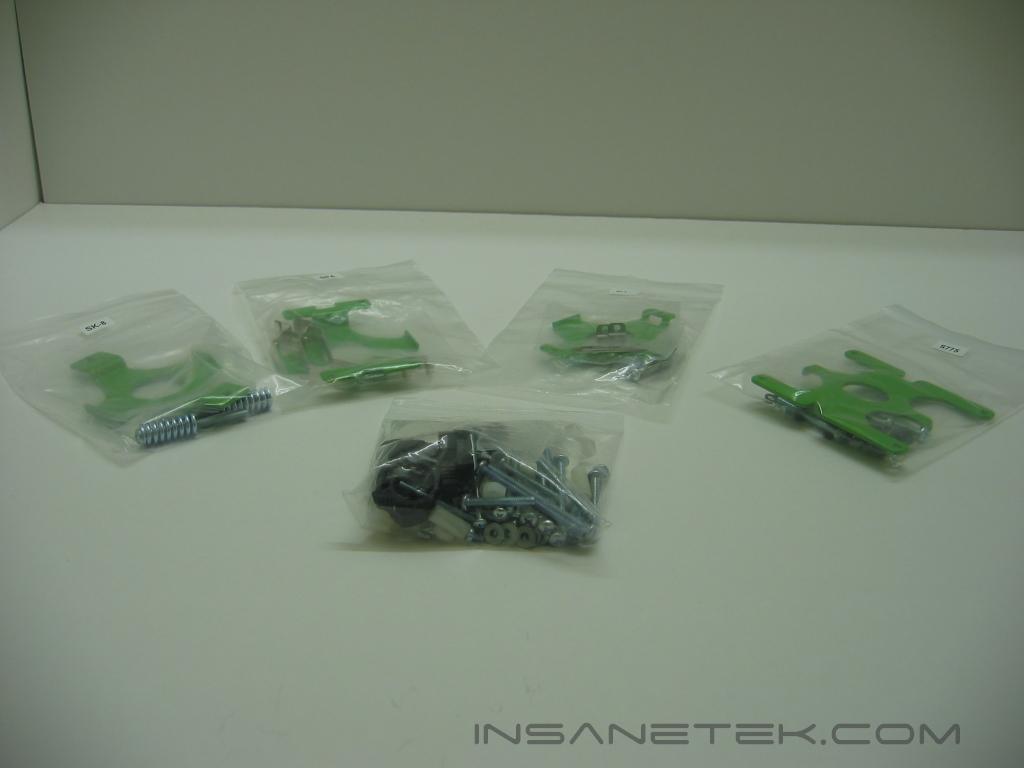
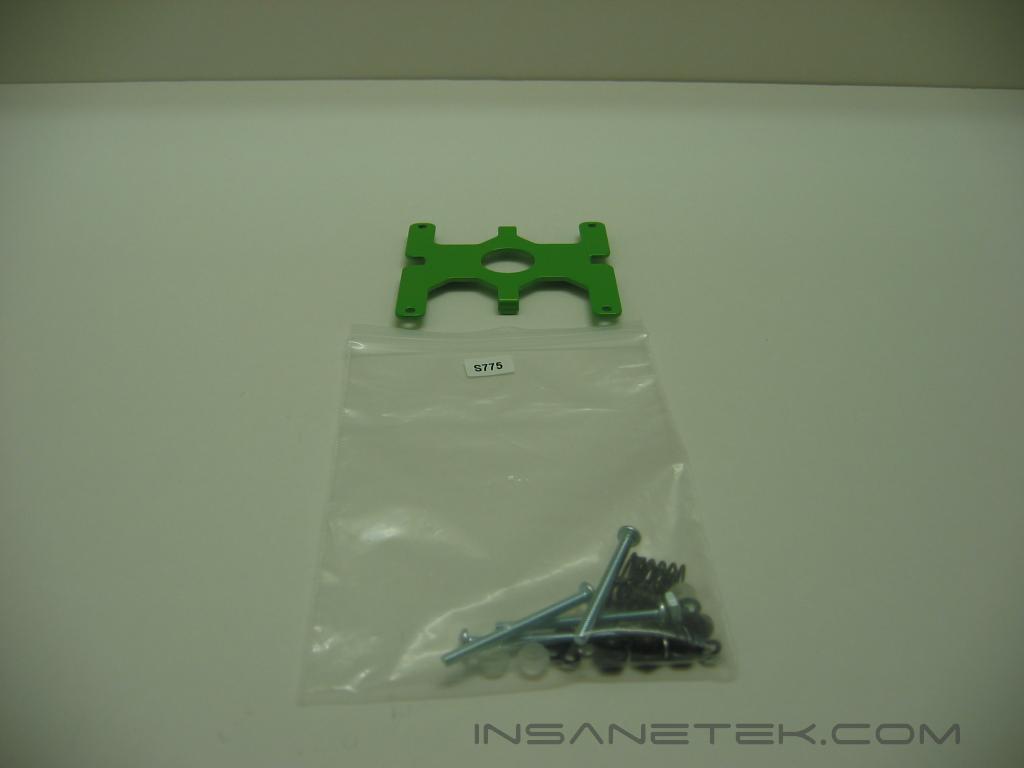
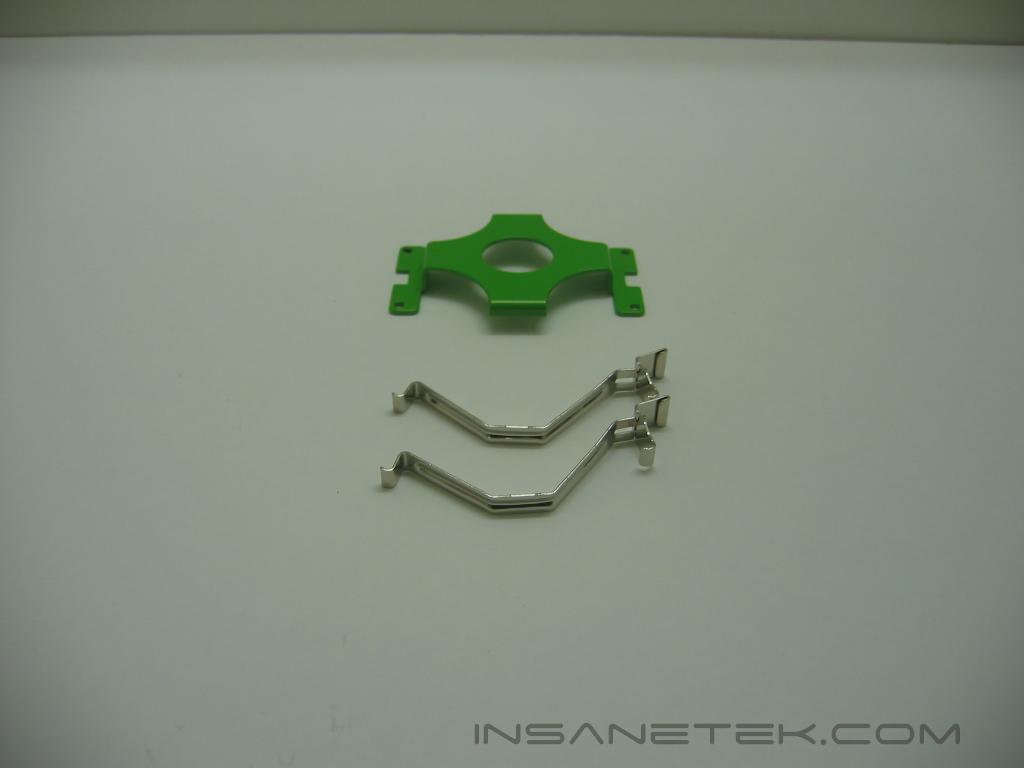
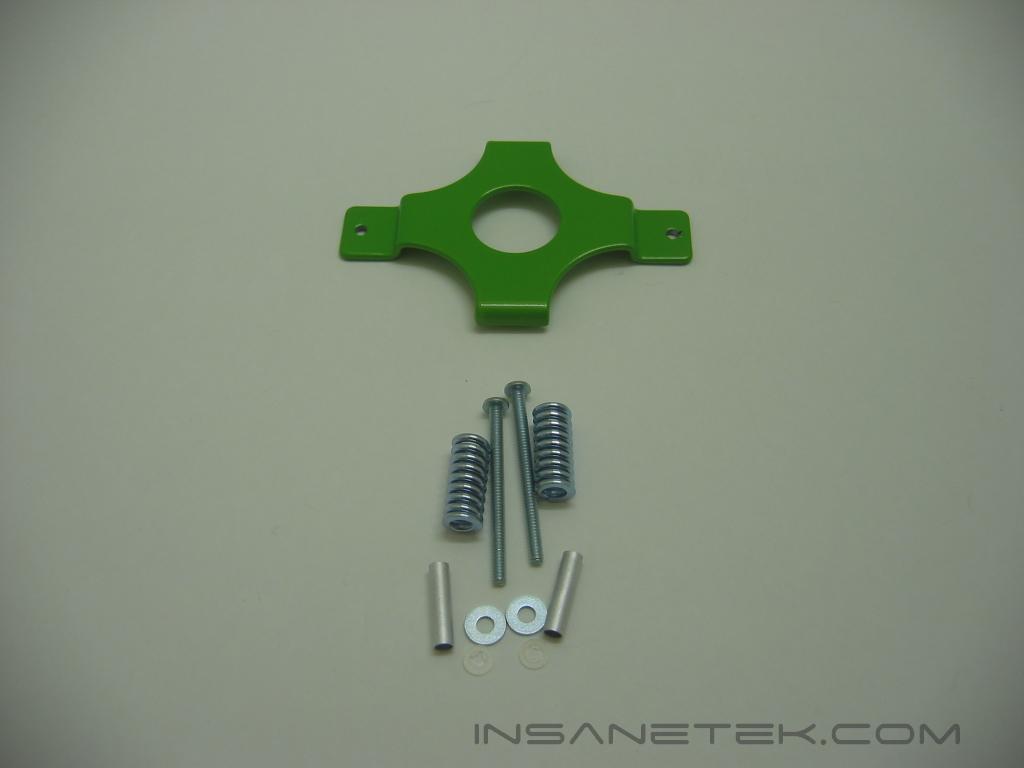
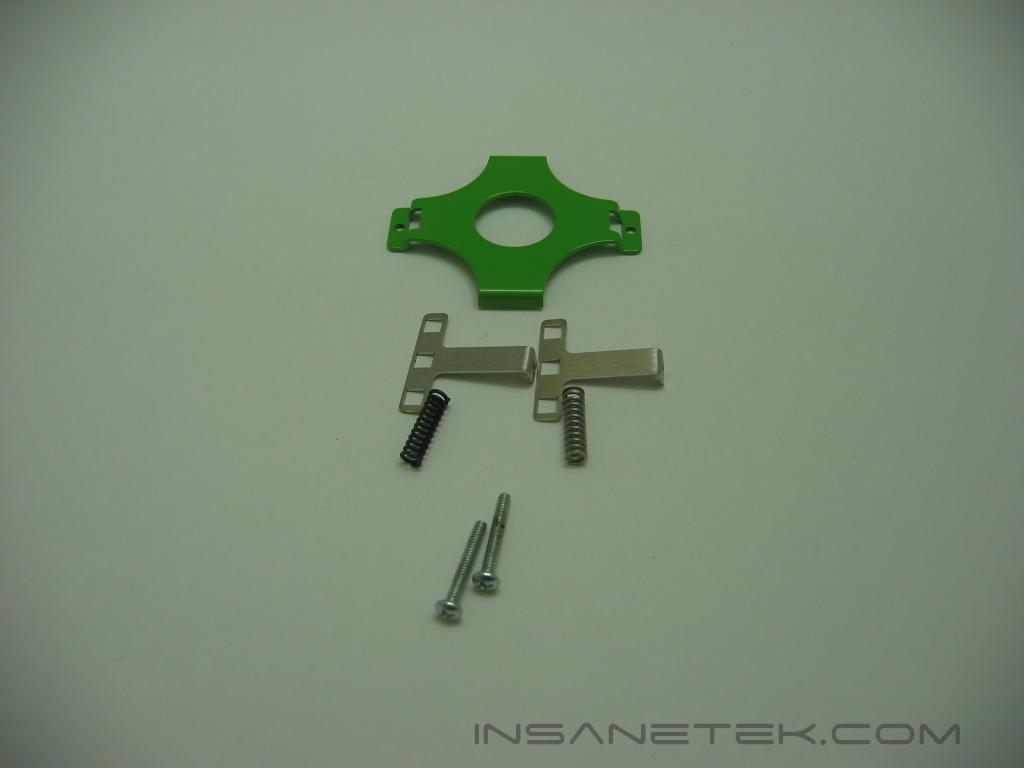
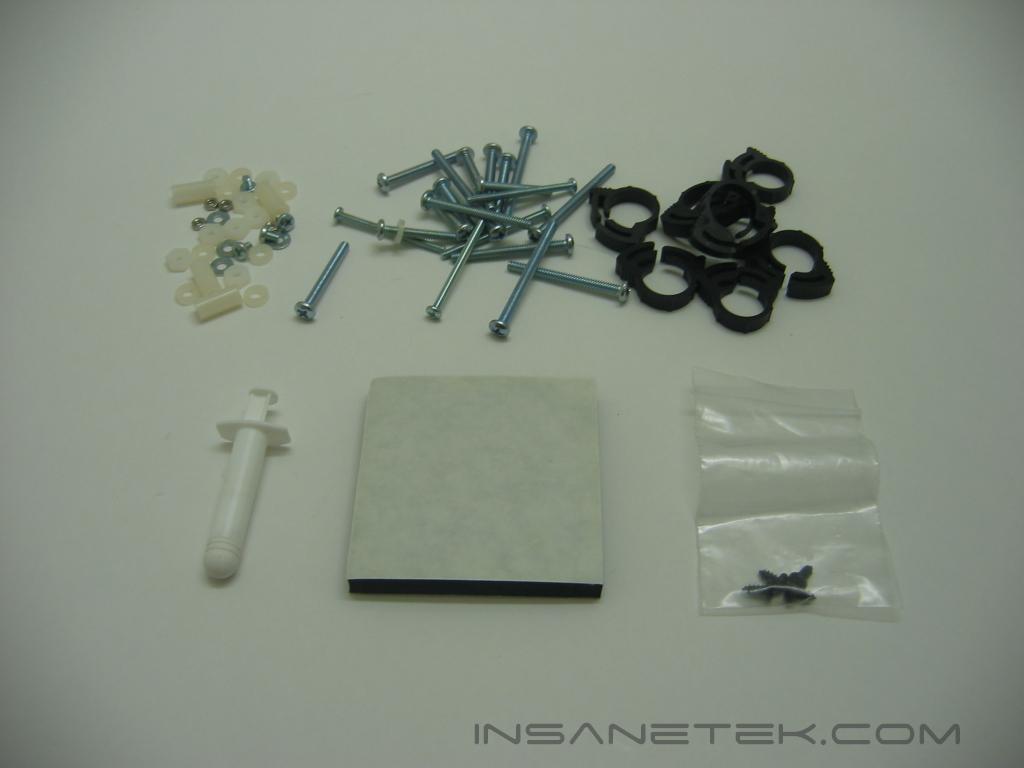
These are all of the mounting brackets and other accessories. First is the Pentium 4 for socket 775, with a number of screws and bolts necessary for installation. Next is the Pentium 4 for socket 478. This looks to be the easiest socket to install, as only two clips are needed. Then the Athlon 64, or socket 8 mounting. There is more on this later in the review. Lastly the Athlon XP, or socket 7 mounts, uses the clip method also. In the last image you’ll see various screws, nuts, and washers, along with tube clamps, thermal paste, and a sound dampening pad for the pump.
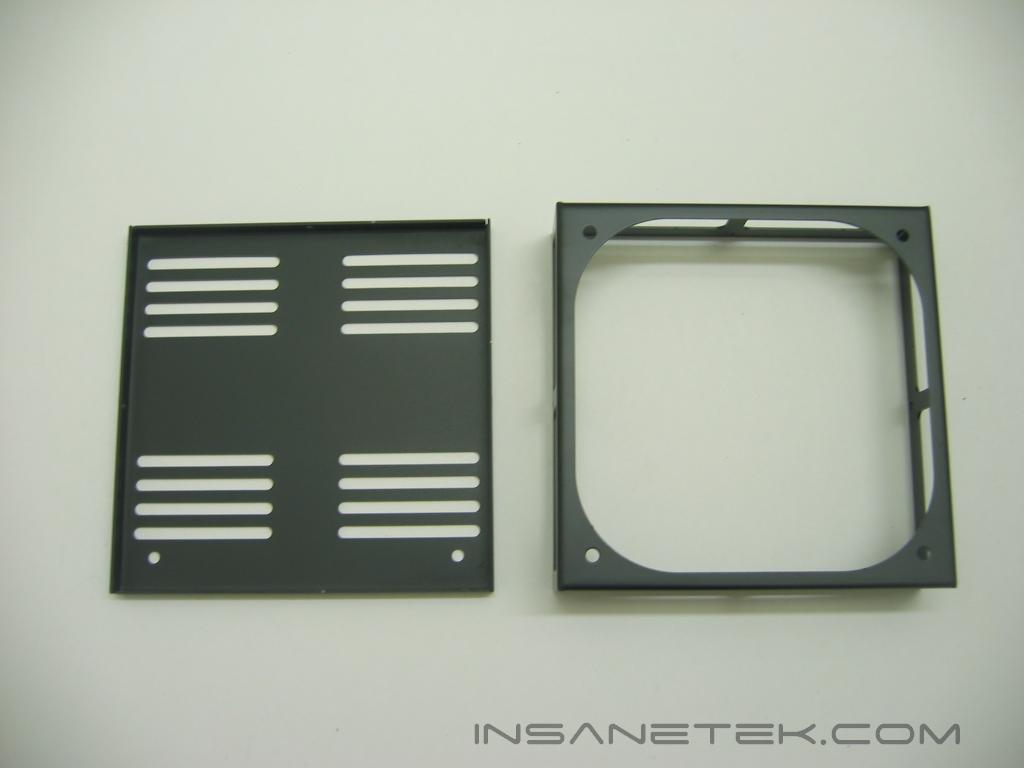
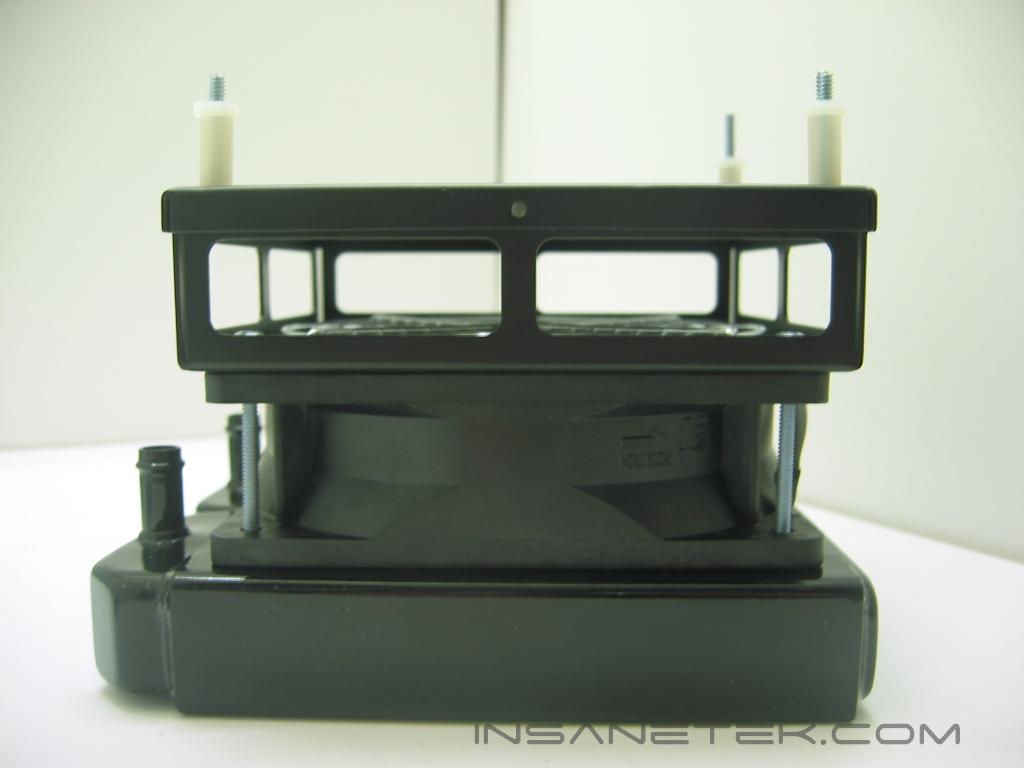
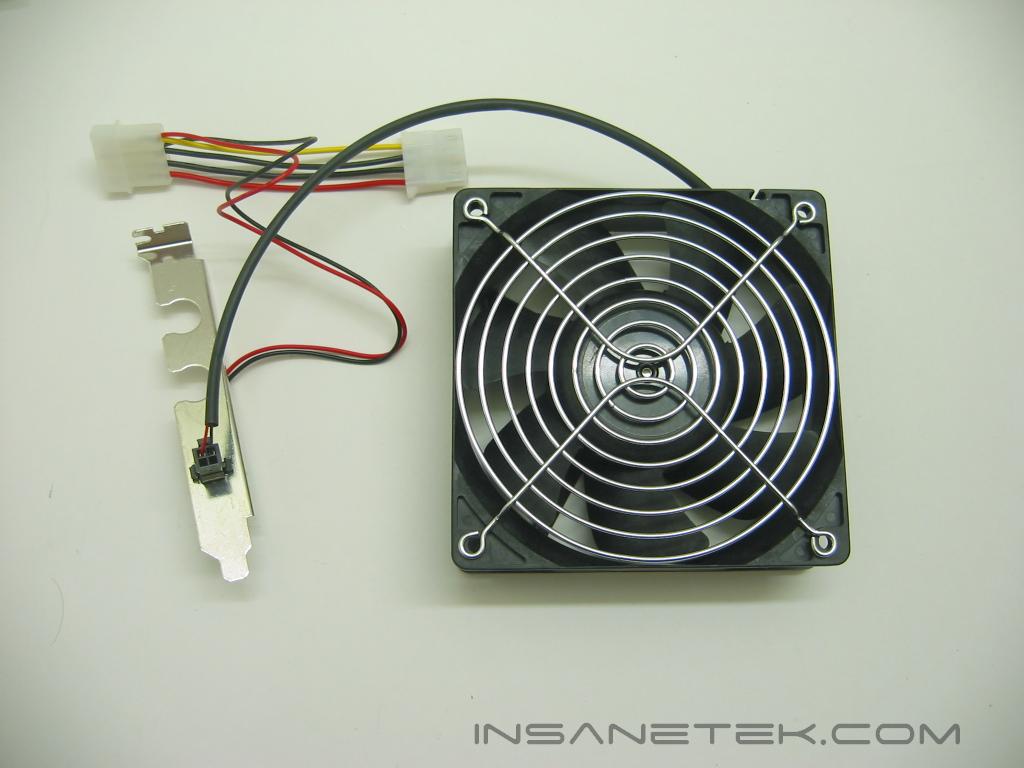
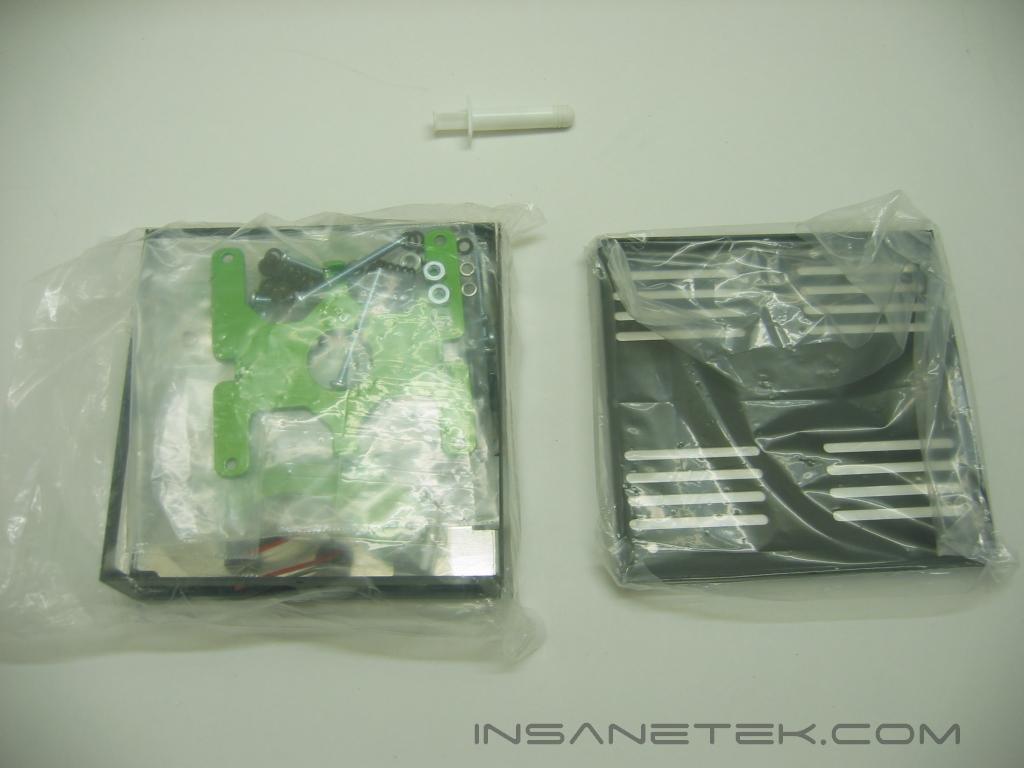
Here are the main components of the Radbox. The larger open box will connect to your radiator and fan, and the flat piece of metal is what will connect to your case. In the second image, you can see the Radbox assembled. It will attach to the case by the screws with the plastic spacers. Here we can see the fan power cable and PCI slot bracket with holes for tubing. You will need this if you will be mounting the radiator outside of your case. Also included is a 120mm fan grill.
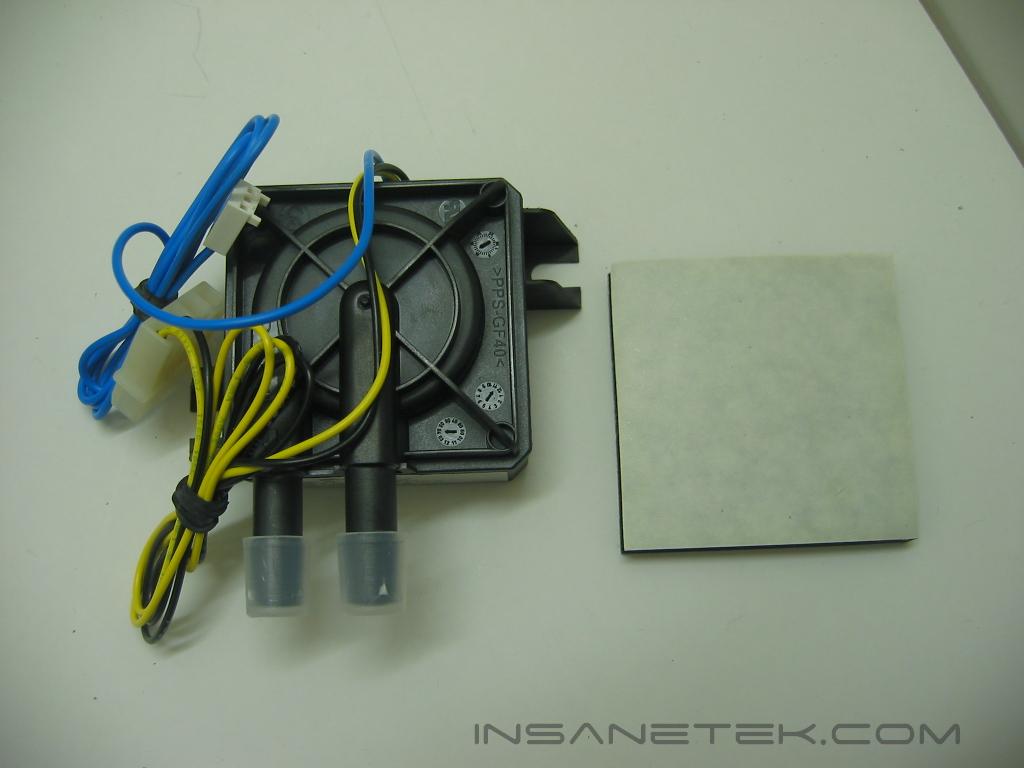
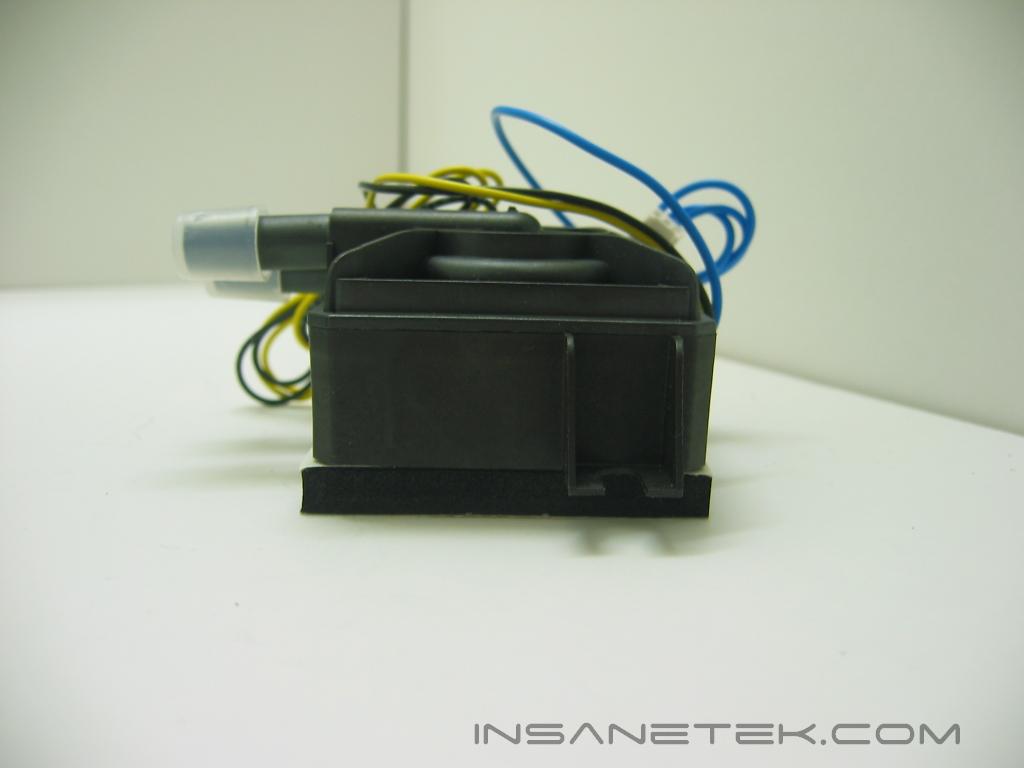
This is the foam pad that dampens the vibrations of the pump, it also attaches the pump to your case. The pad has adhesive strips on both sides. The pump can be mounted by screws also. Just place them in between the plastic protruding from the sides of the pump.
Installation
Corsair’s instructions are very simple. They go step by step through the assembly of COOL. First, measure and cut the required length of tubing necessary for each component to rest in your case. Corsair recommends setup in this order: reservoir to pump, pump to radiator, radiator to waterblock, and block back to radiator. The stepped down portion of the reservoir is the exit to the pump. This ensures that there aren’t any air bubbles allowed to enter the loop. Push the tubing around the barbs of the components. Remember to place the green mounting plate needed for your system through the waterblock’s center tube. Secure the tubing to each of the barbs on the radiator, pump, and reservoir by the black hose clamps, to make sure the tubes do not come loose. Time to fill the system. Empty the entire bottle of coolant into the reservoir through the fill cap. Make sure the reservoir is at the highest point in the loop to “bleed” the air out of the setup. Then start filling with some distilled water. Never run the pump dry, so when the first portions of water run into the loop, tilt the pump’s barbs upwards to release any air still inside. When the air in the pump is gone, and the reservoir has quite a bit of water in it, you can power the pump to speed the filling process. To power the pump without powering your entire computer, remove all of the power cables from your motherboard and other components and jump the power supply by shorting the PS-On and a ground pin. The PS-On should be the only green pin on the ATX connector. Connect that by a wire or paperclip to the COM, or ground (black) pin, next to it. When the loop is completely full of the coolant and water mixture, and there are no leaks, you can go on to the mounting of the waterblock.
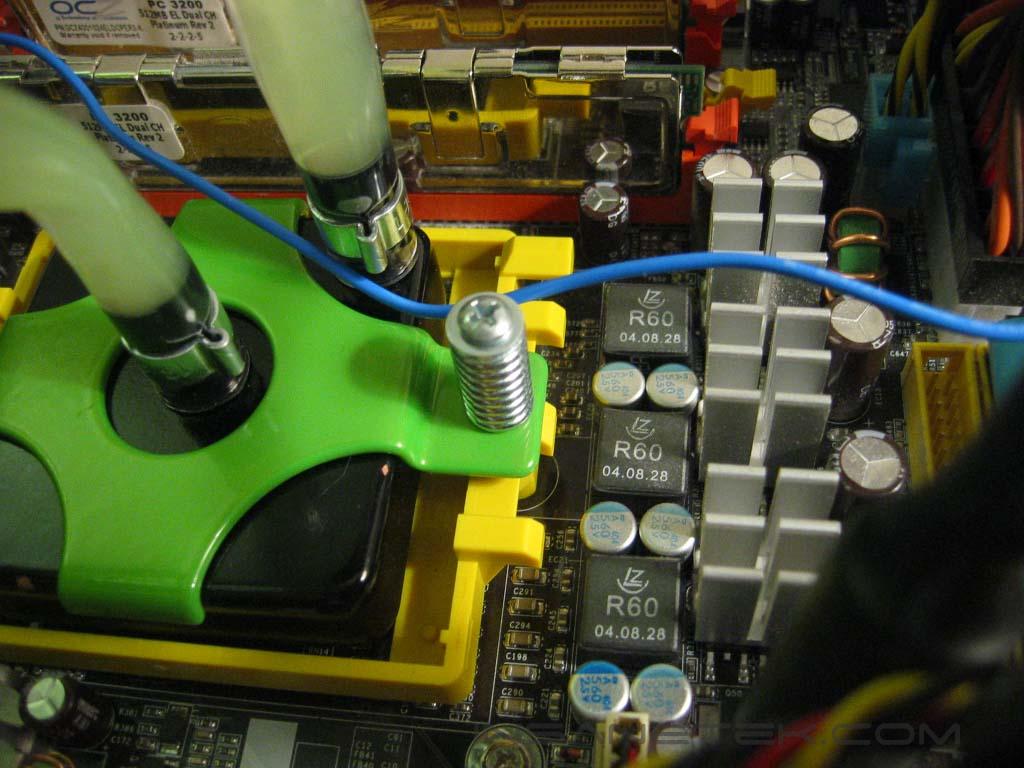
Installation of the water block on the K8 platform is very simple and straight forward. Your motherboard’s stock mounting is used to make this a simple process. Just place the retention spring and tension limiter on the COOL’s mounting screws and then screw the green mounting plate into your motherboard’s mounting bracket. I did have some trouble getting the screws to thread. Corsair supplies a tiny nylon washer that you place on the screw to keep the spring and other parts on the screw from falling off during installation. Though it did hold the spring onto the screw, it was what kept them from threading. So I took it off and it was smooth sailing after that. I wish that longer screws were included, so less initial force would be needed to compress the screw. Remember the thermal paste!
Test Setup and Results
Test Setup and Method:
- Athlon64 3700+ 939pin
- DFI LANParty UT nF4 Ultra-D
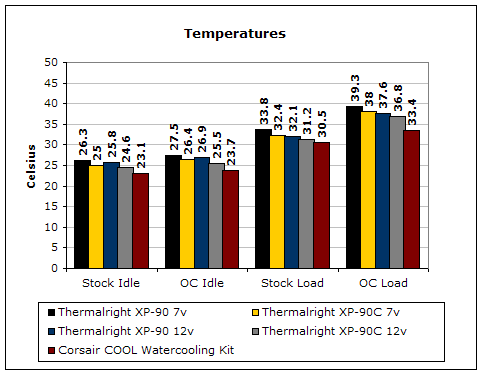
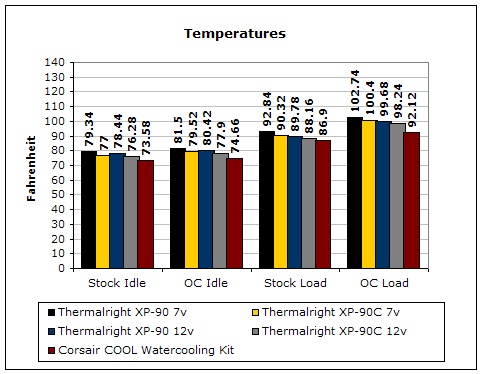
Testing will be done on the AMD64 platform. Temperatures will be monitored by the probe of an UEI DT150 thermometer placed on the side of the processors heatspreader. Ambient temperature was kept at 20°C with +/-0.1°C. Arctic Silver Ceramique thermal paste was used throughout the testing process. One instance of CPU Burn-in was used to create maximum load on the CPU. No scientific testing will be conducted. The purpose of this test was to determine the results a home end user would obtain. No scientific testing will be conducted for lack of equipment. Testing will be done on a test table, not within a closed case. The fan will be kept at 12v throughout testing.
Results will be compared to the Thermalright XP-90 and Thermalright XP-90C heatsinks with the Vantec Tornado fan at 7v and 12v.
Results:
Conclusion and Thoughts
As you can see from the results, the COOL was more than three degrees Celsius cooler than the best heatsink being cooled by the most powerful, and definitely loudest, 92 millimeter fan. I don’t know why Corsair chose a 240 pin block, opposed to Swiftech’s regular 281 pin design. Lowering the number of pins will increase the water flow rate, but decreases the surface area the block can cool. Perhaps, through testing, they favored this setup. There isn’t much needed improvement with the COOL watercooling kit. Yet, what I would like to see added is a shroud to space the fan from the radiator. With the way it is mounted now, there is a dead spot in the middle of the radiator. Removing this dead spot could increase the cooling efficiency of the radiator. All in all, the COOL is a very well rounded setup. Kits are most always cheaper than buying the same parts separately. This is a fantastic setup for those looking to step into water cooling, but don’t know where to begin.
John’s Addition:
I’m pretty sure that all of the enthusiasts out there know that Swiftech is the supplier of Corsair’s COOL watercooling kits. So what’s so different about Corsair’s kit? First of all, it comes with two waterblocks. This allows enthusiasts to keep the entire watercooling system by just switching out a CPU block. If you were to buy a Swiftech kit, you’ll only get one CPU block. This means that you’ll have to buy another CPU block in the event if for some reason you decided to drop the AMD A64 setup and go with the Intel LGA775, or vice versa. The Corsair kit also comes in their signature black color, and paired with green. Why green? I have no idea. It wouldn’t be my personal choice but some may still like it. The strongest point of the Corsair COOL is their selling name. Corsair is the number one choice for enthusiasts in the high performance memory market, and with a name like Corsair standing behind this great watercooling kit, enthusiasts out there should definitely pick this up. The price isn’t too shabby either. Coming in at below $200, watercooling has become quite affordable.
Pros:
- Easy installation
- Good Instruction Manual
- Great, high performing parts
- Ample tubing
- Near silence
- Less expensive then buying the same parts separately
Cons:
- Could use some longer screws on the K8 mounts

We would like to thank Corsair for providing us the sample. If you have any questions or comments, feel free to hit us up in the forums. You can also check out more of our latest reviews on the front page.