

Thermaltake TWV500W 500W
Introduction
When Ultra Products released thee X-Connect modular power supply, every enthusiast went nuts for the power supply’s great looks and excellent cable management. Other companies realized the growing market potential and quickly released their own modular power supplies. Although modular power supplies are great for keeping systems clutter-free, the performance cannot match the performance of a standard ATX power supply. One such example would be OCZ’s ModStream and PowerStream. The ModStream has the great aesthetics and good performance, but the performance still can’t keep up with the PowerStream. Overclocking enthusiasts are better off with something that’s not modular.
Thermaltake’s flagship power supply is the PurePower 680W. It was a great power supply, despite the fact that our sample arrived with a wacky 6pin PCI-E connector. Don’t worry, as Thermaltake has alleviated that problem. Their newest power supply does not provide a higher wattage rating, but it does come with a modular design.
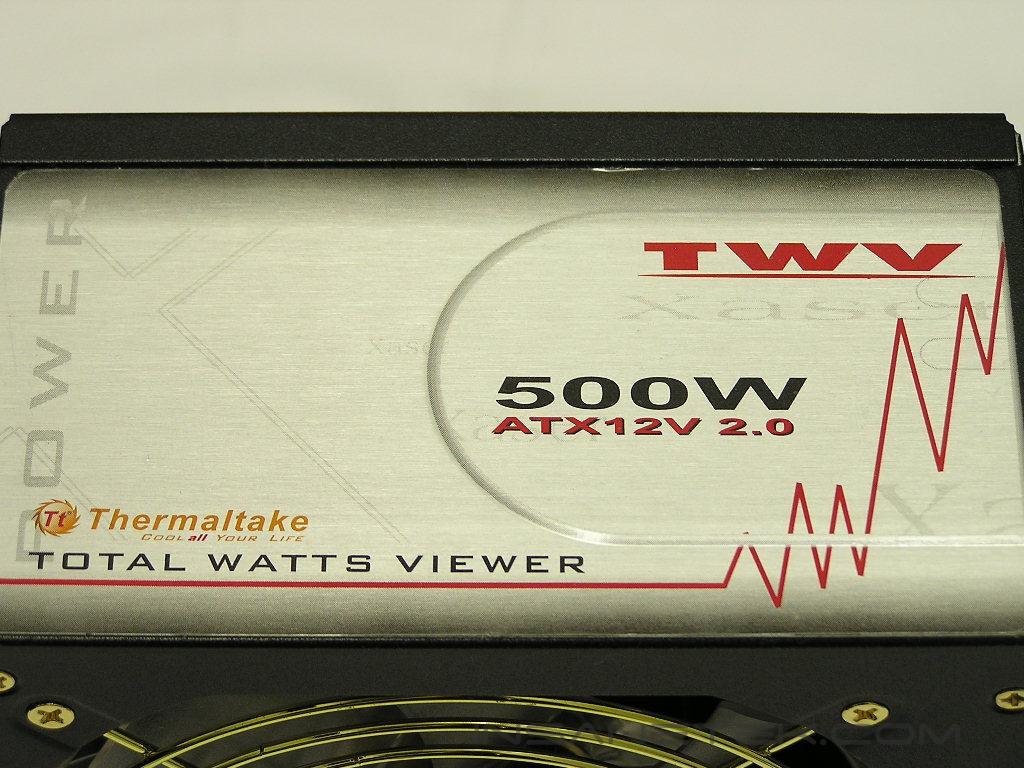
Thermaltake TWV500W
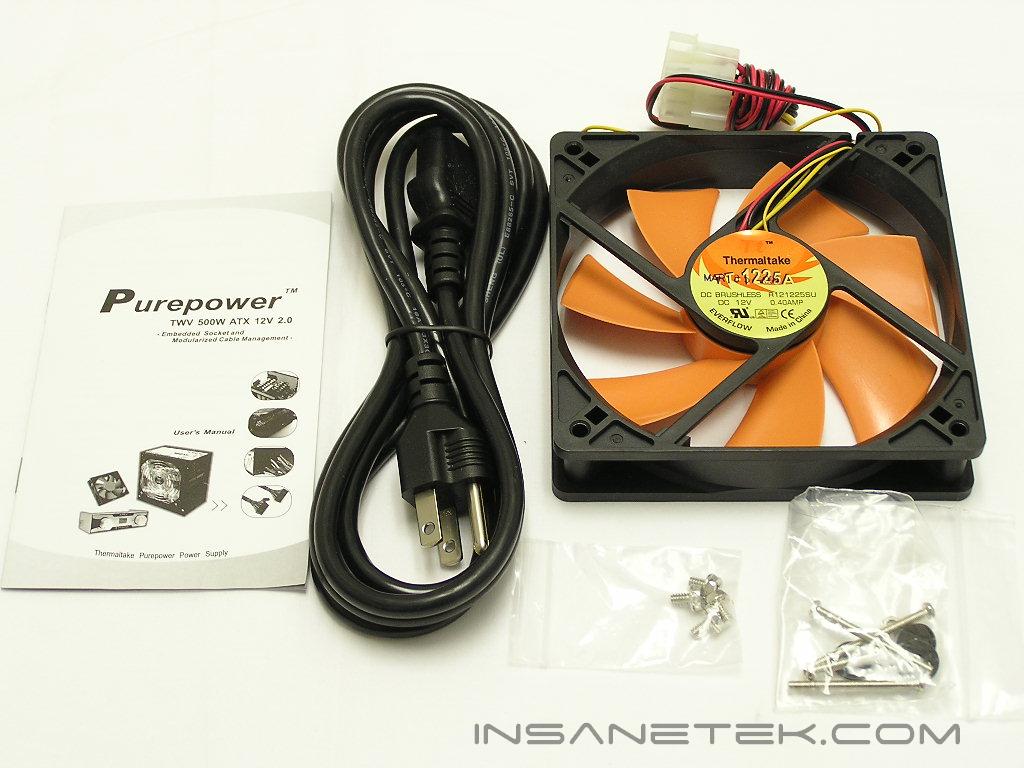
The TWV500W package not only comes with a power supply and cables, but it also comes with a wattage display known as the “Total Watts Viewer” or “TWV”. Also included in the package are screws, AC adapter, user’s manual, and an extra 120mm case fan. The additional fan is included to allow users to install an extra 120mm fan in their systems. The 120mm fan and the power supply can connect to the TWV for RPM adjustment to reduce noise or increase cooling.
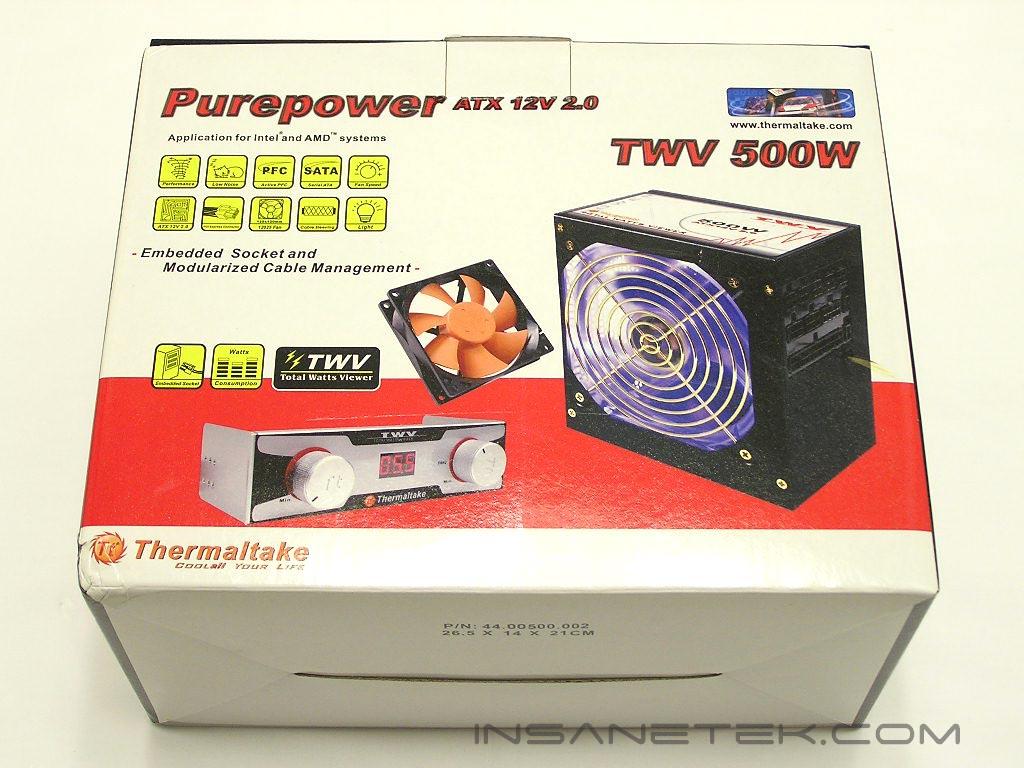
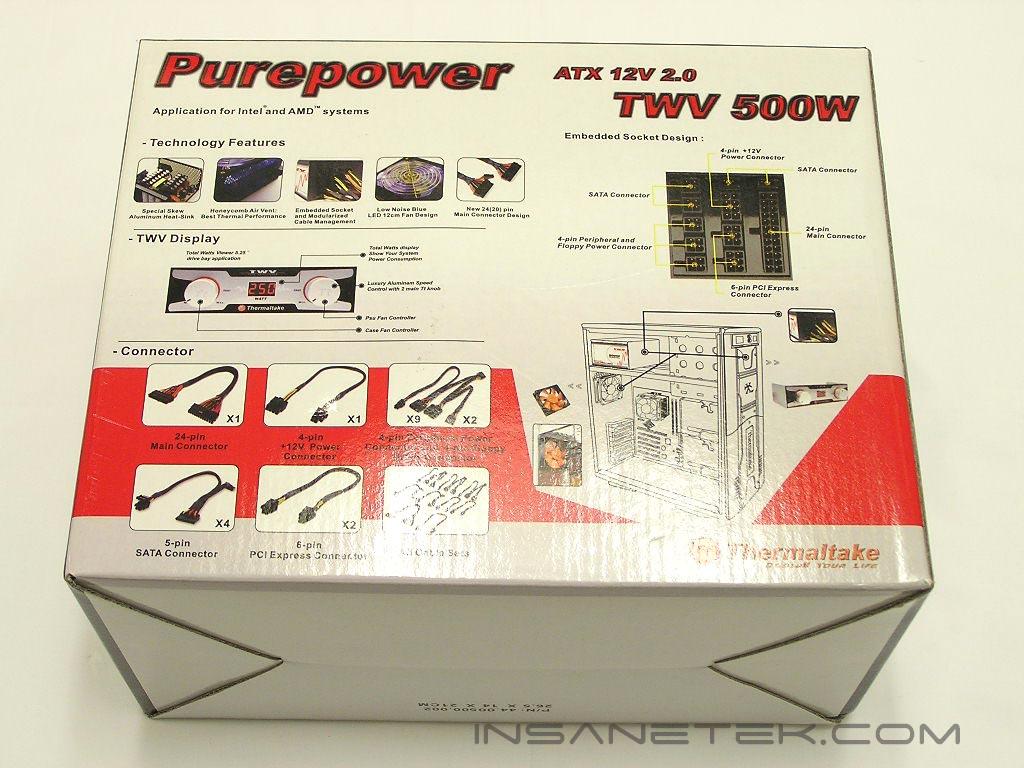
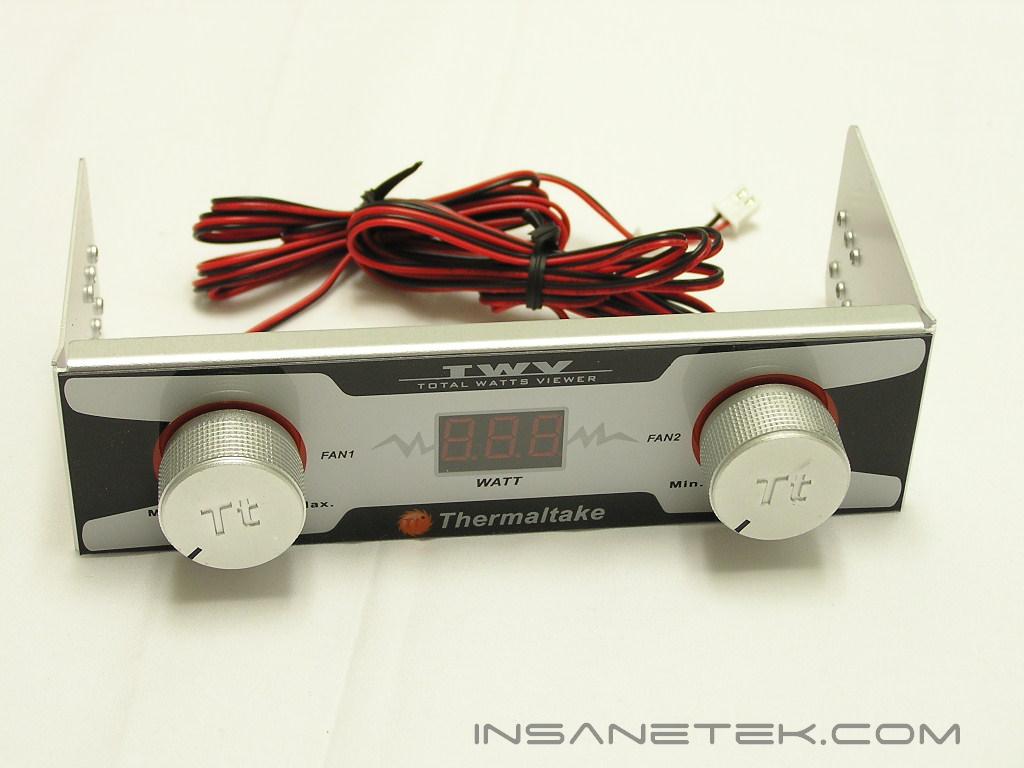
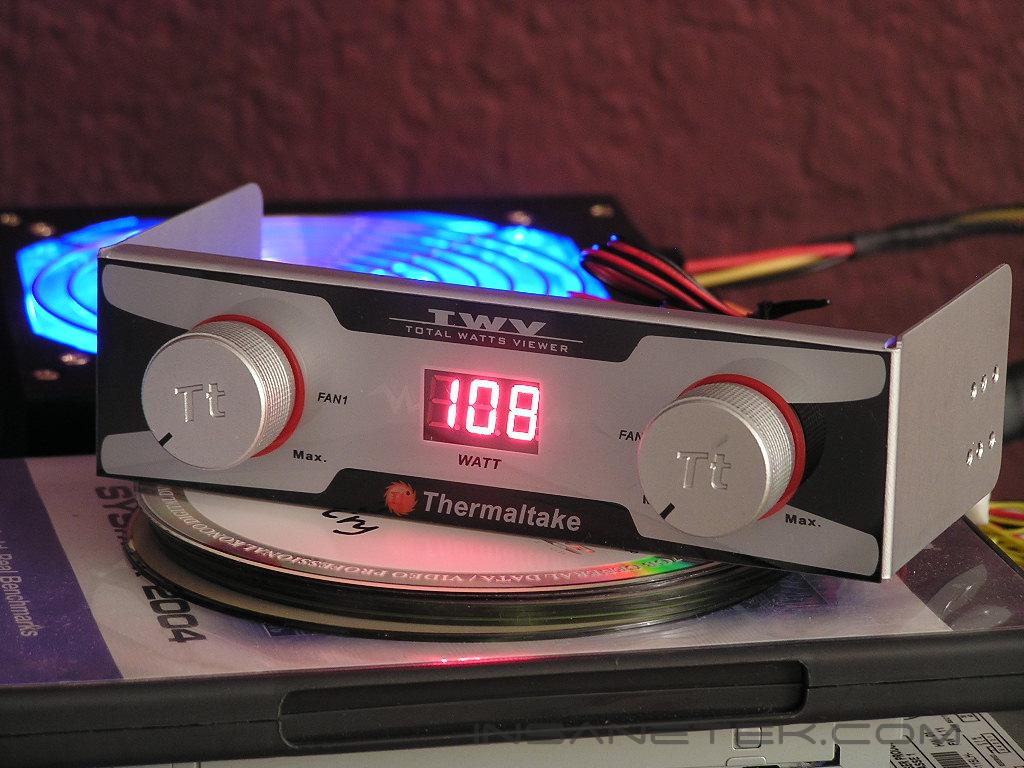
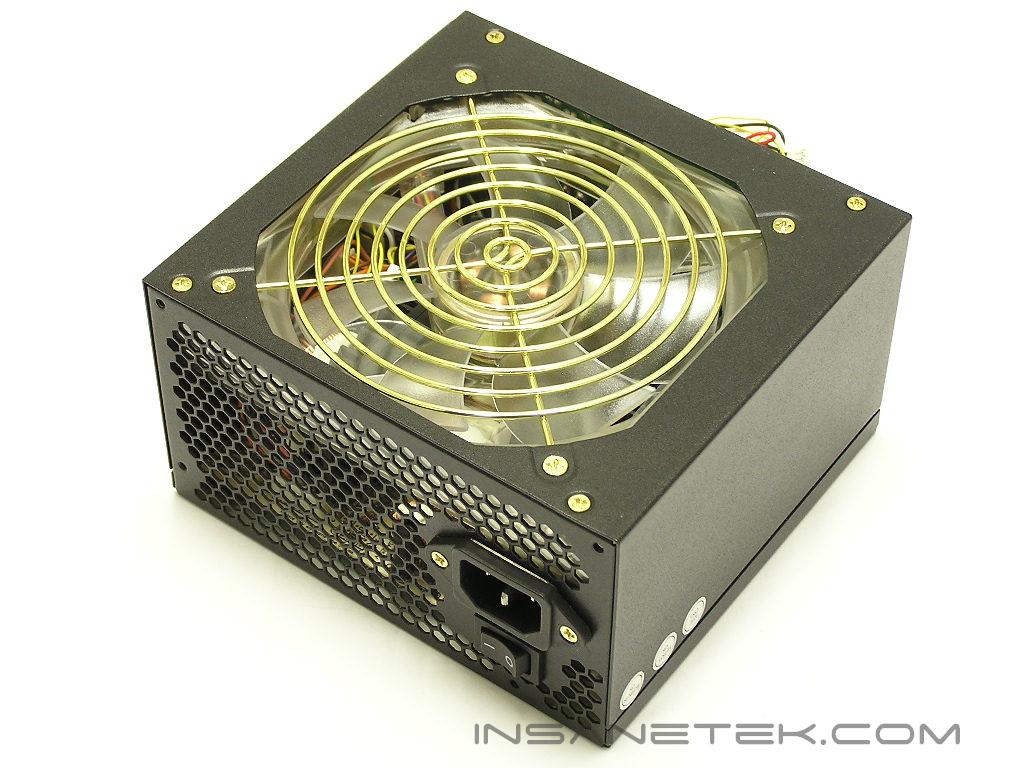
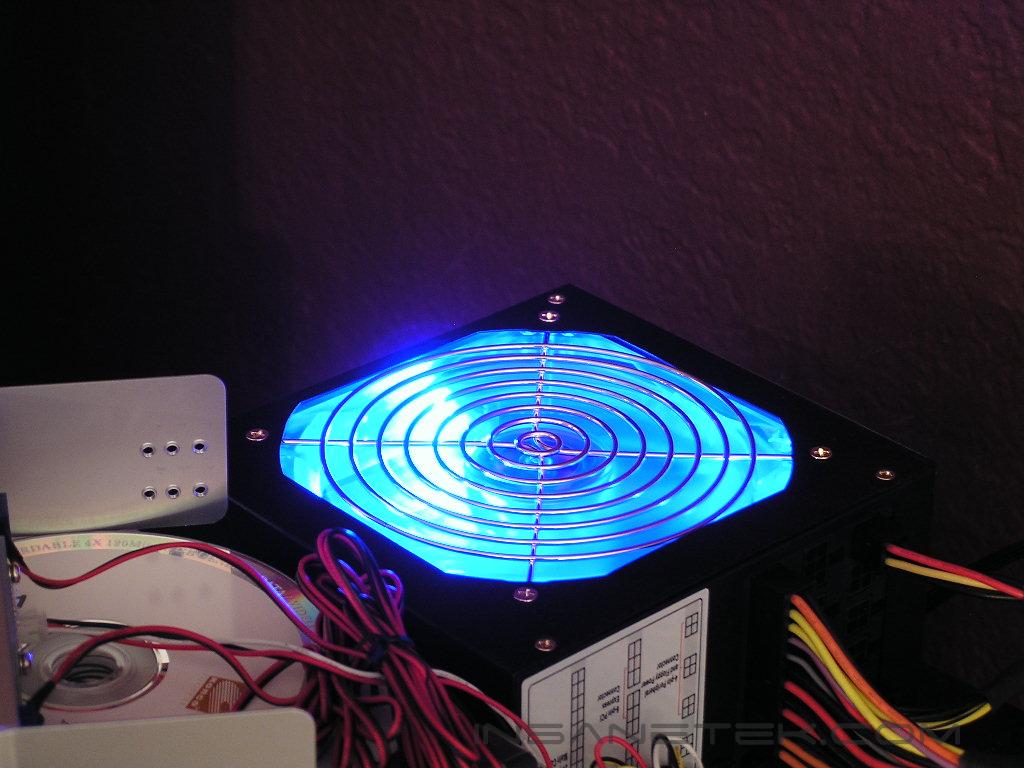
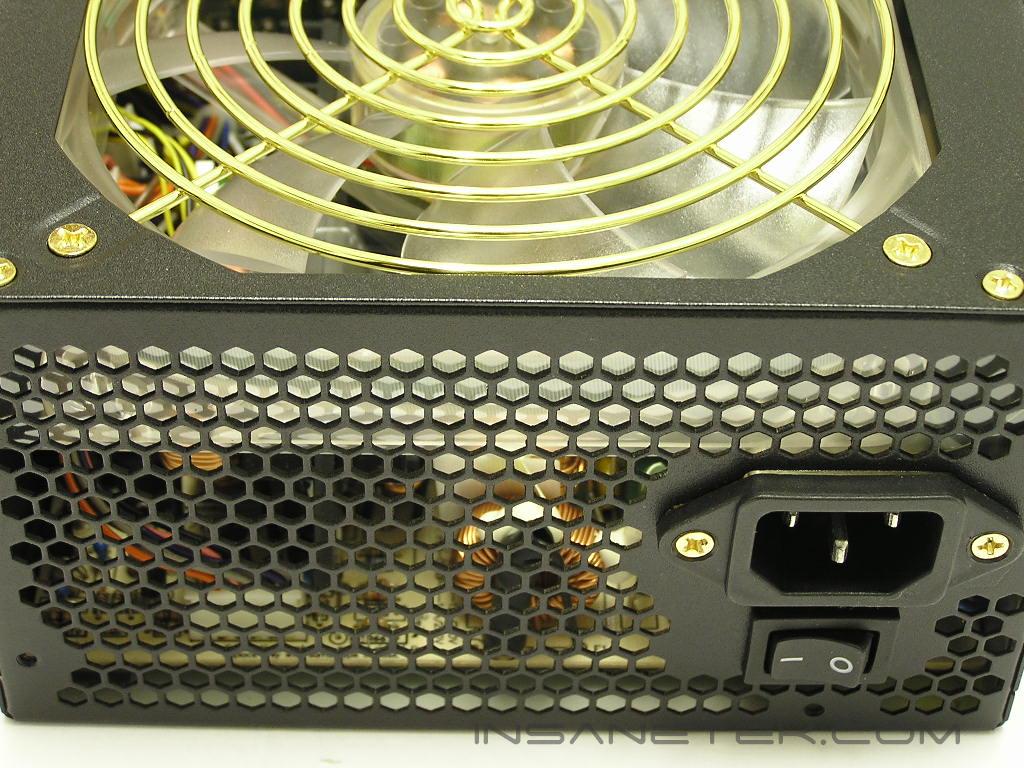
The power supply unit comes with a sleek black casing and matches perfectly with the black sleeved cables. The power supply also comes with a large 120mm fan for cooling. The fan has bright blue LED’s to provide great looks in a windowed case. At the back of the power supply are honeycomb vents to allow better air exhaustion. The large 120mm fan runs as low as 1300RPM or as high as 2800RPM. At the lowest setting, the fan only produces a low 17 dBA. If you do not connect the fan to the TWV, the fan will automatically adjust its speed according to the internal temperatures of the power supply. This is not ideal, as the fan will speed up to maximum RPM and produce quite a bit of sound.
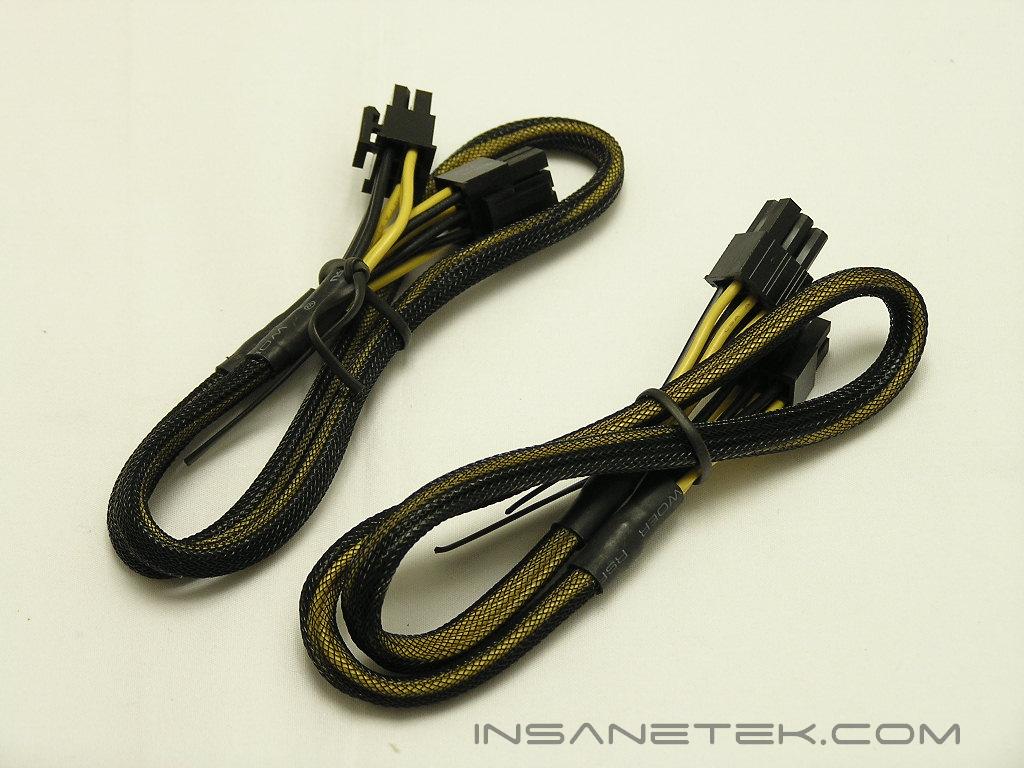
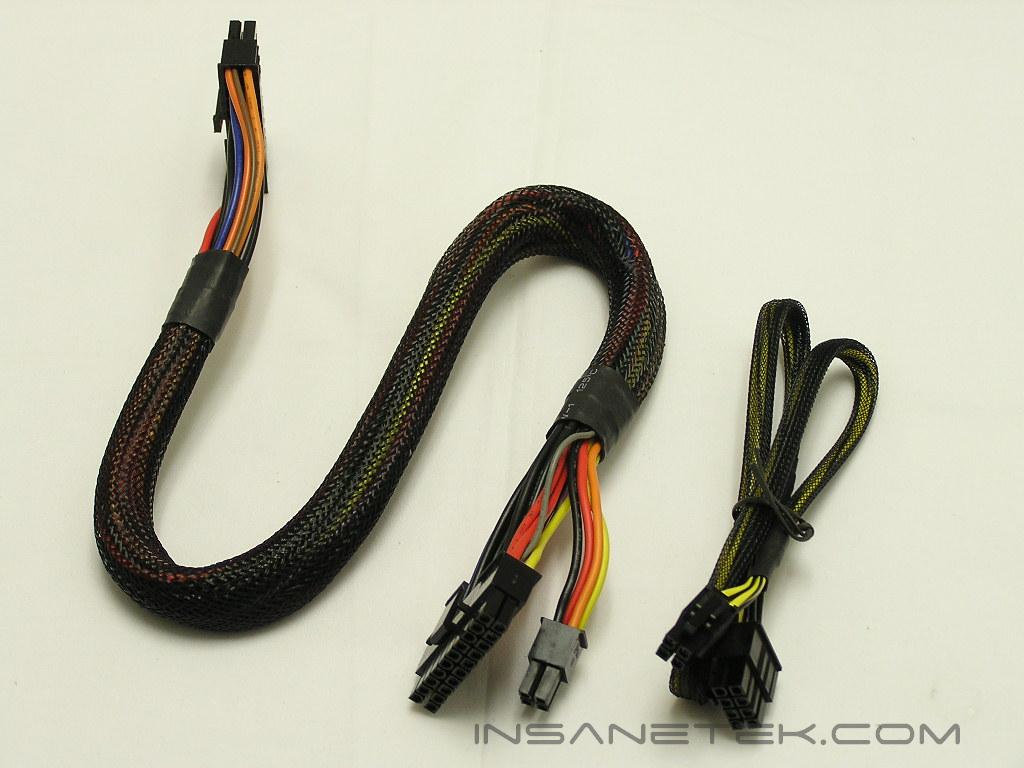
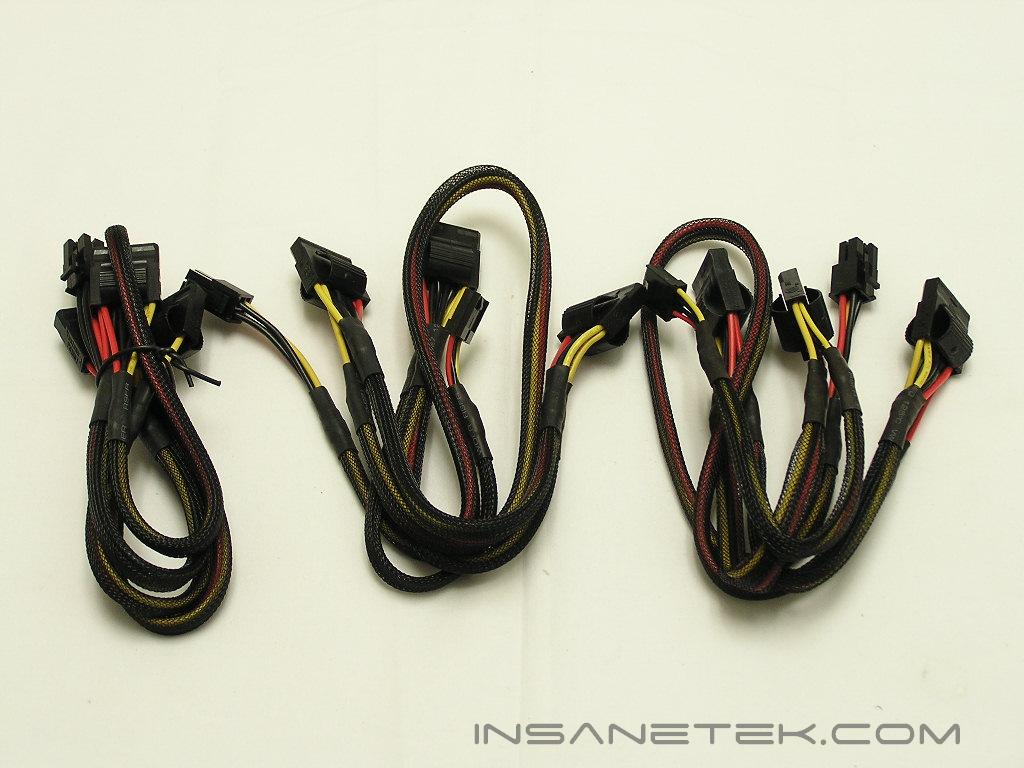
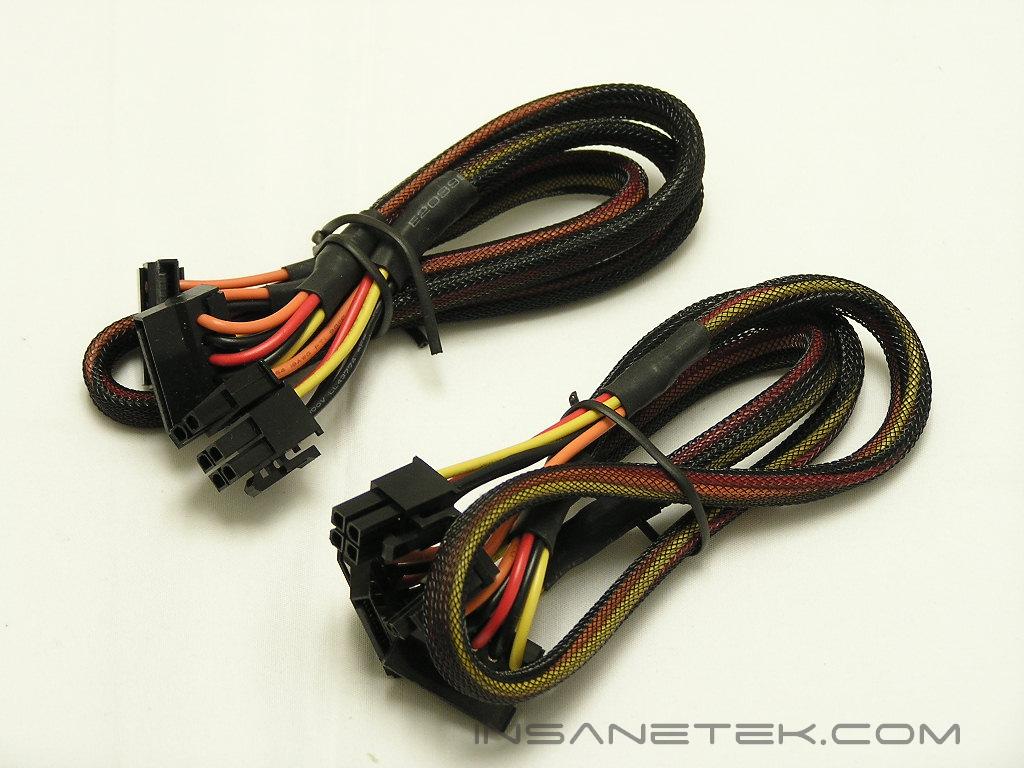
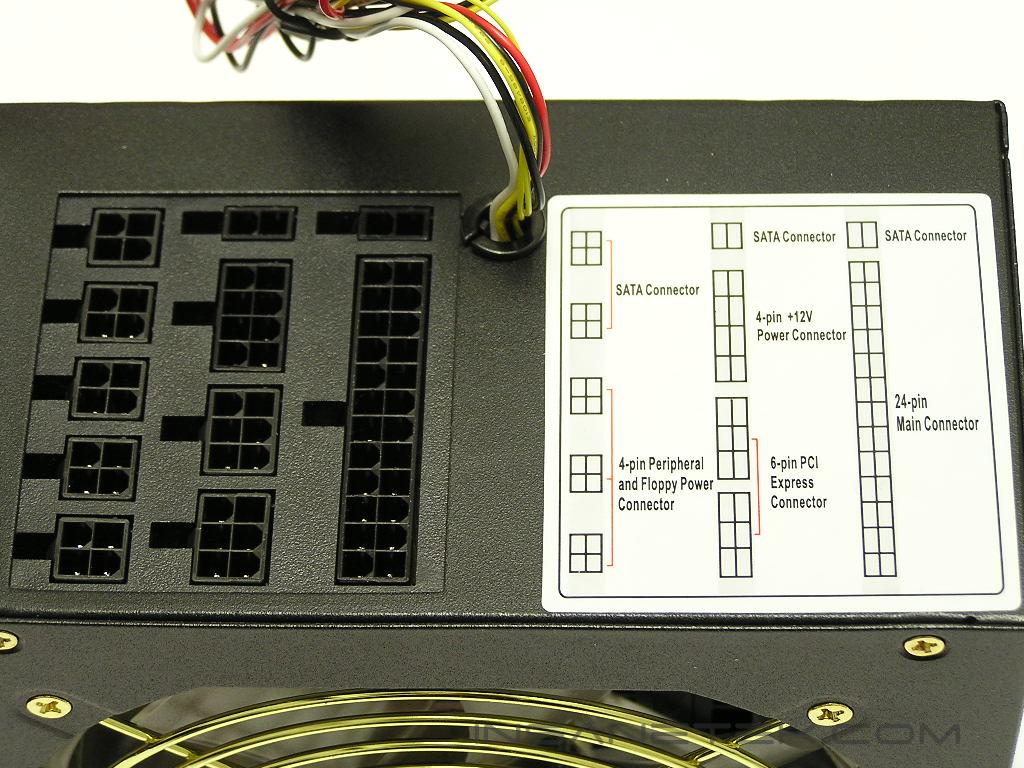
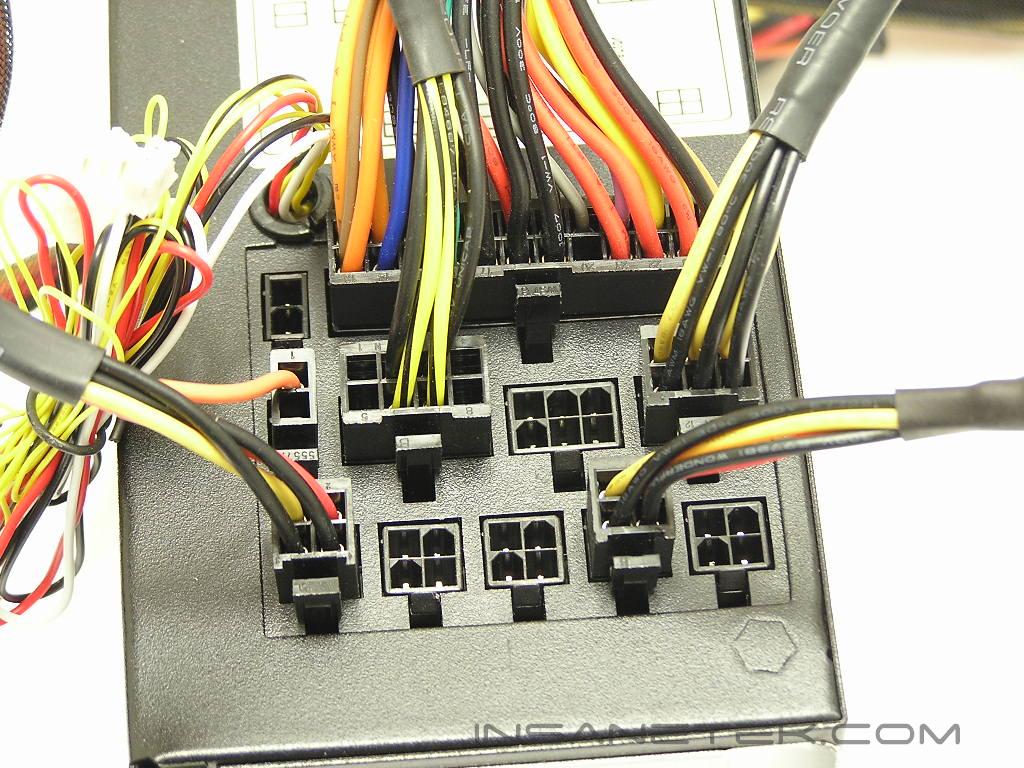
As mentioned earlier, all the modular cables are nicely wrapped in black sleeves. The TWV500W comes ready for SLI, which means that there are two 6pin PCI-E connectors. It’s quite rare to see modular power supplies capable of SLI, but Thermaltake says that the TWV500W can do it. The ATX connector comes 24pin ready and is backwards compatible with older motherboards that only use 20pin connectors. The amount of connectors included was very surprising for me. There are a total of nine 4pin Molex connectors, two 4pin floppy connectors, four SATA connectors, and a single 4pin 12v connector. What I want to know is who’ll be able to make use of all nine 4pin Molex connectors. That’s certainly more than enough for a typical enthusiast system. A nice diagram on the power supply show users cable layout and placement. One bad thing about the cables is that they might not be long enough for tall towers with inverted motherboard trays, or the so-called BTX design. These cases include the Thermaltake Kandalf (with BTX motherboard tray), ThermalRock Circle, Enermax MaxFlow, and the SilverStone TJ06.
Specifications
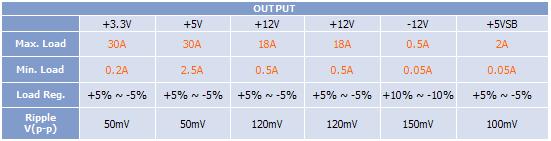
The TWV500W comes with pretty strong rails to backup the 500W rating. Both the 3.3v and 5v rails come with 30A each. The dual 12v rails come with 18A each. Overall, it’s a decent distribution of amps between all the rails; There isn’t one that’s significantly lower than the other.
The TWV500W comes with Active PFC for better power management inside the power supply. Many people argue that PFC in a power supply serves no purpose, but there is definitely a reason for it. Whenever the power efficiency starts to fluctuate, the active PFC helps keep the efficiency up high. Power is not lost and wasted into heat. This lowers your overall electricity bill as well. A single computer may not matter much, but it will definitely help for systems that run 24/7.
The power supply operates at a good efficiency of 70% or higher. The higher the efficiency rating, the less power the power supply wastes. This means that 70% of the power coming into the power supply is being used to power the system. The other 30% is released off as heat. This might sound really crappy, but it’s actually pretty good. The highest efficiency rating so far is 80%, and few companies have achieved that. The typical rating is 70%, so that puts the TWV500W in a good position.
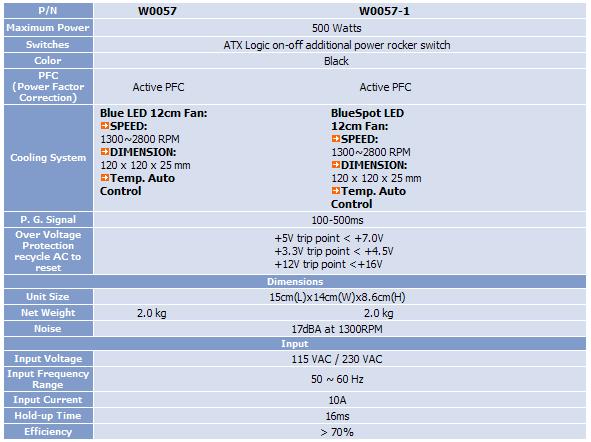
The TWV500W offers a low level of protection and features:
- Over voltage
- Short circuit
- Over current
- Overload
- Over temperature
Test Setup and Results
Testing Setup and Method:
- Intel 560 3.6GHZ
- Asus P5WD2 Premium
- Kingston HyperX PC2-6000
- Sapphire Radeon X800
- Arctic Freezer 7
- 1 x 120mm fan
- Pioneer DVD-Rom
- Sony floppy
- DLink 802.11b wireless NIC
Running Stock:
- Intel 560 3.6GHZ – 14 x 200 = 2.8GHZ @ 1.352v
- Kingston HyperX PC2-6000 – 200FSB 3:5 333MHZ @ 1.9v
- Sapphire Radeon X800 – 400/700
- FSB Termination Voltage – 1.2v
- ICH Chipset Voltage – 1.05v
- MCH Chipset Voltage – 1.5v
Running Overclocked:
- Intel 560 3.6GHZ – 18 x 200 = 3.6GHZ @ 1.4v
- Kingston HyperX PC2-6000 – 200FSB 1:2 400MHZ @ 2.3v
- Sapphire Radeon X800 – 450/900
- FSB Termination Voltage – 1.5v
- ICH Chipset Voltage – 1.2v
- MCH Chipset Voltage – 1.65v
Testing the power supply is a tedious task. Like cooling products, the “proper” testing method is long and strenuous. It involves high end equipment and testing materials that we simply cannot get our hands on. A simple proper testing method would be to test the wattage draw from the AC outlet, voltage rail fluctuations, wattage fluctuations under high operating temperatures, power efficiency, and the power supply’s reaction to low input voltage. But because this site is dedicated more to overclocking, we’ll check for voltage fluctuations in an overclocked environment. After all, that is what overclockers generally care about.
Results:
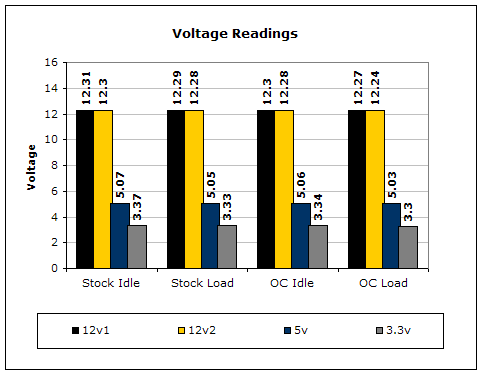
To test the power supply, a digital multimeter was used. For idle voltage readings, the system was left on the desktop not running any programs. For full load, the system ran 2 instances of CPU Burn-in, Prime95 torture test for maximum power consumption, PCMark2004 hard drive benchmark, and the Nature test in 3DMark2001SE. CPU Burn-in is a good program to maximize the CPU load. The results for each rail stayed decent throughout all overclocking tests. Although each rail did dip below the rated voltage line, the difference is not anything to worry about. It’s well within the 5% safety zone.
Conclusion and Thoughts
Thermaltake’s first modular power supply is a good one. They’ve done a great job accessorizing the modular power supply to add more appeal. The inclusion of a 120mm fan is great and will add better cooling to an overclocked system. The Total Watts Viewer is a neat feature to seet how much power your system is drawing. Throughout testing, the overclocked test rig sucked as much as 200W from the power supply! Of course, the fan had to run at high speeds just to cool the internals. One thing you have to make sure is to connect the power supply fan to the TWV. If you don’t, the fan will run on full speed almost indefinitely.
Will all the modular power supplies I’ve tested, there isn’t a single one that I’m particularly fond of. I’m an overclocking enthusiast who looks for pure performance out of a power supply, rather than clean cable management and stylish looks. This doesn’t mean that the Thermaltake TWV500W is short of my expectations. It’s a power supply with Active PFC, decent efficiency rating, and good performance. It’s the only modular power supply I’ve tested that is capable of SLI right out of the box. If a modular power supply is what you really want, Thermaltake’s solution would be a good choice.
Pros:
- Nice black finish
- Large 120mm fan with blue LED’s
- Total Watts Viewer
- Controls fan speeds
- Active PFC
- Decent efficiency at 70%
- SLI ready
- Comes with an extra 120mm case fan
Cons:
- Power supply fan will run at full speed if not manually controlled
- Efficiency can be better

We would like to thank Thermaltake for providing us the sample. If you have any questions or comments, feel free to hit us up in the forums. You can also check out more of our latest reviews on the front page.