

SinTek 500 SLI 500W
Introduction
Enthusiasts are finally starting to realize the importance of using a quality power supply. It makes me relieved knowing that enthusiasts are not pairing cheap generic power supplies with their hardware components. The last computer error you want to encounter is a power failure. The most painful problem is when the power supply fries ALL of your hardware. Fortunately for us, many companies realize the need for a high end power supply. I found it quite surprising when OCZ announced their PowerStream. The stable rails and adjustable potentiometers more than pleased the overclocking enthusiasts. OCZ wanted to provide a reliable power supply that provided more than just stable power; they wanted to make sure that your overclock is not bottlenecked in any way.
A new company has stepped forward with a similar approach. This new company is called SinTek Industries. Their introductory release starts with the heart of a system–the power supply. SinTek had many goals when designing their first power supply–performance, reliability, feature-rich, value, and of course, silence. The end result? The 500 SLI and the 600 SLI.
SinTek 500 SLI Package
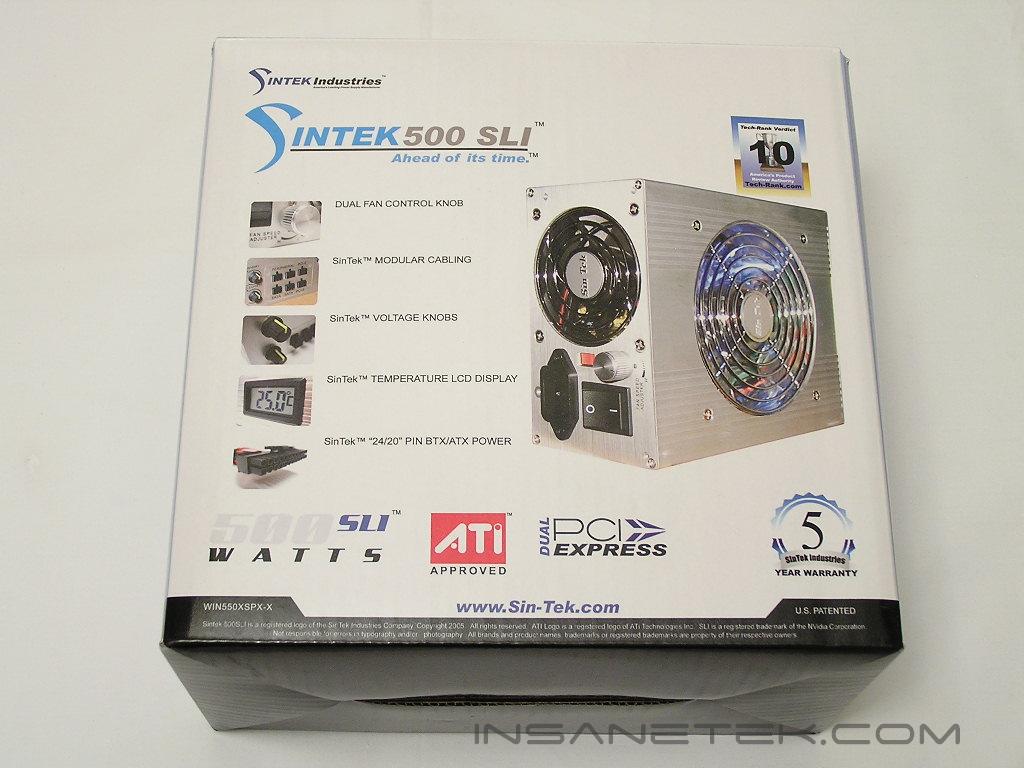
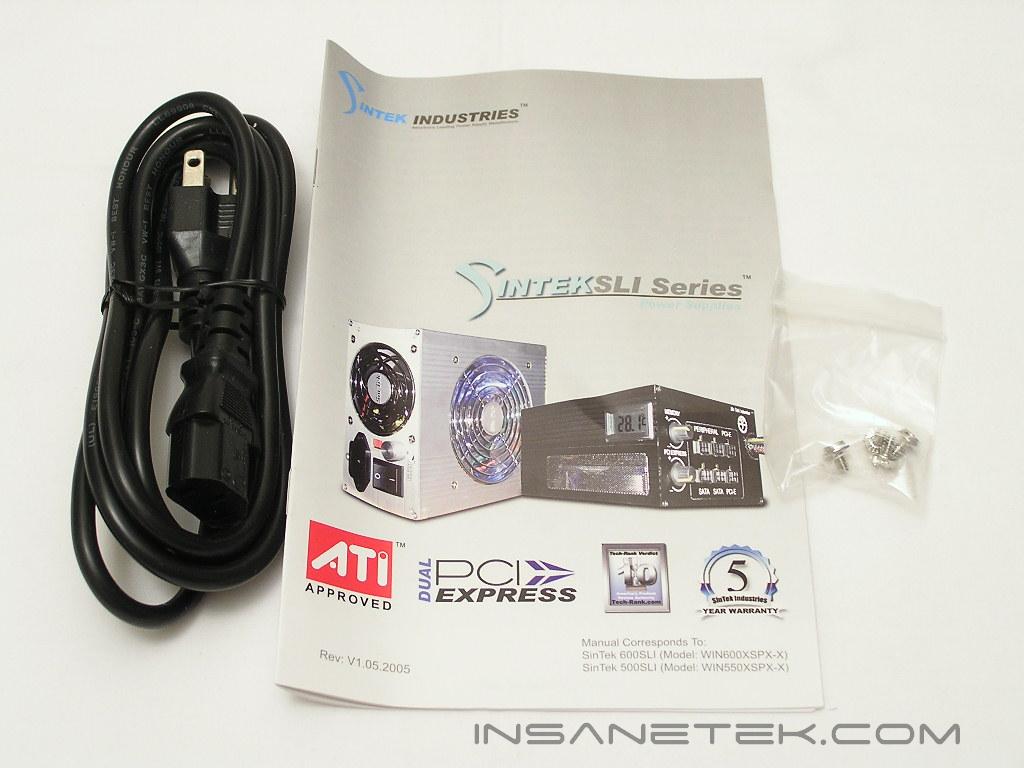
The 500 SLI provides 500W of beefy power to your system. 500W may not be enough for some of you, but the majority of enthusiasts will find it more than sufficient for every day needs. The 600W version comes in an all black finish, while the 500W version comes in an all silver finish. Like all power supplies, the bundled accessories are nothing much more than the typical user’s manual, power adapter, and some screws.
SinTek 500 SLI External
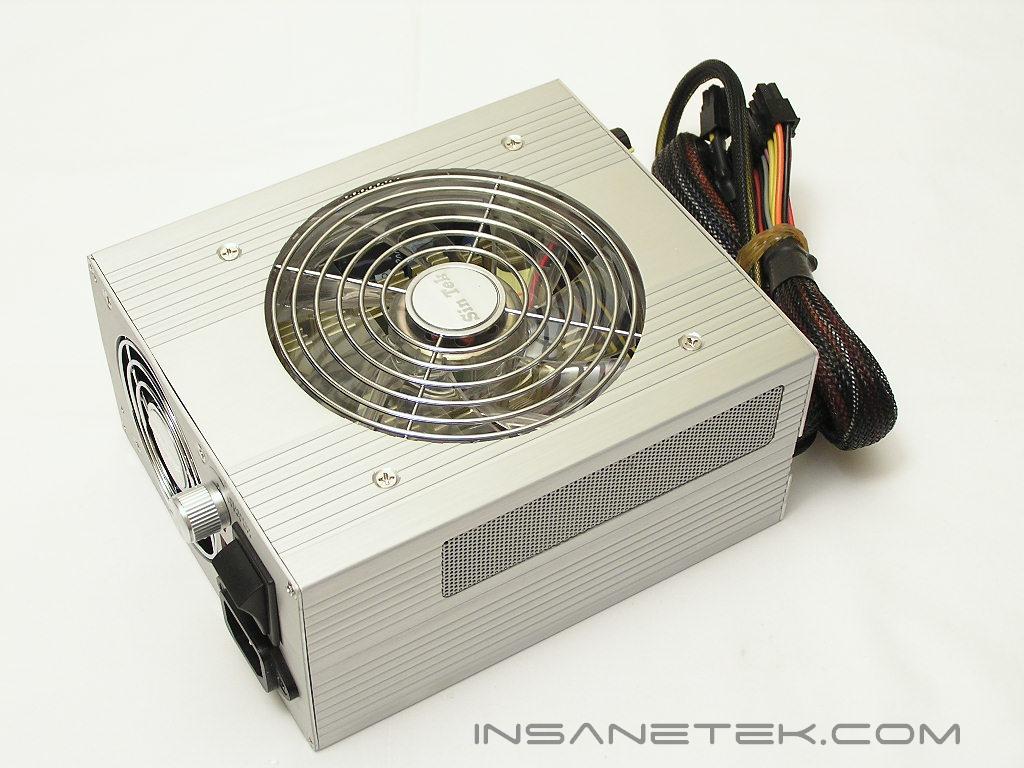
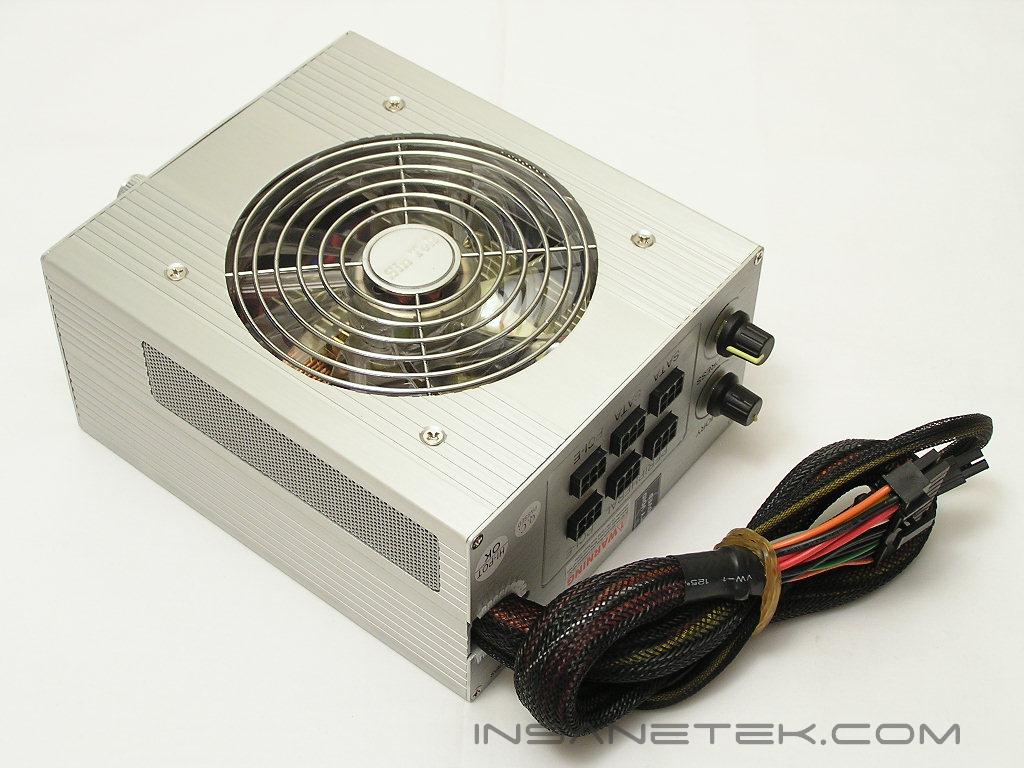
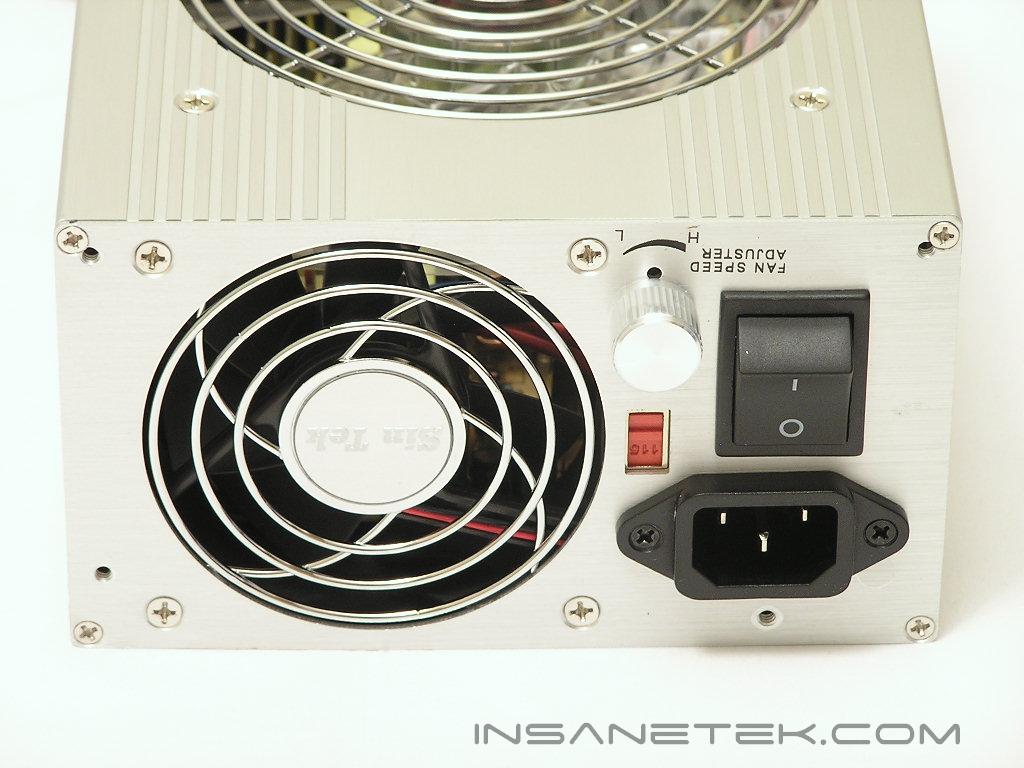
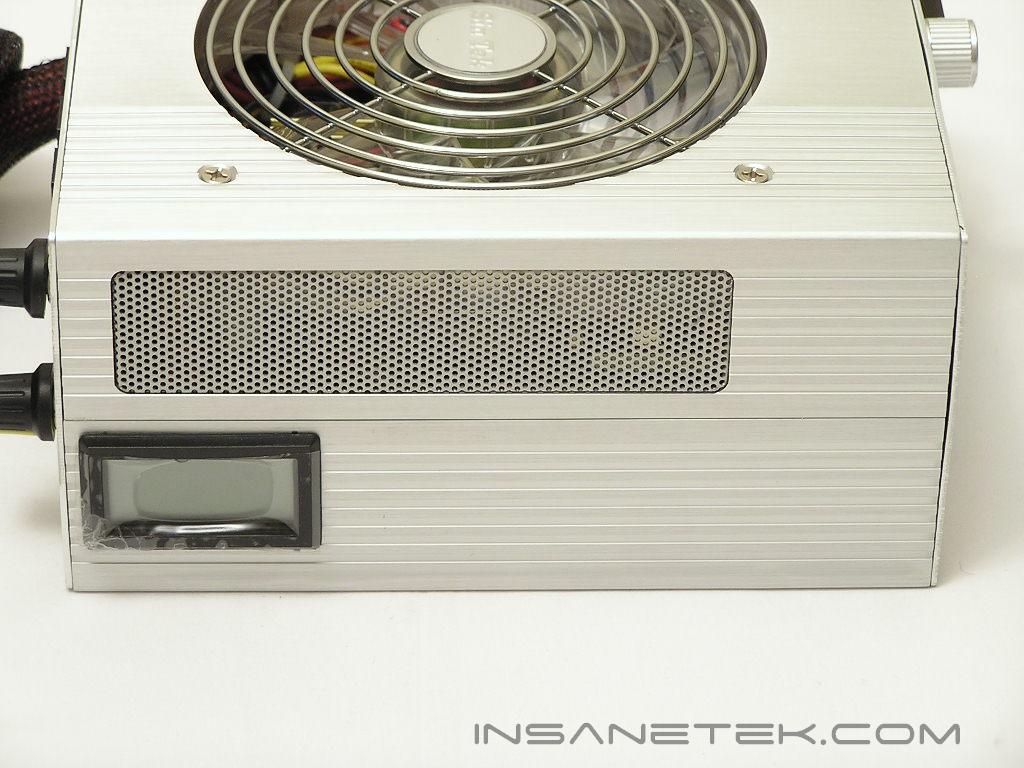
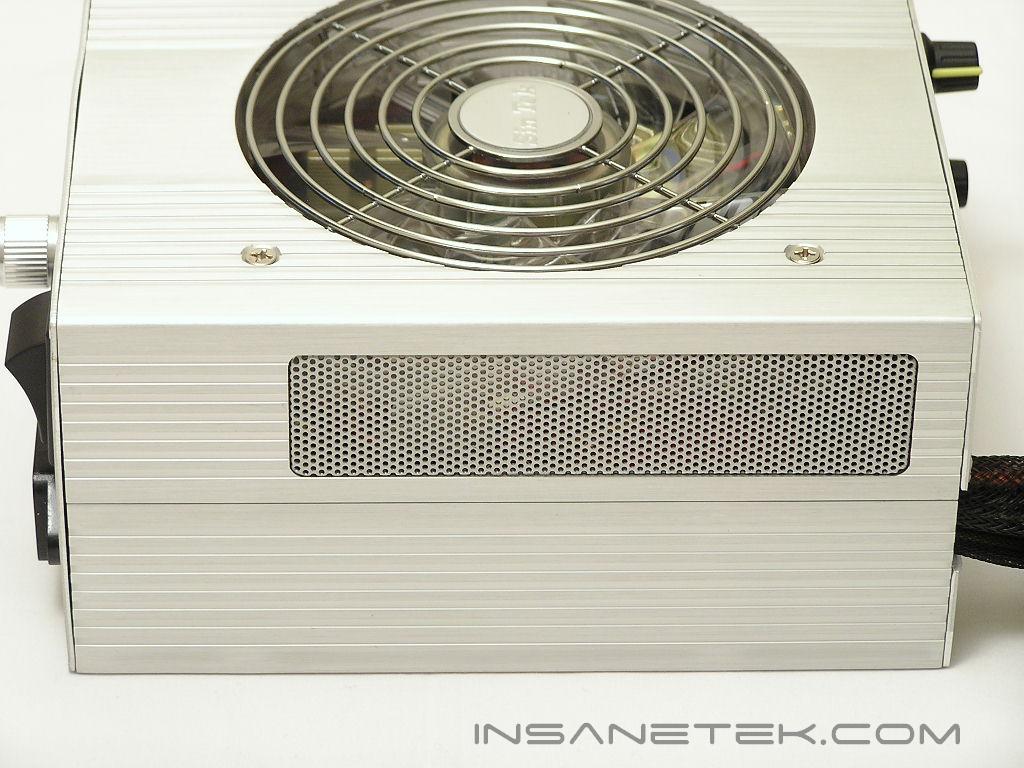
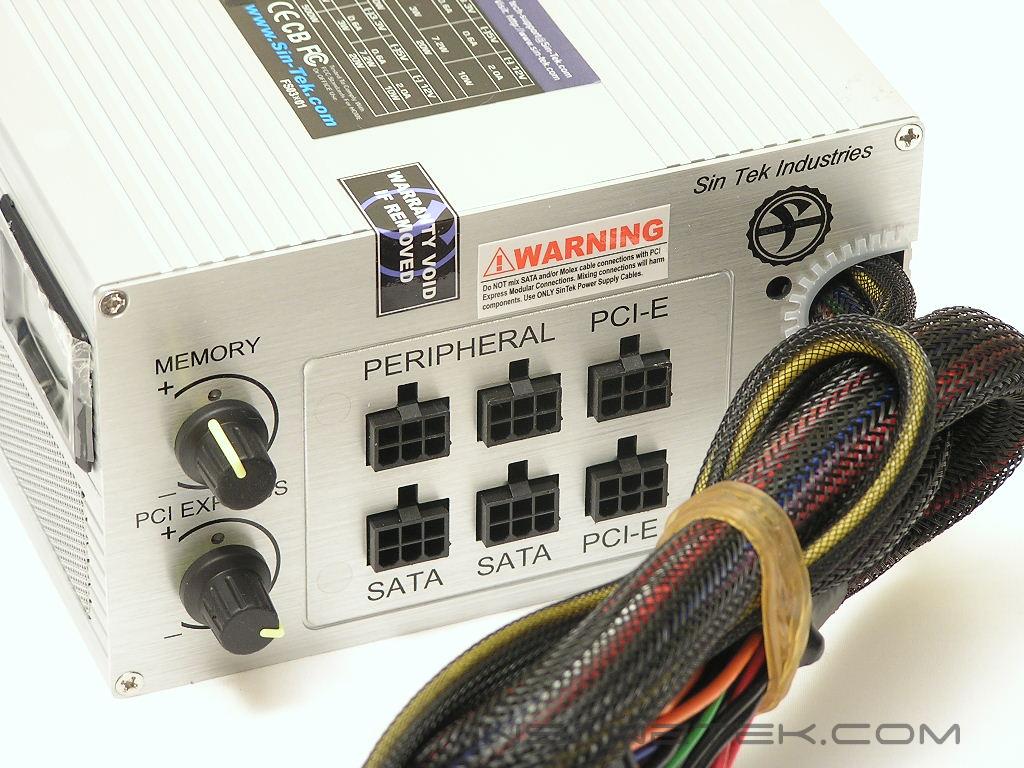
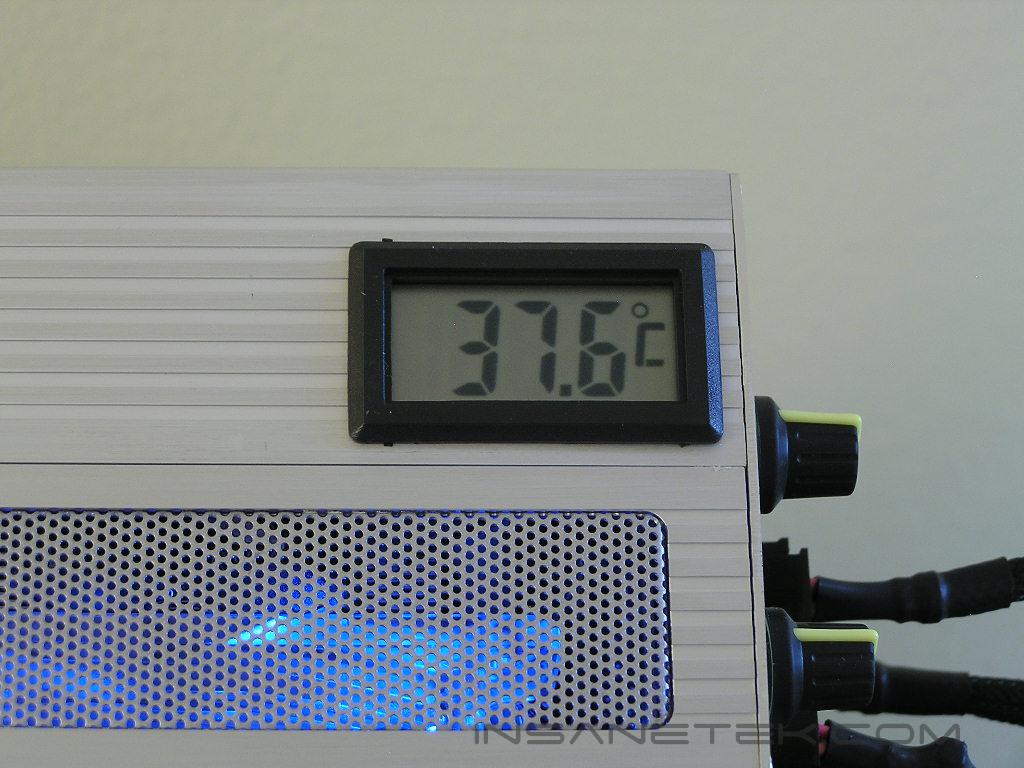
The SinTek 500 SLI is definitely a looker. The overall power supply is longer than usual and comes with a well constructed chassis. The increased length is used to house the 80mm exhaust fan. Most modular power supplies out there only use a single 120mm fan for cooling and honeycomb vents at the rear to exhaust airflow. A power supply provides the best performance when the internal components are operating at a cool environment. To further increase the cooling for the components, there are small vents at the side to allow natural airflow to go in. There is a small LCD screen one side that displays the internal temperature of the power supply. A power supply in ~20°C environment typically operates at around 40°C if there is good cooling provided. At the back of the power supply are the connectors and the external adjustable potentiometers. Each connector is nicely labeled for the appropriate power cable. Be sure not to plug in the wrong cable into the wrong port, or else you will risk frying your components. The external potentiometers at the back are available for the enthusiasts who wish to fine tune the voltage rails for increased stability. One knob is used to adjust the memory voltage, which is the 3.3v rail. The other knob says it controls the PCI-E voltage. From what I see with PCI-E video cards and connectors, it should be the 12v rail.
SinTek 500 SLI Internal
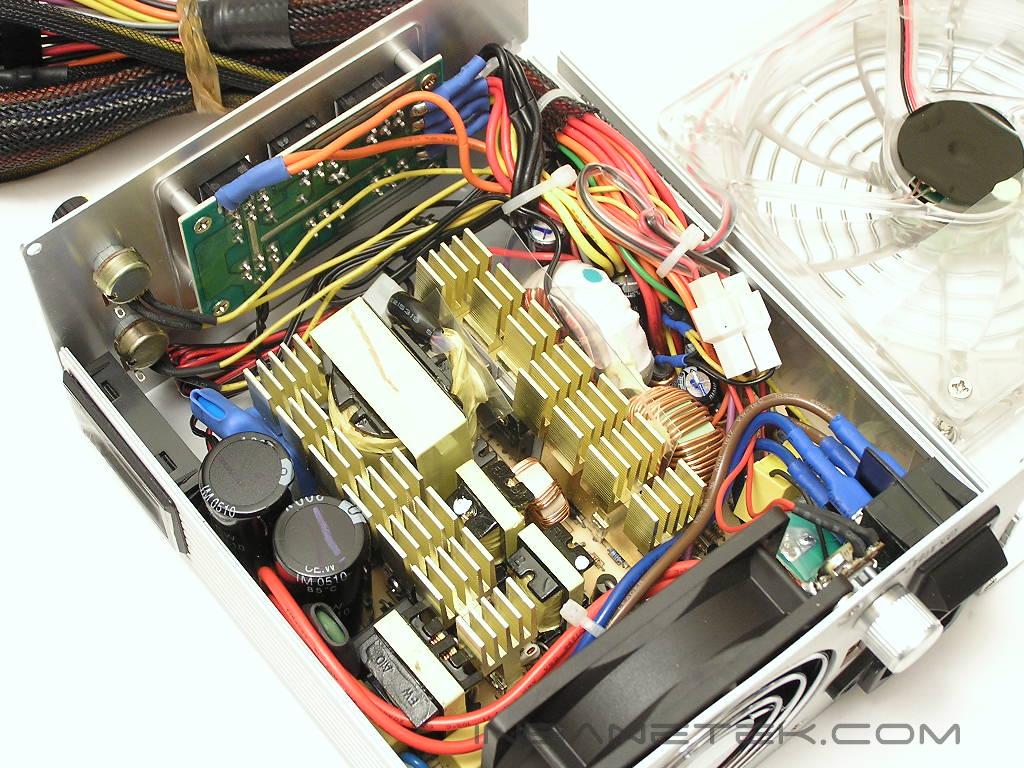
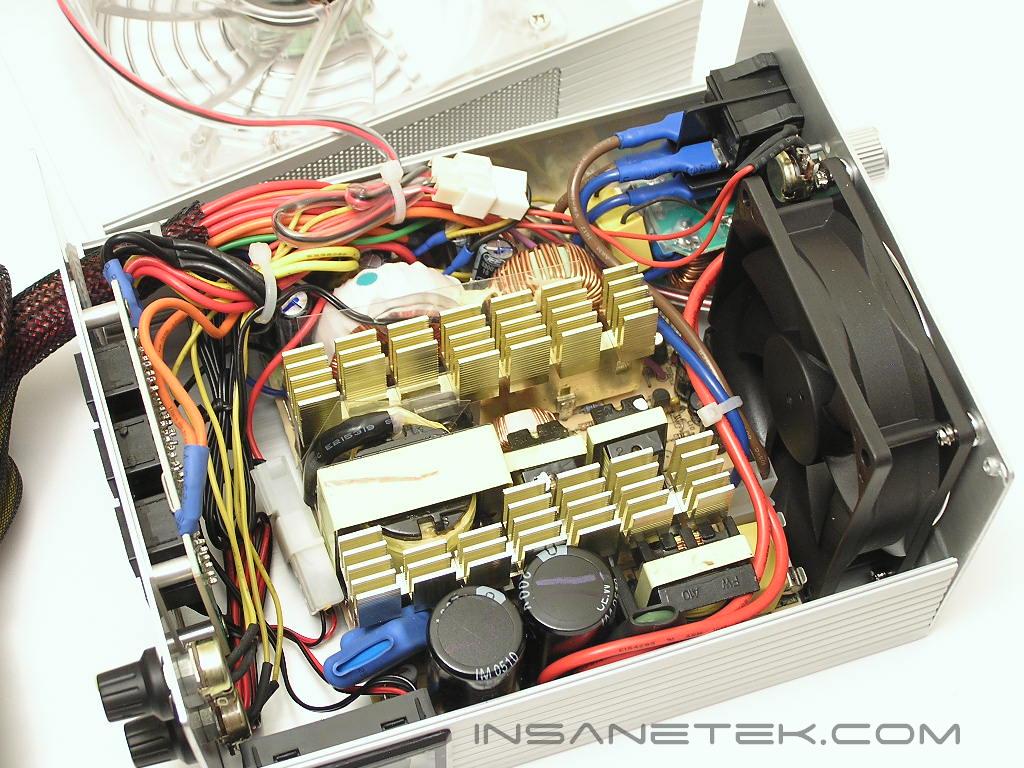
A power supply can only be good to a certain point if the components inside can’t keep up with your power needs. The internals of the SinTek do not look extremely impressive. Small heatsinks were used for cooling and the PCB did not even utilize the entire space. There were wires everywhere and gave somewhat a messy look. Let us just hope that the power supply can withstand some overclocking tests.
Connectors
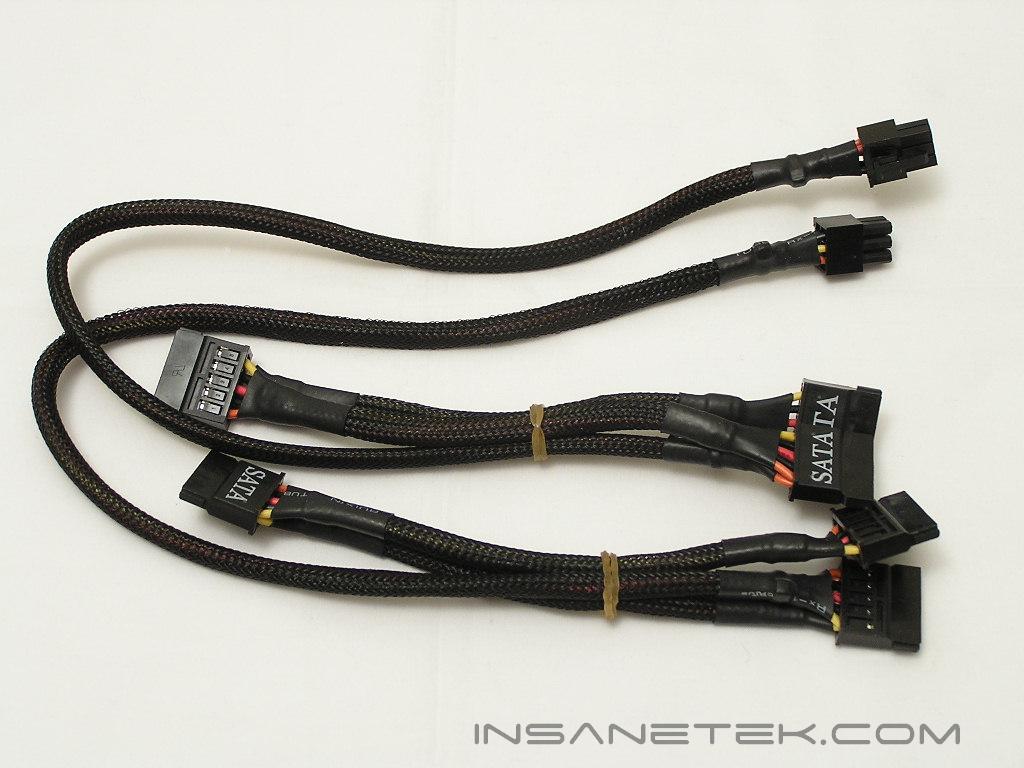
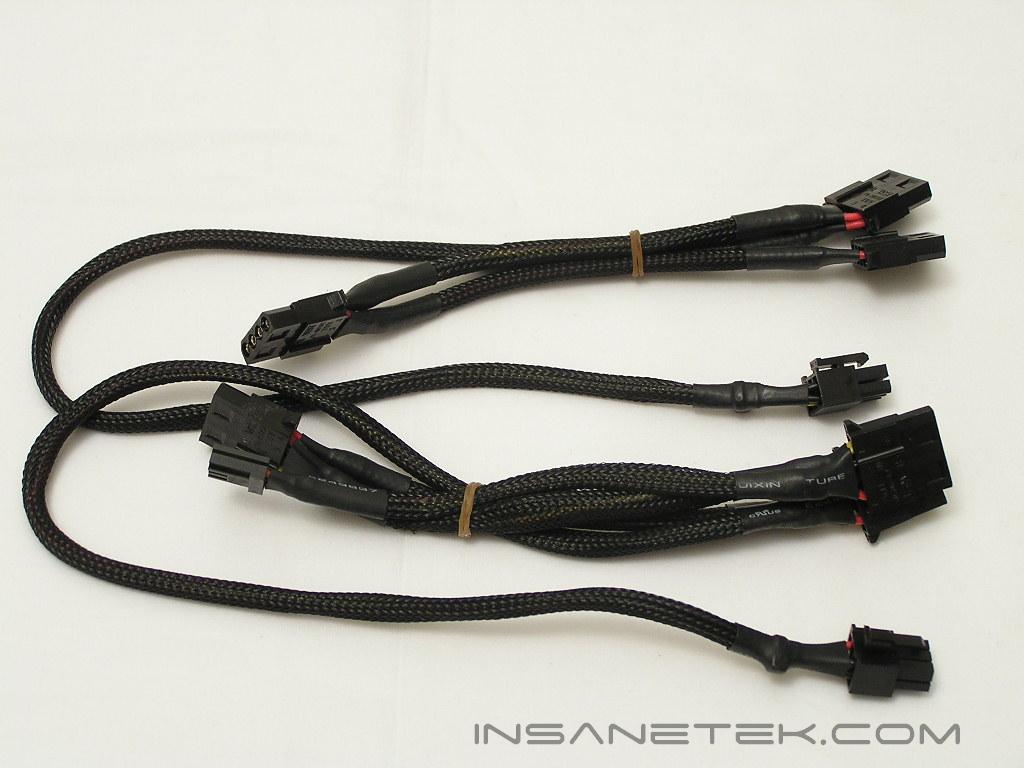
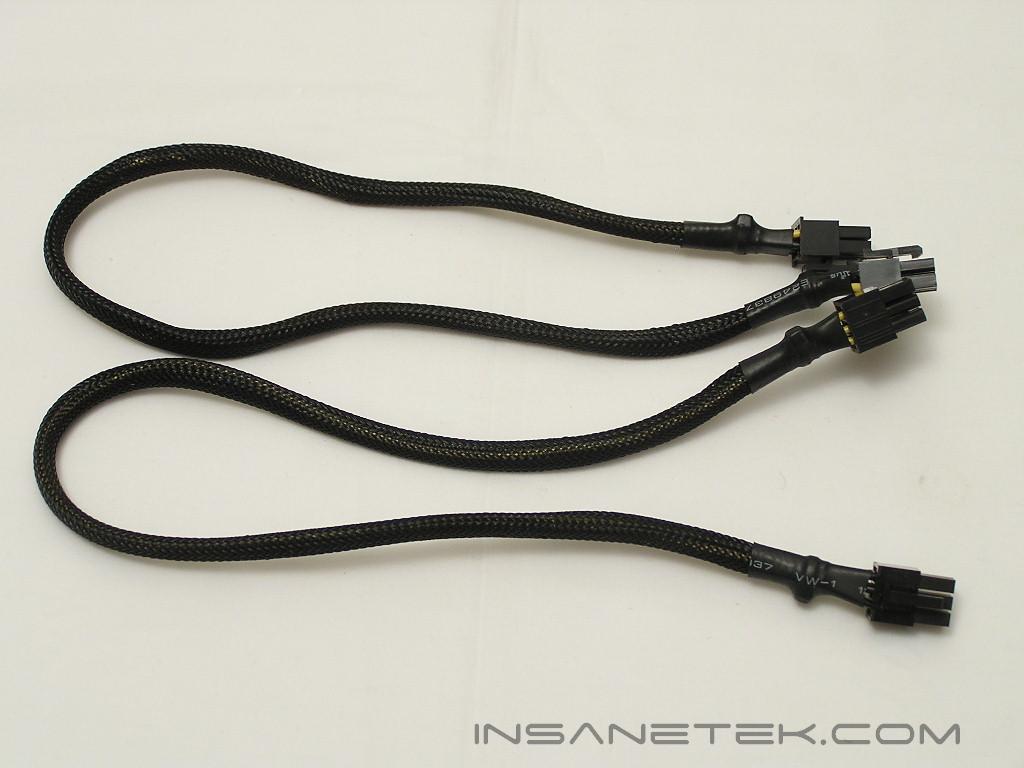
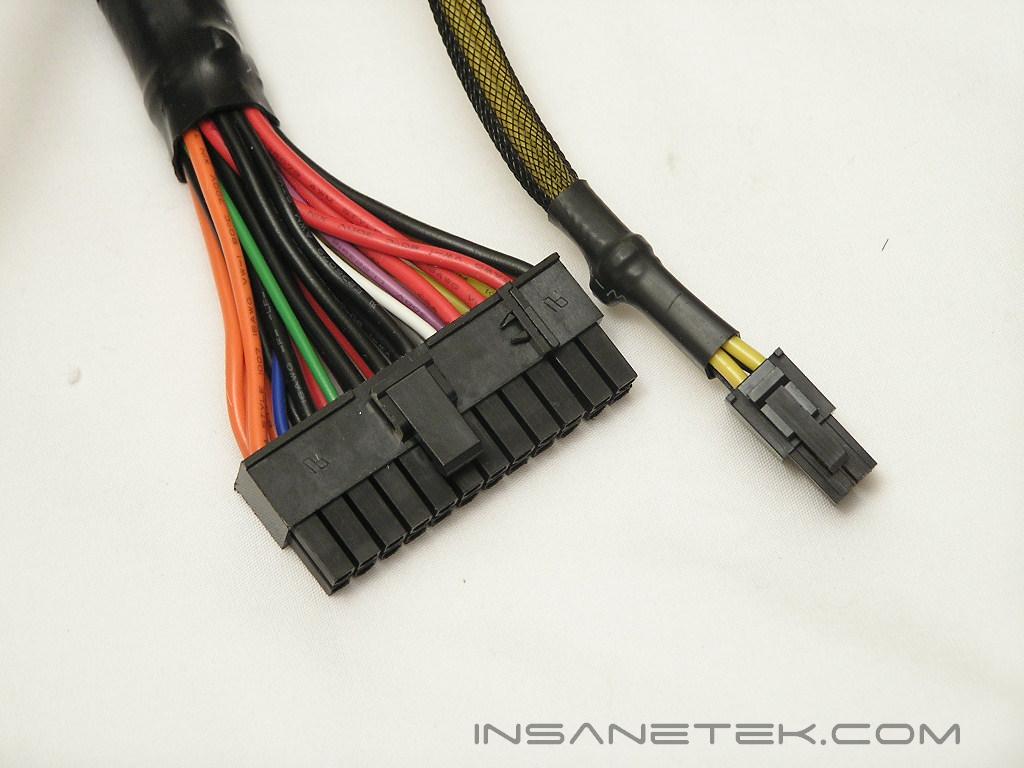
The 500 SLI comes with an abundant amount of connectors for even the highest end PCs. For storage hungry enthusiasts, there are six SATA connectors for gigabytes of space. There are six 4pin Molex connectors and one floppy connector for those who run multiple optical drives. Lastly, there are two PCI-E connectors that allow you to run dual video cards in SLI. All the cables are nicely sleeved in black and are easy to bend, making installation simple. The thing I hate most about modular power supplies is the stiff cables. It makes cable management so much harder. The native 24pin ATX power connector allows the extra 4pin to be snapped off and separated for enthusiasts who are using older motherboards. The 4pin 12v connector is standalone and connected to the power supply by itself. The amount of connectors is great and will suit all your needs. I do find one thing missing though. There is no 8pin 12v connector for server motherboards. Even though this power supply is aimed for PC enthusiasts, having an 8pin 12v can come in handy sometimes. The Asus P5WD2 motherboard allows that connector to be used for increased power stability. I have a feeling that future motherboards are going to take advantage of that 8pin 12v connector.
Specifications
The power supply is obviously rated to be able to support Nvidia’s SLI technology. It says so in the name! The 500 SLI also supports ATI’s CrossFire technology. SinTek also provides a 5 year hassle-free warranty. That is mighty long for a power supply. Competitors often only offer up to 3 years of warranty. The 2 extra years can definitely help.
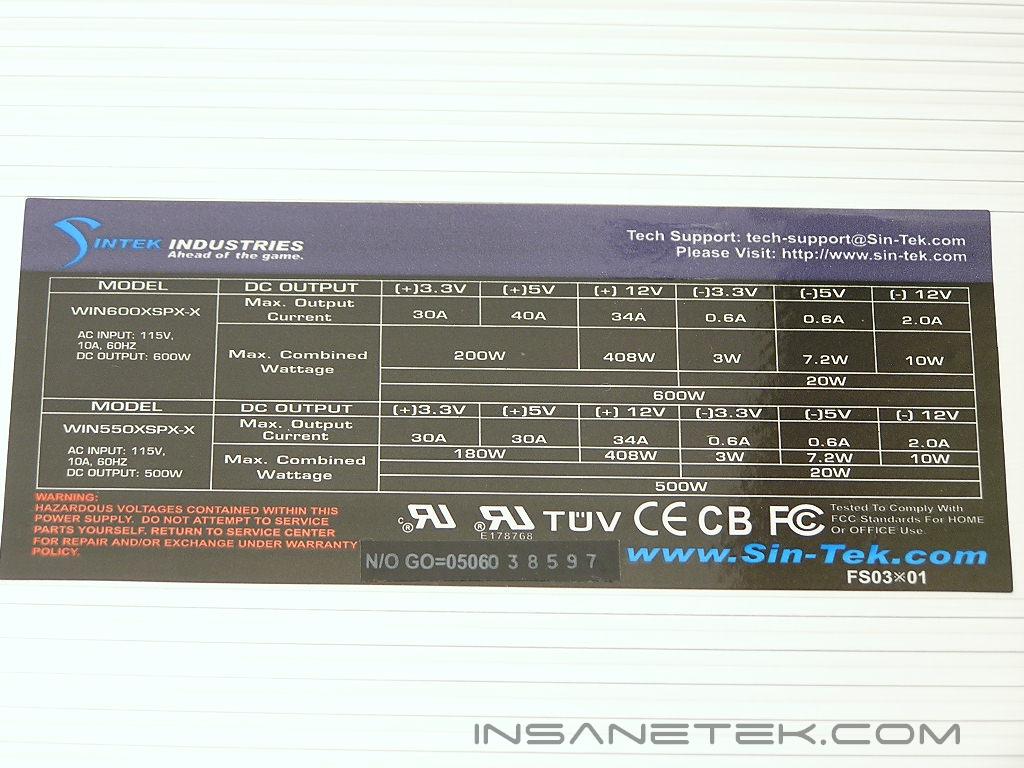
The 500 SLI comes with some great amps per rail. Although there is only a single 12v rail, it is still nicely backed up with 34A. Both the 3.3v rail and the 5v rail are provided with 30A each. It would definitely have been better to see a dual 12v rating since it puts the rail at less stress when harsh overclocking or stress load is involved.
The SinTek 500 SLI comes with quite a few voltage protections.
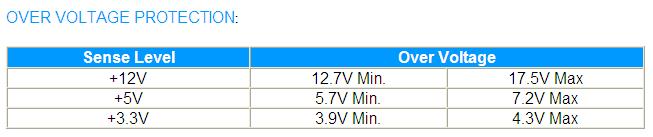
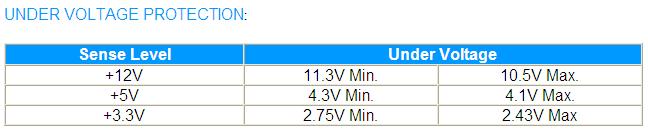
Overshoot: During power supply start-up, the output voltages shall be less than 10% of the nominal output voltage. Example, the 5v shall not exceed 5.5v.
Protection: If the power supply is latched into shutdown stage due to the protection circuit activity, the power supply shall return to normal operation only after the fault has been removed and reset PS-ON for a minimum of 1 second. Then it will turn on again.
Over Temperature: The power supply includes an over-temperature protection sensor, which can shutdown the power supply at 110°C. Such an overheated condition is typically the result of internal current overloading or a cooling fan failure.
Over Load Protection: Overload currents to output rails will cause the output trip before they reach or exceed 110% ~ 160% for protection, the overload currents should be ramped at a minimum rate of 10A/s starting from full load.
Test Setup and Results
Test Setup and Method:
- Intel Pentium D 840
- Asus P5WD2 Premium
- ATI Radeon X800XT
- 2 x 512MB Corsair PC2-8000UL
- Hitachi 80GB SATA
- Sony DVD-Rom
- Floppy drive
- 120mm Evercool
- DLink 802.11b wireless NIC
Running Stock:
- Intel Pentium D 840 3.2GHz – 16 x 200FSB = 3.2GHz @ 1.4v
- 2 x 512MB Corsair PC2-8000UL – 200FSB 3:4 266MHz @ 2.0v
- ATI Radeon X800XT – 500/500
- FSB Termination Voltage – 1.2v
- ICH Chipset Voltage – 1.05v
- MCH Chipset Voltage – 1.5v
Running Overclocked:
- Intel Pentium D 840 3.2GHz – 16 x 250FSB = 4.0GHz @ 1.4v
- 2 x 512MB Corsair PC2-8000UL – 250FSB 1:2 500MHz @ 2.3v
- ATI Radeon X800XT – 540/540
- FSB Termination Voltage – 1.5v
- ICH Chipset Voltage – 1.2v
- MCH Chipset Voltage – 1.65v
Testing the power supply is a tedious task. Like cooling products, the “proper” testing method is long and strenuous. It involves high end equipment and testing materials that we simply cannot get our hands on. A simple proper testing method would be to test the wattage draw from the AC outlet, voltage rail fluctuations, wattage fluctuations under high operating temperatures, power efficiency, and the power supply’s reaction to low input voltage. But because this site is dedicated more to overclocking, we’ll check for voltage fluctuations in an overclocked environment. After all, that is what overclockers generally care about.
Results:
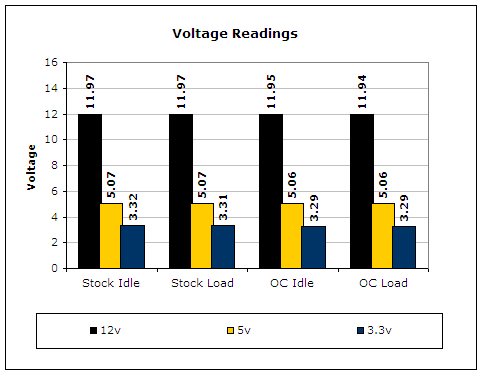
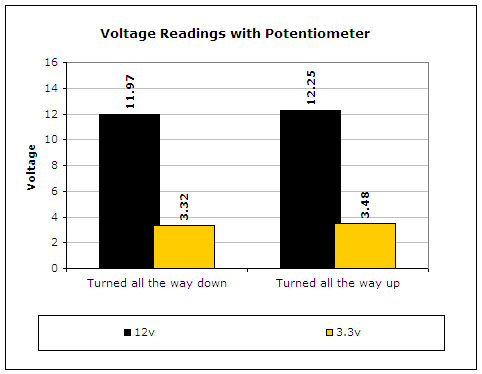
To test the power supply, a digital multimeter was used. For idle voltage readings, the system was left on the desktop not running any programs. For full load, the system ran 2 instances of CPU Burn-in, Prime95 torture test for maximum power consumption, PCMark2004 hard drive benchmark, and the Nature test in 3DMark2001SE. CPU Burn-in is a good program to maximize the CPU load. Although the internals of the SinTek 500 SLI may look a bit lacking, it certainly held up the performance. The voltage rails were pretty much rock stable.
Conclusion and Thoughts
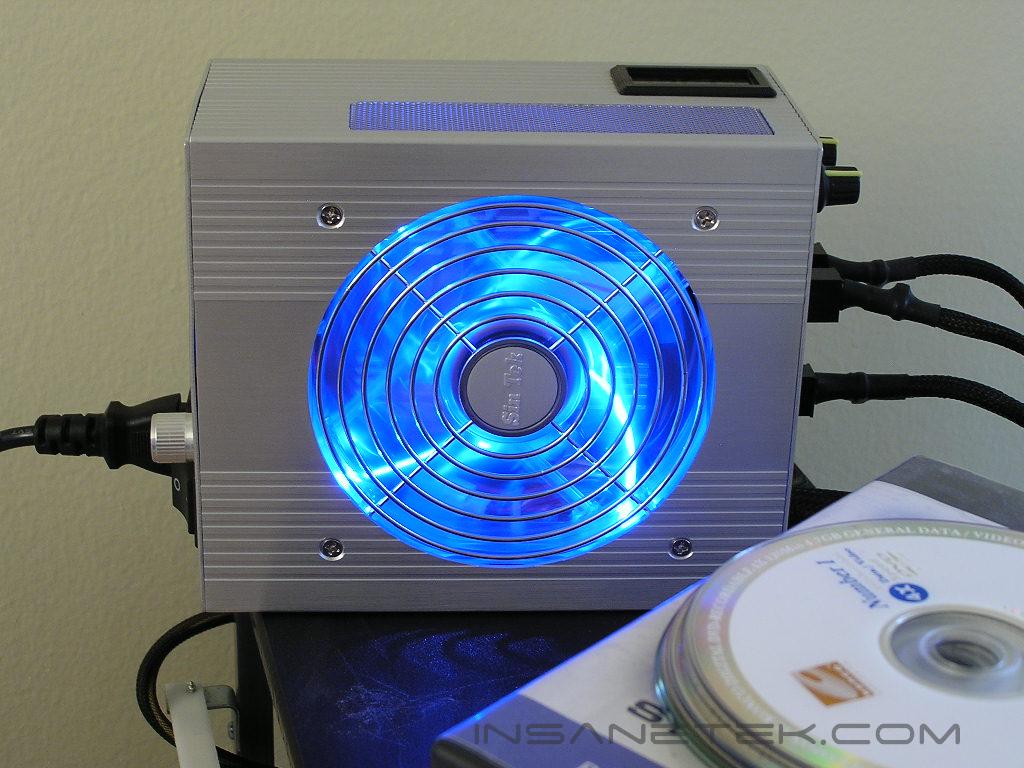
SinTek certainly has made a good impression with their 500 SLI power supply. The performance was solid and maintained stable throughout the entire stress testing. Not only did SinTek provide us with a great performing power supply, they added a couple of nice features. The small LCD display allowed enthusiasts to see the operating temperature inside the power supply. If the temperature starts rising too high, enthusiasts can immediately know that something is wrong. The large 120mm fan used for cooling comes with nice blue LEDs to add to the physical appeal. Cases with windows will definitely benefit from that. All the cables are nicely sleeved and are very easy to bend, making installation a breeze. The external adjustable potentiometers allow overclockers easy access to tweak their voltages to help stabilize maximum overclocks. The only disappointment I see with the power supply would be the lacking internals. It looks quite weak, although it did provide great performance. With SinTek’s 5 year warranty, you certainly have nothing to worry about. Now I’m curious to see what future products SinTek will provide.
Pros:
- Great performance
- External adjustable potentiometers
- LCD display to show internal temperature
- Flexible power cables
- Blue LED 120mm fan
- 5 year warranty!
Cons:
- Internal components look lacking
- Not 100% silent

We would like to thank SinTek for providing us the sample. If you have any questions or comments, feel free to hit us up in the forums. You can also check out more of our latest reviews on the front page.