

Mad Dog SurePower 600W Smart Cable
Introduction
Never heard of Mad Dog? Well, stop by your local CompUSA and Best Buy and you’ll see some of their goodies. Mad Dog hasn’t be around for very long, but they’ve made way into many computer homes for one main reason–price. All their products are geared towards the average Joes out there. But just because their products come with a low price tag doesn’t mean that their products have low quality. One of the most popular products at Mad Dog is their 7.1 channel sound card. It’s powered by VIA’s audio solution and provides the best bang for the buck sound card for the typical entertainment enthusiasts.
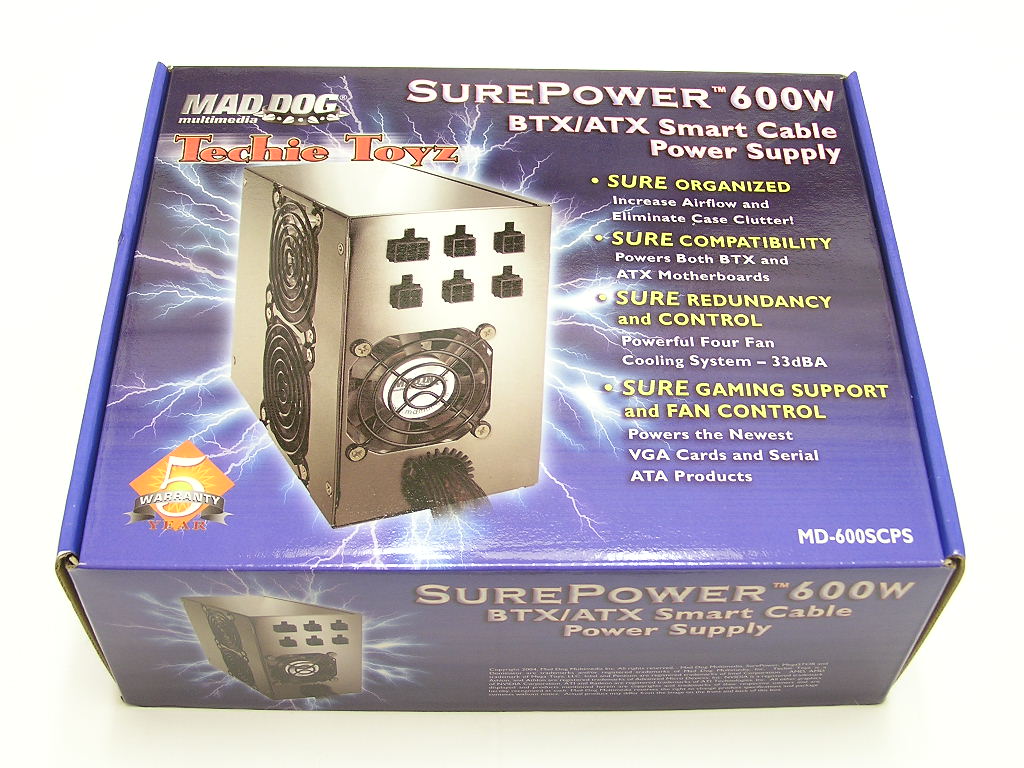
Mad Dog recently opened up a new category called “Techie Toyz”. This category mainly includes products for case modding and accessories, such as rounded cables, fans, CPU coolers, power supplies, etc. Today’s sample will be their flagship SurePower power supply. It boasts a whopping 600W of power and is almost fully modular.
Mad Dog SurePower 600W Smart Cable
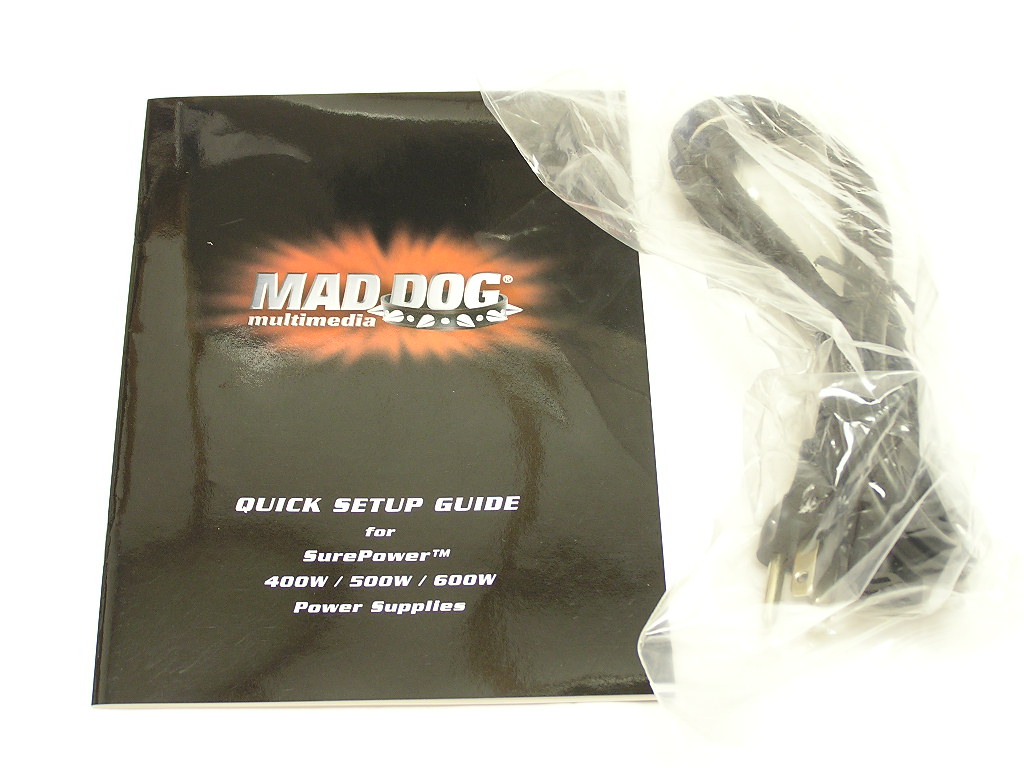
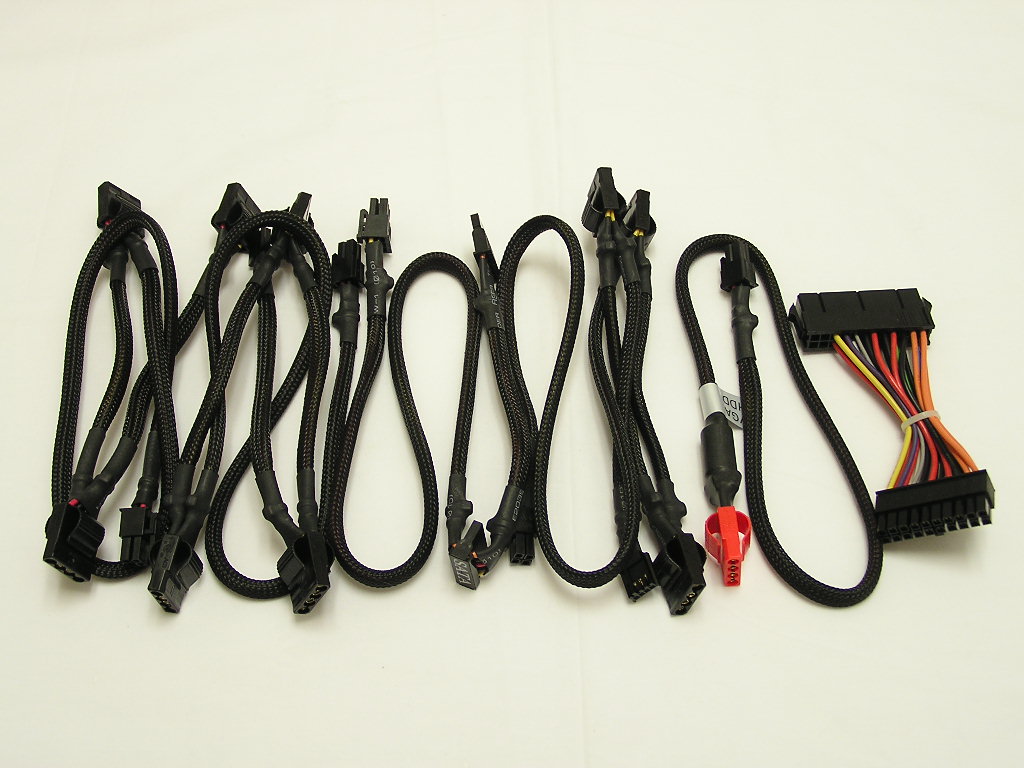
The 600W Smart Cable power supply comes ATX and BTX certified. That BTX certification doesn’t mean much. Most newer model power supplies come with it. It’s just the 24pin ATX connector, nothing very surprising. Included in the package are the Smart Cables, AC adapter, 4 screws, 24pin-to-20pin ATX adapter, and an instructions manual. The instructions manual is pretty detailed and comes with step by step pictorial instructions on power supply installation. The included cables are very nice. They come fully sleeved and nicely wrapped, making the cables extremely flexible. The Molex connectors for each adapter comes with those squeeze heads that allow easy removal. There’s no more wiggling to get that connector out. All you have to do is squeeze the tabs and it’ll remove itself.
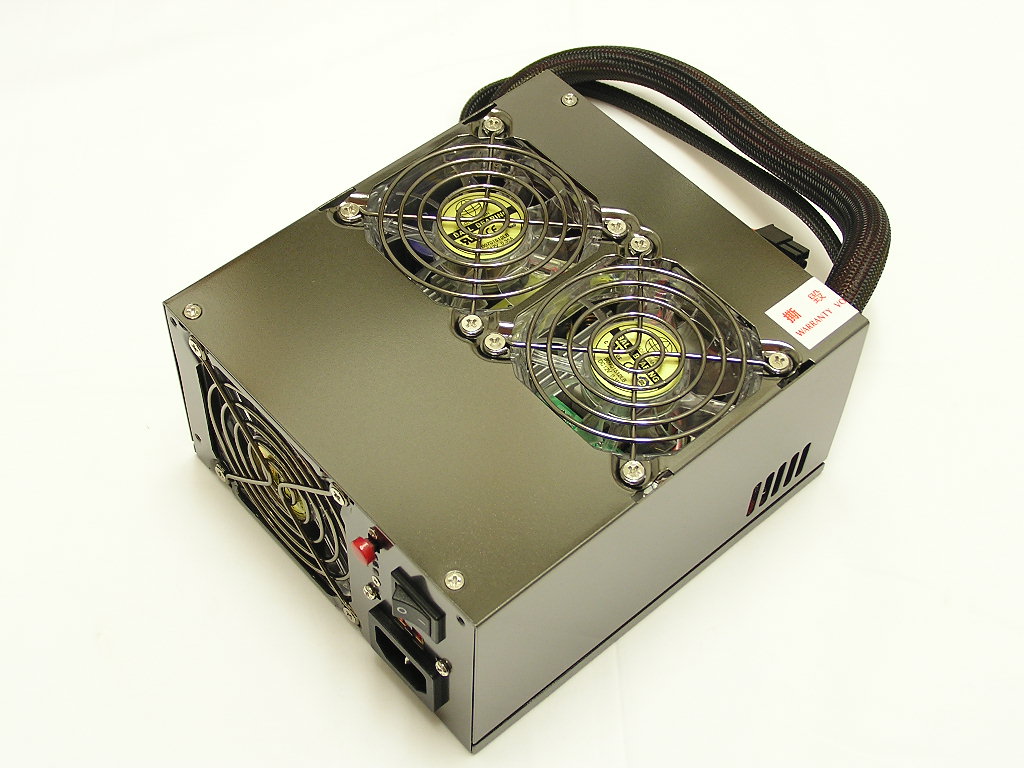
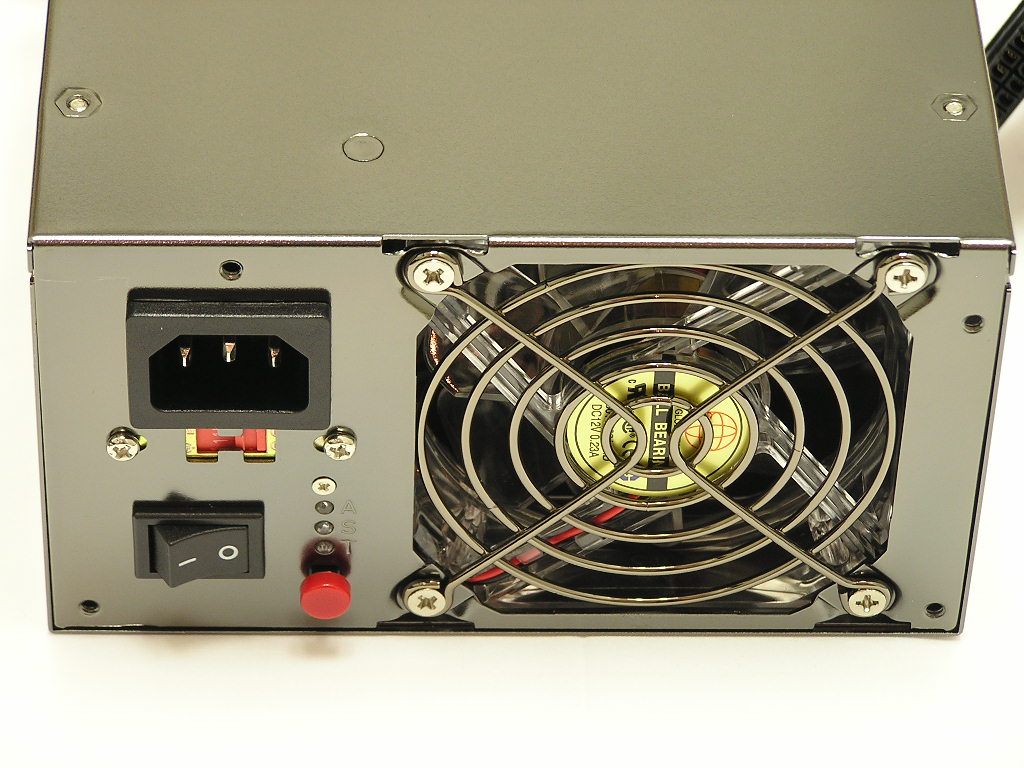
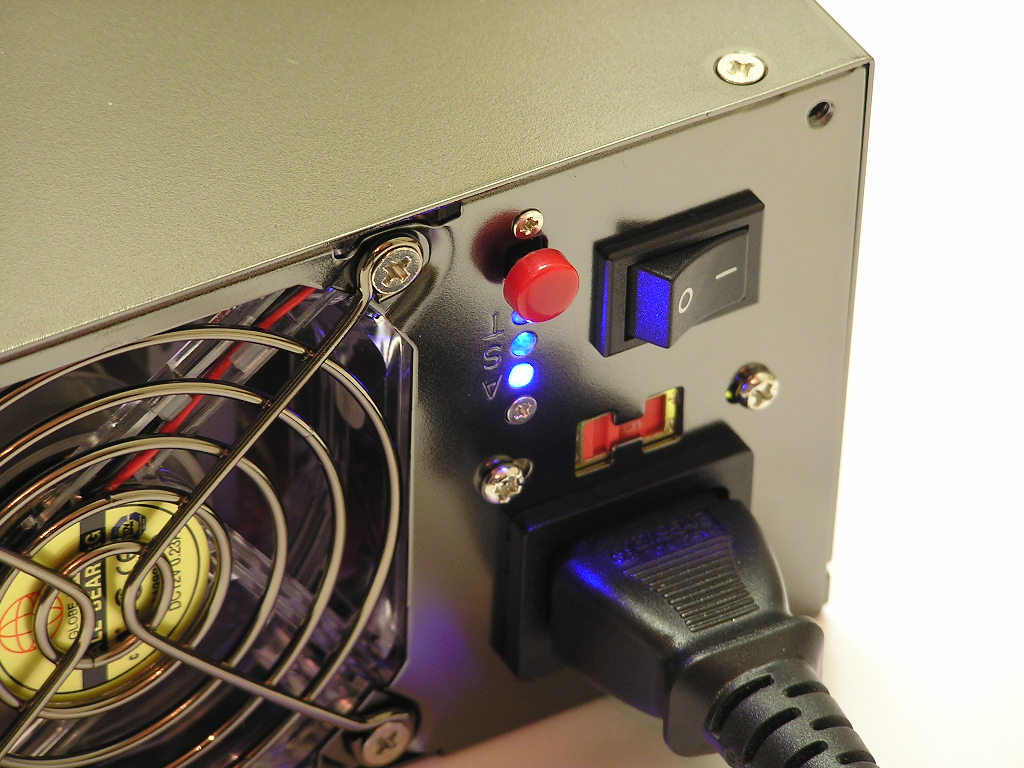
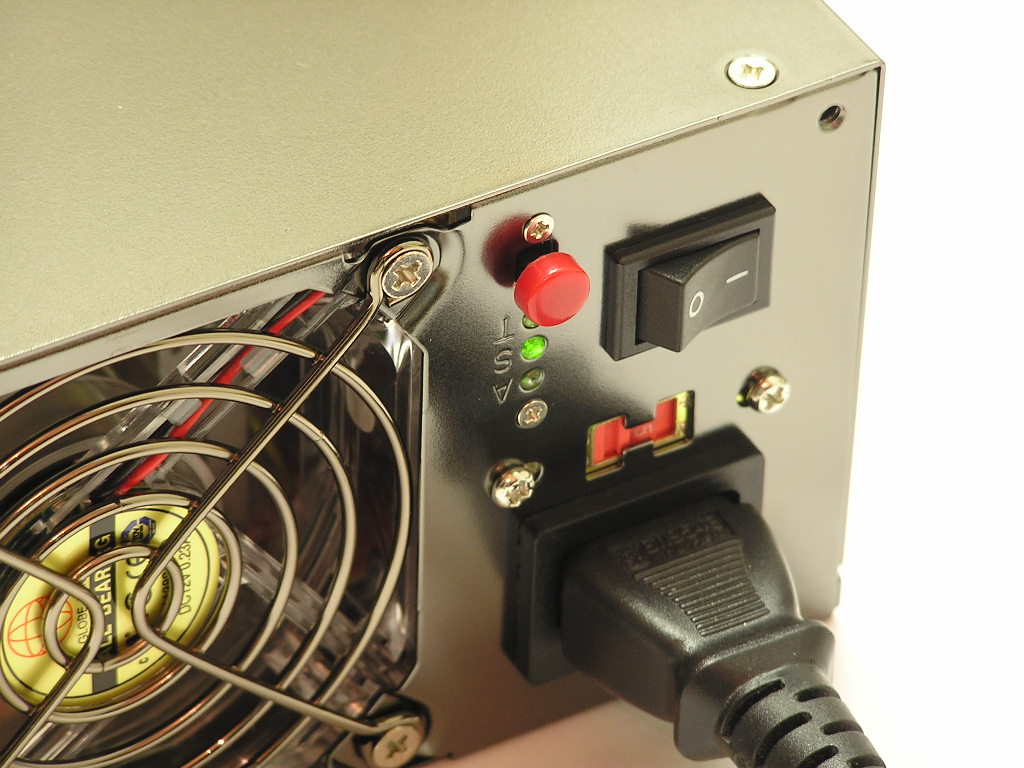
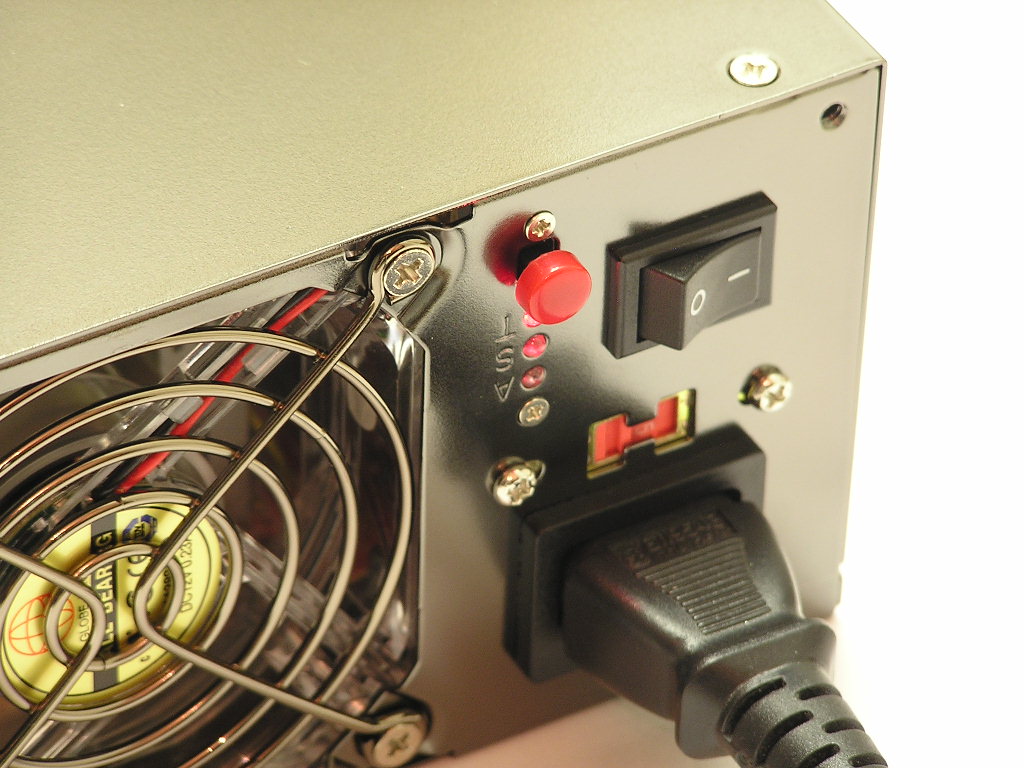
The power supply unit itself is very attractive. I guess there’s a new trend going around with the titanium finish casing. I personally like the look; it provides the feel of elegance and high class. It just looks better when paired with a nice stylish case. Anyway, the 600W Smart Cable comes with 4 fans for cooling. The fans are not all the same size; there is one 80mm for exhaust and one 60mm intake for the push-pull effect, and two 70mm fans at the bottom for sucking up CPU heat. Personally, I would have preferred the use of two 80mm fans for push-pull and one 120mm fan at the bottom. No worries though, because the power supply was still pretty quiet when turned on. There is a button at the back of the power supply that somewhat controls the fan speeds. At default, the fans are set to AUTO, meaning that they’re thermally controlled. A single click sets the fans to STANDARD, meaning that the fan is at lowest its RPM’s. A double click sets the fan to maximum RPM’s, and can get quite loud and annoying. There are small LEDs on the back that indicate each setting–AUTO is blue, STANDARD is green, and TURBO is red. There’s a nice warning sticker on the back of the power supply that warns users not to detach cables while the power supply is turned on. It’s one of those common sense things, but it’s a very good idea to have a warning. You’d be surprised at how many careless people are out there.
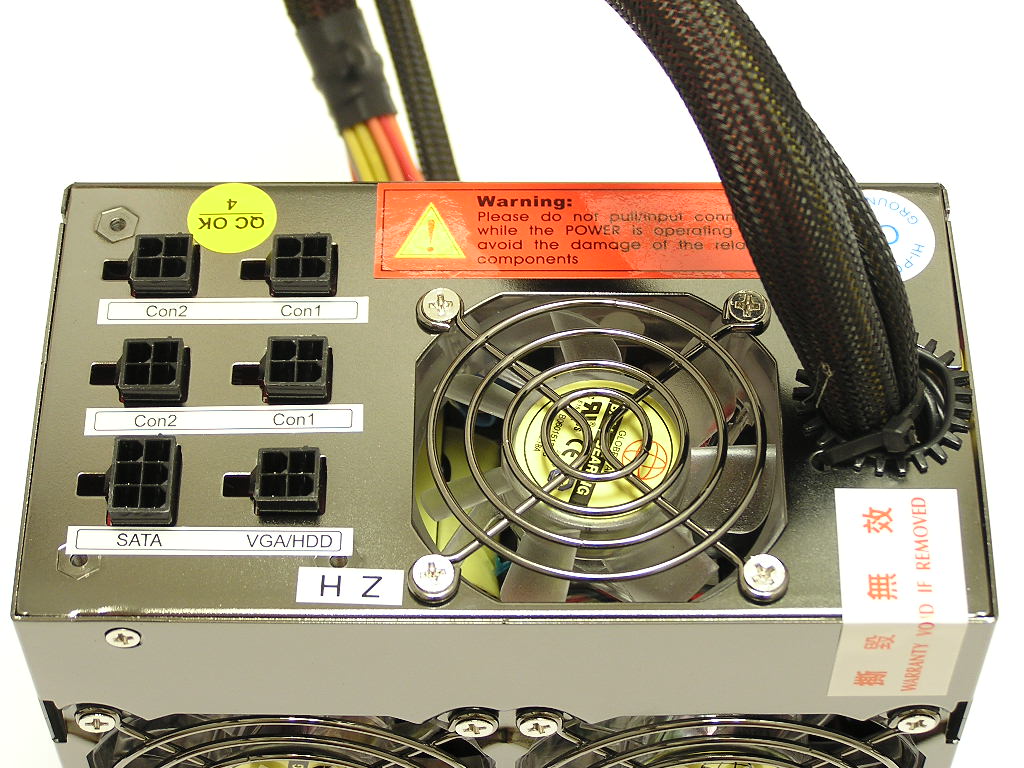
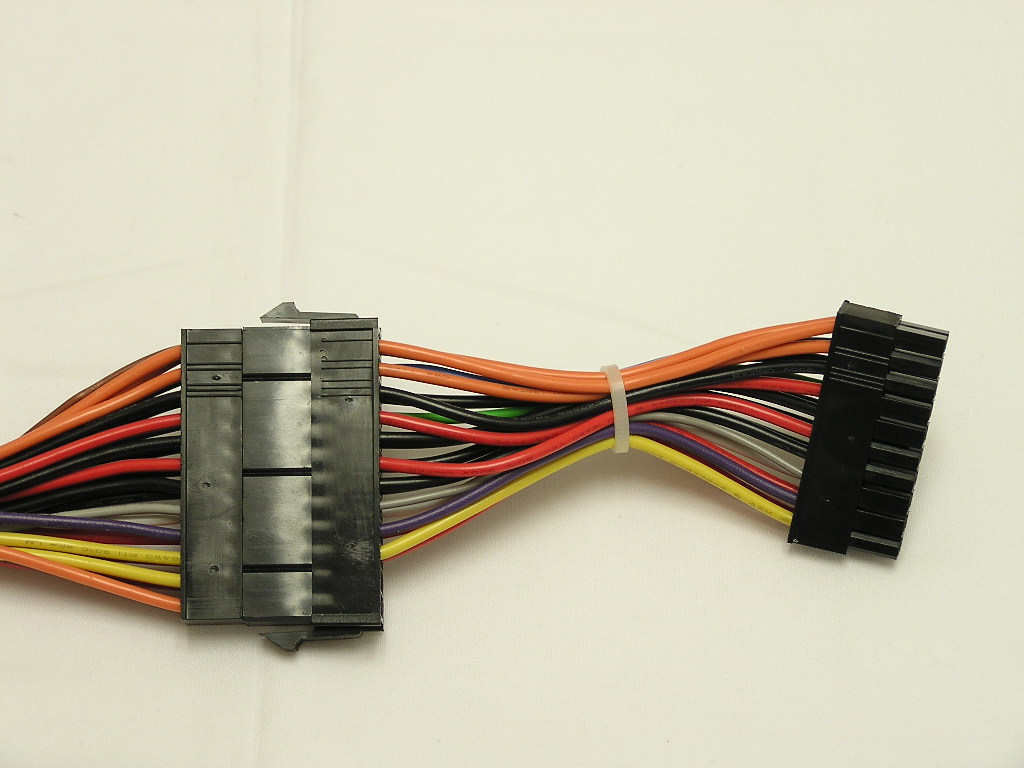
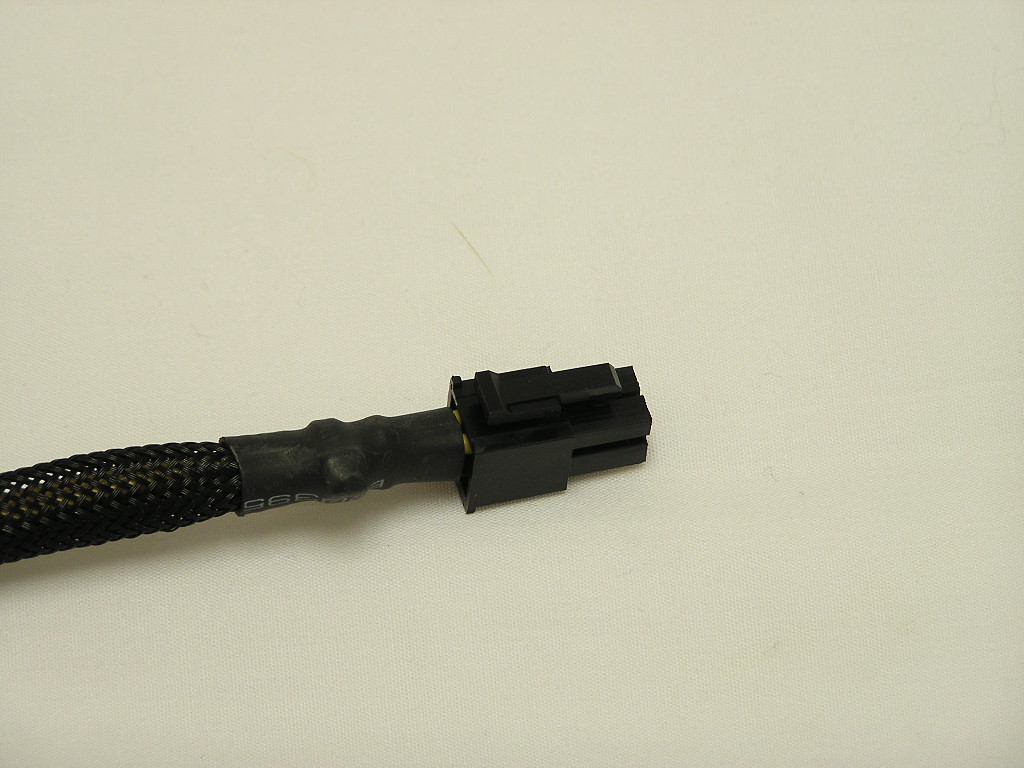
The 600W Smart Cable comes with plenty of cables for your high end system. There are nine 4pin Molex connectors, two 3pin floppy connectors, two SATA connectors, and a single VGA/HDD connector. The unit itself comes with a 24pin ATX connector and supplies users with a 24pin-to-20pin adapter. The ATX connector and the 12v 4pin connector extend from the power supply. This makes the power supply not 100% fully modular, but that’s not a big deal, considering that everyone’s going to use it anyway. OCZ’s ModStream is like this and it’s not an issue. The ATX and 12v 4pin connectors are a bit short for full towers with inverted motherboards, like the SilverStone TJ06 and Enermax MaxFlow. It’s perfectly fine for typical cases though. Installing it in an Antec full tower was just fine. Each cable connects through the back of the power supply and is labeled accordingly. The only gripe I have with the cables is that there is only one dedicated VGA/HDD power. But I guess having one is better than having none.
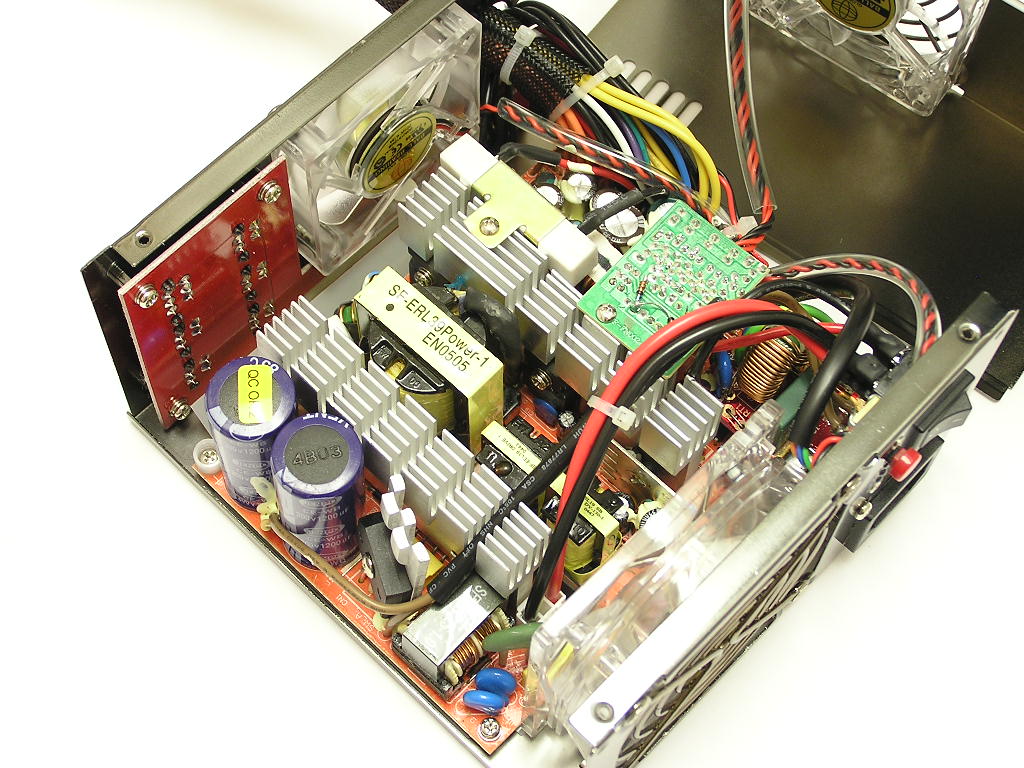
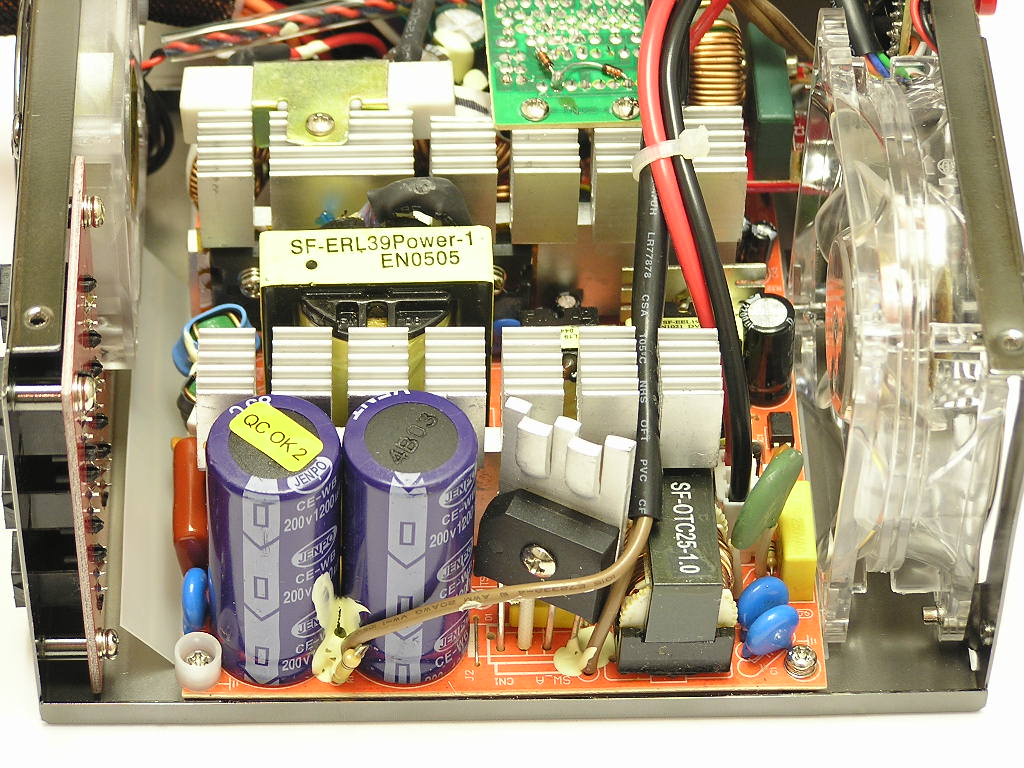
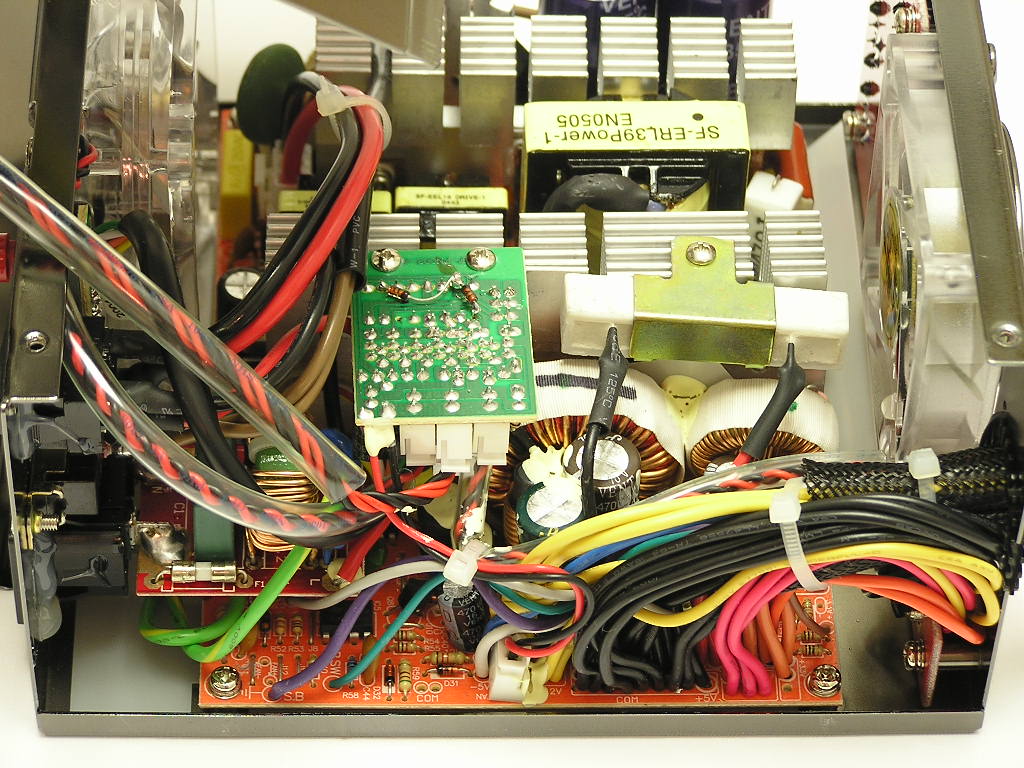
As usual and without hesitation, I opened up the 600W Smart Cable. There wouldn’t be a point in investing money into something that’s made of crap. Everything has been smooth sailing from the start, and I had high hopes that it would continue with the internals. The internals of the 600W Smart Cable were only average, to say the most. The main thing I didn’t like was the small sized heatsinks. Perhaps the multiple fans could keep the components inside cool, but having larger heatsinks is highly preferred. Mad Dog didn’t specify the efficiency of the unit, but I assume that it runs at around 65%-70%, like most typical non-generic power supplies. With a efficiency rating like that, larger heatsinks is a must. The wasted efficiency is released off as heat and can only hurt the power supply in the long run. I guess companies have the option of having larger heatsinks or slapping more fans. They tend to go with more fans since it’ll help release overall system temps. Other than the heatsink issue, everything was nice and tidy. It was actually filled to the fullest, considering that the two 70mm fans take up some space. I looked around and couldn’t find any adjustable potentiometers. Once again, it’s not a big deal considering Mad Dog’s target audience. You wouldn’t want the average Joes out there messing with these things.
Specifications
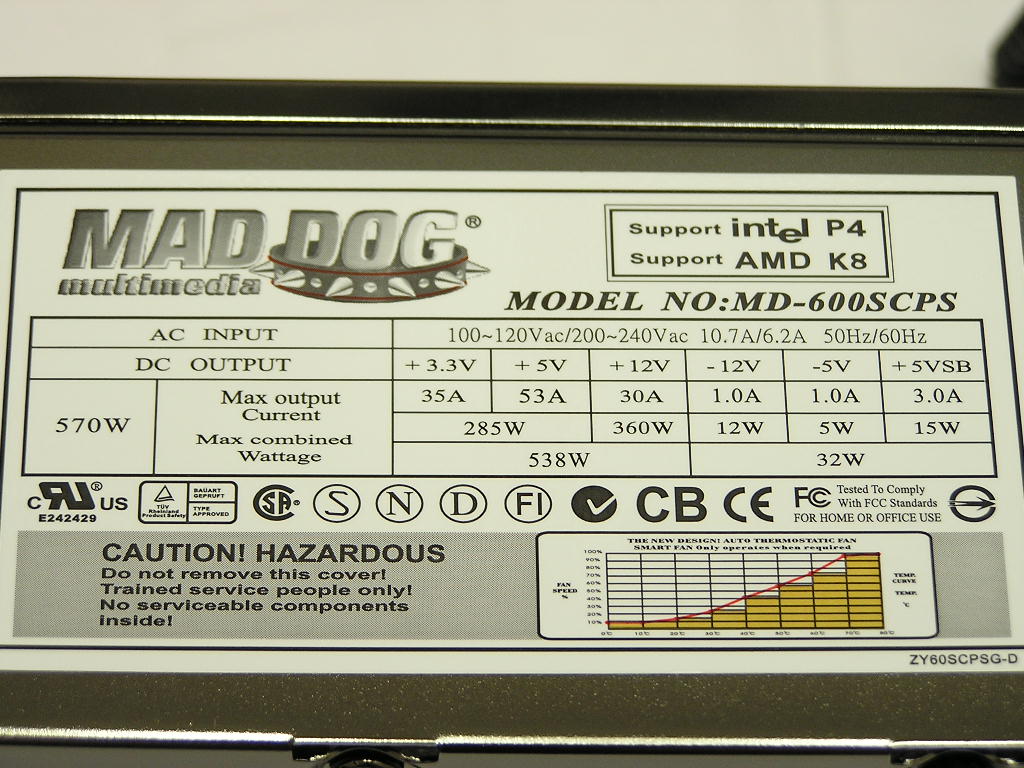
The 600W Smart Cable is rated to supply 600W of power. With this kind of high wattage rating, I would only expect to see high amps per rail supplied to each voltage line, especially the 12v rail. Sure enough, there were some nice amps supplied. The 3.3v came with 35A, 5v came with 53A, and the 12v came with a nice 30A. The more amps supplied, the more stable the rail will hold when under high stress. The 600W Smart Cable did not support dual 12v rails, but that’s fine as long as the 12v rail can run stably under full load. Mad Dog didn’t specify whether or not the unit comes with PFC support. I can pretty much assume that there isn’t any.
Test Setup
Test Setup and Methods:
- AMD Athlon64 3000+ Winchester
- MSI K8N Neo2 Platinum
- 2 x 512MB Centon Low Latency PC3200
- ATI Radeon X800 Pro
- Hitachi 80GB SATA 7200RPM
- Western Digital 30GB 7200RPM
- Pioneer 10x DVD-Rom
- Sony Floppy
- 2 x 80mm Antec fans
- DLink 802.11b wireless NIC
Running Stock:
- AMD Athlon64 3000+ Winchester – 1.8GHZ @ 1.4v
- Centon Low Latency PC3200 – 200HTT 1:1 200MHZ @ 2.5v
- ATI Radeon X800 Pro – 475/450
- VAGP 1.5v
Running Overclocked:
- AMD Athlon64 3000+ Winchester – 2.52GHZ @ 1.65v
- Centon Low Latency PC3200 – 280HTT 1:1 280MHZ @ 2.85v
- ATI Radeon X800 Pro – 500/500
- VAGP 1.65v
It’s good news that the 600W Smart Cable comes with a -5v rail, allowing usage of motherboard diagnostic LEDs and OCZ’s DDR Booster.
Testing the power supply is a tedious task. Like cooling products, the “proper” testing method is long and strenuous. It involves high end equipment and testing materials that we simply cannot get our hands on. A simple proper testing method would be to test the wattage draw from the AC outlet, voltage rail fluctuations, wattage fluctuations under high operating temperatures, power efficiency, and the power supply’s reaction to low input voltage. But because this site is dedicated more to overclocking, we’ll check for voltage fluctuations in an overclocked environment. After all, that is what overclockers generally care about.
Results
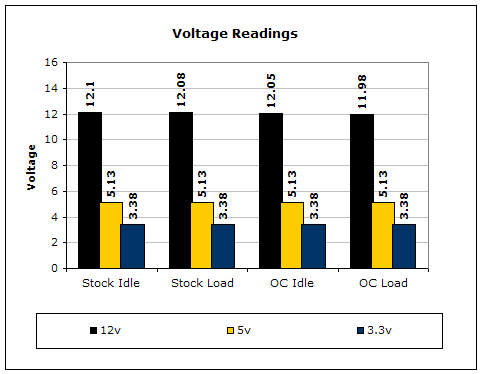
To test the power supply, a digital multimeter was used. For idle voltage readings, the system was left on the desktop not running any programs. For full load, the system ran 2 instances of CPU Burn-in, Prime95 torture test for maximum power consumption, and the Nature test in 3DMark2001SE. CPU Burn-in is a good program to maximize the CPU load. The results on the 3.3v and 5v rails are like most high end power supplies, pretty stable. The 12v remained pretty good even under high stress, which is a great sign.
Conclusion and Thoughts
Mad Dog’s attempt at a power supply for the enthusiast crowd turned out to be better than I had expected. The power supply comes with great looking sleeved cables for a cleaner look. There are plenty of Molex connectors to power the numerous hard drives and optical drives spinning in your system. The unit itself looks mighty elegant with the titanium finish housing. The multi-sized quadruple fans do help keep the power supply cool, but can generate quite the bit of noise unless on STANDARD mode. The only thing I didn’t really like about the 600W Smart Cable was the small sized heatsinks used to dissipate heat. I personally think larger heatsinks would be possible. Even with the minor flaws, the Mad Dog SurePower 600W Smart Cable is considered to be the best modular power supply I’ve tested to date. It’s competitively priced, comes with nicely sleeved cables, and best of all, keeps the rails rather stable in an overclocked environment.
Pros:
- Very beautiful titanium look
- Well sleeved cables
- Connectors allow easy removal from connection
- Supplies 600W of power
- Pretty stable rails
- Good amps provided for each rail
- Quadruple fans provide good cooling
- Reasonably quiet when fans set to STANDARD mode
- 5 year warranty (2 years longer than competition)
- Well priced
Cons:
- Small sized heatsinks for heat dissipation
- ATX and 12v 4pin cables may bit short for inverted motherboard trays
- Fans can be annoying loud when set to AUTO or TURBO
- No form of PFC support

We would like to thank Mad Dog Multimedia for providing us the sample. If you have any questions or comments, feel free to hit us up in the forums. You can also check out more of our latest reviews on the front page.