

Gigabyte GA-8I955X Royal
Introduction
Although Intel’s 955X chipset did not bring much performance improvement over the 925XE, I did find the release quite pleasing. The major reason is the option of the 1:2 memory divider, allowing the memory to run at insanely high speeds even if the FSB was only overclocked by just a tad. The second reason is that, to me, I feel the chipset to be more mature and much more stable throughout every day use. The dual core CPU support is also another good reason why the chipset is good. While AMD’s single and dual core CPUs do bring top notch performance, I would still go with an Intel dual core for my daily multitasking work. Gaming is just out of the question though; AMD owns that department. Even though the 955X chipset allows the 1:2 memory divider, not all motherboards provide that option. The perfect example would be the Abit AW8. The choice was there, but it would not boot the system no matter what I did. It just did not work.
The big 955X motherboard has been the Asus P5WD2. It allows some of the best overclocking options and headroom and is a great performer. Their leading competitors certainly won’t allow them to strut around being the big honcho. Gigabyte is here with their 955X solution and ready to see if their motherboard can hang with the current best.
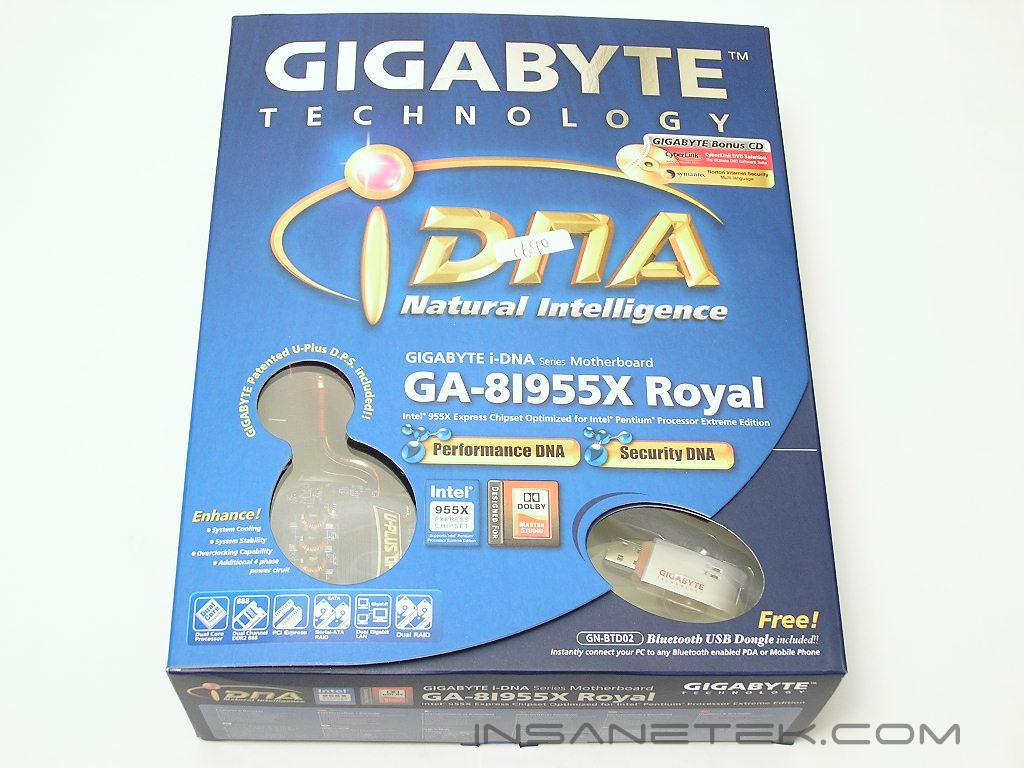
Gigabyte GA-8I955X Royal Package
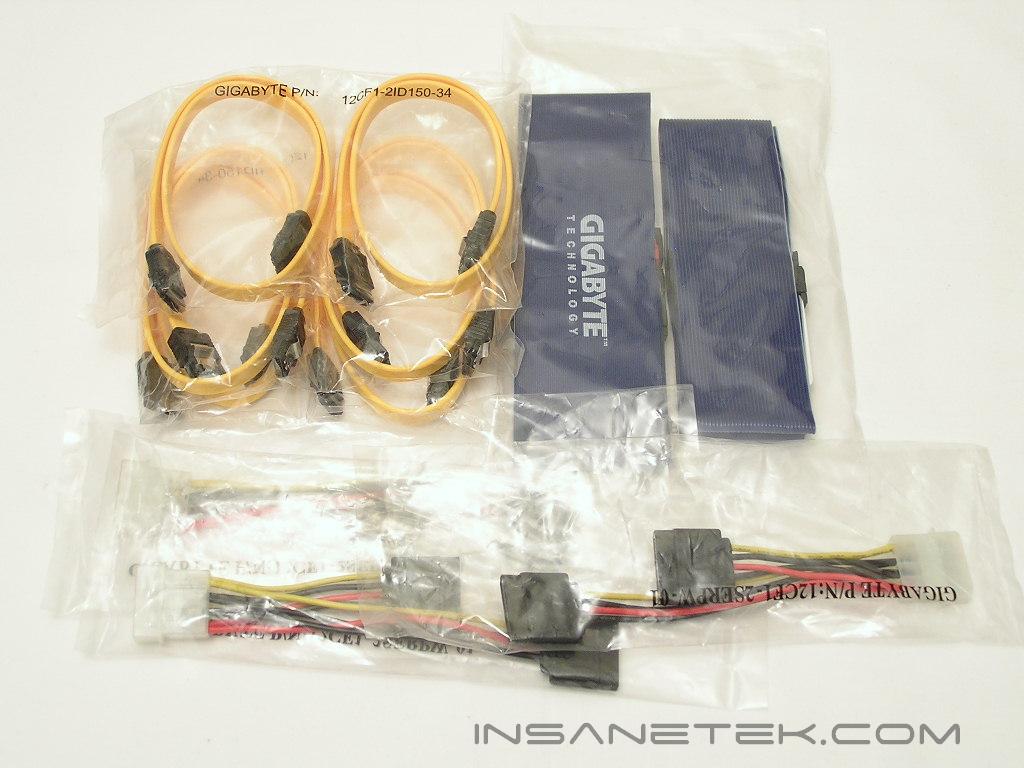
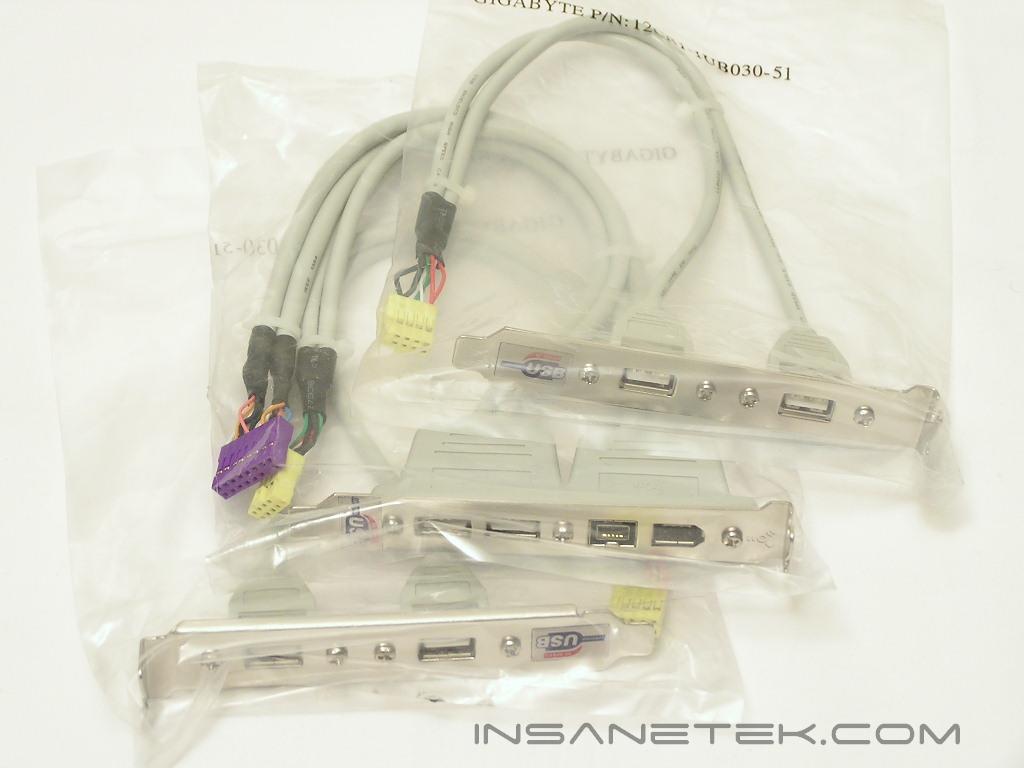
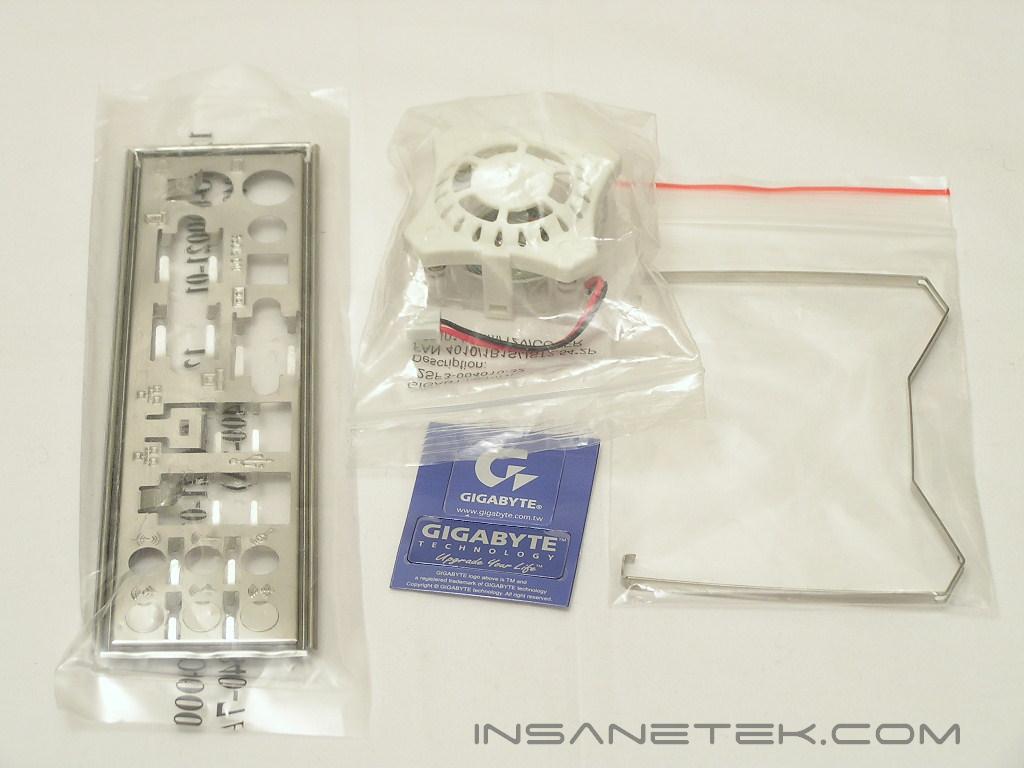
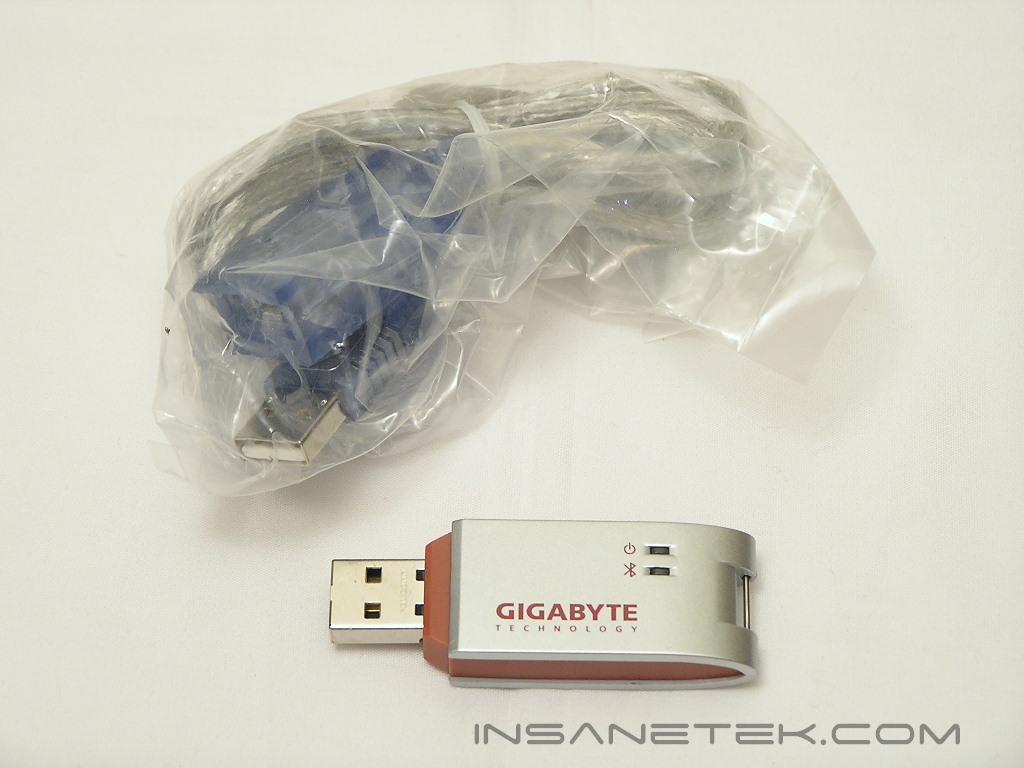
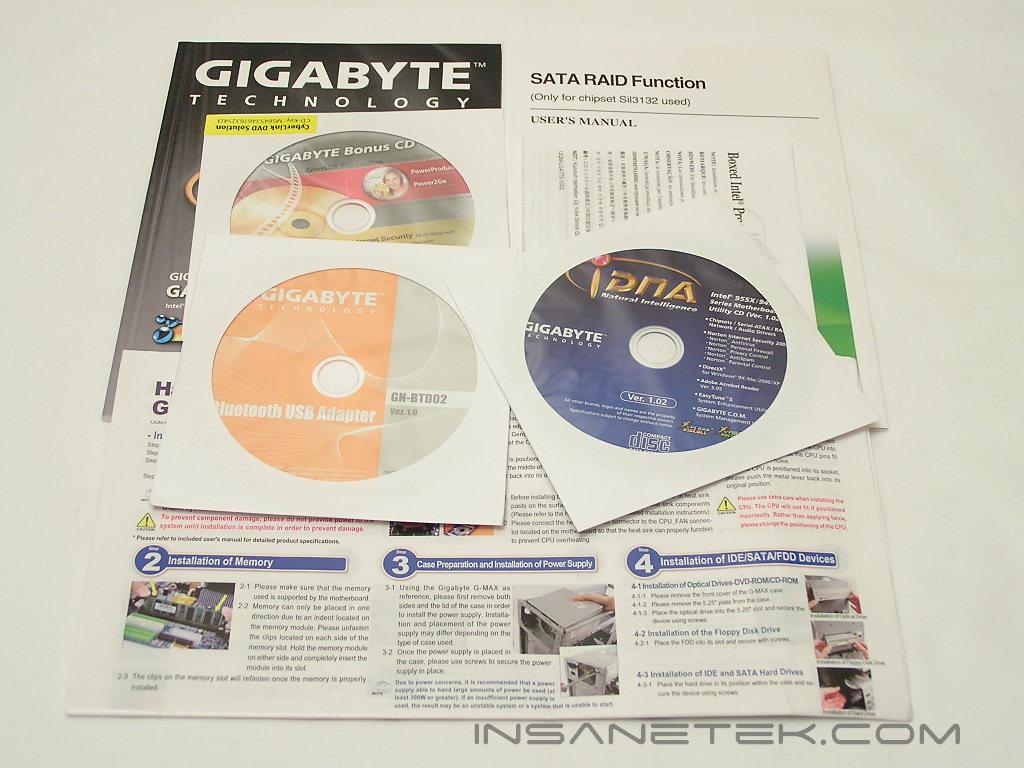
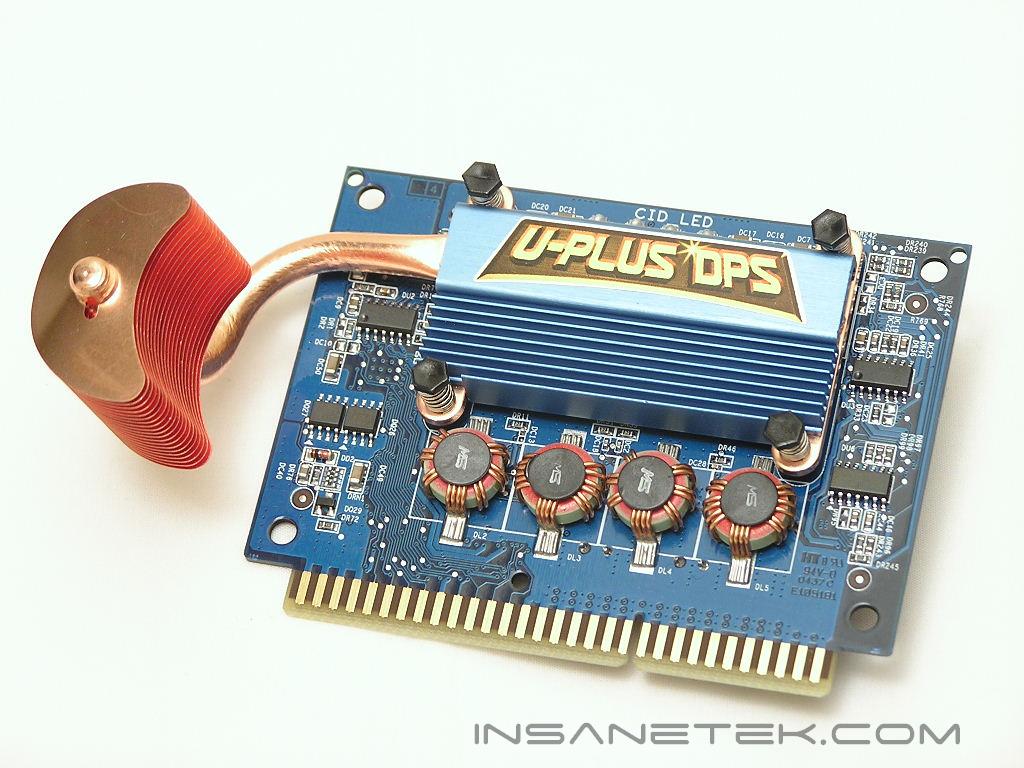
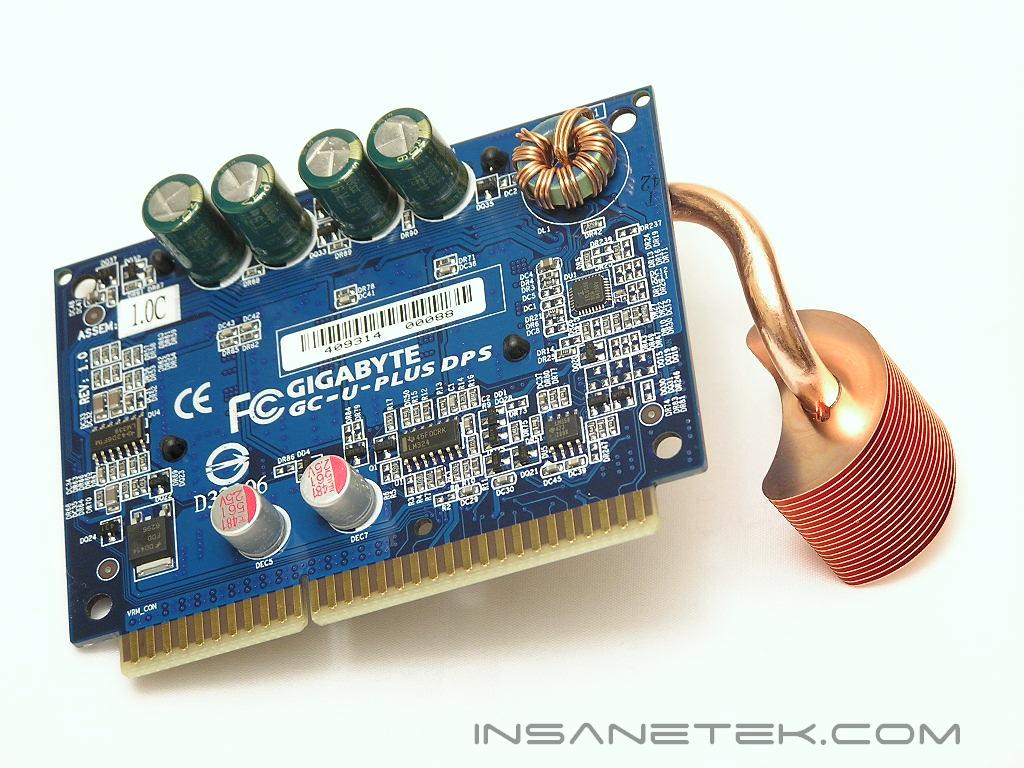
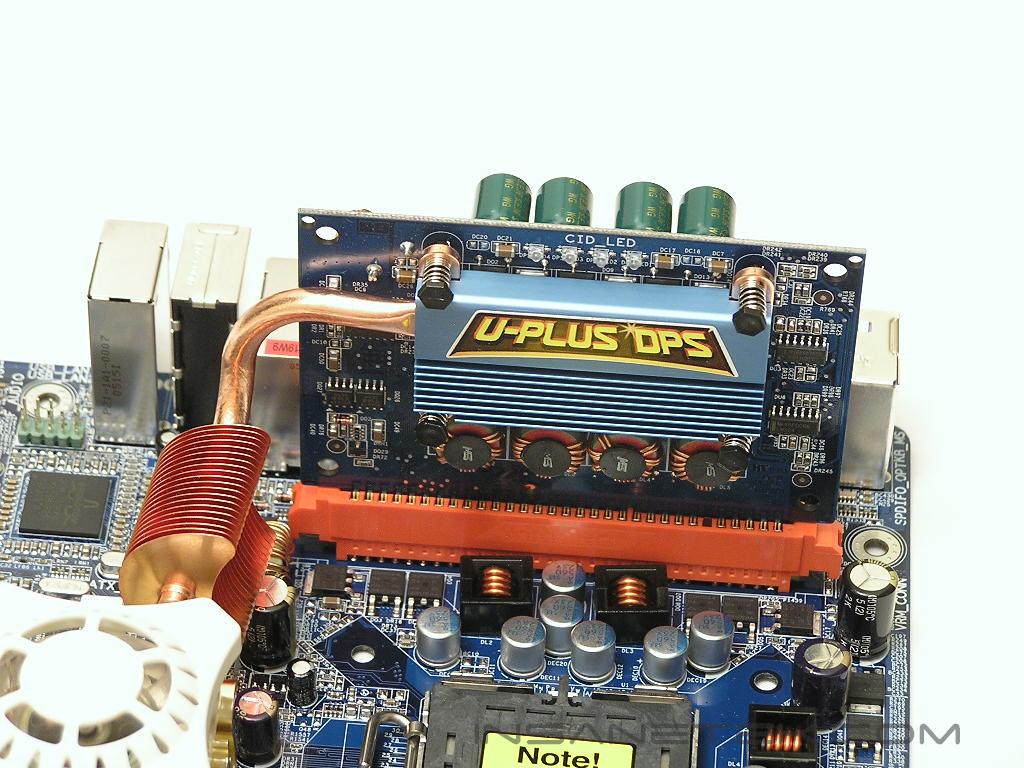
Our very first Gigabyte motherboard review was the GA-8N-SLI Royal and it came with a great bundle. The package was accessory rich and came with additional software that can come in quite useful. The package of the 955X Royal was no different. The bundle was literally the same! They certainly know how to load up their motherboard with proper goodies. There are blue color-coded IDE cables, an I/O plate, 6 orange SATA cables with 3 Molex-to-SATA power adapters, USB and IEEE 1394 PCI brackets, drivers CD’s, user manuals, optional Northbridge fan, USB Bluetooth adapter with USB extension cable, and U-Plus DPS. The U-Plus DPS is used to help lessen the load of the CPU power draw on the motherboard MOSFET’s. The power draw is thus divided in two, so the MOSFET’s won’t produce so much heat under stress. The included Bluetooth adapter is a nice addition. It allows your computer to act as a Bluetooth station and connect with Bluetooth devices. My new phone has Bluetooth technology so I was able to take advantage of transferring the pictures I take with my phone over to my PC. It does come in handy.
Motherboard Layout
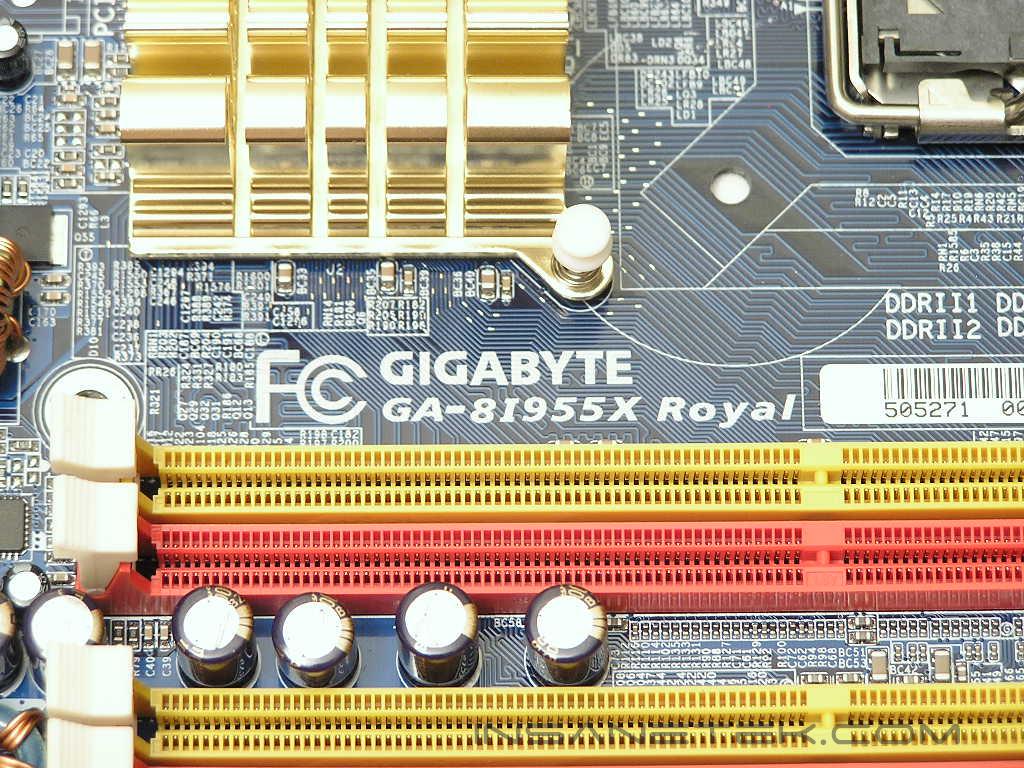
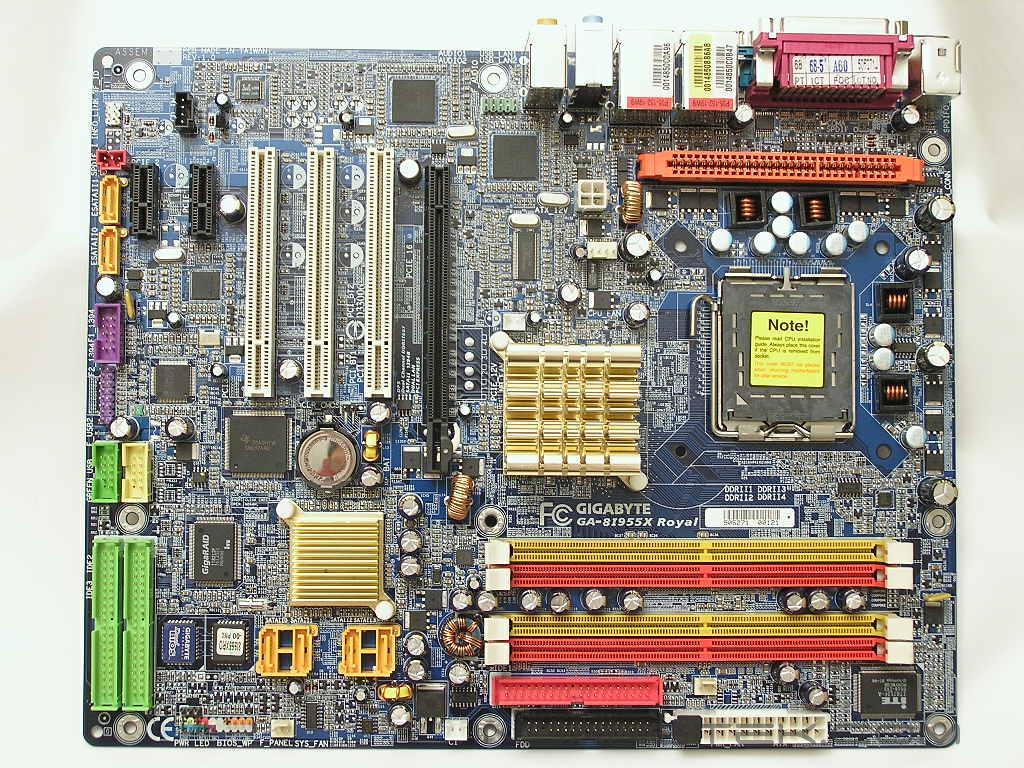
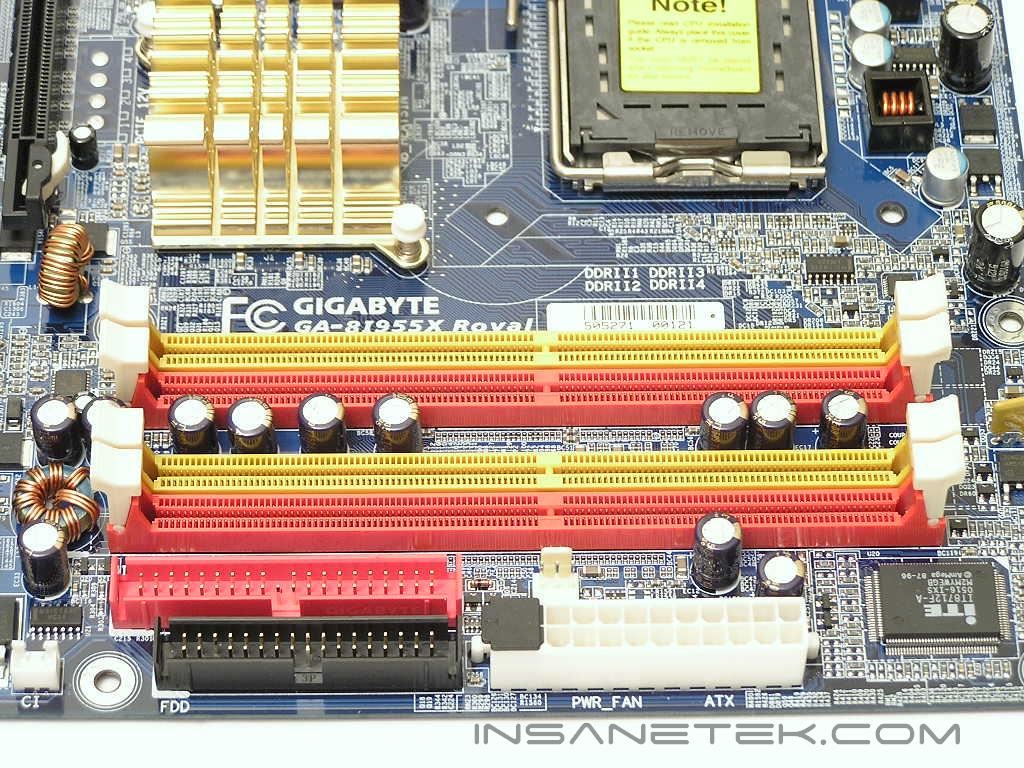
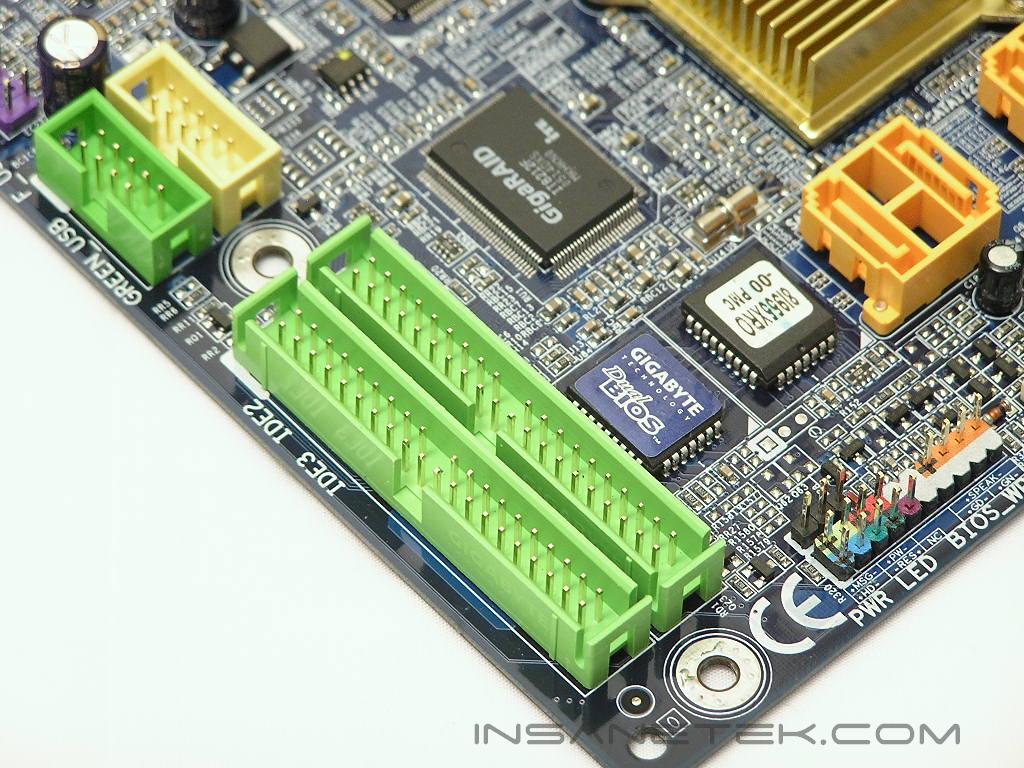
When I pulled out the motherboard from the anti-static bag, one thought came to mind. The board looks just like the GA-8N-SLI Royal, with the exception of the second PCI-E x16 slot of course. The DIMM slots are color coded red and yellow to denote dual channel capability. The ATX power connector is also nicely placed at the right edge of the motherboard, making cable management so much easier. The primary IDE is colored red and placed next to the black floppy connector. The SATA ports are colored orange and located below the DIMM slots, to the right of the Southbridge. Previous Intel Southbridge chipsets never needed any help in cooling, but as the trend goes, the better the technology, the hotter the components get. There are two additional IDE connectors at the bottom right of the motherboard and has been colored lime green. These connectors are controlled by the Gigabyte’s GigaRAID chip and allows RAID functions for PATA hard drives.
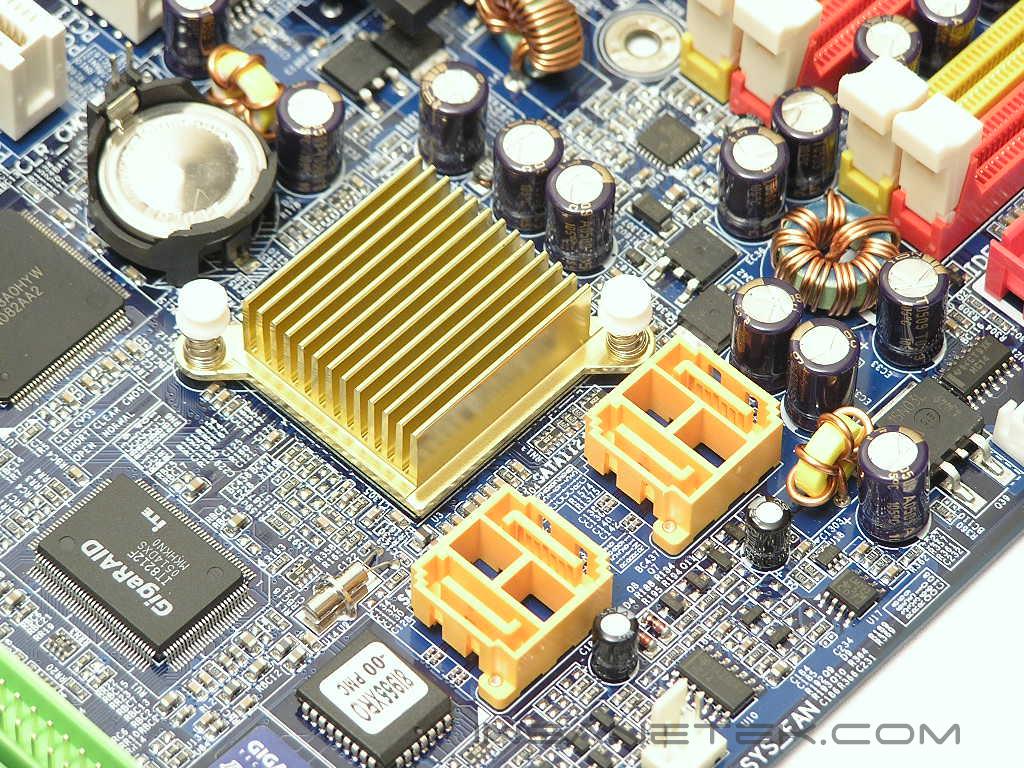
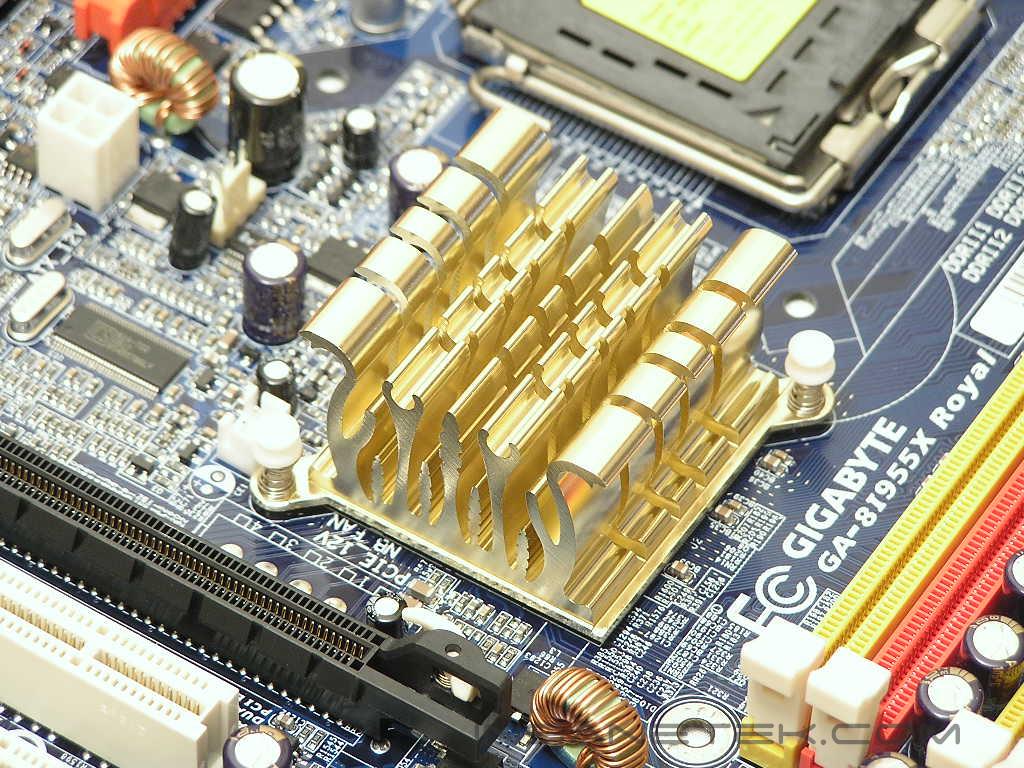
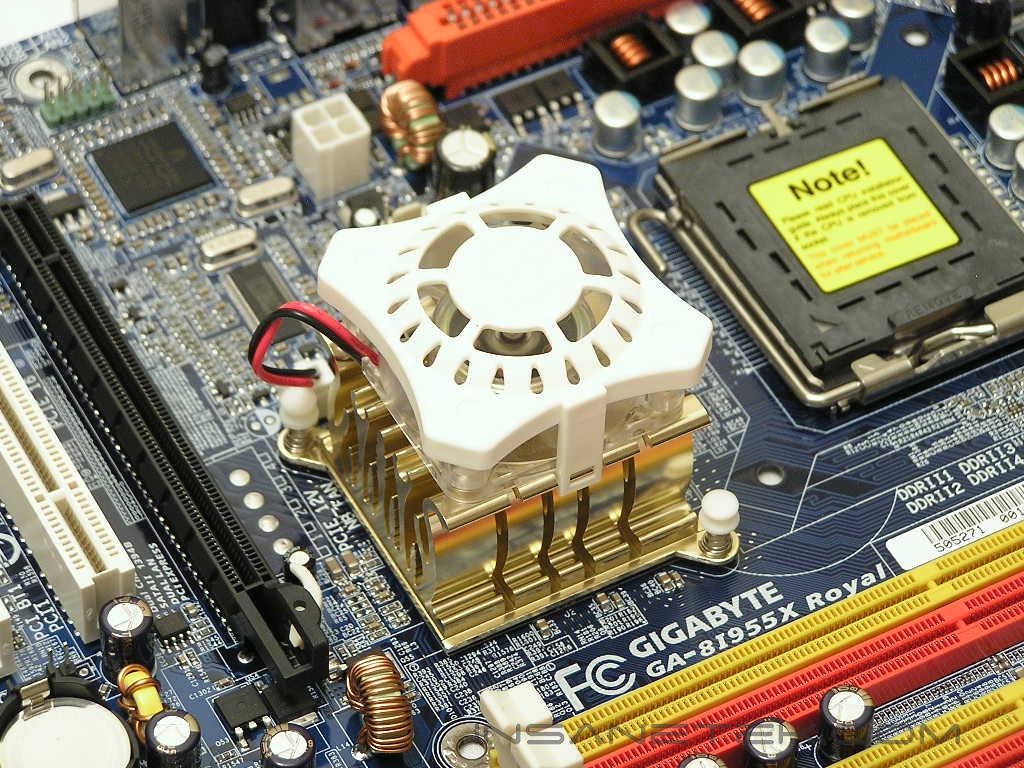
Speaking of chipset cooling, the Northbridge has a passive heatsink attached. The design is quite unique with the fins shaped like fire flames. Hmmm, flames on top of a chipset. Is that really a good sign? The included small 40mm fan attaches to the Northbridge heatsink to provide active cooling. In the case of the Intel 955X chipset, active cooling is not a necessity, but it is definitely recommended.
Motherboard Layout Continued
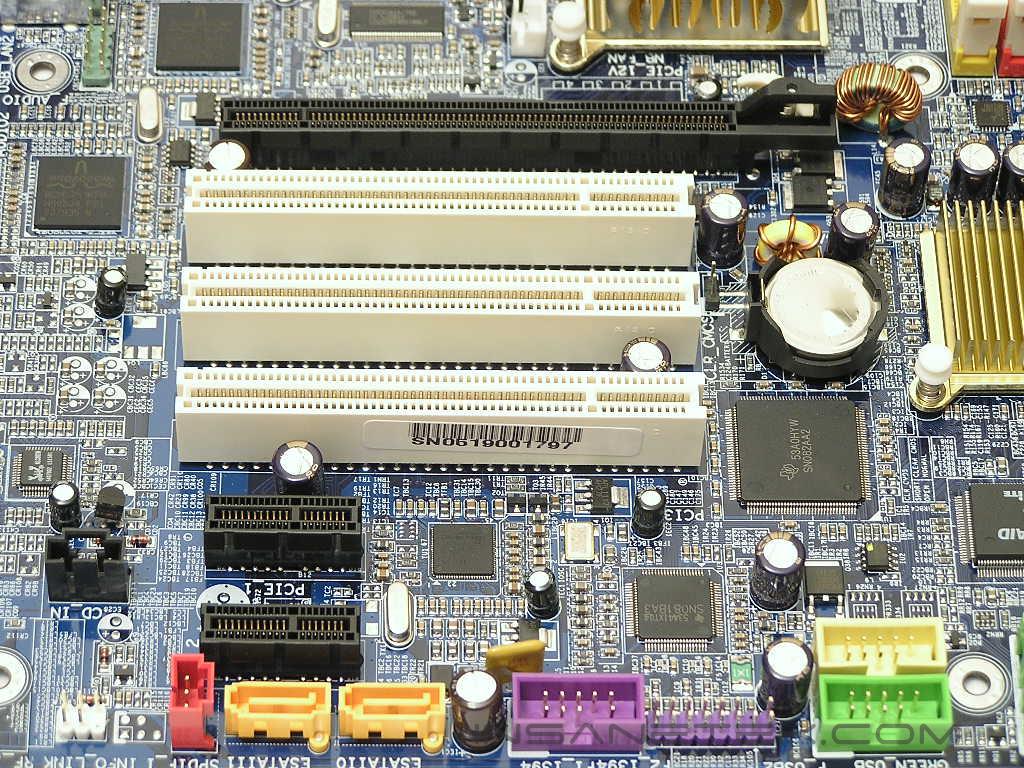
Since the 955X chipset does not natively support SLI, there is only one PCI-E x16 slot provided. Below that are the three regular PCI slots and two PCI-E x1 slots. It is definitely nice to see more regular PCI slots included, because as of right now, PCI-E x1 cards are far from being the norm. While three regular PCI slots are included, it would be nicer if it was placed lower, towards the bottom of the motherboard. With the first PCI slot so close to the PCI-E x16 slot, enthusiasts that use large aftermarket GPU coolers will be at a disadvantage. If you look real closely, you will notice two pins to the left of the CMOS battery. Much like the GA-8N-SLI Royal, to clear the BIOS, you will need to find a jumper and plug it in and pull it out. I still don’t understand why they would implement this design over the traditional standard. It is a real pain during the overclocking process. Right below the PCI slots are the additional device headers. There are two USB headers, one green and one yellow. There are two IEEE 1394 headers, both colored purple. If you find four SATA ports not enough, there are two additional SATA ports to the left corner of the motherboard.
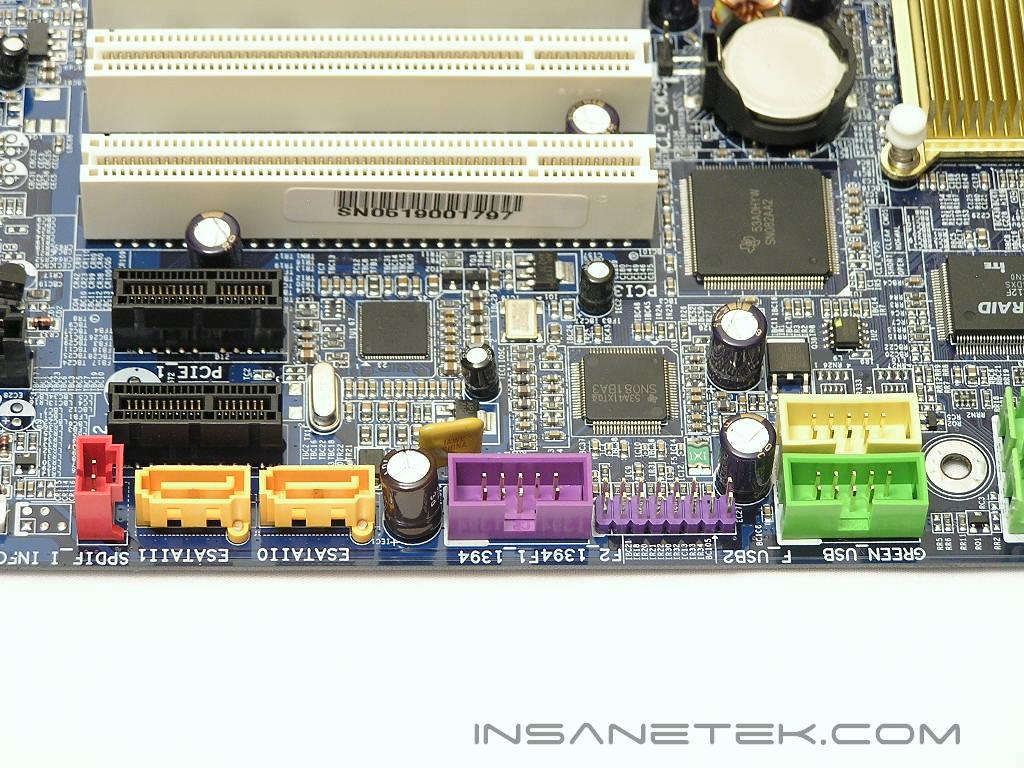
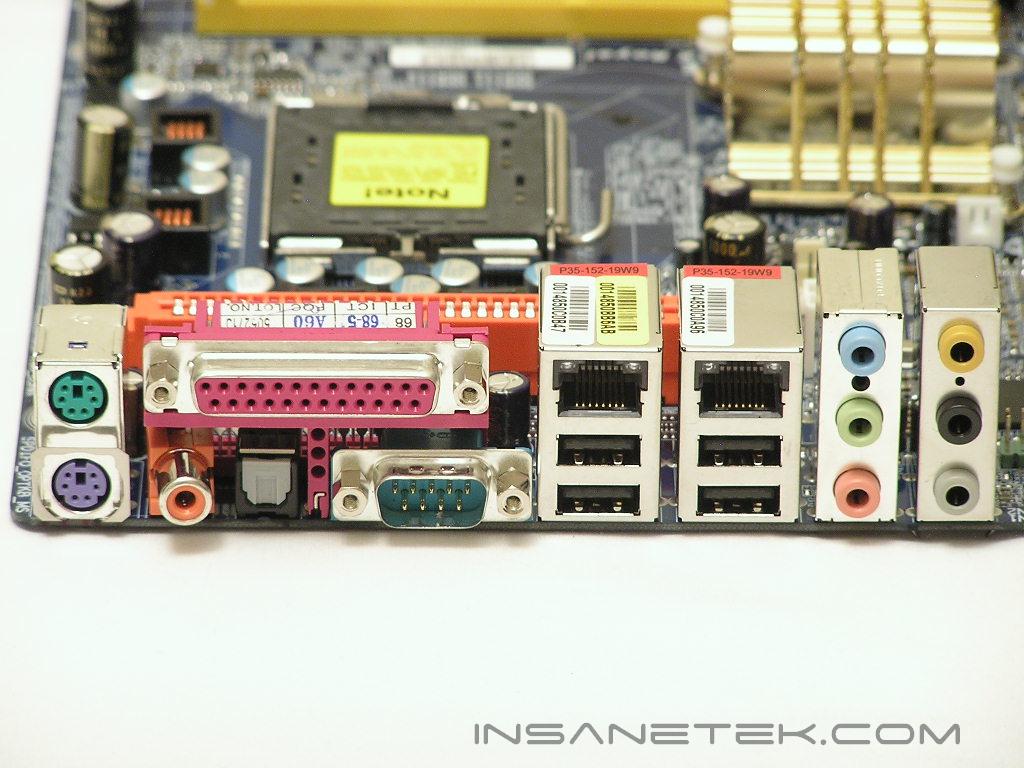
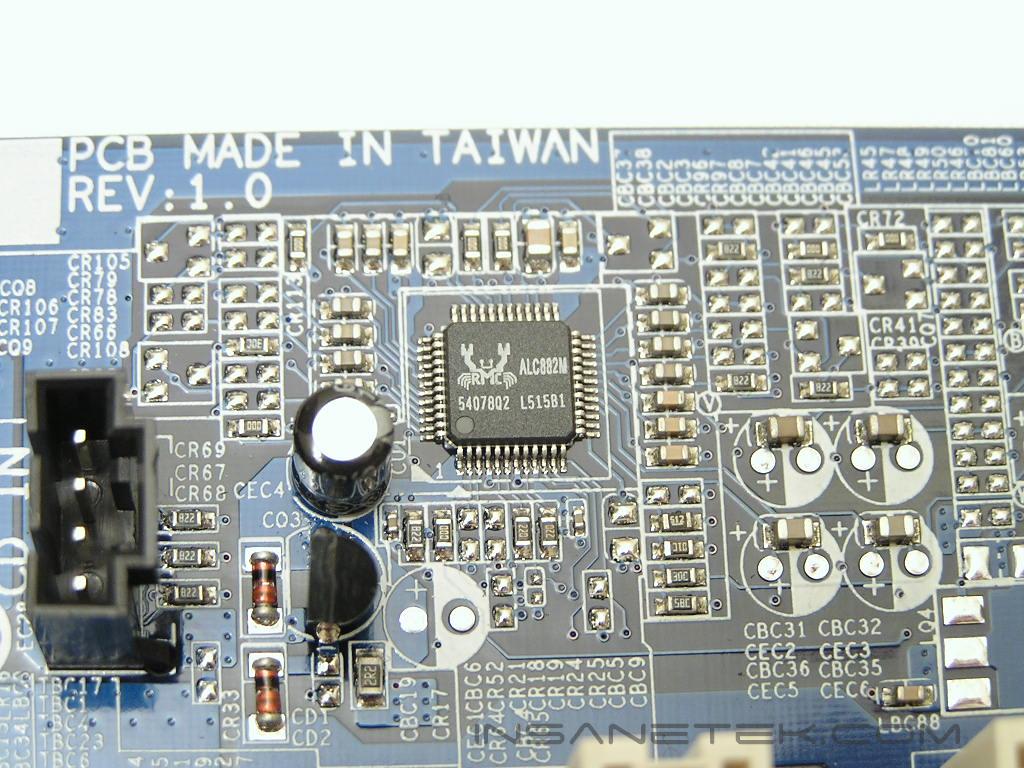
At the very bottom right of the motherboard are the front I/O connectors. Like always, Gigabyte color codes them and also labels them on the motherboard so that enthusiasts won’t have to refer to user manuals. One great thing about high end Gigabyte motherboards is that they come with Gigabyte’s signature Dual BIOS. Although the process of flashing the BIOS is pretty straightforward and easy, things can go wrong and the BIOS can corrupt and take the motherboard with it. This is where the backup BIOS comes into play. Simply restart the system, go into the BIOS, and select the appropriate options to flash the main BIOS with the backup BIOS. Now your motherboard is back to its original state. The back I/O is pretty rich with connections. There are the standard keyboard and mouse PS2 ports, parallel port, single serial port, SPDIF In/Out, dual RJ45 Gigabit Ethernet connections, four USB ports, and audio jacks. The audio is powered by the popular Realtek solution, specifically the ALC882M chipset. The 8-channel surround sound is already great for music listening and gaming and even low end multimedia, but if you plan on connecting some expensive speakers, be sure to invest in a better sound card. Other than the Nvidia nForce2 SoundStorm, it is a common knowledge that onboard sound is not THE best solution.
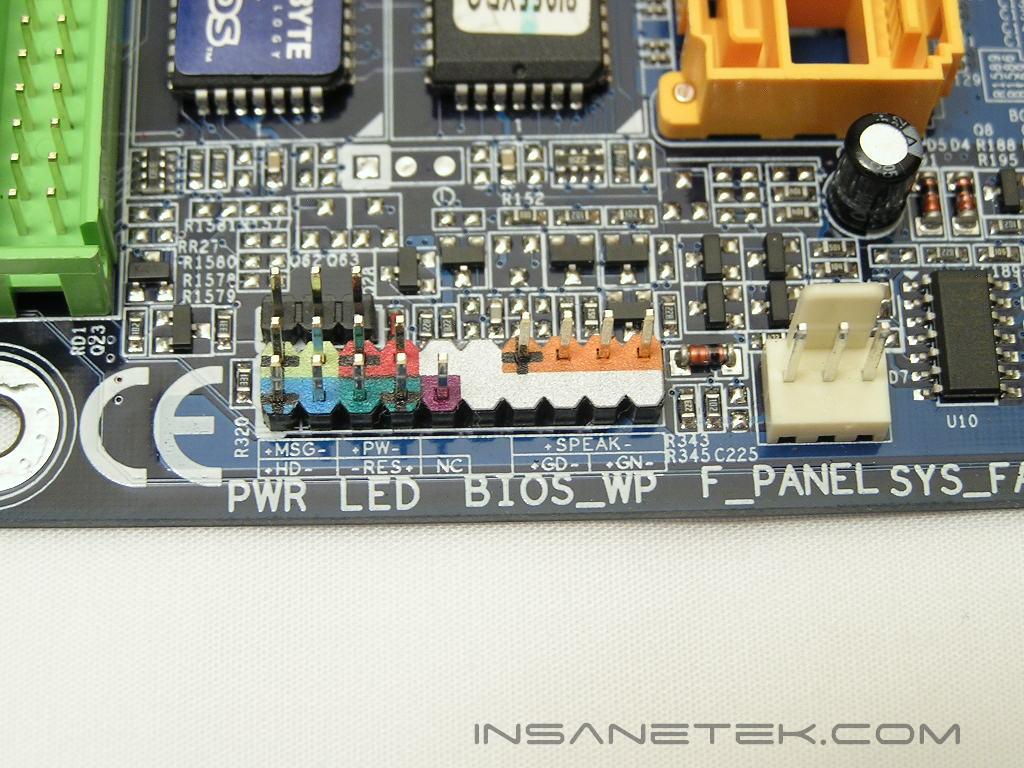
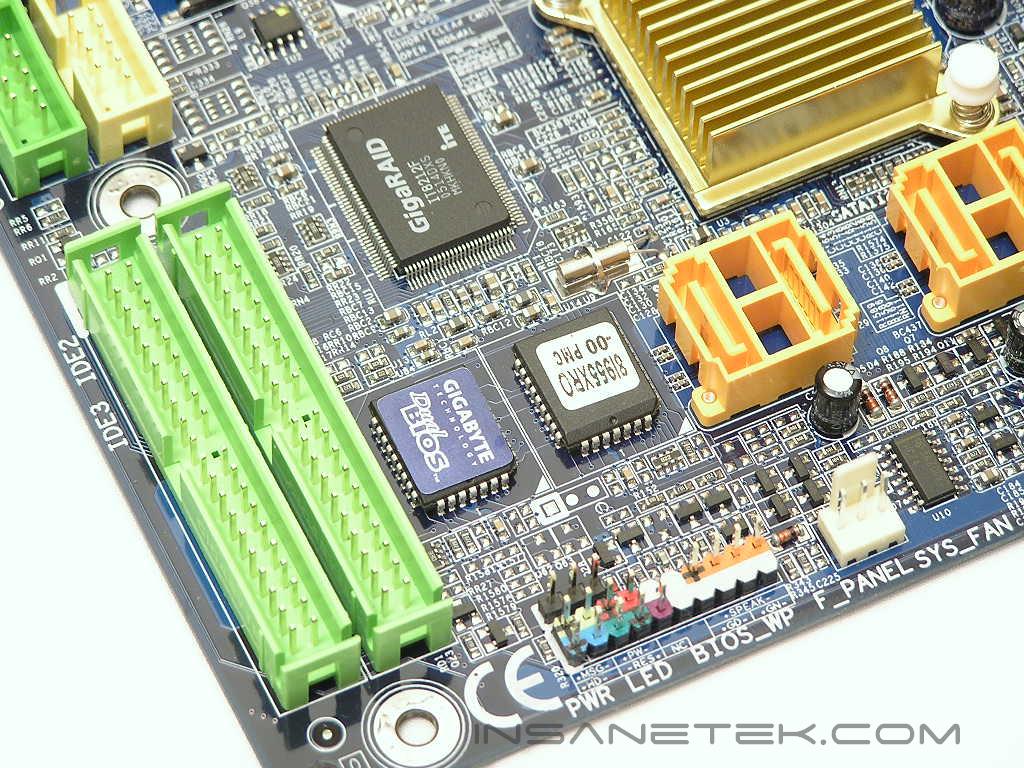
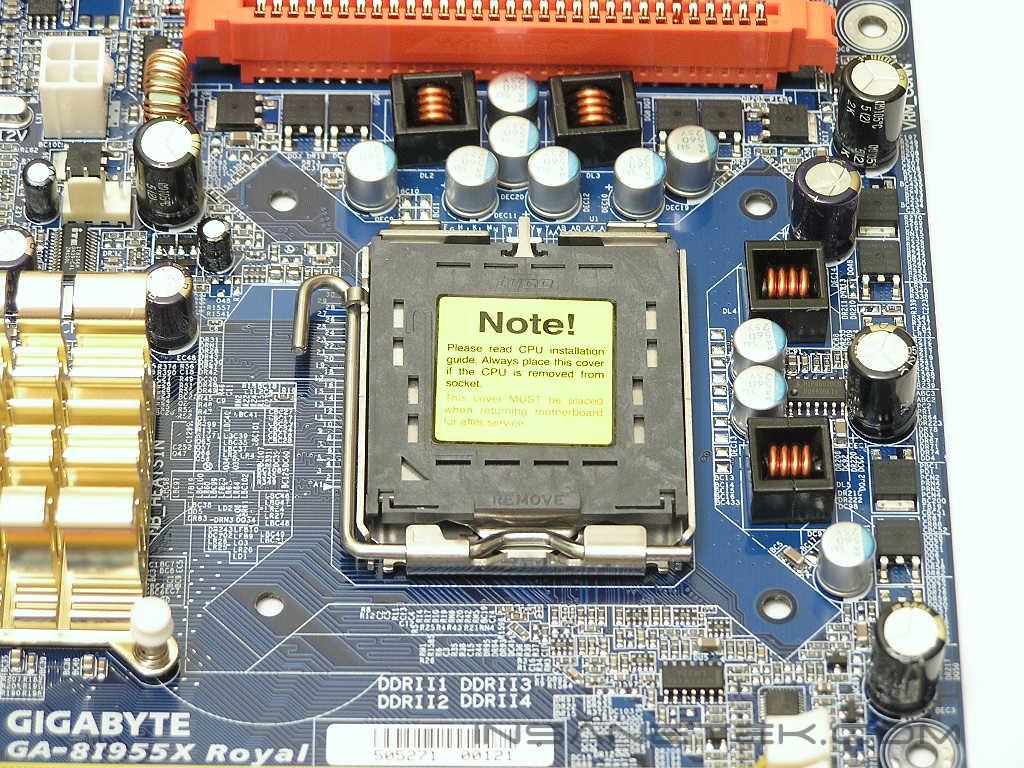
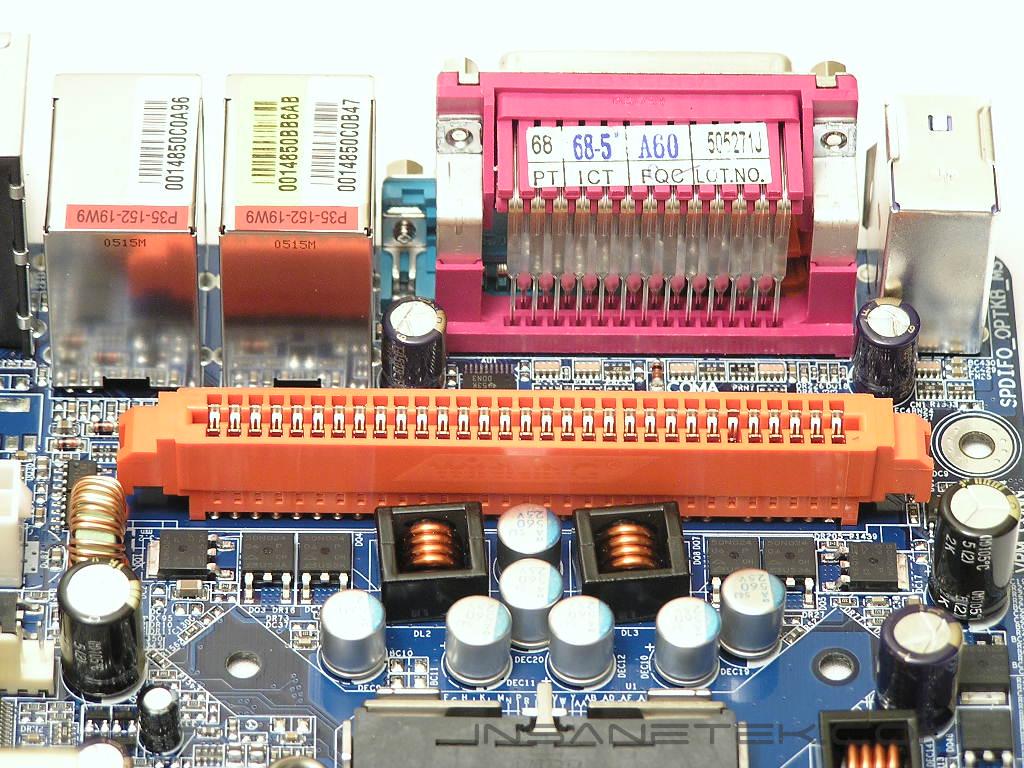
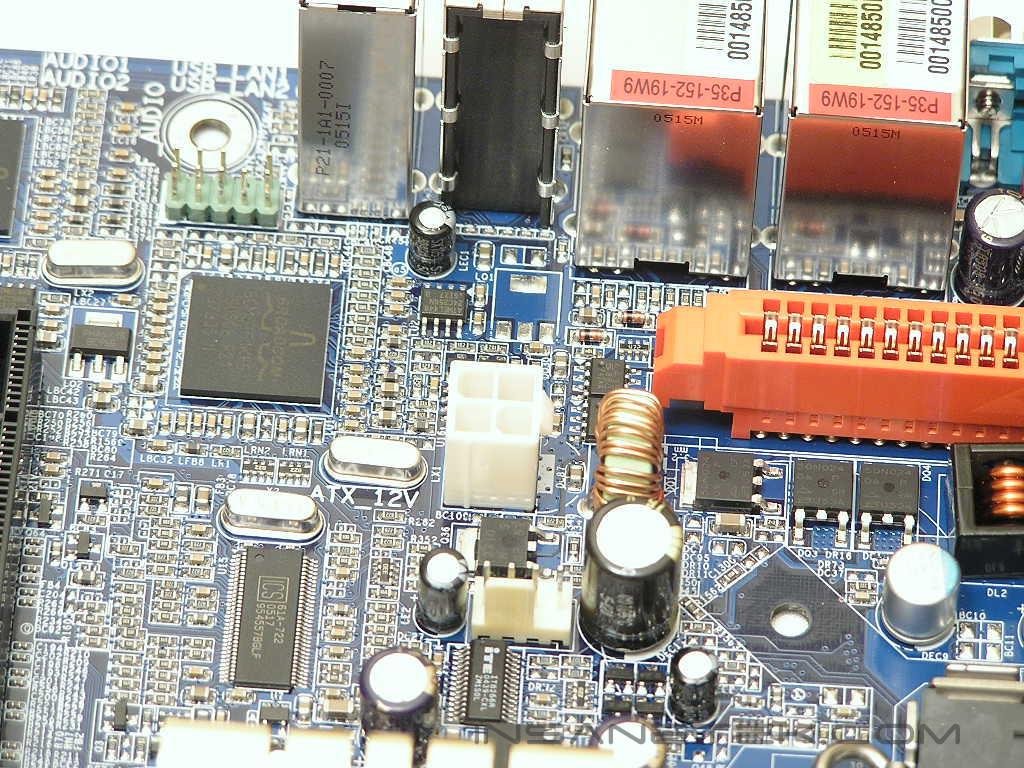
Like the GA-8N-SLI Royal, the CPU socket area is a little cluttered due to the added height of the Northbridge fan and the U-Plus DPS. Enthusiasts looking to use a large aftermarket heatsink should be cautious. I tried installing a Thermaltake Golden Orb II and it would not fit. I had to remove the U-Plus DPS in order to use the cooler. Speaking of the U-Plus DPS, it installs very easily into the orange slot. Below the U-Plus DPS slot is the 4pin 12v connector. I did not like this placement all too much since it causes the power cord to wrap around either the U-Plus DPS or the CPU cooler.
BIOS
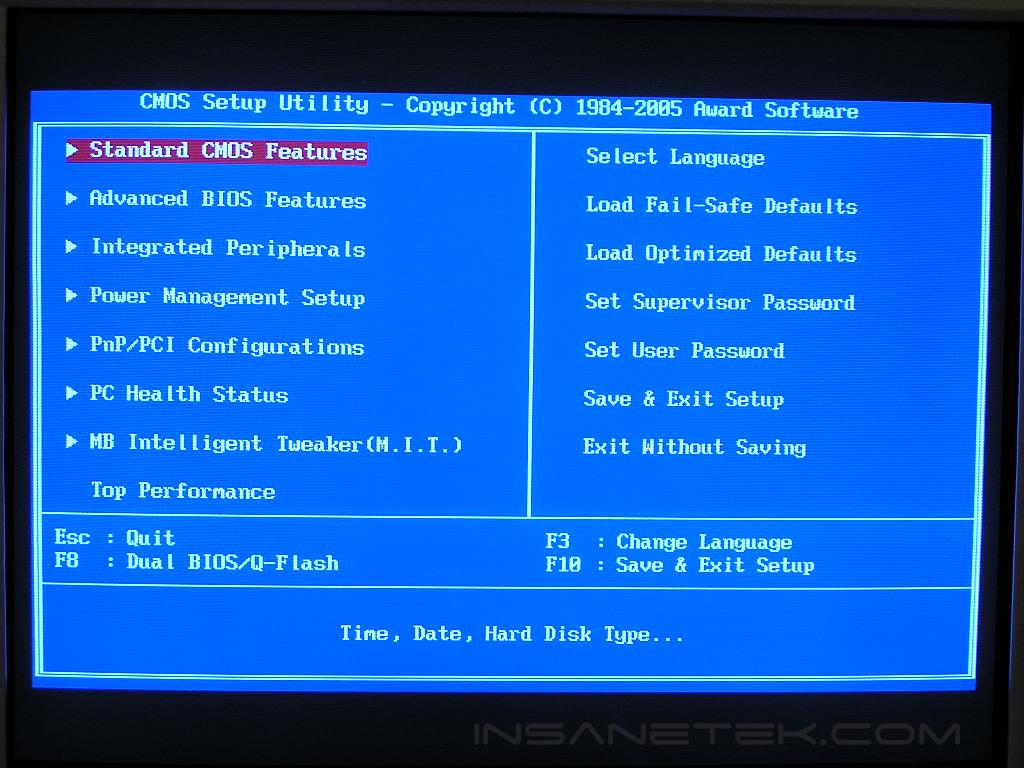
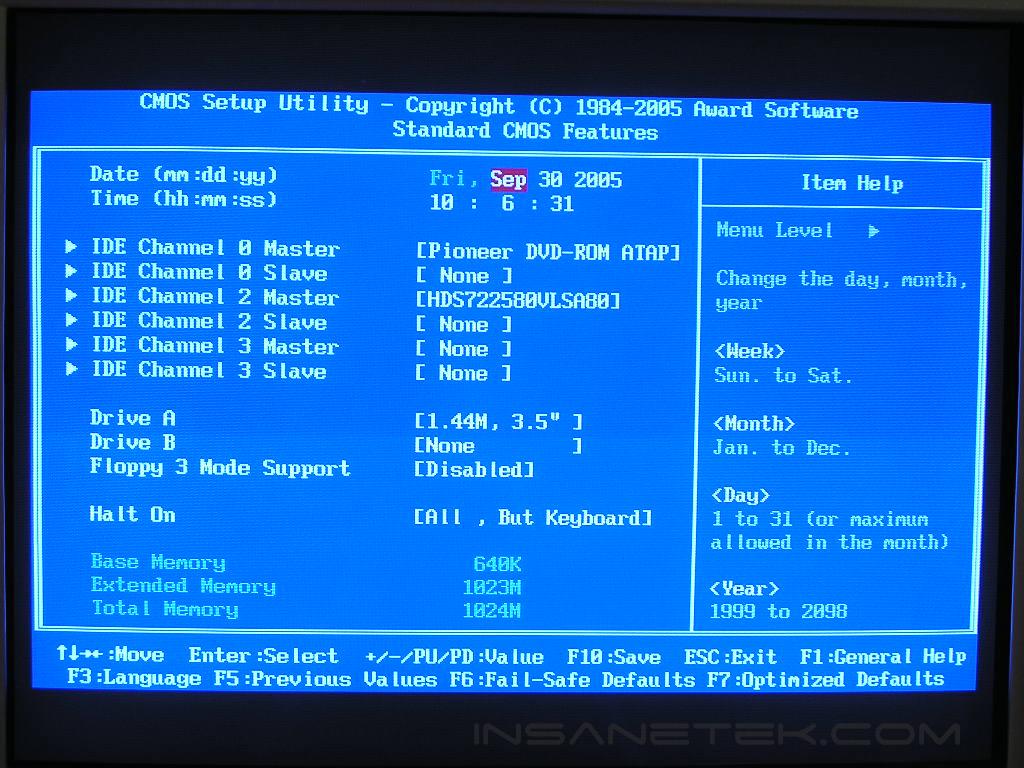
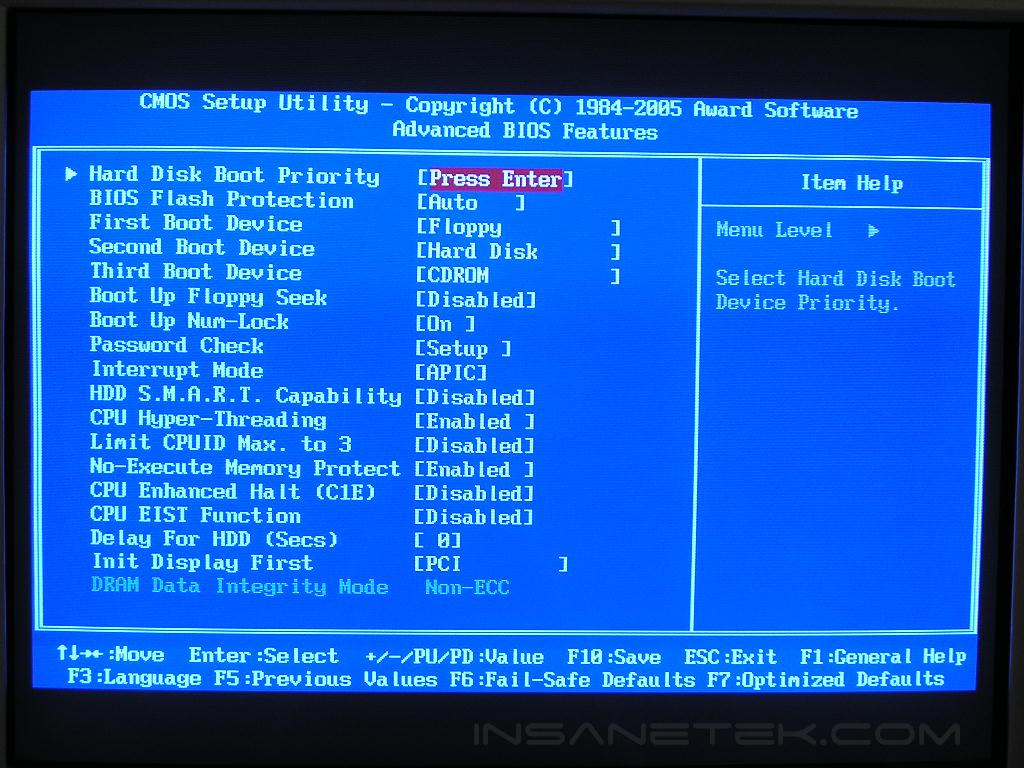
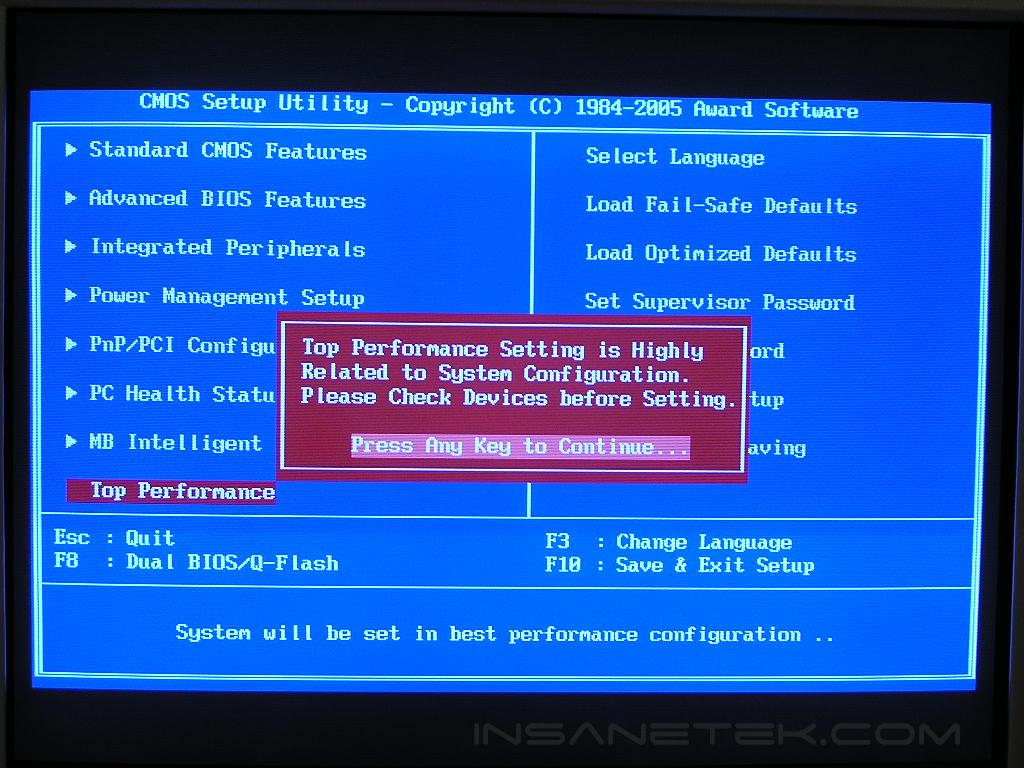
Since Gigabyte was never known to be a real overclocking machine, I was not expecting any major voltage options or tweaks. Surprisingly, the 955X Royal came with quite a good amount of voltage options. Like the GA-8N-SLI Royal, the 955X Royal also came with a BIOS safety feature. When you’re on the main screen of the BIOS, you’ll have to press Ctrl + F1 to enable the Top Performance portion of your overclocking needs. That opens up the adjustments for memory latencies. All the overclocking needs are found under the Motherboard Intelligent Tweaker (M.I.T.).
- VCore: Normal, 0.8375v - 1.6v
- VDIMM: Normal, +0.1v - +0.6v
- FSB Voltage: Normal, +0.05v - +0.35v
- PCI-E Voltage: Normal, +0.05v - +0.35v
- PCI-E Frequency: AUTO, 90MHz - 150MHz
- FSB Frequency: 100MHz - 600MHz
- Memory Dividers: AUTO, 2.00x, 2.66x, 3.33x, 3.00x, 4.00x, 1.50x, 2.50x
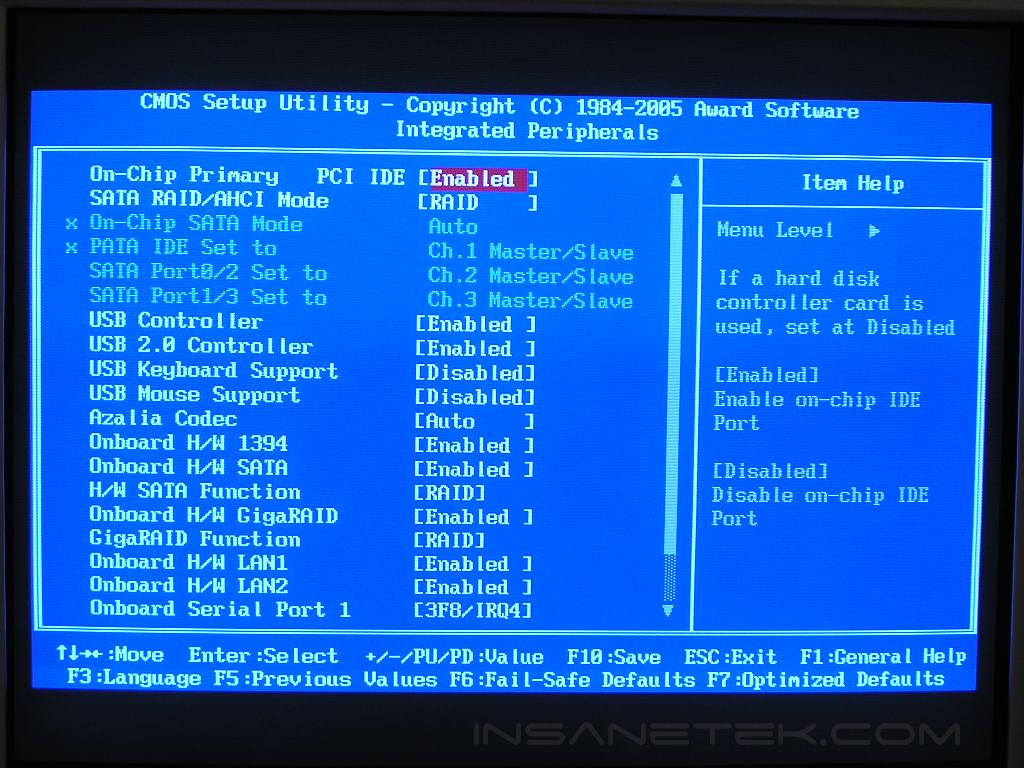
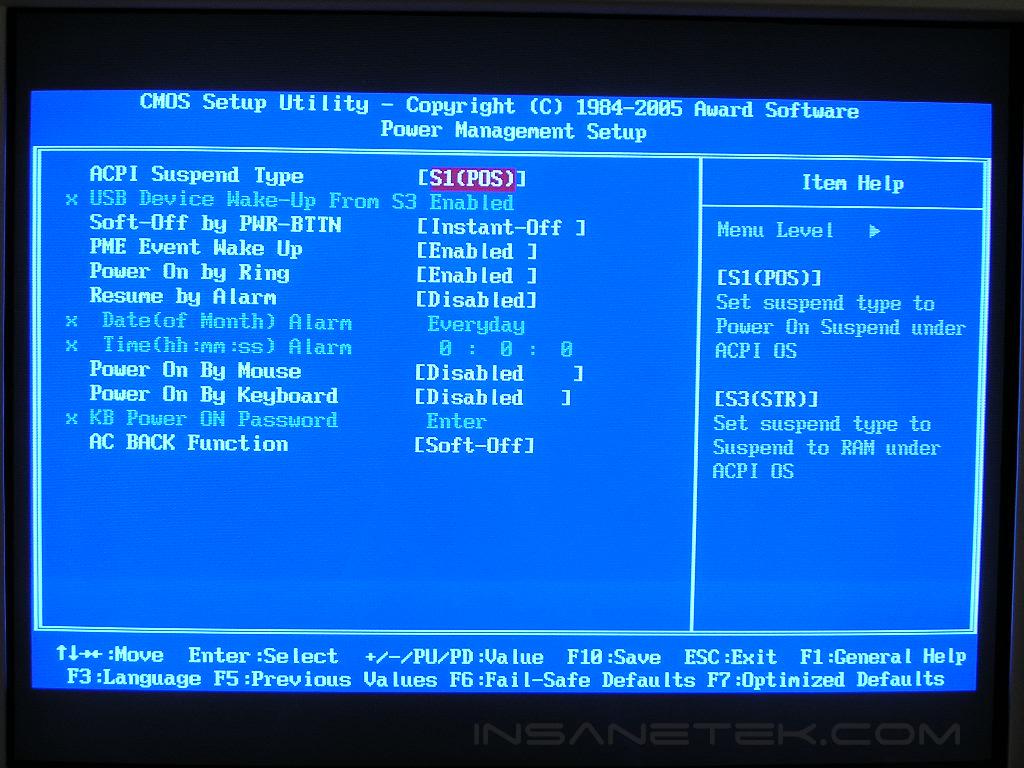
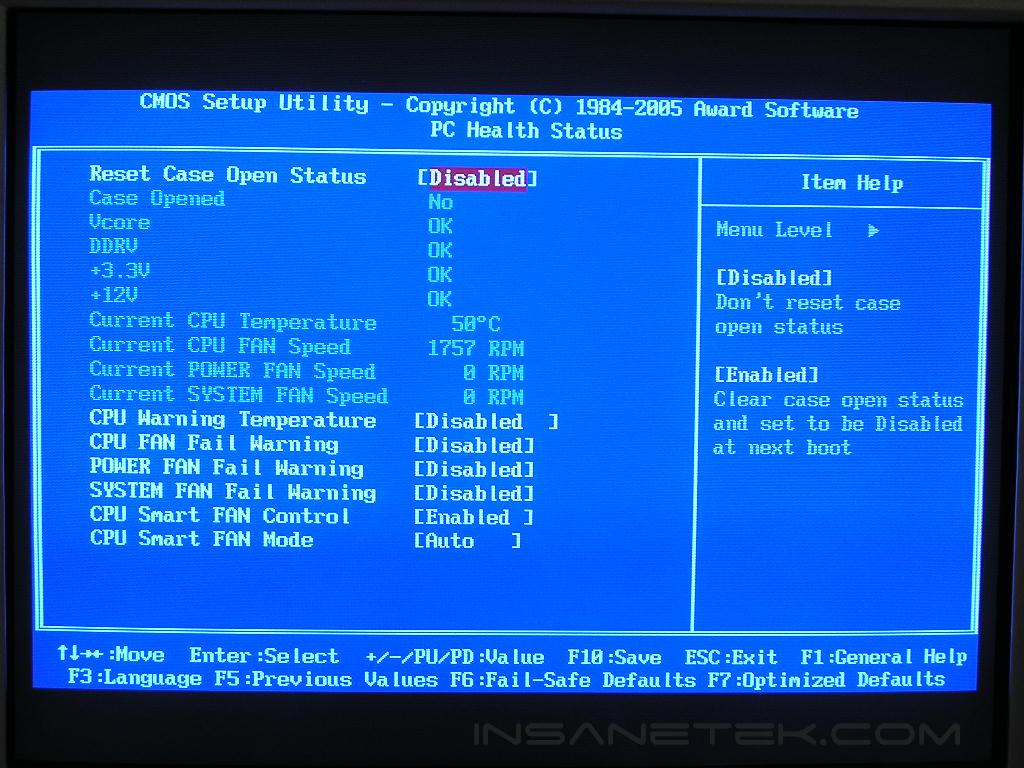
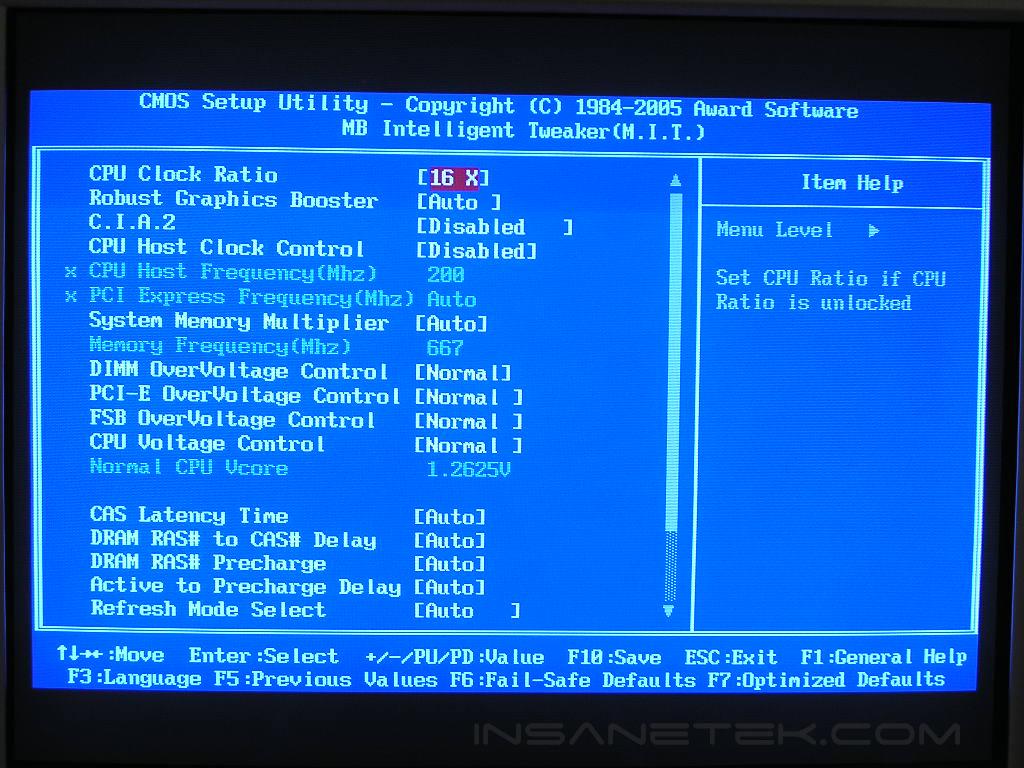
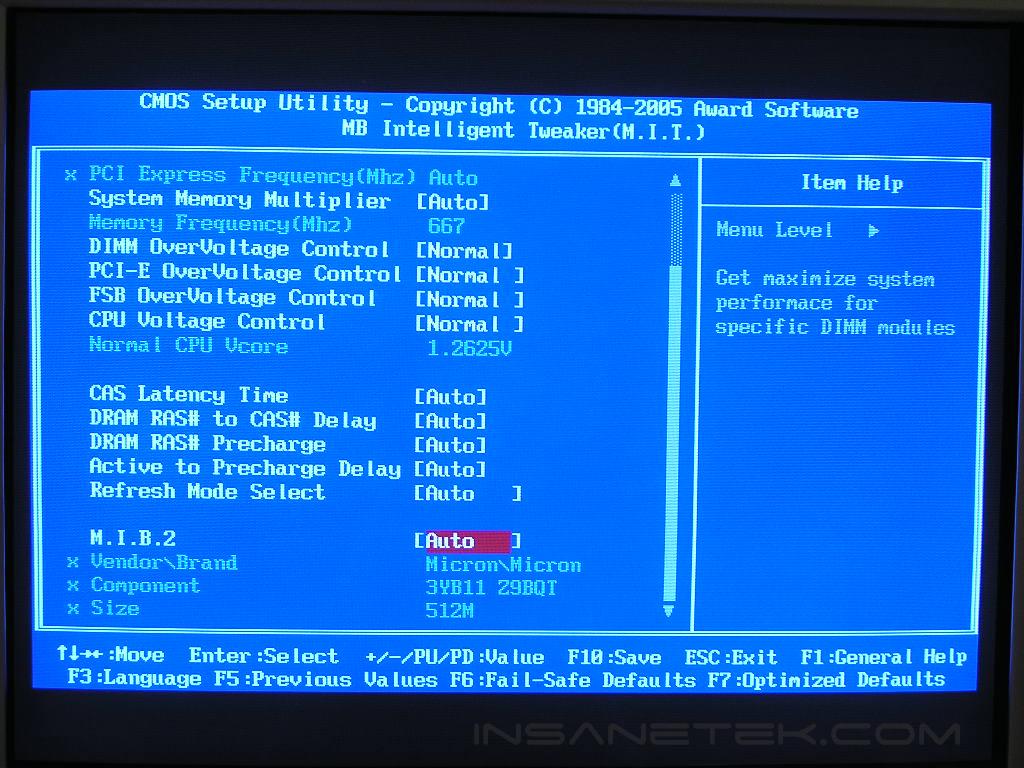
The majority of 955X motherboards provide a good VDIMM of up to 2.3v. The Gigabyte 955X Royal provides a little bit more than that. The standard DDR2 voltage rating is 1.8v. With the VDIMM option of +0.6v in the 955X Royal, the VDIMM comes out to 2.4v. That extra 0.1v might just help increase your Micron fatbody D9 overclock. One interesting option was the max FSB frequency. It allowed up to 600MHz! Who in the world can hit that??? Can the motherboard even handle such a ridiculously high speed? Well at least you can’t say that the motherboard did not come with good options.
Software
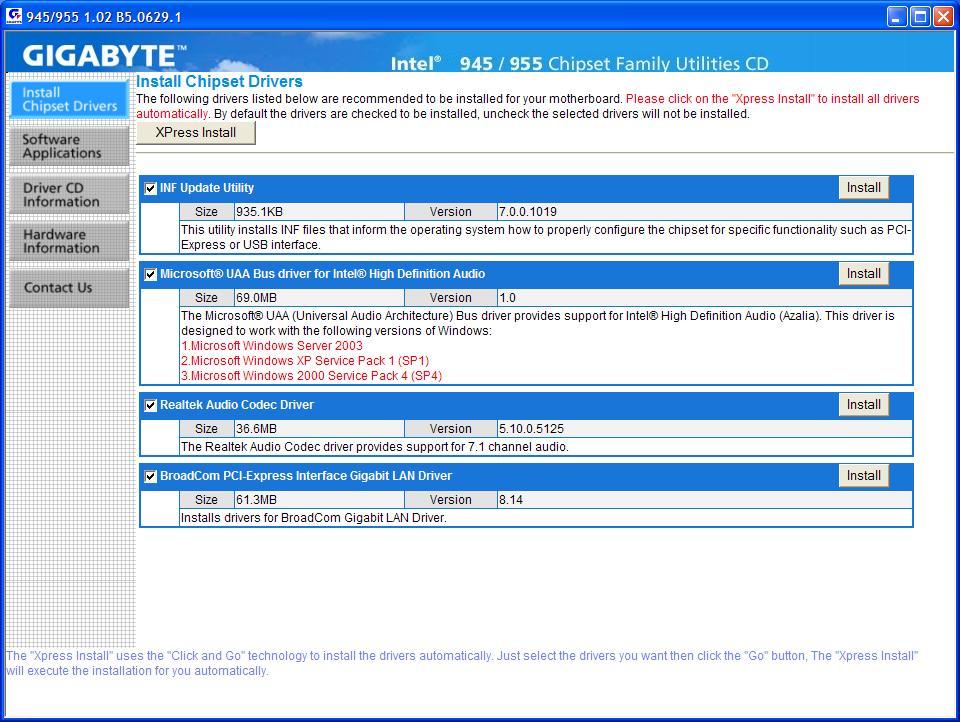
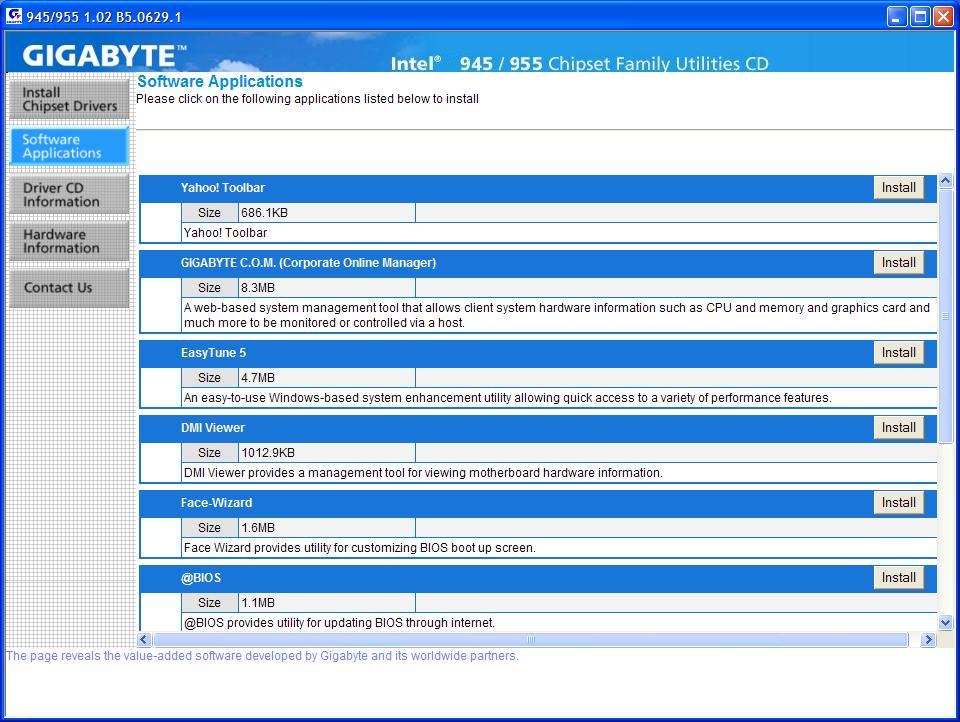
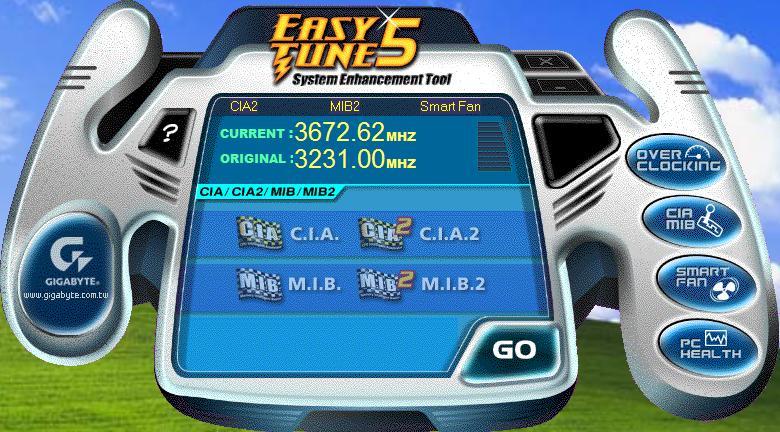
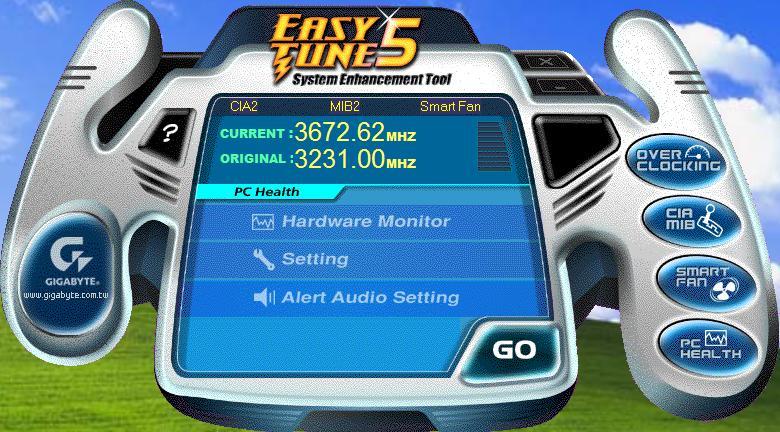
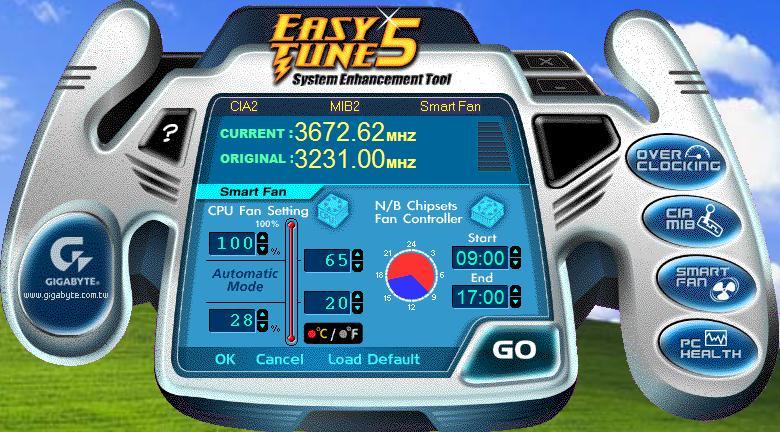
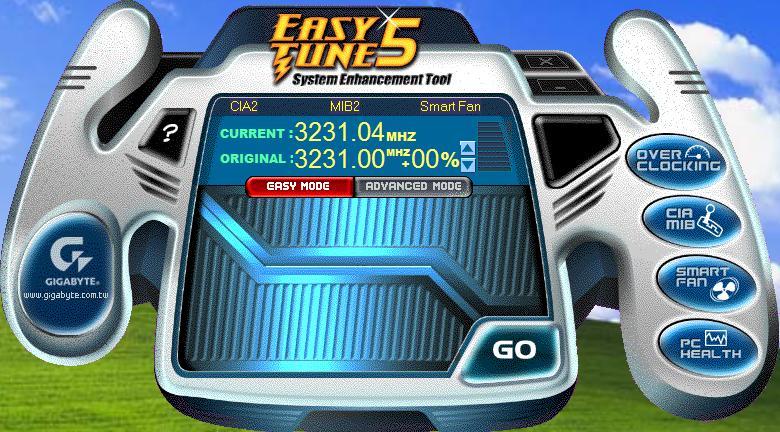
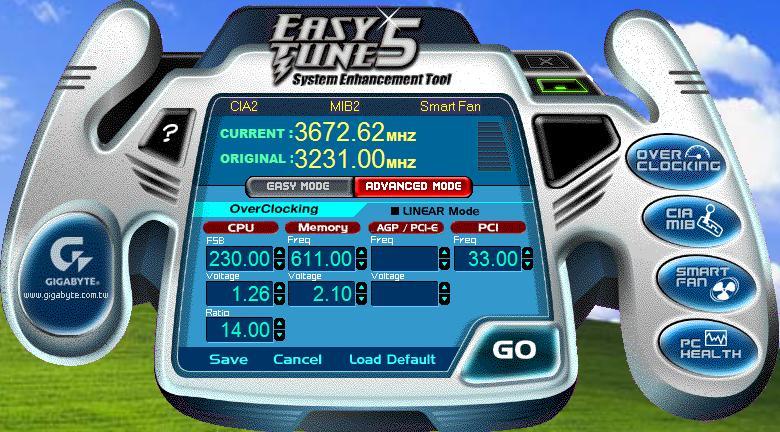
Gigabyte’s inclusion of the bundles software is excellent. Unlike many others that include cheap antivirus utilities, Gigabyte provides a full version of Norton Internet Security 2005. This means that Norton’s antivirus and Norton’s antispyware are included. Gigabyte also includes its Windows-based overclocking utility to allow enthusiasts to overclock on the fly. There are two modes; easy mode and advanced mode. The easy mode overclocks in percentages with a max of 20%. The advanced mode allows users to adjust options on their own.
Test Setup and Overclocking
Test Setup:
- Intel Pentium D 840 (ran 14 x 200FSB = 2.8GHz)
- Gigabyte GA-8I955X Royal
- Asus P5WD2 Premium
- 2 x 512MB Corsair XMS2 PC2-8000UL 3-2-2-5
- ATI Radeon X800XT
- Arctic Cooling Freezer 7
- Thermaltake PurePower 680W
- ATI Catalyst 5.7
Overclocking:
After experiencing the overclocking headroom of the prestigious Asus P5WD2 and the Abit AW8, I was very anxious to see the overclocking headroom allowed on the 955X Royal. The results I received were very pleasing. Equipped with an engineering sample of the Intel 840 3.2GHz processor, I dropped the multiplier to the lowest allowed, which was 14x, and kept memory at a 1:1 ratio and pumped up the FSB. I made sure that the memory would not be a bottleneck and loosened the timings to 5-5-5-15 and gave it 2.3v.
- Highest overclock: 280FSB
Unfortunately, the 955X Royal did not reach the stunning high 300FSB+ of the Asus P5WD2, but it did tie the Abit AW8 in terms of overclocking. 280FSB is also a pretty good achievement, considering that Gigabyte does not make their motherboards with overclocking as one of their goals. 280FSB is also more than enough for some Intel processors out there. Most of the time, the CPU speed would come to a halt before the FSB reaches its ceiling.
Results
Sysmark 2004
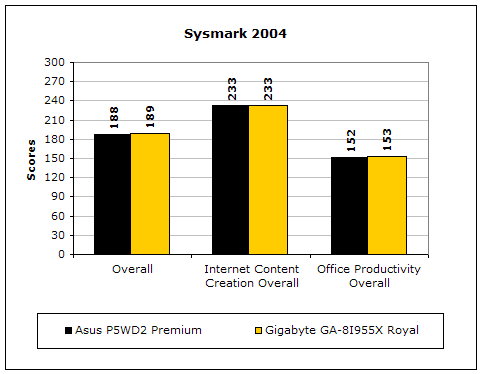
Sysmark2004 is a very common benchmark used to measure a system’s potential in performance. It goes through long and grueling tests, including compression, decompression, and office intensive programs.
3DMark2001SE
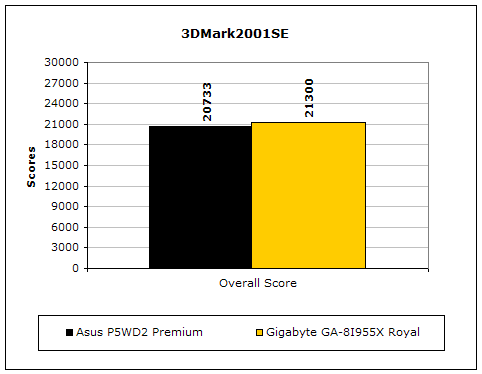
3DMark is probably the overclocker’s favorite benchmark. Unlike 3DMark2003, which stresses mainly the video card, 3DMark2001SE tests all of the system’s main components. Increasing the CPU speed, memory speed, and video card speeds will result in higher final scores.
PCMark2004
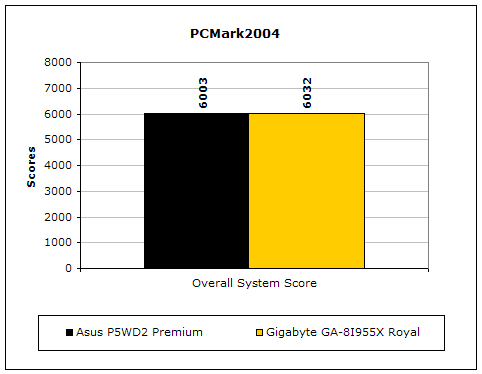
The PCMark2004 system benchmark puts the entire system to work.
PCMark2002
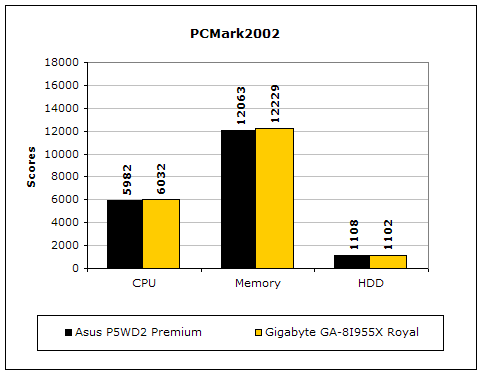
PCMark2002 is older than PCMark2004, but still very similar.
Results Continued
Everest Home Edition
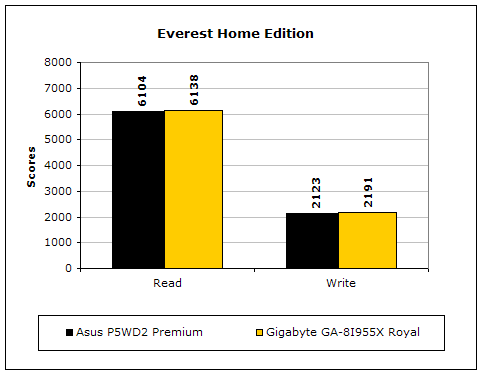
Everest Home Edition is a good benchmark for testing memory performance. Since the motherboard’s overclocking potential and memory bandwidth is closely related, I find this benchmark to be trustworthy.
SiSoft Sandra
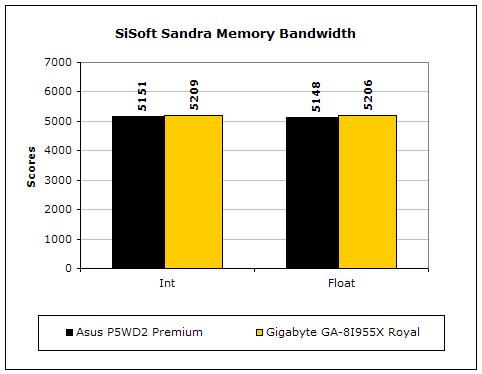
Like Everest Home Edition, SiSoft Sandra memory bandwidth tests the motherboard’s memory bandwidth performance.
Super PI
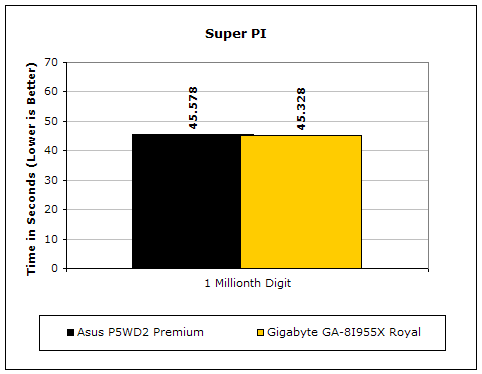
Since the value of PI is an infinite value, Super PI is a speed test to find a specified digit. In this case, we chose the millionth digit. Super PI benefits greatly from higher FSB, as well as low latencies.
PiFast
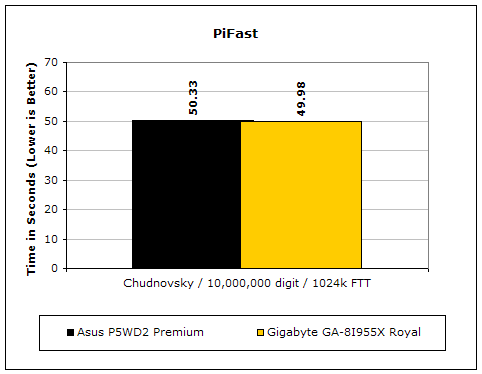
PiFast is similar to Super PI and the results can be greatly affected by a slight adjustment to the memory megahertz and latency.
Unreal Tournament 2004
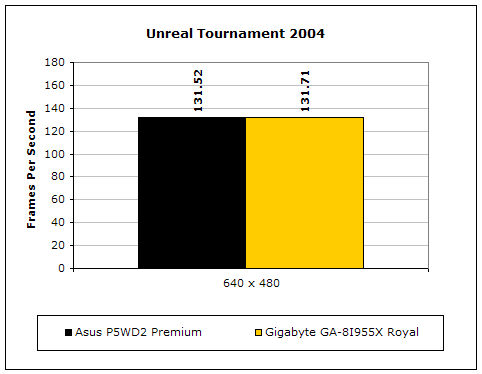
Unreal Tournament 2004 is a very popular game that is highly affected by the system’s performance. Testing was conducted with a resolution of 640x480 to minimize the dependency of GPU and CPU power.
Conclusion and Thoughts
I don’t think there is much to say after taking a look at the performance of the 955X Royal. It literally beat out the high performing Asus P5WD2 in every single test! Even though it was only by a small margin most of the time, it is still quite an accomplishment. The motherboard is overclocking friendly and provides great headroom. The performance is magnificent. The package bundle is grand with all the accessories, software, and Bluetooth dongle. The 955X Royal is a real winner. The only real disappointment I see would be some physical layouts of the motherboard. The U-Plus DPS is a nice touch, but it gives very little room to work with in the CPU area. This means that large aftermarket heatsink choices are cut down to a minimum. The other real big annoyance would be the CMOS jumper. It continues to boggle my mind. Other than those two gripes, I seriously recommend the 955X Royal. It is an excellent motherboard for those who look to build or upgrade Intel systems.
Pros:
- Excellent performance
- Great overclocking headroom
- Great voltage options
- Rich bundle accessories and software
- 1:2 memory divider works
- Dual BIOS provides safety backup
- U-Plus DPS increase number of power phases and reduces load
- Competitively priced
Cons:
- U-Plus DPS limits choices of large aftermarket CPU heatsinks
- CMOS jumper
- Bad location of 4pin 12v power connector

We would like to thank Gigabyte for providing us the sample. If you have any questions or comments, feel free to hit us up in the forums. You can also check out more of our latest reviews on the front page.