

ECS RS480-M
Introduction
If you’re a frequent reader of the LA Times or the Orange County Register, you are probably well aware of Fry’s Electronics’ sales ads. You’ll have also probably purchased an ECS board once in your lifetime, whether for yourself or for a friend. ECS is the most inexpensive solution for do-it-yourself systems. Who can resist the great deals Fry’s advertises for ECS motherboard and CPU bundles? Sometimes the price is so good, I buy the bundle and build a computer just for the heck of it.
It was about 4 years ago when I made my first ECS purchase. The board was the infamous K7S5A. The rare use of a black PCB and the high performing SiS 735 chipset made an awesome combination for low-budget system builders. It didn’t offer the greatest overclocking potential, but voltage modders have found that after physically voiding some warranties, the board was capable of so much more. Then begmotan the numerous revision changes. I used to recommend the board to my friends who needed an inexpensive computer. After working with newer the revisions, I stopped recommending ECS. You would think that new revisions would fix previous problems, but the newer revisions only added more problems. It was so bad that the floppy connector wouldn’t operate correctly on 2 out of 3 boards I tried. That whole process scarred me for life. I have not touched another ECS board since.
I was given the opportunity to work with ECS by trying out one of their newly released motherboards. I decided to give it a try, hoping they would improve upon their past issues. The motherboard I received is a micro-ATX motherboard. The board does not contain any surprises, but does feature ATI’s newest Xpress 200 graphics chipset.
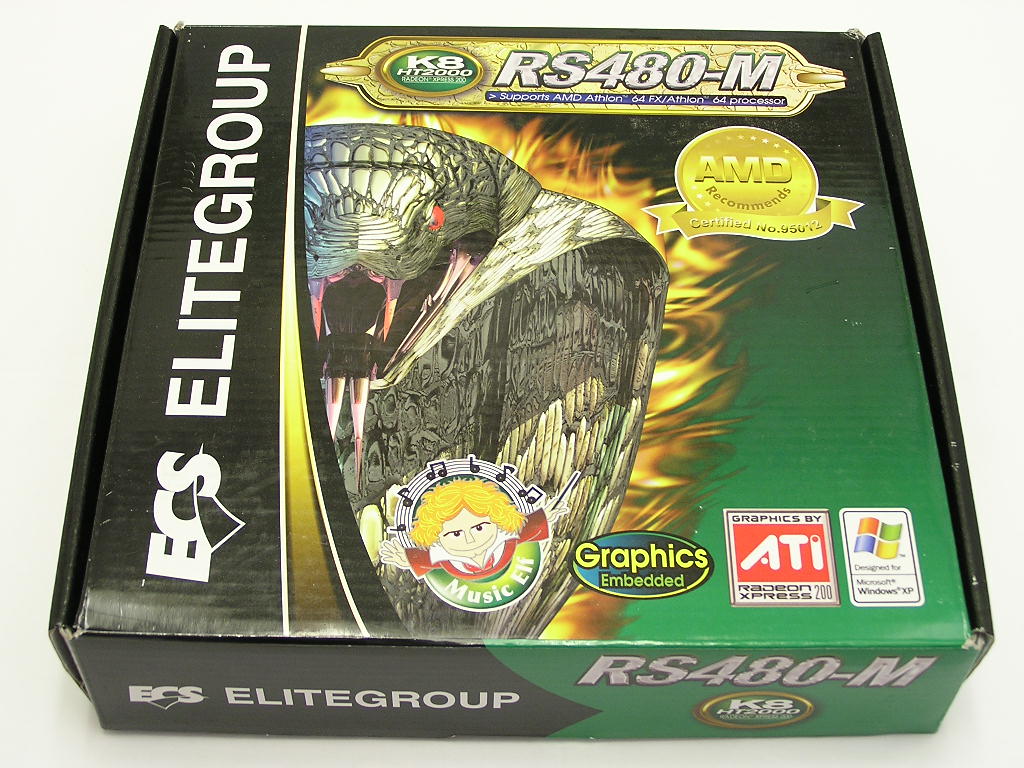
ECS RS480-M v1.0 Package
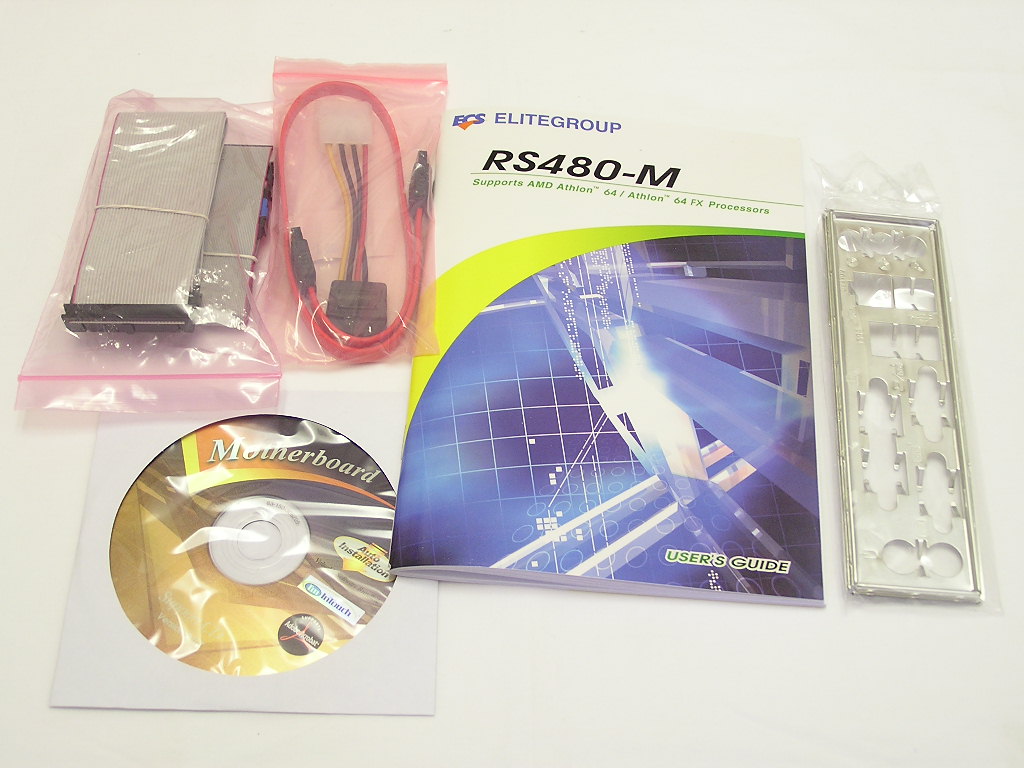
Due to the relatively inexpensive price, the bundle with the ECS motherboard is nothing to brag about. It would be a turn-off to persons liking freebies, but keep in mind that ECS products are budget oriented. Including more accessories and software will only increase the overall cost. What you get with this motherboard is the IDE cable, floppy cable, SATA cable, 4pin Molex to SATA power connector, I/O bracket, drivers CD, and a lightweight user’s manual.
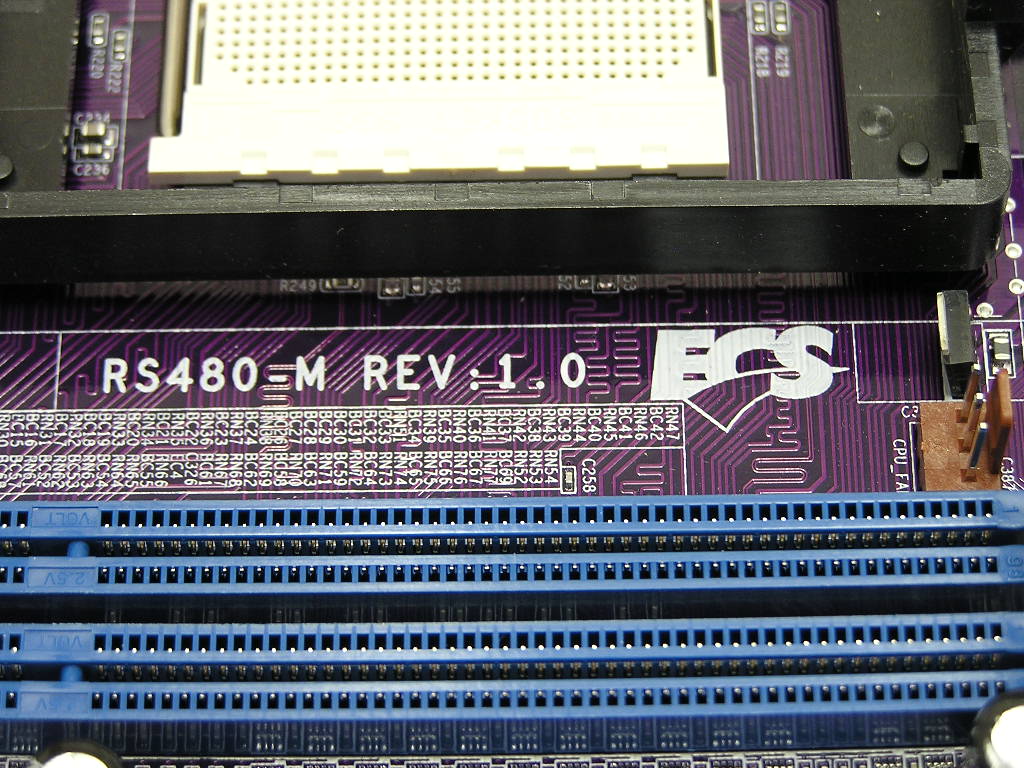
Motherboard Layout
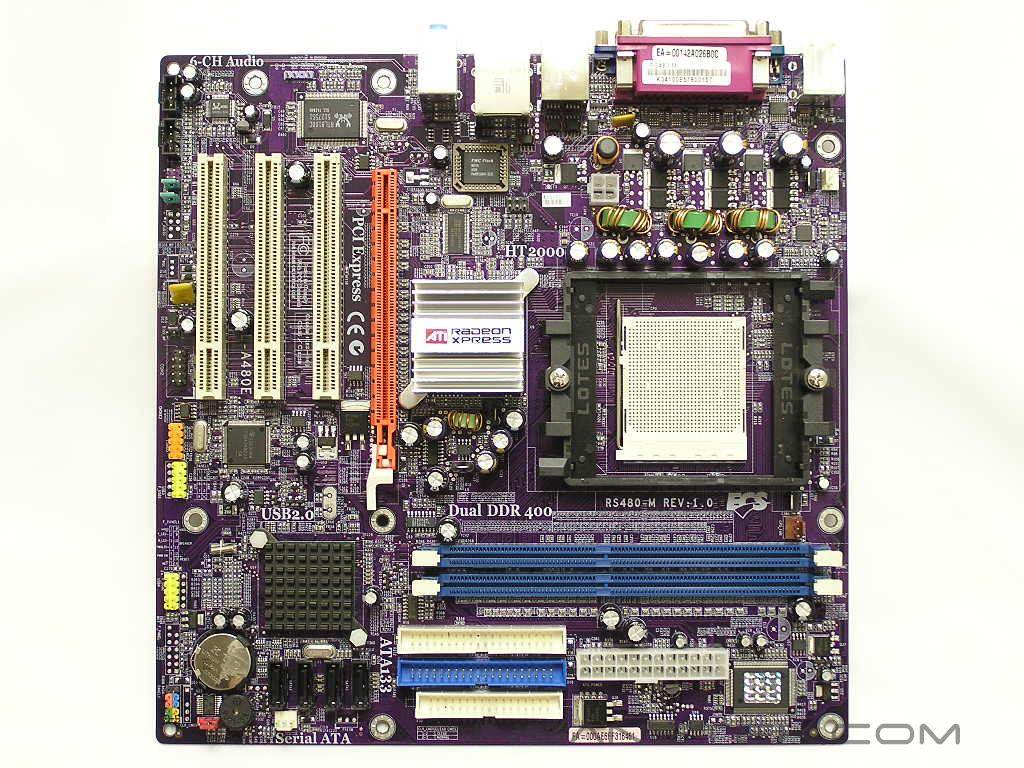
Because the motherboard utilizes the micro-ATX form factor, there is no perfect way to integrate components. The ideal placement depends on the case you choose. If the motherboard is going to be housed in a mid to full-sized tower, then there is likely a perfect way for component placement. For desktop cases, home theatre setups, and even micro-ATX towers, the best location for components can vary. Since there is no perfect layout for a micro-ATX motherboard, I will simply judge the motherboard as I would any other full-sized ATX motherboard.
The RS480-M features the use of a two bridge design. The Northbridge is based on the RS480 chipset and the Southbridge is based on the SB400 chipset. The passive heatsinks do a great job at keeping the chipsets cool. Not once during any stress testing did the motherboard overheat and cause instability. The SB400 Southbridge controls 4 SATA ports and 4 IDE devices. The controller also allows RAID 0 or RAID on the SATA drives. The SATA ports are all located within the same vicinity and makes zip tying of SATA cables relatively easy.
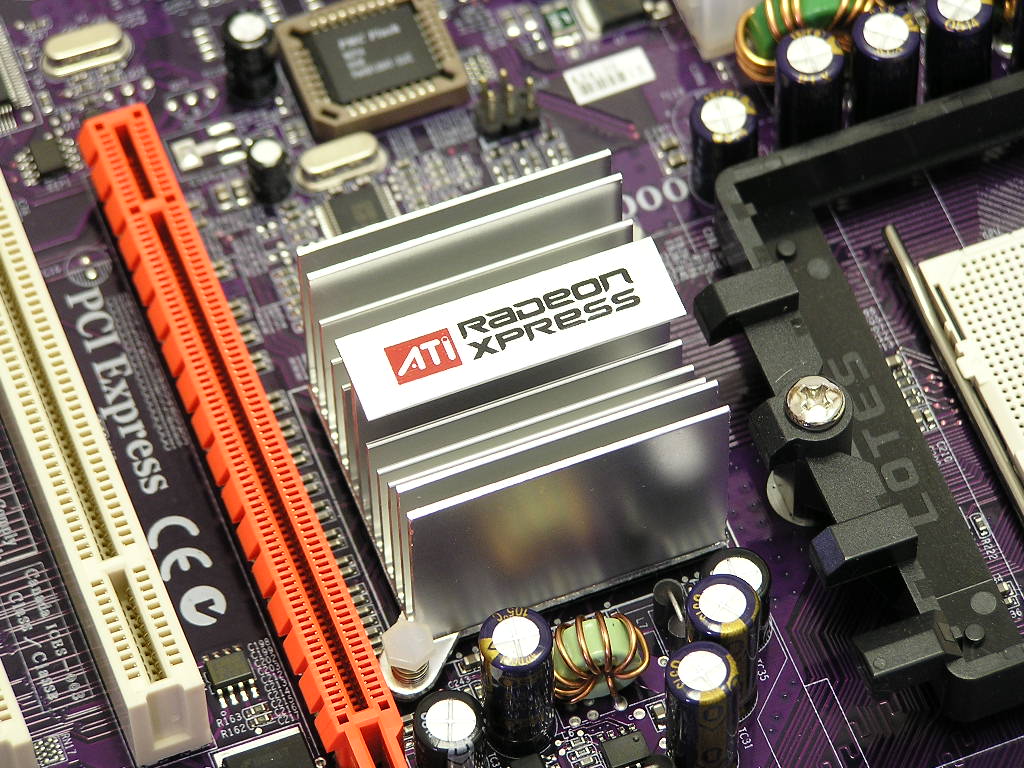
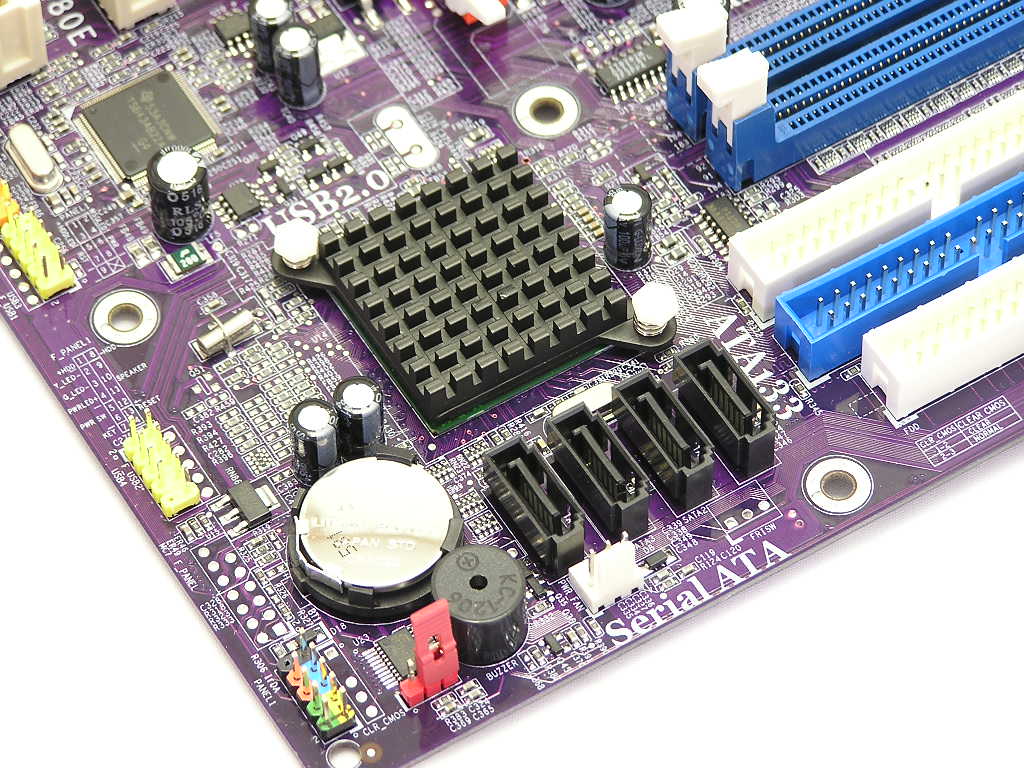
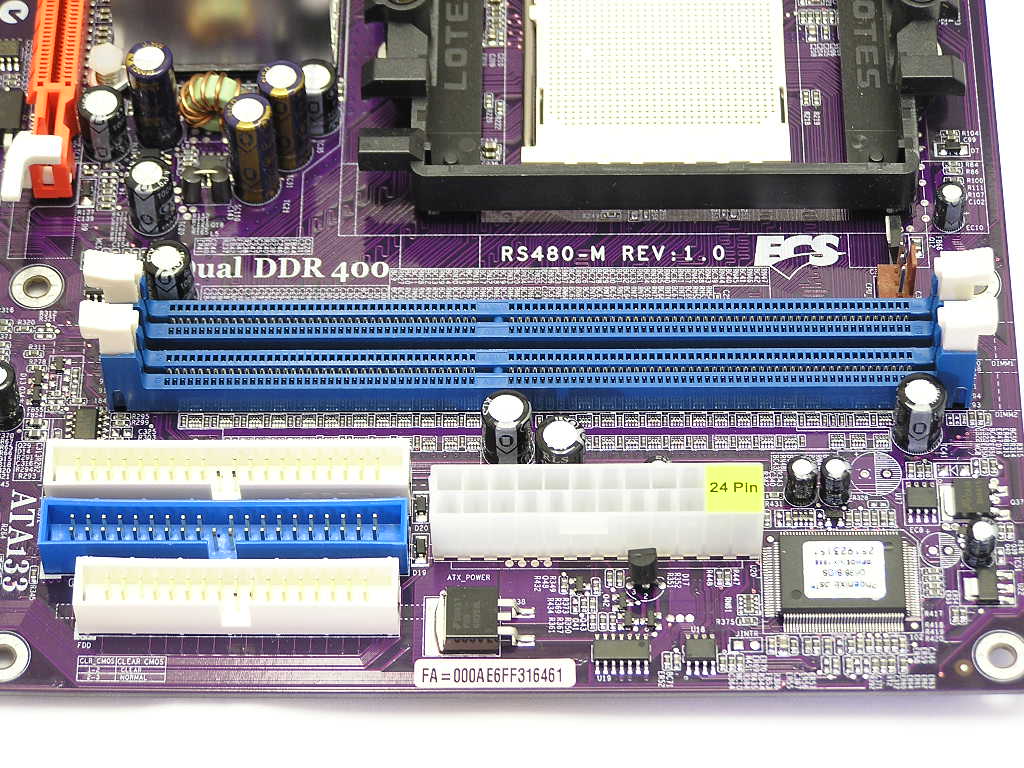
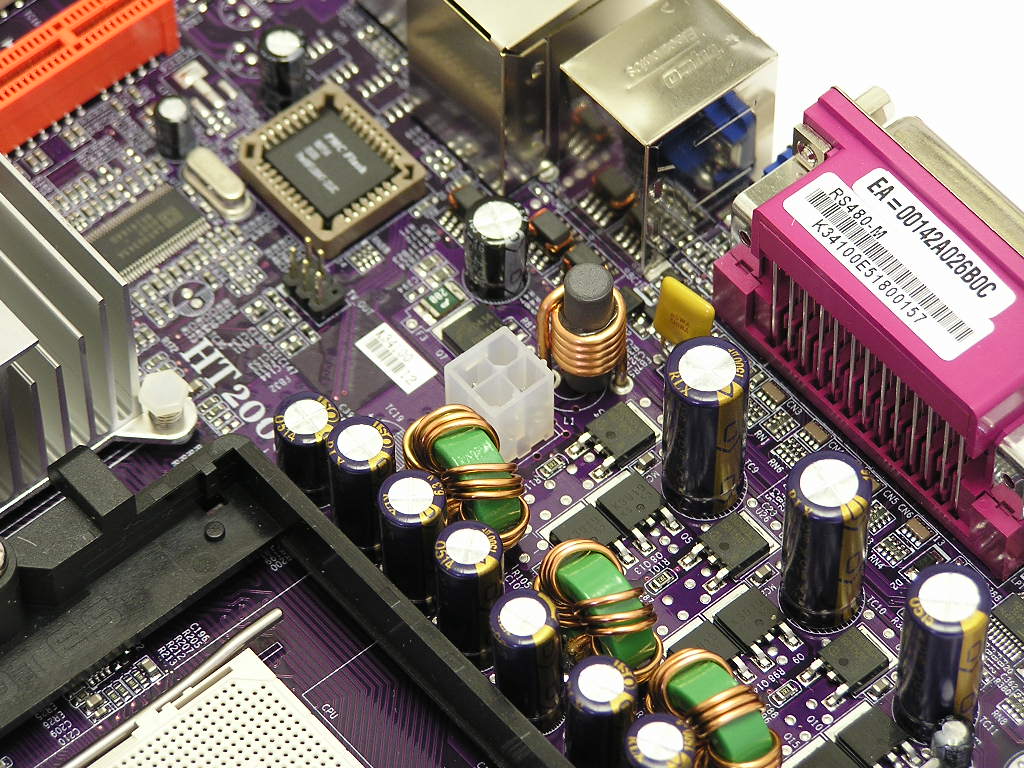
From my previous experiences with ECS, there were two things that I never really did like about their boards–the IDE and floppy placements. When I opened up the box and saw the motherboard for the first time, I was surprised to see such a good layout of the IDE connectors. The ATX power connector is also well placed on the edge of the upper right corner of the motherboard. The ATX power connector came in a 24pin size. This 24pin ATX connector is slowly becoming the new motherboard standard. If you don’t have a 24pin power supply, it’s time you upgrade. The two DIMM slots supports up to 2GB of system memory running in dual channel. The only gripe I have is the 4pin 12v connector. It requires the cable to stretch around the CPU socket. When using large CPU coolers, this can pose as a problem.
Motherboard Layout Continued
Speaking of using large CPU coolers, the CPU socket area may be a bit too tight for giant-sized heatsinks. The Northbridge might interfere with larger heatsinks. Yet with a micro-ATX motherboard, you won’t really need to use a large cooler, as overclocking will most likely be nonexistent. Moving down below the Northbridge are the PCI slots. There are a total of 3 normal PCI slots for future add-on cards and a PCI-E slot for advanced video solutions. Again, the Northbridge might pose as an obstacle for large PCI-E video card heatsinks.
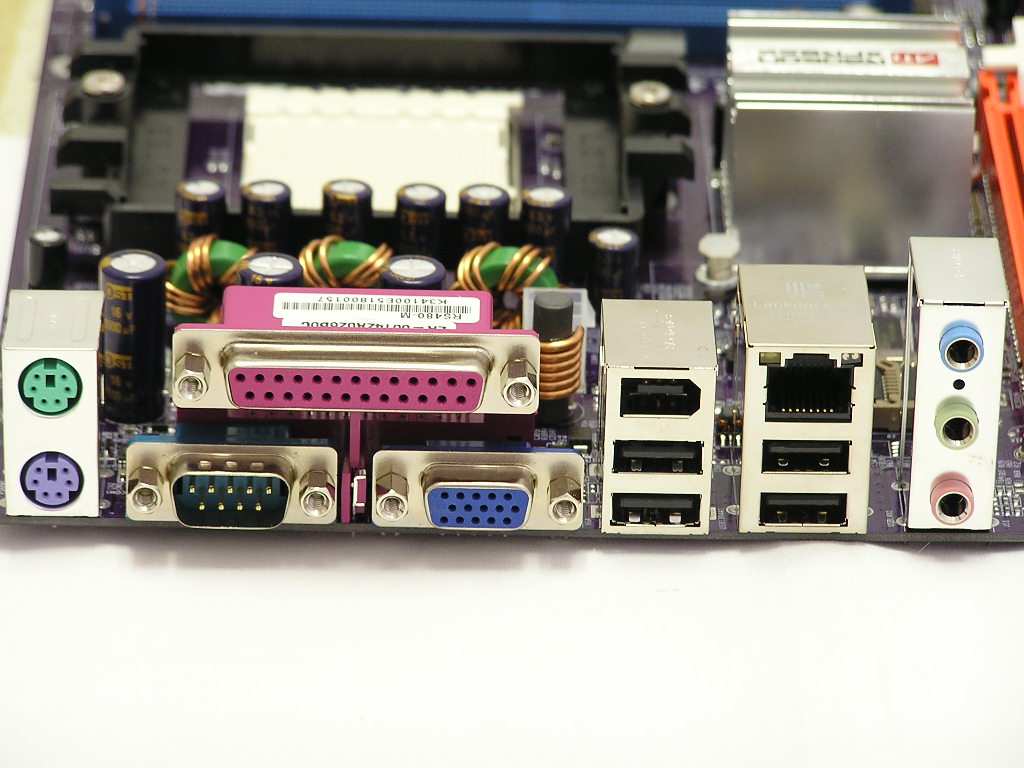
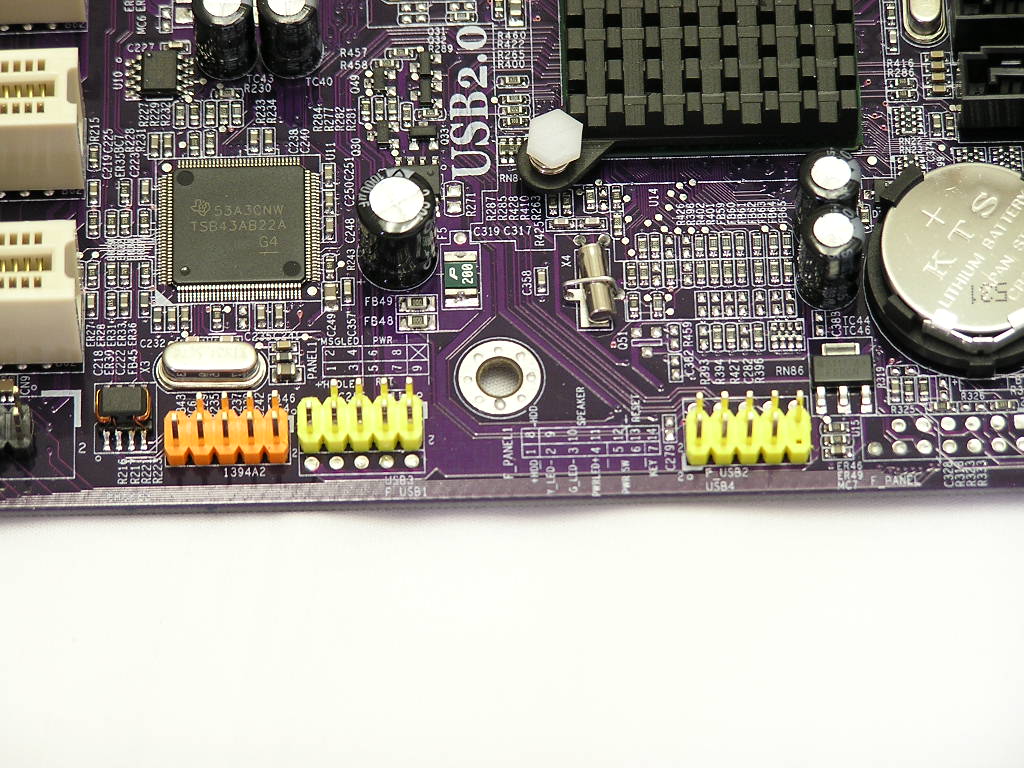
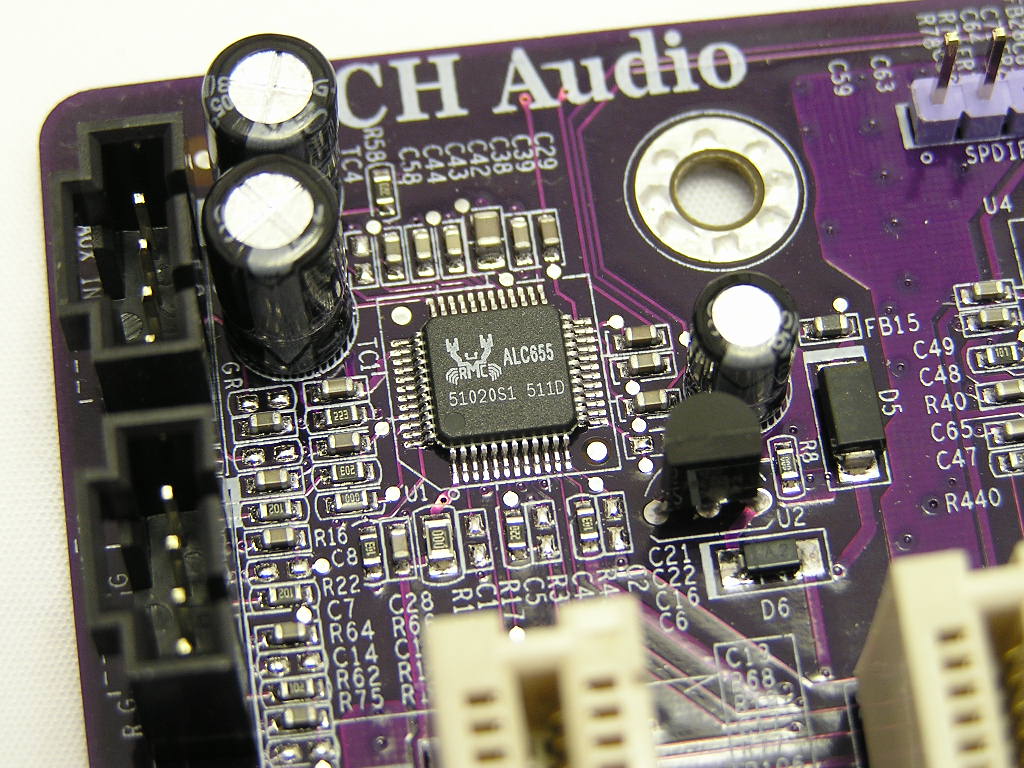
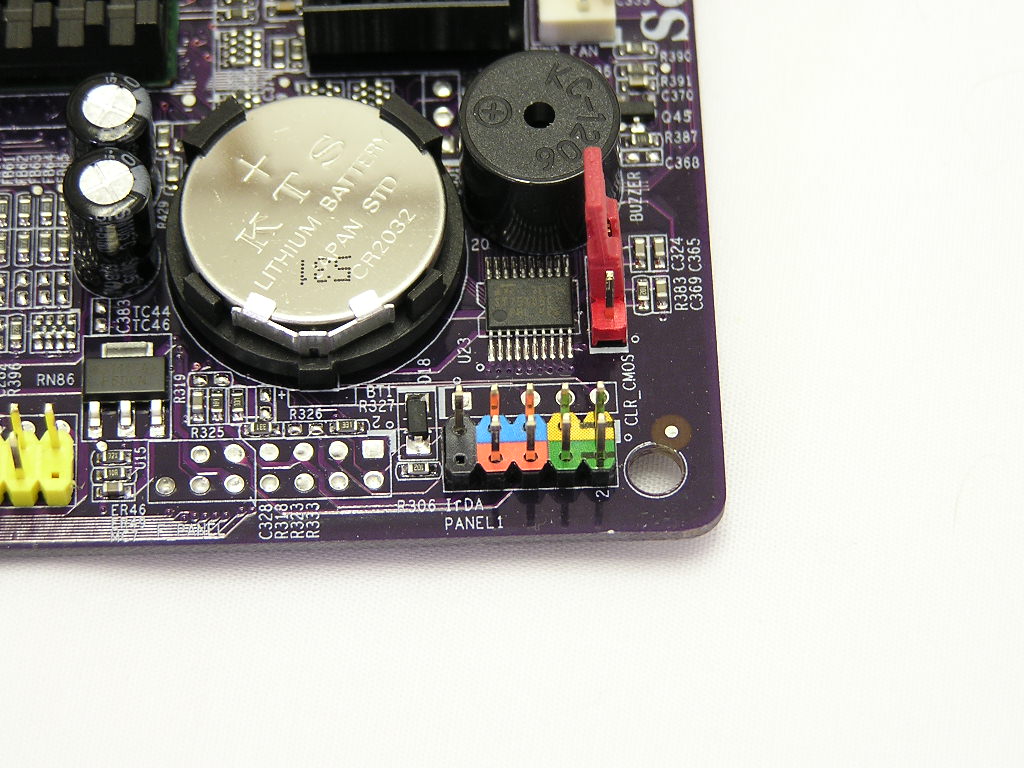
At the back I/O are the usual keyboard and mouse PS2 ports, parallel port, serial port, 4 USB ports, 1 IEEE 1394 port, RJ45 jack, audio jacks, and the onboard video connection. The number of USB ports doesn’t stop there. The SB400 controls an additional 2 USB headers that allows 4 additional USB ports. There is also a IEEE 1394 header that allows an additional Firewire port. The onboard video graphics power is equivalent to an X300 video card. For casual gamers, the onboard video will suffice. This is much better than any other onboard solution and saves another $50 at least. Now you can treat your girlfriend to a nice dinner instead of that greasy, fattening burger. The 6-channel audio solution is controlled by Realtek’s ALC655 chipset. For a simple media box, the audio will be fine when paired with a set of decent speakers. If you’re an audiophile and own speakers that can pay my rent, you’ll definitely want something better. Finally, the front I/O sports the usual LED headers. Those are color coded, but not fully labeled, so you’ll have to refer to the user manual. Above the front I/O connections is the CMOS jumper, conveniently located within reach if needed.
BIOS
We all know that ECS is not known for their overclocking potential. I entered the BIOS expecting to see very little adjustments, if adjustements are available at all. I looked around and was actually surprised to see some decent adjustments. The options are not as great as those found in DFI and Abit motherboards, but they are still decent, especially for a micro-ATX motherboard.
- VCore: Startup, 0.825v - 1.55v
- VDIMM: 2.55v - 2.7v
- CPU Multiplier: Startup, 4x - highest your CPU allows
- CAS Latency: 2, 2.5, 3
- Memory Dividers: 100MHZ, 133MHZ, 166MHZ, 200MHZ, 216MHZ, 233MHZ, 250MHZ
- LDT Bus Frequency: Auto, 1GHZ, 800MHZ, 600MHZ, 400MHZ, 200MHZ
- HTT Frequency: 200MHZ - 250MHZ
- Onboard Video Buffer: 16MB, 32MB, 64MB, 128MB
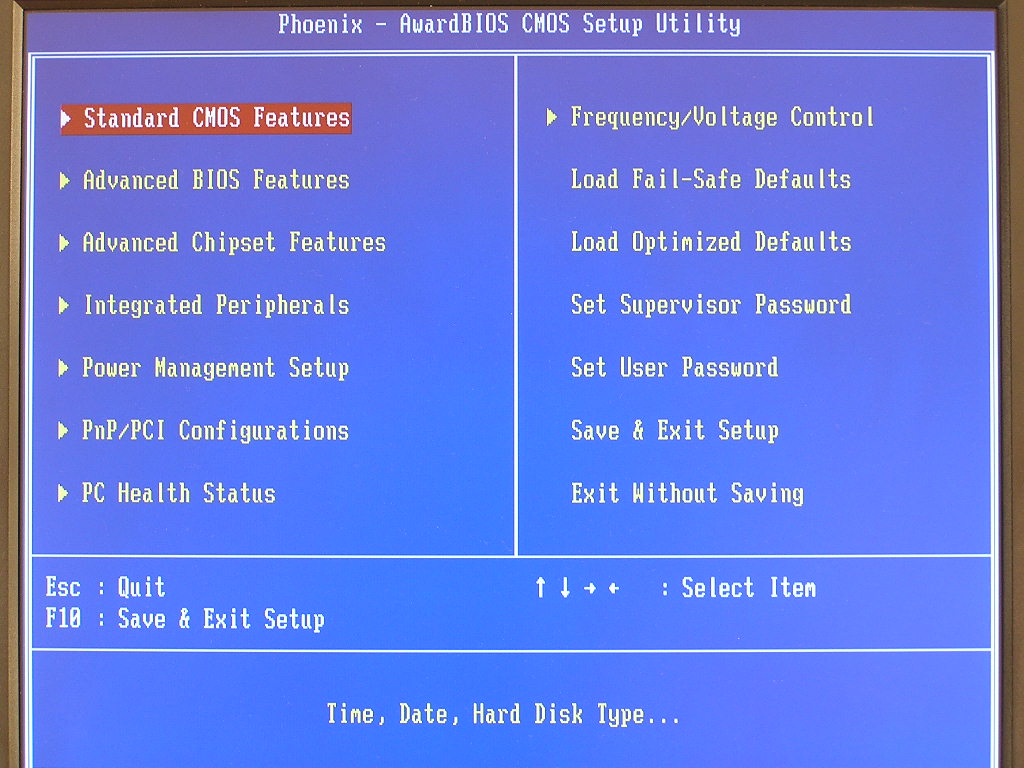
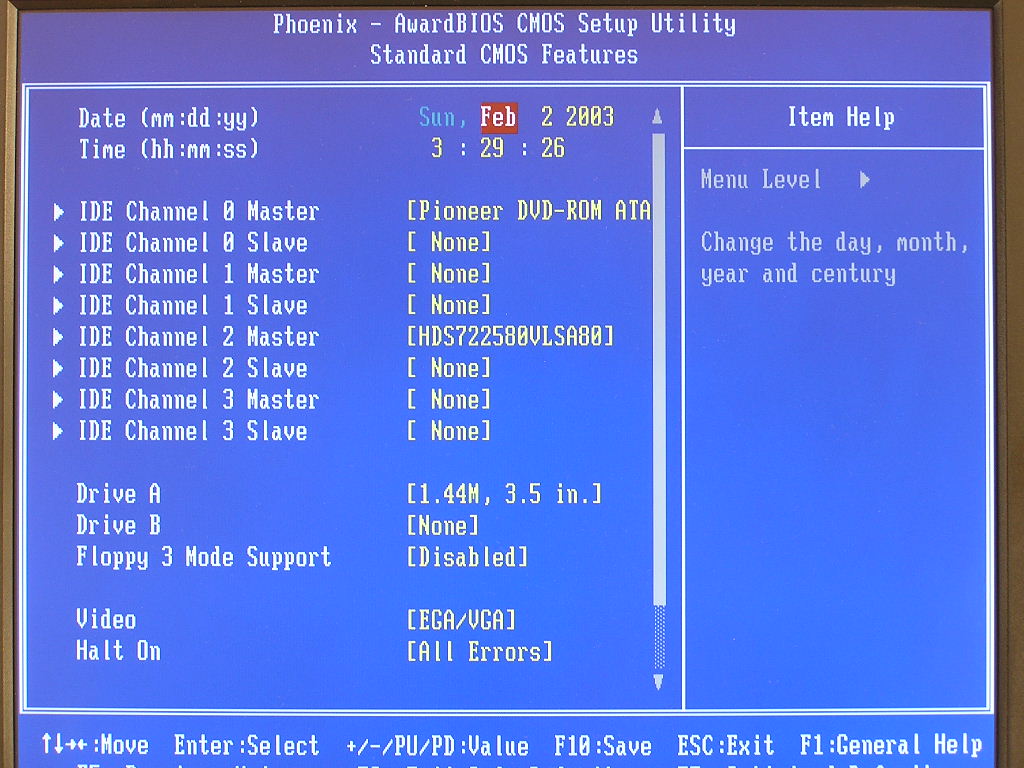
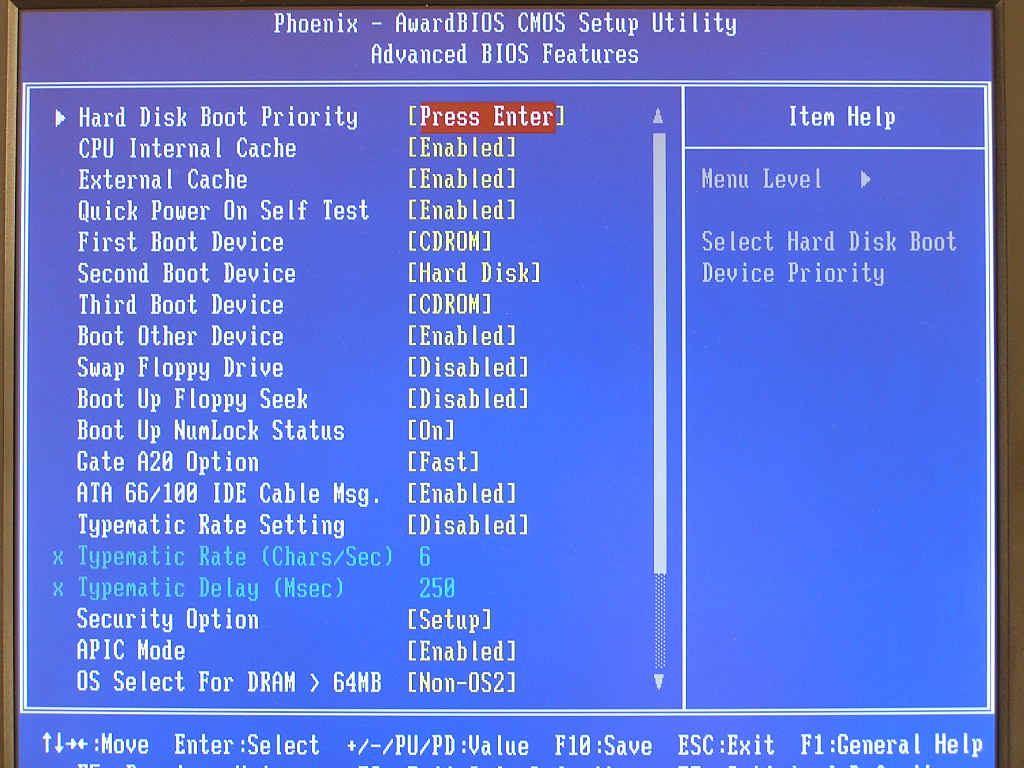
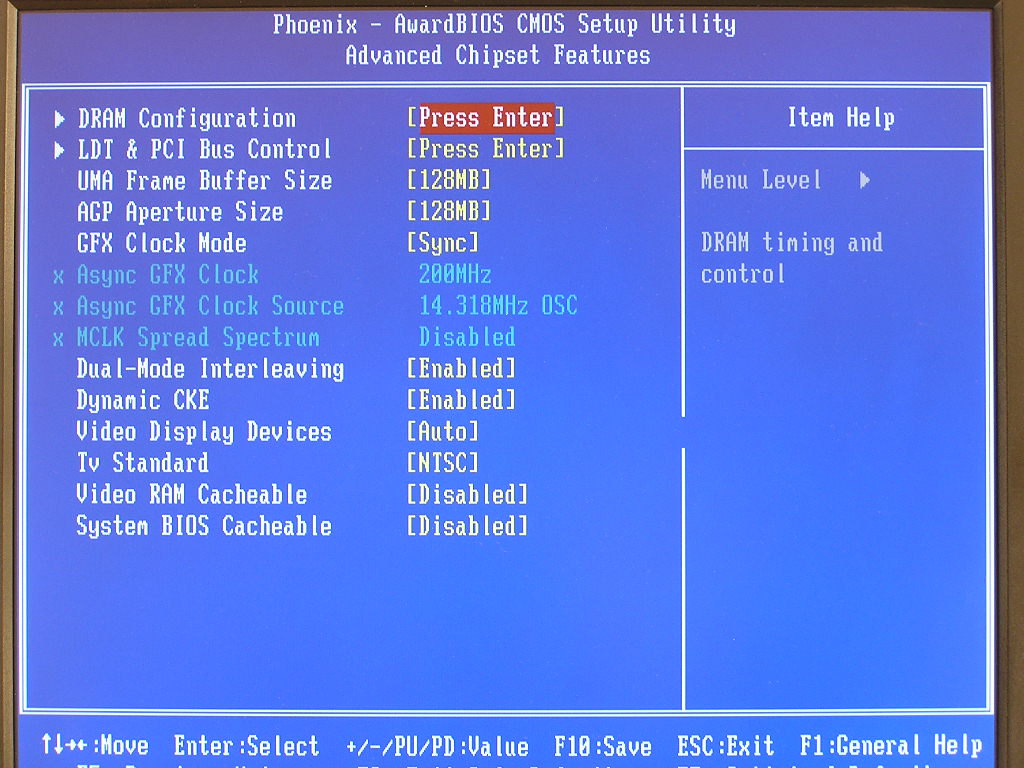
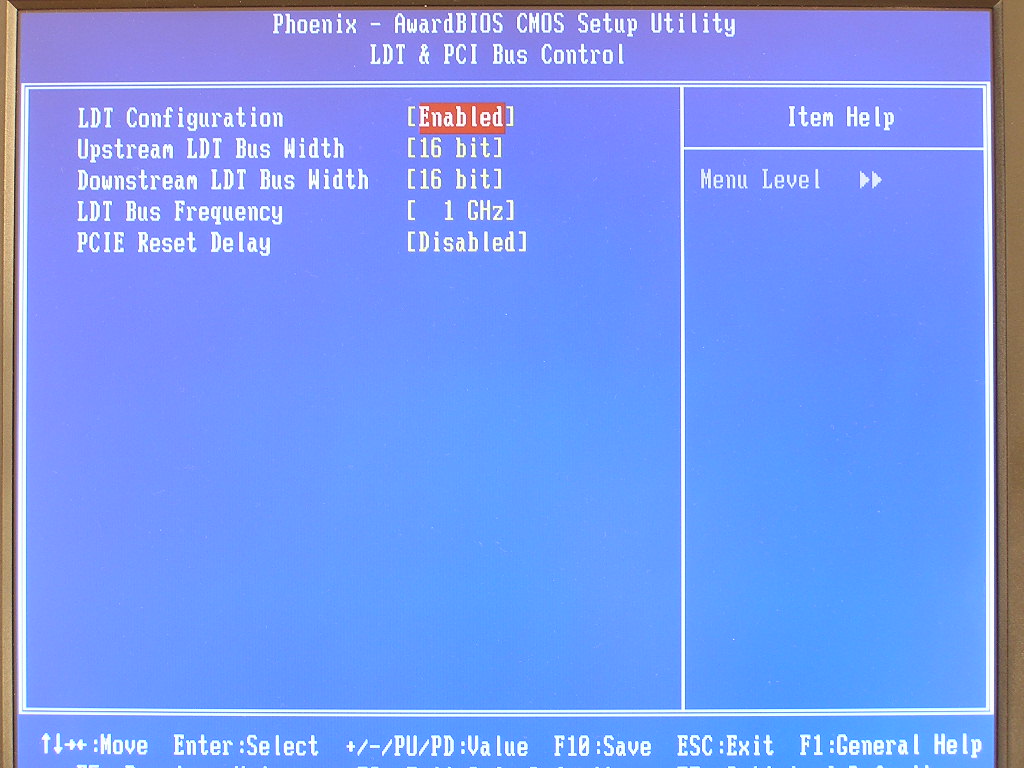
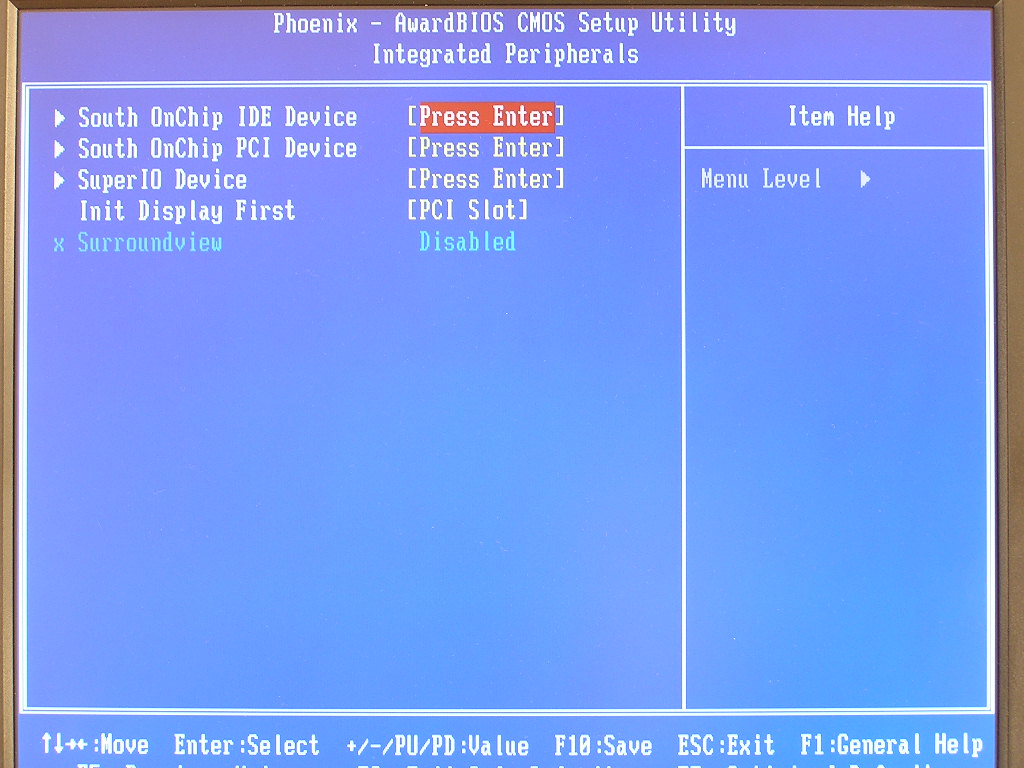
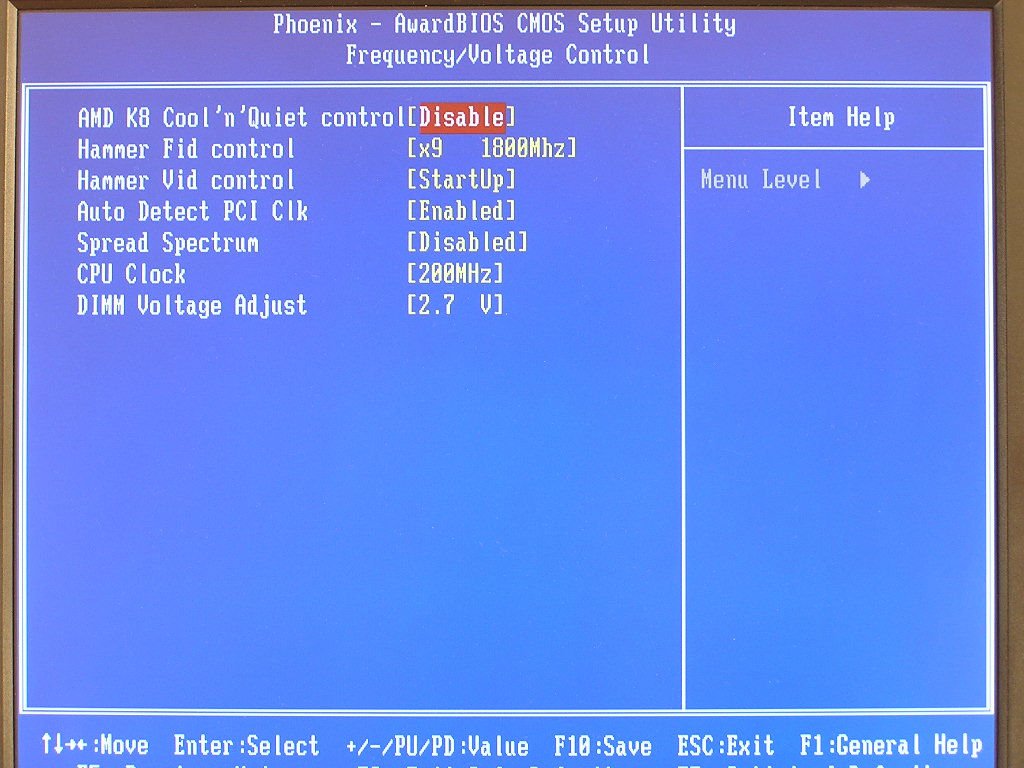
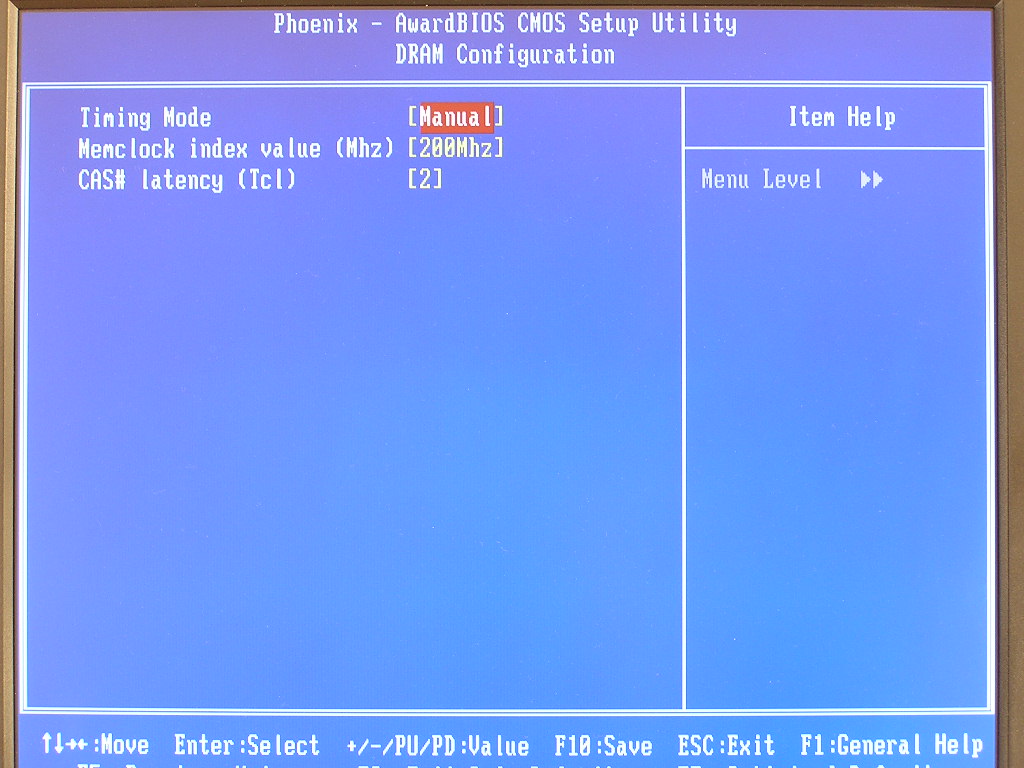
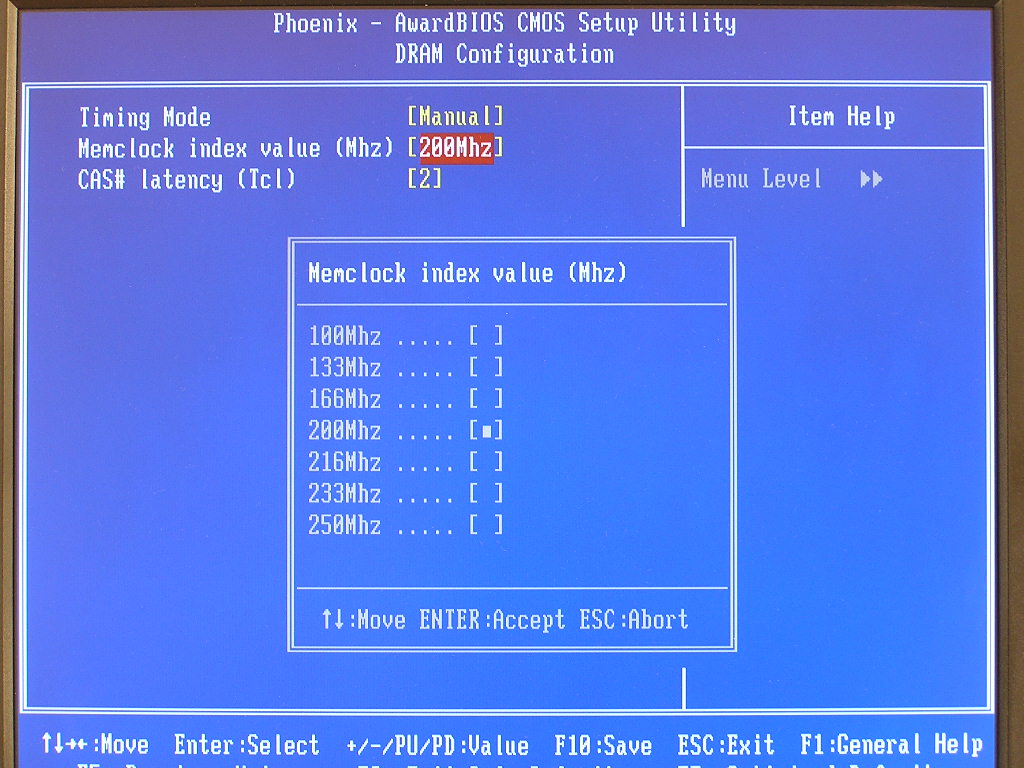
The adjustments are definitely lacking for making this a good overclocking motherboard. Since this board is not designed for overclocking, lacking those options is no big deal. It’s still nice to see that there is at least the CAS latency option. One interesting option is the memory dividers. This is the first time I’ve seen a memory divider allowing memory to run higher than HTT on an AMD Athlon 64 motherboard. This means that you can leave your HTT at a stock speed of 200MHZ and run your memory at a higher speed. We’ll see later on if this is actually possible.
Software
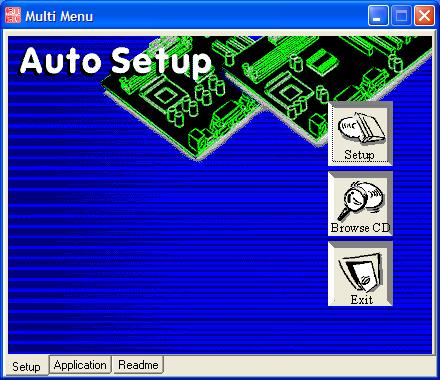
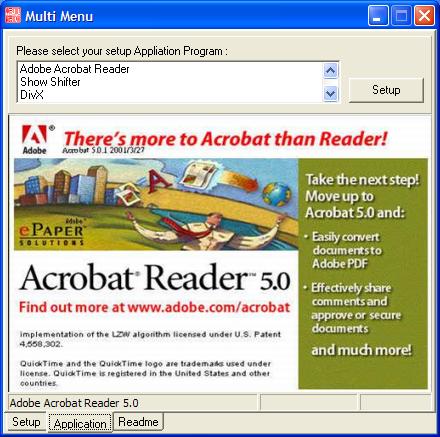
Again, ECS is not known for their software bundle. An inexpensive motherboard must include a simple software bundle, right? The drivers CD is very straightforward and installs painlessly. Simply click on “setup” and all your necessary drivers will be installed. The other software includes Adobe Acrobat Reader 5.0 and some video editing programs. I was surprised to see that there was no antivirus software included.
Test Setup and Overclocking
Test Setup:
- AMD Athlon 64 3000+ Venice
- DFI LANParty UT nF4 Ultra-D
- ECS RS480-M
- 2 x 512MB Centon Advanced Low Latency PC3200 2-2-2-5 1T
- MSI Geforce 6600GT
- Nvidia nForce4 standalone 6.53
- Nvidia ForceWare 71.89
- ATI Catalyst 5.5
- Hitachi 80GB SATA
Overclocking:
Honestly, I expected nothing out of the ECS RS480-M in the overclocking section. With such few options for adjustments, I figured the board wouldn’t be able to take me over 220HTT. Boy, was I wrong! The first test will be conducted with the memory divider at 1:1. The second test will be with a divider, so the RAM would not pose as a bottleneck. The memory timings were left as loose as possible, the LDT multiplier at 100MHZ and CPU multiplier at 6x. I made sure that nothing would bottleneck the chipset and motherboard potential.
- Highest overclock 1:1: highest your memory allows with CAS 2 and 2.7v
- Highest overclock with divider: 250HTT
I was pleasantly surprised with the headroom of the motherboard. The motherboard maxed out at the highest HTT offered. I have no doubts that the board is capable of more. The only drawback is that you can’t really overclock without the use of a divider. The lack of memory latency adjustments force the memory TRCD, TRP, and TRAS to run at 2-2-6 respectively. Although loosening the CAS latency might help a bit, the other unchangeable timings will hold you back. The low VDIMM might be disappointing to most, but 2.7v is quite enough for newer week TCCD-based memory.
With the motherboard overclocked to a maximum of 250HTT, everything ran smooth. All games and benchmarks passed without a hiccup. ECS sure surprised me.
Results
Sysmark 2004
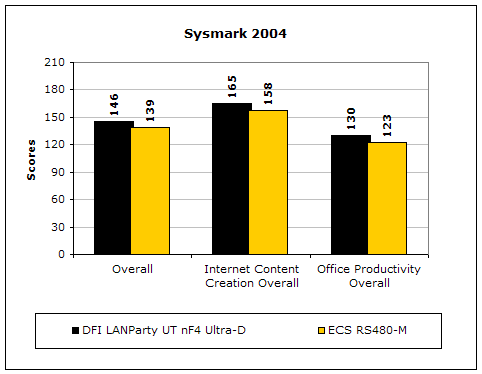
Sysmark2004 is a very common benchmark used to measure a system’s potential in performance. It goes through long and grueling tests, including compression, decompression, and office intensive programs.
3DMark2001SE
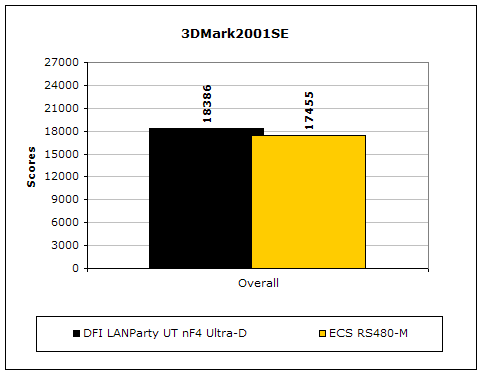
3DMark is probably the overclocker’s favorite benchmark. Unlike 3DMark2003, which stresses mainly the video card, 3DMark2001SE tests all of the system’s main components. Increasing the CPU speed, memory speed, and video card speeds will result in higher final scores.
PCMark2004
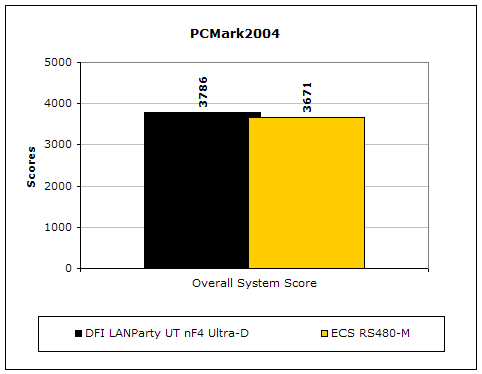
The PCMark2004 system benchmark puts the entire system to work.
PCMark2002
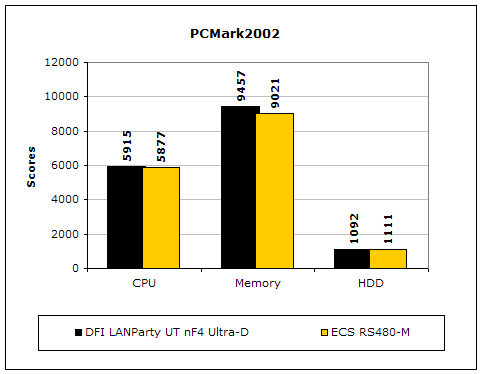
PCMark2002 is older than PCMark2004, but still very similar.
Results Continued
Everest Home Edition
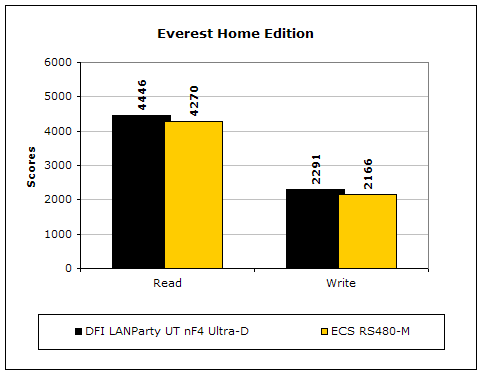
Everest Home Edition is a good benchmark for testing memory performance. Since the motherboard’s overclocking potential and memory bandwidth is closely related, I find this benchmark to be trustworthy.
SiSoft Sandra
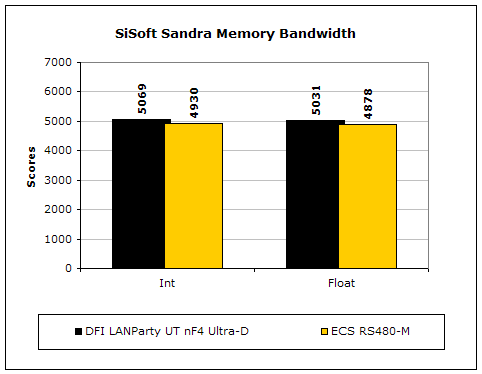
Like Everest Home Edition, SiSoft Sandra memory bandwidth tests the motherboard’s memory bandwidth performance.
Super PI
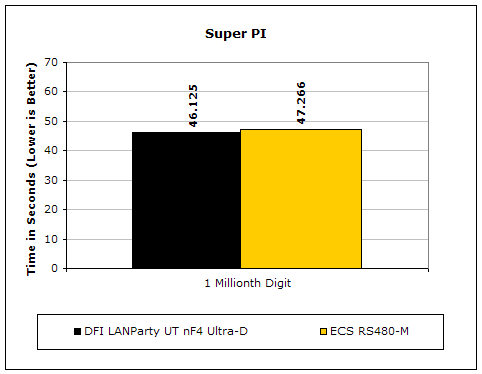
Since the value of PI is an infinite value, Super PI is a speed test to find a specified digit. In this case, we chose the millionth digit. Super PI benefits greatly from higher FSB, as well as low latencies.
PiFast
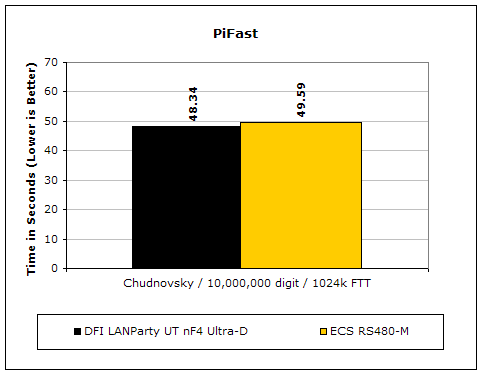
PiFast is similar to Super PI and the results can be greatly affected by a slight adjustment to the memory megahertz and latency.
Unreal Tournament 2004
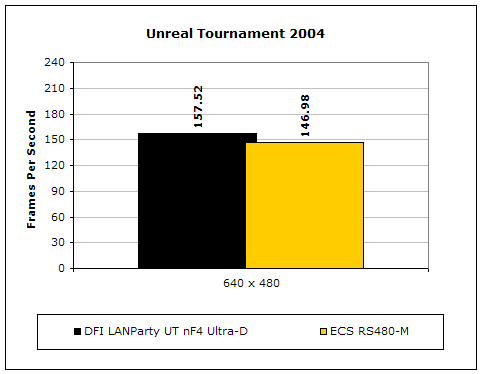
Unreal Tournament 2004 is a very popular game that is highly affected by the system’s performance. Testing was conducted with a resolution of 640x480 to minimize the dependency of GPU and CPU power.
Onboard Video Power
As mentioned earlier, the RS480-M has an onboard video solution equivalent to an ATI Radeon X300. I know plenty of casual gamers that actually use the card to have fun once in a while. A couple of gaming tests reveal the graphical power of the onboard video solution with a 128MB buffer. It’s pitted against the MSI Geforce 6600GT, a budget priced video card, for comparison. All game tests are run with no AA and no AF. Resolutions are run at 800x600 and 1024x768. Realistically, if the onboard video solution can run games, it certainly won’t run anything higher than 1024x768. Even the 6600GT can’t allow higher resolutions.
Unreal Tournament 2004
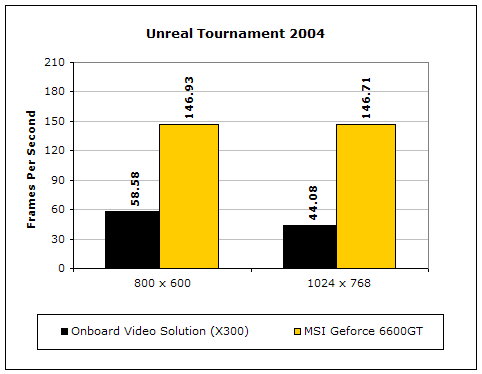
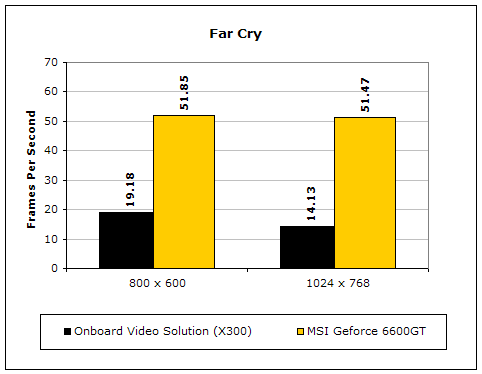
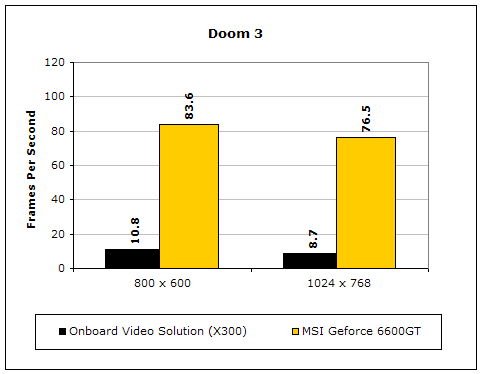
The onboard video solution won’t really allow you to play any of the latest games, even at a low resolution of 800x600. If you’re playing old school games, like Counter-Strike 1.6, then it’ll be fine. That game is still extremely popular and can be easily handled by my old onboard 845G graphics. If you’re needing a simple graphic solution to display images on your monitor, then the onboard X300 is more than enough.
Conclusion and Thoughts
After all the performance tests, the ECS RS480-M consistently scored lower than the ever popular DFI Ultra-D. There are many questions regarding the lower performance. Because I’ve yet to experience enough of ATI’s Xpress 200 chipset, it’s hard to say whether the chipset or the motherboard is the lacking factor. Added to that is the PCI-E graphics controller in the Northbridge. A weak controller will cause slow graphics performance and result in poor performance while gaming. I’ll learn about the true chipset performance later when I can test more motherboards.
So what do I think about the ECS RS480-M? It’s a great motherboard for those who want to build a simple small box. The integrated graphics is better than any other integrated graphics out there and will allow casual gamers to play old games once in a while. The audio isn’t the greatest, but isn’t frowningly poor either. The board overclocked very well with the use of a memory divider, allowing enthusiasts to push for extra CPU power if needed. I’ve read some user feedback and some users have complained about the USB ports. The USB ports worked fine for me. My USB pen drive was detected without a problem and worked fine when transferring files.
I honestly can’t find any big problems with the motherboard. Believe me, I was looking desperately for one. I figured that the motherboard would have a problem when using the latest E3 revision processors, but the system booted like it should. I didn’t even need to update the BIOS for my Venice to be recognized! Many of you will say that the board lacks voltage options and overclocking adjustments, but you have to keep in mind that the motherboard is budget oriented and designed users users that simply surf the web and check emails. Those users obviously won’t need any of those options. If you’re in town for a good micro-ATX motherboard, I would actually recommend ECS, for once. Wait a while at Fry’s and maybe you’ll even get a good deal on one.
Pros:
- Inexpensive price
- Very stable
- Overclocks to the maximum when using memory dividers
- Good component placements (if you judge it as a regular ATX board)
- Has the best onboard video solution
- Supports E3 revision CPU’s without BIOS update
Cons:
- Lacks overclocking options
- Very light software bundle
- Very light accessories bundle

We would like to thank ECS for providing us the sample. If you have any questions or comments, feel free to hit us up in the forums. You can also check out more of our latest reviews on the front page.
Looking back: Overclocking Legends: The Athlon XP 1700+ DLT3C