

DFI NF4 Ultra Infinity
Introduction
DFI has certainly made quite a big bang in the AMD world with their LANParty motherboards. The fact that I still own the LANParty UT nF4 Ultra-D is one big surprise. I never keep hardware for more than 2 months. DFI does not stop with just the LANParty series though. They realize the huge success of the great motherboard, but continue to strive to make it more appealing to everyone. It’s as if the great overclocking headroom is not enough, DFI pushes to lower the price tag. Personally, I already find the nF4 Ultra-D a very affordable solution for everyone out there. I guess that is not enough for DFI’s standards. With the budget users in mind, DFI releases their nF4 Infinity series.
The Infinity series of motherboards targets the overclockers who cannot afford to fork out the greens in their wallets, although they should if they want to work with a quality motherboard. The Infinity series started with the nF2. That sexy red motherboard was great back in the days and allowed some extremists to reach insanely high FSB. The question now is whether DFI can produce a much more affordable motherboard without sacrificing any performance.
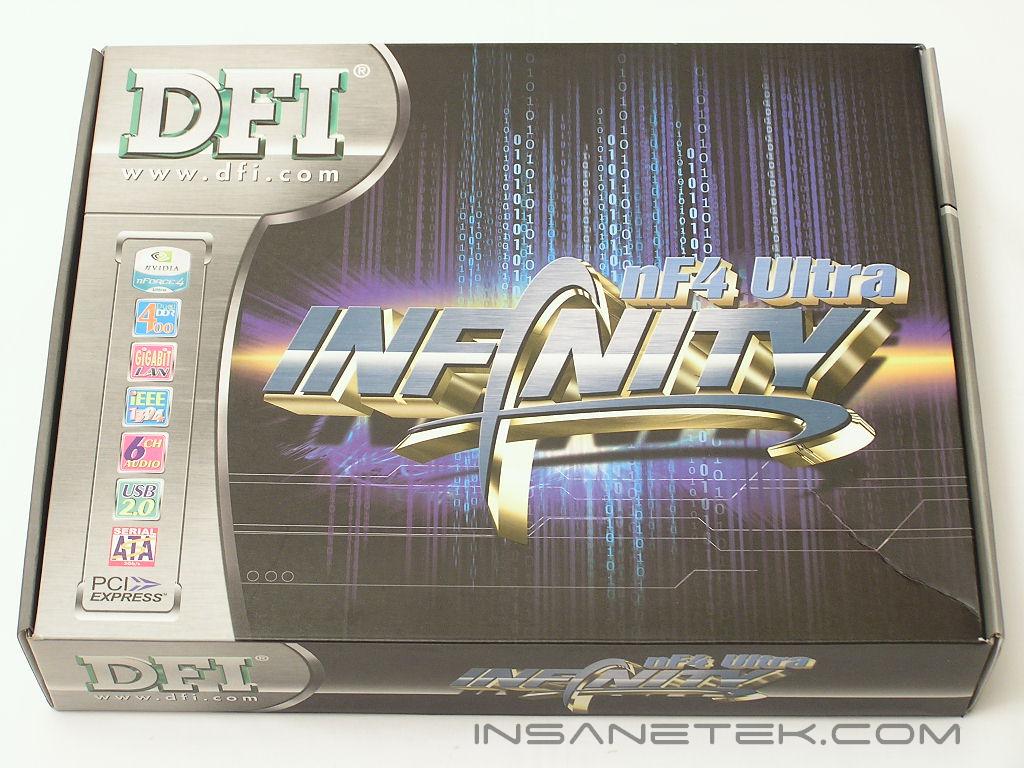
DFI NF4 Ultra Infinity Package
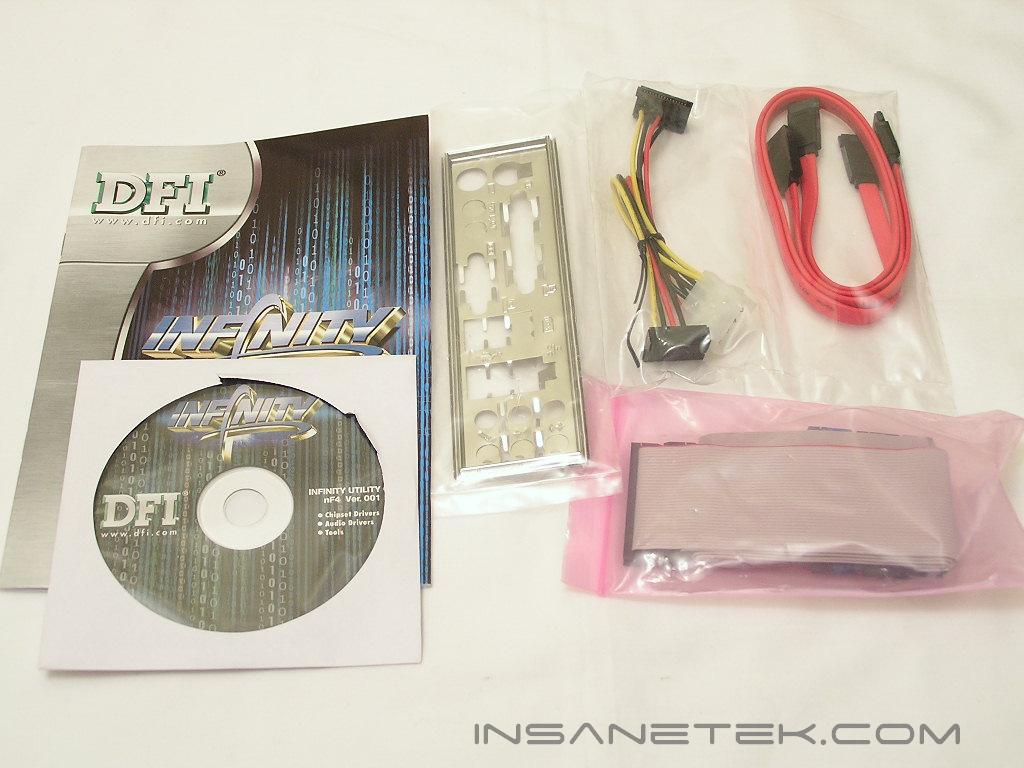
The package bundle is no stunner. With price as one of the main focus points, you won’t see great accessories or software programs included. That cannot be blamed though since those additions do increase the overall price. What you get in the package are all the common necessities. There is a simple user’s manual, drivers CD, IDE and floppy cables, SATA cables, SATA power connector converter, and the back I/O plate. It is very simple and to the point.
Motherboard Layout
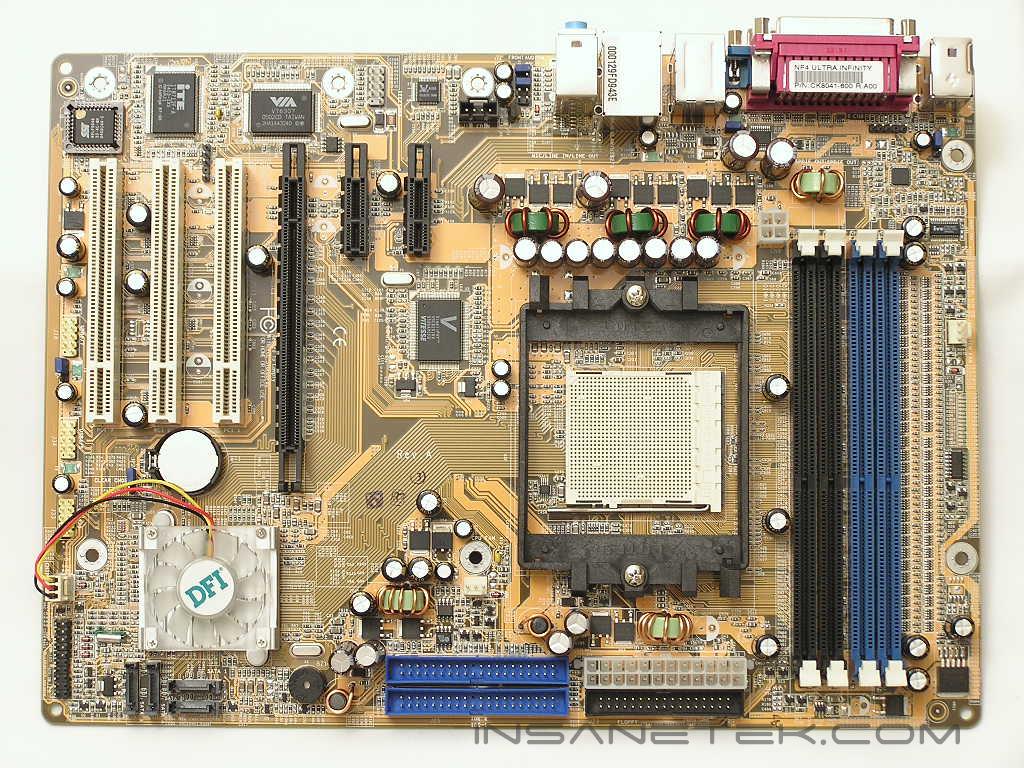
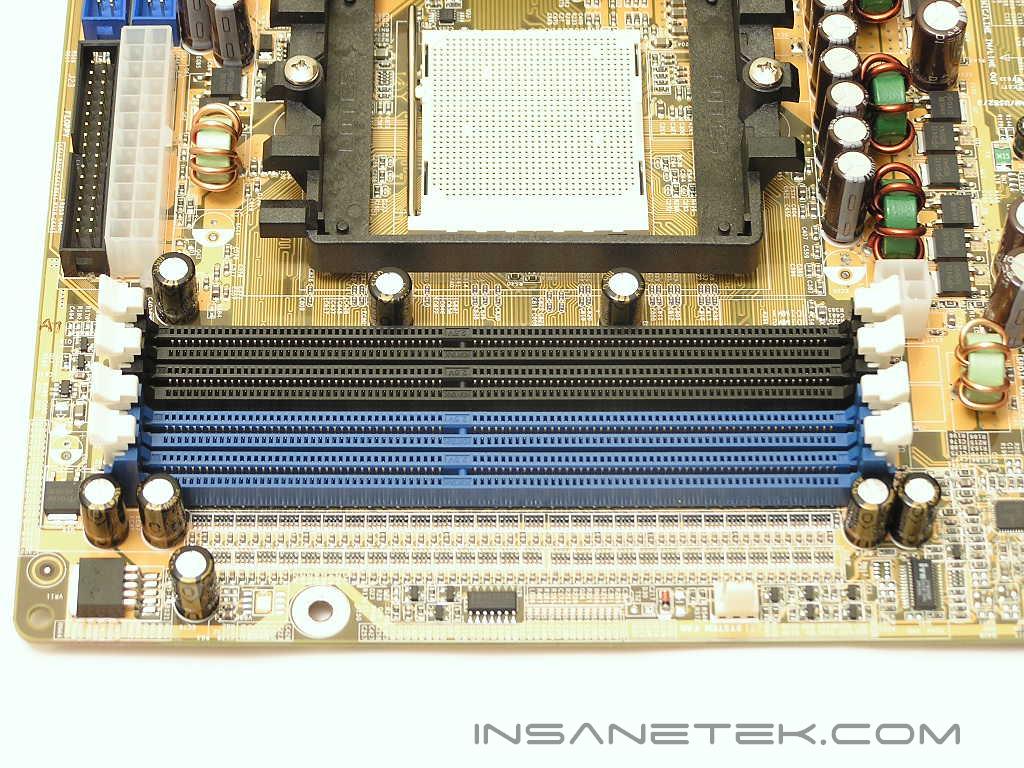
The overall size of the motherboard is a bit smaller than the standard ATX size. This also helps decrease the overall cost of the motherboard. Unfortunately due to price concerns, the NF4 Ultra Infinity comes with the typical sand colored PCB. Nothing fancy here for your eyes. Much like the LANParty nF4, the DIMM slots are located at the top of the motherboard and placed horizontally. The slots are color coded to black and blue to denote dual channel capability. The 24pin ATX power connector, floppy connector, and IDE connectors are all conveniently placed at the right edge of the motherboard. This continuation from the LANParty nF4 series is great and allows excellent cable management. Since the DIMM slots are located above the CPU socket area, this causes the CPU socket placement to be lower than usual. The CPU socket looks to be a little cramped with the DIMM slots up above and the ATX power connector to the side. If a large aftermarket heatsink is used, access to the black DIMM slots might be very limited. The ATX power cable might also get in the way. Towards the top left corner of the motherboard, right next to the first black DIMM slot, is the 12v 4pin power connector. I did not find this placement to be ideal since it is squeezed in between a bunch of capacitors and a DIMM slot.
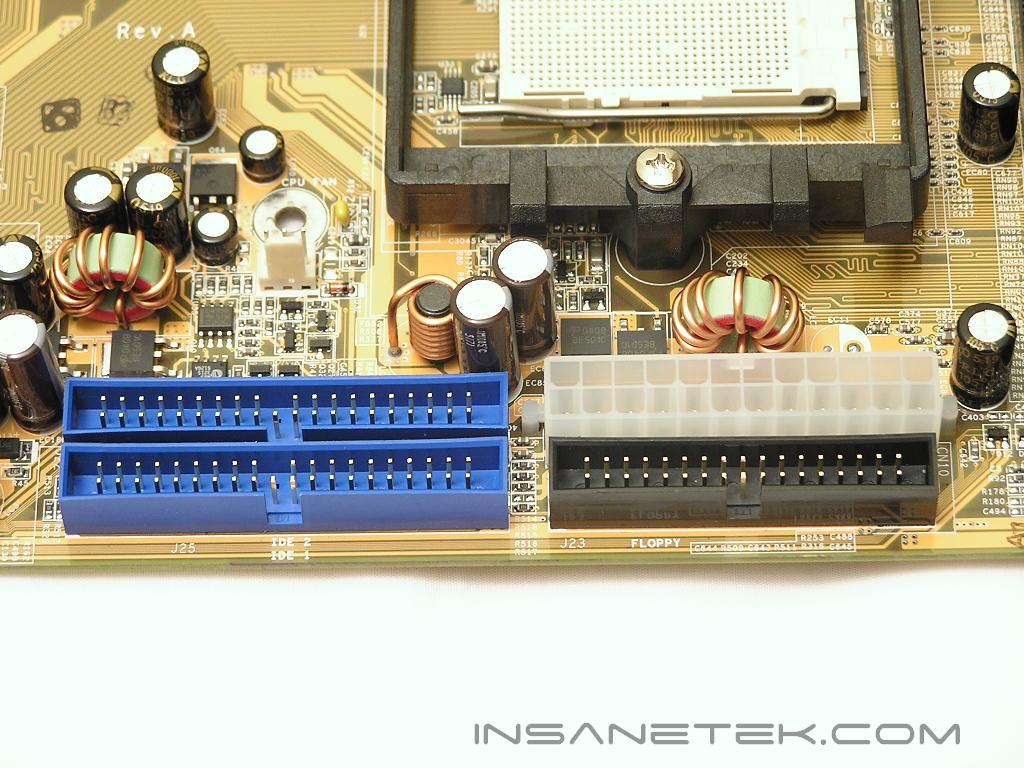
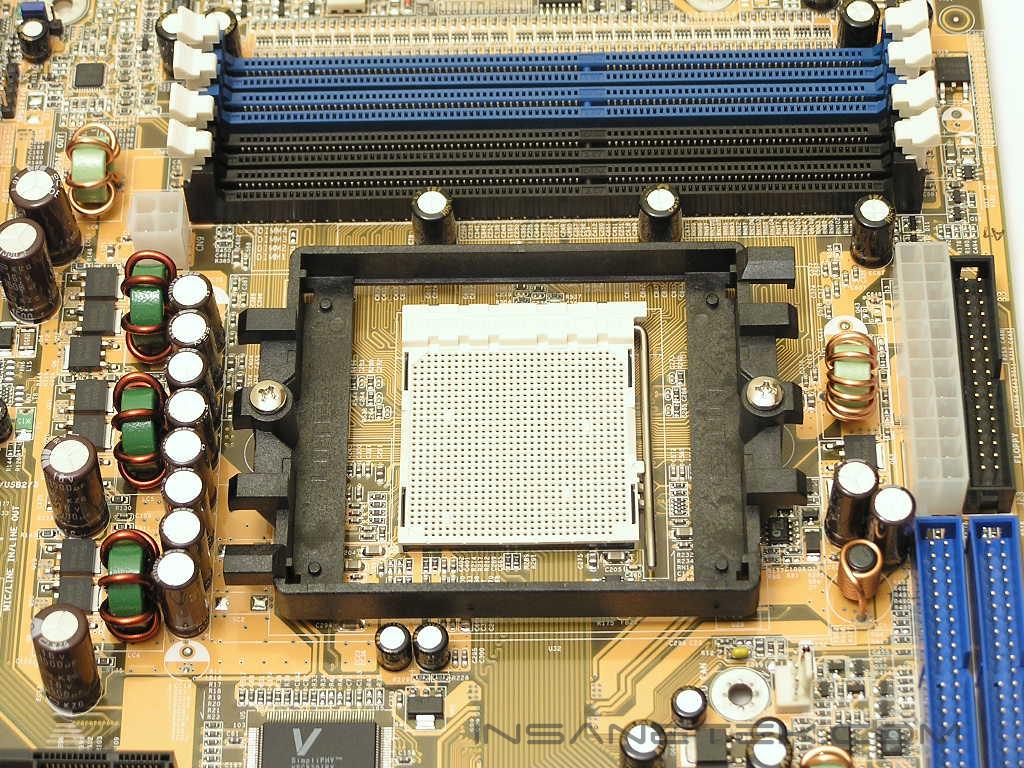
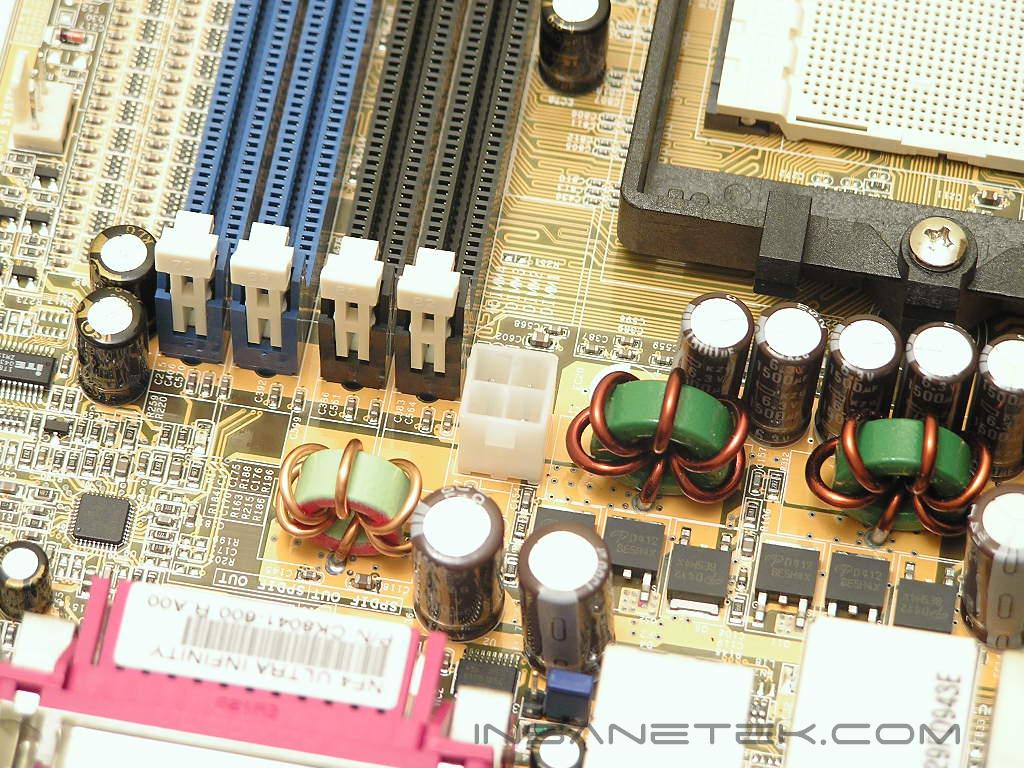
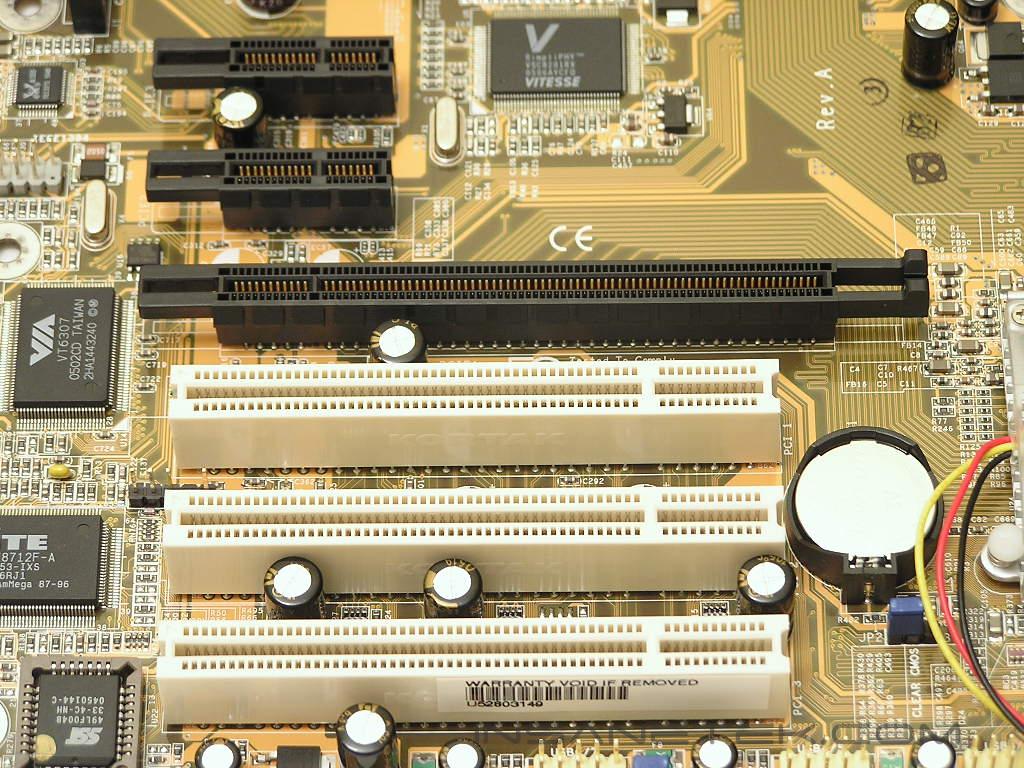
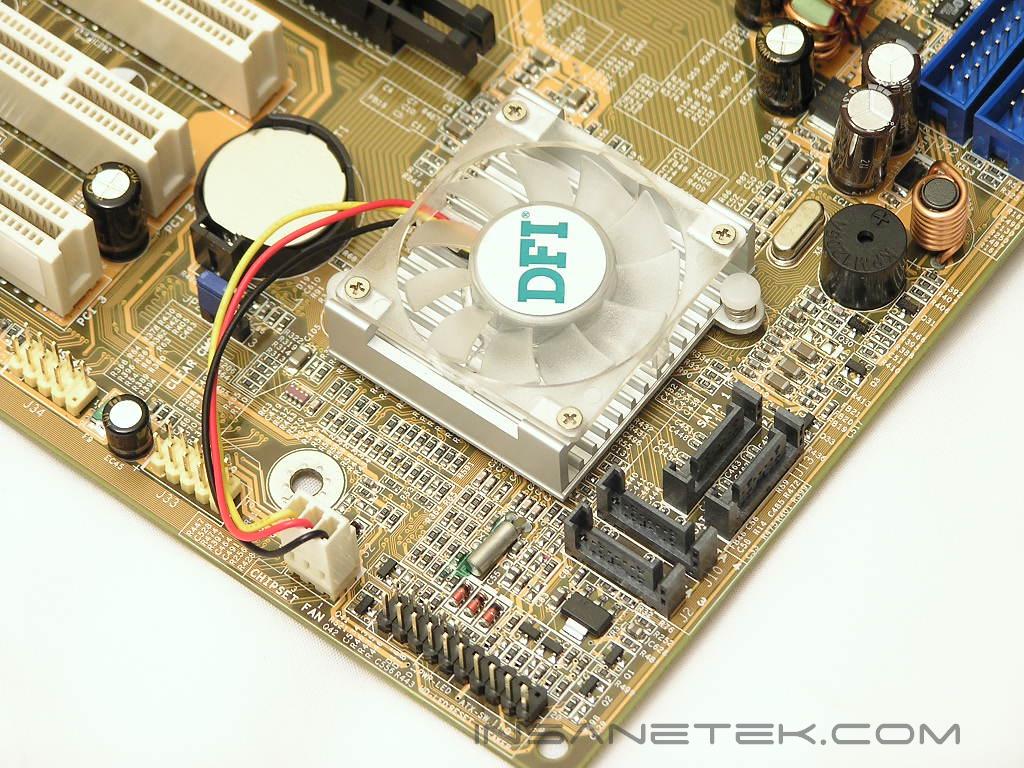
Since this Infinity motherboard uses the nF4 Ultra chipset, there is only one PCI-E x16 slot. There is no second PCI-E x16 slot and no chance of modding your chipset to an SLI chipset to run SLI. There are two PCI-E x1 slots up above for future upgrades. Having a total of three regular PCI slots is very nice since many enthusiasts still use regular PCI add-on cards–a wireless NIC and a sound card already takes up two. To the right of the PCI slots is the location of the chipset and chipset heatsink. This location of the chipset is very common, but not ideal. It does not allow enthusiasts to use an aftermarket VGA cooler and an aftermarket chipset cooler. It is always one or the other. Right at the edge of the motherboard are the SATA ports. They are all tightly bundled together so the SATA cables won’t get in the way of anything else.
BIOS
The strongest feature of current DFI motherboards is the BIOS. Their BIOS is outstanding and provides top notch options and adjustments. The look may be different from the LANParty nF4 series, but all the options are still there.
- VCore: Default, 0.8v - 1.85v
- VDIMM: 2.5v - 3.2v
- Chipset Voltage: 1.5v - 1.7v
- LDT Multipliers: 1x, 2x, 3x, 4x, 5x, AUTO
- Memory Dividers: 100, 133, 150, 166, 200
- PCI-E Frequency: 100MHz - 145MHz
- CPU Multiplier: 4x - highest your CPU allows
- HTT Frequency: Default, 201MHz - 450MHz
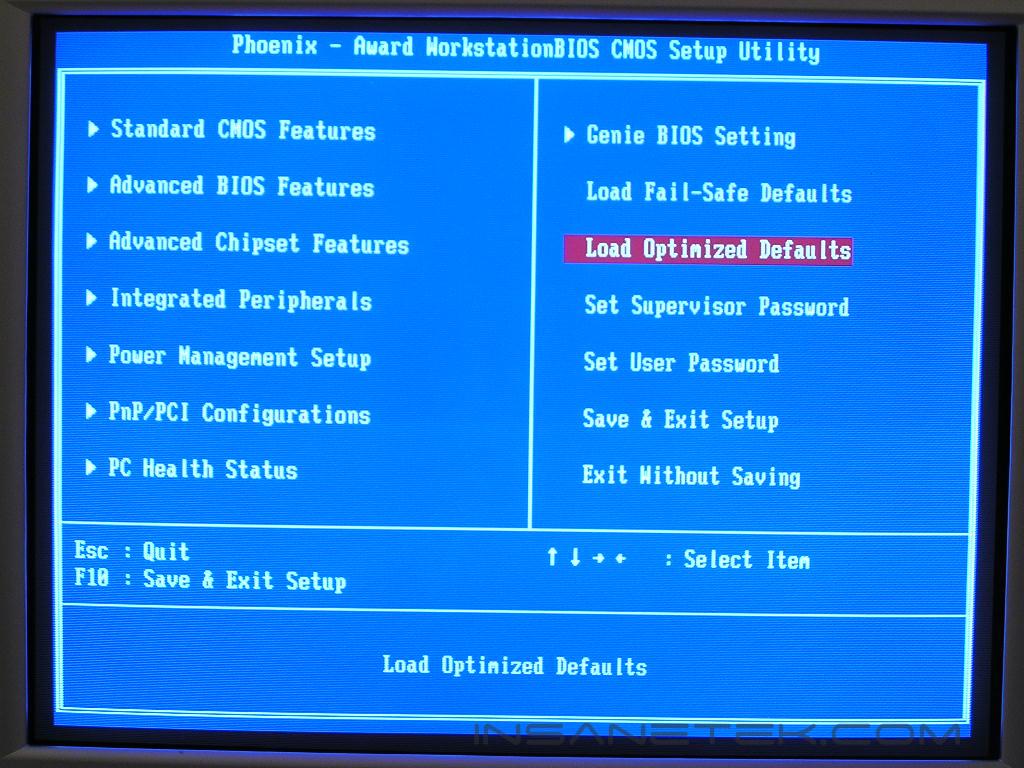
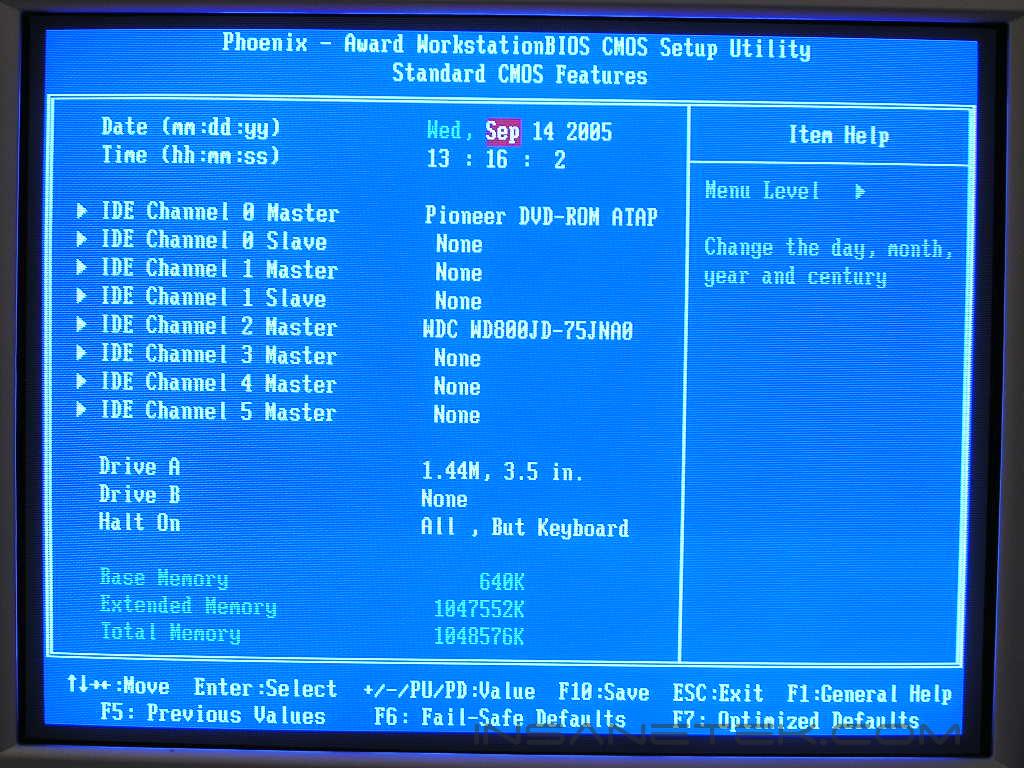
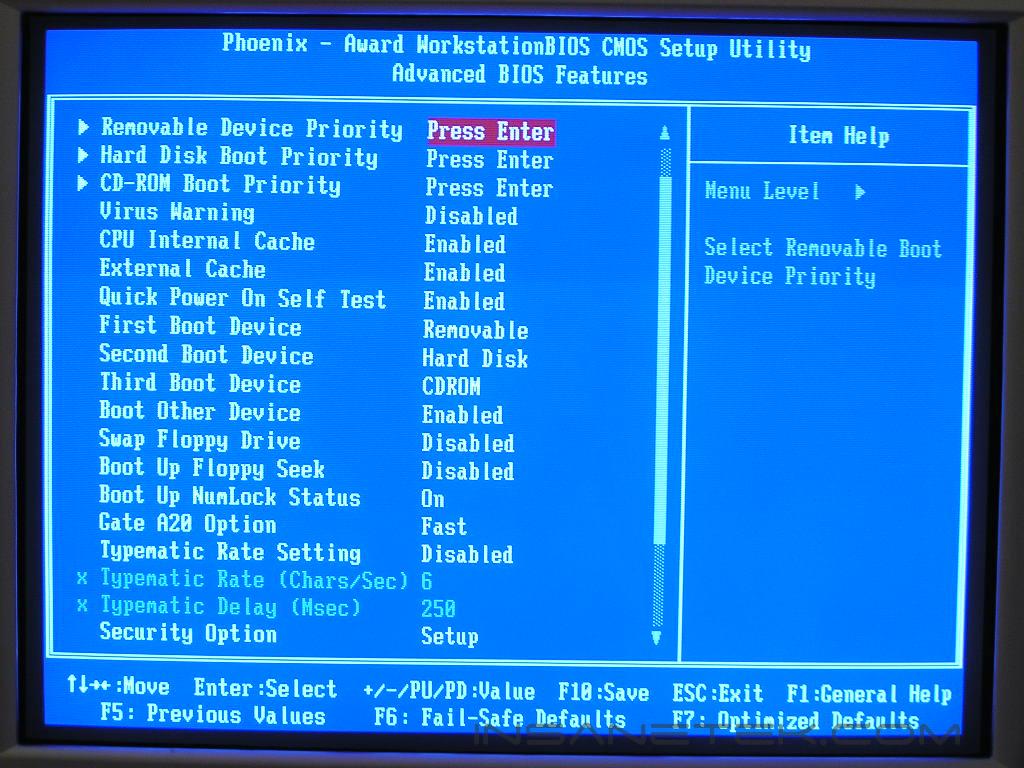
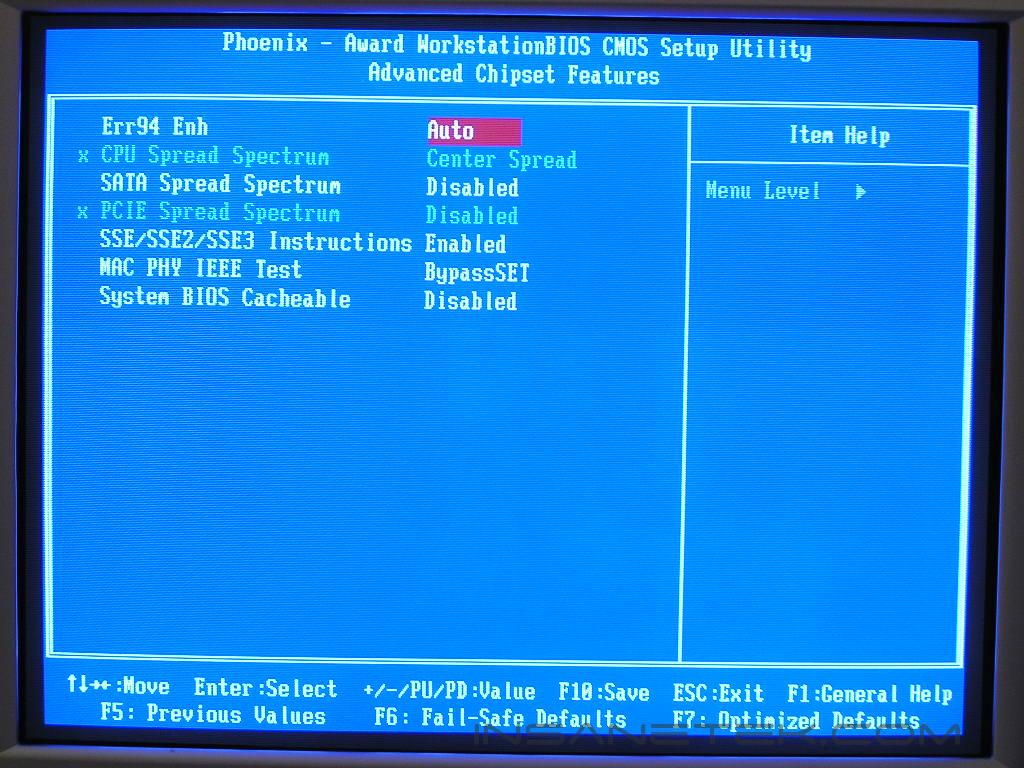
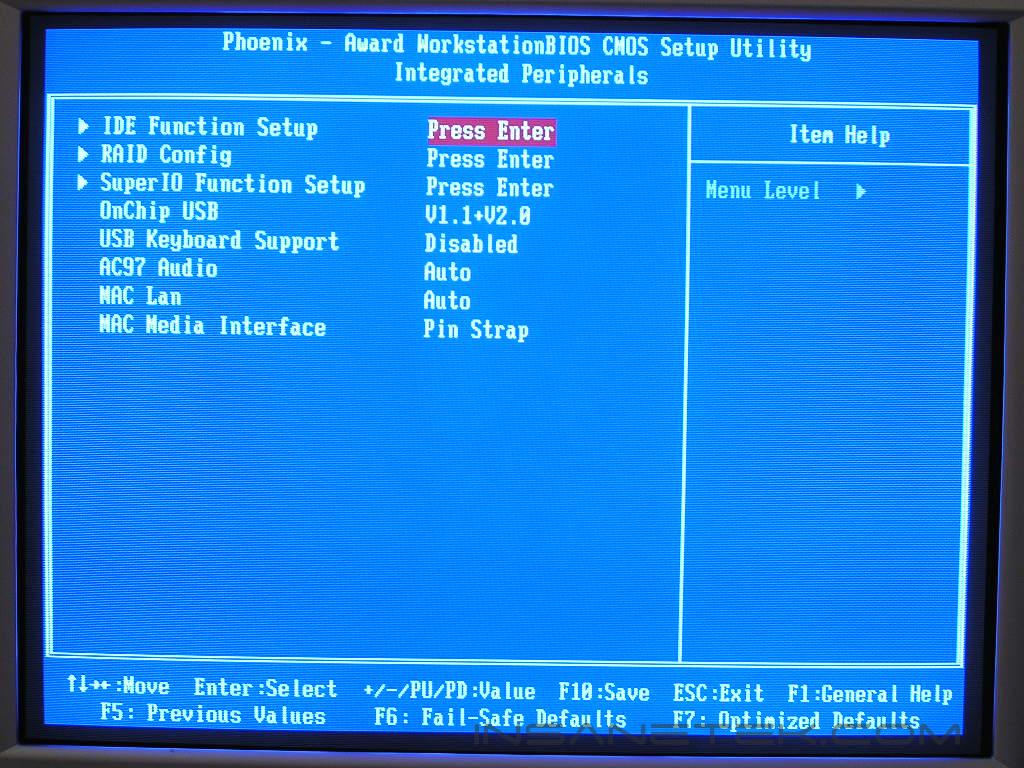
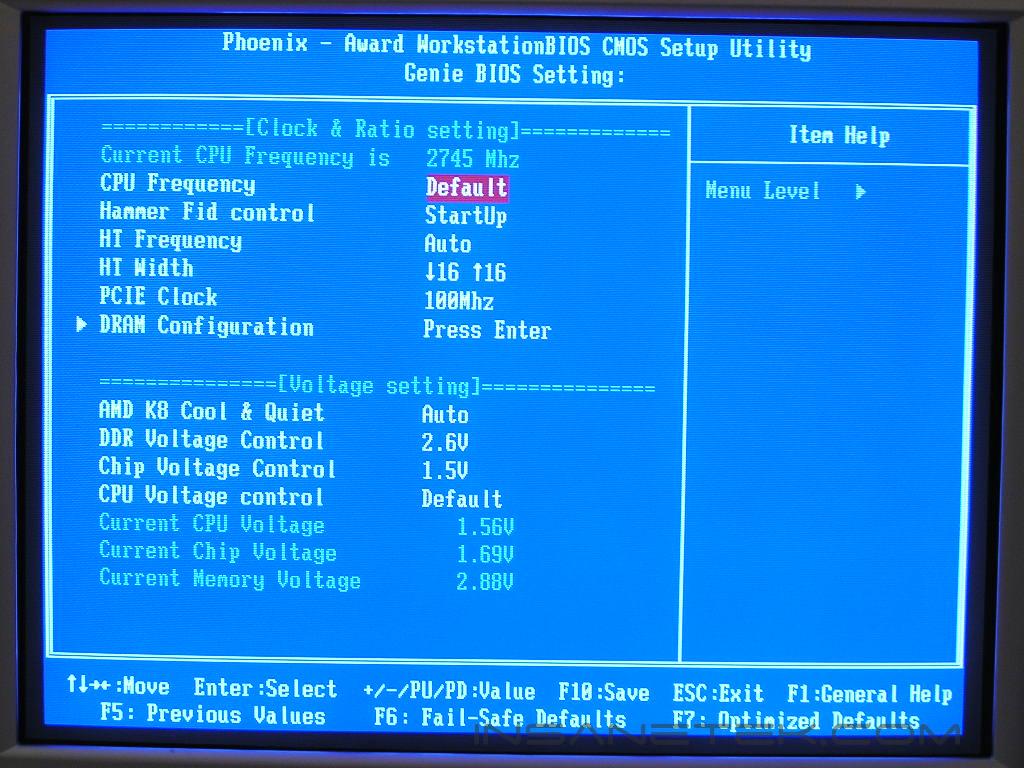
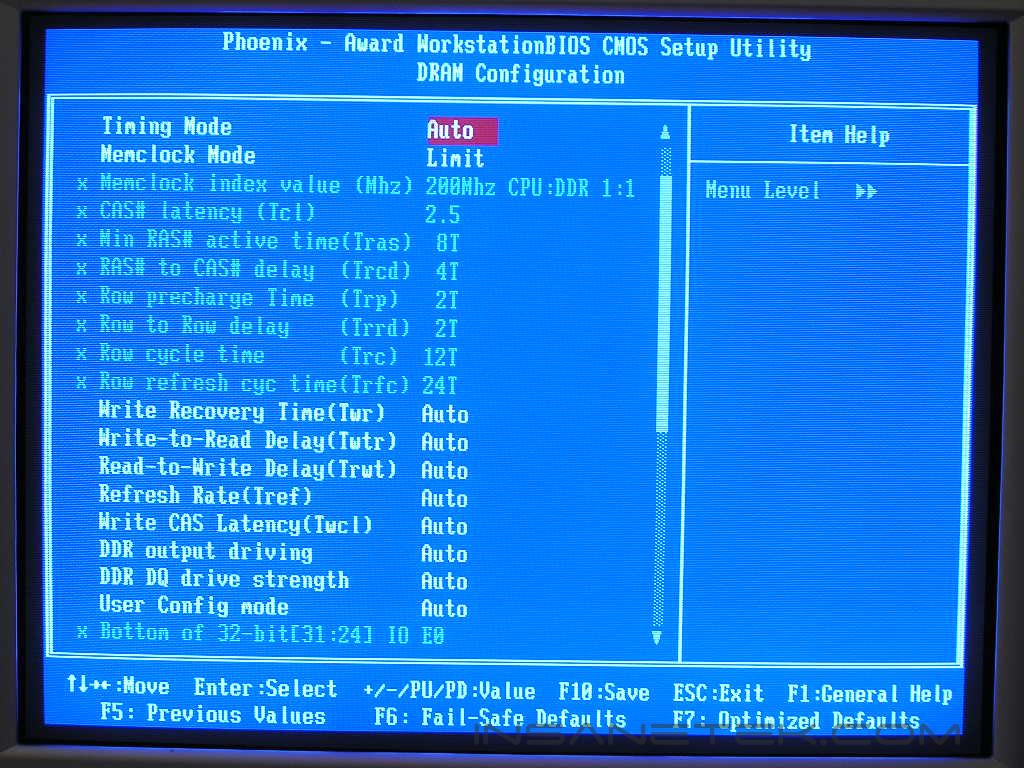
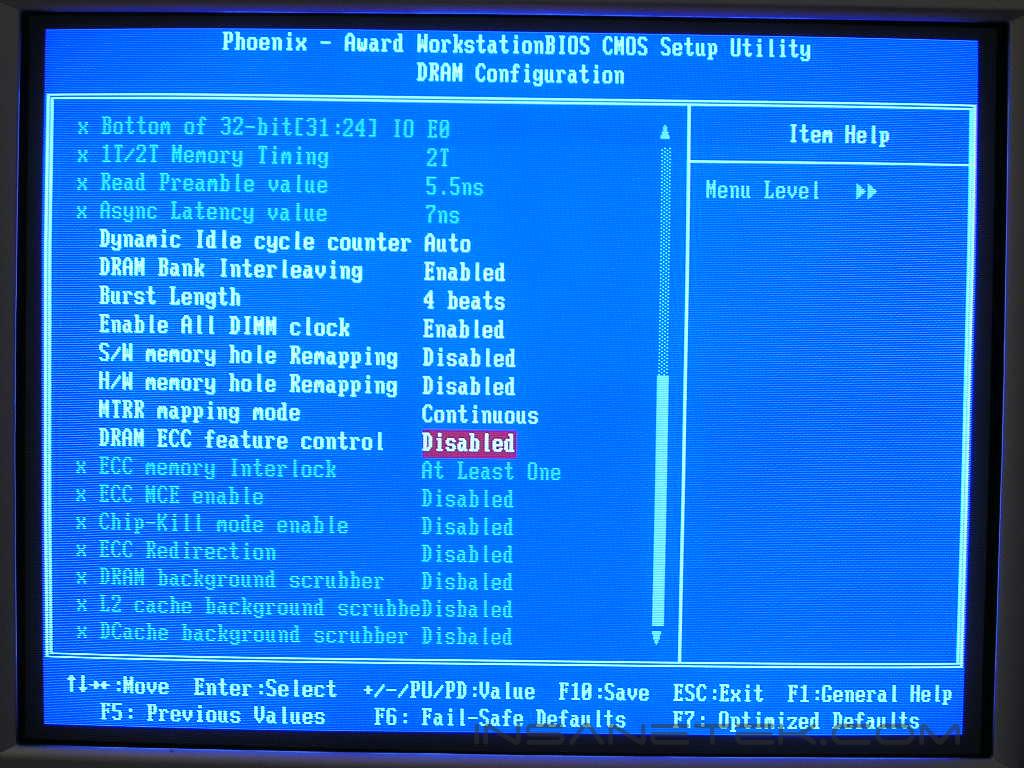
The voltage options are excellent once again. Although VDIMM only goes up to 3.2v, it is still more than enough for the average enthusiast. It is also enough to overclock some good Winbond UTT to roughly 250MHz. The only lacking option here would be the LDT voltage. There simply is none. From experiences with the Ultra-D, increasing the LDT voltage does help stabilize overclocks. Let us just hope that it does not hinder our results.
Software
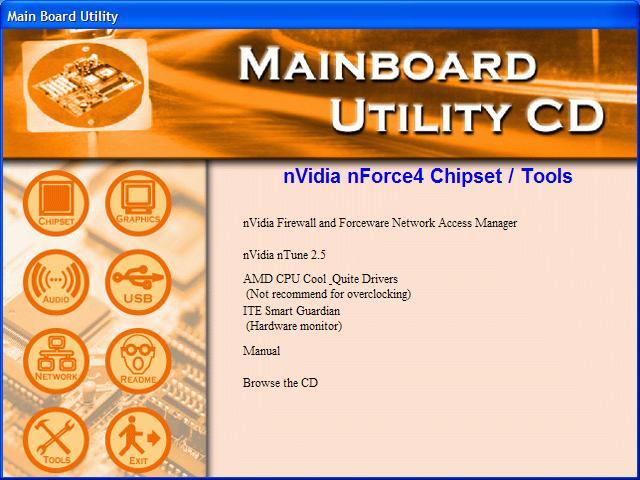
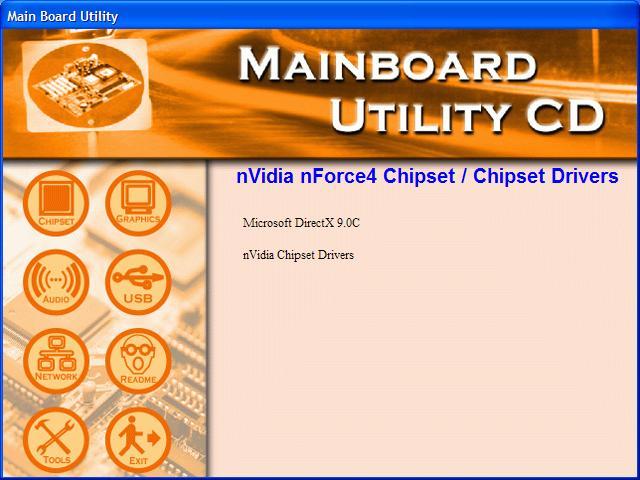
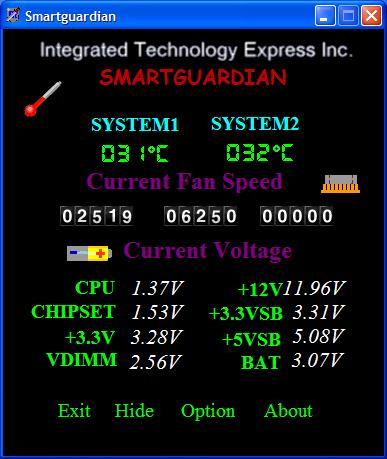
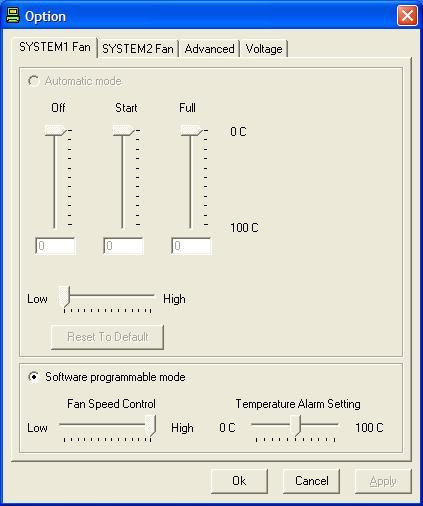
DFI was never known to impress with in-Windows utilities or any software programs. Their only good tool is the Smartguardian, which is a utility to report voltages, fan speeds, and temperatures. The drivers CD provides all the necessary drivers to install the motherboard and does not come with much else.
Test Setup and Overclocking
Test Setup:
- AMD Athlon 64 3000+ Venice
- DFI LANParty UT nF4 Ultra-D
- DFI NF4 Ultra Infinity
- 2 x 512MB Centon Advanced PC4400 2-2-2-5
- ATI Radeon X800XT
- Nvidia unified platform drivers 6.66
- ATI Catalyst 5.7
- Arctic Cooling Freezer 64
- Thermaltake PurePower 680W
Overclocking:
I was told that the NF4 Ultra Infinity is nothing short of impressive when it comes to the overclocking potential. I had my doubts since it is aimed more towards the budget side, but still hoped that it overclocks as well as the LANParty nF4 series. The first test will be conducted with the memory divider at 1:1. The second test will be with a divider, so that the RAM wouldn’t pose as a bottleneck. All memory timings were left at 3-4-4-8 2T and the LDT multiplier at 1x and CPU multiplier at 6x. I made sure that nothing would bottleneck the chipset and motherboard potential.
- Highest overclock 1:1: 310HTT
- Highest overclock with divider: 370HTT
Wow. Those are definitely some impressive results. The NF4 Ultra Infinity pretty much overclocked as well as the Ultra-D! I would still say the Ultra-D has the upper hand with more voltage options and better BIOS support, but the Infinity is definitely no slacker.
Results
Sysmark 2004
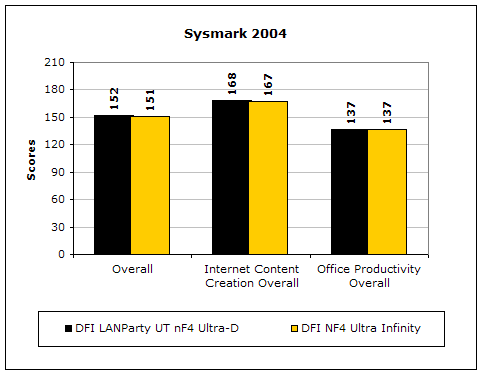
Sysmark2004 is a very common benchmark used to measure a system’s potential in performance. It goes through long and grueling tests that include compression and decompression and office intensive programs.
3DMark2001SE
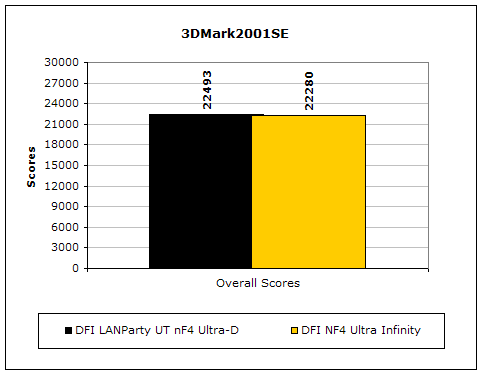
3DMark is probably the overclocker’s favorite benchmark. Unlike 3DMark2003, which stresses mainly the video card, 3DMark2001SE tests all of the system’s main components. Increasing the CPU speed, memory speed, and video card speeds will result in higher results in the final score.
PCMark2004
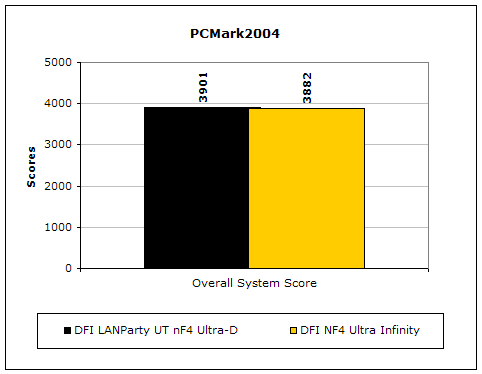
The PCMark2004 system benchmark puts the entire system to work.
PCMark2002
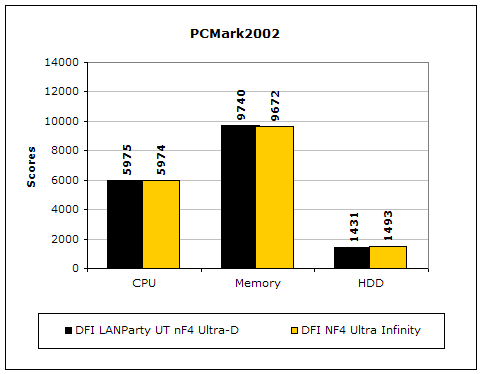
PCMark2002 is older than PCMark2004 but still very similar.
Results Continued
Everest Home Edition
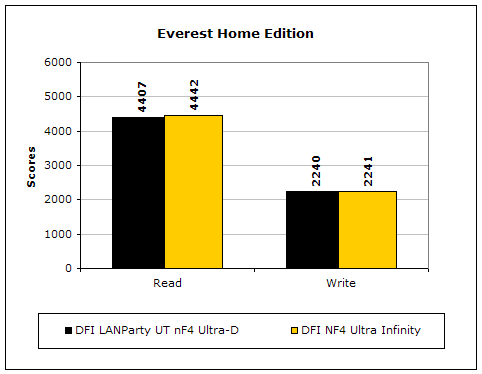
Everest Home Edition is a good benchmark for testing memory performance. Since the motherboard’s overclocking potential and memory bandwidth is closely related, I find this benchmark to be trustable.
SiSoft Sandra
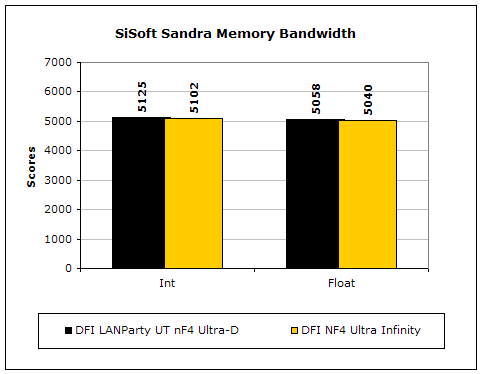
Like Everest Home Edition, SiSoft Sandra memory bandwidth tests the motherboard’s memory bandwidth performance.
Super PI
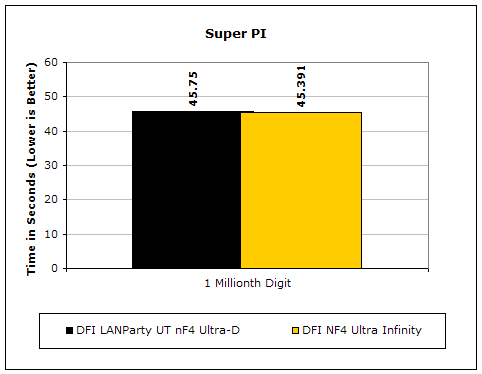
Since the value of PI is an infinite value, Super PI is a speed test to find the digit you’re looking for. In this case, we chose the millionth digit. Super PI benefits greatly from higher FSB as well as low latencies.
PiFast
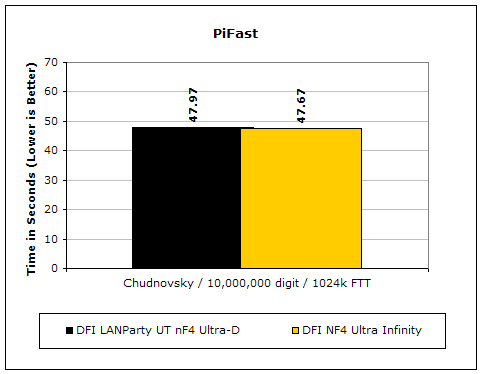
PiFast is similar to Super PI and the results can be greatly affected by a slight adjustment to the memory megahertz and latency.
Unreal Tournament 2004
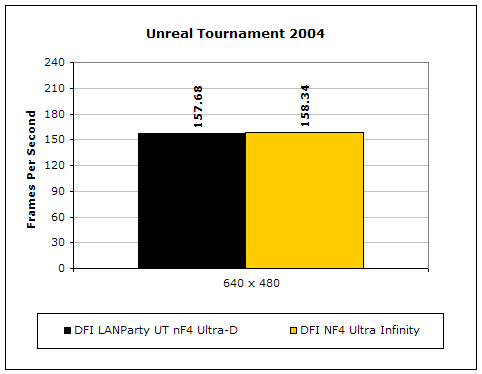
Unreal Tournament 2004 is a very popular game that is highly effected by the system’s performance. Testing was done under the resolution of 640x480 to minimize the dependency of GPU and CPU power.
Conclusion and Thoughts
I thought DFI was kidding when they said the NF4 Ultra Infinity would be able to hang with the more popular LANParty UT nF4 Ultra-D. The NF4 Ultra Infinity is a rocking motherboard. The performance is superb and really does run neck and neck with the slightly more expensive cousin. The BIOS options are also amazing and provides just as much options as the LANParty nF4 series. The only lacking part would be the inability to change the LDT voltage. That certainly did not hinder the overall overclock though. There is plenty of headroom for bus speed advancement. Whatever memory you choose to use, whether it be TCCD or Winbond UTT, you will be able to find a good configuration. Some might complain about the VDIMM options since it caps out at 3.2v, but keep in mind that this motherboard targets the budget enthusiasts. We are actually fortunate enough for DFI to provide up to 3.2v. Most budget boards out there do not even allow an adjustment to VDIMM.
I am more than impressed from the performance and overclocking of the NF4 Ultra Infinity. What kept the motherboard from winning the Highly Praised Award was the motherboard layout. The overall motherboard is a bit cramped due to the smaller size. The space around the CPU socket area could also need a bit of improvement. I am sure that many enthusiasts will want to go after a good aftermarket cooler. Coming in at under $100, the NF4 Ultra Infinity does not disappoint. My only question is: What makes this motherboard different from the nF4-DAGF?
Pros:
- Great performance
- Superb overclocking
- Very affordable
- Great BIOS options
Cons:
- Physical layout can use a little rework
- No LDT voltage options

We would like to thank DFI for providing us the sample. If you have any questions or comments, feel free to hit us up in the forums. You can also check out more of our latest reviews on the front page.