

Zalman ZM80D-HP
Introduction
We recently paid a visit to the Zalman USA office located in Southern California. The facility was spacious, the employees were friendly, and it was filled with Zalman products. The purpose of my visit? I was picking up the new Zalman ZM80D-HP VGA cooler. I couldn’t wait for shipping, so I had to stop by and pick it up myself. Luckily for me, their office is near my house.
Zalman was the first to introduce passive VGA cooling with products such as the ZM50-HP and the ZM17-CU. They were not very popular during their time, but it led to the production of the ZM80A. It was quite a success, and it did it all with passive cooling. It outperformed small active cooling orbs such as the Thermaltake Crystal Orb and the Vantec Iceberq. They continued the tradition with the ZM80C that allowed the use of the optional 80mm fan. The fan became a necessity for the hot Radeon 9800 Pros and FX 5800/5900s. Today, Zalman is at it again with the release of the ZM80D. The larger heatsink plate and additional heatpipe almost insure that there will be performance increases, but how much?
Zalman ZM80D-HP
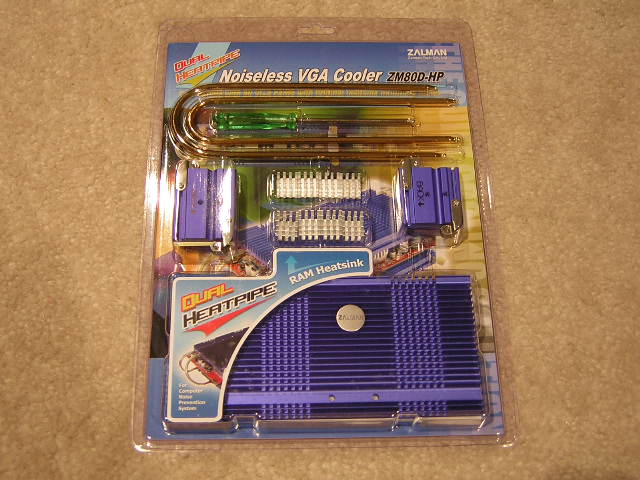
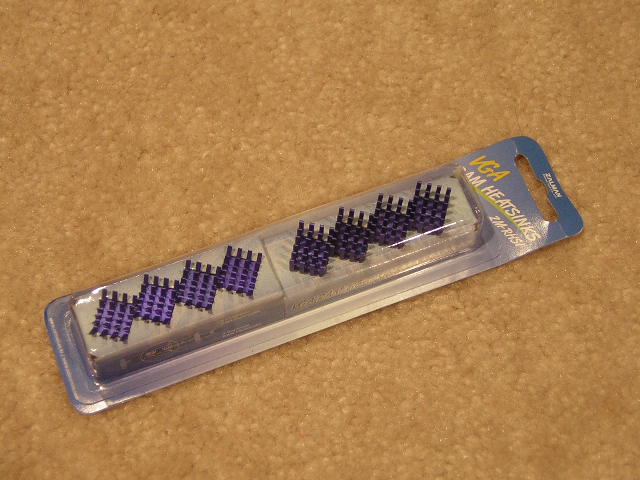
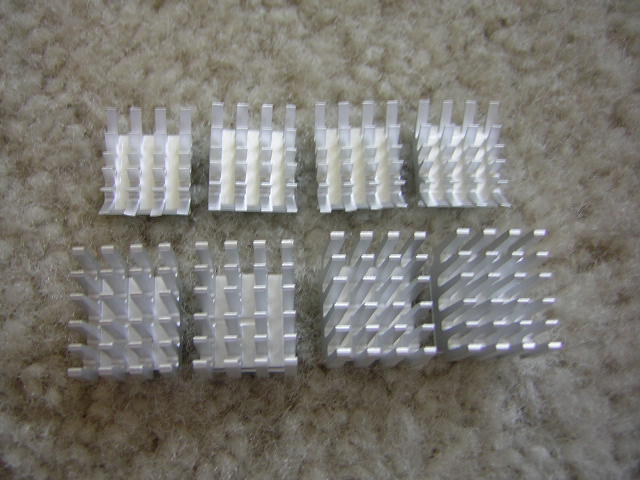
The package is larger than the previous models. It must be, in order to accommodate the extra heatpipe, 8 RAMsinks, and the larger heatsink plates. My review sample package also included the “optional” 80mm fan. The fan is only optional for cards lower than a Radeon 9800 Pro or FX 5800/5900. The 9800 Pros and 5800/5900s require the use of the fan due to the extreme amount of heat they produced. John was kind enough to include their pack of aluminum RAMsinks, named ZM-RHS1, for additional memory chips. Although ATI users will only use up the 8 included RAMsinks, NVIDIA users with 256MB cards will need the additional 8.
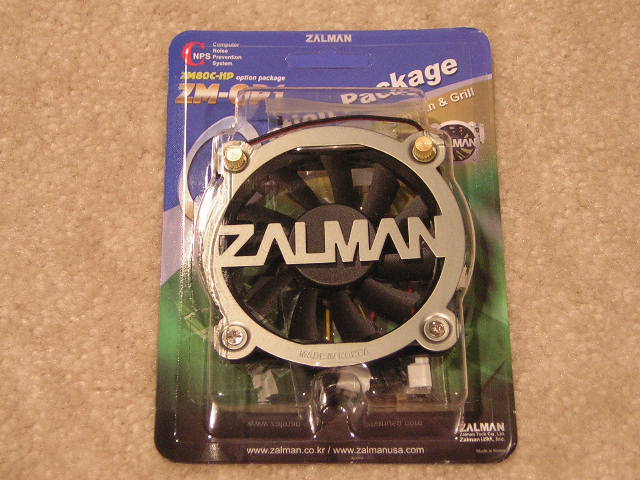
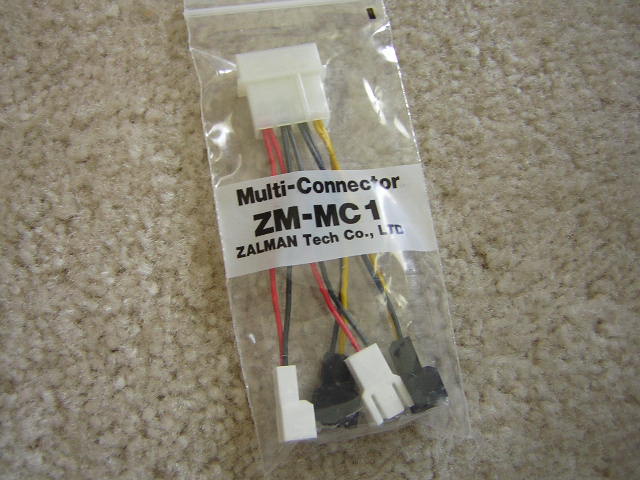
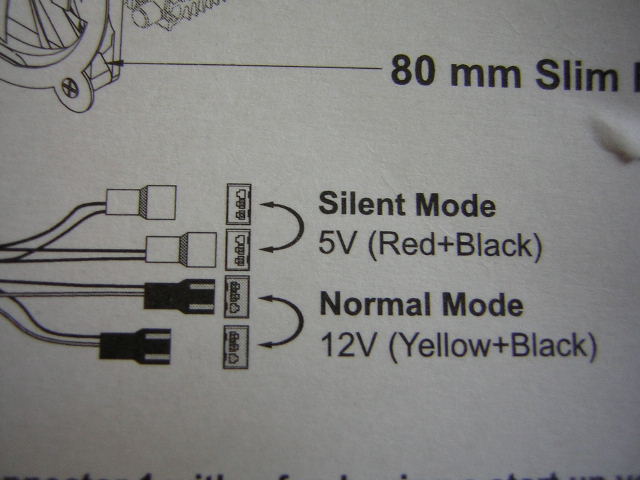
The fan package includes the fan, of course, and a small Molex connector that allows users to have the option of running the fan at full speed (normal mode) or at a lower speed for quieter operation. Choice options are shown on the back of the package.
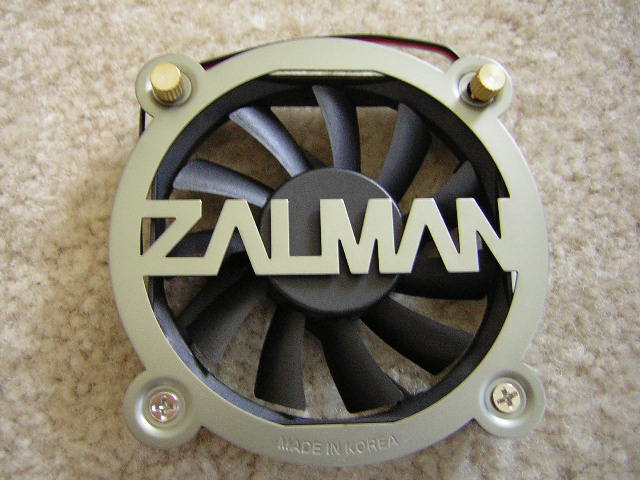
The specifications of the Zalman ZM-OP1 fan are:
| Dimensions | 80(L) X 80(W) X15(H) mm | |||
| Weight | 75g | |||
| Fan Speed | Silent Mode | 1400 RPM ± 10% | Normal Mode | 2800 RPM ± 10% |
| Noise Level | Silent Mode | 20.0dB ± 10% | Normal Mode | 33dB ± 10% |
| Bearing Type | 2-Ball | |||
| MTBF | 50,000 hrs. | |||
| Grill | 80 mm | |||
| Multi-Connector | ZM-MC1 (3-Pin) | |||
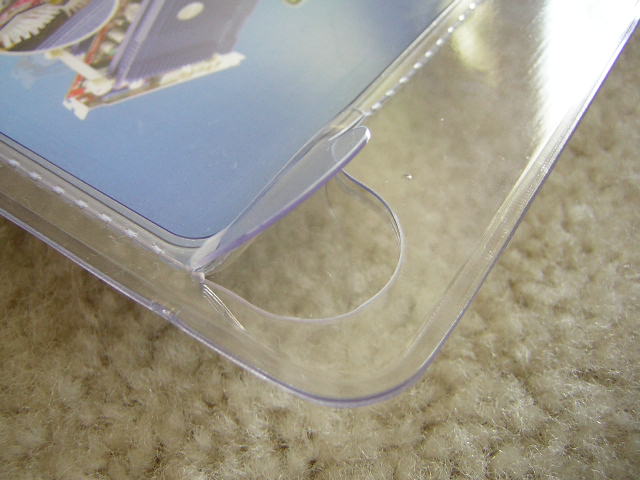
The packaging of the ZM80D introduces an easier way of opening plastic packages. I’m sure that there are consumers out there who understand me when I say that I have shed blood with these packages. Zalman perforated the edges for easier opening. It was a good idea, but it didn’t really work out that well. I still had to rip and tear down the middle and came close to scraping myself.
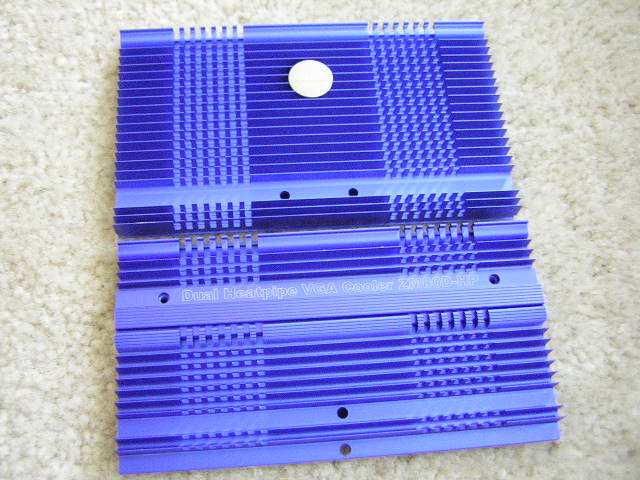
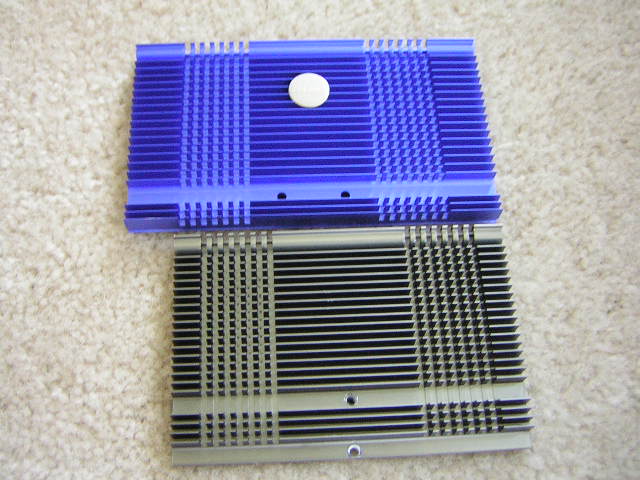
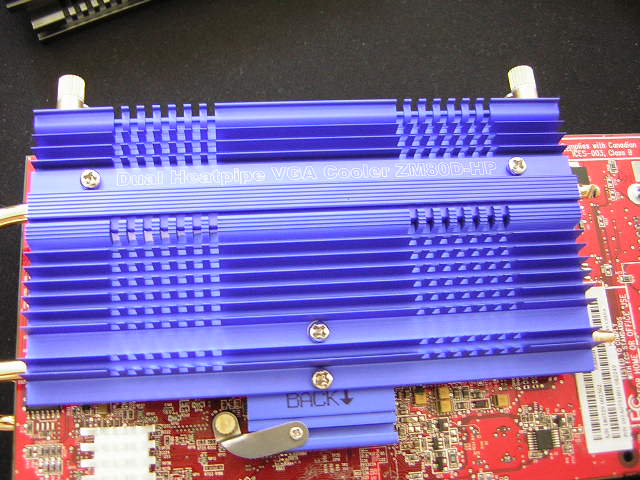
The heatsink plates are much larger and still have an attractive look. Although I would prefer the metallic gray look, this blue finish is still an eye-catcher. Here you see the larger plate of the ZM80D alongside the smaller plate of the ZM80C. As always, the more surface area the better. The front plate now has a Zalman sticker attached, much like the Sapphire Ultimate Edition with the Sapphire sticker. That little plate on the back plate is used to secure down the second heatpipe. I’ll get to this later.
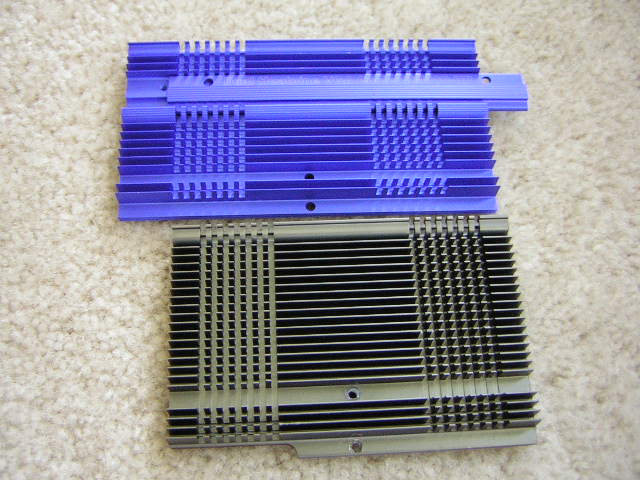
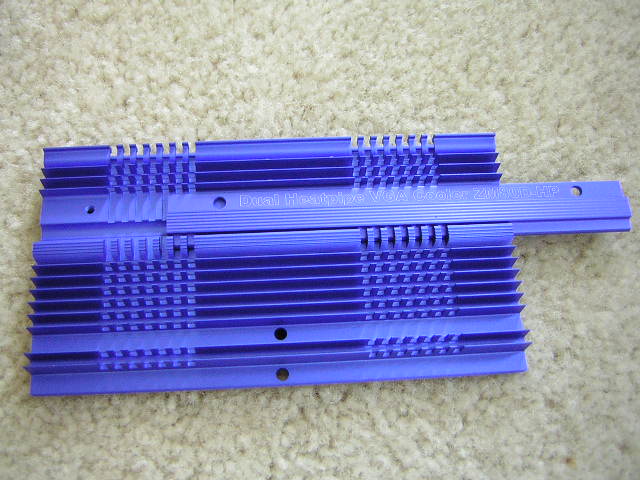
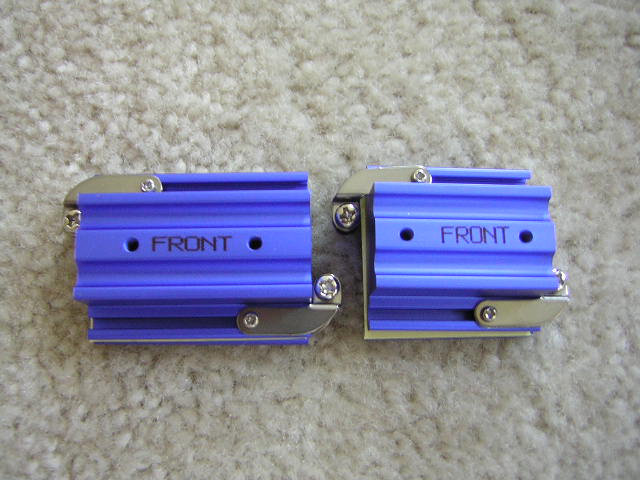
The front and back aluminum blocks did not have much of an update from previous models, other than the extra grooves to accommodate the extra heatpipe. There are two included as always, one made for NVIDIA cards and one made for ATI cards.
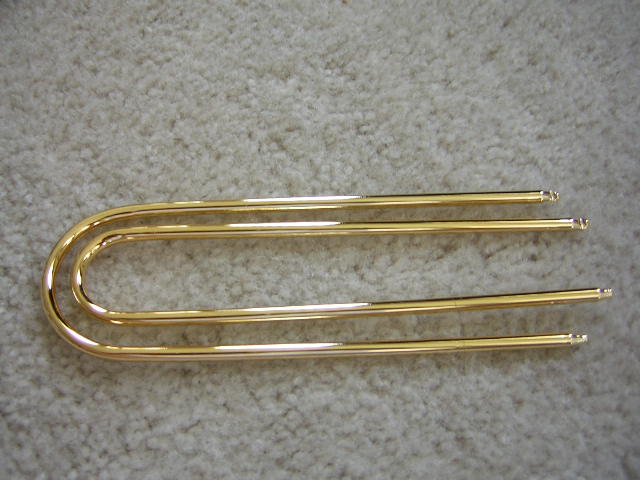
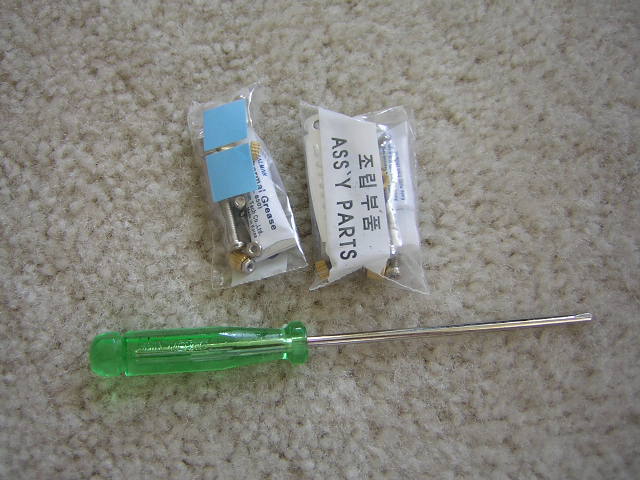
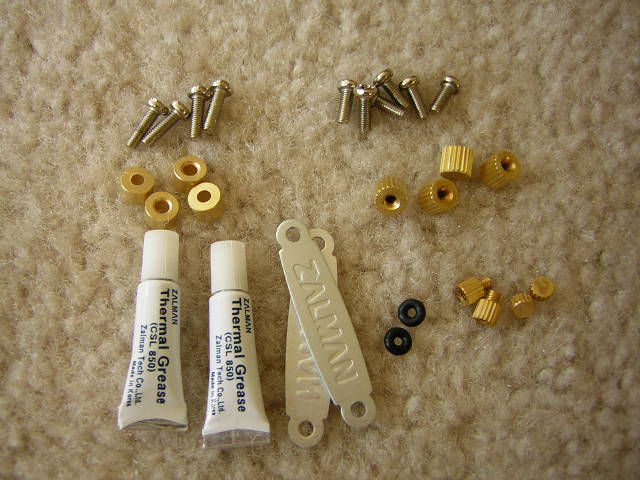
The rest of the package includes the aluminum RAMsinks, the 2 heatpipes, the bags of screws and nuts, and the handy screwdriver. Many third parties don’t include such amenities as a screwdriver. They assume that everyone has one, but that’s not true. One additional benefit with the screwdriver is that it’s perfectly sized for their tiny screws. Larger screwdrivers can be difficult to utilize properly. As you can tell, I like the included screwdriver. I’ve been using it for days now. The included instructions manual is not just another piece of scrap paper. It’s a detailed pictorial manual that makes any n00b a professional.
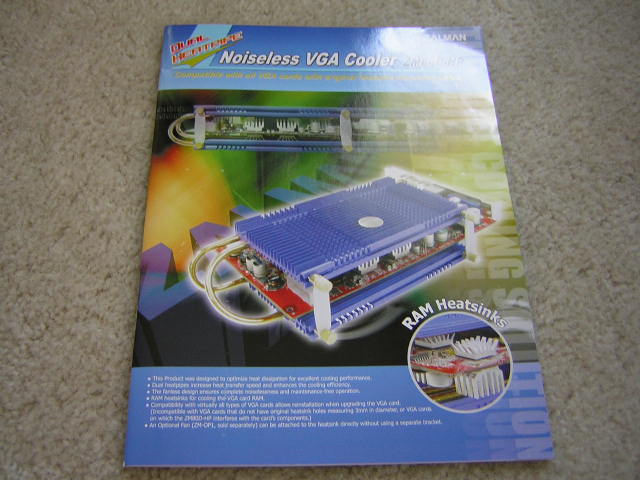
Before we go any further, I have to clear up some terminology before anyone gets confused with what I say.
- Front Plate – the heatsink plate that goes on the front of the cooler
- Back Plate – the heatsink plate that goes on the backside of the cooler
- Front Block – the small heatsink block that contacts the GPU
- Back Block – the small heatsink block that goes on the back of the video card
Test Setup
Since temperature monitoring only becomes available with the 9800XT and beyond, I had Randy remove my shim on my 9800 Pro. I was hesitant to do it myself due to my shaky hands. Removing the shim is not necessary for installation of the cooler. I just did it to measure temperatures. I placed a thermal probe next to the GPU core to measure accurate temperatures. Arctic Silver 5 was used throughout the testing procedures. Air conditioning was used to maintain an ambient temperature of 25°C.
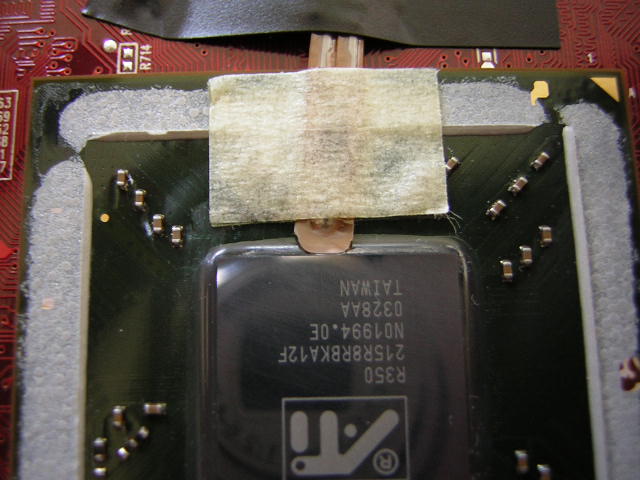
- AMD XP1800+ (10 x 230FSB @ 1.75v)
- Abit NF7 v2.0
- 2 x 256MB KHX3200A
- ATI Radeon 9800 Pro (Gigacube BIOS @ 400/350)
- Cooler Master Centurion
- Antec 400w
The testing process involves 30 minutes of idling at desktop and 30 minutes of full load under 3DMark2001SE’s Nature run. Nature is one of the most video intensive tests and provides good feedback in finding the highest video card overclock.
In this review, the ZM80D will compete with its predecessor, the ZM80C, to determine the improved performance benefits. Also included in the competition is the popular Arctic Cooling VGA Silencer. Many people have been using that cooler due to its relatively inexpensive price, ease of installation, and of course, the silence that it provides.
Installation Process
Installing the ZM80D takes time and patience. It’s not very difficult when the cooler is so well designed. The hard part was keeping everything clean. Enthusiasts who have worked with the ZM80 series will know that thermal grease tends to get everywhere.
First off, you remove your original stock heatsink and apply some thermal paste. Thermal paste should be spread evenly and thinly to ensure proper thermal transfer without a performance loss. Then attach the RAMsinks. If you don’t do it now, you can’t do it later. The smaller RAMsinks that have spread out fins go on the memory chips on the backside of the video card. The larger RAMsinks belong on the front.
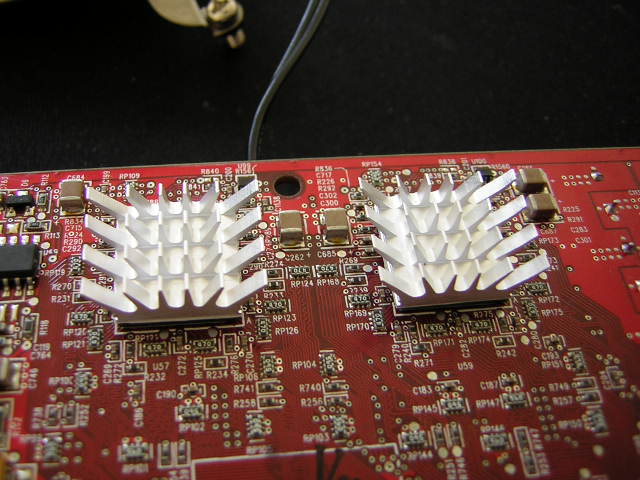
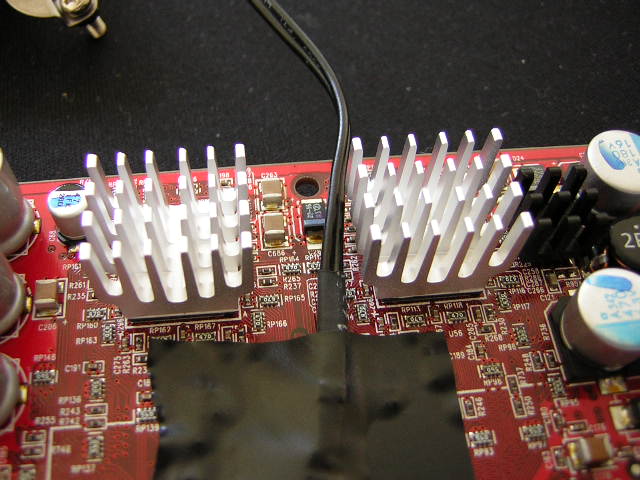
There is a piece of plastic that is used to stick on the backside of the back block. This is to prevent the back block from shorting out the video card if it comes in contact with a resistor or capacitor.
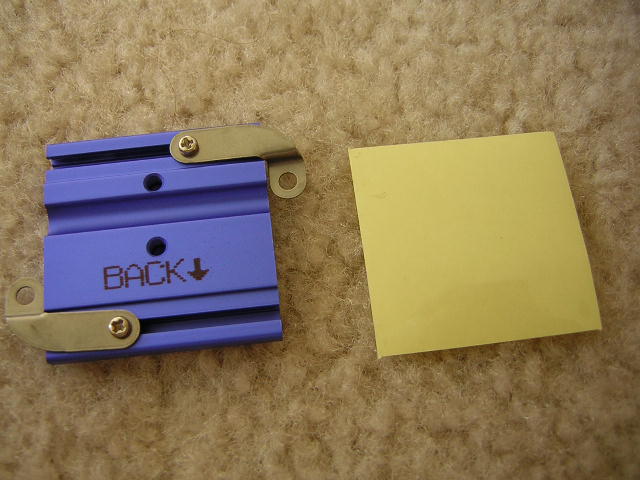
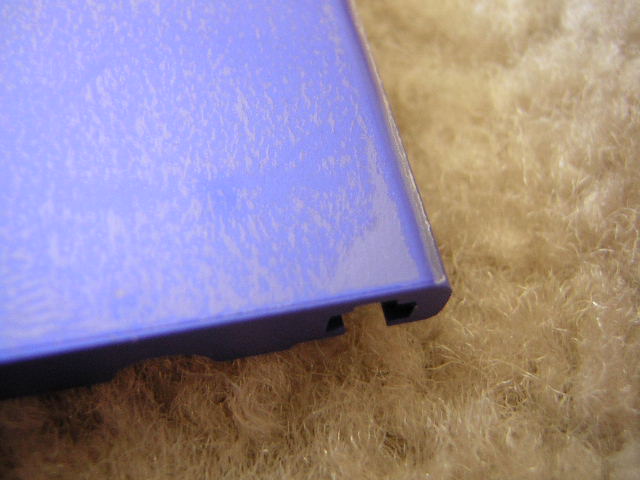
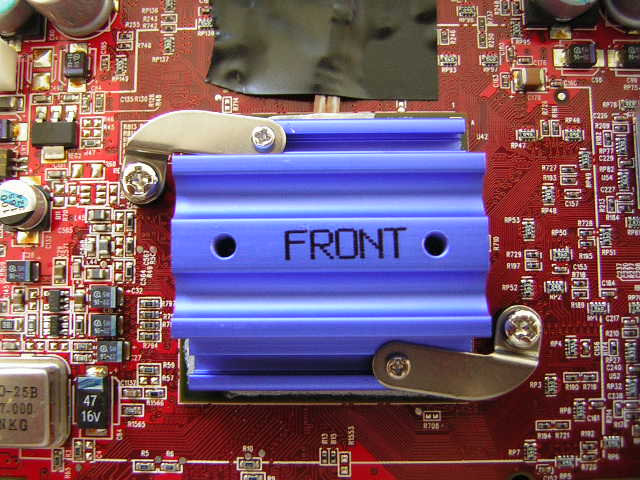
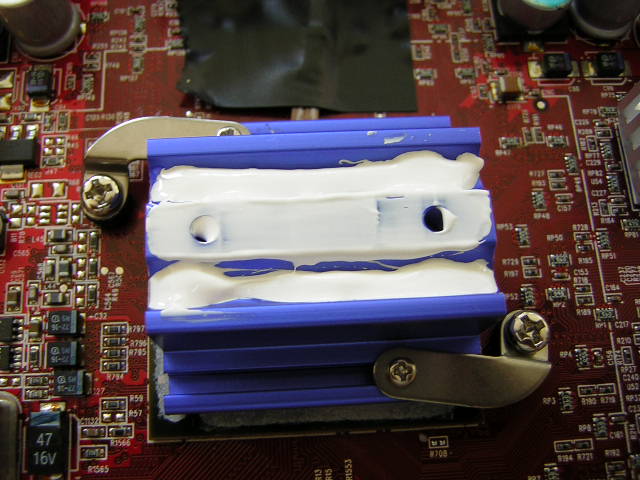
After thermal paste has been applied, adjust the metallic elbows and align the front block so that it sits in the center and is not crooked. If the front block slants to either side, the heatsink plates won’t be installed correctly and the entire cooler will be slanted. This will result in bad performance as well as horrible appearance. Now that the front block is adjusted and sitting correctly, squeeze some thermal paste into the heatpipe grooves and spread it around the surface of the block.
Turn the card over to its backside and fit the two rubber washers through the screws. Find the nipples (ha, I get a kick out of these names) and screw it on. If there are no rubber washers, the video card will short the moment you turn it on. Next is the back block. Like the front block, adjust it so that it sits in the center and does not slant to one side. Fit the back block over the nipples, and find the nuts to tighten the back block down.
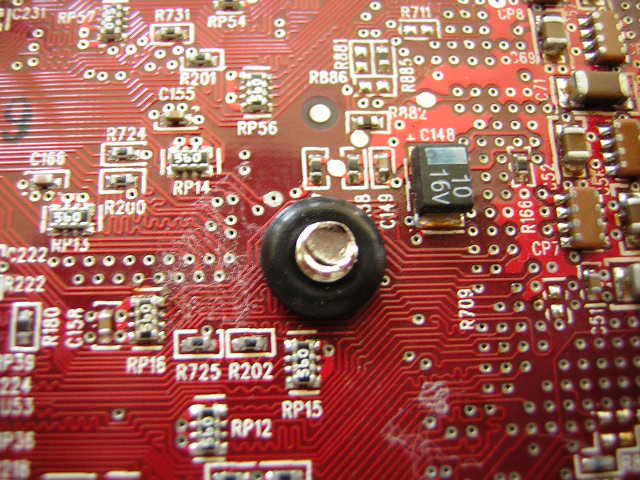
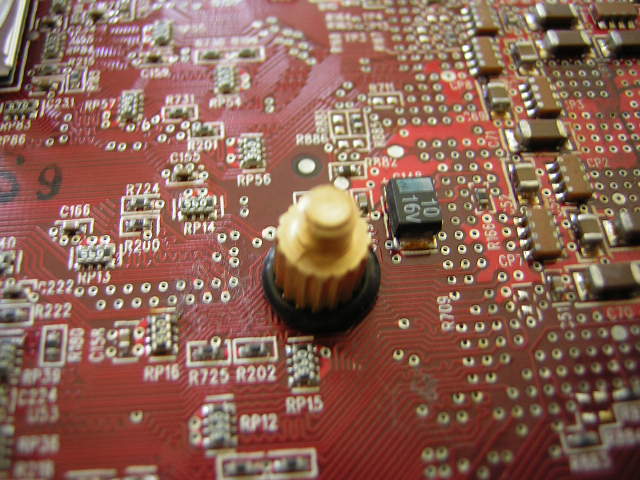
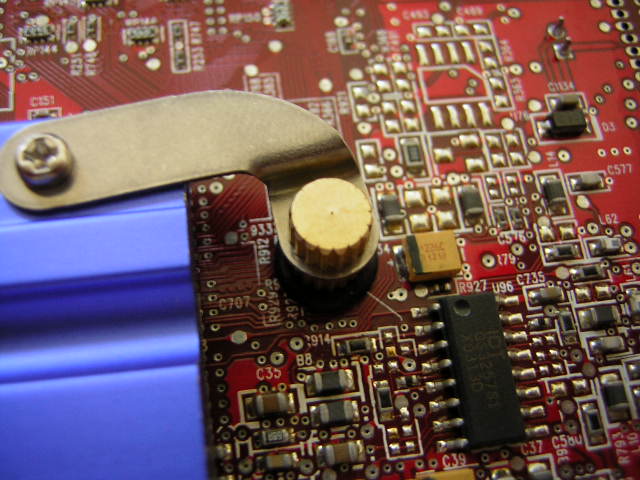
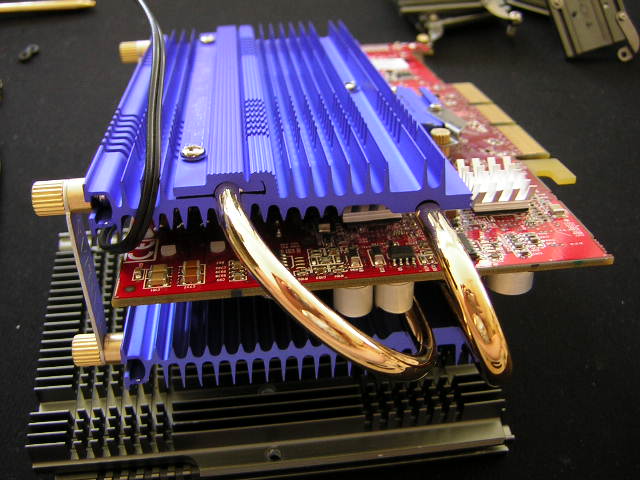
The heatsink blocks are now in place and the heatpipes are now ready to be installed. I couldn’t take pictures of the front because I only had two hands. I needed to hold the card to let the heatpipes dangle in the back or else the alignment would be off and grease would smear everywhere. It’s a simple process. Since the two blocks are installed, insert the heatpipes into the right grooves. The smaller heatpipe goes on the bottom groove while the larger heatpipe goes on top. Now, simply place the front plate over the 2 heatpipes and screw it on. That’s it. That’s all there is to installing the front. Simple and easy. For the back part, it becomes more difficult. The smaller heatpipe belongs under the back plate. It is sandwiched between the back plate and the back block. The back plate also attaches with screws. The slight difference is that the larger heatpipe needs to be placed on top of the back plate and then held down by another small plate with 2 screws.
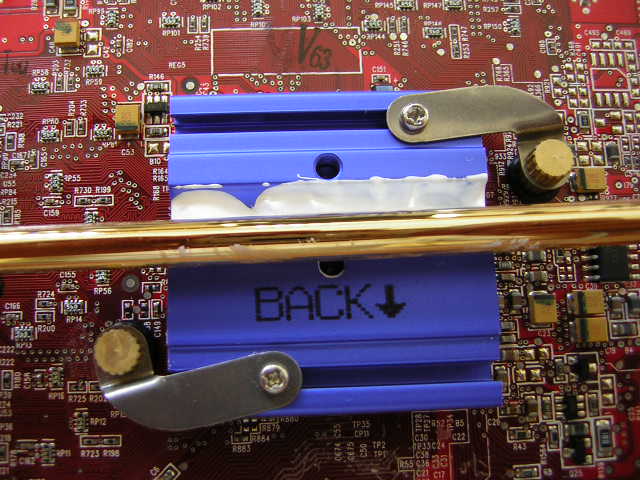
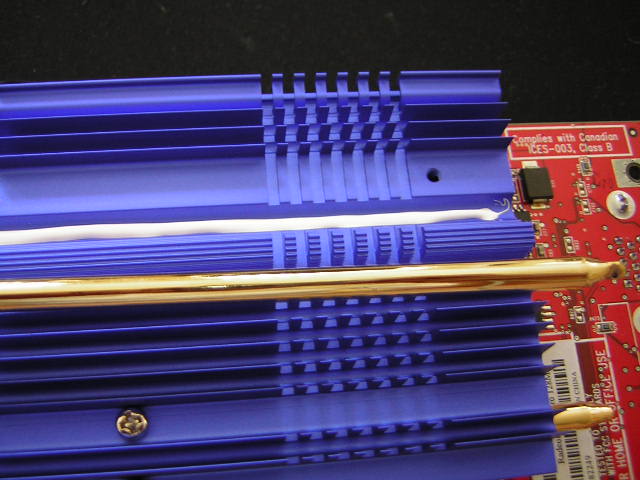
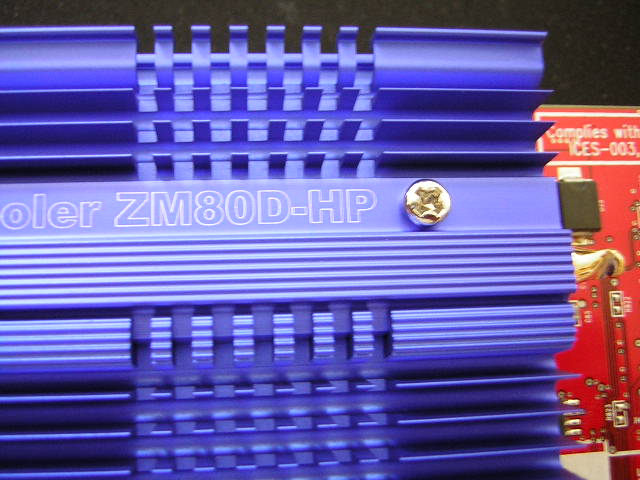
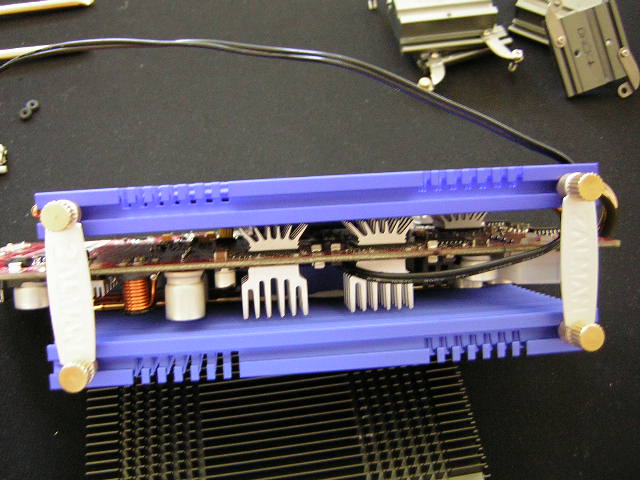
You’re almost done. The only thing left is the two Zalman tags that link the two heatsink plates together. It keeps the plates from moving and sliding. If it does it’ll move uniformly, but I’ve yet to see that happen.
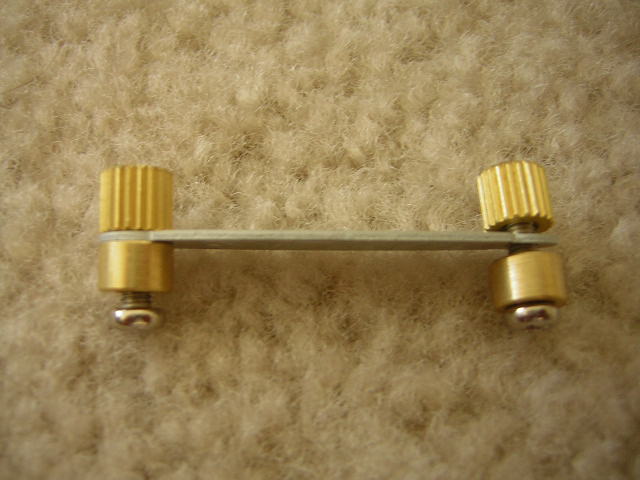
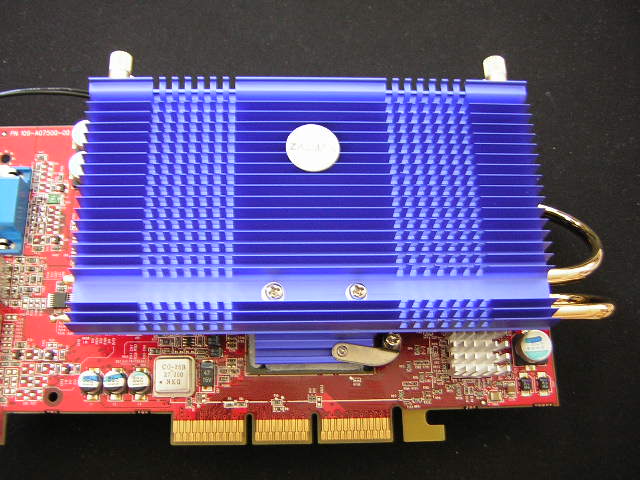
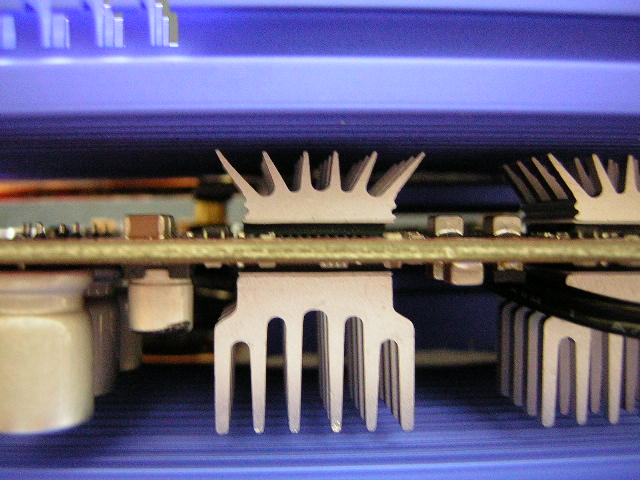
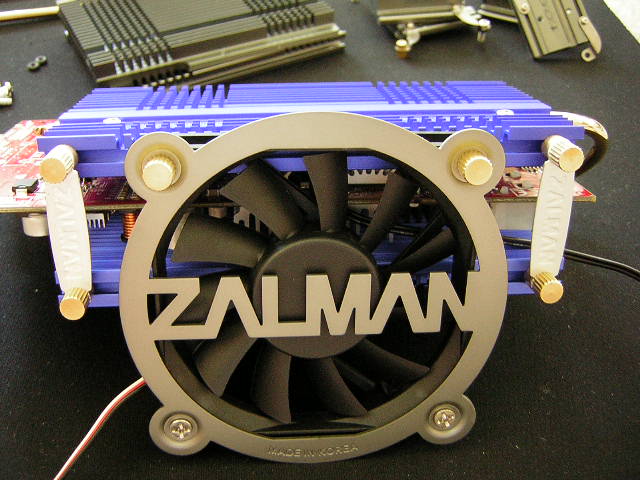
Finally, we have the finished product. Here are a couple of shots from different angles.
Results
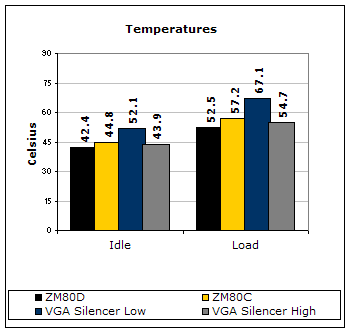
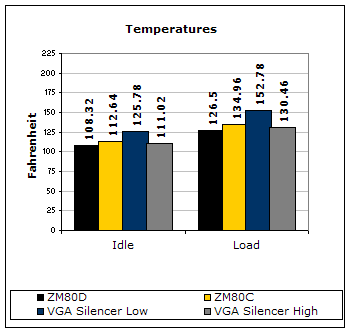
When testing with the ZM-PO1, the fan was set in normal mode as there is no need to run the fan any quieter. Normal mode is nearly silent. The results do not lie. Please keep in mind that the Gigacube BIOS raises the default clock speeds, which means the video card is already overclocked. Temperatures can be lower if the card is run at stock speeds. The ZM80D comes out on top with a significant difference of 2°C. This is excellent performance, my friends. Very very good. The VGA Silencer does offer users the option to run in Low fan mode, but I strongly discourage it. The extremely high temperatures do not justify the exchange for increased silence. As many of you already know, the VGA Silencer is already silent even when on High fan mode. The only reason I tested the VGA Silencer in Low mode was curiosity. I wanted to see what the results would be. They turned out to be horrible. From the ZM80C, you can see that the extra heatpipe does help dissipate heat faster and more efficiently. Imagine if you had 3 heatpipes?!
I used ATI Tool to help me find my maximum core and memory overclocks. ATI Tool is an excellent program that overclocks your video card in very small increments and tests the stability at those speeds. If it shows artifacts, ATI Tool will automatically lower the clock and eventually stop at the highest overclock possible.
VGA Silencer:
- Core: 425MHz
- Memory: 395MHz
ZM80D:
- Core: 432MHz
- Memory: 397MHz
The ZM80D shines again. The heatsink is already an excellent cooler as it lowered my temperatures, but it also helped increase my overclock. The ZM-OP1 helped increase my memory by a mere 2MHz, but that is still an increase nonetheless. The VGA Silencer is great at cooling, but its weakness lies in its inability to cool the video memory.
Conclusion and Thoughts
Zalman has hit big with this new VGA heatsink. It’s big and it delivers. Zalman was at a loss when the VGA Silencer was produced, but they came back with the ZM80D. I won’t be surprised to see many people outfit their new video cards with this heatsink. As far as I know, the ZM80D is officially qualified to be compatible with all current cards other than the new generation video cards–X800 series and 6800 series. Zalman engineers have tested this on the X800 and it has fit, but has not passed all tests to ensure 100% compatibility. Those of you who own an X800 Pro can take your chances, as they will be high, but do not expect a guarantee. As far as the 6800 goes, there has been no word. John at Zalman has informed me that there will be a new revision for the newer cards to ensure 100% compatibility; so if you plan to wait till the next generation becomes mainstream, I would suggest holding out for a while. For those who simply can’t afford a $500 video card (like me), I would suggest getting the ZM80D to squeeze out that very last bit of performance. It will probably retail at around $29.99. The price may sound a bit steeper than many other coolers, like the VGA Silencer, but hey, it comes with 8 RAMsinks. This is a great cooler and I love it. Unfortunately, it will have to go. Am I insane to let this go? Yes. It will be the main prize for our next upcoming contest. Our current contest will end soon, so stick around.
Pros:
- Excellent performance
- Eye-catching blue finish
- Includes RAMsinks
- Dual heatpipe performance
- Larger heatsink plates for more surface area
- Detailed instructions manual
- Includes a screwdriver!
Cons:
- Installation takes time and patience
- Installation can get messy
- Optional ZM-OP1 fan required for 9800 Pro or above, FX 5800 or above, and the Matrox Parhelia
- ZM-OP1 costs extra
We would like to thank Zalman for providing us the sample. If you have any questions or comments, feel free to hit us up in the forums. You can also check out more of our latest reviews on the front page.