

Zalman VF700-AlCu
Introduction
When I’m not watercooling, I’m usually running a Thermalright or Zalman heatsink. I would always use a Thermalright for benching purposes, but I would always use the Zalman for everyday purposes. Why? In case you have been living in another planet, Zalman has been the pioneer in the production of near silent quality heatsinks. Their flower series quickly became a fan favorite, as its “flower” design was both aesthetically appealing and performed well enough for stock clocks, and their even more popular ZM-80 series VGA-heatpipe cooler was a fan favorite due to its ability to cool with no noise whatsoever. However, as soon as Zalman introduced the CNPS performance heatsink and the newer ZM-80 VGA series with the 92mm fan and bracket, Zalman proved to be an effective solution towards both quiet computing and high performance. In particular, their CNPS series proved to be a serious contender for best overall heatsink. Today, Zalman has given us the privilege of reviewing a VGA-cooler similar in concept to the popular CNPS series: the VF700 VGA cooler.
Zalman VF700-AlCu
The VF700-Alcu can be described as the performance solution for VGA cooling. The CNPS series was considered the solution for high performance processors, while the VF700-ALcu caters more towards high-end cards such as the X800 and 6800 series. The older ZM-80 series is recommended for mid-range to low-end cards such as the 9600 or 5700 series. Zalman offers an all copper solution as well (VF700-Cu) for those looking for slightly better performance, but if the AlCu versions of the CNPS series are an indicator of relative performance, then I’m certain the VF700-Alcu will perform as well as the VF700-Cu.
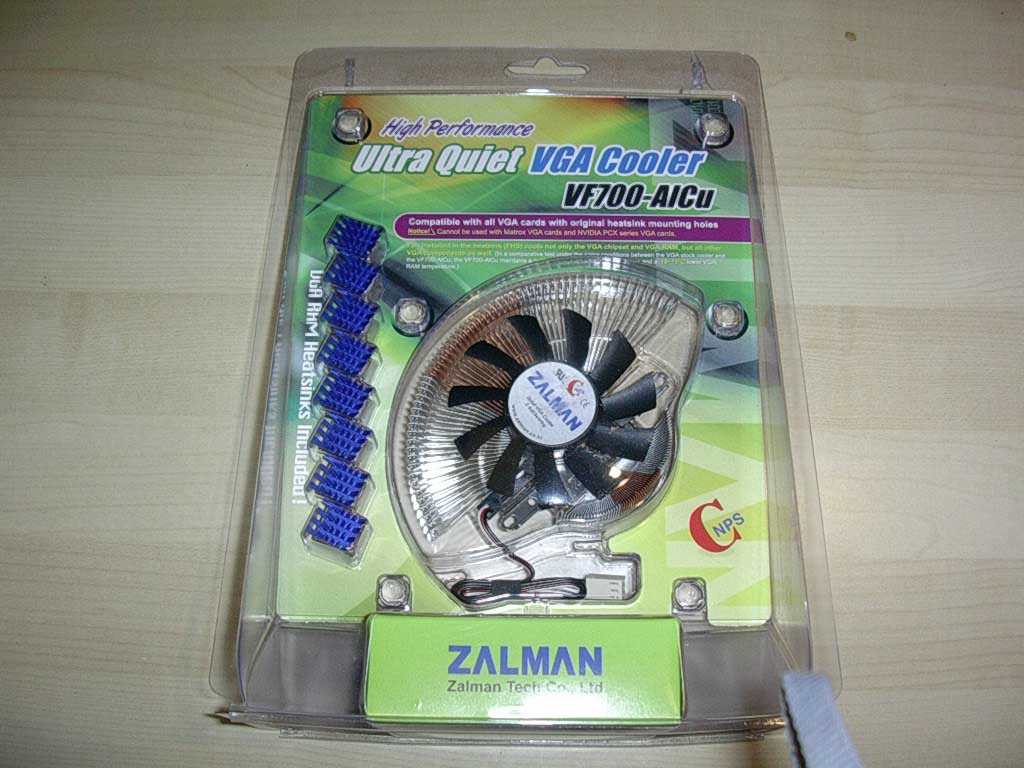
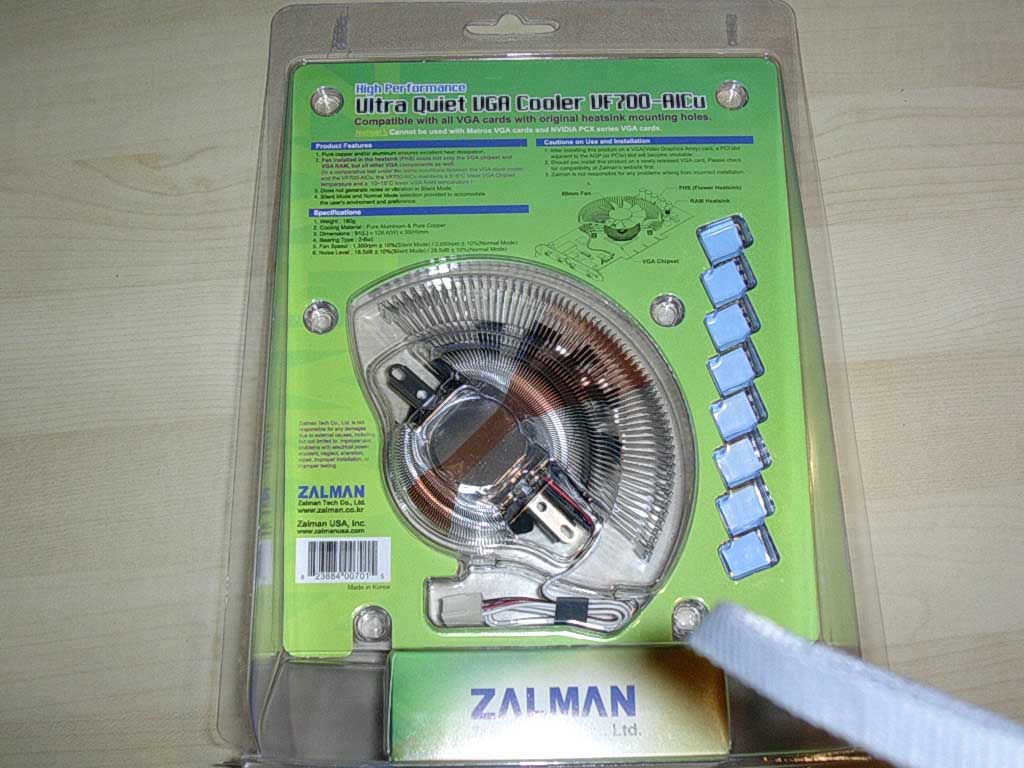
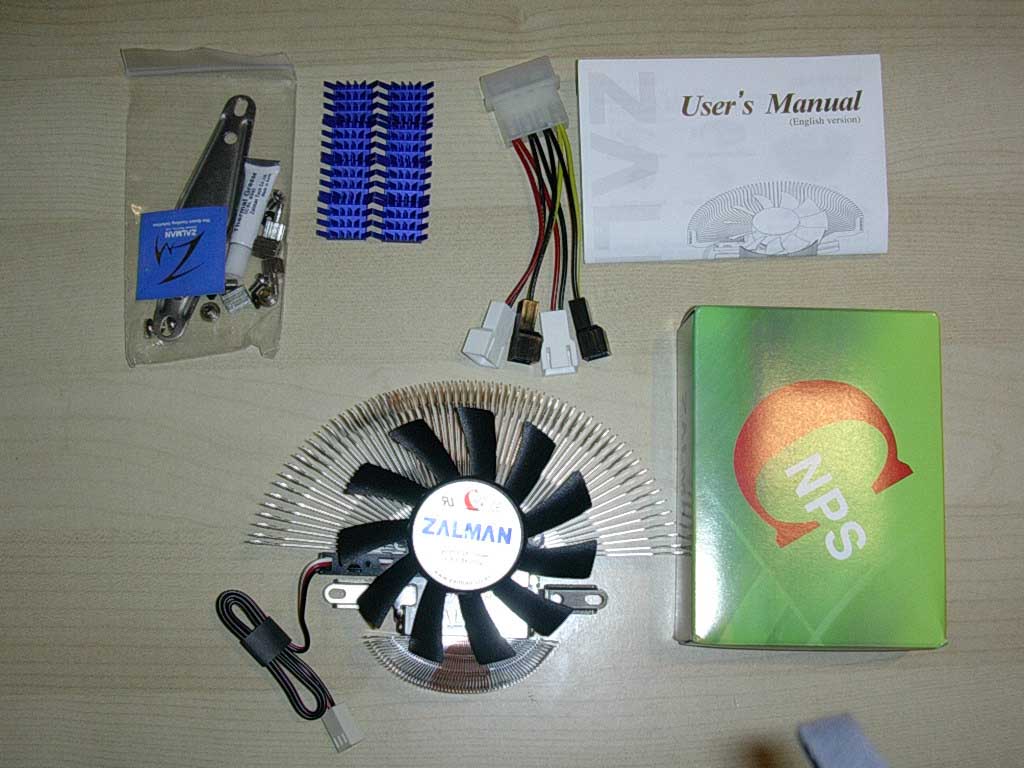
The packaging used is the same plastic sealed shell that Zalman uses on all their products, which ensures the item is not tampered with during both shipping and in retail. The packaging itself also reveals the specifications of this cooler as well as illustrations of how it works. The contents of the packaging include the cooler itself, a detailed instruction manual, 8 RAMsinks, a molex-to-12v and 5v 3-pin fan tails, all necessary mounting hardware, and thermal paste. Overall, Zalman has covered all bases here to ensure the end user an easy installation process.
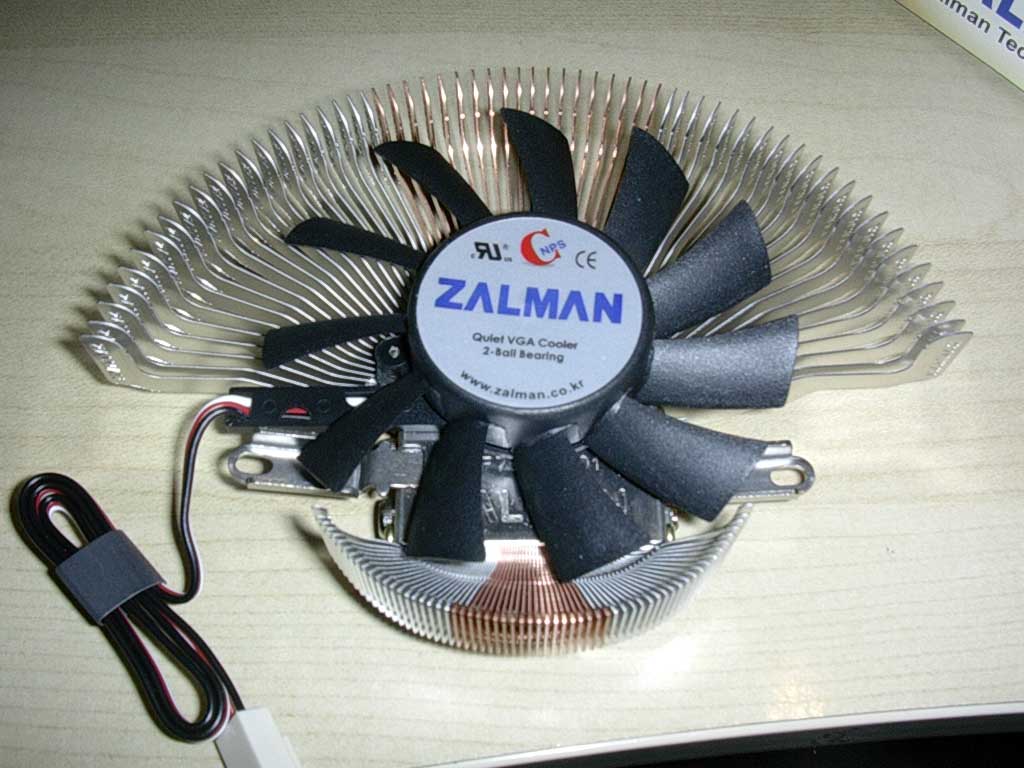
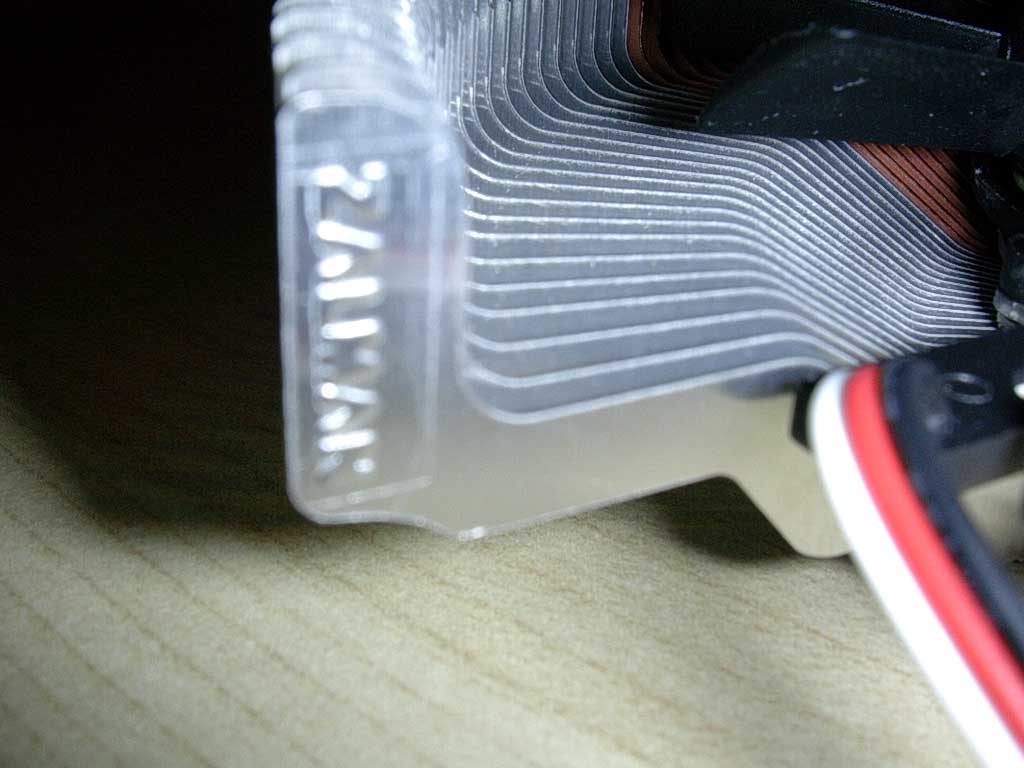
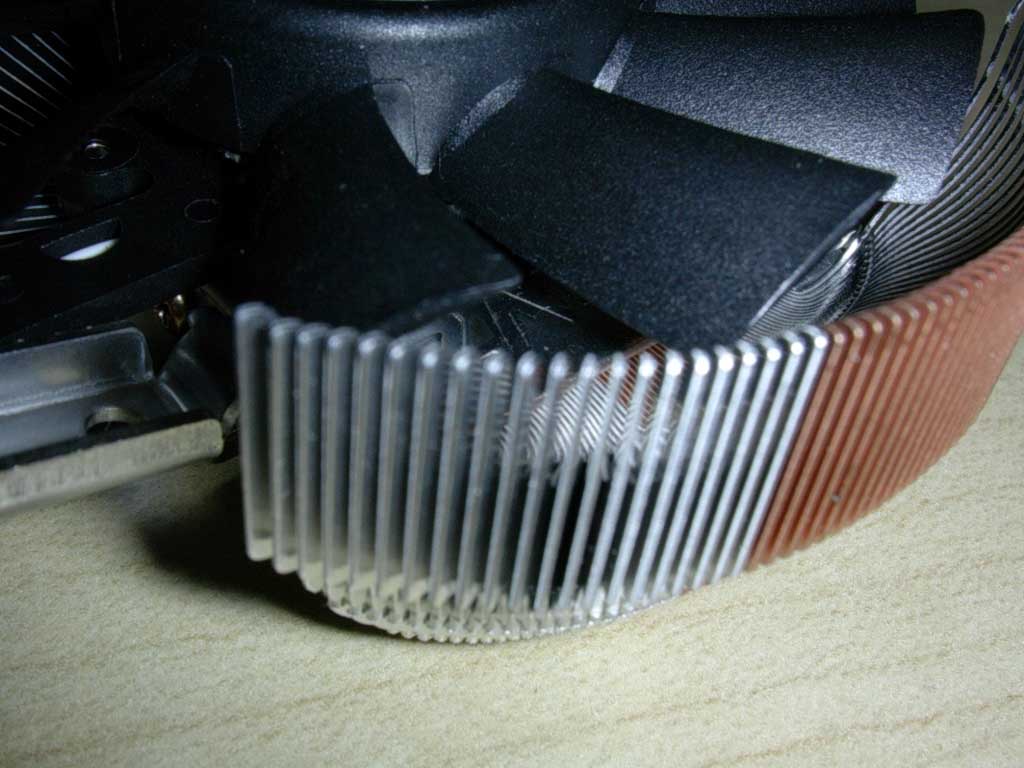
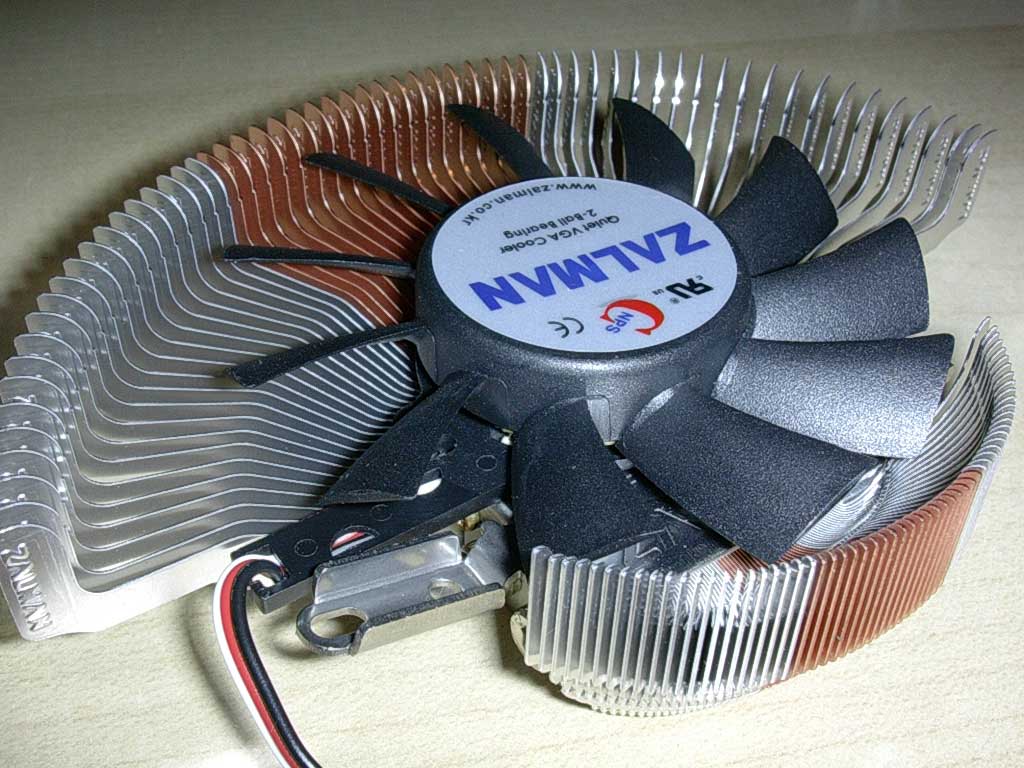
The cooler itself is very impressive as it looks like half of a CNPS7000-Alcu. The cooler utilizes the patented Zalman flower fins that fuse together both aluminum and copper for an effect that is both aesthetically pleasing and functional. The installed fan looks to be the size of an 80mm fan that can spin at 1350 rpm at 5v and 2650rpm at 12v with the included Molex adaptor. The design of this heatsink, similar to the CNPS series, is that the radial design of the fins can also allow the air from the fan to cool other components on the VGA card as well. Another thing to note is the weight of this beauty. While I do not have the fully copper version for comparison, this heatsink is very light and will not be a liability on your video card when moving your case around. At only 180g, this cooler seems to be the perfect alternative to both a stock heatsink and/or a self-modded CPU heatsink.
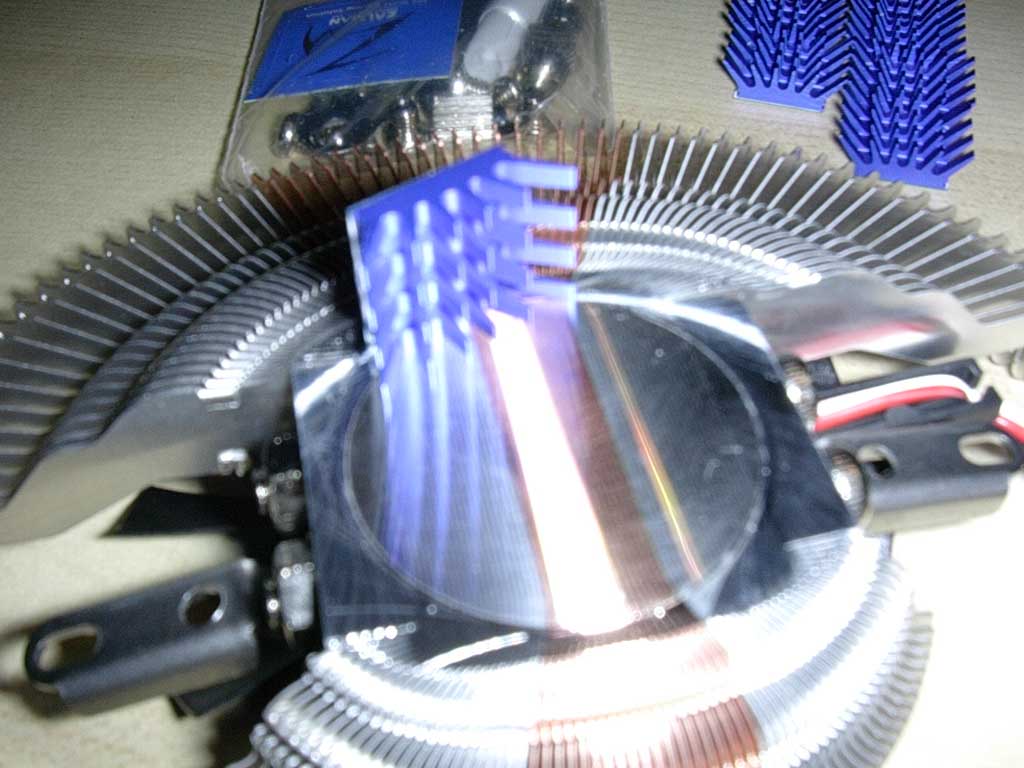
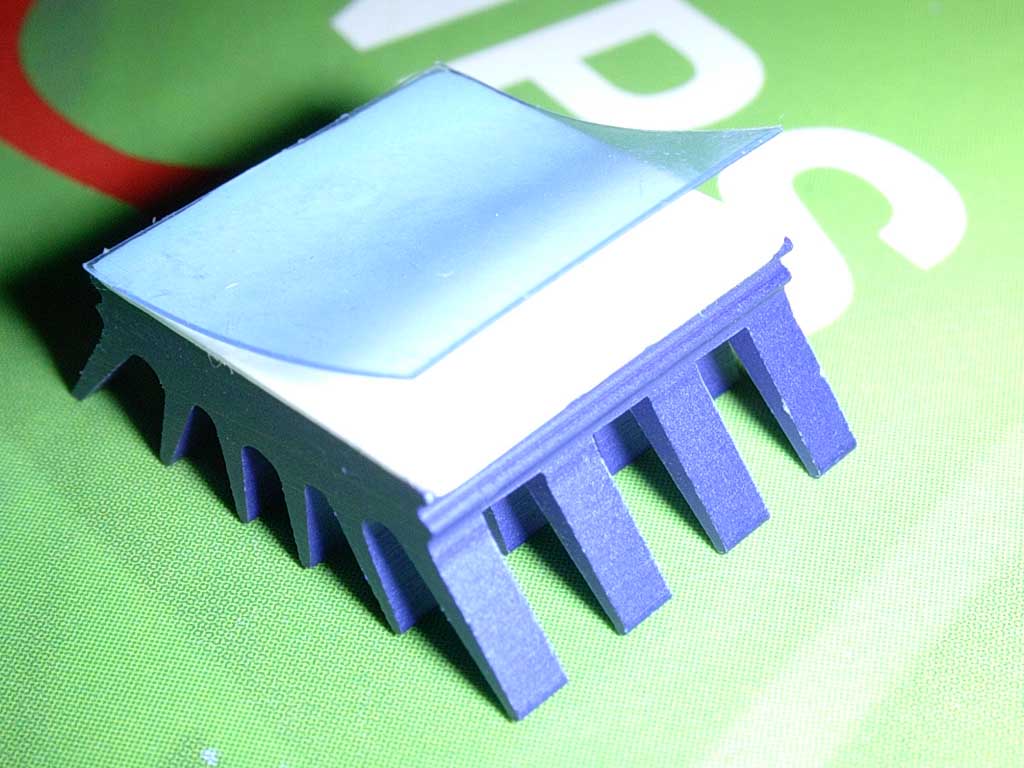
The finish on the base of the heatsink is what you would expect from Zalman: perfectly flat with a mirror-like finish. It is even more impressive, seeing how they managed to achieve such as smooth base using both copper and aluminum. The RAMsinks that are provided are the same ones that were packaged with the ZM80D-HP heatpipe VGA cooler that John reviewed a while back. The RAMsinks come with thermal tape that can be easily applied to BGA memory. Each RAMsink is aluminum with a good amount of surface area, despite it’s compact size.
Specifications and Installation
Specifications:
- Dimensions : 91(L) x 126.4(W) x 30(H)mm
- Weight : 180g
- Base Material : Pure Copper & Pure Aluminum
- Bearing Type : 2-Ball
- Speed : 1,350 ~ 2,650rpm ± 10%
- Noise Level : 18.5 ~ 28.5dB ± 10%
Zalman has listed on their website exactly which video cards this cooler can be applied on. The list can be found on the VF700-Alcu’s product page here. As you can see, this cooler supports almost all current video cards and is highly recommended especially for those high-end, newly released video cards such as the X800 or 6800 series cards. Zalman recommends the older heatpipe ZM80 series for older, cooler running cards.
Installation:
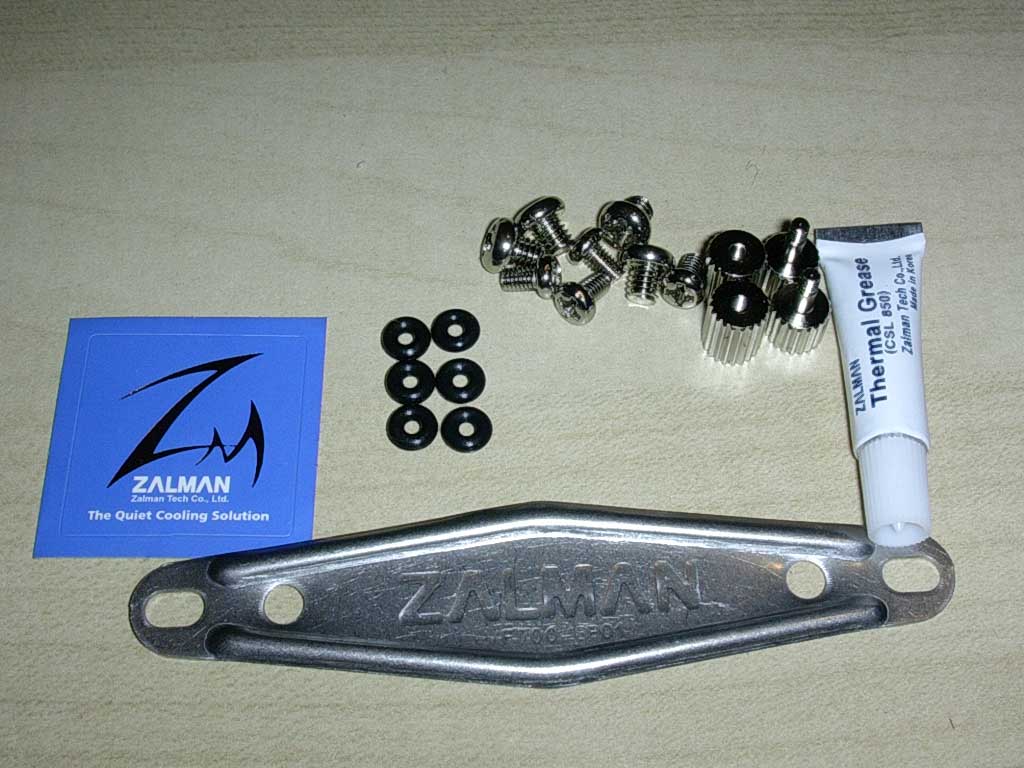
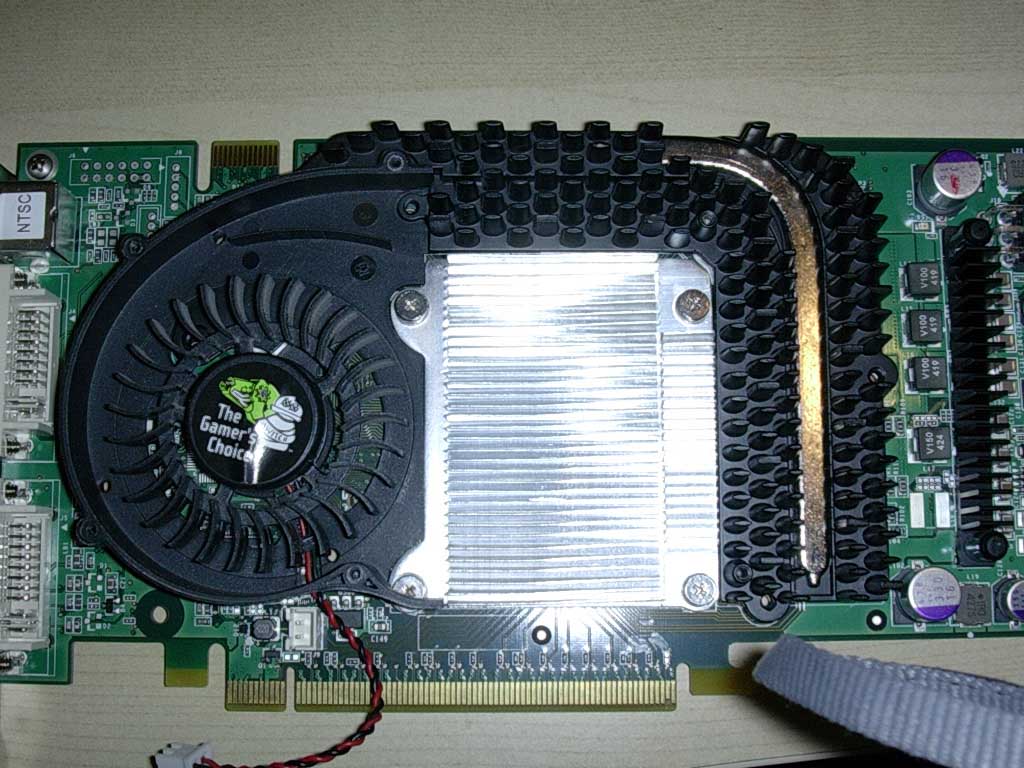
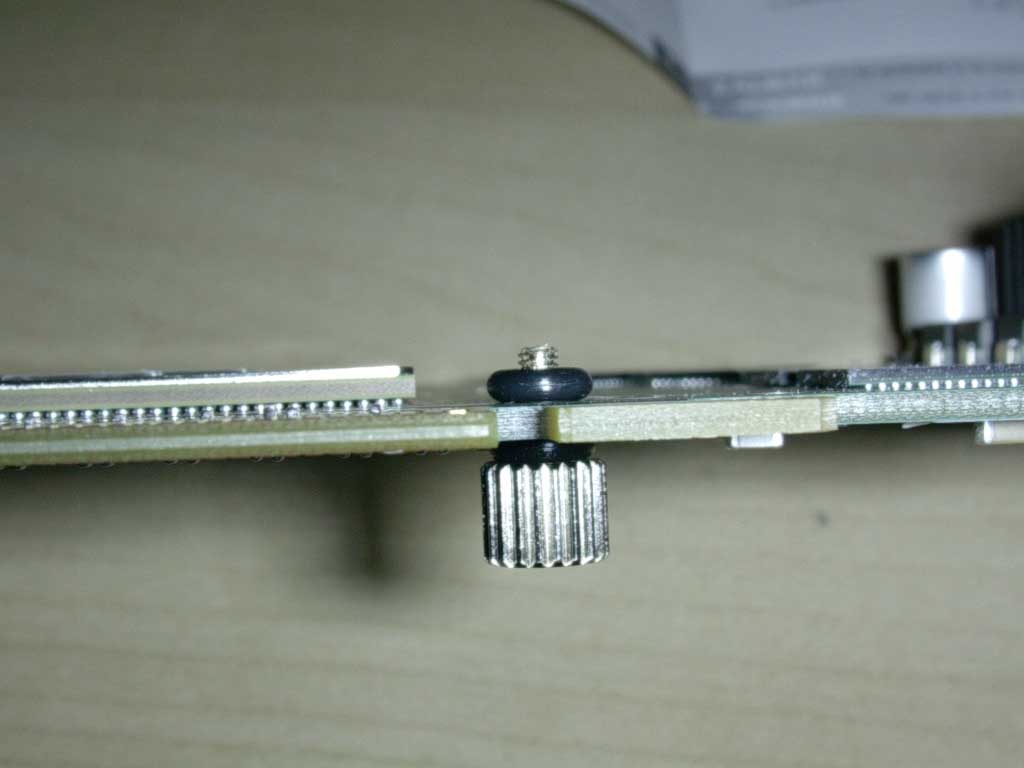
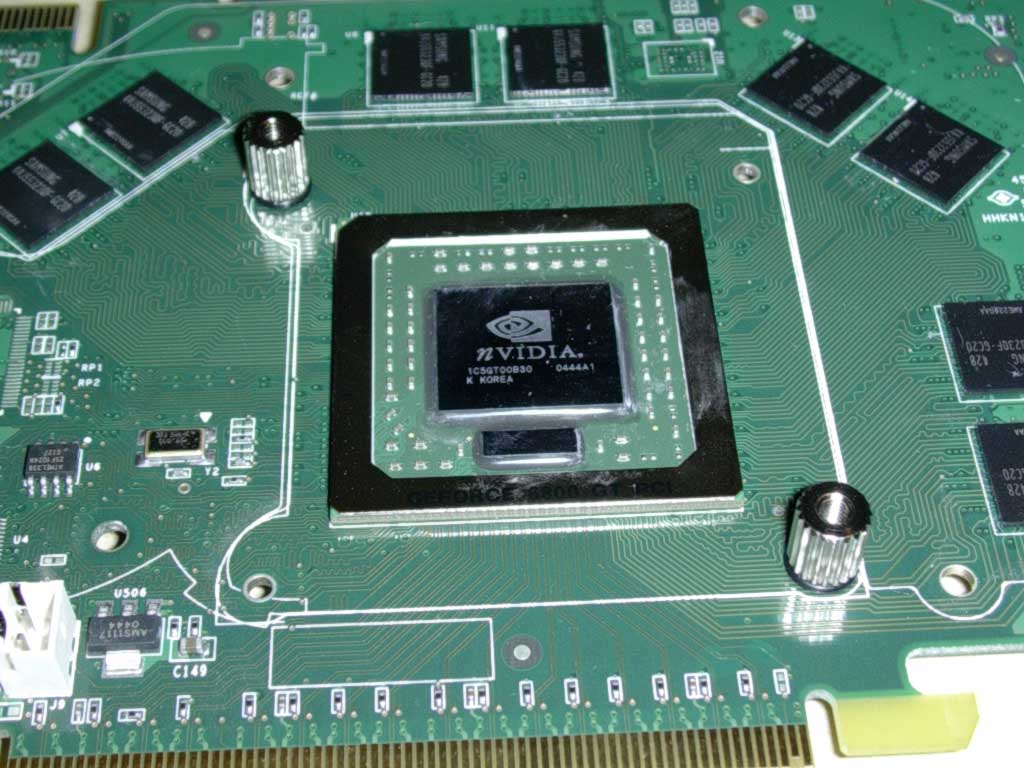
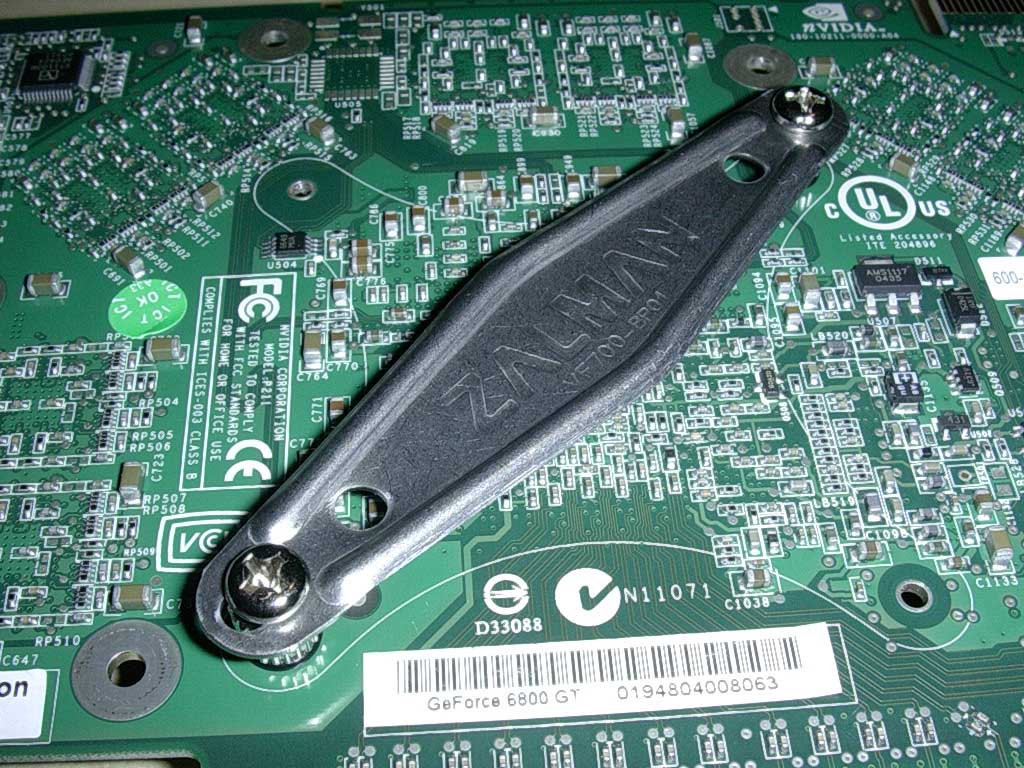
Installation of the VF700-Alcu is much simpler than the more complex ZM80 coolers of the past. I will be showing illustrations of the installation process with a BFG 6800GT PCI-E card. Obviously, the first step involves taking off the original stock heatsink. Next, apply the male thumbscrew from the bottom of the PCB and place a rubber ring between the screw and the PCB. Afterwards, simply place another rubber ring over the threaded male thumbscrew and screw in the female thumbscrews afterwards. Then, utilizing the fatter screws, screw in the backplate at the back of the PCB. Once that is done, the graphics card is ready to be mounted with the VF700-Alcu heatsink.
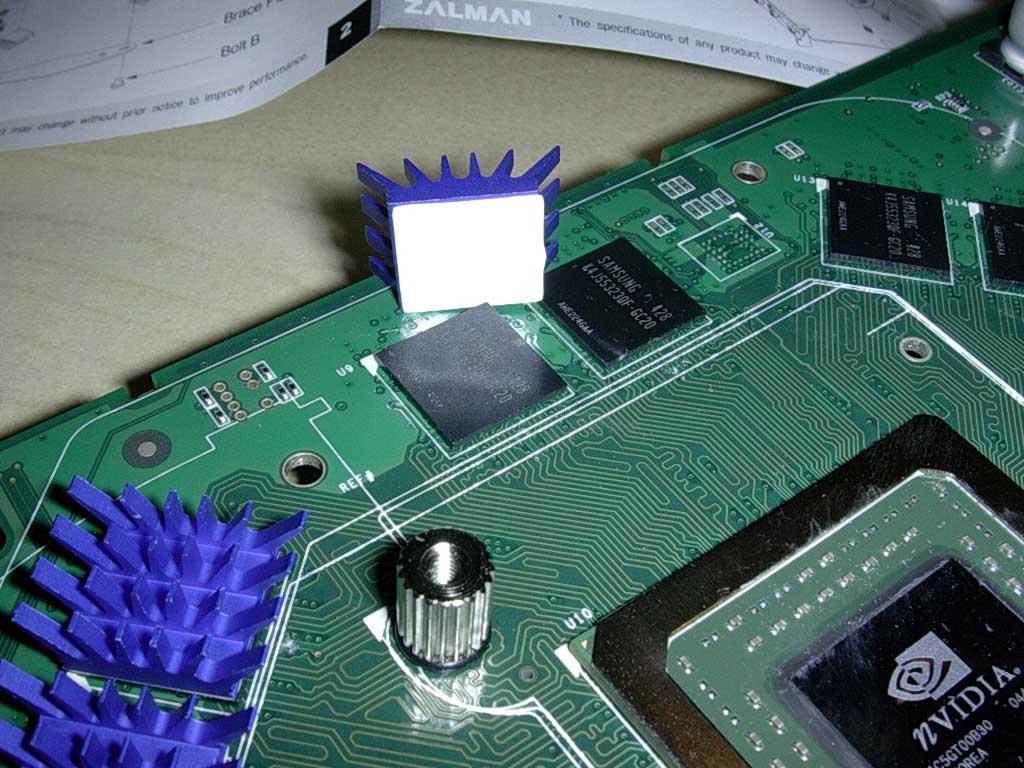

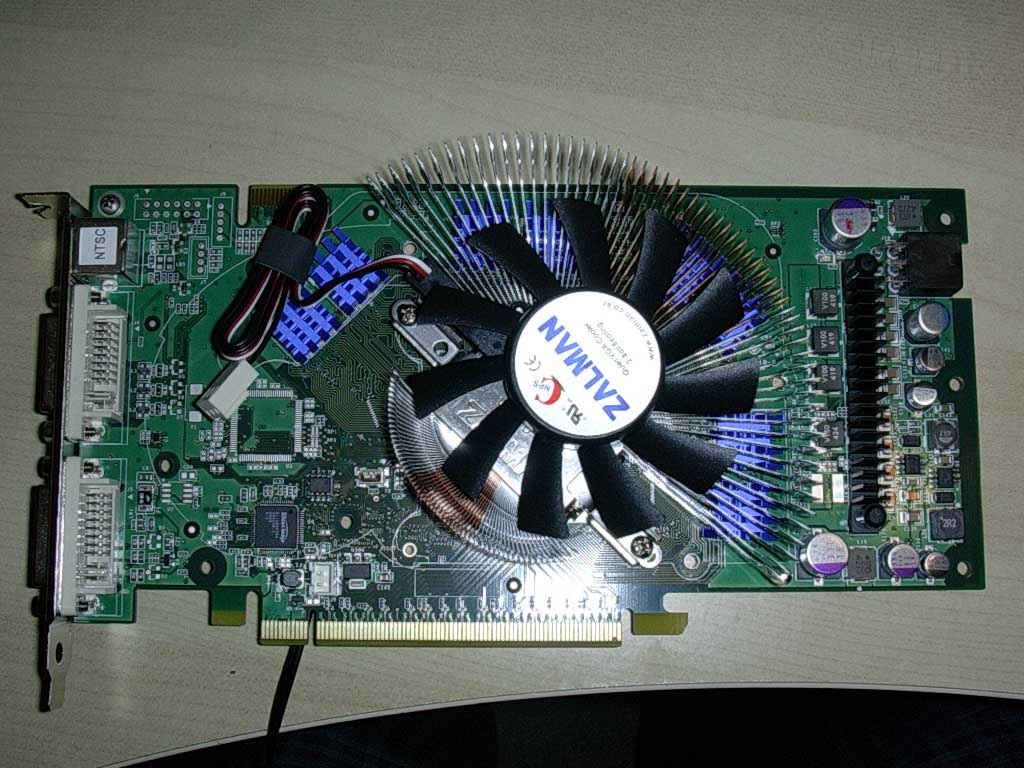
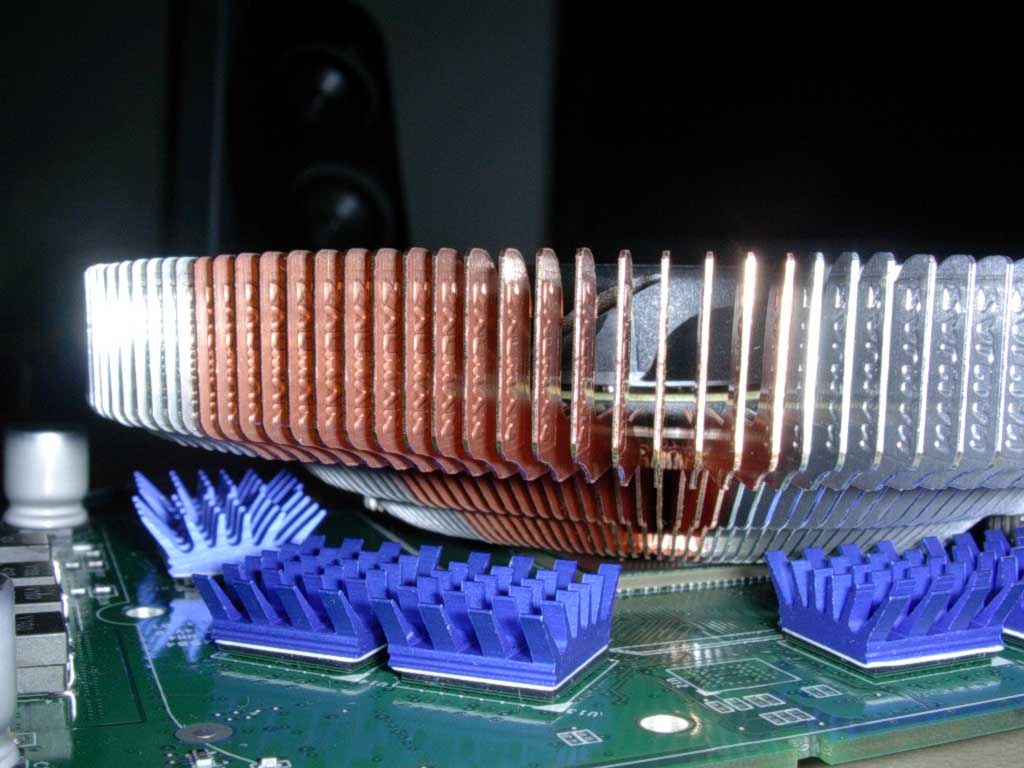
Before mounting the heatsink, the RAMsinks must first be placed. Simply peel off the protective tape and press the RAMsinks firmly on all eight chips. The RAMsinks will not fall off as they are very light and will fully cure within 24 hours of operation. Once the RAMsinks are on, it’s just a simple matter of lining up the holes of the mounting clips on the heatsink with the holes of the thumbscrews. Also, Zalman recommends you screw in one screw a tad, then the next screw a tad, and repeat the process until the heatsink is firmly in place. Zalman has a very good flash presentation on their website for installing the VF series heatsinks. After having installed the heatsink, you can quickly visualize how the larger fan can cool other components, such as the RAMsinks, other than the GPU itself. After installation is finished, it’s just a matter of plugging in the video card, and then connecting the fan to either the 5v or the 7v connection on the included Molex adaptor. Testing will show the differences in temperature between the two modes.
Test Setup and Results
Test Setup:
- Athlon 64 3000+ 0440SPMW
- Gigabyte K8NXP-SLI
- Centon Advanced PC3200LL Rev.2
- 2x BFG 6800GTOC (SLI and non-SLI mode)
- OCZ 600watt PowerStream
- Western Digital 120GB hard drive
- Open test bench
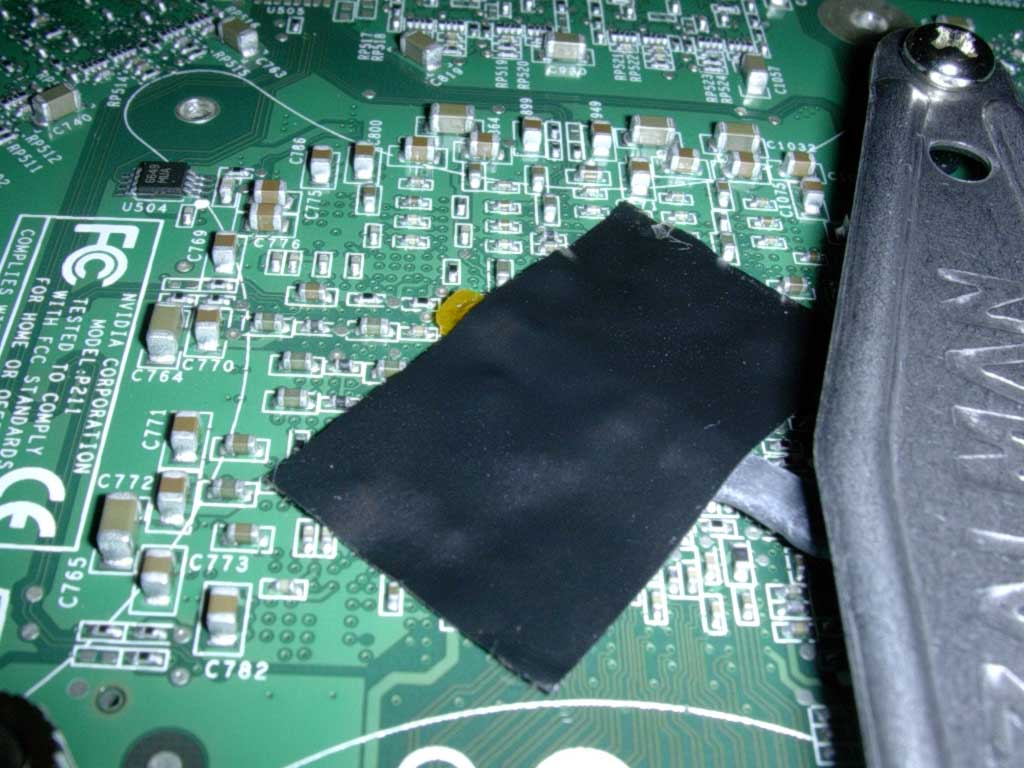
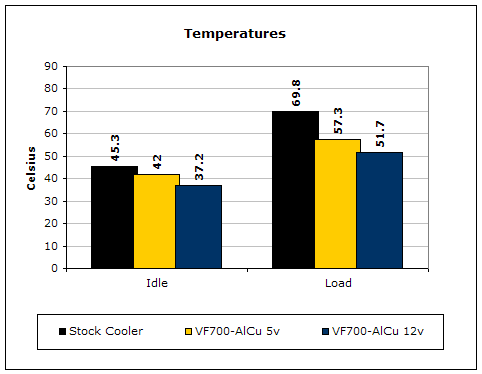
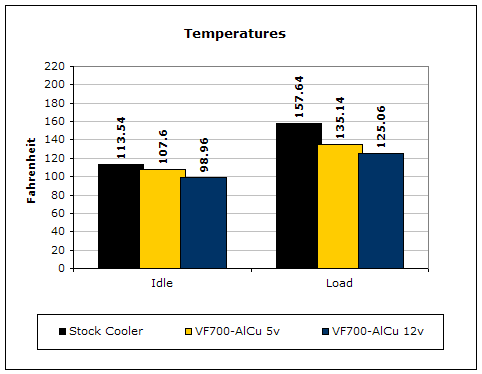
Testing was conducted using a Compunurse temperature probe that was placed directly at the back side of the GPU core. This means actual die temps are higher than these recorded temps (as reported by the “temperature settings” in the Nvidia control panel) but at least this method, rather than the software method, can bring more consistent results, in terms of changes in temperature. Ambient temperature was kept at a consistent 23 degrees Celsius. I also conducted testing on an open testbed in SLI and non-SLI mode, as well as experimented with placing these video cards with the Zalman cooler in a Lian-Li PC65B case.
For load, I used Rthdrbl v1.2 (a highly graphical DirectX9 demo that can tax your graphics card instantly… can be found here) and ran it for 30 minutes.

Results:
SLI-Mode inside a Lian-Li 65B


To test out this heatsink under extreme conditions, I decided to run in SLI mode under GPU1 and also place the GPUs inside a Lian-Li case. This situation should provide the end user a good estimate, considering a Lian-Li PC65B case isn’t exactly your ideal case for efficient airflow. As you can see, a Gigabyte SLI board (which is similar in spacing to most SLI boards besides the Asus SLI board) is a tight fit for the VF700 series. However, for those of you wondering if it’s possible to use these heatsinks in SLI mode, it will definitely work, but it will not perform as efficiently. Unfortunately, I do not have an Asus SLI board to test this heatsink in SLI boards with better spacing. In-case system temps were at 29 degrees Celsius, but after running graphical benches temps rose to 38 degrees Celsius.
*NOTE* I didn’t run at 5v because the temps were so high for 12v that running 5v would be suicide for the card.
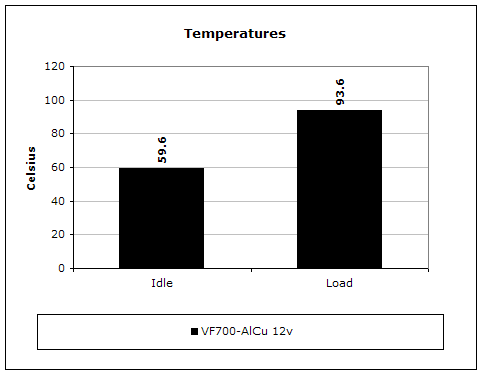
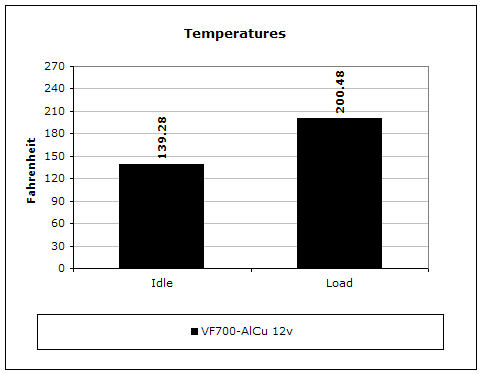
As you can see, the Zalman is struggling without a good amount of airflow. The heatsink is so close to the bottom card that it does not have a sufficient amount of airflow to keep temperatures down. Keep in mind that these temps were still recorded with a temp probe in the back of the card while the Nvidia control panel hit well over 100 degrees Celsius.
Conclusion and Thoughts
Overall, the VF700-Alcu is an exceptional product for what it is supposed to do: cool the VGA card well enough to be near silent while keeping temperatures down to a minimum over stock cooling. The heatsink was remarkably silent in comparison to the stock 6800GT cooler and, more importantly, it cooled better much better. The 6800 series seems to pump out more heat than the X800 series. For those of you with X800 cards, this cooler will cool just as effectively as it did for my 6800GT. Unfortunately, while I just received my X850XT PE, I was not able to test this heatsink on it, although I imagine it would perform just as well. If you are looking to get this heatsink for SLI mode (which most of you might be considering, since the SLI GPUs need the most cooling out of any other video card setup), this heatsink will not be enough to cool down the dual GPUs. It is for this reason that the Zalman cooler will only receive InsaneTek’s “Recommended” award, as it cools a single card exceptionally, but not an SLI setup. However, in the event I receive the all copper version, I will try to test SLI again with two instead of one VF700 heatsink.

Pros:
- Near silent at 5v
- High performance at 12v
- Lightweight
- Design allows for effective cooling of included RAMsinks
- Aesthetically nice
Cons:
- Not efficient for in case SLI cooling

We would like to thank Zalman for providing us the sample. If you have any questions or comments, feel free to hit us up in the forums. You can also check out more of our latest reviews on the front page.