

Zalman CNPS9500 LED
Introduction
Zalman has earned themselves a great reputation in the cooling community. Their products not only provide great cooling performance, but does so with minimal noise levels. The CNPS7700 series was incredible, providing great cooling performance by utilizing a large 120mm fan. I still remember the shock when I held it in my hands. That thing was huge! Zalman also offers some good watercooling kits through their Reserator series. They were the first to introduce an all passive watercooling kit. Talk about pure silence.
The current new release from Zalman is an aircooling heatsink. Their previous aircooling heatsinks did not utilize the great heatpipe technology. Everyone has been busy finding ways to implement the heatpipe design. The majority of the companies are releasing tall standing towers with multiple fins at the middle. Thermalright is one of the few that deviate from the tower design. What about Zalman? Zalman’s design is definitely interesting. Read on to find out.
Zalman CNPS9500 LED
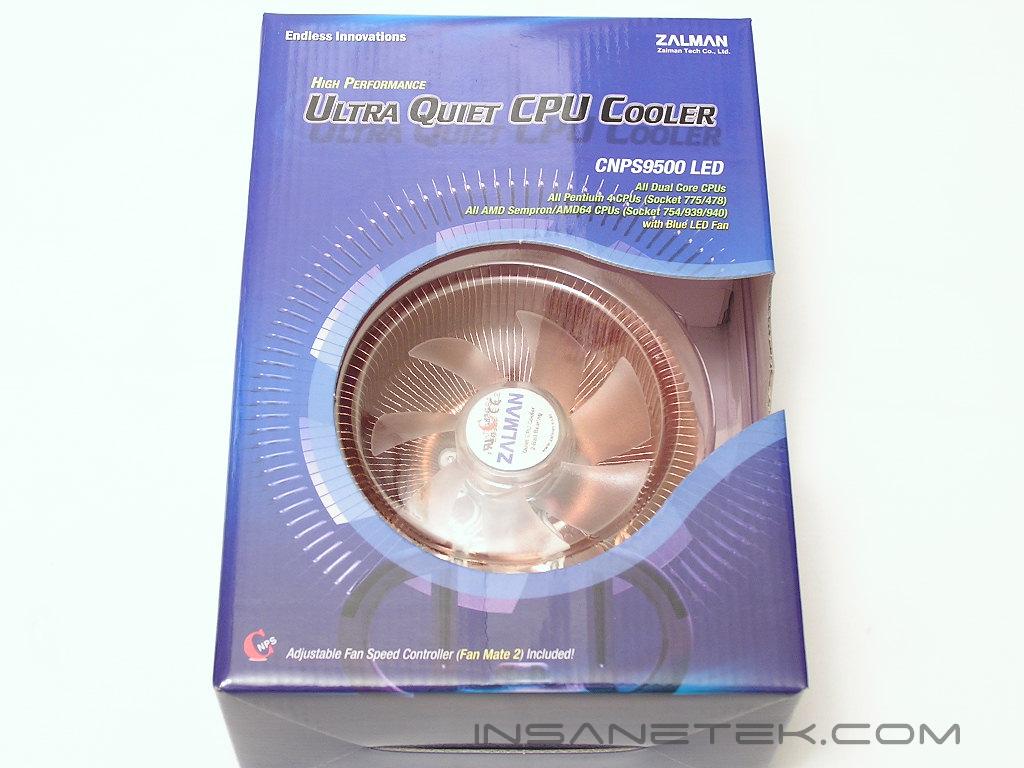
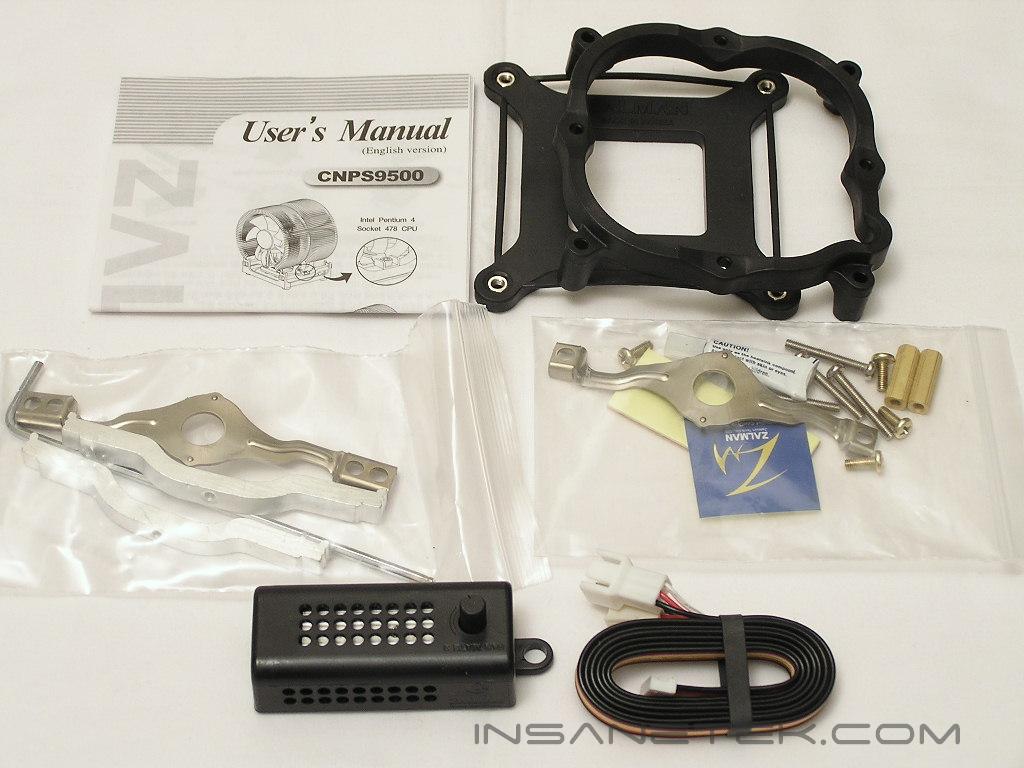
The CNPS that is used throughout Zalman’s line of aircooling heatsinks stands for “Computer Noise Prevention System”. Zalman’s main focus through their coolers is silence. Of course the performance is definitely there, but silence is the key. The CNPS9500 arrived packaged in a nice cardboard box with a handle. It looks big already. The CNPS9500 package comes with installation accessories for AMD’s Socket 754/939/940 and Intel’s Socket 478 and LGA775. Also included is a fan controller called FAN MATE 2. Unlike their previous CNPS models, the CNPS9500 is designed to “stand” up instead of “lie” down, if you get what I mean. It resembles a tower but not quite.
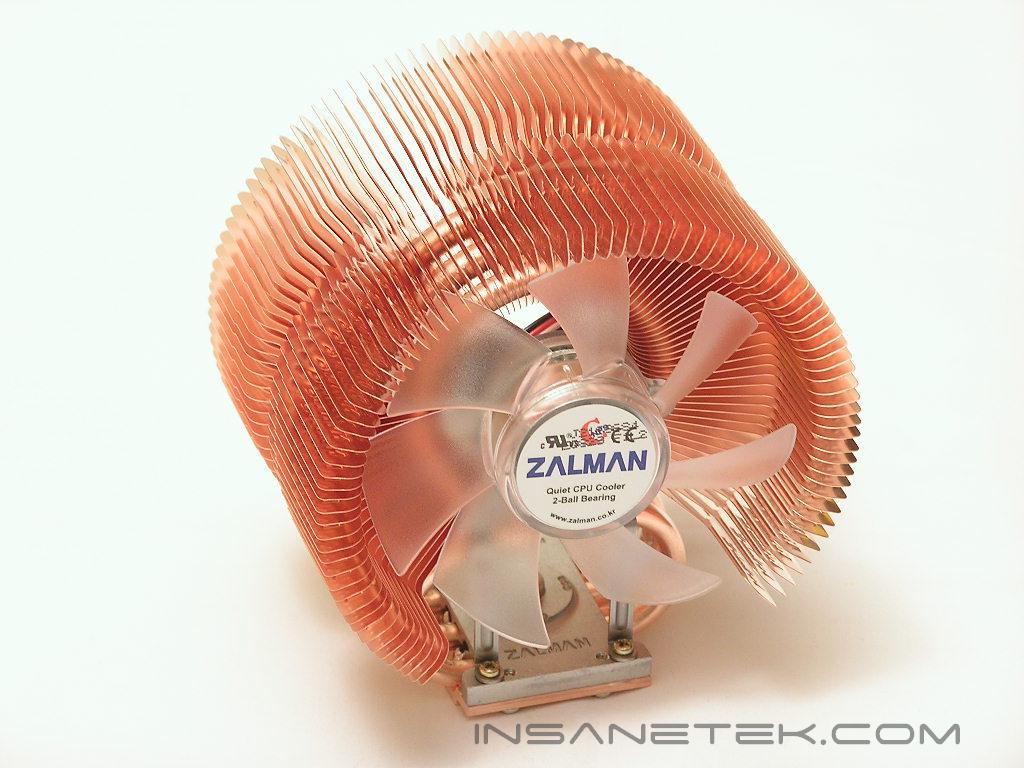
The uniqueness of the CNPS9500 is the way the heatpipes are designed to curve. It looks like Zalman designed the heatsink with a lot of heatpipes, but the truth is that there are only three heatpipes used. The heatpipe starts at the bottom of the base, moves its way upward, curve through the circular flower-shaped fins, and come back down to end at the base. The heatpipe path is shaped like the number eight and essentially acts like two heatpipes. The copper fins are fine and thin and provides a great deal of surface for the heatpipes to distribute heat. The backside of the CNPS9500 is formed and shaped like a bowl.
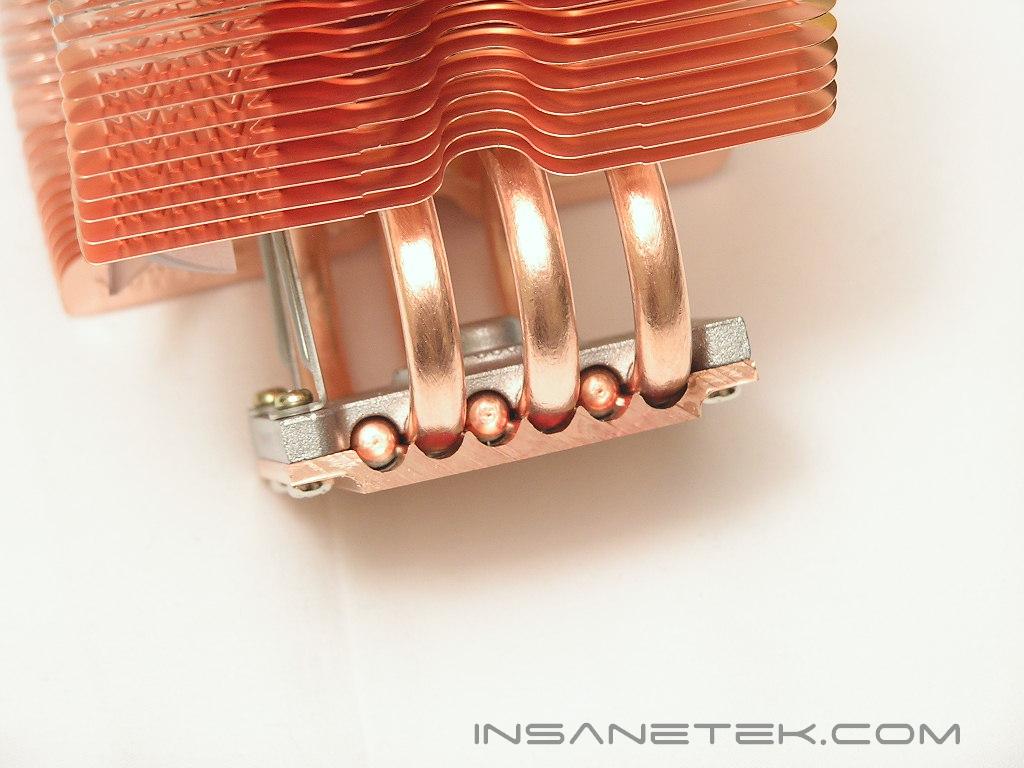
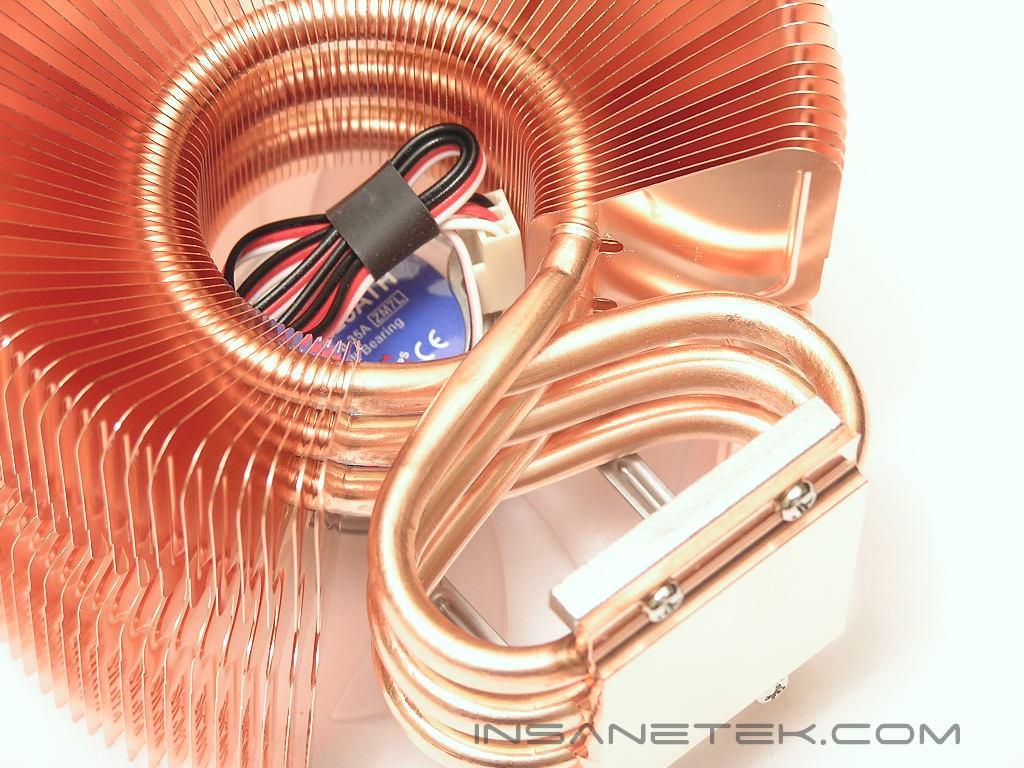
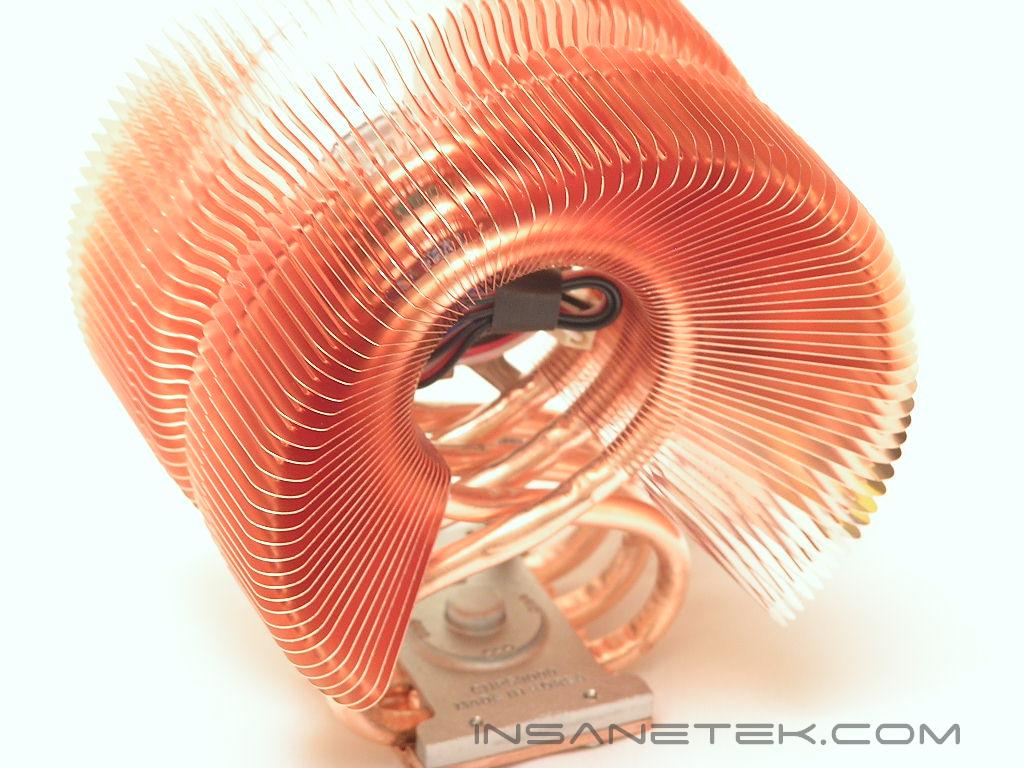
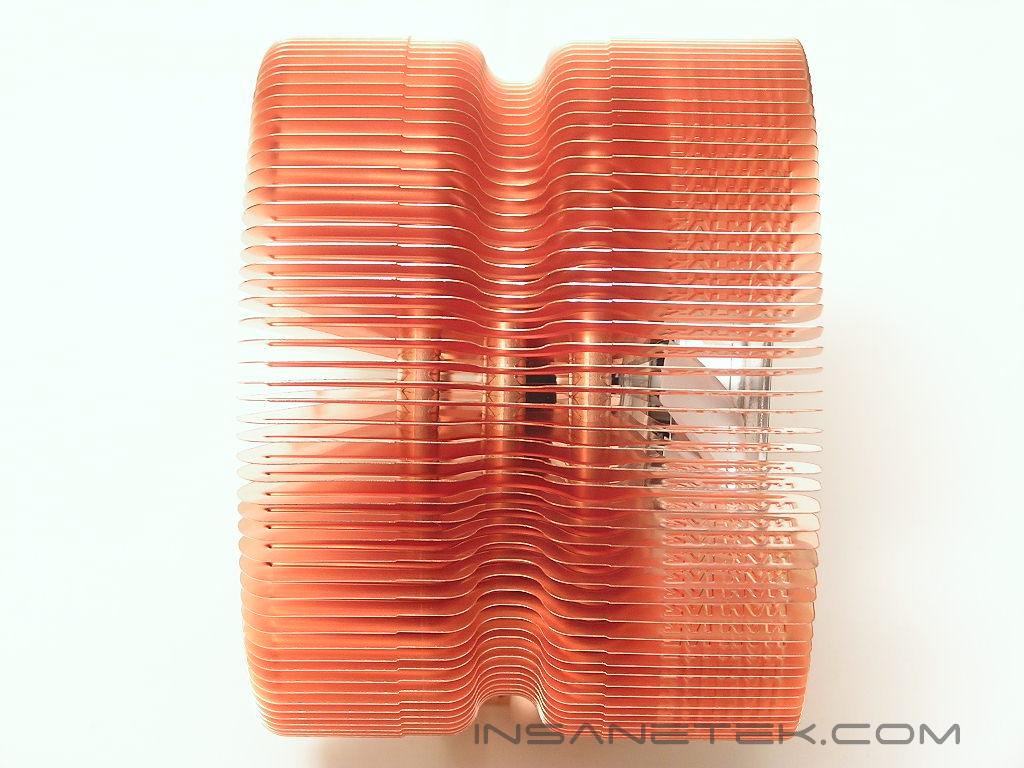
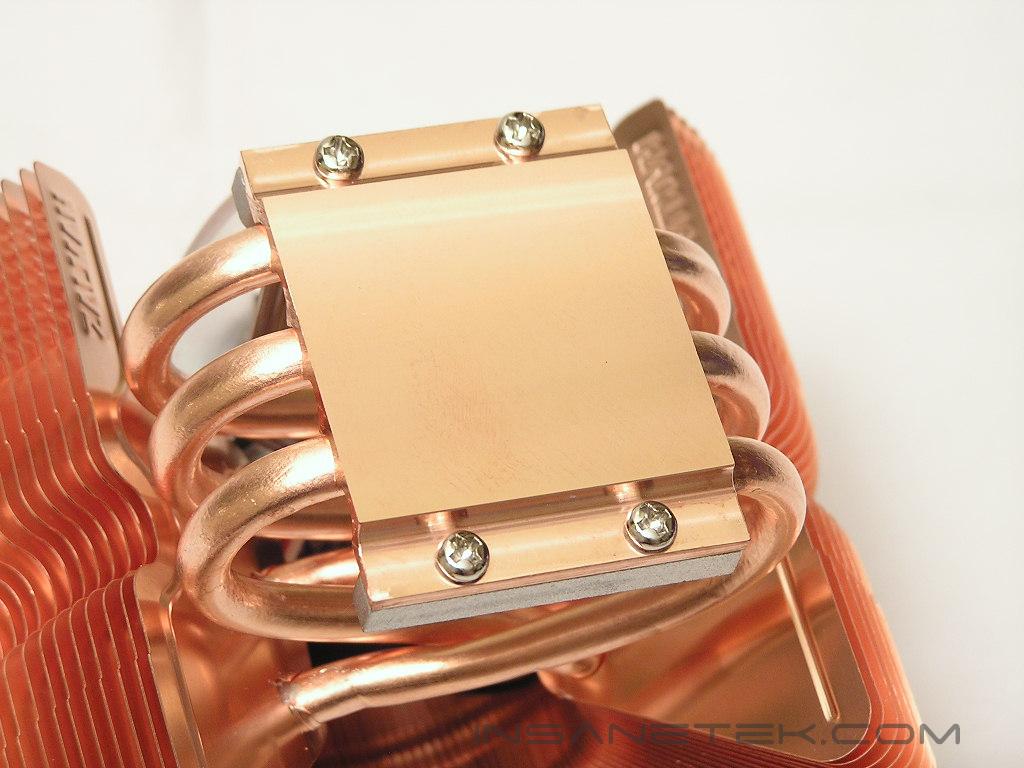
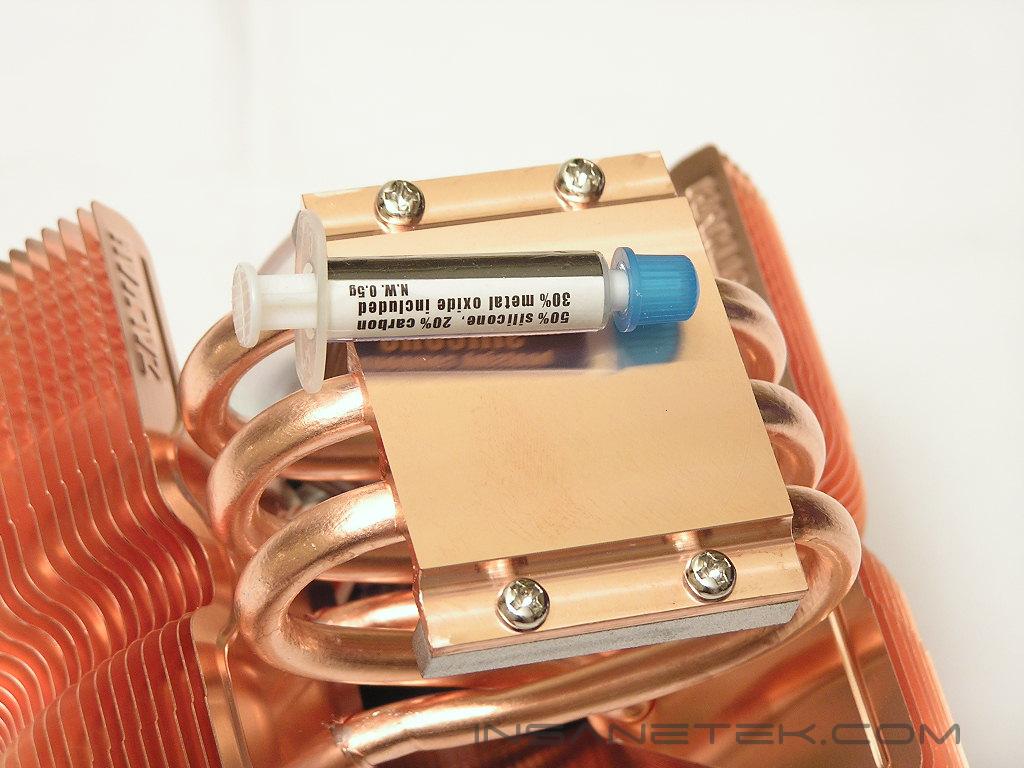
The base of the Zalman heatsinks I have encountered with in the past have always been top notch. It is always smooth and flat and makes perfect contact with the CPU core. The CNPS9500 is no different. It has been well polished and is free of smudges or scratches. Although reflectivity is not a huge deal for a heatsink base, the tube of thermal grease shown below reflected very well.
Specifications
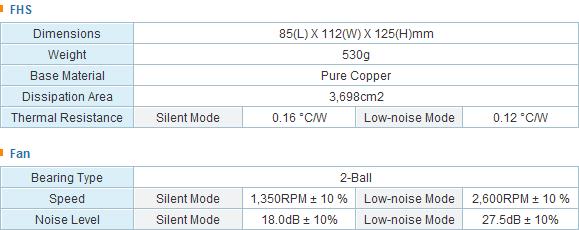
The Zalman CNPS9500 is designed to be able to cool ALL current CPUs. The question then becomes how well it’ll keep an overclocked CPU. You will see soon enough in the testing results.
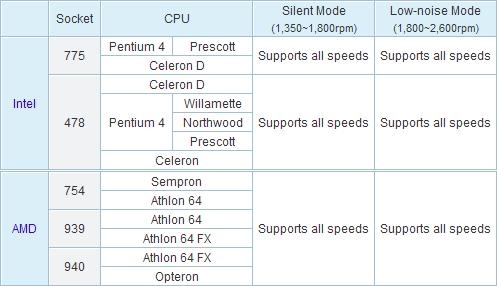
The CNPS9500 comes equipped with a clear 92mm fan. The fan lights up with blue LEDs when turned on. With the use of the FAN MATE 2 on silent mode, the fan is practically inaudible at 18 dBA! The fan still only manages to produce only 27.5 dBA when running at full speed. Very impressive and truly shows Zalman’s dedication for silence.
Installation
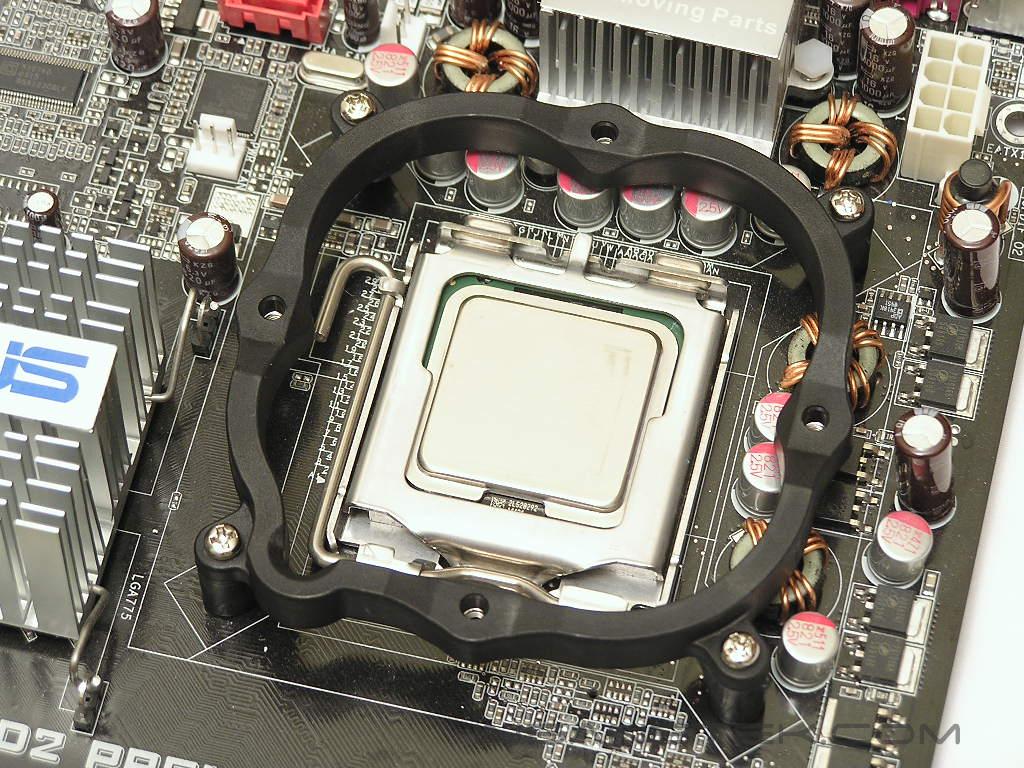
Because the LGA775 platform was used as the testing platform, installation will only be described for the LGA775 platform. Like the CNPS7700, the CNPS9500 installed in a similar manner. To begin, you will have to attach the LGA775 bracket onto the motherboard via the four long screws. It is basically foolproof. The next step requires the use of the metallic bracket. For the LGA775 platform, use the one that comes with only one screw opening. Place the metallic bracket over the circular bulb at the center of the heatsink base and place two small screws into the screw openings. Sit the heatsink down on the processor while aligning the screws over the LGA775 bracket. Then all you have to do is make sure the screws tighten properly. That is all there is to it; very simple and easy. I thought it would be a bit difficult and that the fins would get in the way, but the installation process has been well thought out.
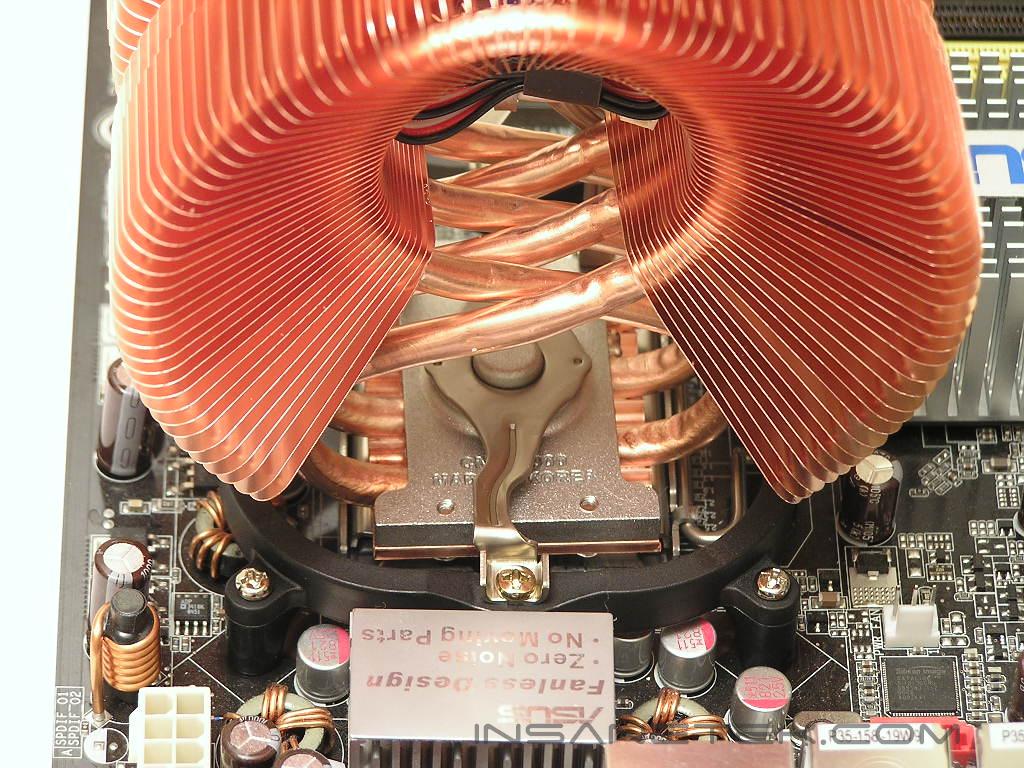
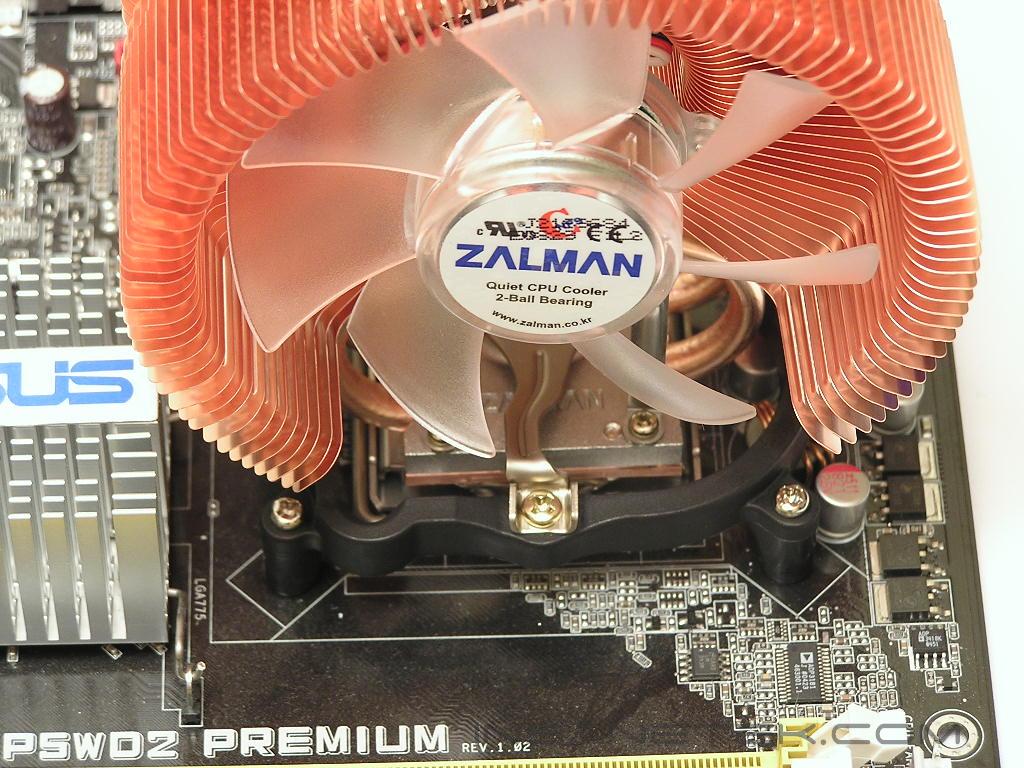
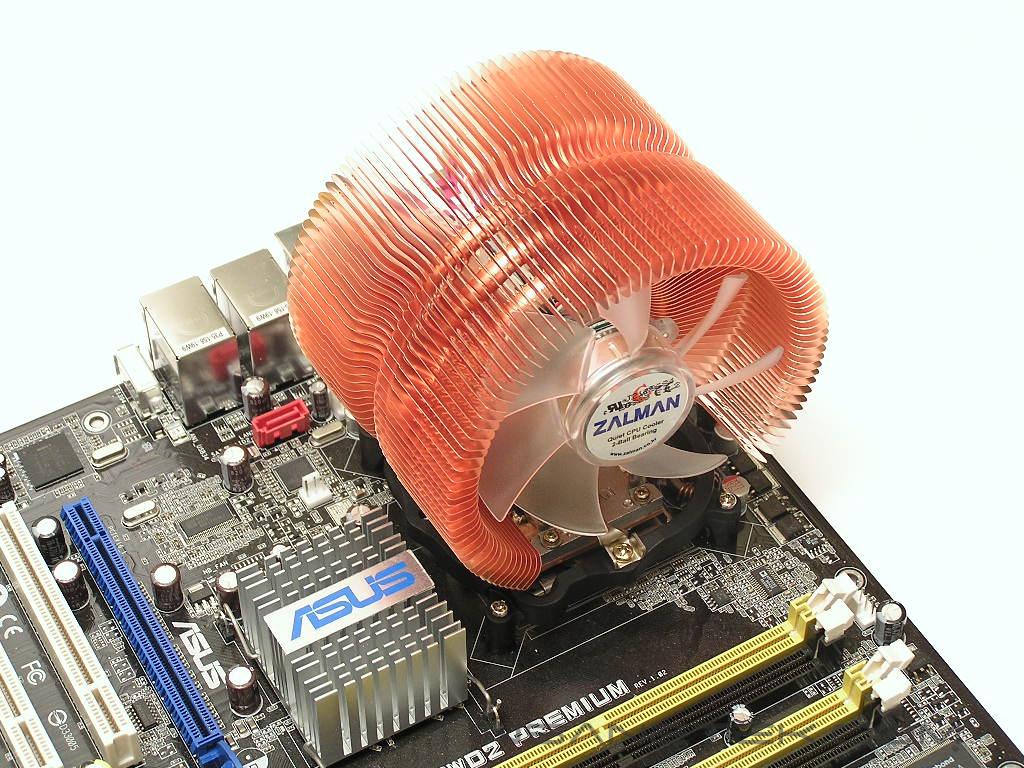
The connection for the FAN MATE 2 is also very straightforward. Simply connect the CNPS9500 to the FAN MATE 2 and connect the FAN MATE 2 to the motherboard fan header.
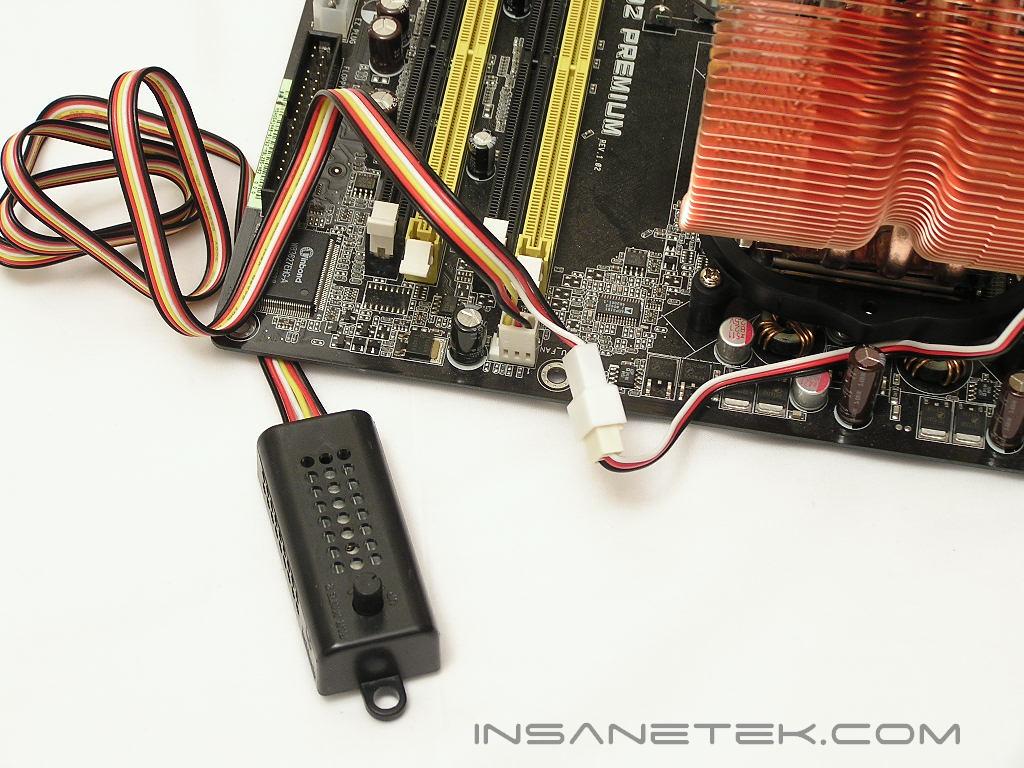
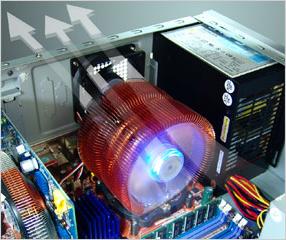
Zalman recommends that the CNPS9500 be installed a certain way. This is to provide the best performance possible and maintain a smooth airflow throughout your case. The picture below has been grabbed from Zalman’s website and it shows how the airflow should exit out the case. The fan draws in air from the right side, cools the fins and heatpipes, and exits through the left through the case exhaust fans. You can also probably direct the fan to blow upwards and use your power supply to exhaust the air, but case exhaust fans are more efficient.
Test Setup and Results
Ambient temperature was kept at a consistent 20°C. Arctic Silver Ceramique thermal paste was used during the entire testing process. A temperature probe was placed next to the Intel heatspreader to measure CPU temperature. Two instances of CPU Burn-in were used to create maximum load on the CPU. The purpose of this test was to determine the results a home end user would obtain. There was no scientific testing conducted, simply because I do not have the proper equipment.
Test System Specifications:
- Intel Pentium D 840 (16 x 250FSB = 4GHz @ 1.4v)
- Asus P5WD2 Premium
- OCZ Platinum PC2-8000
- ATI Radeon X800XT
- SilverStone ST65ZF
Competition:
- Arctic Cooling Freezer 7
- Asetek VapoChill Micro
Test Procedures:
- Idling at desktop for 30 minutes
- Full load with 2 instances of CPU Burn-in for 60 minutes
Results:
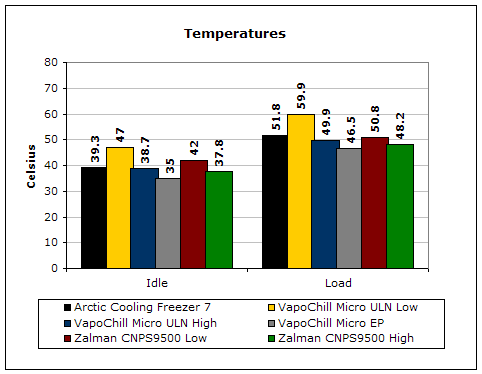
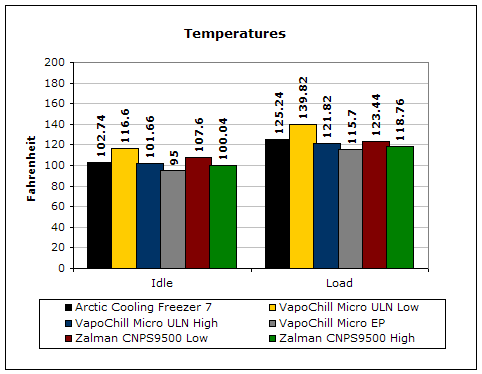
We recently had a chance to take a look at the hyped Asetek VapoChill Micro and were more than impressed by the cooling performance it provided. The Zalman CNPS9500 beat it quite easily with the same low noise levels. Although the performance gap was not tremendous, the fact that it outperformed a spectacular cooler with the same rated noise levels is amazing.
Conclusion and Thoughts
Zalman has made an incredible new cooler. The unique design of the heatpipes seems to play a great advantage to the cooling performance. Traditional heatpipe towers make use of six heatpipes while the CNPS9500 only uses three. The aerodynamically shaped fins allow the airflow to travel a lot smoother and create less noise, resulting in an overall quiet system. The 92mm fan is incredibly silent when running at silent mode and is only slightly audible at full speed. The bright blue LEDs are also a nice touch. Unfortunately, the CNPS9500 does come with some drawbacks. The lack of 92mm fan options can be a concern to some extremists, although the cooler has been designed to operate silently. The major disappointment of the CNPS9500 is the price tag. A quick search through some online stores shows the cooler tagged at roughly $70 a piece. That is one expensive aircooling solution. It is at least $10 more expensive than leading competitors. Some enthusiasts might even just invest a bit more and go for watercooling.
Other than the expensive price, I honestly see no reason why the CNPS9500 should not be on top of your list. It installs easily, operates silently, performs exceptionally well, and looks great with the blue LEDs. What more do you want?
Pros:
- Excellent performance
- Incredibly silent
- Very easy to install
- Looks great with blue LEDs
- Very smooth and clean base
Cons:
- Very expensive
- No 92mm fan option (nitpicking here)

We would like to thank Zalman for providing us the sample. If you have any questions or comments, feel free to hit us up in the forums. You can also check out more of our latest reviews on the front page.