

Zalman CNPS7700-AlCu
Introduction
We recently reviewed Zalman’s VF700-AlCu, which was impressive in terms of cooling performance and silence. I attributed the VF700-AlCu’s excellent performance to its design, which is clearly derived from the successful CNPS line. As if improving their VGA cooling line was not enough, Zalman revamped the CNPS series itself by releasing the more extreme CNPS7700 series (available in both aluminum/copper or copper). Today, we have the honor of reviewing Zalman’s CNPS7700-AlCu.
Zalman CNPS7700-AlCu
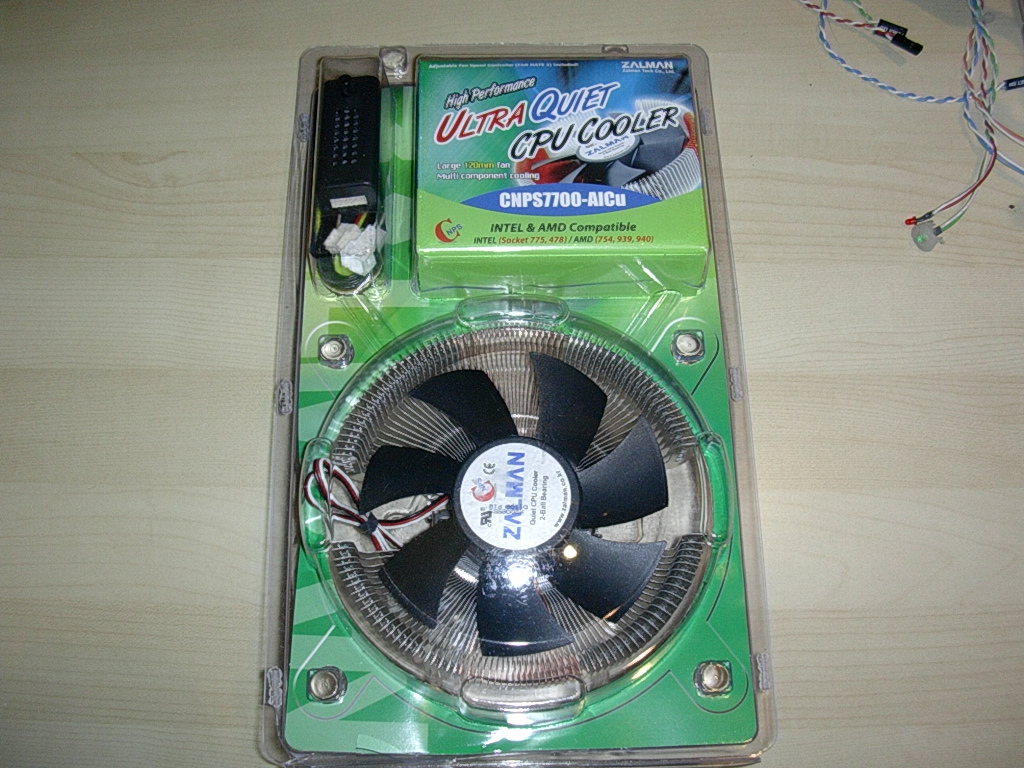
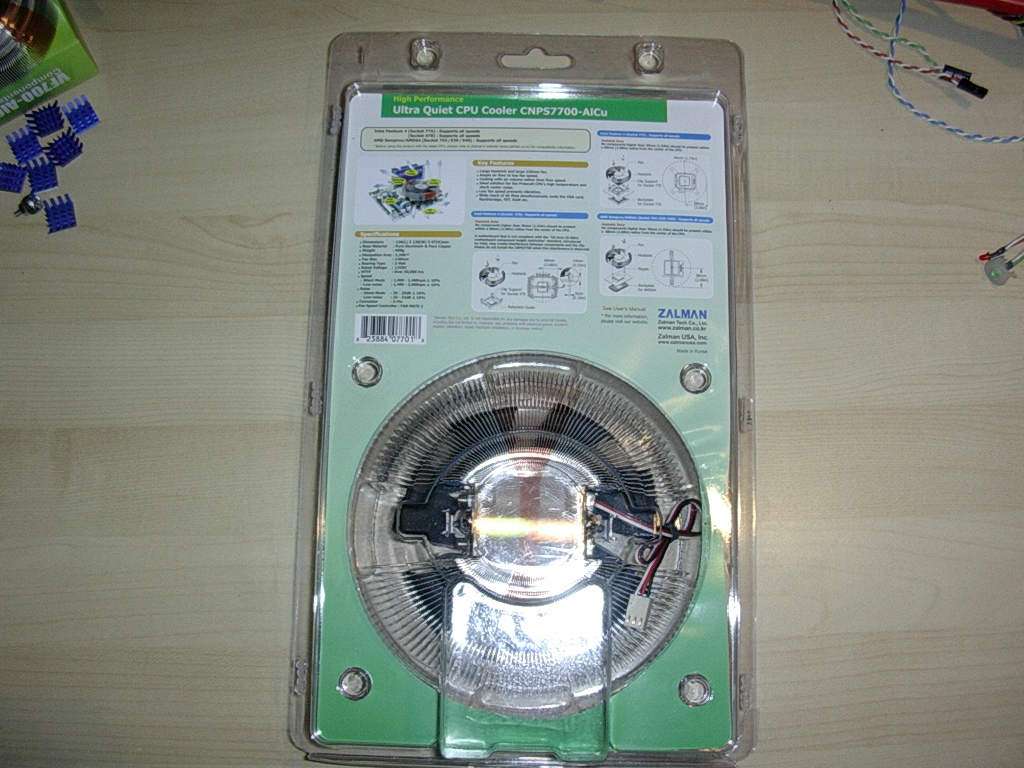
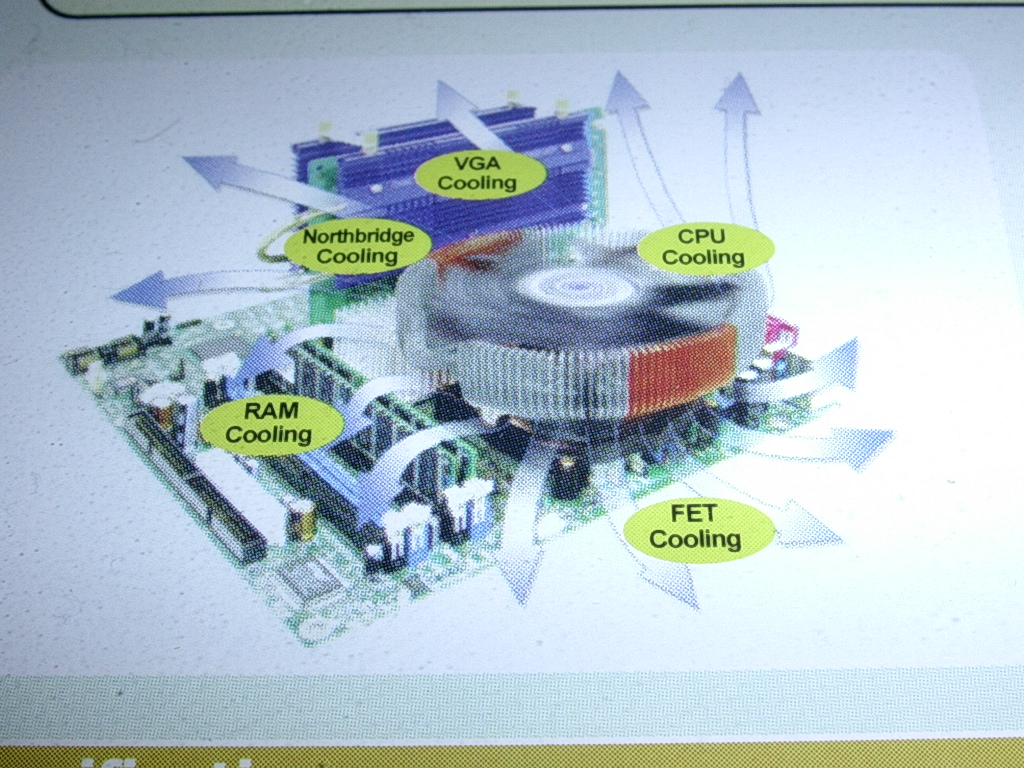
Like all Zalman products, the CNPS7700-AlCu heatsink was packaged in a sealed plastic shell. The package also does an excellent job of briefly explaining the cooling advantages of this heatsink, as well as the easy installation. If you look at the third picture, you’ll notice how Zalman describes this heatsink as an effective system cooler, capable of cooling the Northbridge, video card, memory, and MOSFETs.
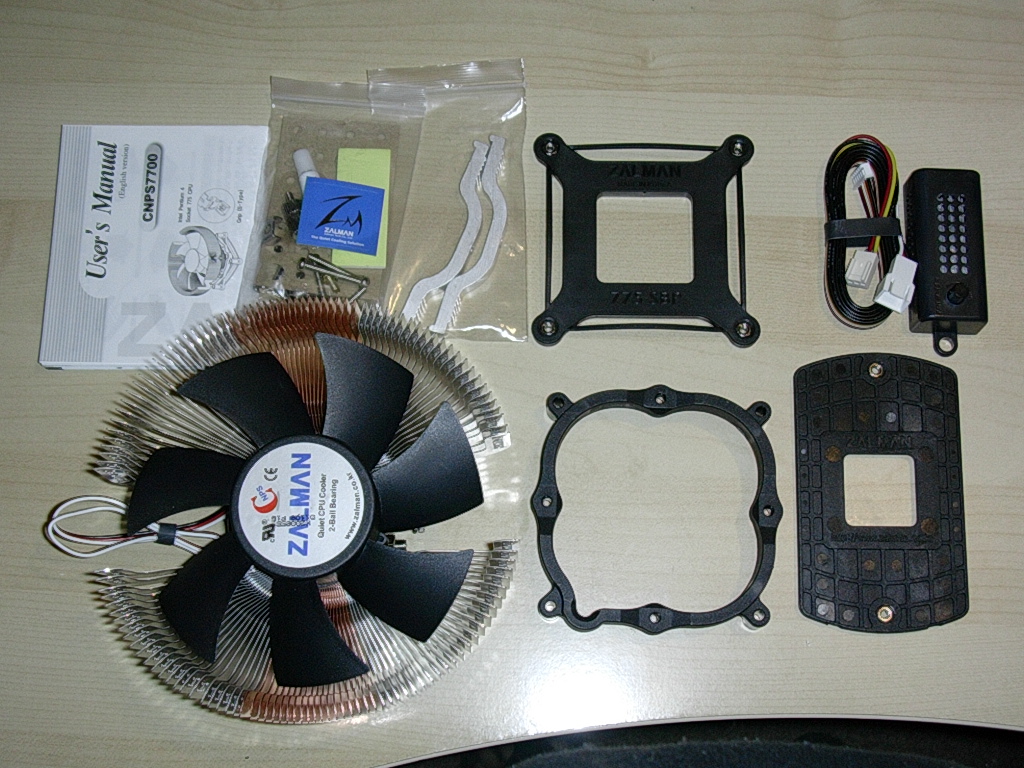
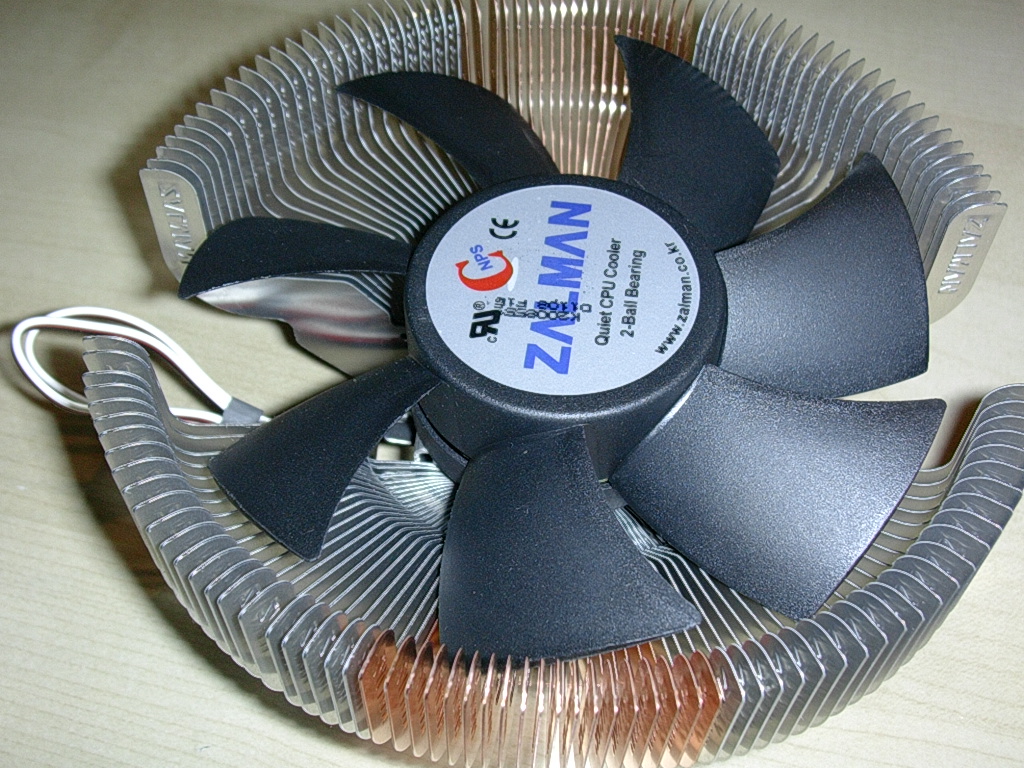
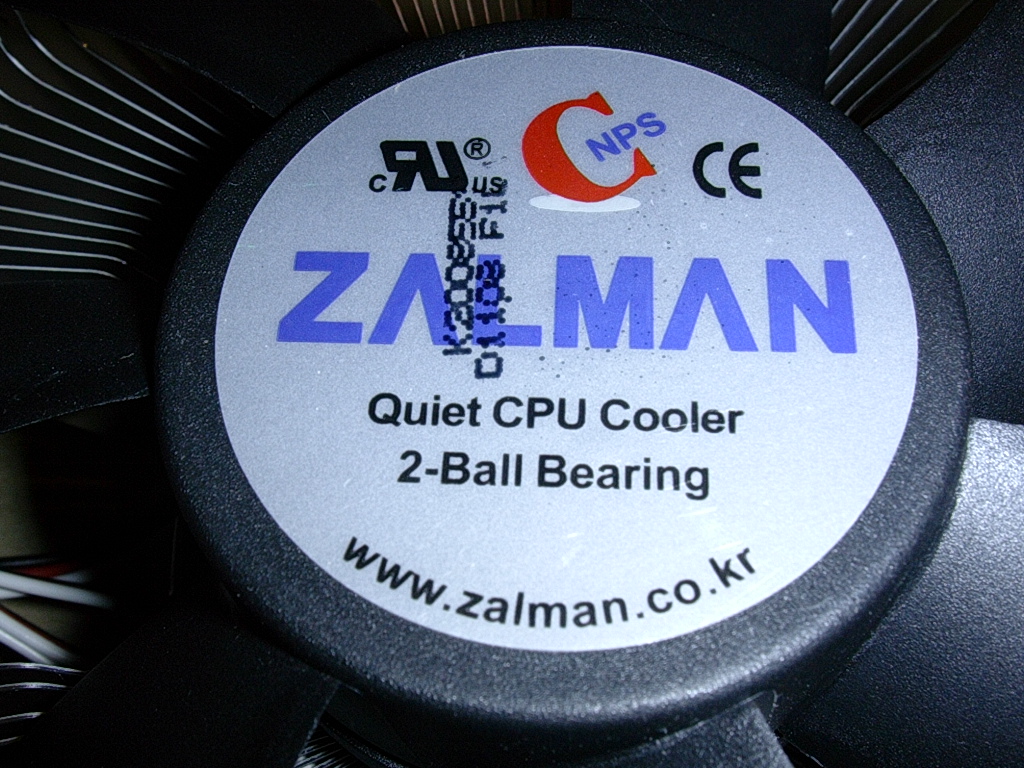
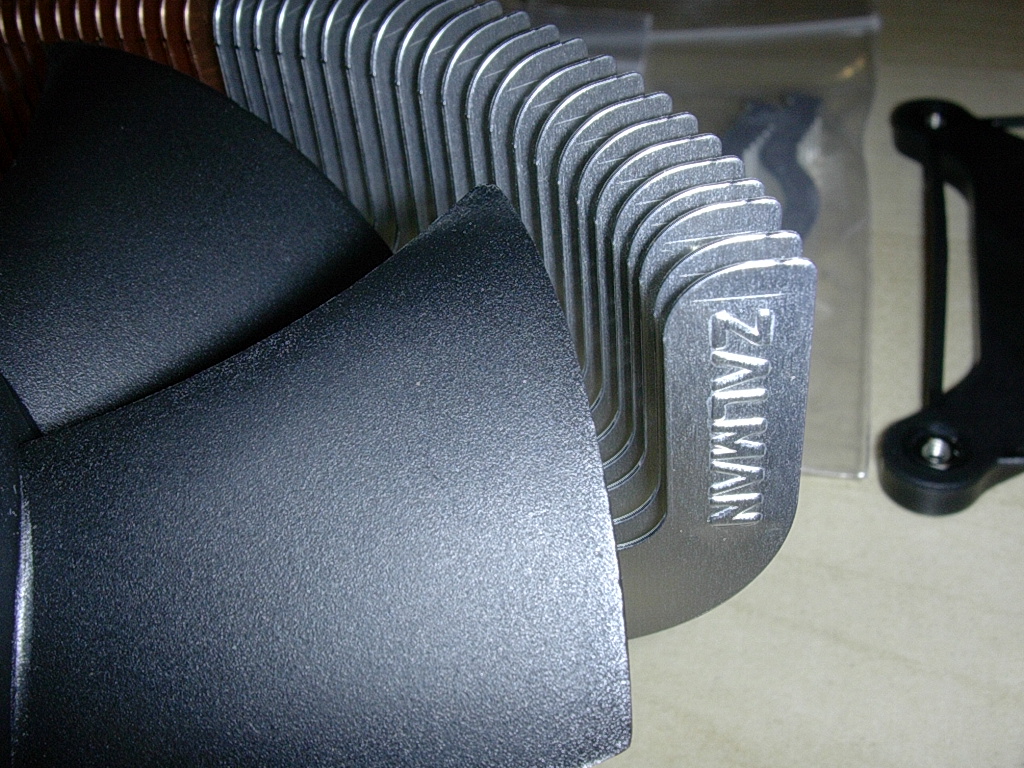
As usual, Zalman has included everything. Zalman has included brackets for S478, 940/939, and even the newer LGA S775. Unfortunately, today’s test bed will be an Athlon64 939 CPU. Considering how hot Prescotts can get, this heatsink should definitely be on a Prescott LGA owner’s shortlist . Along with the brackets are a backplate for S939/940 users, the actual HSF unit, the metal brackets for S478 mounting, a fan controller, a double sided adhesive pad for mounting the fan controller, a Zalman sticker, mounting screws, an installation manual, and thermal paste. The fan a 120mm 2 ball bearing fan that resides directly in the middle of the radial style heatsink. The heatsink utilizes the same patented style of fins as the original CNPS series. The heatsink is huge and much bigger than any heatsink I have ever owned. At the same time, the heatsink is about 260 grams lighter than the smaller Cooler Master Hyper48 heatpipe cooler and 300 grams lighter than the CNPS7700-Cu, the all copper variant of this heatsink. Hopefully the size of this heatsink does not pose a problem during installation.
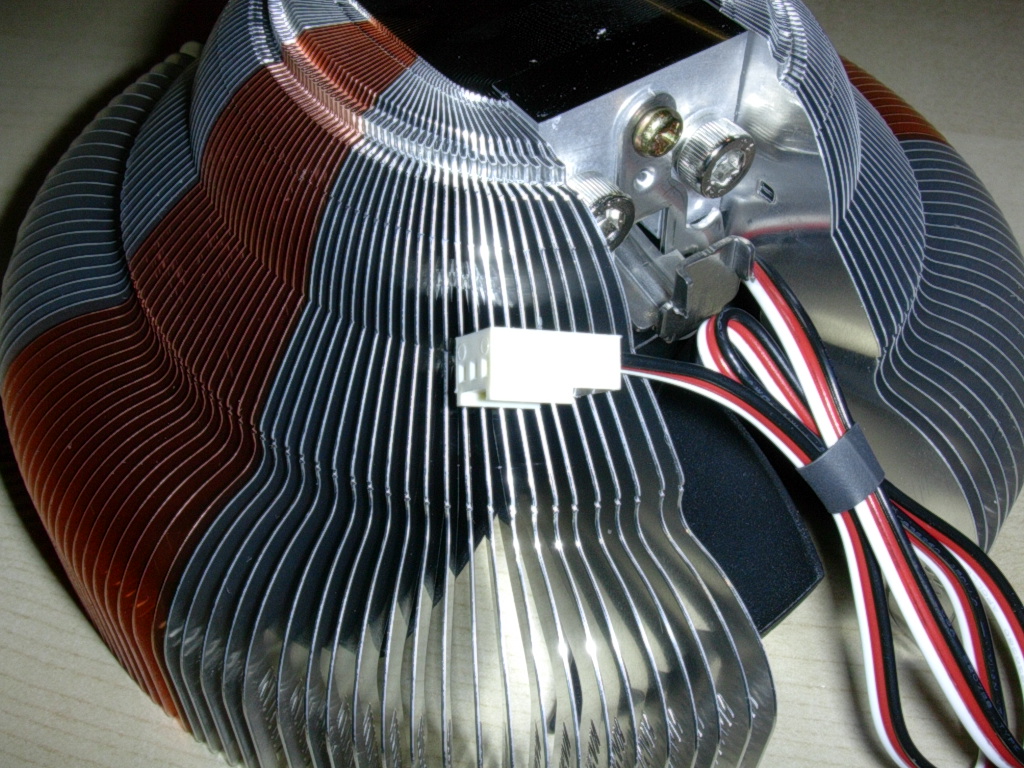
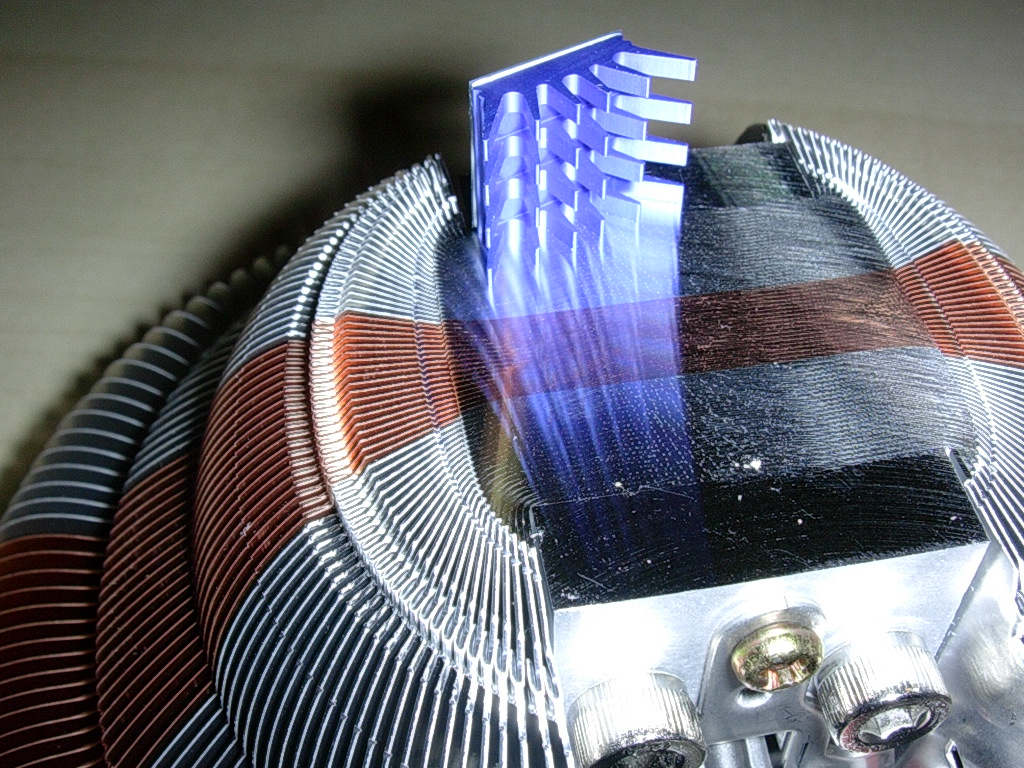
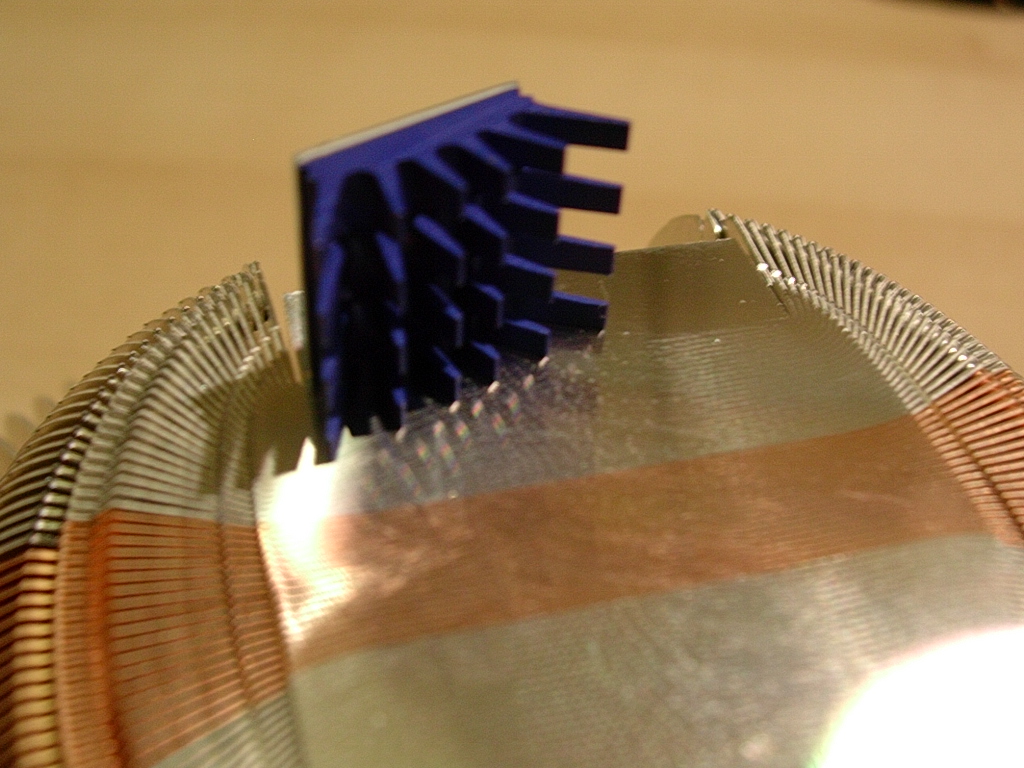
Although I couldn’t get a clear shot of the excellent mirror-like lapped base of this heatsink, I assure you that Zalman has taken the same care in finishing the base of the CNPS7700-AlCu heatsink. The base is perfectly flat with the copper placed directly in the middle. The base is also large enough to cover the entire Athlon64 heatspreader.
Specifications and Installation
Specifications:
- Dimensions :136(L) x 136(W) x 67(H)mm
- Weight :600g
- Base Material :Pure Aluminum & Pure Copper
- Dissipation Area :3,268 cm2
- Bearing Type :2-Ball
- Speed :1,000~2,000RPM
- Thermal Res. :0.21~.28 C/W
- Noise Level :20~32dB
Installation:
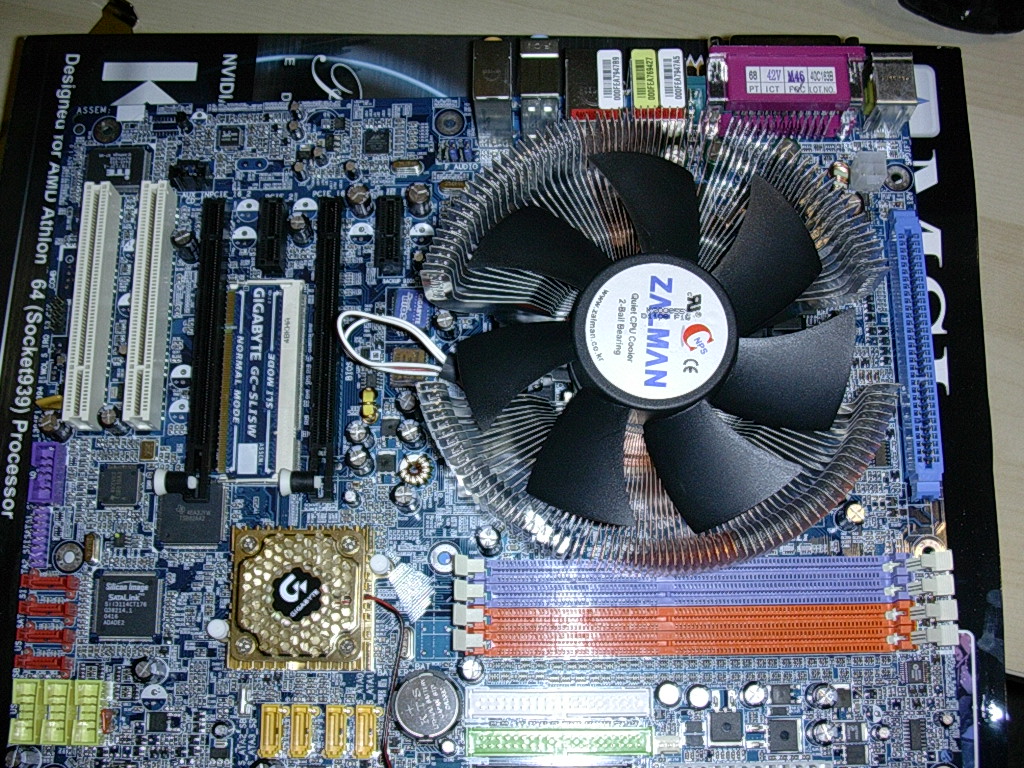
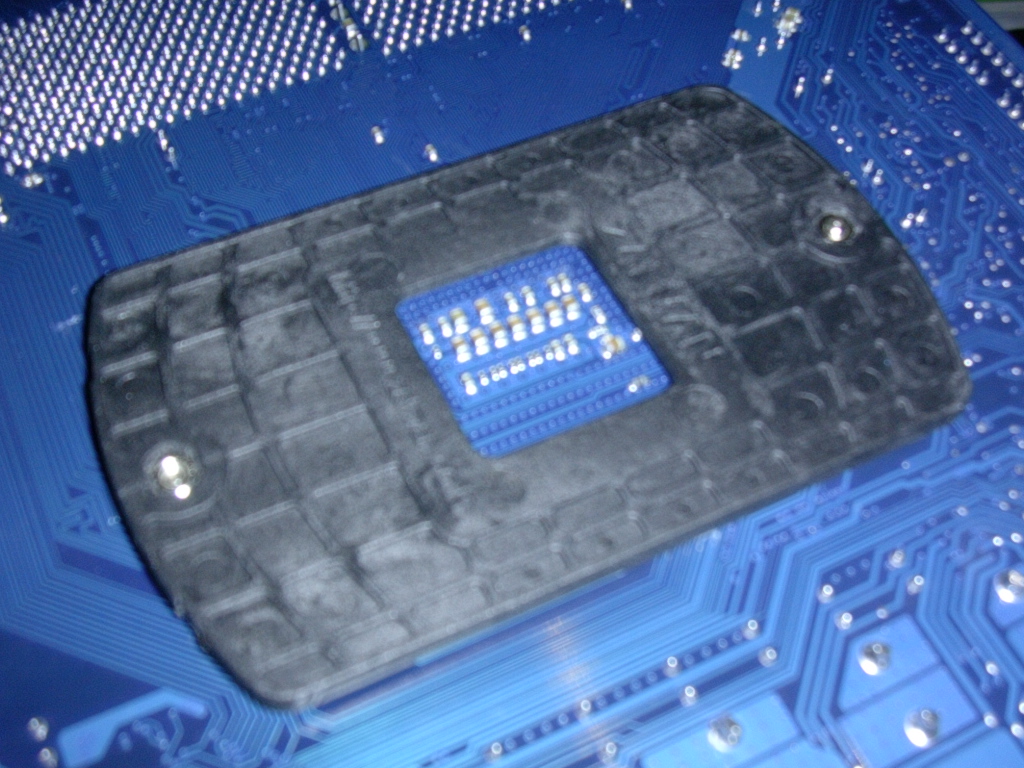
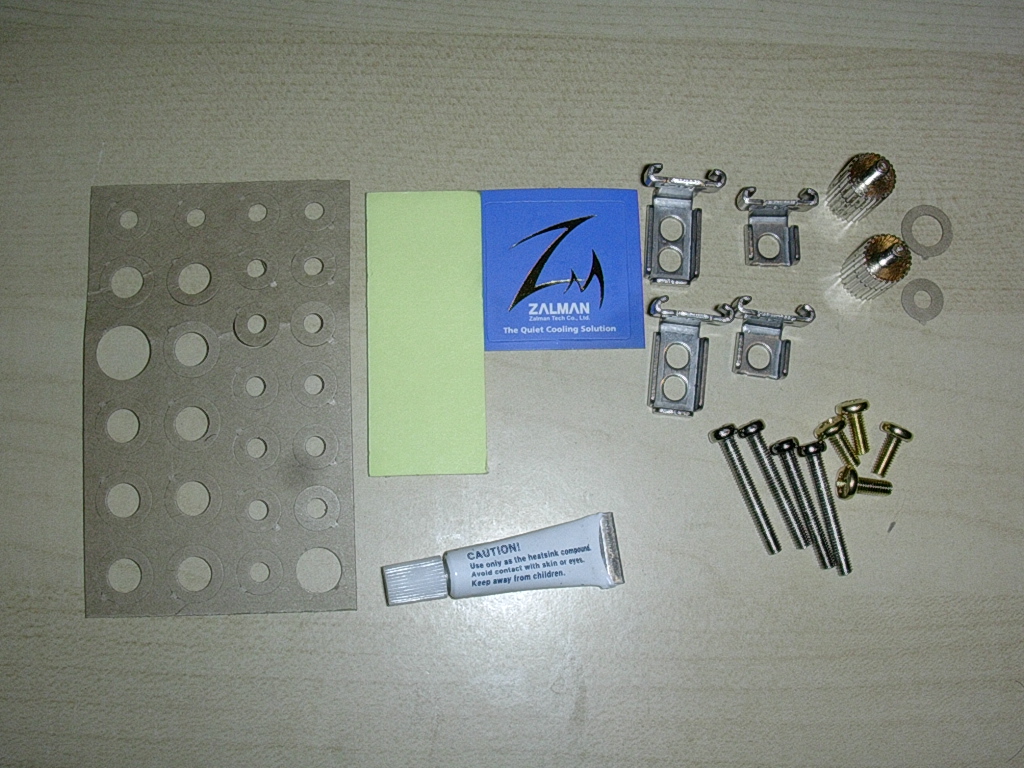
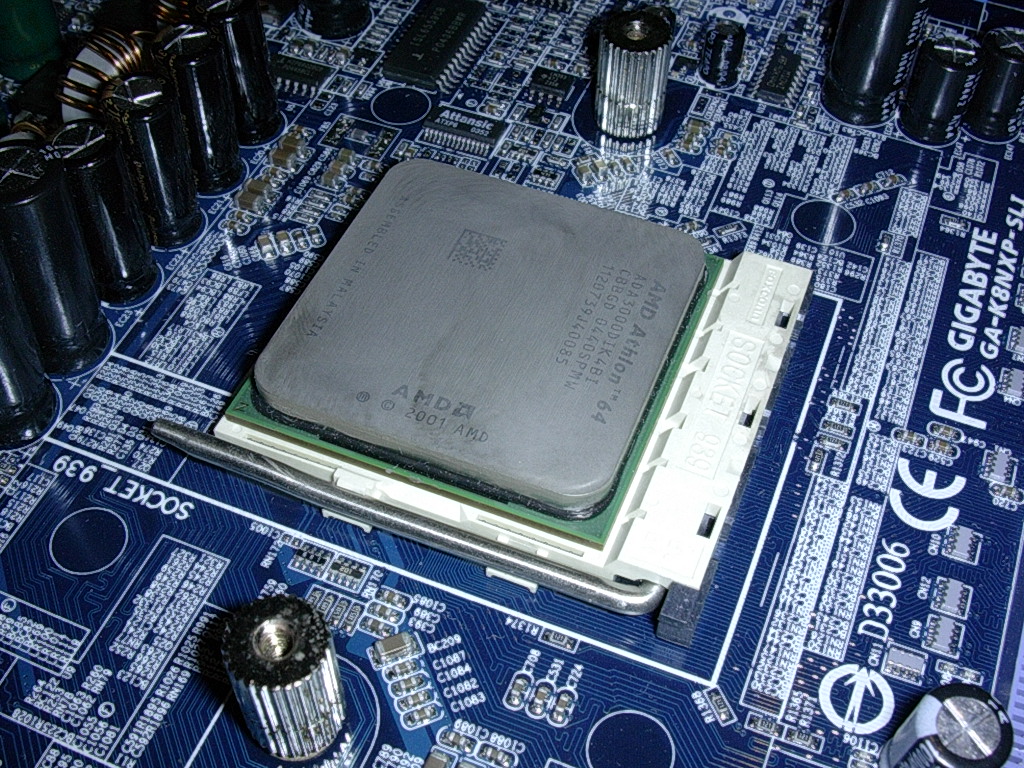
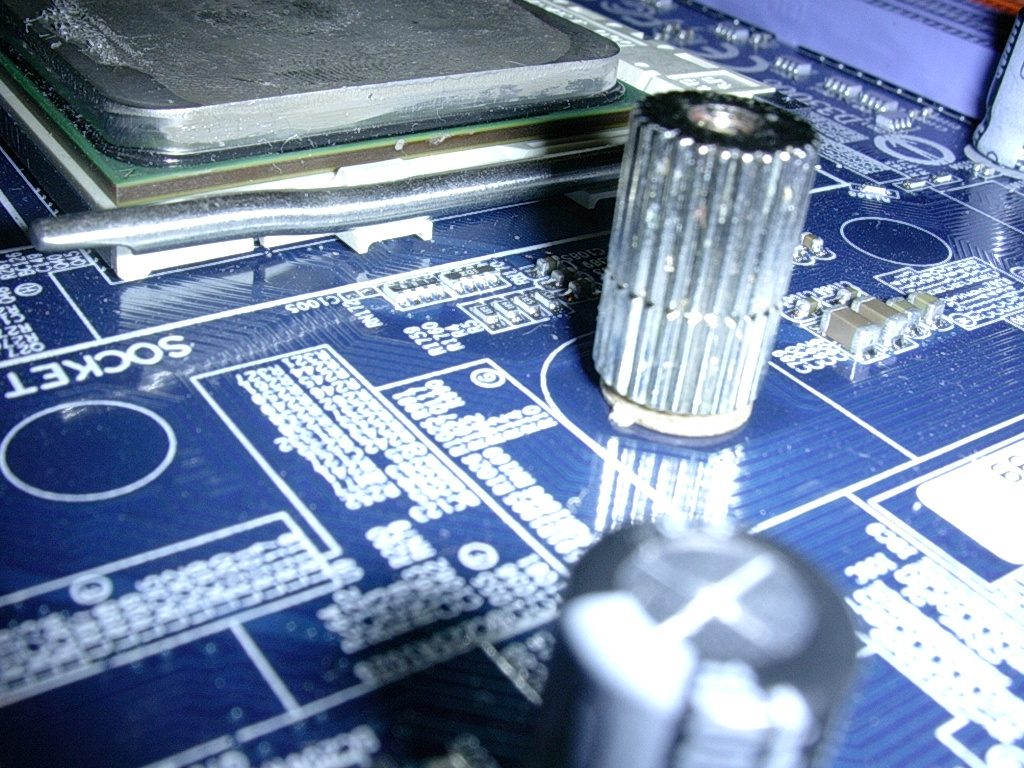
With the provided instructions and almost tool-less assembly, installation of the CNPS7700 is a breeze. The only drawback is that you have to remove the motherboard and replace the mounting bracket, which can be troublesome for those that have already set up their case perfectly. The installation of the motherboard bracket requires the bracket to be attached with thumbscrews and a cardboard washer. From this point, it’s just a matter of lining up the heatsink with the holes on the thumbscrews (3rd picture) and screwing in one side slowly at a time.
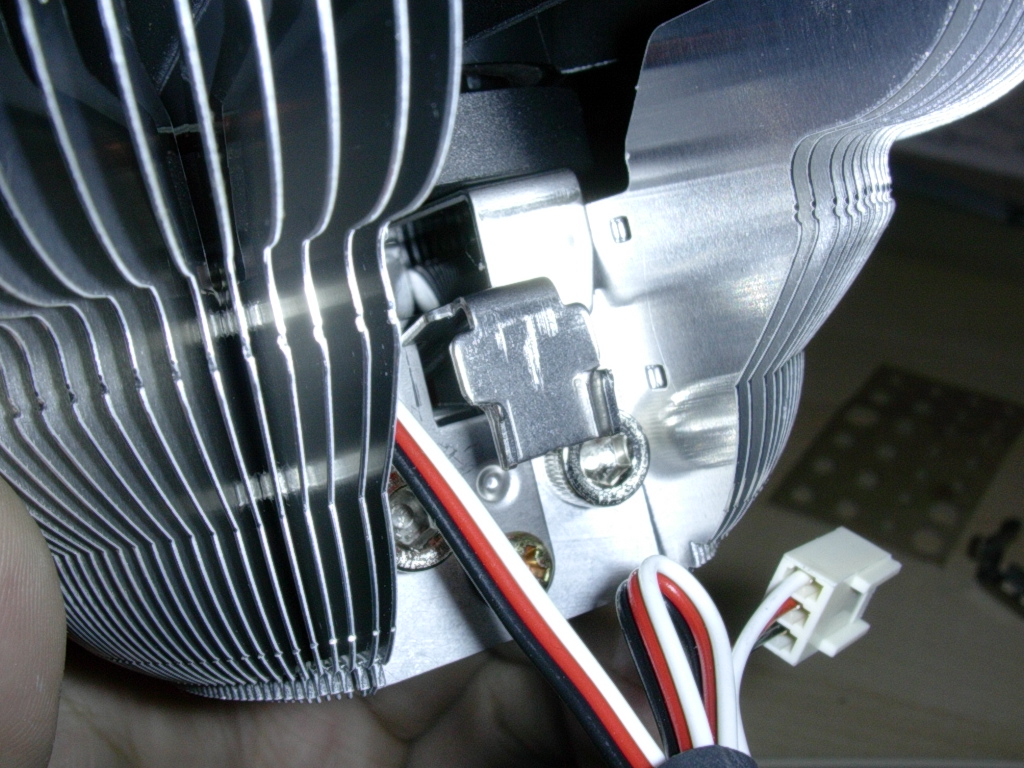
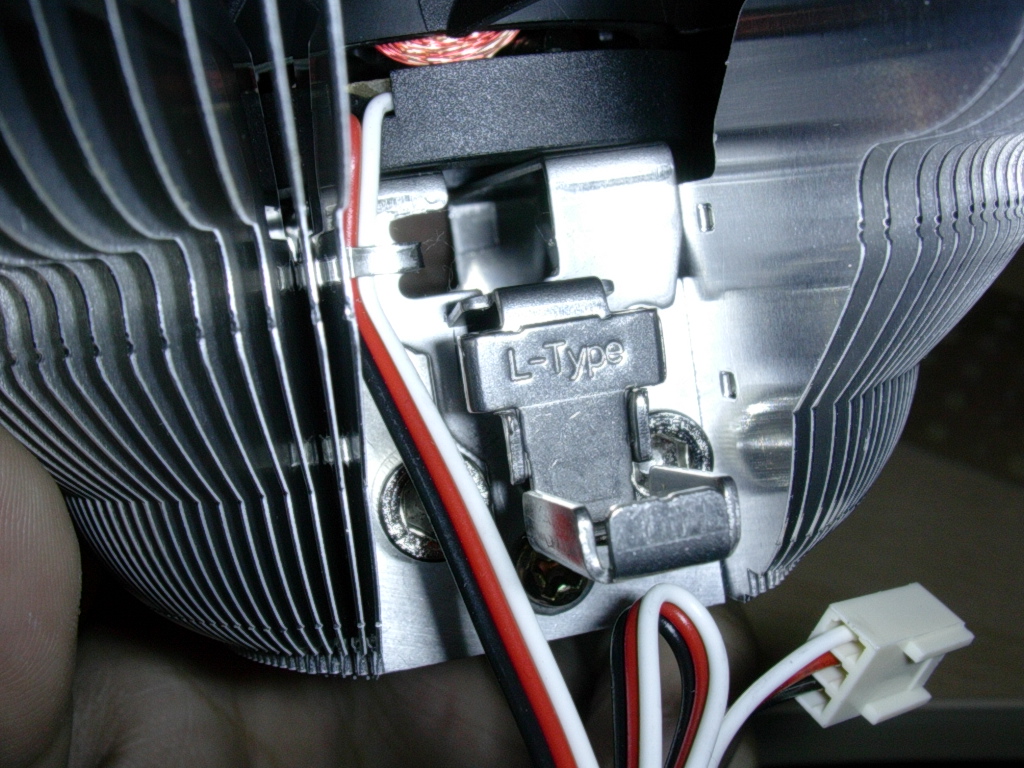
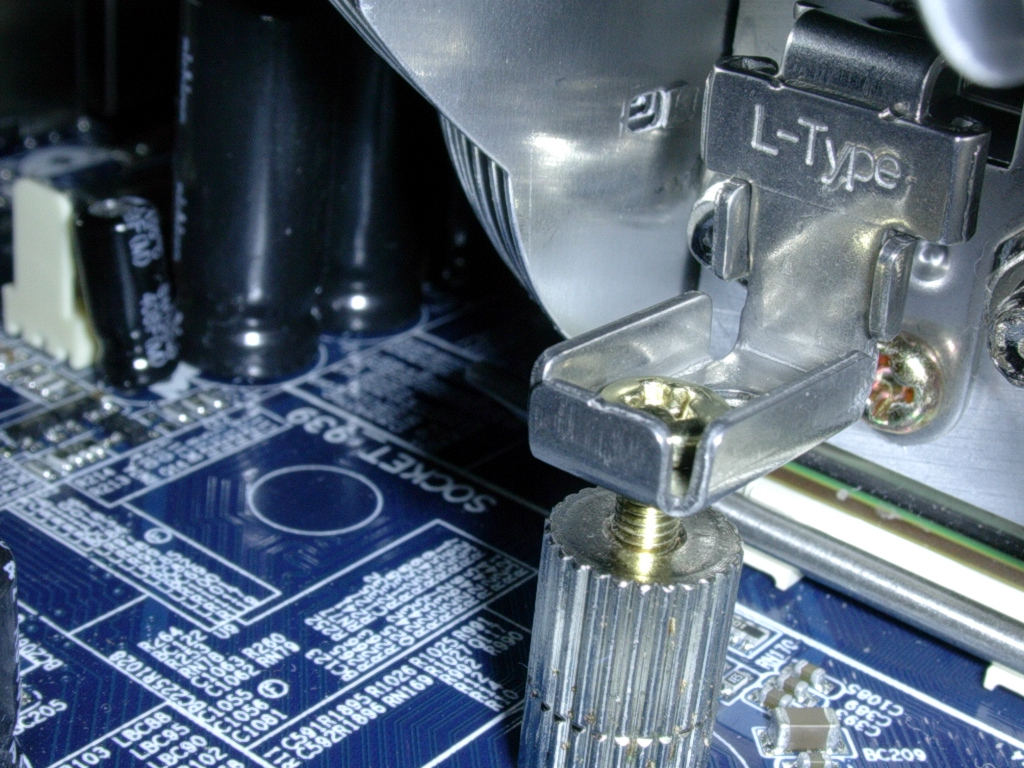
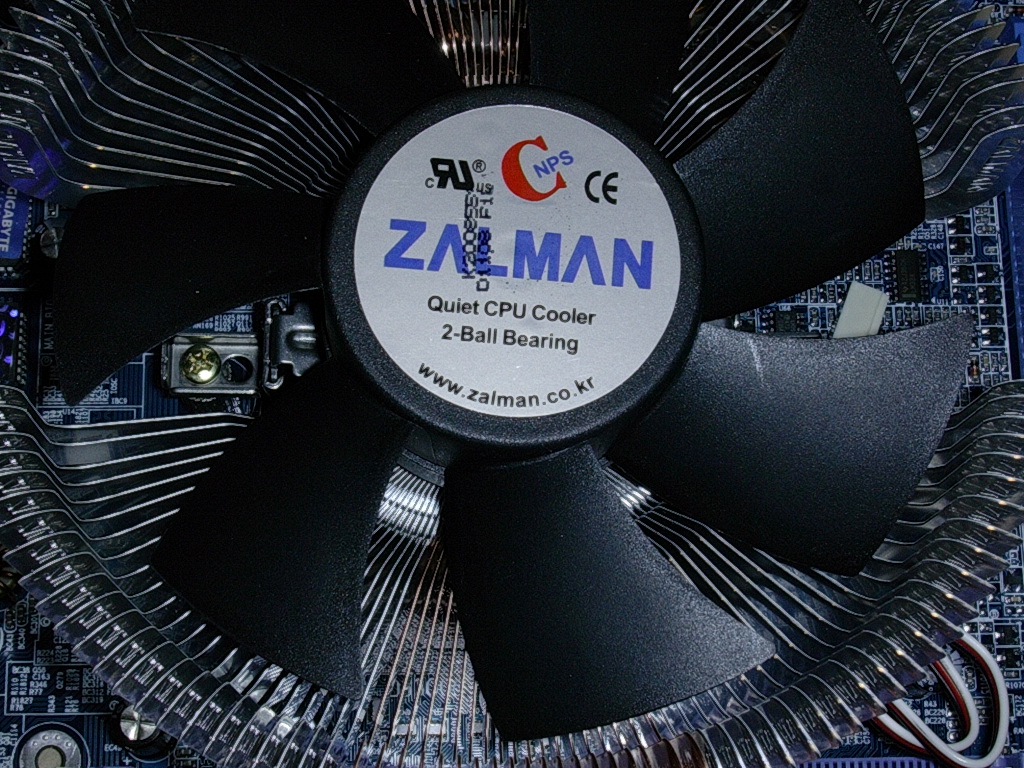
However, before actually mounting the heatsink onto the holes of the thumbscrews, you must first choose which add-on mounting fixtures to slide on. For a socket 939 setup, you would use the two metal fixtures with two holes on it. Its just a matter of sliding the fixture into the bottom metal piece on the heatsink. From that point on, you can go ahead and lineup the holes with the thumbscrew holes, and then screw in each side little by little. Zalman has a very good installation video describing this installation and it can be found on the product page here.
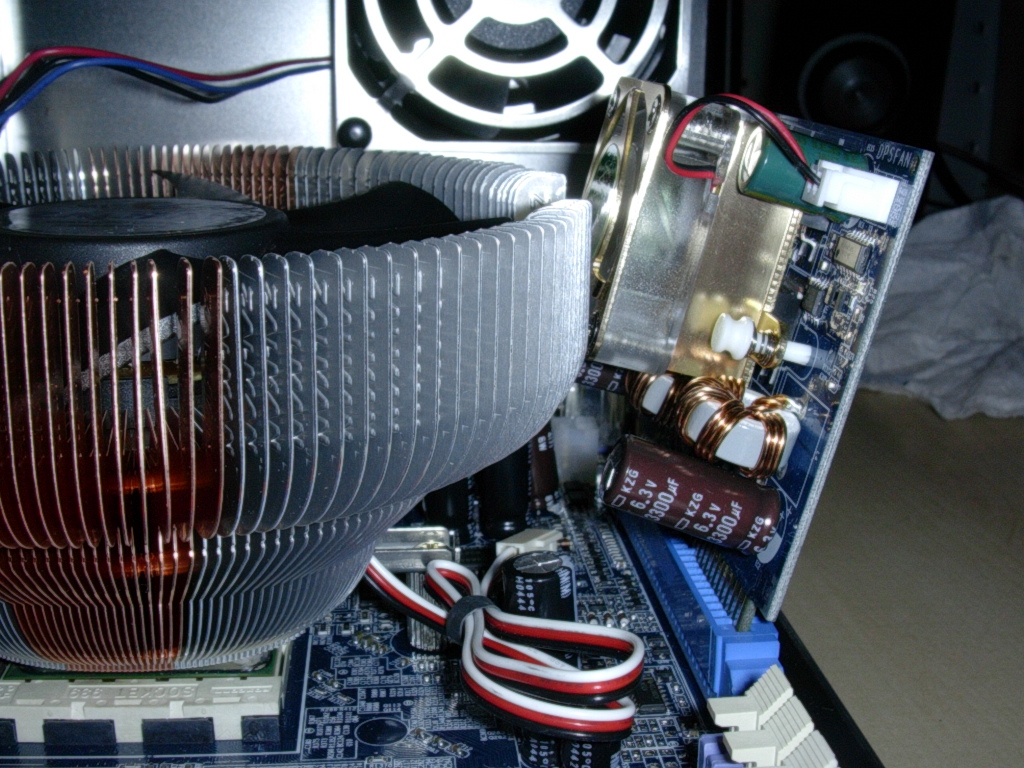
One installation flaw, due to the heatsink’s shear size, was that the cooler couldn’t fit with the Gigabyte Dual Power card installed. The heatsink wasn’t able to fit in an MSI Neo 2 as well because the heatsink would hit the AGP card. Before purchasing this heatsink, make sure that your motherboard supports the size of this heatsink.
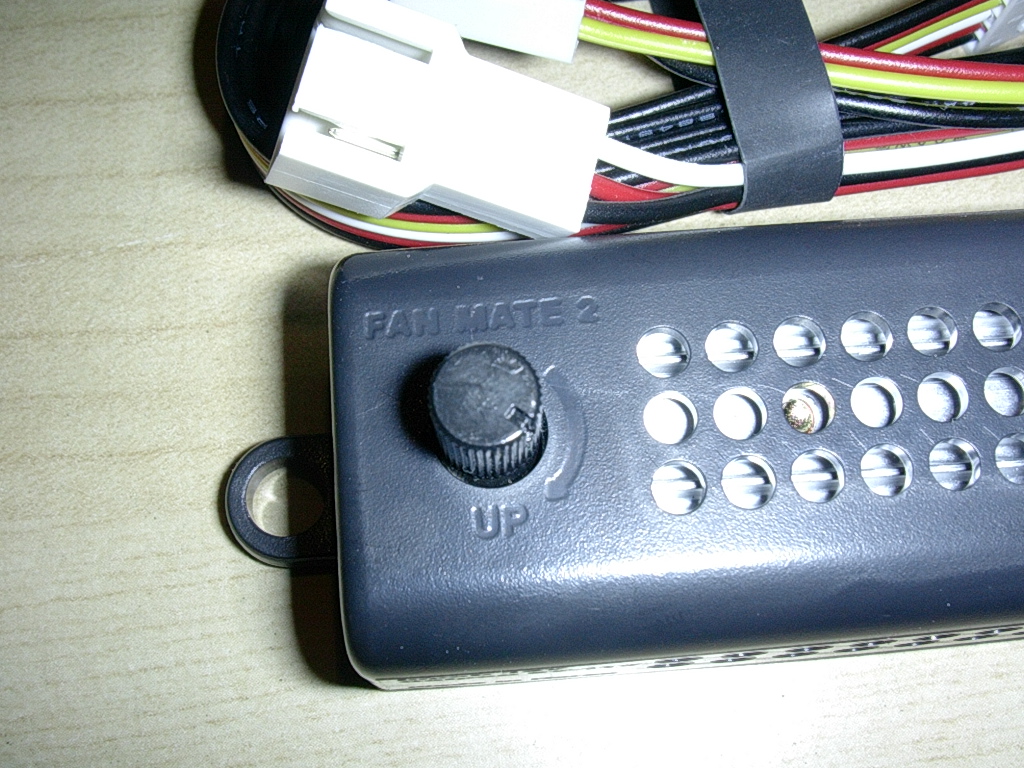
Lastly, the Zalman 120mm fan can be installed utilizing the Fan Mate 2, which is an improved version of the original Fan Mate. The fan mate is much longer than the original Fan Mate, sporting a detachable connector from the 3 pin male and female to the Fan Mate 2 itself. The result is a fan mate that can be mounted virtually anywhere in the case. Zalman has even included double-sided adhesive for it to be easily mounted.
Test Setup and Results
Test Setup:
- Athlon 64 3000+ 0440SPMW
- Gigabyte K8NXP-SLI
- Centon Advanced PC3200LL Rev.2
- 2x BFG 6800GTOC (SLI and non-SLI mode)
- OCZ 600watt PowerStream
- Western Digital 120GB hard drive
- Open test bench
Testing was conducted using a Compunurse temperature probe that was placed directly on the side of the Athlon 64 heatspreader. This means actual die temps are higher than the recorded temps (as reported by the temperatures in the bios). Ambient temperature was kept at a consistent 22 degrees Celsius. I conducted a comparison against the XP-90 which used a 92mm Thermaltake 92mm fan at 87 CFM. I also recorded temperatures for the CNPS7700 at both 5v at 1000RPM and 12v at 3000RPM. At load, the Athlon65 3000+ was put at 1.7v to run at 2700MHZ (300x9) with memory running 1:1 at 2.8v. VCore was set at 1.4v when the CPU was running at stock speeds.
Results:
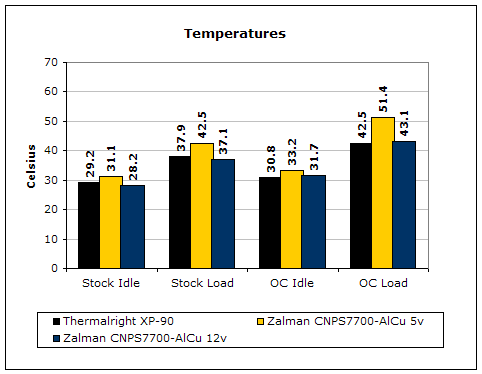
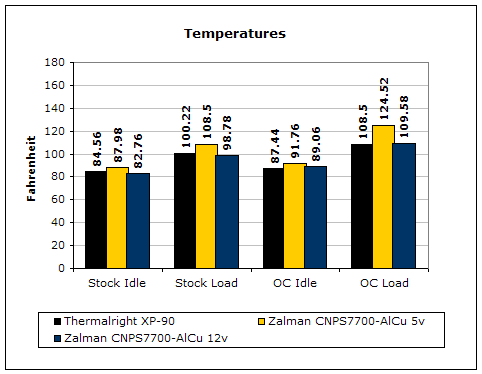
At stock settings, the CNPS7700 keeps up very nicely with the much louder XP-90. However, at 1.4v, the Winchester isn’t very hot at all. Almost any heatsink will be sufficient enough to keep this CPU cool. At 1.7v the results change. Idle temps only rose a couple degrees from the temperatures at 1.4v. At load we begin to see both heatsinks being taxed. At 5v, although 50 degrees is still cool for a 900 MHZ overclock, the CNPS7700-AlCu struggles. Despite the quiet 120mm fan at 3000 RPM, the heatsink is able to keep up with the XP-90 with a high flow fan at 12v.
Conclusion and Thoughts
Like its predecessor, I expected the CNPS7700-AlCu to perform extremely well. After testing this wonderful heatsink, my expectations were met. The CNPS7700 is perfect for those looking to tackle the best of both worlds: quiet enough to be near-silent, yet powerful enough to cool well. This heatsink also has the potential to be a complete system cooler, as illustrated by the airflow design on the third picture of this review. I’d imagine this heatsink would be perfect for a system with many passively cooled components that need just a little airflow to do the job. The only drawbacks are the inability to use the stock CPU bracket and the compatibility issues with some motherboards, such as the popular MSI K8N Neo2. These drawbacks require you to do a little homework before purchasing this heatsink. Because of the heatsink’s extreme versatility in attracting both silent and extreme cooling enthusiasts, I award the CNPS7700-AlCu InsaneTek’s “Highly Praised” award.
Pros:
- Near silent at 5v
- Powerful at 12v
- Ability to cool other system components due to its large fan and surface area
- Fan Mate 2 allows for user-adjustable fan speed/noise
- Compatibility with all current platforms
Cons:
- Size might be an issue with some boards
- Requires removal of motherboard to replace existing stock CPU bracket

We would like to thank Zalman for providing us the sample. If you have any questions or comments, feel free to hit us up in the forums. You can also check out more of our latest reviews on the front page.