

XG Ice Age
Introduction
MGE may not be an instantly recognizable name among hardware enthusiasts, but the company has been around since 1990. They focus on well designed cases with good metal engineering. The term “XG” stands for “Extreme Gamer”. The XG line of products targets gamers, modders, and computer enthusiasts. There are a wide variety of XG products, ranging from CPU coolers to power supplies to pre-modded gaming cases.
What we have today is MGE’s first attempt at a CPU cooler, given the name “Ice Age”. The version we have is for Intel Pentium 4 Socket 478 CPUs. As many of you know, Intel’s latest CPUs, both Northwood and Prescott, are well known for the extreme amount of heat they generate. Keeping these processors cool would require a large heatsink with a high CFM fan. Trying to cool these scorchers under silent operation in an overclocked environment is no easy task. The recent implementation of heatpipe technology on CPU heatsinks allowed for much better cooling, as it pulled heat away from the center of the CPU and distributed it evenly across the heatsink fins. This made cooling an overclocked Pentium 4 in silence an easily achievable possibility. MGE thus comes with their first heatpipe CPU cooler.
XG Ice Age
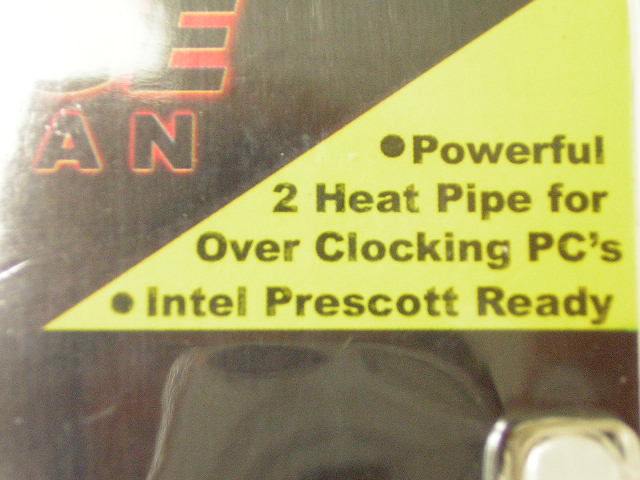
The Ice Age comes in a simple plastic container. It’s interesting that MGE claims the Ice Age is ready to take on the smoking hot overclocked Prescotts. Checking the specifications on the MGE website reveals that this is even able to cool down the Pentium 4 Extreme Edition CPUs. I have to admit that I was a bit skeptical at first. This heatsink was rather small, and unlike the somewhat standard use of 4 heatpipes, the Ice Age only uses 2.
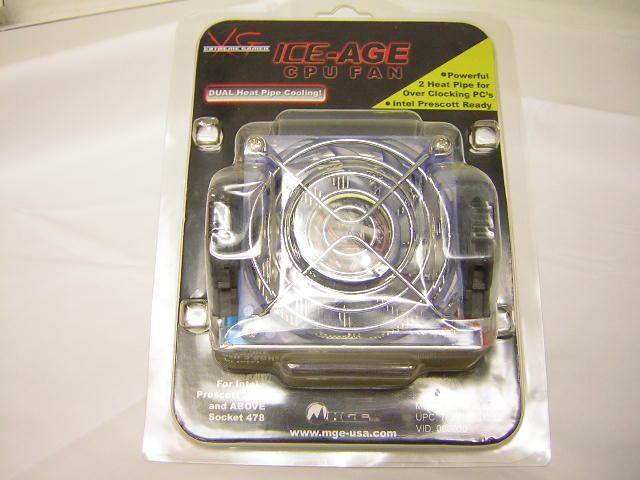
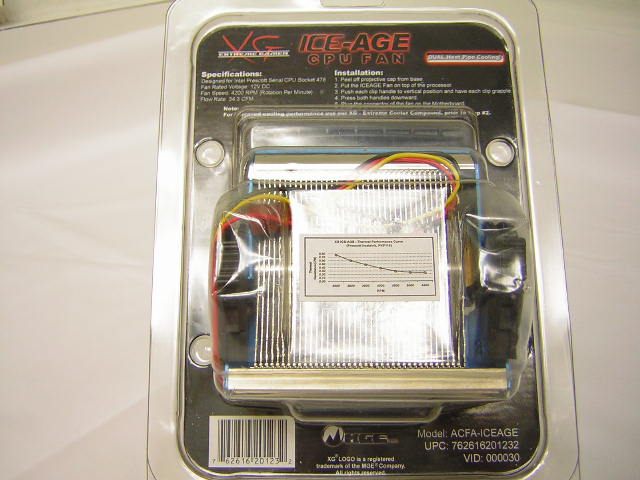
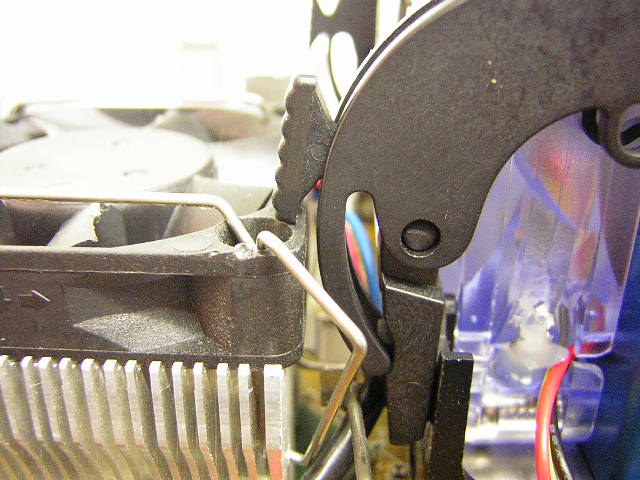
Unlike the standard stock Intel heatsinks, the Ice Age comes with a single handle lever for ease of installation. It does not tilt the heatsink to one side and provides even pressure across the CPU when lifted. The tabs at each corner allows for easy clipping onto the Socket 478 retention bracket. Unfortunately, due to the large plastic tabs, I encountered some compatibility issues. The Thermalright NB-1’s 40mm fan came in contact with the tabs, but this problem could be resolved with a bit of nudging around. If you plan to use this heatsink, make sure that there is enough clearance between the retention bracket and the Northbridge heatsink. The Ice Age comes with a nice blue shroud, in addition to a 70mm fan with a nice blue tint. The use of a 70mm fan can be a little less appealing to enthusiasts because it does not allow for various fan options. The fan sits perfectly in place, and does not provide clearance for use with fan adapters.
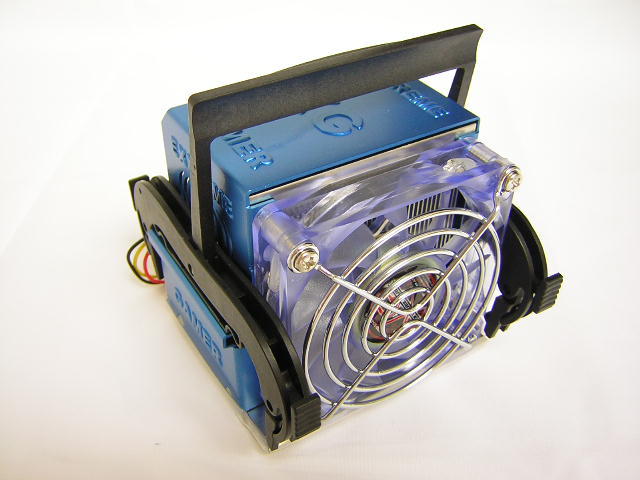
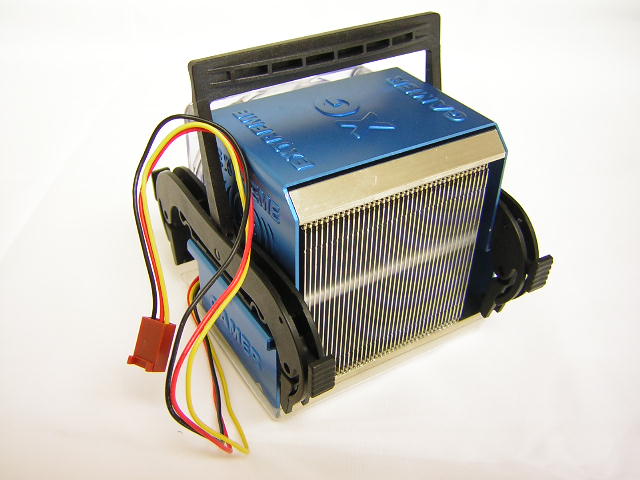
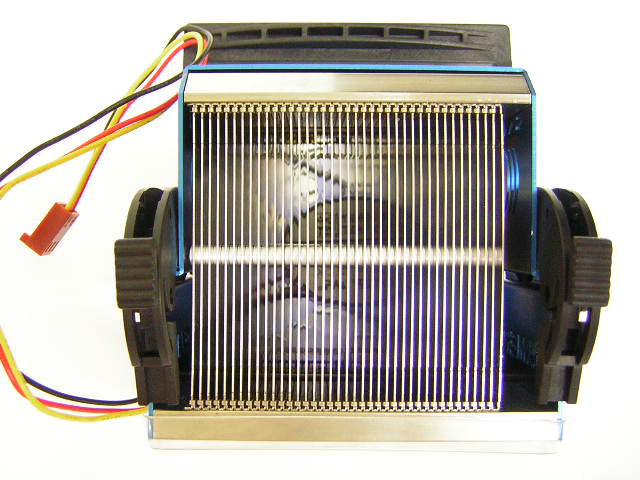
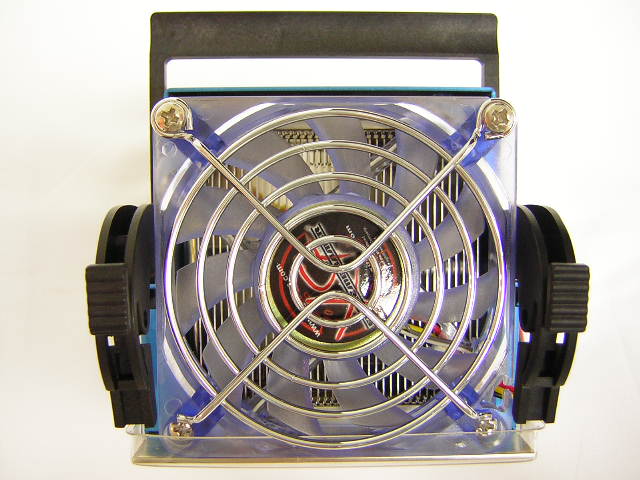
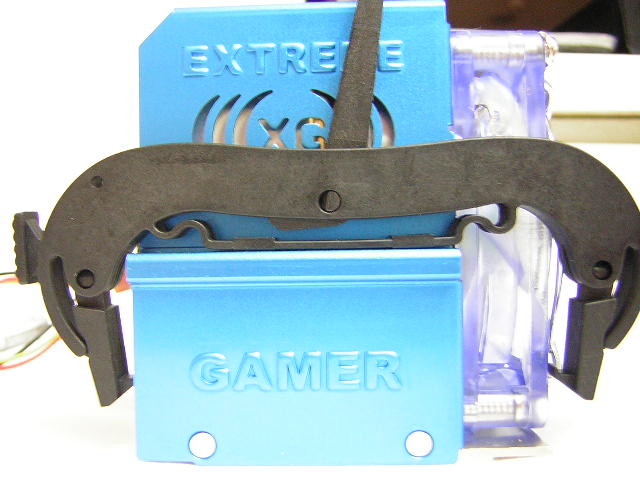
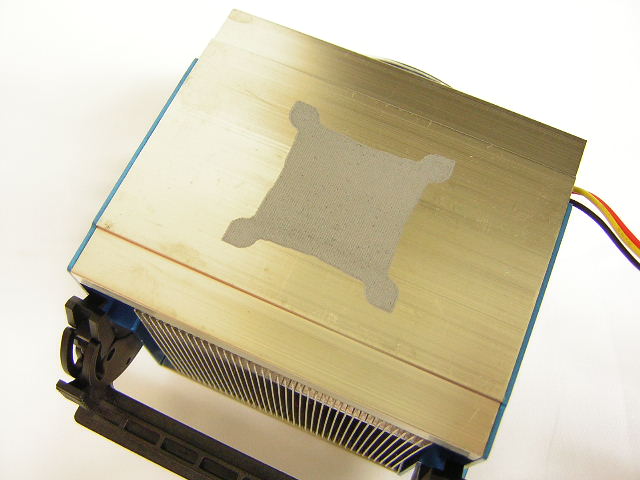
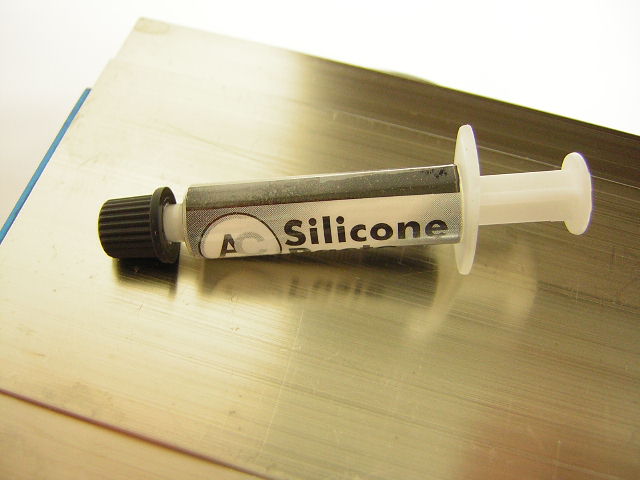
The base comes with pre-applied thermal interface material. All enthusiasts know not to use pre-applied goop, but rather some good Arctic Silver material. From the looks of it, the pre-applied compound looks like something from Shin Etsu. Although the TIM provides good performance, I personally am not a big fan. It’s hard to apply and hard to remove. For testing, I will be using Arctic Silver Ceramique, my personal favorite. Unlike Thermalright and Swiftech heatsinks, the base of the Ice Age shows streaks from the manufacturing process. The base also has some scratches and small dents. What I found to be extremely interesting is that thermal grease was easy to remove from the base. Enthusiasts who know about heatsinks can relate to the fact that thermal grease does not come off easily on aluminum. It spreads and creates a black mess if it’s not cleaned off properly. The base of the Ice Age must be coated with some other kind of metal. This is just my assumption, so don’t quote me on this.
Specifications and Installation
Other than the Northbridge issue, installation was a breeze. Simply clip the hooks onto the retention bracket, lift to lever to the other side, and bam, you’re done.
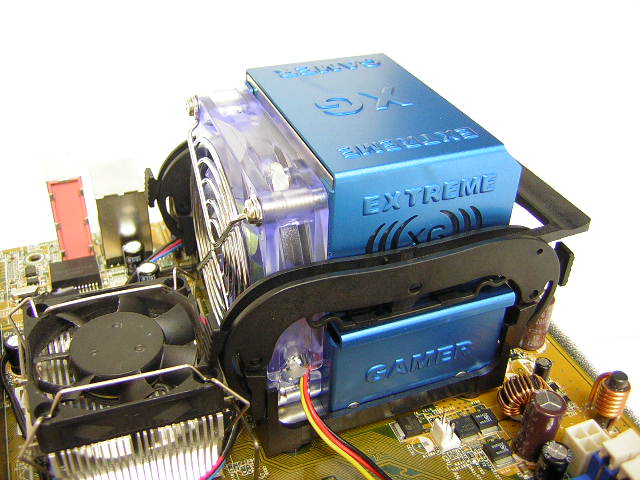
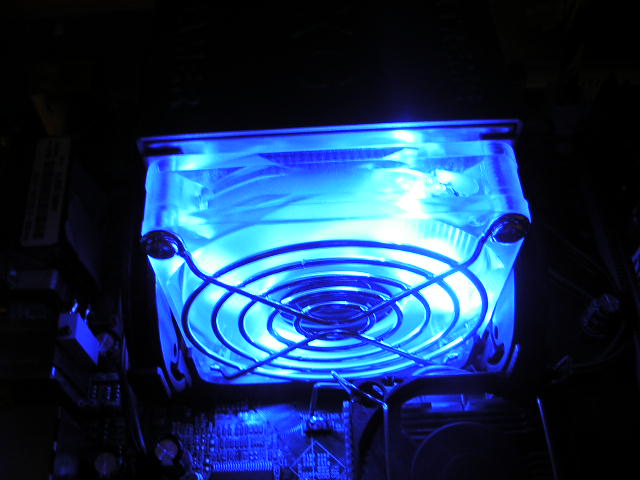
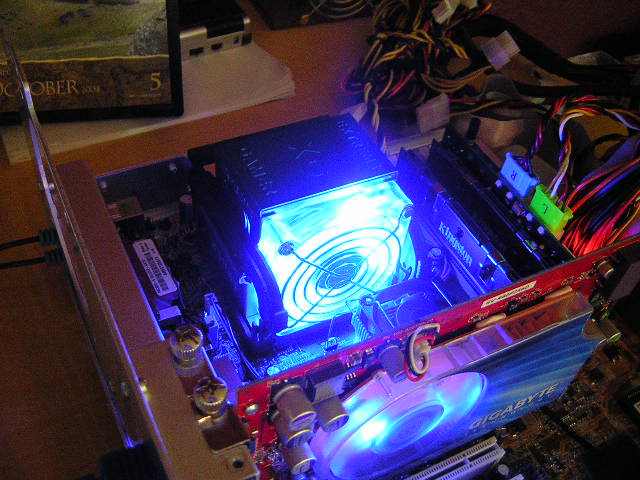
The 70mm fan comes at a relatively high 4200 RPM. Although MGE does not provide information on the CFM produced, the fan does push out quite a bit of air at such high RPM. The noise level at the maximum RPM is 32.2 dBA. While this is nowhere near silent, the fan does not make too much noise either. A couple of 80mm case fans will balance out the noise quiet easily. The blue tinted 70mm fan comes with bright blue LEDs. It provides an excellent look for modders and gamers with case windows.
Test Setup and Results
Test Setup and Method:
Typically, I would have tested this against a normal heatsink, but considering the fact that heatpipe technology is far superior than the traditional fin-based heatsinks, no fair comparisons could be made. Added to that is the fan size. Currently, there are no heatpipe heatsinks that are designed to work with 70mm fans. Although I could have used the Thermalright SP-94 for some basic comparisons, the SP-94 was designed to be used with a 92mm fan. Using smaller fans would hinder the performance greatly. The review of the Ice Age will be a standalone review, with no comparisons provided, other than my past experiences with heatsinks.
Ambient temperature was kept at a consistent 22°C. Arctic Silver Ceramique thermal paste was used during the entire testing process. A temperature probe was placed next to the Intel heatspreaders to measure CPU temperature. Two instances of CPU Burn-in are used to create maximum load on the CPU. The purpose of this test is to see the results a home end user would obtain. There is no scientific testing conducted, simply because I do not have the proper equipment.
Test System Specifications:
- Intel Pentium 4 2.4C (12 x 290FSB = 3.48GHZ @ 1.728v at idle/1.7v at load)
- Asus P4C800-E (with droop mod)
- Kingston HyperX PC3200UL
- Gigabyte Radeon X800 Pro
- OCZ 420W PowerStream
Test Procedures:
- Idling at desktop for 30 minutes
- Full load with two instances of CPU Burn-in for 60 minutes
Results:
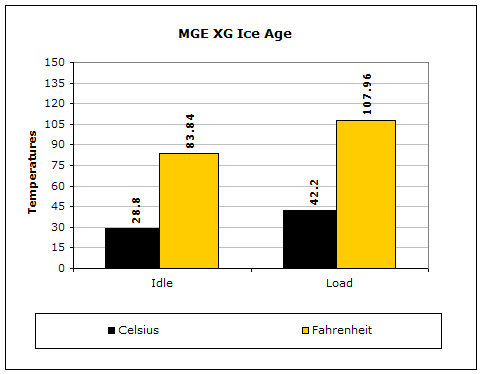
The performance of the Ice Age is rather decent, considering the fact that the heatsink is small and uses70mm fan to cool 2 heatpipes. If you want to have something to compare the results to, check the review of the Thermalright XP-90. The comparison is not fair at all, but it does provide some basic performance difference to help you decide what to go with.
Conclusion and Thoughts
MGE’s first introduction to CPU coolers is on the straight track. The cooler is not the best, but does provide decent performance with tolerable noise at a great price. The cooler can be had for just a little under $25. True there are better options available, like the XP-90, but they sell at a much higher price. The Ice Age supplies a fan, something that the XP-90 does not come with. Purchasing the XP-90 with a good fan will cost almost twice the amount of the Ice Age. In terms of the price/performance ratio, the Ice Age is a good consideration for enthusiasts. Users can do a little overclocking and keep their CPUs cool without digging too much into their wallet. For extreme enthusiasts, a good portion of the InsaneTek members, this cooler might be inadequate. It’s better if they stick with the other options mentioned. This doesn’t mean that the cooler is not good, but it really just depends on what you plan to do with your system.
Pros:
- Decent performance
- Tolerable noise
- Easy installation
- Light weight
- Uses heatpipe technology
- Bright blue LEDs
- Excellent choice for gamers and modders
- Low price
Cons:
- Possibility of compatibility issues
- Base is not perfectly smooth
- Small heatsink size
- Use of 70mm fan restricts fan options
We would like to thank MGE for providing us the sample. If you have any questions or comments, feel free to hit us up in the forums. You can also check out more of our latest reviews on the front page.