

TTIC NPH-2
Introduction
Although AMD Athlon XP processors see no further increase in speed in the near future, heat sink manufacturers continue to make exceptional heat sinks for consumers. The unlocked Athlon XP’s and Athlon XP mobiles are the reasons why overclockers still need a bigger and better heatsink. They reach outstanding speeds but still produce a good amount of heat. Engineers have found an alternative to the traditional bigger and wider heat sink–the thermal heat pipe.
TTIC makes a large variety of heat pipe induced heat sinks, but mainly for OEM systems. The main reason why many companies are focusing more on the heat pipe design is because it results in excellent performance under quiet computing operations. The model we are looking at today comprises of aluminum fins soldered onto the heat pipe in the center. The large single heat pipe is known as the heat column and is a bit different from the majority of designs that use three to six heat pipes. The use of aluminum fins is to help dissipate heat faster. As you know, copper has a higher capacity of heat retainment, while aluminum dissipates heat faster. The combination of both metals produces the best cooling available. Many enthusiasts will argue that having a single copper heat sink will be better in performance, but that depends on the fan that you are using. With the aim being quiet computing, having aluminum fins will help cool better. At the same time, this also keeps the cost of the heat sink down.
TTIC NPH-2
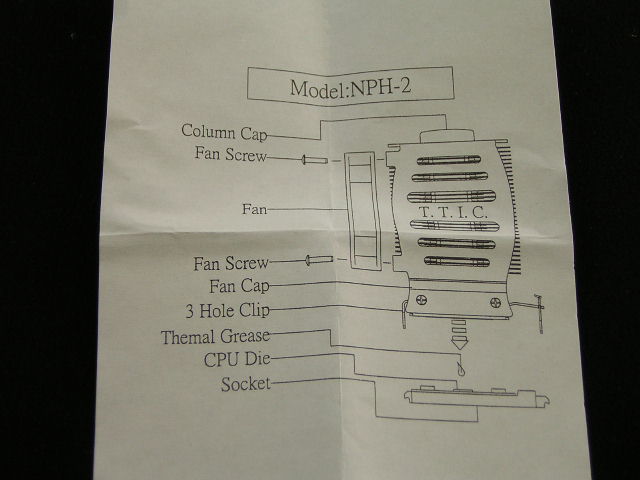
The NPH-2 was packaged nicely inside a cardboard box; there were no loose parts rolling around. The box contains the heat sink, a small pack of silicone grease, an installation guide, and an Everflow 70mm fan.
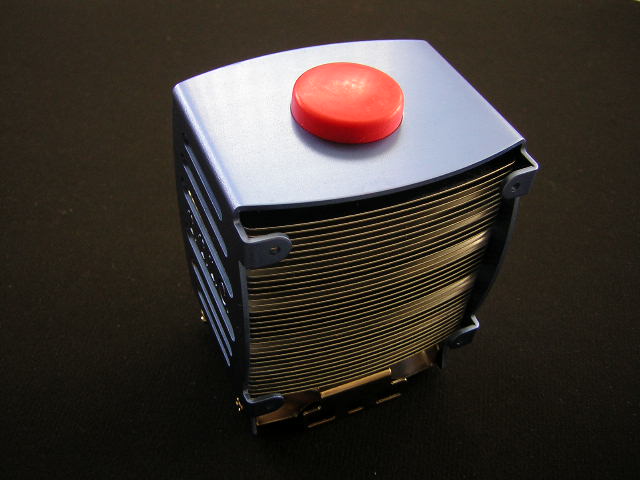
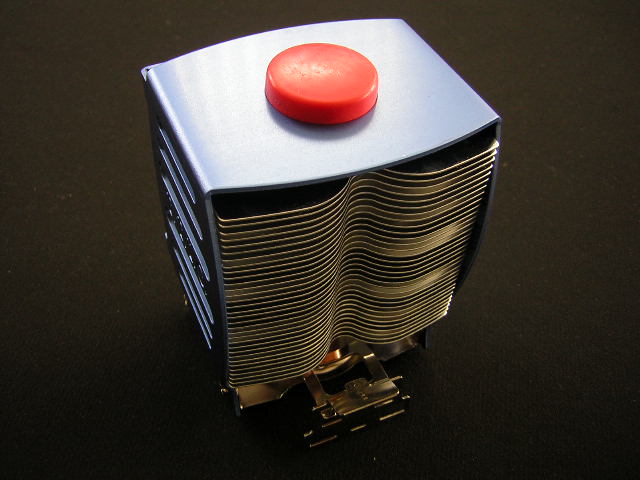
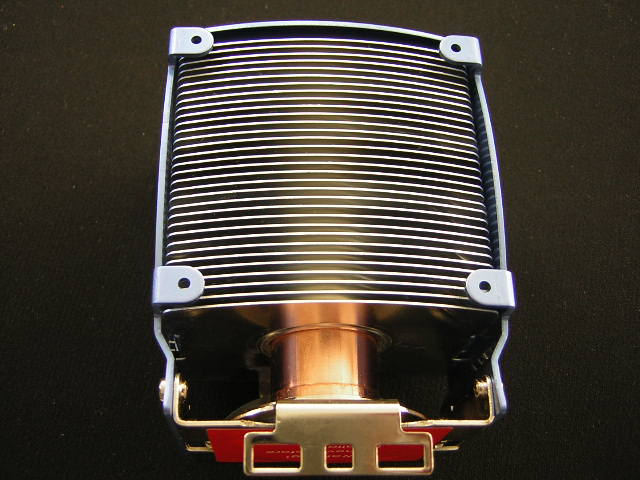
The aluminum fins are built with quality. They are not flimsy, nor do they have any aluminum “ash residue.” Many people who have dealt with older aluminum based heat sinks will know what I’m talking about. The shroud has a nice blue tint and has side openings to allow air to flow out. There was one thing that aroused my attention–the end that’s opposite the side of the fan has wavy edges. I don’t quite understand how that would help with airflow or cooling, but I do believe that it would cool better if TTIC had left the edges normal, since it would have a bit more surface area.
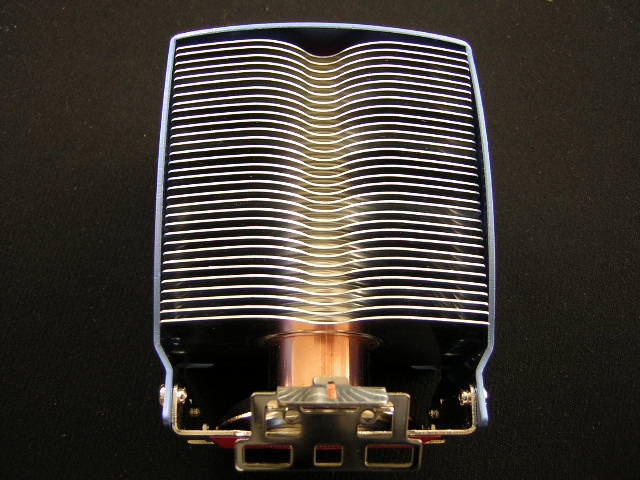
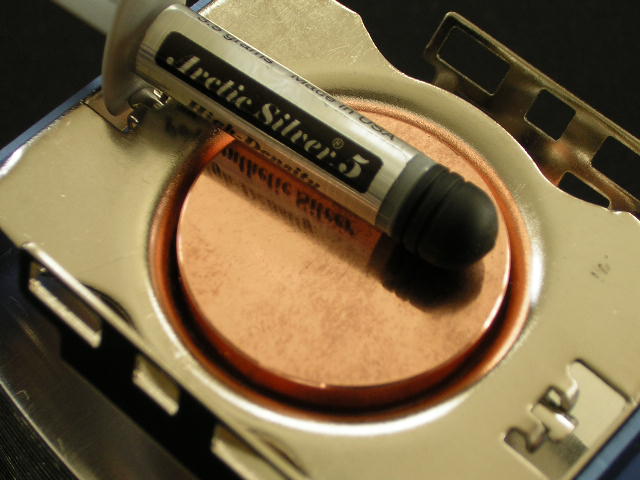
The copper base is nicely protected by a sticker. This helps prevent damage to the core during the shipping process, as in scratches from moving around in the cardboard box. I removed the sticker and used some rubbing alcohol to clean off the sticky residue that may have been left behind. The core was not as shiny as I had expected it to be. There were visible fingerprints covering a large amount of the base. Fingerprints can be cleaned off easily if it was treated right away, but this was evident that it was left during manufacturing. There was no way to get it off unless I used some copper polisher.

Heat Pipe Design:
Almost everyone knows that a heat pipe has fluid inside the pipe to help carry the heat from one end to the other, but many simply just don’t understand the process. Here’s a diagram that shows the stages the fluid inside the heat pipe goes through.
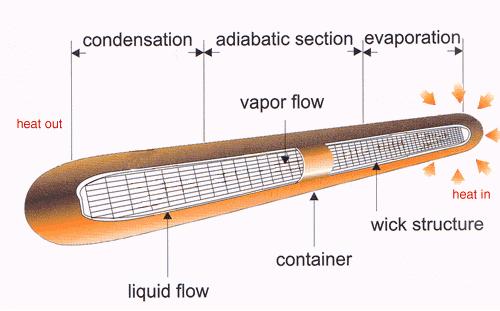
As you can see, there are a couple stages that the fluid goes through. The heat pipe can be considered a small radiator.
The Fan
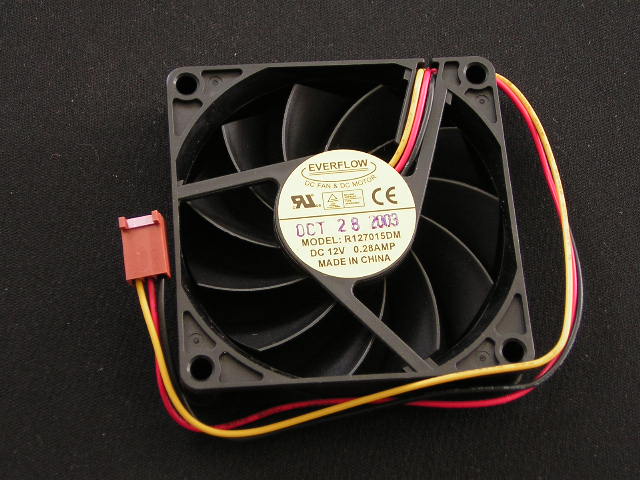
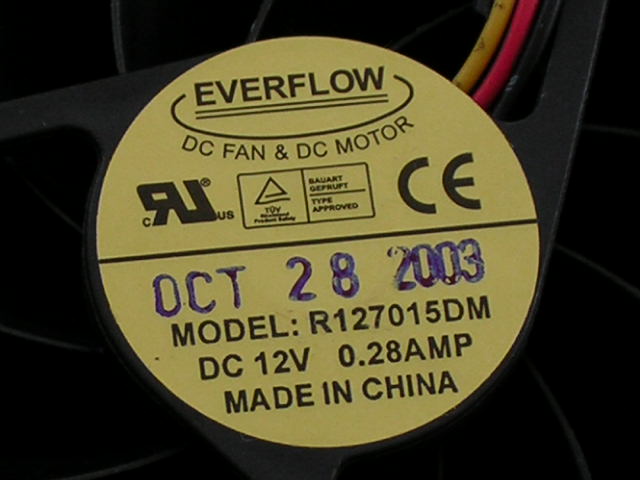
The stock Everflow fan is slim and gives a good indication that it is a quiet fan. This slim fan comes in handy for motherboards with compact space.
The specifications of the fan:
- 70mm x 70mm x 15mm
- 3600 RPM
- 31 CFM
- 31.5 dBA
Test Setup and Results
Test Setup and Method:
To test the heat sink performance, I placed a thermal probe next to the core of the processor. This accurately measures the core surface temperature. Temperatures taken from BIOS or Motherboard Monitor are not as accurate, as all motherboards use different thermal sensors. In addition, the sensor might be taking a temperature off a different part of the CPU die. The use of a thermal probe corrects all those mix-ups and will accurately measure the right temperature. The ambient temperature outside the case was kept at a constant 26°C. It gets quite hot during summer here.
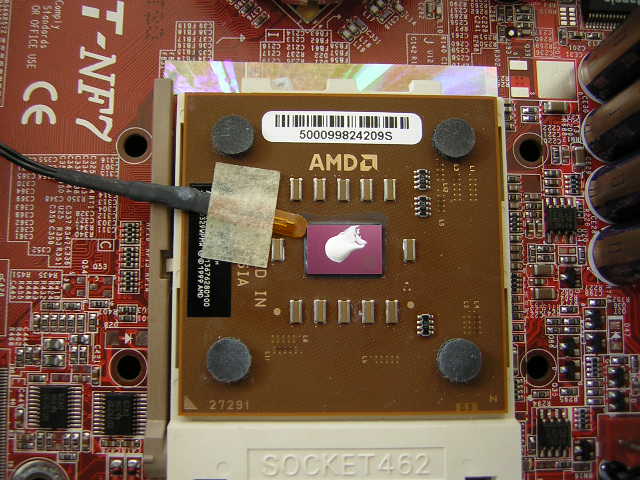
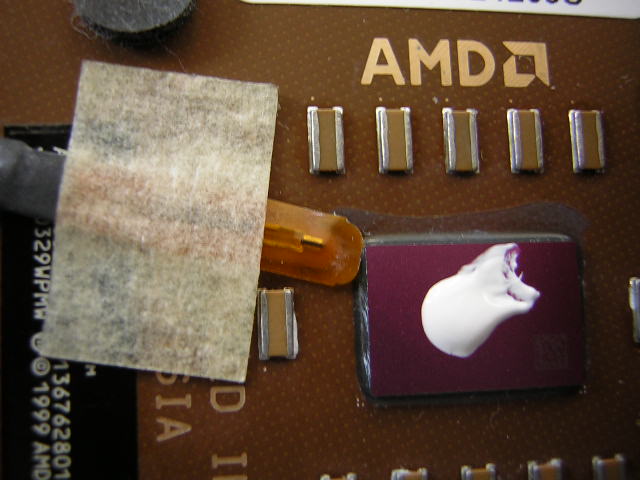
Test system specifications:
- AMD XP1800+ (11.5 x 200FSB @ 1.75v)
- Abit NF7 v2.0
- 2 x 512MB Gigaram PC3500
- XFX TI4200 128MB w/ Zalman 80C
- Cooler Master Centurion
- Antec 400w
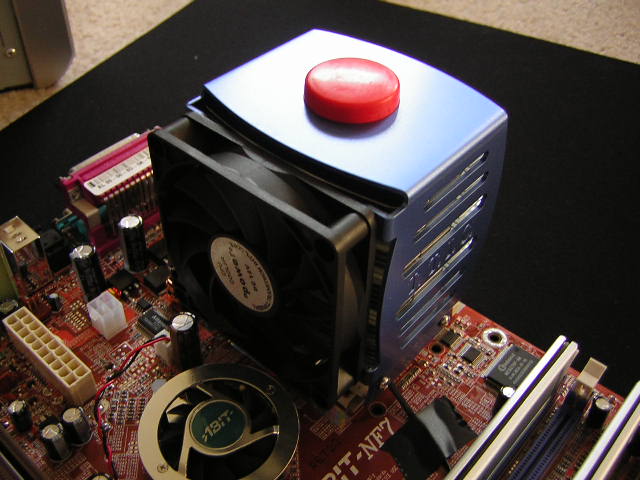
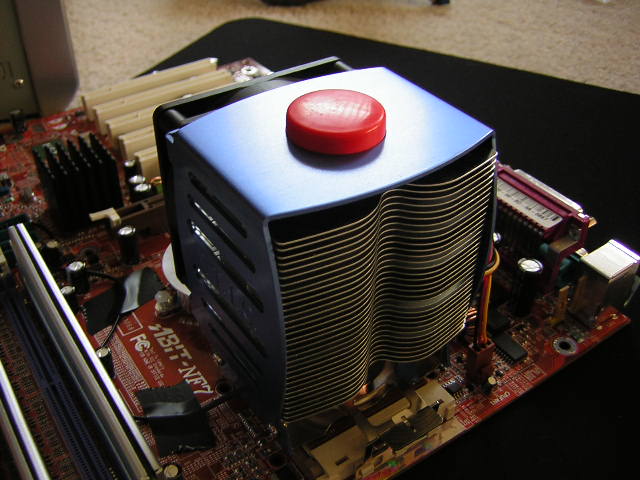
The testing process involves 30 minutes of idling the computer at desktop. To record the load temperatures, Prime95 was used to stress the CPU. Although it’s not the best program to create the maximum amount of heat, it does come close.
The NPH-2 will be compared to the Thermalright SLK-700. The SLK-700 is one of the few heat sinks that utilizes 70mm fans. The stock Everflow fan will be compared to the infamous Y.S. Tech TMD fan. Although the TMD fan was a bit buggy due to common fan shortage, it produced great direct airflow towards the bottom of the heat sink base.
Results:
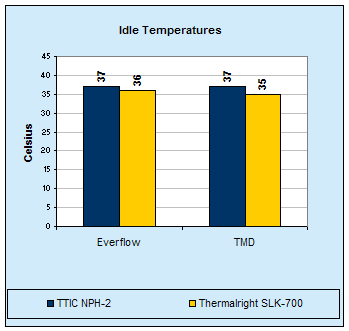
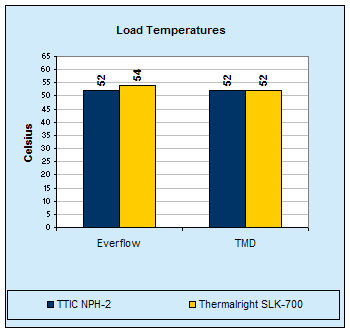
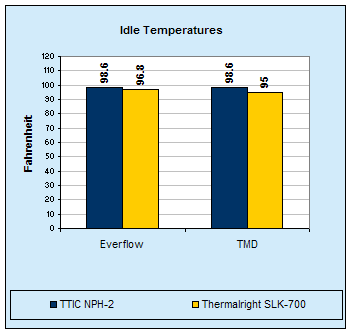
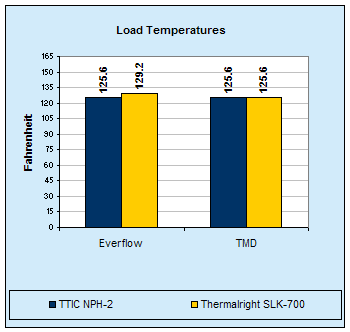
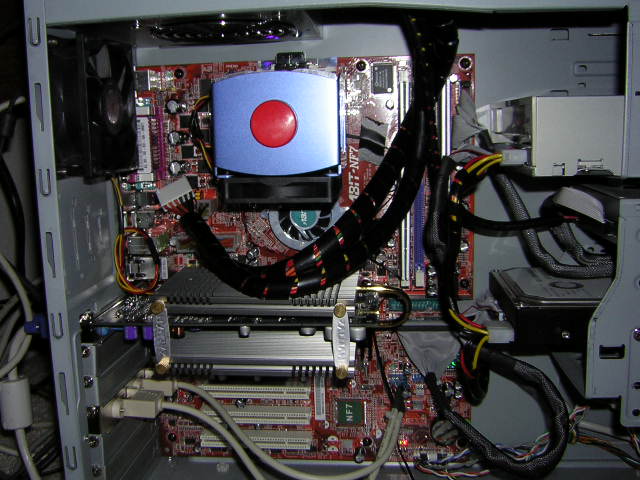
Judging from the results, the two heat sinks produced about the same performance. The TMD fan yielded better results for the SLK-700 due to the focused airflow directed at the center of the heat sink base. The TMD fan and the Everflow fan gave the same results on the NPH-2. The focused airflow of the TMD fan did not help cool the heat column in any special way. I believe that the cooling of the NPH-2 would have been better if the fan was not placed directly on top of my Zalman 80C passive heat sink. The fan draws the heat that rises from the heat sink and blows it into the NPH-2, thus using warm air instead of cool air. The warm air may not affect performance all that much, maybe at most a good 0.5°C, but every little bit counts. Cooling would also improve if I used a power supply with a fan mounted underneath.
Conclusion and Thoughts
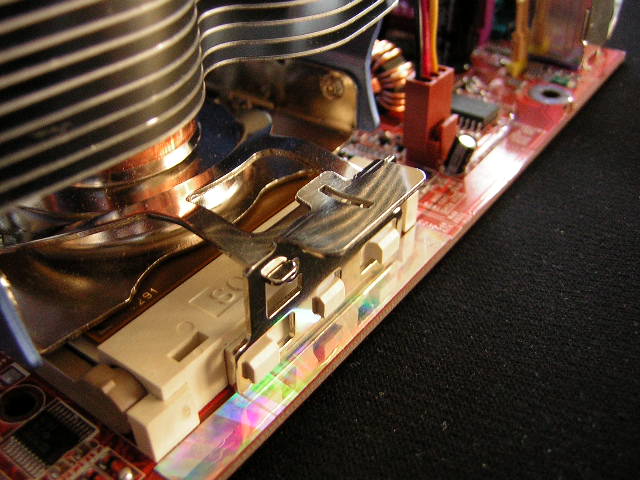
I did not encounter any problems or issues during the installation of the NPH-2. The fan was elevated enough to avoid capacitors, and the heat sink was made to fit within the socket clearance. Installing the NPH-2 was very easy, as no tools were necessary. All that is needed to install the heat sink is your thumb.
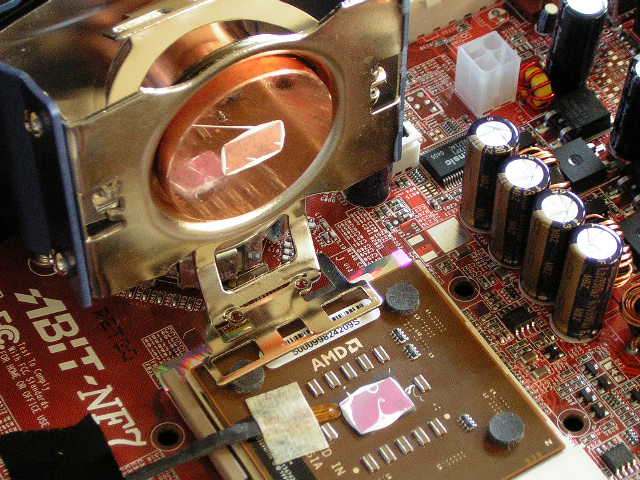
The heat sink also provided excellent contact with the CPU core. The paste oozed out on all four sides due to the excellent pressure–not too much and not too little. Had there not been enough pressure, then contact would have suffered. That would result in excess grease remaining in the center and not being spread out correctly.
Overall, this heat sink performed well. It was not great and did not drop any jaws, but it did its job at cooling under quiet operations in an overclocked system. It even outperformed the all copper Thermalright heat sink. Of course everything comes with some flaws; the NPH-2 lacked the fan options. It only gives users the choice of 70mm fans. There aren’t even many 70mm fans available. If there was an option for 80mm fans, imagine the potential with a Vantec Tornado.
Pros:
- Light weight (400g compared to SLK-700’s 510g)
- Aluminum and Copper combination
- Quiet
- Decent performance with quiet fan
- Easy to use clip
- Excellent contact with CPU core
- Pushes air into power supply fan
- Fan included
Cons:
- Not much fan options
- Copper base had fingerprints
- Draws heat from video cards
We would like to thank Sidewinder for providing us the sample. If you have any questions or comments, feel free to hit us up in the forums. You can also check out more of our latest reviews on the front page.