

Thermalright V-1
Introduction
A couple of years ago, everyone believed that aircooling would come to an end. There were even rumors about Intel planning to ship processors with a watercooling kit. Processors were just getting ridiculously hot to the point that quiet aircooling seemed to be an impossible feat. Thermalright stepped in with copper heatsinks that utilized heatpipes and showed that aircooling has yet to see its last days. Many companies followed suit with heatpipe heatsinks, whether it would be a traditional heatsink or a standing tower. Thermalright certainly did not stop there. They improved their heatpipe heatsinks when the XP-120 was released. The XP-120 was a huge success and even rivaled many simple watercooling setups. Unfortunately, it faced many compatibility issues with motherboards and many enthusiasts were turned off. They fixed that problem by shrinking the size of the XP-120 to the size of the XP-90, but enthusiasts were left using 90mm fans instead of the much bigger 120mm fans. Thermalright also listened to the inputs by many enthusiasts and released an all copper version of the XP-90, dubbed XP-90C. The performance was better, but not by much. Either way, Thermalright continues to stretch out the existence of aircooling for toasty CPU’s.
If you have kept up with the history of Thermalright heatsinks, you should know that there is one department that they have yet to reach into: GPU cooling. Many tend to forget, but the GPU of a video card is also a main source of heat. If you have never done so, play a game for an hour or two, then touch the heatsink that is attached to your video card. Burning hot isn’t it? Video cards used to overclock rather decently with the stock cooler, but those days are long gone.
Unlike CPU coolers, there are not many quality choices when it comes to aircooling the GPU. The only trustable solutions are from Arctic Cooling, with their VGA Silencers and Zalman’s VF700 series. Thermalright has heard our demands and came up with their first aircooling solution for the GPU.
Thermalright V-1
Much like all other Thermalright products, the V-1 came well padded in a brown cardboard box. Included are the bags of accessories for installation, a simple instructions manual, a Thermalright sticker, and a tube of thermal paste.
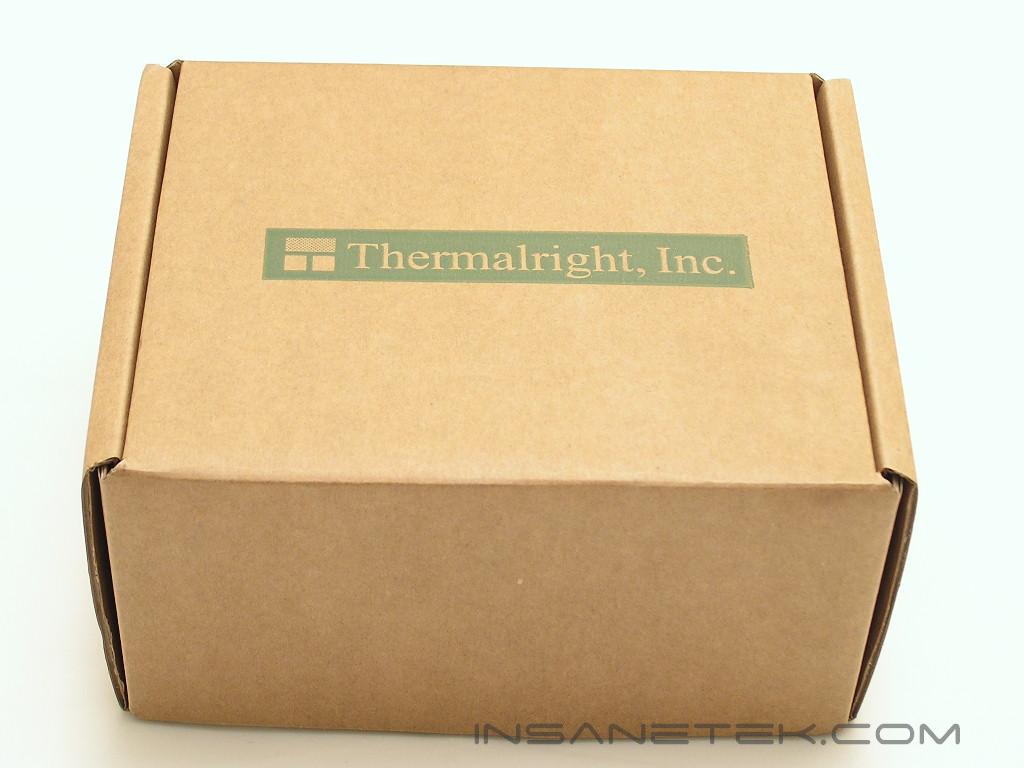
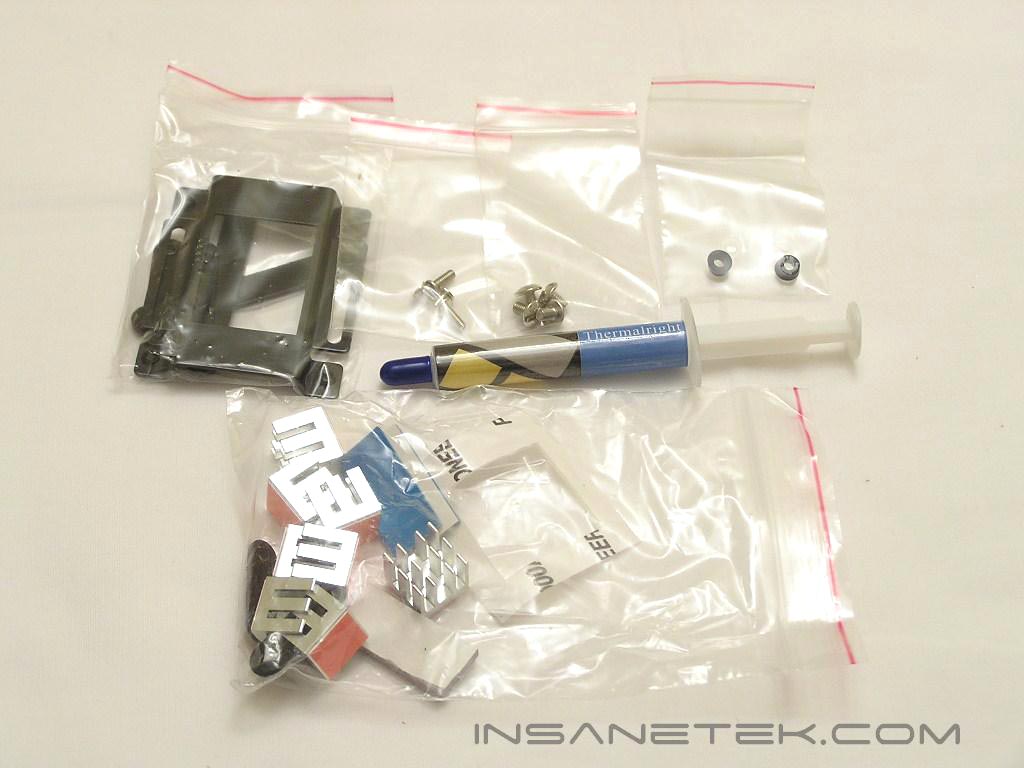
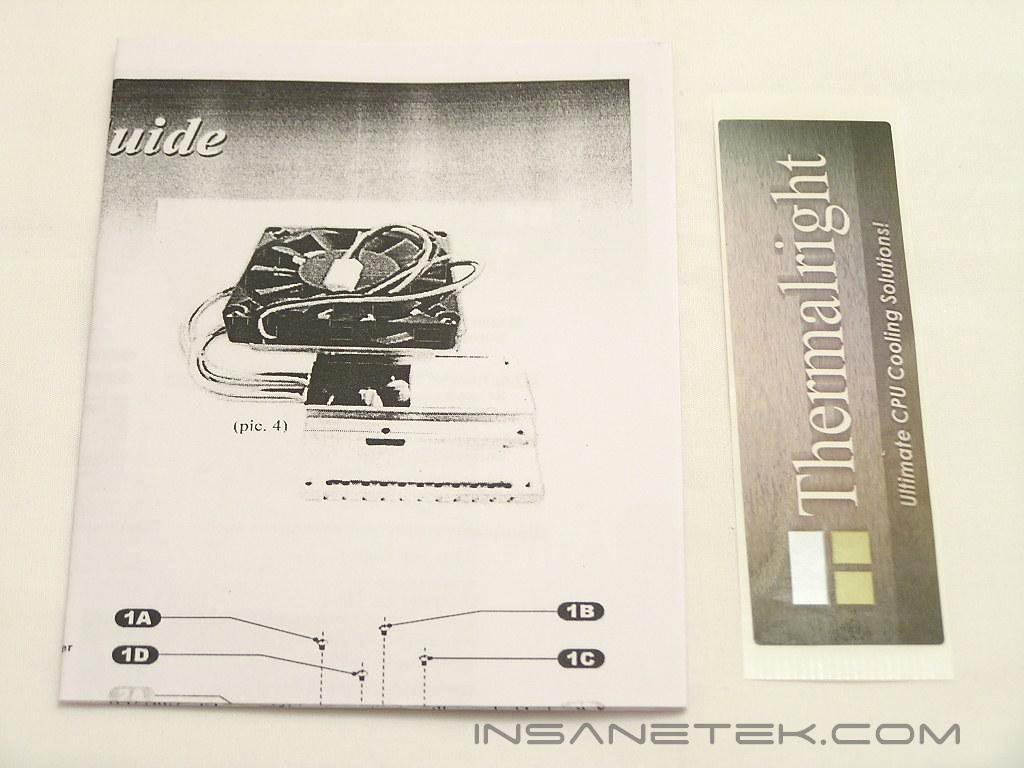
When I first heard about the V-1, I thought it would be a heatpipe cooler where I had to manually attach the heatsink and heatpipes together, much like the Zalman ZM80D-HP. To my surprise, the V-1 came fully assembled, fan and all.
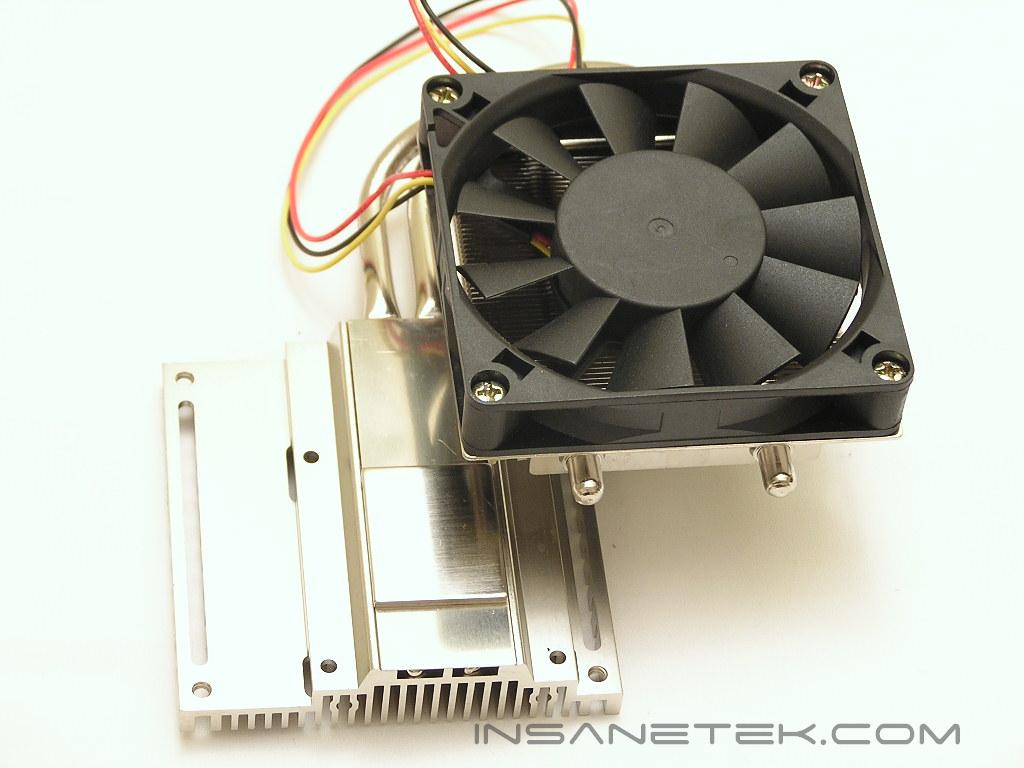
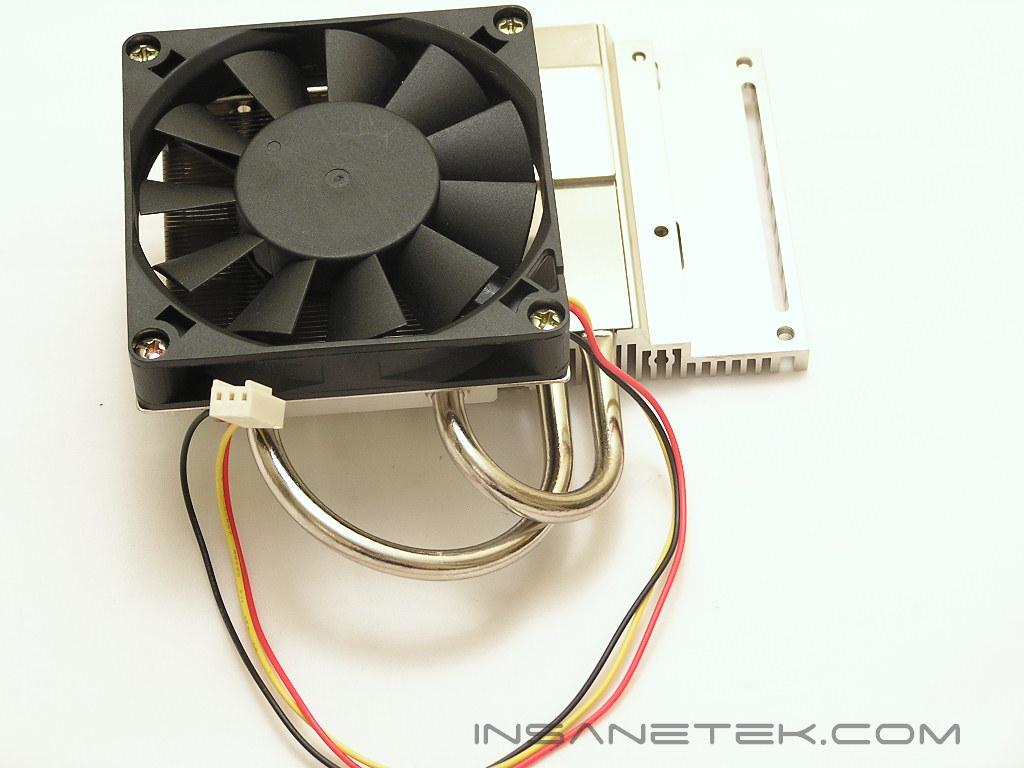
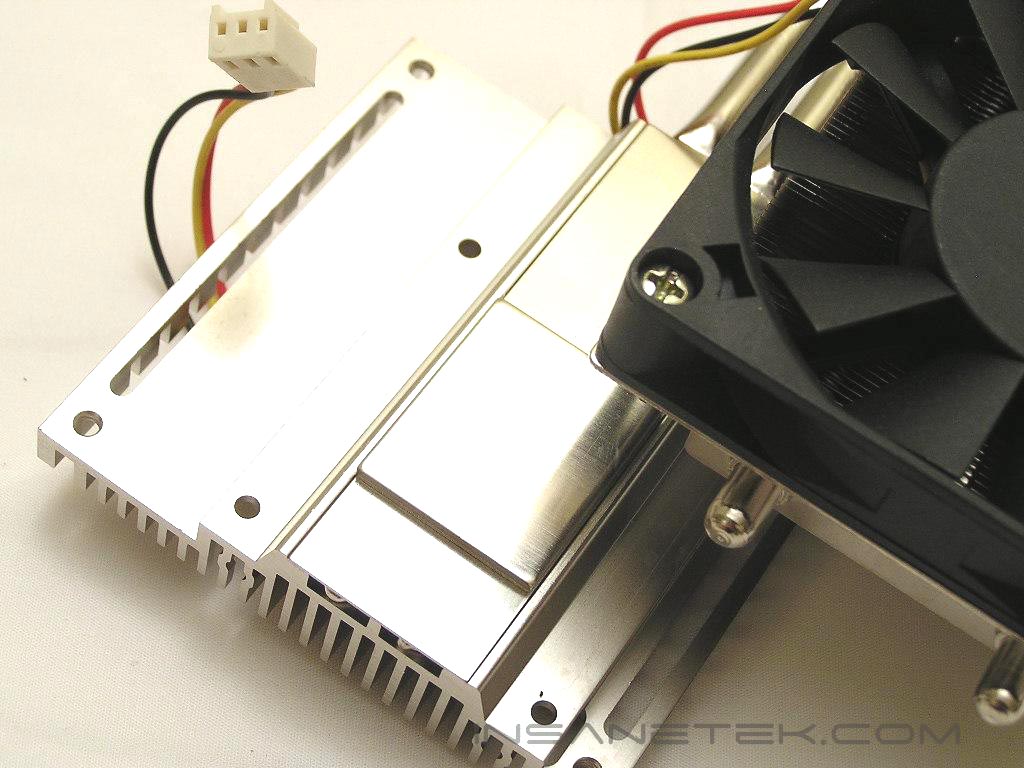
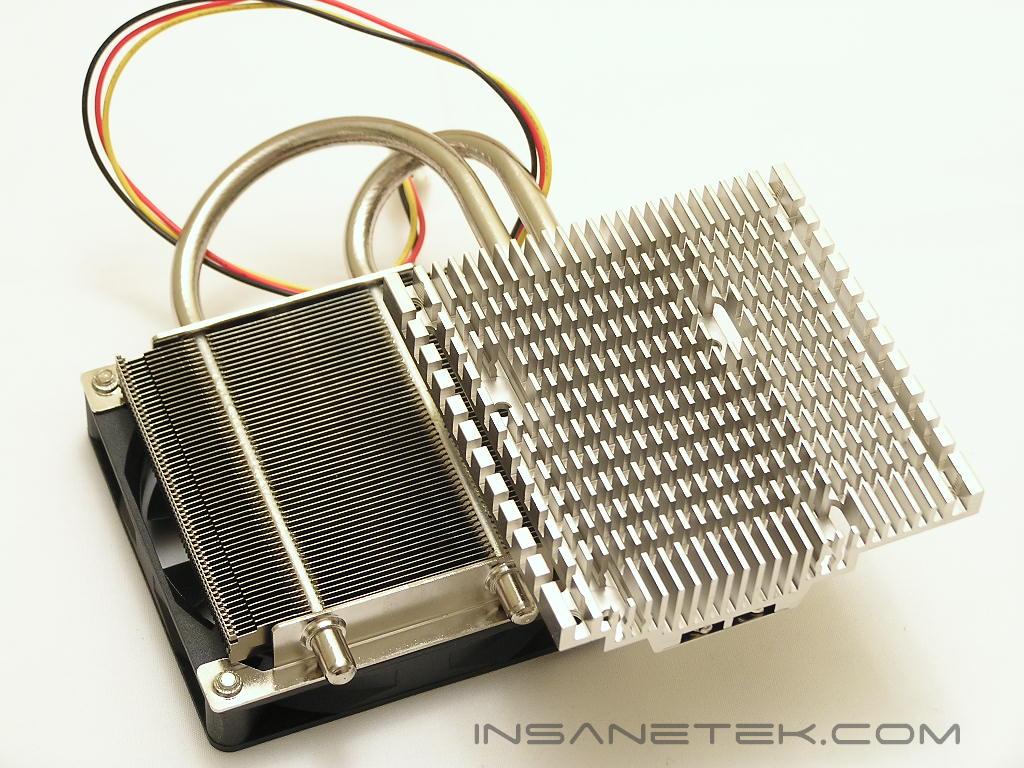
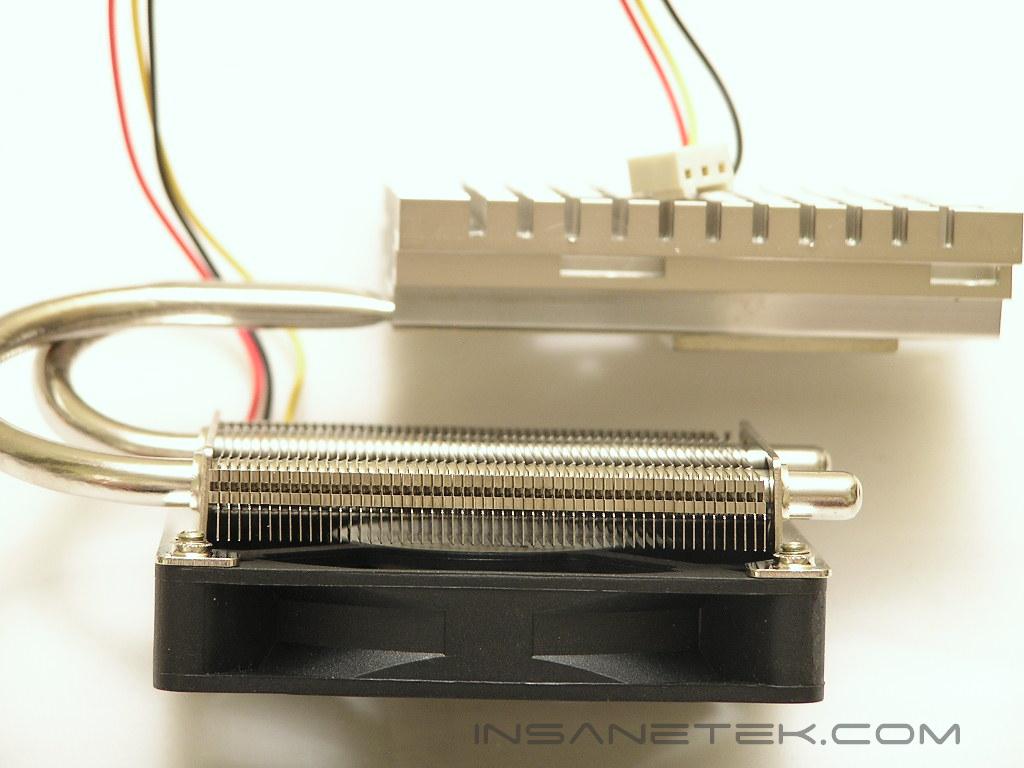
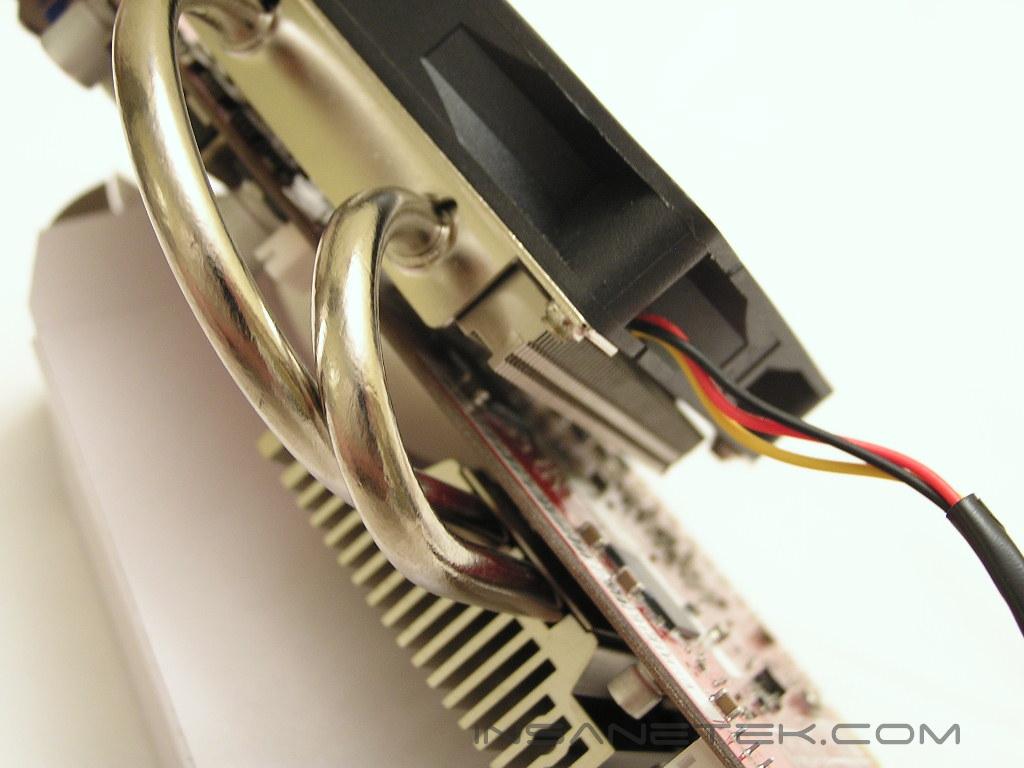
The V-1 GPU cooler comes with a copper base heatsink with heatpipes that route from the core to the backside where the fan resides. The base of the heatsink has fin extrusions that increases surface area for fast heat dissipation. This cuts down on the work of the heatpipes. The gap between the base of the V-1 and the backside heatsink is minimal. There is just enough room to fit the video card inside for proper installation. On the back, the heatpipes are connected to numerous fine fins that further increases heat distribution. The fan blows through the fins for cooling.
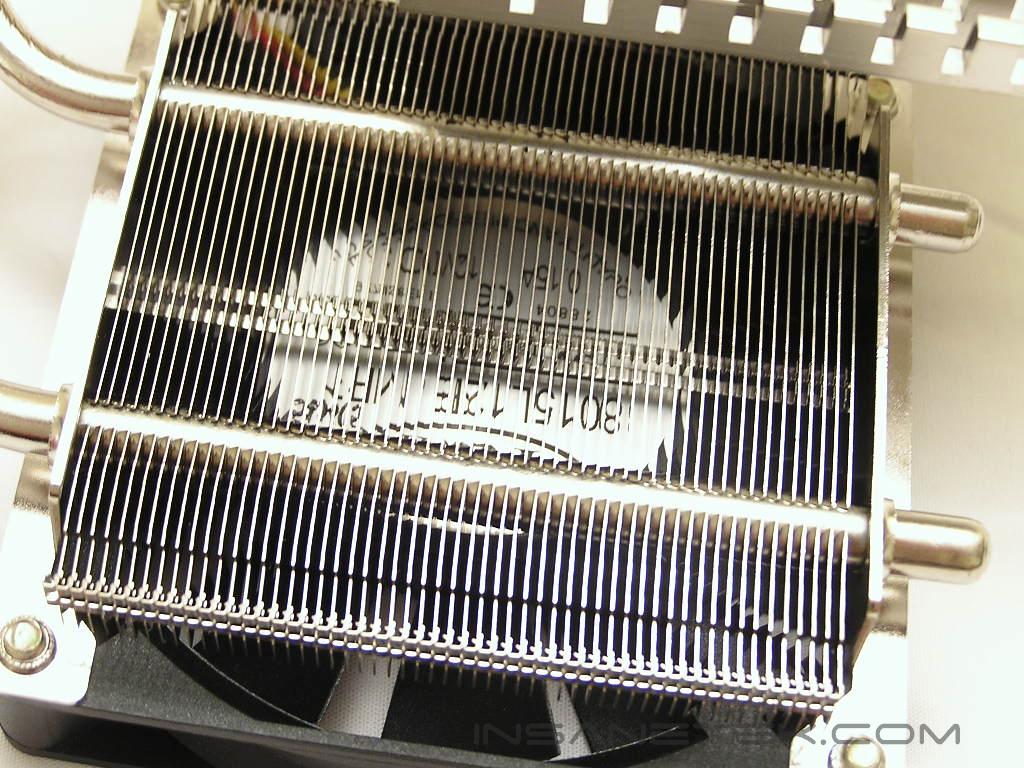
Fan and Specifications
The included fan is 80mm in size and is very convenient for enthusiasts who care less about noise and more about performance. Imagine slapping a Delta EHE fan on there!
Fan Specifications:
- Size: 80 x 80 x 15 (mm)
- Bearing: Two balls
- Voltage: 12v
- Speed: 2500 RPM
- Air Flow: 24.84 CFM
- Noise Level: 31.3 dBA
Current Compatibility:
- ATI Radeon 9600, 9800, X700, X800
- Nvidia Geforce 6600, 6600 GT, 6800, 6800 GT
You can also check out the full list of compatible cards HERE.
I had high expectations for the fan since it was the recommended choice by Thermalright. Unfortunately, I didn’t like the fan very much. The noise was not excessively loud and annoying, but it was not completely silent either. It produced some noise, much like the noise that would come off a common motherboard chipset fan.
The great thing about the V-1 is the weight. The GPU cooler is very light and only weighs in at 300g. The lighter the cooler, the less stress on your video card when installed. The other great thing about the V-1 is the option for a second 80mm fan. The included fan is preassembled on the back side of the cooler, but there is space and screw holes for a second at the front. This is more of a thrill for performance enthusiasts because adding additional fans in your system will increase both cooling performance and noise levels. Imagine slapping on TWO Delta fans!
Installation
The installation process of a cooler is a huge deciding factor for me when it comes to making a purchase. Thermalright’s CPU coolers always come with pretty straightforward and easy installation methods that was not duplicated on the V-1. The included instructions manual is good, but not extremely detailed. There are little guesses here and there that you would have to make during the process.
The first step begins with the black frames and metal arms. It is obvious that the frame will sit around the GPU core, but the guess you would have to make is with the black metal arms. There are three various lengths for different video cards. In this case, an ATI Radeon X800XT was used, so I chose the shortest arms possible. Even after tightening all the screws, the black frame could still move around if you push it hard enough. It was not held down 100%. I have seen this problem with many heatpipe based GPU coolers, so it was not very surprising to me.
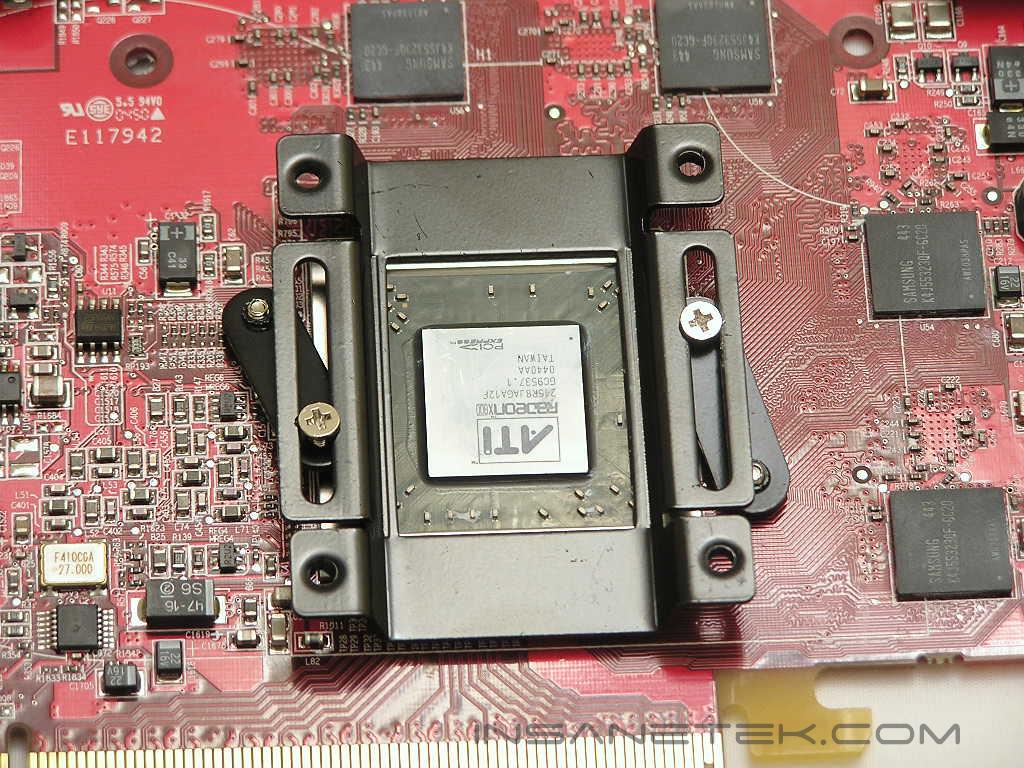
When the frame is fully assembled, it is just a matter of placing the heatpipe heatsink over the frame and aligning the corner holes for the screws. Make sure that you apply a good thin layer of thermal paste before you sit the heatsink down.
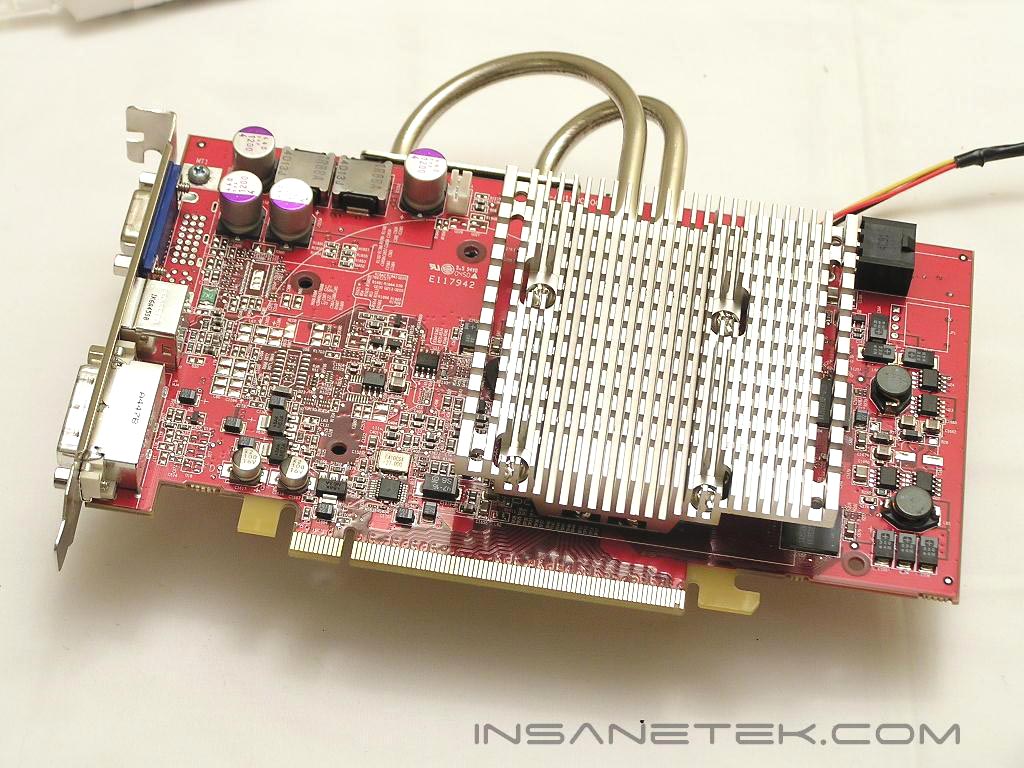
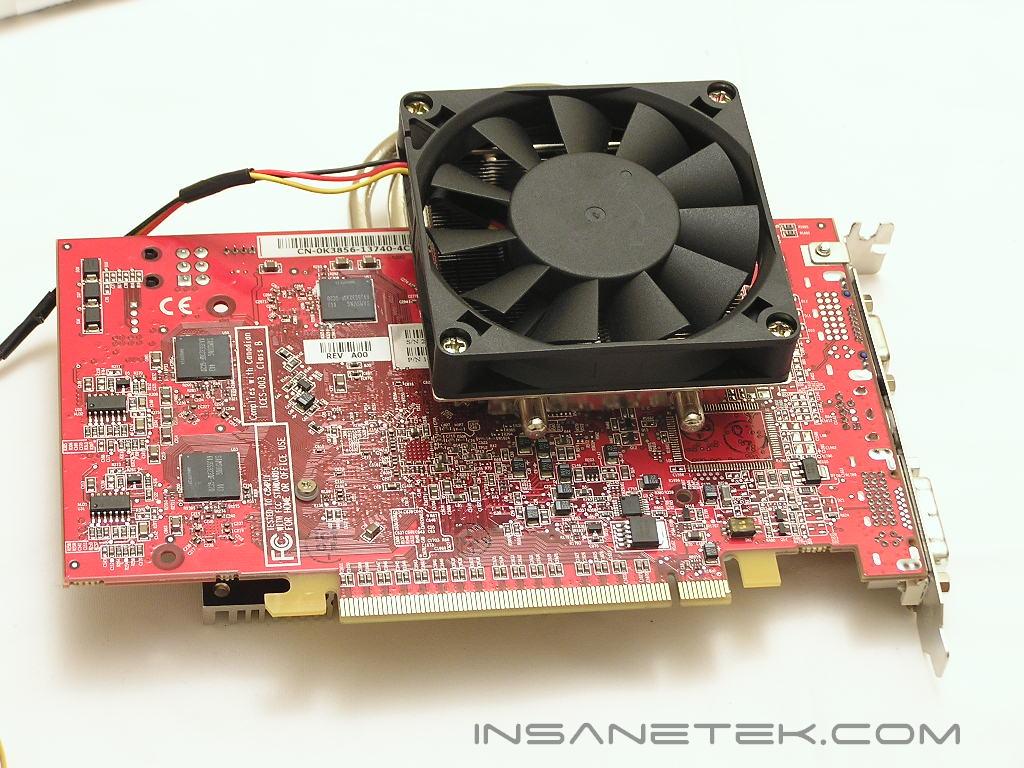
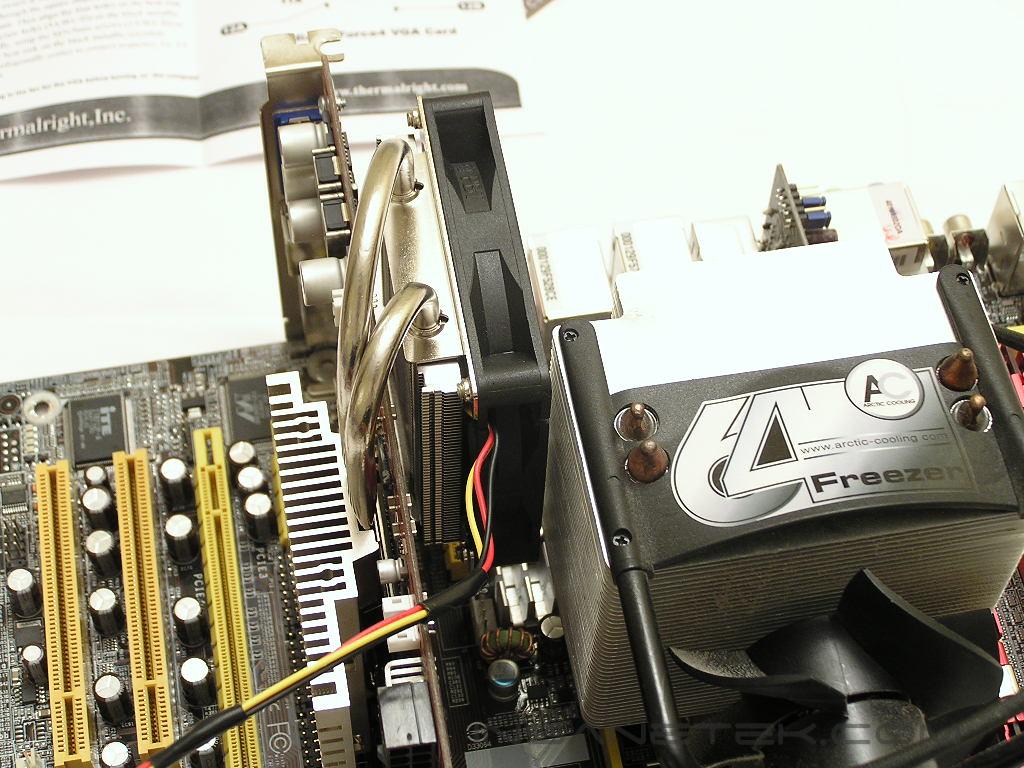
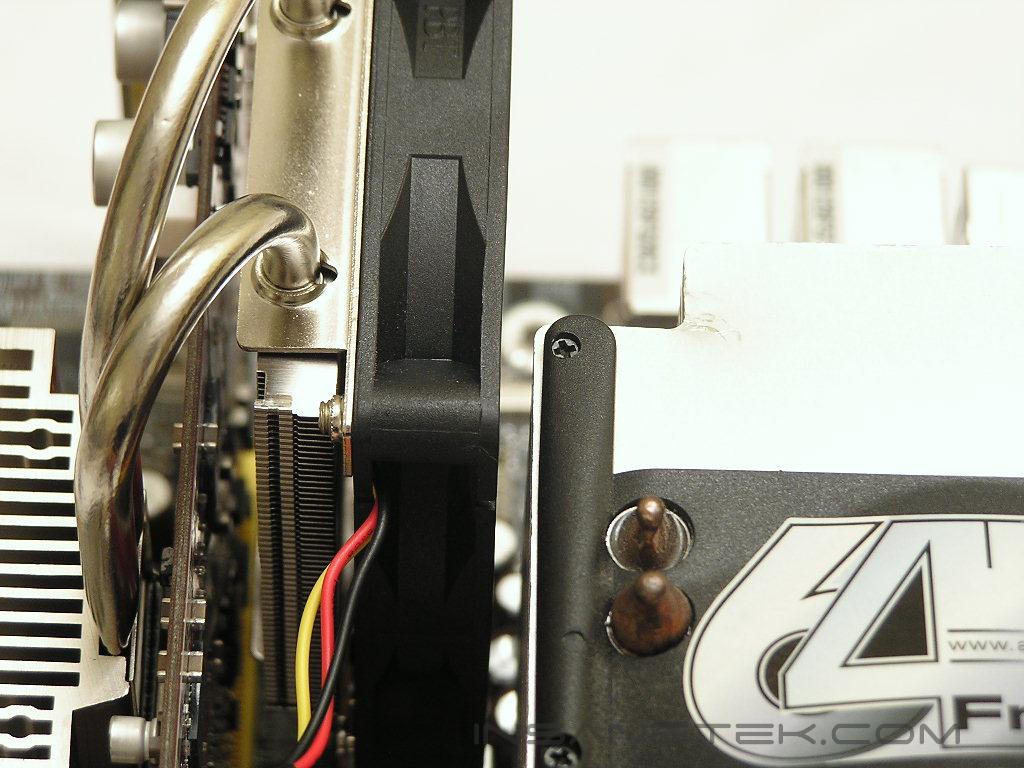
The package of the V-1 came with memory heatsinks that had sticky pads which could be applied to bare memory chips. As mentioned before, the gap between the two heatsinks only allows the video card to slide in which did not leave much room for the included memory heatsinks to be installed. This will happen with the majority of ATI video cards, but I am sure that there are cards out there that allow flexible room for memory heatsinks to be installed. With motherboards that have the PCI-E slot close to the CPU socket, make sure that your CPU cooler does not conflict with the back side of the V-1. When installed in my DFI LAN Party UT nF4 Ultra-D, the V-1 came really close to the Arctic Cooling Freezer 64.
Test Setup and Results
Test Setup and Method:
Ambient temperature was kept at a consistent 21°C. Arctic Silver Ceramic thermal paste was used during the entire testing process. Temperatures were recorded off of the ATITool overclocking utility. The purpose of this test was to determine the results a home end user would obtain. There were no scientific testing conducted, simply because I do not have the proper equipment.
Test System Specifications:
- AMD Athlon 64 3000+ Venice
- DFI LAN Party UT nF4 Ultra-D
- 2 x 512MB A-DATA PC4800
- Thermaltake PurePower 680W
- ATI Radeon X800XT (500MHz/500MHz)
Competition:
- ATI stock cooler
- Arctic Cooling Silencer 4
Test Procedures:
- Idling at desktop for 30 minutes
- Scanning for errors with the ATITool overclocking utility for 60 minutes
Results:
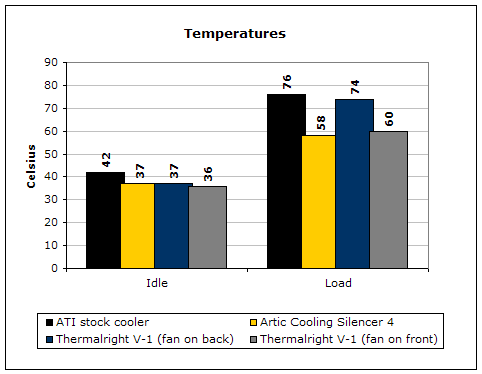
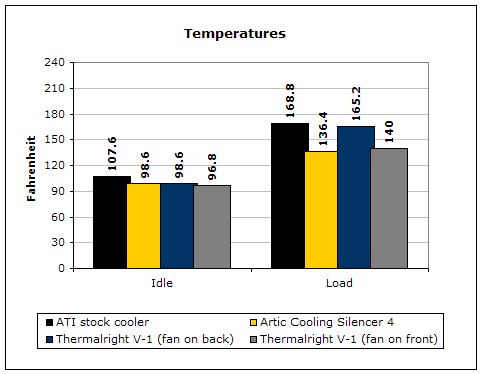
I was quite surprised that the V-1 did not perform as well as I had expected. The idle temperatures were fine, but who really cares about idle temperatures? The real performance benefit is when installing the fan on the front side of the heatsink, blowing directly at the heatsink that makes contact with the GPU core. Unfortunately, during the testing process, I was unable to test the heatsink with two fans installed at the same time. The reason is that there were no screws supplied that would allow me to install a regular 80mm fan.
Conclusion and Thoughts
The V-1 is Thermalright’s first attempt in making a competitive GPU cooler and they have started off in the right direction. Like with many products, the first attempt is never perfect. There are a lot of things that Thermalright has to do and can do to improve and make the V-1 a much more appealing choice. The compatibility issues of the V-1 might be a concern to some, but it does fit with the majority of current enthusiast video cards. My biggest disappointment in the V-1 is the limited space for memory heatsinks. I truly understand that the V-1 is designed to be as thin as possible, so it does not cause any compatibility issues, but having an aftermarket cooler on your video card and not being able to cool the memory is a big frown on my forehead. The great thing about the V-1 is the light weight and single slot solution. Unlike many aftermarket GPU coolers, the V-1 does not take up an additional PCI slot. The only time that it would take up another slot is if you install a fan on the front side of the heatsink to cool the heatsink that makes contact with the GPU. All in all, when compared to the successful Arctic Cooling Silencers, the V-1 will have a hard time coming out triumphant. Don’t get me wrong, it is not a bad cooler. It just needs more improvement. Knowing Thermalright and their history with CPU coolers, their next GPU cooler should see a big improvement.
Pros:
- Single slot
- Light weight
- Allows various 80mm fan options
- Allows two 80mm fans to be installed for increased performance
- Comes with memory heatsinks
- Preassembled, less fuss to deal with
- Quiet
Cons:
- Not completely silent
- Installation frame cannot be secured 100%, can still wobble
- Cannot install memory heatsinks on ATI cards (at least X800XT)
- Performance only good when installing fan on front side heatsink

We would like to thank Thermalright for providing us the sample. If you have any questions or comments, feel free to hit us up in the forums. You can also check out more of our latest reviews on the front page.