

Thermalright SI-120
Introduction
The Thermalright XP-120 CPU cooler: If you are a PC enthusiast and have never heard of the XP-120, you should smack yourself in the head and save me the trouble. The XP-120 was the heatsink that stirred up quite the commotion regarding the use of a large 120mm fan. Before the release, the largest fan that any CPU heatsink has ever used was 92mm. The inclusion of numerous heatpipes was uncommon and shocked enthusiasts worldwide, in a good way of course. Unfortunately, the XP-120 faced one huge problem–compatibility issues.
Many enthusiasts were overjoyed when they saw the release of the XP-120, but their smiles quickly turned upside down when they started having trouble installing the heatsink. Motherboard capacitors, memory modules, Northbridge heatsinks, and many other components on the motherboard started posing as obstacles. It was a difficult time indeed. Thankfully, Thermalright listened to our whines and cries and went back to the drawing boards.
Their new pride and joy is the SI-120, an aircooling heatsink that is similar to the XP-120, but without any of the compatibility issues. Ridding of the compatibility issues is not an easy task, especially when dealing with a heatsink that is already very big in size. Thermalright only made a few changes, but the changes look as if it would affect the performance of the heatsink.
Thermalright SI-120
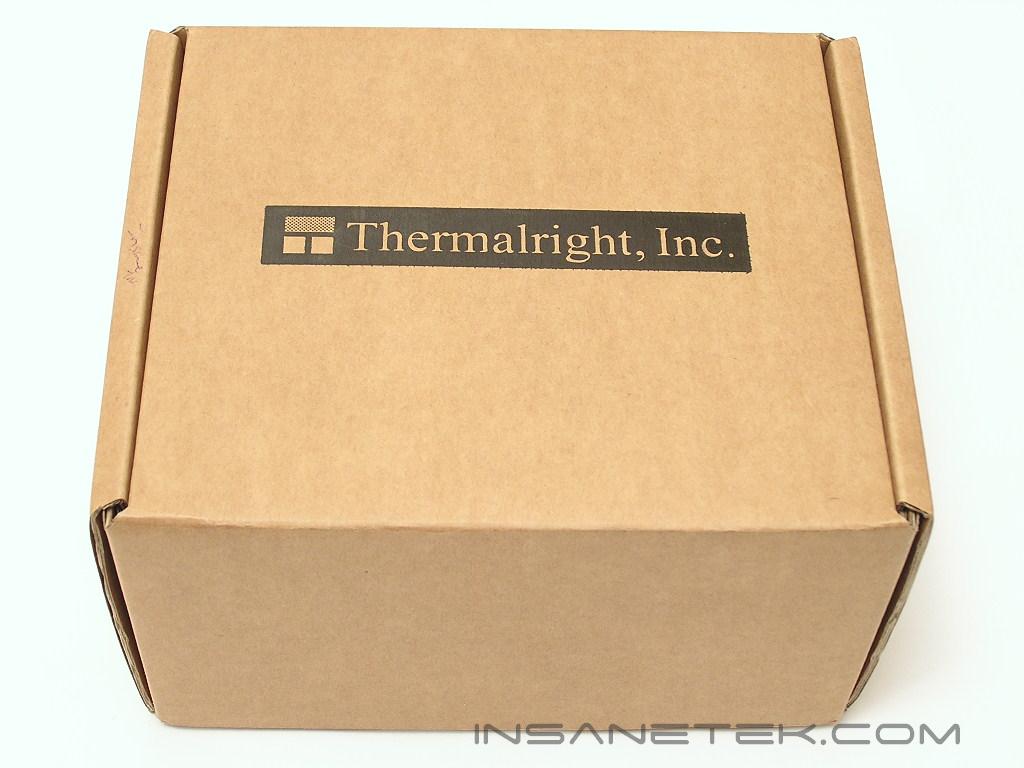
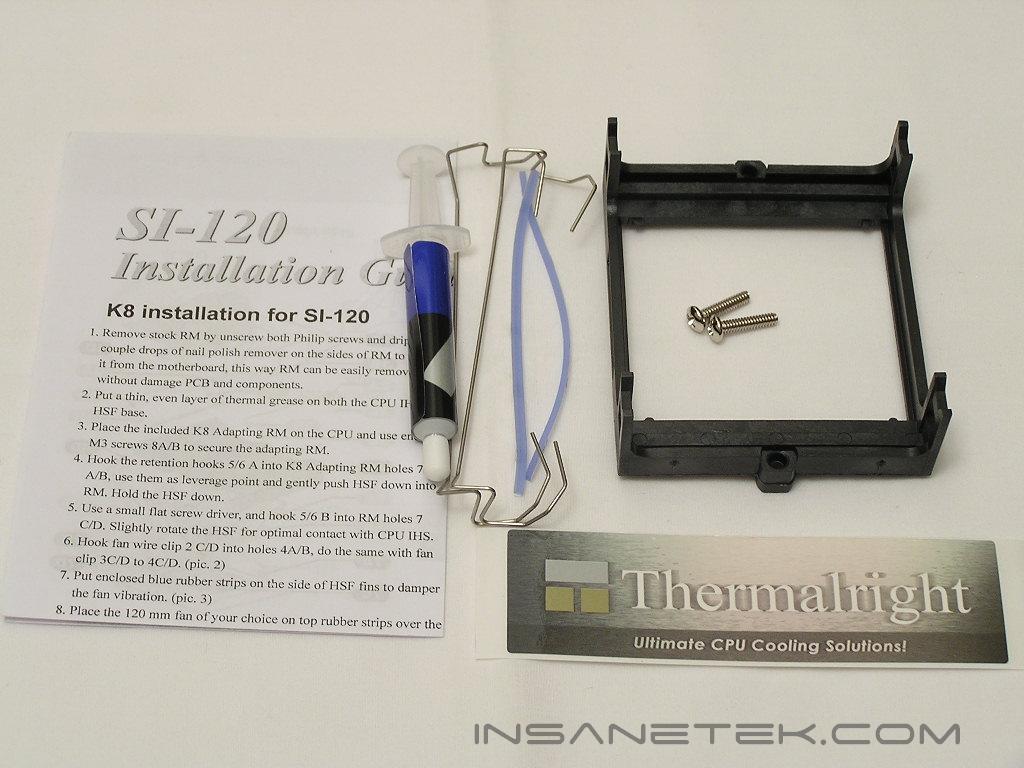
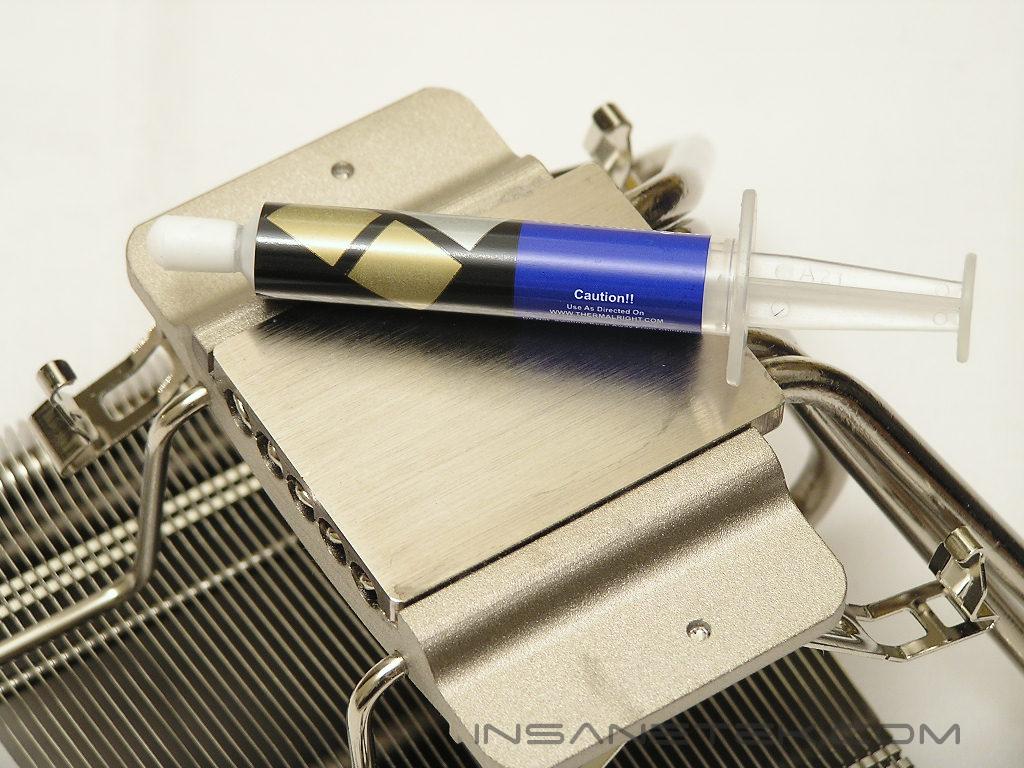
Like all their other heatsinks, the SI-120 is packaged in a brown cardboard box. The heatsink itself is nicely surrounded with soft padding to ensure that the aluminum fins do not bend and dent during shipping transit. Included in the package is a tube of thermal paste, fan brackets, CPU socket retention frame, rubber fan padding strips, a sticker, and a user’s manual.
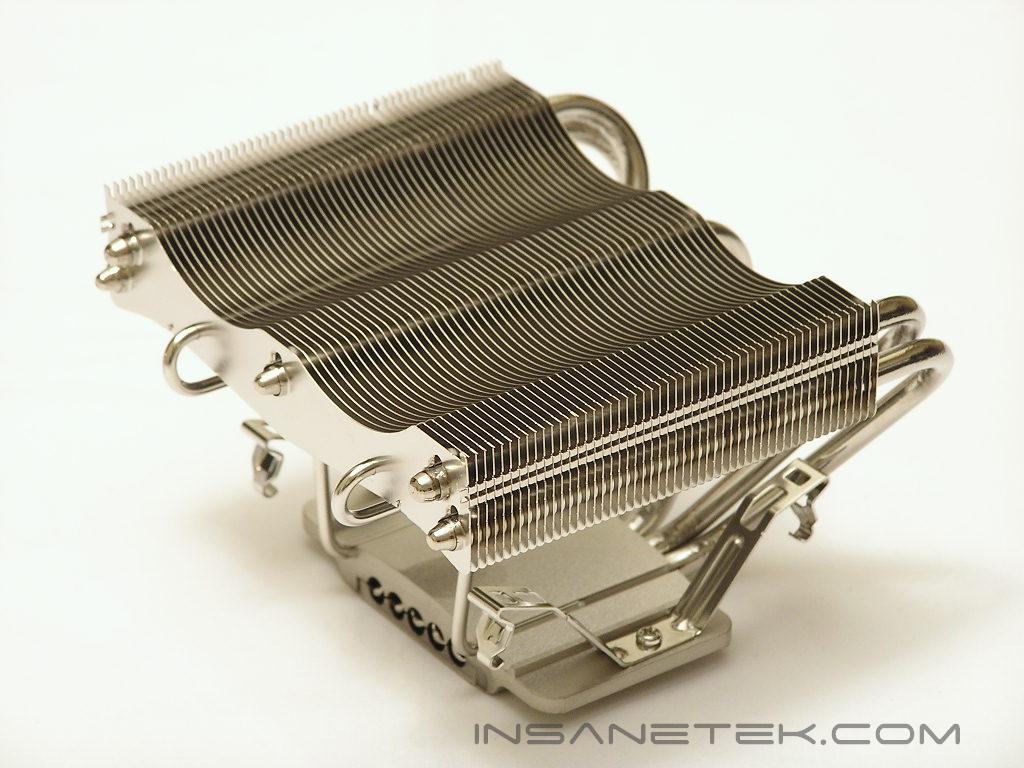
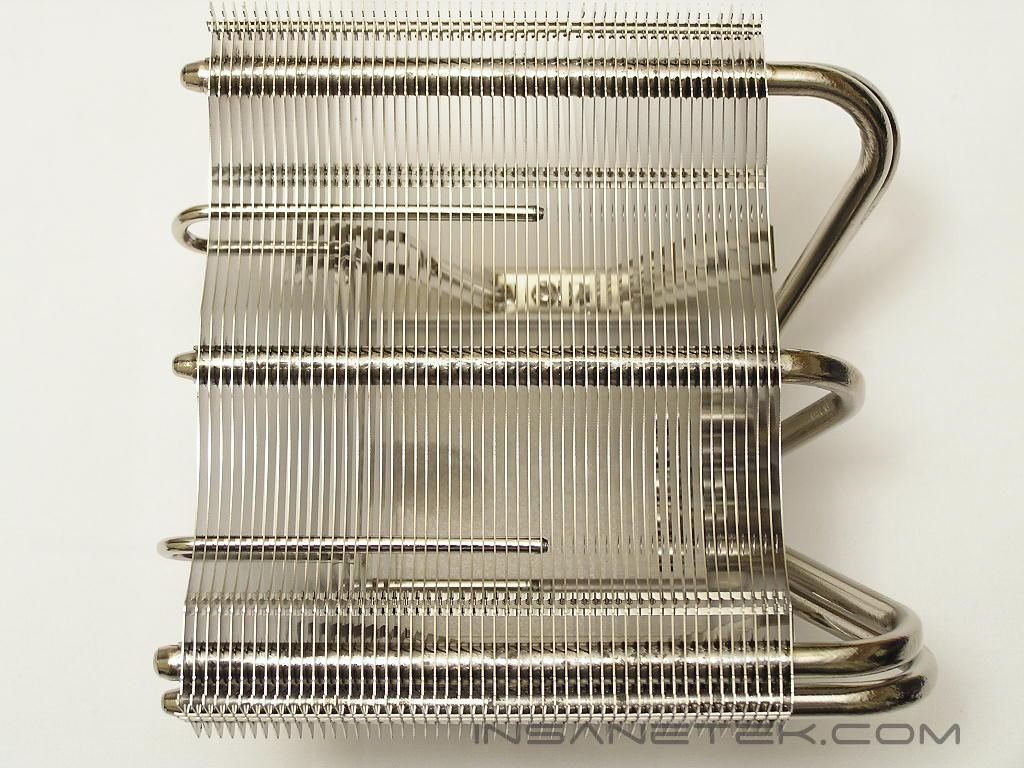
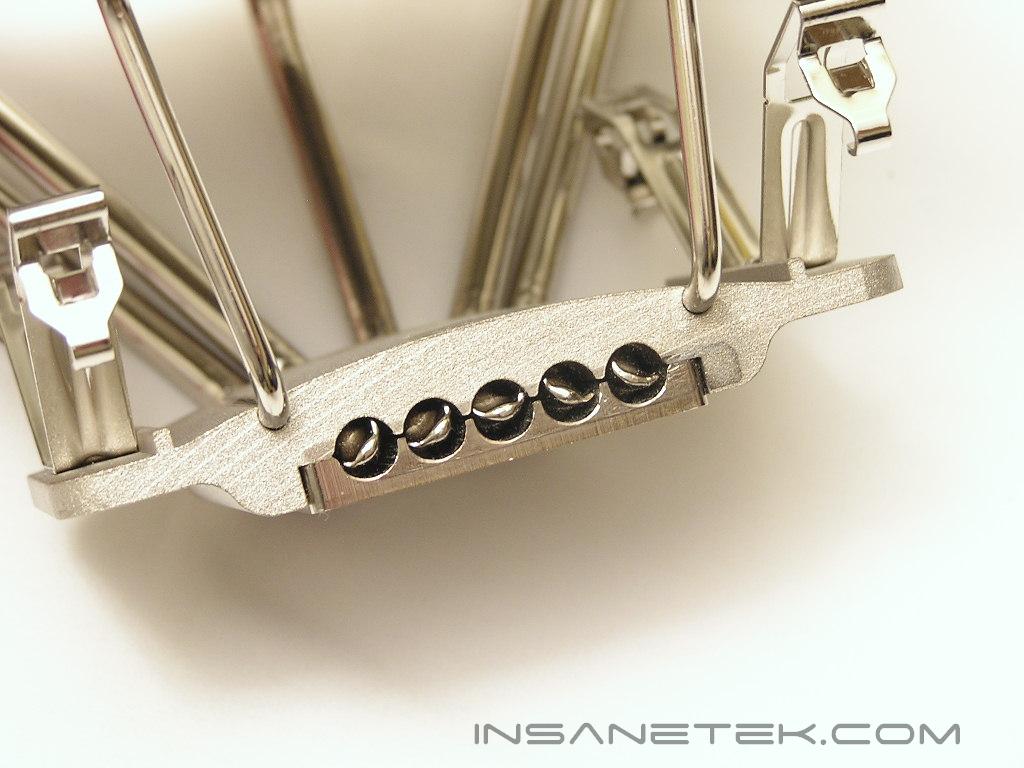
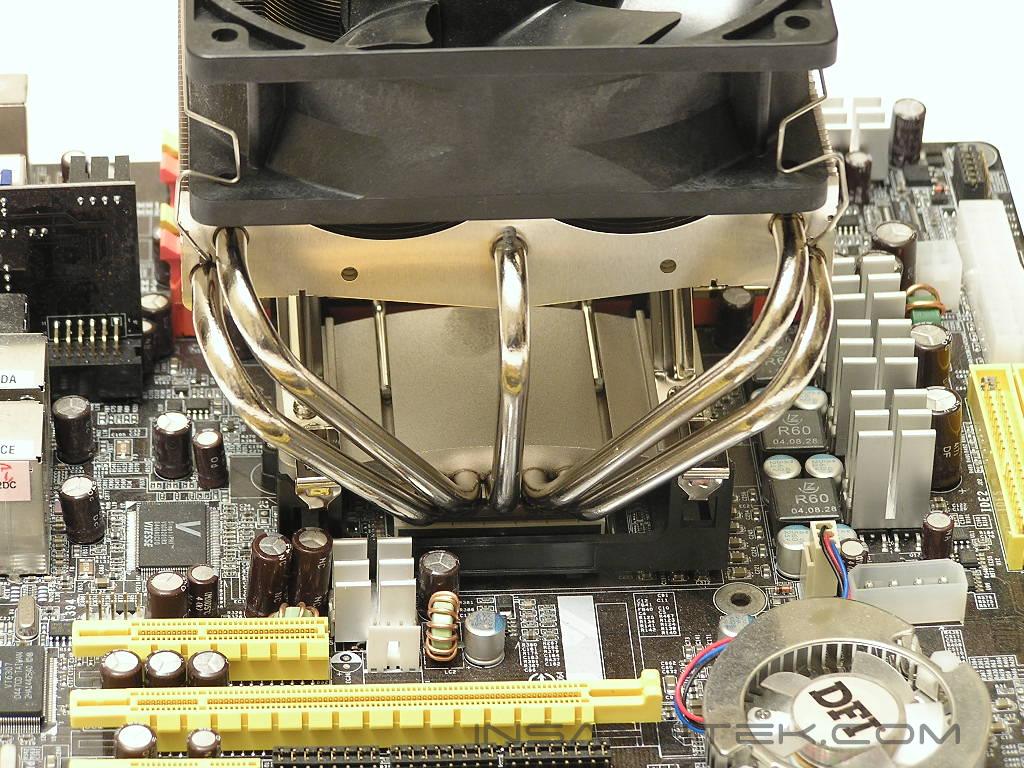
The SI-120 looks a lot like the original XP-120. The first major difference is the lack of fins at the base of the heatsink. I tend to like having fins at the base of the heatsink since the fins are immediate help in dissipating heat. Without the fins at the base, the heatpipes will be heavily relied on. If the heat load is higher than what the heatpipes can handle, the performance of the heatsink will turn sour. The rear of the SI-120 shows that there are still the same five large copper heatpipes that stretch from the copper base through the aluminum fins. The front side of the SI-120 shows that there are two additional smaller heatpipes that also stretch from the base to the aluminum fins. This means that the SI-120 has two more heatpipes than the XP-120. Perhaps these two smaller heatpipes are integrated to make up for the lack of fins at the base?
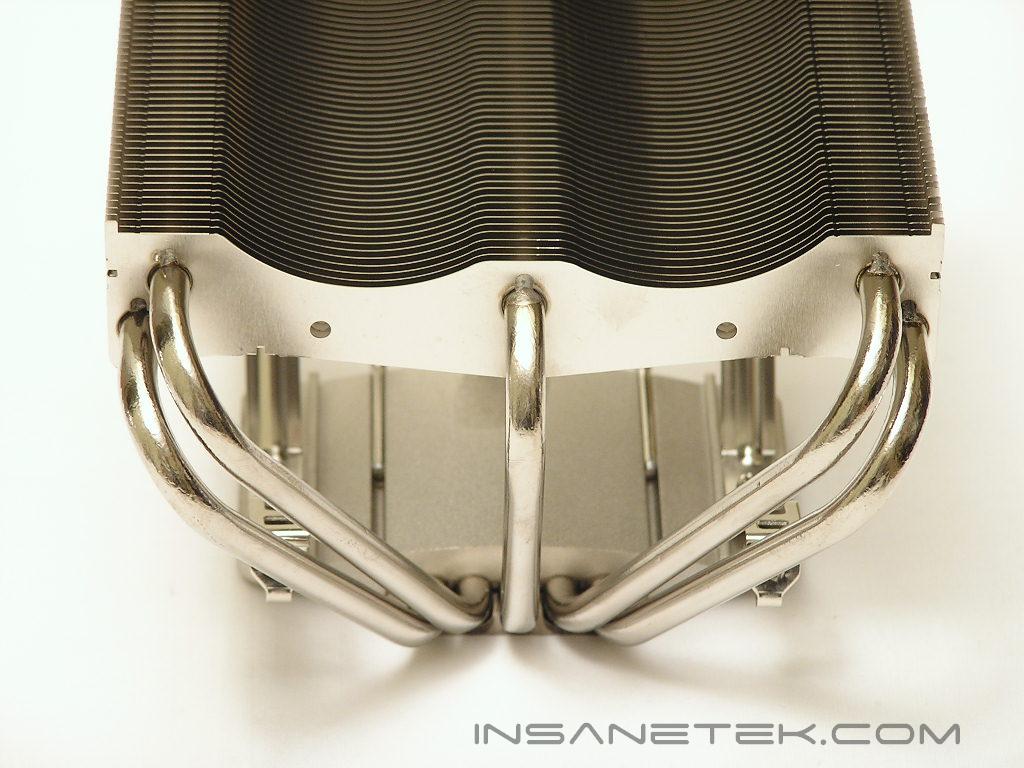
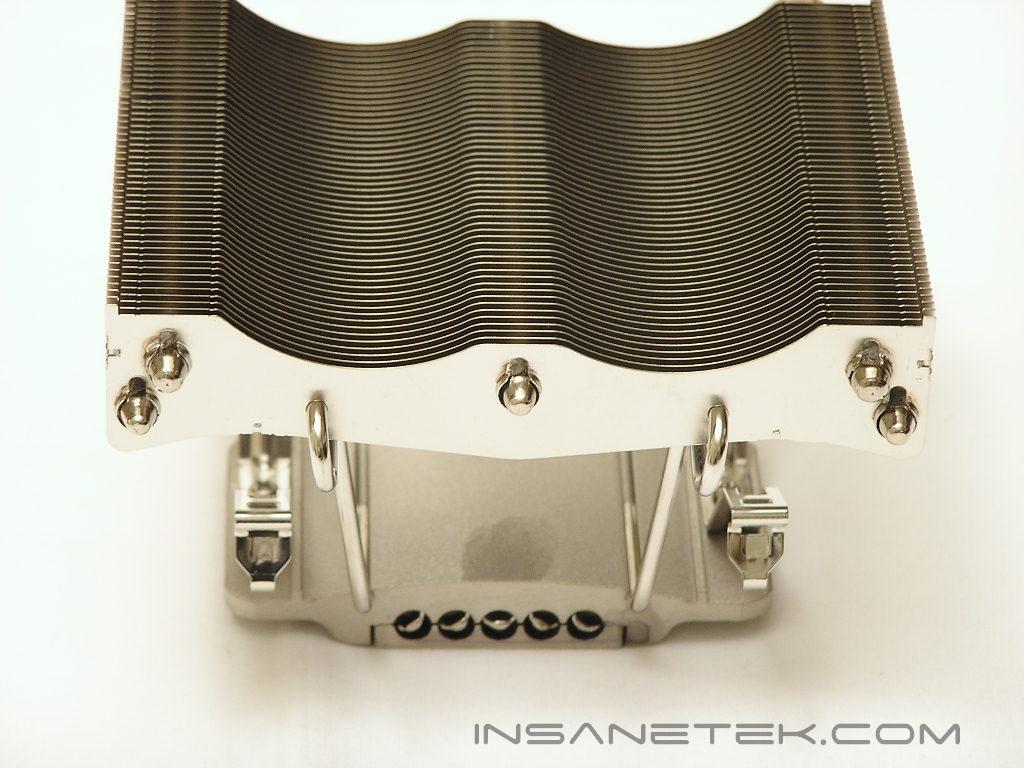
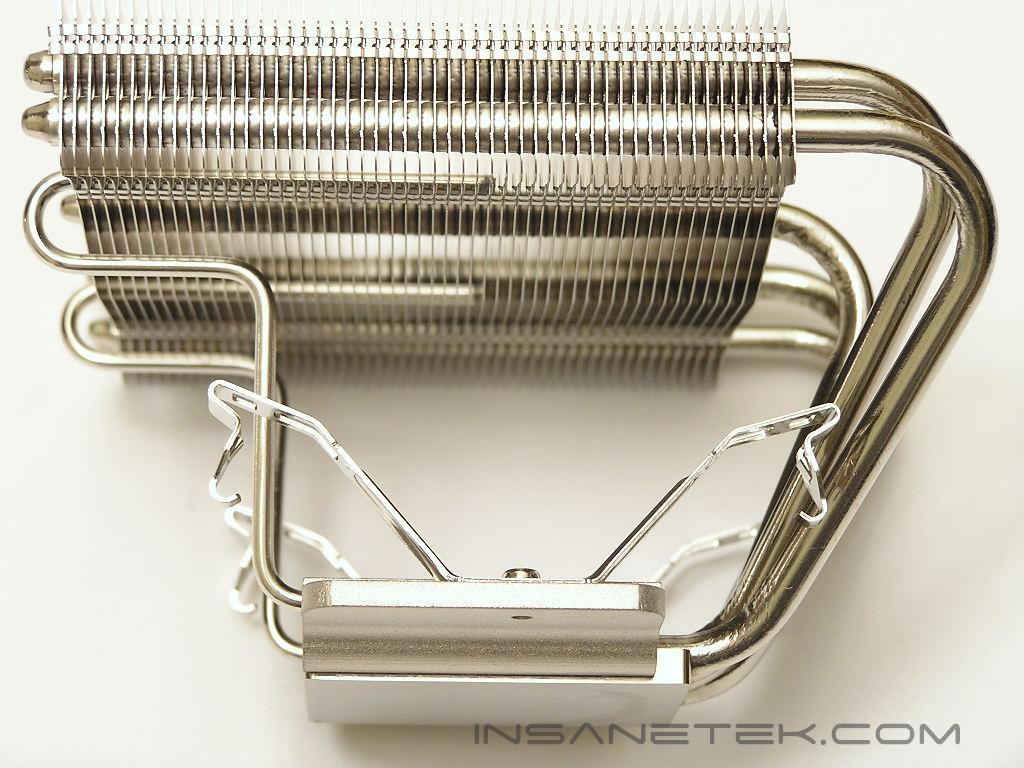
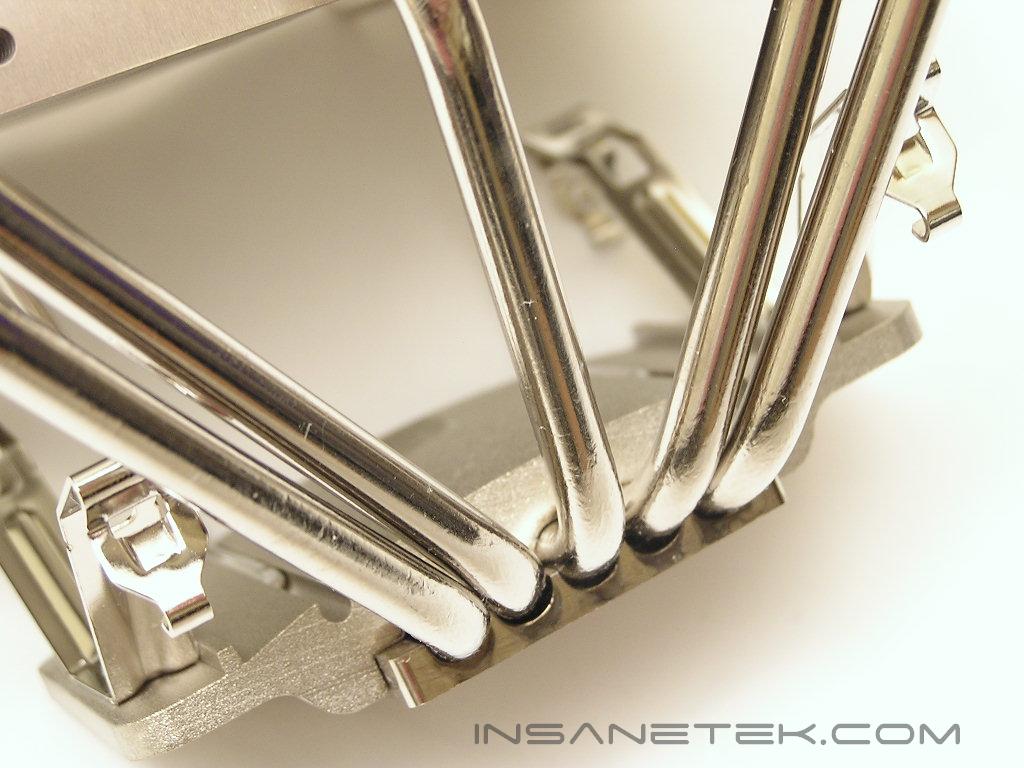
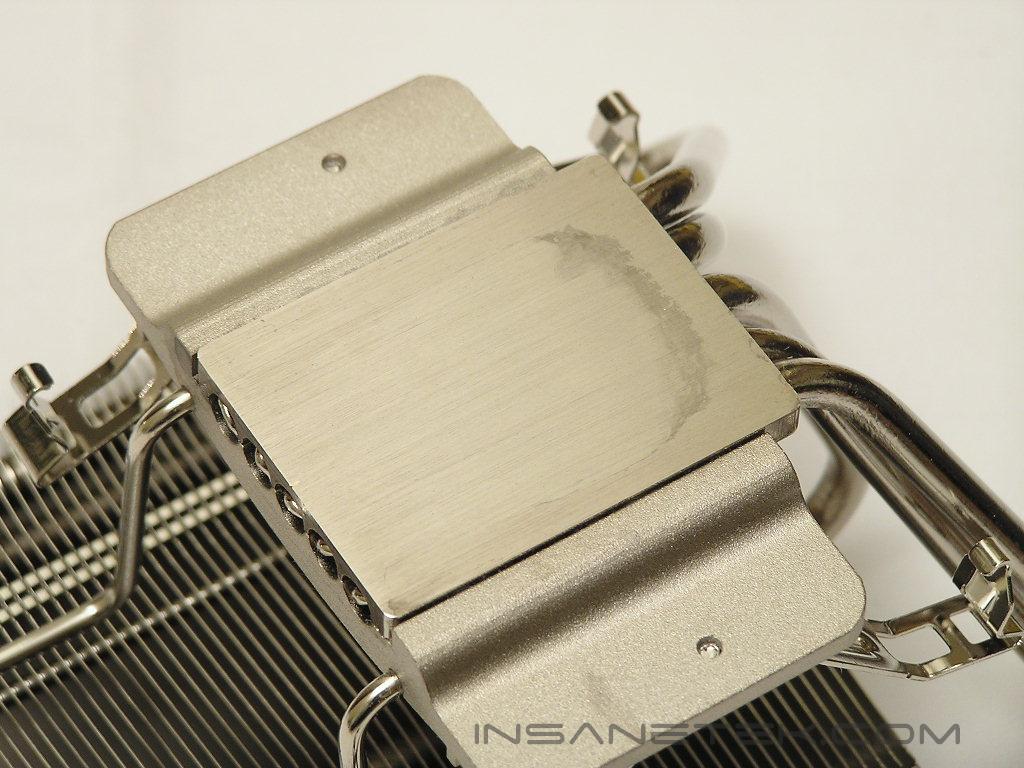
The base of the SI-120 is very smooth and flat, but it came with a little smudge. I tried to remove the smudge with Goo Gone and rubbing alcohol, but it would not come off. It must have been a stain accidentally left by some chemicals during manufacturing process. The base is not shiny, but that is not a necessity since the main focus of the base is to be as flat as possible and provide excellent contact with the CPU.
Specifications
Like the XP-120, the SI-120 is designed to be compatible across multiple platforms. It is natively ready for Socket 478 and with a change of the motherboard retention bracket, it is ready for Socket 754/939/940. LGA775 users will need to go out and make a purchase of the LGA775 RM in order for the SI-120 to install.
- Dimension: L135 x W125 x H90 (mm) heatsink only, without fan
- Weight: 400g (heatsink only)
Thermalright’s recommended fan is Panaflo’s Ultra Quiet FBA12G12L1A, which spins at 1700 RPM and pushes 68.9 CFM at 30 dBA. This fan can be purchased at Sidewinder for $15.95. The fan used today will be the Panaflo Medium Speed that provides a little more airflow–86.5 CFM at 2100 RPM.
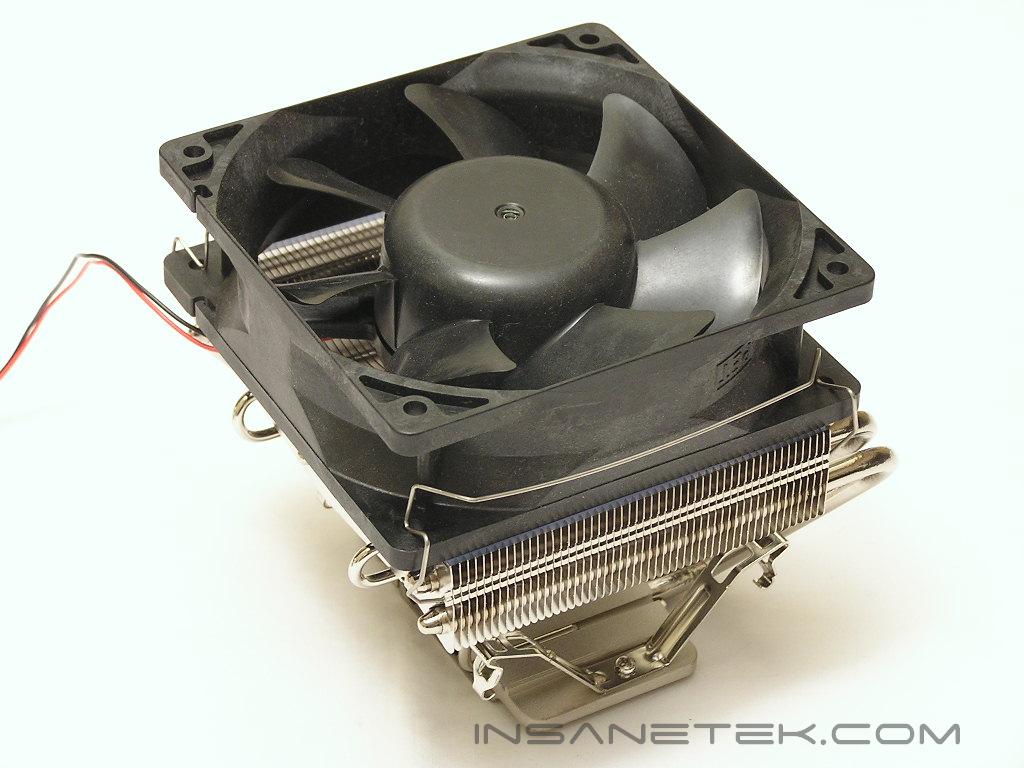
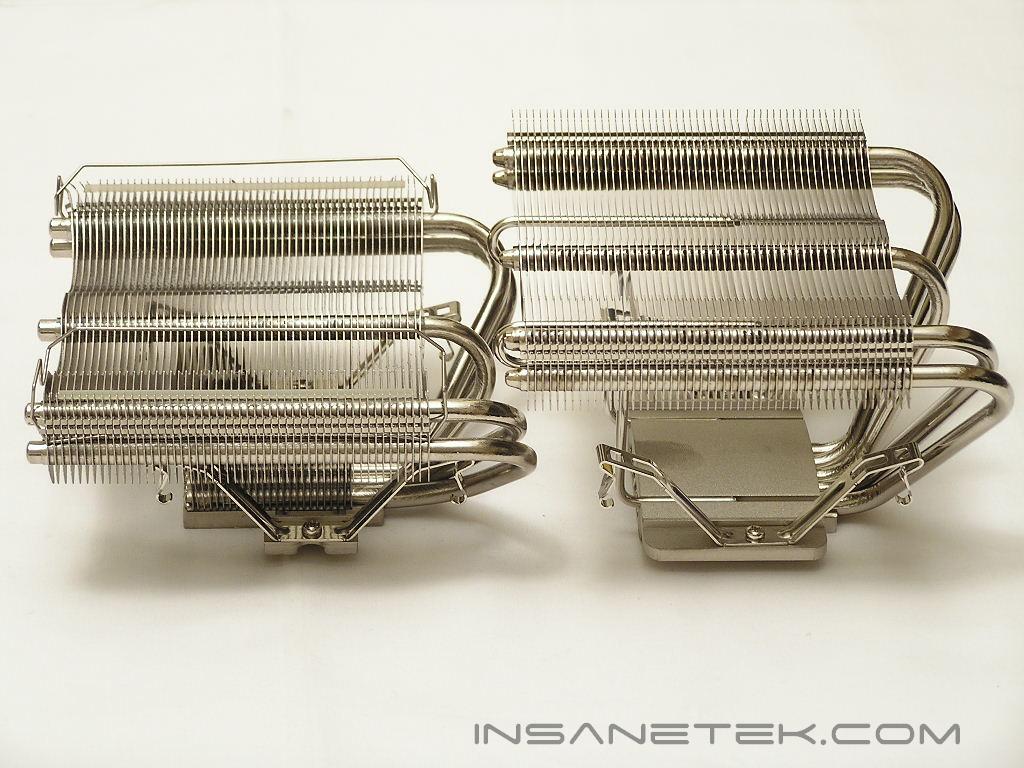
Below are a couple of shots comparing the original XP-120 and the new redesigned heatsink. Notice that the SI-120 is much taller than the previous champ. The increased height is to relieve the heatsink from compatibility issues. The biggest compatibility issue the XP-120 had was RAM interference. The SI-120’s added height allows memory to sit comfortably below the fins of the heatsink.
Installation
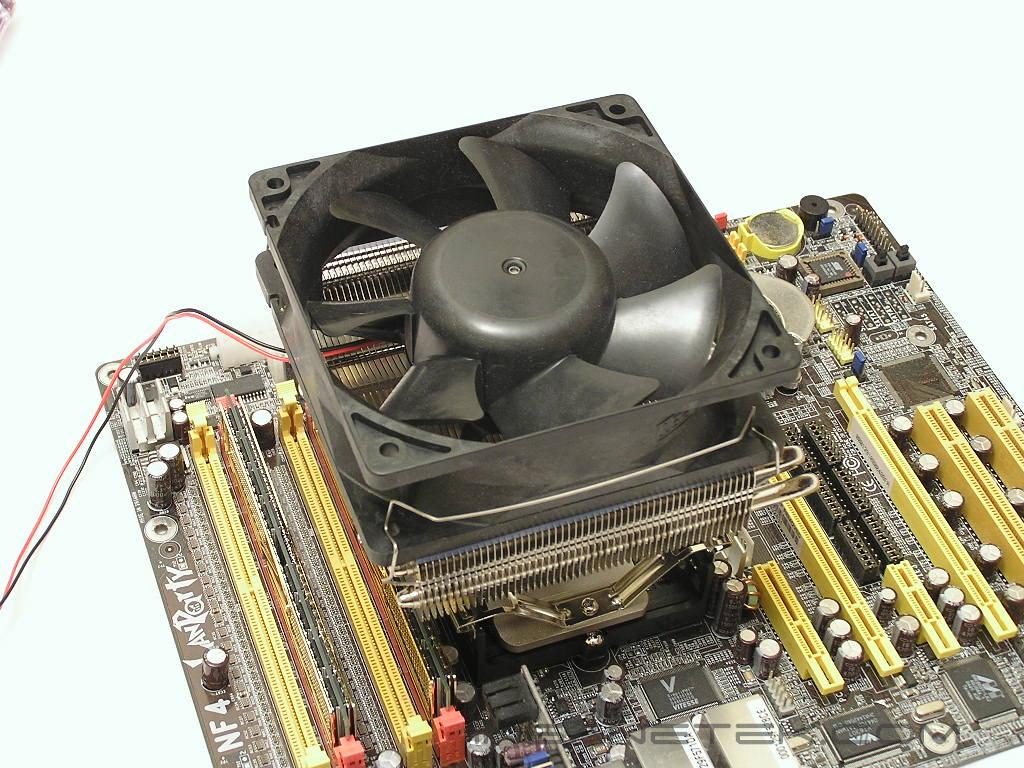
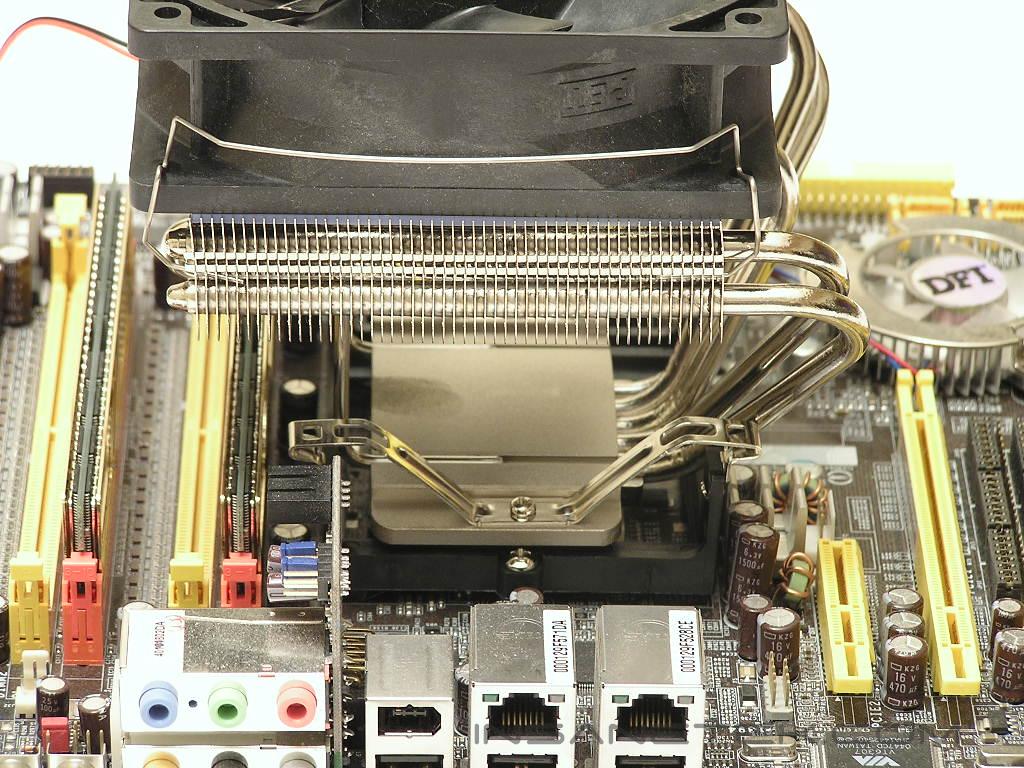
Installation of the SI-120 is the same as installing the XP-120, XP-90, and the XP-90C. To begin, remove the top portion of your motherboard retention frame. Replace the top part with the supplied bracket and tighten it down with the provided screws. Then latch the two hooks, the ones that are on the opposite side of the heatpipes, onto the retention frame. Gently place your hand over the top of your heatsink and press down, allowing the other two hooks to latch onto the retention frame. The installation method is not bad and installs within seconds. The only gripe I have with this method is the removal. If your CPU paste is good and makes an excellent bond between the heatsink and the CPU, the CPU will stick to the bottom of the heatsink base. When you attempt to remove the heatsink and unhook the hooks on the side of the heatpipes, the heatsink will tilt and the CPU will stick along, causing the pins to bend. Removing is much harder than installing, so be extremely cautious when attempting to do so.
Test Setup and Results
Ambient temperature was kept at a consistent 20°C. Arctic Silver Ceramique thermal paste was used during the entire testing process. A temperature probe was placed next to the AMD heatspreader to measure CPU temperature. An instance of CPU Burn-in was used to create maximum load on the CPU. The purpose of this test was to determine the results a home end user would obtain. There was no scientific testing conducted, simply because I do not have the proper equipment.
Test System Specifications:
- AMD Athlon 64 3700+ San Diego (10 x 270HTT = 2.7GHz @ 1.375v + 113% = 1.55v)
- DFI LANParty UT nF4 Ultra-D
- ATI Radeon X800XT
- OCZ Gold PC4000 GX XTC
- SilverStone ST65ZF
Competition: Fan:
- Panaflo Medium Speed – 86.5 CFM at 2100 RPM
Test Procedures:
- Idling at desktop for 30 minutes
- Full load with CPU Burn-in for 60 minutes
Results:
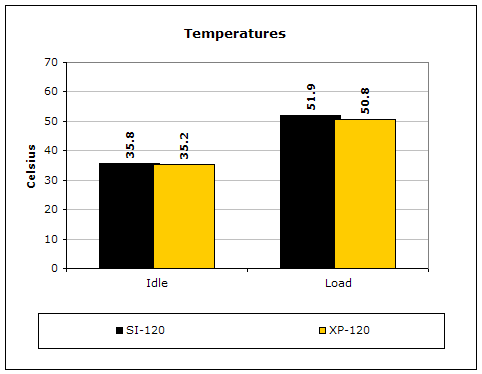
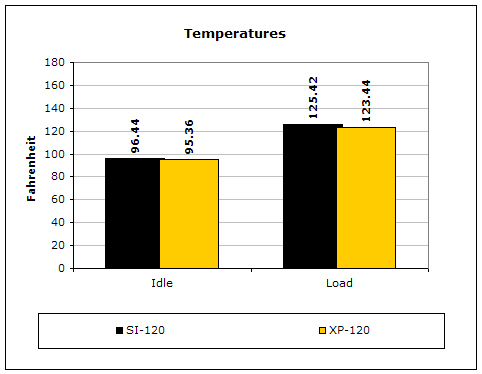
I was a little skeptical about the performance of the SI-120 since the base of the heatsink does not have fins for immediate heat dissipation. After running it through load tests and comparing it to the XP-120, the performance is quite awesome! It held up and was only behind by a mere degree.
Conclusion and Thoughts
Everyone bow down to Thermalright for making a superior heatsink even better. The compatibility issues of the XP-120 is now a joke to the SI-120. One example would be when installing the XP-120 on the DFI Ultra-D motherboard. I could not get the heatsink to install and still use the orange DIMM slots; I would be forced to use the yellow slots. With the SI-120, I am free to choose the slots I want to use.
As expected, the performance of the SI-120 is not as great as the XP-120. The main reason would be the lacking fins at the base. The difference of a degree is pretty big if you are a cooling enthusiast, but to the majority of us, that degree difference for the trade of zero compatibility issues is a huge gain. I would pick the SI-120 over the XP-120 any day. The only thing that enthusiasts would have to watch out for is the increased height. HTPC cases should definitely measure up and double check before making the plunge. Regular desktop cases should have no problem, though. Either way, the SI-120 is one fantastic heatsink. I have always recommended the Thermalright XP-90 due to the great performance and low price, but if you have the greens for a better heatsink, by all means go with the SI-120. It is far from a disappointment.
Pros:
- Zero compatibility issues
- Easy installation
- Multiple heatpipes to help performance
- Use of 120mm fans for high CFM and low noise
Cons:
- Increased height might be a problem for small HTPC cases
- No fins at the base for immediate heat dissipation

We would like to thank Thermalright for providing us the sample. If you have any questions or comments, feel free to hit us up in the forums. You can also check out more of our latest reviews on the front page.