

Scythe Katana
Introduction
Scythe has released many high end coolers lately. The most impressive heatpipe cooler from Scythe was the Ninja, which featured 12 whopping heatpipes that extended from the base. Although we missed our chance to review the huge beast, I have no doubts that the Ninja would be one of the best CPU heatsinks on the market. It certainly received many praising words from all over the world. The release of the Ninja was quickly followed by the Katana. The Katana is a smaller heatpipe based heatsink that uses a smaller fan and less heatpipes.
The general design for a heatsink has always been the bigger the better, the more the merrier. At first glance, my first thought of the Katana was, “why the less heatpipes?” It doesn’t really make sense. Then I noticed the slightly different design of the heatsink. Like the highly anticipated Asetek VapoChill Micro, the heatpipes and fins of the Katana are designed to be angled in a way so that great performance could be achieved without the need of increased heatpipes and massive fins.
Scythe Katana
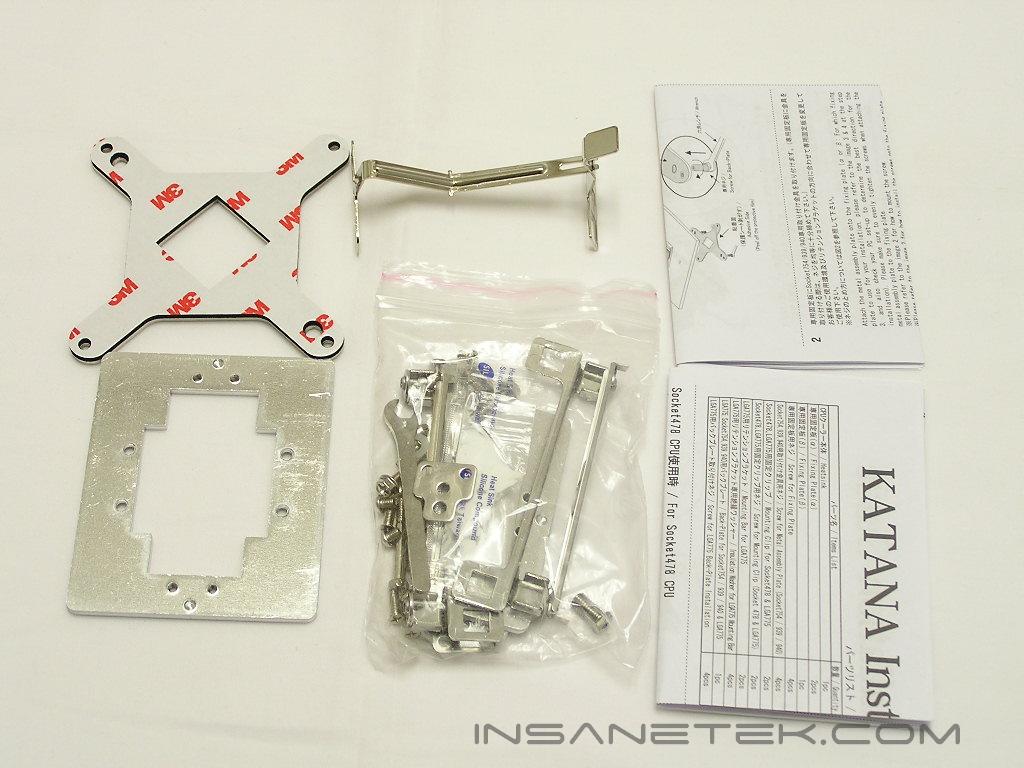
The package of the Katana is very simple. It’s a small cardboard box with some specifications and information of the Katana cooler. Included in the box are the installation accessories and instructions. The instructions are very detailed and easy to follow. There are tons of screws and supplies for installation on various platforms. It’s certainly understandable though because the Katana can be used for all 4 current popular platforms–Socket 754/939/940, Socket 478, LGA775, and the should-be-dead-already Socket A.
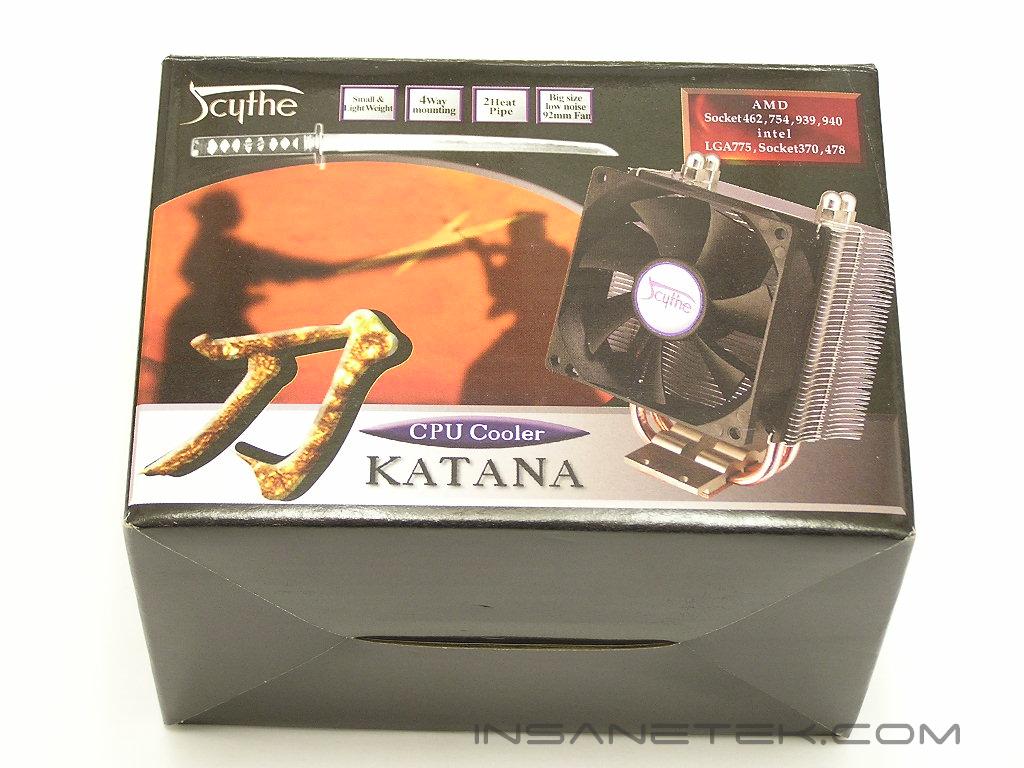
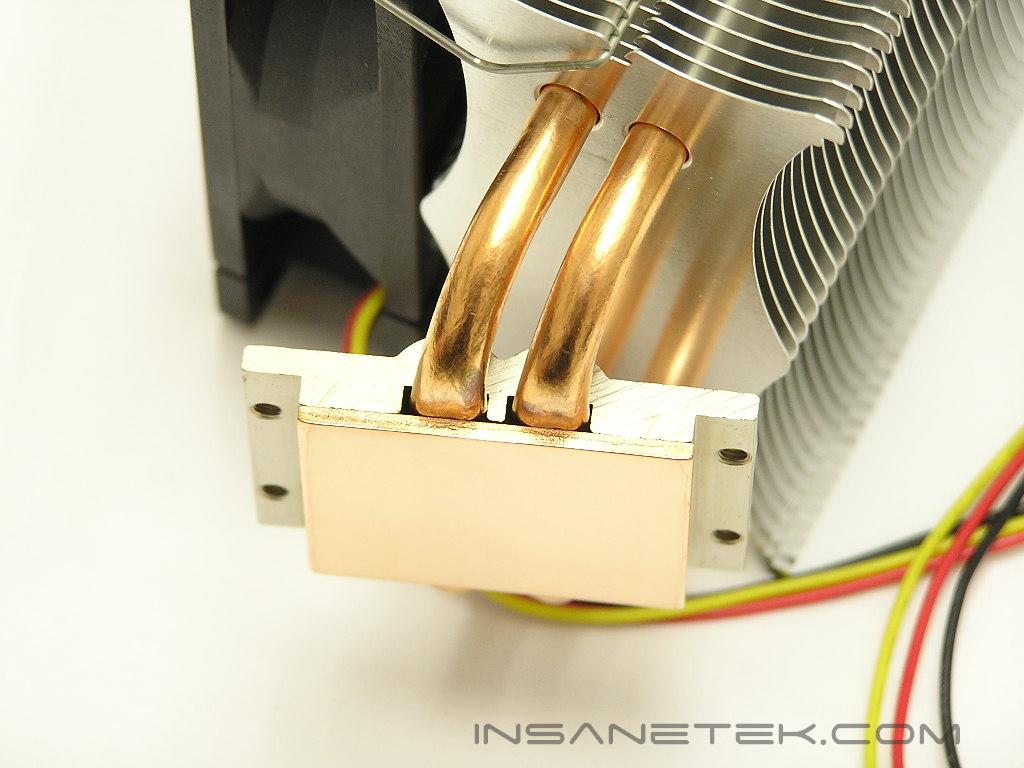
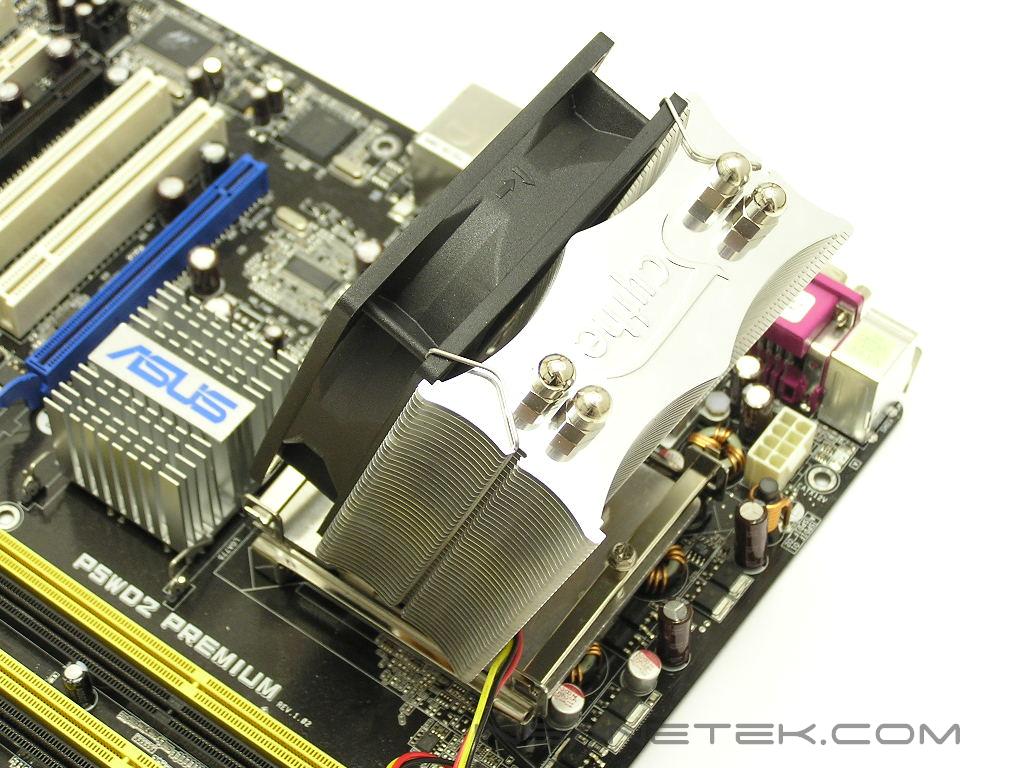
The box says that the Katana uses only 2 heatpipes, but I’d like to think of it as 4 heatpipes. It’s actually just 2 heatpipes bent into a “U” shape with the base at the bottom of the “U”. The heatpipes run through a series of multiple fins that have been cleaned and shined to a mirror finish. The fins are also designed with curves. It might improve cooling performance but I don’t see how; I just see it as aesthetics design.
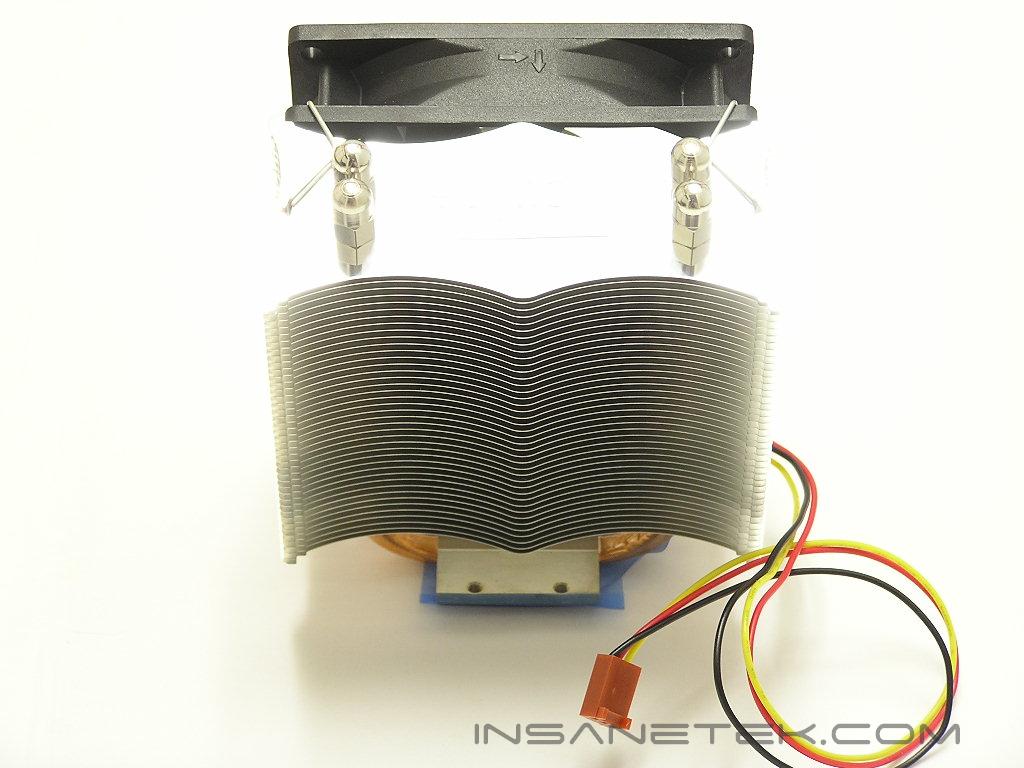
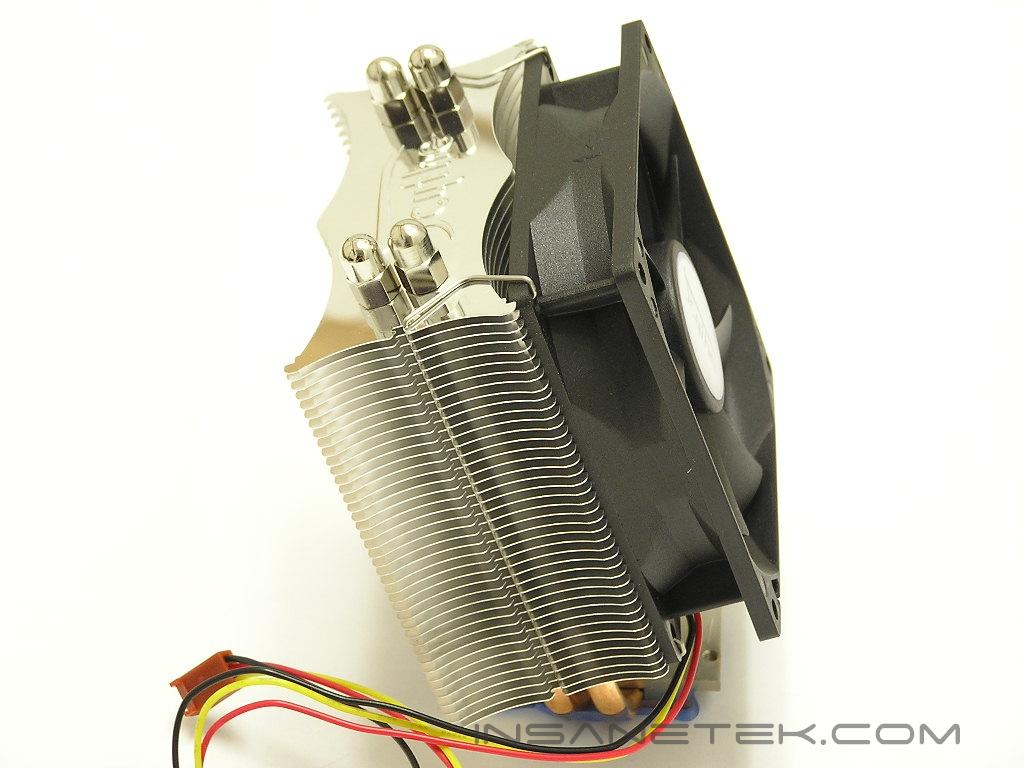
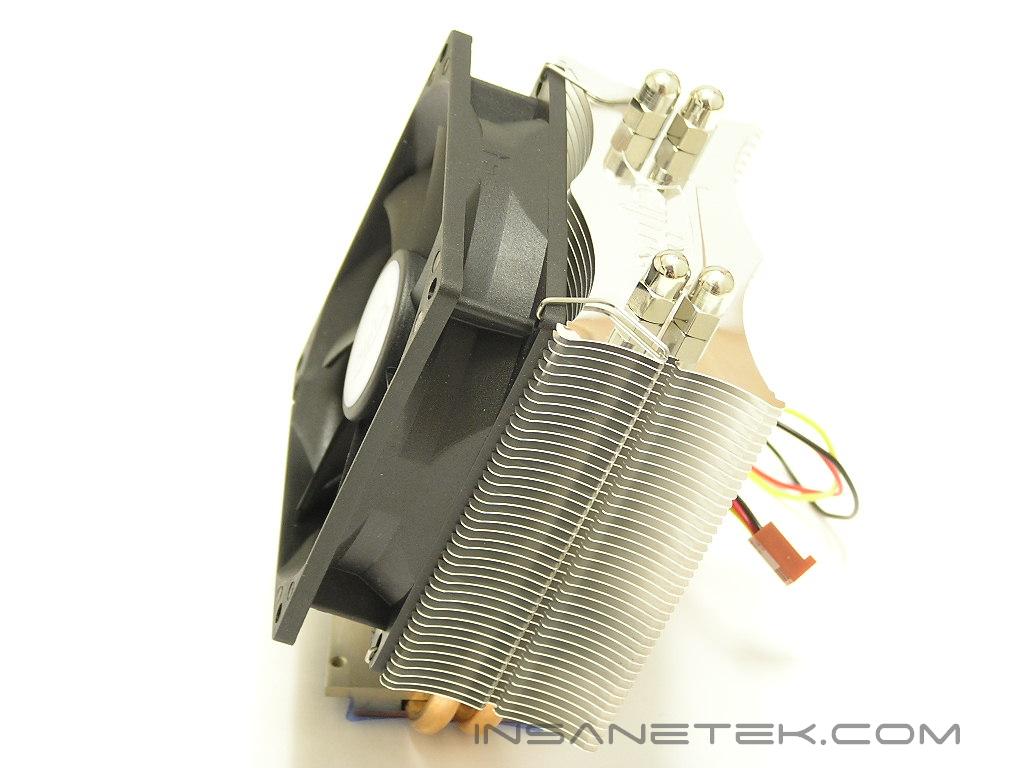
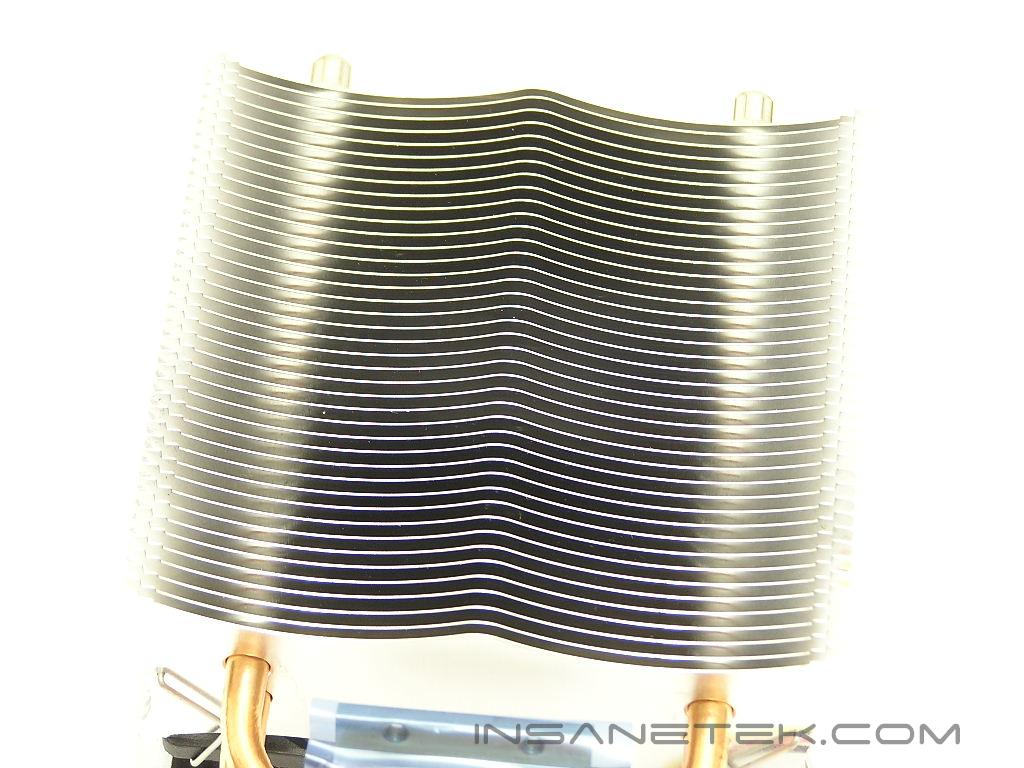
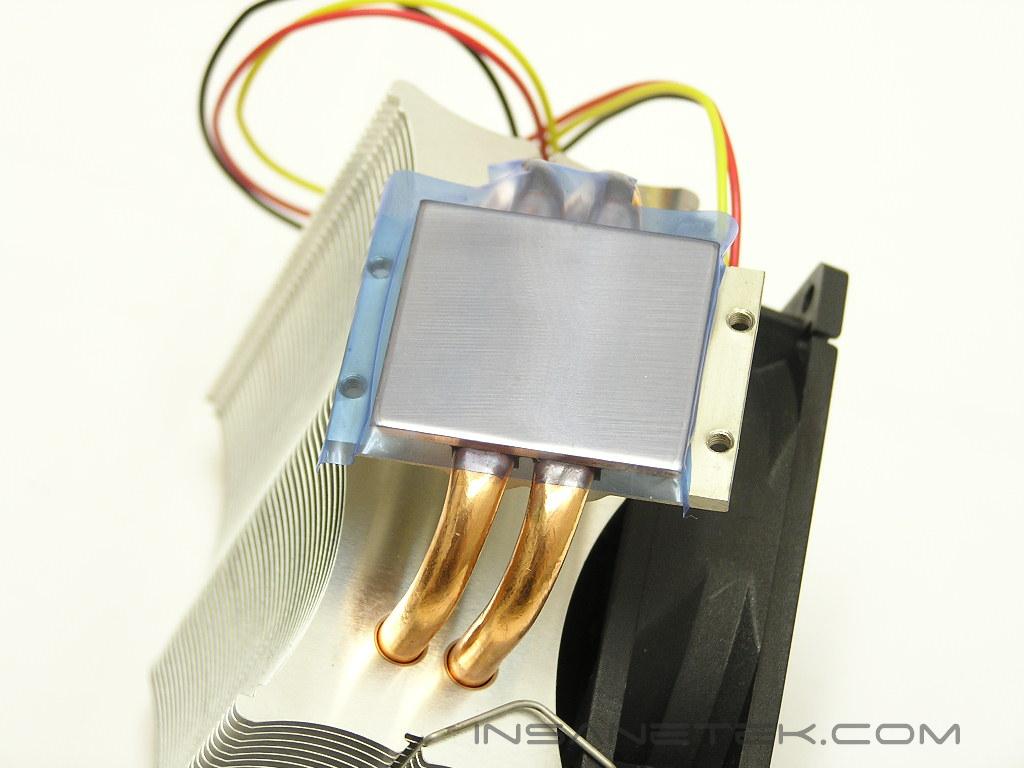
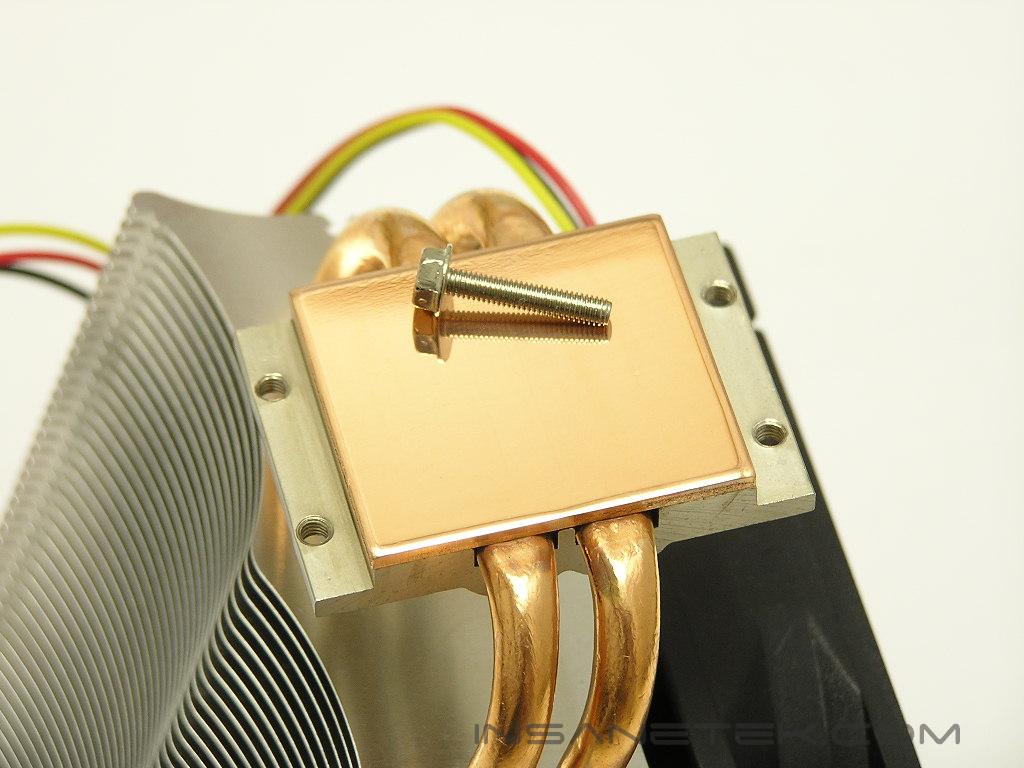
At the base is a small copper plate that sandwiches the heatpipes. The base came with a protective seal to prevent scratches and dents from occurring during the shipping process. The base has been lapped, cleaned, and shined exceptionally well. There wasn’t even a spec of dust or slight scratch anywhere. Truly impressive.
Specifications and Installation
Specifications and Fan:
The Katana comes with a pre-installed 92mm fan. The fan does a great job at keeping the heatsink cool while running quietly. The noise was not louder than the ATI stock reference cooler on my Radeon X800 video card.
- Fan Dimensions: 92 x 92 x 25mm
- Combined Dimensions: 98 x 96 x 130mm
- Fan Speed: 2000RPM (+/- 10%)
- Fan Noise Level: 25 dBA
- Airflow: 35.12 CFM
- Weight: 300g
Installation:
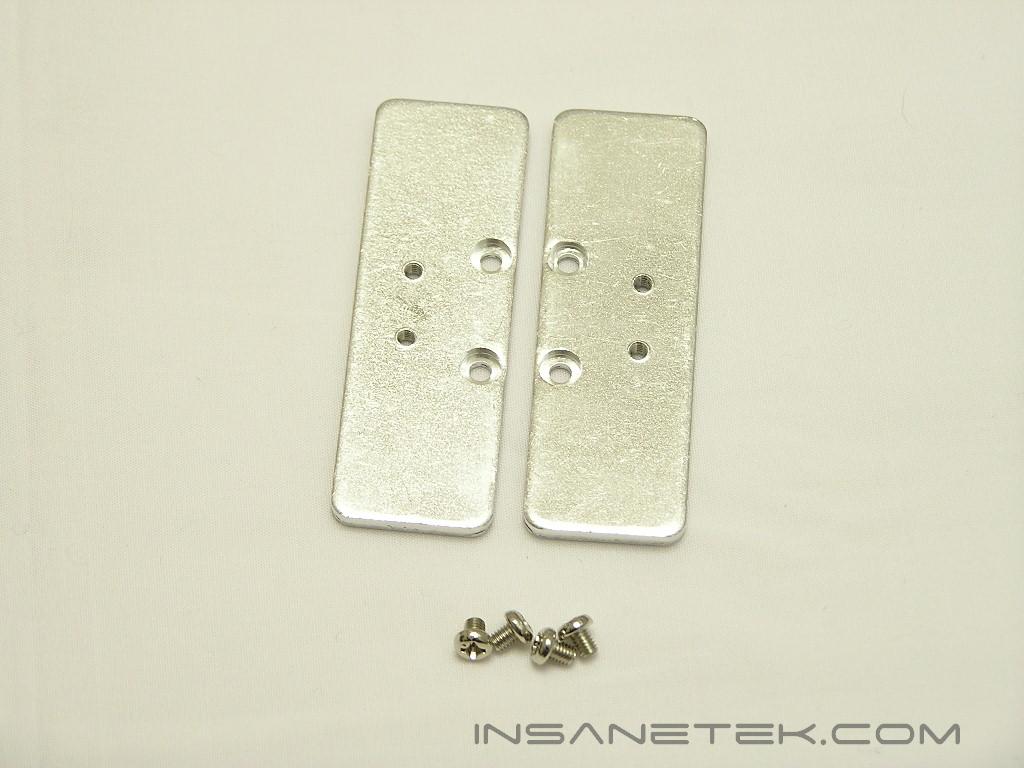
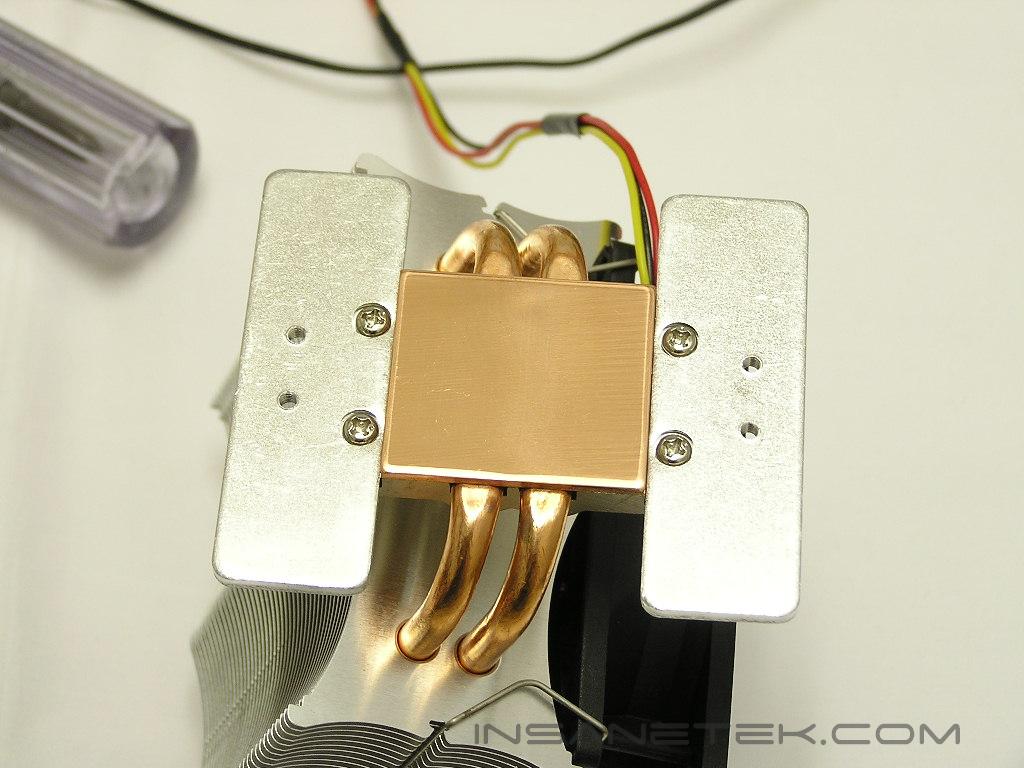
Perhaps, the only thing that I really didn’t like was the installation process. It wasn’t extremely hard, but it still required a bit of time and patience to get things installed correctly. The Katana will be tested on the LGA775 platform so the installation process will be based on the LGA775 platform. First, locate the two side metal plates and the 4 small screws. Then secure the two metal plates on the side.
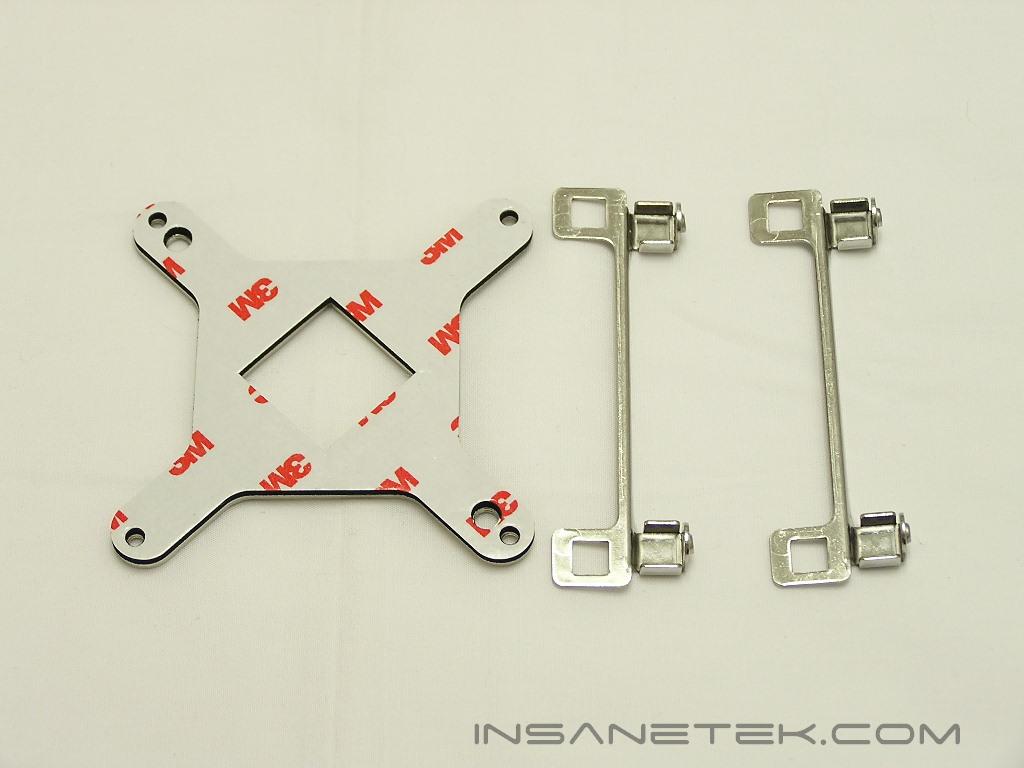
The next step is to locate the X shaped backplate and the two brackets. These will be used for the motherboard retention frame. If you plan to switch out heatsinks in the future, make sure that you DO NOT peel off the plastic on the X backplate. The sticky pad will stick on the back of your motherboard like no other and won’t come off unless you pry it off (I had to learn the hard way). Tighten the front brackets with the 4 slightly longer screws through the back, not the front. Remember to place washers between the bracket and the motherboard.
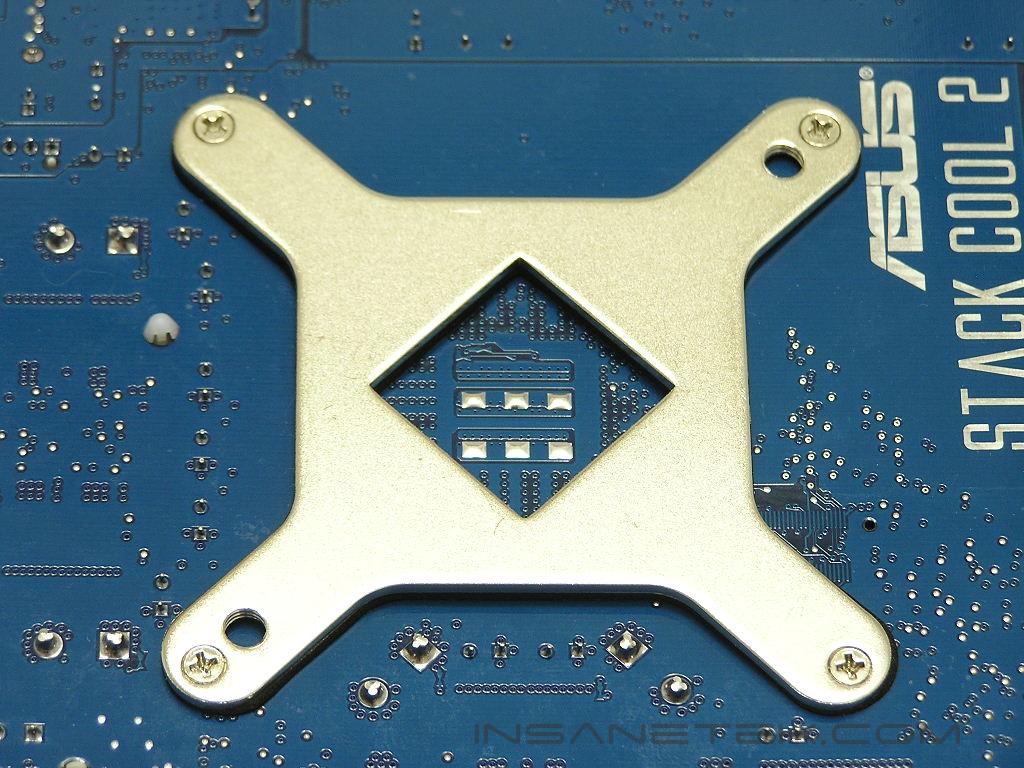
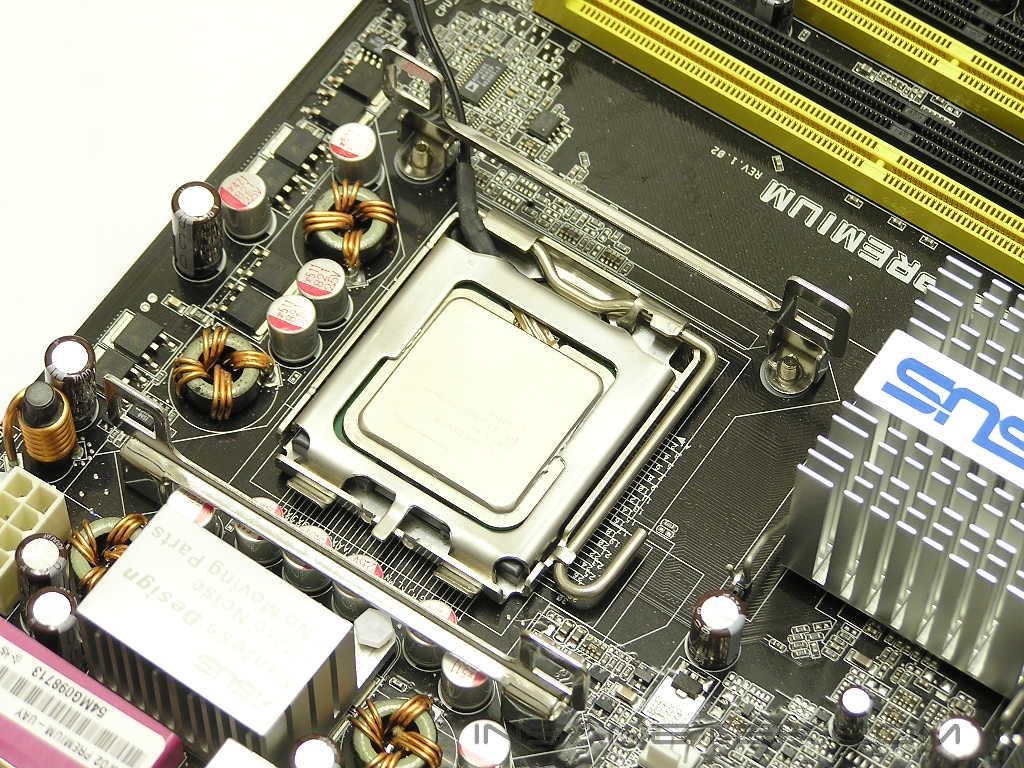
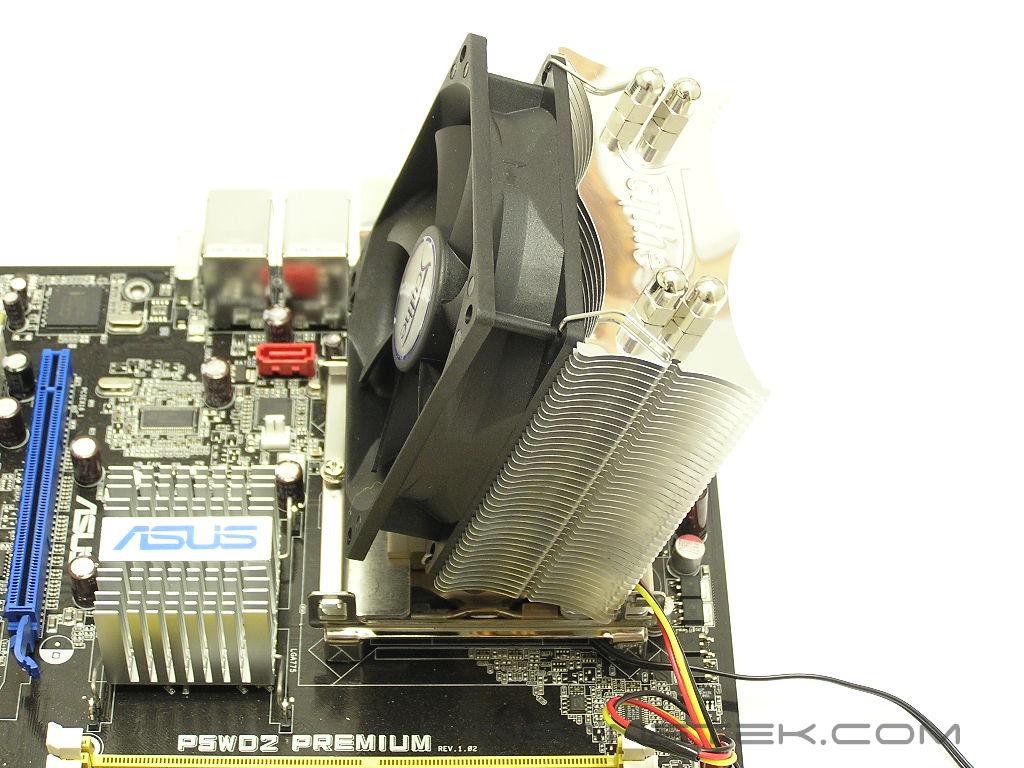
The last part is the tricky and most time consuming part. First you have to sit the heatsink down on the CPU in a specific way. If the heatpipes point down when you stand up the motherboard, then the cooler is wrongly positioned. Basically, this means that the fan cannot blow downwards. The optimal position is to either have the fan blow upwards or to the left. Anyway, after you sit the heatsink down on the CPU, locate the two lever bars and insert it through the motherboard bracket loops. Find and use the two long screws and turn the screws until it begins to push into the metal plate’s small dent. It might be easier to just mimic the pictures below.
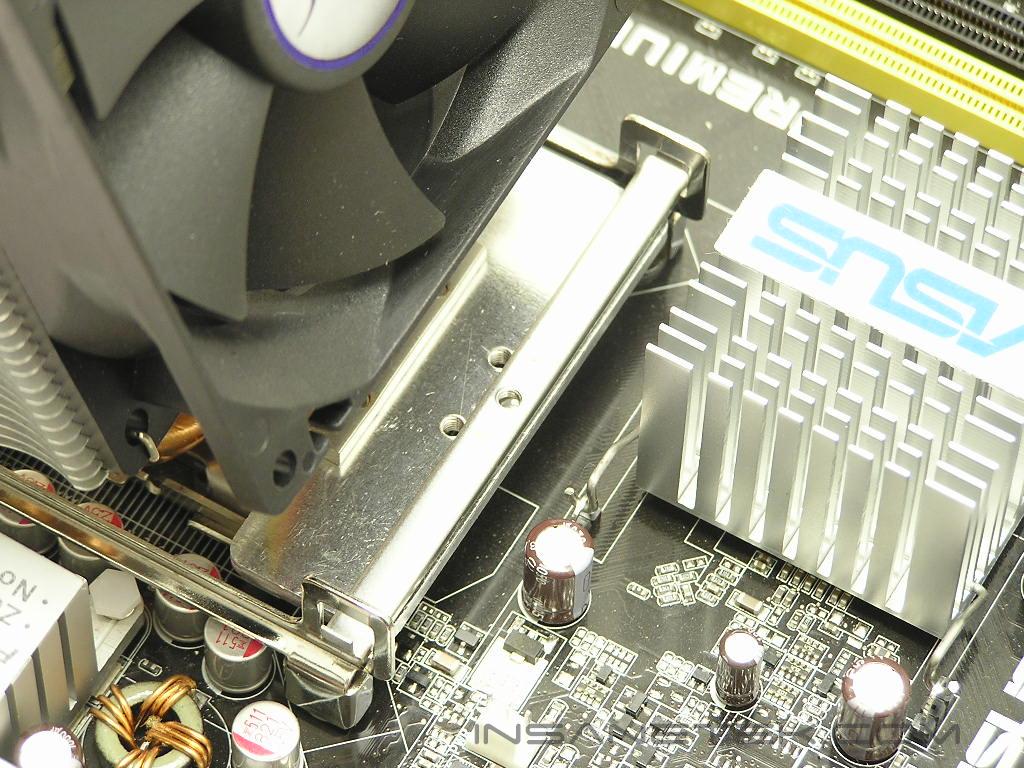
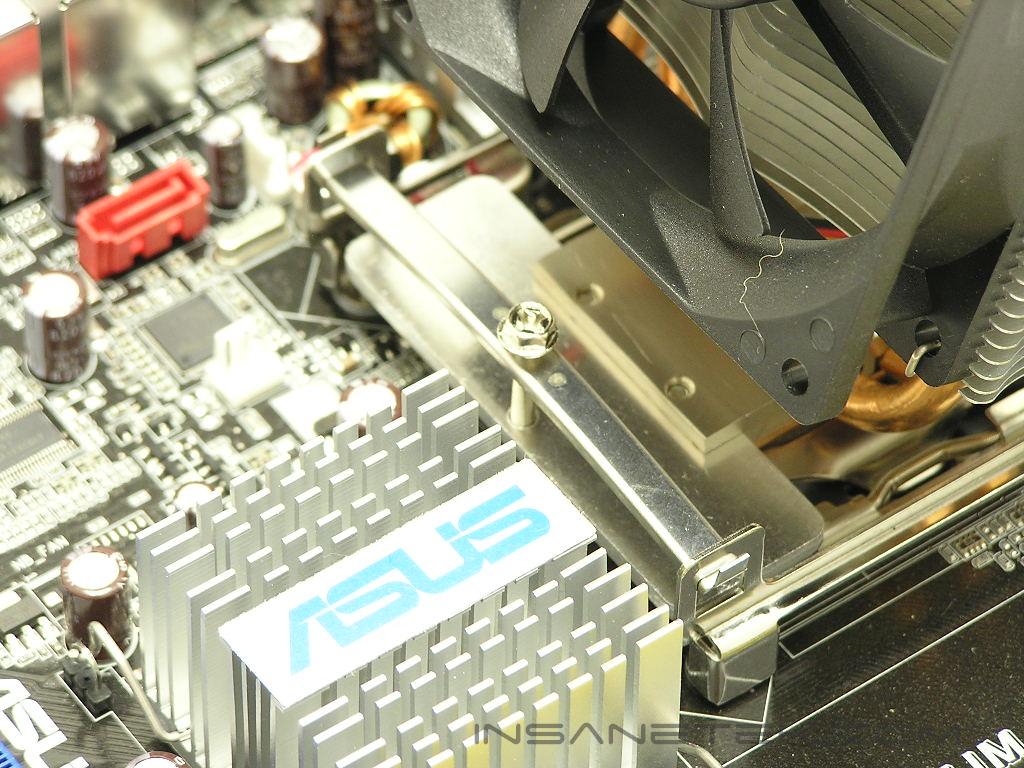
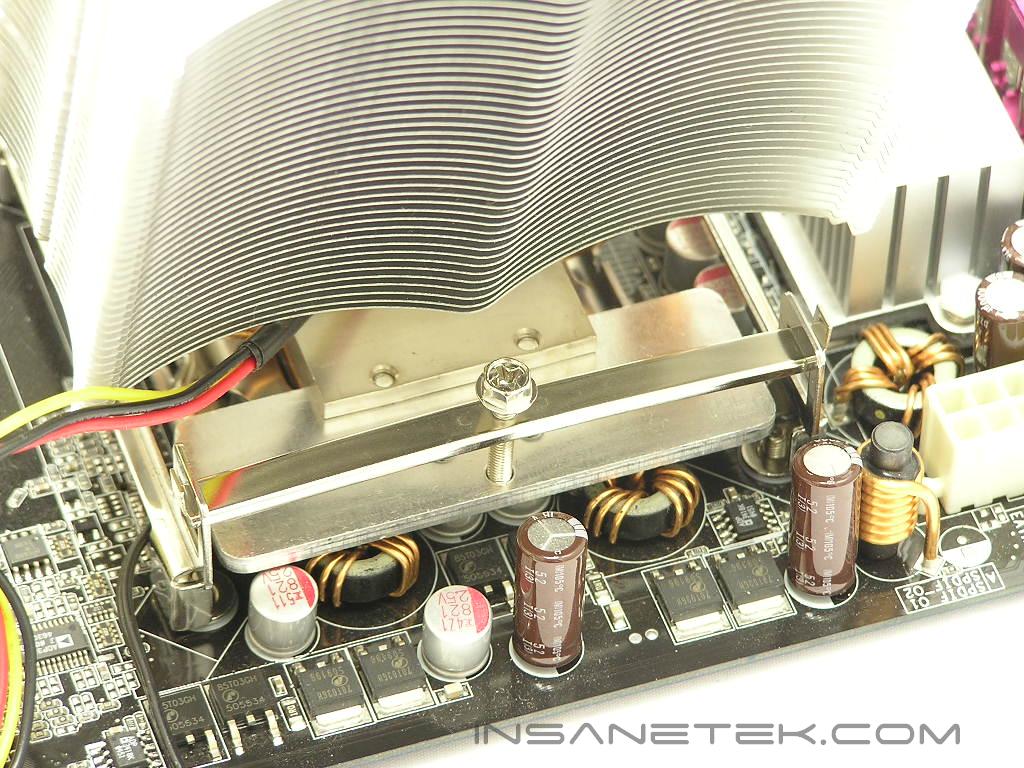
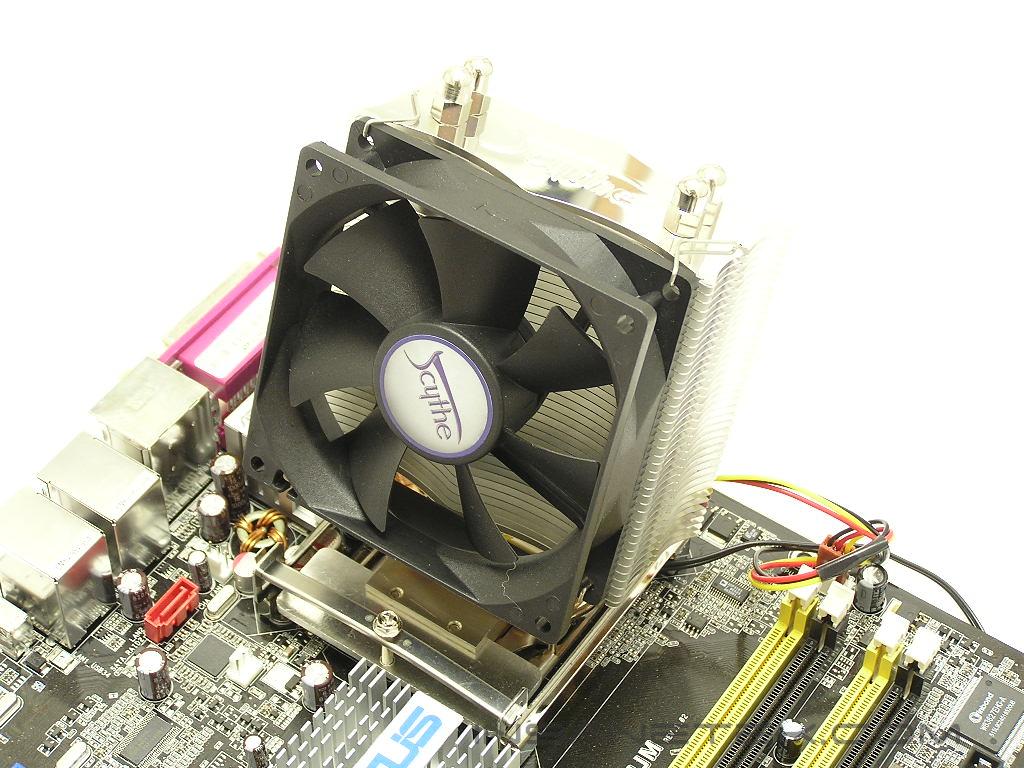
Here are some pictures of the Katana installed.
Test Setup and Results
Test Setup and Method:
Ambient temperature was kept at a consistent 23°C. Arctic Silver Ceramique thermal paste was used during the entire testing process. A temperature probe was placed next to the Intel heatspreader to measure CPU temperature. Two instances of CPU Burn-in were used to create maximum load on the CPU. The purpose of this test was to determine the results a home end user would obtain. There was no scientific testing conducted, simply because I do not have the proper equipment.
Test System Specifications:
- Intel Pentium 560 3.6GHZ (18 x 200FSB = 3.6GHZ @ 1.384v)
- Asus P5WD2 Premium
- Centon Advanced PC2-5400
- Sapphire Radeon X800
- Thermaltake PurePower 680W
Competition:
- Arctic Cooling Freezer 7
Test Procedures:
- Idling at desktop for 30 minutes
- Full load with 2 instances of CPU Burn-in for 60 minutes
Results:
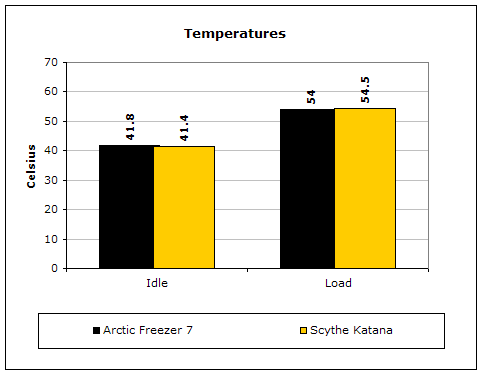
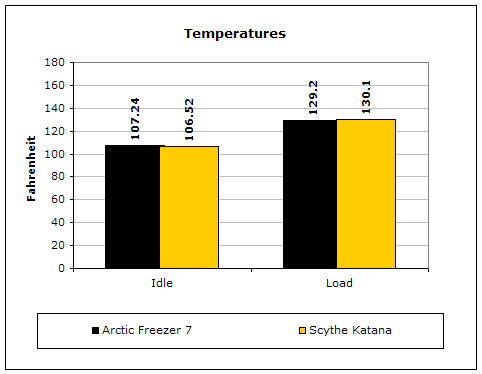
The Arctic Cooling Freezer 7 has always been my choice for the best performance/noise level cooler. It cools the toasty hot Prescott really well without the need of a high powered fan. The Katana kept up really well with the Freezer 7. It also provided great cooling in a quiet environment. The great thing about the Katana is that it didn’t have as many fins as the Freezer 7, which in turn meant, less surface area and it still managed to keep the results amazingly close.
Conclusion and Thoughts
When Patrick last reviewed the Scythe Kamaboko Z, he wasn’t very impressed with the design and performance, even if the cooler utilized heatpipes and massive fins. The Katana is certainly nothing like the Kamaboko Z. The Katana performed very well and did so quietly. One of the best features about the Katana is the light weight. The cooler comes in at a mere 300g and that makes the Katana one of the lightest coolers I’ve ever used. The only downside about the Katana would be the installation methods. It’s certainly not the easiest and best way to install a heatsink, however it is not painstakingly bad either. It definitely could be better though. One possible negative about the Katana is availability. I’ve yet to see a place that carries the cooler, but if you happen to find it, you should very well consider it.
Pros:
- Light weight
- Silent
- Performs very well
Cons:
- A bit hard to install
- Availability

We would like to thank Scythe for providing us the sample. If you have any questions or comments, feel free to hit us up in the forums. You can also check out more of our latest reviews on the front page.