

nPowertek NPH 775-1
Introduction
One man’s blunder is another man’s opportunity. You may never have heard that saying before, but it is true. Intel released the Prescott core, but the included cooler did not work well with the higher end Pentium 4’s, as well as those who overclock. The opportunity was given to other companies, like nPowertek, to create a better cooling solution for overclocking enthusiasts.
nPowertek has given us the opportunity to take a closer look at their NPH-775-1 CPU cooler for the LGA775 platform. The design may not seem much, but we’ve had great experiences with their coolers in the past. The NPH-1 and NPH-2 were great coolers for their respective platforms.
nPowertek NPH 775-1
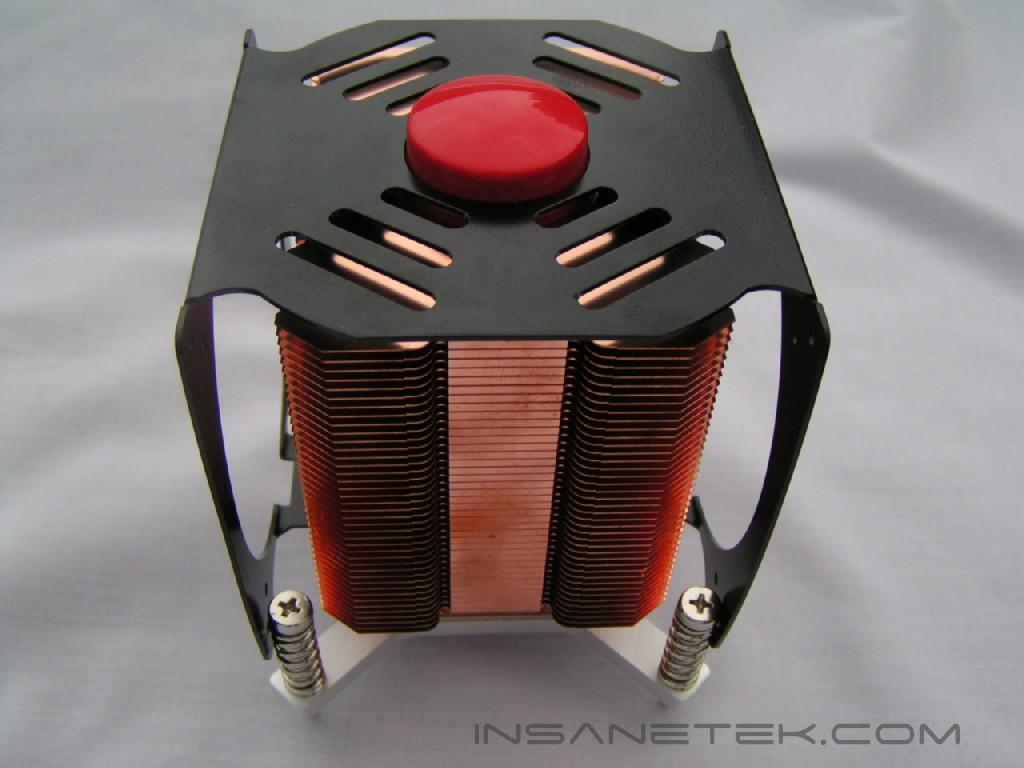
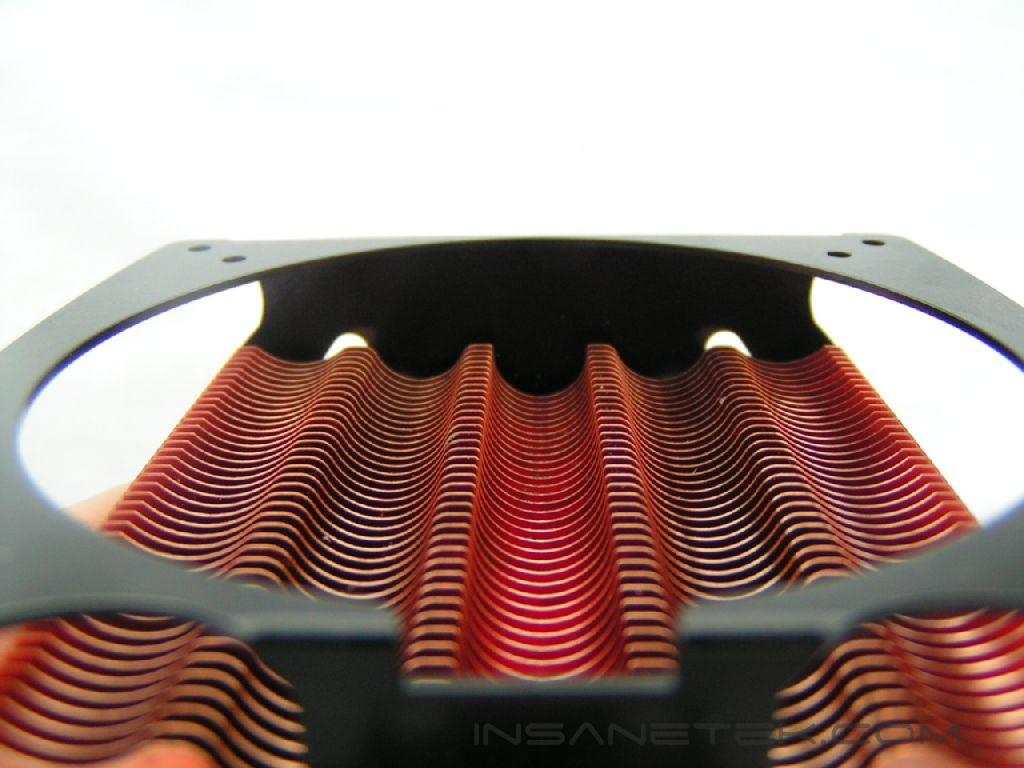
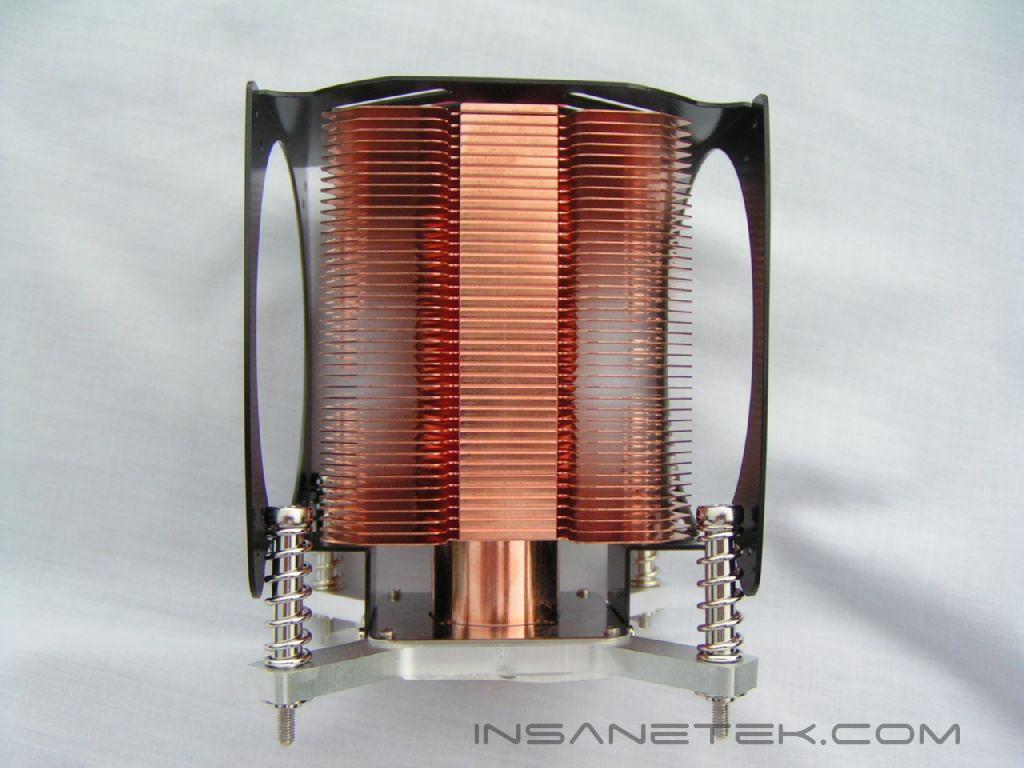
The first thing I noticed about this cooler were the copper fins. The copper fins are designed and cut in a wavy fashion. nPowertek makes quite a few heatpipe coolers; I’m sure this is a result of research and design to improve airflow and heat dissipation. The fins are connected to the large single heatpipe at the center. The majority of heatpipe based coolers have several heatpipes extruding from the base through the fins to the top. The NPH-775-1 is designed to only use one, but a very big one.
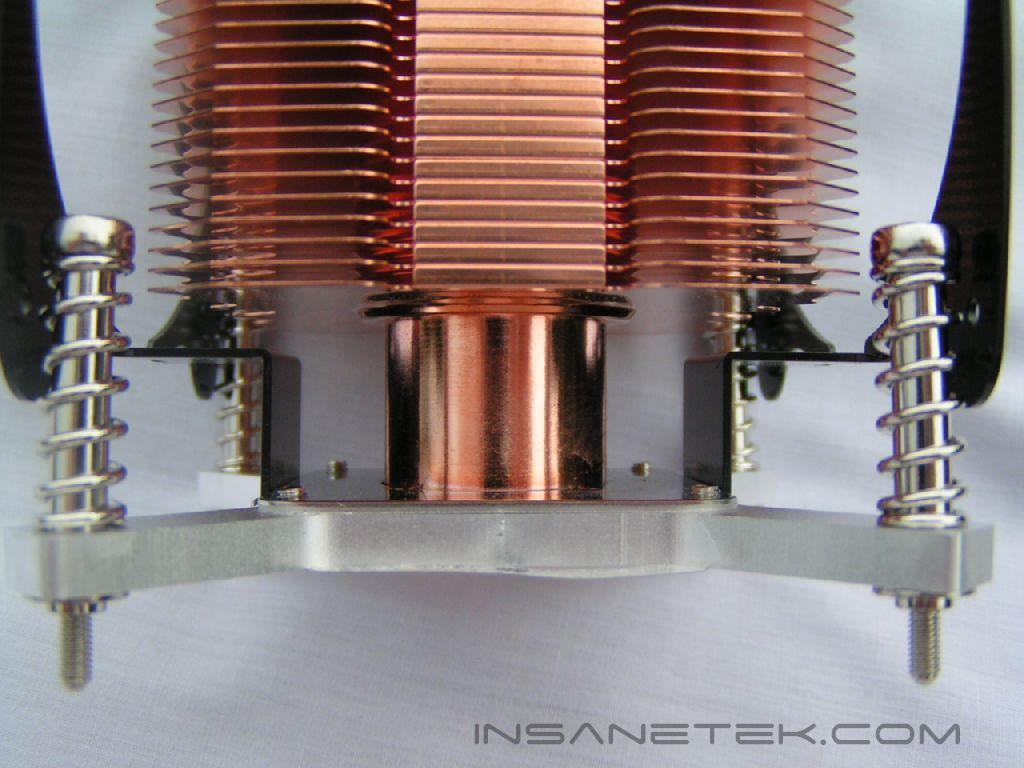
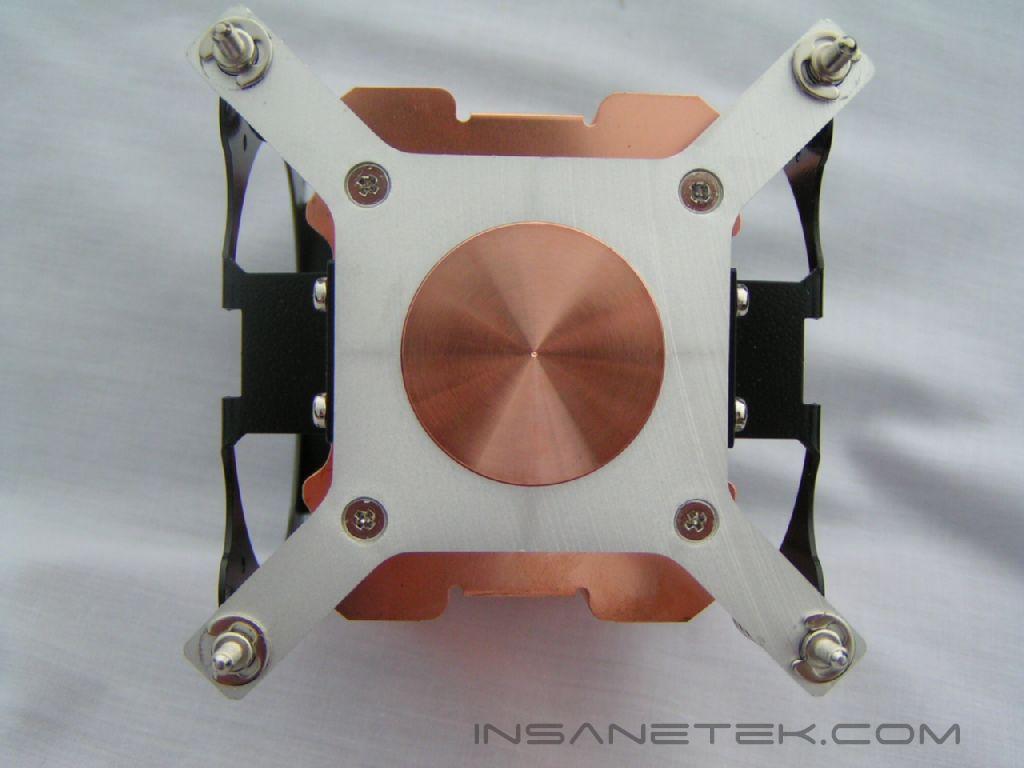
The heatpipe extends down to the base, which is very clean and simple. The copper is polished in a circular motion and is shiny, but not reflective. The main thing to keep in mind about the base of a heatsink is the lapping detail. A shiny mirror finish does not mean anything if the base of the heatsink does not provide great contact with the CPU.
The heatsink is big and heavy. Heatpipe coolers tend to be bigger than other coolers, due to the way they are designed. The heatpipes need numerous large fins to help distribute the heat from the heatpipes. If the cooler is too compact, heat will not be dissipated properly and the cooler won’t work efficiently.
Fan, Specifications, and Installation
The Fan:
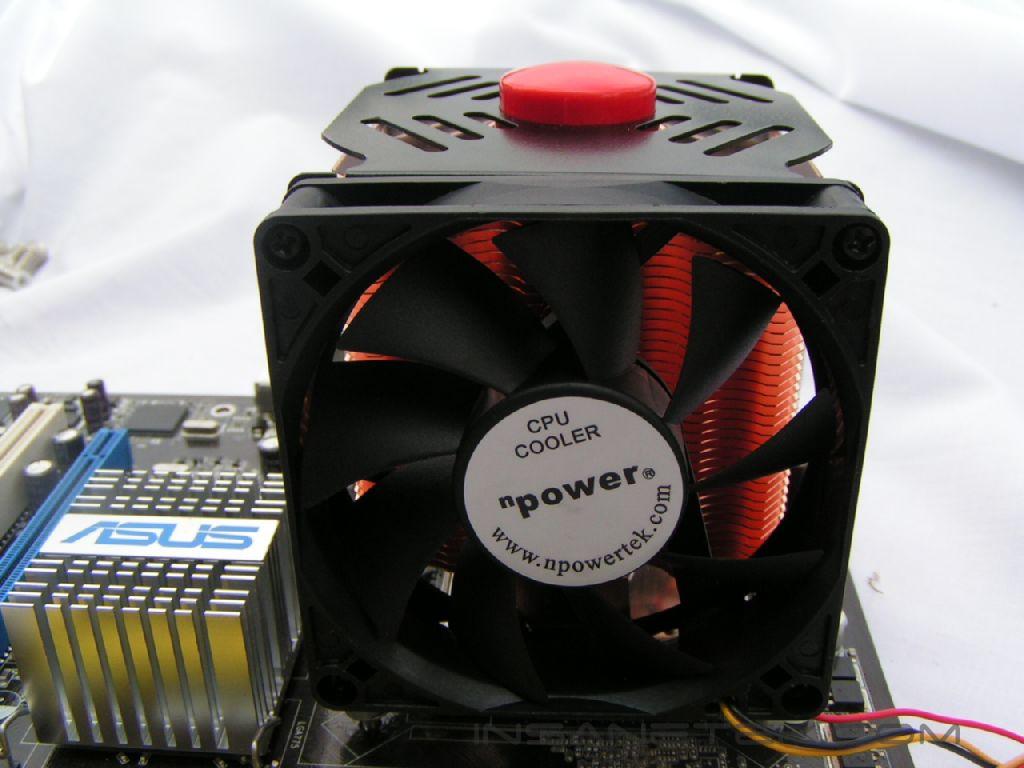
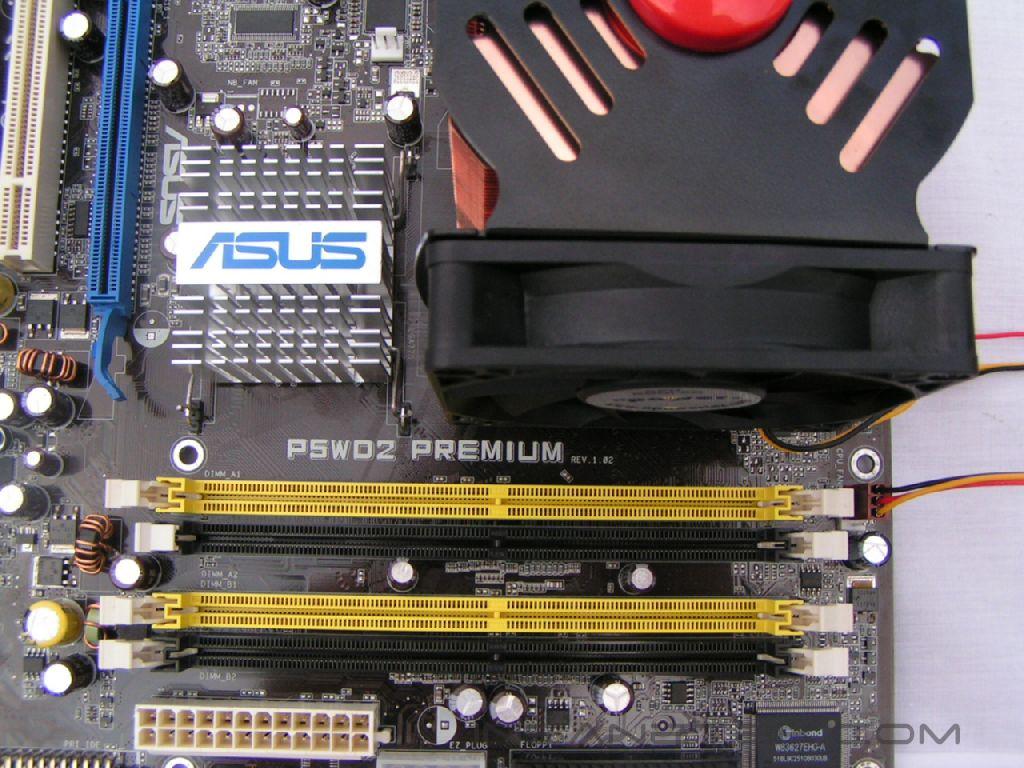
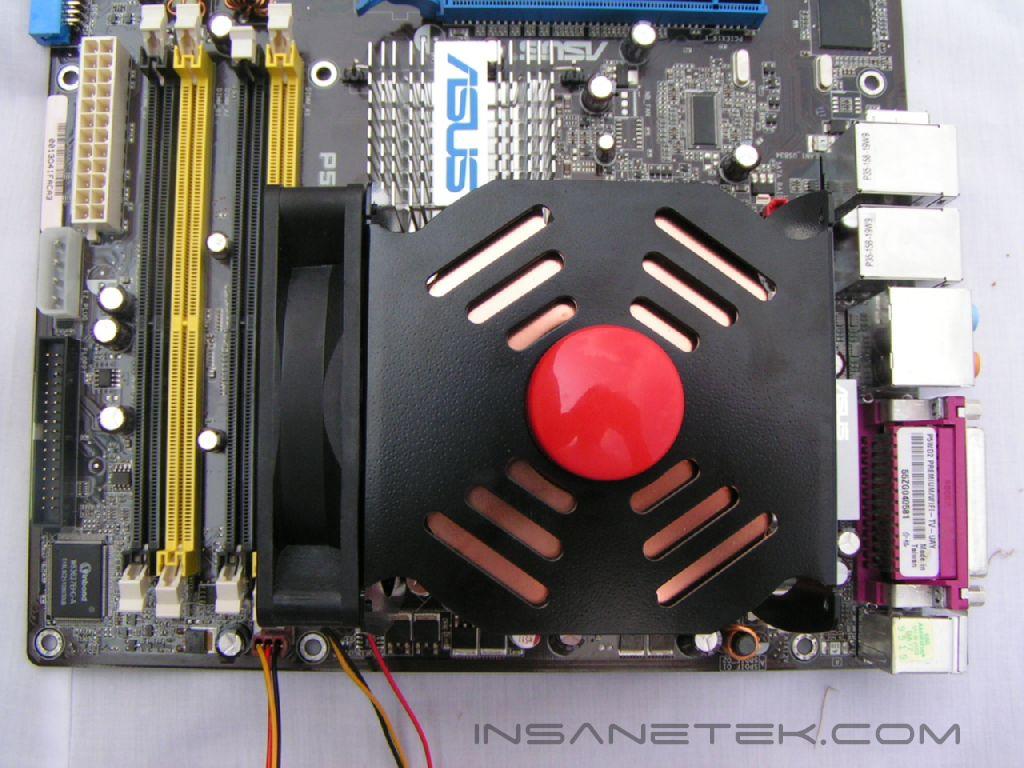
The included fan can be mounted in two different ways. Two of the sides have mounting brackets for the fan; It is up to the user to choose which side will provide the best airflow. One side will “push” the air and the other side will “pull” the air. For testing purposes, I used the “push” direction. Enthusiasts who look for higher performance may want to slap fans on both sides for a push-pull effect, even if having two fans won’t provide that much of a performance increase.
Specifications:
| |||||||||||||||||||||||||||||||
Installation:
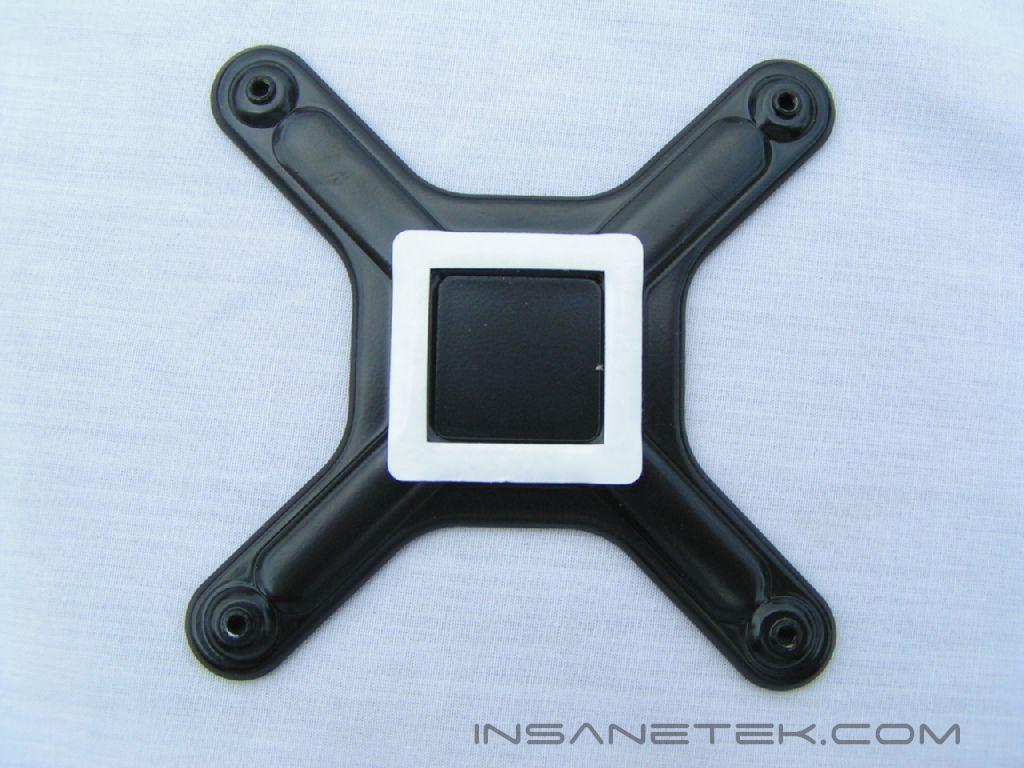
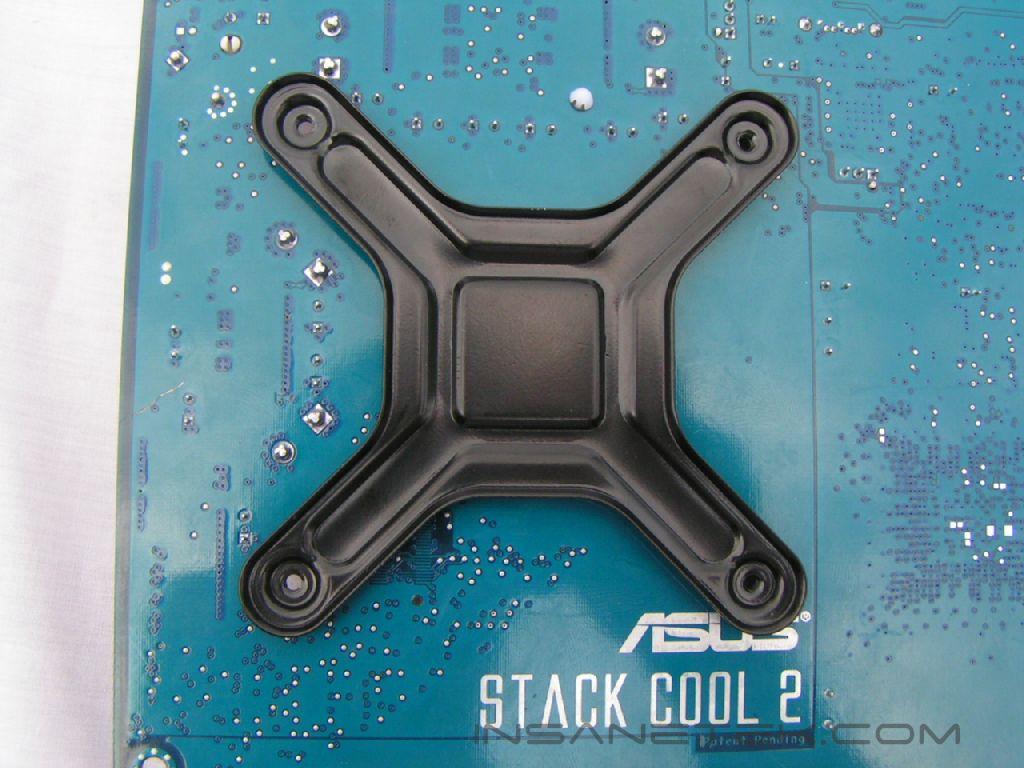
Installing this cooler is easy, once the back bracket seats properly. It is very sturdy, but the white padding makes it difficult for the bracket to stay in place. It also doesn’t sit in the hole at all, so it is very prone to moving while you flip over the motherboard. Once you get the screws in the holes, it is easy. I wouldn’t say it is one of the easiest I have used, but then again, it isn’t nearly the worst either.
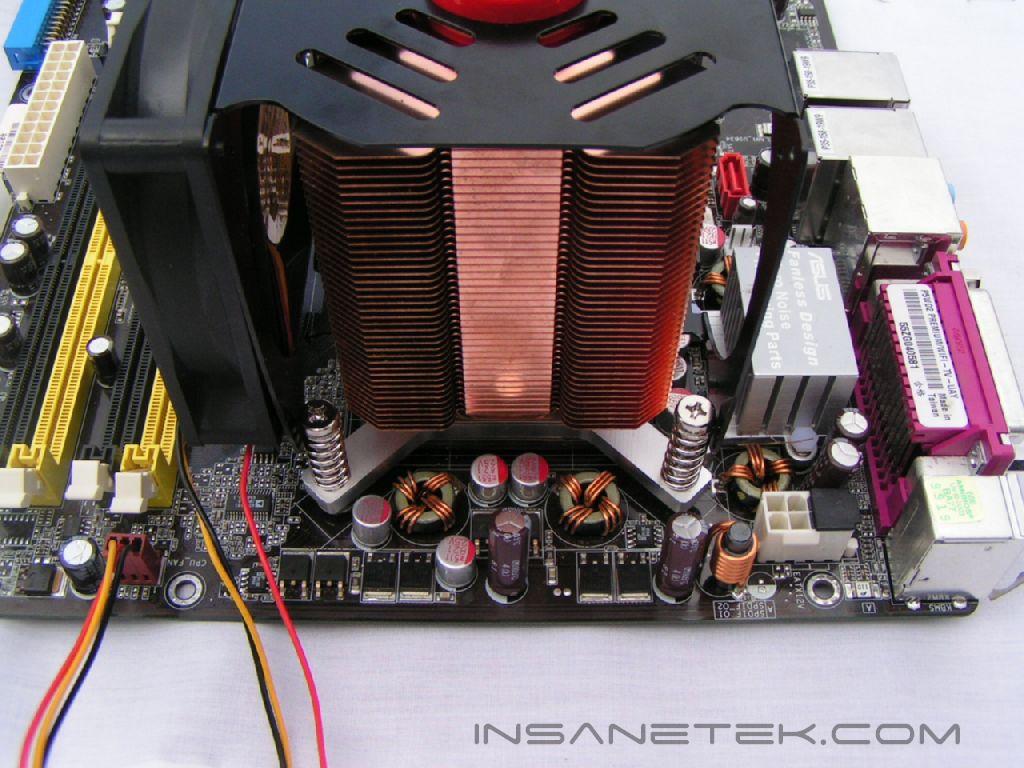
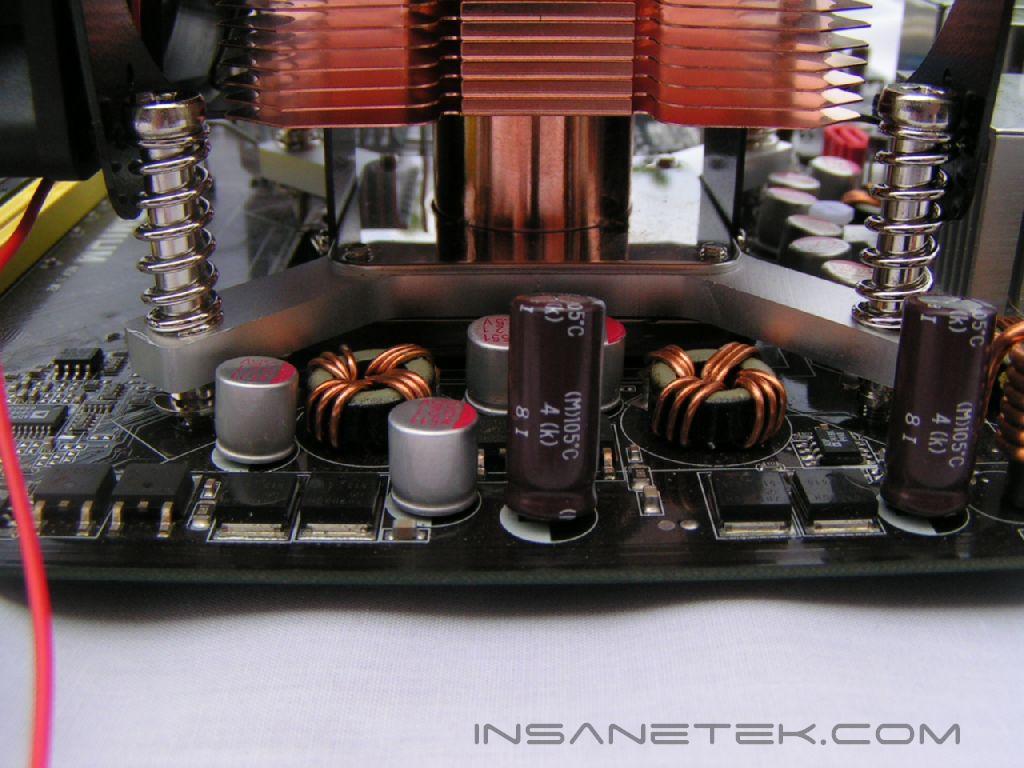
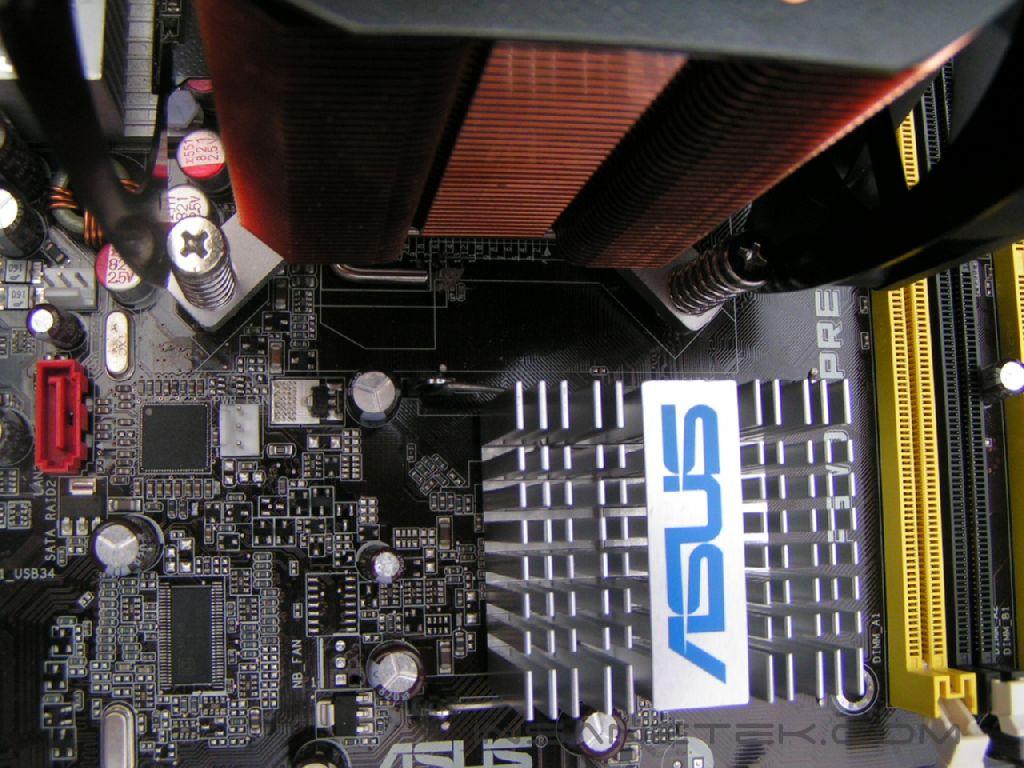
Thanks to the very simple bottom, it will fit on nearly any motherboard.
Test Setup and Results
Test Setup and Method:
For the testing of the nPowertek NPH 775-1, a temperature probe was place next to the heatspreader. Both coolers were placed on the CPU with Artic Silver’s Ceramique thermal paste. For the idle read out, the computer was left idling in windows. For the stress read out, 2 instances of CPU Burn-in were used. The ambient temperature during these tests was 23 Celsius.
Test System Specifications:
- Intel Pentium 4 520 2.8 GHz
- ASUS P5WD2 955x
- Patriot PC2-5600+XBLK
- ATI X800XL
- OCZ PowerStream 520 Watt
Results:
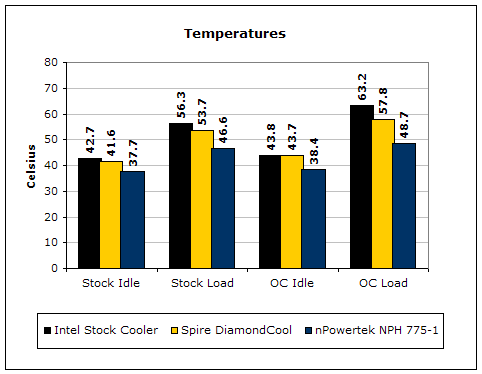
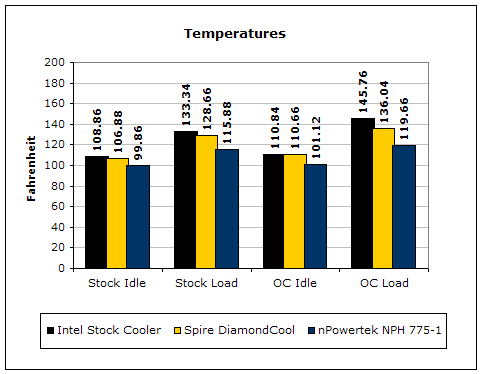
nPowertek has hit a grand slam with this cooler. The overheating of the Prescott CPU’s is not a problem with this cooler. I was on the verge of being shocked by the results. I knew it would perform well, but I personally did not think it would do this well. I thought something was wrong, so I ran the stress test again and achieved the same results. This cooler packs the power. Even when the CPU was overclocked, it managed to keep the CPU under 50 degrees Celsius.
Another good thing I noticed while performing the tests was the airflow. In most computers, there is a “dead spot” of air flow around the RAM. With this cooler, the air was sucked in through this “dead spot” and greatly helped air circulation in the case. I also noticed that the air wasn’t coming directly out the other side, but more to the other sides. This was a huge hit for me, since the ASUS P5WD2 uses passive cooling on the Northbridge.
Conclusion and Thoughts
The nPowertek NPH 775-1 is bigger and bulkier cooler, compared to more traditional coolers. Once it is installed, it is ready to tackle anything you can throw at it. My first thoughts were that there weren’t enough fins to cool well, but once again I was wrong. Installation was not super easy, as the back plate gave me problems. The results are far above what I would have thought this cooler was capable of. The addition of better airflow is icing on the cake. If you want an air cooler designed for the Socket 775, I would highly recommend the NPH-775-1.
Pros:
- Excellent results
- Good air circulation
- Easy installation
Cons:
- I wasted 15 minutes trying to think of one.

We would like to thank nPowertek for providing us the sample. If you have any questions or comments, feel free to hit us up in the forums. You can also check out more of our latest reviews on the front page.