

Danger Den TDX Waterblock
Introduction
A month ago I reviewed two excellent waterblocks from Swiftech and Asetek that assisted in keeping my Athlon64 3500+ stable at 2.7 GHz, which is a difficult feat to achieve on stock cooling. Watercooling is definitely better than air cooling and it’s no surprise that watercooling has grown in popularity over the past few years. Danger Den has been pioneers in the watercooling scene for quite some time. They have created excellent products, such as the Maze block line, which have contributed greatly to the popularity of watercooling. Today, we have the privilege of testing out their newest (although it has been out for quite some time) Athlon 64 TDX waterblock.
Contents
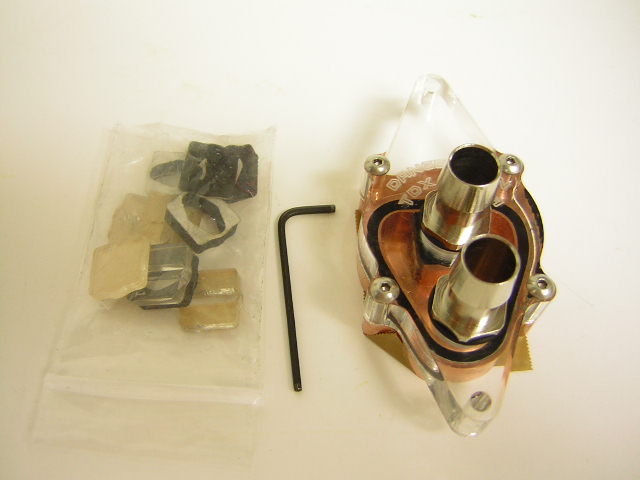
As always, Danger Den does an excellent job shipping their items via methods ensuring safe delivery. The TDX arrived in a thick white cardboard box. Inside, the block was protected by a piece of cardboard that pressed the block against the box to secure it during transit. One of the first things I noticed was that Danger Den doesn’t include any instructions. This may help those new to watercooling. Novices need to know how important it is to mount a waterblock correctly, as these may not be as user-friendly as a regular heatsink. Thankfully, Danger Den has a user-friendly website that provides links to instructions for every component they have. Besides the lack of instructions, Danger Den includes everything needed to complete installation.
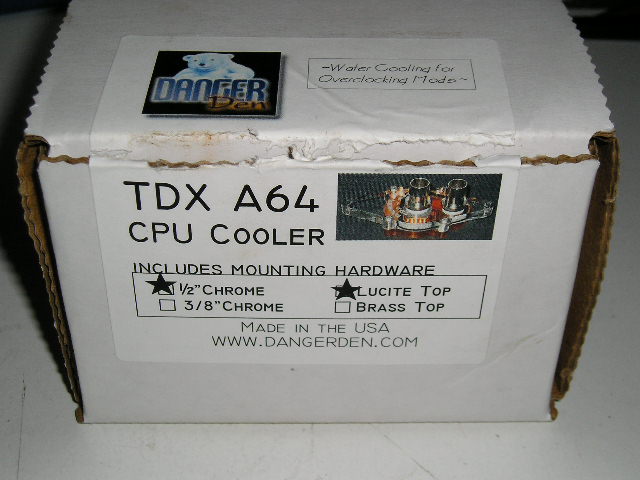
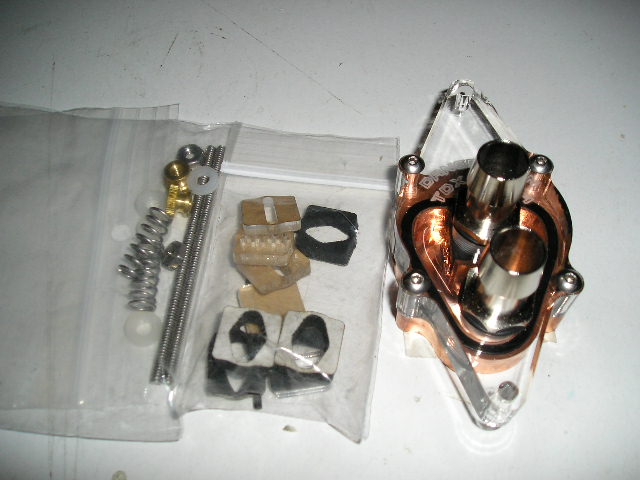
- TDX Waterblock w/ Lucite top (1/2” high flow barbs)
- 4 nylon washers
- 2 knurled nuts
- 2 6/32 threaded rod
- 2 springs
- 2 nuts
- Additional nozzles
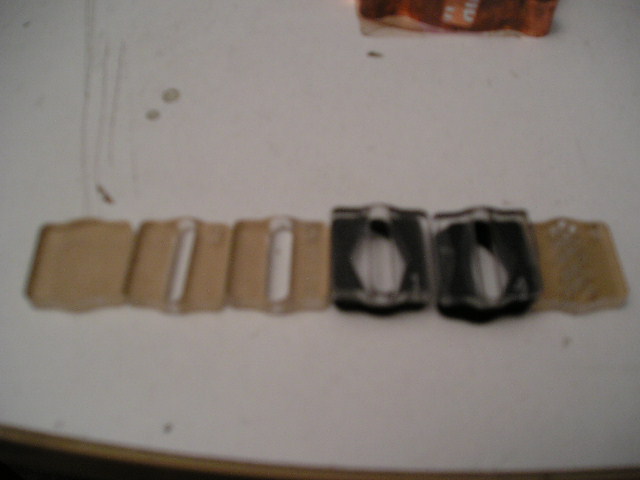
Danger Den also included additional nozzles, which can affect the performance of your TDX. Looking at them closely (sorry for the blurriness…. the new camera I bought sucked so I’m trying to purchase another one) you can see it progresses in terms of the size of the nozzle hole. Eventually, each nozzle gets smaller in hole size until it gets to the most restrictive nozzle of all: nozzle #5. Nozzle 5 has several small holes rather than the slit that the other nozzles have. I am no physicist, but I’d imagine that Danger Den labeled this nozzle #5 to illustrate that it may have the greatest effect on performance increases as the holes look to match up with the channels inside the waterblock.
Waterblock
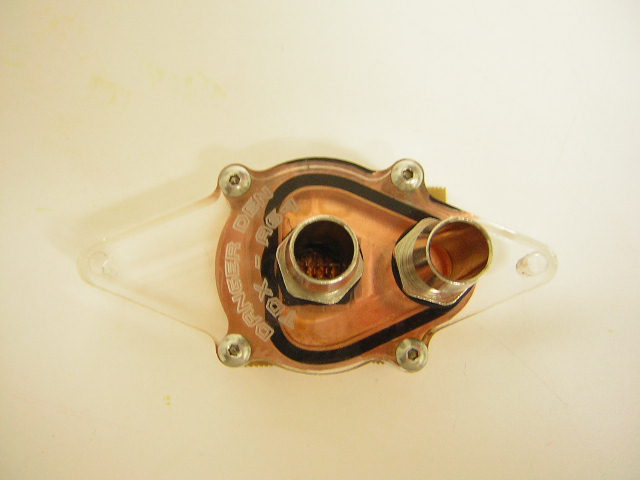
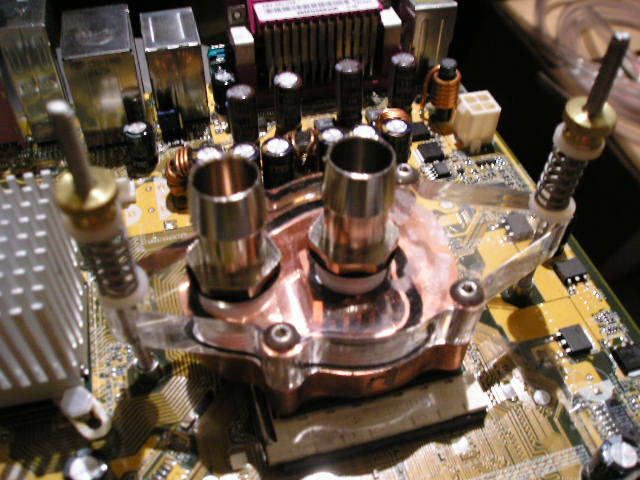
As with all Danger Den products, Danger Den’s TDX block is a joy to look at. One cannot help but notice the similarities between this and the previously released RBX. The channel design within the blocks look very similar. I also like how the baseplate is wider than the RBX, which ensures the entire Athlon64 heatspreader is in contact with the waterblock. As usual, Danger Den’s Lucite top is beautifully machined, sporting the “Danger Den TDX -A64” logo for all you modding buffs out there. Although I prefer a copper top for added safety, Danger Den conveniently sells the brass top for those wanting it. I especially like the new “Hi-Flow” fittings, which sport a much more professional look with the use of an O-ring, as well as being shorter in length than traditional longer barbs.
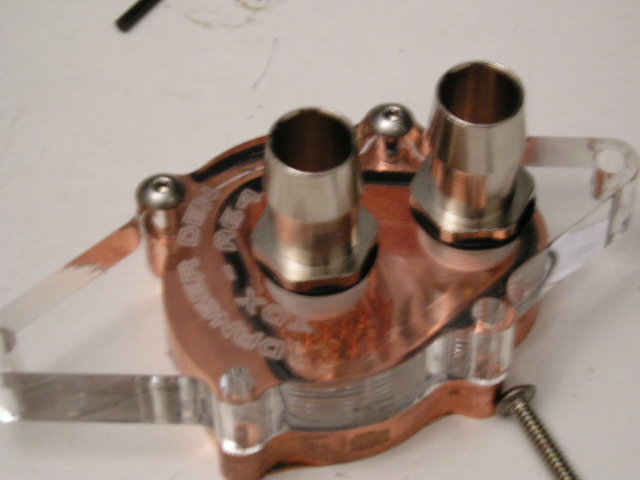
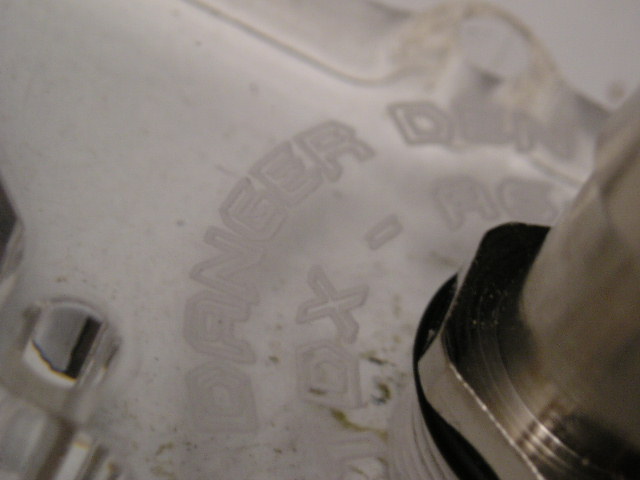
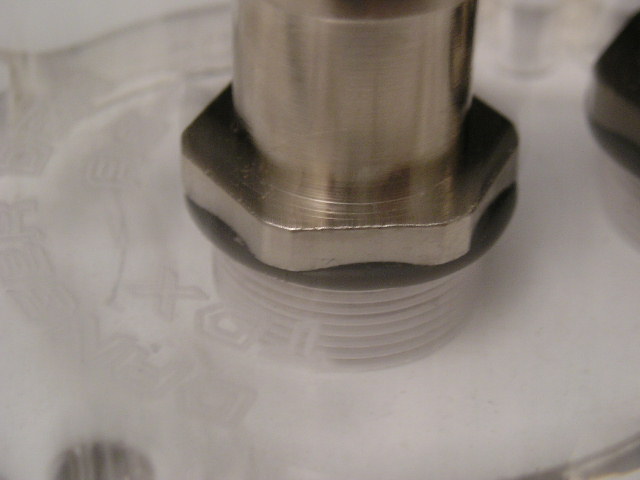
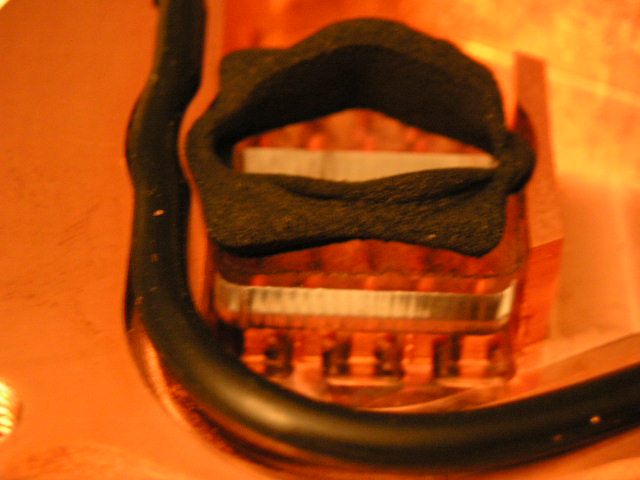
Access to the inside is a simple matter of unscrewing (with the provided hex key) the hex screws. The inside of the block is even more impressive than the outside. The block is secured by an O-ring. The channel design is the same as the RBX, except now the channels are upright and instead of two outlets there is conveniently only one. Everyone understands how difficult it can be to mount a 3 barbed block, so its great to know that Danger Den has answered our pleas for a block similar to the RBX but with only 2 barbs. Notice the nozzle placements that can be easily interchanged because the inside of the block was shaped to ensure a tight fit for the nozzles. Each nozzle also has a neoprene piece to ensure that water doesn’t escape the sides before it passes through the nozzle. In the picture, since I don’t have my computer on 24/7, I’m using nozzle 4, as nozzle 5’s small holes would probably clog after days of no use.
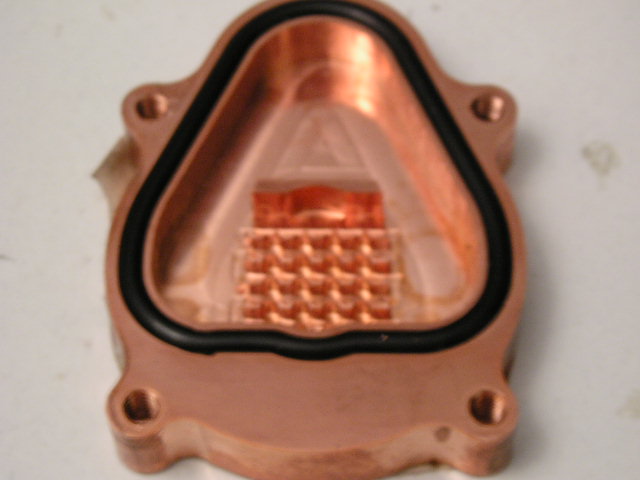
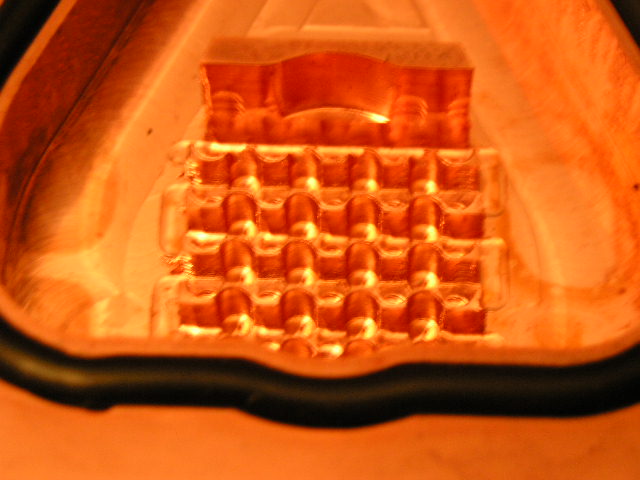
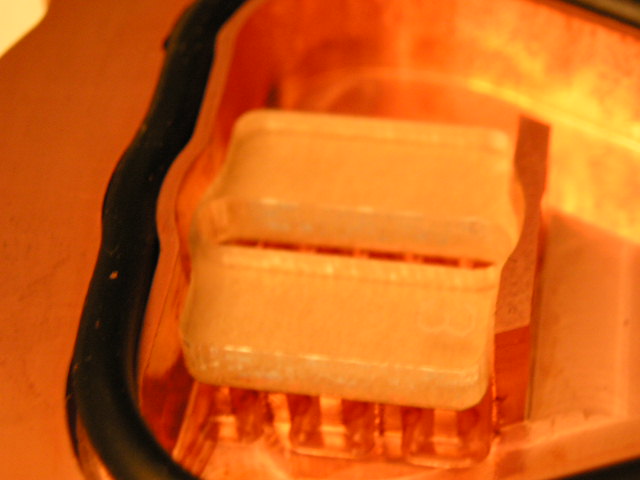
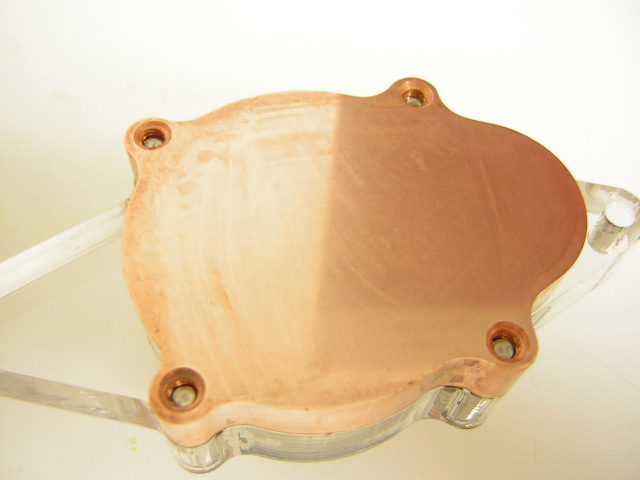
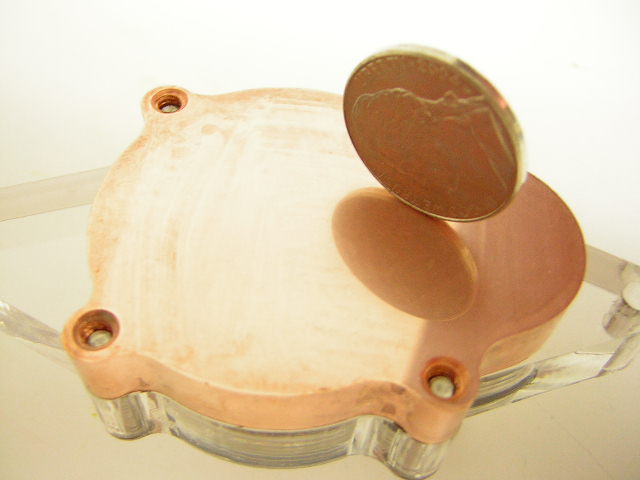
The bottom is well protected with 2 pieces of tape. While this is good, the tape produced small air bubbles that ruined the mirror-look of the bottom. Danger Den’s website indicates that they lap the blocks up to 1200 grit. I also tried taking multiple angle shots to find any kind of unevenness or rippling to ensure the bottom was also flat, because a mirror-finish doesn’t necessarily mean it is flat. Sure enough, it was.
Installation
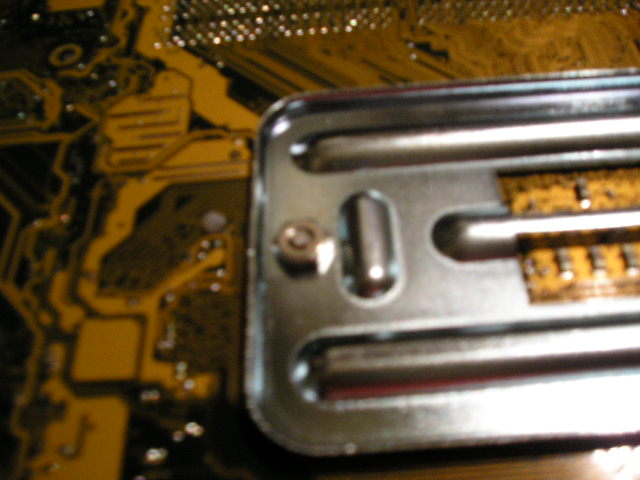
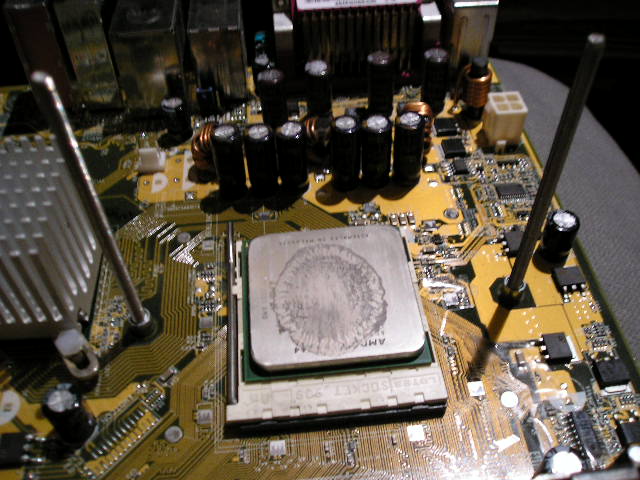
Installation was straightforward because it required the use of the backplate. I prefer that all waterblock manufacturers make use of the mounting plates for their block installation, as it makes installation so much easier. The rods are secured with the provided nuts to the backpart of the plate while the backplate holds the rods in place. After this part, installation is as simple as any other block and just a matter of placing the washer, the spring, another washer, and the knurled nuts that compress the springs until the block is securely held in place.
Test Setup and Results
Test Setup and Method:
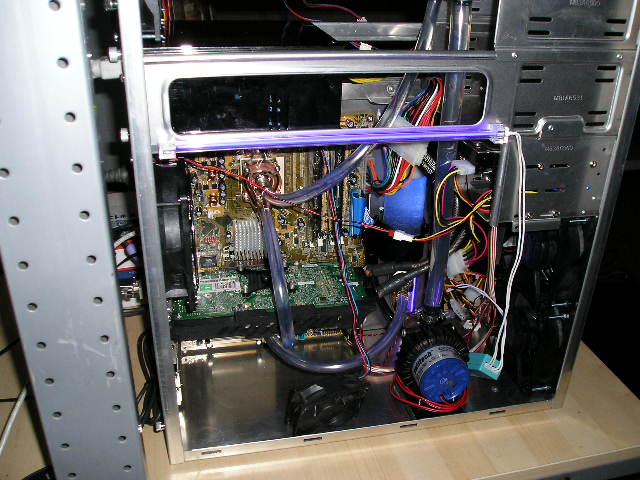
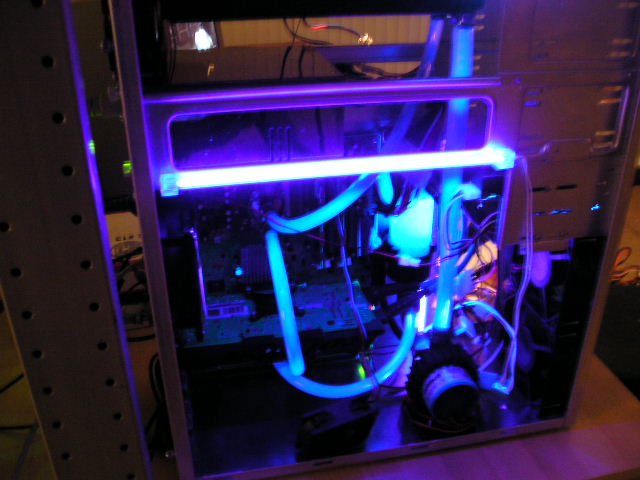
The parts I chose are commercially available, which should be indicative of what most mainstream end-user watercoolers would purchase. The only thing that wasn’t commercial was the reservoir (courtesy of Turbokeu’s design…. www.turbokeu.com) because the reservoir that I had was inefficient at bleeding bubbles. Also, I am cooling my 6800 Ultra because it doesn’t have any other cooling solution. Leak testing was done overnight with FrozenCPU’s blue UV dye to check for leaks. I also used 3/8” tubing instead of 1/2” tubing, which took some effort because the barbs were rated for 1/2” tubing. This allowed a super tight fit that didn’t require any form of clamping to prevent leaks. Here are the watercooling system specs:
Watercooling Test Setup:
- Case: AMS CF-1009
- Radiator: Black Ice Pro II (mounted on top with 2 Delta 120mm’s sucking air out)
- Reservoir: Turbokeu’s Reservoir made out of Clear 50mm PVC and PVC fittings
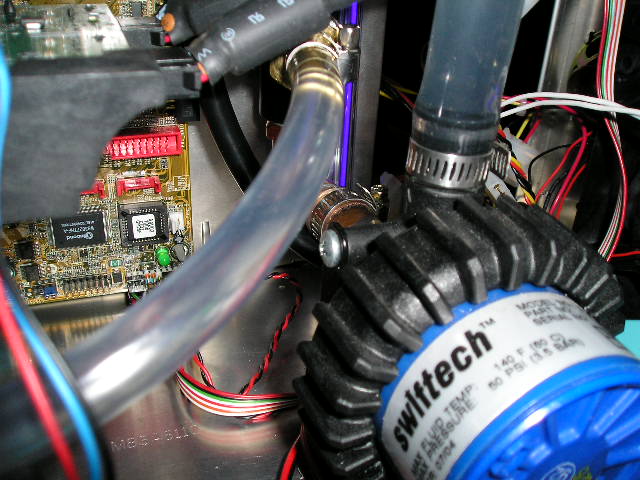
- Pump: Swiftech MCP650 (1/2” inlet and outlet)
- Tubing: All Kuri-Tec 3/8” except the inlet and outlet of the pump
- GPU block: Swiftech MCW50 w/ 6800 adaptor plate
- FluidXP w/ Frozencpu Blue UV dye for leak testing
PC Test Setup: 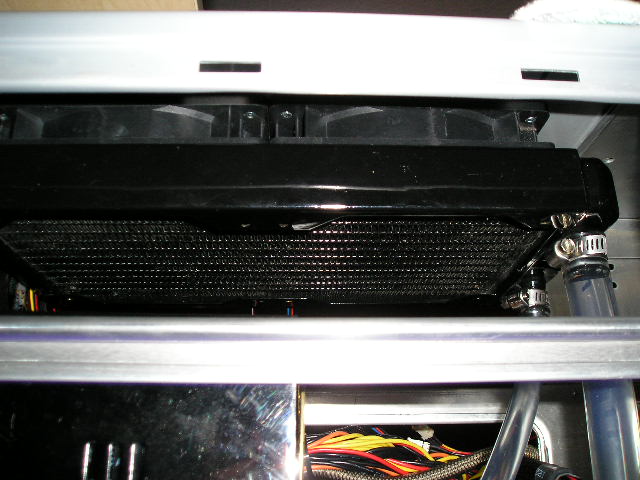
 That said, this testing done is relative only to my setup. Different components can ultimately effect the performance of any CPU waterblock. For example, the addition of a GPU block to the loop can adversely effect the performance of the CPU block. However, most watercoolers also cool their videocards (since the videocard has a bigger impact on game performance than does the CPU), so leaving the MCW50 in the loop would show results of a typical end-user watercooling setup. Testing was done with a Compunurse (obviously not as precise as most people have suggested, but we are working on funding a better temp probe that can even be calibrated) placed directly on the side of the heatspreader. Ambient temps were taken with a Lian-Li temperature probe about 7 feet away from the setup and read as 23.1 degrees Celsius (with a standard deviation of .3). To lessen the chance of mounting error, I have also conducted remounts (6 times) and graphed those results as well. My results are an average of all the remounts. I also understand that my testing is by no means scientific, as we simply do not have the equipment (yet). This review is intended for results that are only relative to my setup, which are hopefully representative of a setup that most mainstream end-users would choose. Also, testing was compared to stock cooling (using the reference Athlon64 cooler) as comparing waterblocks is much too difficult to test correctly without the appropriate knowledge and equipment.
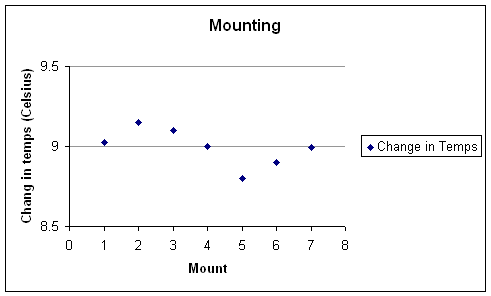
As you can see, mounting the TDX would be very difficult to mess up . Keep in mind that the temps are overclocked temps and are off by minimal amounts. Overclocking results were still the same in every mount. I attribute the sporadic temperature changes (within the tenths of a measurement) to my lack of sufficient testing equipment. If I had much better equipment, the change in temps over different mounts would be much closer. Nonetheless, the overclocking results were the same, so that is enough evidence for an end user (assuming he/she is buying this block for overclocking) of this block’s performance over different mounts. However, for performance purposes, I used the temps of the lowest change in temps for graphing the performance differences between stock and TDX cooling.
Results:
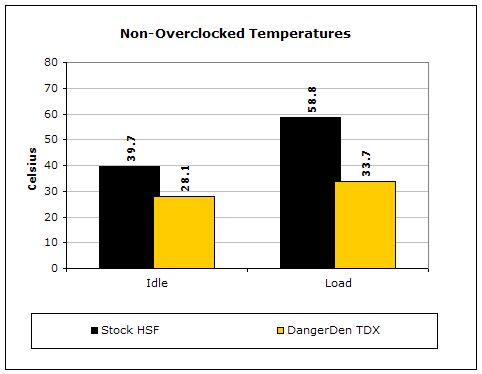
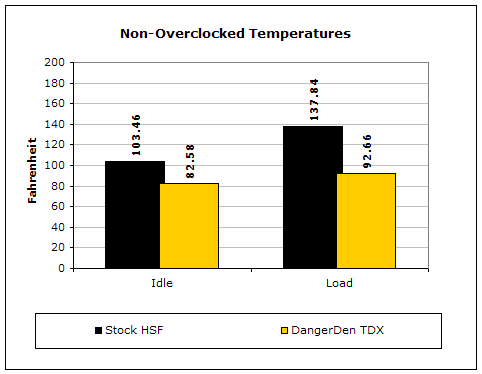
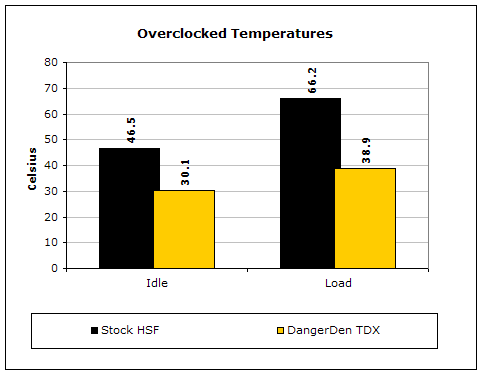
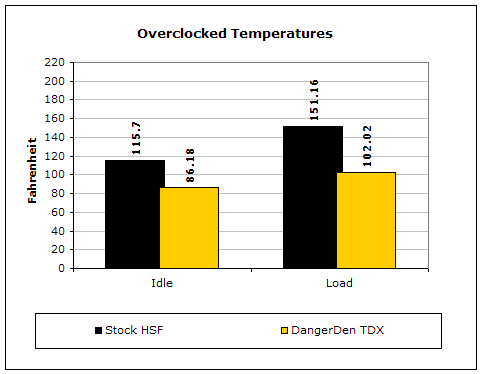
As always, watercooling almost always performs better than air cooling. Note that these temps were taken with the temperature probe on the heatspreader of the Athlon64, so you can imagine how much more hotter the actual CPU diode was. Judging from the results, the stock heatsink, even at stock voltage and clocks, trailed by nearly 60 degrees Celsius. However, at these speeds, both types of cooling were Prime 95 stable. The overclocking results are much different. Similar to previous waterblocks, the TDX maxed out my CPU prime stable at 245x11… an effective 2.7 GHz on the CPU. On stock cooling at this setting, I could boot into Windows but I get an instant BSOD. Even with average watercooling components, the TDX was able to bring my 2.2 GHz CPU to 2.7 GHz stable.
Conclusion and Thoughts
It’s no surprise that I would be more than impressed with Danger Den’s latest CPU block. Everything about it is attractive, from its awesome looks to its amazing performance. What’s more impressive is that the tops can be purchased for different setups. Even an alternative all brass top can be purchased for those people who would like extra protection against leaks. The price of this block is a tad more expensive than other blocks on the market, but most will find it reasonable knowing the level of quality with this block is nothing short of spectacular. Nonetheless, there exists other blocks on the market that perform just as well as the TDX but are much more cost efficient. Overall, Danger Den’s TDX deserves Insanetek’s RECOMMENDED award and is an impressive and convenient two-barbed block that is amazing on looks and functionality along with the performance to match it.
Pros:
- Two-barbed block for easier routing
- Accessible interior for easy maintenance
- Choice of different nozzles for different flows
- Chromed barbs
- Excellent 1200 grit lapping job
- Awesome performance
Cons:
- At $52.95 excluding nozzles and extra tops costing as much as 15 dollars more…. blocks such as the MCW6000 seem to be a much better alternative

We would like to thank Danger Den for providing us the sample. If you have any questions or comments, feel free to hit us up in the forums. You can also check out more of our latest reviews on the front page.