

Cooler Master Ultra Vortex
Introduction
Cooler Master has been busy lately making pretty good power supplies and excellent looking cases. Of course they didn’t forget about their main goal: cooling. We reviewed the Dual Storm a little while ago, which had a great idea behind the design of the airflow. The fan performed pretty well but had some funky gold colored fan blades. I didn’t find it very appealing with the looks. I did like the blue LED’s, though. Today, we have Cooler Master’s new heatsink. The Ultra Vortex sports the look of Zalman’s large flower heatsinks and combines it with the use of a 92mm fan. Zalman was able to get some impressive results with their heatsinks, but the fan lacked the option for more CFM. Cooler Master has provided an adjustable fan that is capable of pushing more air. We’ll see just how well it performs.
Cooler Master Ultra Vortex
The Ultra Vortex came in the same style plastic packaging as that of the Dual Storm fan. The fan has a large label across indicating the main focus of the Ultra Vortex–silence.
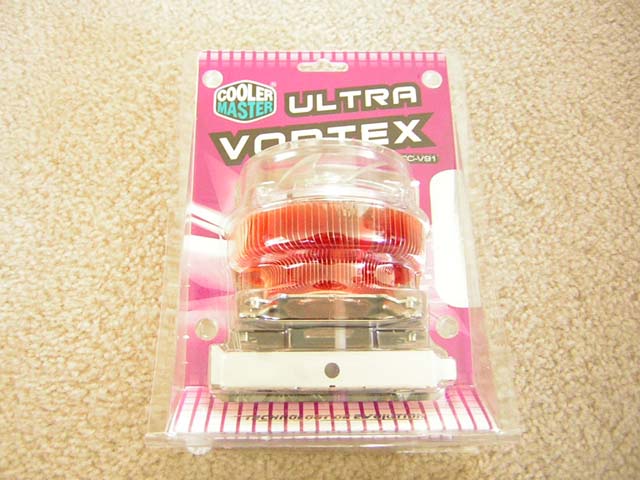
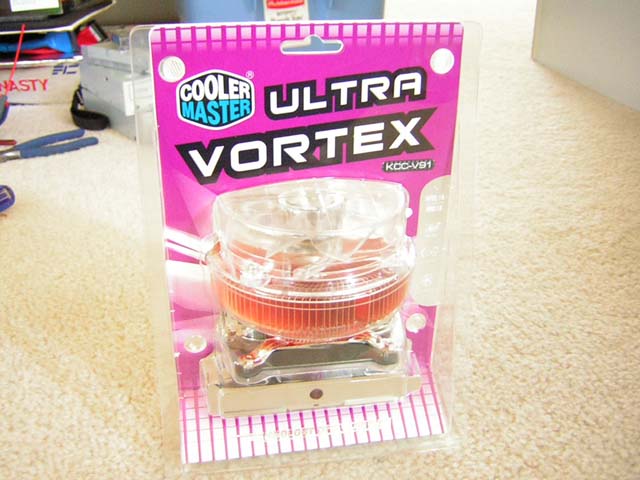
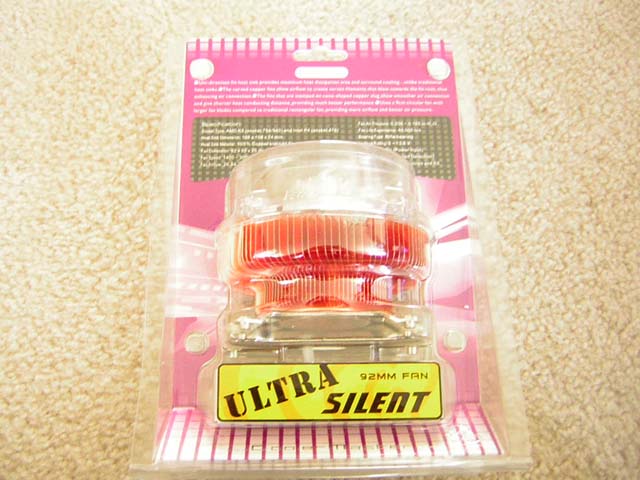
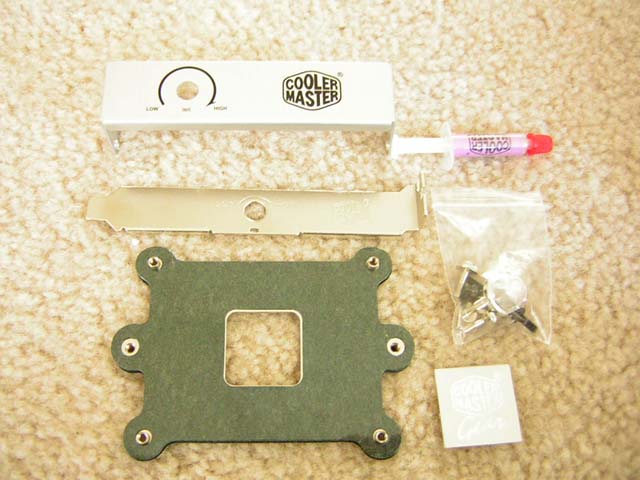
The package came with a heatsink mounting plate, a small tube of silicone grease, installation screws, the optional 3.5” front panel for the adjustable knob, and the optional PCI bracket for the adjustable knob. The thing that I found most attractive was the size of the heatsink; it’s huge. Right off the bat I knew there would be possibility of compatibility issues. But before I installed it, I had a few more detailed looks.
The Ultra Vortex is paired with a clear 92mm fan that is fully adjustable through a knob. I was glad that Cooler Master decided not to pair the heatsink with some funky fan. The clear fan really makes the heatsink look classy and not so “rice rocket”, if you know what I mean. The fan is attached to the heatsink through a shroud which is snapped onto the fins. This definitely causes some problems. At first I thought that by grabbing on the fan, the heatsink base would fall off, but it didn’t. It was too tight to separate. The problem I found was that the fins would clutter together if the shroud was not installed carefully. The picture below will provide more information. The fins are joined together at the bottom to a small copper base. This is where the contact will be made.

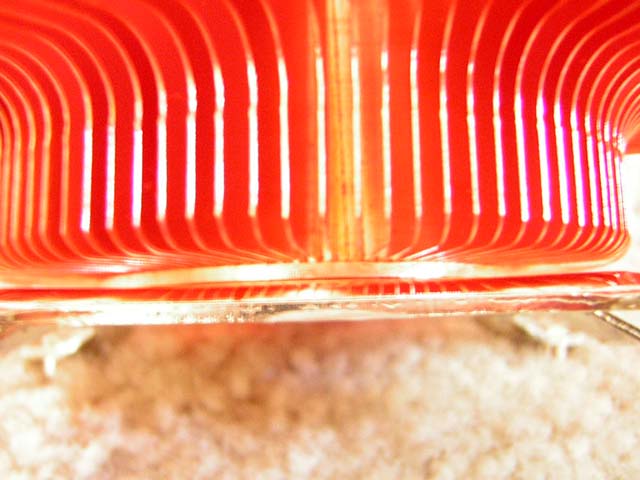
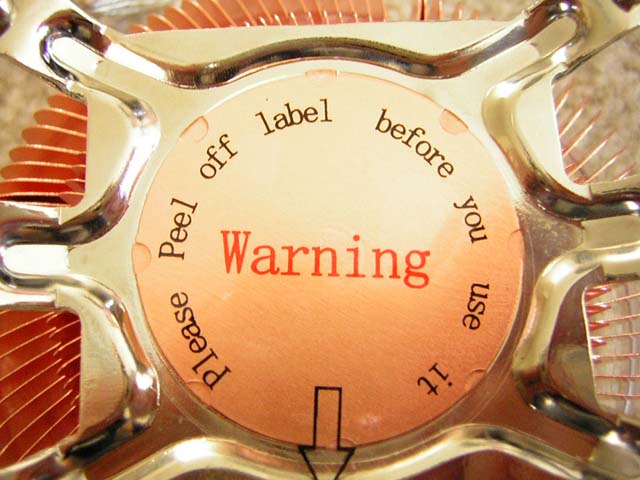
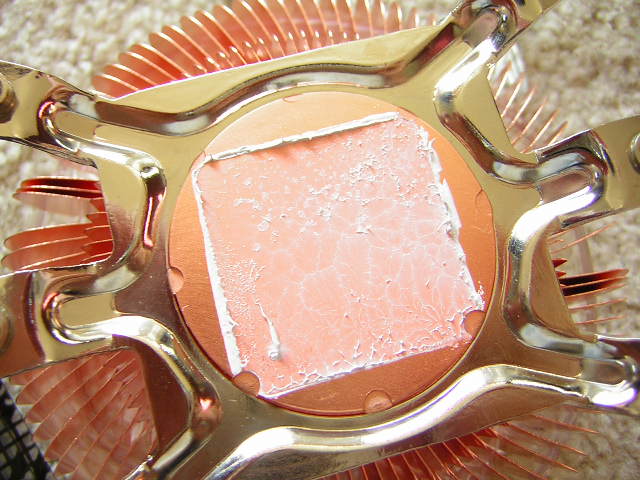
The base of the heatsink was well protected by a layer of plastic. Much like all heatsinks that have a layer of protective plastic, always clean it off with some rubbing alcohol after you peel it off. There is a high chance of sticky material that can get left behind. The base of the heatsink didn’t have a mirror finish, but was very flat and free of cracks and ridges.
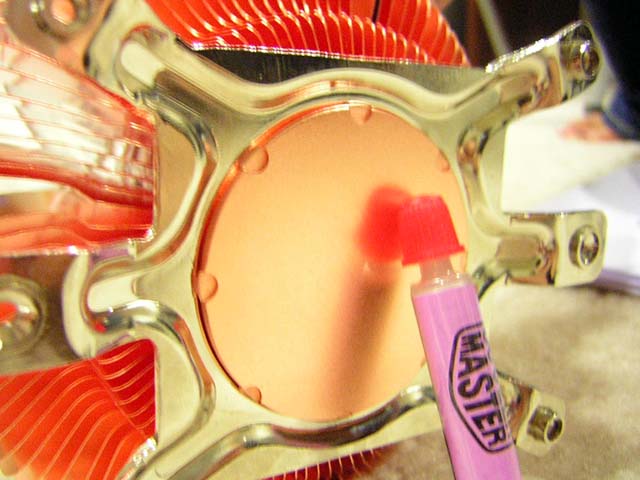
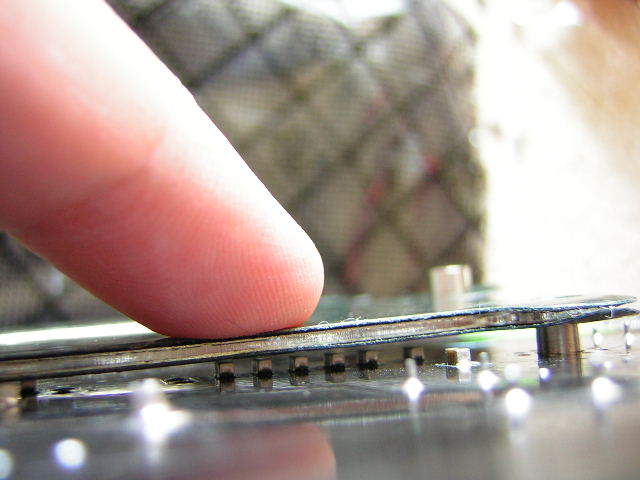
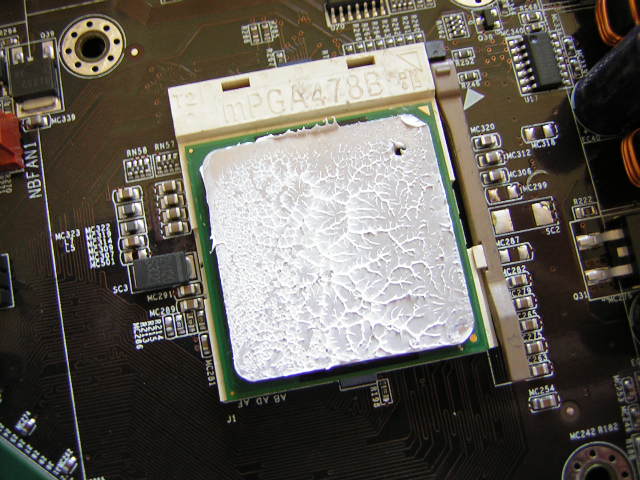
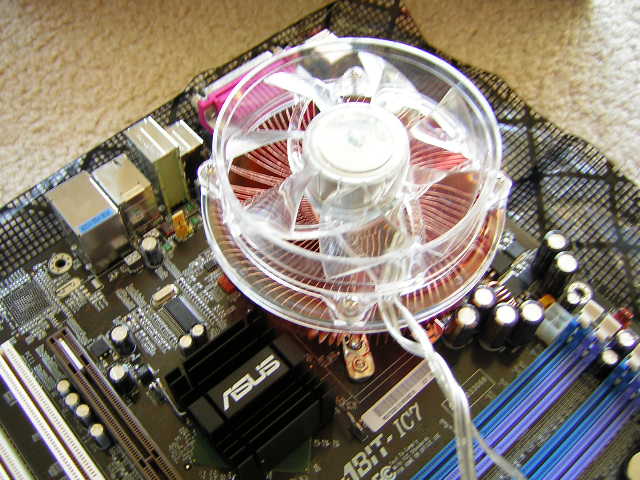
Much like the Hyper 6, the Ultra Vortex is designed to be compatible with P4 (Socket 478) and K8 (Socket 754/939/940) platforms. Unlike the Hyper 6, however, the Ultra Vortex does not take advantage of the stock motherboard brackets. Instead, it opts for the use of screws and a motherboard back plate. While I find this more preferable, the method used for the Ultra Vortex is less than pleasing. First off, the design is not intended for the screws to mount through the front, meaning the front of the motherboard. Heatsinks that mount through the motherboard holes are assembled from the front of the motherboard. Cooler Master has designed the installation to be through the back of the motherboard. This is the only option. There is no way to install through the front of the motherboard due to the size of the protruding fins. What’s so bad about this method? Many enthusiasts already complain about the need to remove the motherboard for their installation. Removal, however, would be much simpler since you can access the screws from the front. This is where the Ultra Vortex fails to achieve. If you wish to remove the heatsink to reapply a layer of paste or to switch CPUs, then you have to take out the entire motherboard to do so. It can get a bit tedious and annoying to keep having to take out the motherboard just to swap things out. The second problem I found was that the back plate provides no soft cushion. The motherboard used to test the heatsink is the popular Abit IC7. Many enthusiasts are owners of this board. Behind the board are small resistors that get in the way of the back plate. This can become a problem if you’re attaching the heatsink to the back plate. Too much pressure can easily crush the resistors and cause permanent damage to your motherboard. I took the liberty to cushion it with a thin layer of bubble wrap. I was a bit worried that such a layer of bubble wrap would affect the contact of the heatsink to the CPU, so I tested the heatsink to see if it made good contact. Fortunately, the contact was fine.
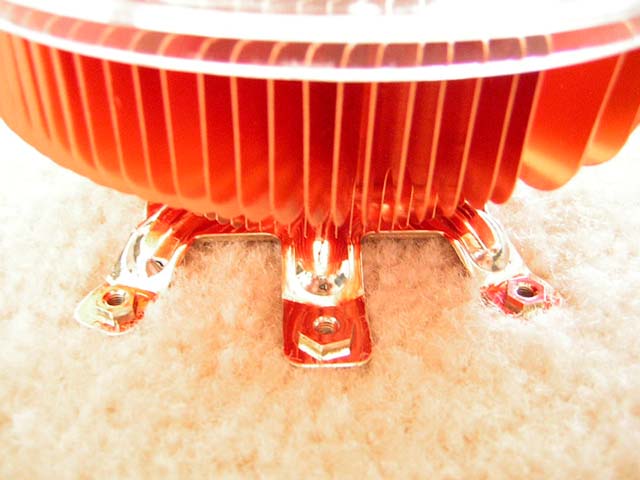
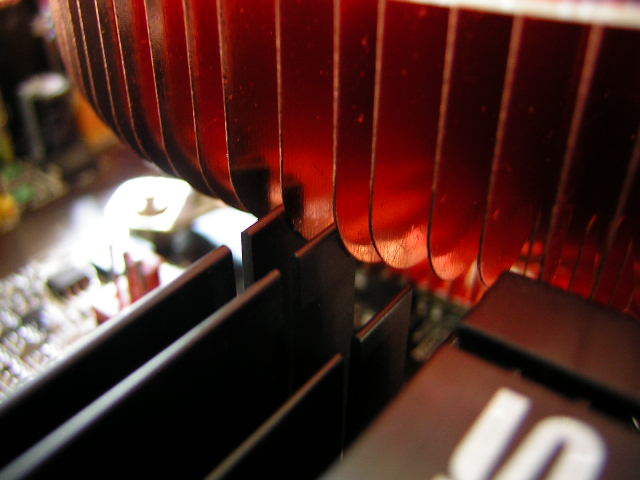
As I predicted, the size of the Ultra Vortex did have some compatibility problems. Although it was no big deal and easily fixable, the fins extended out too much and got in the way of the Northbridge heatsink. The Northbridge heatsink is the one that I took off my P4C800-E. I replaced the IC7 Northbridge in search of a quieter solution.
Specifications
Here are some key features of the Cooler Master Ultra Vortex. The information was grabbed from the Cooler Master website.
|
The specifications of the Ultra Vortex.
| Socket Type | AMD K8 (socket 754 / 939 / 940) and Intel P4 (socket 478) |
| Heat Sink Dimension | 108X108X74mm |
| Heat Sink Material | 100% Copper |
| Fan Dimension | 92x92x25mm |
| Fan Speed | 1400~3000rpm |
| Fan Airflow | 26.84~57.51 CFM |
| Fan Air Pressure | 0.036 in-H2O ~ 0.165 in-H2O |
| Fan Life Expectance | 40,000 hrs |
| Bearing Type | Rifle bearing |
| Voltage Rating | 5~13.8V |
| Noise Level | 16.6~33.2dBA |
| Connector | 4 Pin (Power Input), 3 Pin (Speed Detection) |
| Weight | 730 g (without fan) |
| Thermal Resistance | Rja 0.39~0.31C/W |
| Application | P4 all frequencies and K8 |
Notice that the fan is more than whisper quiet at its lowest RPM. It only produces 16.6 dBA at a mere 1400 RPM and produces a pretty impressive 26.84 CFM. That’s pretty good considering it makes no audible noise. Turning up the fan will result in a louder pitch, but it is definitely far from being annoying. Running at 3000 RPM and producing 33.2 dBA is pretty much the results of a typical case fan.
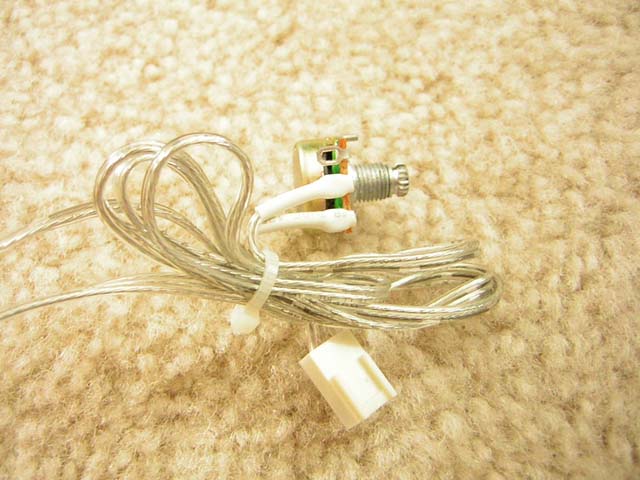
The package stated that the fan would have a 3 pin RPM monitor along with a 4 pin power connector. Unfortunately, the heatsink I received didn’t conform to the stated specs. The Ultra Vortex I had came with a single 3 pin power connector. It would be unwise to connect the 3 pin power connector to the motherboard as the fan at high RPM can draw too much current than what the motherboard can handle, resulting in a fried fan header.
Test Setup and Results
The heatsink will be tested against the stock Intel heatsink to compare performance gains. Ambient temperature was kept at a consistent 27°C. OCZ Ultra 5 thermal paste was used during the entire testing process. A temperature probe was placed next to the Intel heatspreaders to measure CPU temperature. The purpose of this test is to see the results a home end user would obtain. There is no scientific testing conducted, simply because I do not have the proper equipment.
Test System Specifications:
- Intel Celeron D 330 2.66GHZ (12 x 160FSB = 3.2GHZ @ 1.375v)
- Abit IC7
- 2 x 256MB OCZ PC3200 Platinum Limited Edition
- ATI Radeon 9500NP
- Cooler Master Centurion
- Antec 400W
Test Procedures:
- Idling at desktop for 30 minutes
- Full load with CPU Burn-in for 30 minutes
Results:
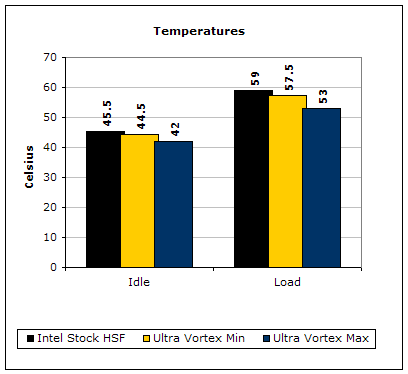
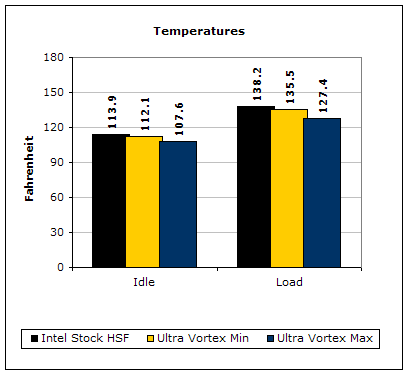
Although the Celeron D 330 was run only at 1.375v, the CPU still manages to produce quite a lot of heat because it’s based on the Prescott core. The results of the Ultra Vortex were pretty good. I didn’t expect the heatsink to be better than the Intel stock heatsink under low fan settings. The best part of the heatsink is the noise. My Cooler Master case fans drowned out the noise when the fan was at its lowest RPM. It was awesome. Turning it up resulted in a good 4°C drop without sacrificing too much silence. The noise was still tolerable over many high CFM fans.
Conclusion and Thoughts
Cooler Master’s new heatsink provides good noise to performance ratio and is well suited for the casual overclocker. It’s just a shame that the installation method was not user friendly. Installation through the back of the motherboard is tedious and would be much better if there was a third helping hand. The heatsink already has compatibility problems with a stock Northbridge heatsink, and would be more of a problem if a third party heatsink like the Swiftech MCX159P or Thermalright NB-1C was installed. The back plate should have some cushion provided to avoid crushing possible resistors like the ones found on the Abit IC7. If these problems were non-existent, the Ultra Vortex would definitely be a good choice for enthusiasts. If you’re looking for a good heatsink at an affordable price, this is a great consideration. The only thing to be aware is the clearance of the back of the motherboard. However, due to the bad installation design, it’s better to just stick with the Hyper 6.
Pros:
- Good looks
- Ultra quiet at low RPM
- Good performance
- Fan adjustable
- Tolerable noise at high RPM
- Low retail price
Cons:
- Possible compatibility problems
- Installation through back of motherboard is tedious
- Back plate has no cushion and may crush possible resistors
- No 4 pin power connector as stated, only 3 pin
We would like to thank Cooler Master for providing us the sample. If you have any questions or comments, feel free to hit us up in the forums. You can also check out more of our latest reviews on the front page.