

Cooler Master Dual Storm
Introduction
With new products coming out left and right, Cooler Master does not stop to take a breather. They strive to live up to their motto: “The Ultimate Thermal Solution.” We recently reviewed the Cooler Master Centurion 5, which was dedicated to good looks while still providing a better thermal solution. The idea of the meshed front panel was an excellent design to allow air to travel in the case to help increase airflow. My system runs nice, smooth, and best of all, quiet.
Today, we have up for review the new Dual Storm fan. What’s so special about this fan? To answer that question, we must go back in time and try to remember the intentions of the Y.S. Tech TMD fan. Regular fans are designed with the motors in the center, and consequently, an O-shaped dead spot with no air movement is formed. Although current heatsinks are designed to help spread heat throughout the fins, the center of the heatsink base is where the most heat is absorbed. Even with the new CPUs coming with integrated heatspreaders to help dissipate the heat across a larger surface, the center is still the hottest part of the CPU. Going back to the TMD fan, the TMD fan was designed to focus airflow straight down to the center. Air doesn’t get blown around, but is directed towards the middle. It was certainly the ideal fan, yet, it was supported by poor construction design. The motors were placed at the corners of the fan and caused many fan shortages during use. It happened to many people, including our resident review editor. The shortages ruined the TMD fan’s reputation and led it to be discontinued. After two years, Cooler Master has brought back the idea of center focused airflow with the creation of the Dual Storm.
The Dual Storm fan’s purpose is much like the TMD fan, albeit with different construction. Rather than using a single fan with motors at the corners, the Dual Storm utilizes two fans that spin in opposite directions to create extra air pressure and focus airflow towards the center. With the added option of a fan controller, the Dual Storm should definitely help keep CPU temperatures down to a minimum.
Cooler Master Dual Storm
The package is enclosed in a clear plastic box. There is nothing special about the package other than a pictorial description of the fan’s design. The specifications of the fan are also listed.
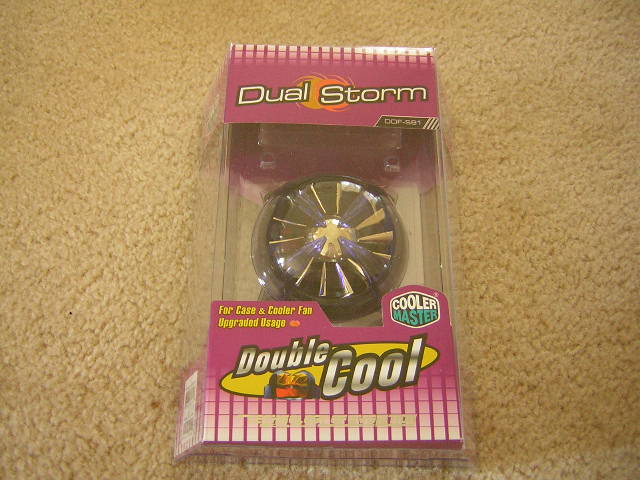

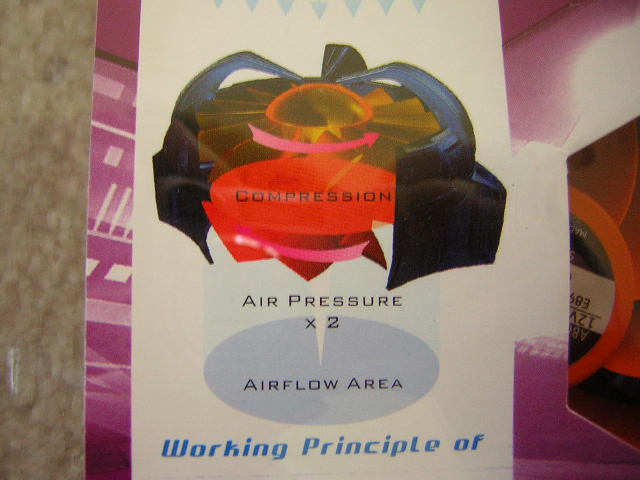
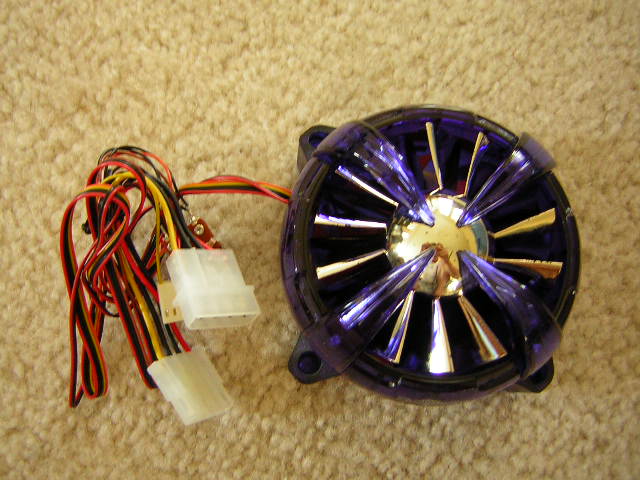
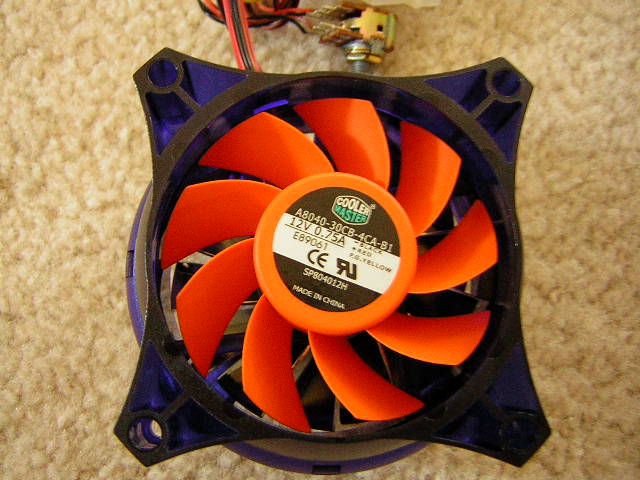
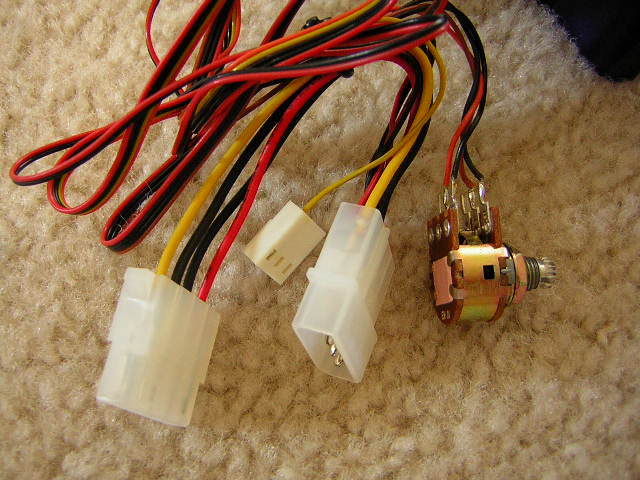
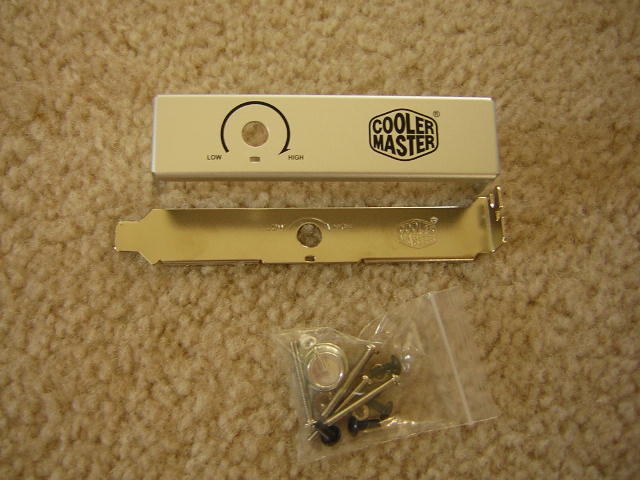
Included is the fan, a PCI bracket for the adjustable knob, a 3.5” front panel for the adjustable knob, and some screws for installation. The most noticeable aspect of the Dual Storm is the first layer of gold painted fan blades. I don’t know about the rest of you, but I hardly find gold attractive, unless it’s real gold that’s worth having. Silver blades would be much better as silver and platinum are currently the more popular colors. The second layer consists of the second fan with orange fan blades. It reminds me of the Thermaltake Silent Fan II. The fan has a 4-pin Molex connector with a 3-pin fan header to monitor fan RPM. There is also a knob that allows users to adjust the fan speeds manually. The knob can be used either with the PCI bracket or the 3.5” front panel for easy access.
Specifications
These specifications of the Dual Storm are from the Cooler Master website.
| Fan size | 93.5*93.5*60 mm |
| LED number | 4 |
| LED Color | Blue |
| Voltage (Volt) | 12 VDC ( 7VDC - 13.5VDC ) |
| Current (Ampere) | 0.7 A (Max) |
| Input (Watt) | 8.4 W (Max) |
| Speed (R.P.M.) | 3000 R.P.M. - 1400 R.P.M. ± 10% |
| Air Flow (CFM) | 41.7 CFM (Max) ± 10% |
| Air Pressure (mmH2O) | 4.2 mmH2O (Max) ± 10% |
| Noise | 22.6 dBA (Min) |
| Weight | 193 g |
| Bearing Type | Sleeve |
| Speed Senser | Yes |
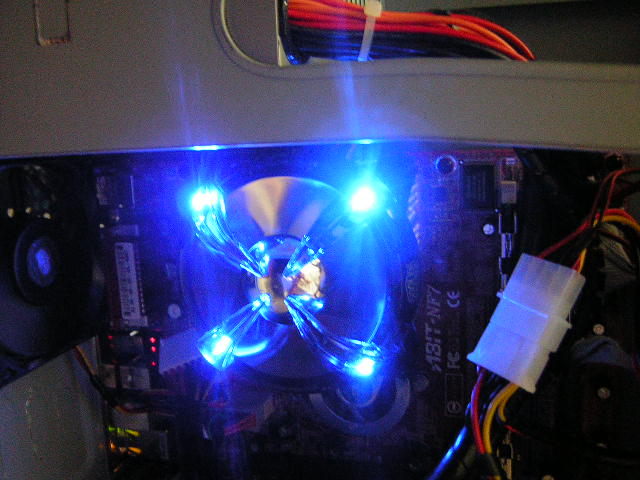
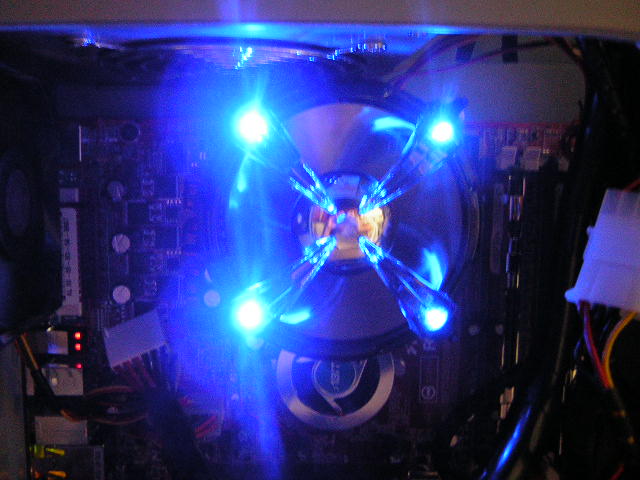
Cooler Master didn’t do a good job here of providing all the specifications we needed. The dBA for maximum RPM and the CFM for the minimum RPM are not provided. At a rated 22.6 dBA, the fan was more than whisper quiet; it was silent. With the fan turned all the way up, it produced quite a bit of noise. However, it was much quieter than a Tornado fan. The Dual Storm has 4 blue LEDs installed, one at each corner. The blue LEDs shined like no other. The ugliness of the gold fan blades disappeared when the LEDs turned on. It was very pleasing to my eyes.
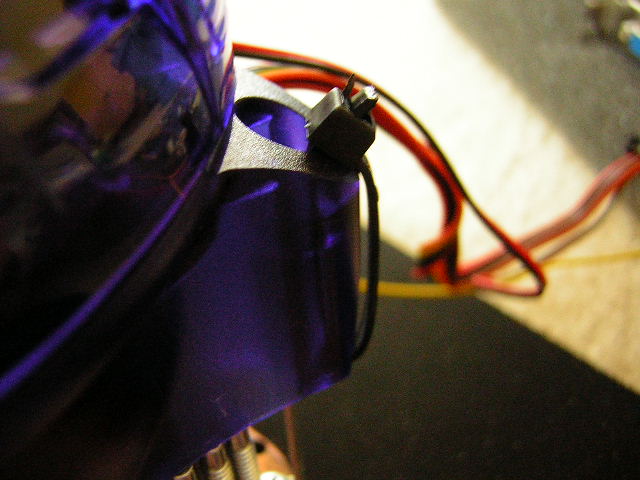
Although there should be no problems with most heatsinks available, I did encounter a problem with installation. Many of us turn away from cheap OEM heatsinks and use better heatsinks from companies such as Swiftech and Thermalright. The fan was unable to mount correctly on popular heatsinks from Swiftech and Thermalright. Thermalright requires the use of fan clips to mount the fan. The clips are not tall enough to latch on to the fan holes at the corners. I resorted to using my trusty MCX462+ from Swiftech. The heatsink was designed to use push pins for fan installation. I couldn’t use screws to attach the fan and heatsink together; so I went the ghetto route and ripped open my bag of zip ties. I zip tied each corner to the fan brackets of the MCX462+. It was tight and secure and made no rattling noise when the fan was on. Always keep some zip ties around. You never know when it’ll come in handy.
Cooler Master noted that there should be no problems with installation on their Hyper 6.
Test Setup and Results
To test the ability of the fan, I’ve brought out one of the biggest and baddest fans–the 80mm Vantec Tornado. Ambient temperature was kept at a constant 27°C. Arctic Silver III was used during the entire testing process.
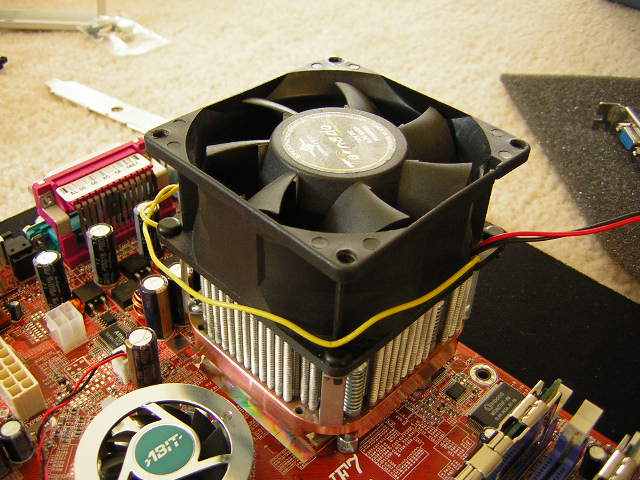
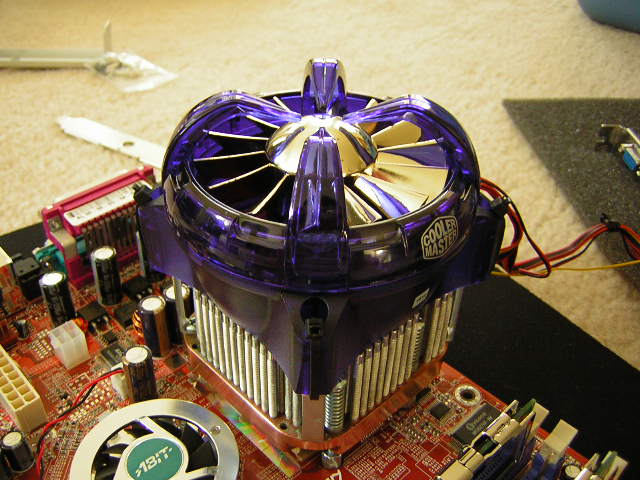
Test System Specifications:
- AMD XP1800+ (10 x 200FSB @ 1.6v)
- Abit NF7 v2.0
- 2 x 256MB OCZ PC3200 EB
- ATI Radeon 9500NP
- Cooler Master Centurion
- Antec 400w
Test Procedures:
- Idling at desktop for 30 minutes
- Full load with Folding@Home for 30 minutes
Results:
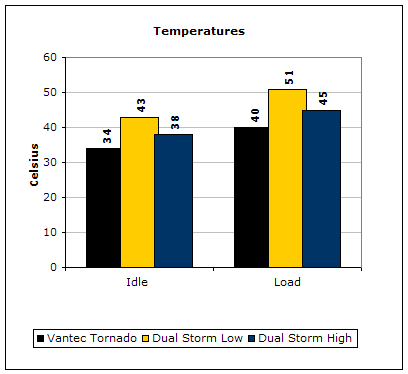
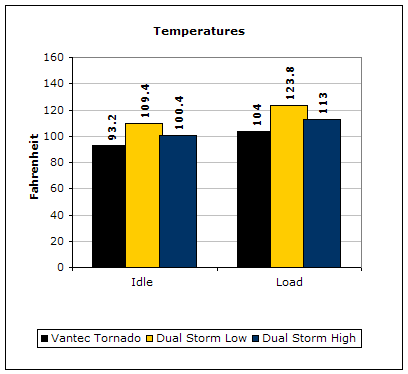
Clearly, the Vantec Tornado takes the crown, however there is something worth noticing. The Vantec Tornado pushes an insane 84.1CFM at 5700RPM, producing an annoying 55.2 dBA. The Dual Storm at maximum fan speed produces half the CFM at 41.7 while spinning at half the RPM at 3000. In addition, it produces a noise level much lower than the Tornado. The Dual Storm fan performed very well, much better than I had expected. The reason why my temperatures were so high is because my case had absolutely no airflow and the ambient temperature was high, so keep that in mind.
Conclusion and Thoughts
The Dual Storm fan has taken the TMD fan idea and produced pretty decent results. I like the way the fan works and the fan speed controller option, as well as the blue LEDs. The appearance of the fan is something worth questioning. Cooler Master definitely wants something that’s eye-catching, but gold fan blades??? This fan, however, is not ideal for the new heatpipe induced towers. Those towers would benefit more from regular fans, as regular fans spread out airflow to help cool the heatpipes and fins. The Dual Storm is a good fan that cools the heatsink right at the heat source, the center of the base.
Pros:
- Centralized airflow
- Fan speed adjustable
- Silent on low fan RPM
- Bright blue LEDs
- Double layer fan blades for increased air pressure
Cons:
- Looks…
- Compatibility with heatsinks
- High fan RPM is a bit on the noisy side
We would like to thank Cooler Master for providing us the sample. If you have any questions or comments, feel free to hit us up in the forums. You can also check out more of our latest reviews on the front page.