

Cooler Master Aquagate Mini R120
Introduction
Although InsaneTek was never able to review Cooler Master’s Aquagate, we have constantly read about its remarkable performance, convenience, looks, and affordability. The Aquagate was easily one of the best all-in-one watercooling solutions for enthusiasts that did not want to endure the time of Do-It-Your-Own watercooling. While the Aquagate was Cooler Master’s first entrance into the watercooling scene, a number of other comparable solutions existed, such as Corsair’s Hydrocool, Koolance’s Exos, and Thermaltake’s Aquarius and BigWater. All of these kits required little maintenance and setup, but still required knowledge of coolant to water ratio, leak prevention, and installation. Imagine having a watercooling kit that did not require any maintenance and intricate setup whatsoever. For those who held off upgrading to a water cooling solution, particularly because of the tedious tasks associated with it, Cooler Master has released a watercooling solution that can be installed as easily as a heatsink.
Cooler Master’s Aquagate Mini R120 is the first of its kind, at least the first successful one that I have ever seen. The Aquagate Mini R120 is the first watercooling solution that is installed in the same manner as a heatsink, which the majority of users are accustomed to. Cooler Master’s Aquagate Mini line comes in two flavors for your setup convenience: an 80mm and 120mm version. We will be looking at the 120mm version, the R120, today and comparing it to both air cooling and existing water cooling products on the market.
Cooler Master Aquagate Mini R120
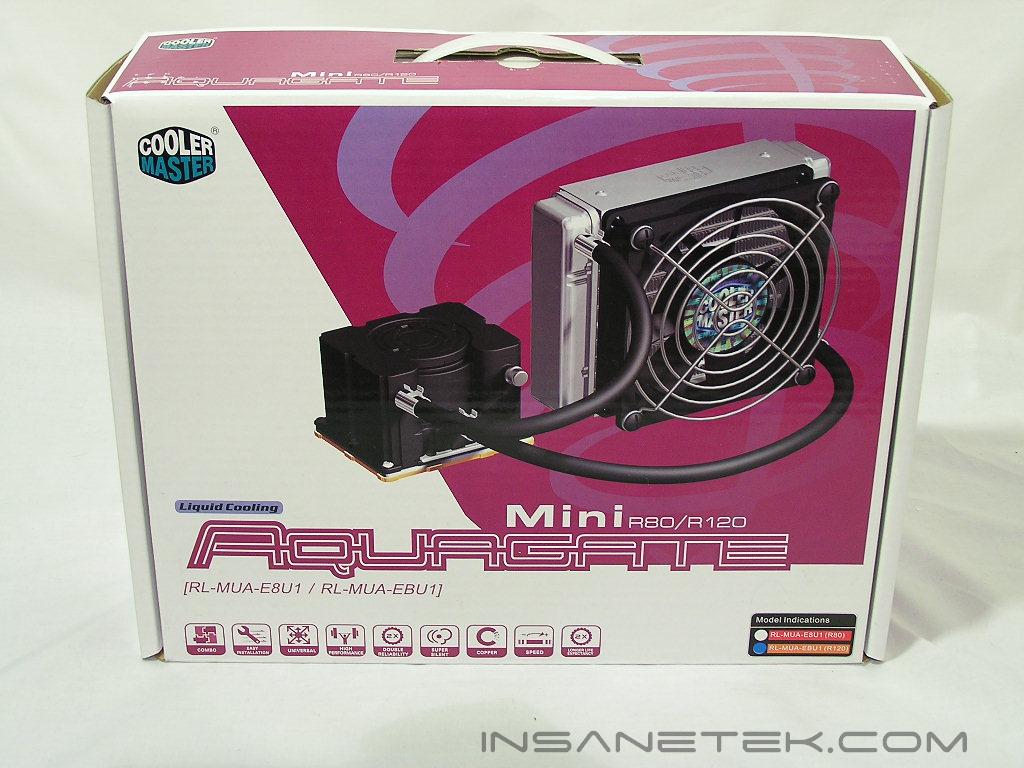
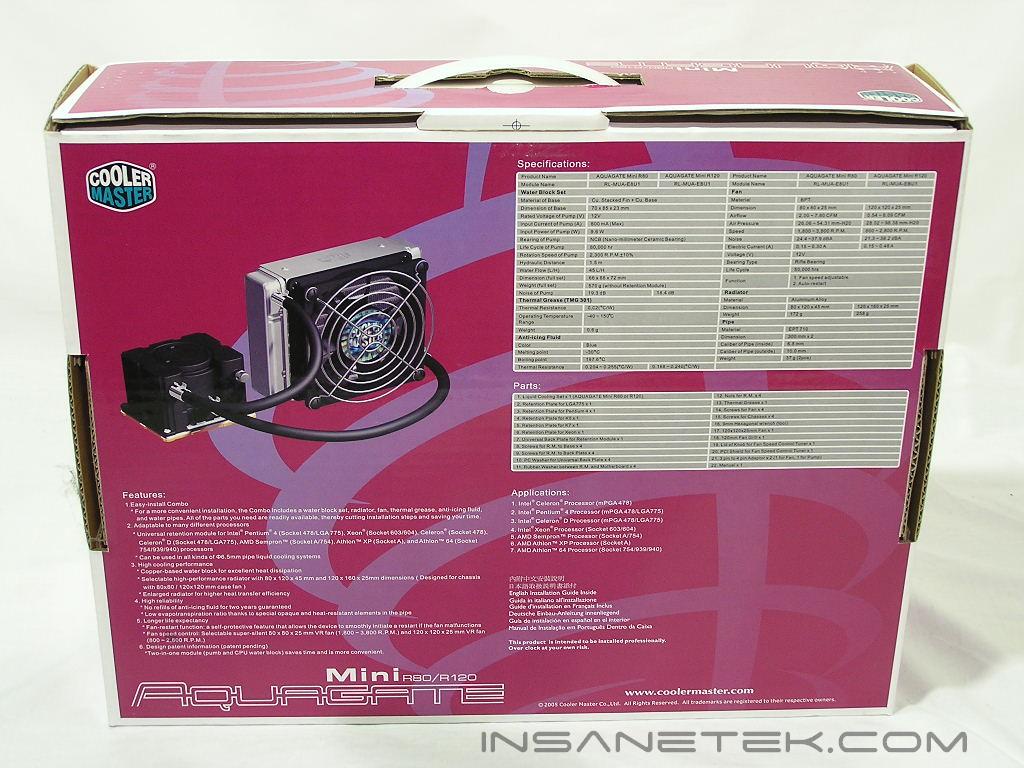
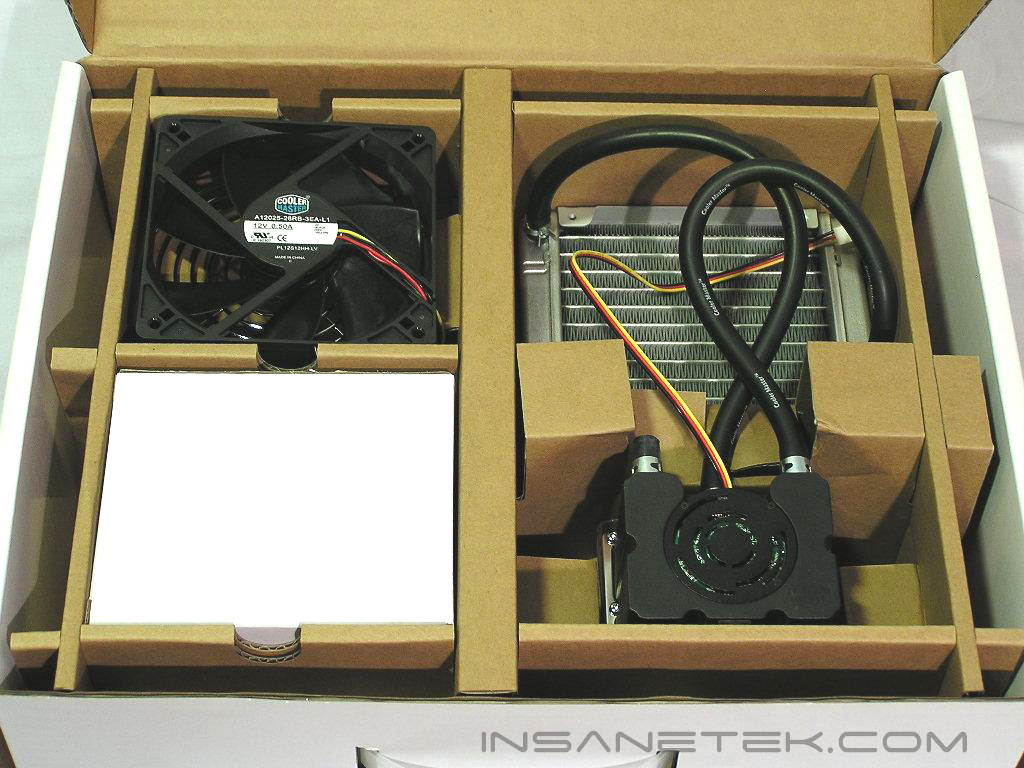
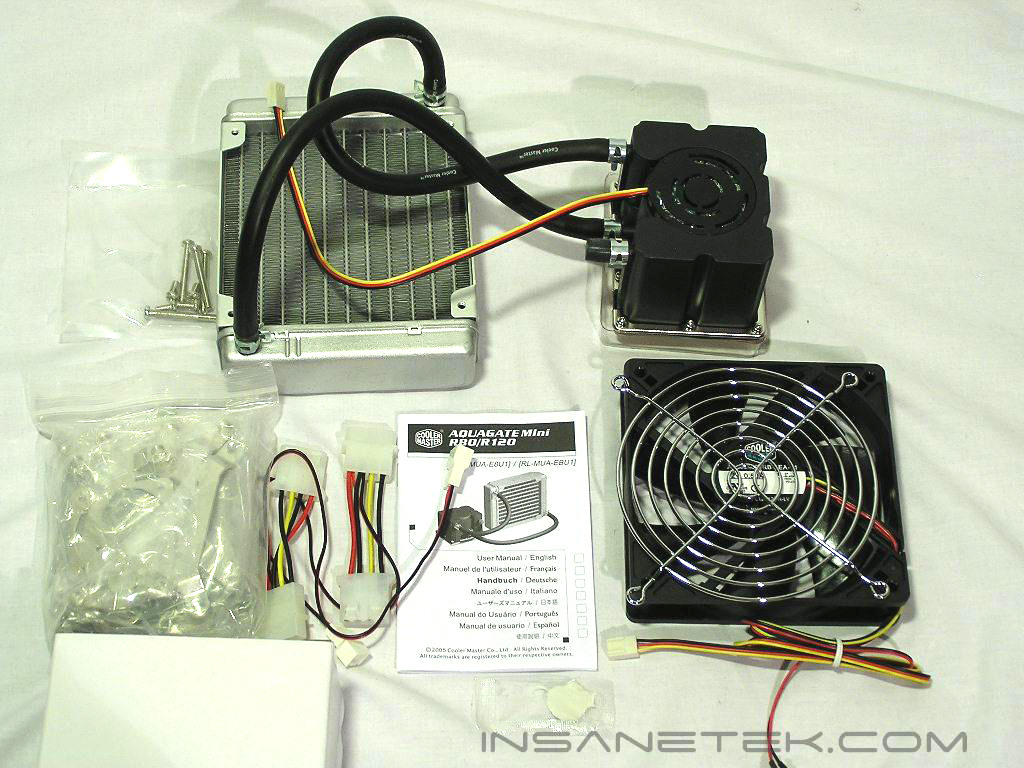
Like all Cooler Master products, the packaging is fitted for retail form. It has a handle for carrying and has enough pictures and specs to cover half of this review. The contents within the package are well protected with cardboard. You can see how simple the Aquagate Mini R120 is in comparison to other watercooling kits. I am so conditioned to opening up watercooling boxes to find a myriad of components, such as fittings, waterblock tops, extra tubing, fluids, etc., but the R120 is so simplistic in comparison. The contents include everything you need to install the R120. The contents include the cooling unit (the waterblock/pump combo and radiator), the 120mm fan, two 3-pin to Molex adaptors, a detailed instruction manual, all the necessary screws needed for installation, and a number of socket plates.
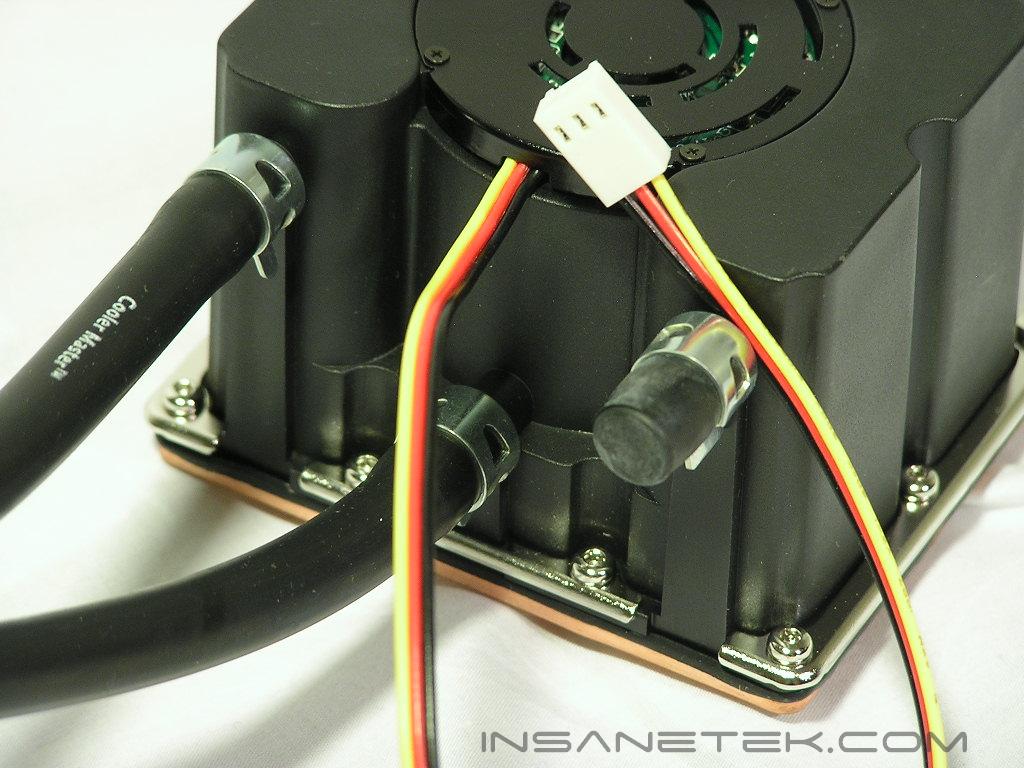
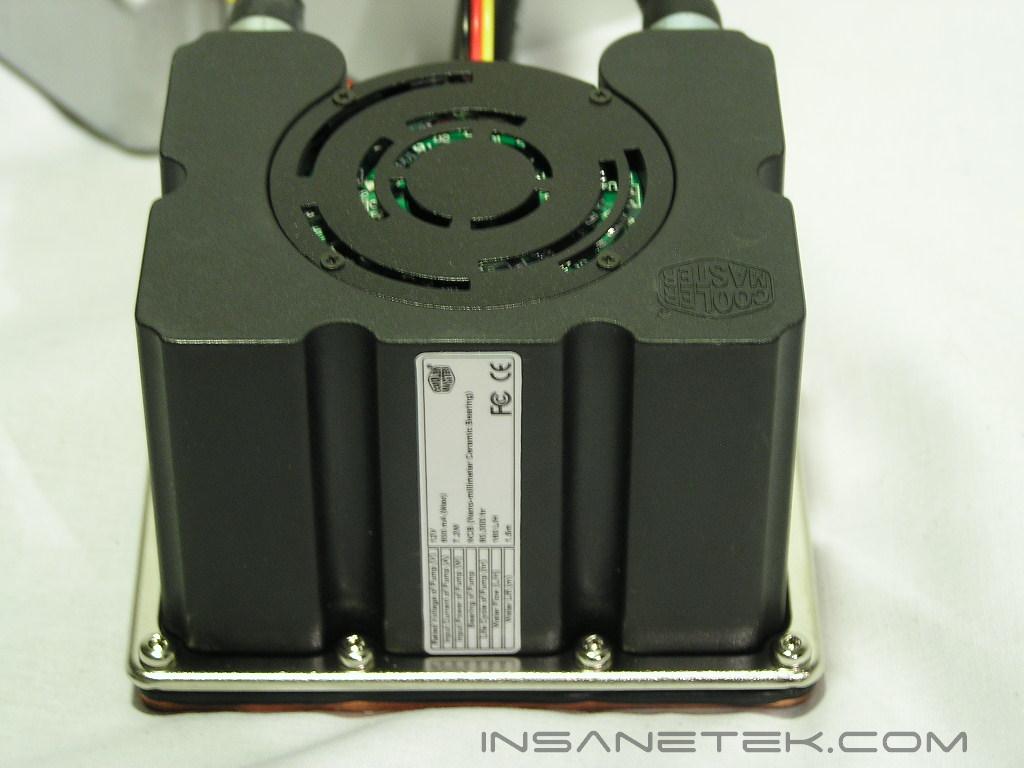
The waterblock/pump combo is the first I have seen available on the market. I remember seeing some all-in-one watercooling solutions for Intel processors, but they were never mass marketed. I am rather pessimistic of how effective this combo will be, as the heat produced by the pump will effect the temperatures of the waterblock directly underneath it. We will see later if this is a problem. The pump itself is a 12v DC pump, which means it conveniently hooks up to a 12v source. In this case, it can be powered by a 3-pin connector on your motherboard. The motor has a rotation of 2300 rpm, so monitoring the pump can be helpful in determining if it fails or not. At only 7.2 watts of power, you do need to worry about this pump draining power from your motherboard. The pump is also relatively quiet at only 18.4db and is comparable to the silence of the quiet Swiftech MCP350. At 80,000 hours, the life expectancy of this pump is remarkable and should be an indication of how long this kit will last you. The head of the pump is impressive at 1.5m and is more than enough discharge for a waterblock and 120mm radiator.
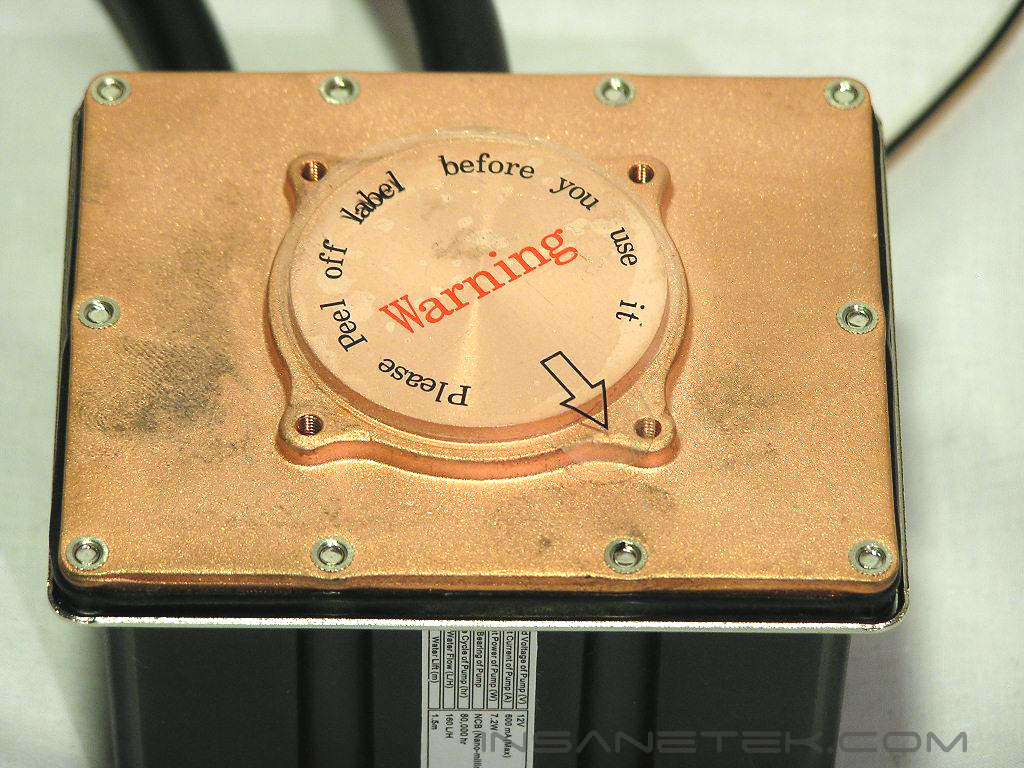
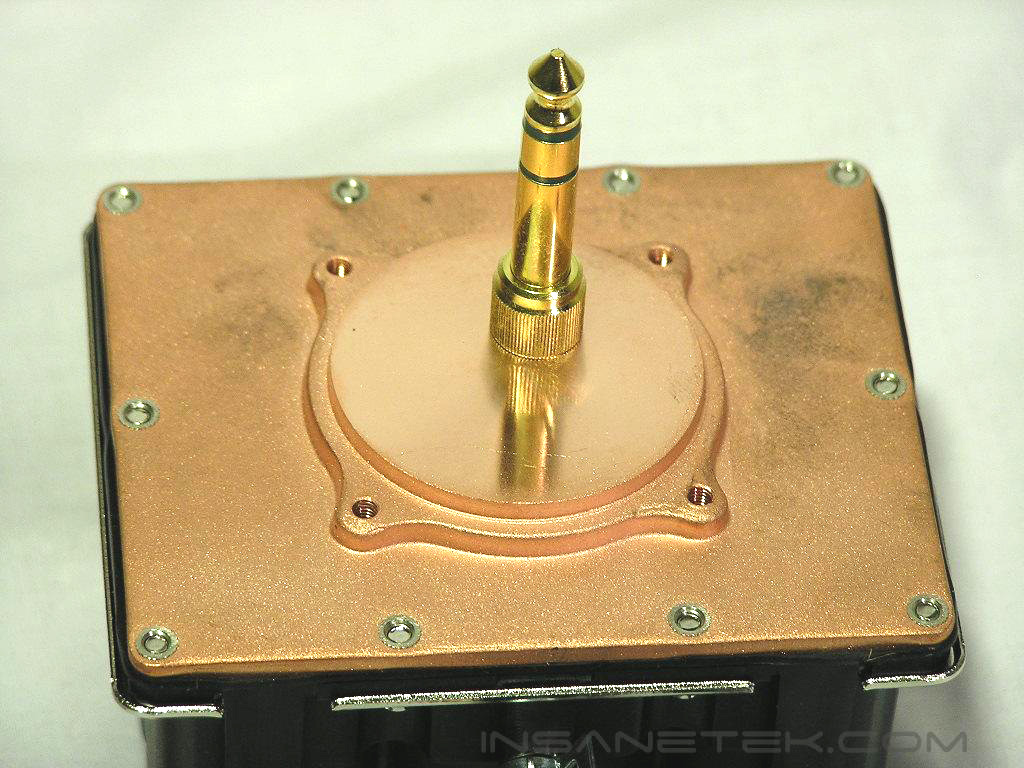
The base of the waterblock is protected with a thin film that warns you to remove it prior to installation. I found the base to be very flat, although only 3/4 of the base was mirror-finished. Nonetheless, I found the base to be flat and good enough for proper contact. You can also see the four screw placements for the installation of the different socket plates provided.
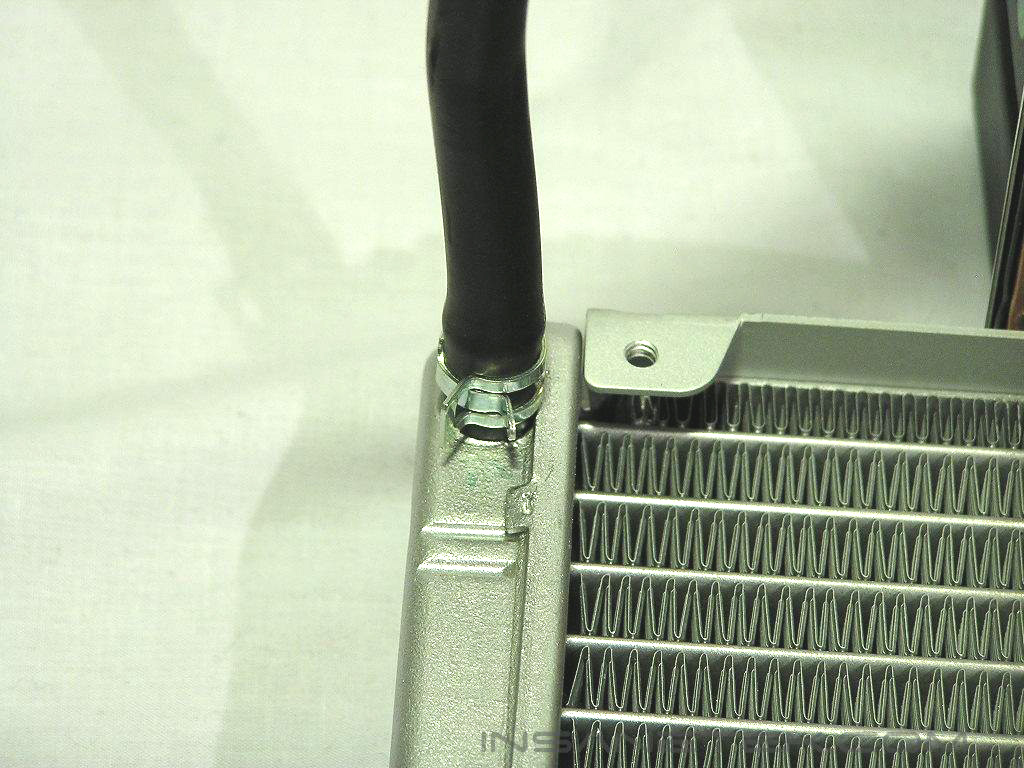
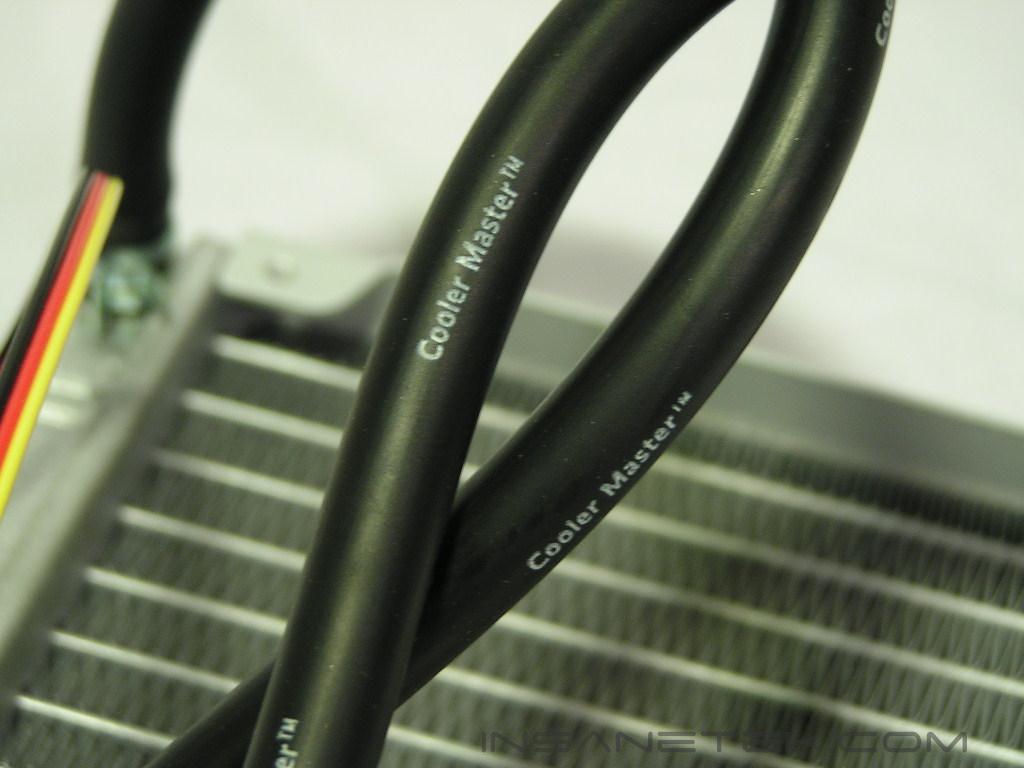
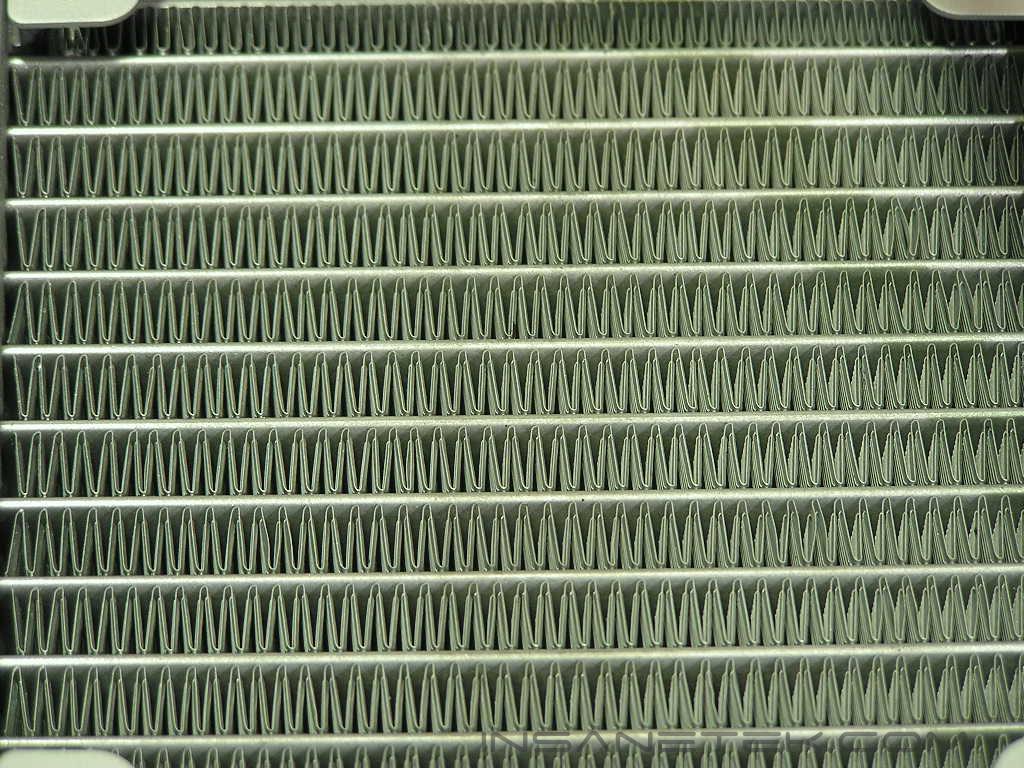
Since the kit is installation ready, the hoses were already clamped and the amount of tubing was already chosen. The tubing, which carries the Cooler Master logo on it, is very flexible and will not kink easily. Cooler Master is hoping to market this cooler for use on systems that utilize a rear 120mm fan, since the amount of tubing supplied is not enough for anywhere else in the case. The radiator itself is aluminum and is very light. Although using an aluminum radiator is considered taboo in the watercooling world because of corrosion, Cooler Master probably opted for aluminum to keep costs down and to provide a lightweight solution. Hopefully the coolant supplied will prevent corrosion.
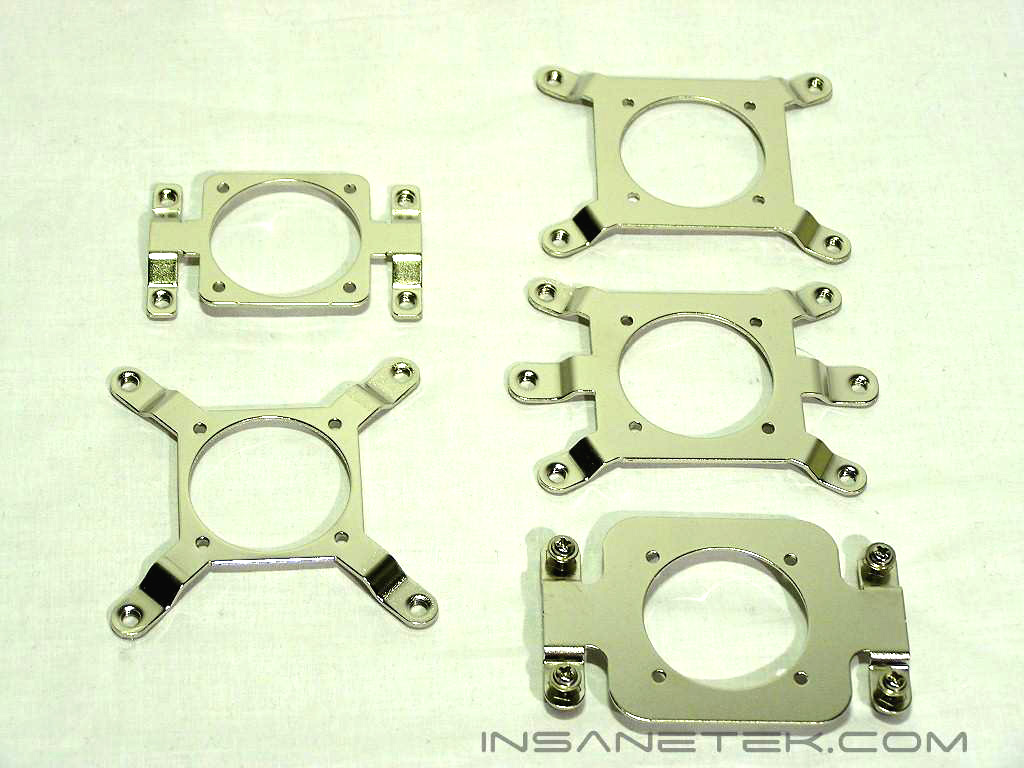
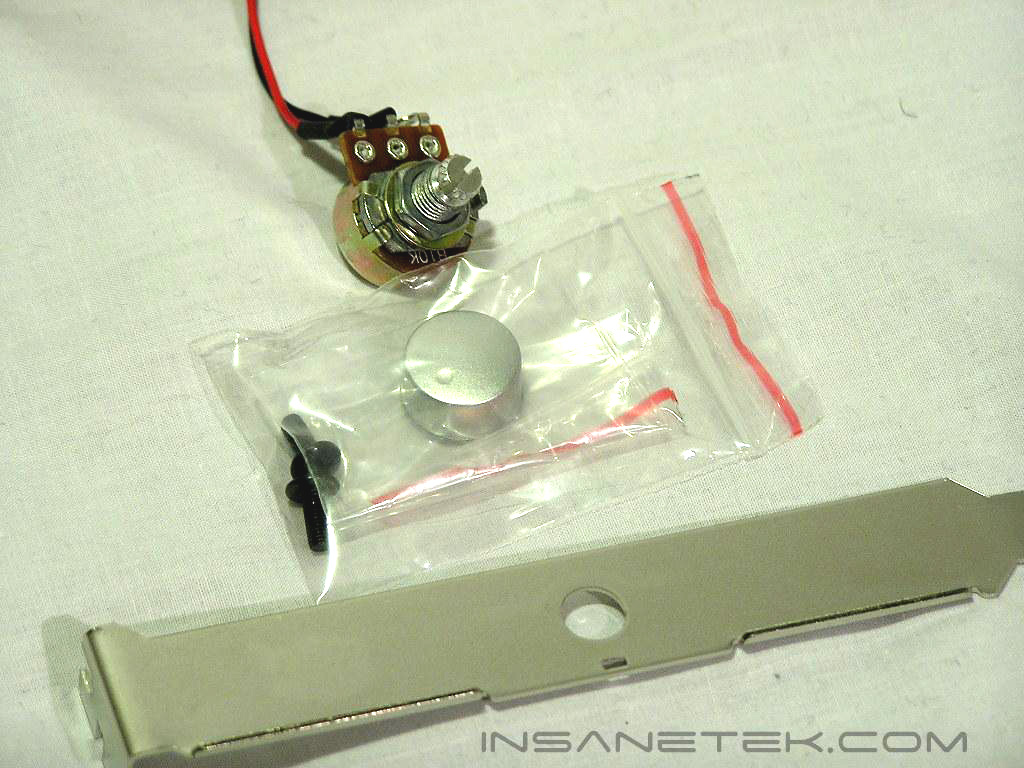
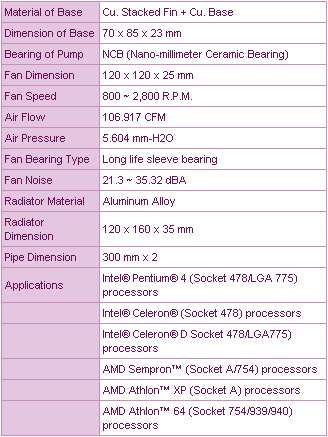
The waterblock is also compatible with every single processor available. This would include socket A, Socket 754/939/940, socket 478, socket LGA 775, and sockets for Xeon processors. The kit also includes a handy PCI bracket for holding the potentiometer included with the fan. Although the fan utilizes Cooler Master’s patented rifle bearings for extra silence, having the option of controlling the speed and noise is definitely a plus. The fan also has an “auto-restart” feature that will smoothly initiate a restart.
Specifications

Test Setup and Installation
Test Setup:
- Athlon64 4000+
- DFI NF4 Ultra-D
- Thermaltake Kandalf Super Tower
I will be installing the R120 onto a 939 configuration. Other sockets have similar installation procedures but the mounting of the socket onto the motherboard may be different. Fortunately, Cooler Master includes a detailed enough instruction manual with illustrations for every socket.
Installation:
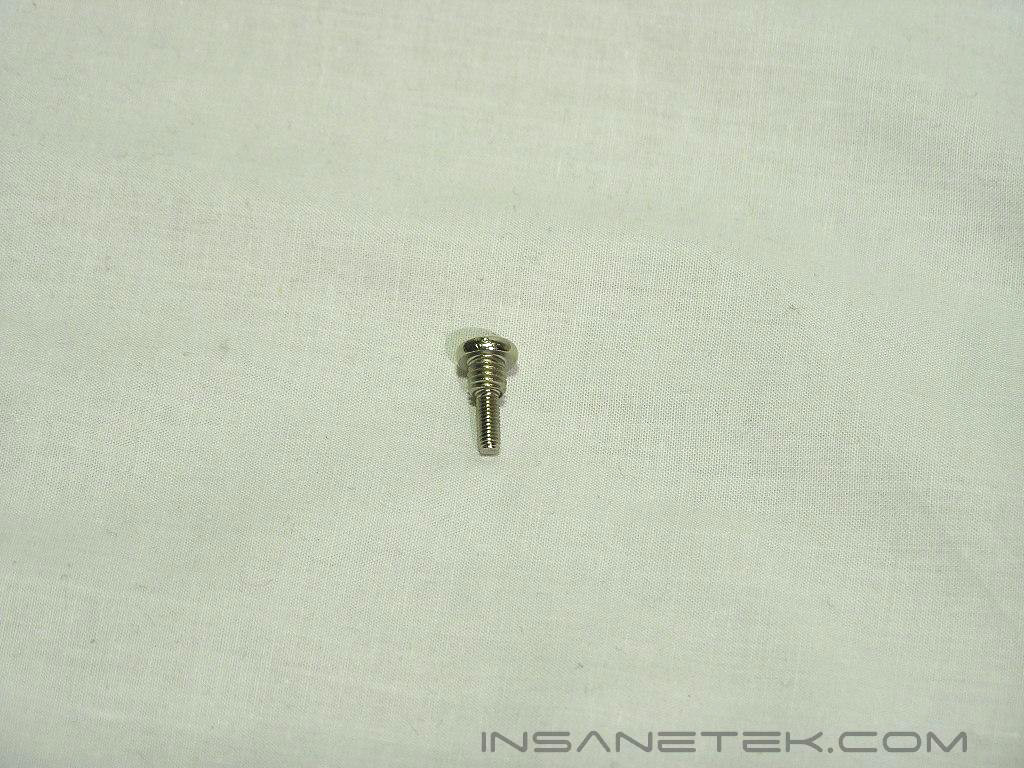
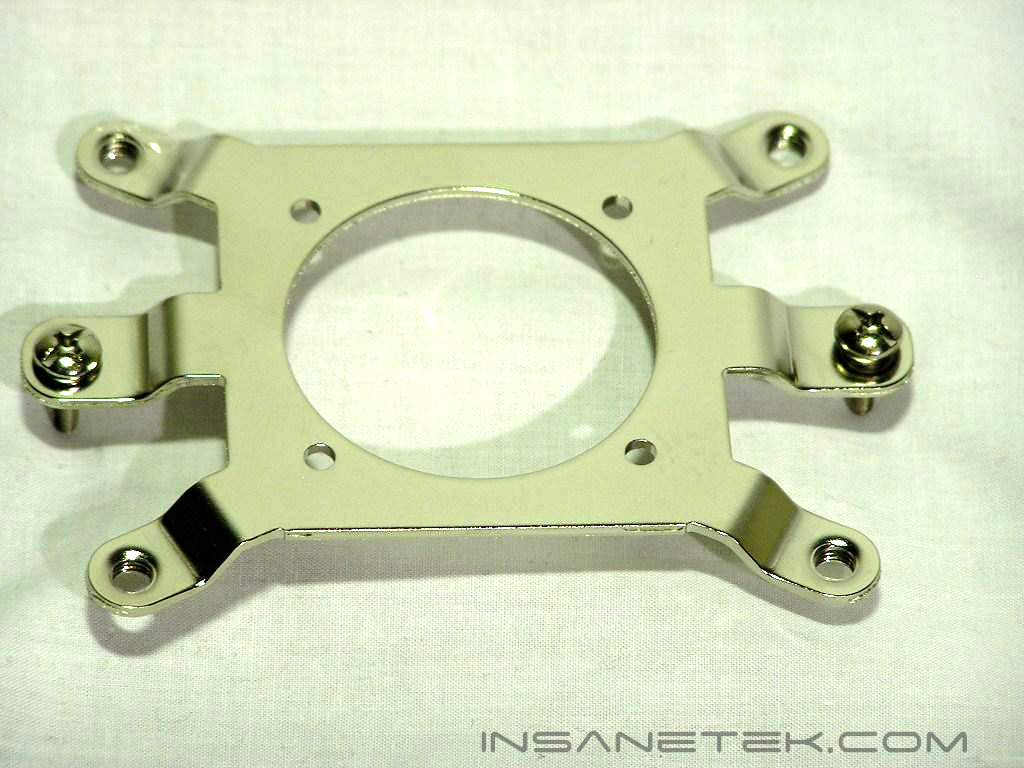
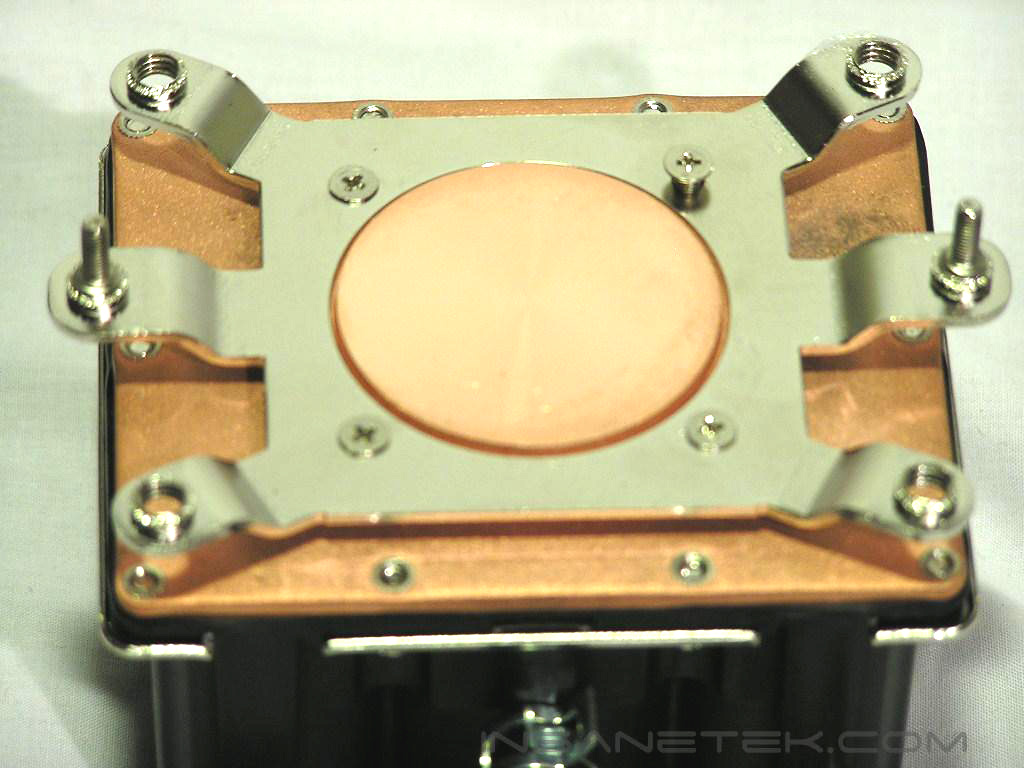
Although installation was easy, it required the removal of the motherboard. Installation consisted of first screwing in the socket screws into the socket plate. These screws are unique because they needed to be turned counterclockwise. Afterwards, you need to screw the socket plate onto the waterblock using the 4 small flat-headed screws provided. Easy so far, right? Read on…
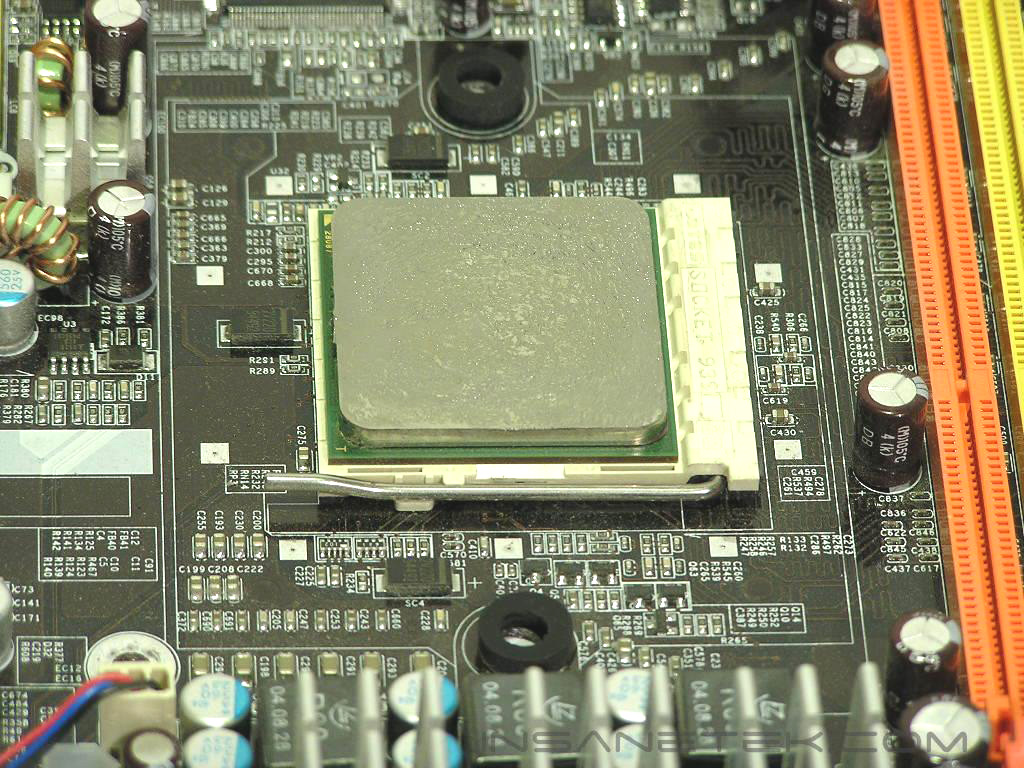
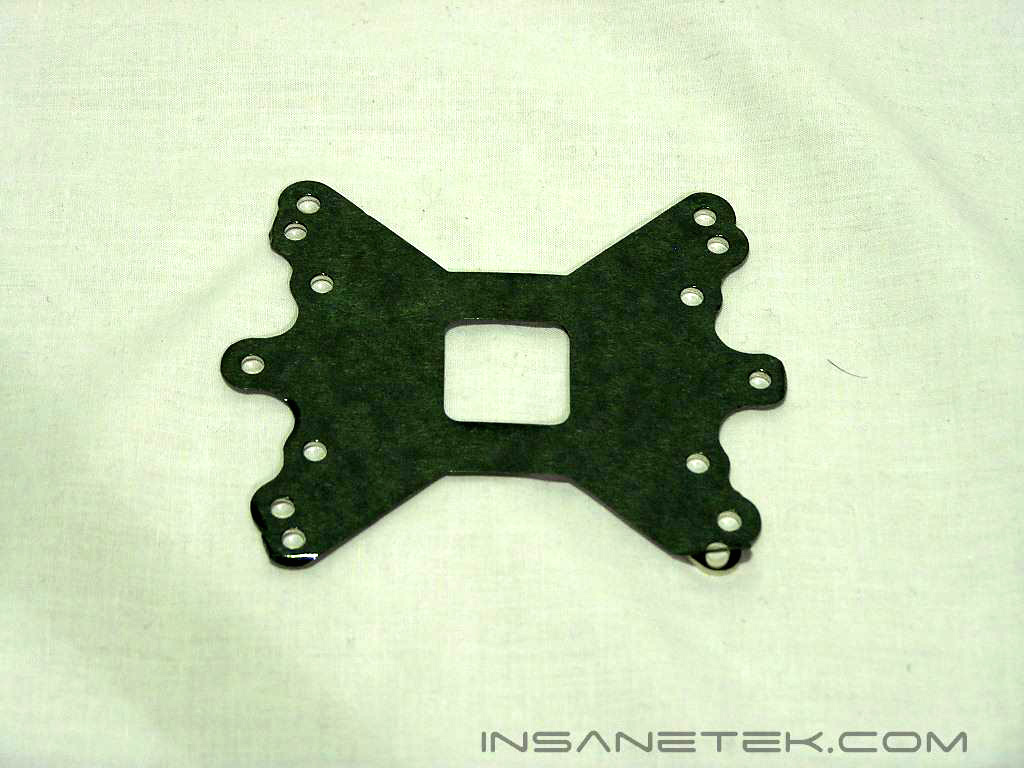
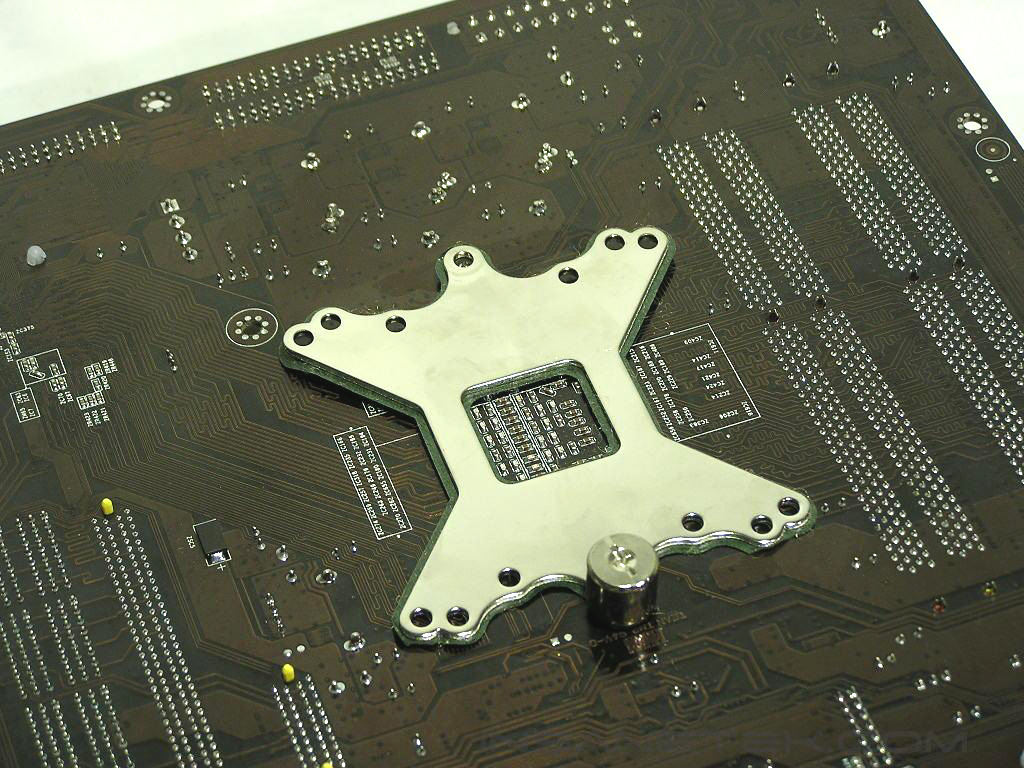
As I previously mentioned, installation requires the removal of your motherboard and its native socket plate. Before mounting the waterblock, you first need to place the adhesive rubber washers onto the holes of the motherboard and then position the universal backplate on the back of the motherboard. Then, the proper contact mounting of the waterblock requires the “guessing game”, similar to the installation of graphics card heatsinks. The majority of CPU coolers/waterblocks require you to fasten nuts from behind the PCB. You need to install the waterblock from behind the motherboard, utilizing nuts to secure it. While tedious, because you do not know exactly how flat you are making contact with the CPU at first, the screws provided for installation were simply not long enough for the back of the motherboard. It took me like 30 tries to screw on the nut, as the screw threading was too short for a quick and easy screw-on. After successfully mounting on both nuts and tightening it with the provided tool, I was so frustrated that I sat down and drank a beer. I hope Cooler Master can at least make the screws a tad longer for convenience.
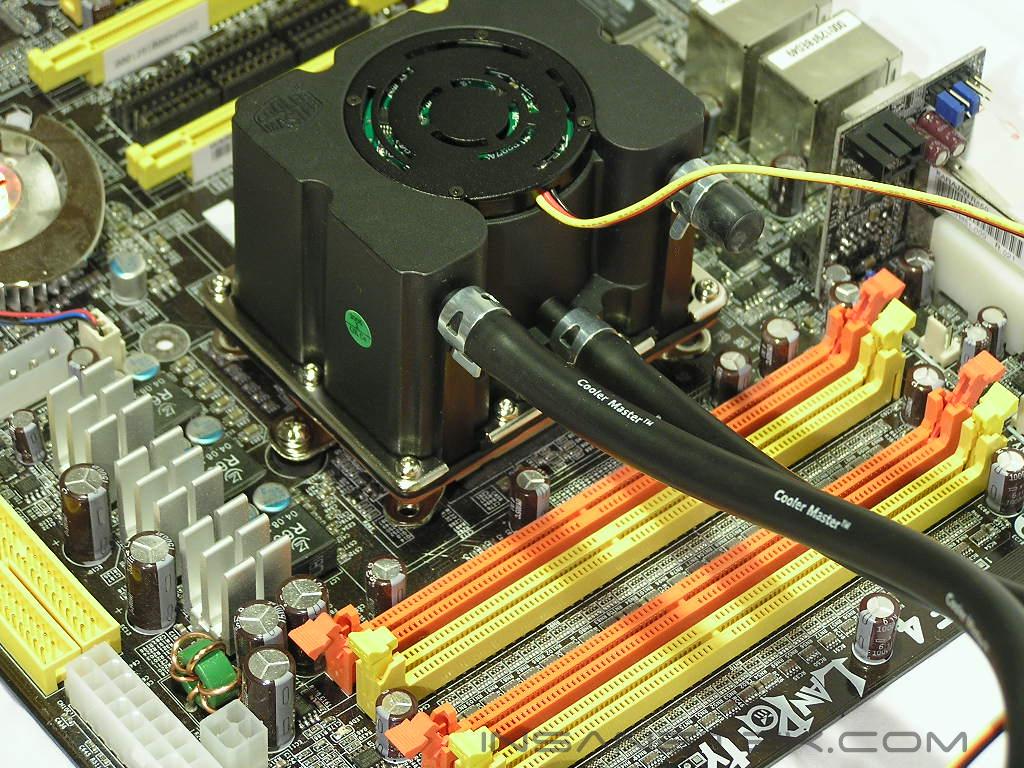
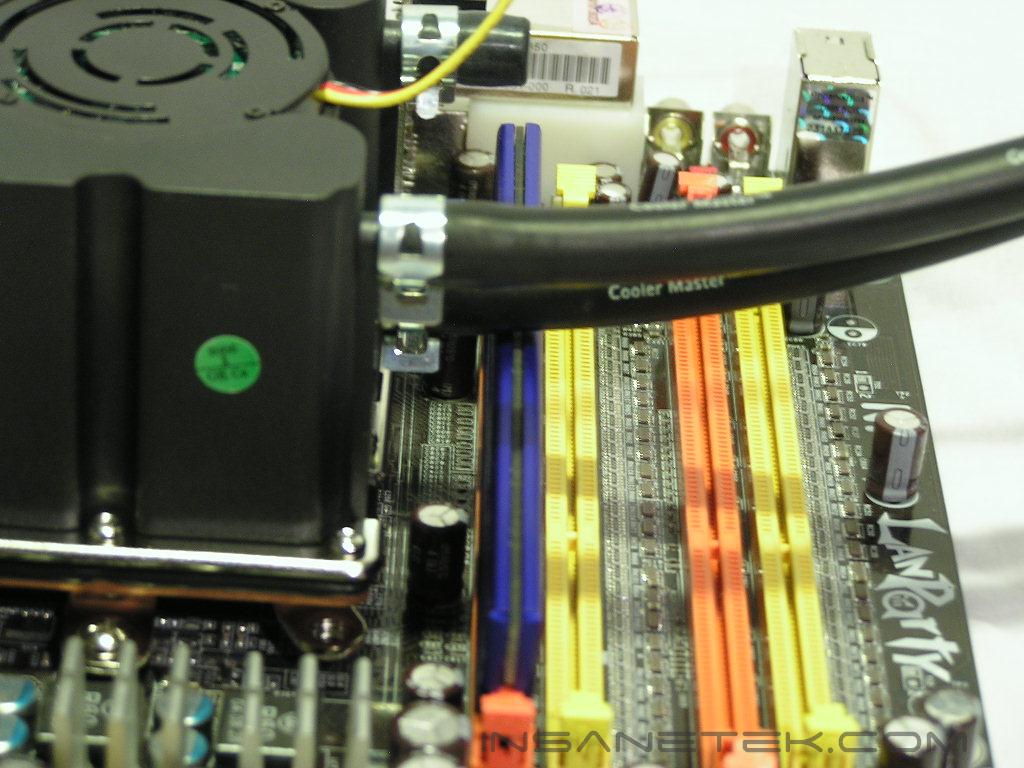
Another problem I found was the tubing interfered with the memory installation of the first bank. In fact, the tubing was so close to the heatspreaders I could see the tubing slightly constrict. However, I had to install the memory module before I mounted the waterblock, which makes future installations of memory difficult without first removing the waterblock. Somehow I feel this solution was made for boards that have VDIMM sockets on the side of the board and not on the top, like DFI’s Ultra-D board or MSI’s K8N Neo2.
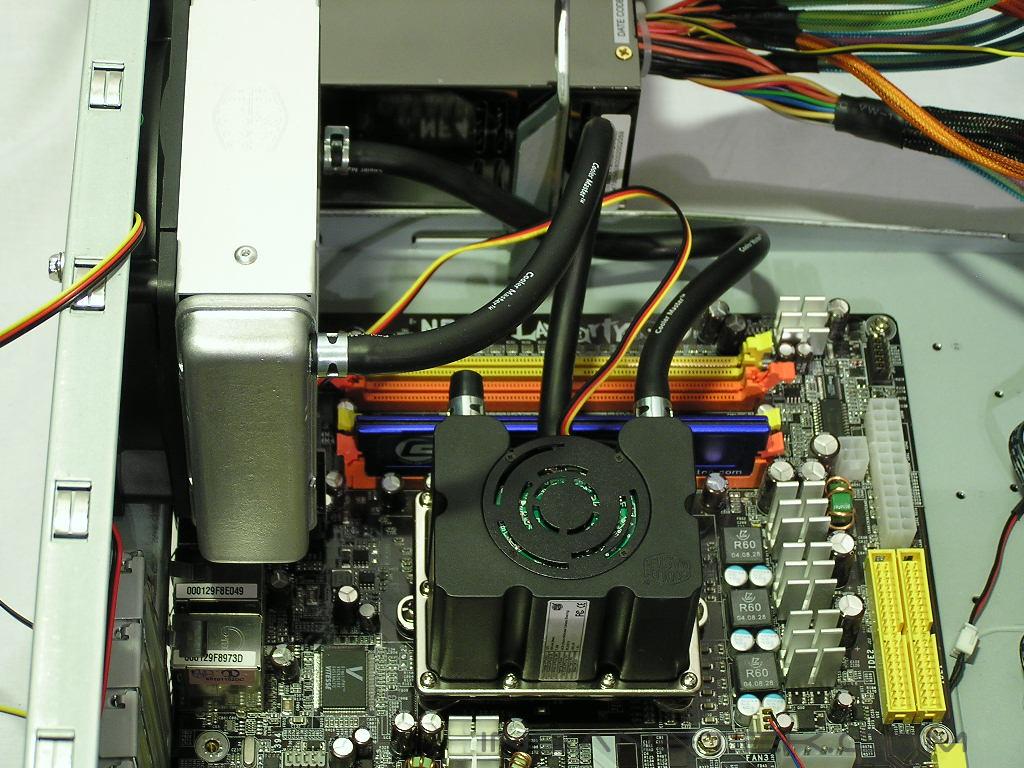
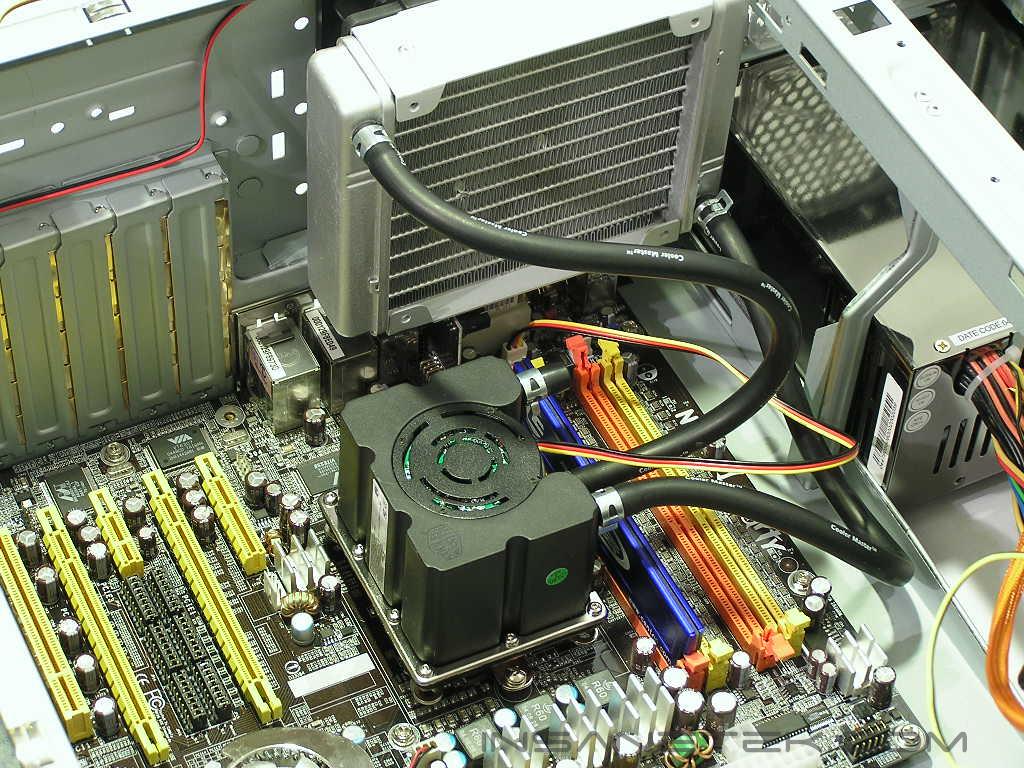
The Thermaltake Kandalf Case that I recently reviewed was perfect for a rear 120mm radiator installation. Installation just requires the fan to be mounted first and then the screwing of the long screws through the fan and into the radiator. I chose a pull configuration because it would be more effective than push, as there are no dead spots in a pull configuration. While looking at the final installation picture, I realized how little space this watercooling solution takes up. I am used to tubing routed everywhere in the case, whether through holes from the outside or from other components in the inside. Seeing this installation makes me want to forget that 1/2 inch bulky watercooling kits ever existed. Let’s see if the performance is worthy…
Testing and Results
Testing:
Testing was more tedious than I thought because I forgot to place the thermal probe onto the A64 heatspreader during the time of installation. I had to redo all of the installation and undergo the pain of mounting the waterblock from behind the motherboard. At this point, I hope Cooler Master listens and decides to provide longer screws to make installation easier. Testing was done with a Compu-Nurse temperature probe placed directly on the side of the heatspreader of the Athlon64. Ambient temps were 22 degrees Celsius. The thermal paste used was Arctic Silver 5. The purpose of this test was to determine the results a home end user would obtain. There was no scientific testing conducted, simply because I do not have the proper equipment.
All tests were taken with the panels attached to the Kandalf Case and with a good amount of airflow (or else the DFI-NF4 chipset and MOSFET’s will get extremely hot under overclock load). The airflow consisted of a front 120mm fan intake, a rear 120mm fan exhaust (except in the Aquagate Mini tests), an upper 92mm exhaust, a top 92mm exhaust, and a Cooler Master’s Cross Flow Fan blowing over the MOSFET’s and chipset. I also compared the Aquagate Mini to the Zalman CNPS7700Alu and Swiftech’s HR-120 Rev. 3 watercooling kit. I was able to test the Aquagate Mini at both 7v and 12v using the adjustable pot on the fan, and I also compared these results to the 5v and 12v option on the Zalman CNPS7700Alcu. The Swiftech kit only utilized a 12v Delta fan that was audible around 34db, similar to the sound of the CNPS7700 at 12v, or the Aquagate Mini at around 9v. Fortunately, the Kandalf case came with precut tubing holes, so installing the MCW6000 was easy since I already had the kit setup externally.
Test Settings:
Stock
- Athlon64 4000+ at 2.4Ghz on 1.45v
Overclocked
- Athlon64 4000+ at 2.75Ghz on 1.7v
To test for idle temperatures, I simply left the desktop alone for 15 minutes to give the cooling solutions a chance to stabilize. To test for highest load temperatures, I used CPU-Burn-in and ran a session for 45 minutes with error-detecting disable to maximize heat dissipation.
Results:
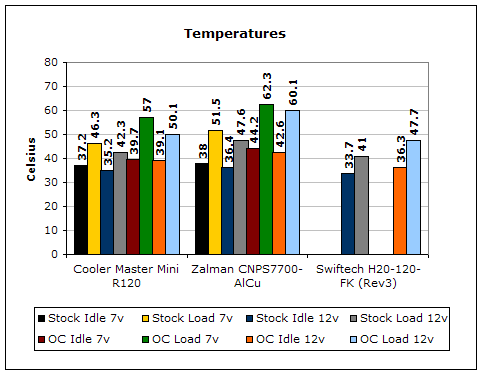
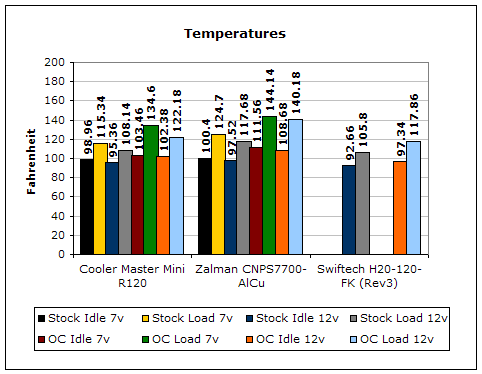
The Aquagate R120 is a very impressive watercooling solution. In comparison to the Zalman CNPS7700Alcu, the temps were marginally better on the R120 on both 7v and 12v configurations. However, the R120 could not compete directly with Swiftech’s HR-120 kit. Out of all of these solutions, my overclock of 2.75Ghz was not stable with the Zalman CNPS7700Alcu, even at 12v. Most users are mainly concerned about their maximum overclock, and in comparison to Swiftech’s more expensive HR-120 kit, the Aquagate R120 was able to keep my overclock at 2.75GHZ. However, the Cooler Master fan at 12v was MUCH louder than Swiftech’s Delta fan and is comparable to the sound of an 80mm Tornado. At 49db, the addition of the pulling air though both a radiator and a honeycomb grill made the noise rather loud. I found running the fan at around 9v was tolerable and good enough to keep my system stable.
Conclusion and Thoughts
I was impressed with Cooler Master’s highly innovative, installation-ready watercooling solution. Even when the fan is running silent, the Aquagate Mini was able to perform better than a high-end aircooling solution running at its highest speed. In comparison to a higher-end watercooling solution, the R120 is able to keep within a few degrees when the fan is running at a moderate level. Its small size, hassle-free watercooling setup, and its light weight add even more to its appeal as a watercooling kit for the “non-watercooler.” However, if you are expecting a huge performance increase over your existing high-end aircooling, then you might be a tad disappointed. The R120 was able to best the CNPS7700Alcu, but not by a gaping amount that you would normally expect from watercooling. In comparison to Swiftech’s coveted HR-120 kit, the R120 was within 3 degrees of the HR-120 but at a much, MUCH higher sound level that cannot be considered convenient. At a moderate level, the R120 can not compete with a typical watercooling solution. The removal of the motherboard for installation and the short mounting screws are also downsides for this kit. However, because of its price, watercooling convenience, and sheer innovation, I award Cooler Master’s Aquagate Mini InsaneTek’s “Recommended” award. I was honestly surprised by this cooler and I recommend it for those not wanting to watercool, but who want performance of watercooling.
John’s Addition:
Cooler Master hit it big with their Aquagate. Their new Mini seems to be on the right track. This is one of the first complete pre-assembled kits available. There’s is not much work involved. The fact that there is already coolant inside the tubing is a great plus. You don’t have to worry about changing the liquid for the next 3 years! The only downside about the Aquagate Mini would be the noise level. Enthusiasts will need to run the setup at full speed in order to achieve good results. Coming in at $99 is pretty reasonable, considering that this brings better performance than standard aircooling. It’s not as expensive as full watercooling kits and still manages to compete very closely. Beginning enthusiasts who are dipping their nose in the watercooling section of overclocking should start with something simple as this. This is a good “first step”.
Pros:
- Inexpensive
- The first true “all-in-one” watercooling solution
- Compact
- Great Performance at a moderate sound level
- Innovative
- Watercooling setup is simple because there is none
- Looks attractive
Cons:
- Installation (which requires removal of motherboard) is tedious
- With some motherboards, memory must be installed first
- Mounting screws are too short for easy mounting installation
- Performance is only near typical watercooling at SUPER LOUD sound levels

We would like to thank Cooler Master for providing us the sample. If you have any questions or comments, feel free to hit us up in the forums. You can also check out more of our latest reviews on the front page.