

Arctic Cooling VGA Silencers
Introduction
“Cooling” and “overclocking,” are two words you usually associate with your CPU. Long before video cards, overclockers have been seeking new and better cooling solutions for their CPUs (remember the Dragon Orb for Pentium 3?). However, as soon as people experienced the speed increases of an overclocked video card, especially with the next generation video cards by ATI and Nvidia, they started looking for video card cooling solutions. Arctic Cooling presented its first video card cooling solution a while back with the Arctic Cooling Silencer. This cooling solution was quieter, cooler, and kept case temps lower than any other stock cooler. It quickly became the craze as more people purchased Radeon 9800 Pros and other comparative video cards. It became so popular, that people even started modding it for better performance. You know a product is good and popular when people start modding it.
Arctic Cooling is well known for their excellent and quiet cooling gear. They have always built well performing heatsinks, fans, and other cooling devices that offer excellent performance for overclockers while creating minimal noise. It was the Arctic Cooling VGA Silencer that made them popular among enthusiasts. This cooler was arguably the best video card cooler in the market and gave fierce competition to the likes of Thermaltake and Zalman. Here is a picture taken from their website:
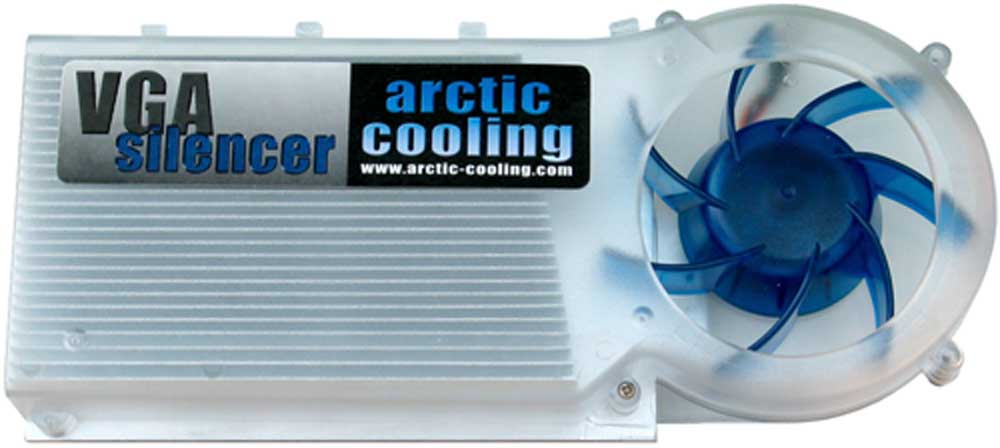
This cooler was the perfect cooling solution, but many wished that Arctic Cooling would somehow integrate copper and cooling for the ram chips as well. Many also wished they could have made Silencers that were available for ALL different video cards. Well Arctic Cooling has answered all of your pleas by doing just that and so much more.
New VGA Silencers
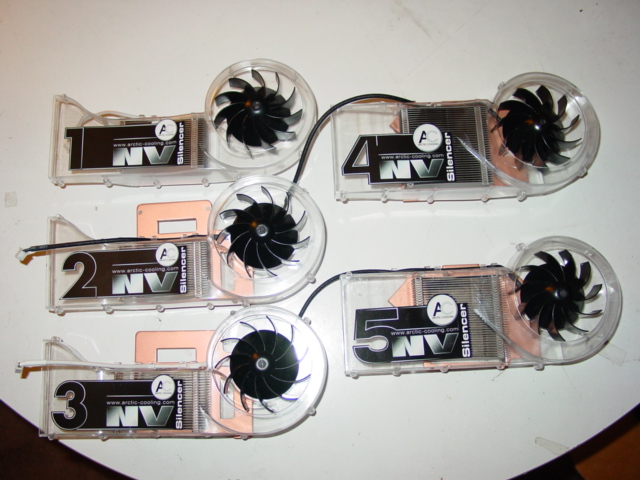
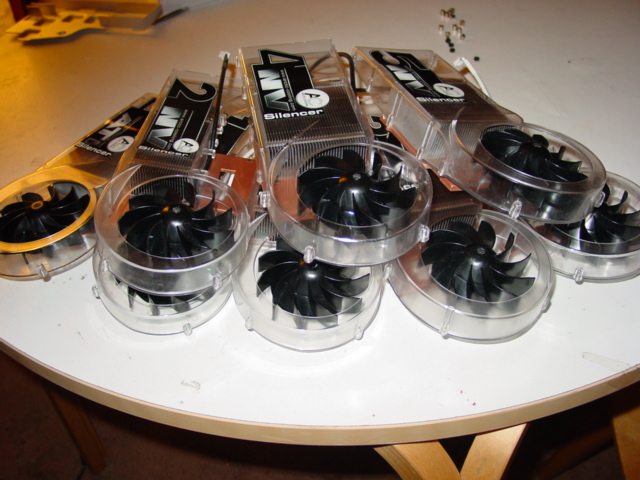
Take a good look at them folks. Arctic Cooling has sent us 8 of their 9 new Silencers for your viewing pleasure. This new Silencer line offers a total of 19 different video cards to be cooled and, more importantly, the newer video cards (the X800 and 6800 series) are included in this line as well. Notice how each one has a copper bottom for increased thermal absorption as well as aluminum fins for increased thermal dissipation. I will discuss the individual components of these Silencers in more detail later.
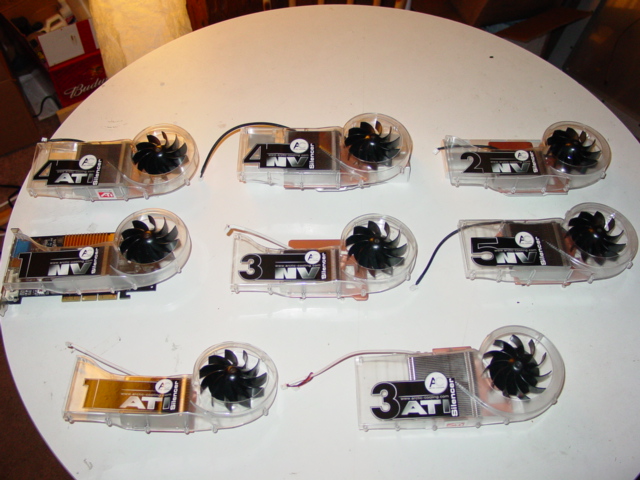
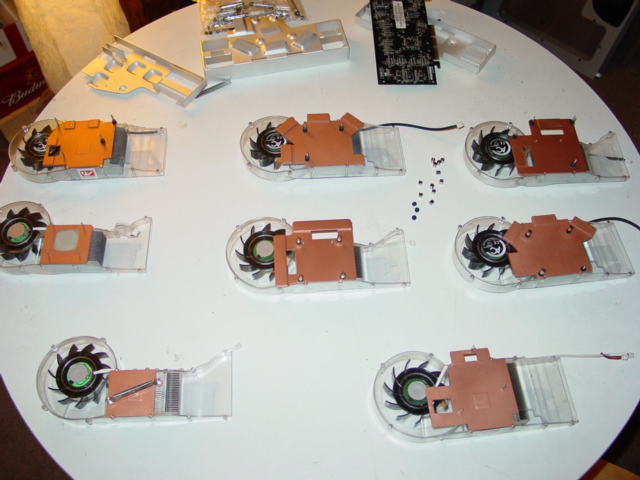
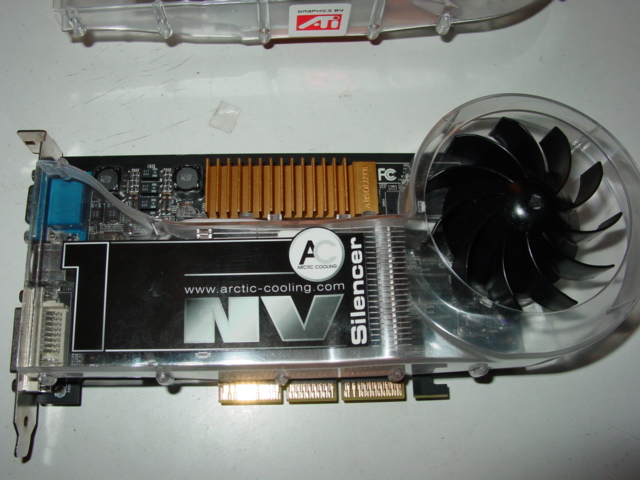
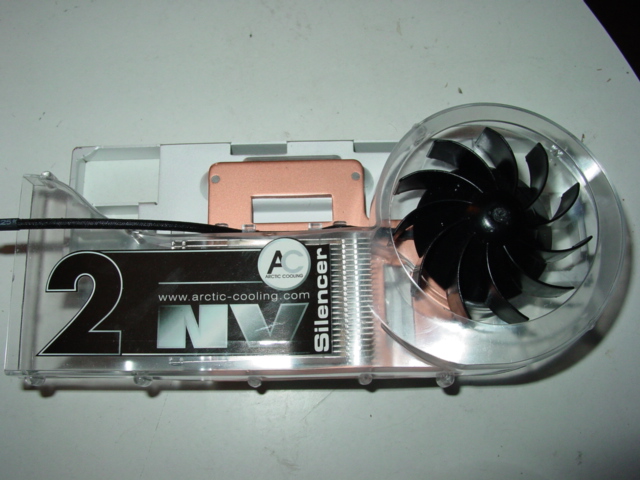
Unfortunately, I do not have every single video card listed here, but I did manage to fit these silencers on a 9800 Pro, a 9800XT, a 6800GT, and a 6800 Ultra. These are cards everyone would probably want to consider with using an aftermarket cooling solution. Here are even more pictures to look at. The first group of cards are the ATI silencers followed by their individual pictures. The second group of cards are the Nvidia Silencers, followed by their individual pictures.
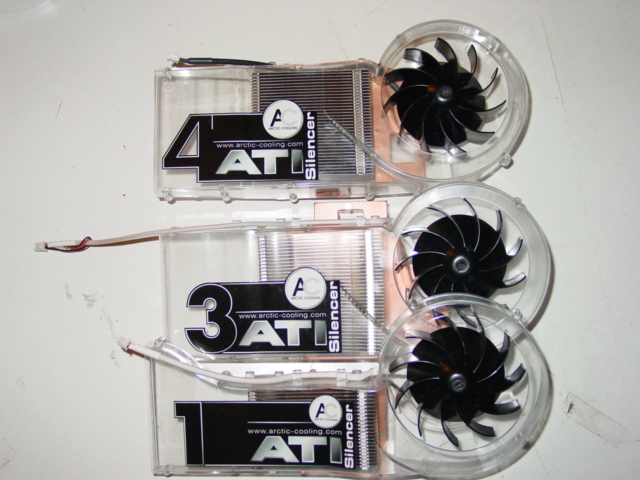
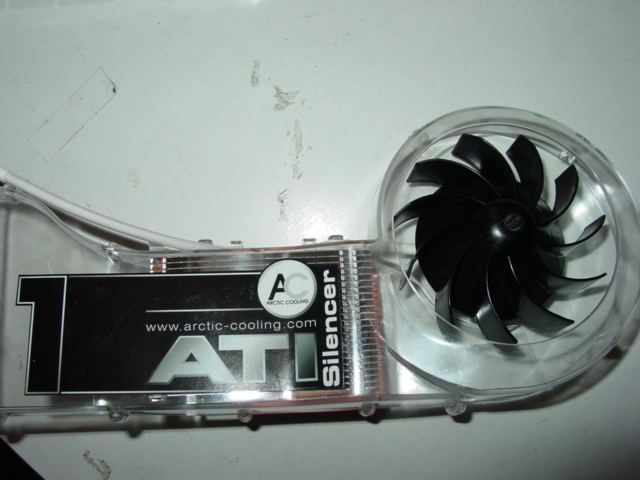
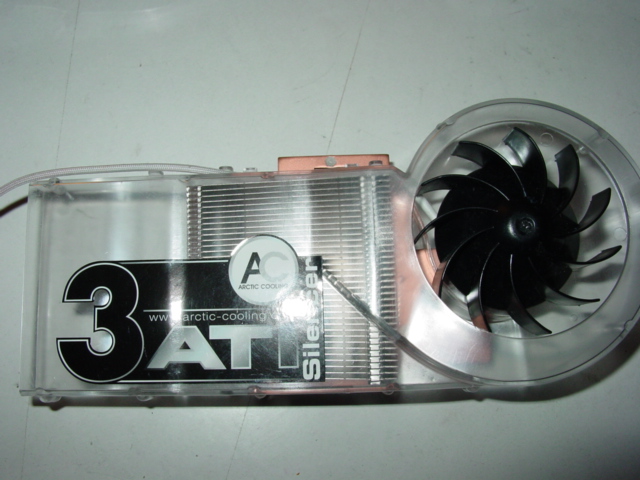
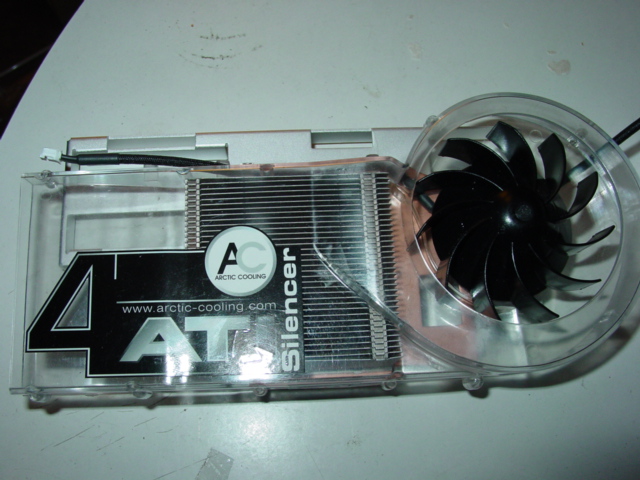
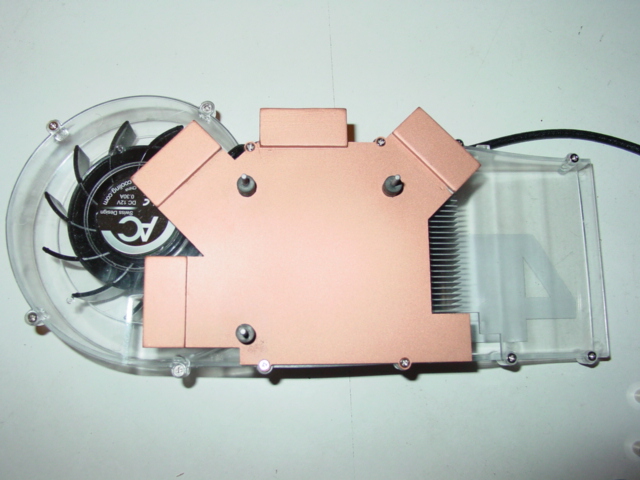
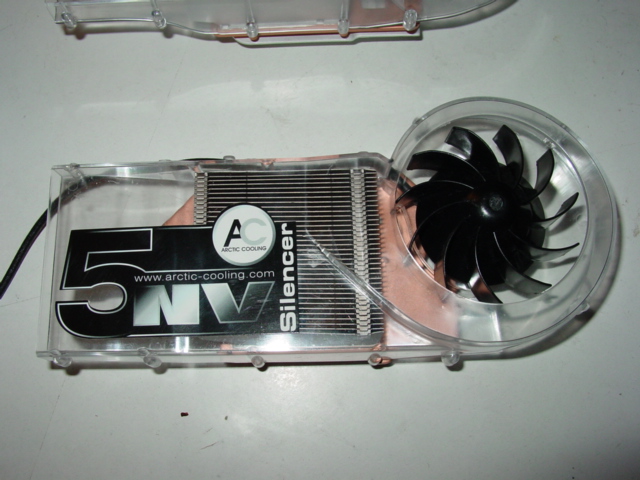
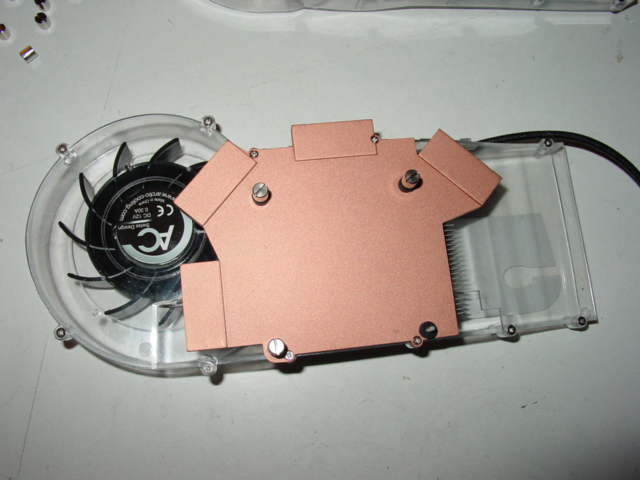
Silencer in Detail
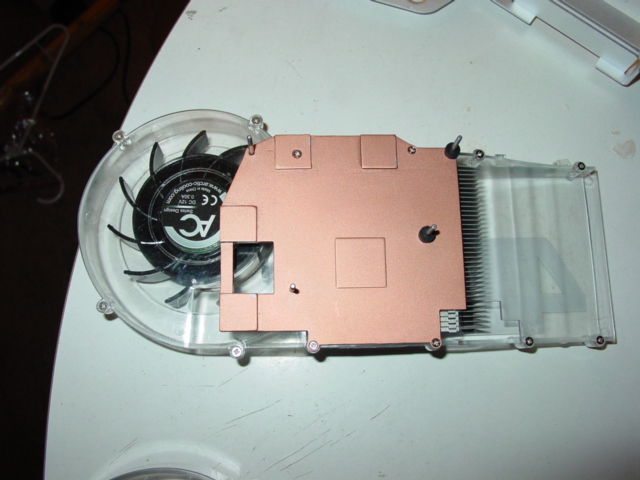
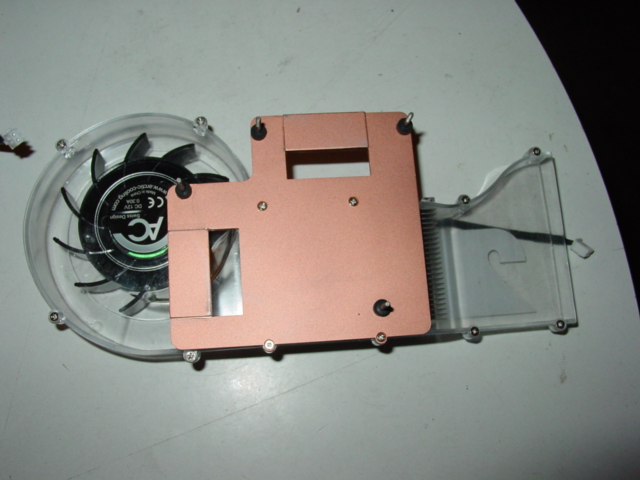
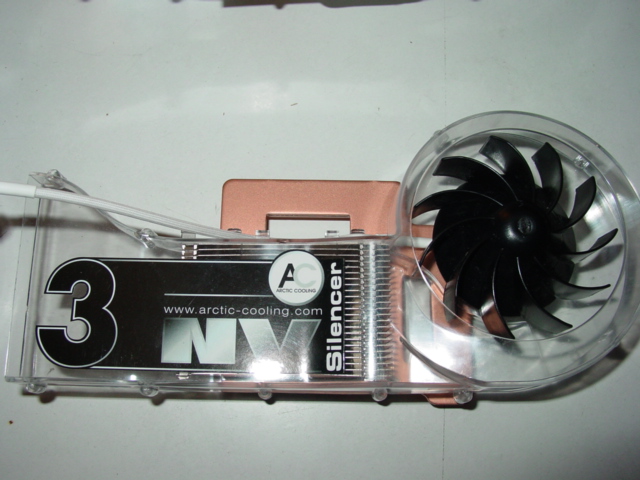
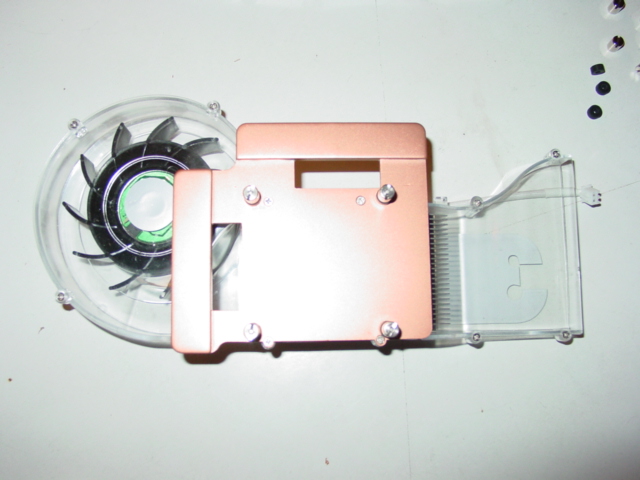
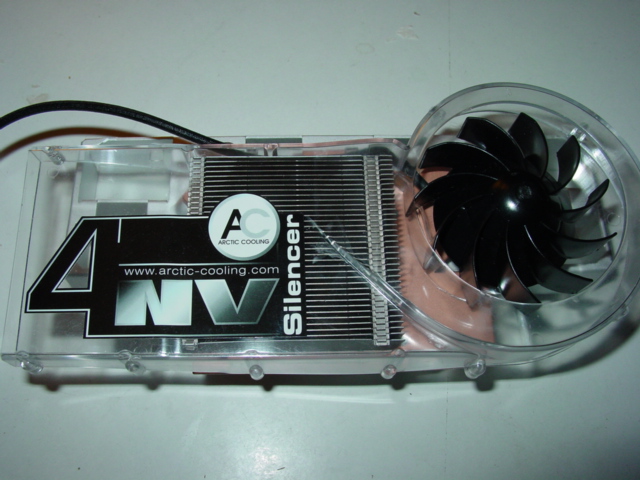
I decided to take apart this cooler to show in detail how excellent this cooler is. For this section, I decided to use the NV3 as a guinea pig but I’m sure all of the other coolers were constructed in the same manner.
The Heatsink:
The new Silencers are available with two different heatsinks; one with 23 fins, or one with 35 fins. The ones with 23 fins are catered towards the video cards that need less cooling, although I do recall that during the time of writing this review, the ATI3 was listed as being a cooler for the 9800 while the ATI1 was for 9xxx. It made perfect sense considering the 9800 Pros are one of the hottest cards; a 35 finned heatsink would handle heat much better. Upon closer inspection, I noticed the holes for the ATI3 did not match up at all for the 9800 Pro. I then noticed it only worked on the 9800XT and the 9800 Pro 256MB. It’s good that Scythe quickly adjusted their specifications illustrating that the ATI3 works ONLY on the 9800XT and 9800 Pro 256MB. Unfortunately, this means those of you expecting a Silencer that cools the ram will be disappointed to know that no such Silencer exists. The updated specs indicate Scythe will include “glued memory heat sinks.” How these ram sinks will perform, we’ll have to wait.
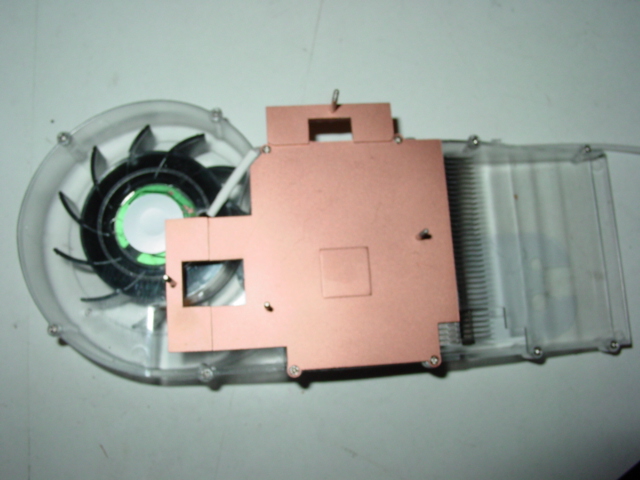
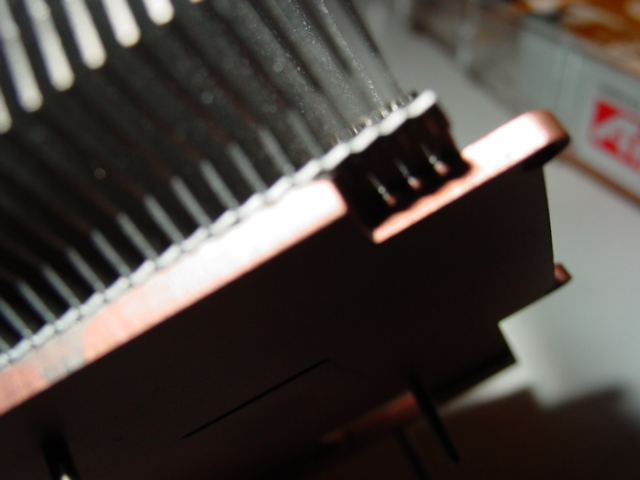
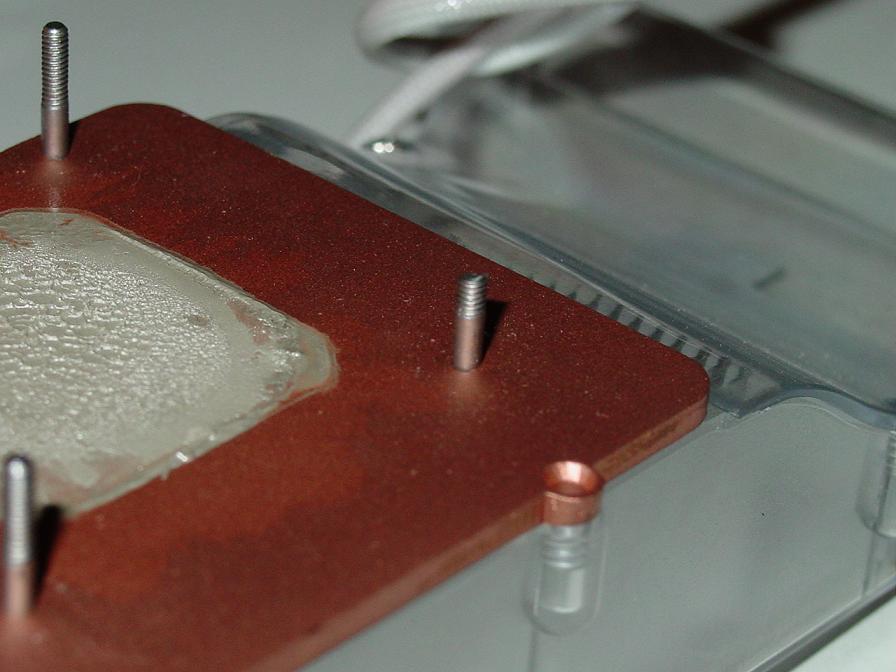
As you can see, the heatsink is comprised of a copper bottom as well as 35 aluminum fins, finely brazed onto the copper plate. The copper plate is thick, in between 2.5mm and 3mm. From the pictures above, you can see that the finish is not mirror-like at all. However, I can assure you that it is completely flat. More importantly, the ATI silencers have a copper square (the size of the die on your GPU core) that protrudes about 1mm below the bottom copper plate. This negates the need to remove the shim, as we know how scary that can be.
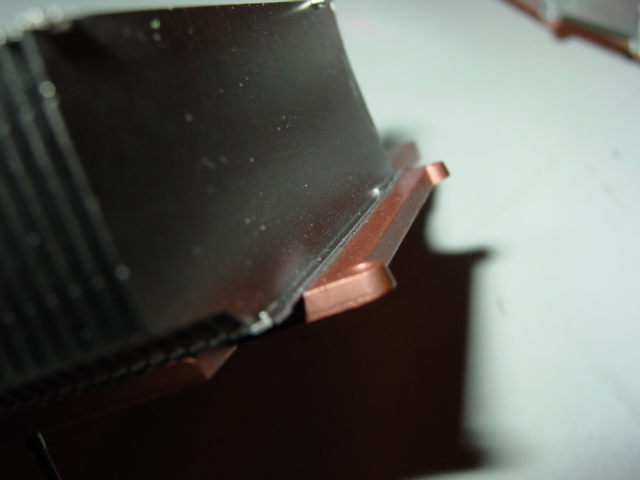
The Fan:
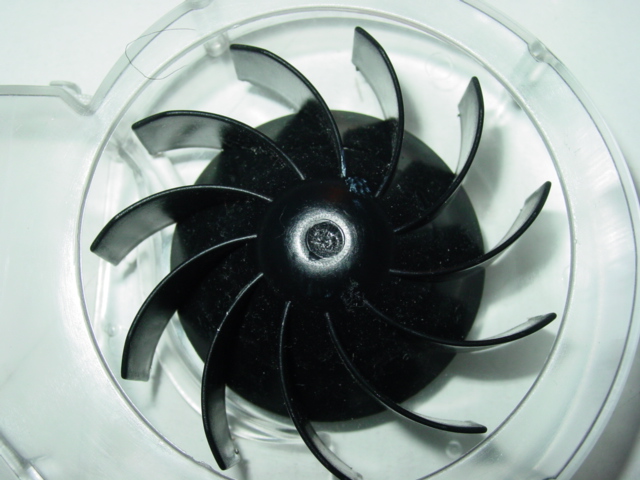
The fan has 11 fins that are more perpendicular to the duct than a normal fan. This means that the fan isn’t directed towards the bottom of the fan but to the side. It is obvious that it was created to blow onto the heatsink to the left of it. The original Artic Cooler had about 7 fins and was slightly smaller. This new fan is similar in size to an 80mm case fan. By ensuring better cooling capabilities and lower noise production with a bigger fan and more fins, Arctic Cooling has added an excellent upgrade.
The Duct:
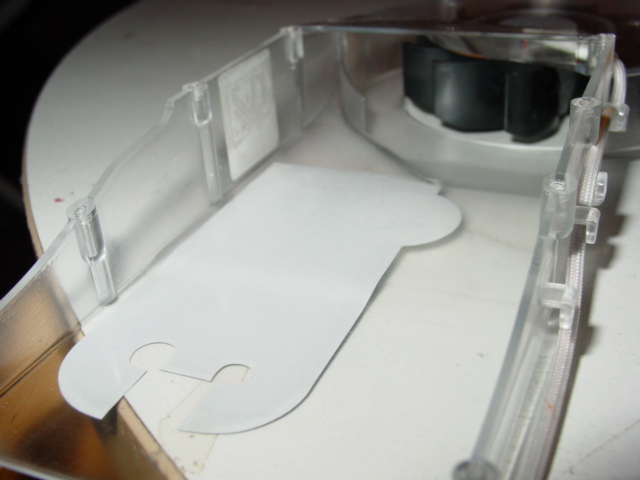
The Duct is now a clear see through duct, as opposed to the old, uglier, opaque duct of the original Arctic Silencer. The duct also has more curves. I’m not sure if this improves on the original design, but if these are the new Silencers, I’m sure it does. The picture shown below is an internal view of the duct, which shows how the air from the fan is directed through the duct.
Connector:
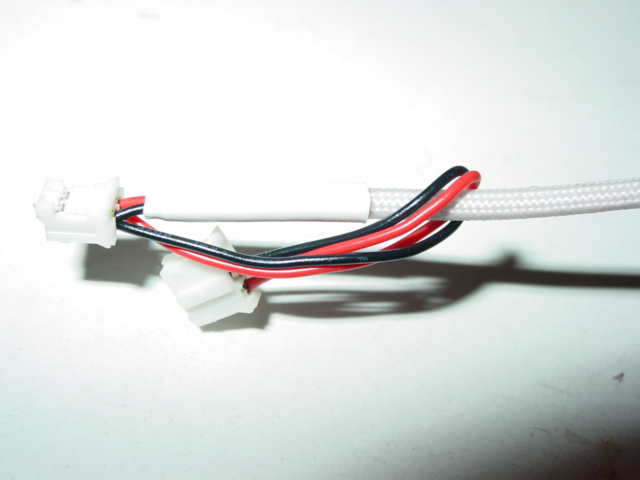
As in the original, the fan connector is nicely sleeved, either white or black, and connects directly to your video card. This results in a cleaner look because the wires are not exposed and you don’t have to worry about finding an extra 3 pin or 4 pin power source.
Mounting and Other Items:
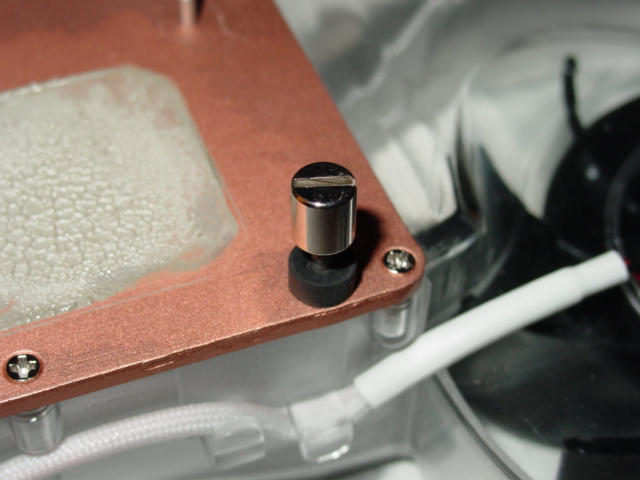
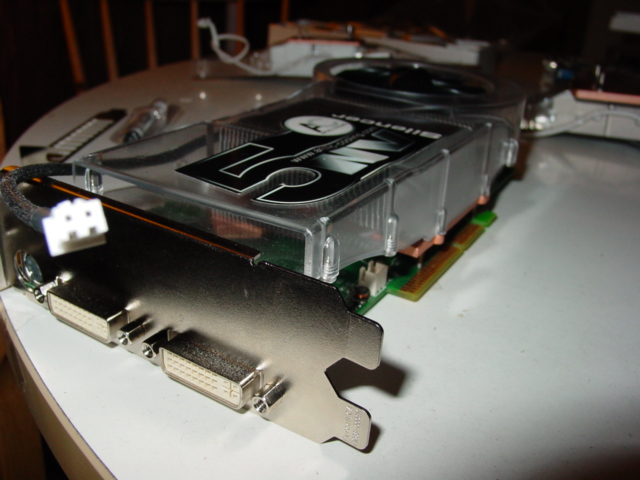
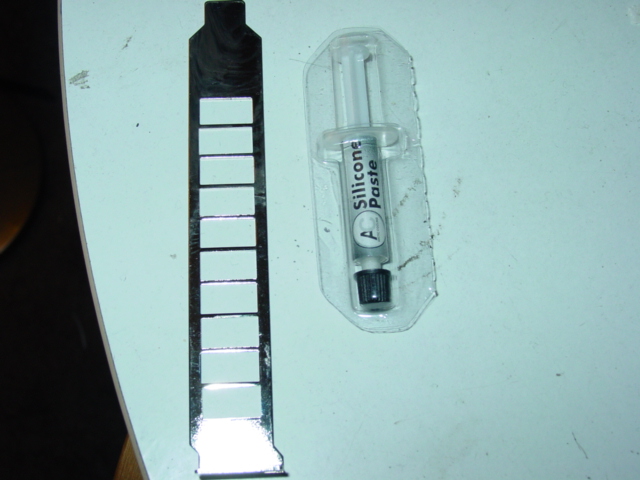
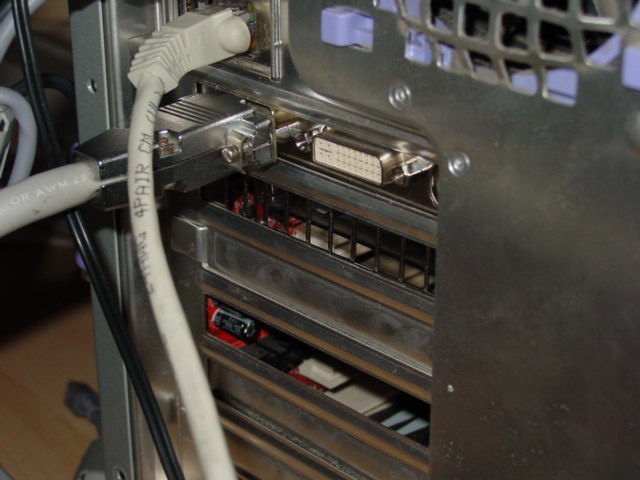
The mounting hardware includes rubber grommets for each screw and nut that can be easily tightened with your finger and further tightened with a flat-head screw driver. Given that the screws are already mounted on the copper plate, mounting is easier than other coolers that require you to manually match two sets of holes (such as the Zalman coolers). However, I did encounter a problem with these. Upon installing the coolers on the GeForce 3 and the 9800XT Silencers, I managed to break off a couple screw ends without much force. These screws cannot be replaced because they are attached to the copper plate. I still managed to attach the coolers successfully, but just a word of warning to those of you installing these Silencers: be careful when tightening the nut. The cooler also comes with another PCI bracket that has vent holes for the duct to exhaust its air. While this setup works perfectly, those with a double bracket video card (such as a 5900 or a 6800 Ultra) will be hard-pressed to know that these coolers won’t be effective on these cards without slight modification. A simple dremel job would suffice, but it’d be better if Arctic Cooling can include an extra bracket. However, I could imagine the cost increases in doing this seeing that not all cards have the same style slot bracket. These coolers also come with white silicone thermal paste, but we used Arctic Silver 5 instead.
Installation
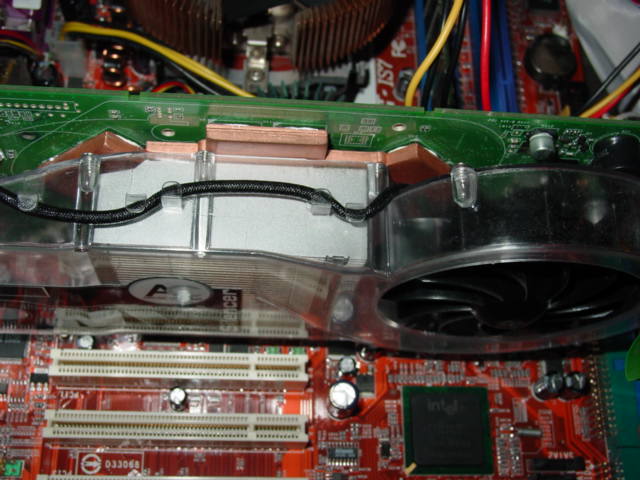
For this part I will be using an old GeForce 3. Installation is straight-forward. Simply take off the stock heatsink and clean off whatever thermal gunk the manufacturers have placed on it. Then, apply a thin amount of thermal paste to the top of the GPU core. If you have memory you need to cool, I used Arctic Silver Ceramique and placed it on the ram chips. Then, line up the mounting holes and insert the screws of the copperplate through the existing holes on the Graphics Card PCB. Then place each nut individually and tighten it with your finger. Then, with a flat-head screw driver, tighten each nut little by little (not one all the way or else it will be mounted lopsidedly). Installation has never been so simple. Notice the broken screw; this did not hinder performance as three screws were enough. Notice my 21 and up band I accidentally forgot to take off from the club.
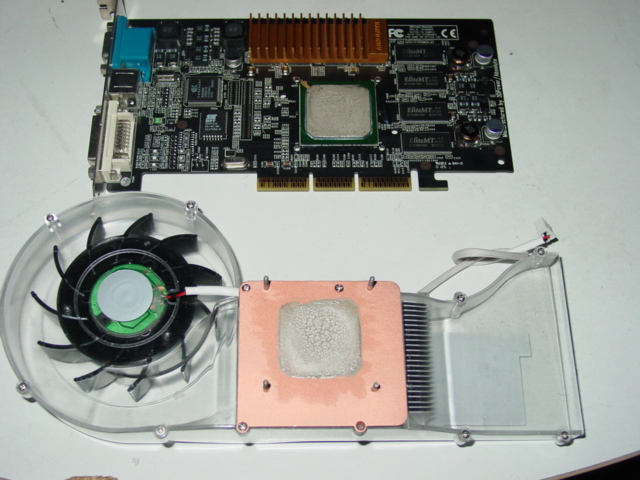
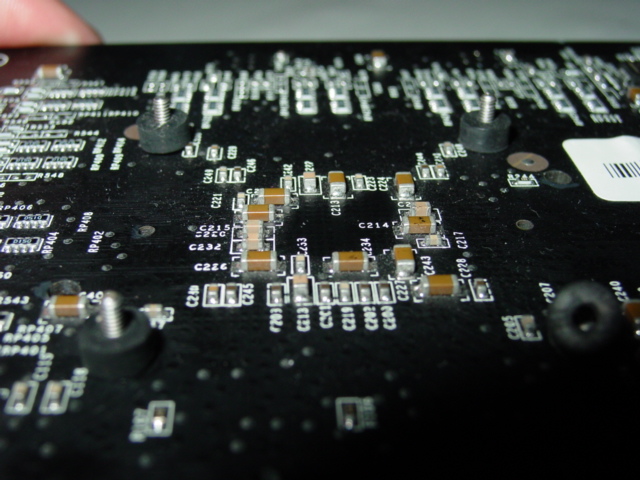
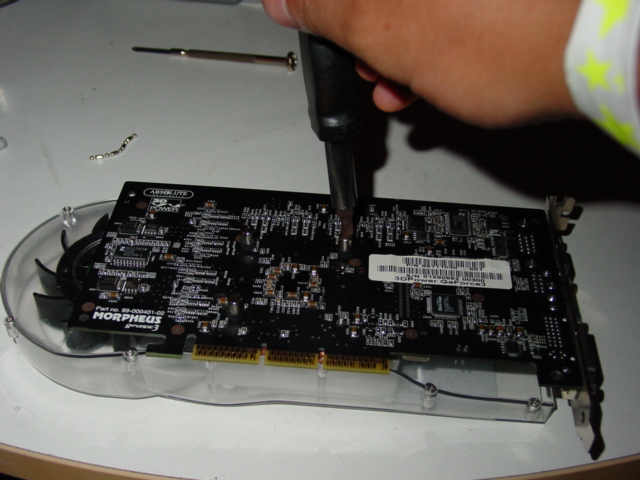
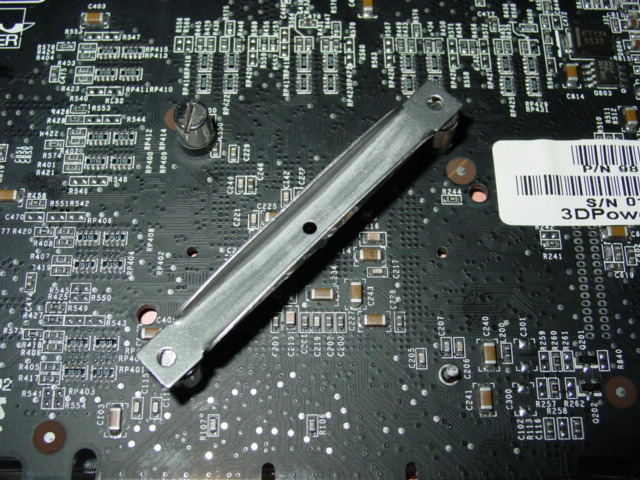
Note: The ATI silencers come with a retention bracket because they only have 2 holes. I took the liberty of taking a picture of the bracket in the last picture.
Test Setup and Results
Test Setup and Method:
- Pentium 4 2.4C overclocked to 3.2GHZ
- Abit IS7
- Western Digital 120GB
- Buffalo PC3700 512MB (BH5)
- Vantec 420W Power Supply
- Zalman CNPS7000 AlCu
- Aluminum Silver Chieftec Dragon
- eVGA GeForce 6800 Ultra (Extreme modded bios to 450/1.2)
- ATI Radeon 9800XT
- BFG GeForce 6800GT
I chose these particular video cards because they all represent powerful cards that create excess heat and can justify the need for additional cooling. They also have built-in temperature diodes that can be recorded through the video card control panel. The diodes were extremely sensitive, taking less than a second to report higher temps as I stressed the video cards. For the 9800XT, I used the overdrive function in the control panel. For the 6800 series cards, I used the temperature settings option in the control panel. The Nvidia control panel also included ambient temps, which is why the 6800 series cards have ambient temps reported. All tests were done comparing stock coolers vs. the VGA Arctic Silencers. I also tested these coolers in a closed case with all fans on low voltage, just to see if these coolers can have the effect on case temps that they should. I also tested for the maximum overclock between the stock and silencer coolers. Ambient temps were taken with a Lian-Li thermal 5.25 drive bay sensor about 6 feet away from the computer. Temps were reported at about 25 degrees Celsius (I conducted tests at around 2 in the morning to ensure there was less of a temperature change).
Results:
6800 Ultra
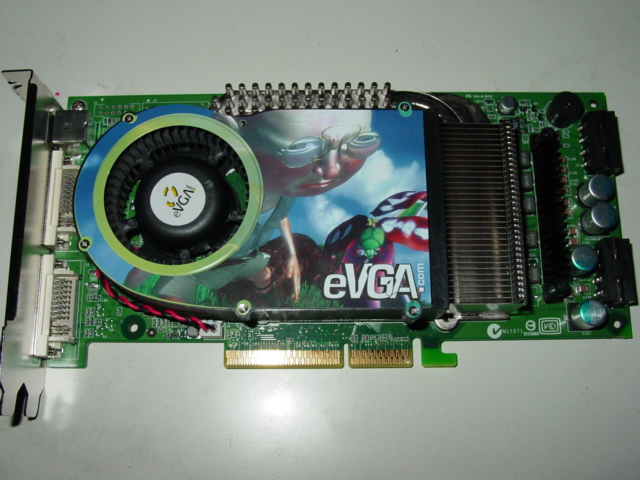
I chose the 6800 Ultra first because this card may be the most power hungry, heat producing video card on the market. As you can see, the stock heatsink for the 6800 Ultra is exceptional already. The heatsink itself is comprised of a large aluminum heatsink, while the ram is heatpipe cooled with aluminum rods and another large aluminum heatsink. The fan is a LOUD delta blower that pushes a lot of air. Overall, the stock heatsink is very impressive. One flaw I need to point out, already discussed previously, is that the new Silencer will not work on a double bracket video card, such as this 6800 Ultra. The exhaust would be blocked for the duct if you were to use the existing double PCI bracket on the video card. My solution was just to exchange the bracket on the GT for the Ultra and then dremel the VGA connector to accommodate the DVI connector. Here are the results.
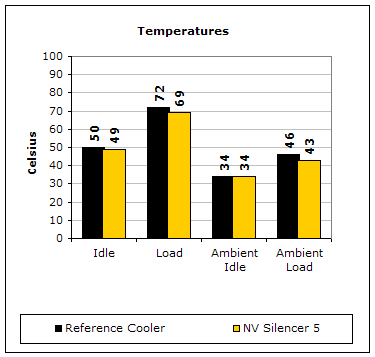
Notice how the Silencer doesn’t do much in lowering temps. The reason could be Nvidia’s need to integrate an already sufficient cooling system for their power hungry 6800 Ultra. The Silencer did manage to reduce overall ambient temps, but not by much. One thing to note is the decrease in overall sound from the VGA fan with the Silencer. The 6800 Ultra comes equipped with a thick Delta blower that can be hard on the ears once the thermal fan control function starts kicking in. The Silencer was noticeably much quieter. The max overclock for both coolers were the same, possibly indicating I have reached the limit with air cooling since this card was flashed to a 6800 extreme edition.
6800GT
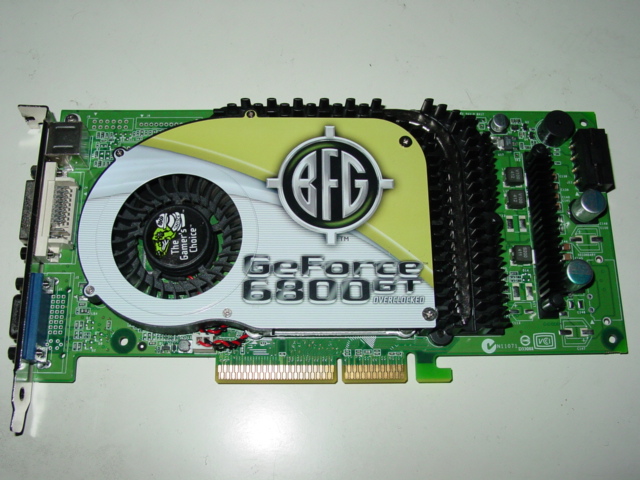
The 6800GT was a better choice because the stock heatsink, in comparison to its bigger brother, the Ultra, is much smaller. The GT is also a single slot solution, so installation was much easier.
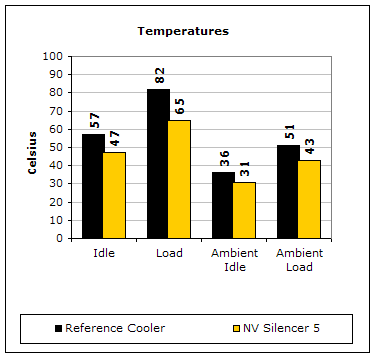
Now this is more like it. The NV5 Silencer on the GT produces noticeable improvements in both ambient and GPU temps. A load difference of 82 degrees Celsius on the stock heatsink vs. 64 degrees Celsius on the Silencer is well worth the investment. Moreover, with these temperature differences, a better overclock was achieved using Cool Bits auto detection.
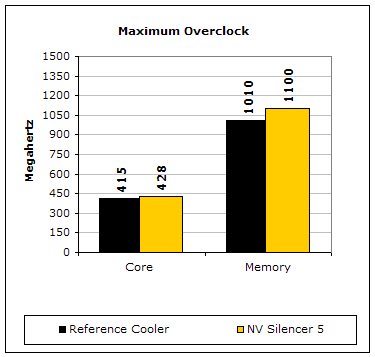
There was a gain of 13MHZ on the GPU and 100MHz on the memory was achieved on this GT, coming close to the stock speeds of an Extreme.
9800XT
Like the 6800 Ultra, the stock 9800XT heatsink is very adequate, being completely made of copper as well as having the ability to cover all 8 ram chips.
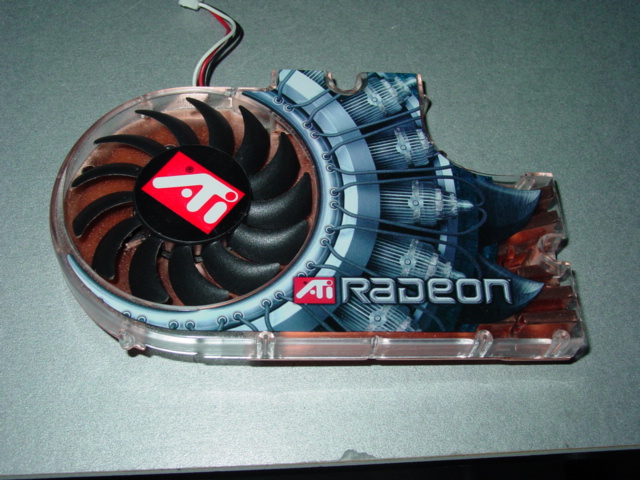
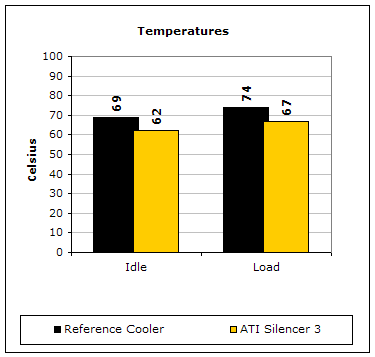
The 9800 XT was able to hit some excellent temperatures with the ATI3 silencer. Also, a better max overclock was attained on both the memory and GPU.
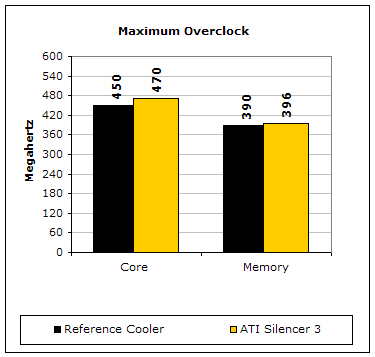
An extra gain of 20MHZ on the GPU and 6MHZ on the memory is not too shabby at all.
Packaging
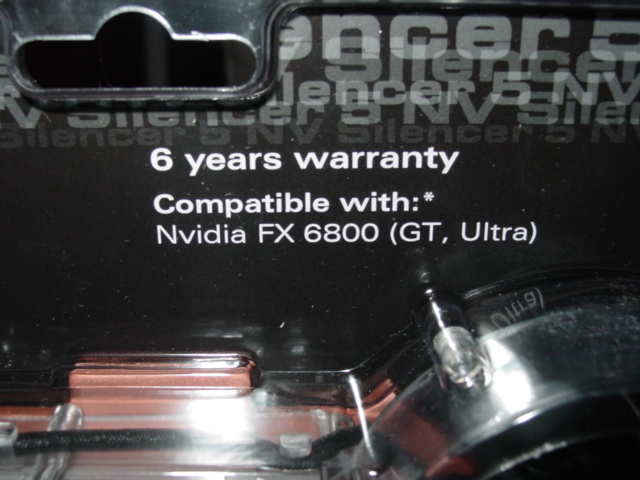
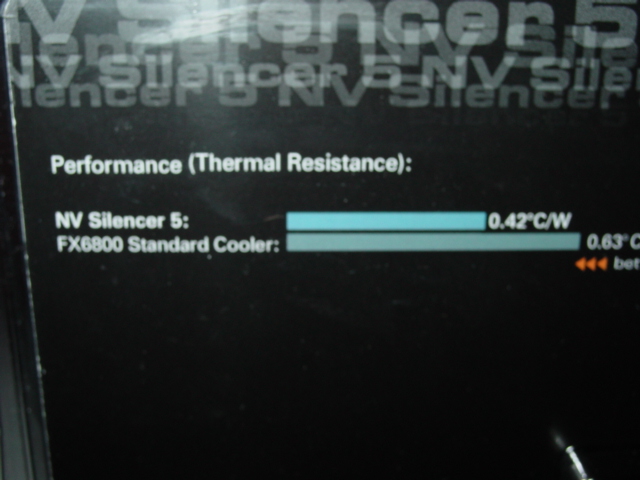
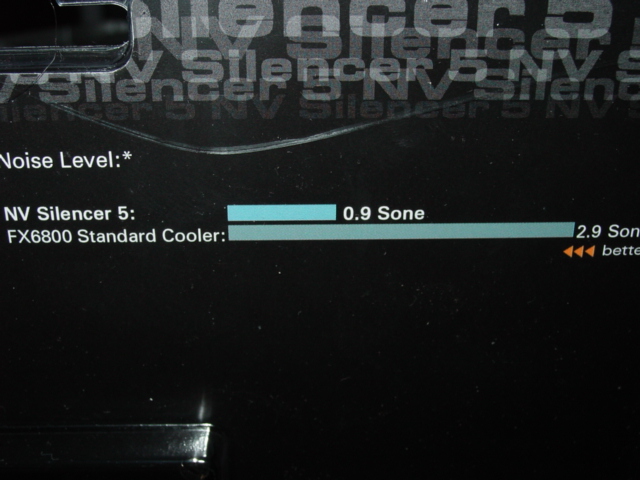
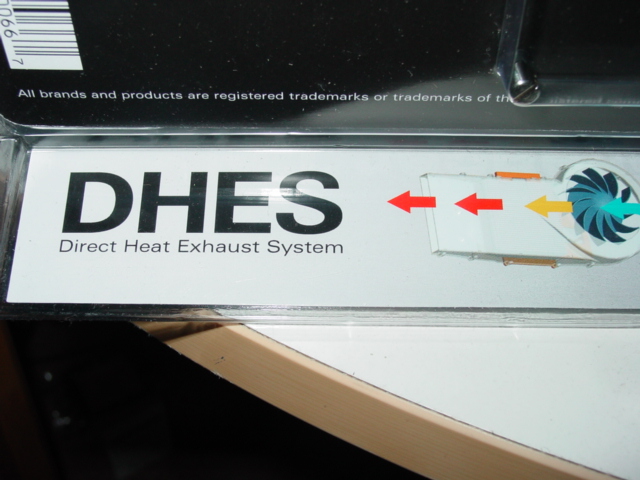
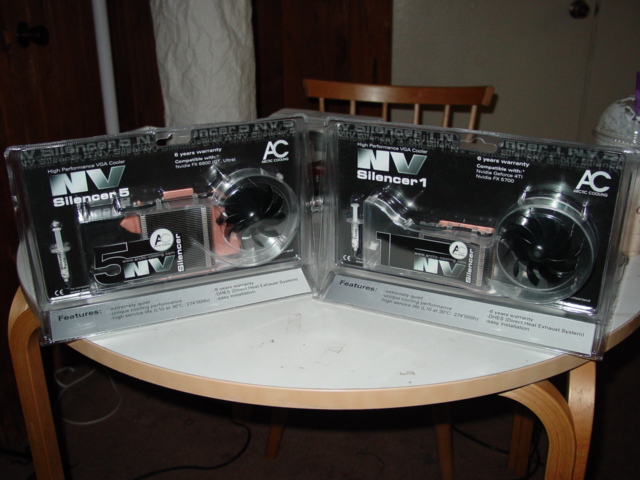
After having reviewed these Silencers, Scythe was kind enough to send us a retail sample of the Arctic Cooling Silencers. They sent us an NV5 and an NV1. The silencers are exactly the same as the OEM ones I received earlier, except now we get to see the actual retail packaging. Remember the broken screws I mentioned earlier? You won’t need to worry about those as Scythe has included a 6 year warranty on all their Silencers. The front of the package also specifies what cards each respective Silencer is compatible with. The back of the package is even more informative. It compares the noise and temperature levels, via detailed bar graphs, in comparison to the stock coolers of the respective cards. The graphs indicate the Silencer’s effectiveness in providing a cooler and quieter solution to the stock heatsinks. On the bottom left is the term “DHES”, which stands for “Direct Heat Exhaust System”. It’s a nice and brief way of indicating the purpose of the duct. In general, the packaging is very informative, sleek, and good-looking.
Conclusion and Thoughts
Overall, these have got to be one of the best coolers out on the market. They do everything any enthusiast would want a video card heatsink to do: lower card temps, lower case temps, increase the overclock, all while creating minimal noise. In addition, this cooler is beautiful, so it gives modders more incentive to have a window to show off their latest mod. These Silencers cover the range of video cards existing on the market today. Arctic Cooling has put in extra time to ensure that all video card users may be able to use this wonderful cooler. To boot, the price tag on these coolers is modest, costing a max of about $29.99 for a copper-aluminum combo heat solution. Overall, this product is simply amazing.
Pros:
- All copper plate and aluminum fins for excellent cooling performance
- Silent fan for quiet operation
- Ability to cool memory chips (for the newer generation cards)
- Informative and effective packaging
- Ability to exhaust hot air from video card
- Excellent price
- Beautiful, sleek look
- Compatibility with all video cards
- 6 year warranty
Cons:
- Won’t fit double bracket video cards like the 6800 Ultra without modification
- Screws break easily
- Takes up two PCI slots
- Not useable if you decide to change to a different video card

We would like to thank Arctic Cooling and Scythe for providing us the sample. If you have any questions or comments, feel free to hit us up in the forums. You can also check out more of our latest reviews on the front page.