

Arctic Cooling Silencer 64 Ultra TCL
Introduction
Arctic Cooling recently became extremely popular, thanks to their silent, yet high performing, VGA coolers. They found a way to keep both overclockers and silence enthusiasts happy. Of course they don’t just make VGA coolers; they focus on CPU coolers as well. We recently had the opportunity to look at their new line of Freezer CPU coolers, Freezer 64 and Freezer 7, and were greatly impressed by the noise to performance ratio. While the Freezer series aimed at performance enthusiasts, Arctic Cooling also provides a lower line of coolers to suit the budget enthusiasts–known as the Silencer series. The Silencer series is not highly recommended for use in an overclocked system, but instead is aimed for systems with silence in mind. But without a doubt, you’ll be able to see this little budget cooler in action today, in both stock and overclocked environments.
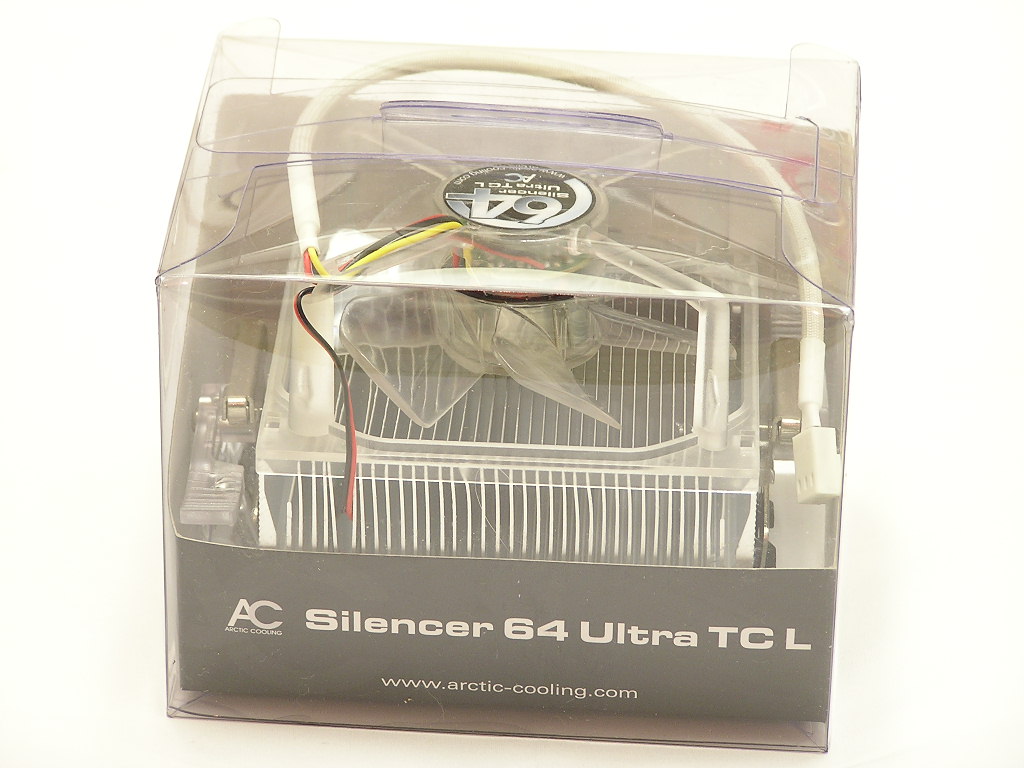
Arctic Cooling Silencer 64 Ultra TCL
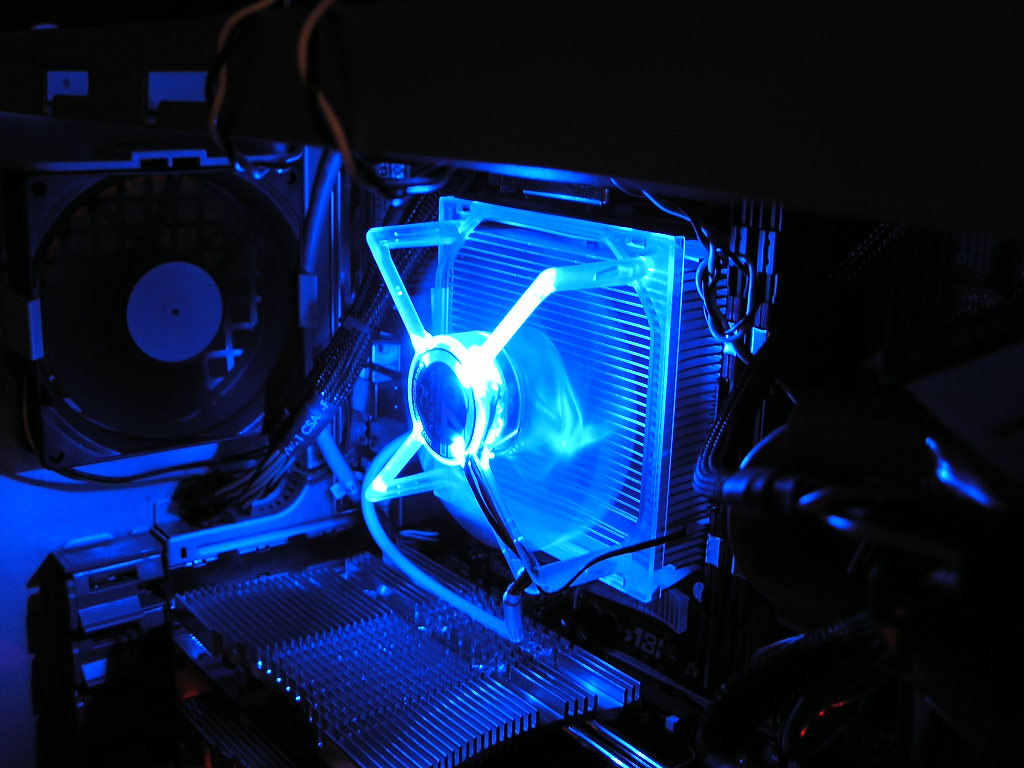
Currently, there are 3 new Silencer 64 Ultra CPU coolers. The difference between the Silencer 64 Ultra and the Silencer 64 Ultra TC is the fan. The “TC” stands for “thermal control”, which means that the fan on the Silencer 64 Ultra TC is a thermal controlled fan that adjusts its speed according to the temperature it detects at the probe. The difference between the 64 Ultra TC and the 64 Ultra TCL we have today is the addition of blue LEDs. The TCL lights up a nice pretty blue when the fan is on.
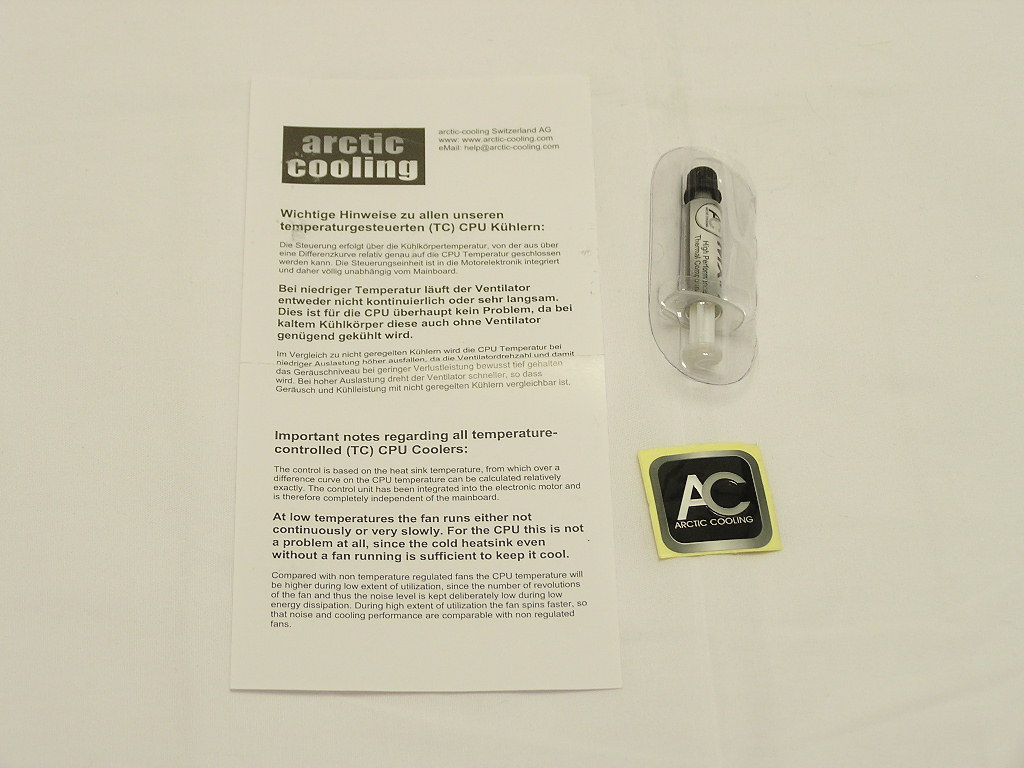
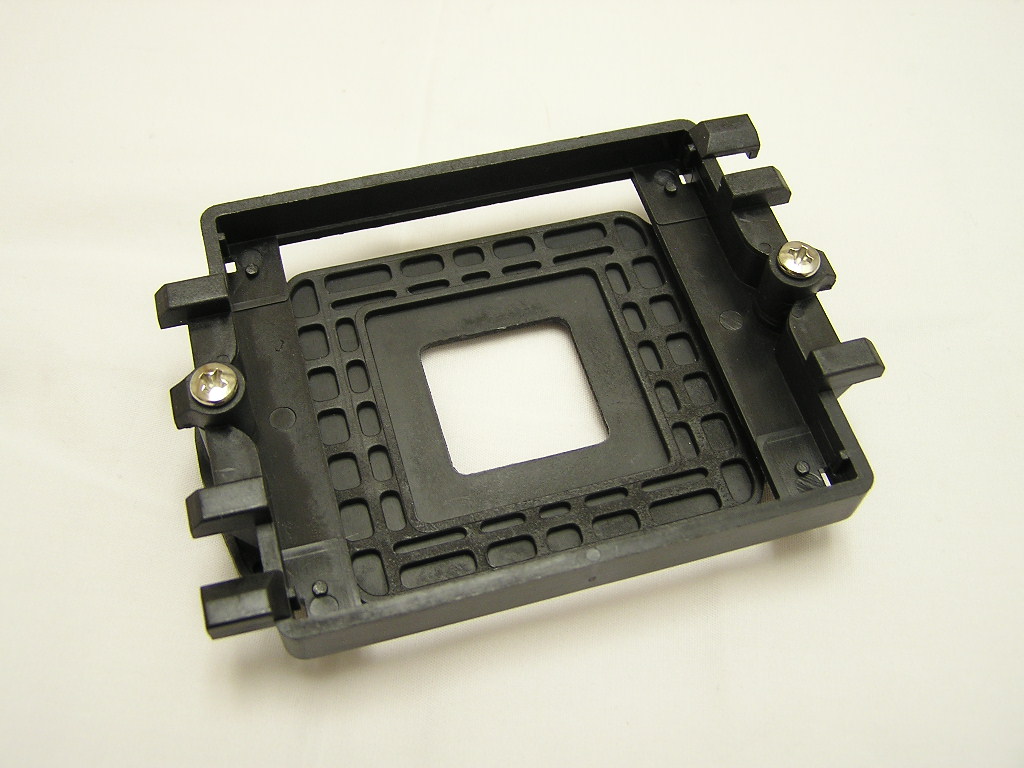
The package of the 64 Ultra TCL comes with a small tube of Arctic Cooling MX-1 thermal compound, a nice AC case badge, a simple instructions manual, and a motherboard socket retention frame. It’s nice to see a retention frame provided by a heatsink company. While many may think that it’s pointless, it does come in handy at times when you buy used or OEM motherboards that lack some parts. I’ve personally experienced it and found the extra bracket to be really handy.
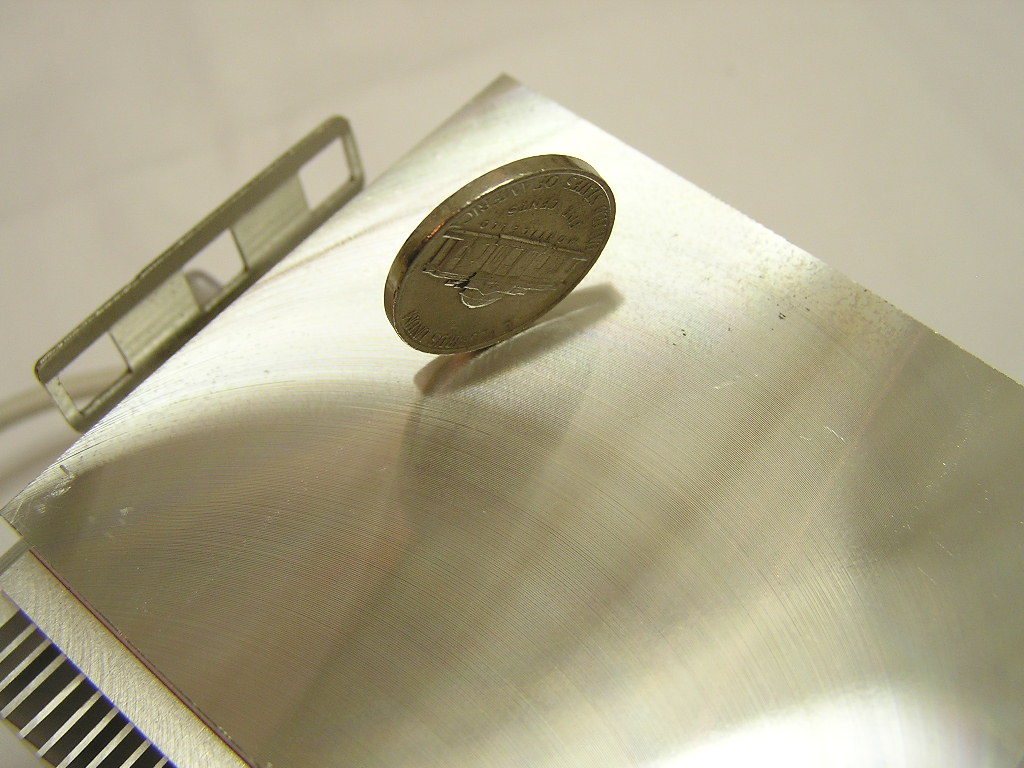
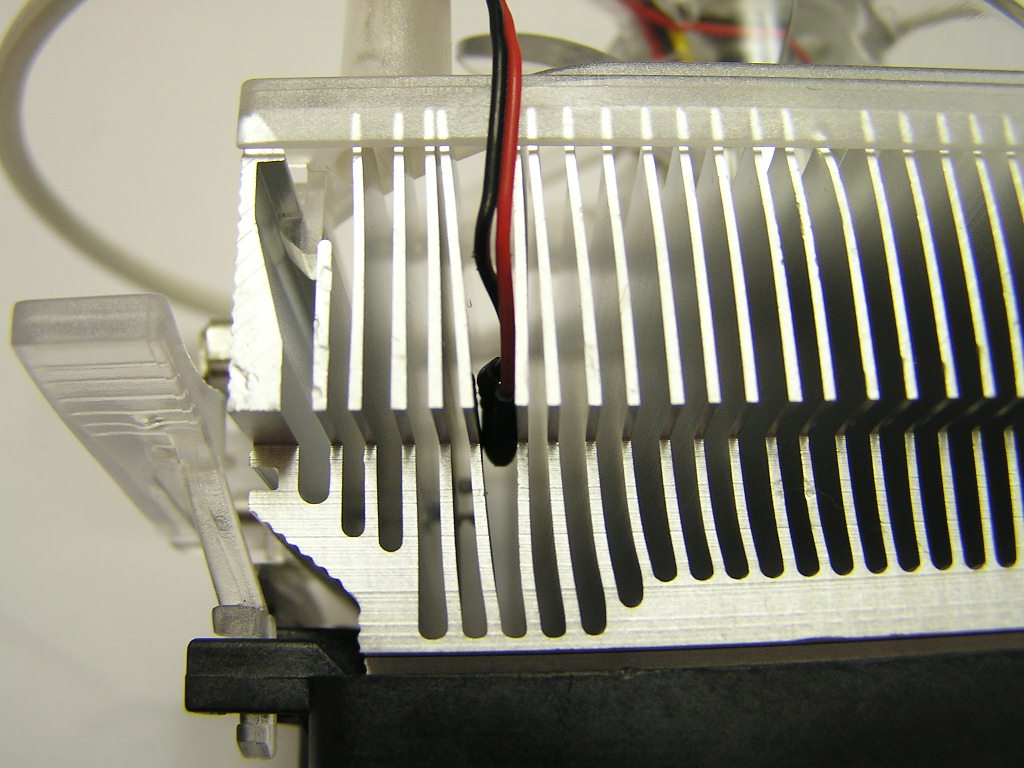
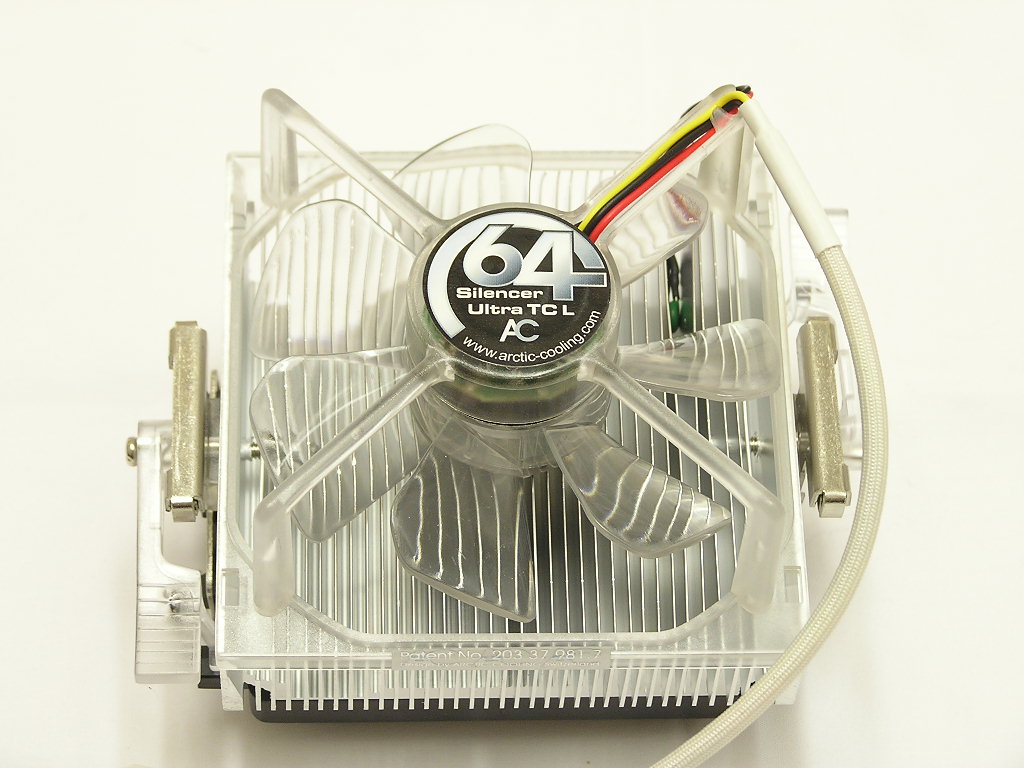
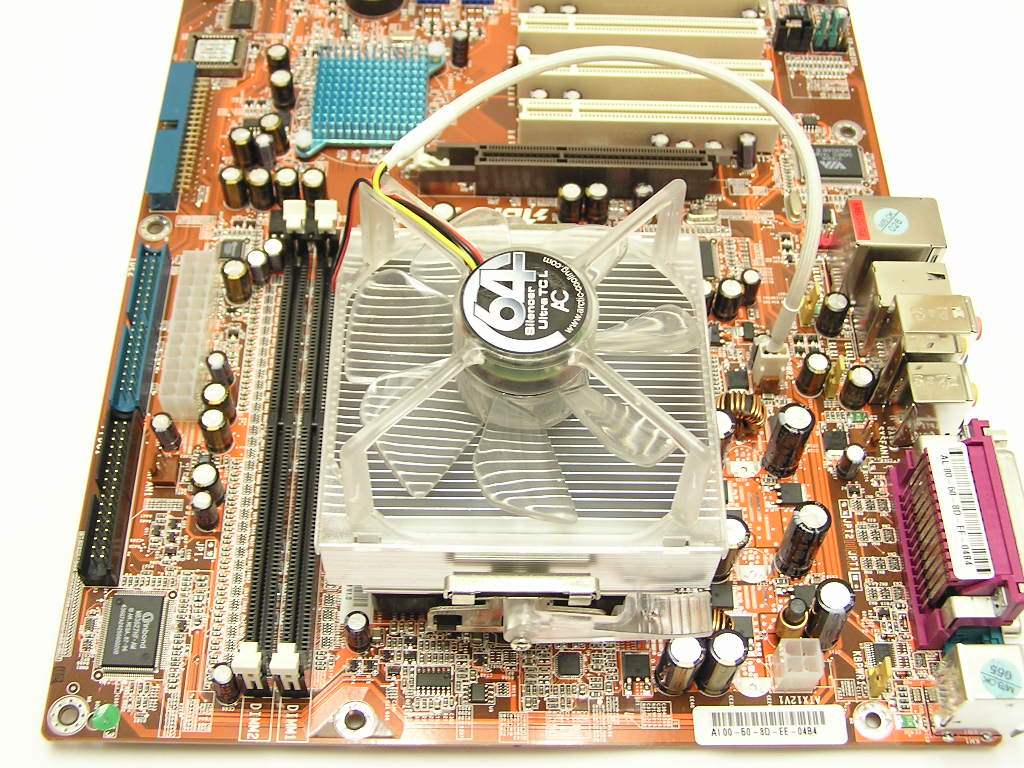
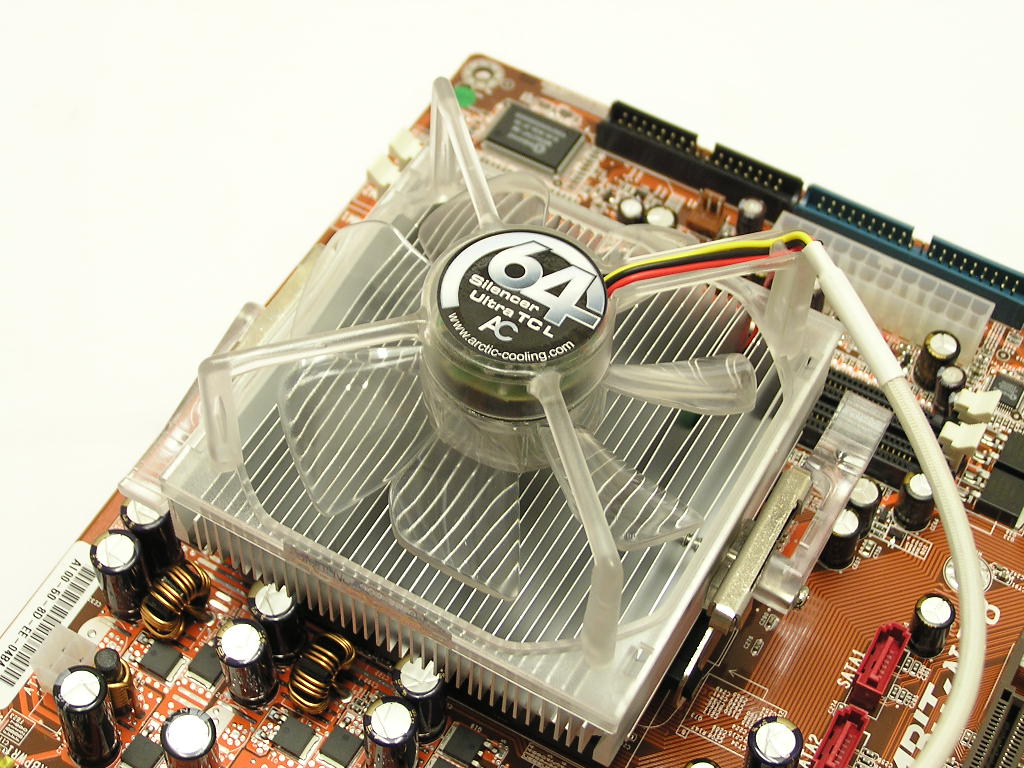
The Silencer 64 Ultra TCL has a very simple heatsink and fan design. The entire heatsink is a one piece block of aluminum that’s been chopped up to create corners and fins. A single piece design is ideal, in that it eliminates any tiny problems during thermal heat transition from base to fin. Heatsinks used to be made through a two-piece design, with solder used as the material for attaching the fins to the base. The base of the 64 Ultra TCL is nice and smooth. The base is not very reflective and doesn’t need to be. It is well lapped to provide good contact with the CPU. Sandwiched between the fins is a small temperature probe used to control the fan speeds. The hotter the fins get, the faster the blades spin.
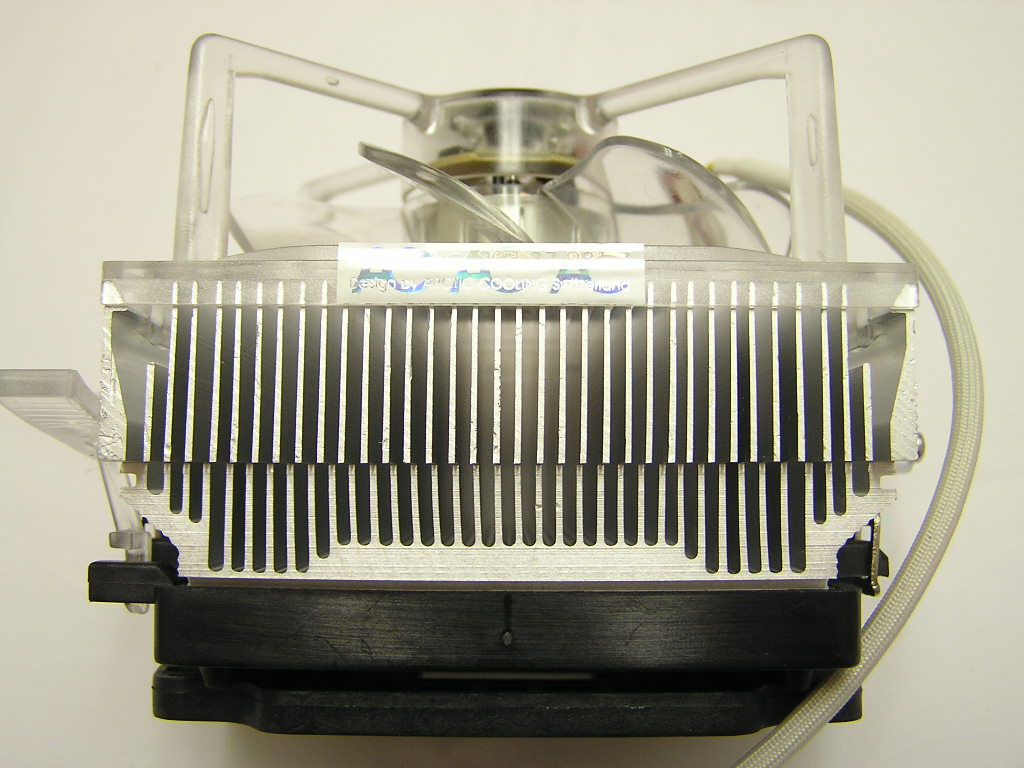
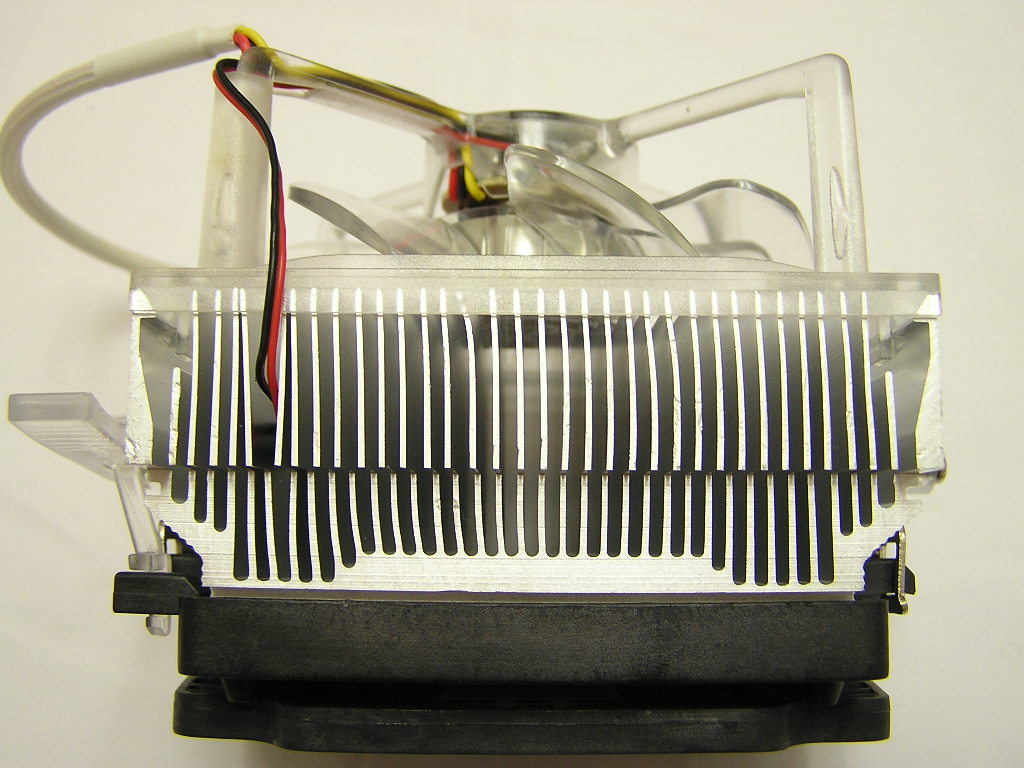
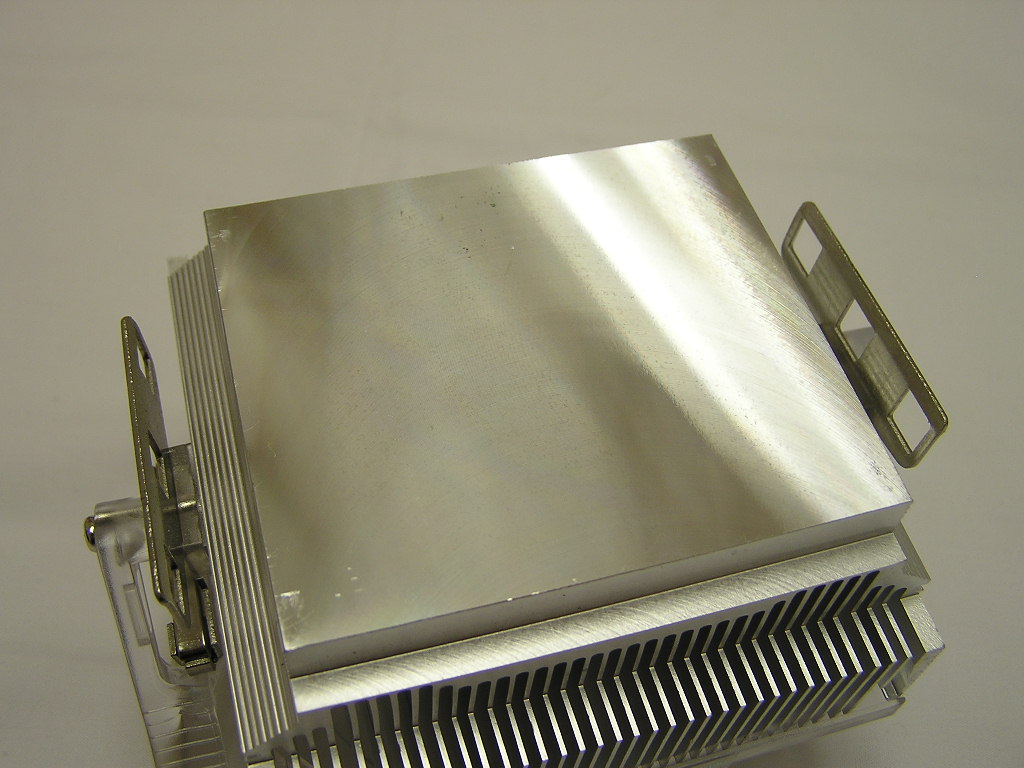
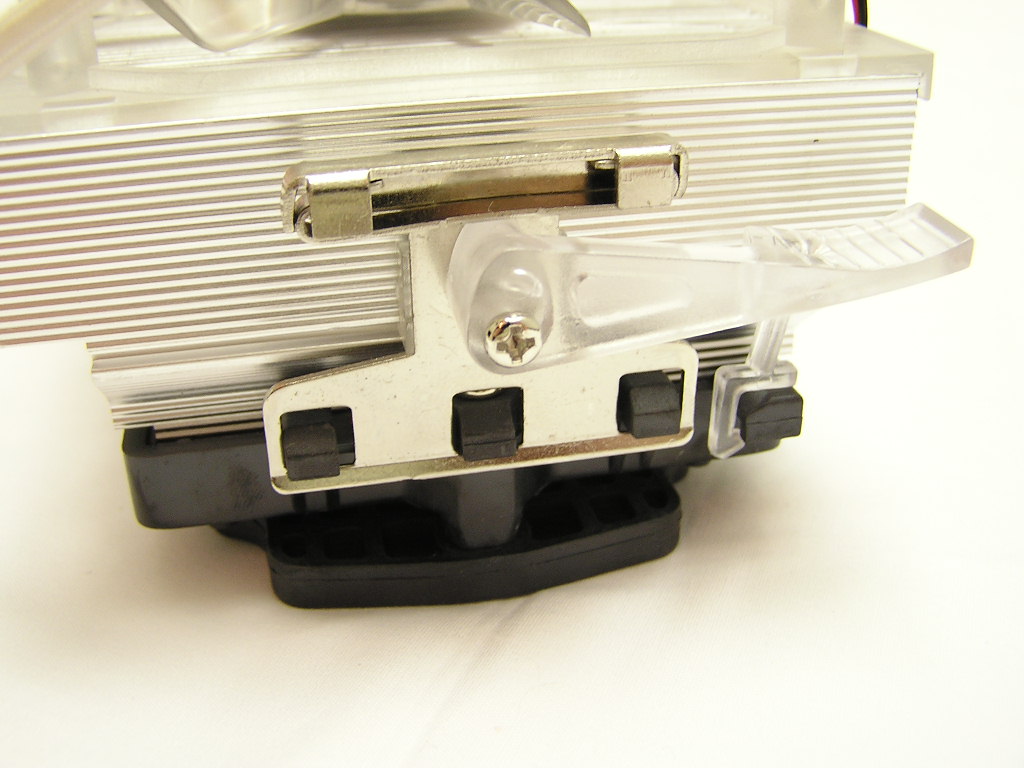
Unlike the typical single clip K8 heatsinks, the 64 Ultra TCL comes with a two clip design. Single clip designs have the arched bar that runs across the middle of the heatsink. This two clip design eliminates that gap across the middle and provides more surface area for heat dissipation. While it’s theoretically a better design, the two clip design was a bit of a hassle for me. Installation was not a problem, but removing the clips from the bracket teeth was a little troublesome.
The 92mm fan on the 64 Ultra TCL is clear and is held to the heatsink by Arctic Cooling’s patented fan holder. The fan holder is designed to eliminate the buzzing sound fans often create when spinning too fast. Never heard of the buzzing sound? Sit a Vantec Tornado on a heatsink and you’ll hear it. Arctic Cooling’s goal is to eliminate as much noise as possible. Speaking of noise, Arctic Cooling likes to measure sound level in Sone (loudness) instead of dBA (sound intensity). According to the specifications provided by Arctic Cooling, the 64 Ultra TCL has a much lower Sone than a stock AMD cooler. With the thermal controlled fan, the Sone on the 64 Ultra TCL can get as low as 0.4, which is about 6 times less than the stock AMD cooler. As mentioned before, the clear fan comes with bright blue LEDs and has sleeved wires to provide a clean cut look.
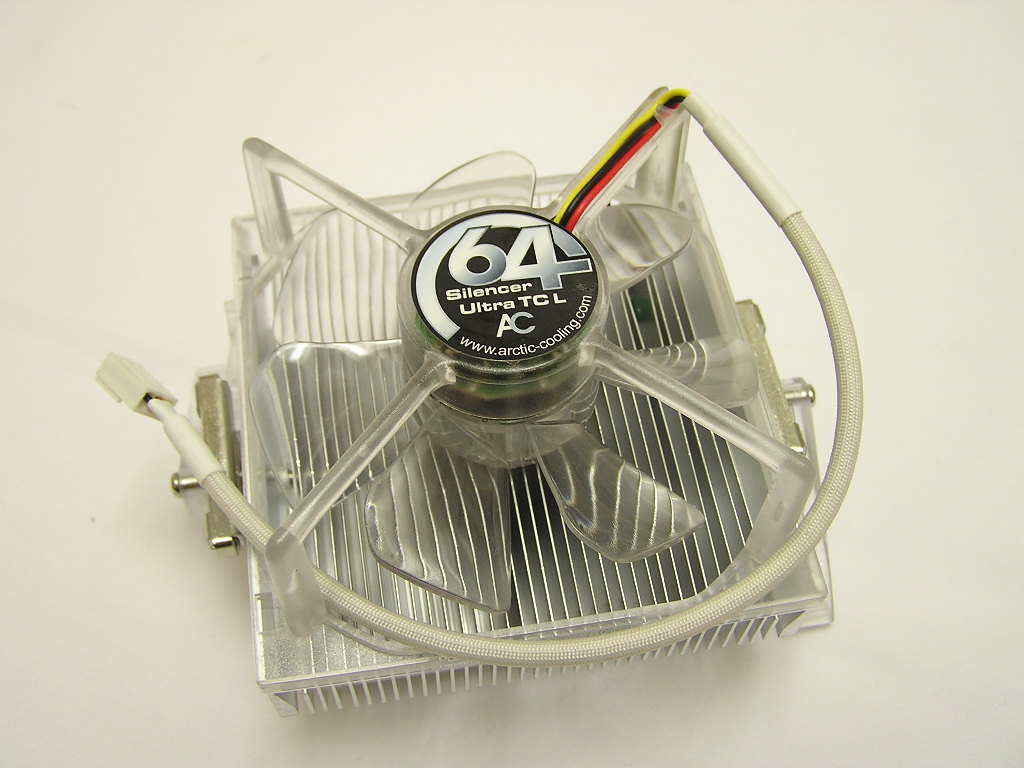
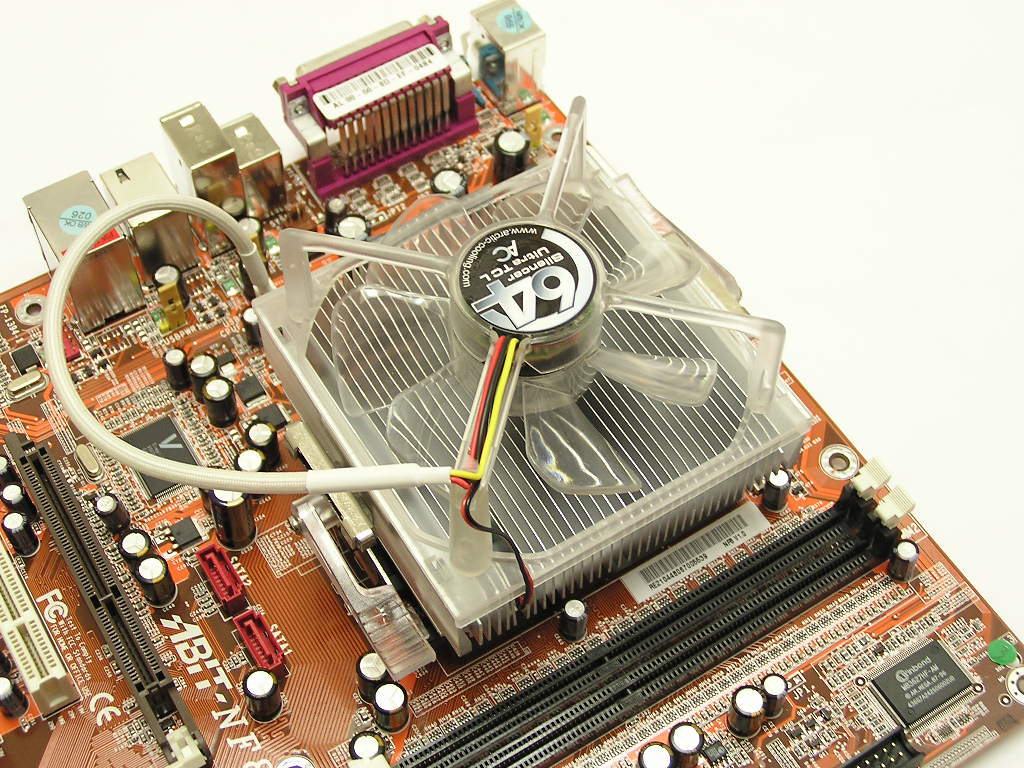
Installing the 64 Ultra TCL was easy. Simply sit the heatsink in the bracket, hook the clips to the teeth of the motherboard retention bracket, and then flip over the two tabs to lock it in place. The process is like installing stock Socket 478 coolers.
Specifications
| Arctic Cooling Silencer 64 Ultra TCL | AMD Box Cooler 3200+ | |
| Noise Level (Sone) | 0.4-1.5 | 2.6 |
| Cooling Performance (C/W) | 0.29 | 0.34 |
| Heat Sink: | 92 x 92 x 42 mm | |
| Fan: | 87 x 87 x 33 mm | |
| Overall Dimensions: | 92 x 92 x 77 mm | |
| For the Air Flow relevant Height: | 47 mm | |
| Rated Fan Speed: | 1000 - 2500 RPM | |
| Air Flow: | 18-46 CFM / 31-78 m3/h | |
| Weight: | 448 g (AMD spec.: 450g) |
Test Setup and Results
Test Setup and Method:
Ambient temperature was kept at a consistent 22°C. Arctic Silver Ceramique thermal paste was used during the entire testing process. A temperature probe was placed next to the Intel heatspreader to measure CPU temperature. An instance of CPU Burn-in was used to create maximum load on the CPU. The purpose of this test was to determine the results a home end user would obtain. There was no scientific testing conducted, simply because I do not have the proper equipment.
Test System Specifications:
- AMD Athlon64 3000+ Newcastle
- Abit NF8
- A-Data PC4800
- ATI Radeon X800 Pro
- Ultra Products 600W
Competition:
- AMD stock reference cooler
Test at stock settings:
- AMD Athlon64 3000+ (10 x 200HTT = 2.0GHZ @ 1.5v)
Test at overclocked settings:
- AMD Athlon64 3000+ (10 x 250HTT = 2.5GHZ @ 1.7v)
Test Procedures:
- Idling at desktop for 30 minutes
- Full load with CPU Burn-in for 60 minutes
Results:
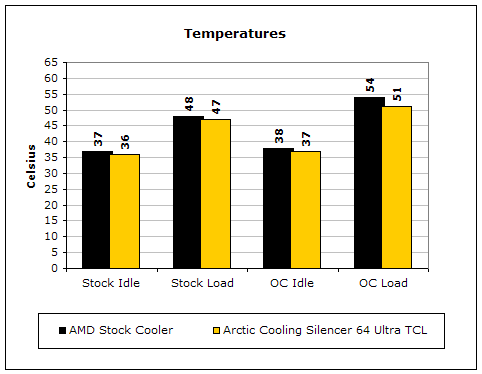
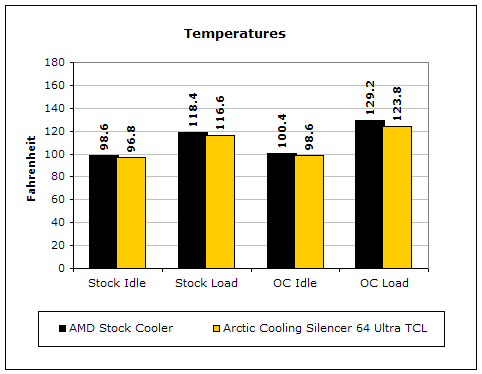
Here we can see that the performance of the 64 Ultra TCL definitely improves over the stock AMD cooler. The difference gap gets as large as 3°C. That’s certainly pleasing. I did notice that the 92mm fan on the TCL started to generate more noise as the CPU got hotter, but that was only heard when I placed my ear next to the fan. When it sat inside my case on the floor, I didn’t notice any slight change.
Conclusion and Thoughts
Arctic Cooling’s budget line of CPU coolers does a great at keeping your CPU cool. The cooler isn’t designed to handle overclocked CPU’s but we tested it anyway. To me, it handled the job very well. I played hours of games without a halt or slowdown and breezed through those hours with silence. The blue LED’s on the fan is very attractive and provides a nice look for systems with windows. Unlike many LED fans, these LED’s are very bright. Arctic Cooling also mentions about the height advantage of the 64 Ultra coolers. These coolers can be easily installed in low profile cases without blocking the airflow. Budget enthusiasts now have a new choice on their list of silent performing coolers. If you do happen to buy a retail boxed CPU, I’d just stick to the boxed cooler. The difference in noise level is not something that can be easily differentiated by your ears and the performance can be considered on par, only if you run the system at stock speeds. If you get an OEM CPU and just want something nice and quiet to cool your processor, then by all means, spring for this. It’s low price makes it extremely attractive.
Pros:
- Decent performance
- Very well priced
- Very light
- Easy installation
- Extremely quiet
- Thermal controlled fan
- Blue LED’s!!!
Cons:
- Not ideal for overclocking
- Removing is a little troublesome
We would like to thank Scythe for providing us the sample. If you have any questions or comments, feel free to hit us up in the forums. You can also check out more of our latest reviews on the front page.