

Arctic Cooling Freezer 7
Introduction
Many of you should be very familiar with Arctic Cooling’s line of VGA coolers. Those coolers provided users excellent cooling performance with extremely low noise levels; so low that it’s considered silent. Arctic Cooling is one of those few companies that aim for performance without sacrificing noise levels. Arctic Cooling not only focuses on VGA cooling but CPU cooling as well. In fact, their CPU coolers are very successful due to the unique use of fans and heatsinks. I had the opportunity to use a couple while I built two systems for my friend. At first I was a bit hesitant, but then realized that the CPU coolers did a fantastic job of cooling. My friend was so happy that the system was completely silent. We couldn’t hear a peep out of it.
Arctic Cooling continues the trend with their new line of Freezer CPU coolers. Up for today is the new Arctic Cooling Freezer 7, a CPU cooler for the LGA775 platform. We all know that the LGA775 Prescott based CPUs are the hottest CPUs available today. The toasty hundred watt processor can get intensely hot while you frag away at your game. Gamers and enthusiasts are pretty much forced to use high speed powerful fans paired with copper heatsinks to cool off these hot processors. That time has changed. Arctic Cooling’s new introduction of their Freezer 7 should kill the noise.
Arctic Cooling Freezer 7
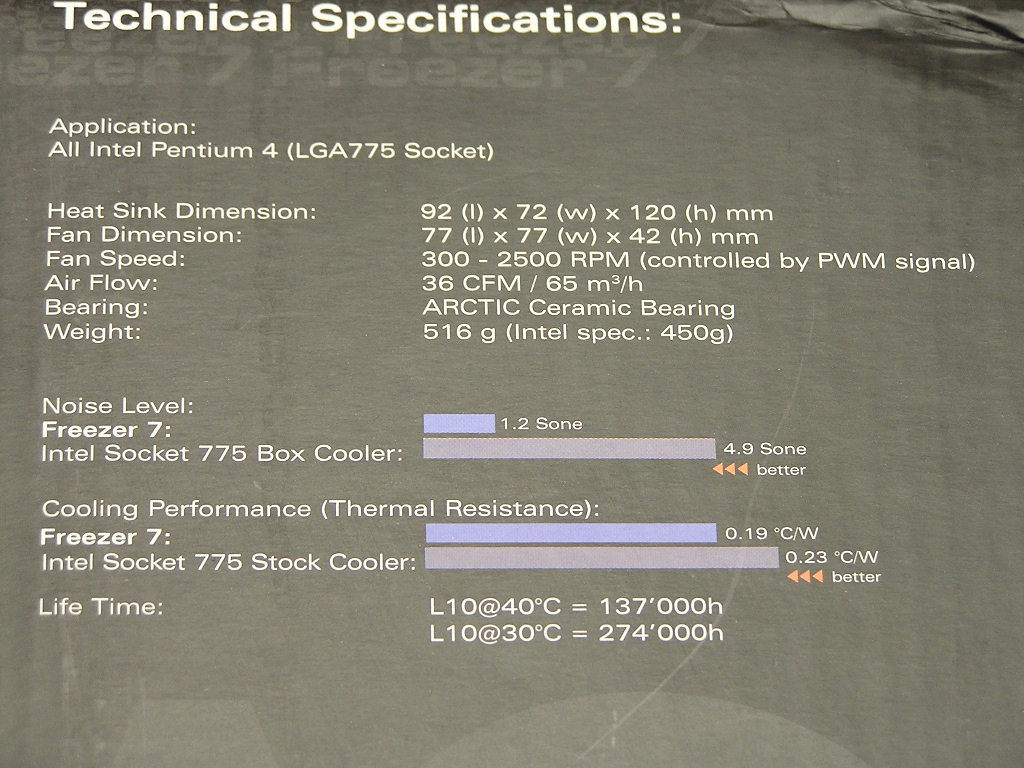
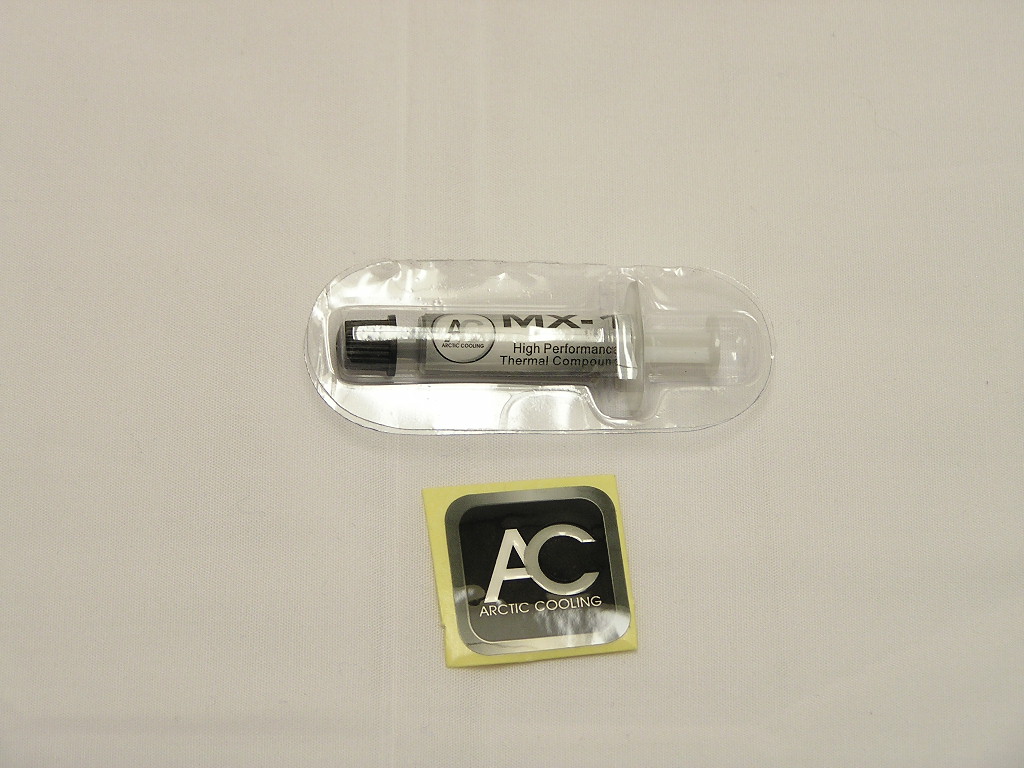
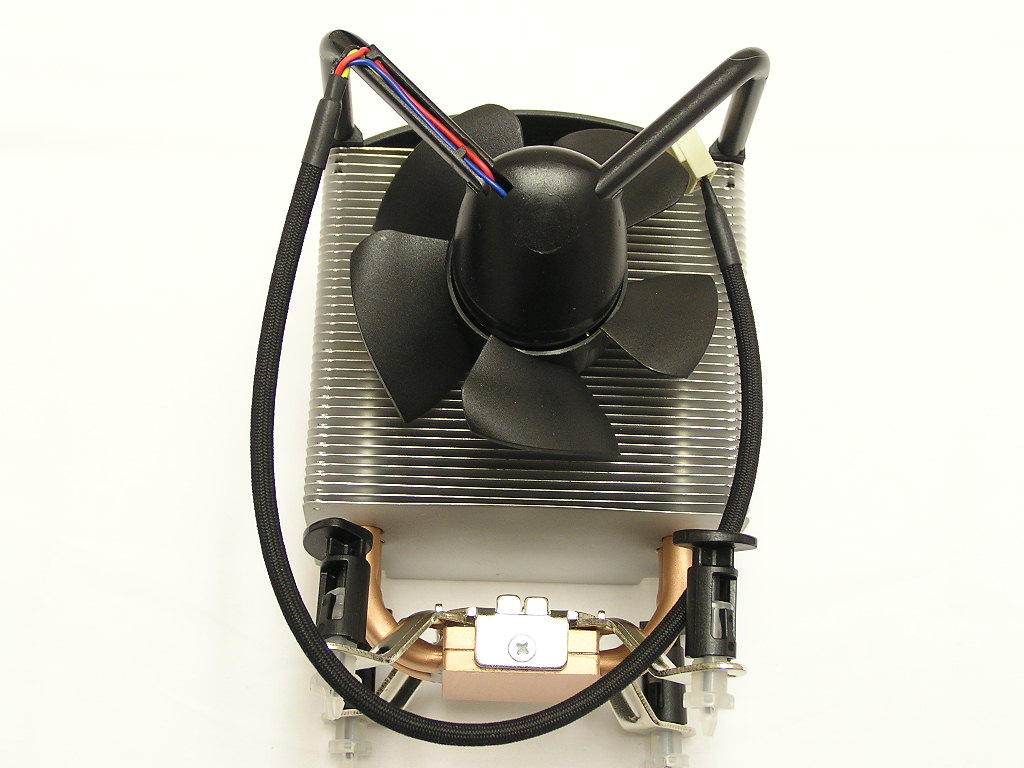
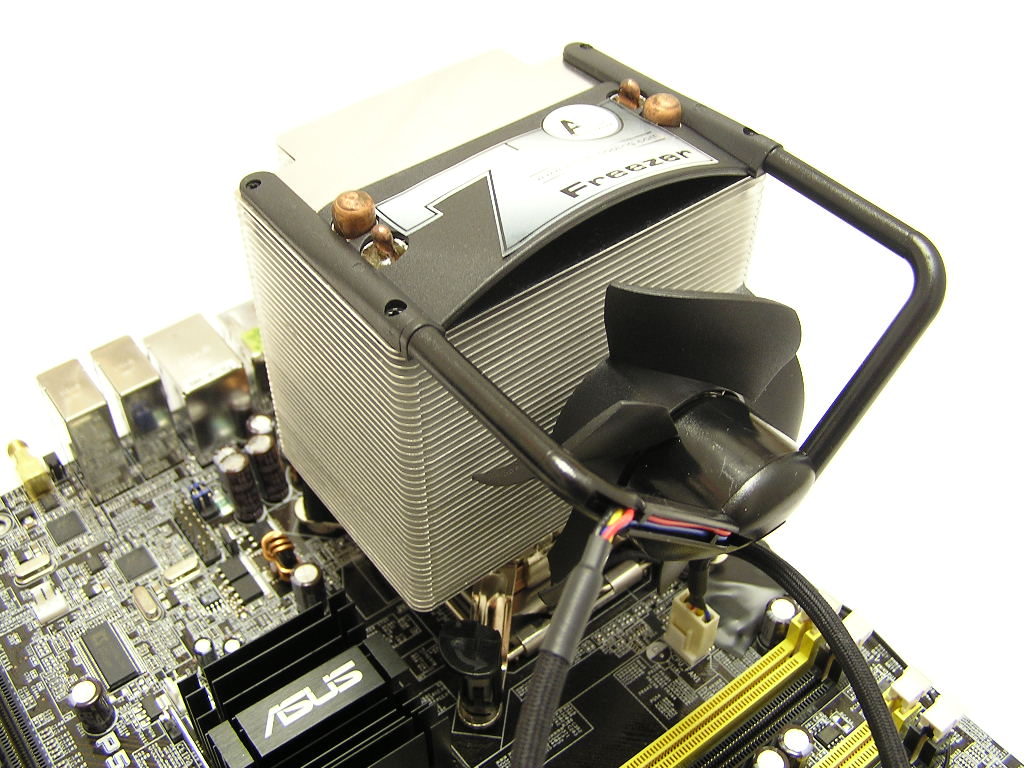
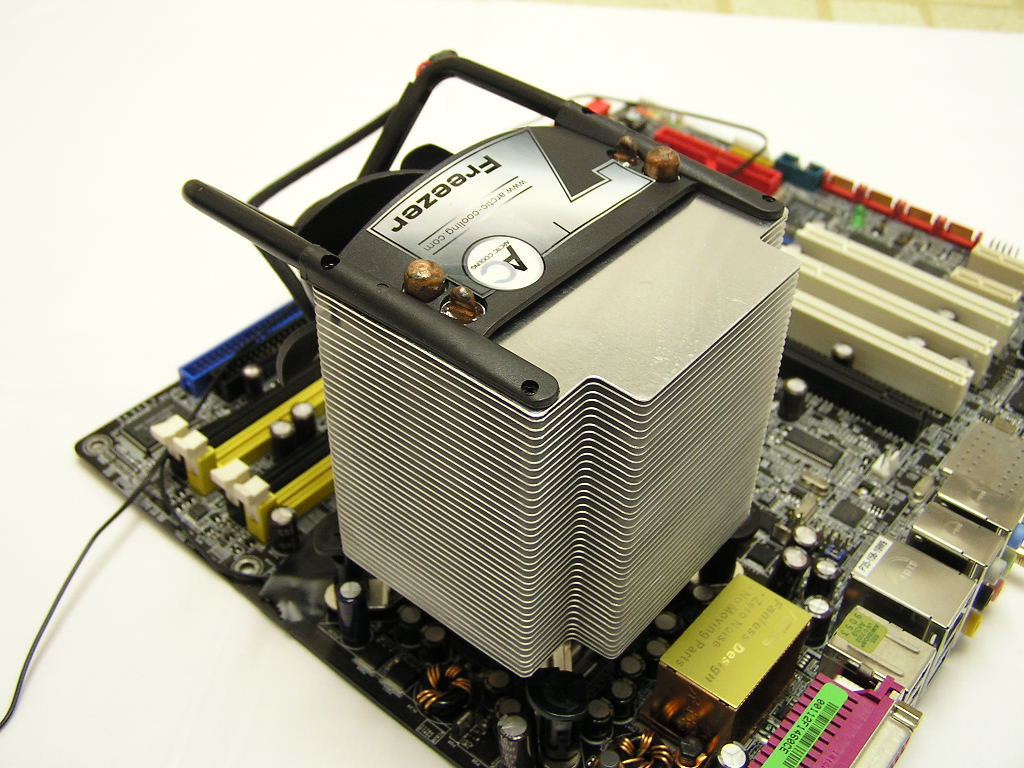
The Freezer 7 does not come in a fancy package and does not need one. The looks itself is unique enough. Yet, looks should not be the overall deciding factor when it comes to CPU coolers. The bundle of the Freezer 7 is simple. Included is one small tube of thermal grease and a case badge sticker. Where are the instructions??? Well, it’s on the box; just make sure that you don’t throw the box away. Regardless, installation is rather simple with the Freezer 7. It’s very straightforward and requires no tools. Upon first look, you might think that this thing is ugly. To be honest, it can use a little help. However, you can’t really do much with a fan bracket made that way. The patented fan holder is designed to eliminate the fan rattling and buzzing when the fan is attached to the heatsink or shroud. This is a really good design and does help lower the overall noise. Arctic Cooling measures the noise level by the Sone (loudness) rather than dBA (sound intensity); and a picture below shows the Sone difference between the Freezer 7 and the stock LGA775 cooler.
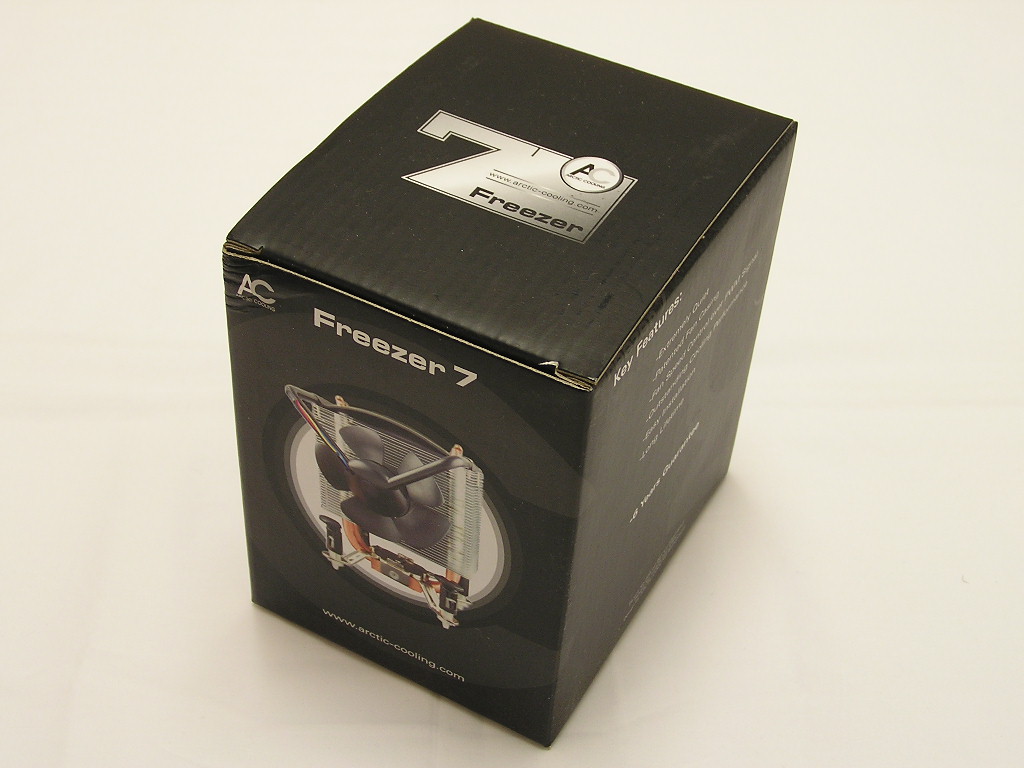
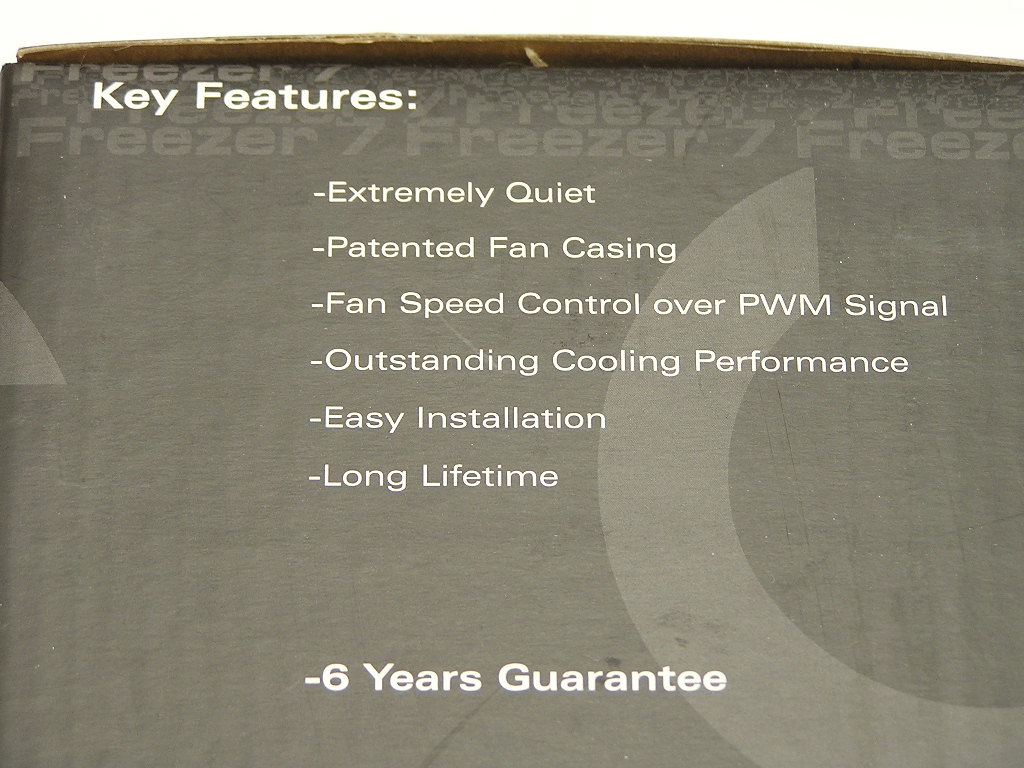
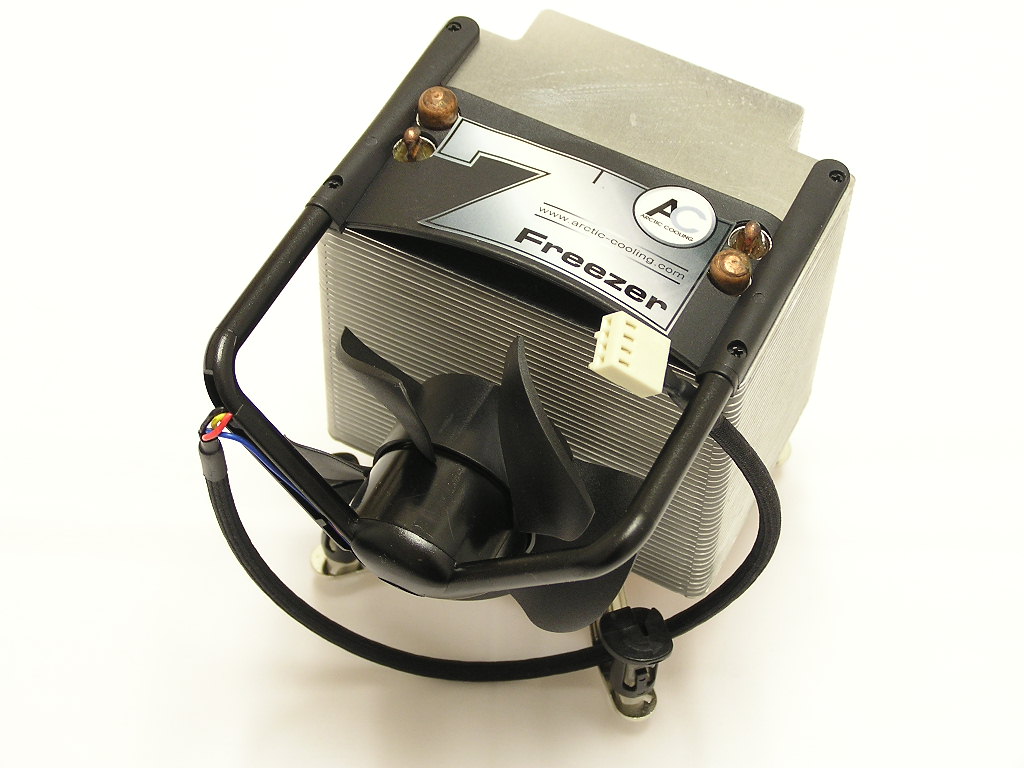
The Freezer 7 makes use of 4 large copper heatpipes to help distribute heat. As we all know, heatpipe technology is doing a great job of keeping the aircooling solution from dying. The technology is superior than the traditional copper base with fins/pins design. There are a total of 40 aluminum fins spread across the length of the heatpipe to help with heat dissipation.
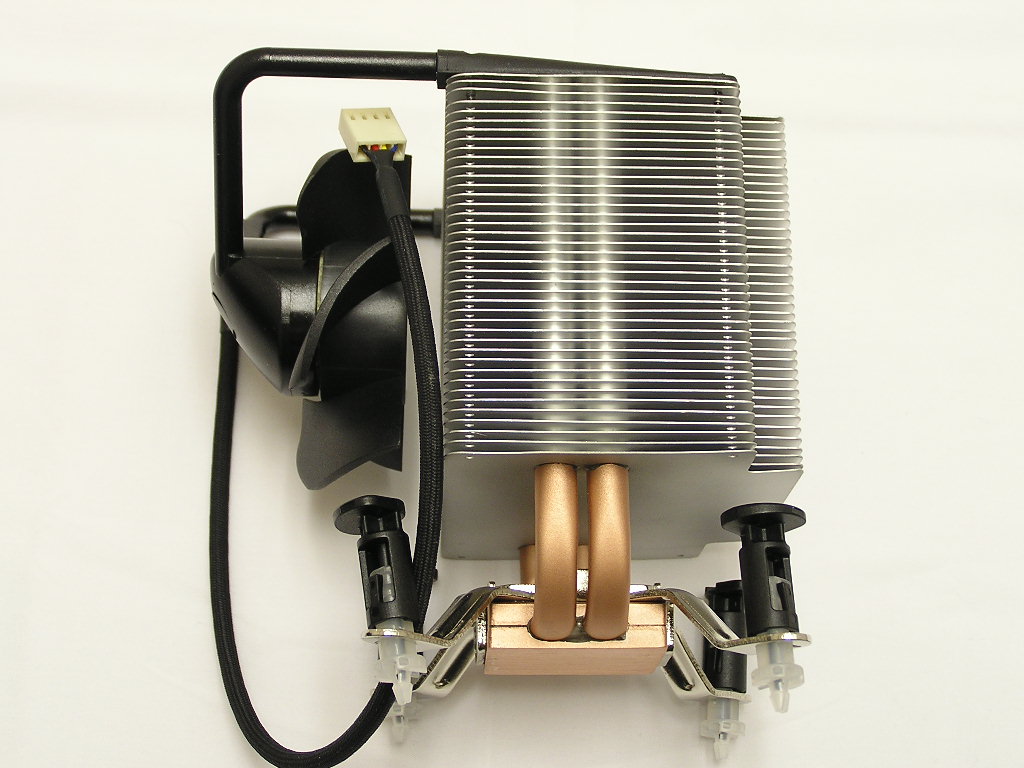
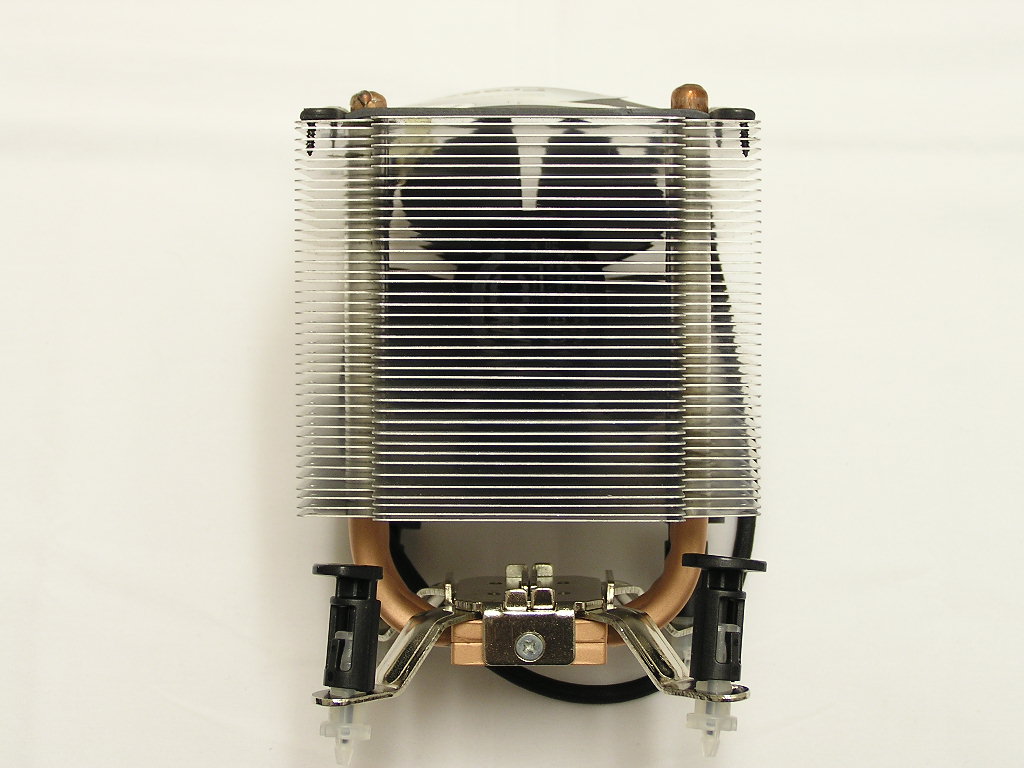
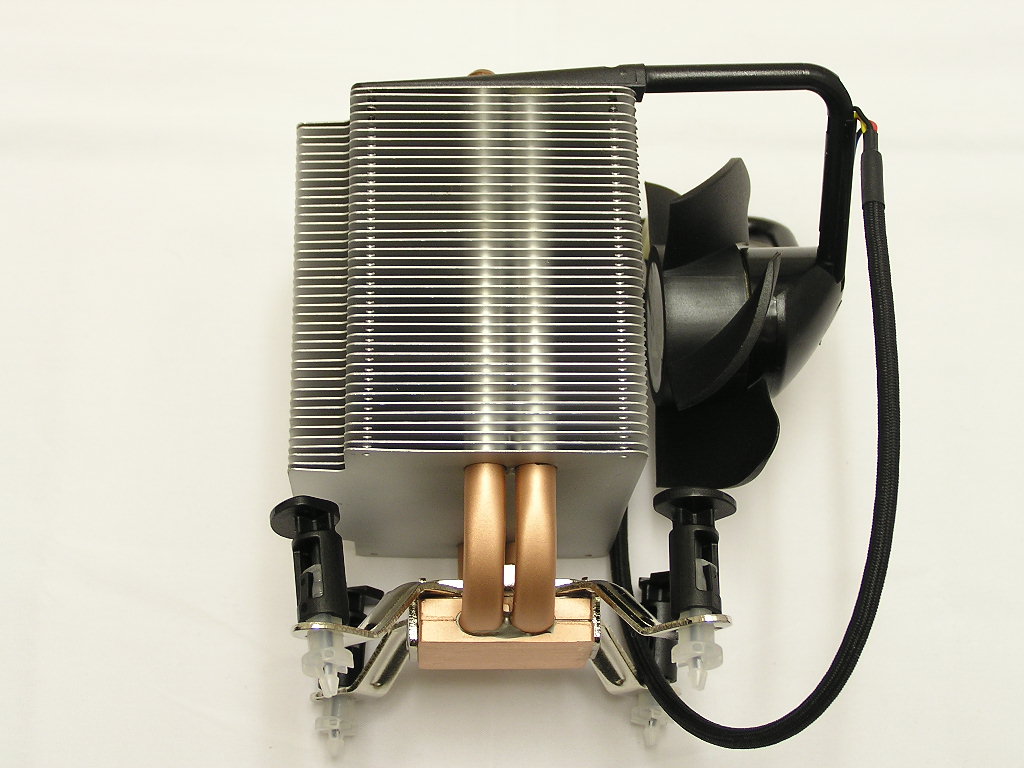
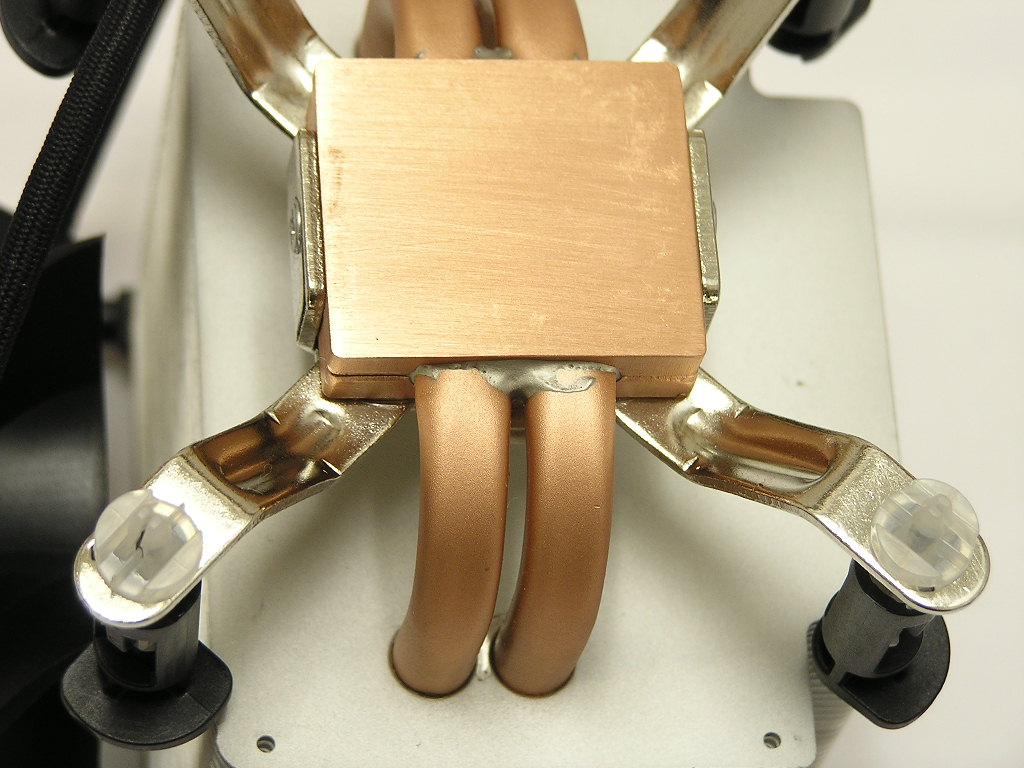
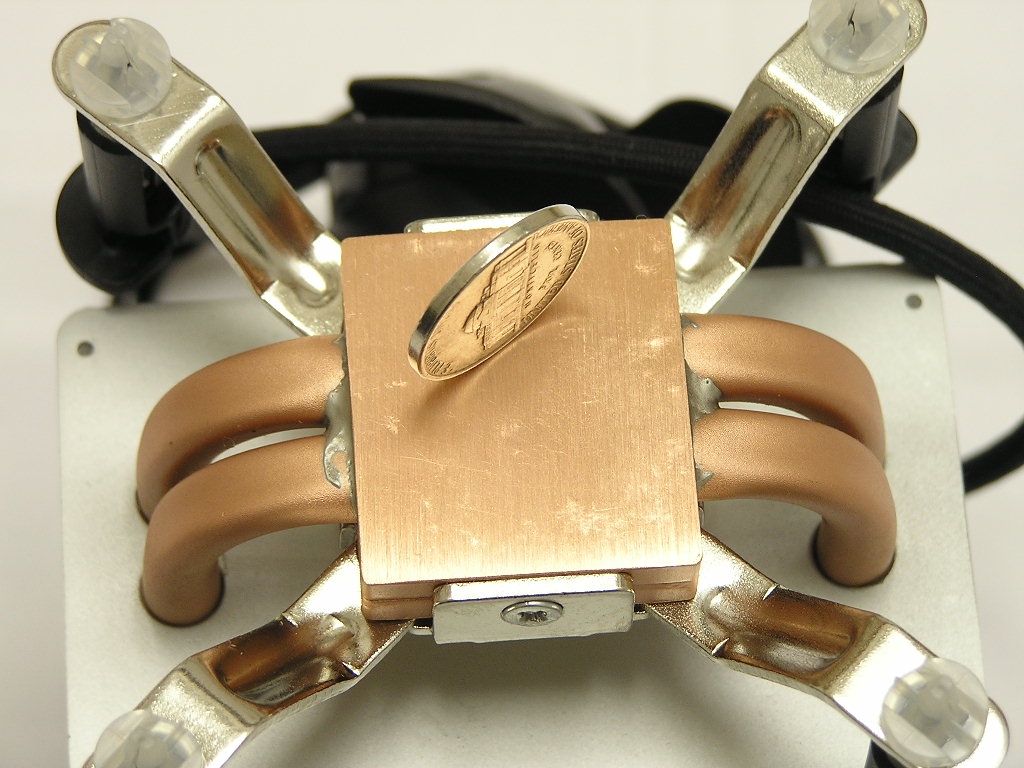
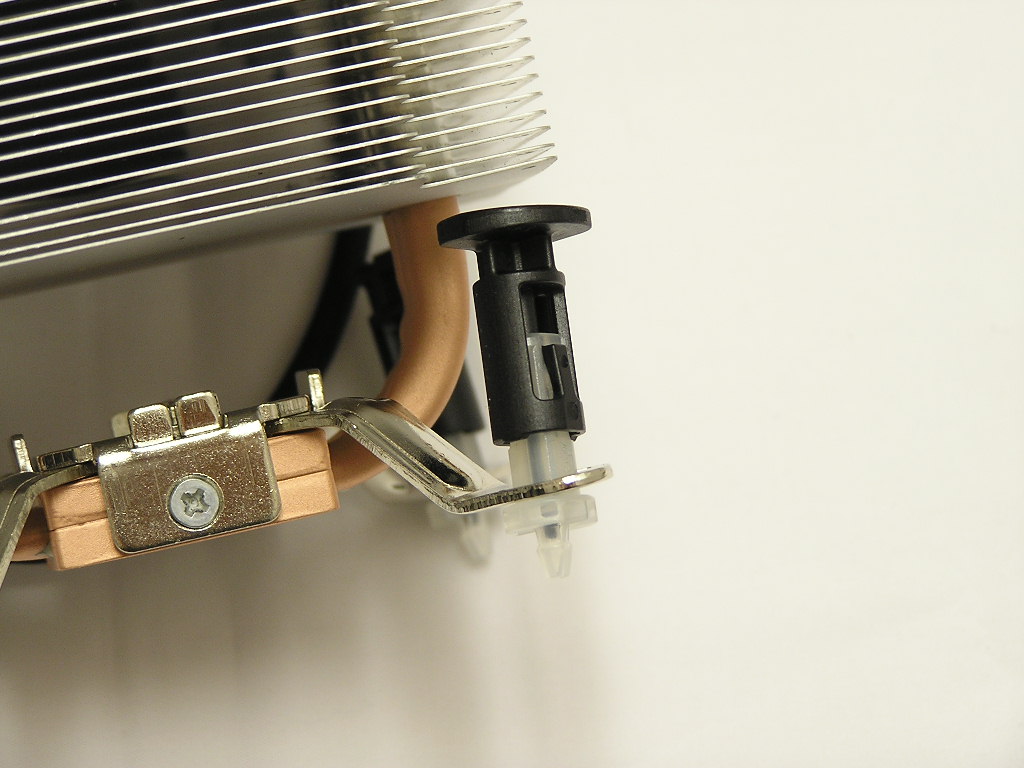
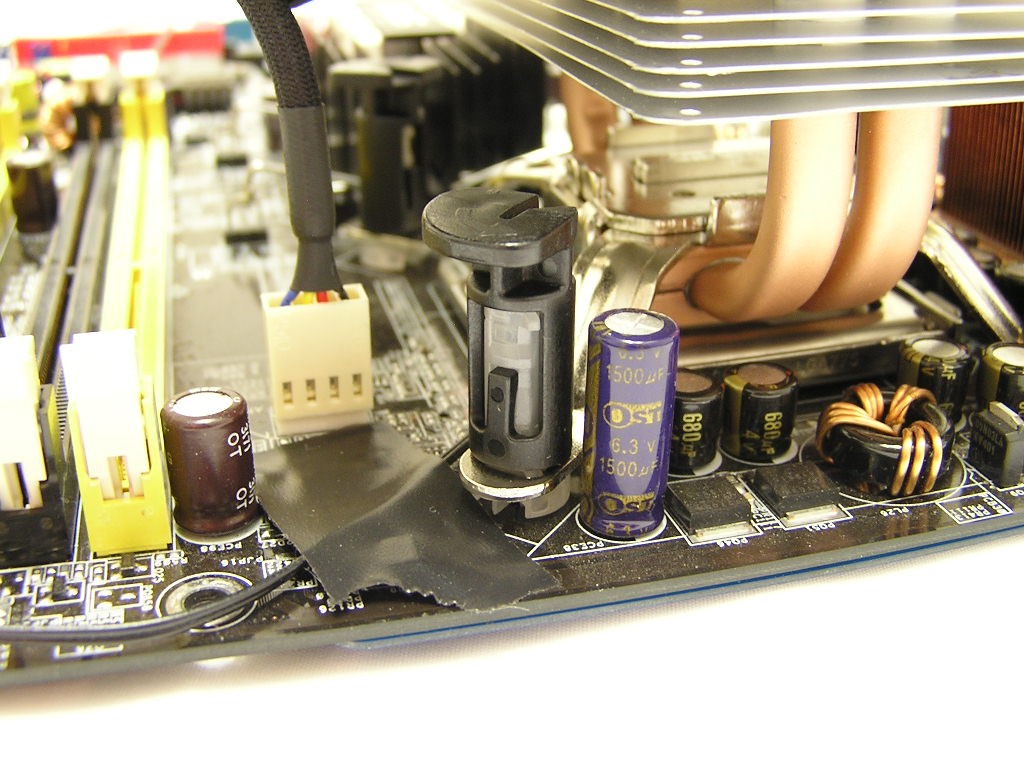
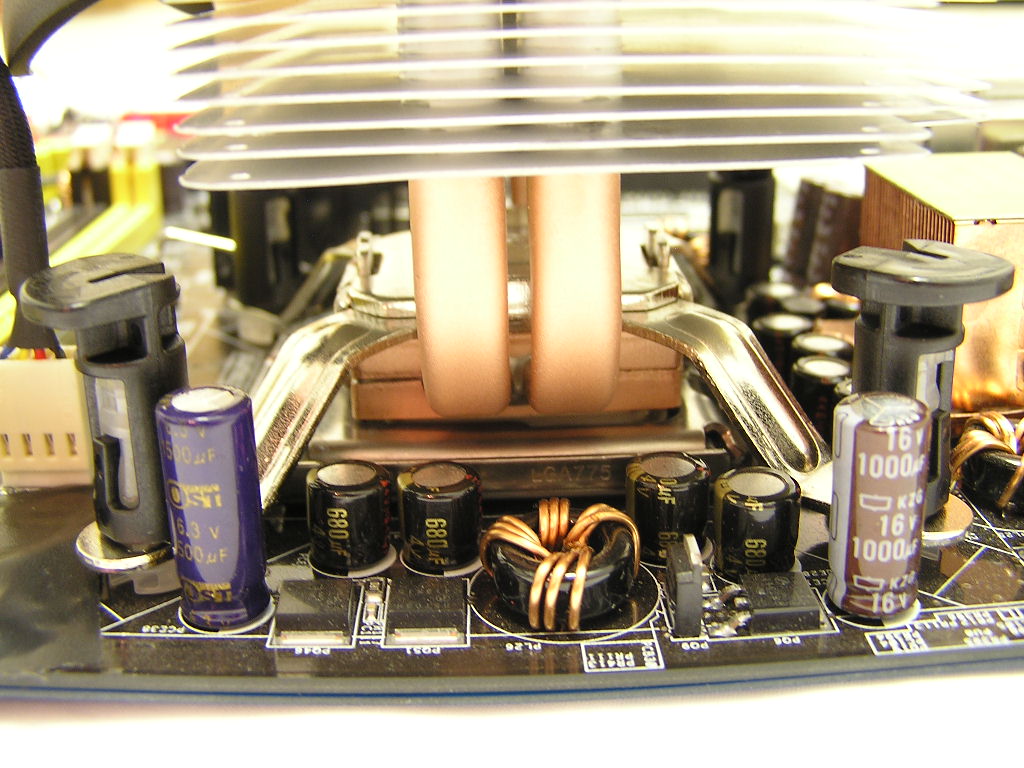
The base of the Freezer 7 is comprised of two small copper plates that sandwich the four heatpipes. To fill the small gaps that may occur, solder was used to join the copper plates and heatpipes together. The copper base features a nice size that covers the entire surface of the CPU. From the picture below, the base of the Freezer 7 is not very reflective. There were scuff marks all around the edges and the corners. Arctic Cooling should be more cautious when lapping the base of the heatsink. The LGA775 platform does not come with any standard retention frame for heatsink support; and Intel’s reference cooler comes with push pins for installation. Thus, the Freezer 7 follows the same installation method with the push pins. The cooler is extremely easy to install once you learn the trick. Simply line up the push pins with the holes and push down at each corner until you hear a click. This means that the cooler is safely fastened to the motherboard. DO NOT follow the direction of the arrows when installing. The arrows are there as a guide for removal. Installing the cooler does not require a tool, but removing it does. Use a flathead screwdriver and twist the black top in the direction of the arrow. Lift up the black top and voila, the cooler is removed. It’s as simple as that.
Specifications
Arctic Cooling considers the Freezer 7 a high performance cooler and is proud to say that it weighs only 516g. At a high performing cooler standpoint, the weight is considered to be featherweight when compared to leading competitors. The Cooler Master Hyper 48 comes in at a hefty 864g! Enthusiasts will be glad to know that the Freezer 7 wouldn’t cause any troubles when moving the system.
| Heat Sink: | 92 x 72 x 120 mm | |
| Fan: | 77 x 77 x 42 mm | |
| Overall Dimensions: | 92 x 114 x 120 mm | |
| Rated Fan Speed: | 2500 RPM | |
| Power Consumption: | 0.16 Amp. | |
| Air Flow: | 36 CFM / 65 m3/h | |
| Weight: | 516 g | |
| Noise Level: | 1.2 Sone | |
| Thermal Resistance: | 0.19°C/Watt |
Testing Setup and Results
Testing Setup and Method:
Ambient temperature was kept at a consistent 22°C. Arctic Silver Ceramique thermal paste was used during the entire testing process. A temperature probe was placed next to the Intel heatspreader to measure CPU temperature. Two instances of CPU Burn-in were used to create maximum load on the CPU. The purpose of this test was to determine the results a home end user would obtain. There was no scientific testing conducted, simply because I do not have the proper equipment.
Test System Specifications:
- Intel Pentium 4 560 3.6GHZ (18 x 200FSB = 3.6GHZ @ 1.4v BIOS)
- ASUS P5AD2 Premium
- Centon Gemini Low Latency PC2-4200
- ATI Radeon X700 Pro
- Ultra Products 600W
Competition:
- Swiftech MCX775-V w/ Vantec Tornado @ 7v
Test Procedures:
- Idling at desktop for 30 minutes
- Full load with 2 instances of CPU Burn-in for 60 minutes
The ASUS P5AD2 Premium motherboard overvolts on the VCore. Setting it at 1.4v in BIOS would read 1.564v idle and 1.515v load in CPUID. And from the test results, the actual VCore should be 1.564v during idle and 1.515v during load.
The Results:
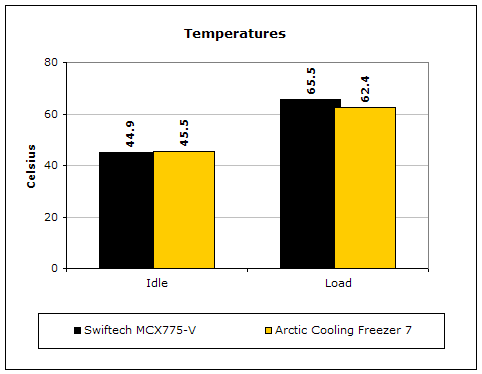
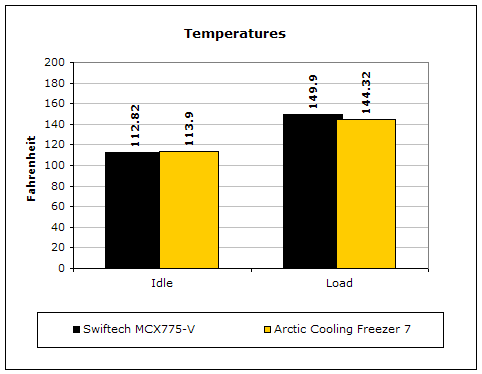
The performance of the Freezer 7 is awesome. True that the Swiftech MCX775-V would have performed better with the Tornado at full blast, but then that wouldn’t be a fair comparison, due to the noise level. The Tornado at 7v is definitely a lot quieter and very tolerable, but it is still not as quiet as the fan on the Freezer 7. At idle, the Swiftech performed better, but with full load, the superior technology of the heatpipes on the Freezer 7 start to shine.
Conclusion and Thoughts
Arctic Cooling has a winner on their hands. The Freezer 7 is an excellent cooler for the enthusiast who wants to tune down the heat on their hot Prescotts without compromising silence. Silence is definitely golden, and the Freezer 7 makes absolutely no audible noise. I placed my ear 2 inches away from the spinning fan and couldn’t hear a thing. The fan holder is definitely helping too. It takes away all the fan rumbling and rattling when sitting on a heatsink. Although the temperatures do look a bit high, keep in mind that the CPU is running at 3.6GHZ with an overvolt of 1.515v. A regular 3.6GHZ Prescott running at its stock speeds should only need less than 1.4v. That extra voltage does increase the amount of watts being put out. The price on this baby isn’t bad either. It’s very affordable when compared to many other high performance coolers out there. Unfortunately, the Freezer 7 was a bit shy from winning the Must-Have Award. The scuff marks at the base are not something that can be brushed aside. Better care should be taken. Other than that, the Freezer 7 gets a high recommendation.
Pros:
- EXTREMELY quiet
- Excellent performance
- Patented fan holder eliminates fan rumbling and rattling
- Very affordable
- Easy to install and remove
- EXTREMELY QUIET!!!
Cons:
- Scuff marks at the base
- No fan options

We would like to thank Scythe for providing us the sample. If you have any questions or comments, feel free to hit us up in the forums. You can also check out more of our latest reviews on the front page.