

Arctic Cooling Freezer 7 Pro
Introduction
If you have not noticed yet, Arctic Cooling aims for silence in all of their products. Whether it be cases, power supplies, CPU coolers, or GPU coolers, Arctic Cooling’s first goal is to provide enthusiasts an opportunity to compute in silencer. Performance is definitely one of their goals as well, but silence seems to be a much bigger focus. Of course that is what I conclude from their products anyway.
There are multiple reasons why I continue to use the Arctic Cooling Freezer 7 in my testbed. It is very easy to install and provides excellent performance at dead silence. I found the Freezer 7 to be an overall great value. Arctic Cooling is back and looking to one up their current flagship CPU cooler. The end result is the Arctic Cooling Freezer 7 Pro. It continues many of the existing features found in the Freezer 7 and adds a couple of new features that aims to make the new cooler an even better choice for enthusiasts.
Arctic Cooling Freezer 7 Pro
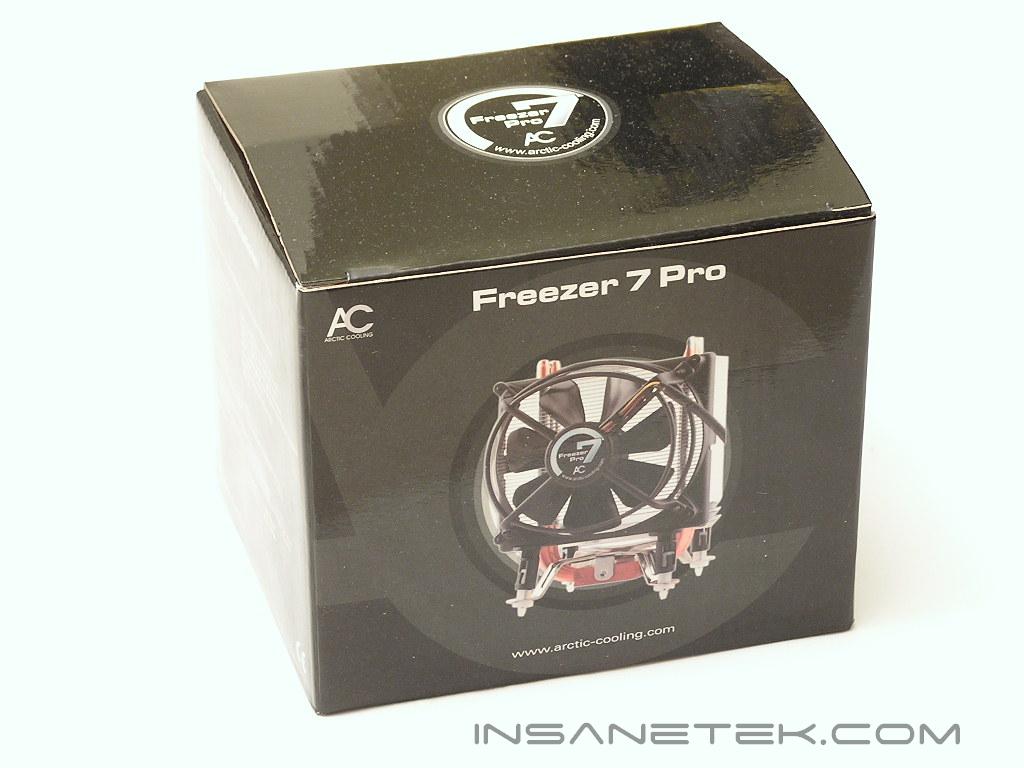
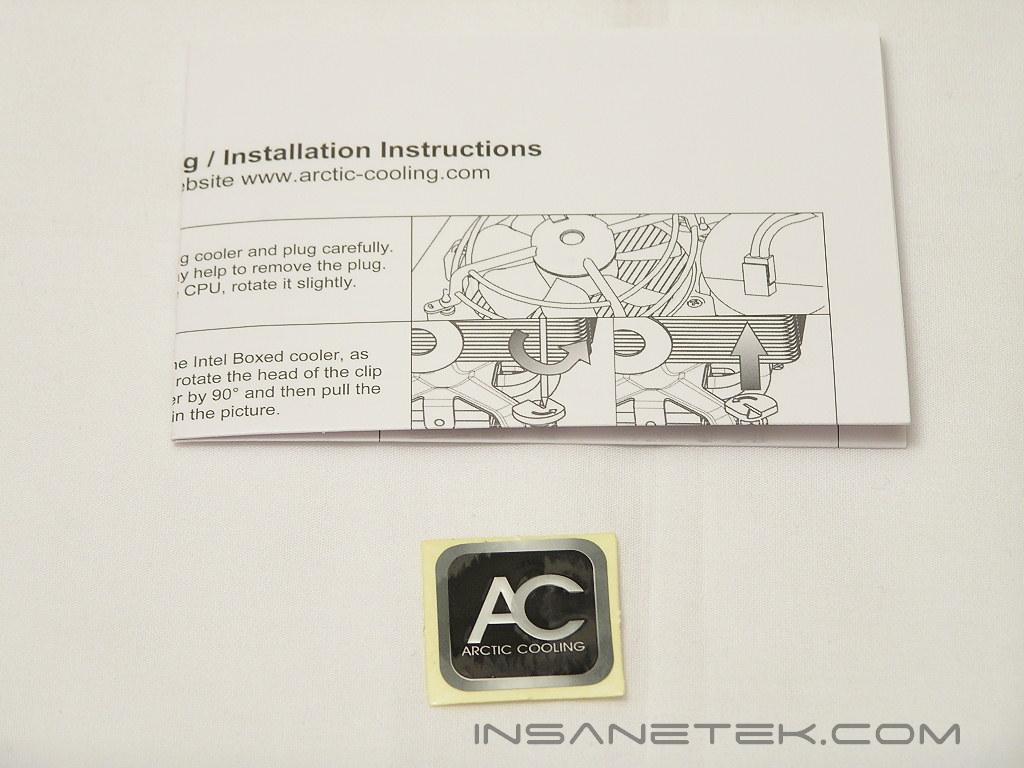
One major complaint I have heard about the Freezer line is that the cooler is not always packaged well inside the retail box. Many enthusiasts would receive the cooler with broken fan frames or fan blades. The packaging job of the Freezer 7 Pro has improved, although not by too much. There are two plastic holders that keep the cooler in place, restricting the cooler from movement during shipping transit. Included in the box is a simple instructions manual and case badge.
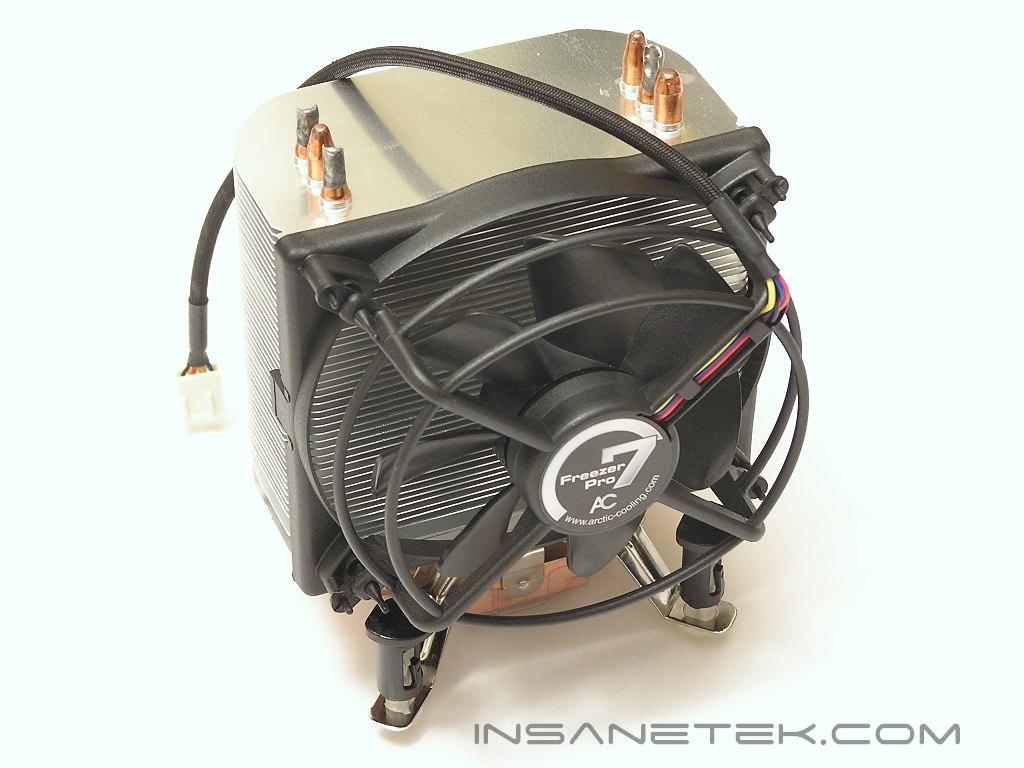
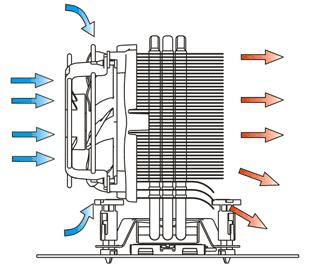
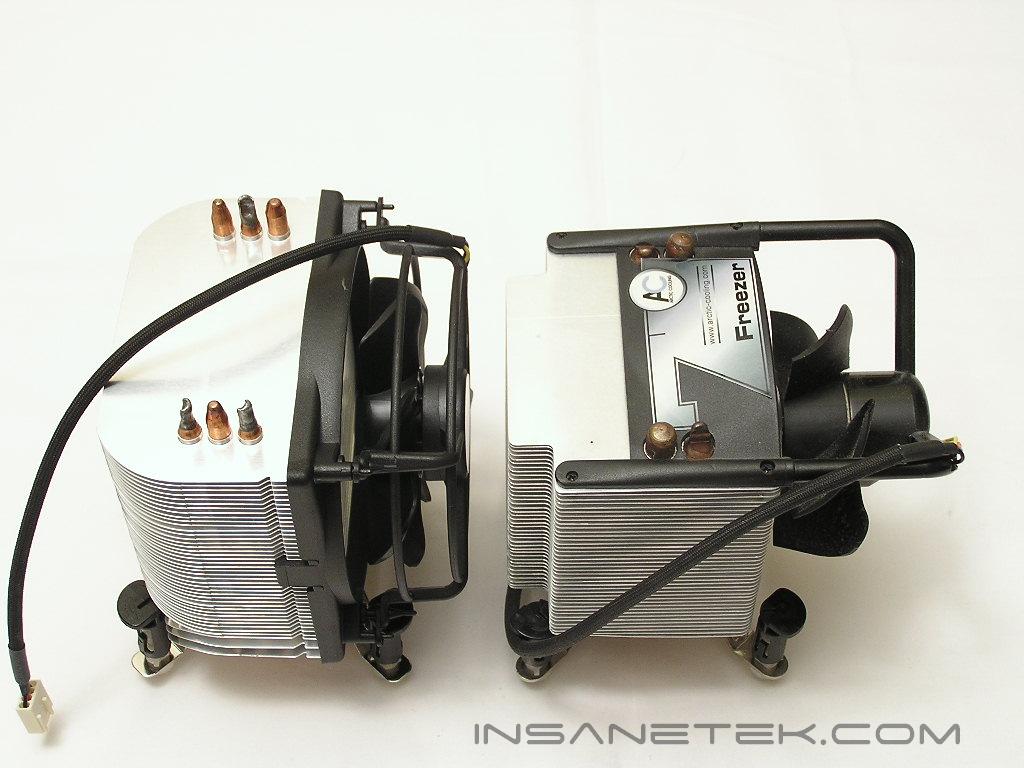
Instead of having rigid thick fins like the original Freezer 7, the Freezer 7 Pro comes with thin malleable aluminum fins for heat dissipation. While the fins are designed to be rounded in the corners, they are still sharp and can cut easily. I had a slight accident while removing the heatsink and the fins took a few layers of my skin. They are not razor sharp, but the edges are not as dull as the previous Freezer. One new feature found in the Freezer 7 Pro is that the last three fins are bent at an angle. This is to guide the airflow towards the bottom of the heatsink so that motherboard components can receive some active cooling as well. It works great when you aim it at MOSFETs.
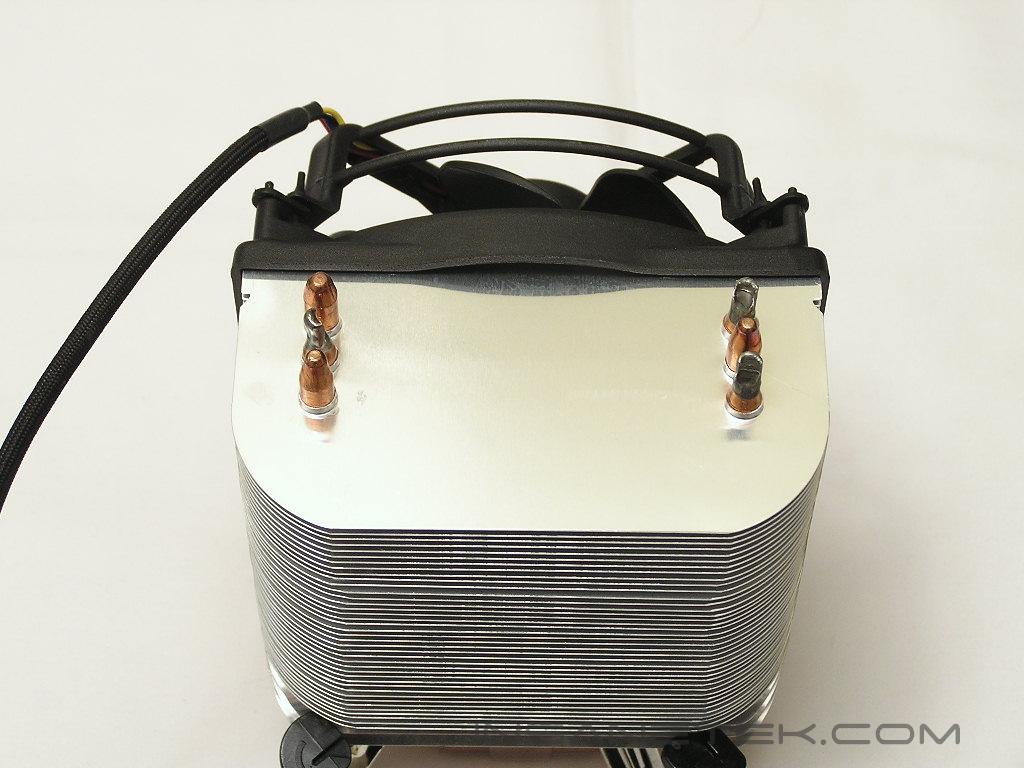
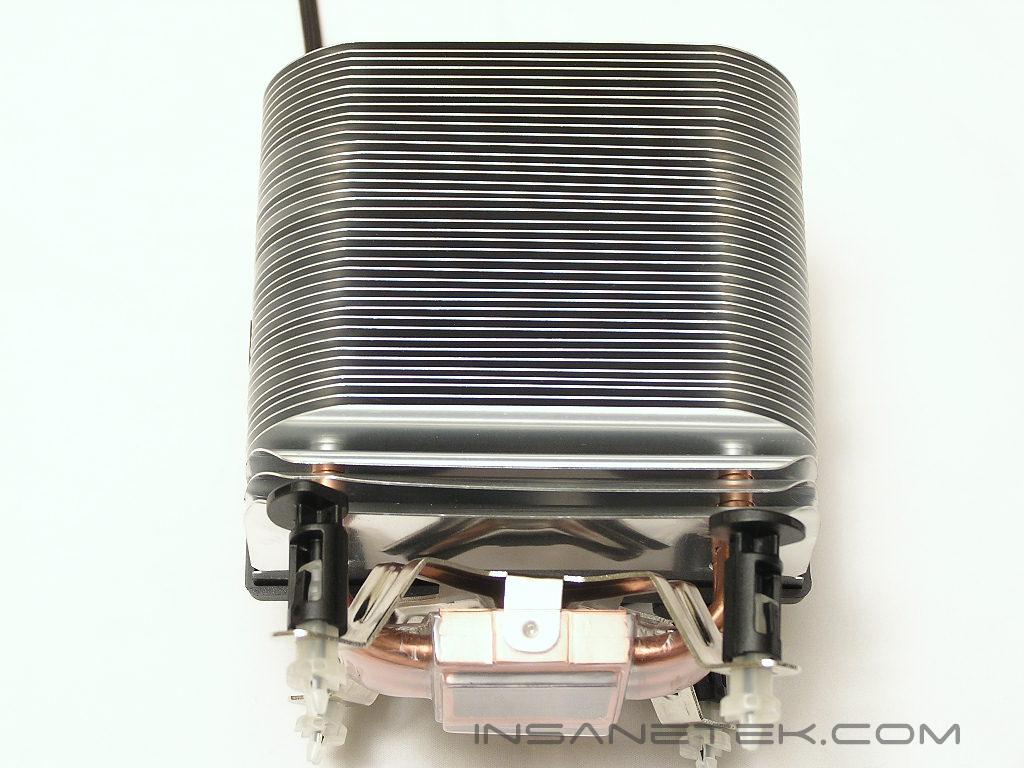
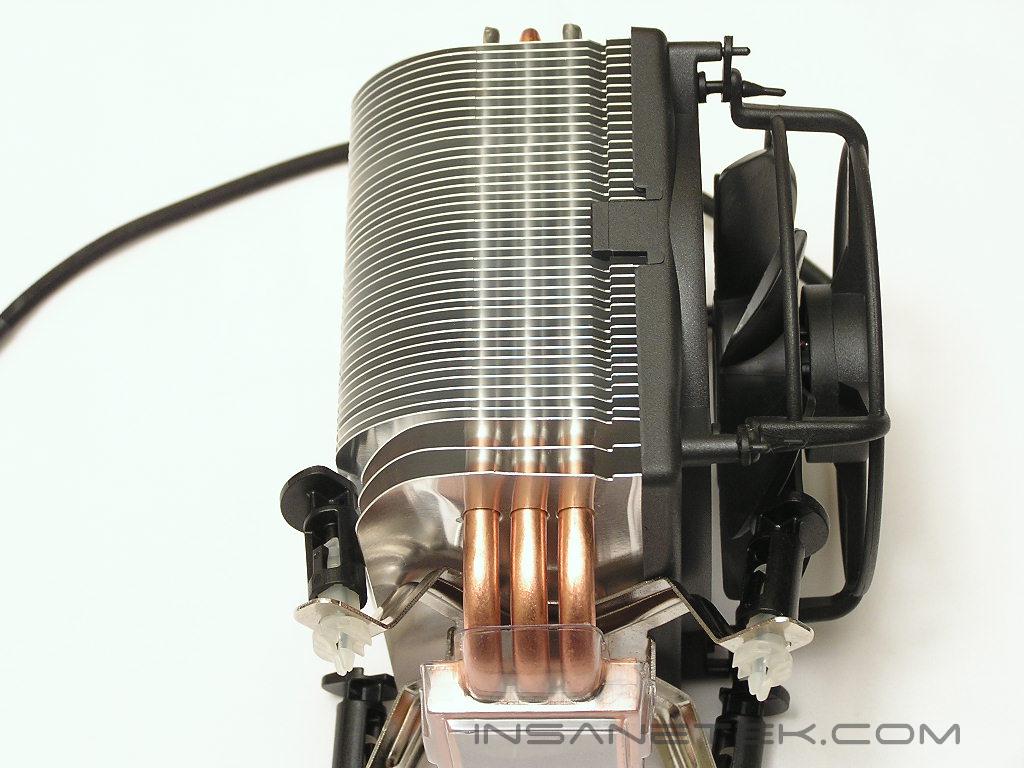
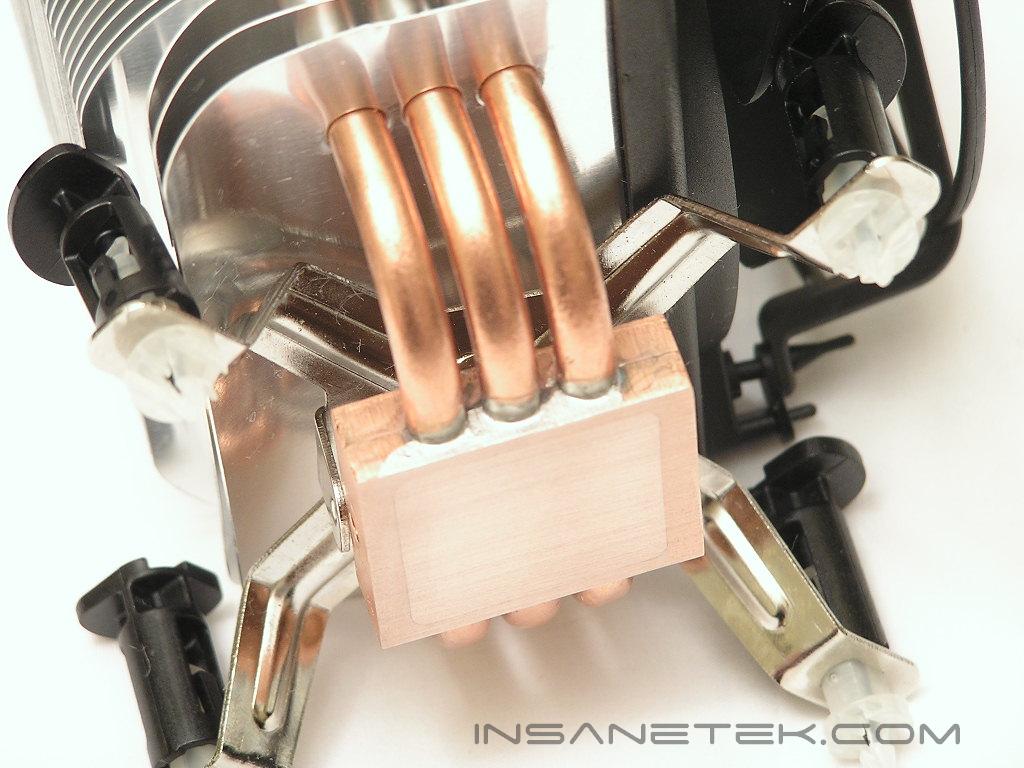
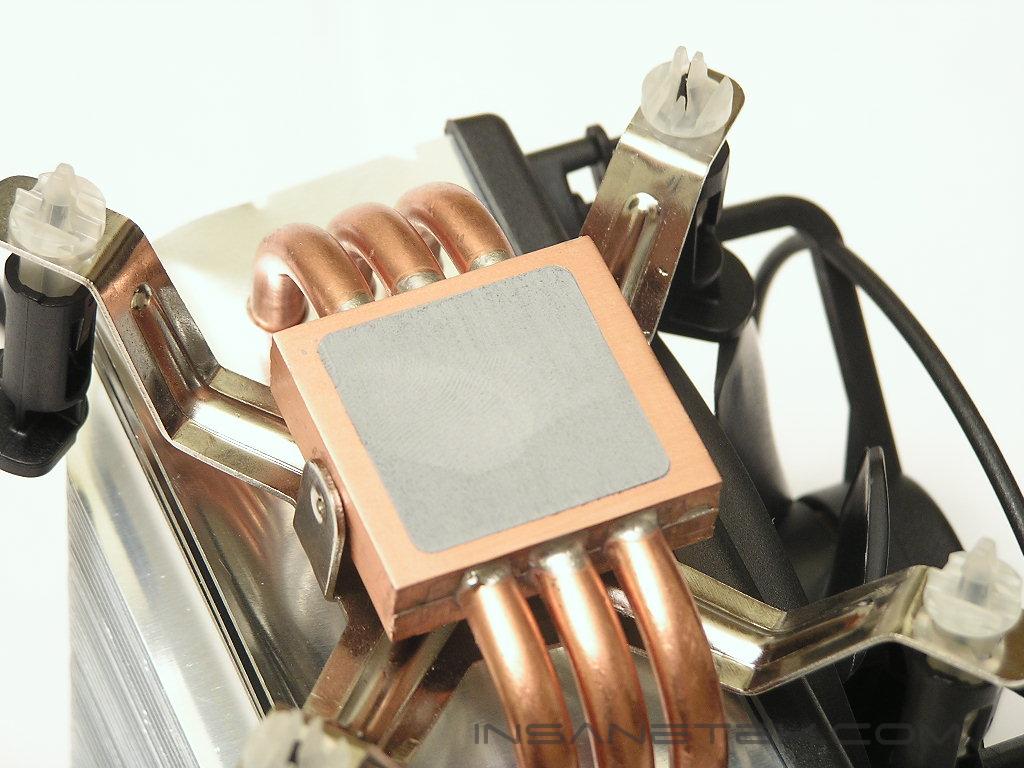
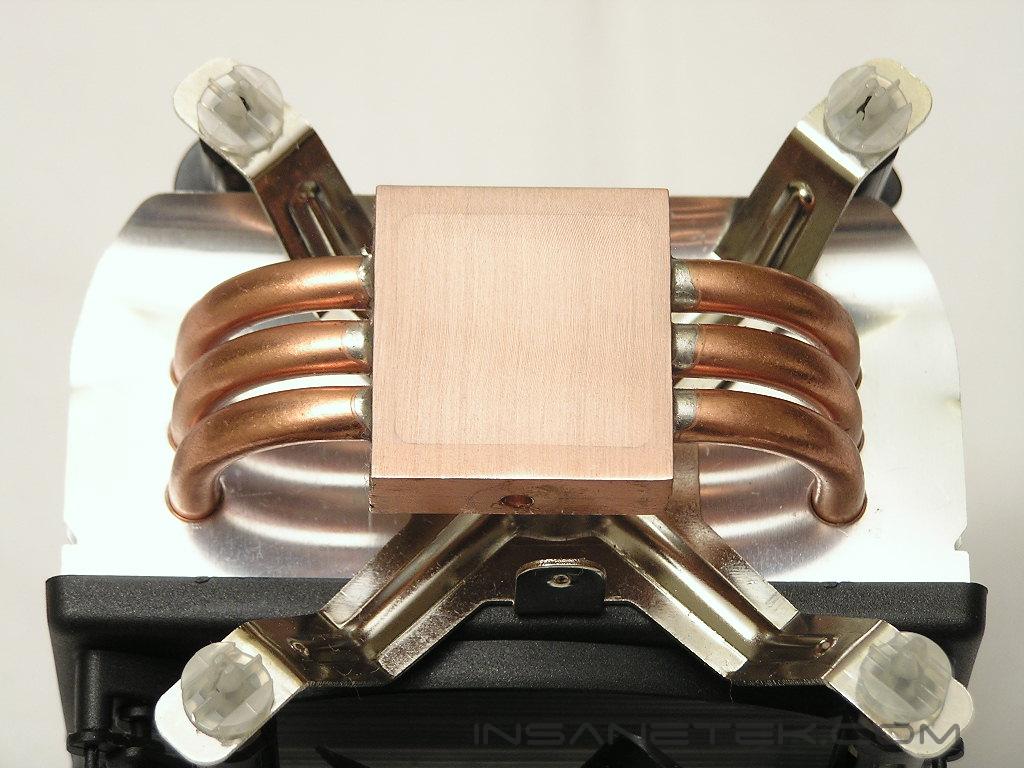
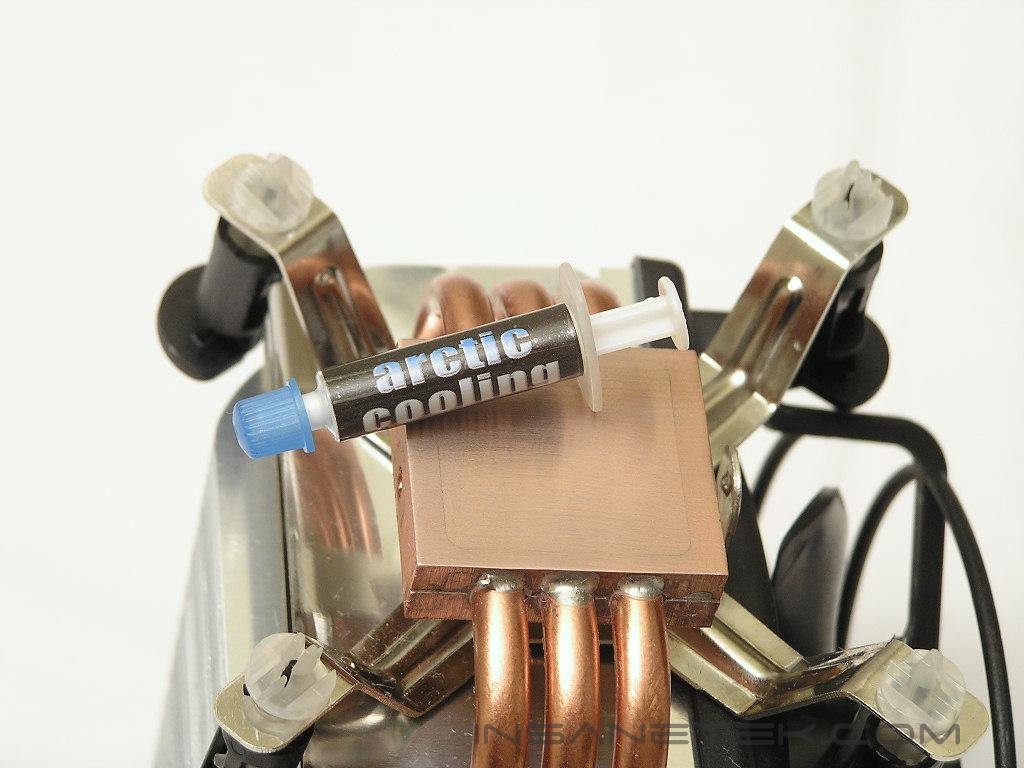
The original Freezer 7 came with the use of two long heatpipes bent into a U-shape, theoretically performing like four heatpipes. The Freezer 7 Pro adds another heatpipe into the mix and comes out with three long heatpipes bent into a U-shape, resulting with a look of six heatpipes. Common sense tells us that more heatpipes equals faster heat distribution and better overall performance. Like the original base of the Freezer series, the base of the Freezer 7 Pro is comprised of two copper blocks with the heatpipes soldered and sandwiched in the middle. Because the base comes with pre-applied thermal paste, there were no small tubes of thermal grease provided. I would have liked the small tube more since it allows for a few more future applications. Since Arctic Silver Ceramique will be used for testing, I went ahead and removed the stock thermal paste. The base of the Freezer 7 Pro is not very shiny, but that is not the main focus. The base makes great contact with the CPU.
Specifications
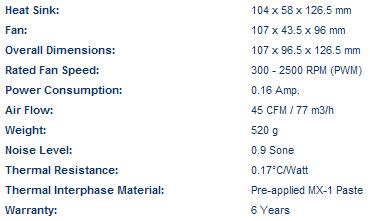
One downside to Arctic Cooling coolers, both CPU and GPU, is that they are only designed for a specific platform. This means that you miss out on the luxury of using the same cooler if you migrate to another platform. The Freezer 7 Pro is designed for the Intel LGA775 platform and nothing else. The fan used for the Freezer 7 Pro is 92mm in size. Arctic Cooling is known for their low noise levels, so it is not a surprise to see a rating of 0.9 Sone. Unlike other cooling products that are rated with dBA (sound intensity), Arctic Cooling follows the Sone (loudness) levels. It is whisper quiet. I honestly could not hear a thing even when I placed my ear next to the fan. Typically a louder fan means more CFM, since the faster the fan spins, the more air it pushes. The fan that came with the Arctic Cooling pushes a decent 45 CFM. It is not amazing for a fan of this size, but it does a good job of keeping the fins cool.
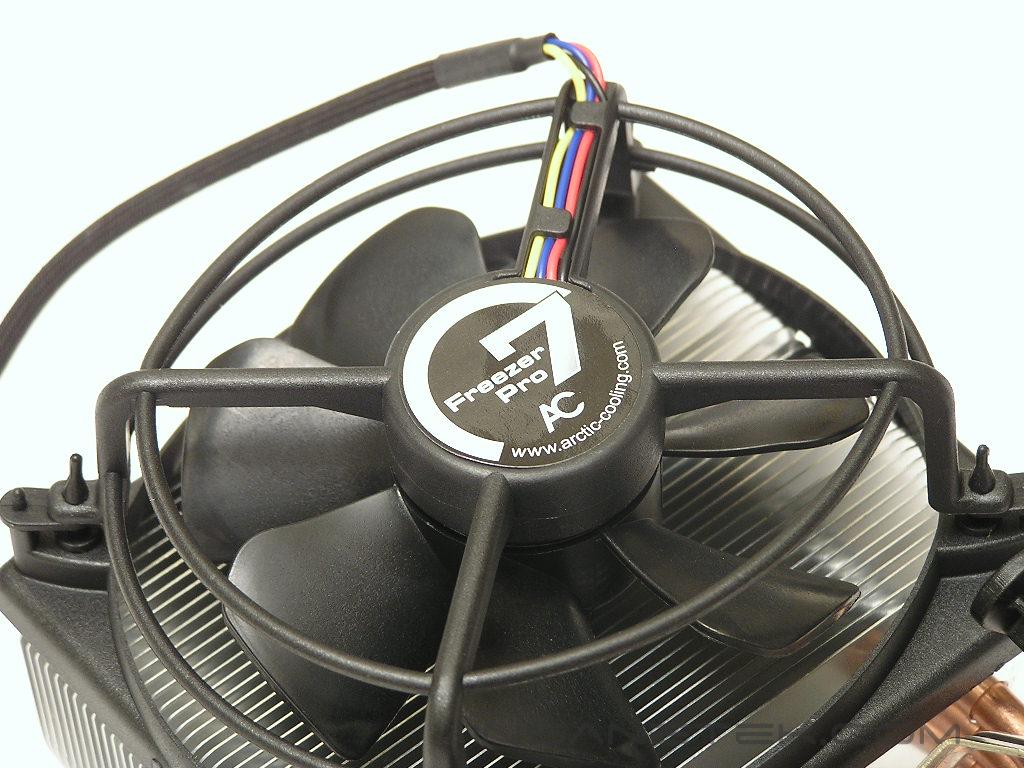
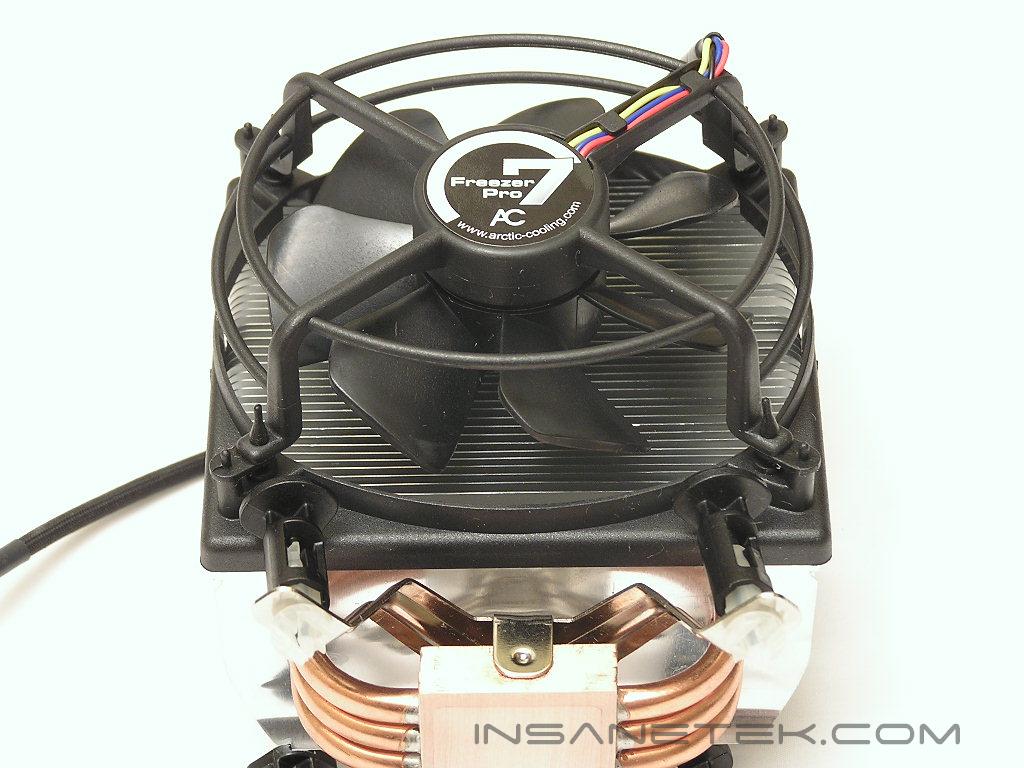
Another new feature of the Freezer 7 Pro is the fan frame. The original Freezer 7 hangs over the top and suspends the fan blades in midair, reducing fan vibrations. Since there have been multiple complaints regarding the fan bracket and fan blades breaking during shipping, Arctic Cooling came out with a new fan bracket. The fan does not suspend in midair, but the frame does have a lot of rubber padding to dampen vibration and reduce sound emitted from the fan.
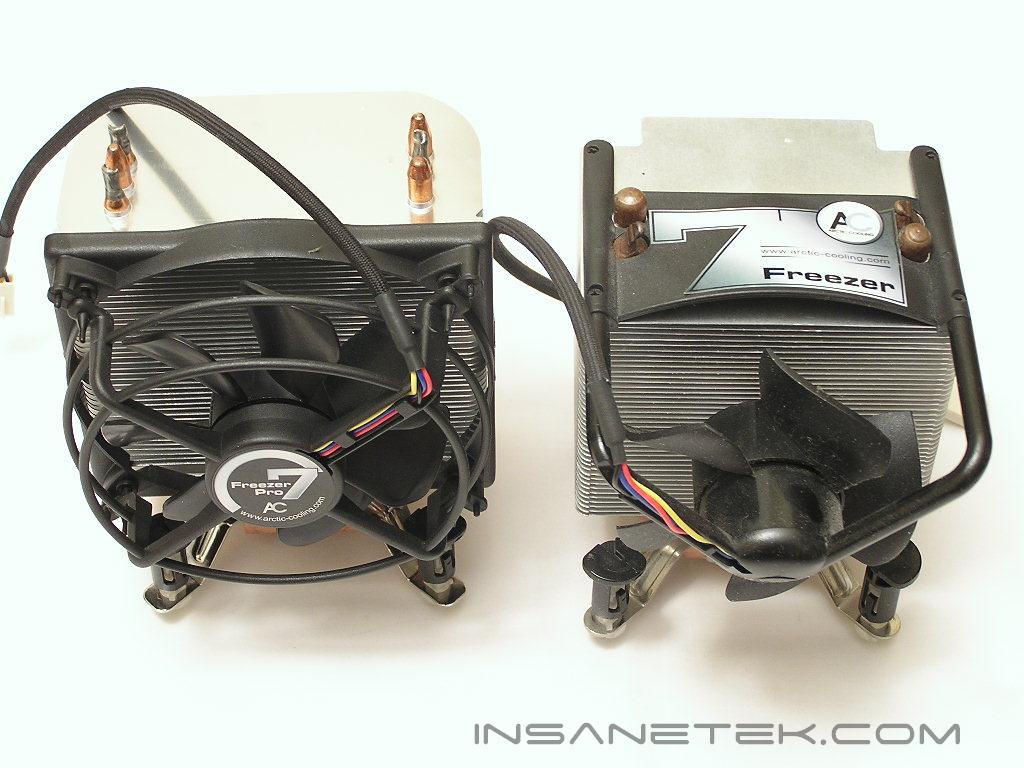
Below are some shots of the Freezer 7 Pro compared to the original Freezer 7. The Freezer 7 Pro is slightly wider than the predecessor; it is more rectangular than square in shape.
Installation
The Freezer 7 Pro uses the same installation method as Intel’s stock cooler. There are four push pins that you snap into the four holes on the LGA775 motherboard. Simply line up the push pins with the holes, sit the cooler down on the CPU, and push down until you hear a click. That is all there is to it. It takes all of five seconds. I positioned the cooler as if I would install the system into a case. The fan airflow is directed towards the exhaust fan and the bottom airflow brings some air to the ridiculously hot MOSFETs.
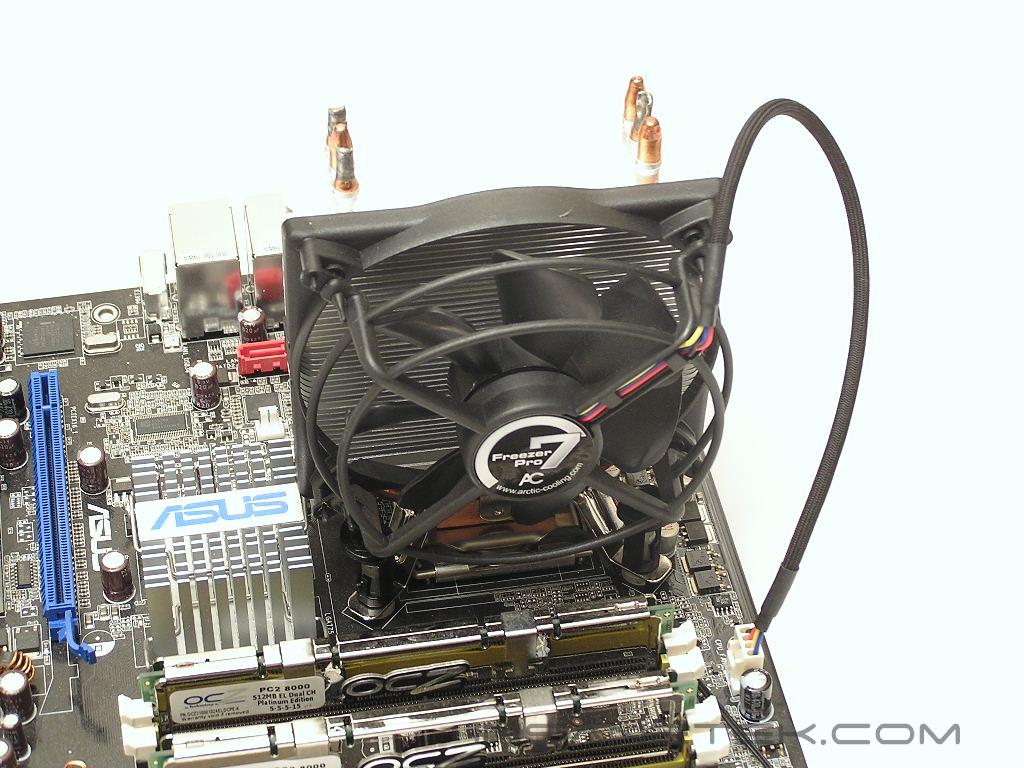
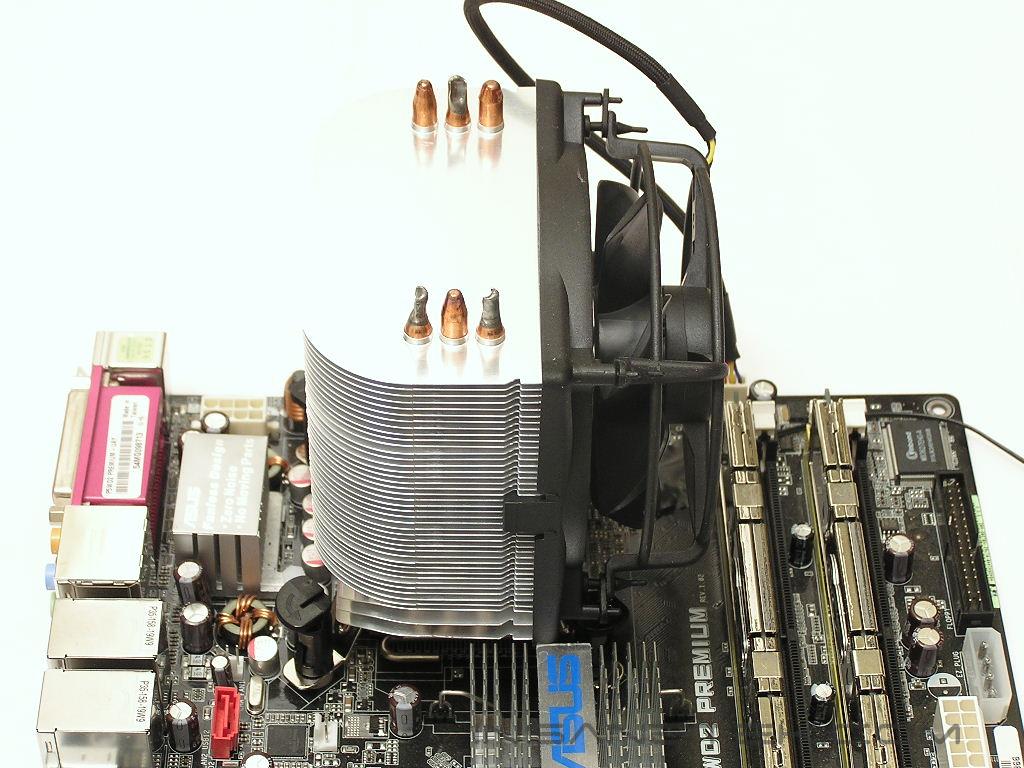
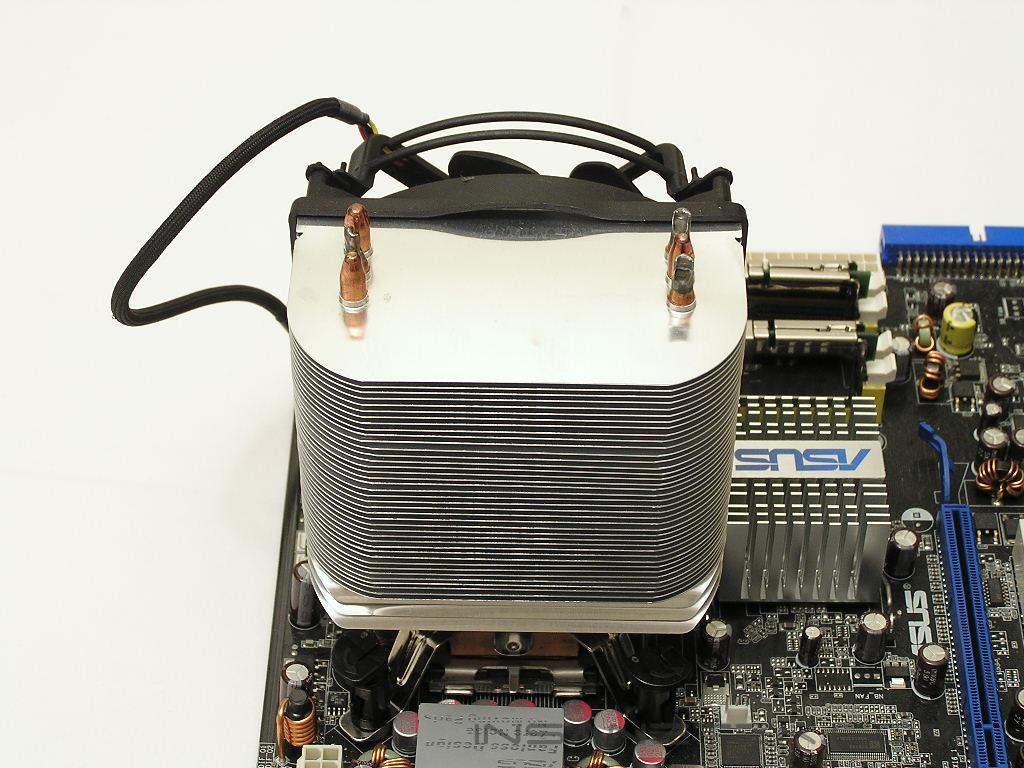
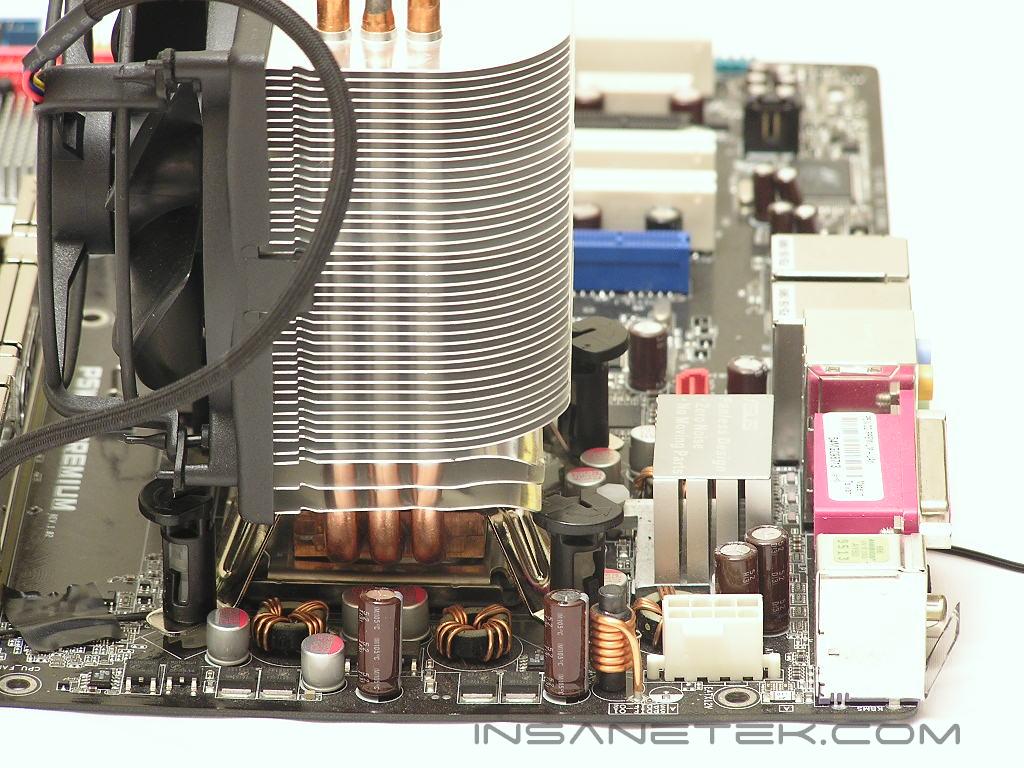
The Freezer 7 was a great LGA775 cooler, at least for my review purposes. It installed and removed with ease. The Freezer 7 Pro is slightly different and requires one extra step for removal. In order to gain access to the two push pins under the fan bracket, you must remove the fan bracket beforehand. If you do not remove the fan bracket, your flathead screwdriver will have a hard time reaching the push pins.
Test Setup and Results
Ambient temperature was kept at a consistent 20°C. Arctic Silver Ceramique thermal paste was used during the entire testing process. A temperature probe was placed next to the Intel heatspreader to measure CPU temperature. Two instances of CPU Burn-in were used to create maximum load on the CPU. The purpose of this test was to determine the results a home end user would obtain. There was no scientific testing conducted, simply because I do not have the proper equipment.
Test System Specifications:
- Intel Pentium D 840 (16 x 250FSB = 4GHz @ 1.4v)
- Asus P5WD2 Premium
- OCZ Platinum PC2-8000
- ATI Radeon X800XT
- SilverStone ST65ZF
Competition:
- Arctic Cooling Freezer 7
Test Procedures:
- Idling at desktop for 30 minutes
- Full load with 2 instances of CPU Burn-in for 60 minutes
Results:
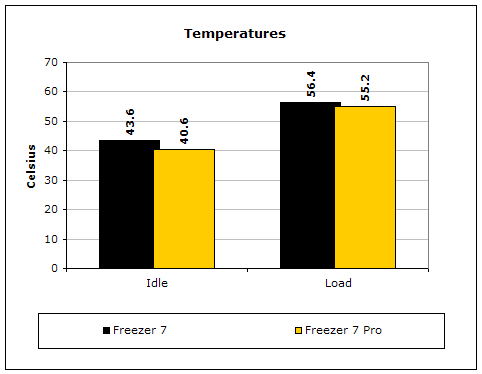
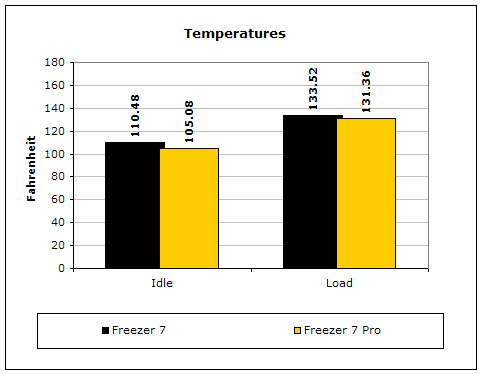
The Freezer 7 already provides great performance, although not the very best when compared to recent releases. The Freezer 7 Pro bettered the original by a good degree in load testing. The cooler is also better at keeping the CPU cooler at idle, but load temperatures are much more important for a cooler’s performance.
Conclusion and Thoughts
Arctic Cooling has done a good job at improving the Freezer 7 with the Freezer 7 Pro. The performance has definitely improved and the silence maintained. There are indeed some drawbacks, though. The malleable aluminum fins are thin and a little too sharp for me. Clumsy enthusiasts like me, and I know there are a lot of you out there, will easily shed some blood when working carelessly. Removal is also not as easy as before and requires the fan frame to be removed. So in the end, is the Freezer 7 Pro so much better than the Freezer 7? The answer is so-so. The performance is definitely a lot better and the angled fins at the bottom allow airflow to MOSFETs, but the drawbacks of the heatsink itself prevented the Freezer 7 Pro to dominate. This does not mean that the Freezer 7 Pro is not a good choice, it is a great choice. Just remember to keep in mind of the minor disadvantages when making your purchase. All I know is that it replaced the original Freezer 7 in my testbed and that is definitely a good thing.
Pros:
- Great performance
- Easy installation
- Silent!
- Angled fins allow airflow over MOSFETs
- One more heatpipe than predecessor
- Very affordable
- Better fan frame
Cons:
- Aluminum fins can cut and easily bend
- Removal requires removing fan frame

We would like to thank Scythe for providing us the sample. If you have any questions or comments, feel free to hit us up in the forums. You can also check out more of our latest reviews on the front page.
UPDATE:
I received a comment about my so-called “contradictory” comments about the improvement of the Freezer 7 Pro over the Freezer 7. One degree Celsius does not seem all that much to many of you, but that is because the point of comparison many of you are making is from the wrong angle. If you compare a heatsink from company A to company B, that one degree is not much and can be considered negligible. The review of the Freezer 7 Pro is comparing to the original Freezer 7. Arctic Cooling did not scrap their goals and come up with an all new heatsink. The same design and silence were maintained in the new offspring. There are differences, but not enough to make itself look like a totally different product. For a heatsink company to improve their existing cooler by one degree is a hard task. I would know because I worked in a heatsink company before. It is the same for Swiftech’s MCX462+ to the MCX462-V. All they did was pretty much bend the pins. That caused an improvement of 1-2 degrees and was known as a huge improvement. The same goes with the Freezer 7 Pro. The main addition would be the extra heatpipe, plus a few small tidbits here and there. That was it. It improved by one degree and that is good. What I am comparing is an existing red apple to a new slightly bigger red apple. The new red apple may only give you one extra bite, but that is still one extra bite.