

SunbeamTech Samurai Case
Many might have heard of Sunbeam’s accessories for the computer but many do not know that they produce computer cases as well. They started in 2000 but have been quiet in the scene since. Sunbeam focuses on innovation in their products and brings a wide variety of mods for those craving a nicely designed case. Today, we’ll be looking at one of the few cases offered by Sunbeam, the Samurai. It might look nice to some, but looks can be very deceiving.
Sunbeam Samurai
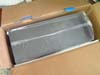
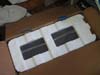
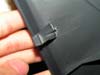
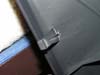
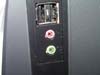
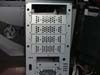
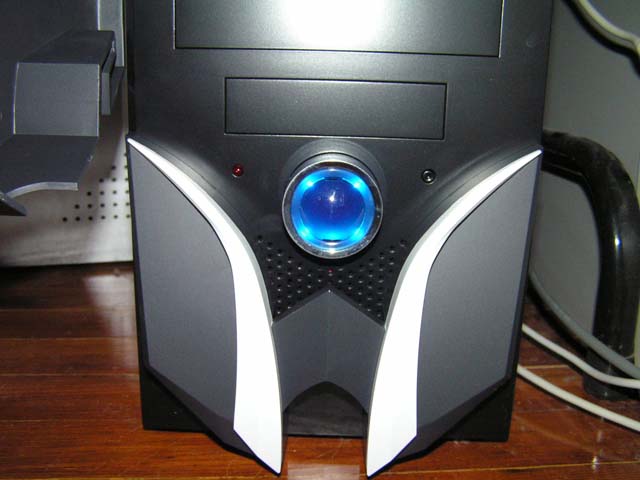
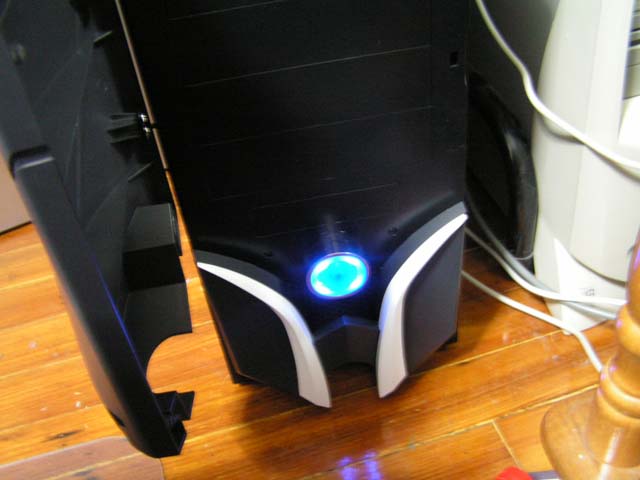
As with most cases, the Samurai came in a safe and protected box. It was enclosed inside a plastic bag and was surrounded on four sides by Styrofoam. Removing the Styrofoam reveals a smooth aluminum case. The chassis is not aluminum, but steel. Everything looked fine and perfect until I noticed the front panel door was loose. After taking a moment to look closely at it, I noticed the clip was broken. This rendered the front panel door useless as it cannot be closed and locked into place. I suspect that this was not Sunbeam’s fault, but rather the shipping company’s fault. Even though it might not have been the company’s fault, their wonderful customer service has offered a replacement front panel. Moving on, the front panel of the case is plastic. When opened, it reveals five 5.25” drive bays and one 3.5” drive bay. The power button and reset button are there as well. The power button is the overly sized blue button. When powered on, the blue button lights up, doubling as the power led. The HDD led is on the left and the ultra small reset button is to the right. I had trouble resetting the computer because the reset button is the size of jumper. It required me to use a pointed object. On the other hand, there is a side port for your headphone/speaker and USB connectors. The USB port is 2.0 compliant.



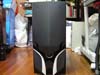
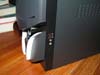
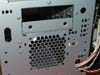
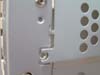
I took a look under the front panel, revealing a hidden 3.5” bay right below the front panel. There are metal coverings over each of the bays, requiring the user to snap them off before inserting anything. Every piece of covering is weakly connected by two thin metal strips. Below the 3.5” bays we have room for one 80mm fan.
Sunbeam Samurai Continued
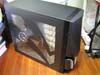
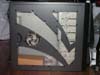
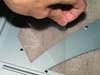
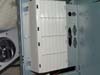
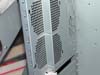
The side panel of the case features a sleek design with an acrylic window and a steel fan grill. The window was protected with a sheet of plastic, as are most window cases. You can easily remove the fan grill and place a fan underneath. However, this fan grill is loose. If you have any high powered fans inside your computer, this fan grill can vibrate and make an annoying noise. Taking a look on the other side, you can see a side panel with many ventilation slits. This provides a good amount of cool air flow into the computer.



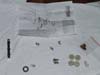
The package inside the case contained all the necessary screws and parts for the case. There were a bunch of screws, one zip tie, four legs for the case, an add on cover, and an instruction manual. The instruction manual was a simple one-sheet detailed layout of the case, nothing too fancy.


The Samurai uses a set of thumbscrews for the side panel with the window to make life easier when opening the case. The other side, however, uses traditional screws. Unlike many other cases, it was easy to slide the side panel out.

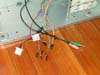
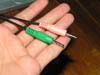
The interior of the case is very spacious. There were the usual connectors for the LEDs and switches on the front panel, as well as the connectors for the USB and audio ports on the side. One problem was that the power switch had only two holes while my motherboard needed a connector with three holes. This is easily fixable by sacrificing the speaker connector. Pull out the two wires from the power switch connector and the four wires from the speaker connector. Just rearrange it to however it fits your motherboard. Although the case allows two 80mm fans in the back, it is not entirely flat so you can’t just mount it. The solution to this was provided with the case. A plastic fan carrier is attached to hold the fans. This can be very annoying when you need to quickly take the motherboard out for a swap, because it clearly blocks the path.

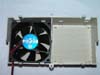
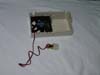
There are 7 PCI expansion slots to provide compatibility with several more motherboards. The slots also feature a tool-less locking system. The interior also reveals a spacious design to fit your drives. There are a total of five 5.25” bays and five 3.5” bays with their own tool-less locking mechanism. These locks are quite tight, so they can lock the hard drive in place during operation.


Specifications
|
Installation
Installation on the Samurai was much easier than many of the other cases I’ve dealt with. For people who misplace their tools while building their computer, the Samurai’s tool-free design is extremely convenient. There was plenty of space for the motherboard to fit, without having to worry about how to wedge/slide it in. The bays are tightly secured by plastic and are backed up by a metal plate to ensure that the covers are aligned perfectly. When sliding the drives in, simply slide the lever forward as much as you can and push the lock downwards. For the most part, these locks are tight enough to secure a hard drive so that it does not vibrate when operating. As for the PCI slots, there was a slight problem trying to lock correctly. When I inserted the video card, the lock kept pulling the video card back out of it’s PCI slot. After a few shifts and wedges, however, the lock was tightly secured on the card with no further problems. For other cards, such as the modem, network card, and sound card, I had no such problems. They all fit perfectly. Usually I put the power supply in first, but this time I tried putting the power supply in last. The case had enough room to fit the power supply without hitting heatsink. However, I would not recommend this if you have a gigantic 120mm heatsink/fan.




Conclusion and Thoughts
The idea of convenience has been incorporated together to create a product that prevents a lot of stress. The aesthetics of this case might not attract many users, but it has enough good qualities to be called a good case. Like many of the best cases on the market, this case has room to improve. The front door restricts the use of even their own manufactured rheobus fan controller. Furthermore, the case would attract more people if the front panel was metal, the motherboard tray was removable, and the reset button was bigger. This case certainly has the room for water cooling tubing, if you are looking for a case that supports water cooling. For $60, I would have expected more accessories from Sunbeam. Perhaps they could have thrown in another fan or a few more extra screws, in case you lose any. Overall, the Samurai is a quality case.
Pros:
- Smooth exterior
- Tool-free mechanisms
- Sturdy and tight PCI locks
- Wonderful customer service
- Moderate price
- Includes USB and audio ports on the side of case
- Has a lot of free space for air flow or water cooling tubes
Cons:
- Only comes with one fan
- Front is plastic and restricts use of fan controllers
- Reset button hard to reach
We would like to thank Sunbeam Technology for providing us the sample. If you have any questions or comments, feel free to hit us up in the forums. You can also check out more of our latest reviews on the front page.
UPDATE:
After Sunbeam was notified of the damaged piece of the case, they emailed us back and told us that the damage was unacceptable. They promptly shipped us a new front panel, this time with more protection. Great customer service!