

LapWorks Laptop Legs
While the staff here at InsaneTek enjoys killer overclocking rigs, many of us do work on our laptops. I recently just purchased a Dell 9300 with all the high-end parts for only 1300 dollars. I am definitely feeling the convenience of having a notebook over a desktop. However, I prefer to keep my laptop on my lap for work, and this Dell 9300 can get rather hot during hot days or a game of WOW. Equipped with a 6800 Go and a 2.2Ghz Dothan processor, this laptop packs the punch of a desktop. The excess heat dissipating onto the precious gems of my lap certainly will not bode well for my future plans of having a family. Fortunately, LapWorks, a leading supplier of laptop accessories, created the Laptop Legs to alleviate the heat problem and make working on my laptop much more convenient.
Many of you may know the company LapWorks for their patented “Laptop Desk,” which is a mini portable desk designed to absorb the heat from your laptop and add extra workspace. My roommate has this contraption and I constantly borrow it every time I feel like working on my bed. Now LapWorks has invested more into research and designed the Laptop Legs, a feature that supposedly existed at one point with all laptops, but were noted as a design flaw because of their ability to break easily. Now legs on a laptop will exist because of LapWorks. InsaneTek will have a first-hand look.
Laptop Legs and Installation
Laptop Legs:
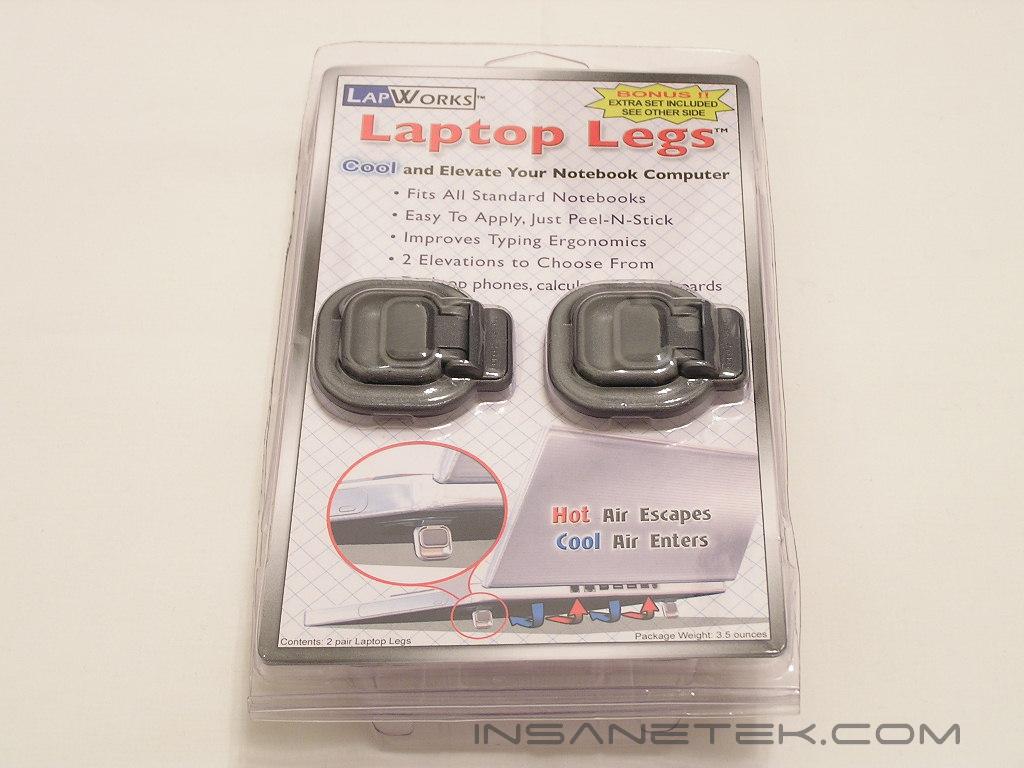
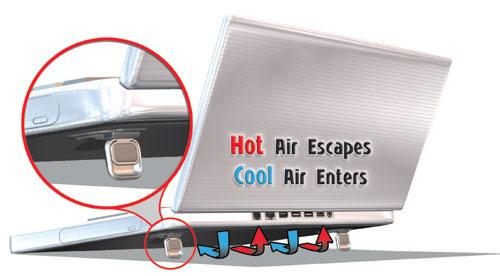
The laptop legs are available for a price point of $24.95 for two sets. If purchased directly from LapWorks, the cost will be only $19.95. The extra legs are intended for other devices such as calculators, keyboards, or telephones. The packaging indicates all the value-add features that come from purchasing these legs. A pictorial on the bottom right of the front insert describes how these legs can lower overall laptop temperatures. By allowing hot air to escape and cold air to enter, your laptop’s temperature can be reduced. The back of the packaging has detailed instructions for installing the laptop legs, as well as how to remove the laptop legs.
After opening the package, I can definitely feel how light these feet are, which is important for those people concerned with these adding extra weight to their notebooks. LapWorks has tested these feet to operate efficiently at 15lbs of pressure, but has tested for failure rate at 40lbs! I doubt any of you have notebooks of that weight, so you can rely on these legs to easily support any notebook on the market. The material on the legs feels like some kind of break-proof polycarbonate, yet I will probably never know because the design is patented.
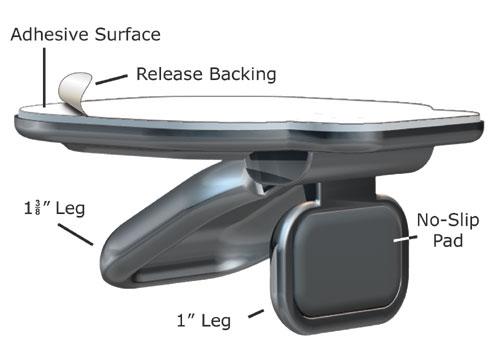
The legs have two overall heights for adjustment depending on your preference for typing. When flat, the feet act as anti-slip material to help prevent your notebook or device from moving.
Installation:
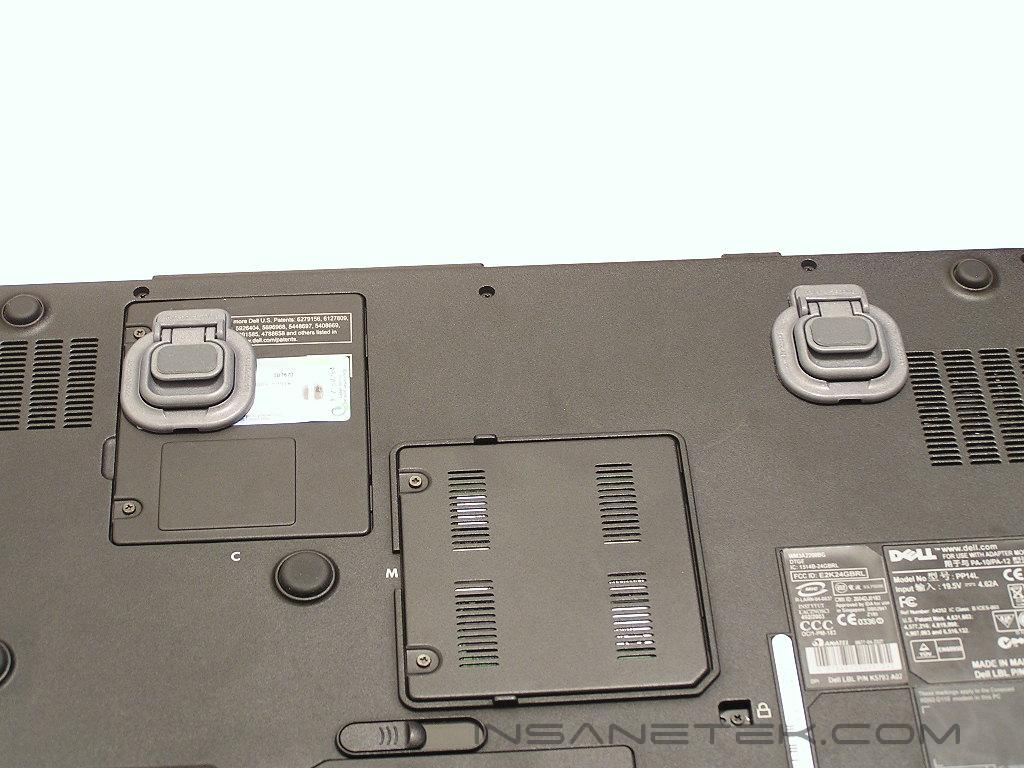
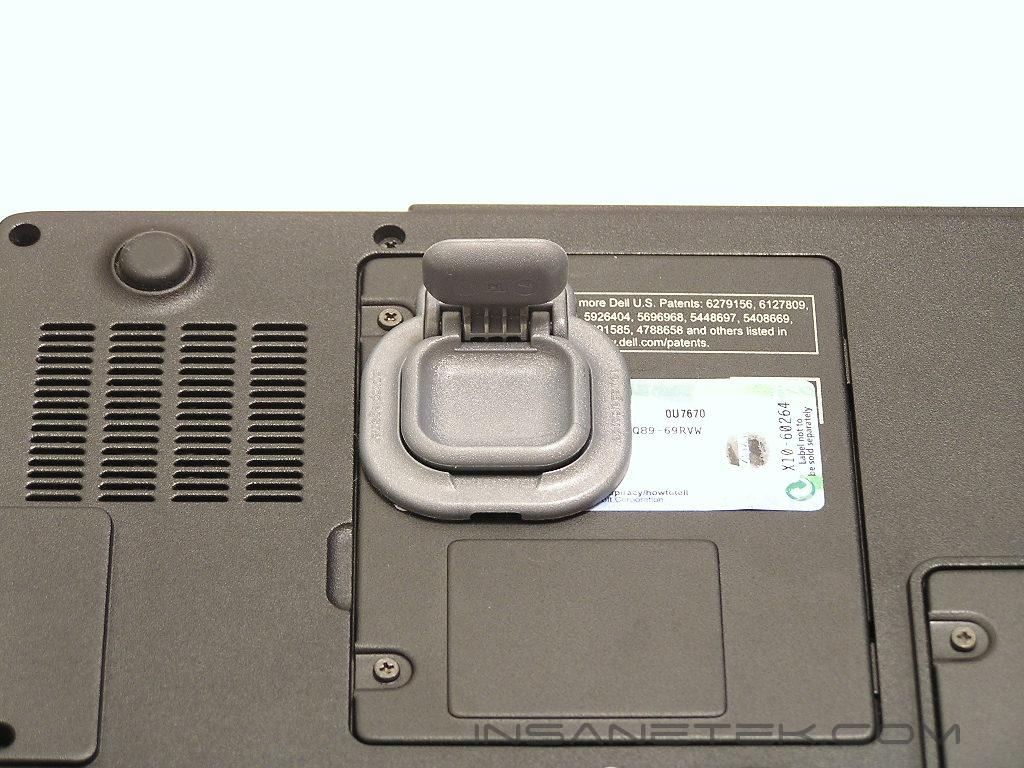
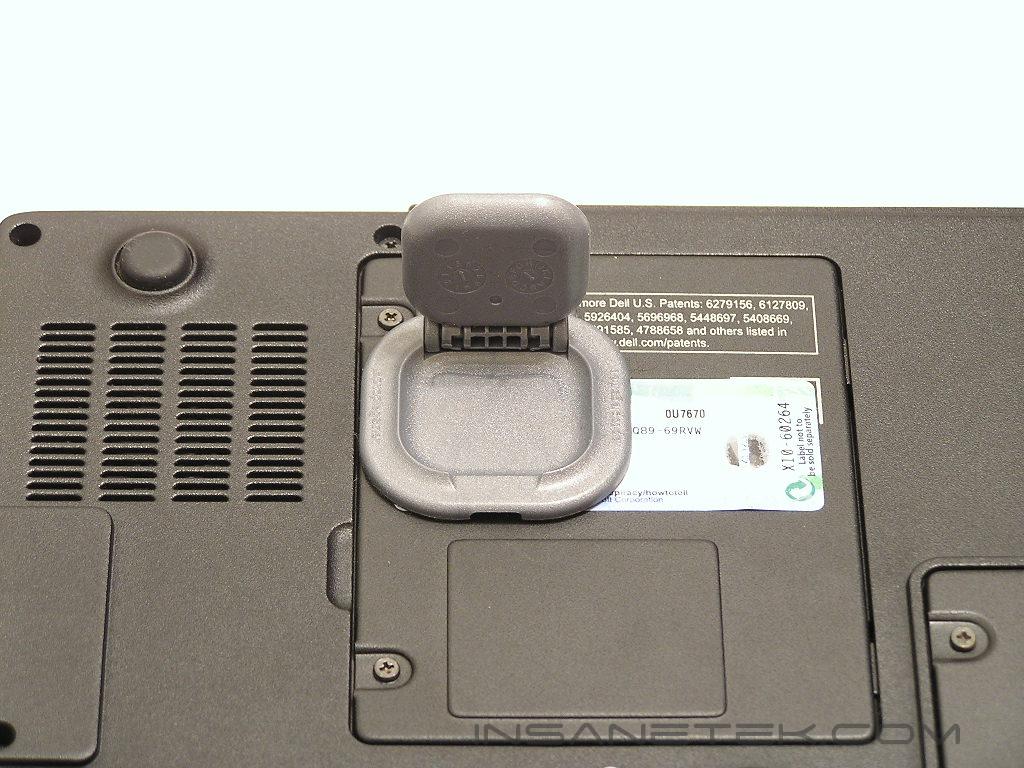
Installation of the laptop legs is easy, a matter of peeling off the protective film from the adhesive and applying the legs to the back of your notebook. Obviously, you need to make sure that the legs are symmetrically placed equidistant from each other, otherwise your notebook may wobble. The legs need to open up towards the back of your notebook, or else they will collapse if place the other way. Once applied, I definitely felt how sturdy the adhesive was and knew these legs would never come off. With the ability to choose two height levels, the laptop legs offer good enough versatility. I also decided to test for changes in temperature, but I did not notice any significant changes in system or CPU temps. I doubt the overall temperatures of a notebook can be lowered without active cooling. I did not expect these legs to disprove my theory, as they were not designed primarily for cooling.
Conclusion and Thoughts
These Laptop Legs may have been the shortest review I have ever written, but the quality of these legs do not fall short at all. I instantly noticed the convenience of having legs when placed on my lap and wondered why legs were never ever incorporated back into laptops. The only drawback I see with these legs is that I do not know if they can be reapplied if removed, although I doubt you would ever have to remove them unless you plan on returning or selling your notebook. Although not a major drawback, the lack of improved system temps surprised me, considering they advertised this feature on the front packaging. While certainly not a “Must Have” product, these legs should certainly be given a look.
Pros:
- Easy installation
- Inexpensive if purchased direct
- Two elevations to choose from
- Anti-slip material
Cons:
- Can’t be used again if removed
- Does nothing significant for cooling
We would like to thank LapWorks for providing us the sample. If you have any questions or comments, feel free to hit us up in the forums. You can also check out more of our latest reviews on the front page.